
Local Trade Copier EA MT4
- Utilities
-
Juvenille Emperor Limited
 Hello, I'm Eleni Anna Branou, a 51-year-old specialist in designing efficient expert advisors, indicators, and utilities exclusively available on the MQL5.com Market. I aim to offer valuable products at competitive prices, ensuring the best user experience and support for my customers.
 - Version: 4.60
- Updated: 11 September 2026
- Activations: 20
Local Trade Copier EA MT4© is a fast and flexible trade copier for copying and managing trades between multiple MetaTrader 4 accounts on the same Windows computer or Windows VPS. It combines local trade synchronization with Receiver-side controls for lot sizing, risk management, trade filtering, symbol mapping, trade management and account protection.
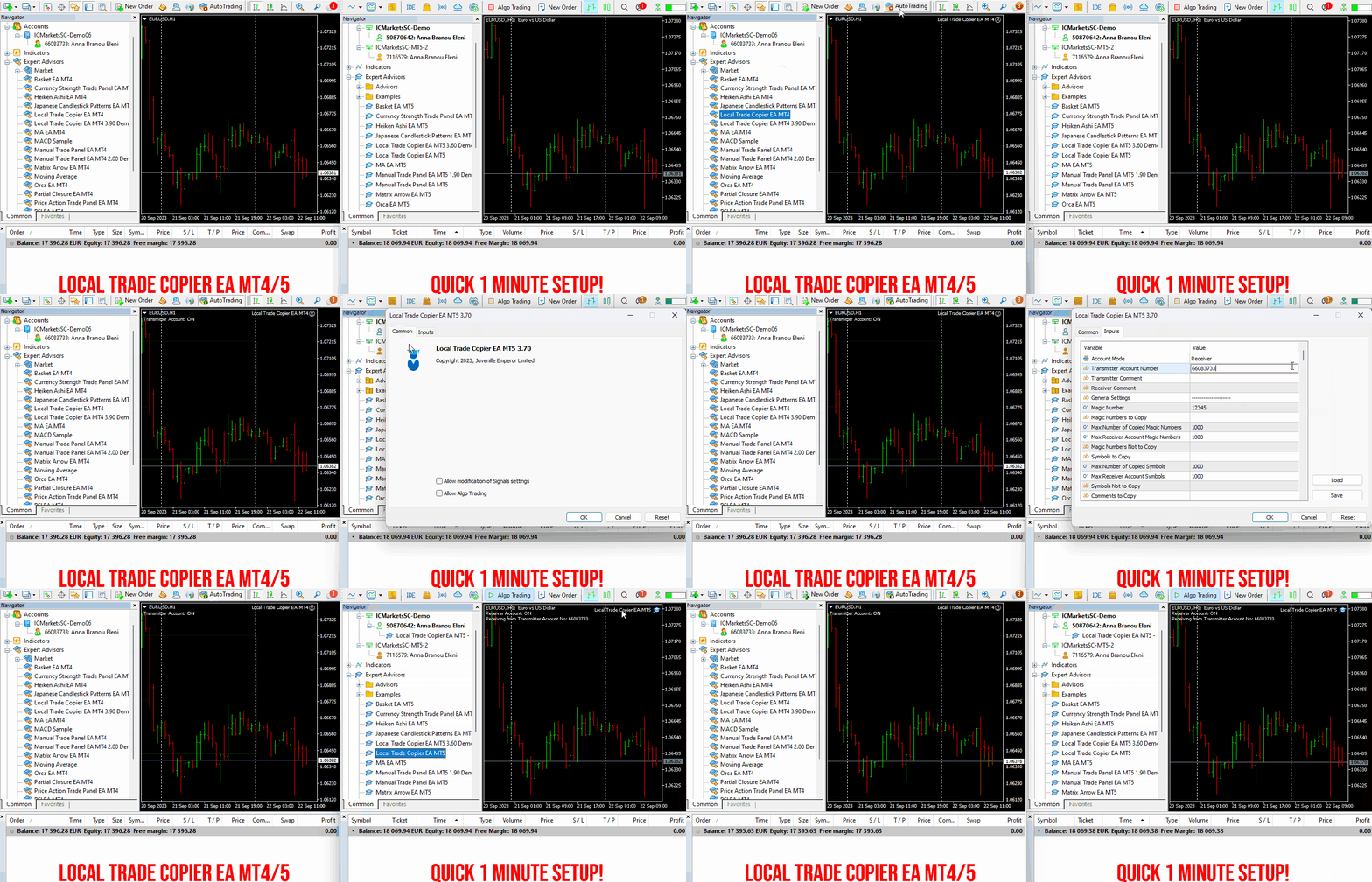
Set up your Transmitter and Receiver terminals in about 1 minute and copy manual or EA trades between accounts at the same or different brokers. Under suitable conditions, trade information can be synchronized between local MetaTrader terminals in under 0.5 seconds. Actual execution depends on broker latency, network conditions, computer/VPS performance and terminal workload.
Try the Free Demo Before Purchasing
You can test the fully functional Local Trade Copier EA MT4© Free Demo on your MT4 demo accounts for 4 hours at a time:
Download Local Trade Copier EA MT4© Free Demo
Install the downloaded file in:
MT4 → File → Open Data Folder → MQL4 → Experts
Then restart MT4.
To reset the 4-hour trial, go to:
MT4 → Tools → Global Variables → Ctrl+A → Delete
Please use this reset procedure only on a non-critical demo account and not on a prop firm challenge/evaluation or other important account.
Quick Guides & Support
Installation & User Guide | Settings/Inputs Guide | Troubleshooting Guide | Copying Speed & Optimization Guide
Need help before or after purchasing?
Contact Me Through My MQL5 Profile
Why Use Local Trade Copier EA MT4©?
Fast Local Copying
Trades are copied locally between MetaTrader terminals running on the same Windows computer or VPS, without requiring an external cloud copying service.
Multiple Accounts
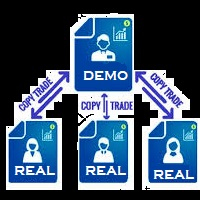
Use one or more Transmitter accounts with one or more Receiver accounts. Each Receiver can have its own copying, lot-sizing, filtering and risk-management configuration.
18 Lot Size & Risk Options
Choose from fixed lots, multipliers, proportional sizing and risk-based methods to control how trades are sized independently on each Receiver account.
Receiver-Side Risk Management
Control maximum risk by symbol, currency or account, minimum and maximum lot sizes, daily drawdown and profit limits, drawdown-based copying restrictions and emergency account protection.
Advanced Trade Filtering
Choose which trades are copied according to symbol, magic number, comment, ticket, volume and other conditions. Long/short trades and existing/new trades can also be controlled independently.
Different Brokers & Symbol Mapping
Copy between accounts at different brokers using automatic prefix/suffix handling and configurable symbol mapping when brokers use different symbol names.
Flexible Trade Management
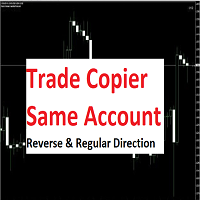
Control Take Profit and Stop Loss copying, partial closures, synchronized closures, trade reopening, better-price conditions, reverse copying, trade splitting and other Receiver-side management options.
Manual Trades & Expert Advisors
Copy manual trades and trades opened by Expert Advisors. You can continue using manual trading or other EAs alongside the copier.
Read-Only Transmitter Support
Trades can be copied from a Transmitter account logged in with an investor/read-only password. Receiver accounts must have trading permission.
Account Monitoring & Notifications
Email and push notifications can report copied trades and Receiver balance, equity and margin conditions.
Persistent Configuration
Configured settings remain available after terminal restarts or temporary connection interruptions.
MT4, MT5 & Cross-Platform Trade Copying
This MT4 version supports:
MT4 → MT4
For cross-platform copying involving MetaTrader 5, purchase the MT5 version as well:
With both MT4 and MT5 versions installed, you can configure:
MT4 → MT5
MT5 → MT4
MT5 → MT5
Both MT4 and MT5 terminals must run on the same Windows computer or Windows VPS for local copying.
Real, Demo & Different Broker Accounts
Depending on the permissions and conditions of the accounts involved, Local Trade Copier EA MT4© can be used between:
Real → Real
Real → Demo
Demo → Real
Demo → Demo
The Transmitter and Receiver accounts can be held with the same broker or different brokers.
When using prop firm challenge, evaluation or funded accounts, always verify the current rules of the relevant firm regarding trade copying, automated trading and account management.
20 Activations
Local Trade Copier EA MT4© includes 20 activations.
An activation applies to a Windows computer/VPS and operating-system configuration, rather than to an individual trading account or MetaTrader terminal. This means you can run multiple MT4 terminals and accounts on the same activated Windows computer or VPS.
The 20 activations therefore provide flexibility for installations across different computers and VPS environments.
Additional Capabilities
- Multiple Transmitters and Receivers
- Automatic or configurable symbol prefix/suffix handling
- Custom symbol mapping
- Market and pending order copying
- Optional TP and SL copying
- Custom Receiver TP/SL management
- Correct partial closure handling
- Receiver trade reopening
- Reverse copying
- Better-price copying conditions
- Automatic or configured trade splitting
- Day and time copying controls
- Minimum and maximum lot controls
- Symbol, currency and account-level risk controls
- Daily drawdown and profit controls
- Emergency account protection
- Transmitter and Receiver drawdown filters
- Email and push notifications
- Transmitter and Receiver comment options
- MQL5 VPS self-copier mode
Simple Setup
The basic setup requires only two roles:
Transmitter — the MT4 account from which trades are copied.
Receiver — the MT4 account to which trades are copied and where copying, lot sizing, filtering, risk management and account-protection settings are configured.
For detailed installation and configuration:
Installation & User Guide | Settings/Inputs Guide
Support
If you have a question about installation, configuration or a particular copying setup, please contact me through the MQL5 messaging system:
You can also check the troubleshooting guide for solutions to common installation and trade-copying issues:
Local Trade Copier EA MT4/5© Troubleshooting Guide
If Local Trade Copier EA MT4© is useful for your trading setup, your MQL5 Market review is always appreciated. If you experience a problem, please contact me first so I can help investigate the issue.












































































Все отлично работает, пользуюсь уже более года