Published products

Multifunctional tool: Lot Calculator, Grid Orders, R/R ratio, Trade Manager, Supply and Demand zones, Price Action and much more Demo version | User manual Trade Assistant doesn't work in the strategy tester: you can download the Demo Version HERE to test the utility . Contact me for any questions / ideas for improvement / in case of a bug found If you need a MT5 version, it is available here
Simplify, speed up and automate your trading process . Expand the standard terminal capabilit

Multifunctional tool: Lot Calculator, Grid Orders, R/R ratio, Trade Manager, Supply and Demand zones, Price Action and much more Demo version | User manual Trade Assistant doesn't work in the strategy tester : you can download the Demo Version HERE to test the utility .
Contact me for any questions / ideas for improvement / in case of a bug found If you need a MT4 version, it is available here Simplify, speed up and automate your trading process . Expand the standard terminal capa
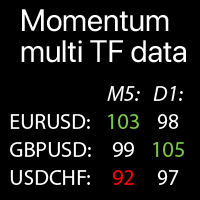
Multi-timeframe Momentum values on the selected Symbols: compare the current market trends The indicator displays Momentum indicator values from all selected timeframes and Symbols in a single table , which allows you to quickly analyze current market price trends .
Multifunctional trade manager : 66+ features | Contact me for any questions | MT4 version Each Symbol can be customized: removed / replaced. You can add up to 40 Symbols. Panel can be moved to any place of the chart (drag

Displays the current market information with a per-second update. Spread size; Swap size: for short and long positions; Local time (optionally); Multifunctinal utility : 66+ features, including this tool | Contact me if you have any questions | MT4 version In the settings of the indicator, you can configure: Font size; Text color; Select the positioning: left / right corner of the chart; Local time: on/off; The program file should be placed to the " Indicators " directory.
FREE
Displays the current market information with a per-second update. Spread size; Swap size: for short and long positions; Optionally, you can enable the display of the current time; Multifunctional utility : 66+ features, including this tool | Contact me if you have any questions | MT5 version In the settings of the indicator, you can configure: Font size; Text color; Select the positioning: left / right corner of the chart; Turn on / off the display of the current time (local time onyour
FREE
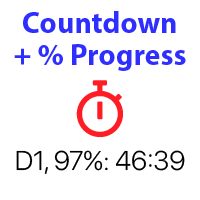
Countdown timer till the bar closure, + % Progress status: #1 multifunctional utility : 66+ features, including this tool | Contact me if you have any questions | MT4 version In the settings of the indicator, you can configure: Timeframe for Calulculation; true / false: Higher TimeFrame option (next from the currently used: M15->M30, H4->D1...) Position:
1 = Bottom Left corner;
2 = Bottom Right corner;
3 = Top Left corner;
4 = Top Right corner; Font Size; Color; Font Style;
FREE

Countdown timer till the bar closure, + % Progress status: #1 multifunctional utility : 66+ features, including this tool | Contact me if you have any questions | MT5 version In the settings of the indicator, you can configure: Timeframe for Calulculation; true / false: Higher TimeFrame option (next from the currently used: M15->M30, H4->D1...) Position:
1 = Bottom Left corner;
2 = Bottom Right corner;
3 = Top Left corner;
4 = Top Right corner; Font Size; Color; Font Style;
FREE
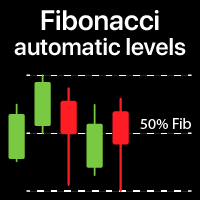
Automatically plots Fibo levels, based on the High & Low prices from the specified time frame Multiple bars may be united: e.g. you can get a Fibo based on the 10-days Highs and Lows My #1 Utility : 66+ features, including this indicator | Contact me for any questions | MT4 version Helps to see potential reversal levels; Patterns formed at the Fibo levels tend to be stronger; Significantly reduces the time spent on manual plotting ; Settings: Timeframe to calculate the
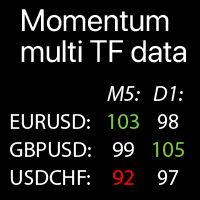
Multi-timeframe Momentum values on the selected Symbols: compare the current market trends The indicator displays Momentum indicator values from all selected timeframes and Symbols in a single table , which allows you to quickly analyze current market price trends .
Multifunctional trade manager : 66+ features | Contact me for any questions | MT5 version Each Symbol can be customized: removed / replaced. You can add up to 40 Symbols. Panel can be moved to any place of the chart (drag
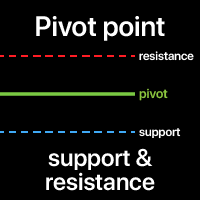
A Pivot point is used to determine the overall market trend. The pivot level itself is the average of the high and low, and the closing price from the previous bar.
On the next bar trading above the pivot point is thought to indicate ongoing bullish sentiment, while trading below the pivot point indicates bearish sentiment.
The pivot point is the basis for the indicator, but it also includes other support and resistance levels that are projected based on the pivot point. All these levels hel

Monitor your favorite Symbols Multifunctional utility: 66+ features, including this tool | Contact me if you have any questions | MT4 version This tool opens in a separate window: it can be moved (drag anywhere), and minimized [v]. You can adjust the Watchlist on the panel: Click [edit list] to add / remove the Symbols from the Watchlist. Calculated value: it may either be the last [closed bar], or the current [floating bar]. Select the [timeframe] for calculation. There are 2 types o
Absolute volatility for each day for the last 4 weeks My #1 multifunctional utility: includes 66+ features, including this indicator | Contact me if you have any questions | MT4 version The indicator is displayed in a separate window, it can be moved to any place on the chart. In the input settings you can adjust: Interface theme : dark / white; Calculation method: price, pips, points, % change;
Panel size Font size
Supply / demand zones: observable areas where price has approached many times in the past. Multifunctional trade manager: 66+ features , including this indicator | Contact me for any questions | MT4 version The indicator shows where the price could potentially be reversed again. Usually, the more times the price has been rejected from the level, the more significant it is. In the input settings you can adjust: Enable or disbale Weak zones; Show or hide zone description; Font size;
Current strength of the 8 major currencies My #1 multifunctional utility: 66+ features, including this indicator | contact me for any questions | MT4 version The indicator is displayed in a separate window, it can be moved to any place on the chart. In the input settings you can adjust: Interface theme : dark / white; Prefix and Suffix, if the currency pairs on your broker have it:
(e.g. if Symbol is "EURUSD .pro ", please set " .pro " as a Suffix); Panel size Font size
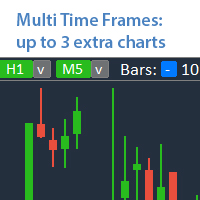
Analyze up to 3 additional charts of other timeframes , without switching the main chart. Multifunctional utility : 66+ features, including this tool | Contact me if you have any questions | MT4 version The indicator opens in a separate window: The window can be moved to any place on the chart (using the [<M>] button). The window can also be minimized to save space ( [ <^>] button) In the window that appears, you can configure: The period of the 1st chart (left);
The period
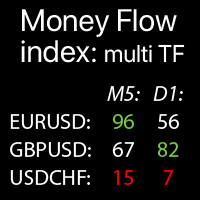
Multi-timeframe Money Flow Index: data on the selected Symbols: compare the current market trends The indicator displays MTF (Money Flow Index) indicator data from all selected timeframes and Symbols in a single table , which allows you to quickly analyze current market price trends .
My multifunctional utility : 66+ features | Contact me for any questions | MT5 version Each Symbol can be customized: removed / replaced. You can add up to 40 Symbols. Panel can be moved to any place o

Potential loss on all active and pending trades: if SL levels will be reached (or the current floating loss if the SL level is not set) My #1 multifunctional utility: 66+ features, including this indicator | Contact me for any questions | MT4 version In the input settings you can adjust: Calculateion method : account currency / pips / points / % of the balance Position on the chart: bottom left / bottom right / top left / top right corner
Font: color, size and style Optionally y
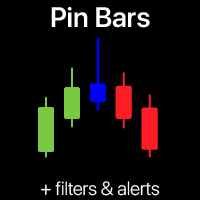
Pin Bar Pattern scanner | Smart alerts and Trend filter Never miss a high-probability Pin Bar reversal again! This automated Pin Bar Pattern scanner does the heavy lifting for you.
This trading tool scans your charts in real-time, identifies the powerful Pin Bar (Hammer/Shooting Star) pattern, and sends you instant signals. Trading indicator is designed for both novice and expert traders who want to harness the power of pure price action without the guesswork. My multifunctional utility :
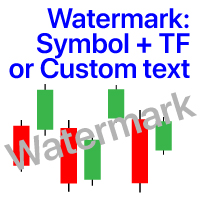
Watermark on the chart: Symbol + Timeframe / or your own text Multifunctional utility : 66+ features, including this tool | Contact me if you have any questions In the settings of the indicator, you can configure: Font size; Text color; Font Name; Position:
1 = Top Left;
2 = Top Right;
3 = Bottom Left;
4 = Bottom Right; 5 = Center; Show current Timeframe: on/off; The prefix of the Symbol to be removed ( n_AUDCAD --> AUDCAD ); The suffix of the Symbol to be removed ( USDCADpro --> USDC
Quick actions: close or modify all the trades in just 1 click Using this utility , you can quickly apply the necessary action to all the trades of the selected category. Especially useful for a short -term traders, when it is necessary to act quickly. Multifunctional utility : 66+ features, including this tool | Contact me if you have any questions | MT4 version 1. Either select [ALL] Symbols , or specify a specific [Symbol] for management . You can also manage a group of differ
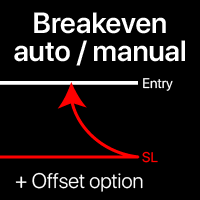
Breakeven levels: manual and automatic Using this utility , you can quickly move trades to breakeven in just 1 click : especially important in short -term trading. You can also set the automatic SL movement when the trade reaches a desired profit. Offset option is also available. Multifunctional utility : 66+ features, including extended operations with a BE levels | Contact me if you have any questions | MT4 version This tool consists of 2 subsections: 1. [Move SL to BE now]: manual
Market screener: Price, Spread and Swap, for selected Symbols (Market Watch) You can customize the list: set only the Symbols (currency pairs) that are needed. The number of Symbols is unlimited. The list can be sorted in ascending or descending order (Symbol name). The panel can be moved to any place on the chart. You can also minimize the panel. There is an option to notify about the increased spread size compared to the average value. My #1 Multifunctional utility : 66+ features, including
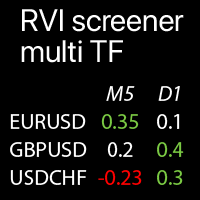
Multi-timeframe RVI values on the selected Symbols: compare the current market trends The indicator displays Relative Vigor Index values from all selected timeframes and Symbols in a single table , which allows you to quickly analyze current market price trends . My multifunctional utility : 66+ features | Contact me for any questions | MT5 version Each Symbol can be customized: removed or replaced. You can add up to 40 Symbols. Panel can
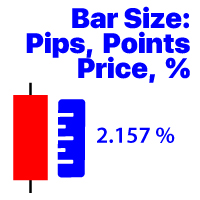
Displays the price change of the bar on the selected timeframe Available calculation methods: Price value / Percentage value (%) / Pips / Market points; Multifunctional utility : 66+ features, including this tool | Contact me if you have any questions In the settings of the indicator, you can configure: Font size; Text color; Positioning on the chart: in the lower left or lower right corner; Turn on / off the display of the current time of your computer; Timeframe for calculation (you can
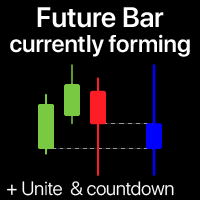
The indicator shows the currently forming candle of the selected time frame Multiple bars may be optionally united into a single candle: helps to see the bigger picture Multifunctional Utility #1 : 66+ features, including this indicator | Contact me for any questions | MT4 version In the input settings, select the timeframe that will be used for the future bar: To the right of the current price, you will see a bar forming on the specified interval. If activated in the setting
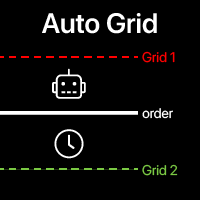
Auto Grid: automatic Grid orders based on your existing trades. Automate complex trading strategies with sophisticated grid systems that detect new positions and automatically create optimized order arrays. Multifunctional utility : 66+ features, including Auto Grid tool | contact me if you have any questions | MT5 version A. Intelligent Trade Detection & Monitoring: Symbol-specific or comprehensive portfolio scanning Advanced order type detection with precise categorization Strategic
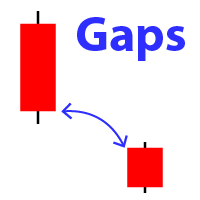
Displays the appearance of a gap on the chart (when the closing price of the previous bar differs from the opening price of the new bar). #1 multifunctional utility: 66+ features, including this indicator | Contact me if you have any questions | MT4 version In the initial settings you can configure: The gap size : gap that exceed this value will be displayed. Size type: pips / poitns / %; Arrow color : separate for up and down gaps. Terminal / Email / Push notifications When you hov
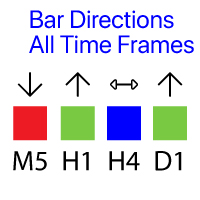
Shows the direction of the bars on all major timeframes. Multifunctional utility : 66+ features, including this indicator | Version for MT4
The meaning of the visual signals ( squares):
Red : Close price is lower than the Open price: Close < Open; Green : Close price is higher than the Open price: Close > Open; Blue : Close price is equal to the Open price: Close = Open; You can set the Shift of the calculated bar, relative to the current bar: Shift = 0: th
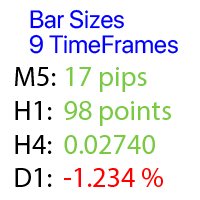
Calculates the price change on each timeframe: floating or last closed bars.
Multifunctional utility : 66+ features, including this tool | Contact me if you have any questions | MT4 version You can select the shift of the calculated basr: Floating (current) bars; The last closed (previous) bars; The type of price value can be selected using the blue switch on the top row: Pips; Market points; Percentage value (%); Price value; The method of calculating the bar size can be selec
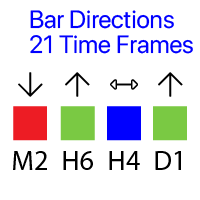
Shows the direction of the bars on all 21 timeframes. Multifunctional utility : 66+ features, including this tool | Contact me for any questions | version for MT4
The meaning of the visual signals ( squares):
Red : Close price is lower than the Open price: Close < Open; Green : Close price is higher than the Open price: Close > Open; Blue : Close price is equal to the Open price: Close = Open; You can set the Shift of the calculated bar, relative to the current
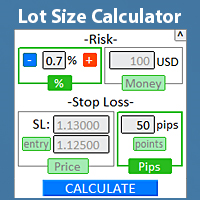
Quickly find the lot size directly in the terminal , to comply with risk management. Check out my #1 Trade Manager : 66+ features, including PRO risk management | Contact me if you have any questions it works on any trading instruments: Forex, Stocks, Futures, Indices, CFD, Bonds, Cryptocurrencies; interface minimization function; flexibility of use; money management; It is especially useful for short-term traders, when they need to act quickly . For calculation it is necessary to specify
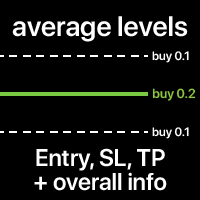
The average Entry, SL and TP levels of all trades on the Symbol. The levels can be calculated together, or separately for Buy and Sell trades. You can optionally display additional info: Level price, total Lot size, floating P/L. The styles and colors of the levels are customizable. Multifunctional utility : includes 66+ features | Contact me if you have any questions | MT4 version In the settings of the indicator, you can configure: Average Entry level: on/off; Average SL level: on/off;
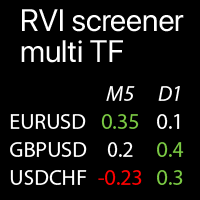
Multi-timeframe RVI values on the selected Symbols: compare the current market trends The indicator displays Relative Vigor Index values from all selected timeframes and Symbols in a single table , which allows you to quickly analyze current market price trends . My multifunctional utility : 66+ features | Contact me for any questions | MT4 version Each Symbol can be customized: removed or replaced. You can add up to 40 Symbols. Panel can
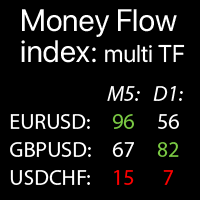
Multi-timeframe Money Flow Index: data on the selected Symbols: compare the current market trends The indicator displays MTF (Money Flow Index) indicator data from all selected timeframes and Symbols in a single table , which allows you to quickly analyze current market price trends .
My multifunctional utility : 66+ features | Contact me for any questions | MT4 version Each Symbol can be customized: removed / replaced. You can add up to 40 Symbols. Panel can be moved to any place o
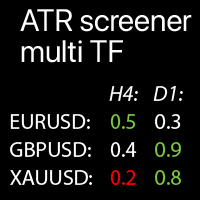
Multi-timeframe ATR values on the selected Symbols: compare the current market trends The indicator displays Average True Range values from all selected timeframes and Symbols in a single table , which allows you to quickly analyze current market price trends .
M ultifunctional trade manager : 66+ features | Contact me for any questions | MT4 version Each Symbol can be customized: removed / replaced. You can add up to 40 Symbols. The percentage of the current ATR deviation (compared
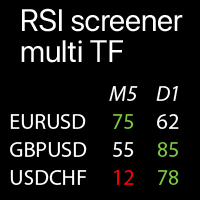
Multi-timeframe RSI values on the selected Symbols: compare the current market trends The indicator displays Relative Strength Index values from all selected timeframes and Symbols in a single table , which allows you to quickly analyze current market price trends .
My multifunctional utility : 66+ features | Contact me for any questions | MT4 version Each Symbol can be customized: removed / replaced. You can add up to 40 Symbols. Panel can be moved to any place of the chart (drag a
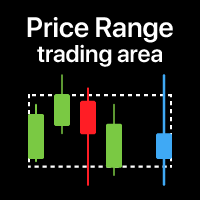
Price zone: v isualization of the trading range for the selected time period E specially useful when trading on low timeframes , so that you can see the range from a higher TF . My #1 Utility : 66+ features, including this indicator | Contact me for any questions | MT4 version When it might be useful: When using multiple time frames To see the overall picture from a different period To see the entire range for the selected period Settings: Zone color Fill zone: if ' false ' , then on
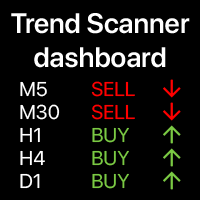
Trend dashboard: multi timeframe indicator, shows you the summary of the current trend This tool is based on the 3 major indicators: RSI, Stochastic and Commodity Channel Index. The alerts option will help you not to miss the beginning of the trend. Multifunctional utility : includes 66+ features | Contact me if you have any questions | MT4 version A variety of options will allow you to customize the indicator according to your needs. Settings: Calculated bar: eith
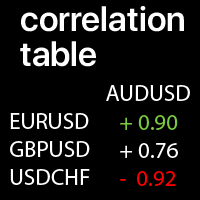
Correlation values between the selected Symbols: compare the current market trends A value of +1: means a complete positive correlation; A value of -1: means a complete inverse correlation; A value of 0: means there is no explicit correlation (prices do not depend on each other, or the correlation is random ); My #1 Utility : 66+ features | Contact me for any questions | MT4 version Each Symbol can be customized: removed / replaced. You can add up to 10 Symbols per Row / Co
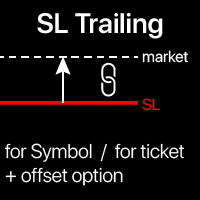
Trailing Stop: automatic SL movement as the market moves. G et the maximum profit from the trade The process of SL movement can be automated according to your strategy , The variety makes this utility useful for any strategy . Especially important for a short -term traders. Multifunctional utility : 66+ features, including this tool | Contact me if you have any questions | MT4 version To activate the SL Trailing, you need to set the main 4

Breakeven levels: move SL in just 1 click. Avoid losing existing profit Using this utility , you can quickly protect your profit in just 1 click. Especially important for a short -term trading. Offset option is also available. Multifunctional utility : 66+ features, including this tool | Contact me if you have any questions | MT4 version How to move SL levels: 1. Specify a specific [Symbol] , or select [ALL] Symbols. 2. Select the trade type for which you
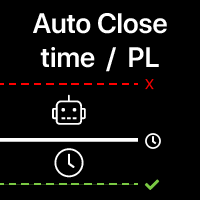
Automatic Trade Closure: at time, or Profit / Loss trigger With this utility, you can automate the trade closure under a given condition. Multifunctional tility : 65+ features, including this tool | Contact me if you have any questions | MT4 version To activate the Auto-Close, you need to set the following parameters (on the panel): 1. Symbol for which the function will be applied: for a specific [Symbol] / or for [ALL] symbols. 2. Condition, when to close: [if total] / [if sin
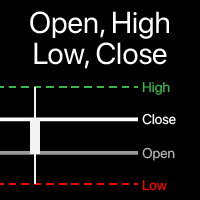
Visualization of Open, High, Low, Close levels on the chart You can choose any timeframe , not just the current one. The offset of the calculated bar can be adjusted : the current (floating) bar , or a set number of bars back . Multifunctional utility : includes 66+ features | Contact me if you have any questions | MT4 version In the settings of the indicator, you can configure: Calculation method: Dynamic bar , based on the offset: Offset of the calculated bar: 0 = current bar, 1
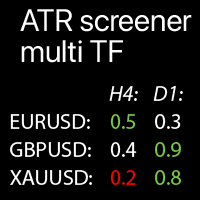
Multi-timeframe ATR values on the selected Symbols: compare the current market trends The indicator displays Average True Range values from all selected timeframes and Symbols in a single table , which allows you to quickly analyze current market price trends .
My multifunctional utility : 66+ features | Contact me for any questions | MT5 version Each Symbol can be customized: removed / replaced. You can add up to 40 Symbols. The percentage of the current ATR deviation (compared t
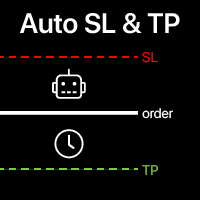
Automatic SL and TP placement Levels will be created automatically for trades that do not yet have SL / TP levels set yet. It may be convenient if you execute trades from your mobile phone. Multifunctional utility : 65+ features, including this tool | Contact me if you have any questions | MT4 version To activate the Auto-Levels, you need to set the main 4 parameters (on the panel): 1. Symbol for which the function will be applied: for a specific [Symbol] / or for [ALL] symbols. 2. T
Prop Firm data: the most important information on the chart The indicator will help you to quickly monitor current and closed trades . Especially useful when you are not allowed to go beyond certain limits . The alerts option will help you to prevent unwanted results . Multifunctional utility : includes 66+ features | Contact me if you have any questions | MT4 version 6 categories of information that can be displayed Current market data : Swap, Spread, Average spread. Floating po
Write notes directly on the chart and use your observations when trading The option to synchronize reminders between S ymbols allows you to remember important information about the current market state Thus , this utility will help you avoid a situation where important information that you noticed earlier was missed when trading . Multifunctional utility : 66+ features, including this tool | Contact me if you have any questions | MT4 version Settings: The method of syncing notes : S
Track the current drawdown and history of closed trades for the selected period A variety of options will allow you to customize the indicator according to your needs Multifunctional utility : includes 66+ features | Contact me if you have any questions | MT4 version 2 values that can be displayed : Current drawdown ( or gain ) of open trades ; The result of all closed trades, for the selected time period ( statistics ) ; Available filters , e ach can optionally be turned
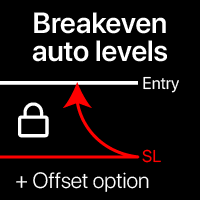
Automatic Breakeven levels Using this utility , y ou can activate the automatic SL movement, when the trade reaches a desired profit. Especially important for a short -term traders. Offset option is also available: some profit may be protected. Multifunctional utility : 66+ features, including this tool | Contact me if you have any questions | MT4 version The process of activating the automatic breakeven function: 1. Select the Symbol or Trade for which the Auto BE fun
Automatic trade copier between local terminals A variety of options will allow you to customize the utility according to your needs, while the configuration process is understandable even for a beginner. Multifunctional utility : includes 66+ features | Contact me if you have any questions This version is only for MT5 . To also copy between MT4 - you will need to buy the MT4 version There are 2 modes available : Send trades from the terminal; Receive and copy trades from other terminals
Close all trades at once , managing directly from your mobile MT5 app . This utility can close 9 different categories of trades. To activate the action , you just need to place a pending order at a predetermined price (can be done remotely via a mobile MT 5 app ).
After that , the utility will detect the order and close all necessary trades. This way you can manage a group of trades quickly. Multifunctional utility : includes 66+ features | Contact me if you have any questions |
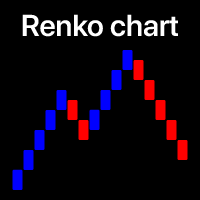
Filter out small price movements and focus on the larger trend . Renko chart indicator will help you to filter out a minor price movements so that you can focus on the overall trend. The price must move a specified amount to create a Renko brick. This makes it easy to spot the current trend direction in which the price is moving. Multifunctional utility : includes 66+ features | Contact me if you have any questions | MT4 version In the settings of the indicator, you can configure: Calcu

Visualization of the economic events on the chart Multifunctional utility: 66+ functions, including this indicator | Contact me if you have any questions | MT4 version The indicator draws a vertical lines, showing you when economic news are coming.
In the input settings you can adjust: Only for the current Symbol : if true, only events for the selected symbol will be displayed. Show past events : if true, past events will remain on the chart. Color : separately for 3 types of

Correlation value between two Symbols. A value of +1 means a complete positive correlation; A value of -1 means a complete inverse correlation; A value of 0 means there is no explicit correlation (prices do not depend on each other, or the correlation is random); Multifunctional utility : includes 66+ functions | Contact me if you have any questions In the settings of the indicator, you can configure: Symbols (currency pairs) to be used in calculations.
Leave one value empty if you want on

Symbol remove: quickly clean up your 'Market Watch' list.
The script allows you to remove the Symbols from the "Market Watch" list if their trading mode is ''Close only".
Keep in mind that Symbol can’t be removed from the market watch if you have any existing trade on it, or if it’s used on any chart. The program file must be located in the "Scripts" directory. My #1 Utility : includes 65+ functions | Contact me if you have any questions

Visualization of the trade deals, distributed by price levels. You can set any period for calculation: between 2 vertical lines, or set a fixed time interval. The histogram levels are relative: a wider bar means more trading volume. Distribution extremes can be used as a support and resistance levels.
All styles, sizes and colors are customizable. Multifunctional utility : includes 66+ functions | Contact me if you have any questions | MT4 version In the settings of the indicator, you ca
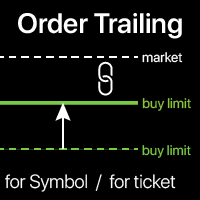
Order trailing: g et the best execution price as the market moves Trailing of pending orders will allow you to maintain the distance to the entry price at the specified distance. T he order will move if the market price moves away from it Multifunctional utility : 66+ features, including this tool | Contact me if you have any questions | MT4 version To activate the Order Trailing, you need to set the main 4 parameters (on the panel): 1. Symbol or Trade for which the trailing will be ap
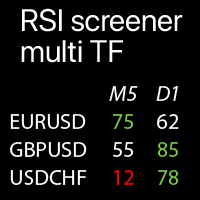
Multi-timeframe RSI values on the selected Symbols: compare the current market trends The indicator displays Relative Strength Index values from all selected timeframes and Symbols in a single table , which allows you to quickly analyze current market price trends .
My multifunctional utility : 66+ features | Contact me for any questions | MT5 version Each Symbol can be customized: removed / replaced. You can add up to 40 Symbols. Panel can be moved to any place of the chart (drag
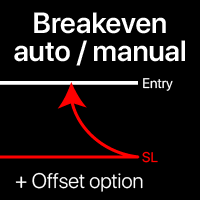
Breakeven levels: manual and automatic Using this utility , you can quickly move trades to breakeven in just 1 click : especially important in short -term trading. You can also set the automatic SL movement when the trade reaches a desired profit. Offset option is also available. Multifunctional utility : 66+ features, including extended operations with a BE levels | Contact me if you have any questions | MT5 version This tool consists
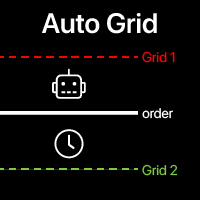
Auto Grid: automatic Grid orders based on your existing trades. Automate complex trading strategies with sophisticated grid systems that detect new positions and automatically create optimized order arrays. Multifunctional utility : 66+ features, including Auto Grid tool | contact me if you have any questions | MT4 version A. Intelligent Trade Detection & Monitoring: Symbol-specific or comprehensive portfolio scanning Advanced order type detection with precise categorization Strategic
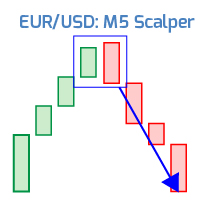
Short-term scalper Currency pair: EURUSD; Timeframe: 5 minutes. My #1 Utility : includes 65+ functions | Contact me if you have any questions Since the EA works on a low timeframe, it is important to use a broker where the typical spread on EURUSD does not exceed 2 .
A higher spread can significantly affect the results.
The strategy is based on the idea of long-term stability. The results attached in the screenshots are a backtest from 1999.
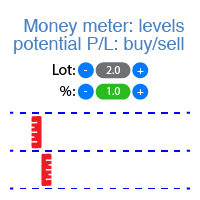
The indicator displays the levels of potential profit/loss for each direction (buy and sell). Check out #1 Trade Assistant : 66+ features, including this tool | Contact me if you have any questions You can set: Lot size (there is also an option to auto-set the last used lot); Grid step : percentage / amount of money (green switch); Number of levels for each direction; Risk calculation for the current account balance / or for the free margin; In the initial settings of the indicator, you c
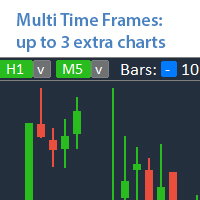
Analyze up to 3 additional charts of other timeframes , without switching the main chart. Check out my Multifunctional utility : 66+ features, including this tool | Contact me if you have any questions | MT5 version The indicator opens in a separate window: The window can be moved to any place on the chart (using the [<M>] button). The window can also be minimized to save space ( [ <^>] button) In the window that appears, you can configure: The period of the 1st chart (left
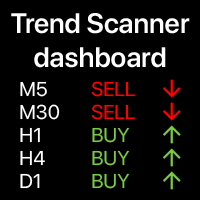
Trend dashboard: multi timeframe indicator, shows you the summary of the current trend This tool is based on the 3 major indicators: RSI, Stochastic and Commodity Channel Index. The alerts option will help you not to miss the beginning of the trend. Multifunctional utility : includes 66+ features | Contact me if you have any questions | MT5 version A variety of options will allow you to customize the indicator according to your needs. Settings: Calculated bar: eith
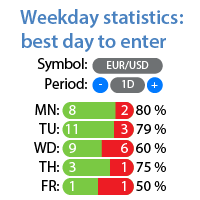
Profit/loss statistics for each day of the week Check out my #1 Utility : 66+ features, including extended statistics | Contact me if you have any questions Statistics display modes: For the selected currency pair/trading instrument Statistics for all trades (" ALL ") You can select the period for which you want to get statistics: 1 day 1 week 1 month 2 months 3 months 6 months 1 year 2 years All trading history Displayed information: You will see statistics for each day of the
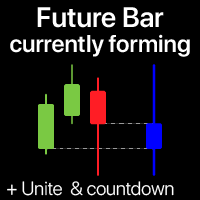
The indicator shows the currently forming candle of the selected time frame Multiple bars may be optionally united into a single candle: helps to see the bigger picture Multifunctional Utility : 65+ features, including this indicator | Contact me for any questions | MT5 version In the input settings, select the timeframe that will be used for the future bar: To the right of the current price, you will see a bar forming on the specified interval. If activated in the settings, the Countdow

Detailed statistics of your trading for the selected period Check out my #1 Trade Assistant : 66+ features, including this tool | Contact me if you have any questions The utility includes 2 separate tools: Trade Statistics WeekDays Analyzer Statistics display modes: For the selected currency pair/trading instrument Statistics for all trades (" ALL ") You can select the period for which you want to get statistics: 1 day 1 week 1 month 2 months 3 months 6 months 1 year 2 years All tr

Management of active and pending orders: automatic breakeven, TP/SL changes, partial / full closing, visual display of levels on the chart Check out my #1 Utility : 66+ features, including PRO trade management | Contact me if you have any questions 1) Main window: to manage orders, you can set a specific symbol [Symbol], or select all symbols [ALL] Close all active positions [ALL] Close all profitable trades [profits] Close all loosing trades [losses] Close all long trades (for buy) [long
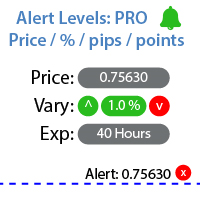
Utility for setting notifications when a given price level is reached Check out my #1 Trade Manager : 66+ features, including Alerts and Trend Line alerts | Contact me if you have any questions The alert can be set in three ways: Manual entry of the price level; Setting the price change: in percent / in pips / in market points; By moving the level with the mouse: there is also a magnet function, when activated, the level will snap to the nearest OHLC values; Optionally, you can enable / di

Detailed statistics of your trading for the selected time period Check out my #1 Trade Manager : 66+ features, including extended statistics | Contact me if you have any questions Statistics display modes: For the selected currency pair/trading instrument Statistics for all trades (" ALL ") You can select the period for which you want to get statistics: 1 day 1 week 1 month 2 months 3 months 6 months 1 year 2 years All trading history Displayed information: Gross profit Gross l
The indicator helps you to analyze 3 different Time Intervals on a single screen: so that you can see the overall price action. Check out my #1 Trade Manager : 66+ features, including this tool | Contact me if you have any questions In the initial settings you can configure: TimeFrame 1; TimeFrame 2; TimeFrame 3; The number of bars to be shown; Colors of bullish and bearish bars; Product file should be located in the 'Indicators' directoty.
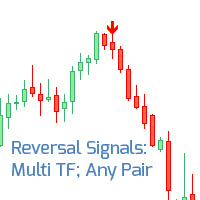
Multi-currency indicator of the reversal signals Check out My #1 Trade assistant : includes 66 + features and indicators | Contact me if you have any questions Signals are calculated based on the oversold and overbought levels. Indicator works on any trading instruments and any timeframes. Signals are additionally filtered based on the trend indicators //------ The arrow colors can be adjusted in the input settings. There are notification options: alerts in the terminal, and push notific

Monitor your favorite Symbols Multifunctional utility: 66+ features, including this tool | Contact me if you have any questions | MT5 version This tool opens in a separate window: it can be moved (drag anywhere), and minimized [v]. You can adjust the Watchlist on the panel: Click [edit list] to add / remove the Symbols from the Watchlist. Calculated value: it may either be the last [closed bar], or the current [floating bar]. Select the [timeframe] for calculation. There are 2 types of
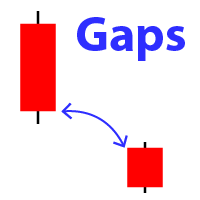
Displays the appearance of a gap on the chart (when the closing price of the previous bar differs from the opening price of the new bar). #1 multifunctional utility: 66+ features, including this indicator | Contact me if you have any questions | MT5 version In the initial settings you can configure: The size of the gap (in points): only gaps that exceed this value will be displayed. Arrow color : separate for up and down gaps. When you hover the mouse over the gap arrows on the chart, t

Informer for tracking your daily trading results Check out my #1 Trade Assistant : 66+ features, including this tool | Contact me if you have any questions In the upper part of the panel, you set the daily profit target (in pips): Manually entering a value; Using the + and - buttons (the change step can be configured in the settings); The dashboard then groups trades into 2 categories: Current floating result; Summing up closed trades; The final result is displayed at the bottom: achieveme
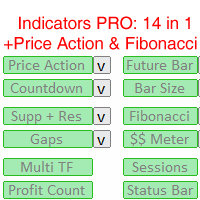
14 Indicators and auxiliary tools for convenient trading This utility contains 14 additional tools that can be useful for certain actions of the trader, thereby simplifying and speeding up the trading process. Check out my #1 Trade Manager : includes 66+ features and indicators | Contact me if you have any questions Due to the different monitor resolutions, some users may encounter the fact that the labels will be displayed with an overlay or be too small. If you encounter such a problem,

Informer for calculating the results of open trades Check out my #1 Trade Manager : 66+ features, including this tool | Contact me if you have any questions The information panel groups open orders into 2 categories: Buys Sells For each category, the symbol and the current number of pips are displayed. The total result for all open trades is shown below. Notifications can be enabled or disabled by simply clicking on the button: When the notification is enabled, you will know when the profi
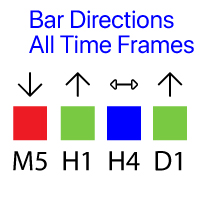
Shows the direction of the bars on all major timeframes. Multifunctional utility : 65+ features, including this indicator | Version for MT5
The meaning of the visual signals ( squares):
Red : Close price is lower than the Open price: Close < Open; Green : Close price is higher than the Open price: Close > Open; Blue : Close price is equal to the Open price: Close = Open; You can set the Shift of the calculated bar, relative to the current bar: Shift = 0: the direction of the c
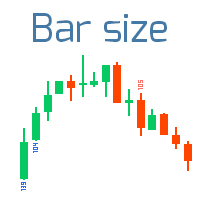
Finds the bars that exceed the specified size Check out my #1 Trade Assistant : 66+ features, including this indicator | Contact me if you have any questions 2 operating modes: Real body: the difference between the open and close prices will be used; Extremes: the difference between the maximum and minimum prices will be used;
This Indicator: Convenient for filter patterns in a period of low volatility; Indicates the beginning of a trend ; Helps to see the most significa
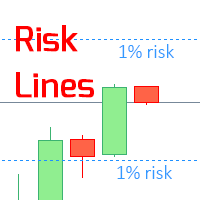
The indicator displays the specified Risk Level on the chart, for long and short positions. Check out my #1 Trade Manager : 66+ features, including this tool | Contact me if you have any questions It may be useful when setting the Stop Loss level, the value of which is visible on the right price axis. To calculate the level of risk, a Fixed / or Last used lot size is used. Imput Settings: Last traded lot: set " true " to make the calculation for your last used trading lot; Lo

The indicator shows the operating time of the world exchanges. Help you to see which markets are currently most active Check out my #1 Pro Utility : 66+ features, including this tool | Contact me if you have any questions Helps to select the most volatile instruments at the moment; Especially useful for an intraday traders; 1) When using on time frames 1H and below: the lines will correspond to the actual location of the bars on the chart, and when moving the chart, the lines of the tradi

Automatically plots Fibo levels, based on the High & Low prices from the specified time frame Multiple bars may be united: e.g. you can get a Fibo based on the 10-days Highs and Lows My #1 Utility : 65+ features, including this indicator | Contact me for any questions | MT5 version Helps to see potential reversal levels; Patterns formed at the Fibo levels tend to be stronger; Significantly reduces the time spent on manual plotting ; Settings: Timeframe to calculate the base High & Low p
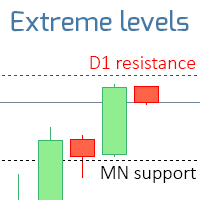
The indicator displays the levels that are extremes for the specified time frames. Resistance level is the maximum price of the last closed bar; Support level is the minimum price of the last closed bar; Check out my #1 Trade Assistant : 66+ fueatures, including this indicator | Contact me if you have any questions 2 operating modes: Real bodies: Open and Close prices will be used; Extremes: High and Low prices will be used;
This indicator: Helps to see potential reversal levels; Patter
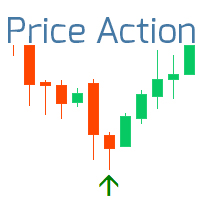
The indicator displays the most important Price Action Patterns that indicate a potential reversal / continuation of the trend. Check out my #1 Pro Manager : 66+ features, including this indicator | Contact me if you have any questions Avaliable Patterns: Pin bar; Engulfing; Inside bar (Harami); Morning star; Evening star; Dark Cloud Cover; Piercing Line; Features: You can select patterns to display and disable unnecessary patterns; Notifications : alerts in the terminal, Email and Pus

Market information and detailed statistics: analysis of volatility and price bars. Check out my # 1 Trade Assistant : 66+ features, including this tool | Contact me if you have any questions Specify any currency pair/trading instrument to get information: Market information:
Current spread; Swap for long positions (buys); Swap for short positions (sells); Select a time frame and number of periods to analyze price changes: Average volatility; Maximum volatility; Minimum volatility; Maximum
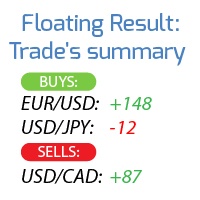
Calculates the profit / loss of all open trades, grouping them into 2 categories: Buys and Sells.
The trading symbol and the floating result are displayed. My #1 Trade Manager : 66+ features, including this tool | Contact me if you have any questions Due to the different monitor resolutions, some users may encounter the fact that the labels will be displayed with an overlay or be too small. If you encounter such a problem, you can adjust the font size: the 1st parameter in the input v
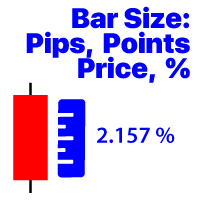
Displays the price change of the bar on the selected timeframe Available calculation methods: Price value / Percentage value (%) / Pips / Market points; Multifunctional utility : 66 + features, including this tool | Contact me if you have any questions In the settings of the indicator, you can configure: Font size; Text color; Positioning on the chart: in the lower left or lower right corner; Turn on / off the display of the current time of your computer; Timeframe for calculation (you can
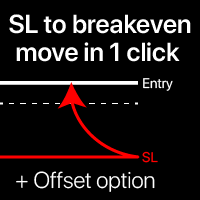
Breakeven levels: move SL in just 1 click. Avoid losing existing profit Using this utility , you can quickly protect your profit in just 1 click. Especially important for a short -term trading. Offset option is also available. My #1 Utility : 65+ features, including this tool | Contact me if you have any questions | MT5 version How to move SL levels: 1. Specify a specific [Symbol] , or select [ALL] Symbols. 2. Select the trade type for which you want to a

Automatic Trade Closure: at time, or Profit / Loss trigger With this utility, you can automate the trade closure under a given condition. Multifunctional tility : 66+ features, including this tool | Contact me if you have any questions | MT5 version To activate the Auto-Close, you need to set the following parameters (on the panel): 1. Symbol for which the function will be applied: for a specific [Symbol] / or for [ALL] symbols. 2. Condition, when to close: [if total] / [if
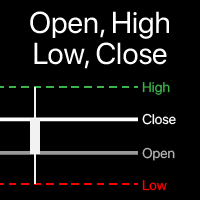
Visualization of Open, High, Low, Close levels on the chart You can choose any timeframe , not just the current one. The offset of the calculated bar can be adjusted : the current (floating) bar , or a set number of bars back . Multifunctional utility : includes 66+ functions | Contact me if you have any questions | MT5 version In the settings of the indicator, you can configure: Calculation method: Dynamic bar, based on the

Automatic SL and TP placement Levels will be created automatically for trades that do not yet have SL / TP levels set yet. It may be convenient if you execute trades from your mobile phone. Multifunctional utility : 66+ features, including this tool | Contact me if you have any questions | MT5 version To activate the Auto-Levels, you need to set the main 4 parameters (on the panel): 1. Symbol for which the function will be applied: for a specific [Symbol]

Order trailing: g et the best execution price as the market moves Trailing pending orders will allow you to maintain the distance to the entry price at the specified distance. T he order will move if the market price moves away from it Multifunctional utility : 66+ features, including this tool | Contact me if you have any questions | MT5 version To activate the Order Trailing, you need to set the main 4 parameters (
Prop Firm data: the most important information on the chart The indicator will help you to quickly monitor current and closed trades . Especially useful when you are not allowed to go beyond certain limits . The alerts option will help you to prevent unwanted results . Multifunctional utility : includes 66+ features | Contact me if you have any questions | MT5 version 6 categories of information that can be
Write notes directly on the chart and use your observations when trading The option to synchronize reminders between S ymbols allows you to remember important information about the current market state Thus , this utility will help you avoid a situation where important information that you noticed earlier was missed when trading . Multifunctional utility : 66+ features, including this tool | Contact me if
Track the current drawdown and history of closed trades for the selected period A variety of options will allow you to customize the indicator according to your needs My #1 Utility : includes 66+ features | Contact me if you have any questions | MT5 version 2 values that can be displayed : Current drawdown ( or gain ) of open trades ; The result of all closed trades, for the selected time period ( statistics ) ; Available

Automatic Breakeven levels Using this utility , y ou can activate the automatic SL movement, when the trade reaches a desired profit. Especially important for a short -term traders. Offset option is also available: some profit may be protected. Multifunctional utility : 66+ features, including this tool | Contact me if you have any questions | MT5 version The process of activating the automatic breakeven function: 1. Select the Symbol or Trade for which the Auto BE f
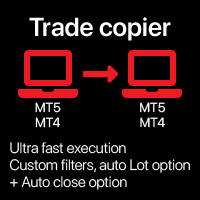
Automatic trade copier between local terminals A variety of options will allow you to customize the utility according to your needs, while the configuration process is understandable even for a beginner. Multifunctional utility : includes 66+ features | Contact me if you have any questions This version is only for MT4 . To also copy between MT5 - you will need to buy the MT5 version There are 2 modes available : Send trades from the terminal; R

Close all trades at once , managing directly from your mobile MT4 app . This utility can close 9 different categories of trades. To activate the action , you just need to place a pending order at a predetermined price (can be done remotely via a mobile MT 4 app ).
After that , the utility will detect the order and close all necessary trades. This way you can manage a group of trades
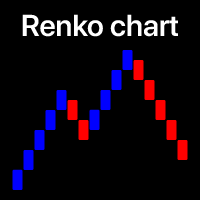
Filter out small price movements and focus on the larger trend . Renko chart indicator will help you to filter out a minor price movements so that you can focus on the overall trend. The price must move a specified amount to create a Renko brick. This makes it easy to spot the current trend direction in which the price is moving. Multifunctional utility : includes 66+ features | Contact me if you have any questions | MT5 version In the settings of the indicator, you can configure: Calcu
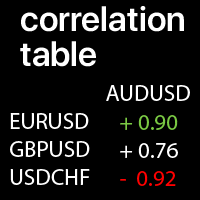
Correlation values between the selected Symbols: compare the current market trends A value of +1: means a complete positive correlation; A value of -1: means a complete inverse correlation; A value of 0: means there is no explicit correlation (prices do not depend on each other, or the correlation is random ); Multifunctional Utility #1: 66+ features | Contact me for any questions | MT5 version Each Symbol can be customized: removed / replaced. You can add up t

Visualization of the trade deals, distributed by price levels. You can set any period for calculation: between 2 vertical lines, or set a fixed time interval. The histogram levels are relative: a wider bar means more trading volume. Distribution extremes can be used as a support and resistance levels.
All styles, sizes and colors are customizable. Multifunctional utility : includes 66+ functions | Contact me if you have any questions | MT5 version In the settings of the indicator, you ca
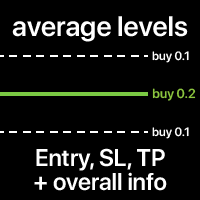
The average Entry, SL and TP levels of all trades on the Symbol. The levels can be calculated together, or separately for Buy and Sell trades. You can optionally display additional info: Level price, total Lot size, floating P/L. The styles and colors of the levels are customizable. Multifunctional utility : includes 66+ features | Contact me if you have any questions | MT5 version In the settings of the indicator, you can configure: Average Entry level: on/off; Average SL level: on/o
Market screener: Price, Spread and Swap, for selected Symbols (Market Watch) You can customize the list: set only the Symbols (currency pairs) that are needed. The number of Symbols is unlimited. The list can be sorted in ascending or descending order (Symbol name). The panel can be moved to any place on the chart. You can also minimize the panel. There is an option to notify about the increased spread size compared to the average value. Multifunctional utility : 66+ featur
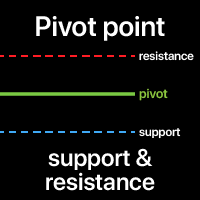
A Pivot point is used to determine the overall market trend. The pivot level itself is the average of the high and low, and the closing price from the previous bar.
On the next bar trading above the pivot point is thought to indicate ongoing bullish sentiment, while trading below the pivot point indicates bearish sentiment.
The pivot point is the basis for the indicator, but it also includes other support and resistance levels that are projected based on the pivot point. All these levels hel

Visualization of the economic events on the chart Multifunctional utility: 66+ functions, including this indicator | Contact me if you have any questions | MT5 version The indicator draws a vertical lines, showing you when economic news are coming.
In the input settings you can adjust: Only for the current Symbol : if true, only events for the selected symbol will be displayed. Show past events : if true, past events will remain on the chart. Color : separately for 3 types of events.
Absolute volatility for each day for the last 4 weeks My #1 multifunctional utility: 66+ features, including this indicator | contact me if you have any questions | MT5 version The indicator is displayed in a separate window, it can be moved to any place on the chart. In the input settings you can adjust: Interface theme : dark / white; Calculation method: price, pips, points, % change;
Panel size Font size
Supply / demand zones: observable areas where price has approached many times in the past. Multifunctional utility: 66+ features, including this indicator | Contact me for any questions | MT5 version The indicator shows where the price could potentially be reversed again. Usually, the more times the price has been rejected from the level, the more significant it is. In the input settings you can adjust: Enable or disbale Weak zones; Show or hide zone description; Font size; Set the bas
Current strength of the 8 major currencies My #1 multifunctional utility: 66+ features, including this indicator | Contact me if you have any questions | MT5 version The indicator is displayed in a separate window, it can be moved to any place on the chart. In the input settings you can adjust: Interface theme : dark / white; Prefix and Suffix, if the currency pairs on your broker have it:
(e.g. if Symbol is "EURUSD .pro ", please set " .pro " as a Suffix); Panel size Font size
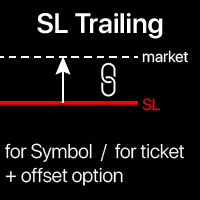
Trailing Stop: automatic SL movement as the market moves. G et the maximum profit from the trade The process of SL movement can be automated according to your strategy , The variety makes this utility useful for any strategy . Especially important for a short -term traders. Multifunctional utility : 66+ features, including SL trailing | contact me if you have any questions | MT5 version To activate the SL Trailing, you need to set

Potential loss on all active and pending trades: if SL levels will be reached (or the current floating loss if the SL level is not set) My #1 multifunctional utility: 66+ features, including this indicator | Contact me for any questions | MT5 version In the input settings you can adjust: Calculateion method : account currency / pips / points / % of the balance Position on the chart: bottom left / bottom right / top left / top right corner
Font: color, size and style Optionally you

Watermark on the chart: Symbol + Timeframe / or your own text Multifunctional utility : 66+ features, including this tool | Contact me if you have any questions In the settings of the indicator, you can configure: Font size; Text color; Font Name; Position:
1 = Top Left;
2 = Top Right;
3 = Bottom Left;
4 = Bottom Right; 5 = Center; Show current Timeframe: on/off; The prefix of the Symbol to be removed ( n_AUDCAD --> AUDCAD ); The suffix of the Symbol to be removed ( USDCADpro --> USDCAD )
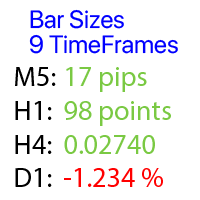
Calculates the price change on each timeframe, with the selected bar shift
Multifunctional u tility : 66+ features, including this tool | Contact me if you have any questions | MT5 version You can select the shift of the calculated basr: Floating (current) bars; The last closed (previous) bars; The type of price value can be selected using the blue switch on the top row: Pips; Market points; Percentage value (%); Price value; The method of calculating the bar size can be selected using the
Quick actions: close or modify all the trades in just 1 click Using this utility , you can quickly apply the necessary action to all the trades of the selected category. Especially useful for a short -term traders, when it is necessary to act quickly. Multifunctional utility: 66+ features, including this tool | Contact me if you have any questions | MT5 version 1. Either select [ALL] Symbols , or specify a specific [Symbol] for manage
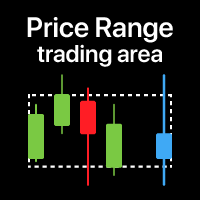
Price zone: v isualization of the trading range for the selected time period E specially useful when trading on low timeframes , so that you can see the range from a higher TF . My #1 Utility : 66+ features, including this indicator | Contact me for any questions | MT5 version When it might be useful: When using multiple time frames To see the overall picture from a different period To see the entire range for the selecte
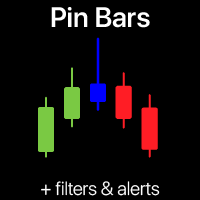
Pin Bar Pattern scanner | Smart alerts and Trend filter Never miss a high-probability Pin Bar reversal again! This automated Pin Bar Pattern scanner does the heavy lifting for you.
This trading tool scans your charts in real-time, identifies the powerful Pin Bar (Hammer/Shooting Star) pattern, and sends you instant signals. Trading indicator is designed for both novice and expert traders who want to harness the power of pure price action without the guesswork. My multifunctional utility :