Trade Assistant Pro 36 in 1

4.76

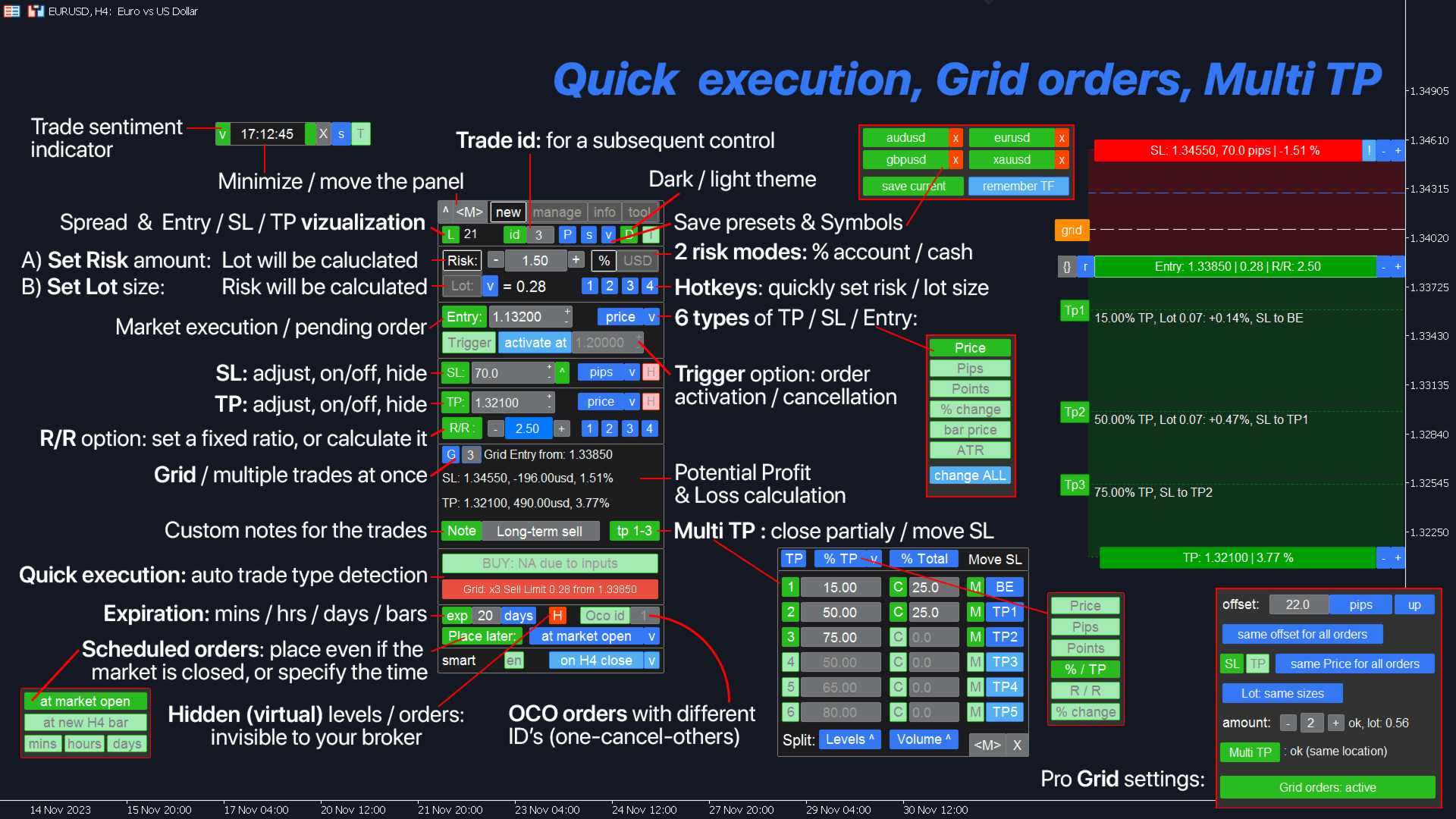
Multifunctional tool: Lot Calculator, Grid Orders, R/R ratio, Trade Manager, Supply and Demand zones, Price Action and much more

Demo version  |  User manual

Trade Assistant doesn't work in the strategy tester: you can download the Demo Version HERE to test the utility.

Contact me for any questions / ideas for improvement / in case of a bug found

If you need a MT5 version, it is available here

Simplify, speed up and automate your trading process. Expand the standard terminal capabilities with this dashboard.

Trading panel works on any trading instruments: forex, stocks, indices, crypto and other.

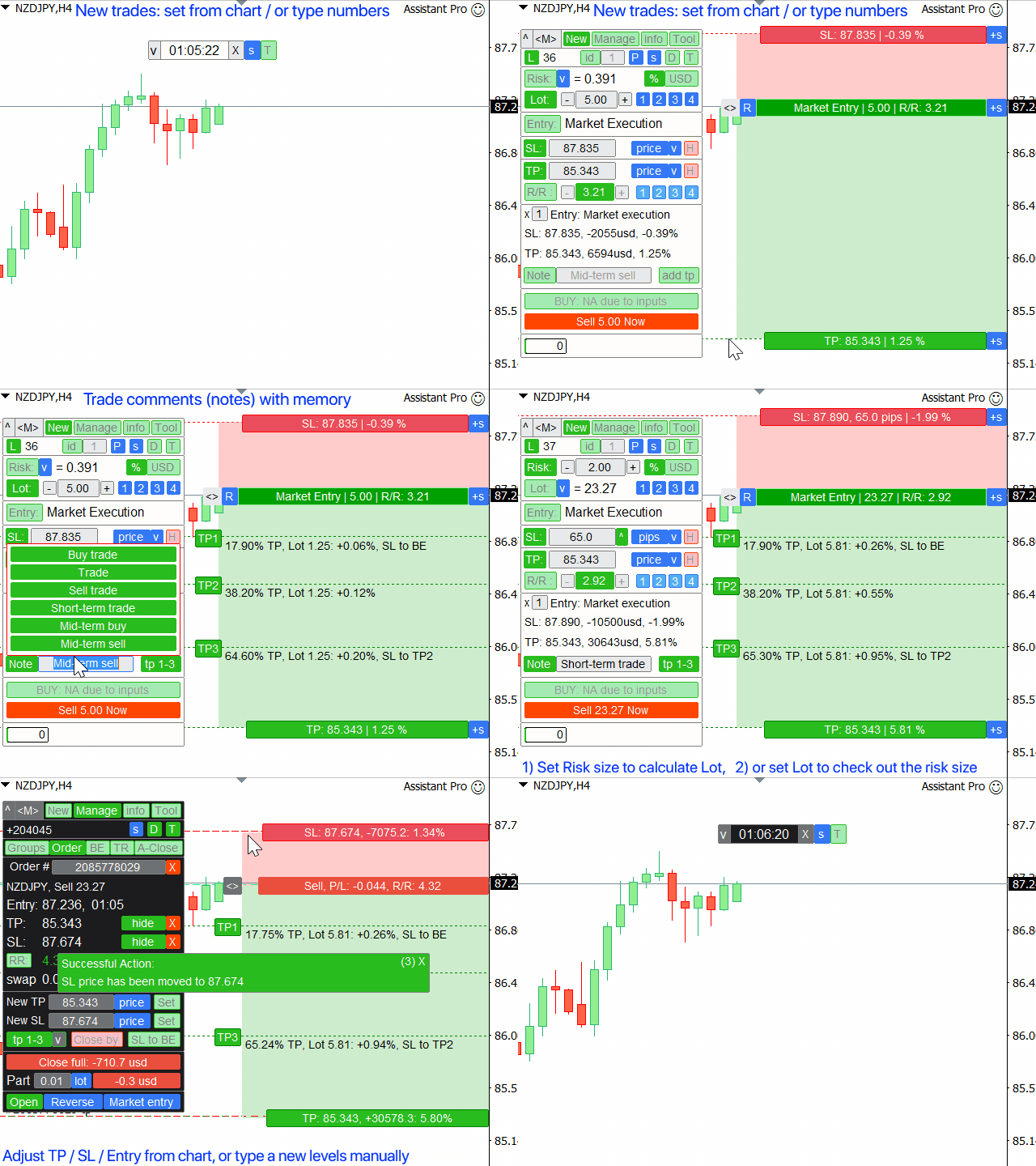
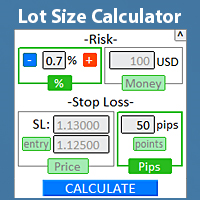
1. Open a new trades: Lot / Risk / RR calculation: Risk Management for a manual trading

  • Lot calculator (Trade volume calculation based on the risk size)
  • Risk calculator (Risk amount based on the lot size)
  • Risk Reward ratio
  • Grid orders: + dynamic distance option, and Split Lot option
  • Activation triggers for orders, + Buy StopLimit / Sell StopLimit: even for Mt4
  • Virtual SL, Virtual TP (hidden SL, hidden TP: invisible to the broker)
  • Smart SL / Entry levels: if the bar closed beyond it (avoid false triggering)
  • Hidden orders (virtual orders)
  • Scheduled orders: you can place trades even when the market is closed (weekend planner)
  • Additional Multi TP levels (Multiple Take Profit)
  • OCO (One-cancel-others) orders with different IDs
  • Trade visualization + adjustment on the chart
  • SL / Entry levels at Bid prices, instead of Ask: avoid false triggering due to the spread (stop hunt)
  • Lot / Risk calculation for 5 different accounts sizes at the same time: convenient for account management
  • Option to open multiple trades at once
  • Expiration time: based on minutes / hours / days / bars count
  • Virtual Trade ID for a convenient management

2. Trade Manager: Close / Modify / Trailing Stop / Order Trailing / Breakeven / Auto-Close

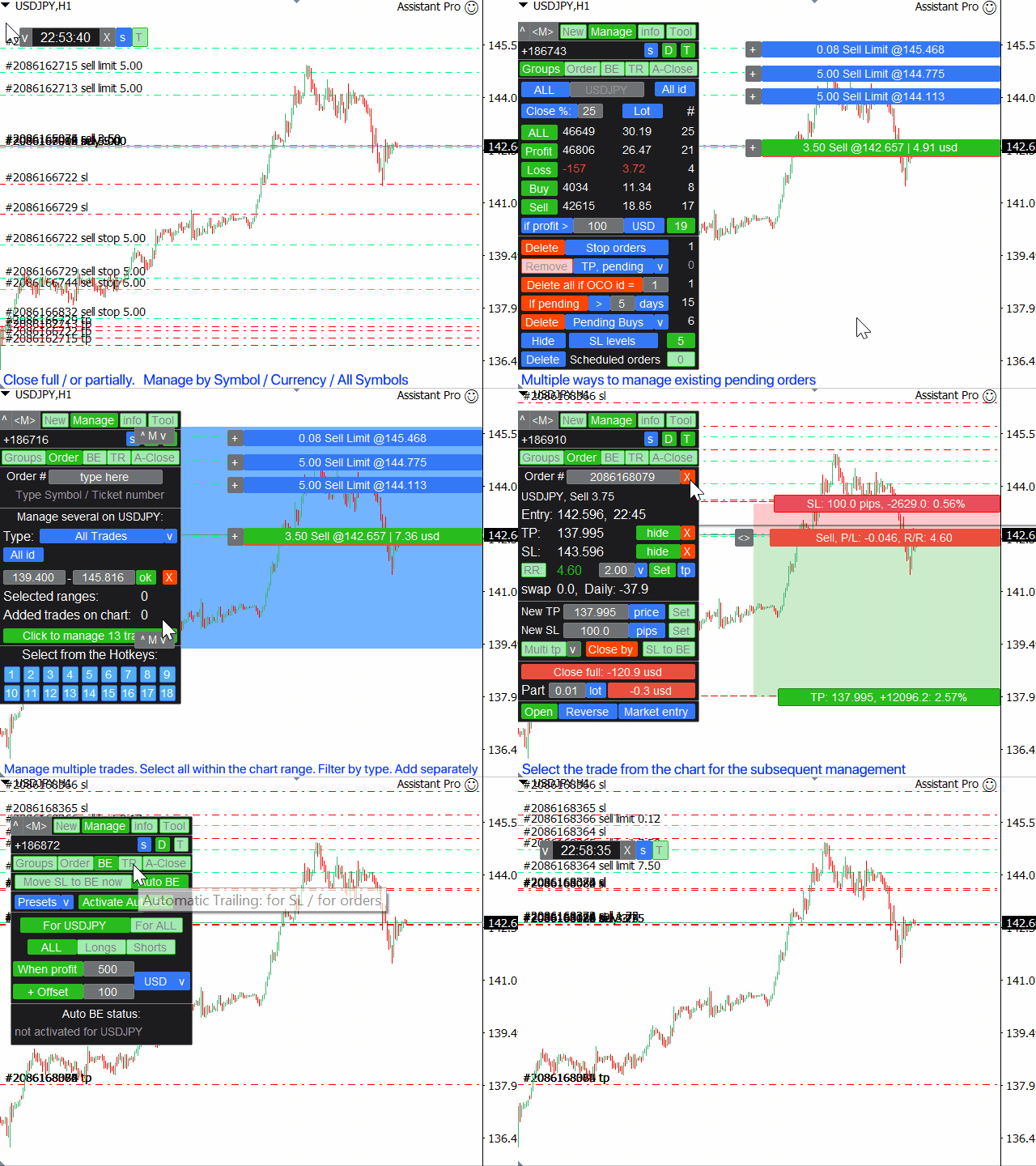
  • Close the trades grouped by categories (bulk orders):
    • All / Profit / Loss / Buy / Sell / If PL >
    • If pending more / less
    • Delete pending: Limit / Stop / Buy / Sell / StopLimit
  • Close the trades partially (scale-out)
  • Option to group different Symbols: e.g. all trades with GBP: (GBP/USD, EUR/GBP and other may be managed simultaneously)
  • Remove all SL / TP levels on all trades in just 1 click (bulk SL, bulk TP)
  • Auto Break Even / Manual BE, + offset option
  • Trailing Stop: 11 SL types + 8 movement rules (SL Trailing). + ATR Trailing, and Trend Line trailing
  • Automatic Order Trailing
  • Option to manage multiple trades at once: especially useful for scalping, when fast trading is required
  • Auto Close function: if Profit / Loss, or at the specific time

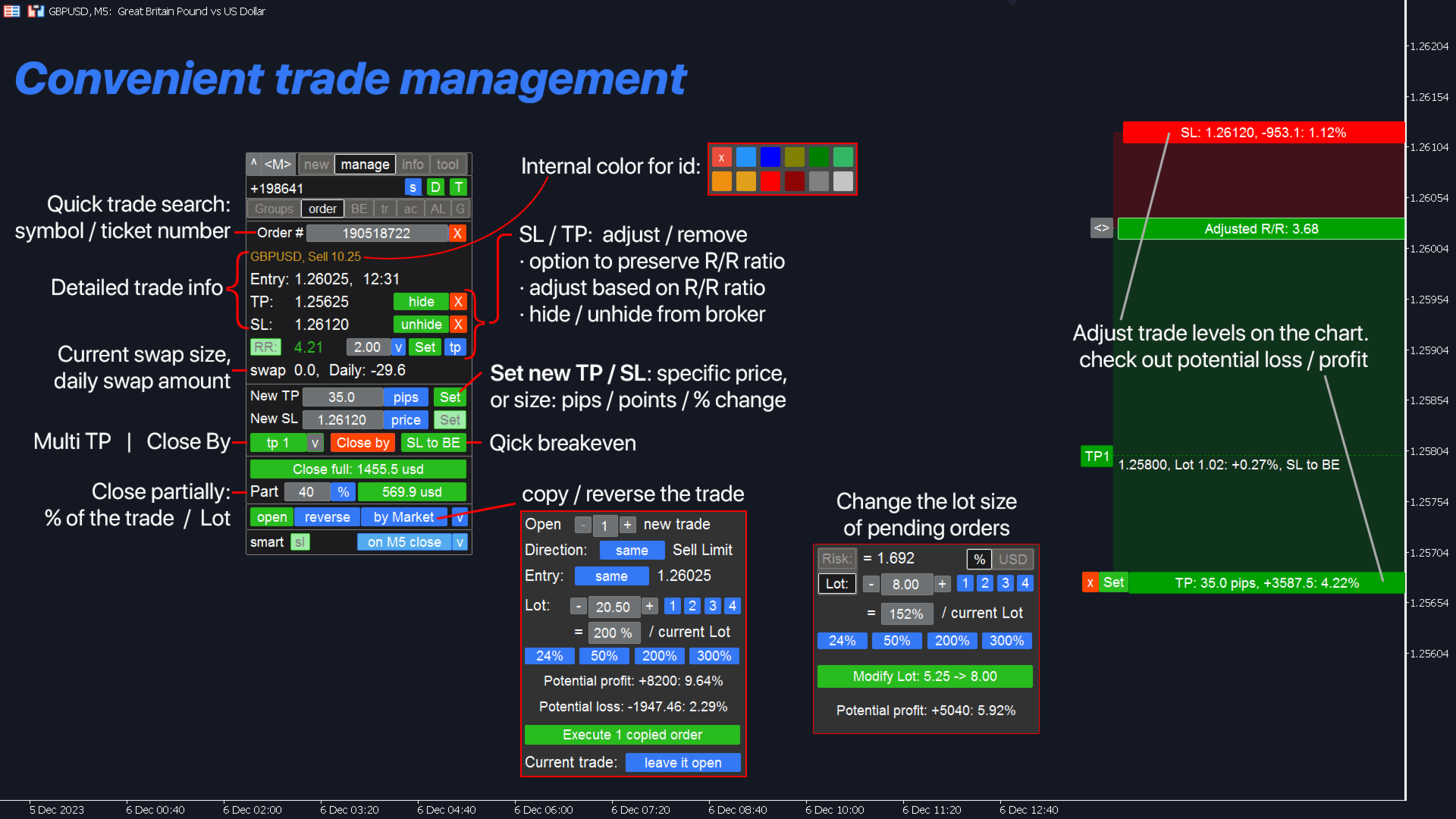
Manage the selected trade(s): order management / position management:

  • Trade management even when the market is closed (on the weekend): changes will be applied when it opens
  • Copy / Reverse the trade in just 1 click
  • Visualization + option to adjust on the chart
  • Modify the Lot Size for existing pending orders
  • Move Entry price for all orders at once
  • Close partially: lot size / % of the current lot (partial close)
  • "Close by": close by a counter position
  • Adjust TP/SL: price / pips / points / %
  • Quick expiration change
  • Adjust TP / SL based on the R/R ratio
  • Modify SL and preserve initial Risk % for existing orders

3. Trade statistics + market analysis:

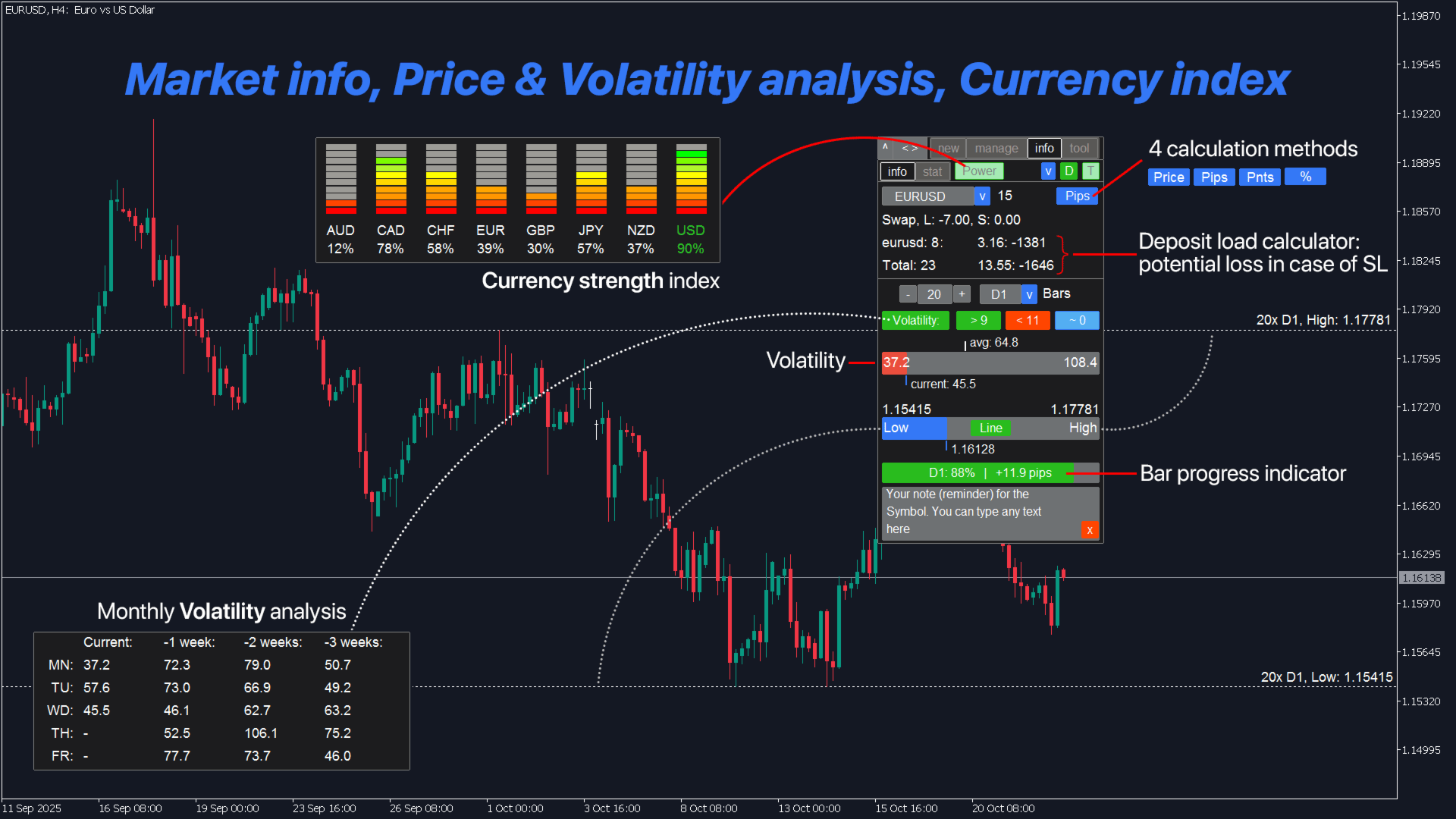
  • Currency strength index
  • Trading statistics (history): custom period / Symbol
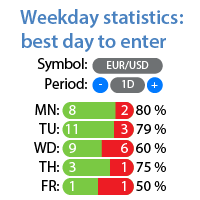
  • Weekdays analysis: the best / worst trading days (stat)
  • Market info, volatility analytics
  • Highs and Lows visualization, compared with the current price
  • Bar progress indicator
  • Custom note for aSymbol (reminders on the chart)

4. Indicators and auxiliary utilities:

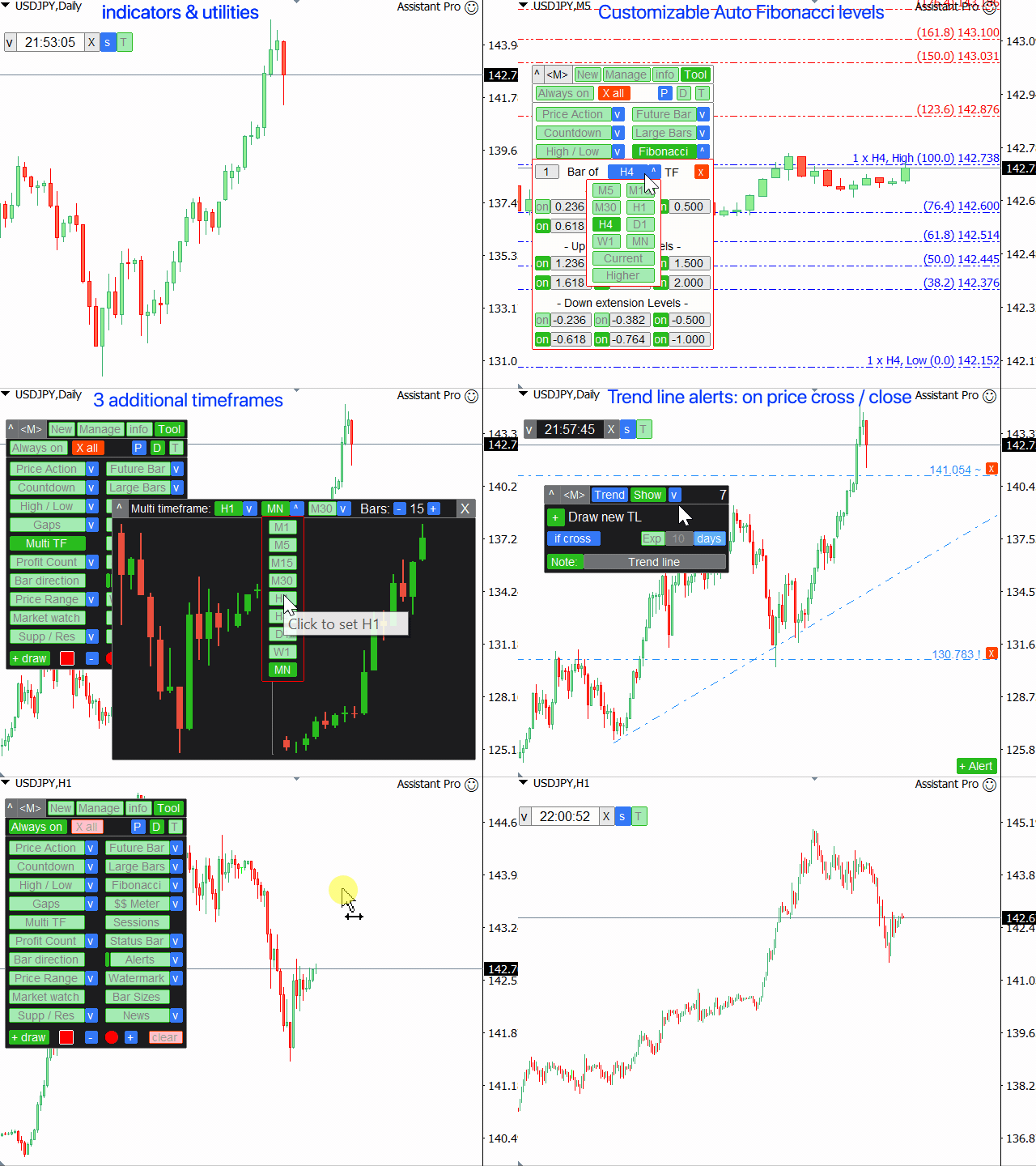
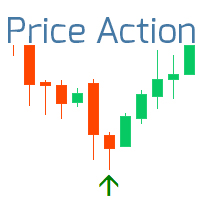
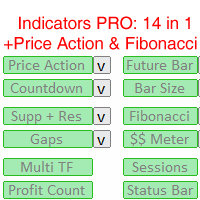
  • Price Action indicator + 3 trend filters (PA)
  • Supply Demand zones (support and resistance)
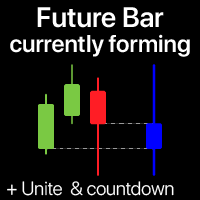
  • Future price bar
  • Economic calendar on the chart (fundamental news)
  • Countdown timer
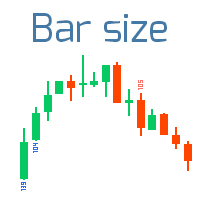
  • Large bars indicator
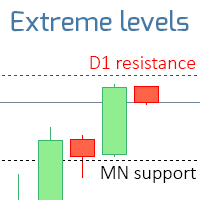
  • High / Low levels of 9 TFs
  • Auto Fibonacci Levels (Fibo)
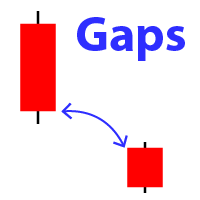
  • Gap Indicator (Market Gaps)
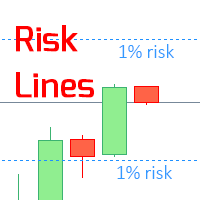
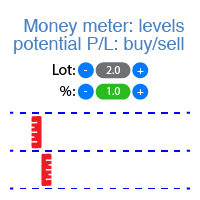
  • Potential profit / loss levels
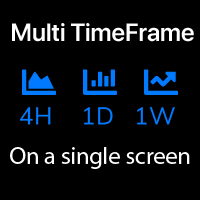
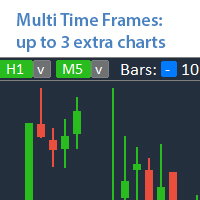
  • Up to 5 additional TFs on the same chart (Multi TF)
  • Trading Sessions (active market time)
  • Floating Profit / Loss counter
  • Status bar: on-time market info (Swap, Spread, Price Change value, Time, Profit / Loss)
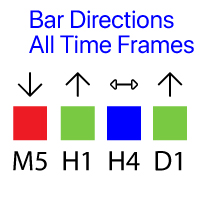
  • Bar directions: candles on all TFs
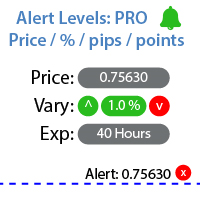
  • Price Alerts / Trend Line Alerts, + notes (notification when the level is reached)
  • Watermark on the chart: Symbol + TF / or your own text
  • Price Range utility: trading boundaries
  • Market Watch tool (watchlist)
  • Bar Sizes on 9 timeframes
  • Custom draw on the chart (sketch)
  • Quick screenshot + Auto screenshot
  • Telegram Alerts
  • Keyboard shortcuts
  • High / Low levels of the selected period

More features:
  • Overtrading control: option to set Max Lot, Max Orders amount
  • Option to set Hidden stop loss / Hidden take profit for the existing trade, or convert it back to the real level
  • While managing multiple pending orders: change the entry price simultaneously for all of them
  • Telegram notifications
  • An indicator of your trading sentiment
  • Auto screenshot on execution
  • Hotkets (+ custom hotkey)

Trading functions require permitted auto trading (including on the broker's side).

Trading Assistant works on any trading instruments: 
Forex, Stocks, Futures, Indices, CFD, Bonds, Cryptocurrencies, Metals, Synthetic indices and any other.


____________________________
____________________________

Assistant_38 in 1
Assistant 38 in 1
Tradingvew, ChatGPT, AI, GPT, Artificial Intelligence
Reviews 30
v9137397540
122
v9137397540 2025.12.05 10:22 
 

Спасибо за обновление. Стало еще лучше!

8enlightenor Lumiere
26
8enlightenor Lumiere 2024.07.04 22:53 
 

Absolute best Trade Manager in the Market! I've been through many trade managers and this is the best. It has the most features, while not complicated. Easy to learn. Intuitive. The added features make trading so much easier! And the developer is very responsive to bug fixes. I love this trade manager, it's a masterpiece . Thank you Makarii!

21285752
40
21285752 2023.11.20 21:10 
 

I can't rate this EA highly enough. I use the execution and trade management elements and they are by far better than I've seen / experienced anywhere. Very easy to use and the main thing this EA gives you is the confidence to trade they way you want. Also, the developer is just amazing - on hand to answer any questions or make tweaks that helps the effectiveness of the EA. A great product with top draw support.

Recommended products
Trade Auto Close
Makarii Gubaydullin
Automatic Trade Closure: at time, or Profit / Loss trigger With this utility, you can automate the trade closure under a given condition. Multifunctional tility : 66+ features, including this tool  |   Contact me  if you have any questions  |   MT5 version To activate the Auto-Close, you need to set the following parameters (on the panel): 1. Symbol   for which the function will be applied: for a specific   [Symbol]   / or for   [ALL]   symbols. 2.   Condition,   when to close: [if total] / [if
Risk Commander
Adisorn Soodkanueng
Product Name: Risk Commander: Trade Assistant & Strategy Simulator Risk Commander is more than just a trade panel—it is a complete Manual Trading Ecosystem . It serves two powerful purposes: Live Assistant: Helps you execute trades with speed, precision, and perfect risk management in real-time markets. Training Simulator: Fully compatible with the Strategy Tester (Visual Mode) , allowing you to practice manual trading on historical data without risking a cent. NEW! Built-in Simulator Mode S
Virtual Collider Manual   is a trading assistant with a built-in panel for manual trading. It automatically moves a position opened by a trader in profit using innovative adaptive grid algorithm of averaging and adaptive pyramiding Know-how of the grid algorithm of averaging and pyramiding of the   Virtual Collider Manual   trading robot is based on fully automatic adaptation of all characteristics of dynamically build order grid and pyramid with actual price movement with no need for adjusting
Lucky Trade Panel MT4
Nina Yermolenko
5 (1)
Trading panel for manual trading. Has a fairly wide functionality. Allows you to automatically calculate the order size, open both market and pending orders. It has a wide range of options for closing orders, it is possible to partially close orders, close orders after reaching a certain profit or loss, separately close profitable and unprofitable, buy and sell, as well as pending orders. The panel also contains a simple implementation of a grid of pending orders, reverse and lock functions, tr
Expert Advisor for MT4 Useful utility MUST have for all traders.  With 1 click button, you're able to close all your open positions. Its come with a warning pop up notification when you click to close all your trades, to avoid an accident press the button. Just press 'Yes' to confirm or 'No' to cancel it. The expert will close all your open positions no matter what pairs you currently open or directions. Just attach the expert on 1 of your chart, and you're good to go.
This tool will perform Trailing stop loss and Break even management for orders. Helps you limit or reduce the time spend watching orders on the screen, especially when you need to go to sleep. Just add this EA to 1 chart, you can manage all pairs. You can filter orders by comment, magic number, symbol, and order ticket number. When Breakeven it can add shift/offset pips (to cover the commission...). You can try in strategy tester before purchase. The EA will add Buy and Sell alternately, so yo
How to Use the Features       MT5 VERSION   TRADE COPIER Select Role: On the account sending trades, choose Sender (Master Account) . On the account receiving trades, choose Copier (Receiver Account) . Lot Size Mode: Same Lot Size as Master: Ignores multipliers, copies exactly what the Master has. Multiply Master Lot Size: Uses the "Lot Multiplier" field (e.g., Master 0.10, Multiplier 2.0 = Copier 0.20). Use Fixed Lot Size: Ignores Master's volume entirely, uses the "Fixed Lot Size" field for ev
It is so very disappointing when the price does not have enough points to achieve Take Profit and makes a reversal. This EA sets virtual levels near the TakeProfit levels. This EA sets virtual levels next to TakeProfit orders. If these levels are reached by price, breakeven or trailing stop is applied for an order. Features This EA does not set new orders. The aim of this EA is to manage stop losses of existing orders that are set by another EA or manually (magic number equals 0). For correct w
The indicator shows the operating time of the world exchanges. Help you to see which markets are currently most active Check out my  #1 Pro  Utility : 66+ features, including this tool  |   Contact me  if you have any questions Helps to select the most volatile instruments at the moment; Especially useful for an intraday traders; 1) When using on time frames 1H and below: the lines will correspond to the actual location of the bars on the chart, and when moving the chart, the lines of the tradi
Fast Trade Copier
Volodymyr Hrybachov
4.2 (5)
The trade copier is designed for a fast and accurate copying of orders between the MetaTrader 4 terminals. The trade copier copies trades from the Master account to the Slave account by writing information to the total file, which is located in the common directory of the MetaTrader 4 terminals. This allows the trade copier to either customize various schemes for receiving and transmitting trade signals by changing the file name. Reading and writing the copier file is performed by timer. The tra
Spread Based Smart Trader
AL MOOSAWI ABDULLAH JAFFER BAQER
• Please test the product in the Strategy Tester before purchasing to understand how it works. • If you face any issues, contact me via private message—I’m always available to help. • After purchase, send me a screenshot of your order to receive a   FREE EA   as a gift. Spread-Based Smart Trader - Your Ultimate Trading Edge! Are you tired of losing trades due to high spreads? Do you want an intelligent system that monitors market conditions and ensures you only trade under optimal conditions? S
Smartility
Syed Oarasul Islam
This utility is designed to help you with your Manual Trading. It allows different ways of closing trades. It can display total number of BUY and SELL orders individually and also their individual profits. It can enter trades without stopl loss and take profits. However upon selecting UseStopLossTakeProfit from the settings it can use best possible stop loss and take profits based on the market conditions. Upon selecting the CloseOppositeTrades  from the settings it can close opposite trades. Fo
TSTrendLineSymbol
Salvatore Labriola
Utility, which draws buy or sell trendlines, which can also become support or resistances able to close any position on the screen Algorithm that calculates the gain of the position, at the touch closure of the line.   The benefits you get: Works on forex and CFD, timeframe from M1 to Weekly. Easy to use screen control panel. Audible warning messages at the touch of the line. Easy to use.
Ultimate Trade Closer
Ebenezer Sochima Charles
Ultimate Trade Closer for MT4 – Efficient Multi-Symbol Trade Management Overview: The Ultimate Trade Closer for MT4 is a powerful and user-friendlytrade management system designed to help traders quickly close multiple trades with just one click. Whether you need to close all trades on a specific symbol or across all traded symbols, this script ensures seamless execution, saving you time and effort. Key Features: Close Trades Instantly – Shut down all open positions on a single symbo
Noize Absorption Index MT4
Ekaterina Saltykova
5 (1)
Noize Absorption Index - is the manual trading system that measures the difference of pressure between bears forces and bulls forces. Green line - is a noize free index that showing curent situation. Zero value of index shows totally choppy/flat market.Values above zero level shows how powerfull bullish wave is and values below zero measures bearish forces.Up arrow appears on bearish market when it's ready to reverse, dn arrow appears on weak bullish market, as a result of reverse expectation. S

Golden Gestion TP SL
Matthias Hubert Patrick Snidaro
Auto SL/TP Manager EA – Gestion Automatique Intelligente Auto SL/TP Manager EA est un Expert Advisor conçu pour automatiser la gestion des commandes avec une efficacité maximale et une grande discrétion. Il gère automatiquement : Le Stop Loss (SL) et le Take Profit (TP) Le Profit Lock (verrouillage progressif des bénéfices) Le Trailing Stop avec plusieurs méthodes avancées L' affichage masqué du SL et du TP pour plus de discrétion (non visible par le courtisan) C'est l'outil idéal pour les
Trade Manager MT4 DaneTrades
Levi Dane Benjamin
4.09 (11)
DaneTrades Trade Manager is a professional trade panel for MetaTrader 4, designed for fast, accurate execution with built‑in risk control. Place market or pending orders directly from the chart while the panel automatically calculates position size from your chosen risk, helping you stay consistent and avoid emotional decision‑making. The Trade Manager is built for manual traders who want structure: clear risk/reward planning, automation for repeatable management, and safeguards that help reduc

Trade Copier Professional — Local Copy Solution Trade Copier Professional is a reliable local trade copying system for MetaTrader 4/5. It allows traders to replicate positions instantly across multiple accounts on the same computer, with built‑in safety controls and a professional dashboard. Overview The EA operates in both Master and Slave modes from a single file, with seamless switching. Trades can be copied between MT4 and MT5 terminals without internet dependency, using local file‑based
Angry bull Option Binary
Fabio Oliveira Magalhaes
1 (1)
Angry Bull Option Binary   This is a Binary Options robot, which contains 7 strategies, you can backtest it to check what the best strategies are Settings Initial Batch Value Dynamic Investment = If activated it will use an automatic lot according to its capital Balance ($) w/ backtest = Starting balance to backtest PorcRiscoInvestment = It will be the value of % for the automatic lot if it is activated Expiration (in minutes) = It will be the expiration time of orders in Binary Options Magic
Smart Key Trade Manager
Stephen Sanjeeve Sahayam
Most retail traders cannot manage risk and blow accounts by over risking or over trading. This tool fully automates drawdown and risk management, leaving a trader to only focus on their entries. It is the first and only trade manager that uses price action with its Aggressive Risk Control feature to automatically close partial positions when price goes against the trade. This ensures that losses are always kept smaller than wins. Can be used with any entry method and with any trading style; sc
TradePanel MT4
Alfiya Fazylova
4.84 (94)
Trade Panel is a multi-functional trading assistant. The app contains over 50 trading functions for manual trading and allows you to automate most trading tasks. Attention! Discounts are limited in time, every Tuesday the price will increase by $5 (up to $90). Before making a purchase, you can test the demo version on a demo account. Download the trial version of the application for a demonstration account: https://www.mql5.com/en/blogs/post/750865 . Full instructions here . Trade. Allows you to
GGP Trade Copier MT4
Mohammadmahmood Pirayeh
GGP Trade Copier  EA is an automatic trading bot that can help traders automatically replicate the trading strategies and operations from one trading terminal to others by experiencing exceptionally fast trade copying system. Its easy-to-use setup allows you to copy trades between multiple MetaTrader terminals on the same Windows computer or Windows VPS with lightning-fast copying speeds of under 0.5 seconds. The software supports multiple trading varieties, including Forex, commodities, stocks,
Auto Breakeven level
Makarii Gubaydullin
Automatic Breakeven levels Using   this   utility ,   y ou can activate the automatic SL movement, when the trade reaches a desired profit.  Especially   important   for a   short -term   traders.   Offset option is also available: some profit may be protected. Multifunctional utility : 66+ features, including this tool  |   Contact me  if you have any questions  |   MT5 version The process of activating the automatic breakeven function: 1.   Select the Symbol or Trade   for which the Auto BE f
Symbol Order Close EA was developed to handle the closing and trailing of profit per symbol. The expert can also trail by dollars and the user can specify a particular magic number in case multiple experts are used on the same account. You can close by total profit on a symbol, start trailing, stop trailing and trailing step, all in a dollar value This EA is VERY handy if you are running an expert that trades multiple symbols and ends up with a floating profit. It can also be used to close man
You can change the time period of the chart at the touch of a button. You can also change multiple charts at the touch of a button. You can also change multiple charts at the touch of a button, saving you the trouble of changing time periods. We are live-streaming the actual operation of the system. https://www.youtube.com/@ganesha_forex We do not guarantee your investment results. Investments should be made at your own risk. We sharll not be liable for any disadvantage or damage caused by th
Trade panel manual is a multifunctional trading assistant. It allows you to open market and pending orders in one click. Value is set via button menu edit or deleted by specific buttons pending orders and the value of take profit and stop loss in one click. Through the edit menu of the button, a value is set that can be easily changed by simply moving level_tp lines for take profit or stop loss levels and for pending orders. It is possible to select orders and determine for them and set the leve
Trade Monitor Pro
Valery Sorrentino
DOWNLOAD FREE DEMO VERSION FROM HERE **TradeMonitorPro Expert Advisor** The TradeMonitorPro Expert Advisor is a powerful tool designed to help you effectively monitor and manage your trading activities in the forex market. This EA offers a range of useful features that allow you to keep track of your open trades, floating daily gains and losses (floating drawdown), as well as margin levels and the volume of open lots. For a correct counting of the Trading Volume, enable the complete history in
TradePilot
Hossein Khalil Alishir
TradePilot Expert Advisor (EA) for MetaTrader 4 TradePilot is a professional and user-friendly Expert Advisor (EA) for MetaTrader 4 (MT4) . It simplifies automated trading , risk management , and trade execution using a smart trading panel . Perfect for beginners and experienced traders looking for a reliable trade manager EA with automated lot size calculation . Key Advantages User-Friendly Trading Panel: Customizable panel with buttons and hotkeys. Smart Risk Management: Supports percen
Vizzion
Joel Protusada
Vizzion is a fully automated scalping Expert Advisor that can be run successfully using GBPJPY currency pair at H1 timeframe. Very Important This Expert Advisor can not run with any EAs in the same account. As part of the money management plan, it calculates and monitors the Margin Level % and assumes that all open trades are created by it. If you want an Expert Advisor that trades in a daily basis, this EA is not for you because using this requires a patience to wait for a few days or weeks on

Close Trades Premium MT4
Obiajulu Chukwudi Nwosa
Like you when I first started trading, It was overwhelming...learning about indicators, about lotsize, leverage and many more things. Its been almost 3 years. I am more knowledgeable in trading. My trading continues to improve as I work on my strategy, technical analysis, trading psychology and trade management. One thing I am not worried about though is being able to close my trades quicky if a trade goes against me or if the trade has reached my take profit level with the help of my Close Tra
Buyers of this product also purchase
Forex Trade Manager MT4
InvestSoft
4.98 (434)
Welcome to Trade Manager MT4 - the ultimate   risk management tool   designed to make trading more intuitive, precise, and efficient. This is not just an order placement tool; it's a comprehensive solution for seamless trade planning, position management, and enhanced control over risk. Whether you're a beginner taking your first steps, an advanced trader, or a scalper needing rapid executions, Trade Manager MT4 adapts to your needs, offering flexibility across all markets, from forex and indice
Exp COPYLOT CLIENT for MT4
Vladislav Andruschenko
4.65 (66)
Trade copier for MetaTrader 4.   It copies forex trades, positions, and orders from any accounts. It is one of the best trade copiers   MT4-MT4, MT5 - MT4   for the   COPYLOT MT4   version (or   MT4 - MT5 MT5 - MT5   for the   COPYLOT MT5   version).        MT5 version Full Description +DEMO +PDF   How To Buy    How To Install     How to get Log Files    How To Test and Optimize    All products from Expforex Copier  version for      MetaTrader 5  terminal ( МТ5 - МТ5, МТ4 - МТ5 )-  Copylot Cli
The product will copy all telegram signal to MT4   ( which you are member  ) , also it can work as remote copier.  Easy to set up, copy order instant, can work with almost signal formats, image signal, s upport to translate other language to English Work with all type of channel or group, even channel have "Restrict Saving Content", work with  multi channel, multi MT5 Work as remote copier: with signal have ticket number, it will copy exactly via ticket number. Support to backtest signal. How to
ManHedger MT4
Peter Mueller
5 (2)
THIS EA IS A SEMI-AUTO EA, IT NEEDS USER INPUT. Manual & Test Version Please TEST this product before   BUYING  and watch my video about it. Contact me for user support or bug reports, or if you want the MT5 version! MT5 Version I do not guarantee any profits or financial success using this EA. With this Expert Advisor, you can: Implement your own   Zone Recovery   strategy to capitalize on trending markets. Create   Grid   trading strategies, to profit from ranging markets. Place orders easil
The News Filter
Leolouiski Gan
5 (25)
This product filters all expert advisors and manual charts during news time. It is able to remove any of your EA during news and automatically reattach them after news ends. This product also comes with a complete  order management system that can handle your open positions and pending orders before the release of any news. Once you purchase The News Filter , you will no longer need to rely on built-in news filters for future expert advisors, as this product can filter them all from here onwards
Trader Evolution MT4
Siarhei Vashchylka
5 (2)
" Trader Evolution " - A utility designed for traders who use wave and technical analysis in their work. One tab of the utility is capable of money management and opening orders, and the other can help in making Elliott wave and technical analysis. Manual (Be sure to read before purchasing) | Version for MT5 Advantages 1. Trading in a few clicks. Immediate and pending orders are available in the panel 2. Money management. The program automatically selects the appropriate lot size 3. Simplifies
Telegram to MT4 Coppy
Sergey Batudayev
3.75 (8)
Telegram to MT4: The Ultimate Signal Copying Solution Streamline your trading with Telegram to MT4 , the cutting-edge utility designed to copy trading signals directly from Telegram channels and chats to your MetaTrader 4 platform—without the need for DLLs. This robust solution ensures seamless execution of signals with unparalleled precision and customization options, saving you time and boosting your efficiency. [ Instructions and DEMO ] [ FAQ ] [ How atach logs properly ] [Settings descrition
Copy Cat More Trade Copier MT4 is not just a simple local trade copier; it is a complete risk management and execution framework designed for today’s trading challenges. From prop firm challenges to personal portfolio management, it adapts to every situation with its blend of robust execution, capital protection, flexible configuration, and advanced trade handling. The copier works in both   Master (sender) and Slave (receiver)   modes, with real-time synchronization of market and pending orders
News Filter EA MT4
Rashed Samir
5 (9)
News Filter EA: Advanced Algo Trading Assistant News Filter EA is an advanced algo trading assistant designed to enhance your trading experience. By using the   News Filter EA , you can integrate a Forex economic news filter into your existing expert advisor, even if you do not have access to its source code. In addition to the news filter, you can also specify   trading days   and   hours   for your expert. The News Filter EA also includes   risk management   and   equity protection   features
VirtualTradePad mt4 Extra
Vladislav Andruschenko
4.85 (61)
Trading Panel for trading in 1 click.  Working with positions and orders!  Trading from the chart or the keyboard. Using our trading panel, you can trade in one click from the chart and perform trading operations 30 times faster than the standard MetaTrader control. Automatic calculations of parameters and functions that make life easier for a trader and help a trader conduct their trading activities much faster and more conveniently. Graphic tips and full information on trade deals on the chart
EchoTrade Telegram to MT4 Copier
Perpetual Chinemerem Vincent
5 (2)
EchoTrade Telegram to MT5 Copier Seamless, Instant, and Reliable Signal Copying - Direct from Telegram to MetaTrader 4! The product does not run in the strategy tester but you can get free trial version   here  for testing before purchase. Tired of manually executing trades from Telegram signals? EchoTrade automates the process, instantly copying trades from any Telegram channel or group directly into your MT5 account—accurately, efficiently, and without delay. Key Features: Universal Compatib
Comprehensive on chart trade panel with the unique ability to be controllable from mobile as well. Plus has a library of downloadable configuration, e.g. exit rules, extra panel buttons, pending order setup and more. Please see our product video. Works with all symbols not just currency pairs. Features On chart panel plus controllable from free app for Windows, iPhone and Android Built-in script engine with library of downloadable configuration, e.g. add 'Close All Trades in Profit' button, exit
MT4 Professional Copy Trading System (MT4 Edition) The MT4 Professional Copy Trading System is an industrial-grade, ultra-fast LOCAL Trade Copier , designed for professional traders, signal providers, and institutional-style multi-account management. Industrial LOCAL Architecture (Faster, More Stable) This is a true LOCAL copier , designed to operate when terminals are hosted in the same Windows environment (same PC or the same Windows VPS instance). Key advantages: Ultra-fast synchronization
Riskless Pyramid
Snapdragon Systems Ltd
5 (1)
Introduction This powerful MT4 trade mangement EA offers a way potentially to aggressively multiply trade profits in a riskfree manner. Once a trade has been entered with a defined stoploss and take profit target then the EA will add three pyramid add-on trades in order to increase the overall level of profit. The user sets the total combined profit target to be gained if everything works out. This can be specified either as a multiple of the original trade profit or as a total dollar amount. Fo
TradeMirror is a trade copier EA for MT4/MT5 platform. Why TradeMirror We understand the importance of security, stability and privacy for financial software, so we've gone the extra mile to harden these three elements in detail: Provides a user-friendly graphical interface that is easy to operate Focus on privacy and security, suitable for various financial scenarios with privacy requirements for order distribution Precise replication of orders, millisecond distribution Support full platform, M
Length Movement
Pavel Verveyko
5 (1)
Measures the length of the selected movement in points, shows the duration of the movement, as well as the speed of movement.   Outputs the average value of each dimension. It is designed to calculate the expected target based on typical market movements. The intended goal will provide information about the ratio of the stop size to the possible profit and will allow you not to open positions with a small expected profit. It will also help you determine the point at which it is more logical to c
DrawDown Limiter MT4
Haidar Lionel Haj Ali
5 (8)
Drawdown Limiter EA You are in the right place if you were searching for Drawdown control, Drawdown limiter, Balance protection, Equity Protection or Daily Drawdown Limit related to Prop Firm, FTMO, or Funded account trading, or if you want to protect your trading account. Have you suffered from controlling your drawdown when trading funded accounts? This EA is meant for you. Prop firms usually set a rule called “Trader Daily Drawdown”, and if it is not respected, you are disqualified.  I am an
Ultimate Trade Copier
BLAKE STEVEN RODGER
5 (2)
This trade copy utility allows you to instantly and seamlessly replicate and synchronize unlimited orders from multiple master accounts to multiple slave accounts on your local machine. You can create custom channels (or portfolios) with advanced filtering capabilities to copy from multiple master accounts to multiple slave accounts. Moreover, you can tailor these channels with a range of lot sizing and trade condition options to ensure that copied trades outperform the original source. You can
Becktester Telegram Signals — Turn Telegram Signals into Real Backtests Automatically read signals from real Telegram channels , parse them (Buy/Sell/Entry/SL/TP), and backtest in MetaTrader 4 Strategy Tester . Verify parsing first with Live Parsing Test Mode . Important Information After purchasing the product, please leave a comment on the product page, and I will send you the Telegram Signal History Parser file. This file is not publicly available at the moment and is provided only to verifi
Auto Trade Copier
Vu Trung Kien
4.76 (84)
Auto Trade Copier is designed to copy trades to multiple MT4, MT5 and cTrader accounts/terminals with 100% accuracy. The provider and receiver accounts must be on the same PC/VPS. With this tool, you can copy trades to receiver accounts on the same PC/VPS. All trading actions will be copied from provider to receiver perfectly. This version can be used on MT4 accounts only. For MT5 accounts, you must use Auto Trade Copier for MT5 . Reference: - For MT4 receiver, please download Trade Receiver Fre
Instantly see your closed trade history by day and week, your current open trades, and forex exposure on one chart! Use the heatmap to identify profitable trades and where your current drawdown is within your trading portfolio. MT5 Version -  https://www.mql5.com/en/market/product/132613 Quick Close Buttons Use the quick close buttons to close every trade on a single symbol, close out individual trades in full, or take partial profits or losses at the click of a button. No more hunting for trade
Ultimate Extractor - Professional Trading Analytics for MT4 Ultimate Extractor transforms your MetaTrader 4 trading history into actionable insights with comprehensive analytics, interactive charts, and real-time performance tracking. Ability to combine multiple accounts and MT4 and MT5 into a single dashboard. What It Does Automatically analyzes your MT4 trading history across all Expert Advisors and generates detailed HTML reports with interactive visualizations. Tracks live performance metric
Take a Break
Eric Emmrich
5 (31)
News filter, equity guard & session control for all your EAs — one tool, full protection Take a Break has evolved from a basic news filter into a comprehensive account protection solution . It pauses your other Expert Advisors during news events or based on custom filters. When trading resumes, it automatically restores your entire chart setup , including all EA settings. Why traders choose Take a Break One news filter for all your EAs — no more relying on individual built-in filters that may o
Copier->Convenient and fast interface interaction, users can use it right away   ->>>> Recommended to use on Windows computers or VPS Windows Features: Diversified and personalized copy trading settings: 1. Different lot modes can be set for different signal sources 2. Different signal sources can be set for forward and reverse copy trading 3. Signals can be set with comments 4. Whether to calibrate the lot according to the contract lot Diversified and personalized copy order settings 2: 1. Dif
Live Forex Signals is designed for trading on site signals   https://live-forex-signals.com/en   and    https://foresignal.com/en . Live Forex Signals for MetaTrader 5  https://www.mql5.com/ru/market/product/81448 Parameters Username and Password if you have a subscription to the sites live-forex-signals.com/foresignal.com , then you should fill in these parameters with your credentials; if there is no subscription, then leave the fields empty; Comment comment on the deals being opened Risk ri
The product will copy all  Discord  signal   to MT4   ( which you are member  ) , also it can work as remote copier.  Easy to set up. Work with almost signal formats, support to translate other language to English Work with multi channel, multi MT4. Work with Image signal. Copy order instant, auto detect symbol. Work as remote copier: with signal have ticket number, it will copy exactly via ticket number. How to setup and guide: Let read all details about setup and download Discord To MetaTrader
Automate Risk Management with Smart Trailing Stop Manager for MetaTrader 4 Looking for MetaTrader 5 version? I t is available separately in the Market:   Smart Trailing Stop Manager MT5 Full User Guide    –  Public channel:   CLICK HERE Struggling with manually adjusting stops and securing profits? Smart Trailing Stop Manager MT4 is an intelligent utility for MetaTrader 4 that automates trailing stops, break-even management, partial closes, and auto SL. Optimized specifically for MT4 users, it e
Crystal Trade Manager PRO – Advanced MT4 Risk & Trade Control System Overview Free :- https://www.mql5.com/en/market/product/150632 Crystal Trade Manager PRO (CTM) is a fully–featured trade execution and risk management utility for MetaTrader 4. It is built for traders who require disciplined execution, strong risk protection, and intelligent automation on MT4. The system manages risk, protects equity, enforces daily limits, automates SL/TP logic, and provides a fast one-click trade panel with p
Ultimate Trailing Stop EA
BLAKE STEVEN RODGER
4.33 (15)
This EA Utility allows you to manage (with advanced filtering) unlimited open orders (manual or EA) with 16 trailing stop methods: fixed, percent, ATR Exit, Chandelier Exit, Moving Average, Candle High Low Exit, Bollinger Bands, Parabolic, Envelope, Fractal, Ichimoku Kijun-Sen, Alligator, Exit After X Minutes or Bars, RSI and Stochastic. The trailing stop can be either real or virtual, and you can exit fully or with a partial close percent on touch or bar close.  Moreover, you can add (overrid
Averaging Helper
Sergey Batudayev
5 (2)
Averaging Helper - This sort of trading helper instrument will help you average out your previously unprofitable positions using two techniques: standard averaging hedging with the subsequent opening of positions according to the trend The utility has the ability to sort out several open positions in different directions at once, both for buy and for sell. For example, you opened 1 position for a sell and the second for a buy, and they are both unprofit, or one is in the unprofit and one is in
More from author
Trade Assistant 38 in 1
Makarii Gubaydullin
4.91 (23)
Multifunctional tool: Lot Calculator, Grid Orders, R/R ratio, Trade Manager, Supply and Demand zones, Price Action and much more Demo version   |   User manual Trade Assistant   doesn't work in the strategy tester : you can download the   Demo Version HERE  to test the utility . Contact me   for any questions  / ideas for improvement / in case of a bug found If you need a MT4 version, it is available here Simplify, speed up and automate your trading   process . Expand the standard terminal capa
Lot Size Calc
Makarii Gubaydullin
Quickly find the lot size  directly in the terminal , to comply with risk management. Check out my  #1 Trade Manager : 66+ features, including PRO risk management  |   Contact me  if you have any questions it works on any trading instruments: Forex, Stocks, Futures, Indices, CFD, Bonds, Cryptocurrencies; interface minimization function; flexibility of use; money management; It is especially useful for short-term traders, when they need to act  quickly . For calculation it is necessary to specify
Breakeven Pro
Makarii Gubaydullin
Breakeven levels: manual and automatic Using this utility , you can quickly move trades to breakeven in just 1 click : especially important in short -term trading. You can also set the automatic  SL  movement when the trade reaches a desired  profit.  Offset option is also available. Multifunctional utility : 66+ features, including extended operations with a BE levels  |   Contact me  if you have any questions  |   MT4 version This tool consists of 2 subsections: 1. [Move SL to BE now]: manual
Supply Demand areas
Makarii Gubaydullin
Supply / demand zones: observable areas where price has approached many times in the past. Multifunctional trade manager:  66+ features , including this indicator  |   Contact me  for any questions  |  MT4 version The indicator shows where the price could potentially be reversed again. Usually, the more times the price has been rejected from the level, the more significant it is. In the input settings   you can adjust: Enable or disbale   Weak zones; Show or hide   zone description; Font size;
Timer Countdown
Makarii Gubaydullin
5 (3)
Countdown timer till the bar closure, + % Progress status:  #1 multifunctional utility :   66+ features, including this tool  |   Contact me  if you have any questions   |    MT4 version In the settings of the indicator, you can configure: Timeframe for Calulculation; true / false:   Higher TimeFrame option (next from the currently used: M15->M30, H4->D1...) Position: 1 = Bottom Left corner; 2 = Bottom Right corner; 3 = Top Left corner; 4 = Top Right corner; Font Size; Color; Font Style;
FREE
Countdown Bar Timer
Makarii Gubaydullin
Countdown timer till the bar closure, + % Progress status:  #1 multifunctional utility :   66+ features, including this tool  |   Contact me  if you have any questions   |    MT5 version In the settings of the indicator, you can configure: Timeframe for Calulculation; true / false: Higher TimeFrame option (next from the currently used: M15->M30, H4->D1...) Position: 1 = Bottom Left corner; 2 = Bottom Right corner; 3 = Top Left corner; 4 = Top Right corner; Font Size; Color; Font Style;
FREE
Swap and Spread
Makarii Gubaydullin
Displays the current market information with a per-second update. Spread size; Swap size: for short and long positions; Local time (optionally); Multifunctinal utility : 66+ features, including this tool  |   Contact me  if you have any questions   |    MT4 version In the settings of the indicator, you can configure: Font size; Text color; Select the positioning: left / right corner of the chart; Local time: on/off; The program file should be placed to the " Indicators " directory.
FREE
Spread and Swap
Makarii Gubaydullin
5 (1)
Displays the current market information with a per-second update. Spread size; Swap size: for short and long positions; Optionally, you can enable the display of the current time; Multifunctional utility : 66+ features, including this tool  |   Contact me  if you have any questions   |  MT5 version In the settings of the indicator, you can configure: Font size; Text color; Select the positioning: left / right corner of the chart; Turn on / off the display of the current time (local time onyour
FREE
Price Action Pro
Makarii Gubaydullin
The indicator displays the most important Price Action Patterns that indicate a potential reversal / continuation of the trend. Check out my  #1 Pro Manager : 66+ features, including this indicator  |   Contact me  if you have any questions Avaliable Patterns: Pin bar; Engulfing; Inside bar (Harami); Morning star; Evening star; Dark Cloud Cover; Piercing Line; Features: You can   select patterns   to display and disable unnecessary patterns; Notifications : alerts in the terminal, Email and Pus
The indicator displays the levels that are extremes for the specified time frames. Resistance level is the maximum price of the last closed bar; Support level is the minimum price of the last closed bar; Check out my  #1 Trade Assistant : 66+ fueatures, including this indicator  |   Contact me  if you have any questions 2 operating modes: Real bodies:  Open and Close prices will be used; Extremes:  High and Low prices will be used; This indicator: Helps to see potential reversal levels; Patter
Automatically plots Fibo levels, based on the High & Low prices from the specified time frame Multiple bars may be united: e.g. you can get a Fibo based on the 10-days Highs and Lows My   #1 Utility : 65+ features, including this indicator  |   Contact me  for any questions  |  MT5 version Helps to see potential reversal levels; Patterns formed at the Fibo levels tend to be stronger; Significantly reduces the time spent on manual  plotting ; Settings: Timeframe to calculate the base High & Low p
The indicator shows the operating time of the world exchanges. Help you to see which markets are currently most active Check out my  #1 Pro  Utility : 66+ features, including this tool  |   Contact me  if you have any questions Helps to select the most volatile instruments at the moment; Especially useful for an intraday traders; 1) When using on time frames 1H and below: the lines will correspond to the actual location of the bars on the chart, and when moving the chart, the lines of the tradi
Lines of risk
Makarii Gubaydullin
The indicator displays the   specified Risk Level   on the chart, for long and short positions. Check out my  #1 Trade Manager : 66+ features, including this tool  |   Contact me  if you have any questions It may be useful when setting the Stop Loss level, the value of which is visible on the right price axis. To calculate the level of risk, a   Fixed  / or   Last used   lot size is used. Imput Settings: Last traded lot:  set " true " to make the calculation for your last used   trading lot; Lo
Candle Size
Makarii Gubaydullin
Finds the bars that exceed the specified size Check out my  #1 Trade Assistant : 66+ features, including this indicator  |   Contact me  if you have any questions 2 operating modes: Real body:  the difference between the   open and close   prices will be used; Extremes:  the difference between the   maximum and minimum   prices will be used; This Indicator: Convenient for   filter patterns   in a period of low volatility; Indicates the   beginning of a trend ; Helps to see the most   significa
Shows the direction of the bars on all major timeframes. Multifunctional utility : 65+ features, including this indicator      |     Version for MT5 The meaning of the visual signals ( squares): Red : Close price is  lower  than the Open price: Close < Open;  Green : Close price is  higher  than the Open price: Close > Open; Blue : Close price is  equal  to the Open price: Close = Open; You can set the Shift of the calculated bar, relative to the current bar: Shift = 0: the direction of the c
Informer for calculating the results of open trades Check out my  #1 Trade Manager : 66+ features, including this tool  |   Contact me  if you have any questions The information panel groups open orders into 2 categories: Buys Sells For each category, the symbol and the current number of pips are displayed. The total result for all open trades is shown below. Notifications can be enabled or disabled by simply clicking on the button: When the notification is enabled, you will know when the profi
Indicators 14 in 1
Makarii Gubaydullin
5 (1)
14 Indicators and auxiliary tools for convenient trading This utility contains 14 additional tools that can be useful for certain actions of the trader,   thereby simplifying and speeding up the trading process. Check out my  #1 Trade Manager : includes 66+ features and indicators  |   Contact me  if you have any questions Due to the different monitor resolutions, some users may encounter the fact that the labels will be displayed with an overlay or be too small. If you encounter such a problem,
Daily Pips Target
Makarii Gubaydullin
Informer for tracking your daily trading results Check out my  #1 Trade Assistant : 66+ features, including this tool  |   Contact me  if you have any questions In the upper part of the panel, you set the daily profit target (in pips): Manually entering a value; Using the + and - buttons (the change step can be configured in the settings); The dashboard then groups trades into 2 categories: Current floating result; Summing up closed trades; The final result is displayed at the bottom: achieveme
Gap indicator
Makarii Gubaydullin
Displays the appearance of a gap on the chart (when the closing price of the previous bar differs from the opening price of the new bar). #1 multifunctional utility:  66+ features, including this indicator  |   Contact me  if you have any questions  |   MT5 version In the initial settings you can configure: The size of the gap (in points): only gaps that exceed this value will be displayed. Arrow color : separate for up and down gaps. When you hover the mouse over the gap arrows on the chart, t
Market information
Makarii Gubaydullin
Market information and detailed statistics: analysis of volatility and price bars. Check out my  # 1 Trade Assistant : 66+ features, including this tool  |   Contact me  if you have any questions Specify any currency pair/trading instrument to get information: Market information: Current spread; Swap for long positions (buys); Swap for short positions (sells); Select a time frame and number of periods to analyze price changes: Average volatility; Maximum volatility; Minimum volatility; Maximum
Market watch list
Makarii Gubaydullin
Monitor your favorite Symbols Multifunctional utility:  66+ features, including this tool  |   Contact me  if you have any questions   |   MT5 version This tool opens in a separate window: it can be moved (drag anywhere), and minimized [v]. You can adjust the Watchlist on the panel: Click [edit list] to add / remove the Symbols from the Watchlist. Calculated value: it may either be the last [closed bar], or the current [floating bar]. Select the [timeframe] for calculation. There are 2 types of
Multi Timeframe
Makarii Gubaydullin
The indicator helps you to analyze 3 different Time Intervals on a single screen: so that you can see the overall price action. Check out my  #1 Trade Manager : 66+ features, including this tool  |   Contact me  if you have any questions In the initial settings you can configure: TimeFrame 1; TimeFrame 2; TimeFrame 3; The number of bars to be shown; Colors of bullish and bearish bars; Product file should be located in the 'Indicators' directoty.
Trade statistics
Makarii Gubaydullin
Detailed statistics of your trading for the selected time period Check out my  #1 Trade Manager : 66+ features, including extended statistics  |   Contact me  if you have any questions Statistics display modes: For the  selected   currency pair/trading instrument Statistics for  all trades   (" ALL ") You can select the period for which you want to get statistics: 1 day 1 week 1 month 2   months 3   months 6   months 1 year 2 years All trading history Displayed information:  Gross profit Gross l
Alert Levels PRO
Makarii Gubaydullin
Utility for setting notifications when a given price level is reached Check out my  #1 Trade Manager : 66+ features, including Alerts and Trend Line alerts  |   Contact me  if you have any questions The alert can be set in three ways: Manual entry of the price level; Setting the price change: in percent / in pips / in market points; By moving the level with the mouse: there is also a magnet function, when activated, the level will snap to the nearest OHLC values; Optionally, you can enable / di
Manage trades
Makarii Gubaydullin
Management of active and pending orders: automatic breakeven, TP/SL changes, partial / full closing, visual display of levels on the chart Check out my #1  Utility : 66+ features, including PRO trade management   |    Contact me  if you have any questions 1) Main window: to manage orders, you can set a specific symbol [Symbol], or select all symbols [ALL] Close all active positions [ALL] Close all profitable trades [profits] Close all loosing trades [losses] Close all long trades (for buy) [long
Detailed statistics of your trading for the selected period Check out my  #1 Trade Assistant : 66+ features, including this tool  |   Contact me  if you have any questions The utility includes 2 separate tools: Trade Statistics WeekDays Analyzer Statistics display modes: For the selected  currency pair/trading instrument Statistics for all trades   (" ALL ") You can select the period for which you want to get statistics: 1 day 1 week 1 month 2   months 3   months 6   months 1 year 2 years All tr
Future bar
Makarii Gubaydullin
The indicator shows the currently forming candle of the selected time frame Multiple bars may be optionally united into a single candle: helps to see the bigger picture Multifunctional Utility : 65+ features, including this indicator  |   Contact me  for any questions  |   MT5 version In the input settings, select the timeframe  that will be used for the future bar: To the right of the current price, you will see a bar forming on the specified interval. If activated in the settings, the Countdow
Profit/loss statistics for each day of the week Check out my  #1 Utility : 66+ features, including extended statistics  |   Contact me  if you have any questions Statistics display modes: For the  selected   currency pair/trading instrument Statistics for  all trades   (" ALL ") You can select the period for which you want to get statistics: 1 day 1 week 1 month 2   months 3   months 6   months 1 year 2 years All trading history Displayed information:  You will see statistics for each day of the
Trend on market
Makarii Gubaydullin
Trend dashboard: multi timeframe indicator, shows you the summary of the current trend This tool  is based on the 3 major indicators: RSI,  Stochastic and Commodity Channel Index. The   alerts   option   will help  you   not   to   miss   the   beginning   of the   trend. Multifunctional utility : includes 66+ features  |   Contact me  if you have any questions  |   MT5 version A variety of options will allow you to customize the indicator according to your needs. Settings: Calculated bar: eith
Multi TF Charts
Makarii Gubaydullin
Analyze up to 3 additional charts of other timeframes , without switching the main chart. Check out my  Multifunctional utility : 66+ features, including this tool  |   Contact me  if you have any questions   |    MT5 version The indicator opens in a  separate window: The window   can be moved   to any place on the chart (using the   [<M>]   button). The window can also be minimized to save space ( [ <^>]  button) In the window that appears, you can configure: The period   of the 1st chart (left
Filter:
v9137397540
122
v9137397540 2025.12.05 10:22 
 

Спасибо за обновление. Стало еще лучше!

Makarii Gubaydullin
19157
Reply from developer Makarii Gubaydullin 2025.12.05 10:56
Благодарю за отзыв!
christian_ramon
19
christian_ramon 2025.04.12 06:32 
 

At first, the tool seems perfect, is is comfortable to manage trades with a graphic tool. I suppose if I had bought the MT5 utility I would be completely satisfied, but unfortunately as I was trading on MT4, I bought the MT4 utility. The problem is that there is only one documentation and this one is made in fact for MT5 (all screenshots are made on MT5 utility). So, whatever the programmer says, the documentation is not appropriate for people working with MT4. If I was in his position, I would have offered the new version because HE is responsible for the documentation not appropriate, not me. This seems to me to be dishonest

Makarii Gubaydullin
19157
Reply from developer Makarii Gubaydullin 2025.04.12 06:53
Hello, the interface of the utility is identical in the mt4 and mt5 versions. There are minor differences: for example, StopLimit orders are not supported by the mt4 terminal by default, so they are virtual in the mt4 version, and this is stated in the documentation (user manual). If you have any questions, please send a direct message, I will help you
8enlightenor Lumiere
26
8enlightenor Lumiere 2024.07.04 22:53 
 

Absolute best Trade Manager in the Market! I've been through many trade managers and this is the best. It has the most features, while not complicated. Easy to learn. Intuitive. The added features make trading so much easier! And the developer is very responsive to bug fixes. I love this trade manager, it's a masterpiece . Thank you Makarii!

Makarii Gubaydullin
19157
Reply from developer Makarii Gubaydullin 2024.07.04 23:04
I appreciate your review!
21285752
40
21285752 2023.11.20 21:10 
 

I can't rate this EA highly enough. I use the execution and trade management elements and they are by far better than I've seen / experienced anywhere. Very easy to use and the main thing this EA gives you is the confidence to trade they way you want. Also, the developer is just amazing - on hand to answer any questions or make tweaks that helps the effectiveness of the EA. A great product with top draw support.

Makarii Gubaydullin
19157
Reply from developer Makarii Gubaydullin 2023.11.20 21:26
Thank you for your review! I appreciate it
Ross Rodgers
158
Ross Rodgers 2023.08.26 22:56 
 

This is THE Trade Manager! Excellent feature set, that transforms MetaTrader 4 into a true professional trading platform... I won't go into all the features, but they have all transformed my trading to speed up and automate frequently required tasks, and it adds new pro-level trading features to MT4 that are just not possible on the vanilla MT4. As has been mentioned, the developer is extremely responsive, fixing minor issues and agreeably accepting new feature requests that are often programmed quickly. I can't imagine trading without this tool. One of the most supportive developers I have ever purchased software from.

Nizomiddin Ndr
35
Nizomiddin Ndr 2023.07.29 10:54 
 

zurrrrrr

Makarii Gubaydullin
19157
Reply from developer Makarii Gubaydullin 2023.07.31 09:27
Thanks!
jmc8trading
59
jmc8trading 2023.07.23 02:26 
 

Amazing tool and after purchase service! I had gone through 4 other popular trade managers prior to this one which were all good but missing they were always missing something, they all had their own unique feature but wouldn't have them all. This one has it all! What is even more impressive is the resposiveness of the developer. Some ideas I had which I wanted from the other trade managers I'd used were implemented within a day of asking before I even purchased! Needless to say I then purchased immediately and the developer has added some other things for me as well within a day or two, it's amazing. The only critisism I can give it (which isn't even a critisism) is it takes a bit of time/learning to get used to using it live and figure out all the features because it has so many! However once again the develper is very responsive and will help with anything that's unclear. Forget the other trade managers this is the one you need!

Makarii Gubaydullin
19157
Reply from developer Makarii Gubaydullin 2023.07.23 09:20
I appreciate your review!
s1321791644
29
s1321791644 2023.05.05 21:52 
 

Phenomenal EA and the developer is very responsive and accommodating to feedback/feature requests!

Makarii Gubaydullin
19157
Reply from developer Makarii Gubaydullin 2023.05.05 21:56
Thank you for your feedback! I appreciate it
Dmitrijs Ivanajevs
1241
Dmitrijs Ivanajevs 2023.04.28 15:30 
 

Не стоит своих денег. Туда засунуто ОЧЕНЬ много всего, чтобы разобраться - нужно курсы проходить. Половина абсолютно не нужна. Но возможно кому то и пригодится весь спектр настроек.

Makarii Gubaydullin
19157
Reply from developer Makarii Gubaydullin 2023.04.28 19:00
Основная идея утилиты - “все в одном”. Для ознакомления есть инструкция, всплывающие подсказки в интерфейсе, и я готов помочь лично. Жаль, что обилие функций вас разочаровало: большинство из них были добавлены по запросу пользователей.
graemanmoney
19
graemanmoney 2023.02.26 21:33 
 

I have been testing this utility for about a month. Took a little getting used to but once the functionality is understood it is a great tool. Am still finding different ways to use the features. Developer was awesome about adding in a function I suggested, am now able to pause all pending orders before news events so no need to delete them and re-enter or close down the platform over those times. Changes added within 48hrs, really great when a developer is still so committed to their software and making it work for as many people as possible.

Makarii Gubaydullin
19157
Reply from developer Makarii Gubaydullin 2023.02.26 21:36
Thank you for your review! I appreciate it
Cryptoboy65
21
Cryptoboy65 2023.02.10 23:00 
 

User didn't leave any comment to the rating

Makarii Gubaydullin
19157
Reply from developer Makarii Gubaydullin 2023.02.11 06:13
Please check the direct message
pro.trading
90
pro.trading 2022.10.04 22:08 
 

User didn't leave any comment to the rating

Makarii Gubaydullin
19157
Reply from developer Makarii Gubaydullin 2022.10.04 22:18
Thanks for your feedback!
papacuppa
29
papacuppa 2022.09.13 15:53 
 

Simply amazing piece of software for automating/systemising trading. I work full time and categorically could not live without this now. My trading plan used to require alerts to prompt action, so I was basically thinking about trading all day. I couldn't figure out how to trade alongside work.

I now reserve 15 minutes for setup in the morning (TA & pending orders), everything else is managed is managed by TAP. And even then, the visual lines for new orders makes the manual work a pleasure. I'm usually done for the day within 5 minutes actually. I'll follow-up on the day's activity after work with a drink, and relax.

Some of the features I use:

— Price triggers cancel so I can place multiple orders but limit risk to 1%

— Auto breakeven at 1:1

— Auto TSL 2:1

Very important to mention is developer responsiveness. Even great software is useless if you have a problem and can't talk to anyone! I'm very happy to say that Makarii is highly responsive (replies often in minutes). And he's open to feedback. One feature I requested was published in just 2 days. Both the product and developer are a treasure to this community, and I just know many more features are currently being planned and implemented. This guy is passionate about his creations, and money doesn't buy that. Unfortunate as it is, it's not a common quality (especially online). If you trade with tight risk management through a prop firm, TAP is a no brainer to add to your trading toolkit. And if over-trading still trips you up, honestly, it's probably going to save your account. Kudos!!

Makarii Gubaydullin
19157
Reply from developer Makarii Gubaydullin 2022.09.13 16:03
Thank you very much for your review! I appreciate it
Francisco Garcia
203
Francisco Garcia 2022.09.12 18:26 
 

Herramienta muy completa, estoy empezando a usarla, tiene bastantes funciones y empiezo a conocerla poco a poco, pero me sorprende agradablemente, hasta la presente todo perfecto y buen soporte del desarrollador. Gracias

Makarii Gubaydullin
19157
Reply from developer Makarii Gubaydullin 2022.09.12 18:34
¡Gracias por tu reseña!
Andre Gomes
2946
Andre Gomes 2022.09.08 23:35 
 

This is the best panel I have ever used. I use it every day.

Makarii Gubaydullin
19157
Reply from developer Makarii Gubaydullin 2022.09.09 00:08
Thank you for your feedback! I appreciate it
lecmark
143
lecmark 2022.09.05 03:51 
 

This utility is the most powerful and loaded utility that I have ever tested. Just add your favorite indicator and set your trades! It does come with excellent tools that you can trade from like S/R, High/Low, Large bar, and others. Clear, and easy to read charts. It has taken me about 2 weeks to get familiar with many of the tools and I still have more to learn! Very powerful and complete. Thanks for such a powerful tool!

Makarii Gubaydullin
19157
Reply from developer Makarii Gubaydullin 2022.09.05 07:43
Thanks for your review!
Trevor Chan
1033
Trevor Chan 2022.09.04 08:49 
 

Excellent, I have been testing a number of tools in the Mql5 market, this one clearly is by far the best.

Makarii Gubaydullin
19157
Reply from developer Makarii Gubaydullin 2022.09.04 10:22
Thank you!
fxcommentary
1928
fxcommentary 2022.08.16 17:40 
 

The tool is exceptional. All recomendations and reviews are FULLY justified. I will buy after my rental period is over. The history is simple i have looked for such a tool - Trade Manager - for ages, truly. Every time i found a better one i started using a better one. Finally i got to the point where the best one i used WAS NOT ENOUGH. I needed more options to practice my routine of placing multiple orders more easily. So recently i started to review all best tools i found on the internet. I also tried some new tools from the market, out of desperation. And that is how i found this GREAT tool. End of story. Now, before putting into real work you will have to practice. This tool is exceptional, its logic is designed unusually in order to provide smooth operations. It took me 2 weeks to start operating but when you learn the tool you will be satisfied. So i can recommend this tool to people seriously interested in trading management on multiple assets. By the way the developer is a very friendly guy. If you suggest changes that will give undoubtedly benefits to users, i suppose he will implement it. Just like mine suggestions. Makarii - well done !

----

edited 22.09.2022 - time pass by and the Tool is getting better EVERY WEEK (section: Whats New)

----

edited 20.10.2022 - multi TP function enables auto trailing SL (with or without TP) based on your personal manually chosen levels ex. levels you decide from structure of price.

----

edited 1.11.2022 - i want to share my experience with TradeManager. It truly improved my routines hugely, especially in TakeProfit , Alerts and multi trades operations (SL modification, partially closing). I would call it 100% improvement. And I did not even started to use other functions for auto management provided by TradeManager like: trailing etc. Great Tool.

----

edited 10.11.2022 - 1000 transactions in 5 weeks with this Tool. Easily placed orders. Of course with micro-management of positions, splitting orders, active in-out environment. This kind of management was never possible for me before unless i found the Tool.

----

edited 02.02.2023 - Great new amazing features. The tool is getting better and better.

----

edited 24.08.2024 - IMHO, this tool is so good i would pay 3x the price for it. Sooner or later every MT4 trader needs best tools possible and this tool is one of them. The tool is easy to use when you establish your routines, however at the same time the tool can serve to arrange routines for any kind of trader. HOWEVER to create and develope this Tool I imagine that the highest coding skills, experience and coding effort - is required. The level of complexity of design/code of that tool - is unbelievable. I can only imagine it, as I code myself simple stuff.

Makarii Gubaydullin
19157
Reply from developer Makarii Gubaydullin 2022.08.16 18:42
Thank you for your feedback, I appreciate it!
Edward
34
Edward 2022.08.09 10:17 
 

User didn't leave any comment to the rating

Makarii Gubaydullin
19157
Reply from developer Makarii Gubaydullin 2022.08.09 10:56
I appreciate your review!
multinat
189
multinat 2022.08.05 11:31 
 

Excellent utility

Makarii Gubaydullin
19157
Reply from developer Makarii Gubaydullin 2022.08.05 13:15
Thanks!
12
Reply to review