Local Copier MT4
- Utilities
-
Rodrigo Arana Garcia
 I have a degree in economics and a master's degree in financial markets.
I have been studying the markets for the last 10 years and developing algorithmic techniques for the last 7 years. - Version: 2.20
- Activations: 10
Local Copier – Trade Copier for MetaTrader 4 and MetaTrader 5
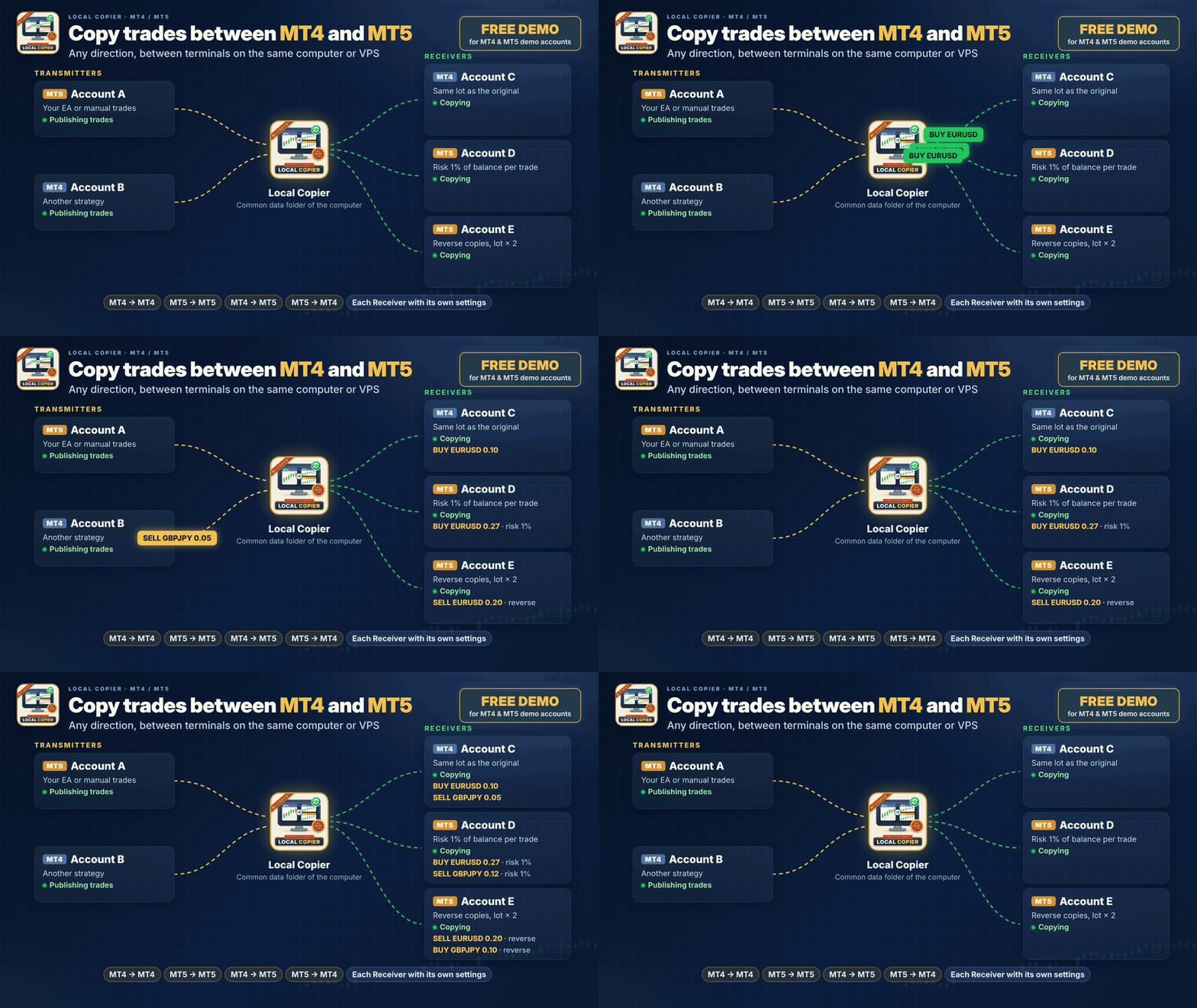
A local trade copier for MetaTrader 4 and MetaTrader 5. It copies trades between terminals that run on the same Windows computer or VPS, in any direction: from MetaTrader 4 to MetaTrader 4, from MetaTrader 5 to MetaTrader 5, and between the two platforms.
This is the MetaTrader 4 version. The MetaTrader 5 version is a separate product. To copy between the two platforms, install the matching version in each terminal.
Additional materials and instructions
Installation guide - User manual (part 1) - User manual (part 2)
Free demo version
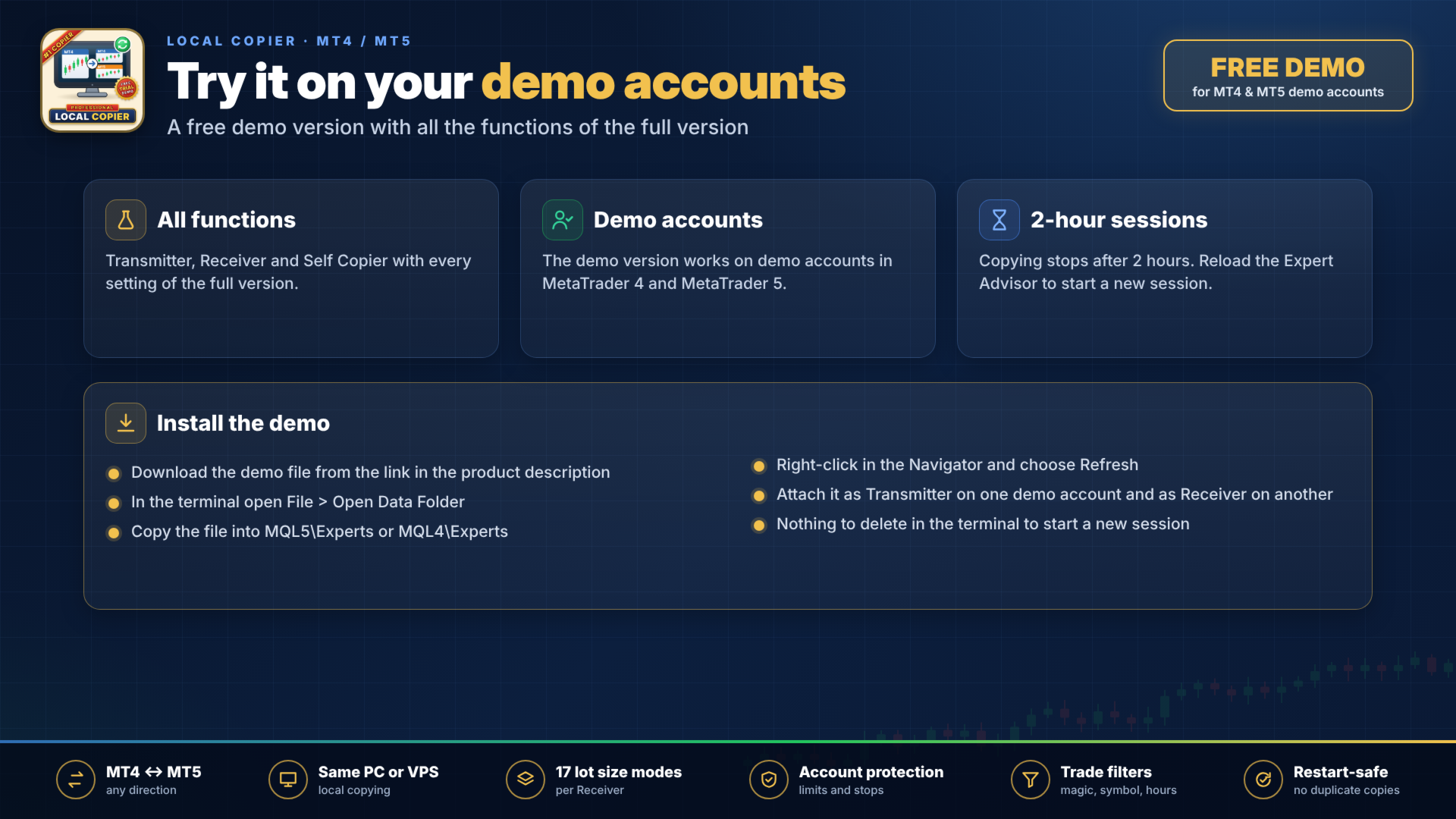
Before buying, you can try the copier on your own demo accounts with the free demo version. It has all the functions of the full version, works only on demo accounts and copies in sessions of 2 hours.
Installation: in the terminal, open File > Open Data Folder and copy the downloaded file into the MQL5\Experts folder (MQL4\Experts in MetaTrader 4). Then right-click in the Navigator and choose Refresh. You do not need to restart the terminal.
New session: when a 2-hour session ends, copying stops and the panel shows a message. To start a new session, reload the Expert Advisor: switch the chart to another timeframe and back, or restart the terminal. Your settings and the open copies are kept, and you do not have to delete anything in the terminal.
How it works
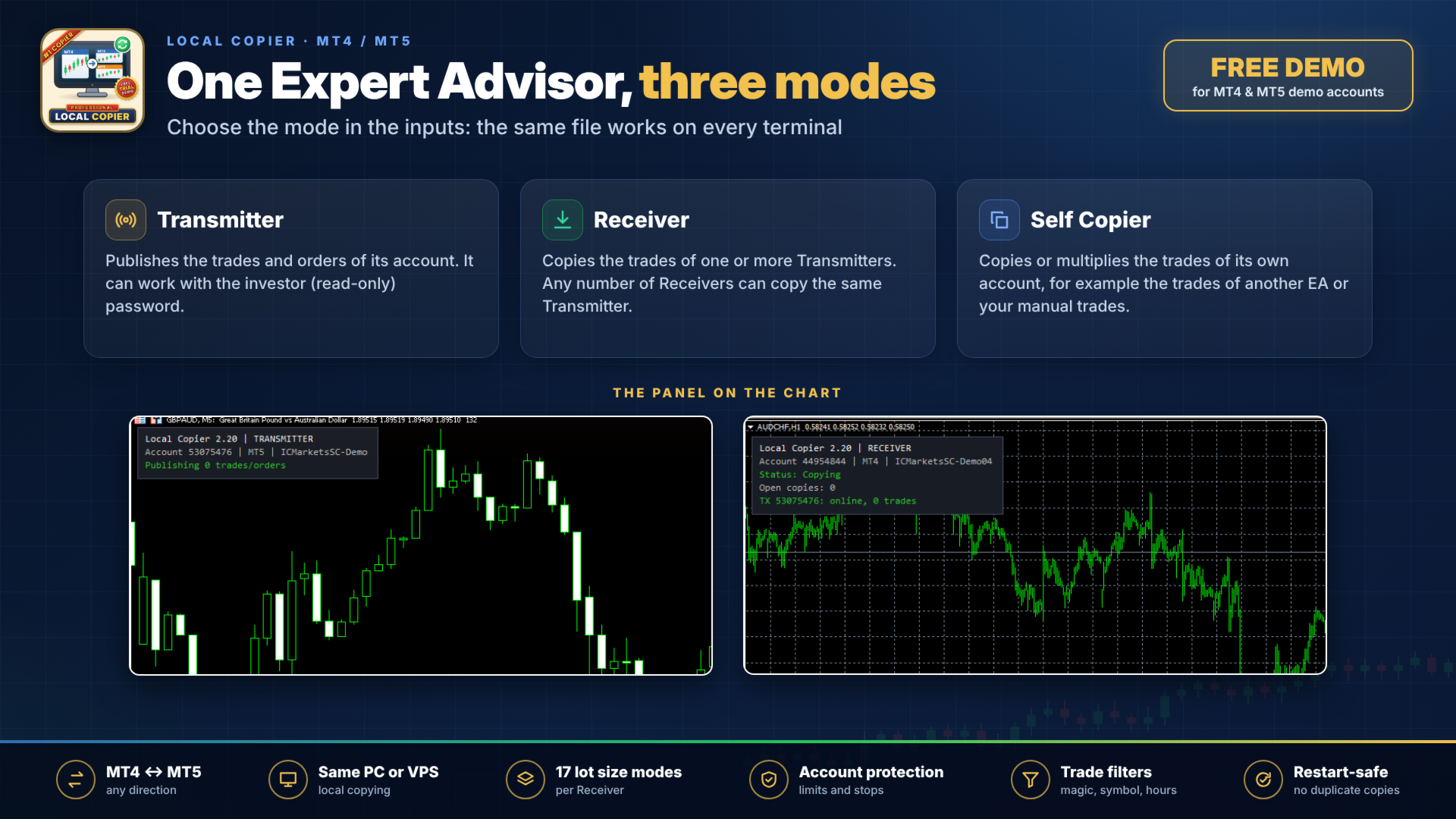
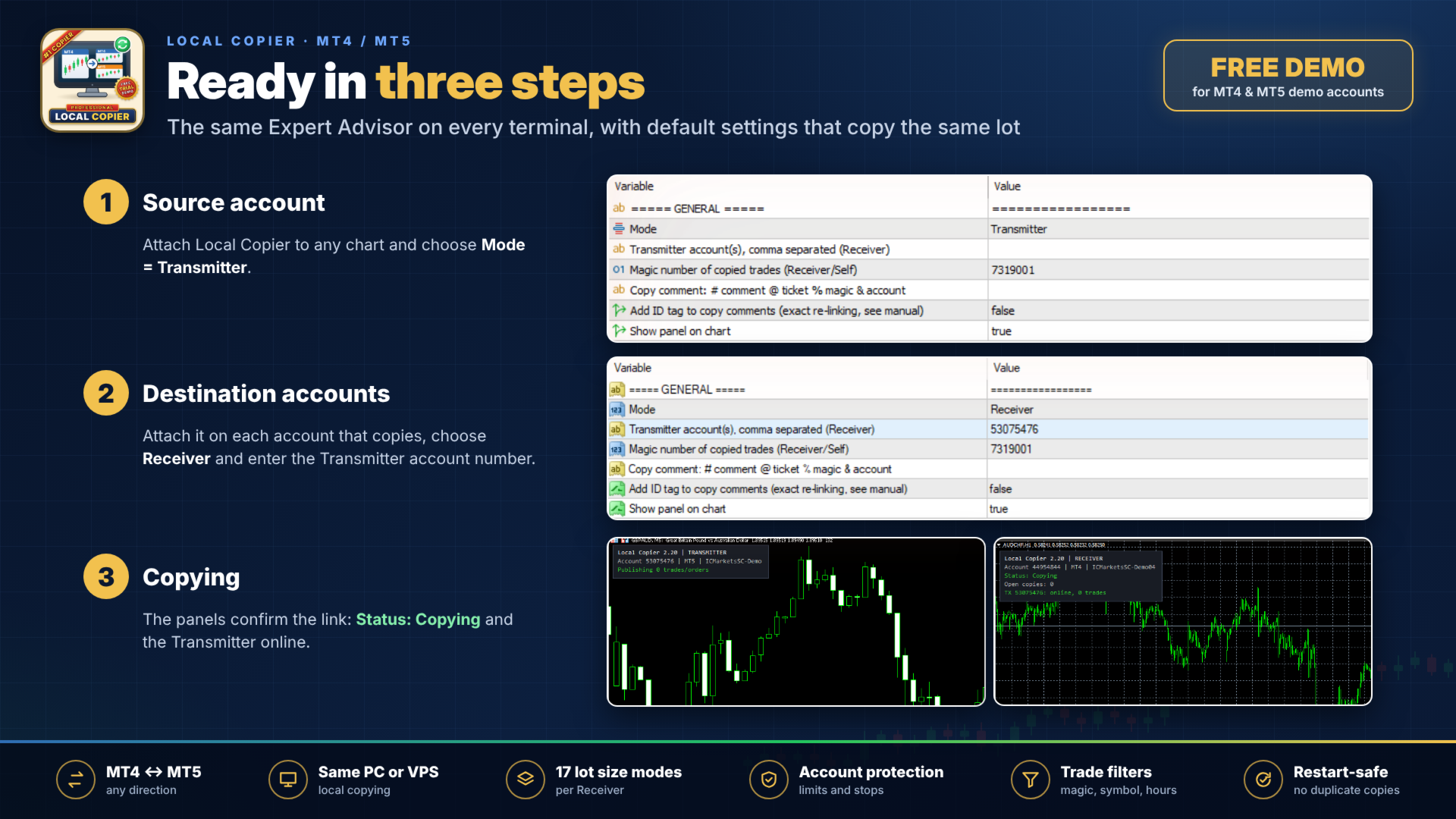
The same Expert Advisor works in three modes. As Transmitter, it publishes the trades of its account. As Receiver, it copies the trades of one or more Transmitters, and any number of Receivers can copy the same Transmitter. As Self Copier, it copies or multiplies the trades of its own account, for example the trades of another Expert Advisor or your manual trades.
The terminals exchange data through the common data folder of the computer. A Transmitter publishes each change at once in MetaTrader 5, and normally within 100 milliseconds in MetaTrader 4. The Receiver checks for changes every 100 milliseconds. The total time also depends on how fast your broker executes the orders.
Requirements
- All terminals must run on the same Windows computer or Windows VPS. The copier does not work between different computers, on the built-in MQL5 VPS, or on cloud services where the terminals cannot share files.
- Install the product from the Market in each terminal. Activations are counted per computer, not per terminal.
- To copy between two accounts of the same broker, install a second copy of the terminal in another folder.
- The Transmitter can work with the investor (read-only) password, unless you use the option that closes the original when a copy is closed. The Receiver needs the trading password and Algo Trading enabled.
- Accounts subscribed to an MQL5 Signal do not allow Expert Advisors to trade. Accounts with the US FIFO rule (first in, first out) are not supported.
- Prop firms have different rules about copy trading. Please check the rules of your firm before you use any copier.
What is copied
Market orders and pending orders are copied with their expiration, and later changes of the order price, stop loss and take profit are followed. Partial closes, volume increases of netting positions and the final close are copied too. Copies can be opened in the same direction as the original or in reverse. Trades that are already open when the Receiver starts are copied only if you choose so.
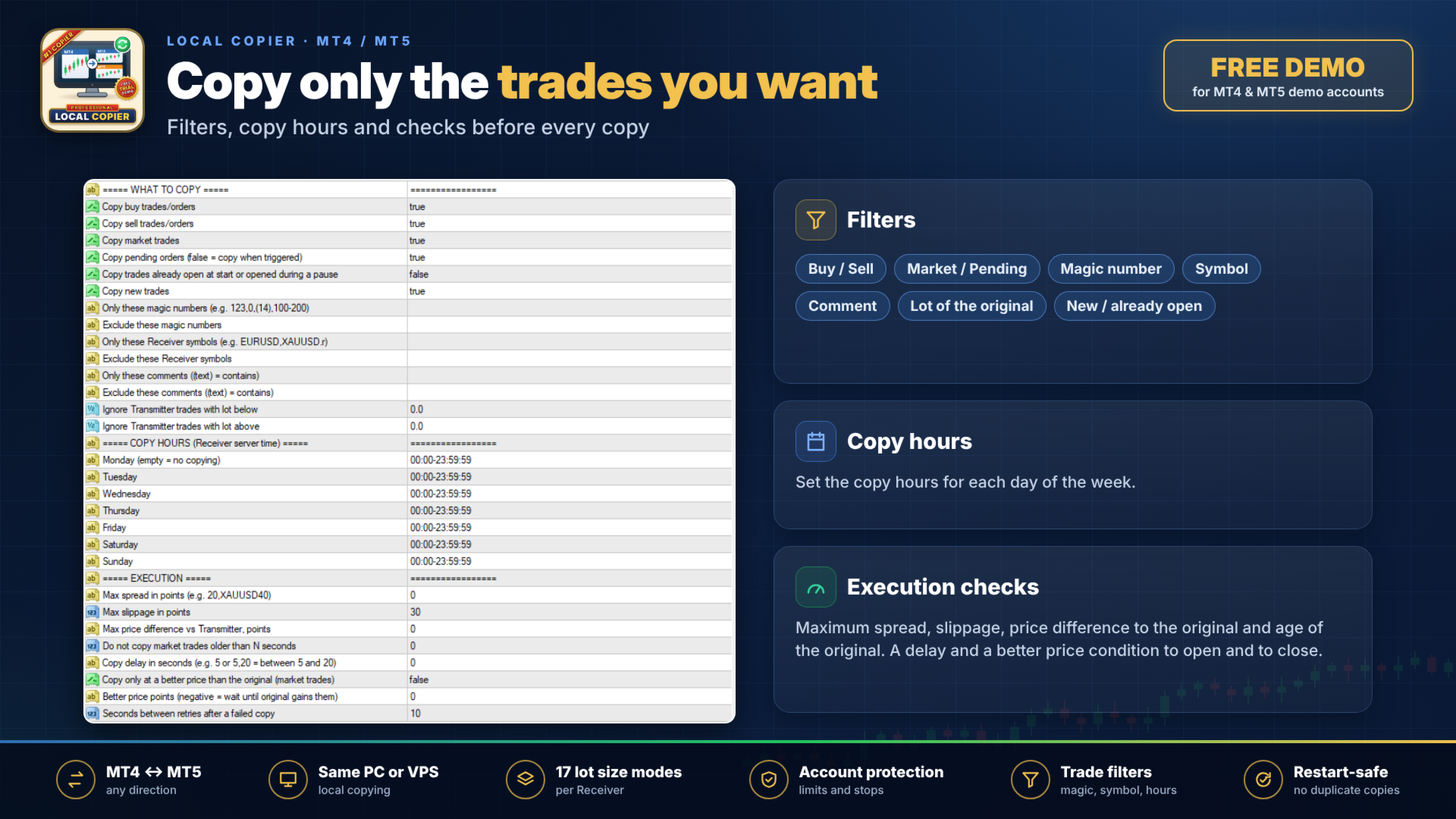
You can filter the trades by direction, order type, magic number, symbol, comment and lot of the original, and limit copying to set hours for each day of the week. Before each copy the Receiver can check the spread, the slippage, the price difference to the original and the age of the original. A delay and a better price condition can be used both to open and to close copies.
Lot size
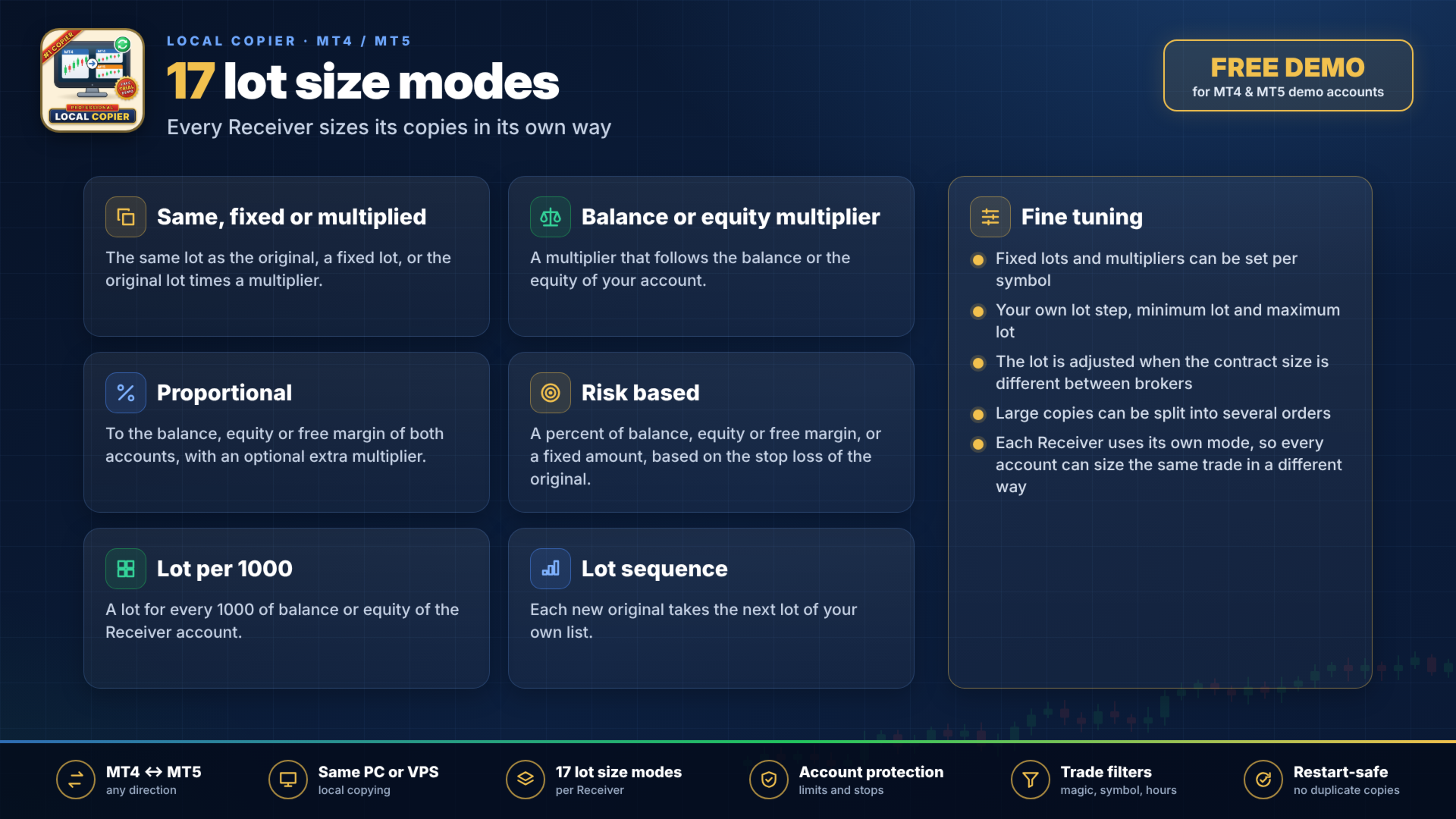
There are 17 lot size modes, and each mode has its own setting:
- Same lot as the original, a fixed lot, or a multiplier of the original lot.
- A multiplier that follows your balance or your equity.
- Proportional to the balance, equity or free margin of both accounts, with or without an extra multiplier.
- Risk as a percent of balance, equity or free margin, or a fixed amount of money, based on the stop loss of the original.
- A lot for every 1000 of balance or equity.
- A lot sequence, in which each new original takes the next lot of your list.
Fixed lots and multipliers can also be set per symbol. You can set your own lot step and a minimum and maximum lot. The lot is adjusted when the contract size is different between the brokers, and large copies can be split into several orders.
Symbols
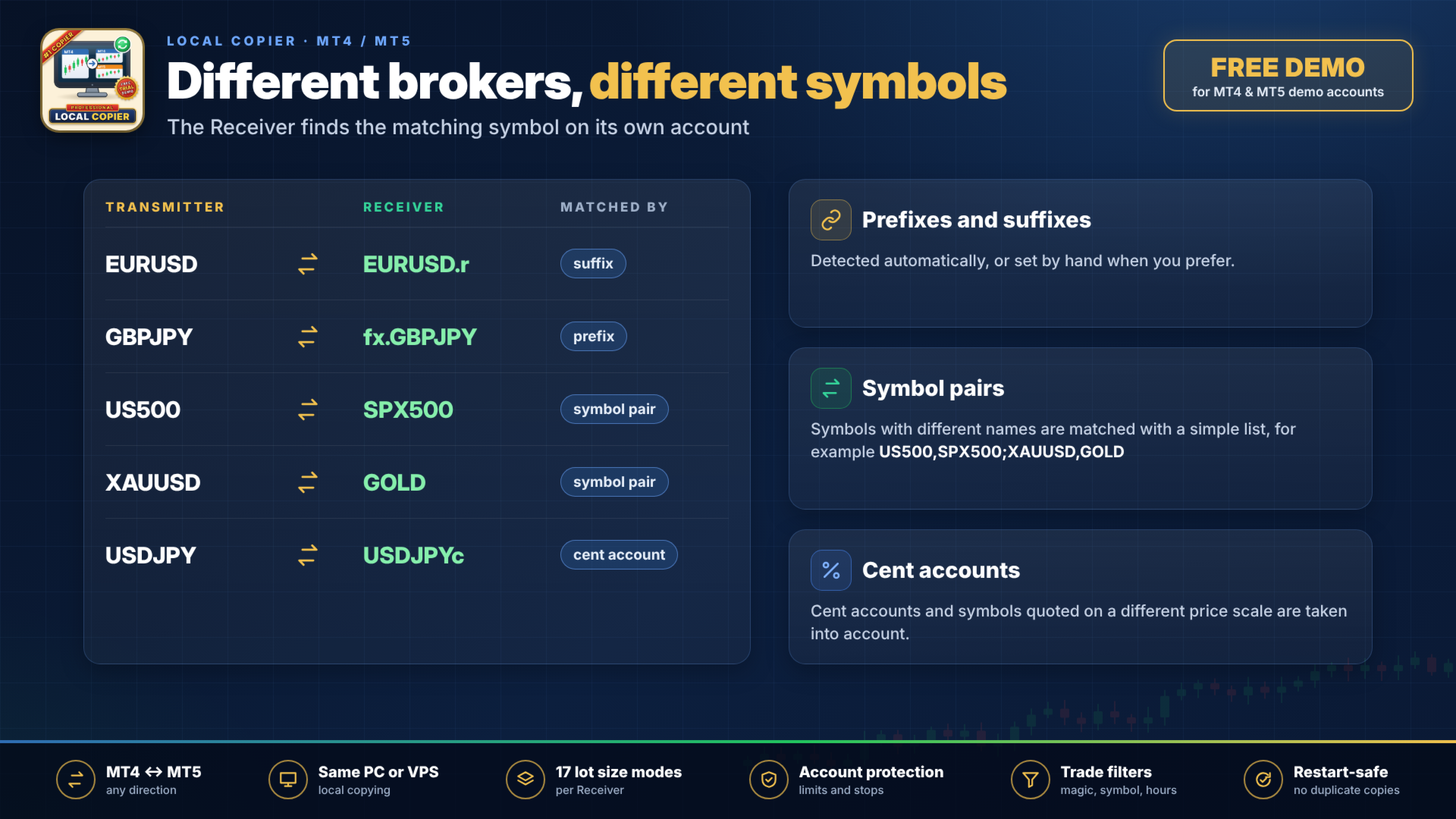
Prefixes and suffixes are detected automatically or can be set by hand. Symbols that have different names on each broker, such as US500 and SPX500, are matched with a list of pairs. Cent accounts and symbols quoted on a different price scale are taken into account.
Stop loss, take profit and trade management
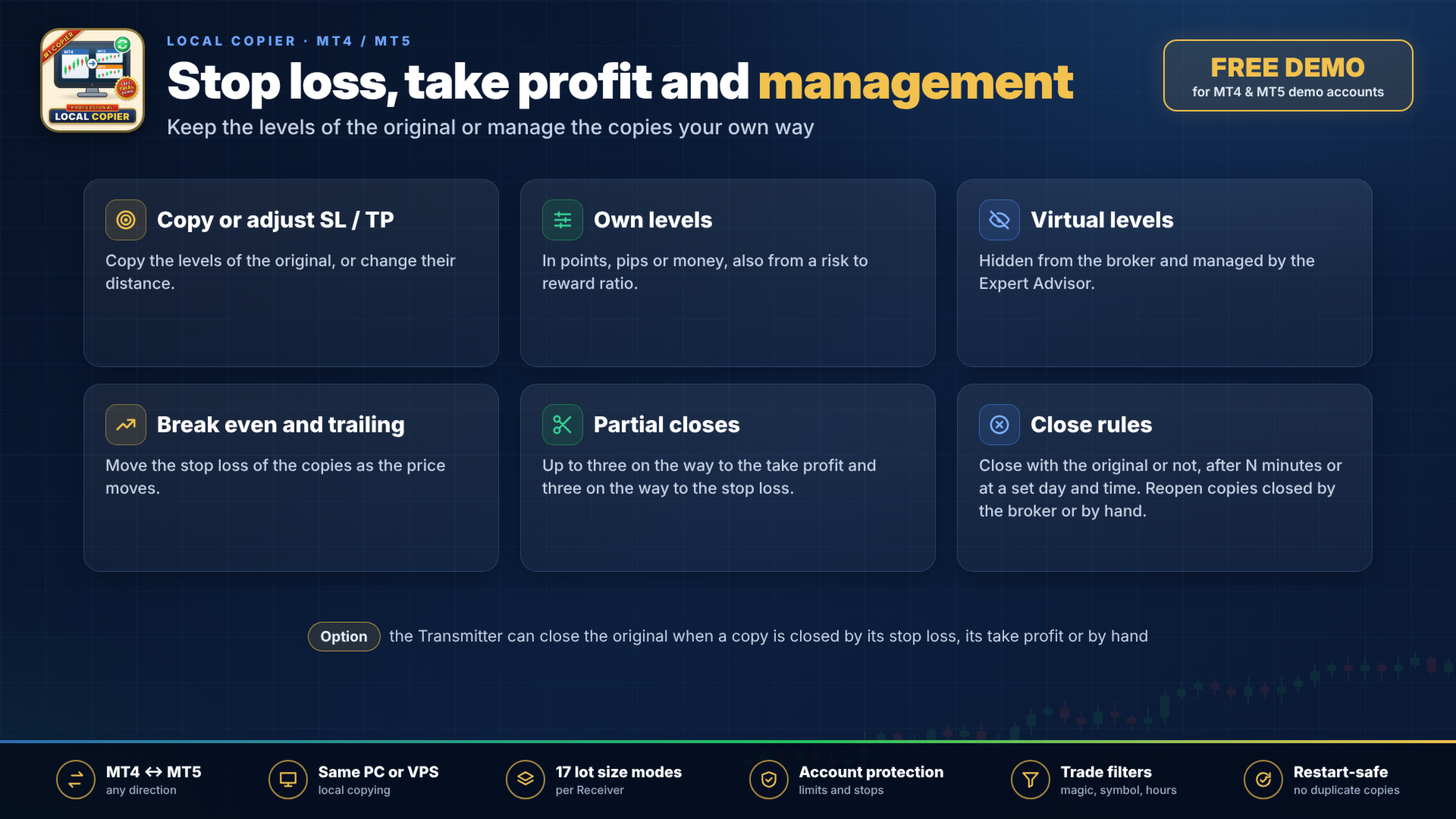
The Receiver can copy the stop loss and take profit of the original, change their distance, or use its own levels in points, pips or money, also with a risk to reward ratio. The levels can be virtual (hidden from the broker and managed by the Expert Advisor). Break even, trailing stop and up to three partial closes on the way to the take profit and three on the way to the stop loss are available.
You decide which copies close together with the original. Copies can be closed after a number of minutes or at a set day and time, and a copy closed by the broker or by hand can be reopened. As an option, the Transmitter closes the original when a copy is closed by its own stop loss, its take profit or by hand.
Account protection
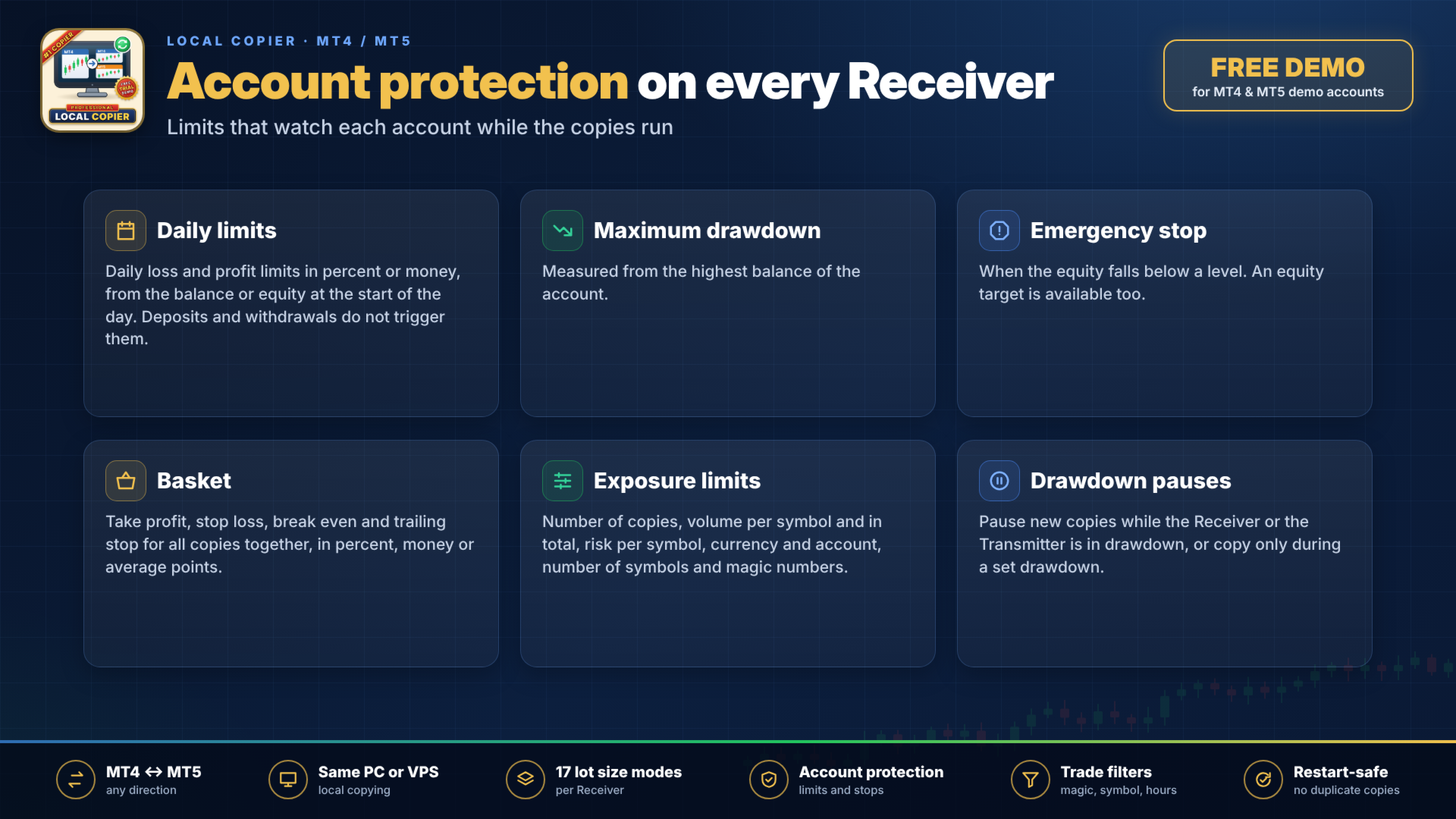
The Receiver has daily loss and daily profit limits in percent or money, each measured from the balance or the equity at the start of the day. Deposits and withdrawals do not trigger them. It also has a maximum drawdown from the highest balance, an emergency stop when the equity falls below a level, and an equity target. A basket take profit, stop loss, break even and trailing stop can manage all copies together, in percent of balance, in money or in average points.
You can limit the number of copies, the volume per symbol and in total, the risk per symbol, per currency and for the whole account, the number of different symbols and magic numbers, and the distance between copies. New copies can be paused while the Receiver or the Transmitter is in drawdown, or made only while the Transmitter is in a set drawdown.
Protection against duplicates and wrong closes
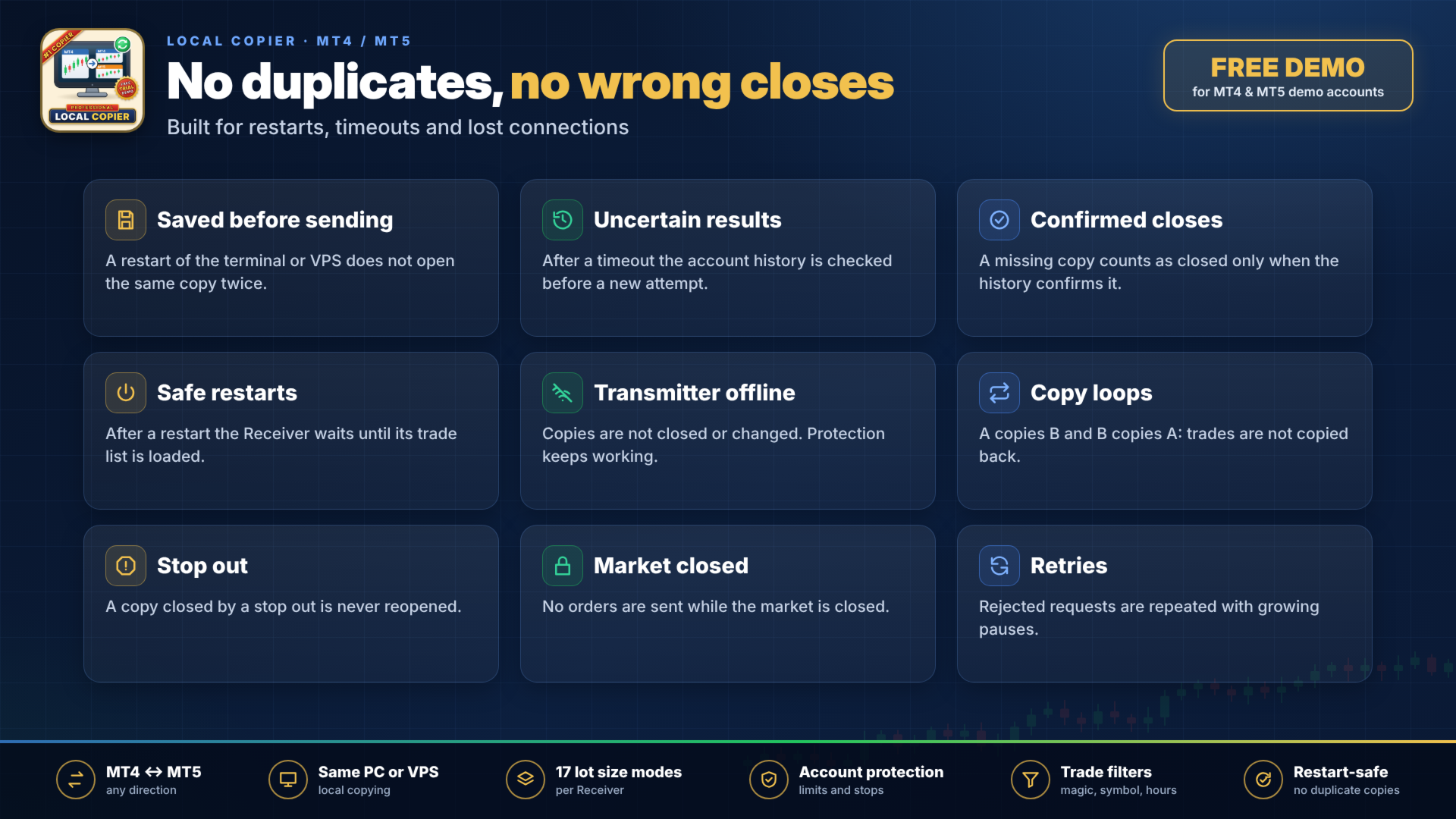
Each order is saved to disk before it is sent, so a restart of the terminal or of the VPS does not open the same copy twice. When the result of an order is uncertain, for example after a timeout, the account history is checked before the order is sent again. A copy that is missing from the trade list is treated as closed only when the account history confirms it, and after a restart the Receiver waits until its trade list is loaded.
If a Transmitter goes offline, its copies are not closed or changed because of it, while break even, trailing stop and account protection keep working. Copy loops between accounts, such as A copying B and B copying A, are detected, so trades are not copied back to the account they came from. A copy closed by a stop out is never reopened, no orders are sent while the market is closed, and rejected requests are repeated with growing pauses.
Copy comment
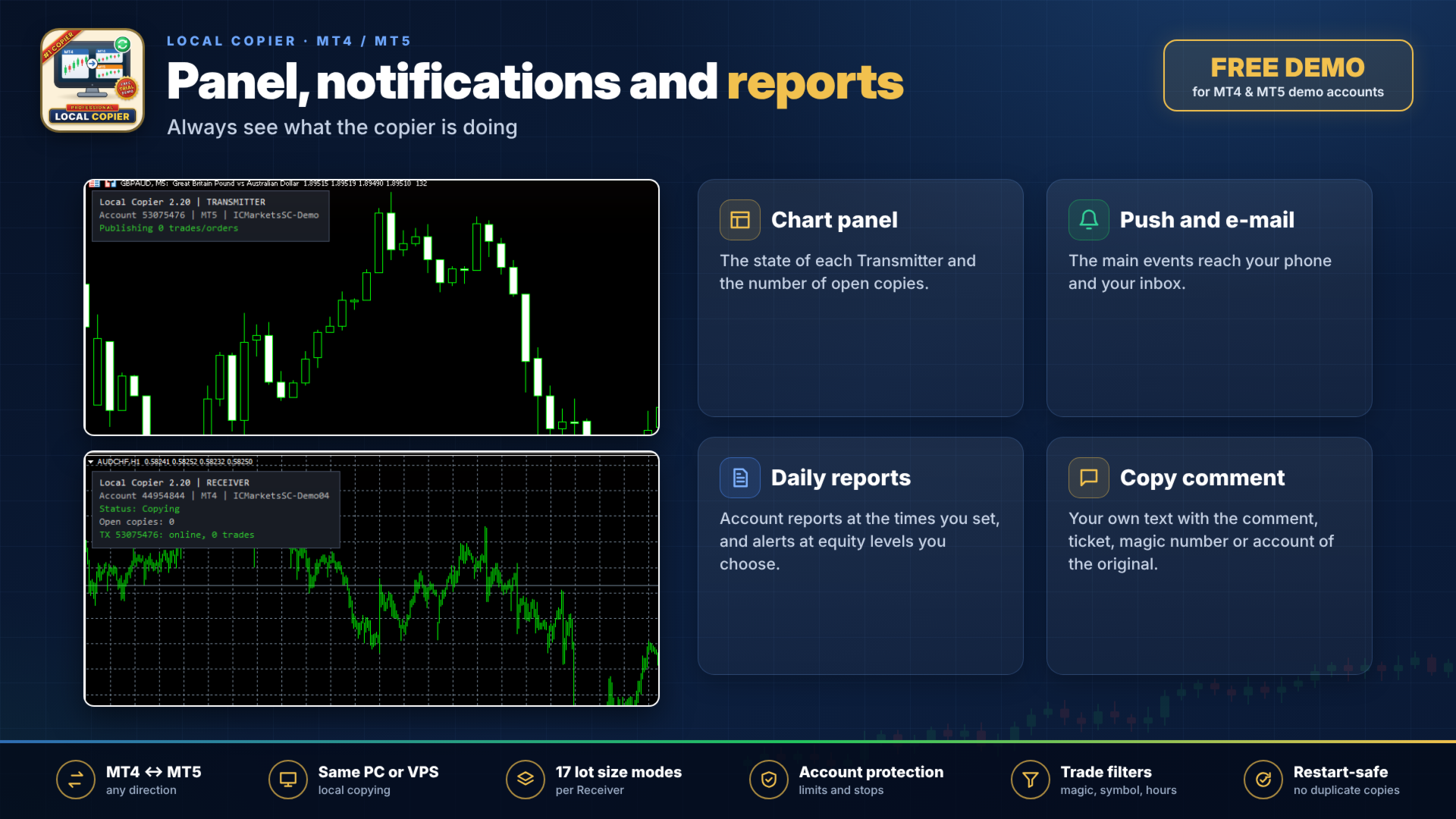
By default the copies have an empty comment. You can set your own text, which may include the comment, ticket, magic number or account of the original. An optional identification tag in the comment lets the Receiver recognize its copies even if its data files are lost.
Panel and notifications
A panel on the chart shows the state of each Transmitter and the number of open copies. Push notifications and emails report the main events, and you can also receive daily account reports at set times and alerts at equity levels you choose.
Netting accounts
Netting accounts exist only in MetaTrader 5. The MetaTrader 5 version can copy to netting accounts (in beta), and the positions of a MetaTrader 5 netting account can be copied to this MetaTrader 4 version.
Strategy Tester
Copying needs at least two running terminals, so it cannot be shown in the Strategy Tester. In the tester this Expert Advisor only opens and closes the minimum lot from time to time, because the automatic validation of the Market requires it, and it explains this on the chart. It never does this on a live chart. For this reason the free demo of the Market does not show how the copier works. To see the copier working, please use the free demo version described above. If you have questions before buying, please ask in the product comments.
Settings and support
With the default settings, the Receiver copies each new trade with the same lot as the original. All input parameters are explained in the user manual. For questions and support, please use the product comments or send a private message on MQL5.