CopierMT4

Copier for the MetaTrader4 terminal. Designed to copy trade from one terminal to another. Compatible with the version for the MetaTrader5 terminal; if available, copying can be performed between different terminals (regardless of the type of accounts: hedging or netting). The number of accounts to which copying is possible is not limited (depends only on the computing power of your computer).

Directions for copying the version for MetaTrader 4 together with the version for MetaTrader 5:

  • MT5 Netting -> MT5 Netting, MT5 Hedging, MT4;
  • MT5 Hedging -> MT5 Netting, MT5 Hedging, MT4;
  • MT4 -> MT4, MT5 Netting, MT5 Hedging.

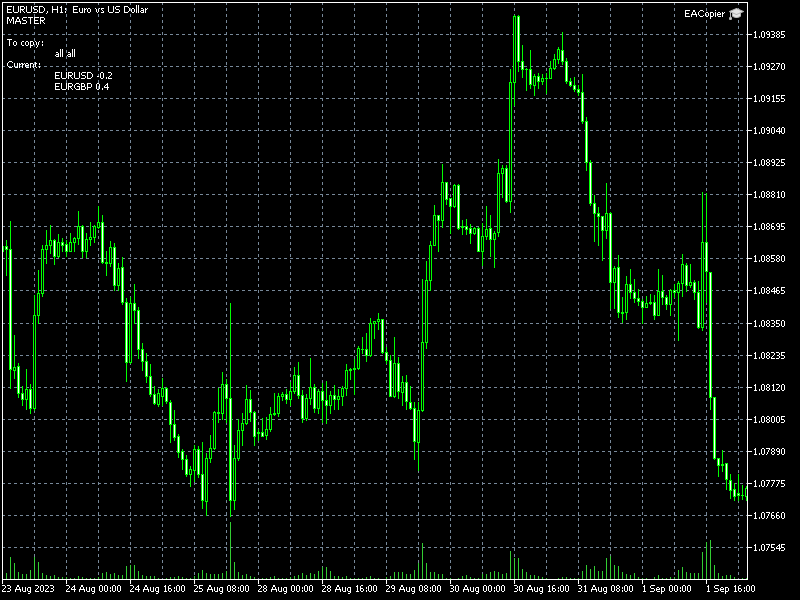
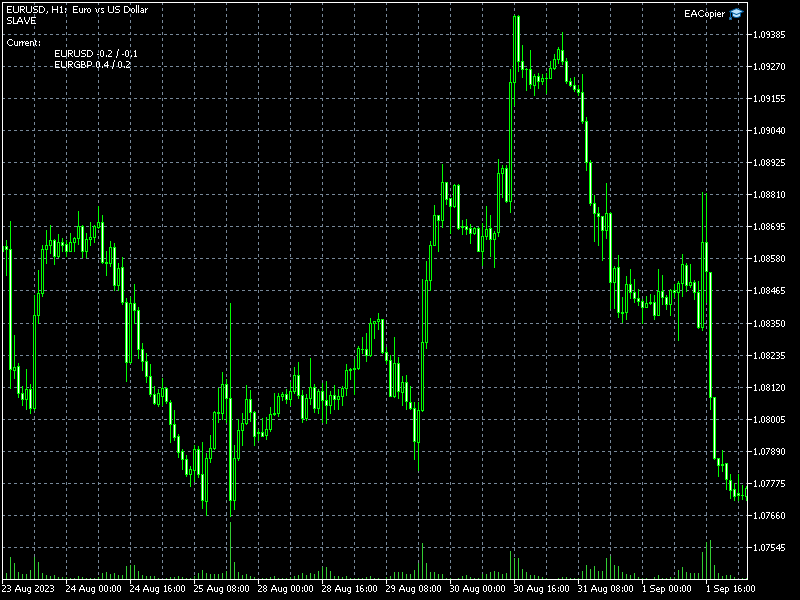
Fast start. To start copying, it is enough to launch an instance of the copier with default settings on the master terminal (from which you want to copy). And in the slave terminals (to which you need to copy), launch one version of the copier, setting the Mode parameter to slave, and the Slave_K parameter to the volume (lot) conversion factor.

Replacing symbol names. If the symbols on the master and slave accounts have different names (they have prefixes or postfixes, for example, on the master account the symbol is named EURUSD, and on the slave account EURUSDm), you need to create a replacement list. The file with the replacement list must be located in the Common Data Folder. To find the Common Data Folder, open MetaEditor and execute the command Main menu – File – Open Common Data Folder. One line of the file includes two fields separated by a semicolon. The first field is the name of the symbol on the leading account, the second field is the name of the symbol on the slave account. An entry must be made for each character.

Example file contents:

EURUSD;EURUSDm
GBPUSD;GBPUSDm
USDCHF;USDCHFm

USDHPY;USDJPYm

The file name with symbols  replacement must be specified in the Slave_Replace variable for instances on slave accounts.

Selective copying. Selective data transfer is possible from the leading account: only certain symbols, magics or symbol-magic pairs. To do this, you need to create a list of symbol-magic pairs. The file must be located in the Common Data Folder. One line of the file includes two fields separated by a semicolon. The first field is a symbol, the second field is magic.

Example file contents:

EURUSD;63578
EURUSD;730436

GBPUSD;343

An empty value in the field for a symbol or the entry "all" will mean all symbols, and a magic of -1 will mean all magics.

The name of the file with the list of magic-symbols must be specified in the Master_List variable on the master account.

Copying from multiple accounts. To perform copying from several accounts, on each leading account you need to launch an instance of the copier in master mode and specify different values for the ChannelName variable. On the slave account, it is necessary to run the appropriate number of copiers in slave mode, in the ChannelName variables, specify similar values (as on the master accounts), and in the Slave_Magic variables, you must specify different values.

Attention! On netting accounts (when working together with the version for MetaTrader5), the magic does not work. That is, it is impossible to copy from several leading accounts to a netting account (and parallel work by other experts or manually is also impossible). Also, from netting accounts, selective copying is possible only by symbol (without checking the magic).

All parameters:

ChannelName - name of the channel for data exchange. The ability to change the channel name allows you to copy from multiple master accounts to one slave account (or multiple slave accounts).

Mode - copier operating mode: master - leader account, slave - slave account.

Master_List - is the name of a file with a list of symbol-magic pairs. If you do not enter anything into this variable, the list is not used and all master account positions are copied.

Slave_K - volume (lots) conversion factor.

Slave_MinVol - if the recalculated volume is less than the minimum volume, then the value is increased to the minimum volume. If false, if the master account has a small position, the slave account may not have it. If true - if there is a position on the master account, then there will definitely be a position on the slave account.

Slave_Magic - magic of transactions on the slave account. Valid only on a hedge account. Using magic on a hedge account will allow you to copy to one account from several leading accounts, as well as, in parallel with copying trade, to trade manually or with other experts.

Slave_Replace - is the name of the file with the list of symbol replacements. If the symbol names on the master account and the slave account are different, for example, they have the prefix: EURUSDm, then a replacement list must be created for the slave account.
Recommended products
Fast Trade Copier
Volodymyr Hrybachov
4.2 (5)
The trade copier is designed for a fast and accurate copying of orders between the MetaTrader 4 terminals. The trade copier copies trades from the Master account to the Slave account by writing information to the total file, which is located in the common directory of the MetaTrader 4 terminals. This allows the trade copier to either customize various schemes for receiving and transmitting trade signals by changing the file name. Reading and writing the copier file is performed by timer. The tra
Auto Breakeven level
Makarii Gubaydullin
Automatic Breakeven levels Using   this   utility ,   y ou can activate the automatic SL movement, when the trade reaches a desired profit.  Especially   important   for a   short -term   traders.   Offset option is also available: some profit may be protected. Multifunctional utility : 66+ features, including this tool  |   Contact me  if you have any questions  |   MT5 version The process of activating the automatic breakeven function: 1.   Select the Symbol or Trade   for which the Auto BE f
Just Copier MT4
Agung Imaduddin
5 (4)
"Just copier" is designed to copy trading without any complicated settings. The copy can be done in one PC. One EA can be set as master (provider) or slave (receiver). The receiver lot can be set to multiple providers lots. Please also check this product at fxina.hostingerapp.com.  Any type of copy is available. MT4 -> MT5 MT4 -> MT4 MT5 -> MT5 MT5 -> MT4 If you want to copy MT4 -> MT5 or MT5 -> MT4, please purchase "Just copier" for MT4 and "Just copier" for MT5 separately. Just Copier can copy
Trade copier MT4
Alfiya Fazylova
4.58 (33)
Trade Copier is a professional utility designed to copy and synchronize trades between trading accounts. Copying occurs from the account / terminal of the supplier to the account / terminal of the recipient, which are installed on the same computer or VPS . PROMOTION - If you have already purchased the "Trade Copier MT5," you can receive the "Trade Copier MT4" for free (for copying MT4 > MT5 and MT4 < MT5). For more detailed information about the conditions, please contact us via private message
Pending Line Super Order
Siwakon Poonsawat
3 (2)
Easy way to place pending order , "Just Drag & Drop" Work on live and back-test (Strategy Tester) Note: Demo version for testing can be found here:  https://www.mql5.com/en/market/product/11287 Features    1.Easy Way for Opening Pending Orders. You only need to drag line to define open price, stop loss, take profit values. Then click the "ORDER SEND" button. EA will open pending orders for you automatically. And also automatic detect types of pending order (Limit and Stop).    2. Can work on
Trade Assistant Pro 36 in 1
Makarii Gubaydullin
4.76 (21)
Multifunctional tool: Lot Calculator, Grid Orders, R/R ratio, Trade Manager, Supply and Demand zones, Price Action and much more Demo version   |   User manual Trade Assistant   doesn't work in the strategy tester: you can download the Demo Version HERE  to test the utility . Contact me for any questions  / ideas for improvement / in case of a bug found If you need a MT5 version, it is available   here Simplify, speed up and automate your trading process . Expand the standard terminal capabilit
Auto Trade Copier
Vu Trung Kien
4.76 (85)
Auto Trade Copier is designed to copy trades to multiple MT4, MT5 and cTrader accounts/terminals with 100% accuracy. The provider and receiver accounts must be on the same PC/VPS. With this tool, you can copy trades to receiver accounts on the same PC/VPS. All trading actions will be copied from provider to receiver perfectly. This version can be used on MT4 accounts only. For MT5 accounts, you must use Auto Trade Copier for MT5 . Reference: - For MT4 receiver, please download Trade Receiver Fre
Copy MT4 simply
VLADIMIR SHEVCHENKO
4 (1)
A free program for copying orders between terminals on the same computer. Any orders are copied in any direction, between any accounts. The principle of operation: On the terminal from which you want to copy, the "Server" parameter is set. On the terminal or terminals where the copied positions need to be opened, the "Client" parameter is set. It is also necessary to enter the account number of the "Server" terminal on the client. In the future, it is planned to increase the functionality
FREE
Description: Please tick "Show object descriptions" in chart properties to enable hrays views That utility converts a trendline into a horizontal ray known as tool for drawing supply and demand zones. Simply create a trendline on a chart and once selected, it will get converted. Ray remains horizontal while dragging.  Quick ray plot: press "R" key to create horizontal ray. It will be snapped to the nearest OHLC value Further versions will be improved. For feature request please post new comm
Copier4Fee Advanced
Vladimir Tkach
4.75 (16)
The utility copies trades from the signal provider accounts (master accounts, one or multiple providers) to unlimited number of receiver accounts (slave accounts).  Attention! Y ou need to use identifiers (Provider number) of the same length if you use several master copiers. For example. 1, 2, 3 or 11, 13, 22. The copying can be set in the opposite direction. The comments with all the recently performed actions are displayed on the screen to monitor the utility actions in slave mode. To avoid p
Exp COPYLOT MASTER for MT4
Vladislav Andruschenko
4.52 (27)
Trade copier for МetaТrader 4. It copies forex trades, positions, orders  from any accounts. # It is one of the best МТ4   -   МТ4, МТ5   -   МТ5, МТ4   -   МТ5, МТ5   -   МТ4   trade copiers today. #  The unique copying algorithm exactly copies all trades from the master account to your client account. High operation speed. Tough error handling. A powerful set of features. #  All these qualities are combined in a single program - EXP - COPYLOT . #  The program can be run on multiple terminal b

FREE
Night Scalper EA Lite
Robots4Forex Ltd
2.25 (4)
The Night Scalper EA Lite is a fully automated Expert Advisor that trades at night and relies on price reversion. The EA trades using market orders and has the option to use time averaging to improve performance. This EA works best on EURUSD using the M5 timeframe, but will also work on AUDUSD, GBPUSD, NZDUSD, USDCAD, USDCHF and likely many more. A VPS is advisable when trading this system and a low spread and commission based broker is best. Check the comments for back test results and optimiz
FREE
Copy Mt4 to Mt4 and Mt5
Mikhail Mitin
2.6 (5)
Supported copying directions MetaTrader 4 → MetaTrader 4 MetaTrader 4 → MetaTrader 5 MetaTrader 5 → MetaTrader 4 MetaTrader 5 → MetaTrader 5 ️ For MT4 ↔ MT5 copying you need both versions (MT4 + MT5). Working modes Master mode -  The terminal is the source of trades (orders are sent from it). Slave mode -  The terminal receives and copies trades from the Master. “From myself” mode -  Deal multiplier mode (useful if you trade via Signals). What can be copied Buy / Sell trades All symbols or onl
Trade Copier Agent is designed to copy trades between multi MetaTrader(4/5) accounts/terminals. With this tool, you can act as either a provider (source) or a receiver (destination). All trading actions will be copied from the provider to the receiver with no delay. This tool allows you to copy trades between multiple MetaTrader terminals on the same computer with lightning-fast copying speeds of under 0.5 seconds. Trade Copier Agent Installation & Inputs Guide Please Apply the settings on the
Disconnect Alerts
Yurij Izyumov
5 (1)
If you execute or test an Expert Advisor on a laptop, personal computer or a VPS, you may face the situation when Internet connection is lost and the EA stops. Of course, this utility ( Disconnect Alerts ) will not help you restore the Internet connection, but it will gather the information and will send an alert to you about when and how long your terminal was without access to the Internet and did not actually work. After receiving such a notification, you can check your trades or think about
FREE
CopierMT4ToMT4
Nurhidaya Tullah
MT4 to MT4 Trade Copier – Local Trade Replication System for MetaTrader 4 A professional local trade copier designed for MetaTrader 4 that synchronizes trades between multiple MT4 terminals running on the same computer or VPS environment. The system is intended for traders who manage multiple accounts and need stable, consistent trade replication with flexible configuration. It works reliably in different environments including personal computers and VPS setups, depending on terminal performance
Fast copier for sending trades to multiple MT4 / MT5 accounts. Perfect for copying trades from MT4 to MT5 accounts. MT4 Trade Copier Master EA sends trades instantly from your master account to one or multiple slave accounts. Supports copying to: • MT5 accounts • MT4 accounts Perfect for: • Multi-account traders • Signal providers • Account managers • Personal account mirroring Main Features • Fast local trade copying • Low latency execution • Multiple slave accounts support • Copy open position
Trade Copier Professional — Local Copy Solution Trade Copier Professional is a reliable local trade copying system for MetaTrader 4/5. It allows traders to replicate positions instantly across multiple accounts on the same computer, with built‑in safety controls and a professional dashboard. Overview The EA operates in both Master and Slave modes from a single file, with seamless switching. Trades can be copied between MT4 and MT5 terminals without internet dependency, using local file‑based
Copy MT4 copier Demo
Andriy Motuzka
1 (1)
Demo version of the paid product - Copy MT4 copier , limited to lot size of 0.01 Universal copier of deals from MetaTrader 4 to MetaTrader 4 ( MT5<->MT5 version is available ; with both versions, you can copy MetaTrader 5<->MetaTrader 4, MetaTrader 4<->MetaTrader 5, MetaTrader 5<->MetaTrader 5, MetaTrader 4<->MetaTrader 4). Spread filter. Select the best price (start copying positions with a profit or loss). Configure the lot size, fixed or ratio-based (provider signals can be copied with an inc
FREE
NTS Local Copier MT4 Slave plugin
Janitha Sandaruwan Amaradasa Wickramasingha Arachchilage
NTS Local Copier — MT4 Slave (FREE) The official MT4 companion to the trade copier Ultimate(mt5) and  NTS Local Copier (MT5) . Place this on any MT4 chart and it will automatically receive and execute trades from your MT5 Master — with zero configuration on the Master side. This is a fully functional, unlimited free tool. How it works: The MT5 Master writes trades to a shared file. This MT4 Slave reads that same file and executes them on your MT4 account instantly. No DLLs. No internet. No exter
FREE
Adviser-Utility for copying transactions from one MT5 account or MT4 account to another MT4 account. Demo-version can be downloaded here . You can copy positions between Netting and Hedging accounts in any combination. You can set filters by the name of the instrument and the magic numbers of the positions that will be copied. So far, the source sends information only about market positions. Pending orders are processed when they turn into open market positions. On one terminal, the Adviser i
CloseTrades on X% EA   is and MT4 Order Management trading system which closes each trade if certain  Trade Percentage is reached. This EA can work on any MT4 broker of any choice and with any balance. It will not open any trades, instead it will only close trades if the percentage return (P/L) is greater or less than  SL and TP Percentage  selected are reached.  EA INPUTS Close Trades with TP:   The EA will close each trade if certain percentage of Profit reached. Example, if your trade is abo
Program Overview: This program is a trading tool designed to monitor and analyze the 7 major currency pairs. It is a variant of a similar program used for tracking stock indices, but this version focuses on the seven major currency pairs. The program helps in identifying and calculating significant price movements (gaps) between the high and low prices of these currency pairs over a specified time frame. It then provides insights through comments and alerts based on the calculated gaps. Major Cu
Purpose: IF you are apart of a signal group or have a losing strategy this tool is perfect for you. This Expert Adviser is a Trade Copier which Copies Trades on the same account, It takes trades in the same direction or opposite direction. You can set 100% for same trade size or 200% to double up, while the same percentage rule also work for the stop-loss and take profit distances. input: Copy All or By Magic Take only new trades = False; Take same direction of existing trade or counter_direct
Reverse copier is a tool that will open opposite buy/sell orders from your master account. It will help you with low profit EA's that lose consistenly and turn it to wins. Feel free to ask for new functions/features and I will add it. Now it's a simple MT5 to MT4 bridge with straightforward logic of one position open/close.  How to install: https://www.mql5.com/en/market/product/141604

FREE
ONECLICK COPIER EA – UNIFIED VERSION 1.0 Category: Trade Utility | Type: Local Trade Copier for MT4 Created by fxdancer (Hani Mabad) Version: 1.0 – May 2025 OVERVIEW OneClick Copier EA is a local trade copying utility, not a trading strategy. It is designed for manual traders, fund managers, or multi-account users who want to mirror trades across MT4 terminals running on the same computer. This EA does not generate signals or place trades by itself. Instead, it acts as a bridge between accou
Equity Watcher
Gabriel Siljevinac
Equity Watcher: Your Ultimate Risk Management Tool --------------------------------------------------------------------------------------------------------------------------------------------- Equity Watcher is a must-have for traders who value precision and control over their accounts. This powerful EA monitors all trades on your account in real time, ensuring that your equity stays within safe limits. When the drawdown exceeds a user-defined threshold, Equity Watcher takes immediate action by
Please note this is a Free version and will only work on EURUSD pair. If you like this product please buy the full EA (FXA Local Trade Copier Pro). FXA LTC is a trade copier for MT4 terminal. This is a fantastic tool for coping trades from one MT4 terminal to many others running on the same PC/VPS. It is extremely easy to setup with minimal settings you can be coping trades in minutes. FXA LTC also caters for Brokers that use different symbol names. FXA LTC will copy trades in 0.5 seconds or le
FREE
Exp Swing
Vladislav Andruschenko
4.51 (59)
It uses the model of a famous strategy called Swinger (Pendulum, Cheburashka) - alternate placing of pending orders with increased lot. The strategy lies in placing two opposite pending orders. When the price moves in a certain direction, one pending order is triggered, while the lot size of the other order is increased. The EA provides three types of opening pending orders (TypeofTrade) Auto-opening after placement (Instant opening AutoTrade) Opening and management after manual opening (Manual
FREE
Local Trade Copier EA MT4
Juvenille Emperor Limited
4.96 (110)
Experience exceptionally  fast trade copying with the Local Trade Copier EA MT4 . With its easy 1-minute setup, this trade copier allows you to copy trades between multiple MetaTrader terminals on the same Windows computer or Windows VPS with lightning-fast copying speeds of under 0.5 seconds. Whether you're a beginner or a professional trader, the Local Trade Copier EA MT4 offers a wide range of options to customize it to your specific needs. It's the ultimate solution for anyone looking to inc
Buyers of this product also purchase
Forex Trade Manager MT4
InvestSoft
4.98 (439)
Welcome to Trade Manager MT4 - the ultimate   risk management tool   designed to make trading more intuitive, precise, and efficient. This is not just an order placement tool; it's a comprehensive solution for seamless trade planning, position management, and enhanced control over risk. Whether you're a beginner taking your first steps, an advanced trader, or a scalper needing rapid executions, Trade Manager MT4 adapts to your needs, offering flexibility across all markets, from forex and indice
Trade Assistant MT4
Evgeniy Kravchenko
4.43 (196)
It helps to calculate the risk per trade, the easy installation of a new order, order management with partial closing functions, trailing stop of 7 types and other useful functions. Additional materials and instructions Installation instructions   -   Application instructions   -   Trial version of the application for a demo account Line function -   shows on the chart the Opening line, Stop Loss, Take Profit. With this function it is easy to set a new order and see its additional characteris
Exp COPYLOT CLIENT for MT4
Vladislav Andruschenko
4.69 (65)
Professional Trade Copier for MetaTrader 4 Fast, professional, and reliable trade copier for MetaTrader 4 . COPYLOT helps you copy Forex trades between MetaTrader 4 and MetaTrader 5 terminals with flexible synchronization for different account setups. COPYLOT MT4 version supports: MetaTrader 4 to MetaTrader 4 MetaTrader 5 Hedge to MetaTrader 4 MetaTrader 5 Netting to MetaTrader 4   MT5 version Full Description + DEMO + PDF How To Buy How To Install How to get Log Files How To Test and Optimize A
Copy Cat More Trade Copier MT4 is not just a simple local trade copier; it is a complete risk management and execution framework designed for today’s trading challenges. From prop firm challenges to personal portfolio management, it adapts to every situation with its blend of robust execution, capital protection, flexible configuration, and advanced trade handling. The copier works in both   Master (sender) and Slave (receiver)   modes, with real-time synchronization of market and pending orders
TradePanel MT4
Alfiya Fazylova
4.84 (95)
Trade Panel is a multi-functional trading assistant. The app contains over 50 trading functions for manual trading and allows you to automate most trading tasks. Before making a purchase, you can test the demo version on a demo account. Download the trial version of the application for a demonstration account: https://www.mql5.com/en/blogs/post/750865 . Full instructions here . Trade. Allows you to perform trading operations in one click: Open pending orders and positions with automatic risk cal

RS Trade Copier
Boris Sedov
5 (1)
RS Trade Copier - the ultra-fast local trade copier with a real graphical interface. Stop typing account numbers manually. No more 200+ cryptic inputs. A reliable and flexible tool for copying trading operations between multiple MT4 and MT5 terminals. It suits experienced traders, signal providers, and individual investors. It enables trade synchronization from one or multiple Providers to one or multiple Clients with high precision and minimal latency. It supports simple automatic configuration
Custom Alerts AIO: All-in-One Market Scanner – No Setup Required Overview Custom Alerts AIO is the fastest and easiest way to monitor multiple markets for real-time trading signals—without any setup or extra licenses. It comes with all required Stein Investments indicators already embedded, making it the perfect plug-and-play solution for traders who value simplicity and performance. Just load it to any chart and start receiving alerts across Forex, Metals, Crypto, and Indices. Shares can be a
Trade Dashboard MT4
Fatemeh Ameri
4.96 (53)
Trade Dashboard simplifies how you open, manage, and control your trades, with built-in lot size calculation. It allows you to execute trades, manage risk, and control positions directly on the chart, with tools such as partial close, breakeven, and trailing stop. Designed to reduce manual work and help you stay focused on your trading decisions. A demo version is available for testing. Detailed explanations of features are provided within the MQL5 platform. Installation instructions are include
Telegram to MT4 Coppy
Sergey Batudayev
4 (10)
Telegram to MT4: The Ultimate Signal Copying Solution Streamline your trading with Telegram to MT4 , the cutting-edge utility designed to copy trading signals directly from Telegram channels and chats to your MetaTrader 4 platform—without the need for DLLs. This robust solution ensures seamless execution of signals with unparalleled precision and customization options, saving you time and boosting your efficiency. [ Instructions and DEMO ] [ FAQ ] [ How atach logs properly ] [Settings descrition
Exp4 Duplicator
Vladislav Andruschenko
4.5 (22)
Duplicator for MetaTrader 4 — professional trade and order duplicator inside one terminal A powerful Expert Advisor for traders who want to automatically duplicate existing trades, scale volume, apply their own lot settings, and manage duplicate positions with precise logic. This is a practical working tool for manual trading, algorithmic systems, and flexible management of positions that already exist in the terminal. Duplicator does not open trades by its own trading strategy. Its role is to
Telegram to MT4 Multi-Channel Copier automatically copies trading signals from your Telegram channels directly into MetaTrader 4. No bots, no browser extensions, no manual copying. You receive a signal on Telegram and the EA opens the trade on your terminal in a few seconds. The product includes two components: a Windows application that listens to your Telegram channels, and this Expert Advisor that executes the signals on your MT4 terminal. An MT5 version is also available. Setup guide and app
Unlimited Trade Copier Pro is a tool to copy trade remotely to multiple MT4, MT5 and cTrader accounts at different computers/locations over internet. This is an ideal solution for you if you are a signal provider and want to copy your trades to other receivers globally on your own rules. One provider can copy trades to multiple receivers and one receiver can get trade from multiple providers as well. The provider can even set the subscription expiry for each receiver, so that receiver will not b
The product will copy all telegram signal to MT4   ( which you are member  ) , also it can work as remote copier.  Easy to set up, copy order instant, can work with almost signal formats, image signal, s upport to translate other language to English Work with all type of channel or group, even channel have "Restrict Saving Content", work with  multi channel, multi MT5 Work as remote copier: with signal have ticket number, it will copy exactly via ticket number. Support to backtest signal. How to
CloseIfProfitorLoss with Trailing
Vladislav Andruschenko
4.87 (31)
Close If Profit or Loss with Trailing for MetaTrader 4 — automatic closing by total profit or loss A reliable trade-management utility for MetaTrader 4 that automatically closes positions when the total profit or total loss reaches the level you set. The Expert Advisor monitors open trades, calculates floating profit and loss, can trail profit, and helps close positions faster than manual reaction. MetaTrader 4 is still used by many manual traders, grid traders, scalpers, and Expert Advisor use
The MT4 to Discord Signal Provider is a user-friendly, fully customizable utility designed for sending trading signals directly to Discord. This tool transforms your trading account into an efficient signal provider. Customize message formats to suit your style! For ease of use, select from pre-designed templates and choose which message elements to include or exclude. [ Demo ] [ Manual ] [ MT5 Version ] [ Telegram Version ]  New: [ Telegram To MT5 ] Setup Follow our detailed user guide for eas
VirtualTradePad PRO SE MT4 — advanced trading panel and chart workspace for MetaTrader 4 VirtualTradePad PRO SE is a professional trading panel and trade-management workspace for MetaTrader 4 . It helps traders open, manage, protect, close and analyze trades faster from one chart-based interface. The product was created for active manual traders who need more than a simple set of buttons. PRO SE combines one-click execution, pending orders, position control, partial close, basket profit/loss log
The News Filter
Leolouiski Gan
5 (25)
This product filters all expert advisors and manual charts during news time. It is able to remove any of your EA during news and automatically reattach them after news ends. This product also comes with a complete  order management system that can handle your open positions and pending orders before the release of any news. Once you purchase The News Filter , you will no longer need to rely on built-in news filters for future expert advisors, as this product can filter them all from here onwards
Smart Channel M4
Vahidreza Heidar Gholami
The trend in the market can be predicted using trend lines but the problem is you don’t know where exactly the price is going to touch the trend line where you can put your pending orders on. Smart Channel Expert Advisor makes it possible to put an advanced channel around the price data, which can be configured to handle placing orders, opening and closing positions, managing risk per trade, spread, slippage, and trailing stop-loss and take-profit automatically. Features Money Management (Calcul
ManHedger MT4
Peter Mueller
5 (2)
THIS EA IS A SEMI-AUTO EA, IT NEEDS USER INPUT. Manual & Test Version Please TEST this product before   BUYING  and watch my video about it. Contact me for user support or bug reports, or if you want the MT5 version! MT5 Version I do not guarantee any profits or financial success using this EA. With this Expert Advisor, you can: Implement your own   Zone Recovery   strategy to capitalize on trending markets. Create   Grid   trading strategies, to profit from ranging markets. Place orders easil
Seconds Chart is a unique tool for creating second-based charts in MetaTrader 4 . With Seconds Chart , you can construct charts with timeframes set in seconds, providing unparalleled flexibility and precision in analysis that is unavailable with standard minute or hourly charts. For example, the S15 timeframe indicates a chart with candles lasting 15 seconds. You can use any indicators, Expert Advisors (EAs), and scripts, operating as conveniently as with standard charts. Unlike standard tools,
Trading History MT4
Siarhei Vashchylka
5 (9)
Trading History - A program for trading and money management on the history of quotes in stratagy tester. It can work with pending and immediate orders, and is equipped with trailing stop, breakeven and take profit functions. Very good for training and testing different strategies. Manual (Be sure to read before purchasing) Advantages 1. Allows you to test any trading strategy in the shortest possible time 2. An excellent simulator for trading training. You can gain months of trading experience
Coppy Master MT4
Sergey Batudayev
4 (3)
Coppy Master MT4   is a trade copier tool for MetaTrader 4 and MetaTrader 5 terminals. It supports copying in both directions: from MT4 to MT5, from MT5 to MT4, as well as between accounts of the same type MT4 to MT4. To work correctly, all terminals must be running on the same PC or VPS. [ Instruction  and Demo ]  For copying to MetaTrader 4, a separate version —   Coppy Master MT5   — is required. Main Features: Copying Modes Supports both Master and Receiver roles. Flexible setup for sending
News Filter EA MT4
Rashed Samir
5 (9)
News Filter EA: Advanced Algo Trading Assistant News Filter EA is an advanced algo trading assistant designed to enhance your trading experience. By using the   News Filter EA , you can integrate a Forex economic news filter into your existing expert advisor, even if you do not have access to its source code. In addition to the news filter, you can also specify   trading days   and   hours   for your expert. The News Filter EA also includes   risk management   and   equity protection   features
MT4 to Telegram Signal Provider   turns your trading account into a signal provider. Every trade action, whether manual, by EA or from your phone, is instantly sent as a message to Telegram. You can fully customize the format or use a ready-made template for quick setup. [ Demo ] [ Manual ] [ MT5 Version ] [ Discord Version ]  New: [ Telegram To MT5 ] Setup A step by step user guide is available. Key Features Ability to customize order details sent to subscribers You can create a tiered subs
Elevate Your Trading Signals with Our Advanced Telegram Bridge EA It’s time to captivate your audience with real-time trading updates that are both professional and visually appealing. Contact me to receive a trial and see the demo channel! We have significantly invested in user friendly features that create a unique experience for customers and providers.  SIGNAL BRIDGE is able to deliver 100% COPIER FRIENDLY SIGNALS for all business cases, even bypassing Metatrader logics where other EAs stru
Exp SafetyLock PRO
Vladislav Andruschenko
4.57 (28)
SAFETYLOCK for MetaTrader 4 is a premium trade-protection utility built to defend open positions against sharp market reversals by placing an opposite safety order automatically. As soon as a trader or an Expert Advisor (EA) opens a position, SAFETYLOCK for MT4 creates a corresponding pending order (Buy Stop or Sell Stop) in the opposite direction. If the market moves against the original trade, the pending order is triggered and forms a protective lock, helping the trader control drawdown and o
LAUNCH OFFER 30% OFF! $49 instead of $69! The Risk/Reward Tool is a professional-grade Expert Advisor designed to revolutionise the way you plan, visualise, and execute trades in MetaTrader 4. Whether you're a discretionary trader who values precise risk management or a strategy developer who needs to test trade setups visually, this tool provides everything you need in one elegant, intuitive interface. Unlike basic position calculators, the Risk/Reward Tool combines visual trade planning with
VirtualTradePad mt4 Extra
Vladislav Andruschenko
4.85 (61)
Trading Panel for trading in 1 click.  Working with positions and orders!  Trading from the chart or the keyboard. Using our trading panel, you can trade in one click from the chart and perform trading operations 30 times faster than the standard MetaTrader control. Automatic calculations of parameters and functions that make life easier for a trader and help a trader conduct their trading activities much faster and more conveniently. Graphic tips and full information on trade deals on the chart
Trade Manager MT4 DaneTrades
Levi Dane Benjamin
4.09 (11)
DaneTrades Trade Manager is a professional trade panel for MetaTrader 4, designed for fast, accurate execution with built‑in risk control. Place market or pending orders directly from the chart while the panel automatically calculates position size from your chosen risk, helping you stay consistent and avoid emotional decision‑making. The Trade Manager is built for manual traders who want structure: clear risk/reward planning, automation for repeatable management, and safeguards that help reduc
Partial Closure EA MT4
Juvenille Emperor Limited
5 (3)
Partial Closure EA MT4   allows you to partially close any trade on your account, manually by a chosen percentage of the lot size and/or by trade ticket, or automatically at specified percentages of the TP/SL level, closing a percentage of the initial lot size across up to 10 take profit and 10 stop loss levels.  It can manage all or selected trades in your account by specifying or excluding certain magic numbers, comments, or symbols. Tip: Download the free demo version of the Partial Closure E
More from author
Exp iCustomNew
Dmitry Fedoseev
4.43 (7)
The exp_iCustomNew Expert Advisor allows to trade using any custom and standard indicators, using their various values: arrows, the intersection of two lines, level crossing, extremum, color. To define the entry signal, the EA can use one main indicator and up to four indicators to confirm by trend and up to four indicators to confirm by volatility. Confirmation indicators can be calculated on any other symbol and timeframe. Additionally, the entry signals are filtered by time (up to three sessi
Stowell
Dmitry Fedoseev
4 (1)
Indicator of Stowell's Three-Bar Net Line. In this indicator, the number of bars used for determining the lines can be defined in the settings. With the default settings, the indicator draws arrows in the areas of the line breakout. The lines are not displayed on the chart by default. but can be enabled. Parameters Alerts - enable alerts when arrows appear. Arrows appear on a forming bar and can disappear during bar formation. Therefore, it is recommended to wait for the bar with the arrow to c
FREE
Библиотека для расчета формул. Формула задается строкой. Можно задавать формулу в строковой переменой в окне свойств. Формула может включать арифметические действия "+-/*" и все функции кроме MathRand(): abs(), arccos(), arcsin(), arctan(), sin(), cos(), tan(), exp(), log(), mod(), max(), min(), pow(), ceil(), sqrt(), log10(), floor(), round(). Кроме этого в формулу могут входить числа (если число дробные, то разделитель точка) и аргументы. Аргумент начинается с буквы "а" (латинская) и номера, н
FREE
An indicator of patterns #45 and #46 (Three Falling Peaks and Three Rising Valleys) from Encyclopedia of Chart Patterns by Thomas N. Bulkowski. Parameters: Alerts - show alert when an arrow appears   Push - send a push notification when an arrow appears (requires configuration in the terminal) PeriodBars - indicator period K - an additional parameter that influences the accuracy of pattern shape recognition. The smaller the value is, the smoother the row of peaks/valleys should be, so fewer patt
An indicator of patterns #50 and #51 ("Triple Bottoms", "Triple Tops") from Encyclopedia of Chart Patterns by Thomas N. Bulkowski. Parameters: Alerts - show alert when an arrow appears   Push - send a push notification when an arrow appears (requires configuration in the terminal) PeriodBars - indicator period K - an additional parameter that influences the accuracy of pattern shape recognition. The smaller the value is, the smoother the row of peaks/valleys should be, so fewer patterns will b
Cat bounce
Dmitry Fedoseev
An indicator of pattern #54 ("Dead cat bounce") from Encyclopedia of Chart Patterns by Thomas N. Bulkowski. Parameters: Alerts - show alert when an arrow appears   Push - send a push notification when an arrow appears (requires configuration in the terminal) PeriodBars - indicator period GapSize - minimum gap size in points ArrowType - a symbol from 1 to 17 ArrowVShift - vertical shift of arrows in points   Auto5Digits - automatic multiplication of GapSize and ArrowVShift by 10 when working w
An indicator of pattern #55 ("Dead cat bounce, inverted") from Encyclopedia of Chart Patterns by Thomas N. Bulkowski. Parameters: Alerts - show alert when an arrow appears   Push - send a push notification when an arrow appears (requires configuration in the terminal) PeriodBars - indicator period GapSize - minimum gap size in points ArrowType - a symbol from 1 to 17 ArrowVShift - vertical shift of arrows in points   Auto5Digits - automatic multiplication of GapSize and ArrowVShift by 10 when
An indicator of patterns #24, #25, #26 and #27 ("Head and Shoulders", "Complex Head and Shoulders") from Encyclopedia of Chart Patterns by Thomas N. Bulkowski. Parameters: Alerts - show alert when an arrow appears   Push - send a push notification when an arrow appears (requires configuration in the terminal) PeriodBars - indicator period K - an additional parameter that influences the accuracy of pattern shape recognition. The smaller the value is, the smoother the row of peaks/valleys should
An indicator of patterns #9 and #10 ("Cup with handle") from Encyclopedia of Chart Patterns by Thomas N. Bulkowski. Parameters: Alerts - show alert when an arrow appears Push - send a push notification when an arrow appears (requires configuration in the terminal) PeriodBars - indicator period K1 - an additional parameter that influences the accuracy of recognition and pattern shape (the lower the value, the smoother the cup edge is) K2 - an additional parameter that influences the accuracy of
Double top or bottom
Dmitry Fedoseev
3 (1)
An indicator of patterns #13 - #20 ("Double Tops" and "Double Bottoms", types Adam-Adam, Adam-Eva, Eva-Adam, Eva-Eva) from Encyclopedia of Chart Patterns by Thomas N. Bulkowski. Adam - sharp tops/bottoms, Eva - flat ones. Parameters: Alerts - show alert when an arrow appears   Push - send a push notification when an arrow appears (requires configuration in the terminal) PeriodBars - indicator period K - an additional parameter that influences the accuracy of pattern shape recognition. The smalle
An indicator of patterns #2 and #3 ("Broadening formation right-angled and ascending" and "Broadening formation right-angled and descending") from Encyclopedia of Chart Patterns by Thomas N. Bulkowski. Parameters: Alerts - show alert when an arrow appears   Push - send a push notification when an arrow appears (requires configuration in the terminal) PeriodBars - indicator period K - an additional parameter that influences the accuracy of pattern shape recognition. The smaller the value is, the
An indicator of patterns #1 and #4 ("Broadening Tops" and "Broadening Bottoms") from Encyclopedia of Chart Patterns by Thomas N. Bulkowski.   Version 1: bottom, top, bottom, top, top breakout. Version 2: top, bottom, top, bottom, top breakout. Parameters: Alerts - show alert when an arrow appears   Push - send a push notification when an arrow appears (requires configuration in the terminal) Variant1 - show version 1 of the pattern Variant2 - show version 2 of the pattern PeriodBars - indicator
An indicator of patterns #5 and #6 ("Wedges, ascending, broadening" and "Wedges, descending, broadening") from Encyclopedia of Chart Patterns by Thomas N. Bulkowski. Parameters: Alerts - show alert when an arrow appears   Push - send a push notification when an arrow appears (requires configuration in the terminal) PeriodBars - indicator period ArrowType - a symbol from 1 to 17 ArrowVShift - vertical shift of arrows in points   ShowLevels - show levels ColUp - color of arrow up СolDn - color of
Falling wedge
Dmitry Fedoseev
An indicator of patterns #52 and #53 ("Falling/rising wedges") from Encyclopedia of Chart Patterns by Thomas N. Bulkowski. Parameters: Alerts - show alert when an arrow appears   Push - send a push notification when an arrow appears (requires configuration in the terminal) PeriodBars - indicator period K - an additional parameter that influences the accuracy of pattern shape recognition ArrowType - a symbol from 1 to 17 ArrowVShift - vertical shift of arrows in points   ShowLevels - show lines
Flag
Dmitry Fedoseev
An indicator of patterns #21, #22, #23 ("Flag") from Encyclopedia of Chart Patterns by Thomas N. Bulkowski. Parameters: Alerts - show alert when an arrow appears Push - send a push notification when an arrow appears (requires configuration in the terminal) PeriodBars - period in bars K - an additional parameter that influences the accuracy of pattern shape recognition. The influence of the parameter will be visible if not all of the pattern variants are enabled (not all three parameters Expandin
Gap
Dmitry Fedoseev
5 (1)
Gap indicator (pattern #23) from Encyclopedia of Chart Patterns by Thomas N. Bulkowski. Parameters: Alerts - show alert when an arrow appears   Push - send a push notification when an arrow appears (requires configuration in the terminal) GapSize - minimum gap size in points ArrowType - a symbol from 1 to 17 ArrowVShift - vertical shift of arrows in points   Auto5Digits - automatic multiplication of GapSize and ArrowVShift by 10 when working with 5 and 3 digit quotes. Note. Arrows appear at the
Gap island
Dmitry Fedoseev
An indicator of pattern #30 ("Island Reversal") from Encyclopedia of Chart Patterns by Thomas N. Bulkowski (two gaps, the second gap is in the direction of the first one). Parameters: Alerts - show alert when an arrow appears   Push - send a push notification when an arrow appears (requires configuration in the terminal) GapSize - minimum gap size in points ArrowType - a symbol from 1 to 17 ArrowVShift - vertical shift of arrows in points   ShowLevels - show levels ColUp - color of an upward lin
An indicator of patterns #24 and #26 ("Head and Shoulders") from Encyclopedia of Chart Patterns by Thomas N. Bulkowski. Parameters: Alerts - show alert when an arrow appears   Push - send a push notification when an arrow appears (requires configuration in the terminal) PeriodBars - indicator period K - an additional parameter that influences the accuracy of pattern shape recognition ArrowType - a symbol from 1 to 17 ArrowVShift - vertical shift of arrows in points   ShowLevels - show levels Co
An indicator of patterns #28 and #29 ("Horn bottoms" and "Horn tops") from Encyclopedia of Chart Patterns by Thomas N. Bulkowski. Parameters: Alerts - show alert when an arrow appears   Push - send a push notification when an arrow appears (requires configuration in the terminal) BarsInsideFrom - minimum number of bars between the tops BarsInsideAdd - the number of bars between the tops can be in the range from BarsInsideFrom to BarsInsideFrom+BarsInsideAdd-1. If the value is -1, the number of
Long island
Dmitry Fedoseev
An indicator of pattern #31 ("Long Island") from Encyclopedia of Chart Patterns by Thomas N. Bulkowski. Parameters: Alerts - show alert when an arrow appears   Push - send a push notification when an arrow appears (requires configuration in the terminal) GapSize - minimum gap size in points ArrowType - a symbol from 1 to 17 ArrowVShift - vertical shift of arrows in points   ShowLevels - show levels ColUp - color of an upward line ColDn - color of a downward line   Auto5Digits - automatic multi
An indicator of pattern #31 ("Long Island") from Encyclopedia of Chart Patterns by Thomas N. Bulkowski. The second gap is in the opposite direction. Parameters: Alerts - show alert when an arrow appears   Push - send a push notification when an arrow appears (requires configuration in the terminal) GapSize - minimum gap size in points ArrowType - a symbol from 1 to 17 ArrowVShift - vertical shift of arrows in points   ShowLevels - show levels ColUp - color of an upward line ColDn - color of a
An indicator of patterns #32 and #33 ("Measured Move Up/Down") from Encyclopedia of Chart Patterns by Thomas N. Bulkowski. Parameters: Alerts - show alert when an arrow appears   Push - send a push notification when an arrow appears (requires configuration in the terminal) PeriodBars - indicator period MinMovment - minimum movement value (in points) BackMovment - maximum value of return movement (as decimals) ArrowType - a symbol from 1 to 17 ArrowVShift - vertical shift of arrows in points   Sh
An indicator of patterns #35 and #36 ("Pipe bottoms" and "Pipe tops") from Encyclopedia of Chart Patterns by Thomas N. Bulkowski. Parameters: Alerts - show alert when an arrow appears   Push - send a push notification when an arrow appears (requires configuration in the terminal) PeriodBars - An indicator period (number of bars that form a top/a bottom) K1 - an additional parameter that influences the accuracy of pattern shape recognition K2 - an additional parameter that influences the accurac
An indicator of patterns #7 and #8 ("Bump-and-Run" and "Bump-and-Run Reversal") from Encyclopedia of Chart Patterns by Thomas N. Bulkowski. Parameters: Alerts - show alert when an arrow appears   Push - send a push notification when an arrow appears (requires configuration in the terminal) PeriodBars - indicator period K - an additional parameter that influences the accuracy of pattern shape recognition  ArrowType - Character: from 1 to 17 ArrowVShift - vertical shift of arrows in points   Show
An indicator of patterns #37 and #38 ("Rectangle Tops" and "Rectangle Bottoms") from Encyclopedia of Chart Patterns by Thomas N. Bulkowski. Parameters: Alerts - show alert when an arrow appears   Push - send a push notification when an arrow appears (requires configuration in the terminal) PeriodBars - indicator period VertexCount - the number of tops and bottoms: 2, 3, 4.   ArrowType - a symbol from 1 to 17 ArrowVShift - vertical shift of arrows in points   ShowLevels - show levels ColUp - colo
An indicator of patterns #11 and #12 ("Diamond Tops" and "Diamond Bottoms") from Encyclopedia of Chart Patterns by Thomas N. Bulkowski. Parameters: Alerts - show alert when an arrow appears   Push - send a push notification when an arrow appears (requires configuration in the terminal) PeriodBars - indicator period K - an additional parameter that influences the accuracy of pattern shape recognition ArrowType - a symbol from 1 to 17 ArrowVShift - vertical shift of arrows in points  Note. Arrows
An indicator of patterns #39 and #40 ("Rounding Tops" and "Rounding Bottoms") from Encyclopedia of Chart Patterns by Thomas N. Bulkowski. Parameters: Alerts - show alert when an arrow appears  Push - send a push notification when an arrow appears (requires configuration in the terminal) PeriodBars - indicator period   K - an additional parameter that influences the accuracy of pattern shape recognition. Changes from 0 to 1 ArrowType - a symbol from 1 to 17 ArrowVShift - vertical shift of arrows
An indicator of pattern #49 ("Triangle, symmetrical") from Encyclopedia of Chart Patterns by Thomas N. Bulkowski. Parameters: Alerts - show alert when an arrow appears   Push - send a push notification when an arrow appears (requires configuration in the terminal) PeriodBars - indicator period K - an additional parameter that influences the accuracy of pattern shape recognition ArrowType - a symbol from 1 to 17 ArrowVShift - vertical shift of arrows in points   ShowLevels - show lines ColUp - c
An indicator of patterns #47 and #48 ("Triangle, ascending" and "Triangle, descending") from Encyclopedia of Chart Patterns by Thomas N. Bulkowski. Parameters: Alerts - show alert when an arrow appears   Push - send a push notification when an arrow appears (requires configuration in the terminal) PeriodBars - indicator period K1 - an additional parameter that influences the accuracy of pattern shape recognition K2 - an additional parameter that influences the accuracy of pattern shape recognit
DragonM
Dmitry Fedoseev
5 (1)
The indicator determines Dragon pattern. It is based on the zigzag. There is buffer 0 which has no color located in the Colors tab. You will see the zigzag if you set it to some color.  The indicator draws an up arrow when it detects a pattern which assumes further upward movement of the indicator. Similarly, the indicator draws a down arrow when it detects a pattern which assumes further downward movement of the indicator. Parameters: Alerts - show alert when an arrow appears. Push - send a pus
Filter:
No reviews
Reply to review