
Shepherd Safety EA
- Utilities
-
AW Trading Software Limited
 ______________ AW Trading Software ______________
📢 mql5com channel 👉 https://www.mql5.com/en/channels/awtradingsoftware - Version: 8.0
- Updated: 31 August 2026
- Activations: 15
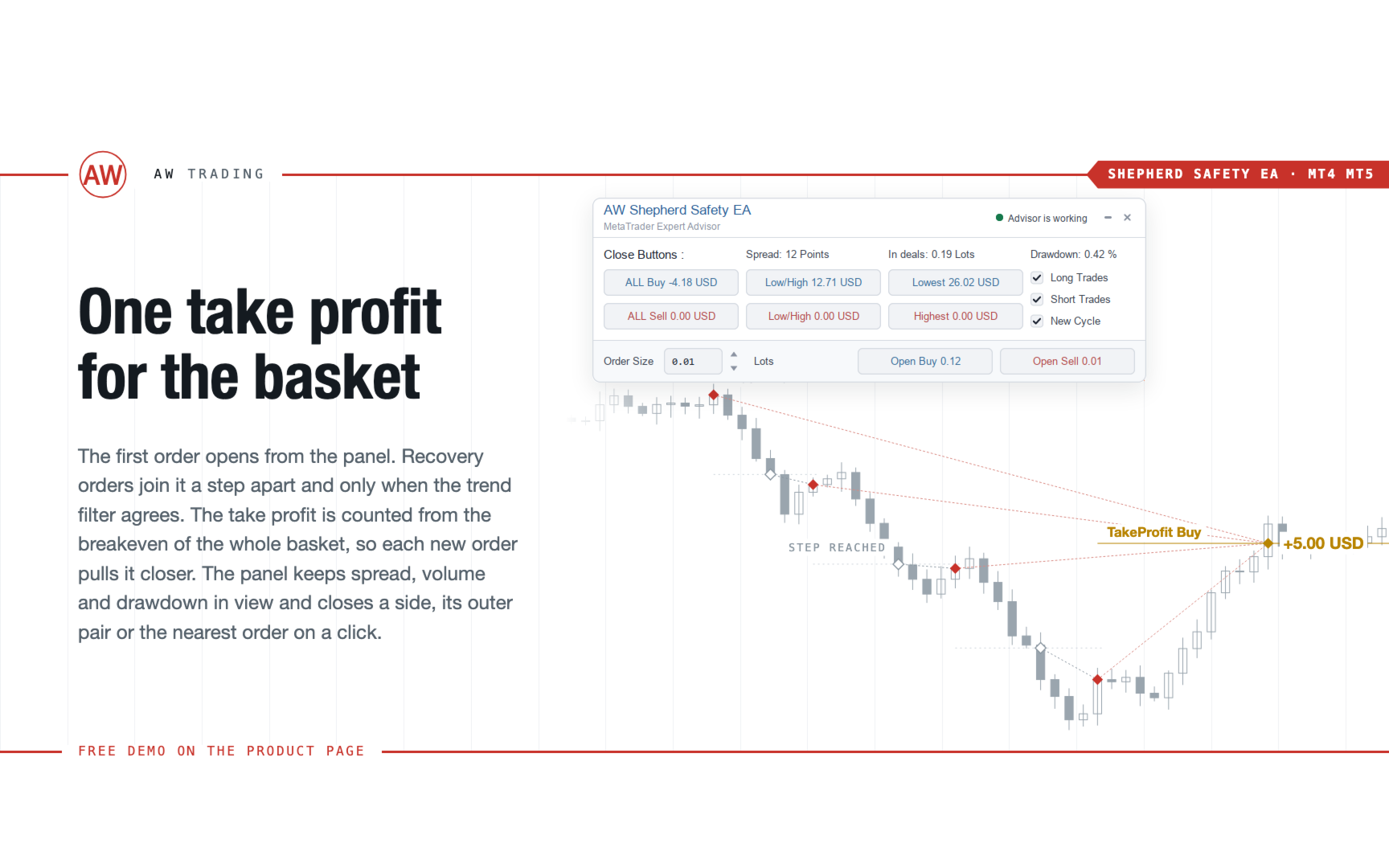
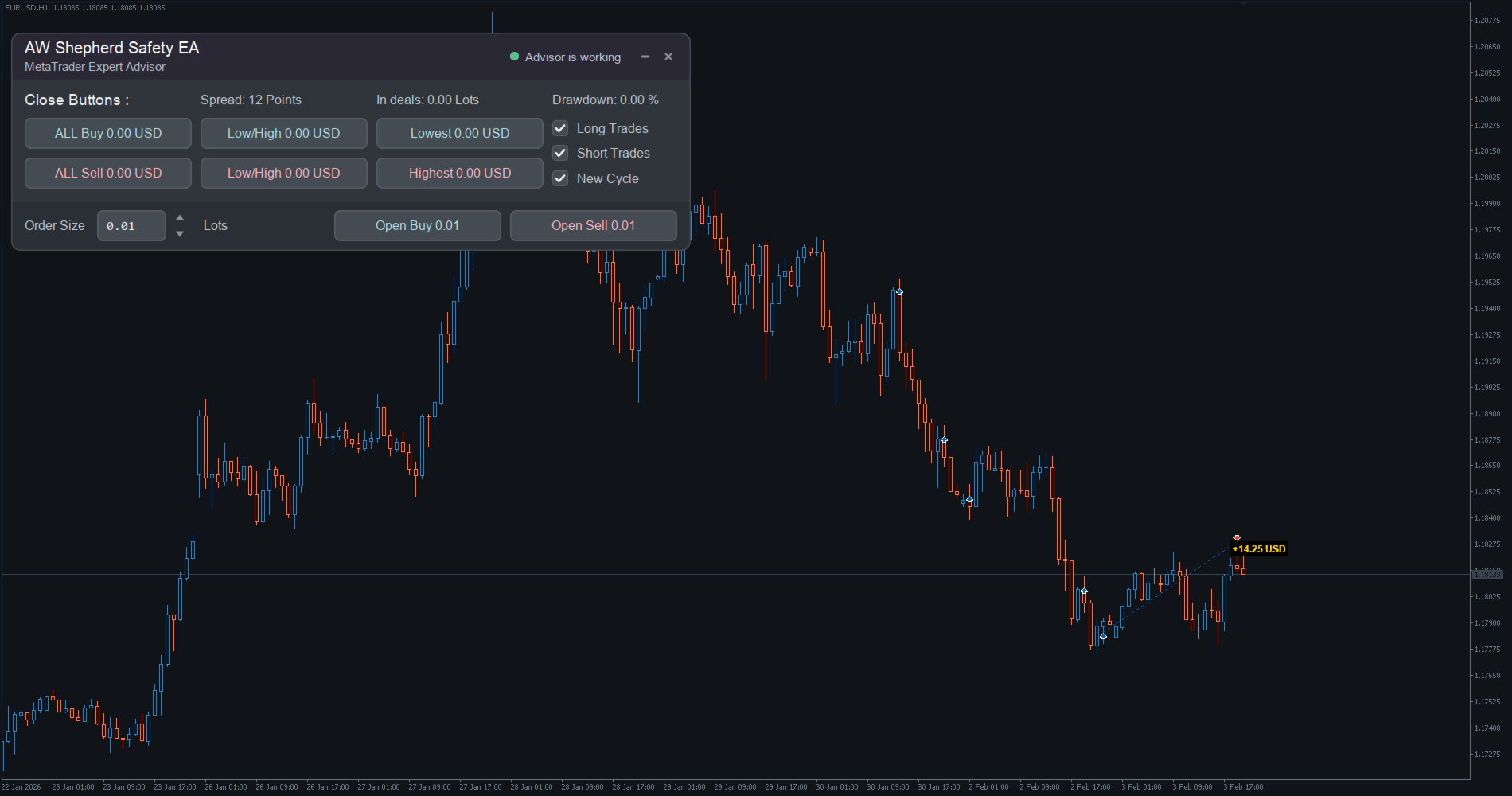
AW Shepherd Safety EA is an Expert Advisor for managing open positions. The trader opens the first order from the panel, and from there the EA runs the basket on its own: it adds recovery orders with a trend filter, closes a side on TakeProfit, trailing or stop, and shows the close levels on the chart.
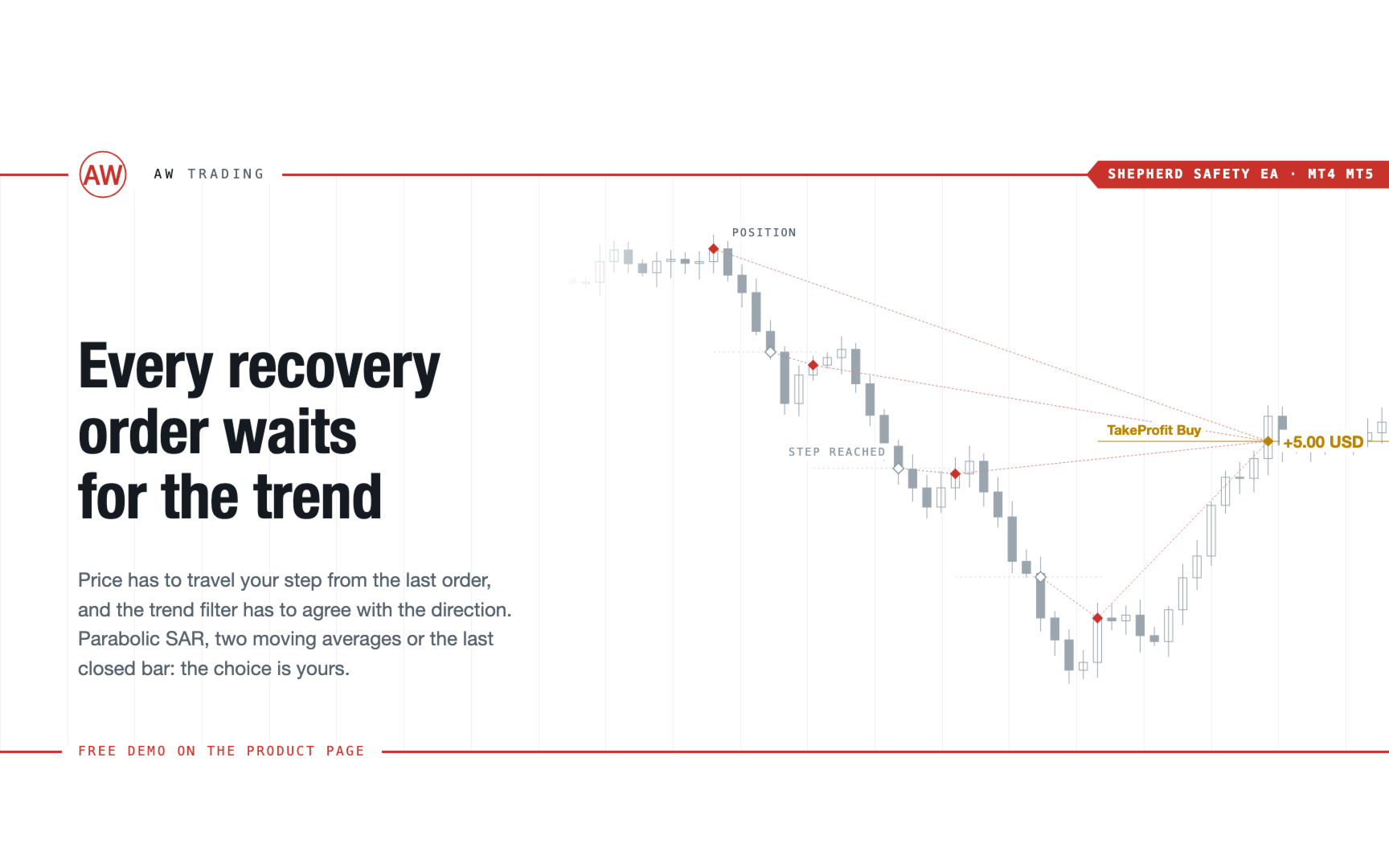
Buys and sells are managed separately, and both sides can be open at the same time. A recovery order opens not just on a price step but once Parabolic SAR, two MAs or candle color show a reversal in the direction of the position. The EA also takes over positions opened manually or by another EA if their Orders Magic number matches.
How the EA manages a position:
1 The trader opens the first order with the Open Buy or Open Sell button, with the volume from the Order Size field.
2 Once price has moved against the position by Minimal step between recovery orders and the trend filter shows a reversal, the EA opens a recovery order with a volume set by Type of increase orders.
3 The target is measured from the breakeven of the whole side, and each recovery order pulls the target closer to the current price.
4 The side closes according to Type of orders TakeProfit: a target in money, per basket in points, on each order, or trailing in money or in points.
5 The stop is set by Type of orders StopLoss: a side stop in money, a stop on each order, or StopOut on total loss.
6 With overlap, the order nearest to price and the farthest order of the side close as a pair by trailing their combined result.
Advantages:
- A recovery order waits for a trend filter reversal, not just a price step
- Five TakeProfit and trailing types, three stop types and StopOut on total loss
- Target and stop measured from the breakeven of the whole side, swaps included
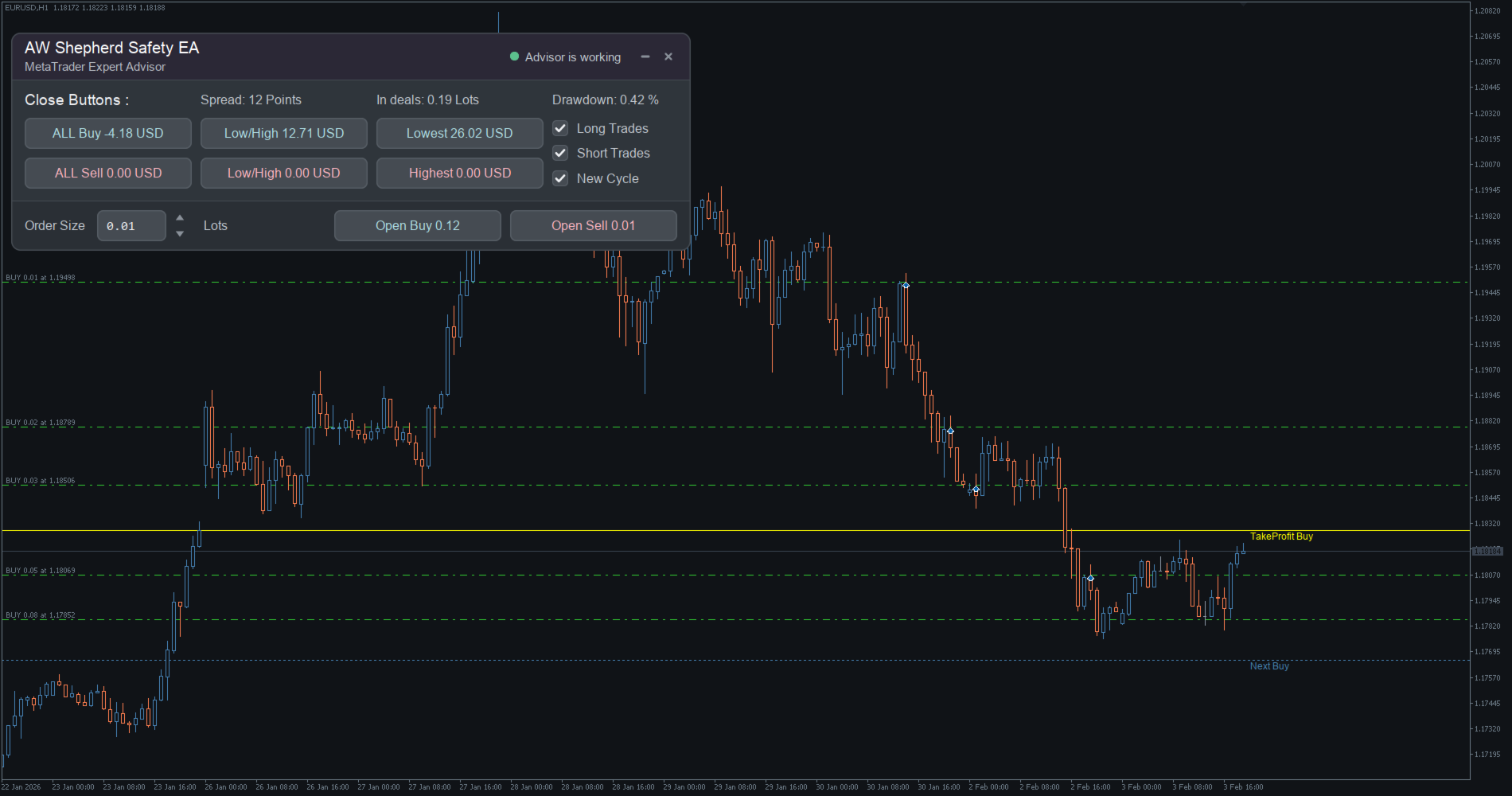
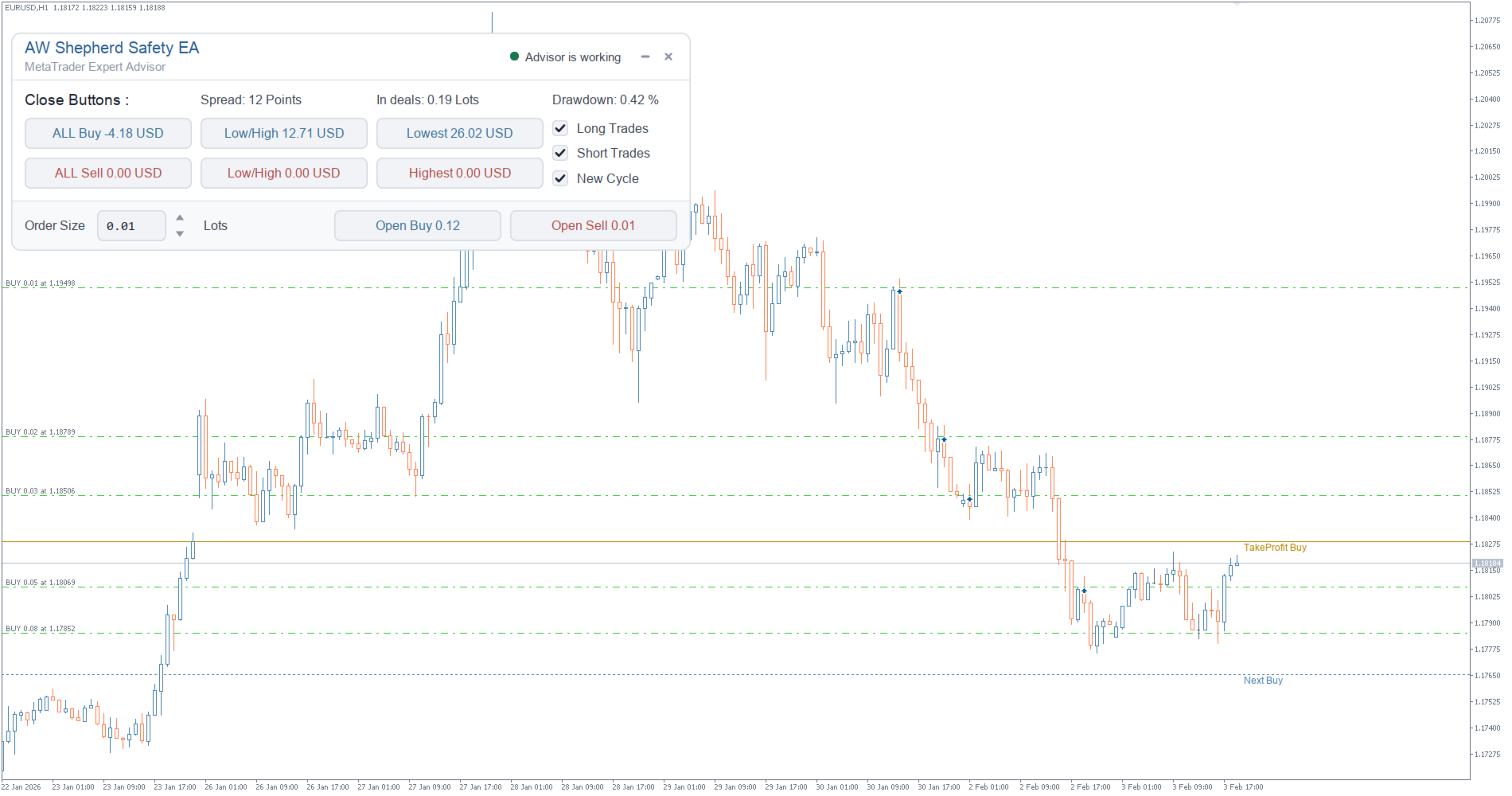
- TakeProfit, StopLoss and next order lines on the chart, close result on the bar
- The panel closes a whole side, the pair of outermost orders or a single order with one button
- Manages positions opened manually or by another EA by Orders Magic number
How to trade with the EA:
Step 1 - Volume and recovery orders
First order volume Size of the first order, which is also the base for recovery orders
Step Minimal step between recovery orders and Multiplier for size of orders: the higher the multiplier, the faster the breakeven catches up with price and the heavier the deposit load
Filter Trend filtering for recovery orders: Parabolic SAR, Two MA, Bullish Bearish candles or no filter
Step 2 - Exit
Type of orders TakeProfit and Type of orders StopLoss: target and stop in money or in points, per basket or on each order, trailing, StopOut
Step 3 - Limits
Maximum number of orders and Maximum size of orders cap the basket, while Maximum spread in points and the Monday and Friday hours cut off poorly timed entries
Testing:
The EA is tested in visualization mode: the first order is opened with a panel button during the test, and without visualization the test will have no orders. Basket drawdown depends on the step, volume multiplier and maximum number of orders, all worth tuning before running on an account.
Note:
The EA is not multi-currency and works on the symbol of the chart it is attached to. It has no entry signals: the trader opens the first order of a side, and only recovery orders open automatically.
Input variables:
ORDERS SETTINGS
Size of the first order - volume of the side's first order and the base for recovery order volume
Orders Magic number - order identifier; with a value of 0 the EA manages positions opened manually
Comments of the EA's orders - order comment
Allow to open OP_BUY orders - allows buy recovery orders
Allow to open OP_SELL orders - allows sell recovery orders
Allow overlap last and first recovery orders - enables closing the pair of outermost orders
Allow overlap after number of orders - overlap works when the side has more orders than this
Show panel of advisor - show the panel
RECOVERY SETTINGS - trend filter, volume type and multiplier, recovery order step
TAKE PROFIT SETTINGS - TakeProfit type, targets in money and points, trailing start and step
STOP LOSS SETTINGS - stop type, stop in money and points, StopOut
PROTECTION SETTINGS - slippage, spread, one order per bar, basket limits, working hours
INDICATORS - 2MA SETTINGS and INDICATORS - PARABOLIC SAR SETTINGS - trend filter indicator settings
GRAPHICS SETTINGS - color scheme, panel and font size, close marks on the chart
All variables and calculation examples are described in the manual linked above.











































































Super