Shortcuts MT4 Hotkeys Scalping
- Utilities
- Version: 2.4
- Updated: 5 September 2025
- Activations: 10

MT4 Hotkeys – Order and Position Management Tool
This tool enables users to manage orders and positions on the MetaTrader 4 platform using keyboard shortcuts. It supports order execution, position closure, trailing stop adjustments, and risk management through customizable settings.
Key Commands
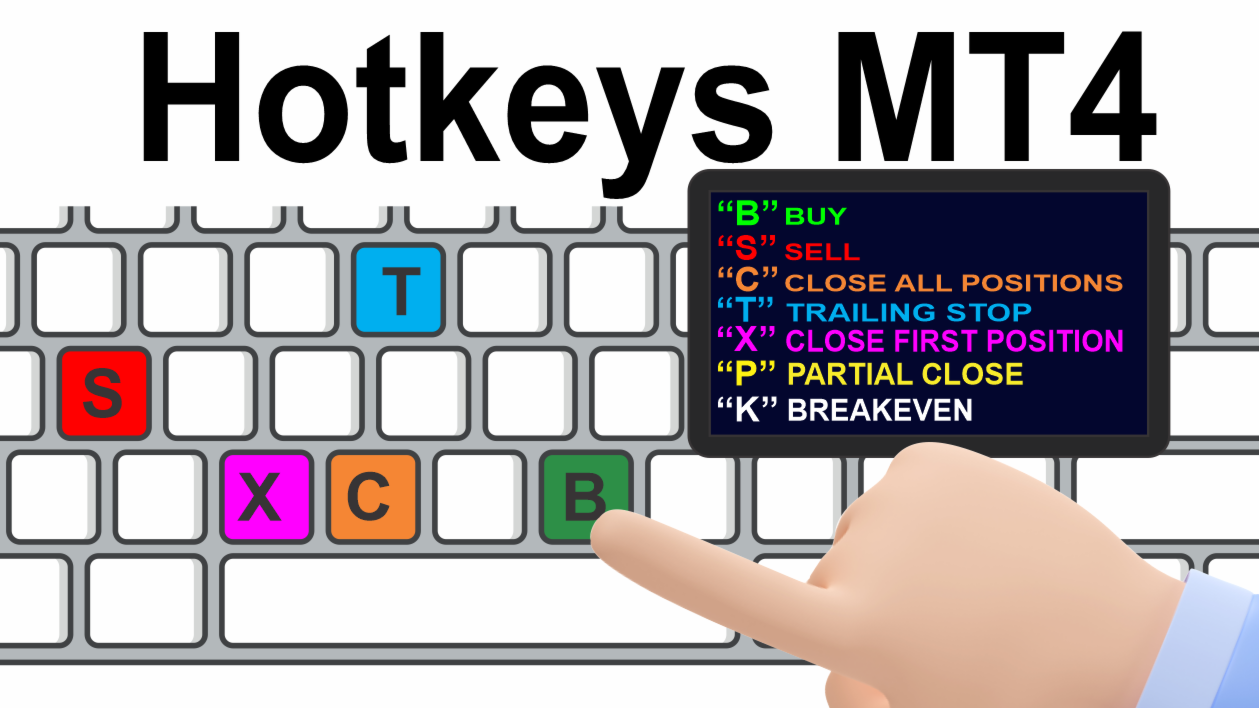
- "B": Places a buy order.
- "S": Places a sell order.
- "C": Closes all open positions.
- "X": Closes a specific position (oldest or most recent, based on configuration).
- "T": Activates a trailing stop, adjusting to the previous bar’s low (for buy orders) or high (for sell orders).
- "P": Closes a configurable percentage of an open position (default: 50%).
- "K": Moves the stop loss of all open positions to the breakeven level (opening price).
Note: Commands require uppercase letters for activation.
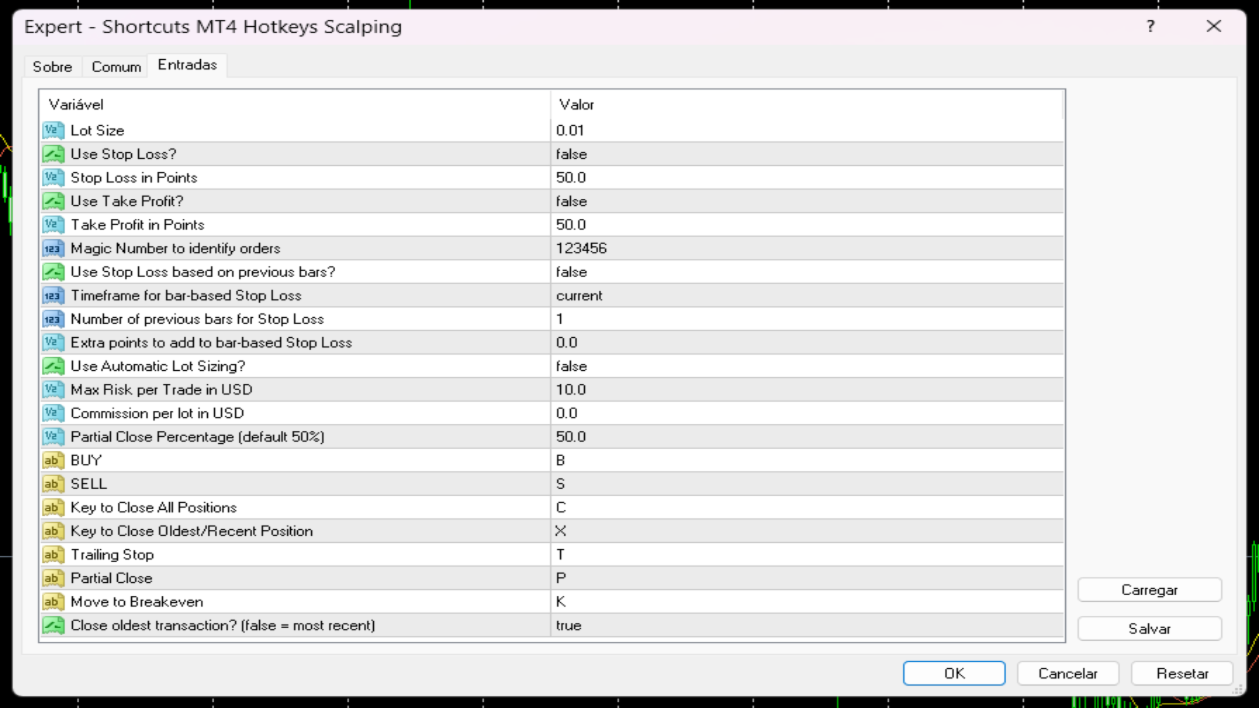
Risk Management Options Users can select:
- A fixed lot size for trades.
- A monetary risk limit ($) with an automatic stop loss calculated based on the previous bar and user-defined settings. The lot size is adjusted to comply with the specified risk per trade.
Features
- Configurable keyboard shortcuts for placing orders, closing positions, and managing stops.
- Trailing stop functionality based on the previous bar’s high or low.
- Option to close all positions simultaneously.
- Support for customizable lot size, stop loss, take profit, and Magic Number settings.
- Compatible with all symbols and timeframes on MetaTrader 4.