
VirtualTradePad One Click Trading Panel
- Utilities
-
Vladislav Andruschenko
 👋 Welcome to Expforex
I’m Vladislav, a professional MQL4/MQL5 developer creating MetaTrader tools since 2007.
Expforex develops practical trading solutions for MetaTrader 4 and MetaTrader 5: - Version: 26.529
- Updated: 28 May 2026
- Activations: 10
Trading Panel for MetaTrader 5 — professional one-click trading from chart and keyboard
A powerful trading panel for active manual trading, designed to open, manage, and close trades far faster and more efficiently than the standard MetaTrader interface. This panel is built for traders who want full control over positions, pending orders, profit management, and trading execution inside one professional workspace.
This is not just another utility. It is a complete trading cockpit for MetaTrader 5 that transforms manual trading into a faster, cleaner, and more visual process. Trading directly from the chart, keyboard control, automatic calculations, graphic hints, and advanced position-management tools make this panel a serious working instrument for both active and disciplined traders.
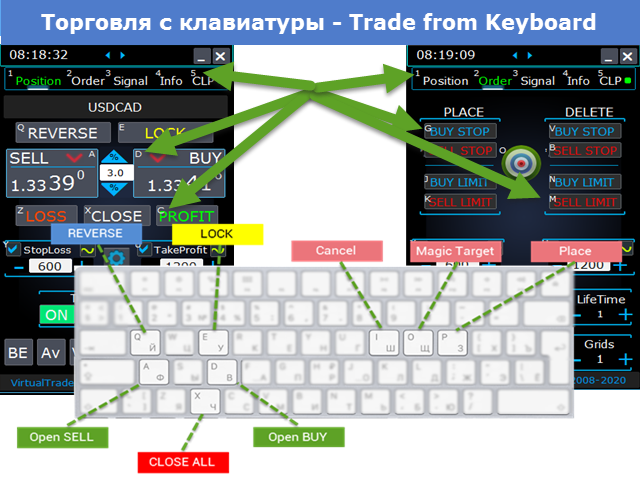
With our panel, you can execute trades in one click directly from the chart and perform trading operations up to 30 times faster than with standard MetaTrader controls.
New premium version available: Upgrade your workflow with VirtualTradePad PRO SE — the next-generation professional trading panel for MetaTrader 5 and MetaTrader 4.
MT4 version | Full Description + DEMO + PDF | How To Buy | How To Install | How to get Log Files | How To Test and Optimize | All products from Expforex
Why traders choose this panel
- One-click trading from the chart and from the keyboard
- Fast opening, closing, modification, and management of trades
- Deep control over positions, pending orders, and total profit
- Automatic calculations that remove routine work from the trader
- Visual trading management directly on the chart
- A professional feature set for manual trading and semi-automatic trade management
The core idea of the panel
This panel was developed as a universal trading cockpit for MetaTrader 5, where the most important actions are placed inside a fast, intuitive, and highly visual interface.
Opening and closing positions, reverse, lock, partial close, autolot, real and virtual stops, grid management, mouse trading, and keyboard control are all combined into one efficient working environment.
The panel does not simply help you click faster. It helps organize the entire trading process so that the trader sees the situation clearly, reacts faster, and performs routine operations with much more precision and less friction.
Main capabilities
Trade execution and closing: BUY, SELL, close, delete, modify, reverse, lock, and partial close.
Order management: Buy Stop, Sell Stop, Buy Limit, Sell Limit, order grids, order deletion, order modification, and full order-series control.
Position management: Stop Loss, Take Profit, trailing stop, breakeven, common Stop Loss / Take Profit for a grid, and average-price-based management.
Automatic calculations: autolot, dynamic lot as a percentage of balance or based on Stop Loss, total profit / loss logic, virtual and real protective levels.
Visual execution: chart-based order placement, mouse trading, line-based trade management, graphic hints, and information labels directly on the chart. {index=3}
Panel structure
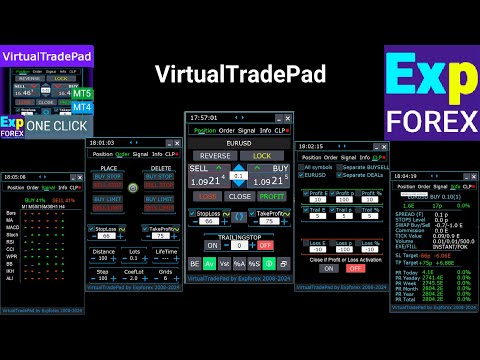
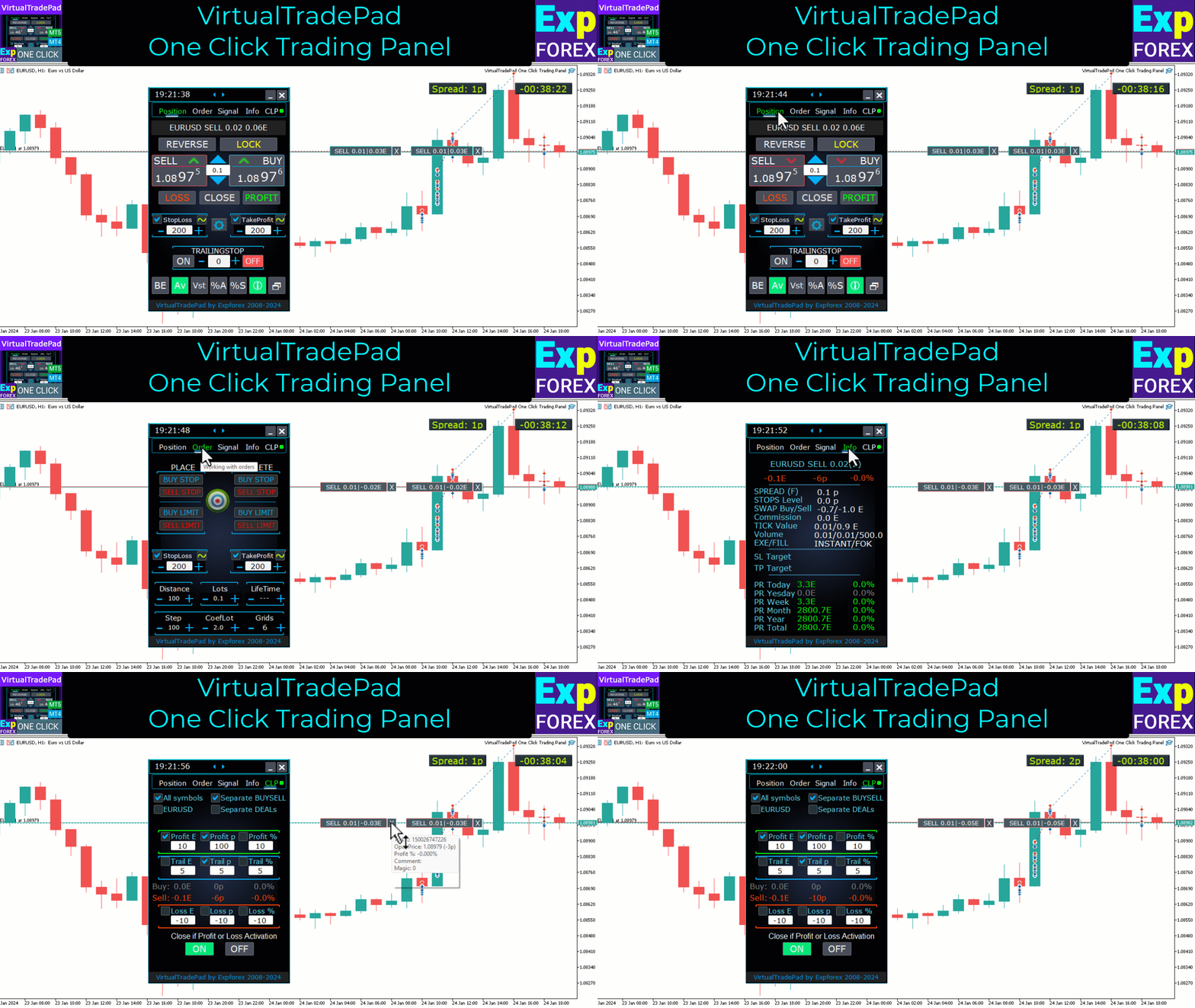
The panel includes 5 major tabs, each designed for a specific group of trading tasks: Positions, Pending Orders, Account Information, Signals, and Total Profit.
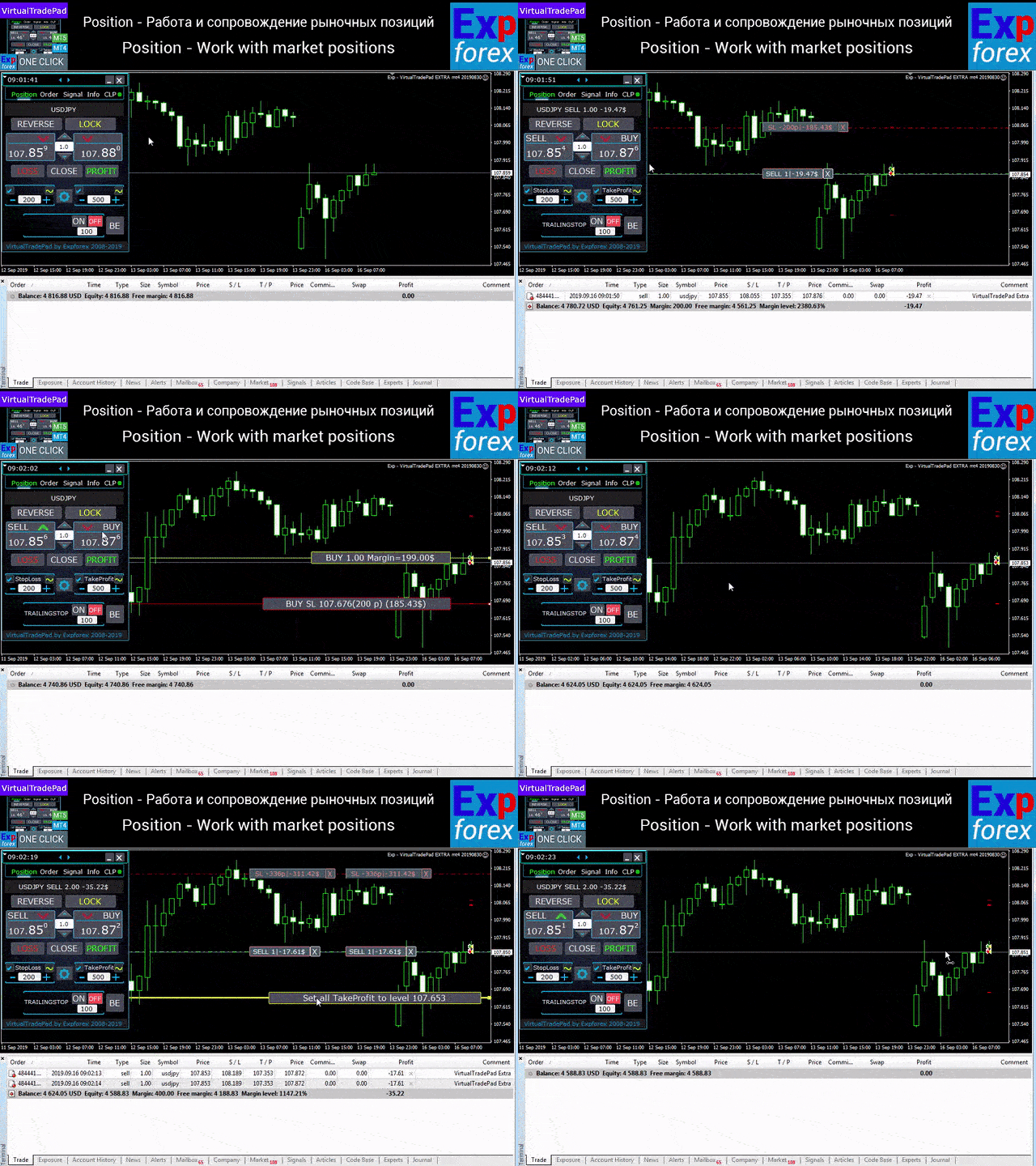
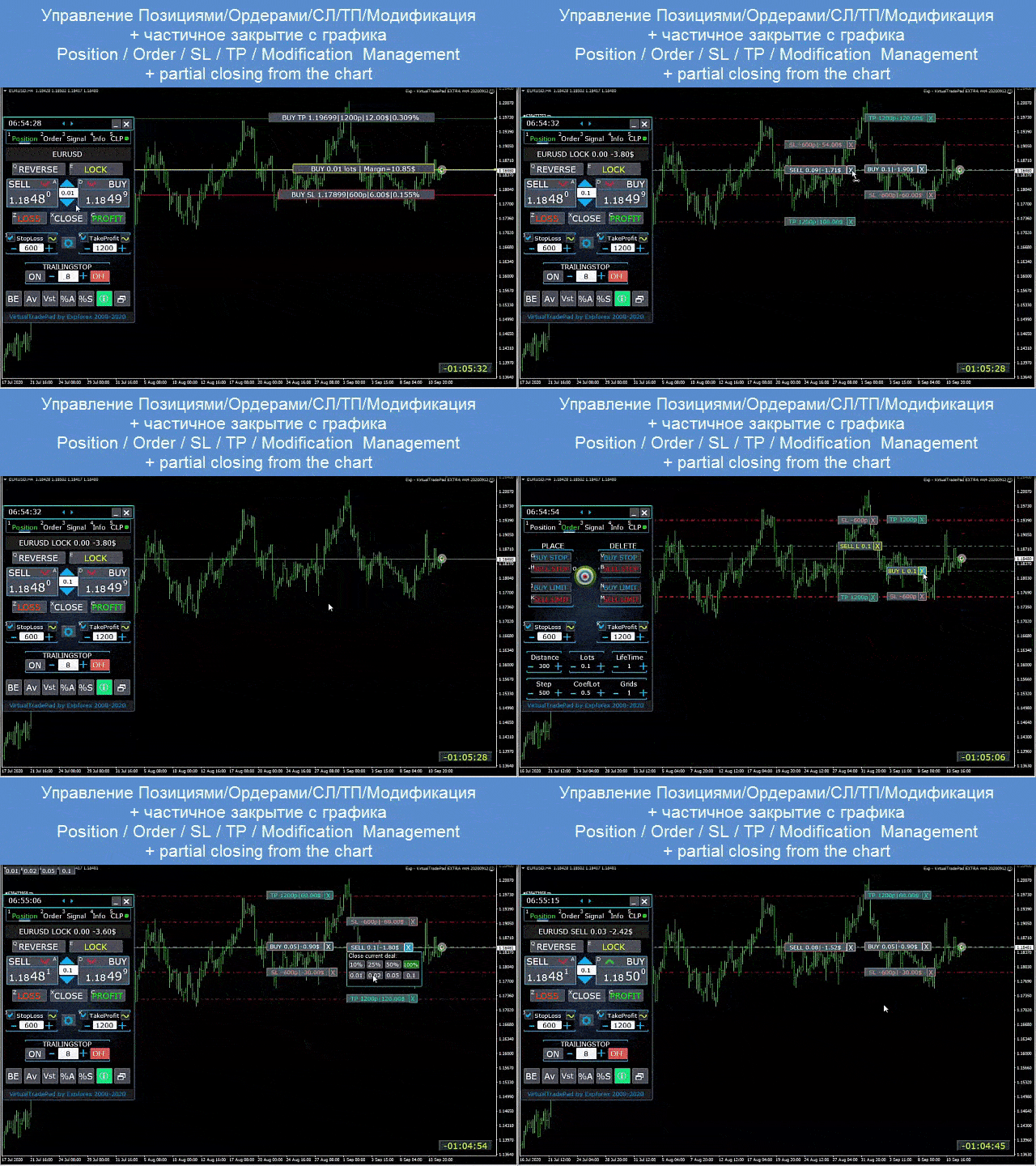
Positions tab — work with open positions
- open / close BUY and SELL
- reverse all positions
- lock the total position
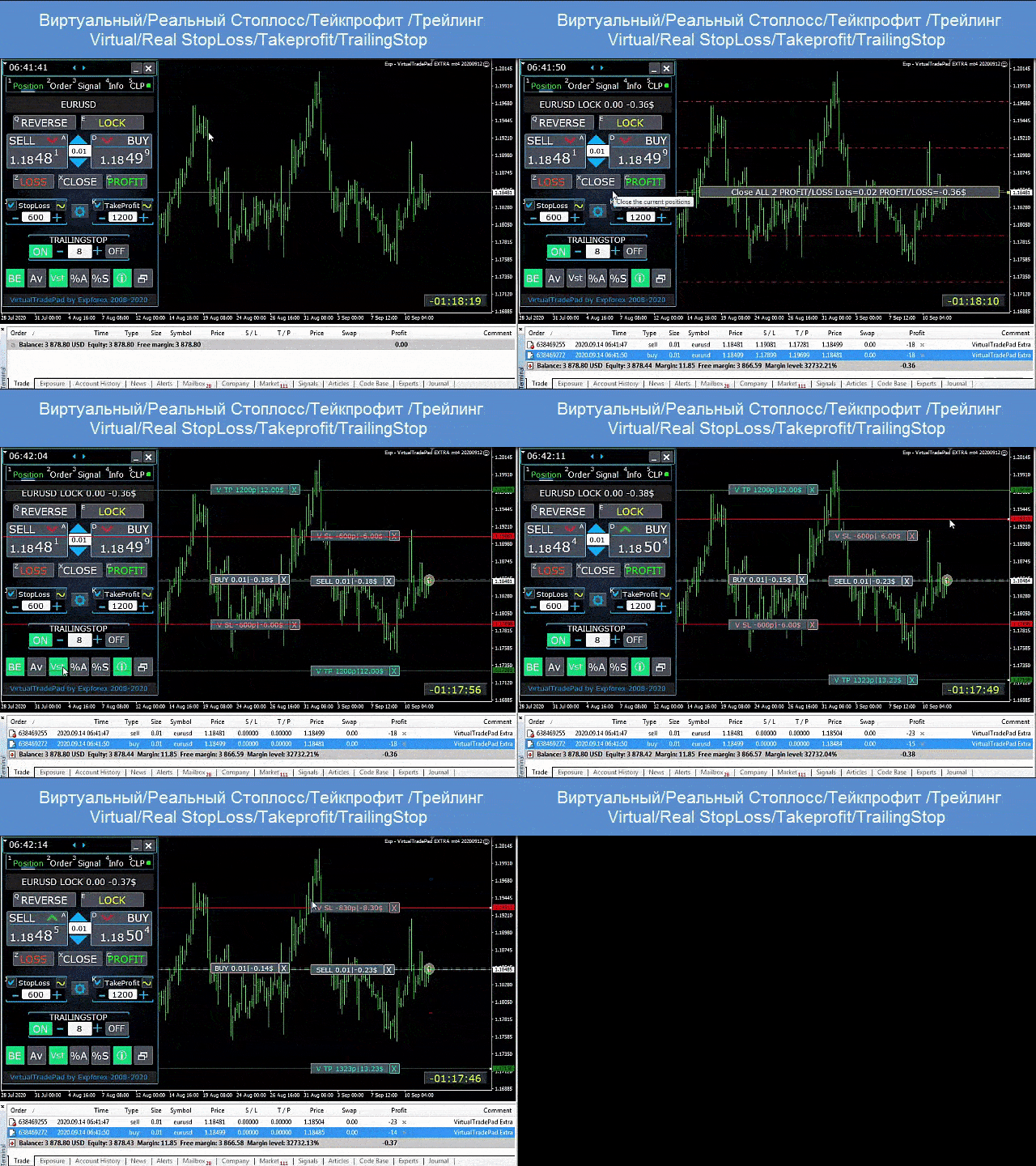
- modify Stop Loss / Take Profit
- set common Stop Loss / Take Profit for a grid of positions
- enable trailing stop
- enable breakeven
- close only profitable or only losing positions
- manage positions directly from the chart
- partial close directly on the chart
- autolot / dynamic lot as a percentage of balance or Stop Loss
- switch between real and virtual Stop Loss / Take Profit
- average trailing stop and breakeven for the entire position grid from the average price
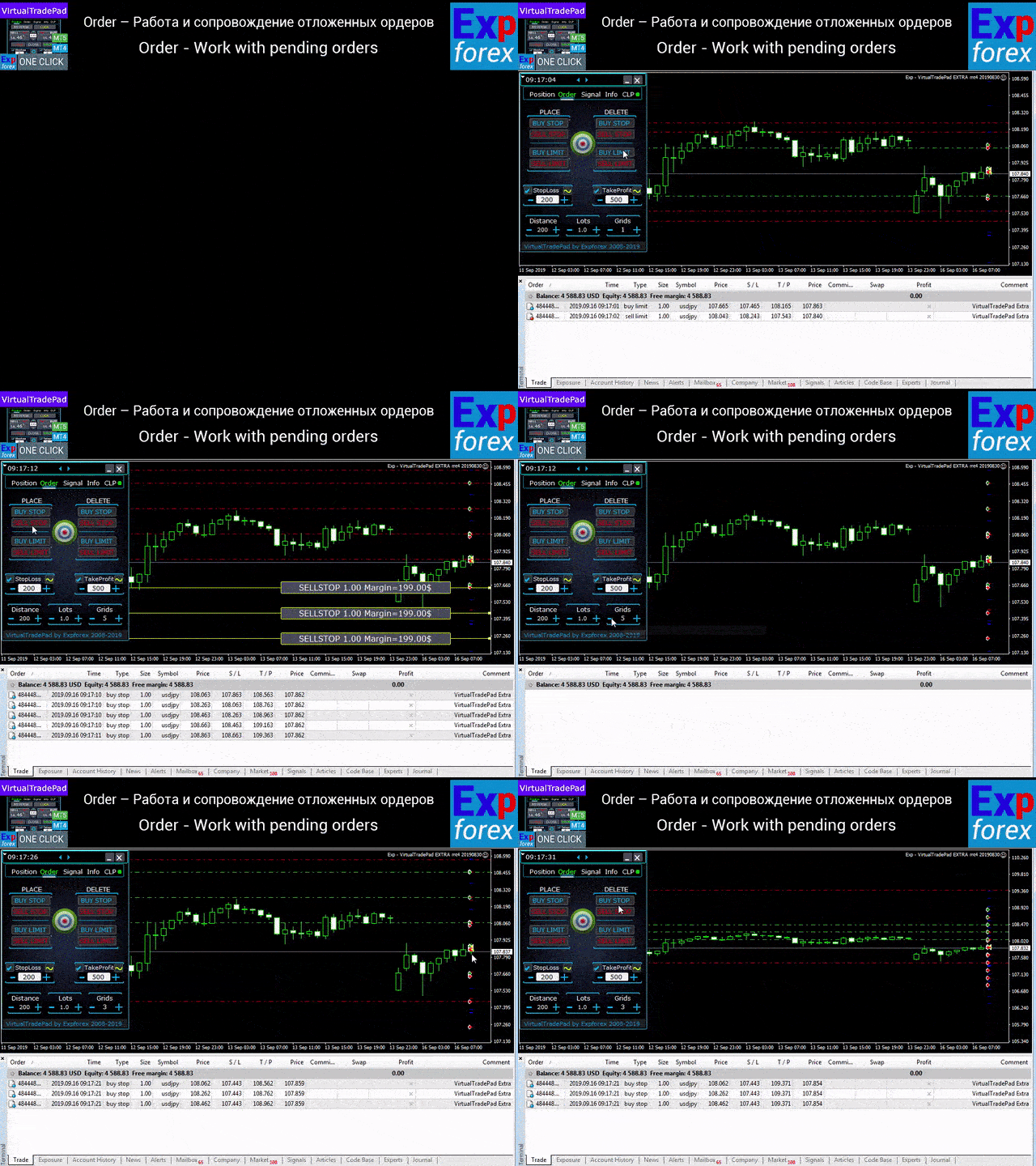
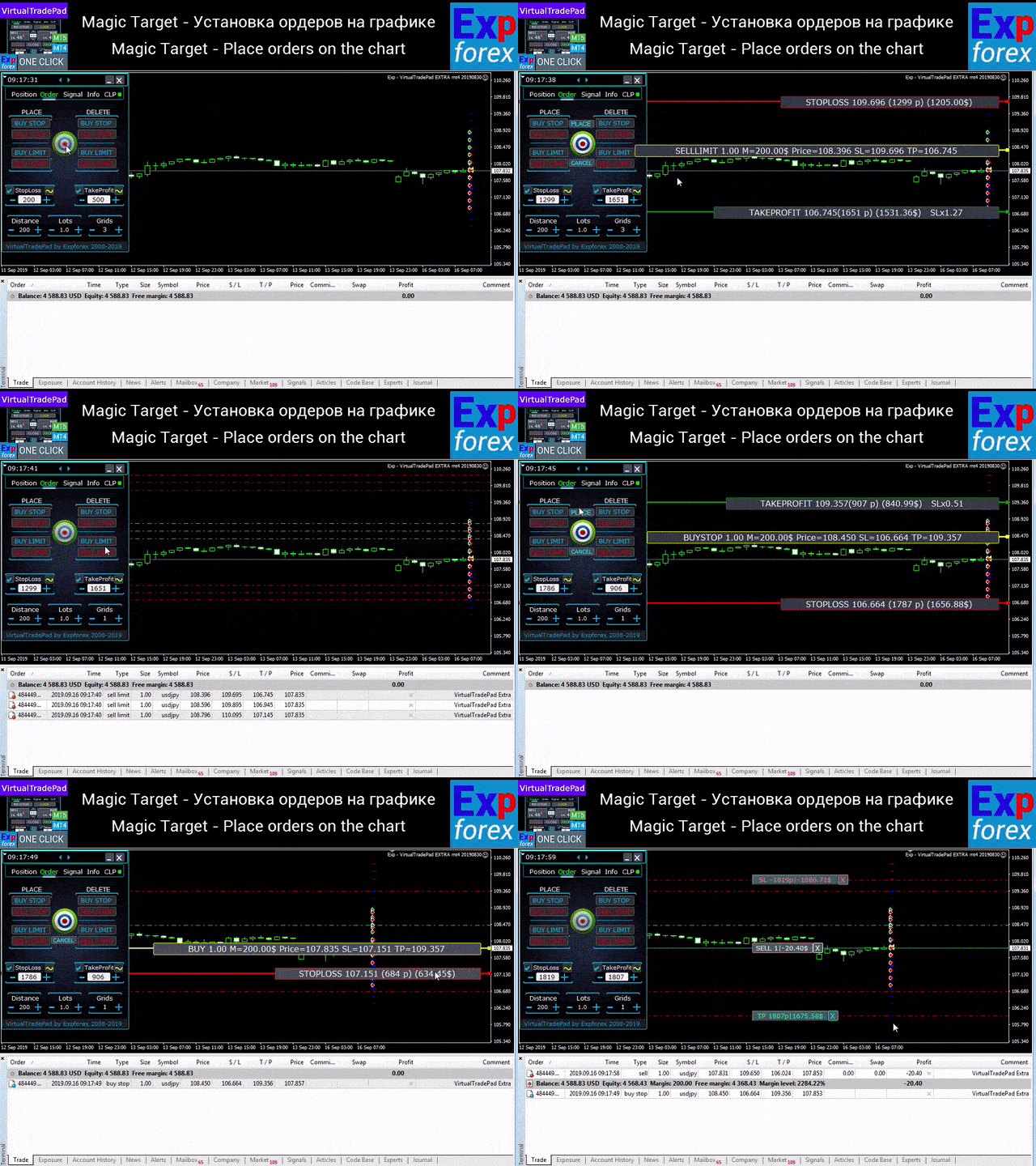
Orders tab — work with pending and limit orders
- place and delete Buy Stop, Sell Stop, Buy Limit, Sell Limit
- build order grids with lot increase and adjustable grid distance
- set orders and positions with the mouse and chart lines
- set a common Stop Loss / Take Profit for the full order series
- modify and remove pending orders directly from the chart
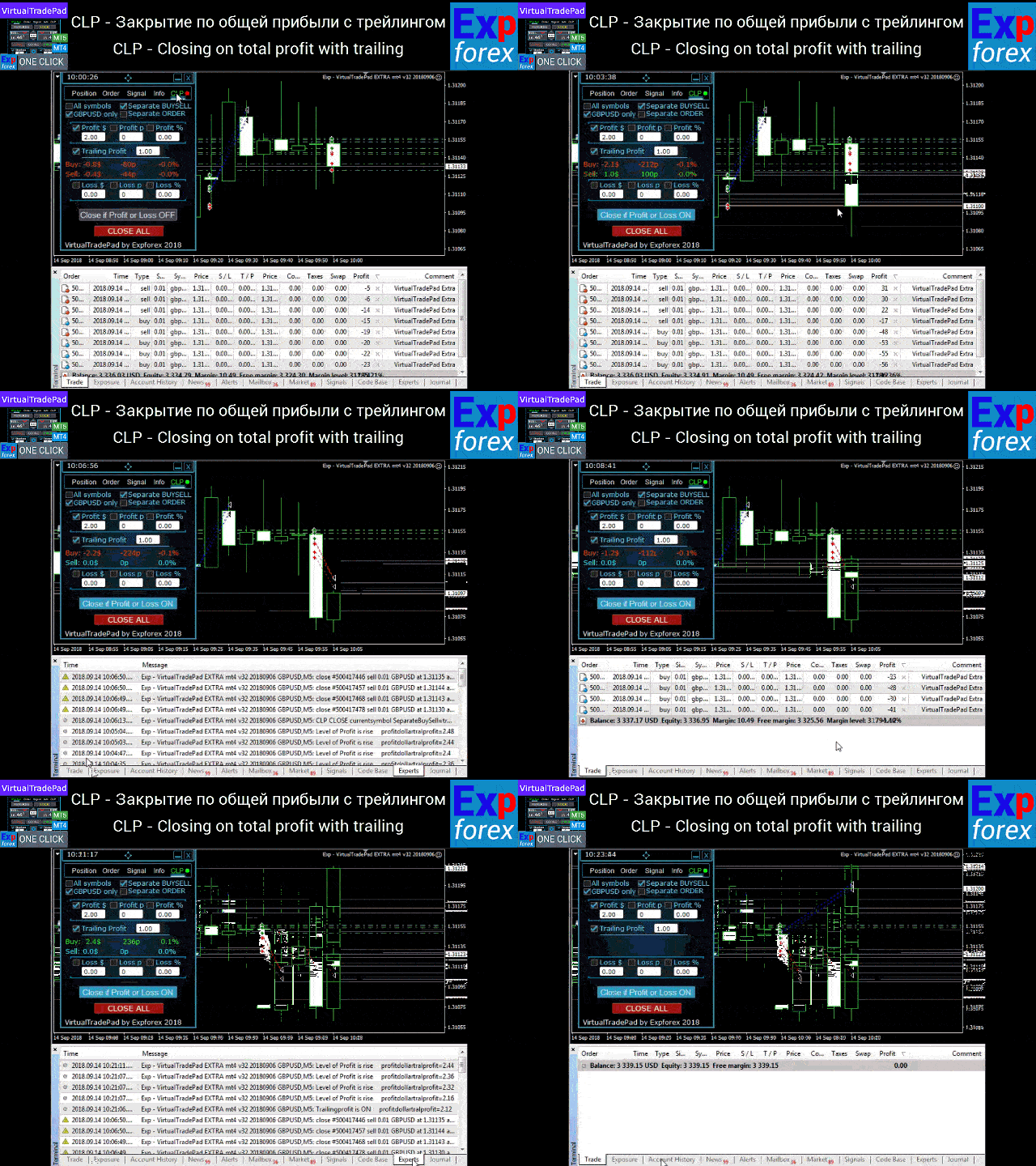
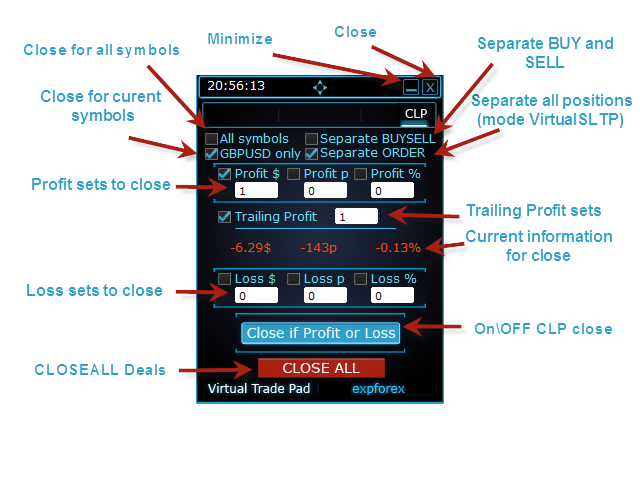
CLP tab — close by total profit or total loss
- close by total profit or loss in points, dollars, or percent
- close BUY and SELL directions separately
- enable virtual Stop Loss / Take Profit for separate or total positions
- trail total profit in points, dollars, or percent
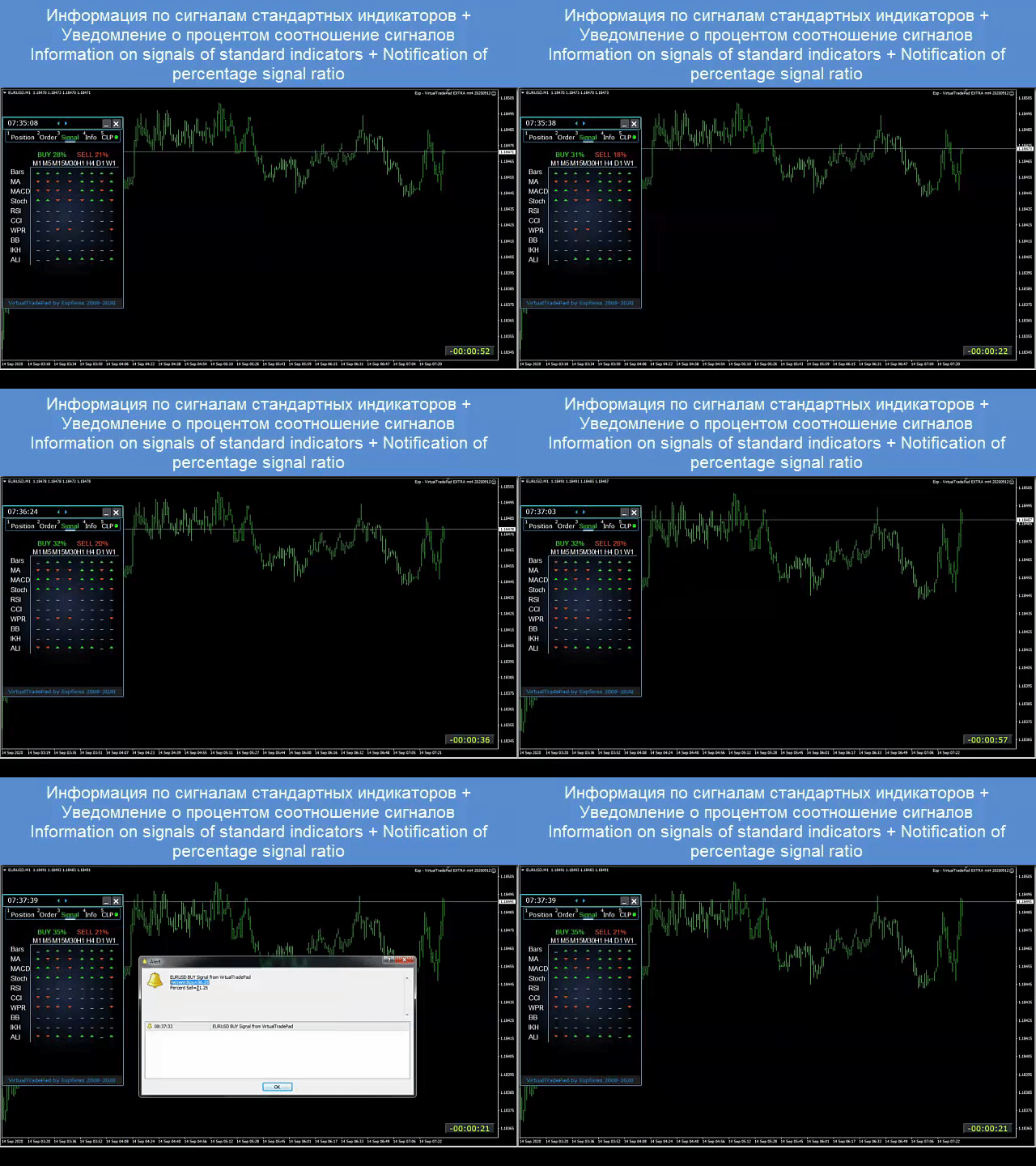
Signals tab
This tab displays signals from 10 standard indicators across 8 timeframes, shows the cumulative percentage of BUY and SELL signals, and can also be used to automatically open positions when the combined signal reaches the defined threshold.
INFO tab
The information tab displays the current specification of the selected symbol, current Stop Loss and Take Profit targets, and trading performance for today, yesterday, the week, and the month.
Real trading advantages
- speeds up manual trading dramatically
- reduces repetitive routine operations
- helps the trader react faster to market movement
- improves control over grids, positions, and total profit management
- brings a clearer and more professional chart-based workflow into MetaTrader
Who this panel is for
- active manual traders
- traders working with position series and order grids
- traders who manage Stop Loss, Take Profit, trailing, and breakeven manually
- those who want to remove unnecessary routine from MetaTrader
- those who want a professional trading assistant rather than a simple collection of buttons
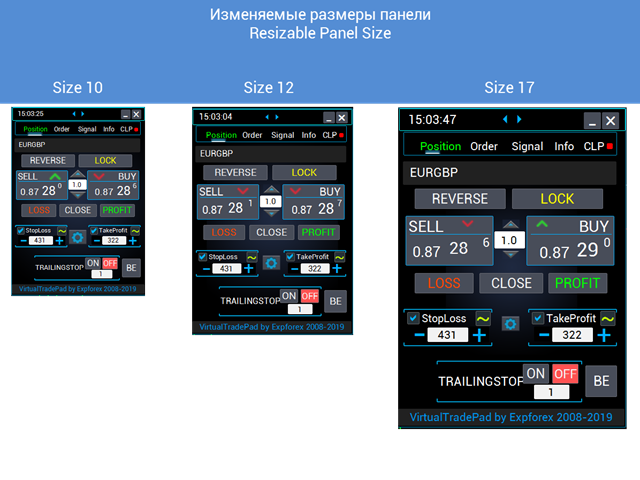
The panel works with any account type and any broker. The interface remains lightweight, responsive, and intuitive, while still delivering a serious set of practical trading tools. It supports both chart trading and keyboard trading.
Additional recommendations
For fully automated trading, I recommend The XCustom.
If you want to learn how to work in the strategy tester, take a look at our free utility TesterPad.
Tags: Expforex, Vladon, Manual Trade, Trade Panel, Panel Trade, Trade Utility, Take Profit, Tool Management, Management Tool, Forex Helper, Forex Trade, Quick Tool, TradePad, Virtual Trade Pad, Trader Assistant, CLP, Close if Profit or Loss, Trailing Profit, Smart Trailing Stop




















































i cant trade anymore without virtual tradepad..
edit, ALL 5 stars , quick response on quetion .