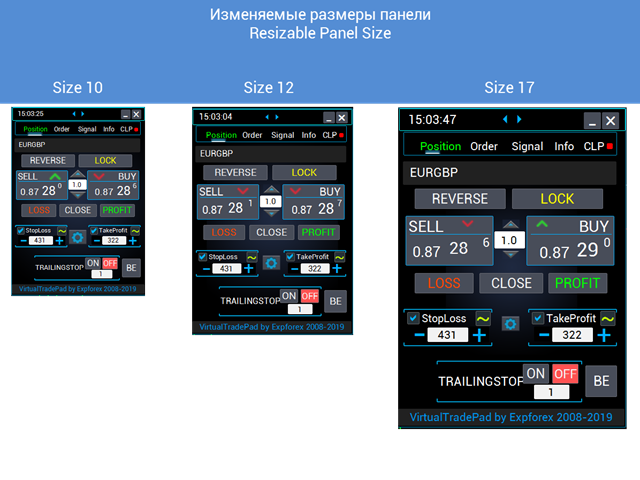
VirtualTradePad One Click Trading Panel

4.59

MetaTrader 5 用トレーディングパネル — チャートとキーボードから行うプロフェッショナルなワンクリック取引

アクティブトレーダーのために設計された高機能 Trading Panel。標準の MetaTrader 操作よりも、はるかに速く、直感的に、そして効率的に取引を実行できます。 本パネルは、ポジション管理、未決注文管理、利益コントロール、執行スピードをひとつのプロフェッショナルなワークスペースに集約した実践的なソリューションです。

これは単なる補助ツールではありません。MetaTrader 5 のための本格的な trading cockpit です。チャートから直接操作し、キーボードで素早くコマンドを実行し、自動計算や視覚的なガイドを活用することで、手動トレードをより速く、より明確に、より快適にします。

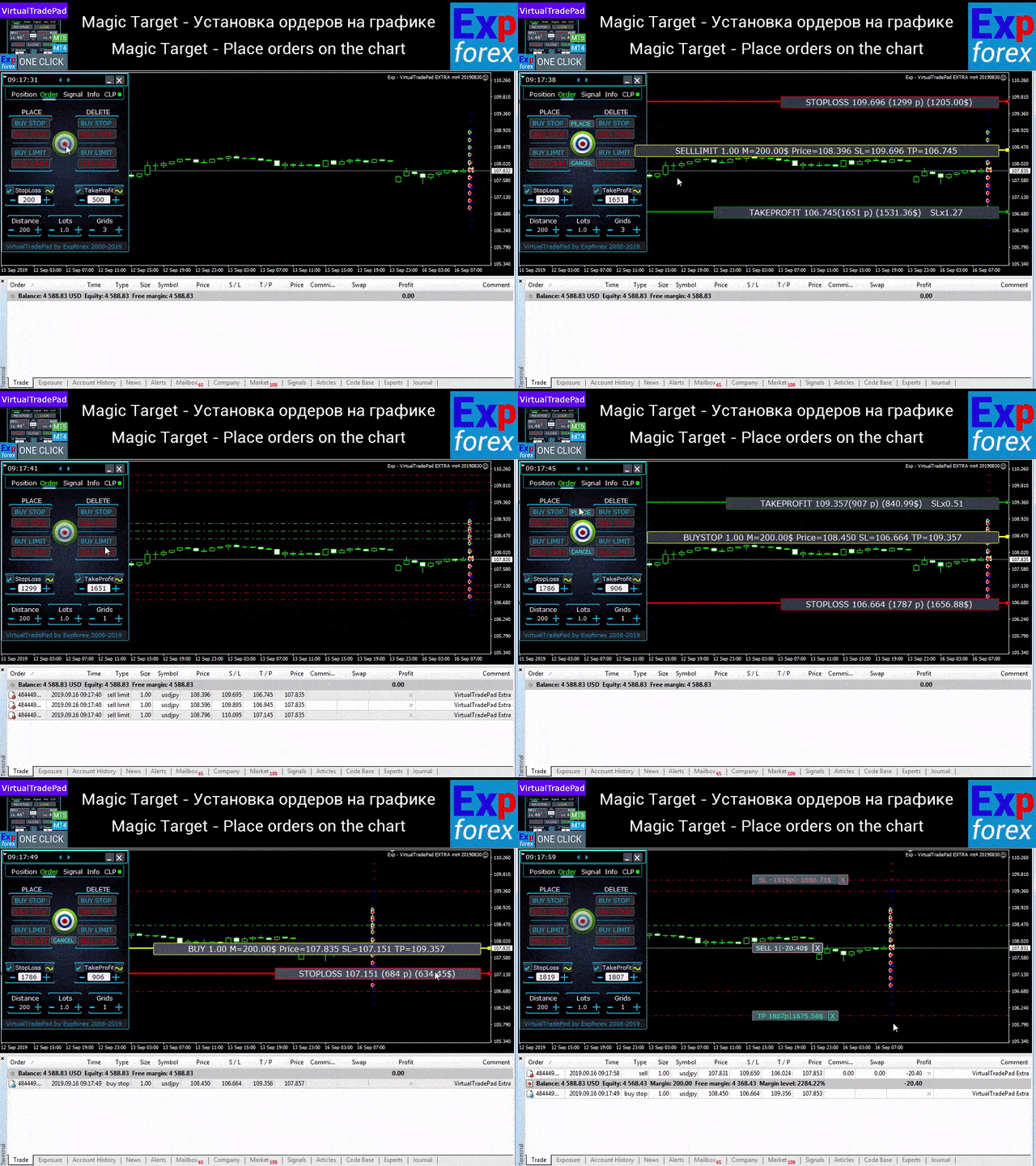
このパネルを使えば、チャート上からワンクリックで注文を実行でき、標準の MetaTrader コントロールと比べて最大 30 倍速く取引操作を行うことができます。

新しいプレミアム版が利用可能です:VirtualTradePad PRO SE で取引ワークフローを強化できます。MetaTrader 5MetaTrader 4 に対応した次世代のプロ向け取引パネルです。

このパネルが選ばれる理由

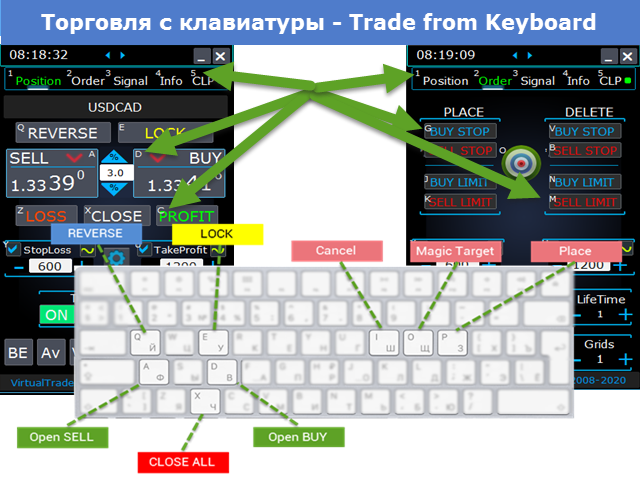
  • ワンクリック取引をチャートとキーボードの両方から実行可能
  • ポジションのオープン、クローズ、修正を高速に処理
  • ポジション、未決注文、総利益を深くコントロール
  • 自動計算によりルーチン作業を大幅に削減
  • チャート上での視覚的な取引管理
  • 手動トレードと半自動管理を両立するプロ向け機能セット

パネルの基本コンセプト

このパネルは、MetaTrader 5 のためのユニバーサルな trading cockpit として設計されています。最も重要な取引操作を、すばやく、分かりやすく、視覚的に扱えるようにしたワークスペースです。

オープン、クローズ、リバース、ロック、部分決済、Autolot、リアル / バーチャル Stop Loss と Take Profit、注文グリッド、マウス操作、キーボード操作など、実際のトレードで必要な機能をひとつの環境に統合しています。

単に「速くクリックする」ためのツールではありません。状況をより明確に把握し、より迅速に判断し、より少ない負担で取引を管理できるようにするためのプロフェッショナルな実行環境です。

主な機能

売買と決済: BUY、SELL、Close、Delete、Modify、Reverse、Lock、Partial Close。

注文管理: Buy Stop、Sell Stop、Buy Limit、Sell Limit、注文グリッド、注文削除、注文修正、シリーズ全体のコントロール。

ポジション管理: Stop Loss、Take Profit、Trailing Stop、Breakeven、ポジショングリッド全体に対する共通の Stop Loss / Take Profit、平均価格ベースの管理ロジック。

自動計算: Autolot、残高比率または Stop Loss ベースのダイナミックロット、総利益 / 総損失による管理、リアル / バーチャル保護レベル。

ビジュアル操作: チャート上での注文配置、マウス操作、価格ラインによる管理、情報ラベル、グラフィックヒントの表示。

パネル構成

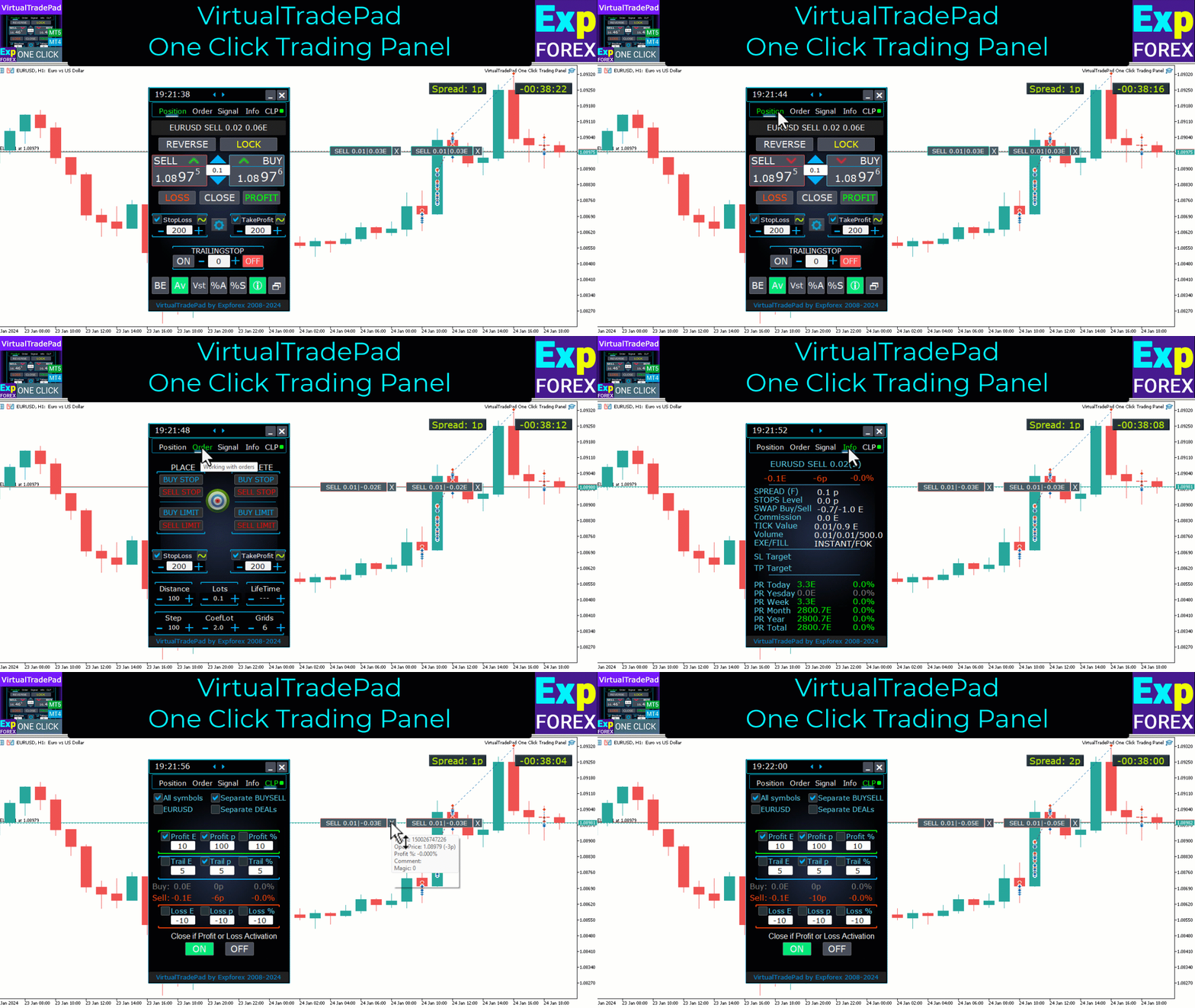
このパネルには 5 つの主要タブ があり、それぞれ異なる取引タスクを担当します。PositionsPending OrdersAccount InformationSignalsTotal Profit です。

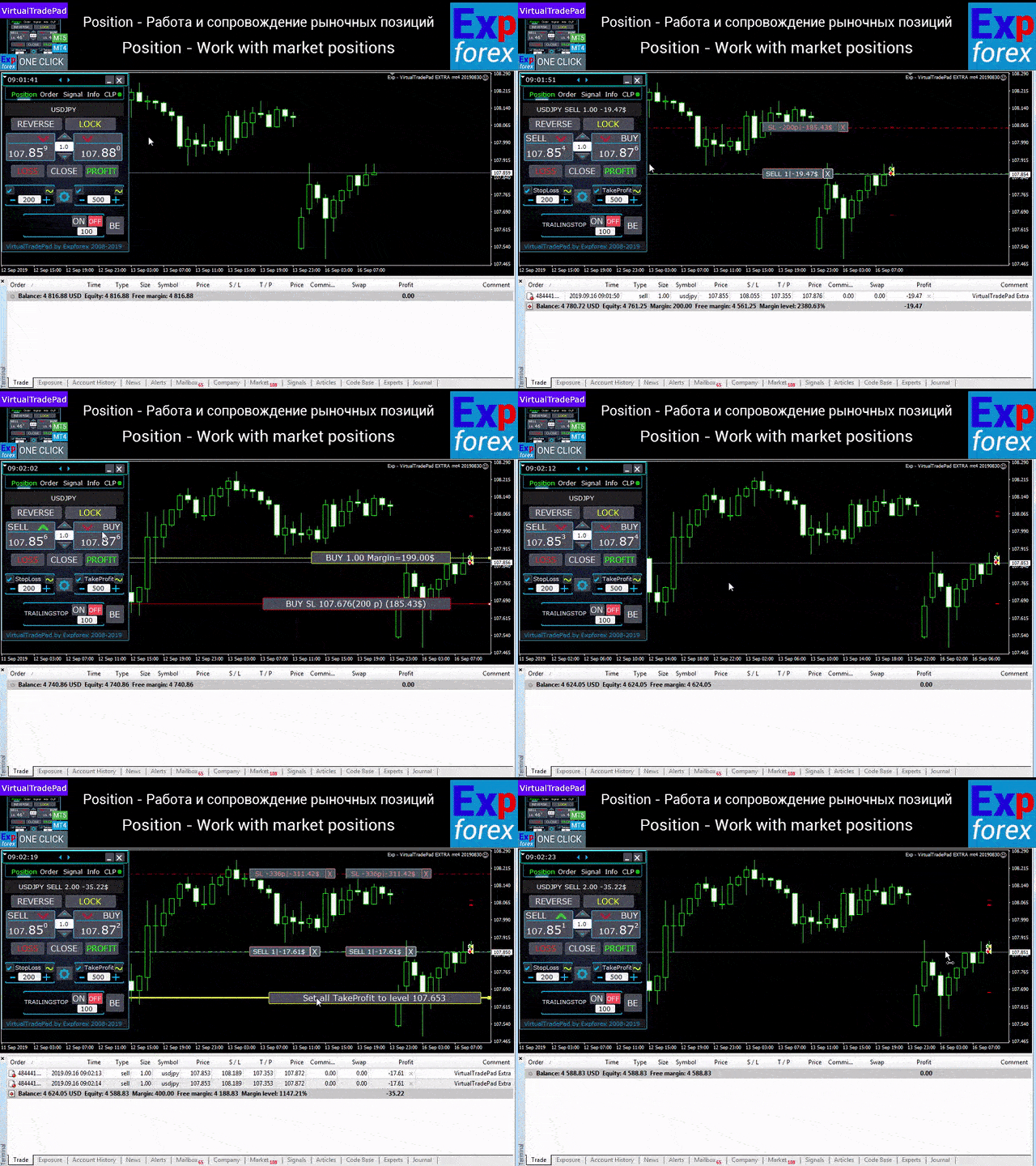
Positions タブ — オープンポジションの管理

  • BUY / SELL のオープンとクローズ
  • すべてのポジションのリバース
  • 総ポジションのロック
  • Stop Loss / Take Profit の修正
  • ポジショングリッド全体に共通の Stop Loss / Take Profit を設定
  • Trailing Stop の有効化
  • Breakeven の有効化
  • 利益ポジションのみ、損失ポジションのみをクローズ
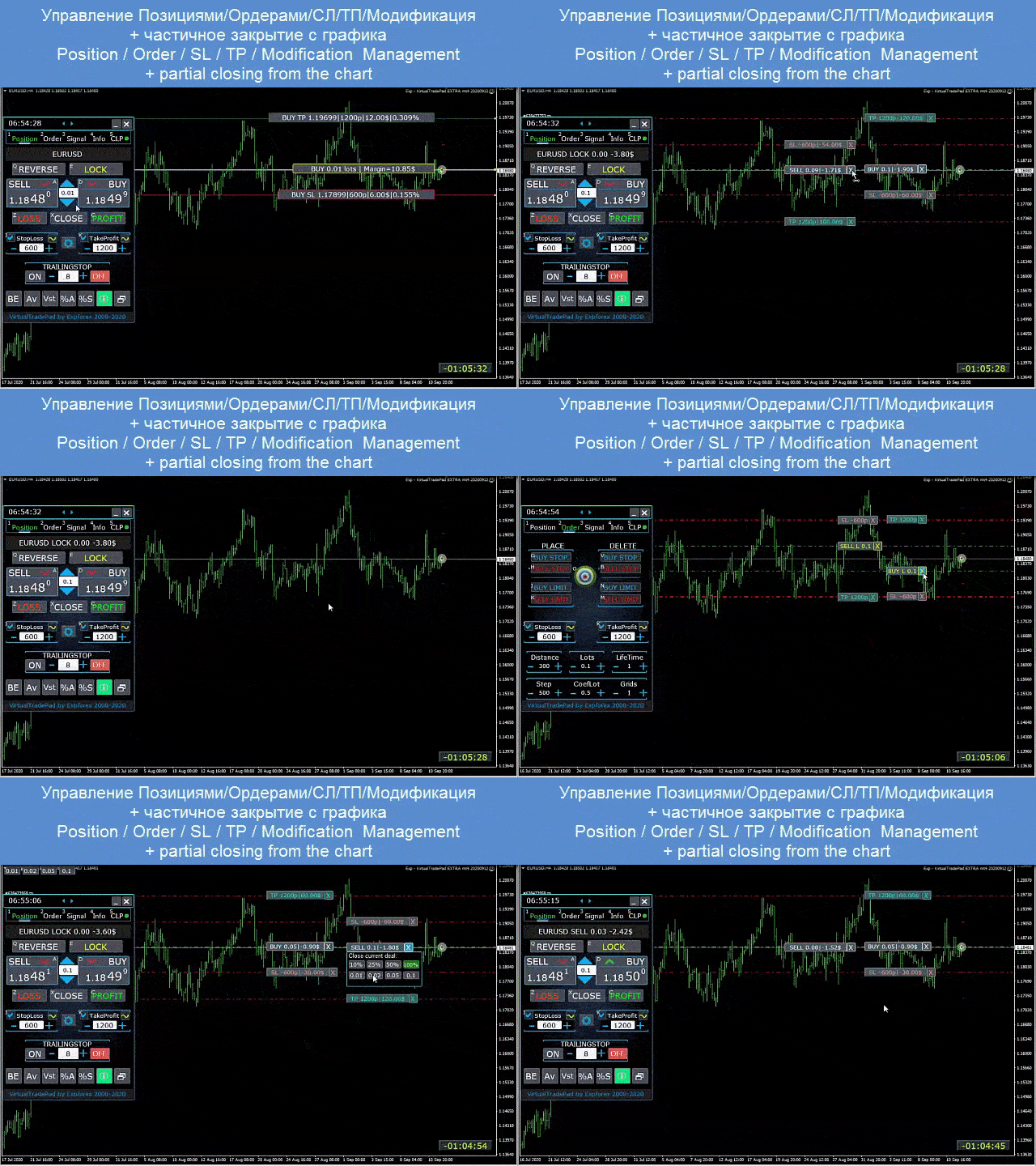
  • チャートから直接ポジション管理
  • チャート上での部分決済
  • Autolot / 残高比率または Stop Loss ベースのダイナミックロット
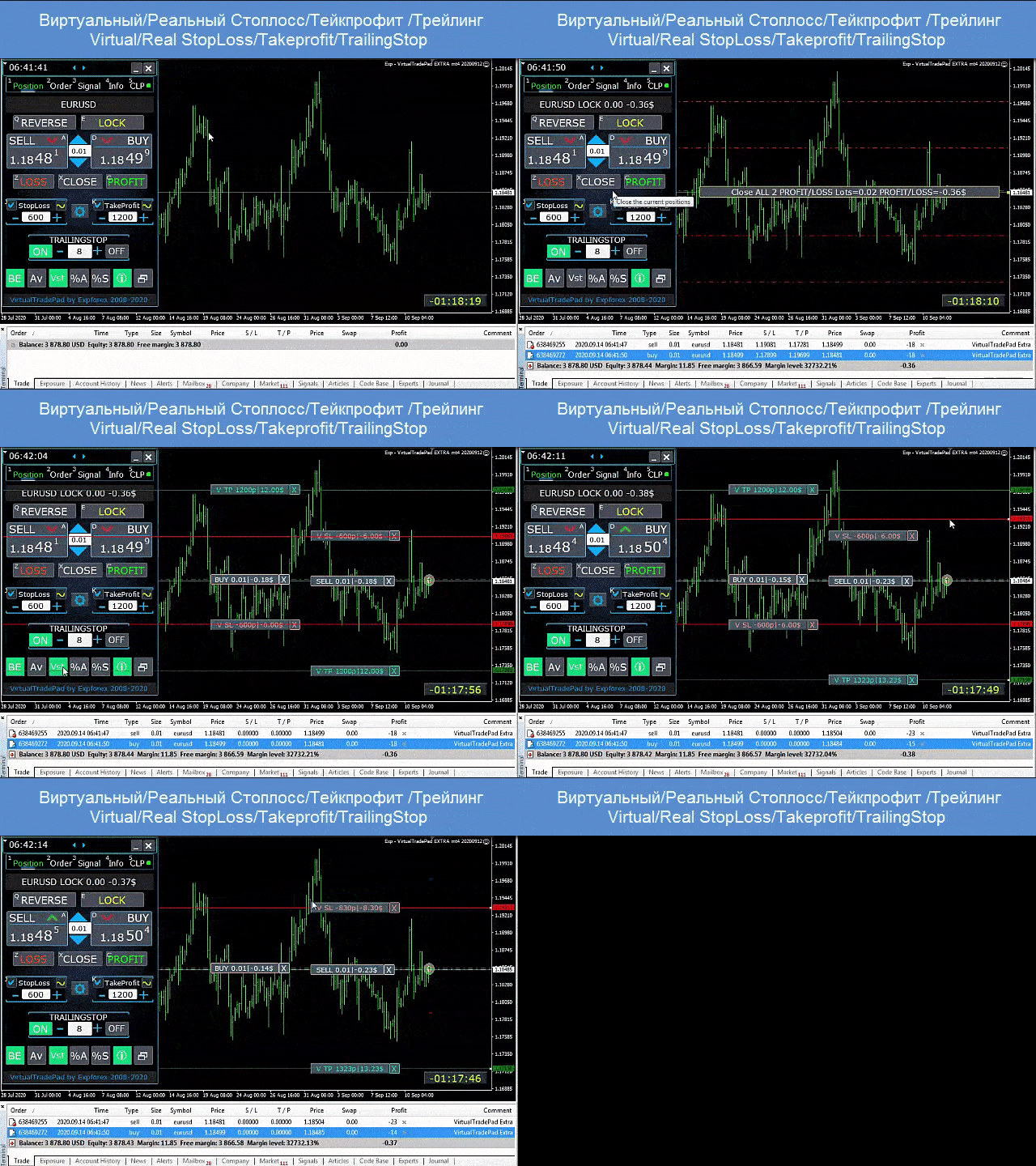
  • リアル / バーチャル Stop Loss と Take Profit の切り替え
  • 平均価格からのグローバル Trailing Stop / Breakeven

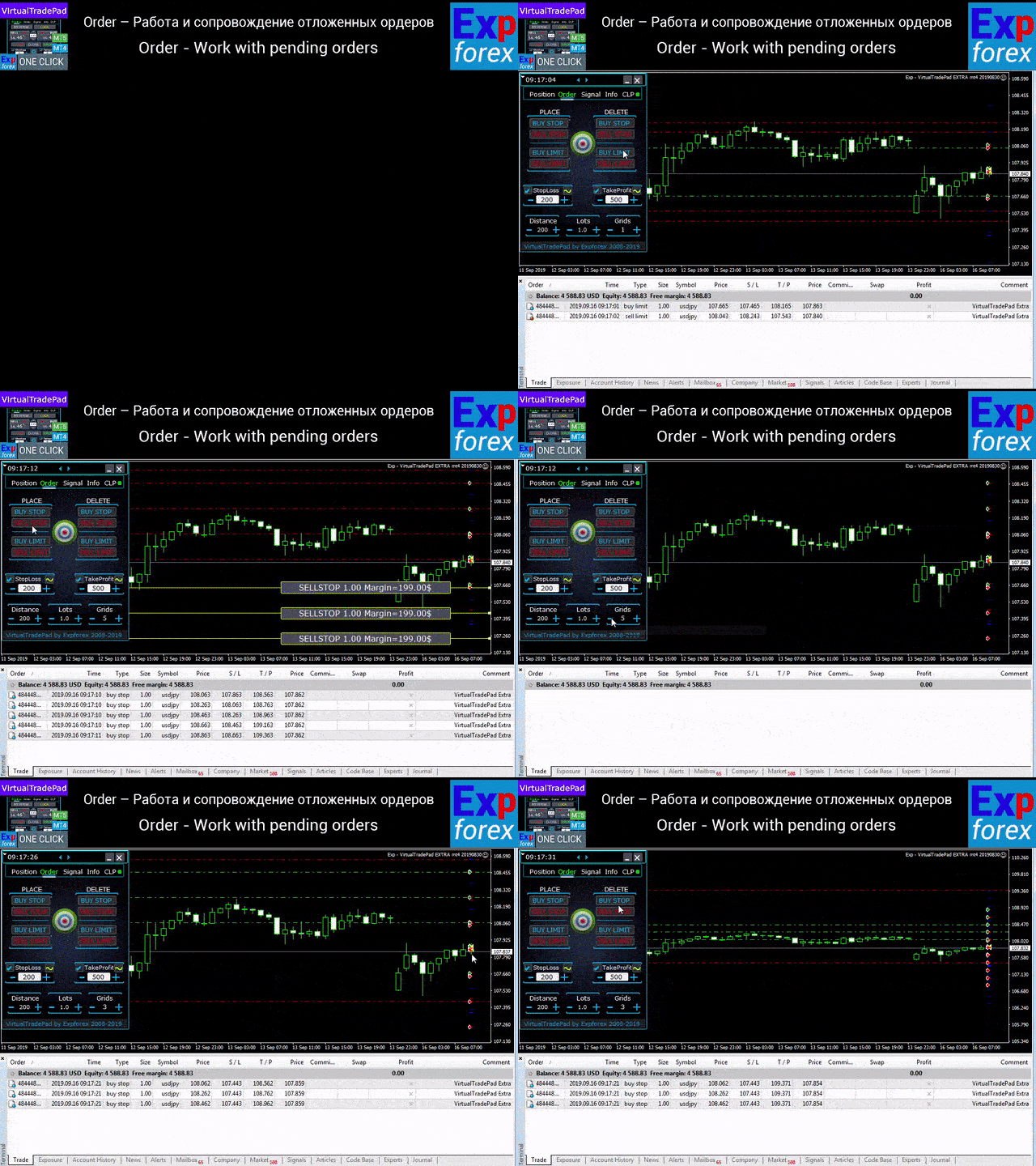
Orders タブ — 未決注文と指値注文の管理

  • Buy Stop、Sell Stop、Buy Limit、Sell Limit の設置と削除
  • ロット増加と距離設定を伴う注文グリッドの構築
  • マウスとラインを使ったチャート上での注文 / ポジション設定
  • 注文シリーズ全体に対する共通 Stop Loss / Take Profit の設定
  • チャートから直接未決注文を修正・削除

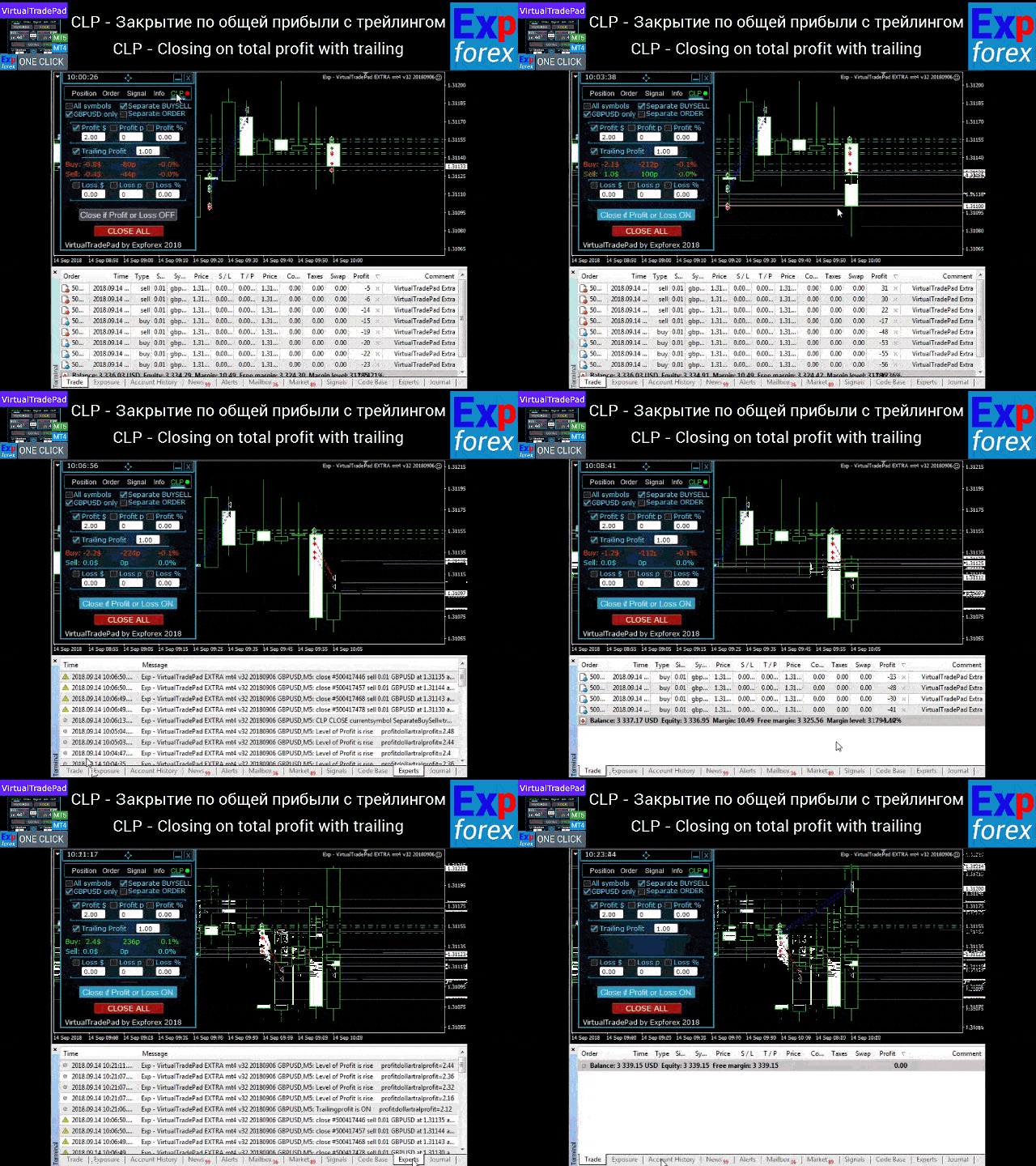
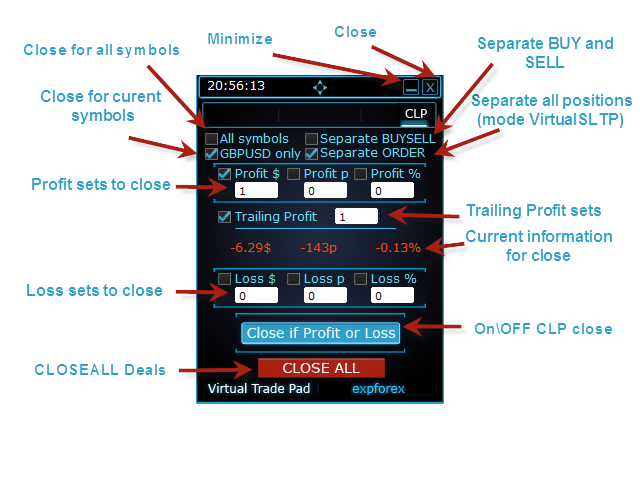
CLP タブ — 総利益または総損失でのクローズ

  • ポイント、ドル、パーセントで総利益 / 総損失に基づくクローズ
  • BUY と SELL を個別にクローズ
  • 個別ポジション / 総ポジションに対してバーチャル Stop Loss / Take Profit を有効化
  • ポイント、ドル、パーセントで総利益に対する Trailing Stop を実行

Signals タブ

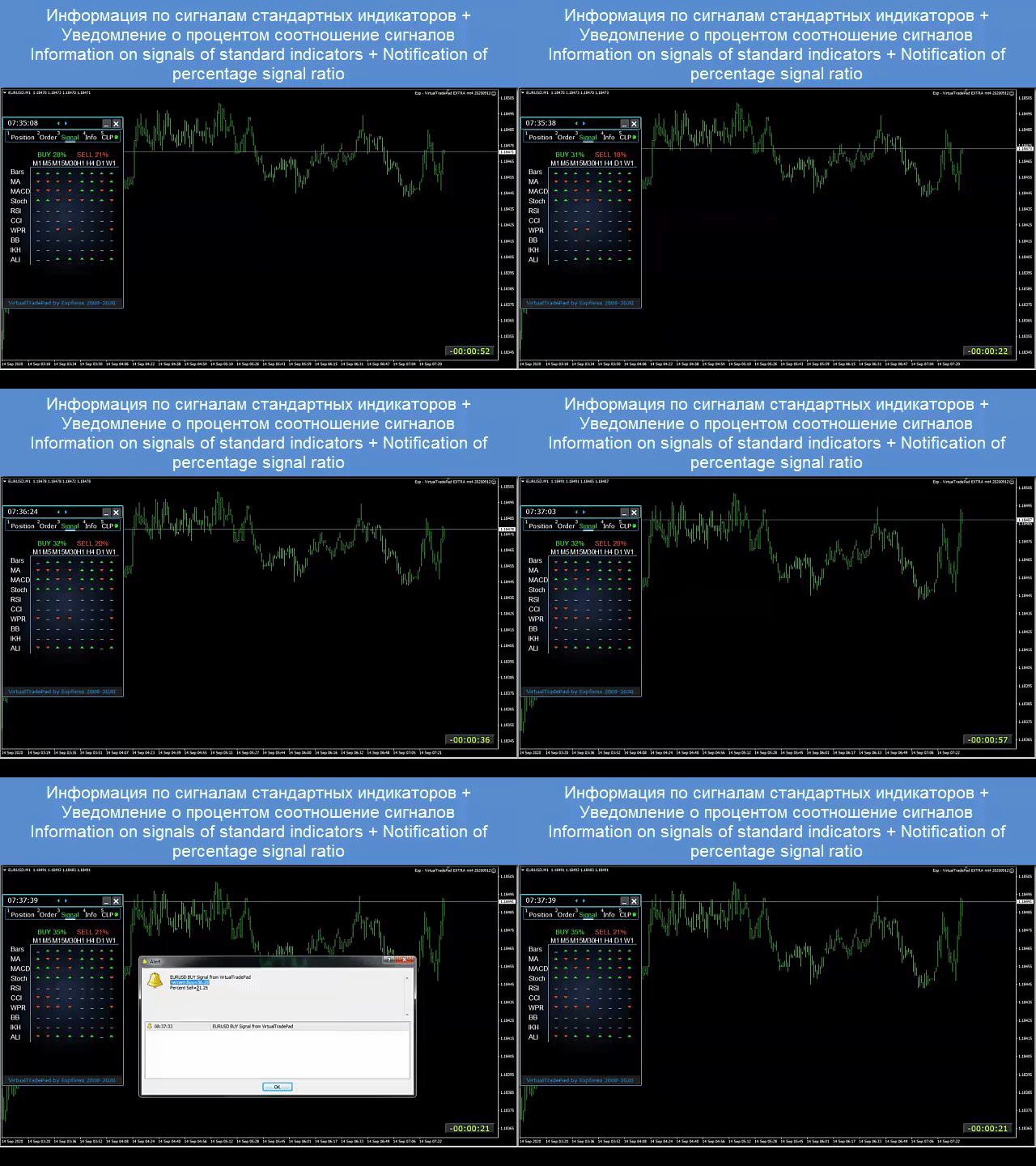
このタブでは、10 個の標準インジケーター8 つの時間足で分析したシグナルを表示し、BUY / SELL 方向の累積シグナル割合も確認できます。さらに、設定した条件を超えた場合には自動でポジションを開くことも可能です。

INFO タブ

選択したシンボルの仕様、現在の Stop Loss と Take Profit の目標、そして今日・昨日・週間・月間の利益情報を表示します。

実際のトレードでのメリット

  • 手動トレードのスピードを大幅に向上
  • 反復的な作業を削減
  • 相場変動への反応を速くする
  • グリッド、ポジション、総利益の管理を強化
  • MetaTrader 内で、よりプロフェッショナルで視覚的なワークフローを構築

このパネルが向いているトレーダー

  • アクティブな manual trader
  • グリッド注文やポジションシリーズを使うトレーダー
  • Stop Loss、Take Profit、Trailing、Breakeven を手動で管理するトレーダー
  • MetaTrader での無駄な作業を減らしたい人
  • 単なるボタン集ではなく、本格的な trading assistant を求める人

このパネルは、あらゆる口座タイプ、あらゆるブローカーで動作します。 インターフェースは軽量で高速、しかも直感的です。その一方で、実践的に強力な機能がしっかり搭載されています。キーボード取引にもチャート取引にも対応しています。

追加のおすすめ

完全自動売買を行いたい場合は、The XCustom をおすすめします。

戦略テスターの使い方を学びたい場合は、無料ユーティリティ TesterPad をご覧ください。

タグ: Expforex, Vladon, Manual Trade, Trade Panel, Panel Trade, Trade Utility, Self Test, Take Profit, Tool Management, Management Tool, Forex Helper, Forex Trade, Training Virtual Trade, Quick Tool, Manual Tester, Manual Backtest, TesterPad, TradePad, Virtual Trade Pad, 手動取引, トレードパネル, トレーディングユーティリティ, トレーダーアシスタント, 利益管理, CLP, Close if Profit or Loss, Trailing Profit, Smart Trailing Stop
レビュー 123
Fredi Sesarianto
139
Fredi Sesarianto 2026.04.07 11:41 
 

i cant trade anymore without virtual tradepad..

edit, ALL 5 stars , quick response on quetion .

Nguyen Tho
94
Nguyen Tho 2026.02.06 11:01 
 

When I change the time frame to view on the chart, the trading history still displays, even though I have turned off this feature on the chart. Please guide me on how to disable it on your software.

Chanon Chaichanachot
299
Chanon Chaichanachot 2025.11.29 07:22 
 

In the "Risk Manager/Prohibit Opening" please consider adding "deny trading during these time" "00:00-15:35, 22:55-24:00" for examples I'm currently using "AutoTrading Scheduler" as a work around. Thank You... Great Tool!

***I'm using autotrade/autoclose by signals(on VPS), so it would prevent EA from opening new trade during certain time while maintaining floating trade.

おすすめのプロダクト
Ultimate Pro Trading Panel — All-In-One Manual & Grid Trading Dashboard Pro Trading Panel   is an all-in-one on-chart control panel that gives discretionary and semi-automated traders a complete toolkit for entries, exits, risk management, and grid trading — without leaving the chart. Every function is visual, draggable, and updates in real time. If you want to test this utility feel free to download the basic preview version of this tool here:  https://www.mql5.com/en/market/product/181435 Who
This tool will perform Trailing stop loss and Break even management for orders. Helps you limit or reduce the time spend watching orders on the screen, especially when you need to go to sleep. Just add this EA to 1 chart, you can manage all pairs. You can filter orders by comment, magic number, symbol and order ticket number. When Breakeven it can add shift/offset pips (to cover the commission...). You can try in strategy tester before purchase. The EA will add Buy and Sell alternately, so you
Expert TP SL v04 - Professional Trading Assistant with AI Motivation System Advanced manual trading tool with automatic risk management, overtrading protection, and intelligent psychological support for disciplined trading. PRODUCT OVERVIEW Expert TP SL v04 is a comprehensive trading assistant designed for manual traders who want to maintain emotional discipline while automating risk calculations. This isn't just another order placement tool - it's a complete trading psychology system that pr
Bastion is a monitor-and-close-only risk manager for prop-firm traders. It watches your account against your firm's daily-loss and maximum-drawdown limits in real time and force-closes your open positions BEFORE you cross a line. It never opens a trade of its own, so it stays fully within the tools allowed by FTMO, FundedNext, The5ers, FTUK and FXIFY. Why traders fail challenges A large share of failed evaluations end on a single daily-loss breach: a moment of inattention, a news spike, one tra
DDKiller Pro
Njaratahiry Michael Randrianiaina
Stop Blowing Your Account. Once and For All. DDKiller Pro is the MT5 risk guardian that runs silently on your chart and shuts down trading the moment you hit a limit — whether you're grinding a prop firm challenge or managing your own CFD account. The problem every trader knows: You set your rules. You break them anyway. One revenge trade. One overleveraged position. One session that erases a month of gains. DDKiller Pro removes that decision from your hands entirely. What it does: The second yo

Exp5 Duplicator
Vladislav Andruschenko
4.78 (9)
Duplicator for MetaTrader 5 — 1つの端末内で動作するプロフェッショナルなポジション複製システム MetaTrader 5 ですでに開かれているポジションを自動で複製し、総ボリュームを拡張し、独自のロット設定を適用しながら、複製ポジションを明確なルールで管理したいトレーダーのための信頼性の高い Expert Advisor です。 手動売買、アルゴリズム売買、そして既存ポジションをより柔軟に管理したい場面に適した実用的なツールです。 Duplicator for MT5 は独自の売買戦略で新規ポジションを開くものではありません。役割は、MetaTrader 5 口座内にすでに存在しているポジションを監視し、指定した条件に従ってその複製を作成することです。複製回数、ロットサイズ、Stop Loss、Take Profit、コメント、追加の管理条件まで細かく設定できます。 異なるプラットフォーム間のコピーではなく、 同じ MetaTrader 5 端末内で ポジションを正確に複製したい場合、この MT5 版 Duplicator はその目的のために作られていま
SLTPSetter
Raphael Djangmah Osro Agbo
SLTPSetter - StopLoss Take Profit Setter HOW DOES IT WORK? Risk and account management is a very critical aspect of trading. Before entering a position, you must be fully aware how much you will be willing to loss both in percentage and value. This is where SLTPSetter gets you covered.  All you need to do is attach the indicator on the chart and PRESS BUY OR SELL automatically, all parameters needed for placing the trades will be provided at the top left corner of the screen. Feel free to adjust
The Ultimate All-In-One Trade Manager & Prop Firm Guardian for MT5. Nexus Pro Trade Manager is the most advanced, all-in-one trading assistant designed for both manual traders and Prop Firm challengers. Featuring a stunning, lag-free UI (Dark/Light mode), it completely transforms your MT5 into a professional trading terminal. Whether you are trading a personal account or trying to pass evaluations for FTMO, FundedNext, or other prop firms, Nexus Pro protects your capital, automates your risk cal
Auto SLTP Maker MT5  is an assistant for all those who forget to set StopLoss and/or TakeProfit in deal parameters, or trade on a very fast market and fail to place them in time. This tool automatically tracks trades without StopLoss and/or TakeProfit and checks what level should be set in accordance with the settings. The tool works both with market and pending orders. The type of orders to work with can be set in the parameters. It can track either trades for the instrument it runs on, or all
Overview Mirror Signals Service EA (Text only)   is a powerful monitoring Expert Advisor that automatically sends   real-time Telegram notifications   for all important trade events on your MetaTrader 5 account. It is engineered specifically for   signal providers ,   trade-copier operators ,   auditors ,   educators , and   professional trading services   that require immediate, detailed, and reliable reporting. Everything from   entries, exits, SL/TP changes, comment changes, trailing sto
Trading tool combining a sophisticated equity stop-loss, dynamic take-profit management (Breakeven & Trailing), and symbol-group-based closing logic. It is a complete risk management and trade supervision tool. Features: All features of `Equity Master Stop v1` (floating profit/loss limits, exit protection, skip hours). Take-Profit Override: Can force a TP on any order to lock in a `MAX_FLOATING_PROFIT`. Step Breakeven: Locks in increasing amounts of profit as a trade moves favorably (e.g., aft
TradePilotmt5
Hossein Khalil Alishir
TradePilot Expert Advisor (EA) for MetaTrader 5 TradePilot is a professional and user-friendly Expert Advisor (EA) for MetaTrader 5 (MT5) . It simplifies automated trading , risk management , and trade execution with a smart trading panel . Perfect for beginners and experienced traders looking for a reliable trade manager EA with automated lot size calculation and smart position management. Key Advantages User-Friendly Trading Panel: Customizable panel with buttons and hotkeys for fast ex
Capital Management EA – Smart Risk Management & Profit Optimization for MT5 Take control of your trading capital with smart, automated strategies — fully optimized for MetaTrader 5 (MT5). Looking to protect your capital and maximize profits through automated money management strategies ? Capital Management EA is the all-in-one Expert Advisor for MetaTrader 5 (MT5) that helps you trade smarter, not harder. Core Features: 5-in-1 Capital Management Strategies – Built-in versatility Gr
Easy Trade Executor は、MT5向けの高速なポジションサイズ計算、注文執行、およびトレード管理ツールです。 Open Price、Stop Loss、Take Profit レベルをチャート上に直接配置し、自動的にポジションサイズを計算して、数回のクリックだけでリスクを管理しながら取引を開始できます。 なぜ Easy Trade Executor を選ぶのか? Easy Trade Executor は、単にリスク計算を行うだけでなく、チャート上で迅速かつ効率的に取引を管理したいトレーダーのために開発されました。 このツールは、ポジションサイズ計算、注文執行、トレード管理を1つのワークフローに統合し、手動計算やターミナルの複数ウィンドウを頻繁に切り替えることなく、トレードそのものに集中できるようにします。 Easy Trade Executor の主な機能: リスクに基づく自動ポジションサイズ計算; チャート上から直接 Market Order と Pending Order を発注; 自動的なポジション管理のための Trailing Stop; ワンクリックでの決
Tool Auto Modify SLTP – Protect Your Trades, Optimize Your Strategy In trading, risk is always present. Just one forgotten SL/TP can turn a promising trade into a loss. Even experienced traders occasionally make mistakes. That’s why Tool Auto Modify SLTP was created – to keep you protected and let you focus on your strategy. Key Features: Manage Orders for All Symbols: Monitor and adjust SL/TP for all your trading pairs. Three Flexible Risk Modes: Point-Based: Set fixed SL/TP distances. Account
HedgeSafe Trade Assistant リスク管理を重視した MetaTrader 5 用の裁量取引パネルです。 HedgeSafe は、BUY または SELL を押す前に、チャート上で取引の準備、検証、管理を行うためのツールです。 HedgeSafe はシグナル配信、相場予測、AI ボット、自動売買戦略ではありません。取引方向を決定せず、利益を保証しません。すべての取引判断はトレーダー自身が行います。 主な機能 口座残高の割合、または口座通貨の固定金額からロットを計算。 Stop Loss をポイントまたは価格で、Take Profit をポイント、価格、R 倍率で設定。 金額リスク、想定リターン、ロット、リスクリワード比を事前表示。 Entry、Stop Loss、Take Profit のチャートラインをパネルと同期。 BUY と SELL を個別に判定し、執行直前に方向別の最終検証を実行。 最小/最大数量、数量ステップ、tick size、tick value、stops level、freeze level を確認。 市場の利用可否、銘柄の取引モード、スプレッド

Pattern Recognition EA - From Learn to Earn. The market repeats itself. This EA finds every past repeat of the current candle sequence - and lets history vote the direction. ONE SHAPE. EVERY REPEAT IN HISTORY VOTES. The last N candles on your signal timeframe form a shape. The EA scans the history you choose - a fixed number of bars or everything your broker provides - for the SAME shape, and checks what happened next, every single time. Only when enough repeats exist AND a clear majority of t
Trading Utility for Forex Currency Pairs Only not for Gold  Functions Auto Lot Calculation based on Risk Auto stoploss  Auto TakeProfit Breakeven Auto Close Half % Close in percentage with respect to the PIPs Pending Orders BuyLimit Sell Limit with distances BuyStop Sell Stop    with distances Trading Informations Risk in percentage For Multiple trades Combine Takeprofit and Combine Stoplosses
Noize Absorption Index - is the manual trading system that measures the difference of pressure between bears forces and bulls forces. Green line - is a noize free index that showing curent situation. Zero value of index shows totally choppy/flat market.Values above zero level shows how powerfull bullish wave is and values below zero measures bearish forces.Up arrow appears on bearish market when it's ready to reverse, dn arrow appears on weak bullish market, as a result of reverse expectation.
This EA is there to take your trade closing stress away. Quickly close as many trades as you have opened at the click of a button, INCLUDING PENDING ORDERS. This works on the MT5 platform whether it be currencies, Indices, stocks or Deriv synthetic indices. I have saved it under utilities as it is a utility, however, to install this, you have to save the file in you "EA" folder. That is; Go to "File", then "Open Data Folder", "MQL5" and then "Experts". Paste this file there. Restart MT5 and you'
Inverted_Chart_EA Utility Expert Advisor Inverted_Chart_EA creates and maintains a mirror-inverted chart of any symbol and timeframe. It automatically generates a custom instrument (e.g. US30_INV ) and keeps its price history updated in real time, with bars mirrored around a chosen pivot. This utility gives traders a new way to analyze the market from a different perspective by flipping the chart upside down. Why use an inverted chart? Highlight hidden patterns – price formations that look ordin
King ElChart Manual Trade Panel
Mohammed Maher Al-sayed Mohammed Ahmed Saleh
King Chart – Manual Trading Panel for MetaTrader 5 Overview King Chart is a simple yet powerful manual trading panel built for traders who want speed, precision, and clarity. It enables quick order execution, clear lot control, and real-time account monitoring  all directly on your MT5 chart. Main Features Multi-Lot Trade Execution 3 Buy and 3 Sell buttons for instant execution Each button is tied to a custom lot size field Designed for flexible scaling in or out of trades Position Management D
CYGNIX RISK GLADIATOR — Professional Trade Manager & Risk Guardian for MT5 Guard every position. Manage every trade. Sleep at night. Cygnix Risk Gladiator is a professional-grade position management Expert Advisor that watches every open trade on your account and automatically applies institutional-level risk controls in real time. It does not generate signals — it protects, manages, and exits trades opened by you, your strategies, or any other EA. Built for IC Markets and fully compatible w
More stable MetaTrader 4 version is available here:  Lot Calculator Tool . This tool helps you to automatically calculate and manage risk, conveniently place orders visually, schedule orders, trail stops, move them to break-even and more. Features Place market or pending orders using draggable lines Schedule orders Calculate and limit risk using various methods See current spread See time till next candle Set custom order comments Trail stops Move stops to break-even See order profit/loss in p
Compacted conversationBneu Prop Firm Pass System v2.25 — Prop Firm Risk Management Utility for MetaTrader 5 Bneu Prop Firm Pass System is a professional on-chart risk management utility for MetaTrader 5. It is designed to help traders monitor prop firm challenge rules, funded-account restrictions, account risk, news exposure, pending orders, session restrictions, and trade management from one clean dashboard. The system includes a 5-tab premium dashboard, prop firm rule presets, custom rule c
RRtoolbox - Professional Tools: Risk:Reward Trading Tool (SL/TP Horizontals + Pending orders + Diagonals), Alerts set on trend lines (for alerts on diagonal levels), SelfManagement (BE, partials...), close/cancelling by time, Statistics, Info and trading on chart. One-Click Trading with Visual Risk:Reward Management RRtoolbox is a comprehensive trading panel that combines one-click order execution,  statistics and  powerful visual Risk:Reward tools, alerts set with trendlines, on chart butt
LotCalculatorPro
Reynaldo Jr Audencial Pascual
LotCalculatorPro + Smart Trading Panel LotCalculatorPro は、リスク管理、ロットサイズ計算、そしてチャート上でのトレード実行を簡単にするために設計された、強力なオールインワントレーディングアシスタントです。 このツールは、トレーダーがリスクを管理し、正確なロットサイズを計算し、さらに ブレークイーブン(Break-Even)、部分決済、日次利益/損失保護 などのスマート機能によって取引を自動管理するのに役立ちます。 Forexトレーダー、プロップファームトレーダー、リスク管理を重視するトレーダー に最適で、 MetaTrader 5 上でクリーンで効率的なトレーディング環境を提供します。 デフォルト設定: 1日の利益目標: 初期残高の2% 1日の最大損失: 初期残高の1% 主な機能 ロットサイズ計算機 LotCalculatorPro は以下の情報に基づいて 適切なロットサイズを自動計算 します: エントリー価格 ストップロス リスク金額(USD) これにより すべての取引で一貫したリスク管理 が可能になります。 チャート上での
You can change the time period of the chart at the touch of a button. You can also change multiple charts at the touch of a button. You can also change multiple charts at the touch of a button,   saving you the trouble of changing time periods. We are live-streaming the actual operation of the system. Please check for yourself if it is usable. Please check it out for yourself. https://www.youtube.com/@ganesha_forex We do not guarantee your investment results. Investments should be made at you
Timeframe Trading Limiter
AL MOOSAWI ABDULLAH JAFFER BAQER
Timeframe Trading Limiter is a professional risk management and trade discipline utility designed for MetaTrader 5. It empowers traders to enforce strict, automated limits on the number of trades and the maximum allowable drawdown within each trading period, based directly on the chart timeframe selected. Whether you are a discretionary trader prone to overtrading, a prop firm challenge participant needing to adhere to strict rules, or an algorithmic trader running multiple strategies, this tool
One Click Trading – Auto TP SL Developer TraderLinkz Version 1.00 Category Utility What it does Adds missing TP and SL to your manual trades and pending orders Sets them once per ticket Lets you move TP and SL afterward Works on hedging and netting accounts Scans on every tick and reacts on trade events Why you want it You place faster entries You get consistent risk and exit targets You reduce fat finger errors You keep full manual control Quick start Attach the EA to any chart Keep TP and SL e
FREE
このプロダクトを購入した人は以下も購入しています
Trade Assistant MT5
Evgeniy Kravchenko
4.43 (214)
取引 ごとのリスクの 計算、新規注文 の 簡単 な 設置、部分的 な 決済機能 を 持 つ 注文管理、 7 種類 のトレーリングストップなど 、便利 な 機能 を 備 えています 。 追加の資料と説明書 インストール手順   -   アプリケーションの手順   -   デモアカウント用アプリケーションの試用版 ライン機能 チャート上にオープニングライン、ストップロス、テイクプロフィットを表示します。この機能により、新規注文を簡単に設定することができ、注文を出す前にその特徴を確認することができます。   リスク計算 リスク計算機能は、設定されたリスクとストップロス注文のサイズを考慮して、新規注文のボリュームを計算します。ストップロスの大きさを自由に設定できると同時に、設定したリスクを守ることができます。 Lot calc ボタン - リスク 計算 を 有効 / 無効 にします 。 Risk フィールドでは 、必要 なリスクの 値 を 0 から 100 までのパーセンテージまたは 預金通貨 で 設定 します 。 設定」 タブで 、 リスク 計算 の 種類 を 選択 します :「 $ 通
Trade Manager EAへようこそ。これは、取引をより直感的、正確、そして効率的にするために設計された究極の リスク管理ツール です。これは単なるオーダー実行ツールではなく、包括的な取引計画、ポジション管理、リスク管理のためのソリューションです。初心者から上級者、迅速な実行を必要とするスキャルパーまで、Trade Manager EAはあらゆるニーズに対応し、為替、指数、商品、暗号通貨などさまざまな市場で柔軟に対応します。 Trade Manager EAを使用すると、複雑な計算が過去のものになります。市場を分析し、エントリーポイント、ストップロス、テイクプロフィットのレベルをチャート上のラインでマークし、リスクを設定するだけで、Trade Managerが最適なポジションサイズを即座に計算し、SLとTPをピップ、ポイント、口座通貨でリアルタイムに表示します。すべての取引が簡単かつ効果的に管理されます。 主な機能: ポジションサイズ計算機 :定義されたリスクに基づいて取引サイズを瞬時に決定します。 簡単な取引計画 :エントリー、ストップロス、テイクプロフィットを設定するためのド
Local Trade Copier EA MT5
Juvenille Emperor Limited
4.96 (142)
Local Trade Copier EA MT5 による、驚くほど高速な取引コピーを体験してください。1分で簡単にセットアップできるこの取引コピー機は、同じWindowsコンピュータまたはWindows VPS上の複数のMetaTrader端末間で取引をコピーすることができ、0.5秒未満の高速コピースピードを実現します。 初心者であろうとプロのトレーダーであろうと、 Local Trade Copier EA MT5 には、あなたの特定のニーズに合わせてカスタマイズするための幅広いオプションが用意されています。これは、利益の可能性を高めたい人にとって究極のソリューションです。 今すぐ試してみて、これが市場で最も速くて簡単なトレードコピー機である理由を理解してください。 ヒント: デモアカウントで Local Trade Copier EA MT5 デモバージョンをダウンロードして試すことができます: ここ ダウンロードした無料のデモ ファイルを MT5 >> ファイル >> データ フォルダを開く >> MQL5 >> Experts フォルダに貼り付けて、ターミナルを再起動しま
TradePanel MT5
Alfiya Fazylova
4.88 (162)
Trade Panelは多機能なトレーディングアシスタントです。アプリには手動取引用の50以上のトレーディング機能が搭載されており、ほとんどの取引作業を自動化することができます。 購入前に、デモアカウントでアプリのデモ版をテストすることができます。デモアカウント用のアプリの試用版をダウンロードするには、次のリンクをご利用ください: https://www.mql5.com/en/blogs/post/750865 。 完全な手順 こちら 。 取引。 ワンクリックで取引操作を行うことができます: リスクを自動計算して指値注文やポジションを開く。 複数の注文やポジションをワンクリックで開く。 注文のグリッドを開く。 保留中の注文やポジションをグループごとに閉じる。 ポジションの方向を反転(Buyを閉じてSellを開く、またはSellを閉じてBuyを開く)。 ポジションをブロックする(不足している量のポジションを開くことでBuyとSellのポジション量を等しくする)。 すべてのポジションを部分的にワンクリックで閉じる。 すべてのポジションの利食い(Take Profit)および損切り(Sto
ベータリリース Telegram to MT5 Signal Trader はまもなく正式なアルファ版をリリースします。いくつかの機能はまだ開発中で、小さな不具合に遭遇する可能性があります。問題が発生した場合はぜひご報告ください。皆さまのフィードバックがソフトウェア改善に役立ちます。 Telegram to MT5 Signal Trader は、 Telegram のチャンネルやグループからの取引シグナルを自動的に MetaTrader 5 にコピーする強力なツールです。 パブリックおよびプライベートの両方のチャネルに対応し、複数のシグナル提供元を複数のMT5口座に接続可能です。ソフトウェアは高速で安定し、すべての取引を細かく制御できます。 インターフェースは直感的で、ダッシュボードとチャートは見やすく設計されており、リアルタイムで動作状況をモニターできます。 必要環境 MQL の制限により、EA は Telegram と通信するためのデスクトップアプリが必要です。 インストーラーは公式の インストールガイド にあります。 主な機能 マルチプロバイダー: 複数の Telegram
Farmed Hedge Yield Farming | All Markets (Manual - Hybrid - Semi/Automated EA) MULTI-ASSET SUPPORT Trade any asset available on your broker - Forex: Major, Minor, Exotic pairs - Crypto: BTC, ETH, XRP, SOL, BNB - Stocks: Apple, Tesla, Amazon, Google, etc. - Commodities: Gold, Silver, Oil, Gas - Indices: US30, NAS100, SPX500, DAX40 - Any CFD your broker offers VERIFIED TRADING RESULTS - Farmed Hedge Yield Axi Copy:  https://www.mql5.com/en/signals/2356376 - Farmed Hedge Yield Exn Copy:   https:/
Telegram to MT5 Multi-Channel Copier は、Telegram チャンネルのトレードシグナルを MetaTrader 5 に自動的に直接コピーします。ボットも、ブラウザ拡張機能も、手動コピーも不要。Telegram でシグナルを受信すると、EA が数秒でターミナル上でトレードをオープンします。 本製品は 2 つのコンポーネントで構成されています:Telegram チャンネルを監視する Windows アプリケーションと、MT5 ターミナルでシグナルを実行するこの Expert Advisor です。MT4 版も利用可能です。 セットアップガイドとアプリケーションのダウンロード: https://www.mql5.com/en/blogs/post/768988 動作原理 Windows アプリケーションは、ボットではなくあなた自身の API 認証情報を使用して Telegram に接続します。つまり、プライベートおよび VIP チャンネルを含む、購読しているあらゆるチャンネル、グループ、トピックを読み取ることができます。シグナルを検出すると、それを解析し
Power Candles Strategy Scanner - 自動最適化型マルチシンボル設定ファインダー パワーキャンドル・ストラテジー・スキャナーは 、パワーキャンドル・インジケーターを駆動するのと全く同じ自己最適化エンジンを、マーケットウォッチに登録されているすべての銘柄に対して並行して実行します。1つのパネルで、現在統計的に取引可能な銘柄、各銘柄で勝率の高い戦略、最適なストップロス/テイクプロフィットの組み合わせが表示され、新たなシグナルが発生した瞬間に通知が届きます。 このツールは、Stein Investmentsのエコシステムの一部です。  18種類以上のツールをすべて閲覧し、AIを活用したセットアップの推奨を受け取り、  https://stein.investments でコミュニティに参加しましょう 市場動向を網羅。銘柄ごとに3,000件以上の自動最適化。2種類のアラート。ワンクリックでチャートを切り替えて即座にアクション。 なぜこれが必要なのか 多くのマルチ銘柄スキャナーは、 価格の動き (ボラティリティ、変動率、銘柄ごとのRSI)を表示するだけです。それ
Anchor: The EA Manager Run your full EA portfolio without conflicts, without stacked risk, and without watching every chart yourself. Anchor coordinates up to 64 Expert Advisors on a single account, including daily loss protection built for prop firm rules. Attach Anchor to any chart. Type your EA names and magic numbers in one line. Click OK. Anchor begins coordinating immediately. Built for portfolios. Built for prop firms. Built for discipline. The Problem Running multiple EAs on the same acc
================================================================================ POC BREAKOUT - V20.72. Full Professional Grade Toolkit ================================================================================ POC Breakout is a full MetaTrader 5 trading dashboard for discretionary traders who want breakout signals, Point of Control (POC) context, volume profiles, order flow, market structure, news, alerts, and advanced trade planning in one professional workspace. Attached directly to you
The product will copy all telegram signal to MT5 ( which you are member) , also it can work as remote copier.  Easy to set up, copy order instant, can work with almost signal formats, image signal,  s upport to translate other language to English Work with all type of channel or group, even channel have "Restrict Saving Content", work with  multi channel, multi MT5 Work as remote copier: with signal have ticket number, it will copy exactly via ticket number. Support to backtest signal. How to s
Seconds Chart - MetaTrader 5で秒足チャートを作成するユニークなツールです。 Seconds Chart を使用すると、秒単位のタイムフレームでチャートを構築でき、標準的な分足や時間足チャートでは得られない柔軟性と分析精度を実現します。例えば、 S15 は15秒足を表します。カスタムシンボルをサポートしているインジケーターやEAをすべて使用できます。標準的なチャートと同様に便利に操作できます。 標準的なツールとは異なり、 Seconds Chart は超短期のタイムフレームでも高い精度と遅延なく作業できるように設計されています。 Free Demo: Seconds Chart v2.29 Demo.ex5 無料デモをダウンロードしてご自身でお確かめください: 完全機能版 - すべての機能が利用可能 24時間テスト - 精度と利便性を評価するのに十分な時間 デモ口座のみ - ほとんどのブローカーで簡単に開設可能 GBPCADチャートのみ - ほとんどの端末で利用可能 これらの制限はデモ版のみに適用されます。製品版は、あらゆる口座タイプ(リアル、デモ、コンテス
Quant AI Agents are independent trading Expert Advisors. Instead of trading using a fixed strategy like other conventional EAs, Quant AI Agents   is a   multi-agent AI trading framework   that turns natural-language strategy prompts into live.  WANT THE SAME RESULTS AS MY LIVE SIGNAL?   Use the exact same brokers I do:   IC MARKETS , IC TRADING   .  Unlike the centralized stock market, Forex has no single, unified price feed.  Every broker sources liquidity from different providers, creating un
Premium Trade Manager - コーチ内蔵型トレードパネル Premium Trade Manager は、AIトレーディングコーチをあなたのチャートの中に置き、その下に完全な執行エンジンを備えたツールです。いつも通りにトレードをセットアップし、あなた専任のAIトレーディングコーチ Max にそのセットアップをそのまま読み取らせて、発注前に率直な見解を伝えてもらいましょう。ストップの幅が規律あるアプローチに合っているか、リスクサイズは適切か、高影響のニュースイベントが数分後に迫っていないか、プロップファームの制限に近づいていないか。その下には、クリックの後をすべて処理するエンジンが備わっています。ワンクリックのリスクサイズ計算による発注、チャート上でドラッグして組み立て、発注後も動かせるプラン、最大4段階の分割利確、7種類のトレール方式、リアルタイムのプロップファームコンプライアンス、ニュースガード、そしてコストを自ら採点するスプレッド機能。判断はあなたが下す。Max がもう一度確認する。後のことはすべてパネルが担う。 購入前に実際に触れて試せます。 ブラウザ上でライブ
Footprint Chart Pro — Professional OrderFlow EA for MetaTrader 5 Version 6.34 | Professional tool for real traders | Institutional-Grade Visualization DEMO USERS - PLEASE SELECT EVERY TICK / REAL TICK WHEN TESTING AND YOU HAVE DOWNLOADED HISTORICAL DATA. IF YOU SEE A WAITING SCREEN AND IT IS NOT DOWNLOADING, IT MEANS YOU HAVE LOW HISTORICAL DATA. TRY 1 MIN AND 5 MIN FIRST ON 1 DAY DATA. ONE DAY DATA SHOULD BE THE NEWEST AND MOST CURRENT DATE. PLEASE WAIT UNTIL THE MARKET HAS ROLLED OVER PERIOD.
EASY Insight AIO – スマートで手間いらずな取引のオールインワンソリューション 概要 数秒で市場全体——FX、ゴールド、暗号資産、指数、さらには株式まで——を、手作業のチャート確認や複雑なセットアップ・インジケーター導入なしにスキャンできたらどうでしょうか? EASY Insight AIO はAIトレードのための究極のプラグ&プレイ型エクスポートツールです。市場全体のスナップショットを、クリーンなCSVファイルで一括出力。ChatGPT、Claude、Gemini、Perplexityなど、さまざまなAIプラットフォームで即座に解析できます。 ウィンドウの切り替えやグラフのごちゃごちゃしたオーバーレイはもう不要。自動エクスポートされる純粋で構造化されたインサイトだけで、無駄なチャート監視に悩まされず、スマートなデータ主導の判断に集中できます。 なぜEASY Insight AIOなのか? 本当のオールインワン • セットアップ不要、インジケーターのインストール不要、チャートへのオーバーレイ不要。インストールして起動し、エクスポートするだけです。 マルチアセット対
動作デモ版ダウンロード Copy Cat More (コピーキャット・モア) MT5 トレードコピー (Trade Copier) は、ローカルのトレードコピーであり、今日のトレード課題のために設計された完全なリスク管理・執行フレームワークです。プロップファーム (prop firm) のチャレンジから個人のポートフォリオ管理まで、堅牢な執行、資金保護、柔軟な設定、高度なトレード処理の組み合わせによって、あらゆる状況に適応します。 このコピーは、マスター (Master、送信側) とスレーブ (Slave、受信側) の両モードで動作し、成行注文・指値注文、トレードの変更、部分決済、両建て決済 (Close By) 操作をリアルタイムで同期します。デモ口座と実口座、トレード用ログインと投資家ログインの両方に対応し、永続的トレードメモリ (Persistent Trade Memory) システムにより、EA・端末・VPS が再起動しても復旧を保証します。一意の ID により複数のマスターとスレーブを同時に管理でき、ブローカー間の差異は接頭辞/接尾辞の調整やカスタムシンボルマッピングに
Trade Dashboard simplifies how you open, manage, and control your trades, with built-in lot size calculation. It allows you to execute trades, manage risk, and control positions directly on the chart, with tools such as partial close, breakeven, and trailing stop. Designed to reduce manual work and help you stay focused on your trading decisions. A demo version is available for testing. Detailed explanations of features are provided within the MQL5 platform. Installation instructions are include
EA Auditor
Stephen J Martret
5 (4)
EA Auditor is an independent analysis tool for traders evaluating Expert Advisors and trading signals on MetaTrader 5. It audits backtest reports, reviews posted developer signals, and cross-verifies the two against each other to help traders assess strategies before committing capital. The MQL5 market offers a wide range of Expert Advisors from many developers, with varying approaches, quality, and transparency. EA Auditor provides a consistent, data-driven framework for reviewing them, answer
LIMITED SUMMER SALE -40% ! ONLY $470 insead of $790!  Maximum real discount! The core idea: using the user interface, you configure the parameters the chart must meet before entering a position (or positions), choose which entry models to use, and set the rules for when trading and planning should end. Lazy Trader  handles the rest: it  takes over all the routine chart watching and execution! full description  :: 3 key videos [1] ->  [2]   ->  [3] What can it do? - Understands Larry Williams
Trader Evolution
Siarhei Vashchylka
5 (7)
" Trader Evolution " - A utility designed for traders who use wave and technical analysis in their work. One tab of the utility is capable of money management and opening orders, and the other can help in making Elliott wave and technical analysis. Manual (Be sure to read before purchasing) | Version for MT4 Advantages 1. Trading in a few clicks. Immediate and pending orders are available in the panel 2. Money management. The program automatically selects the appropriate lot size 3. Simplifies
EA Performance Tracker (AESTracker) A clean, modern dashboard that shows exactly how your trades and EAs are performing — right on your chart. It reads your full account history automatically and breaks down the numbers by magic number / strategy. Display only — it does not place any trades. What it shows - Account header: live Balance, Equity, and Open (floating) P/L - Profit summary: gross profit, net profit, and the exact commission & swap deducted - Key stats: win rate, profit factor, exp
Trade Manager は、リスクを自動的に計算しながら、取引を迅速に開始および終了するのに役立ちます。 過剰取引、復讐取引、感情的な取引を防止する機能が含まれています。 取引は自動的に管理され、アカウントのパフォーマンス指標はグラフで視覚化できます。 これらの機能により、このパネルはすべてのマニュアル トレーダーにとって理想的なものとなり、MetaTrader 5 プラットフォームの強化に役立ちます。多言語サポート。 MT4バージョン  |  ユーザーガイド + デモ Trade Manager はストラテジー テスターでは機能しません。 デモについてはユーザーガイドをご覧ください。 危機管理 % または $ に基づくリスクの自動調整 固定ロットサイズを使用するか、ボリュームとピップに基づいた自動ロットサイズ計算を使用するオプション RR、Pips、または価格を使用した損益分岐点ストップロス設定トレーリングストップロス設定 目標に達したときにすべての取引を自動的に終了するための 1 日あたりの最大損失 (%)。 過度のドローダウンからアカウントを保護し、オーバートレードを防ぎます
YuClusters
Yury Kulikov
4.93 (43)
Attention: You can view the program operation in the free version  YuClusters DEMO .  YuClusters is a professional market analysis system. The trader has unique opportunities to analyze the flow of orders, trade volumes, price movements using various charts, profiles, indicators, and graphical objects. YuClusters operates on data based on Time&Sales or ticks information, depending on what is available in the quotes of a financial instrument. YuClusters allows you to build graphs by combining da
Timeless Charts
Samuel Manoel De Souza
5 (7)
Timeless Charts is an all-in-one trading utility for professional traders. It combines custom chart types such as Seconds Charts and Renko with advanced order flow analysis using Footprints , Clusters , Volume Profiles , VWAP studies, and anchored analysis tools for deeper market insight. Trading and position management are handled directly from the chart through an integrated trade management panel , while Market Replay and Virtual Accounts provide environments for practicing trading skills and
FUTURES ORDERFLOW FOOTPRINT CHART Professional OrderFlow EA for MetaTrader 5 Version 1.01| Professional tool for real traders | Institutional-Grade Visualization STRATEGY TESTER USERS - PLEASE SELECT EVERY REAL TICK WHEN TESTING AND YOU HAVE DOWNLOADED HISTORICAL DATA. IF YOU SEE A WAITING SCREEN AND IT IS NOT DOWNLOADING, IT MEANS YOU HAVE LOW HISTORICAL DATA. TRY 1 MIN AND 5 MIN FIRST ON 1 DAY DATA. ONE DAY DATA SHOULD BE THE NEWEST AND MOST CURRENT DATE. PLEASE WAIT UNTIL THE MARKET HAS ROL
TelegramからMT5へ: 究極のシグナルコピーソリューション Telegram to MT5 を使えば、取引がシンプルになります。DLL を必要とせず、Telegram のチャンネルやチャットから MetaTrader 5 プラットフォームに取引シグナルを直接コピーできる最新ツールです。この強力なソリューションは、正確なシグナル実行、豊富なカスタマイズオプション、時間の節約、そして効率性の向上を実現します。 [ Instructions and DEMO ] 主な特徴 直接的なTelegram API統合 電話番号とセキュアコードで認証します。 ユーザーフレンドリーな EXE ブリッジを通じてチャット ID を簡単に管理できます。 複数のチャネル/チャットを追加、削除、更新して、同時に信号をコピーします。 高度なフィルターによる信号解析 例外的な単語 (例: 「レポート」、「結果」) を含む不要な信号をスキップします。 柔軟な SL および TP 形式 (価格、ピップ、ポイント) をサポートします。 価格ではなくポイントを指定するシグナルのエントリ ポイントを自動的に計算します。
Auto Trade Copier is designed to copy trades to multiple MT4, MT5 and cTrader accounts/terminals with 100% accuracy. The provider and receiver accounts must be on the same PC/VPS. With this tool, you can copy trades to receiver accounts on the same PC/VPS. All trading actions will be copied from provider to receiver perfectly. This version can be used on MT5 accounts only. For MT4 accounts, you must use Auto Trade Copier (for MT4). Reference: - For MT4 receiver, please download Trade Receiver Fr
あなたがメンバーである任意のチャネルから(プライベートおよび制限されたものを含む)シグナルを直接あなたのMT5にコピーします。  このツールは、トレードを管理し監視するために必要な多くの機能を提供しながら、ユーザーを考慮して設計されています。 この製品は使いやすく、視覚的に魅力的なグラフィカルインターフェースで提供されています。設定をカスタマイズして、数分で製品を使用を開始できます! ユーザーガイド + デモ  | MT4版 | Discord版 デモを試してみたい場合は、ユーザーガイドにアクセスしてください。 Telegram To MT5 受信機は、ストラテジーテスターで動作しません! Telegram To MT5の特徴 複数のチャネルから一度にシグナルをコピー プライベートおよび制限されたチャネルからシグナルをコピー BotトークンまたはChat IDは必要ありません   (必要に応じて使用することができます) リスク%または固定ロットを使用して取引 特定のシンボルを除外 すべてのシグナルをコピーするか、コピーするシグナルをカスタマイズするかを選択 すべてのシグナルを認
作者のその他のプロダクト
Exp COPYLOT CLIENT for MT5
Vladislav Andruschenko
3.94 (34)
MetaTrader 5 用のプロフェッショナル取引コピー機 MetaTrader 向けの高速・高性能・信頼性の高い 取引コピー機 です。 COPYLOT は、MT4 と MT5 のターミナル間で Forex 取引をコピーでき、 Hedge 口座と Netting 口座の両方に対応しています。 COPYLOT MT5 版の対応構成: - MT5 Hedge → MT5 Hedge - MT5 Hedge → MT5 Netting - MT5 Netting → MT5 Hedge - MT5 Netting → MT5 Netting - MT4 → MT5 Hedge - MT4 → MT5 Netting MT4 版 完全な説明 + DEMO + PDF 購入方法 インストール方法 ログファイルの取得方法 テストと最適化の方法 Expforex のすべての製品 MT4 ターミナルへのコピーも可能です(MT4 → MT4、MT5 → MT4): COPYLOT CLIENT for MT4 COPYLOT は、2台、3台、さらには10台のターミナル間で同時に動作できる、プロフェッ
Exp COPYLOT CLIENT for MT4
Vladislav Andruschenko
4.69 (65)
MetaTrader 4向け 高機能トレードコピーソフト MetaTrader 4 用の、高速・安定・高機能なトレードコピーソフトです。 COPYLOT は、 MetaTrader 4 と MetaTrader 5 間でFX取引をコピーでき、さまざまな口座タイプや運用スタイルに合わせて柔軟に同期できます。 COPYLOT MT4版の対応コピー方式: MetaTrader 4 → MetaTrader 4 MetaTrader 5 Hedge → MetaTrader 4 MetaTrader 5 Netting → MetaTrader 4   MT5版 詳細説明 + DEMO + PDF 購入方法 インストール方法 ログファイルの取得方法 テストと最適化の方法 Expforexの全製品 MetaTrader 5版 を使えば、 MetaTrader 5 → MetaTrader 5 および MetaTrader 4 → MetaTrader 5 のコピーにも対応します: COPYLOT CLIENT for MT5 COPYLOT は、2台、3台、さらには10台規模のターミナル環境でも
Exp5 AI Sniper for MT5
Vladislav Andruschenko
2 (3)
AI Sniper for MetaTrader 5 — 精度を追求して設計されたインテリジェントトレーディングロボット AI Sniper は、 MetaTrader 5 のために開発された高性能なインテリジェントトレーディングロボットです。単なる一般的な Expert Advisor では物足りないトレーダーのために設計されました。 高度なマーケットロジック、相場状況に応じた適応力、そして精密なエントリータイミング分析を組み合わせることで、変動の大きい市場において高確率の BUY / SELL チャンスを見極めます。 AI Sniper は、MT5 向けに最適化された自己調整型トレーディングシステムであり、市場をリアルタイムで分析し、相場の変化に反応しながら、スピード・論理性・精度を重視して取引を実行します。 AI Sniper は、単純なエントリールールだけで動く一般的な自動売買ロボットではありません。より深いマーケット評価を基盤とし、テクニカル分析、戦略フィルター、そして価格変動ごとの継続的な内部計算を組み合わせて構築されています。 15年以上にわたるトレーディングとシステム開
Exp TickSniper PRO FULL
Vladislav Andruschenko
3.95 (57)
TickSniper for MetaTrader 5 — 自動パラメータ適応を備えた高速ティックスカルパー 複雑な手動調整なしで、現在の取引銘柄に合わせて自動的にロジックを最適化する完全自動 Expert Advisor です。 TickSniper for MetaTrader 5 は、通貨ペアごとに多数の設定を手動で調整することなく、素早く、賢く、ほぼそのまま運用できるシステムを求めるトレーダーのために設計されています。 この Expert Advisor は、価格配信、ティック到着速度、スプレッドの特性、銘柄仕様を分析し、それに基づいて売買とポジション管理に必要な主要パラメータを自動計算します。これにより、複数の通貨ペアに対して、最小限の手動介入で一つのロジックを運用できます。 TickSniper は単なる一般的なスカルパーではありません。長年にわたる Forex および MetaTrader 向け Expert Advisor 開発経験を基に構築された、成熟した自動売買システムです。 TickSniper for MetaTrader 4 バージョン | 完全説明 + D
Exp5 Swing PRO for MT5
Vladislav Andruschenko
5 (1)
スイング モデル ベースの取引戦略では、ロット数を増やした 2 つの反対の保留注文を出します。市場価格が特定の方向に動くと、一方の注文がトリガーされ、もう一方の注文のロット サイズが増加します。 このアプローチにより、トレーダーはリスクを最小限に抑えながら利益を獲得できるため、外国為替、株式、商品を取引する信頼性の高い方法となります。金融取引におけるこの戦略の使用は、特に不安定な市場において情報に基づいた意思決定を促進する能力があることで広く認識されています。 その有効性は、市場リスクへのエクスポージャーを減らしながら、市場のトレンドを識別してそれを利用する能力に起因しています。そのため、取引パフォーマンスの最適化を求めるトレーダーに人気の選択肢となっています。 ONLY for HEDGING account type EAは3種類の保留注文(TypeofTrade)を提供します。 発注後自動オープン(即時オープンAutoTrade) 手動開設後の開設と管理(手動開設ManualTrade) 高値/安値間の距離によるオープン(過去バーの高値安値TFTrade) OCO   (One-
Exp5 The xCustomEA for MT5
Vladislav Andruschenko
4.27 (11)
The xCustomEA for MetaTrader 5 — カスタムインディケーター対応のユニバーサル Expert Advisor ほぼあらゆるカスタムインディケーターを、自動売買戦略へ変換できます。 The xCustomEA for MetaTrader 5 は、独自インディケーターのシグナルを受け取り、設定したロジックに基づいて自動で売買を実行するためのユニバーサル Expert Advisor です。 インディケーター名、シグナルバッファ、主要パラメータを指定するだけで、EA がその情報を使って自動売買を行います。アイデアごとに毎回新しいロボットを一から作ることなく、柔軟な実行エンジンとして活用できるのが大きな特長です。 The xCustomEA は単なるシグナル受け渡しツールではありません。The X シリーズの強力なトレード基盤と、カスタムインディケーター連携機能を組み合わせることで、エントリー、エグジット、フィルター、保護、ポジション管理までを一つの環境で構築できます。 The xCustomEA for MetaTrader 4 | 完全ガイド + DEMO
Exp5 Duplicator
Vladislav Andruschenko
4.78 (9)
Duplicator for MetaTrader 5 — 1つの端末内で動作するプロフェッショナルなポジション複製システム MetaTrader 5 ですでに開かれているポジションを自動で複製し、総ボリュームを拡張し、独自のロット設定を適用しながら、複製ポジションを明確なルールで管理したいトレーダーのための信頼性の高い Expert Advisor です。 手動売買、アルゴリズム売買、そして既存ポジションをより柔軟に管理したい場面に適した実用的なツールです。 Duplicator for MT5 は独自の売買戦略で新規ポジションを開くものではありません。役割は、MetaTrader 5 口座内にすでに存在しているポジションを監視し、指定した条件に従ってその複製を作成することです。複製回数、ロットサイズ、Stop Loss、Take Profit、コメント、追加の管理条件まで細かく設定できます。 異なるプラットフォーム間のコピーではなく、 同じ MetaTrader 5 端末内で ポジションを正確に複製したい場合、この MT5 版 Duplicator はその目的のために作られていま
SAFETYLOCK for MetaTrader 5 — プレミアム保護ロックとリスク管理システム SAFETYLOCK for MT5 は、MetaTrader 5 向けのプロフェッショナルなユーティリティで、すでに開かれているポジションに対して反対方向の保護用保留注文を自動的に作成します。 トレーダーまたは他の Expert Advisor がポジションを開くと、SAFETYLOCK は指定された距離に保護用の Buy Stop または Sell Stop を配置できます。市場が元のポジションに不利な方向へ動いた場合、この注文が有効化され、制御された safety lock 構造を形成します。 これは単純な hedge でも、無計画なナンピンでもありません。SAFETYLOCK は、オープンポジションの監視、保護注文の有効化、ロット倍率の使用、保護ポジションの管理、そして事前に設定されたルールに基づく次の操作を含む recovery シナリオをあらかじめ準備するためのツールです。 重要: SAFETYLOCK は利益を保証するものではなく、市場リスクをなくすものでもありません。複
VirtualTradePad PRO SE MT5 — MetaTrader 5向けプロフェッショナル取引コントロールセンター VirtualTradePad PRO SE は、 MetaTrader 5 向けのプレミアムなチャートベースの取引パネルであり、トレード管理ワークスペースです。より速い執行、明確なポジション管理、構造化されたトレード管理、視覚的なレベル計画、そしてチャート上で完結するプロフェッショナルなワークフローを求めるトレーダー向けに設計されています。 これは単なる BUY / SELL パネルではありません。PRO SE は、手動取引、予約注文、ポジション管理、部分決済、バスケット損益管理、平均化レベル、ATMルール、シグナル監視、リアルタイム市場情報、ストラテジーテスター (Strategy Tester) ワークフロー、VPS向け運用を、1つの連携されたインターフェースに統合します。 MT4版 | 完全な説明とスクリーンショット | 購入方法 | インストール方法 | ログファイルの取得方法 | テストと最適化の方法 | Expforex のすべての製品 PRO
Close If Profit or Loss with Trailing for MetaTrader 4 — 総利益または総損失で自動決済 MetaTrader 4 用の実用的な取引管理ツールです。設定した総利益または総損失に到達すると、選択されたポジションを自動的に決済できます。 Expert Advisor は保有中の取引を監視し、含み損益を計算し、Trailing Profit を使用して、手動操作より素早くポジション管理を行うことができます。 MetaTrader 4 は現在でも、裁量トレーダー、スキャルピング、グリッド取引、EA 運用で広く使用されています。しかし、MT4 には複数ポジションを「合計結果」で簡単に自動決済する標準機能がありません。このユーティリティは、その不足している管理機能を追加します。 Close If Profit or Loss with Trailing は、裁量取引、他の Expert Advisors、グリッドシステム、ナンピン、リカバリー戦略、複数シンボルの取引と組み合わせて使用できます。ルールを設定すれば、EA が結果を監視し、条件に到
Profit or Loss Pad
Vladislav Andruschenko
4.27 (11)
Close If Profit or Loss with Trailing for MetaTrader 5 — 総利益または総損失による自動決済ツール MetaTrader 5 用のプロフェッショナルなリスク管理ユーティリティです。設定した総利益または総損失に到達したときに、ポジションを自動的に決済できます。 Expert Advisor は保有中のポジションを監視し、含み損益を計算し、利益トレーリングを使用して、設定されたルールに従って決済を実行します。 これは単なる「すべて決済」スクリプトではありません。利益、損失、ドローダウン、含み損益を管理するための実用的なトレード管理ツールです。トレーダーが事前に明確な決済ルールを設定し、相場が大きく動く場面でも手動判断の遅れや迷いを減らすことを目的としています。 Close If Profit or Loss with Trailing は、裁量取引、他の Expert Advisors、グリッド戦略、ナンピン、リカバリー系ロジック、スキャルピング、複数シンボルの同時運用と組み合わせて使用できます。 このツールは、 口座通貨、ポイント、
Averager FULL
Vladislav Andruschenko
4.64 (14)
MetaTrader 5 用 Averager — プロフェッショナルな平均化とポジションシリーズ管理システム ドローダウンに入ったポジションを平均化し、さらにトレンド方向・逆トレンド方向の両方に追加エントリーできる強力な Expert Advisor です。 これは単なる平均化ツールではありません。取引シリーズ全体の平均価格、共通の利益目標、そしてポジション管理を柔軟にコントロールするための実践的な管理システムです。 Averager は、独立した自動売買戦略ではありません。すでに開かれている取引を監視し、平均化、追加エントリー、共通のトレーリングストップによってポジションシリーズ全体を管理するための専用ツールです。 手動取引を行うトレーダー、自分自身のシグナルを使うトレーダー、または他の売買システムと組み合わせて使いたいトレーダーに向けて設計されています。損失側に動いたポジションや発展中のポジションを、ひとつの明確な仕組みで管理したい方に最適です。 MT4 バージョン | 完全説明 + DEMO + PDF | 購入方法 | インストール方法 | ログファイルの取得方法 | テス
Exp Assistant 5
Vladislav Andruschenko
4.77 (125)
自動設定、ストップロス、テイクプロフィット、トレーリングストップ、損益分岐点レベルにより、 仮想 ストップロスとテイクプロフィットが可能になります。 Exp Assistant は、 ポジションの維持を計画するのに役立ちます。 このプログラムである Expert Advisor は、 リアルまたはバーチャルを 自動的に設定するように設計されています。     取引中のポジションの ストップロスとテイクプロフィット のレベル。 Expert Advisor のすべての操作は、チャート上のコントロール パネルから簡単に管理できます。 オープンポジションの ストップロス、テイクプロフィット、 トレーリングストップ 、 損益 分岐点 の設定が難しい場合 、または手動で取引したい場合は、アシスタントを使用できます。 取引のストップロスとテイクプロフィットの設定、トレーリングストップのオン、必要に応じてストップロスを損益分岐点に移動するなど、必要なアクションが自動的に実行されます。 アシスタントには、 パラボリック Sar インジケーターに基づくトレーリング ストップ機能も備えています。 MT4
FREE
このユーティリティを使用すると、戦略テスターで戦略を手動でテストできます。視覚化チャート上でワンクリック取引。 トレードス​​キルをテストするための便利で完全な機能がストラテジーテスターでも利用できるようになりました。 Forex Tester Pad は、ストラテジーテスター用のトレーディングシミュレーターです。インジケーターを使用した取引。 私たちのユーティリティの主な機能 MT4のバージョン 完全な説明 +DEMO +PDF 購入する方法 インストールする方法     ログファイルの取得方法     テストと最適化の方法     Expforex のすべての製品 MetaTrader ストラテジー テスター 4 および 5 で動作します。 取引、ポジション、注文の管理。 あらゆるインジケーターを操作する可能性; ストップロス、テイプロフィット、トレーリングストップ、注文グリッド; EAPAD PRO チャートフレンドリーなダッシュボード; 速度制御、一時停止、チャート制御を 1 クリックで実行できます。等々。 警告: このパネルは戦略テスター向けです。 ライブ チャートでワ
FREE
Lib5 EAPadPRO for MT5
Vladislav Andruschenko
4.5 (6)
EAPADPRO Library for MetaTrader 5 は、Expert Advisor に現代的な情報パネルを追加するための無料のプロフェッショナルなインターフェースライブラリです。 このライブラリは、MetaTrader 5 のチャート上で自分の取引プログラムに、よりクリーンで、情報量が多く、プロフェッショナルな視覚表現を与えたい MQL5 開発者向けに作られています。 MetaTrader 5 の Expert Advisors は、複雑なロジック、多数の設定、Magic number フィルター、注文執行ルール、内部の戦略値を持つことがよくあります。EAPADPRO はこれらの情報を構造化されたパネルに整理し、ユーザーがプログラムの現在状態をより速く、より明確に理解できるようにします。 EAPADPRO for MT5 は無料ライブラリです。 Expert Advisor のインターフェース、情報出力、視覚的な品質を向上させるために使用できます。 完全なステップ別統合ガイド: LIB - EAPADPRO ステップ別手順 EAPADPRO パネルの詳しい説明: EA
FREE
VirtualTradePad mt4 Extra
Vladislav Andruschenko
4.85 (61)
ワンクリックで取引できるトレーディングパネル。ポジションと注文の操作!チャートまたはキーボードから取引。 手動取引用の取引パネル。チャート(チャートウィンドウ)またはキーボードから取引できます。開閉、リバース、ロックポジションと注文を処理する МetaТrader4のメインオーダーのトレーディングコントロールパネル:売買、売却、売却、売却、売却、閉じる、削除、修正、トレーリングストップ、ストップロス、takeproft 新しいプレミアム版が利用可能です: VirtualTradePad PRO SE   で取引ワークフローを強化できます。 MetaTrader 5   と   MetaTrader 4   に対応した次世代のプロ向け取引パネルです。 MT5のバージョン 完全な説明 +DEMO +PDF 購入する方法 インストールする方法    ログファイルの取得方法    テストと最適化の方法    Expforex のすべての製品 シンボルウィンドウからの取引とキーボードからの取引! あなたはMetaTrader 4ターミナル - バーチャルコントロールパネルVirtualTr
Exp5 COPYLOT MASTER for MT5
Vladislav Andruschenko
4.42 (12)
Exp5-COPYLOT MASTERは、МetaТrader5とMetaTrader4のトレードコピー機です。任意のアカウントから外国為替取引をコピーします。 インストール このエキスパートアドバイザーはマスターコピー機です。トレードをコピーしたいターミナルにエキスパートアドバイザーをインストールします。 「COPY」のように、任意のテキストラベル名をpathWriteとして指定します。 トレードをコピーしたい端末にMT5用のCOPYLOTMASTERをインストールします。 次に、コピー先の MT4  端末にCOPYLOTクライアントMT4をインストールします。 または MetaTrader5用の CopylotクライアントMT5 MT4用のCOPYLOTMASTERを ダウンロードすることもできます COPYLOT-完全な説明とマニュアル 注:設定のリストは[コメント]タブにあります。 EAは1チャートに設定する必要があります!デフォルトでは、アドバイザーがアカウントからすべてのポジションと注文をコピーします。 注文はアクティベーション時にコピーされ(ポジション)、クライアントア
FREE
Exp4 AI Sniper for MT4
Vladislav Andruschenko
2.33 (3)
AI Sniper for MetaTrader 4 — 精度を追求して設計されたインテリジェントトレーディングロボット AI Sniper は、 MetaTrader 4 専用に開発された、スマートかつ適応型のトレーディングロボットです。 単なる一般的な Forex ボットではなく、より高い精度、より明確な構造、そしてより本格的な自動売買環境を求めるトレーダーのために設計されています。 AI Sniper for MT4 は、高度なアルゴリズムロジック、リアルタイムの市場分析、そして精密に設計された執行メカニズムを組み合わせることで、BUY / SELL の有力な機会をより高い精度で見極めます。 AI Sniper は、市場の生の値動きを、より整理された明確なトレーディング判断へと変換します。システムは価格挙動、市場環境、そしてテクニカル条件を継続的に評価し、より有利なエントリーとより洗練されたマネジメント機会を見つけ出します。 15年以上にわたる Forex 市場および金融市場での実務経験を基盤として、この Expert Advisor は、インテリジェントな売買ロジック、戦略的フ
Exp Swing
Vladislav Andruschenko
4.43 (63)
これは、Swinger(Pendulum、Cheburashka)と呼ばれる有名な戦略のモデルを使用しています。 戦略は、2つの反対の保留中の注文を出すことにあります。価格が特定の方向に移動すると、一方の保留中の注文がトリガーされ、もう一方の注文のロットサイズが増加します。 EAは3種類のオープン保留中の注文を提供します(TypeofTrade) 配置後の自動オープン(インスタントオープンAutoTrade) 手動開封後の開封と管理(手動開封ManualTrade) 高/低レベルで開く(過去のバーTFTradeの高低) OCO(One-Cancels-the-Other)注文は、2つの注文で構成される条件付き注文の一種です。2つ目の注文が約定すると、1つ目の注文は自動的にキャンセルされます。 スイング-完全な説明 MT5 version 購入する方法 インストールする方法     ログファイルの取得方法     テストと最適化の方法     Expforex のすべての製品 使い方? 開始時に、エキスパートアドバイザーは2つの注文を出します-現在の価格から StopOrderDe
FREE
Exp Tick Hamster MT4
Vladislav Andruschenko
3.62 (13)
Tick Hamster for MetaTrader 4 — シンプルに使える完全自動売買 Expert Advisor 複雑な設定は不要です。 Tick Hamster は、MetaTrader 4 向けに設計された自動売買 Expert Advisor で、あらゆる取引シンボルに対して内部ロジックを自動最適化し、すぐに運用を始めたいトレーダーに適したシンプルなソリューションです。 細かなパラメータ調整に時間をかけたくない方や、できるだけ簡単に自動売買を始めたい方のために作られています。チャートにセットし、ロットを指定するだけで、残りの主要ロジックは EA が自動で処理します。 Tick Hamster は TickSniper と同じ基本的な売買アイデアをベースにしながら、ほとんどの設定項目を省いた簡潔なバージョンです。継続的な手動調整を避けたいユーザーにとって、より扱いやすい構成になっています。 MT5 版 | 詳細説明 + DEMO + PDF | 購入方法 | インストール方法 | ログファイルの取得方法 | テストと最適化の方法 | Expforex の全製品 使い方 T
Exp4 Duplicator
Vladislav Andruschenko
4.5 (22)
Duplicator for MetaTrader 4 — 1つの端末内で動作するプロフェッショナルな取引・注文複製システム すでに開かれている取引を自動で複製し、ロットを拡大し、独自の数量ロジックを適用しながら、複製ポジションを正確なルールで管理したいトレーダーのための強力な Expert Advisor です。 手動売買、他の自動売買システム、既存ポジションの柔軟な管理に適した実用的なツールです。 Duplicator は独自の売買戦略で新規エントリーを行うものではありません。その役割は、MetaTrader 4 内にすでに存在しているポジションや注文を監視し、指定されたルールに従って正確な複製を作成することです。複製数、ロットサイズ、Stop Loss、Take Profit、各種フィルター、追加の管理条件まで細かく設定できます。 異なる端末間でコピーするツールではなく、 同じ端末の中で 賢く取引や注文を複製したい場合、Duplicator はまさにそのためのソリューションです。 MT5のバージョン 完全な説明 + DEMO + PDF 購入する方法 インストールする方法 ログ
Exp COPYLOT MASTER for MT4
Vladislav Andruschenko
4.52 (27)
МetaТrader4のトレードコピー機。外国為替取引、ポジション、注文を任意のアカウントからコピーします。 それは最高の МТ4   -   МТ4, МТ5   -   МТ5, МТ4   -   МТ5, МТ5   -   МТ4 貿易複写機、今日の一つです。 独自のコピーアルゴリズムにより、すべての取引がマスターアカウントからクライアントアカウントに正確にコピーされます。高い動作速度。厳しいエラー処理。強力な機能セット。 これらすべての品質は、単一のプログラム-EXP-COPYLOTにまとめられています。 プログラムは、複数の端末バインディングで実行できます。 1つのアカウントで取引されているさまざまな投資家アカウントでの取引のシンクロナイザーとして使用します。-COPYLOTは取引を他の端末にコピーします。 インストール CopyLotマスター-ポジションと注文をコピーしたいアカウントにインストールするエキスパート。 このエキスパートをターミナルにインストールし、そこからポジションを投資口座にコピーします。 「COPY」のように、任意のテキストラベル名をpathWrite
FREE
Ind5 Extra Report Pad
Vladislav Andruschenko
4.77 (35)
これはMetaTrader 5のためのあなたの取引口座の分析を提供する統計パネルです。 分析結果はリアルタイムでチャートに表示されます。 多通貨取引は非常に人気があります。 MT4のバージョン 完全な説明 購入する方法 インストールする方法     ログファイルの取得方法     テストと最適化の方法     Expforex のすべての製品 しかし、取引量が多ければ多いほど、それぞれの取引の収益性を分析するのは難しくなる。 月ごとに取引を分析し、各取引ごとに統計を計算することは、さらに困難な作業です。 取引システムのパフォーマンスを包括的に理解したい場合、この目標を達成するのに役立つツールが複数あります。 これらのツールには、レポート、統計、myfxbook、取引ジャーナル、口座分析、パフォーマンス統計、分析、革新的なダッシュボードなどがあります。 これらのツールを活用することで、取引システムのパフォーマンスを詳細に分析し、得意分野や潜在的な弱点に関する貴重な洞察を得ることができます。 パフォーマンス向上を目指す新規トレーダーであれ、取引戦略の最適化を目指す経験豊富なトレーダ
FREE
Exp Assistant 4
Vladislav Andruschenko
4.88 (76)
ストップロスの設定、利益の獲得、トレーリングストップ、損益分岐点のレベル、バーチャルストップの実現。 経験アシスタント はあなたがあなたのポジションのメンテナンスを手配するのを助けます。 このエキスパートアドバイザーは必要なストップロスをすべて設定し、あなたのポジションに応じた利益レベルを取ります。 すべてのExpert Advisor操作はチャート上のコントロールパネルから管理されます。 あなたがオープンポジションを持っているが、あなたのエキスパートアドバイザーがストップロスを設定することができない、利益を上げる、トレーリングストップまたはブレークイーブン、そしてあなたが手動で取引するなら、あなたはアシスタントを使うことができます。それは自動的にストップロスを出してあなたの取引のために利益を得ます、トレーリングストップをオンにするか、または必要に応じてbreakvenvenにストップロスを移動します。 Parabolic Sarインディケータに基づくトレーリングストップもあります。 MT5のバージョン 完全な説明 +DEMO +PDF 購入する方法 インストールする方法    
FREE
Exp Tick Hamster MT5
Vladislav Andruschenko
3.59 (17)
Tick Hamster for MetaTrader 5 — シンプルに使える完全自動売買 Expert Advisor 複雑な設定は不要です。 Tick Hamster for MetaTrader 5 は、できるだけシンプルに自動売買を始めたいトレーダーのために設計された Expert Advisor です。さまざまな取引シンボルに対して内部ロジックを自動的に最適化し、すぐに運用を開始できる構成になっています。 多数のパラメータ調整に時間をかけたくない方や、より直感的で軽快な自動売買環境を求める方に適しています。チャートにセットしてロットを指定するだけで、あとの主要な取引ロジックはシステムが自動で処理します。 Tick Hamster は TickSniper と同じ中核的な売買アイデアをベースにしながら、ほとんどの手動設定を取り除いた簡潔なバージョンです。継続的な細かな調整を避けつつ、自動化の利点を活かしたいユーザーに向いています。 MT4 版 | 詳細説明 + DEMO + PDF | 購入方法 | インストール方法 | ログファイルの取得方法 | テストと最適化の方法 |
VirtualTradePad PRO SE MT4 — MetaTrader 4向け高度な取引パネルとチャートワークスペース VirtualTradePad PRO SE は、 MetaTrader 4 向けのプロフェッショナルな取引パネルであり、トレード管理ワークスペースです。1つのチャートベースのインターフェースから、取引の開始、管理、保護、決済、分析をより速く行えるようにします。 この製品は、単なるボタンセット以上の機能を必要とするアクティブな手動トレーダー向けに作られています。PRO SE は、ワンクリック執行、予約注文、ポジション管理、部分決済、バスケット損益ロジック、平均化レベル、ATMルール、シグナル監視、市場情報、ストラテジーテスターのワークフロー、VPS向け準備を、1つの構造化されたワークスペースに統合します。 MT5版 | 完全な説明とスクリーンショット | 購入方法 | インストール方法 | ログファイルの取得方法 | テストと最適化の方法 | Expforex のすべての製品 通常の手動取引に対する利点 多くのウィンドウではなく1つのワークスペース — 取引執
MetaTrader 5 用プレミアム部分決済・トレーリングストップ支援 EA。 利益が出ているポジションの一部を押し戻し時に自動で決済し、残りの数量をスマートなトレーリングロジックで継続管理します。 Exp Trail Partial Close PRO for MT5 は、含み益を段階的に保護するために設計された、プロフェッショナルなトレード管理 Expert Advisor です。 この EA は利益中のオープンポジションを追跡し、価格が有利に進むたびに利益レベルを固定し、制御された押し戻しを待ってから、選択された一部の数量を決済し、残りの取引を継続管理します。 このアルゴリズムにより、トレーダーはポジション全体を一度に決済するのではなく、利益を段階的に確保できます。 特に、トレンドトレード、スイングトレード、そして規律あるエグジット管理が必要な手動ポジションに適しています。 Exp Trail Partial Close FREE for MT4 完全な説明 +PDF   購入方法   インストール方法       Log Files の取得方法     テストと最適化の
Exp THE X FULL
Vladislav Andruschenko
4.79 (28)
これは標準的な指標に取り組んでいるMetaTrader 5のための万能自動エキスパートアドバイザーです。 UniversalEA コンストラクタEAには多数の関数が用意されています。 ポジションを開くために20のシグナルのうちの1つを選択し、MetaTraderパッケージに含まれる標準インディケータのシグナルを選別するために20のうち5つのフィルターを選択することができます。 さらに、指標のパラメータを調整したり、時間枠を選択したり、各信号の信号バーを指定したりできます。 注意!新しいユニバーサルトレーディングアドバイザーの Exp - カスタム指標に取り組んでいる xCustomEA  : MetaTrader 5の ための Exp The xCustomEA MetaTrader 4の ための Exp The xCustomEA Description on English 自動取引アドバイザーを購入したい場合は、  TickSniperを チェックして ください  。 EAには以下の機能があります。  カウンタートレンド平均 トレンドの方向への追加の開口部 トレーリングストッ
Exp SafetyLock PRO
Vladislav Andruschenko
4.57 (28)
SAFETYLOCKを使用すると、トレーダーはすでにオープンしているポジションに対して反対の注文を設定することで、強い市場の反転を回避できます。 トレーダーまたはEAがポジションをオープンすると、SAFETYLOCKは自動的に反対の保留中の注文を設定します。 ポジションが損失に転じた場合、その保留中の注文がアクティブになり、ロックを作成して損失を最小限に抑えます。 このEAは、初期のポジションを閉じる、トレーリングストップを使用して利益を最大化する、またはロットを増やしてリスクを調整するなど、さまざまな操作を可能にします。 さらに、ポジションの価格に合わせて、保留中の注文の始値を変更することもでき、市場の動きに柔軟に対応することができます。     Version for MetaTrader 5 完全な説明 +DEMO +PDF 購入する方法 インストールする方法     ログファイルの取得方法     テストと最適化の方法     Expforex のすべての製品 基本的なパラメーター(ブログのパラメーターの完全な説明) MilliSecondsTimerForMonitori
Exp TickSniper
Vladislav Andruschenko
3.97 (30)
TickSniper for MetaTrader 4 — 自動パラメータ適応を備えた高速ティックスカルパー 複雑な手動調整なしで、各通貨ペアに合わせて自動的に運用パラメータを最適化する完全自動 Expert Advisor です。 TickSniper for MetaTrader 4 は、通貨ペアごとに多数の設定を手動で調整することなく、素早く、賢く、ほぼそのまま運用できるシステムを求めるトレーダーのために設計されています。 この Expert Advisor は、現在の価格、ティック到着速度、シンボル仕様、スプレッドの挙動、その他のリアルタイム市場要因を分析し、売買とポジション管理に必要な主要パラメータを自動的に計算します。 TickSniper は単なる一般的な scalper ではありません。長年にわたる Forex および MetaTrader 向け Expert Advisor 開発経験を基に構築された、成熟した自動売買システムです。 TickSniper for MetaTrader 5 バージョン | 完全説明 + DEMO + PDF | 購入方法 | インストー
フィルタ:
Fredi Sesarianto
139
Fredi Sesarianto 2026.04.07 11:41 
 

i cant trade anymore without virtual tradepad..

edit, ALL 5 stars , quick response on quetion .

Vladislav Andruschenko
310006
開発者からの返信 Vladislav Andruschenko 2026.04.07 11:49
Thank you ^-)
Nguyen Tho
94
Nguyen Tho 2026.02.06 11:01 
 

When I change the time frame to view on the chart, the trading history still displays, even though I have turned off this feature on the chart. Please guide me on how to disable it on your software.

Vladislav Andruschenko
310006
開発者からの返信 Vladislav Andruschenko 2026.02.06 11:13
Xin chào! Với MT5, để tắt hiển thị lịch sử lệnh trên biểu đồ (và không bị bật lại khi đổi khung thời gian), bạn làm như sau: 1) Tắt hiển thị lịch sử lệnh trên chart
Mở biểu đồ cần xem Nhấn F8 (Thuộc tính biểu đồ / Properties) Vào tab Common (Chung) Bỏ chọn Show trade history (Hiển thị lịch sử giao dịch) Nhấn OK
Chanon Chaichanachot
299
Chanon Chaichanachot 2025.11.29 07:22 
 

In the "Risk Manager/Prohibit Opening" please consider adding "deny trading during these time" "00:00-15:35, 22:55-24:00" for examples I'm currently using "AutoTrading Scheduler" as a work around. Thank You... Great Tool!

***I'm using autotrade/autoclose by signals(on VPS), so it would prevent EA from opening new trade during certain time while maintaining floating trade.

Vladislav Andruschenko
310006
開発者からの返信 Vladislav Andruschenko 2025.11.29 08:09
Hi, thank you. Do you mean to prevent opening from the panel?
Ivan Nedelko
825
Ivan Nedelko 2025.10.20 07:20 
 

Привет, почему при открытии позиции с мекджик баттон не видно на графике уровни стопов и тейка? И приходится потом вручную их добавлять! Раньше такого не было!

Vladislav Andruschenko
310006
開発者からの返信 Vladislav Andruschenko 2025.10.20 08:04
Приветствую. скорее всего стоплосс и тейкпрофит не включен в панели. нужно см отреть скриншот. Эти функции не изменялись
Sergio Henrique
126
Sergio Henrique 2025.09.18 16:15 
 

Excelente !!!

Vladislav Andruschenko
310006
開発者からの返信 Vladislav Andruschenko 2025.09.18 17:56
Thank you
4131199
180
4131199 2025.09.01 08:18 
 

Hi, can please add me in friend list? I have some questions needed your support. Thanks

Vladislav Andruschenko
310006
開発者からの返信 Vladislav Andruschenko 2025.09.01 09:13
Hello Yes. You can add questions about VTP on the Comments saction
Kalen
488
Kalen 2025.05.19 09:47 
 

I've been using the MT4/MT5 versions for years now. I could not trade without this tool, its amazing. One problem I'm having right now though is as follows: If I have my Stop loss set at 100, and my Take profit at 200, when I go to click the "Buy" button, and I show on the chart where my Take profit and Stop loss would be, they are reversed. So for a buy in this case, my Stop loss would show 200, and my Take profit 100, even though that is the opposit for what I have them set at. This goes for clicking the "Sell" button. Basically, the Take profit and Stop loss previews are backwards, which is very frustrating. Otherwise it is a perfect app. Ok it also has a few formatting issues with previews and numbers on the chart, but cmon its an amazing EA and worth your money!

-Edit: The issue is being worked on, and I'm sure will be fixed soon. Perfect product and great support from the developer :)

Vladislav Andruschenko
310006
開発者からの返信 Vladislav Andruschenko 2025.05.19 09:49
Thank you for your feedback. I will definitely check it out. Can you attach the log file from the advisor to the comments section?
MarcieliRaimondi
41
MarcieliRaimondi 2025.05.15 03:42 
 

ユーザーは評価に対して何もコメントを残しませんでした

Vladislav Andruschenko
310006
開発者からの返信 Vladislav Andruschenko 2025.05.15 04:24
👋 Olá! Você pode verificar quantas ativações ainda possui diretamente no seu perfil da MQL5.com. 🔗 Seu perfil: https://www.mql5.com/pt/users/marcieliraimondi/market 📌 Vá até a aba “Mercado” e role a página para baixo para ver a lista dos produtos comprados e o número de ativações restantes. ✅ Por favor, envie uma captura de tela dessa seção para confirmação. ℹ️ Informações adicionais:
Você pode instalar o robô em até 10 computadores diferentes (PC pessoal, servidor VPS, notebook do trabalho, etc.). Não há limite para o número de contas ou terminais de negociação. No entanto, mudanças no hardware (como substituição do HD/SSD, processador ou até uma atualização do Windows) podem consumir uma nova ativação. Lembre-se de que cada instalação consome recursos do sistema (CPU/RAM), e executar muitos terminais ao mesmo tempo pode afetar o desempenho.
Gabriel Muela Garcia
214
Gabriel Muela Garcia 2025.01.28 12:50 
 

hola . es posible operar con virtual pad en dxtrade o en ctrader ?

9concious
19
9concious 2024.12.30 10:44 
 

There is a delay of closing multiple positions be it sl or tp if I remove the ea its fine with basic mt5 bulk operation

Vladislav Andruschenko
310006
開発者からの返信 Vladislav Andruschenko 2024.12.30 10:59
Hello. Please give more information in the comments section. Stoploss and takeprofit are closing on the server. not on the terminal. Or are you talking about virtual stoploss takeprofit? Tell more in the comments section. Attach log files from the expert and a picture example.
Temuri
44
Temuri 2024.12.02 10:43 
 

по моему мнению один из самих лучших, если не самая лучшая для ручнои торговли.

Vladislav Andruschenko
310006
開発者からの返信 Vladislav Andruschenko 2024.12.30 11:00
Спасибо.
Kurt-
357
Kurt- 2024.10.22 06:00 
 

Отличный советник. Давно пользуюсь, с начало на мт 4, сейчас на мт 5. На мт 5 долго загружалось, были заедания, обязателен сд диск, сейчас работает, как на 4. Похоже это сам терминал доработали, это уже месяцев 10. Удобен расчитывает позицию, маржу, может еще своп можно сделать чтоб расчитывал и коммисию, все сразу видно, отличная программа.

Vladislav Andruschenko
310006
開発者からの返信 Vladislav Andruschenko 2024.10.22 08:10
Спасибо за отзыв. Идей очень много. Но не хватает времени на все. В план листе ещё много задач, которые хочется осуществить в этой панели.. главное вдохновение.
WALID ALI
339
WALID ALI 2024.08.17 18:52 
 

1. the Pad not allowing you to Enter the price of TP and SL before you enter the trade only contain the TP and SL in points , I mean when I want to Enter Long or Short with Certain Price for TP and SL .

2.the expert advisor is frozen in the chart all the day when I trying to activate it or just move it to another place in the chart cant do it , and not working and frozen and restart the mt5 terminal several time and also frozen all the day at BTCUSD chart

Vladislav Andruschenko
310006
開発者からの返信 Vladislav Andruschenko 2024.08.17 19:23
FULL INFO about your problem: How to make Files https://www.mql5.com/en/blogs/post/732566 ⚠️⚠️⚠️
▶️Youtube: https://www.youtube.com/watch?v=yedpin0LPnQ
Marco
560
Marco 2024.08.15 18:07 
 

Amazing trade assistant, It's just missing CLP loss fields to allow positive values, how to achieve it? When I input a positive value it automatically converts into negative, to allow positive values is important to lock profits on both sides, positive SL like a trailing stop which one adjust manually according to market conditions, specially useful when handling a basket of several positions.

Thanks again

Vladislav Andruschenko
310006
開発者からの返信 Vladislav Andruschenko 2024.08.15 19:14
Thank you. You can use positive value:
AutoCorrect_LevelCLP = trueIn the loss field, you can now enter only minus values;
if the user enters +10, then the system will automatically set it to -10.
In the profit field, you can now enter only positive values;
if the user enters -10, then the system will automatically set it to +10.
CLP_TralOptions, you can enter only a positive value.
Otherwise, the Expert Advisor will return an error. if AutoCorrect_LevelCLP =false
 you can set trailing profit to be triggered from the minus zone
wilsonvivas32
909
wilsonvivas32 2024.08.05 04:45 
 

ユーザーは評価に対して何もコメントを残しませんでした

Vladislav Andruschenko
310006
開発者からの返信 Vladislav Andruschenko 2024.08.05 08:03
Thank you.
imarafelix
51
imarafelix 2024.04.30 18:05 
 

Hi! Is it possible to remove the prices that keep appearing on the screen? If yes, could you please explain how? Thank you.

Vladislav Andruschenko
310006
開発者からの返信 Vladislav Andruschenko 2024.04.30 19:27
Hello. What you mean price? Can you add image to the comment page? https://www.mql5.com/en/market/product/167#!tab=comments&page=62&comment=53225834
dedelimasilva
19
dedelimasilva 2024.04.22 15:26 
 

Bom dia acabei de comprar o produto e ele não esta abrindo posições no gráfico gostaria de suporte para resolver esse problema att

Vladislav Andruschenko
310006
開発者からの返信 Vladislav Andruschenko 2024.04.22 16:45
Esta é a seção de revisão do programa.
Se você tiver algum problema, escreva na página de comentários com capturas de tela e registros.
⚠️⚠️⚠️ INFORMAÇÃO COMPLETA sobre o seu problema: Como fazer arquivos https://www.mql5.com/pt/blogs/post/742962 ⚠️⚠️⚠️
▶️Youtube: https://www.youtube.com/watch?v=yedpin0LPnQ
Panagiotis Stefanou
230
Panagiotis Stefanou 2024.04.08 04:26 
 

i dont know why and im trying to figure out on demo and on vpn server everything works like charm CLP works perfect trail stops and order all good but when you try to put it on a server CLP doesnt do anything and on the other hand its start doing breakevens even if you turn it off even if you turn all trails and stop it still does put breakevens so in the end it becomes useless hope the developer help with this im waiting him due to his closed only friends chat but im hoping he can solve the bugs

Vladislav Andruschenko
310006
開発者からの返信 Vladislav Andruschenko 2024.04.20 11:24
I wrote about this problem to the service desk, the developers of the terminal. Unfortunately, I can't solve this problem. The problem is in the MeTattrader terminal. Previously everything worked fine.
https://www.mql5.com/en/forum/464363#comment_52793484 Please update and use extern inputs for the VPS from MetaQuotes
idrisslamou
110
idrisslamou 2024.03.03 01:55 
 

Really great product as a scalper it is the perfect tool specifically the one click be for all positions on the chart. But I got a concern it slows down when there is volatility in the market an update will be great.

Vladislav Andruschenko
310006
開発者からの返信 Vladislav Andruschenko 2024.03.03 08:10
Hello. Thank you. Are you talking about requotes from a broker when there is volatility? That is, you need to look at the terminal log, perhaps your broker often returns requotes and slippage? Can you add video example?
Stupid Genius
26
Stupid Genius 2024.02.26 08:38 
 

good program, a little bit slow when open/close positions. if its possible to put info about actual position profit (point, percentage) in position tab instead info tab, for me is better, beacause i can protect my profit inserting instantly points behind actual price...

Vladislav Andruschenko
310006
開発者からの返信 Vladislav Andruschenko 2024.02.26 08:52
Hello. opening and closing depends on your broker. look in the terminal log. maybe there are requotes there. Or slippage. Also, you can click on the information line and it will change the information output.
レビューに返信