Trade Assistant Pro 36 in 1

4.76

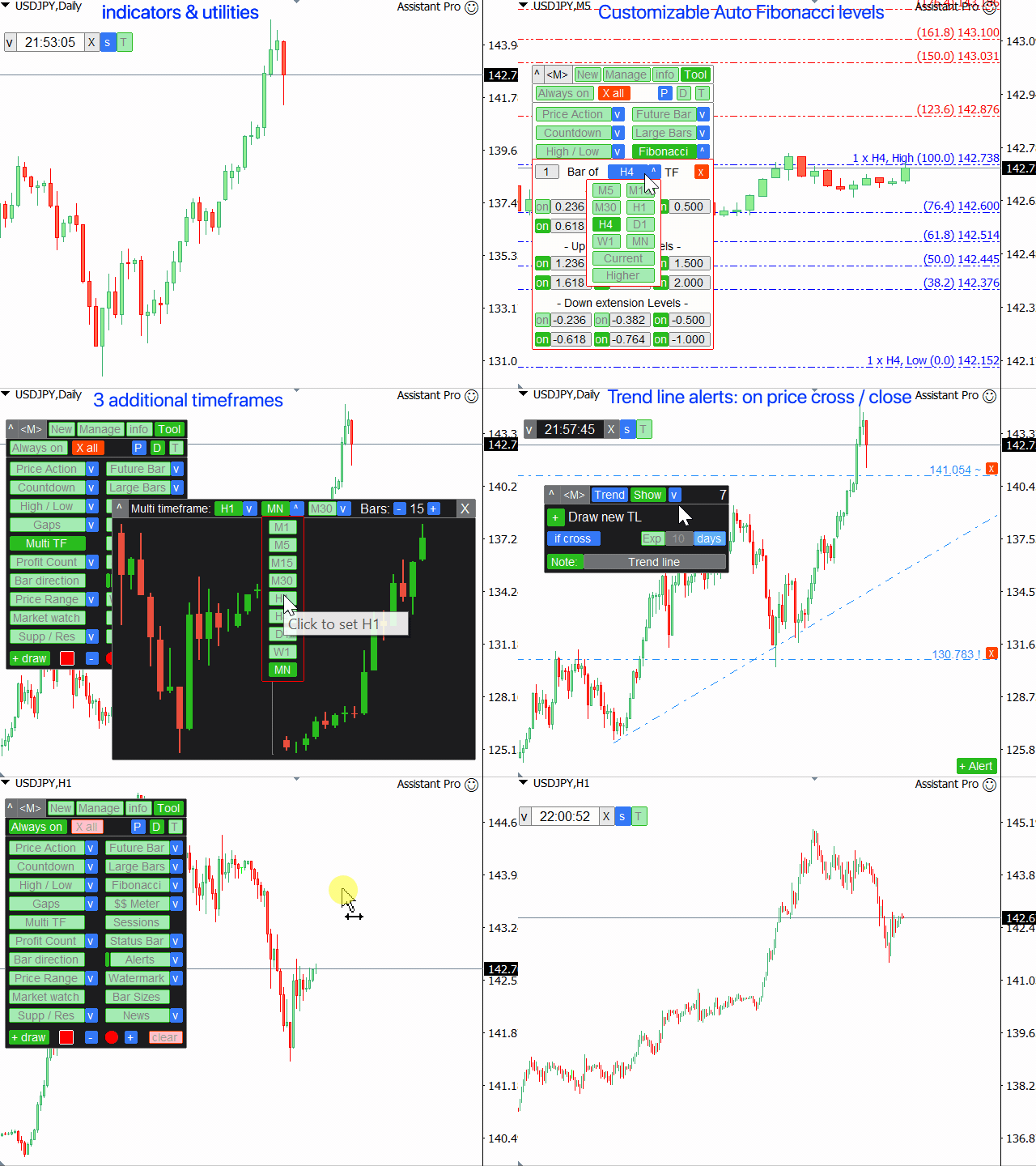
다기능 거래 도구: 로트 계산기, 그리드 주문, 위험/보상 비율, 거래 관리자, 수급 구역, 가격 행동 분석 등

데모 버전  |  사용자 설명서

트레이딩 어시스턴트는 전략 테스터에서 작동하지 않습니다: 이 유틸리티를 테스트하려면 데모 버전을 여기서 다운로드하세요.

질문/개선 아이디어/버그 발견저에게 연락하세요

MT5 버전이 필요하시면, 여기서 사용 가능합니다

거래 프로세스를 단순화, 가속화, 자동화하세요. 이 대시보드로 표준 터미널 기능을 확장합니다.

트레이딩 패널은 모든 거래 상품에서 작동합니다: 외환, 주식, 지수, 암호화폐 등.

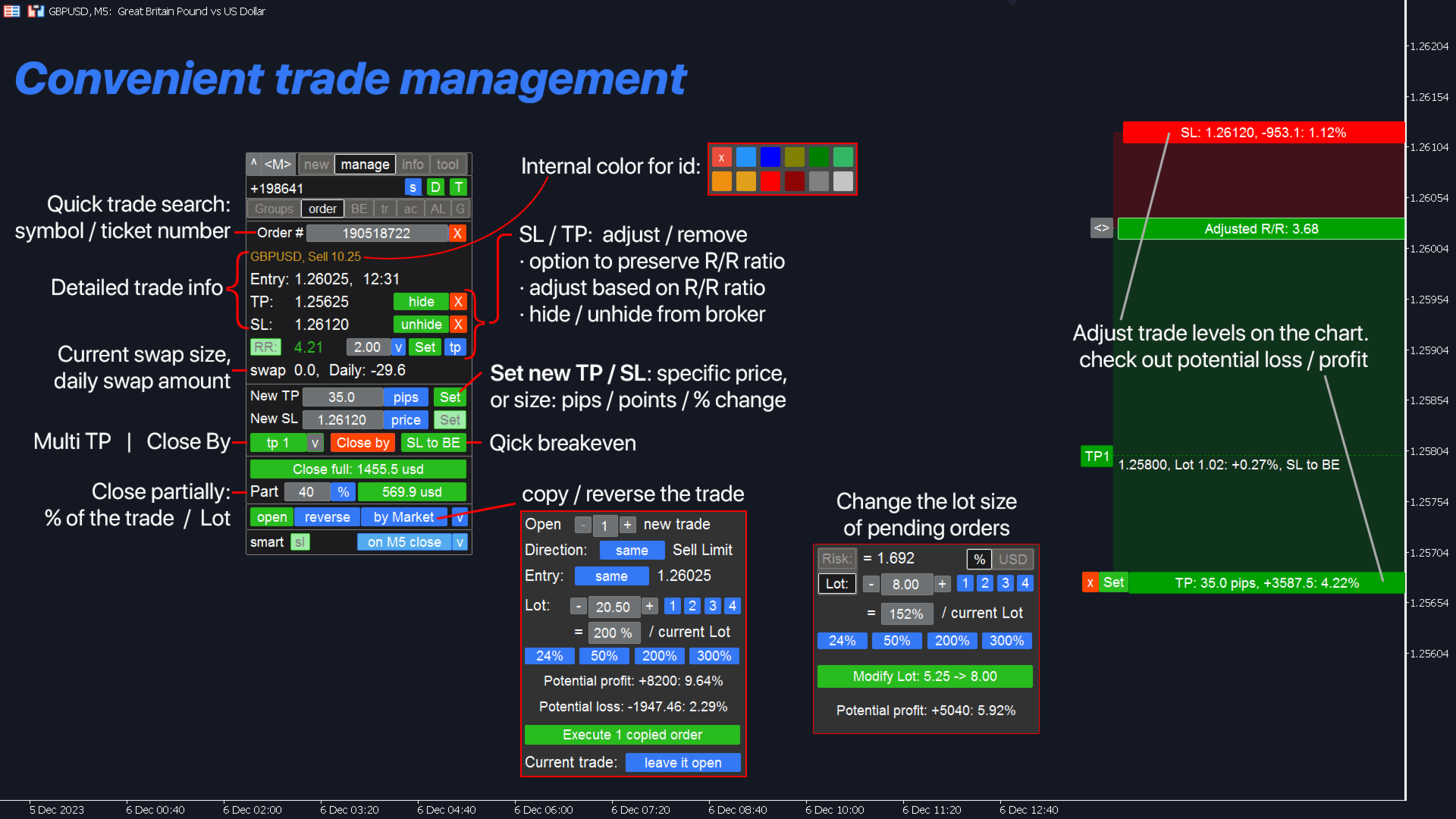
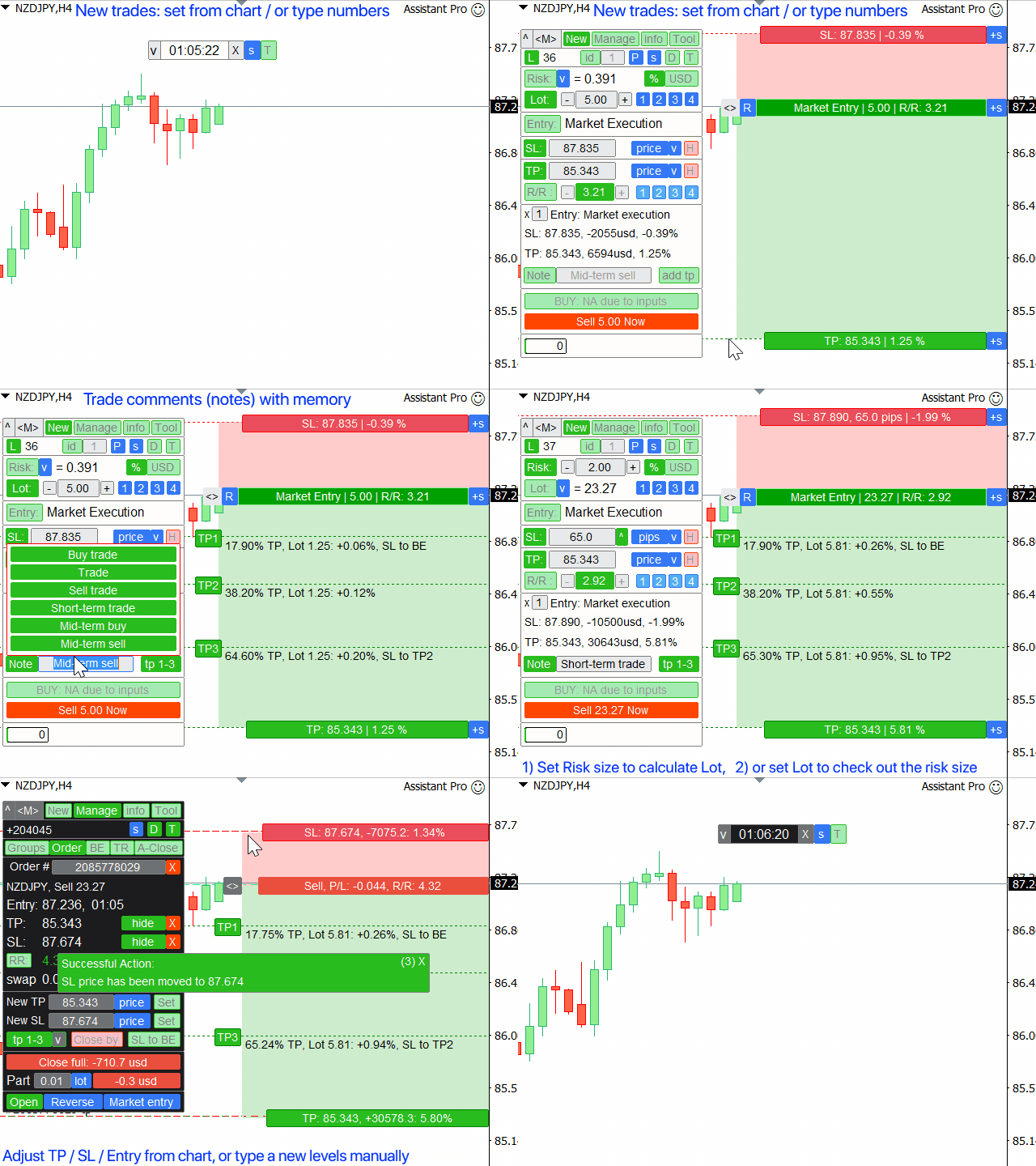
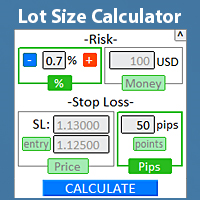
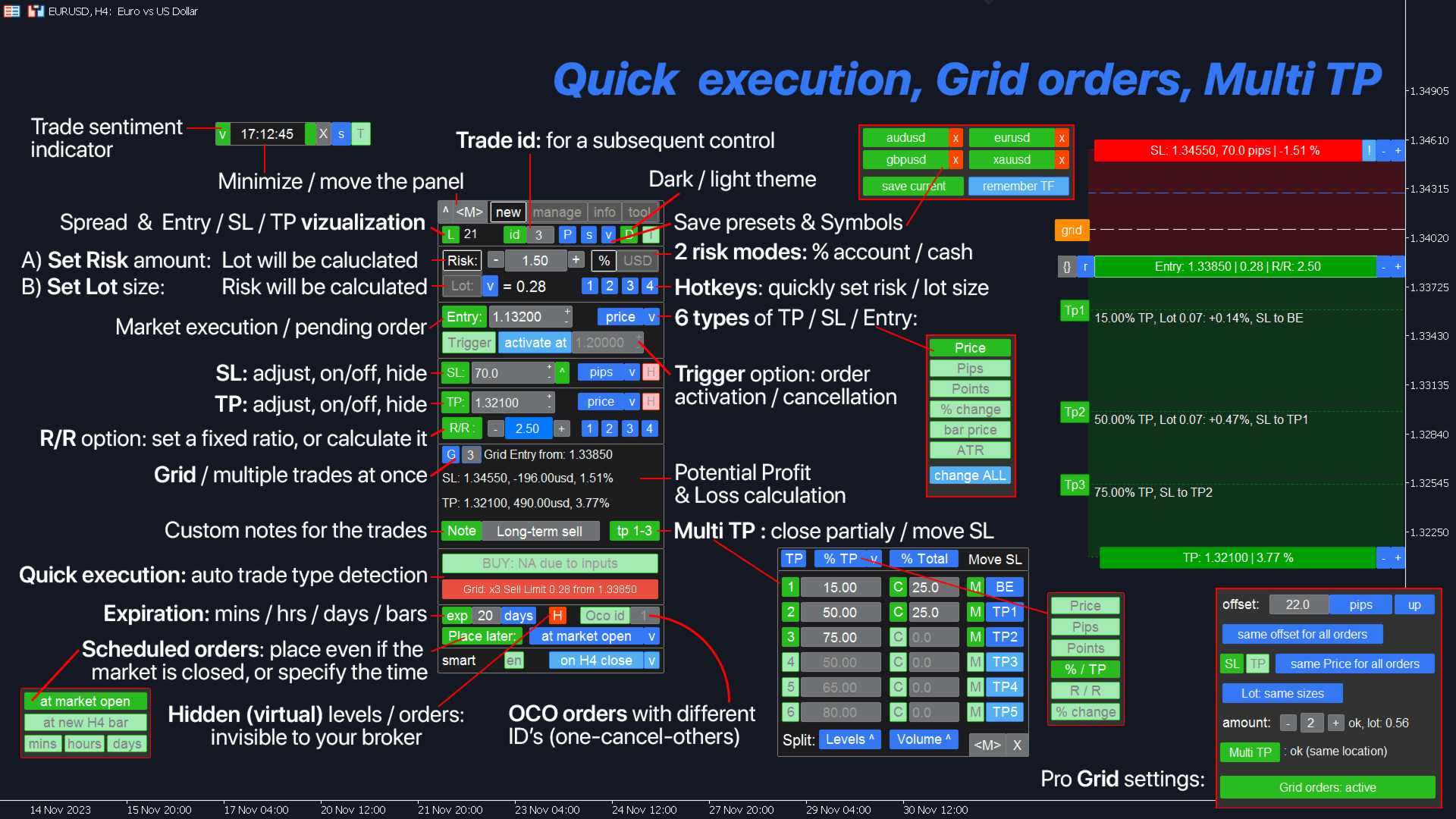
1. 새로운 거래 열기: 로트/위험/위험보상비 계산: 수동 거래의 위험 관리

  • 로트 계산기 (위험 크기 기반 거래량 계산)
  • 위험 계산기 (로트 크기 기반 위험 금액)
  • 위험 보상 비율
  • 그리드 주문:+ 동적 거리 옵션 및 분할 로트 옵션
  • 주문 활성화 트리거, + Buy StopLimit/Sell StopLimit: Mt4에서도 가능
  • 가상 SL, 가상 TP (숨겨진 SL, 숨겨진 TP: 브로커에게 보이지 않음)
  • 스마트 SL/진입 가격 레벨: 봉이 그 이상에서 종결된 경우 (오작동 방지)
  • 숨겨진 주문 (가상 주문)
  • 예약 주문: 시장이 닫힐 때에도 거래를 할 수 있습니다 (주말 플래너)
  • 추가 멀티 TP 레벨 (다중 이익 실현)
  • 다른 ID를 가진 OCO 주문 (원-캔슬즈-디아더)
  • 거래 시각화 + 차트 상 조정
  • 스프레드로 인한 오작동 (스탑 헌팅) 방지를 위한 Ask 가격 대신 Bid 가격의 SL/진입 레벨
  • 5가지 다른 계좌 크기에 대한 동시 로트/위험 계산: 계좌 관리에 편리
  • 한 번에 여러 거래를 시작하는 옵션
  • 만료 시간: 분/시간/일/봉 개수 기준
  • 관리 편의를 위한 가상 거래 ID

2. 거래 관리자: 청산/수정/트레일링 스탑/주문 추적/손익분기/자동 청산

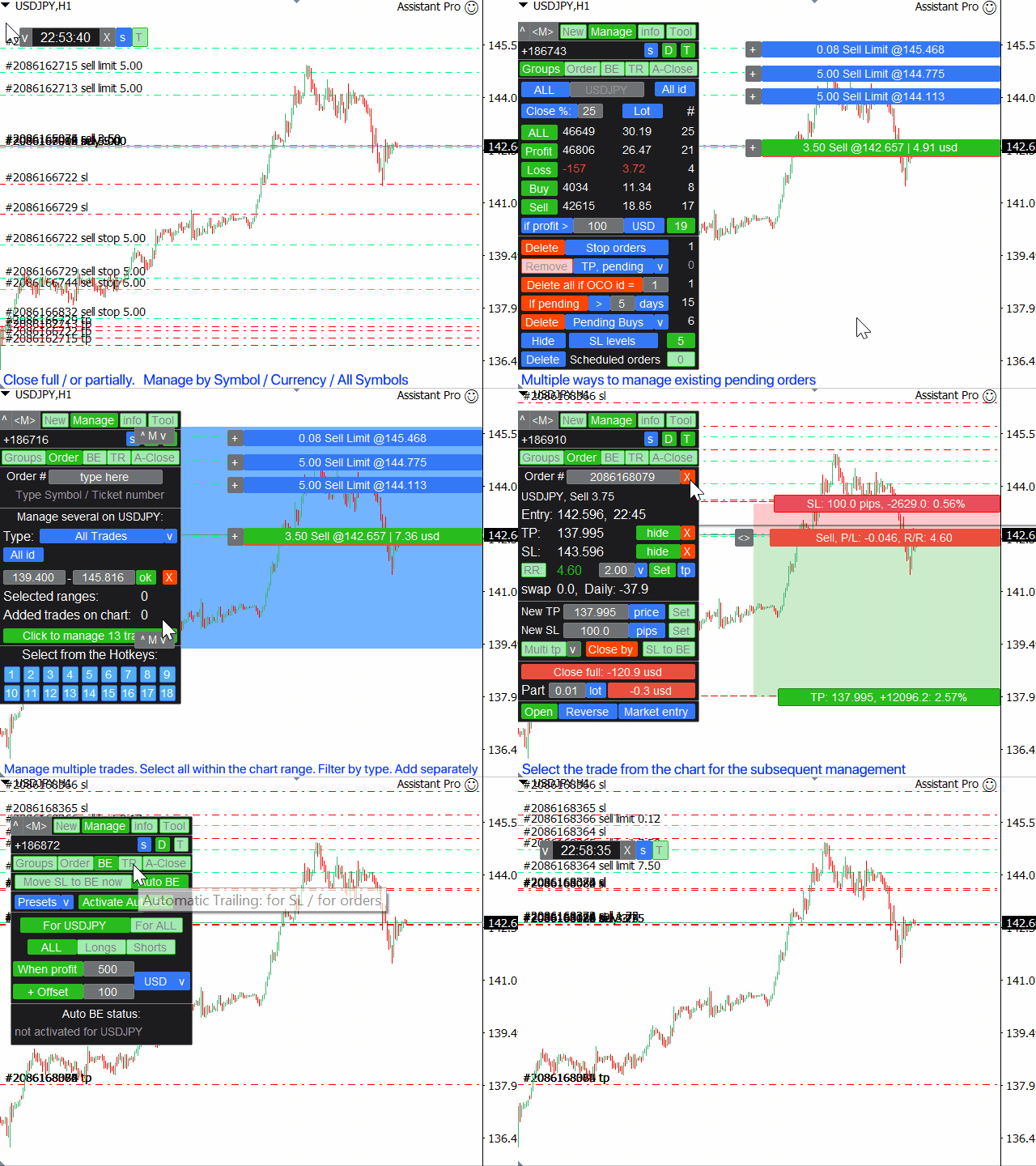
  • 범주별로 거래 그룹화하여 청산 (일괄 주문):
    • 전체/이익/손실/매수/매도/손익 >
    • 대기 중 주문이 더 많은/더 적은 경우
    • 대기 주문 삭제: 지정가/역지정가/매수/매도/스탑리밋
  • 거래 부분 청산 (부분 청산)
  • 다른 심볼 그룹화 옵션: 예: GBP가 포함된 모든 거래 (GBP/USD, EUR/GBP 등을 동시 관리 가능)
  • 모든 거래의 모든 SL/TP 레벨을 1클릭으로 제거 (일괄 SL, 일괄 TP)
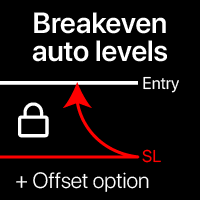
  • 자동 손익분기/수동 손익분기, + 오프셋 옵션
  • 트레일링 스탑: 11가지 SL 유형 + 8가지 이동 규칙 (SL 트레일링). + ATR 트레일링 및 추세선 트레일링
  • 자동 주문 추적
  • 여러 거래를 동시에 관리하는 옵션: 빠른 거래가 필요한 스캘핑에 특히 유용
  • 자동 청산 기능: 이익/손실 시 또는 특정 시간에

선택한 거래 관리: 주문 관리/포지션 관리

  • 시장이 닫혀 있을 때(주말)에도 거래 관리 가능: 변경 사항은 시장 오픈 시 적용됩니다
  • 1클릭으로 거래 복사/반전
  • 시각화 + 차트 상 조정 옵션
  • 기존 대기 주문의 로트 크기 수정
  • 모든 주문의 진입 가격을 한 번에 이동
  • 부분 청산: 로트 크기/현재 로트의 % (부분 청산)
  • "Close by": 반대 포지션으로 청산
  • TP/SL 조정: 가격/핍/포인트/%
  • 만료 시간 빠른 변경
  • R/R 비율 기반 TP/SL 조정
  • 기존 주문의 초기 위험 %를 유지하면서 SL 수정

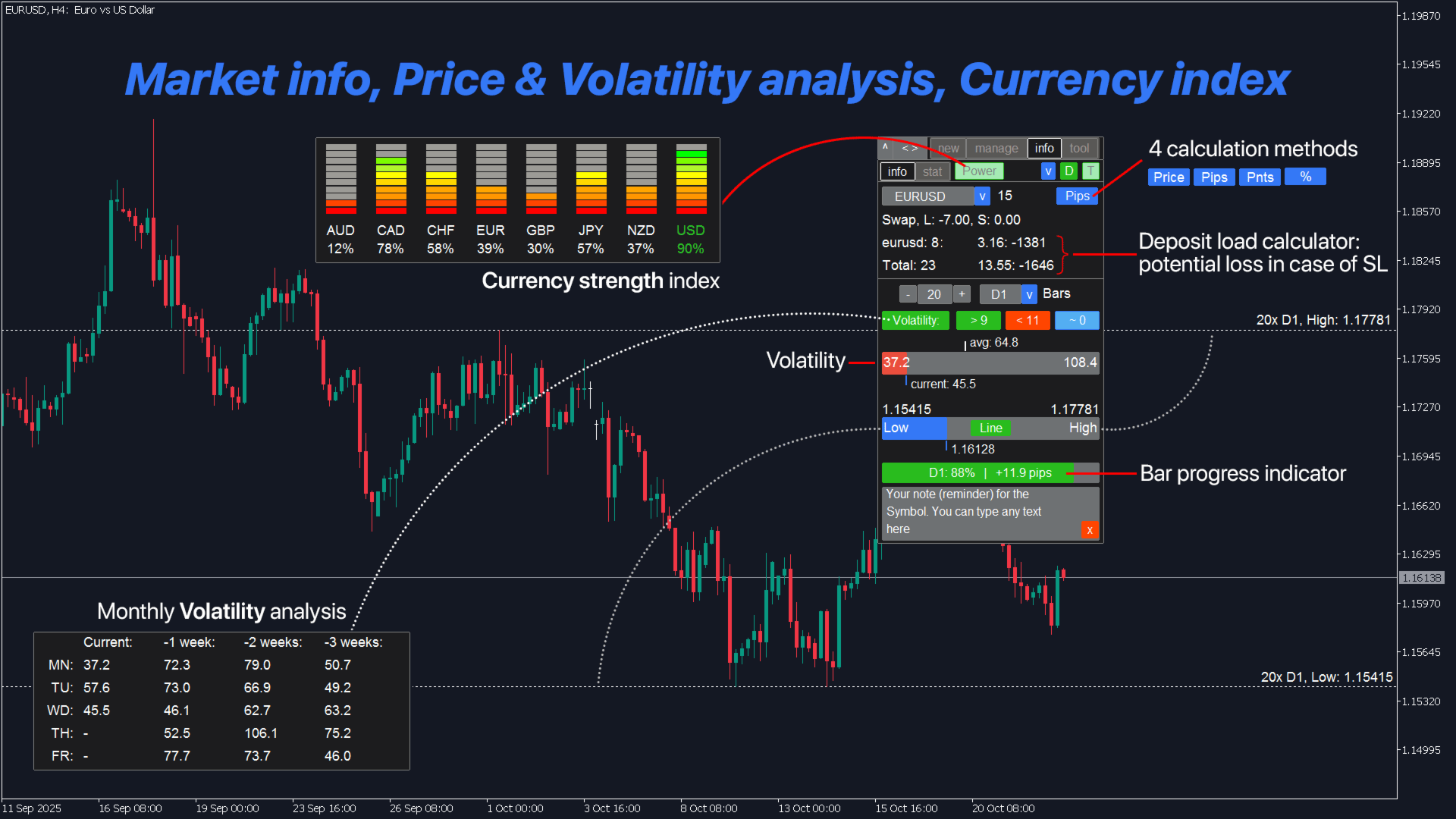
3. 거래 통계 + 시장 분석:

  • 통화 강도 지수
  • 거래 통계 (내역): 사용자 지정 기간/심볼
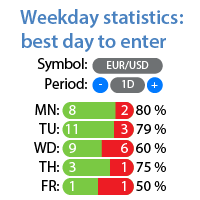
  • 요일 분석: 최고/최악 거래일 (통계)
  • 시장 정보, 변동성 분석
  • 고점 및 저점 시각화, 현재 가격과 비교
  • 봉 진행 상황 표시기
  • 심볼에 대한 사용자 지정 메모 (차트 상 알림)

4. 지표 및 보조 유틸리티:

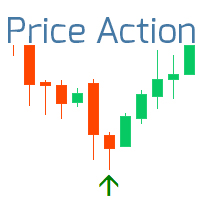
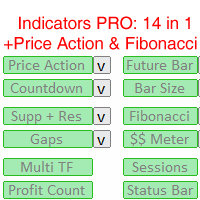
  • 가격 행동 지표 + 3가지 추세 필터 (PA)
  • 수급 구역 (지지와 저항)
  • 미래 가격 봉
  • 차트 상 경제 캘린더 (기본적 뉴스)
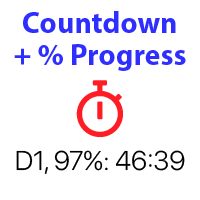
  • 카운트다운 타이머
  • 큰 봉 지표
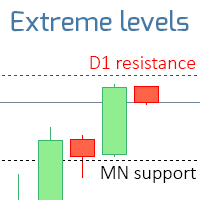
  • 9개 TF의 고점/저점 레벨
  • 자동 피보나치 레벨 (피보)
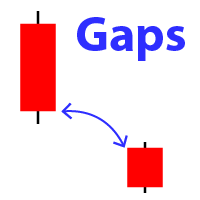
  • 갭 지표 (마켓 갭)
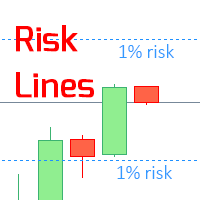
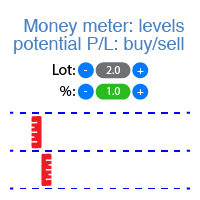
  • 잠재적 이익/손실 레벨
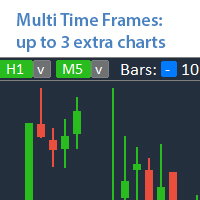
  • 동일 차트에 최대 5개의 추가 TF (멀티 TF)
  • 트레이딩 세션 (활성 시장 시간)
  • 부동 손익 카운터
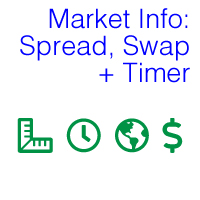
  • 상태 표시줄: 실시간 시장 정보 (스왑, 스프레드, 가격 변동 값, 시간, 손익)
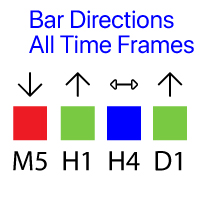
  • 봉 방향: 모든 TF의 캔들
  • 가격 알림/추세선 알림, + 메모 (레벨 도달 시 알림)
  • 차트 상 워터마크: 심볼 + TF/또는 사용자 지정 텍스트
  • 가격 범위 유틸리티: 거래 경계
  • 마켓 워치 도구 (워치리스트)
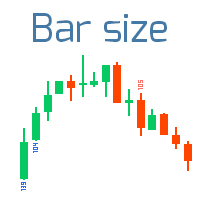
  • 9개 시간 프레임의 봉 크기
  • 차트 상 사용자 지정 그리기 (스케치)
  • 빠른 스크린샷 + 자동 스크린샷
  • 텔레그램 알림
  • 키보드 단축키
  • 선택 기간의 고점/저점 레벨
더 많은 기능:
  • 과도한 거래 제어: 최대 로트, 최대 주문 수 설정 옵션
  • 기존 거래에 숨겨진 손절매/숨겨진 익절매 설정 옵션 또는 실제 레벨로 다시 변환
  • 여러 대기 주문 관리 중: 모든 주문의 진입 가격 동시 변경
  • 텔레그램 알림
  • 당신의 거래 심리 지표
  • 체결 시 자동 스크린샷
  • 핫키 (+ 사용자 지정 핫키)

거래 기능은 자동 거래 허용이 필요합니다 (브로커 측 포함).

트레이딩 어시스턴트는 모든 거래 상품에서 작동합니다:
외환, 주식, 선물, 지수, CFD, 채권, 암호화폐, 금속,합성 지수 기타 모든 상품.

____________________________
____________________________

Assistant_38 in 1
어시스턴트 38 in 1
Tradingvew, ChatGPT, AI, GPT, 인공 지능
리뷰 30
v9137397540
102
v9137397540 2025.12.05 10:22 
 

Спасибо за обновление. Стало еще лучше!

8enlightenor Lumiere
26
8enlightenor Lumiere 2024.07.04 22:53 
 

Absolute best Trade Manager in the Market! I've been through many trade managers and this is the best. It has the most features, while not complicated. Easy to learn. Intuitive. The added features make trading so much easier! And the developer is very responsive to bug fixes. I love this trade manager, it's a masterpiece . Thank you Makarii!

21285752
40
21285752 2023.11.20 21:10 
 

I can't rate this EA highly enough. I use the execution and trade management elements and they are by far better than I've seen / experienced anywhere. Very easy to use and the main thing this EA gives you is the confidence to trade they way you want. Also, the developer is just amazing - on hand to answer any questions or make tweaks that helps the effectiveness of the EA. A great product with top draw support.

추천 제품
Risk Commander
Adisorn Soodkanueng
Product Name: Risk Commander: Trade Assistant & Strategy Simulator Risk Commander is more than just a trade panel—it is a complete Manual Trading Ecosystem . It serves two powerful purposes: Live Assistant: Helps you execute trades with speed, precision, and perfect risk management in real-time markets. Training Simulator: Fully compatible with the Strategy Tester (Visual Mode) , allowing you to practice manual trading on historical data without risking a cent. NEW! Built-in Simulator Mode S
Virtual Collider Manual   is a trading assistant with a built-in panel for manual trading. It automatically moves a position opened by a trader in profit using innovative adaptive grid algorithm of averaging and adaptive pyramiding Know-how of the grid algorithm of averaging and pyramiding of the   Virtual Collider Manual   trading robot is based on fully automatic adaptation of all characteristics of dynamically build order grid and pyramid with actual price movement with no need for adjusting
TradePilot
Hossein Khalil Alishir
TradePilot Expert Advisor (EA) for MetaTrader 4 TradePilot is a professional and user-friendly Expert Advisor (EA) for MetaTrader 4 (MT4) . It simplifies automated trading , risk management , and trade execution using a smart trading panel . Perfect for beginners and experienced traders looking for a reliable trade manager EA with automated lot size calculation . Key Advantages User-Friendly Trading Panel: Customizable panel with buttons and hotkeys. Smart Risk Management: Supports percen
Utility, which draws buy or sell trendlines, which can also become support or resistances able to close any position on the screen Algorithm that calculates the gain of the position, at the touch closure of the line.   The benefits you get: Works on forex and CFD, timeframe from M1 to Weekly. Easy to use screen control panel. Audible warning messages at the touch of the line. Easy to use.
Three 3TP Easy Trade Pad Expert for MT4 – Download The 3TP Easy Trade Pad Expert is an advanced tool designed for capital management, risk control, and streamlined trading within the MetaTrader 4 (MT4) platform. With its functional and specialized interface, this expert advisor allows traders to effortlessly set and manage Stop Loss (SL) and Take Profit (TP) levels. In addition to simplifying trade execution, the tool provides features for defining acceptable risk, expected profit (R/R), and adv
Smartility
Syed Oarasul Islam
This utility is designed to help you with your Manual Trading. It allows different ways of closing trades. It can display total number of BUY and SELL orders individually and also their individual profits. It can enter trades without stopl loss and take profits. However upon selecting UseStopLossTakeProfit from the settings it can use best possible stop loss and take profits based on the market conditions. Upon selecting the CloseOppositeTrades  from the settings it can close opposite trades. Fo
The Best One Scalping Trade Panel functional manual trade panel with risk reward, auto SL by candle ( original solution), lot size calculation, one-click trading, scale in and out of trades (partial close),  Works with all symbols not just currency pairs, perfect works on DAX, NASDAQ, GOLD, ...... I earn every day during live stream on ZakopiecFX - join Me Risk by lot Risk by percent SL by points SL by Candle, Renko, RangeBar ( original solution) TP by point TP by Risk/Reward Auto Trailing by P
Owl smart levels
Sergey Ermolov
4.24 (37)
MT5 버전  |   FAQ Owl Smart Levels Indicator 는   Bill Williams 의 고급 프랙탈, 시장의 올바른 파동 구조를 구축하는 Valable ZigZag, 정확한 진입 수준을 표시하는 피보나치 수준과 같은 인기 있는 시장 분석 도구를 포함하는 하나의 지표 내에서 완전한 거래 시스템입니다. 시장과 이익을 취하는 장소로. 전략에 대한 자세한 설명 표시기 작업에 대한 지침 고문-거래 올빼미 도우미의 조수 개인 사용자 채팅 ->구입 후 나에게 쓰기,나는 개인 채팅에 당신을 추가하고 거기에 모든 보너스를 다운로드 할 수 있습니다 힘은 단순함에 있습니다! Owl Smart Levels   거래 시스템은 사용하기 매우 쉽기 때문에 전문가와 이제 막 시장을 연구하고 스스로 거래 전략을 선택하기 시작한 사람들 모두에게 적합합니다. 전략 및 지표에는 눈에 보이지 않는 비밀 공식 및 계산 방법이 없으며 모든 전략 지표는 공개되어 있습니다. Owl Smart Leve
Auto Fibo Pro m
DMITRII GRIDASOV
"Auto FIBO Pro" Crypto_Forex 지표 - 거래에 유용한 보조 도구입니다! - 지표는 자동으로 Fibo 수준과 로컬 추세선(빨간색)을 계산하여 차트에 배치합니다. - Fibonacci 수준은 가격이 반전될 수 있는 주요 영역을 나타냅니다. - 가장 중요한 수준은 23.6%, 38.2%, 50%, 61.8%입니다. - 역전 스캘핑이나 존 그리드 거래에 사용할 수 있습니다. - Auto FIBO Pro 지표를 사용하여 현재 시스템을 개선할 수 있는 기회도 많습니다. - Info Spread Swap Display가 있습니다. 현재 Spread와 Swap이 부착된 외환 쌍을 표시합니다. - 디스플레이에는 계정 잔액, 자본 및 마진도 표시됩니다. - 차트의 어느 모서리에서나 Info Spread Swap Display를 찾을 수 있습니다. 0 - 왼쪽 상단 모서리, 1 - 오른쪽 상단, 2 - 왼쪽 하단, 3 - 오른쪽 하단. 여기를 클릭하여 고품질 트레이딩 로봇과
Trade panel manual is a multifunctional trading assistant. It allows you to open market and pending orders in one click. Value is set via button menu edit or deleted by specific buttons pending orders and the value of take profit and stop loss in one click. Through the edit menu of the button, a value is set that can be easily changed by simply moving level_tp lines for take profit or stop loss levels and for pending orders. It is possible to select orders and determine for them and set the leve
캔들의 종가를 예측하는 지표입니다. 지표는 주로 D1 차트에서 사용하기 위한 것이. 이 지표는 전통적인 외환 거래와 바이너리 옵션 거래 모두에 적합합니다. 지표는 독립형 거래 시스템으로 사용하거나 기존 거래 시스템에 추가로 사용할 수 있습니다. 이 표시기는 현재 양초를 분석하여 양초 본체 내부의 특정 강도 요인과 이전 양초의 매개변수를 계산합니다. 따라서 지표는 시장 움직임의 추가 방향과 현재 양초의 종가를 예측합니다. 이 방법 덕분에 지표는 단기 및 중장기 거래 모두에 적합합니다. 지표를 사용하면 시장 상황을 분석하는 동안 지표가 생성할 잠재적 신호의 수를 설정할 수 있습니다. 표시기 설정에는 이를 위한 특별한 매개변수가 있습니다. 또한 인디케이터는 새로운 신호에 대해 차트의 메시지 형태, 이메일 및 PUSH 알림 형태로 알릴 수 있습니다. 구매 후 저에게 꼭 써주세요! 나는 당신에게 지표와 거래에 대한 나의 추천을 줄 것입니다! 또한 보너스를 받으세요!
Now, you have your very own   PROP FIRM AUTO-CLOSER   program! Once your account target or drawdown hits, all open orders will close automatically. ========================================== INPUTS: Account target (exact amount):   Put the exact account target. Once the equity hits your specied account balance target, all open orders will close. Make sure to add some buffer to consider slippage. Use fixed value or dynamic value:   Choose whether you will need a fixed value or dynamic value for
Noize Absorption Index MT4
Ekaterina Saltykova
5 (1)
Noize Absorption Index - is the manual trading system that measures the difference of pressure between bears forces and bulls forces. Green line - is a noize free index that showing curent situation. Zero value of index shows totally choppy/flat market.Values above zero level shows how powerfull bullish wave is and values below zero measures bearish forces.Up arrow appears on bearish market when it's ready to reverse, dn arrow appears on weak bullish market, as a result of reverse expectation. S
Gold Titan King Scalper
Dodong Christian Arnon
Indicator Description GOLD TITAN KING SIGNAL INDICATOR High-Precision Gold Scalping Buy/Sell Signals – Manual Trading Assistant Overview The Gold Titan King Signal Indicator is a manual trading assistant tool designed for high-frequency scalping on Gold (XAUUSD) and other major pairs. It generates clear BUY/SELL signals with precise entry levels, along with adjustable Stop Loss and Take Profit levels displayed directly on the chart. ️ This tool is NOT an EA. It does not execute trades
Expert Advisor for MT4 Useful utility MUST have for all traders.  With 1 click button, you're able to close all your open positions. Its come with a warning pop up notification when you click to close all your trades, to avoid an accident press the button. Just press 'Yes' to confirm or 'No' to cancel it. The expert will close all your open positions no matter what pairs you currently open or directions. Just attach the expert on 1 of your chart, and you're good to go.
Candlestick Pattern Scanner is a multi-timeframe and multi-symbol dashboard and alert system that checks all timeframes and currency pairs for different candlestick patterns that are formed in them. Scanner is integrated with support and resistance zones so you can check the candlestick patterns in the most important areas of the chart to find breakout and reversal patterns in the price chart. Download demo version   (works on M30,D1,W1 timeframes and 20 symbols of Market Watch window) Read the
Trendiness Index
Libertas LLC
5 (3)
"The trend is your friend" is one of the best known sayings in investing, because capturing large trendy price movements can be extremely profitable. However, trading with the trend is often easier said than done, because many indicators are based on price reversals not trends. These aren't very effective at identifying trendy periods, or predicting whether trends will continue. We developed the Trendiness Index to help address this problem by indicating the strength and direction of price trend
Auto SLTP Maker MT4  is an assistant for all those who forget to set StopLoss and/or TakeProfit in deal parameters, or trade on a very fast market and fail to place them in time. This tool automatically tracks trades without StopLoss and/or TakeProfit and checks what level should be set in accordance with the settings. The tool works both with market and pending orders. The type of orders to work with can be set in the parameters. It can track either trades for the instrument it runs on, or all
Easy Virtual Trader
Anoop Sivasankaran
4.89 (9)
Setup Easy Virtual Trader > Input your Rules > You are ready to trade from mobile or another EA or anywhere....Let robot manage your Trades !  This powerful EA will help you manage ALL or SPECIFIC trades automatically based on your PRE-SET rules and settings Once it is setup and running on just one chart, you don't need to monitor your orders anymore, the software will keep watching and control your orders with your predefined rules You can trade from your desktop MT4 or from your mobile appli
Trade with Gann on your side!! MASTER CIRCLE 360 CIRCLE CHART, originally created by Gann admitted that this is “The Mother of all charts”. It is one of the last studies that this great trader left for us. The numeric tab le is apparently quite simple like all the tables and is based on square numbers, the SQUARE OF 12 and is by evolution, one of the most important square numbers. Here we can find CYCLE, PRICE AND TIME thanks to angles and grades, to show past and future support and resistance.
Panel "panel_kjutaMultiTerminal" for trading. Opens, modifies, closes and deletes trading and pending orders from the chart using virtual lines, buttons and the active information terminal. Automatically opens an order by indicator levels. Hints in Russian, English or disabled. It has a number of functions for trailing virtual Take Profit lines and limit orders. Displays information on the active information terminal.  Hides and includes virtual lines S/L , T / P, buttons "<>","M","X", as well a
The analyzer panel allows traders to add the pending order grid (Buy Limit, Sell Limit, Buy Stop, Sell Stop) quickly and efficiently.   Parameters stop mode - select stop setting mode every order - stop levels are set for each order separately position as - common stop levels for all orders order type - select pending order type Buy Limit Sell Limit Buy Stop Sell Stop magic - set a magic number for open orders if necessary. If position as mode is enabled, stop levels are corrected for all orders
P Y R A M I D   E X P E R T    This Forex utility is a complex exit strategy and order management tool that executes four trading methods; scalping, pyramid style, hedging, and scaling method to close trades with a profit.           V E R Y  I M P O R T A N T     This is not a stand alone expert advisor. Use it with your own volatility-based strategy. Once you found the currency pair to trade, you can just attach this tool to the chart of the chosen pair and it will do the
SMC Venom Model BPR 지표는 Smart Money(SMC) 개념 내에서 일하는 트레이더를 위한 전문 도구입니다. 가격 차트에서 두 가지 주요 패턴을 자동으로 식별합니다. FVG (공정 가치 갭)는 3개의 캔들의 조합으로, 첫 번째와 세 번째 캔들 사이에 갭이 있습니다. 이는 볼륨 지원이 없는 레벨 사이에 구역을 형성하여 종종 가격 수정으로 이어집니다. BPR (균형 가격 범위)은 두 개의 FVG 패턴의 조합으로, "브리지"를 형성합니다. 이는 가격이 낮은 볼륨 활동으로 움직일 때 브레이크아웃과 레벨로의 복귀 구역으로, 캔들 사이에 갭을 생성합니다. 이러한 패턴은 거래자가 차트에서 거래량과 가격 역학을 분석하여 주요 지지/저항 수준, 돌파 구역 및 진입 지점을 식별하는 데 도움이 되며, 여기서 대형 시장 참여자와 일반 참여자 간의 상호 작용이 발생합니다. 이 지표는 사각형과 화살표 형태로 패턴을 시각화하며 유연한 경고 설정도 지원합니다. 주요 특징: 패턴 표시 모드:
자동 브레이크이븐 레벨 이   유틸리티를   사용하면 ,   거래가   원하는 수익에 도달했을 때 자동으로 SL을 이동하는 기능을 활성화할 수 있습니다.  특히   단기   거래자에게   중요합니다.   오프셋 옵션도 사용 가능합니다: 일부 수익을 보호할 수 있습니다. 다기능 유틸리티 : 66개 이상의 기능, 이 도구 포함  |   질문이 있으면 연락주세요   |   MT5 버전 자동 브레이크이븐 기능 활성화 과정: 1.   심볼 또는 거래 선택   Auto BE 기능이 활성화될 대상: 현재   [Symbol]   / 모든 거래   [ALL]   / 또는 특정 거래   [Ticket] . [Symbol] 또는 [ALL] 규칙 외에 - 특정 거래에 대해 별도의 규칙을 설정할 수 있습니다, 티켓 번호로: 개별 [Ticket] 규칙이 우선순위를 가집니다. 2. Auto BE를 활성화할   거래 유형   선택: [ALL]: 모든 활성 거래; [Longs]: 매수 거래만; [Shorts]:

Short Description: FTMO Protector PRO MT4 is an EA designed to protect your funded account by managing risk and ensuring compliance with the Prop Firm's trading rules. This EA automatically monitors equity levels, closes trades when profit targets or drawdown limits are reached, and provides a visual display of key account metrics. EA w orks with all different Prop Firm service providers. Overview: FTMO Protector PRO MT4 is an Drawdown Safeguard Expert Advisor meticulously crafted for traders
The Th3Eng PipFinite indicator is based on a very excellent analysis of the right trend direction with perfect custom algorithms. It show the true direction and the best point to start trading. With StopLoss point and Three Take Profit points. Also it show the right pivot of the price and small points to order to replace the dynamic support and resistance channel, Which surrounds the price. And Finally it draws a very helpful Box on the left side on the chart includes (take profits and Stop loss
자동 주문 및 위험 관리를 위한 유틸리티입니다. 이익을 최대한 활용하고 손실을 제한할 수 있습니다. 트레이더를 위한 실무 트레이더가 만들었습니다. 유틸리티는 사용하기 쉽고 거래자가 수동으로 또는 고문의 도움을 받아 열린 시장 주문과 함께 작동합니다. 매직 넘버로 거래를 필터링할 수 있습니다. 유틸리티는 동시에 원하는 수의 주문을 처리할 수 있습니다. 다음과 같은 기능이 있습니다. 1. 손절매 및 이익 수준 설정 2. 후행 정지 수준으로 거래를 마감합니다. 3. 손익분기점 설정. 유틸리티는 다음을 수행할 수 있습니다. 1. 각 주문에 대해 개별적으로 작업(각 주문에 대해 수준이 별도로 설정됨) 2. 단방향 주문 바스켓으로 작업(레벨은 모든 주문에 대해 공통으로 설정되며 별도로 구매 및 판매) 3. 다방향 주문 바구니로 작업(레벨은 모든 주문에 대해 공통으로 설정되며 BUY 및 SELL 함께) 옵션: STOPLOSS - =-1이 사용되지 않는 경우 핍에서
Break Moment
Svyatoslav Kucher
5 (2)
Break Moment is a unique proprietary indicator with extensive capabilities and a variety of settings. It can be used as a signal generator or as an auxiliary tool. For the calculations, the price channel is determined. When it is broken, if all conditions of the additional filter are met, it displays a signal in the form of a histogram. Break Moment can be used to determine the main trend, as it has 2 filters for determining it in addition to everything else. If these filters are activated, the
If you found this EA, it's probably because you want to get a funded account with a prop firm, but you see a rule that most of traders fear :   Maximum Daily Drawdown.  I've been through this problem myself as   I'm a prop firm trader   and I've made a bot to solve this rule, and you can get it to solve this problem too. How does it work ? When you first setup this EA, you need to input the   initial deposit   which corresponds to the size of your funded account. For exemple if you get a 10k$ f
이 제품의 구매자들이 또한 구매함
Trade Manager EA에 오신 것을 환영합니다. 이 도구는 거래를 보다 직관적이고 정확하며 효율적으로 만들기 위해 설계된 궁극적인 리스크 관리 도구 입니다. 단순한 주문 실행 도구가 아닌, 원활한 거래 계획, 포지션 관리 및 리스크 제어를 위한 종합 솔루션입니다. 초보자부터 고급 트레이더, 빠른 실행이 필요한 스캘퍼에 이르기까지 Trade Manager EA는 외환, 지수, 상품, 암호화폐 등 다양한 시장에서 유연성을 제공합니다. Trade Manager EA를 사용하면 복잡한 계산은 이제 과거의 일이 됩니다. 시장을 분석하고 진입, 손절 및 익절 수준을 차트의 수평선으로 표시한 후 리스크를 설정하면, Trade Manager가 이상적인 포지션 크기를 즉시 계산하고 SL 및 TP 값을 실시간으로 표시합니다. 모든 거래가 간편하게 관리됩니다. 주요 기능: 포지션 크기 계산기 : 정의된 리스크에 따라 거래 크기를 즉시 결정합니다. 간단한 거래 계획 : 진입, 손절, 익절을 위한
Ultimate Extractor - Professional Trading Analytics for MT4 Ultimate Extractor transforms your MetaTrader 4 trading history into actionable insights with comprehensive analytics, interactive charts, and real-time performance tracking. Ability to combine multiple accounts and MT4 and MT5 into a single dashboard. What It Does Automatically analyzes your MT4 trading history across all Expert Advisors and generates detailed HTML reports with interactive visualizations. Tracks live performance metric
TradePanel MT4
Alfiya Fazylova
4.84 (89)
Trade Panel은 다기능 거래 보조원입니다. 이 애플리케이션에는 수동 거래를 위한 50개 이상의 거래 기능이 포함되어 있으며 대부분의 거래 작업을 자동화할 수 있습니다. 전략 테스터에서는 애플리케이션이 작동하지 않습니다. 구매하기 전에 데모 계정에서 데모 버전을 테스트할 수 있습니다. 데모 버전 여기 . 전체 지침 여기 . 거래. 한 번의 클릭으로 거래 작업을 수행할 수 있습니다: 자동 위험 계산을 통해 지정가 주문 및 포지션을 엽니다. 한 번의 클릭으로 여러 주문과 포지션을 열 수 있습니다. 주문 그리드를 엽니다. 그룹별 대기 주문 및 포지션을 마감합니다. 포지션 반전(매수 청산 후 매도 개시 또는 매도 청산 후 매수 개시). 포지션 고정(매수 포지션과 매도 포지션의 양을 동일하게 하는 추가 포지션 개설). 한 번의 클릭으로 모든 포지션을 부분 청산합니다. 모든 포지션의 이익실현과 손절매를 동일한 가격 수준으로 설정합니다. 모든 포지션에 대한 손절매를 해당 포지션의 손익 분기
The product will copy all telegram signal to MT4   ( which you are member  ) , also it can work as remote copier.  Easy to set up, copy order instant, can work with almost signal formats, image signal, s upport to translate other language to English Work with all type of channel or group, even channel have "Restrict Saving Content", work with  multi channel, multi MT5 Work as remote copier: with signal have ticket number, it will copy exactly via ticket number. Support to backtest signal. How to
RedFox Copier Pro
Rui Manh Tien
4.7 (10)
Time saving and fast execution Whether you’re traveling or sleeping, always know that Telegram To Mt4 performs the trades for you. In other words, Our   Telegram MT4 Signal Trader  will analyze the trading signals you receive on your selected Telegram channels and execute them to your Telegram to MT4 account. Reduce The Risk Telegram To Mt4   defines the whole experience of copying signals from   Telegram signal copier to mt4 platforms. Users not only can follow all instructions from the signa
Hedge Trade
Mothusi Malau
1 (1)
️ Hedge Trade — Smart Fixed-Offset Hedging EA Turn adverse moves into controlled recovery cycles. Hedge Trade is a professional-grade MetaTrader 4 Expert Advisor that protects any open trade by automatically placing and managing one intelligent hedge order. It’s built for traders who prefer to open their own base position but want an automated, disciplined hedging system to manage drawdown and capture counter-moves — safely, transparently, and without martingale. Key Features Automatic Hedg
Custom Alerts AIO: 다중 시장을 동시에 모니터링 – 설정 없이 즉시 사용 가능 개요 Custom Alerts AIO 는 복잡한 설정 없이 즉시 사용할 수 있는 통합 시장 모니터링 도구입니다. FX Power, FX Volume, FX Dynamic, FX Levels, IX Power 등 필요한 모든 지표가 내장되어 있어 별도의 설치나 구성 없이 알림 기능을 바로 사용할 수 있습니다. 차트 그래픽 없이 작동하며, Forex, 금속, 지수, 암호화폐 등 주요 자산군을 모두 지원합니다. 주식(Symbols)은 별도로 입력하여 추가할 수 있으나, MetaTrader에서는 일반적으로 제한적으로만 사용됩니다. 1. 왜 Custom Alerts AIO를 선택해야 하나요? 추가 라이선스가 필요 없습니다 • 모든 Stein Investments 지표가 내장되어 있어 별도 구매가 필요 없습니다. • 즉시 알림 기능을 시작할 수 있어 빠르고 간편합니다. 모든 시장을 하나의 도구로
거래하고자 하는 주요 영역을 파악한 후 자동으로 거래 지원 및 저항 또는 공급 및 수요 구역을 설정합니다. 이 EA를 사용하면 한 번의 클릭으로 매수 및 매도 구역을 그린 다음 가격이 바뀔 것으로 예상되는 정확한 위치에 배치할 수 있습니다. 그런 다음 EA는 해당 구역을 모니터링하고 구역에 대해 지정한 가격 액션에 따라 자동으로 거래를 수행합니다. 초기 거래가 수행되면 EA는 대상 구역이 되는 반대 구역에서 이익을 얻습니다. 그런 다음 거래를 종료하고 진입할 새 구역을 그리거나 이익을 얻고 즉시 반대 방향으로 거래를 역전하여 "항상 시장" 스타일 전략을 만드는 두 가지 선택이 있습니다. 입력 및 전략이 포함된 전체 매뉴얼은 여기에 있습니다: https://www.mql5.com/en/blogs/post/760256 이 EA는 시장에서 고정 또는 하드 스톱 로스를 사용하지 않는 포지션 트레이더 또는 달러 비용 평균 거래 전략을 위해 설계되었습니다. 대신, 다음에 가능한 지지 또는
Discord To MT4 Receiver
Levi Dane Benjamin
5 (1)
회원으로서 어떤 채널에서도 신호를 복사하세요 (   Bot 토큰이나 관리자 권한이 필요하지 않음  바로 MT4로. 사용자를 고려하여 설계되었으며 관리 및 모니터링에 필요한 많은 기능을 제공합니다. 이 제품은 직관적이고 시각적으로 매력적인 그래픽 인터페이스로 제공됩니다. 설정을 사용자 정의하고 제품을 몇 분 안에 사용을 시작하세요! 사용자 가이드 + 데모  | MT5 버전 | 텔레그램 버전 데모를 시도하려면 사용자 가이드로 이동하세요. 디스코드를 MT4로 보내는 것은 전략 테스터에서 작동하지 않습니다. 디스코드   MT4 기능 회원으로서 어떤 채널에서도 복사하세요. Bot 토큰이나 채팅 ID가 필요하지 않음 위험 % 또는 고정된 로트로 거래하세요 특정 기호 제외 모든 신호를 복사할 것인지 또는 복사할 신호를 사용자 정의하세요 모든 신호를 인식하기 위해 단어 및 구문을 구성하세요 (기본 설정은 신호 제공자의 99%에 대해 작동해야 함) 원하는 경우 시간 및 날짜 설정을 구성하여 신
Effortlessly calculate lot sizes and manage trades to save time and avoid costly errors The Trade Pad Pro EA is a tool for the Metatrader Platform that aims to help traders manage their trades more efficiently and effectively. It has a user-friendly visual interface that allows users to easily place and manage an unlimited number of trades, helping to avoid human errors and enhance their trading activity. One of the key features of the Trade Pad Pro EA is its focus on risk and position manageme
Ultimate Trailing Stop EA
BLAKE STEVEN RODGER
4.33 (15)
This EA Utility allows you to manage (with advanced filtering) unlimited open orders (manual or EA) with 16 trailing stop methods: fixed, percent, ATR Exit, Chandelier Exit, Moving Average, Candle High Low Exit, Bollinger Bands, Parabolic, Envelope, Fractal, Ichimoku Kijun-Sen, Alligator, Exit After X Minutes or Bars, RSI and Stochastic. The trailing stop can be either real or virtual, and you can exit fully or with a partial close percent on touch or bar close.  Moreover, you can add (overrid
If you need an advisor on any arrow indicator signals - this utility will definitely help you.  You will be able, with the help of this utility to form an unlimited number of EAs on YOUR signals , with your set of settings, with your copyright and complete source code . You will be able to use the resulting EAs unlimitedly , including adding them to the Market and other resources. Free simple version of the generation script to help you understand how it works - here What does the utility do? 
DFGX Dashboard
Tsvetan Tsvetanov
5 (2)
Take your trading to the next level with DFGX - our second generation Dynamic Fibonacci Grid. This new, powerful and easy to use application is specially designed and optimized for contrarian intraday trading, scalping and news trading on the Forex market. This system is the ideal solution for active professional traders and scalpers who are looking for innovative ways to optimize their strategy. The system also provides excellent opportunity for new traders who want to learn to trade in a syste
Telegram To MT4 Receiver
Levi Dane Benjamin
3.67 (6)
당신이 멤버인 어떤 채널에서든(비공개 및 제한된 채널 포함) 신호를 직접 MT4로 복사하세요.  이 도구는 사용자를 고려하여 설계되었으며 거래를 관리하고 모니터하는 데 필요한 많은 기능을 제공합니다. 이 제품은 사용하기 쉽고 시각적으로 매력적인 그래픽 인터페이스로 제공됩니다. 설정을 사용자 정의하고 제품을 몇 분 안에 사용하십시오! 사용자 가이드 + 데모  | MT5 버전 | Discord 버전 데모를 시도하려면 사용자 가이드로 이동하십시오. Telegram To MT5 수신기는 전략 테스터에서 작동하지 않습니다! Telegram To MT4 특징 한 번에 여러 채널에서 신호를 복사합니다. 비공개 및 제한된 채널에서 신호를 복사합니다. Bot 토큰이나 채팅 ID가 필요하지 않습니다(필요한 경우 계속 사용할 수 있음). 위험 % 또는 고정된 로트를 사용하여 거래합니다. 특정 심볼을 제외합니다. 모든 신호를 복사할지 복사할 신호를 사용자 정의할지 선택합니다. 모든 신호를 인식하기
EasyInsight AIO MT4
Alain Verleyen
4 (2)
EASY Insight AIO – 스마트하고 손쉬운 트레이딩을 위한 올인원 솔루션 개요 외환, 금, 암호화폐, 지수, 심지어 주식까지 — 전 시장을 몇 초 만에, 수동 차트 확인이나 복잡한 설치, 인디케이터 설정 없이 스캔할 수 있다고 상상해 보세요. EASY Insight AIO 는 AI 기반 트레이딩을 위한 궁극의 플러그 앤 플레이(Plug & Play) 데이터 내보내기 도구입니다. 단 하나의 깔끔한 CSV 파일로 전체 시장 스냅샷을 제공하며, ChatGPT, Claude, Gemini, Perplexity 등 다양한 AI 플랫폼에서 즉시 분석할 수 있습니다. 창 전환, 복잡함, 차트 오버레이는 더 이상 필요 없습니다. 자동으로 내보내지는 순수하고 구조화된 데이터 인사이트만으로, 반복적인 차트 감시 대신 데이터 기반의 스마트한 의사결정에 집중할 수 있습니다. 왜 EASY Insight AIO인가요? 진정한 올인원 • 별도의 설정, 인디케이터 설치, 차트 오버레이가 필요 없습
The product will copy all  Discord  signal   to MT4   ( which you are member  ) , also it can work as remote copier.  Easy to set up. Work with almost signal formats, support to translate other language to English Work with multi channel, multi MT4. Work with Image signal. Copy order instant, auto detect symbol. Work as remote copier: with signal have ticket number, it will copy exactly via ticket number. How to setup and guide: Let read all details about setup and download Discord To MetaTrader
Crystal Trade Manager PRO – MT4 고급 리스크 및 트레이드 관리 시스템 무료 버전: https://www.mql5.com/en/market/product/150632 개요 Crystal Trade Manager PRO(CTM)는 MetaTrader 4를 위한 전문급 거래 실행 및 리스크 관리 유틸리티입니다. 엄격한 실행, 견고한 자본 보호, 그리고 똑똑한 자동화를 필요로 하는 트레이더를 위해 설계되었습니다. 본 시스템은 계좌 리스크를 관리하고, 자본(EQ)을 보호하며, 일일 제한을 적용하고, SL/TP를 자동으로 설정하며, 전문급 기능을 갖춘 초고속 원클릭 트레이딩 패널을 제공합니다. Prop Firm 챌린지, 데이트레이딩, 스캘핑, 포트폴리오 매니저에게 최적화되어 있습니다. MT5 버전도 제공됩니다. 주요 기능 1. 고급 리스크 및 드로우다운 보호 기능 하루 드로우다운을 1%~70% 범위에서 설정 가능 설정한 한도를 초과할 경우 모든 포지션 즉시 종료 조건
Remote Trade Copier   is an advanced tool designed for efficiently copying trades between accounts in both   local   and   remote   modes. It allows for lightning-fast order replication from a master account to a slave account. In local mode, trades are copied instantly, while in remote mode, the copying process takes a second.  In new version, in remote mode , the copy operation can be performed with a delay of milliseconds or zero . After purchase, ask how to activate it MT4 Version (Only Loc
Averaging Helper
Sergey Batudayev
5 (2)
평균화 도우미 - 이러한 종류의 거래 도우미 도구는 두 가지 기술을 사용하여 이전에는 수익성이 없었던 포지션의 평균을 맞추는 데 도움이 됩니다. 표준 평균화 추세에 따라 포지션을 이후 오픈하여 헤지 이 유틸리티는 매수 및 매도 포지션 모두 여러 방향의 여러 미결제 포지션을 한 번에 정리할 수 있습니다   . 예를 들어, 하나는 매도 포지션이고 다른 하나는 매수 포지션인데, 두 포지션 모두 수익이 없거나, 하나는 수익이 없고 하나는 수익이지만 수익이 충분하지 않은 경우, 두 포지션의 평균을 계산하여 더 높은 수익률로 거래를 마감하려는 경우, 이 유틸리티는 평균화 도우미(Averaging Helper)를 사용하는 데 도움이 될 것입니다. 평균화 도우미 유틸리티를 사용하면 다음 포지션의 크기, 주문 가격, 포지션을 평균화하고 지정한 이익 실현 크기에 맞춰 포지션을 마감하는 방향을 자동으로 계산할 수 있습니다. 이 유틸리티는 매수 및 매도 버튼을 사용하여 포지션을 오픈할 수 있도록 지원합니
With this Expert Advisor, you can seamlessly integrate various channel, arrow, and reversal indicators. It offers the flexibility to use all popular channel trading strategies, while also providing powerful tools to customize your trading conditions and risk management system.   The Expert Advisor opens orders when the price crosses the channel boundaries. Multiple crossing conditions are available for customization: Price touches boundary on re-entry into the channel Price touches boundary on
Unlimited Trade Copier Pro is a tool to copy trade remotely to multiple MT4, MT5 and cTrader accounts at different computers/locations over internet. This is an ideal solution for you if you are a signal provider and want to copy your trades to other receivers globally on your own rules. One provider can copy trades to multiple receivers and one receiver can get trade from multiple providers as well. The provider can even set the subscription expiry for each receiver, so that receiver will not b
ManHedger MT4
Peter Mueller
5 (1)
THIS EA IS A SEMI-AUTO EA, IT NEEDS USER INPUT. Manual & Test Version Please   DON'T BUY   this product before   TESTING  and watching my video about it. Contact me for user support or bug reports, or if you want the MT5 version! MT5 Version I do not guarantee any profits or financial success using this EA. With this Expert Advisor, you can: Implement your own   Zone Recovery   strategy to capitalize on trending markets. Create   Grid   trading strategies, to profit from ranging markets. Place
News Trapper EA
Noha Mohamed Fathy Younes Badr
4.85 (13)
Hi, all.  News trapper EA It is an expert for trading news very safe expert  Automated Trading on the news of the economic calendar. It shows stable trading during last 10  years. EA doesn't use dangerous technologies like martingale, grid. The Expert is very simple to use.      sale will end after 48 h how to install it     and set files     read the blog         after purchase contact me to add you to   VIP   channel  The program contains flexible settings for trading on the news of the econo
The Expert Advisor will help you forward all pop-up alert with screenshot from  MetaTrader 4 to Telegram channel/ group, also forward all notifications to Telegram. Parameters  -  Telegram Bot Token - create bot on Telegram and get token.  -  Telegram Chat ID  - input your Telegram user ID,  group / channel ID  -  Forward Alert - default true, to forward alert.  -  Send message as caption of Screenshot - default false, set true to send message below Screenshot  How to setup and guide  - Telegram
Trade Copier Pro
Vu Trung Kien
4.57 (14)
Trade Copier Pro is a tool to copy trade remotely to MT4, MT5 and cTrader accounts at different computers/locations over internet. This is an ideal solution for you if you are a signal provider and want to copy your trades to other receivers globally on your own rules. One provider can copy trades to multiple receivers and one receiver can get trade from multiple providers as well. The provider can even set the subscription expiry for each receiver, so that receiver will not be able to receive t
Comprehensive on chart trade panel with the unique ability to be controllable from mobile as well. Plus has a library of downloadable configuration, e.g. exit rules, extra panel buttons, pending order setup and more. Please see our product video. Works with all symbols not just currency pairs. Features On chart panel plus controllable from free app for Windows, iPhone and Android Built-in script engine with library of downloadable configuration, e.g. add 'Close All Trades in Profit' button, exit
Click and Go Trade Manager
Victor Christiaanse
5 (8)
Click and Go Trade Manager: The Ultimate MT4 Execution Suite Precision Execution. Professional Performance Tracking. Total Control. In the world of Smart Money Concepts (SMC) , ICT, and high-frequency scalping, precision is your only edge. Most traders lose not because their analysis is wrong, but because their execution is slow and their psychology is undisciplined. The Hard Truth: If you are still manually calculating lot sizes or dragging lines while the price moves against you, you are trad
New Year Trading Special – 50% OFF Advanced Trade Manager – The Ultimate All-in-One Solution for Faster, Smarter, and Safer Manual Trading. Transform your manual trading with NextGen Trade Manager AI – the professional on-chart panel that combines instant execution, visual trade planning, and powerful risk management into one intuitive tool. Execute orders, manage risk, and protect profits faster than ever before, all without leaving your chart. Perfect for all traders looking to enhance thei
FiboPlusMultiTF
Sergey Malysh
5 (1)
A ready-made multitimeframe trading system based on automatic plotting and tracking of Fibonacci levels for buying and selling any symbol. Advantages Determines the trend direction based on a complex of 14 indicators ( Cx ), extremums of ZigZag ( Z ), RSI ( R ), Impulse ( I ) Displaying the values of 14 indicators comprising the trend direction ( Cx ) Plotting horizontal levels, support and resistance lines, channels View the plotting option of Fibonacci levels on any timeframe, with the abilit
The product is used to trade base on any Alert signal in MT4 Easy to setup, simple format with custom keyword All option to management orders as trailing stop, breakeen, partial close, time filter, news filter ... Option to auto open grid orders How to setup and guide: Let read all details about setup and download indicator for auto get Alert Signal   here Do not buy if you even can not install demo EA to your VPS ( some VPS block download EA from mql5 market) We always bring customers high qua
제작자의 제품 더 보기
Trade Assistant 38 in 1
Makarii Gubaydullin
4.91 (22)
다기능 도구: 로트 계산기, 그리드 주문, R/R 비율, 트레이드 관리자, 수급 구역, 가격 행동 등 데모 버전   |   사용자 설명서 트레이드 어시스턴트   는 전략 테스터에서 작동하지 않습니다 :   여기에서 데모 버전을 다운로드  하여 유틸리티 를 테스트하세요. 질문/개선 아이디어/버그 발견 시 연락주세요 MT4 버전이 필요하시면 여기 에서 이용 가능합니다 거래   프로세스 를 간소화, 가속화, 자동화하세요. 이   대시보드 로 표준 터미널 기능을 확장합니다. 트레이딩 패널은  모든 거래 상품에서 작동: 외환, 주식, 지수, 암호화폐 등. 1. 새 거래 개시 : 로트 / 위험 / RR 계산 : 수동 거래를 위한 위험 관리 로트 계산기 (위험 크기 기반 거래량 계산) 위험 계산기 (로트 크기 기반 위험 금액) 위험 대비 보상   비율 그리드 주문:  + 동적 간격 옵션, 로트 분할 옵션 주문 활성화 트리거, + 매수 스톱리밋 / 매도 스톱리밋 가상 SL, 가상 TP (숨김
Supply Demand areas
Makarii Gubaydullin
공급/수요 구역: 과거에 가격이 여러 번 접근한 관찰 가능한 영역. 다기능 유틸리티:  66+ 기능 , 이 인디케이터 포함  |   문의 사항이 있으면 저에게 연락  하세요  |  MT4 버전 이 인디케이터는 가격이 다시 반전될 수 있는 위치를 보여줍니다. 일반적으로 가격이 해당 수준에서 거부된 횟수가 많을수록 그 수준은 더 중요합니다. 입력 설정에서   다음 사항을 조정할 수 있습니다: 약한 구역 을 활성화 또는 비활성화합니다; 구역 설명 을 표시하거나 숨깁니다; 글꼴 크기;   기본 색상 설정:   서포트와 저항 각각에 대해 별도로: 선택한 색상은 약한 구역에서 덜 강렬하게 표시되어 차트를 시각적으로 분석하는 데 도움이 됩니다; 수요와 공급 지대 는 가격 차트에서 이전에 상당한 매수(수요) 또는 매도(공급)가 발생한 주요 영역입니다. 이러한 지대는 트레이더가 가격 움직임의 잠재적 반전 또는 지속 을 예측하는 데 도움이 됩니다. 수요와 공급 트레이딩은 추세선, 이동 평균 또는 오
Timer Countdown
Makarii Gubaydullin
5 (3)
바 닫을 때까지의 카운트다운 타이머, + 진행 상태 %:  #1 다기능 유틸리티 :   66+ 기능, 이 도구 포함  |   문의 사항이 있으면 저에게 연락    |    MT4 버전 인디케이터 설정에서 다음을 구성할 수 있습니다: 계산용 타임프레임; true / false:   상위 타임프레임 옵션 (현재 사용 중인 다음: M15->M30, H4->D1...) 위치: 1 = 왼쪽 아래 모서리; 2 = 오른쪽 아래 모서리; 3 = 왼쪽 위 모서리; 4 = 오른쪽 위 모서리; 폰트 크기; 색상; 폰트 스타일; #1 다기능 유틸리티 :   66+ 기능, 이 도구 포함  |   문의 사항이 있으면 저에게 연락    |    MT4 버전 #1 다기능 유틸리티 :   66+ 기능, 이 도구 포함  |   문의 사항이 있으면 저에게 연락    |    MT4 버전 //----------------
FREE
Fibonacci Auto Drawing
Makarii Gubaydullin
지정된 시간 프레임의 고가 및 저가를 기반으로 피보나치 레벨을 자동으로 플로팅합니다 여러 바   를 결합할 수 있습니다: 예를 들어, 10일 간의 고가 및 저가를 기반으로 피보나치를 얻을 수 있습니다 나의   #1   도구 : 66+ 기능, 이 지표 포함  |   문의하기  |    MT5 버전 잠재적 반전 레벨을 확인하는 데 도움; 피보나치 레벨에서 형성된 패턴은 더 강한 경향이 있음; 수동   플로팅에   드는   시간   대폭  절약 ; 설정: 기준 고가 및 저가를 계산할 시간 프레임 기준 가격 계산을 위한 기간 수 현재(변동) 바 포함/제외 가능 각 레벨 사용자 정의 또는 비활성화 가능 (0으로 설정하여 끔) 전체 레벨 그룹 비활성화 가능: 메인, 상승 및 하락 확장 별도 선 색상, 스타일 및 두께  레벨 가격 표시 활성화/비활성화 가능 나의   #1   도구 : 66+ 기능, 이 지표 포함  |   문의하기  |    MT4 버전
Swap and Spread
Makarii Gubaydullin
초당 업데이트되는 현재 시장 정보를 표시합니다. 스프레드 크기; 스왑 크기: 숏 및 롱 포지션; 현지 시간 (선택 사항); 다기능 유틸리티 : 66+ 기능, 이 도구 포함  |   문의하기  질문이 있는 경우   |    MT4 버전 지표 설정에서 다음을 구성할 수 있습니다: 글꼴 크기; 텍스트 색상; 위치 선택: 차트의 왼쪽 / 오른쪽 모서리; 현지 시간: 켜기/끄기; 프로그램 파일은 " Indicators " 디렉토리에 배치해야 합니다. 다기능 유틸리티 : 66+ 기능, 이 도구 포함  |   문의하기  질문이 있는 경우   |    MT4   버전 다기능 유틸리티 : 66+ 기능, 이 도구 포함  |   문의하기  질문이 있는 경우   |    MT4   버전 다기능 유틸리티 : 66+ 기능, 이 도구 포함  |   문의하기  질문이 있는 경우   |    MT4   버전 //---------
FREE
바 닫을 때까지의 카운트다운 타이머, + 진행 상태 %:  #1 다기능 유틸리티 :   66+ 기능, 이 도구 포함  |   질문이 있으면 저에게 연락  하세요   |    MT5 버전 인디케이터 설정에서 다음을 구성할 수 있습니다: 계산용 시간 프레임; true / false: 더 높은 시간 프레임 옵션 (현재 사용 중인 다음: M15->M30, H4->D1...) 위치: 1 = 왼쪽 하단 모서리; 2 = 오른쪽 하단 모서리; 3 = 왼쪽 상단 모서리; 4 = 오른쪽 상단 모서리; 폰트 크기; 색상; 폰트 스타일; #1 다기능 유틸리티 :   66+ 기능, 이 도구 포함  |   질문이 있으면 저에게 연락  하세요   |    MT5 버전 #1 다기능 유틸리티 :   66+ 기능, 이 도구 포함  |   질문이 있으면 저에게 연락  하세요   |    MT5 버전 //----------
FREE
Spread and Swap
Makarii Gubaydullin
5 (1)
초 단위 업데이트로 현재 시장 정보를 표시합니다. 스프레드 크기; 스왑 크기: 숏 및 롱 포지션용; 선택적으로 현재 시간 표시를 활성화할 수 있습니다; 다기능 유틸리티 : 66+ 기능, 이 도구 포함  |   질문이 있으면 연락주세요    |  MT5 버전 지표 설정에서 다음을 구성할 수 있습니다: 글꼴 크기; 텍스트 색상; 위치 선택: 차트의 왼쪽/오른쪽 모서리; 현재 시간 표시 켜기/끄기 (컴퓨터의 현지 시간); 프로그램 파일은 " Indicators " 디렉토리에 위치해야 합니다. 다기능 유틸리티 : 66+ 기능, 이 도구 포함  |   질문이 있으면 연락주세요    |    MT5 버전 다기능 유틸리티 : 66+ 기능, 이 도구 포함  |   질문이 있으면 연락주세요    |    MT5 버전 다기능 유틸리티 : 66+ 기능, 이 도구 포함  |   질문이 있으면 연락주세요    |    MT5 버전
FREE
Lot Size Calc
Makarii Gubaydullin
위험 관리를 준수하기 위해 로트 크기를  터미널에서 직접 빠르게 찾으십시오. 나의  #1 트레이드 매니저 를 확인하세요: 66+ 기능, PRO 위험 관리 포함  |   질문이 있으면 연락주세요   모든 거래 도구에서 작동합니다: 외환, 주식, 선물, 지수, CFD, 채권, 암호화폐; 인터페이스 최소화 기능; 사용 유연성; 자금 관리; 특히 단기 트레이더에게 유용하며, 빠르게 행동해야 할 때 필요합니다. 계산을 위해 2가지 매개변수를 지정해야 합니다: 위험 크기 (2가지 옵션 중 1가지): 위험 백분율 : 수동으로 설정하거나 +/- 버튼 사용; 위험 금액   (계좌 통화는 자동으로 결정됨); 스톱로스 레벨 (3가지 옵션 중 1가지): SL 크기:  핍 또는   포인트  ( 포인트   토글); SL 가격:  현재 가격에서 시장 실행 계산; SL 가격 + 진입 가격:  보류 중인 주문 계산; "CALCULATE" 버튼을 클릭하면 로트 크기가 계산됩니다. 또한 위험 크기와 스톱로스 매개변
Price Action Pro
Makarii Gubaydullin
이 인디케이터는 잠재적인 추세 반전/지속을 나타내는 가장 중요한 가격 행동 패턴을 표시합니다. 내  #1 Pro Manager 확인: 66+ 기능, 이 인디케이터 포함 |   문의  언제든지 사용 가능한 패턴: 핀 바; 엔굴핑; 인사이드 바 (하라미); 모닝 스타; 이브닝 스타; 다크 클라우드 커버; 피어싱 라인; 기능: 표시할 패턴을 선택 하고 불필요한 패턴을 비활성화할 수 있습니다; 알림 : 터미널 경고, 이메일 및 푸시 알림(모바일 기기로); 각 패턴을 사용자 정의 할 수 있습니다: 기본적으로 인디케이터는 권장 매개변수를 사용하지만 직접 설정할 수 있습니다; 사용 가능한 필터: 추세 필터 (이동 평균 사용); 상위 시간대 필터 : 활성화하면 인디케이터는 상위 시간대 캔들 방향을 사용합니다(M5→M15, M30→M30); 이전 캔들 필터 : 신호 캔들 전에 닫힌 캔들 방향에 따라 패턴을 표시합니다. 입력 설정: 핀 바, 엔굴핑, 인사이드 바, 모닝/이브닝 스타, 다크 클라우드
이 지표는 지정된 시간 프레임에 대한 극한 수준을 표시합니다. 저항 수준은 마지막으로 닫힌 바의 최고 가격입니다; 지지 수준은 마지막으로 닫힌 바의 최저 가격입니다; 내 #1 Trade Assistant 확인: 66+ 기능, 이 지표 포함 | 문의하기 질문이 있으면 2가지 작동 모드: 실제 바디: 시가와 종가가 사용됩니다; 극한값: 고가와 저가가 사용됩니다; 이 지표: 잠재적 반전 수준을 확인하는 데 도움이 됩니다; 수준 근처에서 형성된 패턴은 더 많은 잠재력을 가집니다; 더 낮은 시간 프레임에서 작업할 때 전체 그림을 보는 데 도움이 됩니다; 입력 설정: TimeFrames : M5, M15, M30, H1, H4, D1, W1, MN; 지표는 TRUE 로 표시된 시간 프레임의 수준을 표시합니다; Use Real Bodies : 1) true 인 경우: 실제 바디 사용 ( Open , Close ); 2) false 인 경우: 극한값 사용 ( High , Low ); Line
이 인디케이터는 세계 거래소의 운영 시간을 표시합니다. 현재 어떤 시장이 가장 활발한지 확인하는 데 도움이 됩니다 내  #1 Pro  Utility : 66+ 기능, 이 도구 포함  |   문의하기  궁금한 점이 있으면 현재 가장 변동성이 큰 종목을 선택하는 데 도움이 됩니다; 단기 트레이더에게 특히 유용합니다; 1) 1H 이하의 시간 프레임 에서 사용할 때: 선은 차트의 실제 바 위치에 해당하며 차트를 이동할 때 거래 세션의 선 이 차트와 함께 이동합니다 . 2) 4H 이상의 시간 프레임 에서 사용할 때: 거래 세션의 정적 차트 가 표시되며 수직선 은 하루 종일 이동하며 현재 어떤 시장이 활성화되어 있는지 나타냅니다. (스케일 때문에). 인디케이터를 설치한 후에는 그리드를 비활성화(CTRL+G)하고 객체 설명을 비활성화(F8>일반>객체 설명 표시)하는 것이 좋습니다. 입력 설정: 중요:   인디케이터가 올바르게 작동하려면 초기 설정에서   브로커 시간과 그리니치 표준시의 차이를
Lines of risk
Makarii Gubaydullin
이 지표는 차트에   지정된 위험 수준   을 롱 및 숏 포지션에 대해 표시합니다. 나의  #1 트레이드 매니저 를 확인하세요: 66+ 기능, 이 도구 포함  |   질문이 있으면 연락주세요   스톱 로스 레벨을 설정할 때 유용할 수 있으며, 그 값은 오른쪽 가격 축에 표시됩니다. 위험 수준 계산에는   고정  / 또는   마지막으로 사용된   로트 크기가 사용됩니다. 입력 설정: 마지막 거래 로트:  " true "로 설정하면 마지막으로 사용된   거래 로트에 따라 계산됩니다; 로트 크기: 거래 로트 값을 설정: 첫 번째 매개변수가 ' false" 인 경우 사용됩니다; 현재 계정   잔액   / 사용 가능한   마진 에 대한 위험; 위험 수준   (0.1% ~ 100%): 소수 값의 경우 점 (.)을 구분 기호로 사용; 선 및 레이블 색상   조정 가능; 배경 선:  만약 ( true ): 배경에 선을 그림; 글꼴 크기: 레이블용; 전문 어시스턴트:   이 유틸리티를 포함한 편리
Candle Size
Makarii Gubaydullin
지정된 크기를 초과하는 바 찾기 나의  #1 트레이딩 어시스턴트 확인: 66+ 기능, 이 지표 포함 |   문의  사항 있으면 연락주세요 2가지 운영 모드: 실제 바디:   시가와 종가   의 차이가 사용됩니다; 극값:   고가와 저가   의 차이가 사용됩니다; 이 지표: 저변동성 기간에 패턴 필터링 에 유용; 추세 시작 을 표시; 가장 중요한 바 를 시각화; 바이너리 옵션 거래에 사용 가능; 입력 설정: 바 크기:  포인트로 크기 설정: 이 값을 초과하거나 같은 바가 표시됩니다. 실제 바디 : 1)   true :  (시가-종가)   차이 사용;2)   false :   (고가-저가)   차이 사용; 알림: 원하는 크기의 새 바 형성에 대한 알림 활성화/비활성화; 글꼴 크기:  크기 표시 글꼴 크기; 상승색:    강세 바의 글꼴 색상; 하락색:   약세 바의 글꼴 색상;/
모든 주요 시간대에서 바의 방향을 표시합니다. 다기능 유틸리티 : 65+ 기능, 이 지표 포함      |     MT5 버전 시각적 신호의 의미 ( 사각형): 빨강 : 종가가 시가보다 낮음 : Close < Open;  초록 : 종가가 시가보다 높음 : Close > Open; 파랑 : 종가가 시가와 같음 : Close = Open; 현재 바를 기준으로 계산된 바의 시프트 를 설정할 수 있습니다: Shift = 0: 현재 열려있는(변동 중인) 바의 방향, Shift = 1: 마지막으로 닫힌 바(이전)의 방향,  Shift = 2: 현재에서 2바 떨어진 바, 등... 이 지표: 전체 시장 추세를 보는 데 도움이 됩니다; 바이너리 옵션 거래에 유용합니다; 조정 움직임을 찾는 데 유용합니다; 지표는   별도의 창 에서 열립니다: 창   을 차트의 아무 곳으로나 이동할 수 있습니다   :  아무 곳이나 드래그; 공간을 절약하기 위해 창을 최소화할 수도 있습니다: [^]  버튼; 지표
미결제 거래 결과 계산을 위한 인포머 내  #1 Trade Manager : 66+ 기능, 이 도구 포함  |   문의하기  궁금한 점이 있으면 정보 패널은 미결제 주문을 2가지 범주로 그룹화합니다: 매수 매도 각 범주에 대해 심볼과 현재 피프 수가 표시됩니다. 모든 미결제 거래에 대한 총 결과가 아래에 표시됩니다. 알림은 버튼을 클릭하기만 하면 활성화 또는 비활성화할 수 있습니다: 알림이 활성화되면 어떤 심볼에서든 수익이 지정된 값을 초과할 때 알 수 있습니다. 알림을 받을 피프 수는 수동으로 설정하거나 + 및 - 버튼을 사용하여 설정합니다(단계는 설정에서 조정). 알림은 터미널, 이메일 및 모바일 앱에서 사용할 수 있습니다. 알림 옵션은 손실 포지션에도 사용 가능: 손실이 지정된 값을 초과할 때. 인터페이스 접기 기능이 있습니다(오른쪽 상단 모서리): 접힌 패널은 필요하지 않을 때 작업 공간을 차지하지 않습니다. 표시 색상은 필요한 경우 설정에서 변경할 수 있습니다. 구성 가능
Indicators 14 in 1
Makarii Gubaydullin
5 (1)
편리한 트레이딩을 위한 14가지 지표 및 보조 도구 이 유틸리티에는 트레이더의 특정 행동에 유용할 수 있는 14가지 추가 도구가 포함되어 있으며,   따라서 트레이딩 프로세스를 단순화하고 가속화합니다. 내  #1 Trade Manager 를 확인하세요: 66개 이상의 기능 및 지표 포함  |   문의하기  질문이 있으면 모니터 해상도가 다르기 때문에 일부 사용자는 레이블이 겹쳐 표시되거나 너무 작게 표시될 수 있습니다. 이러한 문제가 발생하면 글꼴 크기를 조정할 수 있습니다: 입력 변수의 첫 번째 매개변수입니다. 패턴의 시각적 구성이 가능한 전문가용 가격 행동 지표. 미래 바 지표. 모든 시간 프레임의 캔들 종료까지의 카운트다운. 바 크기 지표. 자동 지지 및 저항 수준. 자동 피보나치 수준. 갭 지표. 잠재적 이익/손실 수준. 단일 창에서 여러 시간 프레임을 표시하는 유틸리티. 글로벌 트레이딩 세션 지표. 오픈 트레이드 결과 계산 유틸리티. 시장 정보가 포함된 상태 표시줄. 모든
Daily Pips Target
Makarii Gubaydullin
일일 거래 결과를 추적하기 위한 인포머 나의  #1 트레이딩 어시스턴트 확인: 66+ 기능, 이 도구 포함  |   문의 사항  있으면 연락주세요 패널 상단에서 일일 목표 수익(핍 단위)을 설정합니다: 수동으로 값 입력; [+] 및 [-] 버튼 사용(변경 단계는 설정에서 구성 가능); 대시보드는 거래를 2가지 범주로 분류합니다: 현재 부동 결과; 종료된 거래 합계; 최종 결과는 하단에 표시됩니다: 일일 목표 달성 여부 및 초과 또는 부족 핍 수. 인터페이스 축소 기능(왼쪽 상단 모서리): 축소된 패널은 필요하지 않을 때 작업 공간을 차지하지 않습니다. 구성 가능(3 스크린샷): 1) 기본 일일 목표  (인터페이스를 통해 빠르게 변경 가능); 2) 알림 설정: 일일 목표 달성 시 알림 활성화/비활성화; 일일 목표 미달성 시 알림 활성화/비활성화; 목표 확인 시간(기본값: 23:50); 터미널 알림 활성화/비활성화; 이메일 알림 활성화/비활성화; 모바일 기기 알림 활성화/비활성
Gap indicator
Makarii Gubaydullin
차트에서 갭의 모양을 표시합니다 (이전 바의 종가가 새 바의 시가와 다른 경우). #1 다기능 유틸리티:  66+ 기능, 이 지표 포함  |   문의하기  질문이 있는 경우  |   MT5 버전 초기 설정에서 다음을 구성할 수 있습니다: 갭 크기 (포인트 단위): 이 값을 초과하는 갭만 표시됩니다. 화살표 색상 : 상승 갭과 하락 갭에 대해 별도로 설정. 차트에서 갭 화살표 위로 마우스를 가져가면 크기가 표시됩니다 ; 다른 시간대와 통화 쌍에 적합한 갭 크기를 선택하는 것을 권장합니다. #1 다기능 유틸리티:  66+ 기능, 이 지표 포함  |   문의하기  질문이 있는 경우  |   MT5   버전 #1 다기능 유틸리티:  66+ 기능, 이 지표 포함  |   문의하기  질문이 있는 경우  |   MT5   버전 #1 다기능 유틸리티:  66+ 기능, 이 지표 포함  |   문의하기  질문이 있는 경우  |   MT5   버전
시장 정보 및 상세 통계: 변동성 및 가격 바 분석. 나의  # 1 Trade Assistant : 66+ 기능, 이 도구 포함  |   문의하기  질문이 있으시면 정보를 얻기 위해 통화 쌍/거래 상품을 지정하십시오: 시장 정보: 현재 스프레드; 롱 포지션(매수)에 대한 스왑; 숏 포지션(매도)에 대한 스왑; 가격 변동을 분석하기 위해 시간 프레임과 기간 수를 선택하십시오: 평균 변동성; 최대 변동성; 최소 변동성; 최고 가격; 최저 가격; 상승 바 수(종가 > 시가); 하락 바 수(종가 < 시가); 중립 바 수(시가 = 종가); 인터페이스의 장점: 패널을   접어 차트 공간을 확보할 수 있습니다: ((^)   버튼 ); 패널을  이동  하여 차트의 아무 곳에나 배치할 수 있습니다: (< MOVE >   버튼 ); 어두운 또는 밝은 인터페이스 테마 : (" Dark "   스위치 ); TP / RR 계산 활성화/비활성화: (" TP "   스위치 ); 고점 및 저점 시각화 : (
Market watch list
Makarii Gubaydullin
좋아하는 심볼을 모니터링하세요 다기능 유틸리티:  66+ 기능, 이 도구 포함  |   질문이 있으면 저에게 연락하세요   |   MT5 버전 이 도구는 별도 창에서 열립니다: 이동 가능(원하는 곳으로 드래그)하며 최소화 [v] 가능합니다. 패널에서 감시 목록을 조정할 수 있습니다: [edit list]를 클릭하여 감시 목록에서 심볼을 추가 / 제거합니다. 계산된 값: 마지막 [닫힌 바] 또는 현재 [부동 바]일 수 있습니다. [시간 프레임]을 선택하여 계산합니다. 값 정렬에는 2가지 유형이 있습니다: [Symbol] 이름 또는 가격 [change] 기준 정렬. 값은 오름차순 [^] 또는 내림차순 [v]으로 정렬할 수 있습니다. 계산 방법은 4가지이며, [v]를 클릭하여 변경합니다: [bar size, pips]: 바 크기, 핍 단위; [bar size, points]: 바 크기, 시장 포인트 단위; [bar size, % price]: 바 크기, 가격 변화의 백분율; [bar,
Multi Timeframe
Makarii Gubaydullin
이 지표는 단일 화면에서 3가지 다른 시간대를 분석하는 데 도움을 줍니다: 전체 가격 동향을 볼 수 있습니다. 내  #1 트레이드 매니저 확인: 66+ 기능, 이 도구 포함  |   문의하기 질문이 있으면 초기 설정에서 다음을 구성할 수 있습니다: 시간대1; 시간대2; 시간대3; 표시할 바의 수; 강세 및 약세 바의 색상; 제품 파일은 'Indicators' 디렉토리에 위치해야 합니다. 내  #1 트레이드 매니저   확인: 66+ 기능, 이 도구 포함  |   문의하기   질문이 있으면 내  #1 트레이드 매니저   확인: 66+ 기능, 이 도구 포함  |   문의하기   질문이 있으면 내  #1 트레이드 매니저   확인: 66+ 기능, 이 도구 포함  |   문의하기   질문이 있으면 내  #1 트레이드 매니저   확인: 66+ 기능, 이 도구 포함  |   문의하기   질문이 있으면
Trade statistics
Makarii Gubaydullin
선택한 기간 동안의 상세한 트레이딩 통계 내  #1 트레이드 매니저 를 확인하세요: 66+ 기능, 확장 통계 포함  |   문의하기 궁금한 점이 있으면 통계 표시 모드: 선택한 통화 쌍/트레이딩 도구 모든 거래   에 대한 통계 (" ALL ") 통계를 얻고 싶은 기간을 선택할 수 있습니다: 1 일 1 주 1 개월 2  개월 3  개월 6  개월 1 년 2 년 전체 트레이딩 기록 표시되는 정보:  총 이익 총 손실 총 이익/손실 거래 수 구매 거래의 수익 비율 판매 거래의 수익 비율 전체 수익 거래 비율 평균 보유 시간 수익 거래의 평균 보유 시간 손실 거래의 평균  보유 시간 인터페이스의 장점: 패널을  접어 차트 공간을 확보할 수 있습니다: (버튼 (^)); 패널을  이동  하여 차트의 어느 곳에나 배치할 수 있습니다: (버튼 < MOVE >); 다크 / 라이트 인터페이스 테마 : (스위치 " Dark ");
Alert Levels PRO
Makarii Gubaydullin
특정 가격 수준에 도달했을 때 알림을 설정하는 유틸리티 내  #1 트레이드 매니저 를 확인하세요: 66+ 기능, 알림 및 추세선 알림 포함  |   질문이 있으면 연락주세요   알림은 세 가지 방법으로 설정할 수 있습니다: 가격 수준을 수동으로 입력; 가격 변동 설정: 퍼센트 / 핍 / 시장 포인트; 마우스로 레벨 이동: 자석 기능도 있어 활성화하면 레벨이 가장 가까운 OHLC 값에 달라붙습니다; 선택적으로 각 알림 유형을 활성화 / 비활성화할 수 있습니다: 터미널 내 알림; 이메일 알림; 모바일 기기로의 푸시 알림; 유틸리티의 추가 기능: 알림 수명 설정 옵션: 활성화되면 지정된 시간 후에 알림이 자동으로 취소됩니다 (분 / 시간 / 일); 차트에 알림 수준을 표시하는 옵션; 기존의 모든 알림을 빠르게 삭제하거나 각각 개별적으로 삭제; 인터페이스의 장점: 패널을  접어 차트 공간을 확보할 수 있습니다: ([^]  버튼 ); 패널을   이동  하여 차트의 아무 곳에나 배치할 수 있
Manage trades
Makarii Gubaydullin
활성 및 보류 중인 주문 관리: 자동 무손실, TP/SL 변경, 부분/전체 청산, 차트 상의 레벨 시각적 표시 내 #1  Utility 확인: 66+ 기능, PRO 거래 관리 포함   |    문의하기  질문이 있으면 1) 메인 창: 주문 관리를 위해 특정 심볼 [Symbol]을 설정하거나 모든 심볼 [ALL]을 선택할 수 있습니다 모든 활성 포지션 닫기 [ALL] 모든 수익성 있는 거래 닫기 [profits] 모든 손실 거래 닫기 [losses] 모든 롱 거래(매수) 닫기 [longs] 모든 숏 거래(매도) 닫기 [shorts] 모든 지정가 주문 삭제 [Delete limit orders] 모든 스탑 주문 삭제 [Delete stop order] 오른쪽에는 각 주문 카테고리의 현재 부동 손익(계좌 통화 및 현재 잔고 대비 백분율)이 표시되며, 각 카테고리의 주문 수가 계산됩니다. 2) 수동으로 거래를 무손실로 변경 [- Move SL to BE now -]: SL 레벨이 진입 가격
선택한 기간에 대한 상세한 트레이딩 통계 나의 #1 트레이딩 어시스턴트 를 확인하세요: 66+ 기능, 이 도구 포함 | 질문이 있으면 연락주세요 이 유틸리티는 2개의 독립적인 도구를 포함합니다: 트레이딩 통계 요일 분석기 통계 표시 모드: 선택한 통화 쌍/트레이딩 상품 모든 트레이드 에 대한 통계 (" ALL ") 통계를 얻고자 하는 기간을 선택할 수 있습니다: 1일 1주 1개월 2 개월 3 개월 6 개월 1년 2년 전체 트레이딩 기록 1. 트레이딩 통계: 총 이익 총 손실 총 순이익/손실 트레이드 수 매수 수익 트레이드 비율 매도 수익 트레이드 비율 전체 수익 트레이드 비율 평균 보유 시간 수익 트레이드의 평균 보유 시간 손실 트레이드의 평균 보유 시간 2. 요일 분석기:  시장 진입에 가장 좋은 날을 찾으세요 요일별 통계를 확인할 수 있습니다: 각 요일의 이익/손실 횟수와 승률. 빨간색과 녹색 섹터는 트레이딩에 가장 성공적인 날과 트레이딩을 하지 않는 것이 좋은 날을 시각적으로
Future bar
Makarii Gubaydullin
이 지표는 선택한 시간 프레임에서 현재 형성 중인 캔들을 표시합니다 여러 바   를   선택적으로   하나의 캔들로 결합   할 수 있습니다: 전체적인 그림을 보는 데 도움이 됩니다. 다기능 유틸리티 #1 : 66+ 기능, 이 지표 포함  |   문의하기  궁금한 점이 있으면  |   MT5 버전 입력 설정에서 향후 바에 사용할 시간 프레임 을 선택하세요: 현재 가격 오른쪽에 지정된 간격으로 형성 중인 바가 표시됩니다. 설정에서 활성화하면 선택한 바의 종료까지 카운트다운 이 오른쪽 하단에 표시됩니다. 유용할 수 있는 경우: 여러 시간 프레임을 사용할 때; 다른 기간의 전체적인 그림을 보기 위해; 트레이딩 설정의 추가 확인으로; 색상은 수동으로 설정하거나 자동 감지(현재 테마와 동일)할 수 있습니다. 다기능 유틸리티 #1 : 65+ 기능, 이 지표 포함  |   문의하기  궁금한 점이 있으면  |   MT5 버전
요일별 수익/손실 통계 내  #1 유틸리티 확인: 66+ 기능, 확장 통계 포함  |   문의하기  궁금한 점이 있으면 통계 표시 모드: 선택된  통화 쌍/거래 도구 모든 거래  통계 (" ALL ") 통계를 얻을 기간을 선택할 수 있습니다: 1 일 1 주 1 개월 2 개월 3 개월 6 개월 1 년 2 년 전체 거래 내역 표시 정보:  요일별 통계를 볼 수 있습니다: 각 날짜의 수익/손실 횟수와 승률.  빨간색과 녹색 섹터는 거래에 가장 성공적인 날과 거래를 피하는 것이 좋은 날을 시각적으로 보여줍니다. 인터페이스 장점: 패널을  접어 차트 공간을 확보할 수 있습니다: (버튼 [^]); 패널을 차트의 아무 곳으로  이동 할 수 있습니다: (버튼 [MOVE]); 어두운 / 밝은 인터페이스 테마 : (스위치 [Dark]); 내  #1 유틸리티   확인: 66+ 기능, 확장 통계 포함  |   문의하기  궁금한 점이 있으면
Trend on market
Makarii Gubaydullin
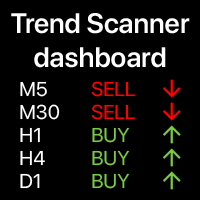
트렌드 대시보드: 멀티 타임프레임 지표, 현재 트렌드 요약 표시 이 도구는  3가지 주요 지표를 기반으로 합니다: RSI,  스토캐스틱 및 CCI.   알림   옵션은   트렌드의   시작을   놓치지   않도록   도와줍니다. 다기능 유틸리티 : 66개 이상의 기능 포함  |   문의하기  질문이 있는 경우  |   MT5 버전 다양한 옵션을 통해 필요에 따라 지표를 사용자 지정할 수 있습니다. 설정: 계산 바: 현재(변동) 또는 이전(종료). 9가지 주요 시간 프레임   사용 가능:  각   시간   프레임은   선택적으로   켜거나   끌   수   있습니다. 스토캐스틱 지표 :  %K 라인 기간; %D 라인 기간; 슬로우 값; RSI 지표: 빠른 기간; 느린 기간; 시각화   설정 : 색상: 매수, 매도 및 중립 신호용; 글꼴 크기, 거리 승수; 알림   설정 :   이메일 / 터미널 / 푸시(모바일); 프로그램 파일은 " Indicators " 디렉토리에 위치해야 합니다.
Multi TF Charts
Makarii Gubaydullin
다른 시간 프레임의 최대 3개 추가 차트를 분석 , 기본 차트를 전환하지 않고. 다기능 유틸리티 : 66개 이상의 기능, 이 도구 포함  |   질문이 있으면 저에게 연락하세요   |    MT5 버전 인디케이터는  별도 창 에서 열립니다: 창은   이동 가능   하며, 차트의 원하는 위치로 이동할 수 있습니다 ( [<M>]   버튼 사용). 창은 공간 절약을 위해 최소화할 수도 있습니다 ( [ <^>]  버튼) 나타나는 창에서 다음을 설정할 수 있습니다: 첫 번째 차트   의 기간 (왼쪽); 두 번째 차트   의 기간 (중앙); 세 번째 차트   의 기간 (오른쪽); (각 시간 프레임은 비활성화 가능); 각 시간 프레임의  바 수   。 최대 바 수: a) 3개의 활성 차트: 30; b) 2개의 활성 차트: 45; c) 1개의 활성 차트: 90; //------------
Money Meter
Makarii Gubaydullin
이 인디케이터는 각 방향(매수 및 매도)에 대한 잠재적 이익/손실 수준을 표시합니다. #1 Trade Assistant 확인: 이 도구를 포함한 66+ 기능  |   질문이 있으면 연락하세요 설정 가능:  로트 크기 (마지막으로 사용한 로트 자동 설정 옵션 있음); 그리드 단계 : 백분율 / 금액 (녹색 스위치); 각 방향의 레벨 수 ; 현재 계좌 잔액 또는 사용 가능 마진 에 대한 위험 계산; 인디케이터 초기 설정에서 선택 가능: 차트에서 선 및 텍스트 색상; 인터페이스 테마: 어두운 또는 밝은; 인터페이스 장점: 패널을 접어 차트 공간 확보: ((^)   버튼 ); 패널을 차트의 아무 곳으로 이동 가능: (< move >   버튼 ); 레벨 표시 빠른 활성화/비활성화: ( "On" 버튼 ); #1 Trade Assistant   확인: 이 도구를 포함한 66+ 기능  |   질문이 있으면 연락하세요
필터:
v9137397540
102
v9137397540 2025.12.05 10:22 
 

Спасибо за обновление. Стало еще лучше!

Makarii Gubaydullin
18970
개발자의 답변 Makarii Gubaydullin 2025.12.05 10:56
Благодарю за отзыв!
christian_ramon
19
christian_ramon 2025.04.12 06:32 
 

At first, the tool seems perfect, is is comfortable to manage trades with a graphic tool. I suppose if I had bought the MT5 utility I would be completely satisfied, but unfortunately as I was trading on MT4, I bought the MT4 utility. The problem is that there is only one documentation and this one is made in fact for MT5 (all screenshots are made on MT5 utility). So, whatever the programmer says, the documentation is not appropriate for people working with MT4. If I was in his position, I would have offered the new version because HE is responsible for the documentation not appropriate, not me. This seems to me to be dishonest

Makarii Gubaydullin
18970
개발자의 답변 Makarii Gubaydullin 2025.04.12 06:53
Hello, the interface of the utility is identical in the mt4 and mt5 versions. There are minor differences: for example, StopLimit orders are not supported by the mt4 terminal by default, so they are virtual in the mt4 version, and this is stated in the documentation (user manual). If you have any questions, please send a direct message, I will help you
8enlightenor Lumiere
26
8enlightenor Lumiere 2024.07.04 22:53 
 

Absolute best Trade Manager in the Market! I've been through many trade managers and this is the best. It has the most features, while not complicated. Easy to learn. Intuitive. The added features make trading so much easier! And the developer is very responsive to bug fixes. I love this trade manager, it's a masterpiece . Thank you Makarii!

Makarii Gubaydullin
18970
개발자의 답변 Makarii Gubaydullin 2024.07.04 23:04
I appreciate your review!
21285752
40
21285752 2023.11.20 21:10 
 

I can't rate this EA highly enough. I use the execution and trade management elements and they are by far better than I've seen / experienced anywhere. Very easy to use and the main thing this EA gives you is the confidence to trade they way you want. Also, the developer is just amazing - on hand to answer any questions or make tweaks that helps the effectiveness of the EA. A great product with top draw support.

Makarii Gubaydullin
18970
개발자의 답변 Makarii Gubaydullin 2023.11.20 21:26
Thank you for your review! I appreciate it
Ross Rodgers
158
Ross Rodgers 2023.08.26 22:56 
 

This is THE Trade Manager! Excellent feature set, that transforms MetaTrader 4 into a true professional trading platform... I won't go into all the features, but they have all transformed my trading to speed up and automate frequently required tasks, and it adds new pro-level trading features to MT4 that are just not possible on the vanilla MT4. As has been mentioned, the developer is extremely responsive, fixing minor issues and agreeably accepting new feature requests that are often programmed quickly. I can't imagine trading without this tool. One of the most supportive developers I have ever purchased software from.

Nizomiddin Ndr
35
Nizomiddin Ndr 2023.07.29 10:54 
 

zurrrrrr

Makarii Gubaydullin
18970
개발자의 답변 Makarii Gubaydullin 2023.07.31 09:27
Thanks!
jmc8trading
59
jmc8trading 2023.07.23 02:26 
 

Amazing tool and after purchase service! I had gone through 4 other popular trade managers prior to this one which were all good but missing they were always missing something, they all had their own unique feature but wouldn't have them all. This one has it all! What is even more impressive is the resposiveness of the developer. Some ideas I had which I wanted from the other trade managers I'd used were implemented within a day of asking before I even purchased! Needless to say I then purchased immediately and the developer has added some other things for me as well within a day or two, it's amazing. The only critisism I can give it (which isn't even a critisism) is it takes a bit of time/learning to get used to using it live and figure out all the features because it has so many! However once again the develper is very responsive and will help with anything that's unclear. Forget the other trade managers this is the one you need!

Makarii Gubaydullin
18970
개발자의 답변 Makarii Gubaydullin 2023.07.23 09:20
I appreciate your review!
s1321791644
29
s1321791644 2023.05.05 21:52 
 

Phenomenal EA and the developer is very responsive and accommodating to feedback/feature requests!

Makarii Gubaydullin
18970
개발자의 답변 Makarii Gubaydullin 2023.05.05 21:56
Thank you for your feedback! I appreciate it
Dmitrijs Ivanajevs
1216
Dmitrijs Ivanajevs 2023.04.28 15:30 
 

Не стоит своих денег. Туда засунуто ОЧЕНЬ много всего, чтобы разобраться - нужно курсы проходить. Половина абсолютно не нужна. Но возможно кому то и пригодится весь спектр настроек.

Makarii Gubaydullin
18970
개발자의 답변 Makarii Gubaydullin 2023.04.28 19:00
Основная идея утилиты - “все в одном”. Для ознакомления есть инструкция, всплывающие подсказки в интерфейсе, и я готов помочь лично. Жаль, что обилие функций вас разочаровало: большинство из них были добавлены по запросу пользователей.
graemanmoney
19
graemanmoney 2023.02.26 21:33 
 

I have been testing this utility for about a month. Took a little getting used to but once the functionality is understood it is a great tool. Am still finding different ways to use the features. Developer was awesome about adding in a function I suggested, am now able to pause all pending orders before news events so no need to delete them and re-enter or close down the platform over those times. Changes added within 48hrs, really great when a developer is still so committed to their software and making it work for as many people as possible.

Makarii Gubaydullin
18970
개발자의 답변 Makarii Gubaydullin 2023.02.26 21:36
Thank you for your review! I appreciate it
Cryptoboy65
21
Cryptoboy65 2023.02.10 23:00 
 

사용자가 평가에 대한 코멘트를 남기지 않았습니다

Makarii Gubaydullin
18970
개발자의 답변 Makarii Gubaydullin 2023.02.11 06:13
Please check the direct message
pro.trading
90
pro.trading 2022.10.04 22:08 
 

사용자가 평가에 대한 코멘트를 남기지 않았습니다

Makarii Gubaydullin
18970
개발자의 답변 Makarii Gubaydullin 2022.10.04 22:18
Thanks for your feedback!
papacuppa
29
papacuppa 2022.09.13 15:53 
 

Simply amazing piece of software for automating/systemising trading. I work full time and categorically could not live without this now. My trading plan used to require alerts to prompt action, so I was basically thinking about trading all day. I couldn't figure out how to trade alongside work.

I now reserve 15 minutes for setup in the morning (TA & pending orders), everything else is managed is managed by TAP. And even then, the visual lines for new orders makes the manual work a pleasure. I'm usually done for the day within 5 minutes actually. I'll follow-up on the day's activity after work with a drink, and relax.

Some of the features I use:

— Price triggers cancel so I can place multiple orders but limit risk to 1%

— Auto breakeven at 1:1

— Auto TSL 2:1

Very important to mention is developer responsiveness. Even great software is useless if you have a problem and can't talk to anyone! I'm very happy to say that Makarii is highly responsive (replies often in minutes). And he's open to feedback. One feature I requested was published in just 2 days. Both the product and developer are a treasure to this community, and I just know many more features are currently being planned and implemented. This guy is passionate about his creations, and money doesn't buy that. Unfortunate as it is, it's not a common quality (especially online). If you trade with tight risk management through a prop firm, TAP is a no brainer to add to your trading toolkit. And if over-trading still trips you up, honestly, it's probably going to save your account. Kudos!!

Makarii Gubaydullin
18970
개발자의 답변 Makarii Gubaydullin 2022.09.13 16:03
Thank you very much for your review! I appreciate it
Francisco Garcia
182
Francisco Garcia 2022.09.12 18:26 
 

Herramienta muy completa, estoy empezando a usarla, tiene bastantes funciones y empiezo a conocerla poco a poco, pero me sorprende agradablemente, hasta la presente todo perfecto y buen soporte del desarrollador. Gracias

Makarii Gubaydullin
18970
개발자의 답변 Makarii Gubaydullin 2022.09.12 18:34
¡Gracias por tu reseña!
Andre Gomes
2926
Andre Gomes 2022.09.08 23:35 
 

This is the best panel I have ever used. I use it every day.

Makarii Gubaydullin
18970
개발자의 답변 Makarii Gubaydullin 2022.09.09 00:08
Thank you for your feedback! I appreciate it
lecmark
143
lecmark 2022.09.05 03:51 
 

This utility is the most powerful and loaded utility that I have ever tested. Just add your favorite indicator and set your trades! It does come with excellent tools that you can trade from like S/R, High/Low, Large bar, and others. Clear, and easy to read charts. It has taken me about 2 weeks to get familiar with many of the tools and I still have more to learn! Very powerful and complete. Thanks for such a powerful tool!

Makarii Gubaydullin
18970
개발자의 답변 Makarii Gubaydullin 2022.09.05 07:43
Thanks for your review!
Trevor Chan
1036
Trevor Chan 2022.09.04 08:49 
 

Excellent, I have been testing a number of tools in the Mql5 market, this one clearly is by far the best.

Makarii Gubaydullin
18970
개발자의 답변 Makarii Gubaydullin 2022.09.04 10:22
Thank you!
fxcommentary
1930
fxcommentary 2022.08.16 17:40 
 

The tool is exceptional. All recomendations and reviews are FULLY justified. I will buy after my rental period is over. The history is simple i have looked for such a tool - Trade Manager - for ages, truly. Every time i found a better one i started using a better one. Finally i got to the point where the best one i used WAS NOT ENOUGH. I needed more options to practice my routine of placing multiple orders more easily. So recently i started to review all best tools i found on the internet. I also tried some new tools from the market, out of desperation. And that is how i found this GREAT tool. End of story. Now, before putting into real work you will have to practice. This tool is exceptional, its logic is designed unusually in order to provide smooth operations. It took me 2 weeks to start operating but when you learn the tool you will be satisfied. So i can recommend this tool to people seriously interested in trading management on multiple assets. By the way the developer is a very friendly guy. If you suggest changes that will give undoubtedly benefits to users, i suppose he will implement it. Just like mine suggestions. Makarii - well done !

----

edited 22.09.2022 - time pass by and the Tool is getting better EVERY WEEK (section: Whats New)

----

edited 20.10.2022 - multi TP function enables auto trailing SL (with or without TP) based on your personal manually chosen levels ex. levels you decide from structure of price.

----

edited 1.11.2022 - i want to share my experience with TradeManager. It truly improved my routines hugely, especially in TakeProfit , Alerts and multi trades operations (SL modification, partially closing). I would call it 100% improvement. And I did not even started to use other functions for auto management provided by TradeManager like: trailing etc. Great Tool.

----

edited 10.11.2022 - 1000 transactions in 5 weeks with this Tool. Easily placed orders. Of course with micro-management of positions, splitting orders, active in-out environment. This kind of management was never possible for me before unless i found the Tool.

----

edited 02.02.2023 - Great new amazing features. The tool is getting better and better.

----

edited 24.08.2024 - IMHO, this tool is so good i would pay 3x the price for it. Sooner or later every MT4 trader needs best tools possible and this tool is one of them. The tool is easy to use when you establish your routines, however at the same time the tool can serve to arrange routines for any kind of trader. HOWEVER to create and develope this Tool I imagine that the highest coding skills, experience and coding effort - is required. The level of complexity of design/code of that tool - is unbelievable. I can only imagine it, as I code myself simple stuff.

Makarii Gubaydullin
18970
개발자의 답변 Makarii Gubaydullin 2022.08.16 18:42
Thank you for your feedback, I appreciate it!
Edward
34
Edward 2022.08.09 10:17 
 

사용자가 평가에 대한 코멘트를 남기지 않았습니다

Makarii Gubaydullin
18970
개발자의 답변 Makarii Gubaydullin 2022.08.09 10:56
I appreciate your review!
multinat
189
multinat 2022.08.05 11:31 
 

Excellent utility

Makarii Gubaydullin
18970
개발자의 답변 Makarii Gubaydullin 2022.08.05 13:15
Thanks!
12
리뷰 답변