Trade Assistant Pro 36 in 1

4.76

多機能取引ツール:ロット計算機、グリッド注文、R/R比率、トレードマネージャー、需給ゾーン、プライスアクションなど

デモ版  |  ユーザーマニュアル

トレードアシスタントはストラテジーテスターでは動作しません:このユーティリティをテストするにはデモ版をこちらからダウンロードしてください。

ご質問/改善のアイデア/バグ発見の場合は私に連絡してください

MT5版が必要な場合は、こちらから入手できます

取引プロセスを簡素化、高速化、自動化します。このダッシュボードで標準ターミナルの機能を拡張します。

取引パネルはあらゆる取引銘柄で動作します:FX、株式、指数、暗号通貨など。

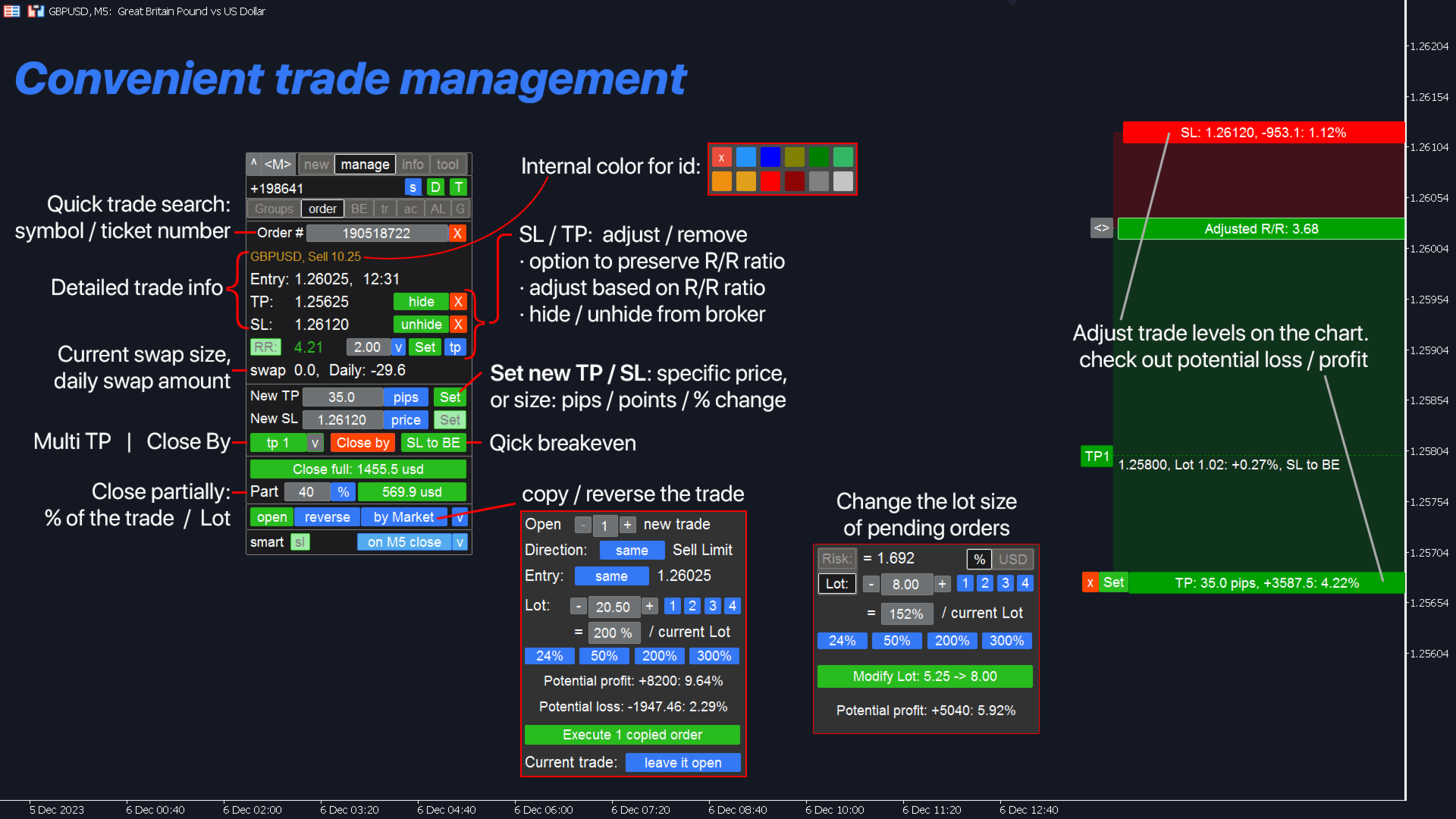
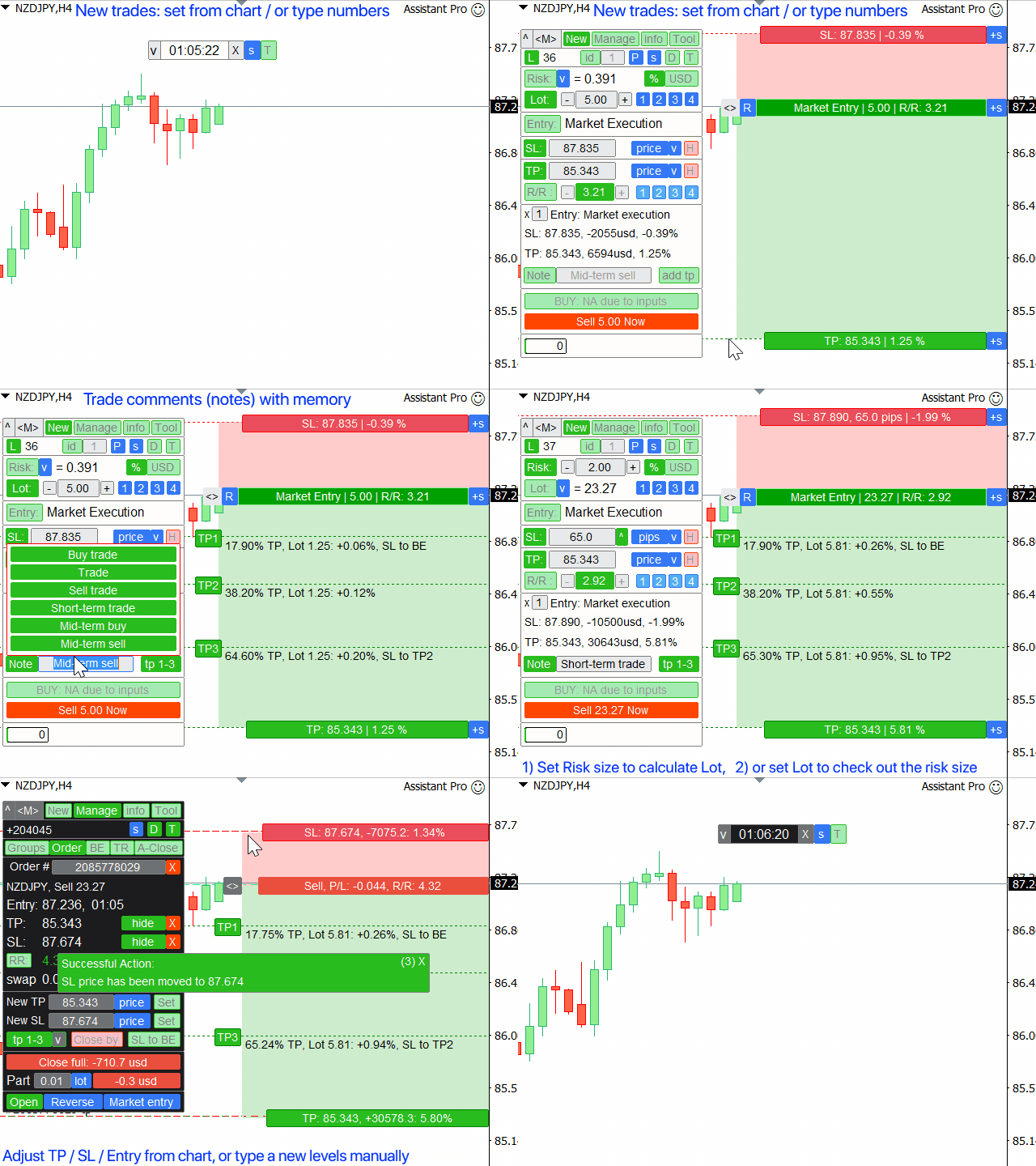
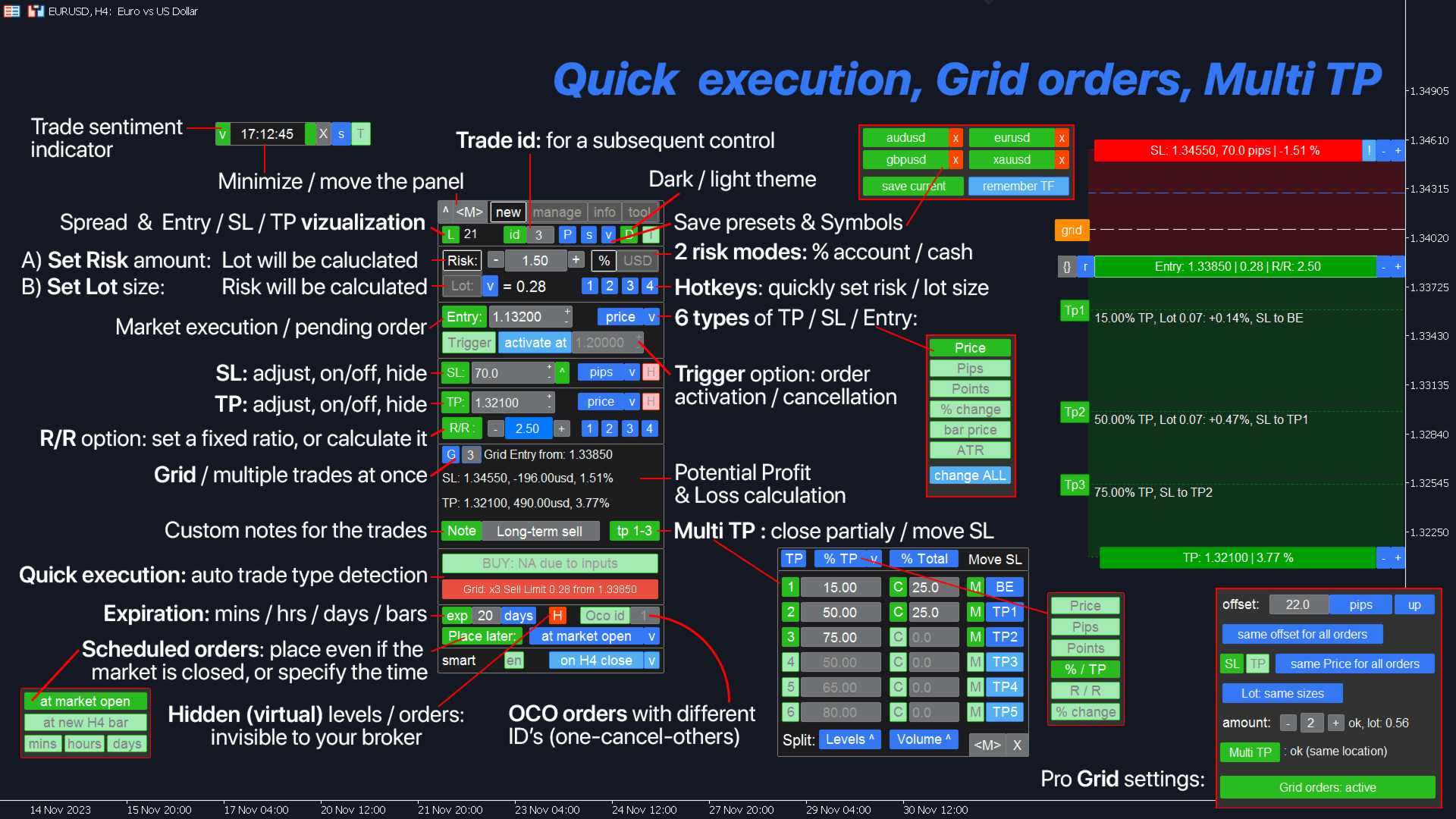
1. 新規取引の開始:ロット/リスク/RR計算:手動取引のリスク管理

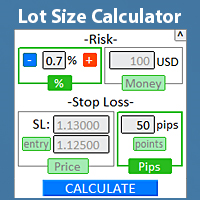
  • ロット計算機(リスクサイズに基づく取引量計算)
  • リスク計算機(ロットサイズに基づくリスク額)
  • リスクリワード比率
  • グリッド注文:+ 動的間隔オプション、分割ロットオプション
  • 注文アクショントリガー、+ 買いストップリミット/売りストップリミット:Mt4でも可能
  • 仮想SL、仮想TP(非表示SL、非表示TP:ブローカーから不可視)
  • スマートSL/エントリーレベル:バーがそれを超えて終了した場合(誤作動を回避)
  • 非表示注文(仮想注文)
  • スケジュール注文:市場が閉じているときでも注文を出せます(週末プランナー)
  • 追加マルチTPレベル(複数利確)
  • 異なるIDを持つOCO注文(ワンキャンセルズジアザー)
  • 取引の視覚化 + チャート上での調整
  • スプレッドによる誤作動(ストップハント)を避けるため、Ask価格ではなくBid価格でのSL/エントリーレベル
  • 5つの異なる口座サイズに対する同時ロット/リスク計算:口座管理に便利
  • 一度に複数取引を開始するオプション
  • 有効期限:分/時間/日/バー数に基づく
  • 管理しやすい仮想トレードID

2. トレードマネージャー:決済/変更/トレーリングストップ/注文追跡/損益分岐/自動決済

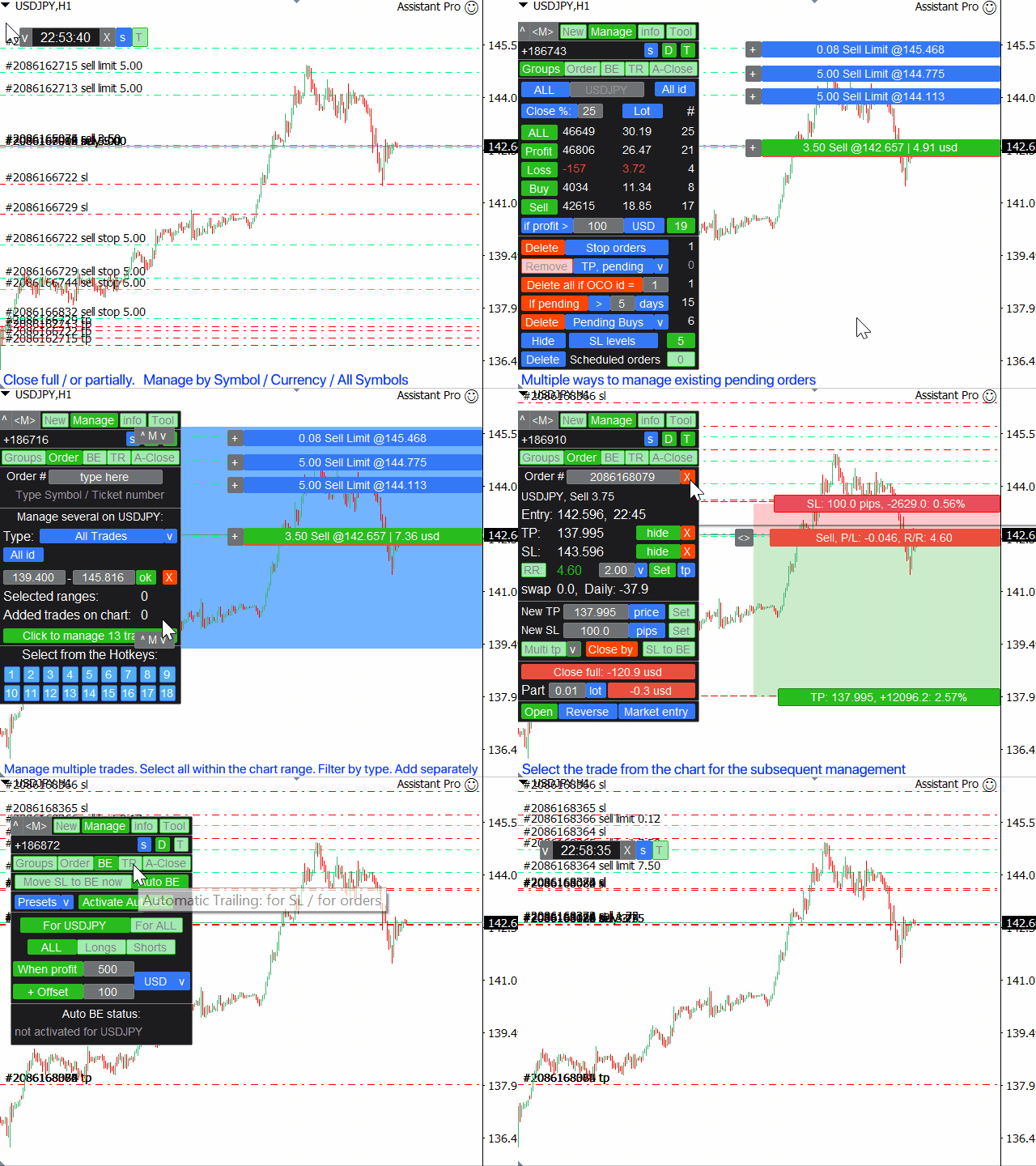
  • カテゴリー別に取引をグループ化して決済(一括注文):
    • 全て/利益/損失/買い/売り/損益 >
    • 保留中注文が より多い/より少ない場合
    • 保留注文の削除:指値/逆指値/買い/売り/ストップリミット
  • 取引を部分的に決済(スケールアウト)
  • 異なる通貨ペアをグループ化するオプション:例:すべてのGBPを含む取引(GBP/USD, EUR/GBPなどを同時に管理可能)
  • すべての取引のすべてのSL/TPレベルを1クリックで削除(一括SL、一括TP)
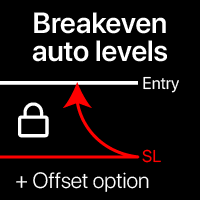
  • 自動損益分岐/手動損益分岐、+オフセットオプション
  • トレーリングストップ:11種類のSLタイプ + 8種類の移動ルール(SLトレーリング)。+ ATRトレーリング、トレンドライントレーリング
  • 自動注文追跡
  • 複数取引を同時に管理するオプション:高速取引が必要なスキャルピングに特に有用
  • 自動決済機能:利益/損失時、または特定時間に

選択した取引を管理:注文管理/ポジション管理

  • 市場が閉じているとき(週末)でも取引管理可能:変更は市場オープン時に適用されます
  • 1クリックで取引をコピー/反転
  • 視覚化 + チャート上での調整オプション
  • 既存の保留注文のロットサイズを変更
  • すべての注文のエントリー価格を一度に移動
  • 部分的に決済:ロットサイズ/現在ロットの%(部分決済)
  • "クローズバイ":反対ポジションで決済
  • TP/SLの調整:価格/ピップ/ポイント/%
  • 有効期限のクイック変更
  • R/R比率に基づくTP/SLの調整
  • 既存注文の初期リスク%を維持しながらSLを変更

3. 取引統計 + 市場分析

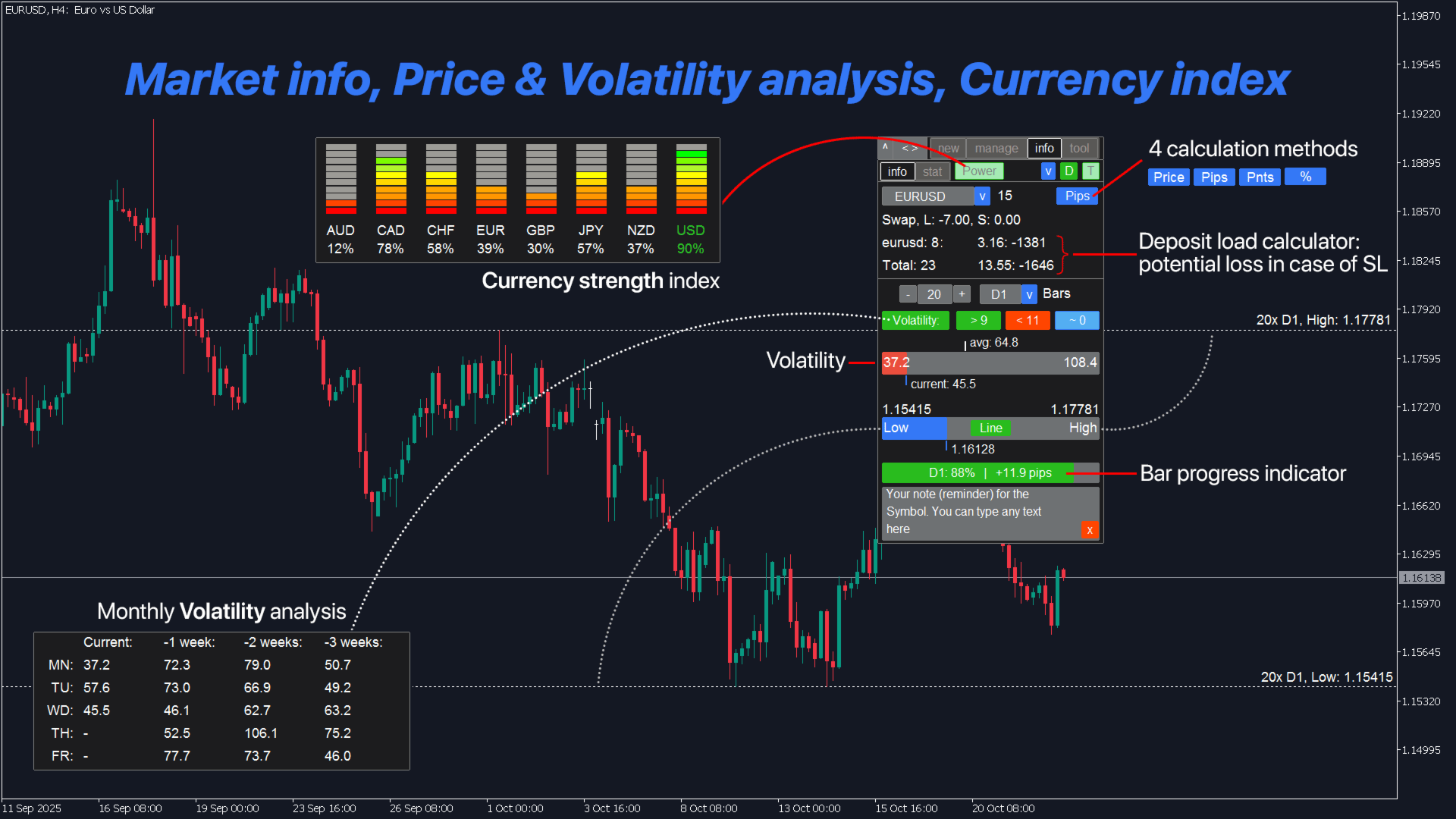
  • 通貨強弱指数
  • 取引統計(履歴):カスタム期間/銘柄
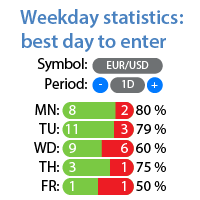
  • 曜日分析:最良/最悪の取引日(統計)
  • 市場情報、ボラティリティ分析
  • 高値と安値の視覚化、現在価格との比較
  • バー進行状況インジケーター
  • 銘柄のカスタムメモ(チャート上のリマインダー)

4. インジケーターと補助ユーティリティ

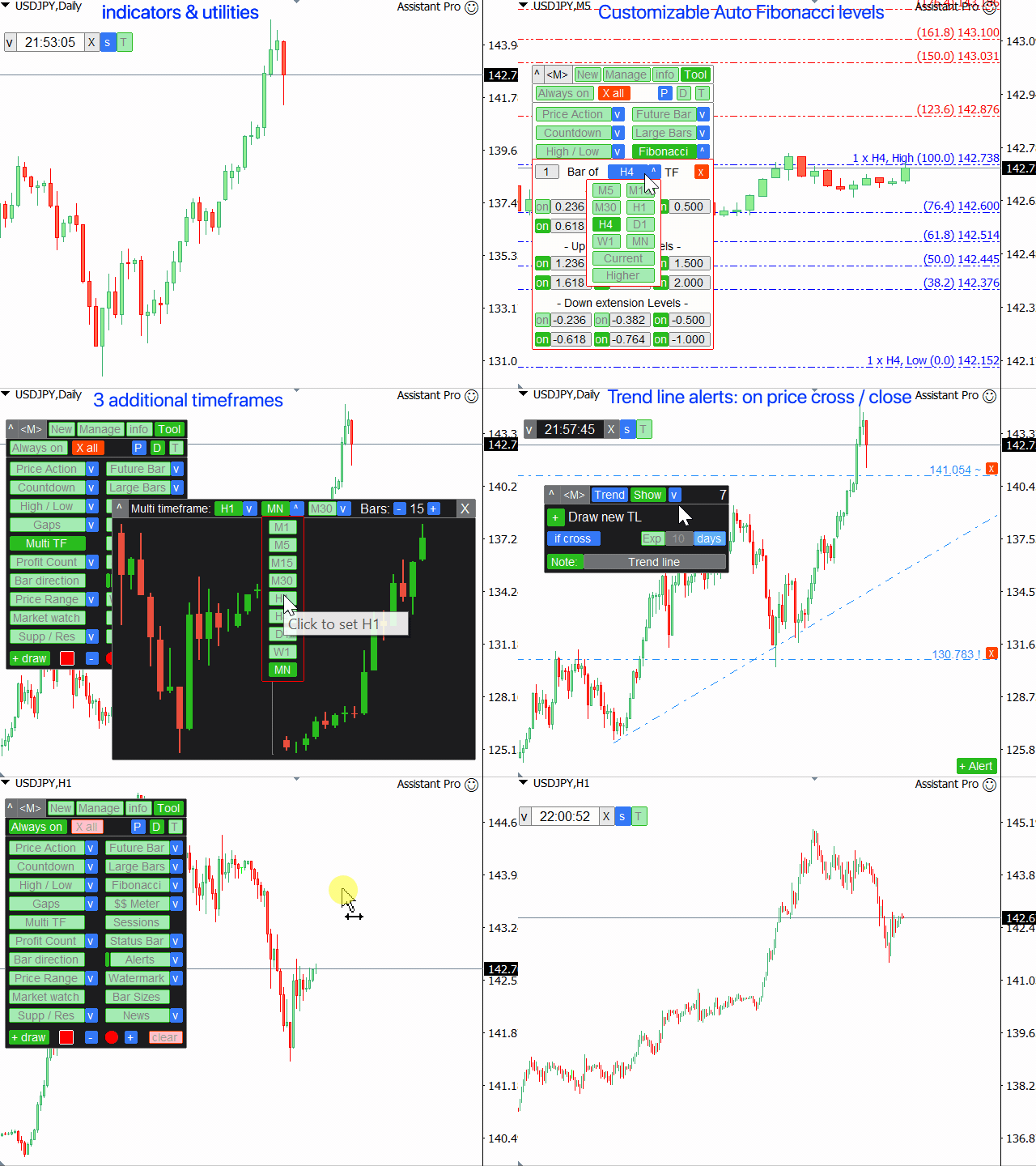
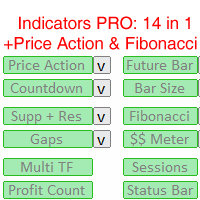
  • プライスアクションインジケーター + 3つのトレンドフィルター(PA)
  • 需給ゾーン(サポートとレジスタンス)
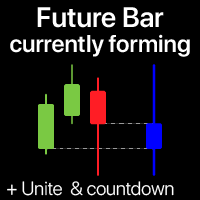
  • 未来価格バー
  • チャート上の経済カレンダー(ファンダメンタルニュース)
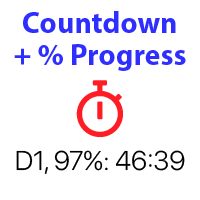
  • カウントダウンタイマー
  • 大きなバーインジケーター
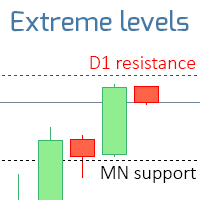
  • 9つのTFの高値/安値レベル
  • 自動フィボナッチレベル(Fibo)
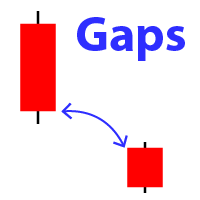
  • ギャップインジケーター(マーケットギャップ)
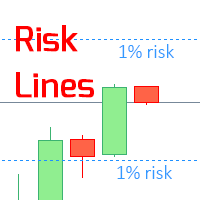
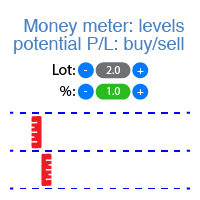
  • 潜在的な利益/損失レベル
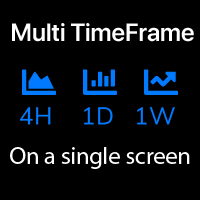
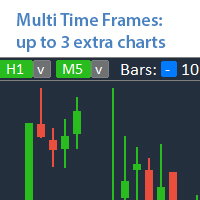
  • 同じチャート上に最大5つの追加TF(マルチTF)
  • 取引セッション(活発な市場時間)
  • フローティング損益カウンター
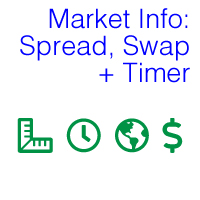
  • ステータスバー:リアルタイム市場情報(スワップ、スプレッド、価格変動値、時間、損益)
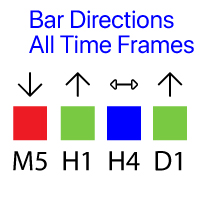
  • バーの方向:全TFのキャンドル
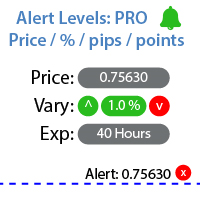
  • 価格アラート/トレンドラインアラート、+メモ(レベル到達時に通知)
  • チャート上の透かし:銘柄+TF/または独自のテキスト
  • 価格レンジユーティリティ:取引境界線
  • マーケットウォッチツール(ウォッチリスト)
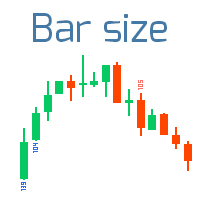
  • 9つの時間軸でのバーサイズ
  • チャート上のカスタム描画(スケッチ)
  • クイックスクリーンショット + 自動スクリーンショット
その他の機能:
  • オーバートレード制御:最大ロット、最大注文数の設定オプション
  • 既存取引に非表示ストップロス/非表示テイクプロフィットを設定するオプション、または実際のレベルに戻す
  • 複数の保留注文を管理中:すべての注文のエントリー価格を同時に変更
  • テレグラム通知
  • あなたの取引センチメントインジケーター
  • 約定時自動スクリーンショット
  • ホットキー(+カスタムホットキー)

取引機能は自動取引の許可が必要です(ブローカー側を含む)。

トレードアシスタントはあらゆる取引銘柄で動作します:
FX、株式、先物、指数、CFD、債券、暗号通貨、金属、合成指数その他あらゆる銘柄。

____________________________
____________________________

Assistant_38 in 1
アシスタント 38 in 1
Tradingvew, ChatGPT, AI, GPT, 人工知能
レビュー 30
v9137397540
110
v9137397540 2025.12.05 10:22 
 

Спасибо за обновление. Стало еще лучше!

8enlightenor Lumiere
26
8enlightenor Lumiere 2024.07.04 22:53 
 

Absolute best Trade Manager in the Market! I've been through many trade managers and this is the best. It has the most features, while not complicated. Easy to learn. Intuitive. The added features make trading so much easier! And the developer is very responsive to bug fixes. I love this trade manager, it's a masterpiece . Thank you Makarii!

21285752
40
21285752 2023.11.20 21:10 
 

I can't rate this EA highly enough. I use the execution and trade management elements and they are by far better than I've seen / experienced anywhere. Very easy to use and the main thing this EA gives you is the confidence to trade they way you want. Also, the developer is just amazing - on hand to answer any questions or make tweaks that helps the effectiveness of the EA. A great product with top draw support.

おすすめのプロダクト
自動決済:時間指定、または利益/損失トリガー このユーティリティを使用すると、特定の条件で取引を自動的に決済できます。 多機能ユーティリティ : 66+ 機能、このツールを含む  |   質問がある場合は連絡してください   |   MT5版 自動決済を有効にするには、次のパラメータを設定する必要があります(パネル上): 1. シンボル   機能が適用される: 特定の   [Symbol]   / または   [ALL]   すべてのシンボル。 2.   条件、   決済タイミング: [if total] / [if single] / [at time]:   このパラメータに応じて、  利益/損失達成時 に決済するか、  指定時間 に決済するかのオプションが表示されます。 [close at Profit / Loss] オプションの設定: 1. [if total] / [if single]:   P/L計算方法:すべての  選択された取引を  まとめて、  または各取引を  個別に計算; 2. [Floating] / [Potential]:  浮動P/L  (未決済取引
Product Name: Risk Commander: Trade Assistant & Strategy Simulator Risk Commander is more than just a trade panel—it is a complete Manual Trading Ecosystem . It serves two powerful purposes: Live Assistant: Helps you execute trades with speed, precision, and perfect risk management in real-time markets. Training Simulator: Fully compatible with the Strategy Tester (Visual Mode) , allowing you to practice manual trading on historical data without risking a cent. NEW! Built-in Simulator Mode S
This tool will perform Trailing stop loss and Break even management for orders. Helps you limit or reduce the time spend watching orders on the screen, especially when you need to go to sleep. Just add this EA to 1 chart, you can manage all pairs. You can filter orders by comment, magic number, symbol, and order ticket number. When Breakeven it can add shift/offset pips (to cover the commission...). You can try in strategy tester before purchase. The EA will add Buy and Sell alternately, so yo
MT4 to Telegram Pro/Copier は、MetaTrader 4向けに設計された強力なエキスパートアドバイザーで、Telegramメッセージングプラットフォームを通じてリアルタイムの取引通知と包括的なレポートを提供することで、トレーディング体験を向上させます。シグナルプロバイダーやトレーナーに最適なこのツールは、アカウント内で手動または他のEAによって行われた取引をコピーし、カスタマイズ可能なアラート、高度な取引管理、ユーザーフレンドリーなパフォーマンスインサイトダッシュボードを提供します。トレーディングロジックに依存せず、購読者とのコミュニケーションを効率化します。 注 :MT5バージョンはこちらでダウンロードできます: MT4 to Telegram Pro/Copier MT5 MT4のフルバージョンはこちらでダウンロードできます: MT4 to Telegram Pro/Copier MT4 詳細なドキュメントはこちら: 設定と入力ガイド 機能: Telegram APIの簡単な統合:アカウント内の取引活動やドローダウンの制限に関する即時通知をTelegram
Three 3TP Easy Trade Pad Expert for MT4 – Download The 3TP Easy Trade Pad Expert is an advanced tool designed for capital management, risk control, and streamlined trading within the MetaTrader 4 (MT4) platform. With its functional and specialized interface, this expert advisor allows traders to effortlessly set and manage Stop Loss (SL) and Take Profit (TP) levels. In addition to simplifying trade execution, the tool provides features for defining acceptable risk, expected profit (R/R), and adv
Virtual Collider Manual   is a trading assistant with a built-in panel for manual trading. It automatically moves a position opened by a trader in profit using innovative adaptive grid algorithm of averaging and adaptive pyramiding Know-how of the grid algorithm of averaging and pyramiding of the   Virtual Collider Manual   trading robot is based on fully automatic adaptation of all characteristics of dynamically build order grid and pyramid with actual price movement with no need for adjusting
The utility copies trades from the signal provider accounts (master accounts, one or multiple providers) to unlimited number of receiver accounts (slave accounts).  Attention! Y ou need to use identifiers (Provider number) of the same length if you use several master copiers. For example. 1, 2, 3 or 11, 13, 22. The copying can be set in the opposite direction. The comments with all the recently performed actions are displayed on the screen to monitor the utility actions in slave mode. To avoid p
Angry bull Option Binary
Fabio Oliveira Magalhaes
1 (1)
Angry Bull Option Binary   This is a Binary Options robot, which contains 7 strategies, you can backtest it to check what the best strategies are Settings Initial Batch Value Dynamic Investment = If activated it will use an automatic lot according to its capital Balance ($) w/ backtest = Starting balance to backtest PorcRiscoInvestment = It will be the value of % for the automatic lot if it is activated Expiration (in minutes) = It will be the expiration time of orders in Binary Options Magic
Trade panel manual is a multifunctional trading assistant. It allows you to open market and pending orders in one click. Value is set via button menu edit or deleted by specific buttons pending orders and the value of take profit and stop loss in one click. Through the edit menu of the button, a value is set that can be easily changed by simply moving level_tp lines for take profit or stop loss levels and for pending orders. It is possible to select orders and determine for them and set the leve
Trade Manager は、リスクを自動的に計算しながら、取引を迅速に開始および終了するのに役立ちます。 過剰取引、復讐取引、感情的な取引を防止する機能が含まれています。 取引は自動的に管理され、アカウントのパフォーマンス指標はグラフで視覚化できます。 これらの機能により、このパネルはすべてのマニュアル トレーダーにとって理想的なものとなり、MetaTrader 4 プラットフォームの強化に役立ちます。多言語サポート。 MT5バージョン  |  ユーザーガイド + デモ Trade Manager はストラテジー テスターでは機能しません。 デモについてはユーザーガイドをご覧ください。 危機管理 % または $ に基づくリスクの自動調整 固定ロットサイズを使用するか、ボリュームとピップに基づいた自動ロットサイズ計算を使用するオプション RR、Pips、または価格を使用した損益分岐点ストップロス設定 トレーリングストップロス設定 目標に達したときにすべての取引を自動的に終了するための 1 日あたりの最大損失 (%)。 過度のドローダウンからアカウントを保護し、オーバートレードを防ぎま
自動ブレークイーブンレベル この   ユーティリティを   使用 すると、   取引が所望の利益に達したときに自動的にSLを移動する機能を有効にできます。 特に   短期   トレーダー   にとって重要です。   オフセットオプションも利用可能です:一部の利益を保護できます。 多機能ユーティリティ : 66以上の機能、このツールを含む  |   質問がある場合は連絡してください   |   MT5バージョン 自動ブレークイーブン機能の有効化プロセス: 1.   シンボルまたは取引を選択   Auto BE機能を有効にする対象: 現在の   [Symbol]   / すべての取引   [ALL]   / または特定の取引   [Ticket] . [Symbol]または[ALL]ルールに加えて - 特定の取引に個別のルールを設定できます, チケット番号により: 個別の[Ticket]ルールが優先されます. 2. Auto BEを有効にする   取引タイプ   を選択: [ALL]: すべての有効な取引; [Longs]: 買い取引のみ; [Shorts]: 売り取引のみ; 3.  
Trading panel for manual trading. Has a fairly wide functionality. Allows you to automatically calculate the order size, open both market and pending orders. It has a wide range of options for closing orders, it is possible to partially close orders, close orders after reaching a certain profit or loss, separately close profitable and unprofitable, buy and sell, as well as pending orders. The panel also contains a simple implementation of a grid of pending orders, reverse and lock functions, tr
Exp COPYLOT CLIENT for MT4
Vladislav Andruschenko
4.69 (65)
MetaTrader4のコピー機を取引します。     それは任意の口座からの外国為替取引、ポジション、注文をコピーします。 それは最高の貿易コピー機の1つです     MT4 - MT4、MT5 - MT4     のために     COPYLOT MT4     バージョン(または     MT4 - MT5  MT5 - MT5     のために     COPYLOT MT5     バージョン)。 MT5のバージョン 完全な説明   +DEMO +PDF 購入する方法 インストールする方法     ログファイルの取得方法     テストと最適化の方法     Expforex のすべての製品 のコピー機 バージョン       MetaTrader 5 ターミナル(   МТ5 - МТ5、МТ4 - МТ5   )-   コピーロットクライアントMT5 独自のコピーアルゴリズムにより、すべての取引がマスターアカウントからクライアントアカウントに正確にコピーされます。 また、動作速度が速いことでも知られています。タフなエラー処理。 強力な機能セット。 プログラムは、複数
Expert Advisor for MT4 Useful utility MUST have for all traders.  With 1 click button, you're able to close all your open positions. Its come with a warning pop up notification when you click to close all your trades, to avoid an accident press the button. Just press 'Yes' to confirm or 'No' to cancel it. The expert will close all your open positions no matter what pairs you currently open or directions. Just attach the expert on 1 of your chart, and you're good to go.
使用説明: https://www.mql5.com/zh/blogs/post/754946 MT4バージョン: https://www.mql5.com/zh/market/product/88205 MT5バージョン: https://www.mql5.com/zh/market/product/88204 ------------------------------------------------- 1. 注文を 12 個のマスター アカウントから 100 個のスレーブ アカウントにコピーします。 スレーブ アカウントの数は 12 から 100 までカスタマイズできます。 2.MT4からMT4、MT4からMT5、MT5からMT4、MT5からMT5をサポートします。 3. EURUSD、EURUSDm、EURUSDk など、さまざまなプラットフォームでの取引種類のサフィックスを識別します。 4. カスタム通貨マッチング (XAUUSD=GOLD など)。 5. すべての取引をコピーすることも、買い、売り、決済命令のみをコピーすることもできます 6. ストッププロフィットとス
Golden Gestion TP SL
Matthias Hubert Patrick Snidaro
Auto SL/TP Manager EA – Gestion Automatique Intelligente Auto SL/TP Manager EA est un Expert Advisor conçu pour automatiser la gestion des commandes avec une efficacité maximale et une grande discrétion. Il gère automatiquement : Le Stop Loss (SL) et le Take Profit (TP) Le Profit Lock (verrouillage progressif des bénéfices) Le Trailing Stop avec plusieurs méthodes avancées L' affichage masqué du SL et du TP pour plus de discrétion (non visible par le courtisan) C'est l'outil idéal pour les
Like you when I first started trading, It was overwhelming...learning about indicators, about lotsize, leverage and many more things. Its been almost 3 years. I am more knowledgeable in trading. My trading continues to improve as I work on my strategy, technical analysis, trading psychology and trade management. One thing I am not worried about though is being able to close my trades quicky if a trade goes against me or if the trade has reached my take profit level with the help of my Close Tra
Utility, which draws buy or sell trendlines, which can also become support or resistances able to close any position on the screen Algorithm that calculates the gain of the position, at the touch closure of the line.   The benefits you get: Works on forex and CFD, timeframe from M1 to Weekly. Easy to use screen control panel. Audible warning messages at the touch of the line. Easy to use.
Unlimited Binary Options Copier Remote is a powerful tool to copy binary options trades remotely between multiple accounts at different locations over internet. This is an ideal solution for signal provider, who want to share his binary options trades with the others globally on his own rules. One provider can copy trades to unlimited receivers and one receiver can get trade from unlimited providers as well. The provider can set the subscription expiry for each receiver, so that receiver will no
Noize Absorption Index - is the manual trading system that measures the difference of pressure between bears forces and bulls forces. Green line - is a noize free index that showing curent situation. Zero value of index shows totally choppy/flat market.Values above zero level shows how powerfull bullish wave is and values below zero measures bearish forces.Up arrow appears on bearish market when it's ready to reverse, dn arrow appears on weak bullish market, as a result of reverse expectation. S
GGP Trade Copier  EA is an automatic trading bot that can help traders automatically replicate the trading strategies and operations from one trading terminal to others by experiencing exceptionally fast trade copying system. Its easy-to-use setup allows you to copy trades between multiple MetaTrader terminals on the same Windows computer or Windows VPS with lightning-fast copying speeds of under 0.5 seconds. The software supports multiple trading varieties, including Forex, commodities, stocks,
Structural Equilibrium: A New Era of Adaptive Market Analysis As information technology advances and market participation grows, traditional analytical tools often face declining efficiency. Standard technical indicators frequently struggle to interpret the complexities of modern, algorithm-driven market structures. Structural Equilibrium was developed as a high-performance solution featuring a multi-level adaptive smoothing mechanism. This core logic allows the tool to maintain its analytical r
This utility is designed to help you with your Manual Trading. It allows different ways of closing trades. It can display total number of BUY and SELL orders individually and also their individual profits. It can enter trades without stopl loss and take profits. However upon selecting UseStopLossTakeProfit from the settings it can use best possible stop loss and take profits based on the market conditions. Upon selecting the CloseOppositeTrades  from the settings it can close opposite trades. Fo
AnyChart is a multifunctional tool allowing you to work with non-standard charts in MetaTrader 4. It includes collector of ticks and generator of charts for trading (hst files) and testing (fxt files). Supported chart types are second, tick and renko ones. Settings Starting Date - start date for chart plotting. Ending Date - end date for chart plotting. Chart Type - chart type: Time - time chart, each bar contains a certain time interval; Tick - volume chart, each bar contains a certain number
It is so very disappointing when the price does not have enough points to achieve Take Profit and makes a reversal. This EA sets virtual levels near the TakeProfit levels. This EA sets virtual levels next to TakeProfit orders. If these levels are reached by price, breakeven or trailing stop is applied for an order. Features This EA does not set new orders. The aim of this EA is to manage stop losses of existing orders that are set by another EA or manually (magic number equals 0). For correct w
このインジケーターは世界の取引所の営業時間を表示します。現在どの市場が最も活発かを確認するのに役立ちます 私の  #1 Pro  Utility : 66+ 機能、このツールを含む  |   お問い合わせ  ご質問があれば 現在最もボラティリティの高い銘柄を選択するのに役立ちます; デイトレーダーに特に有用です; 1) 1H以下の時間足 で使用する場合:線はチャート上のバーの実際の位置に対応し、チャートを移動すると、取引セッションの線 はチャートと一緒に移動します 。 2) 4H以上の時間足 で使用する場合:取引セッションの 静的なチャート が表示され、垂直線 は一日中移動し 、現在どの市場が活発かを示します。(スケールのため)。 インジケーターをインストールした後、グリッドを無効にし(CTRL+G)、オブジェクトの説明を無効にする(F8>共通>オブジェクトの説明を表示)ことをお勧めします。 入力設定: 重要:   インジケーターを正しく動作させるには、初期設定で   ブローカー時間とグリニッジ標準時との時差を設定する必要があります: ブローカー時間は「MarketWatch」セ
Indicator Description GOLD TITAN KING SIGNAL INDICATOR High-Precision Gold Scalping Buy/Sell Signals – Manual Trading Assistant Overview The Gold Titan King Signal Indicator is a manual trading assistant tool designed for high-frequency scalping on Gold (XAUUSD) and other major pairs. It generates clear BUY/SELL signals with precise entry levels, along with adjustable Stop Loss and Take Profit levels displayed directly on the chart. ️ This tool is NOT an EA. It does not execute trades
The Best One Scalping Trade Panel functional manual trade panel with risk reward, auto SL by candle ( original solution), lot size calculation, one-click trading, scale in and out of trades (partial close),  Works with all symbols not just currency pairs, perfect works on DAX, NASDAQ, GOLD, ...... I earn every day during live stream on ZakopiecFX - join Me Risk by lot Risk by percent SL by points SL by Candle, Renko, RangeBar ( original solution) TP by point TP by Risk/Reward Auto Trailing by P
Exotic Bot   is a multi -cream multifunctional adviser working on any time frame and in any market conditions. The robot’s work is taken as a system of averaging with the non -geometric progression of the construction of a trading grid. Built -in protection systems: special filters, spreading, internal restriction of trading time. Building a trading grid, taking into account important internal levels. The ability to configure trading aggressiveness. Work postponed orders with trailing orders. T
TradePilot
Hossein Khalil Alishir
TradePilot Expert Advisor (EA) for MetaTrader 4 TradePilot is a professional and user-friendly Expert Advisor (EA) for MetaTrader 4 (MT4) . It simplifies automated trading , risk management , and trade execution using a smart trading panel . Perfect for beginners and experienced traders looking for a reliable trade manager EA with automated lot size calculation . Key Advantages User-Friendly Trading Panel: Customizable panel with buttons and hotkeys. Smart Risk Management: Supports percen
このプロダクトを購入した人は以下も購入しています
Trade Manager EAへようこそ。これは、取引をより直感的、正確、そして効率的にするために設計された究極の リスク管理ツール です。これは単なるオーダー実行ツールではなく、包括的な取引計画、ポジション管理、リスク管理のためのソリューションです。初心者から上級者、迅速な実行を必要とするスキャルパーまで、Trade Manager EAはあらゆるニーズに対応し、為替、指数、商品、暗号通貨などさまざまな市場で柔軟に対応します。 Trade Manager EAを使用すると、複雑な計算が過去のものになります。市場を分析し、エントリーポイント、ストップロス、テイクプロフィットのレベルをチャート上のラインでマークし、リスクを設定するだけで、Trade Managerが最適なポジションサイズを即座に計算し、SLとTPをピップ、ポイント、口座通貨でリアルタイムに表示します。すべての取引が簡単かつ効果的に管理されます。 主な機能: ポジションサイズ計算機 :定義されたリスクに基づいて取引サイズを瞬時に決定します。 簡単な取引計画 :エントリー、ストップロス、テイクプロフィットを設定するためのド
Copy Cat More Trade Copier MT4 (コピー猫MT4) は単なるローカル取引コピーツールではなく、現代の取引課題に対応するために設計された完全なリスク管理と実行フレームワークです。Propファームのチャレンジから個人の資産管理まで、強力な実行力、資金保護、柔軟な設定、高度な取引処理を組み合わせ、あらゆる状況に適応します。 このコピーツールは Master(送信側) と Slave(受信側) の両モードで動作し、成行注文や指値注文のリアルタイム同期、取引修正、部分決済、Close By 操作をサポートします。デモ口座・リアル口座の両方に対応し、取引用パスワードまたは投資家パスワードでも利用可能です。Persistent Trade Memory 技術により、EA・ターミナル・VPS が再起動しても復元可能です。複数の Master と Slave を同時に管理でき、ブローカー間の違いはプレフィックス/サフィックスの自動調整やシンボルマッピングで処理されます。 マニュアル/設定: Copy Cat Trading Copier マニュアル Copy Cat Mo
The product will copy all telegram signal to MT4   ( which you are member  ) , also it can work as remote copier.  Easy to set up, copy order instant, can work with almost signal formats, image signal, s upport to translate other language to English Work with all type of channel or group, even channel have "Restrict Saving Content", work with  multi channel, multi MT5 Work as remote copier: with signal have ticket number, it will copy exactly via ticket number. Support to backtest signal. How to
--------------Welcome to use [MQL5 Signal Analyze Master]------------------  Function: Draw order tracks of MQL5 MT4 and MT5 signal on MT4 chart. [Using guide] 1.Use it as Experts. 2.Download history record from MQL5 signal(MT4 signal or MT5 signal).  3.Paste history record file below "MQL4/Files/" 4.Load [Signal Analyze Master] on the symbol chart what you want to analyze. 5.Paste the history record file name to parameter 'FileName' 6.Select  SignalType  match the history you download on MT4
THIS EA IS A SEMI-AUTO EA, IT NEEDS USER INPUT. Manual & Test Version Please TEST this product before   BUYING  and watch my video about it. Contact me for user support or bug reports, or if you want the MT5 version! MT5 Version I do not guarantee any profits or financial success using this EA. With this Expert Advisor, you can: Implement your own   Zone Recovery   strategy to capitalize on trending markets. Create   Grid   trading strategies, to profit from ranging markets. Place orders easil
MT4 to Telegram Signal Provider は使いやすく、完全にカスタマイズ可能なツールで、Telegramに信号を送信し、あなたのアカウントを信号提供者に変えることができます。 メッセージのフォーマットは 完全にカスタマイズ可能です! しかし、簡単な使用のために、あらかじめ定義されたテンプレートを選択し、メッセージの特定の部分を有効または無効にすることもできます。 [ デモ ]   [ マニュアル ] [ MT5バージョン ] [ Discordバージョン ] [ Telegramチャンネル ]  New: [ Telegram To MT5 ] セットアップ ステップバイステップの ユーザーガイド が利用可能です。 Telegram APIの知識は必要ありません。開発者が必要なものをすべて提供します。 主要機能 購読者に送信される注文の詳細をカスタマイズする機能 例えばブロンズ、シルバー、ゴールドなど、階層型のサブスクリプションモデルを作成できます。ゴールドサブスクリプションでは、すべての信号が得られますなど。 ID、シンボル、またはコメントによる注文のフ

MT4 to Discord Signal Provider は、Discord へ直接トレーディングシグナルを送信するために設計された、使いやすく完全にカスタマイズ可能なユーティリティです。このツールは、あなたのトレーディングアカウントを効率的なシグナルプロバイダーに変えます。 スタイルに合わせてメッセージフォーマットをカスタマイズ!利便性を考え、事前にデザインされたテンプレートから選択し、メッセージのどの要素を含めるか除外するかを選択できます。 [ デモ ] [ マニュアル ] [ MT5 バージョン ] [ Telegram バージョン ]  New: [ Telegram To MT5 ] セットアップ 簡単なセットアップのために、私たちの詳細な ユーザーガイド に従ってください。 Discord API の事前知識は必要ありません。必要なツールはすべて提供されます。 主な特徴 購読者の更新のための注文詳細をカスタマイズ。 ブロンズ、シルバー、ゴールドなど、各レベルで異なるシグナルアクセスを提供する階層的サブスクリプションモデルを実装。 注文が実行されたチャートのスクリーン
Local Trade Copier EA は、MAMまたはPAMMアカウントを必要とせずに、外部ソースからのトレードシグナルを実行する必要がある、または同時に複数のアカウントを管理する必要がある個々のトレーダーまたはアカウントマネージャー向けのソリューションです。最大8つのマスターアカウントから無制限のスレーブアカウントにコピーします [ インストールガイド | アップデートガイド | トラブルシューティング | FAQ | すべての製品 ] 100%セルフホスト インストールと使用が簡単 インストーラー、構成ファイル、サーバー、メモリパイプ、DLLは使用されていません EAを永久に使用するための1000回のアクティベーション ローカル実行、ネットワーク遅延なし それはあなたがこれまでに必要とするすべての機能を実装します: 最大8つのマスターアカウントと無制限のスレーブアカウント すべてのブローカーおよびDD / NDD / ECN / STP実行で動作します 異なる口座通貨の口座で動作します ライブアカウントとデモアカウントの間で区別なく機能します マスターアカウントとスレーブア
Riskless Pyramid
Snapdragon Systems Ltd
5 (1)
Introduction This powerful MT4 trade mangement EA offers a way potentially to aggressively multiply trade profits in a riskfree manner. Once a trade has been entered with a defined stoploss and take profit target then the EA will add three pyramid add-on trades in order to increase the overall level of profit. The user sets the total combined profit target to be gained if everything works out. This can be specified either as a multiple of the original trade profit or as a total dollar amount. Fo
TelegramからMT4へ: 究極のシグナルコピーソリューション Telegram to MT4 は、DLLを必要とせず、TelegramのチャンネルやチャットからMetaTrader 4プラットフォームに取引シグナルを直接コピーできる最先端のユーティリティです。この堅牢なソリューションは、比類のない精度とカスタマイズオプションにより、シグナルのシームレスな実行を保証し、時間を節約し、効率性を向上させます。 [ Instructions and DEMO ] 主な特徴 直接的なTelegram API統合 電話番号とセキュアコードで認証します。 ユーザーフレンドリーな EXE ブリッジを使用して、チャット ID を簡単に取得および管理します。 複数のチャネル/チャットを追加、削除、更新して、同時に信号をコピーします。 高度なフィルターによる信号解析 カスタム例外語 (例: 「レポート」、「概要」) を含む不要な信号をスキップします。 柔軟な SL および TP 形式 (価格、ピップ、ポイント) をサポートします。 シグナルが価格ではなくポイントを指定する場合、エントリ ポイントを自動
Comprehensive on chart trade panel with the unique ability to be controllable from mobile as well. Plus has a library of downloadable configuration, e.g. exit rules, extra panel buttons, pending order setup and more. Please see our product video. Works with all symbols not just currency pairs. Features On chart panel plus controllable from free app for Windows, iPhone and Android Built-in script engine with library of downloadable configuration, e.g. add 'Close All Trades in Profit' button, exit
TradePanel MT4
Alfiya Fazylova
4.82 (91)
Trade Panel は、多機能の取引アシスタントです。このアプリケーションには手動取引用の 50 を超える取引機能が含まれており、ほとんどの取引操作を自動化できます。 注意、アプリケーションはストラテジー テスターでは動作しません。購入する前に、デモアカウントでデモ版をテストできます。デモ版 ここ 。 完全な手順 こちら 。 取引。 ワンクリックで取引操作を実行できます: 自動リスク計算を使用して未決の注文とポジションをオープンします。 ワンクリックで複数の注文とポジションをオープンします。 注文グリッドを開きます。 未決の注文とポジションをグループごとにクローズします。 ポジション反転 (買いを閉じて売りを開く、または売りを閉じて買いを開く)。 ポジションをロックします(買いポジションと売りポジションの量を均等にする追加のポジションをオープンします)。 ワンクリックですべてのポジションを部分的にクローズします。 すべてのポジションのテイクプロフィットとストップロスを同じ価格レベルに設定します。 すべてのポジションのストップロスをポジションの損益分岐点レベルに設定します。 注文とポ
現在20%オフ! 初心者やエキスパートトレーダーのためのベストソリューション! トレードを見直すことは、成功するトレーダーへの第一歩です。 成功するトレーダーは、定期的に自分の取引パフォーマンスを見直す習慣があります。 このツールは、まさにそれを行うのに役立ちます。 このツールであなたの取引を追跡することで、レビュープロセスが最も効果的になります。 手動取引またはEAの取引を分析します。 3つの一般的なビューを使用してください。ボタンをクリックするだけで切り替えることができます。 クローズド・トレード オープントレード クローズ+オープントレード すべての取引は、各シンボルごとに表示されます。他のシンボルに移動するには、シンボル名のボタンをクリックします。 新規にオープンした取引とクローズした取引にはAlertを使用します。オープントレードを監視するのに非常に便利です。EA、シグナル、または手動で開始されるかもしれません。 利益またはPIPsの結果を切り替えるには、ボタンをクリックするだけです。 利益 PIPs 次に、3つの分析タイプを切り替えます。ボタンを
Unlimited Trade Copier Pro is a tool to copy trade remotely to multiple MT4, MT5 and cTrader accounts at different computers/locations over internet. This is an ideal solution for you if you are a signal provider and want to copy your trades to other receivers globally on your own rules. One provider can copy trades to multiple receivers and one receiver can get trade from multiple providers as well. The provider can even set the subscription expiry for each receiver, so that receiver will not b
EASY Insight AIO – スマートで手間いらずな取引のオールインワンソリューション 概要 数秒で市場全体——FX、ゴールド、暗号資産、指数、さらには株式まで——を、手作業のチャート確認や複雑なセットアップ・インジケーター導入なしにスキャンできたらどうでしょうか? EASY Insight AIO はAIトレードのための究極のプラグ&プレイ型エクスポートツールです。市場全体のスナップショットを、クリーンなCSVファイルで一括出力。ChatGPT、Claude、Gemini、Perplexityなど、さまざまなAIプラットフォームで即座に解析できます。 ウィンドウの切り替えやグラフのごちゃごちゃしたオーバーレイはもう不要。自動エクスポートされる純粋で構造化されたインサイトだけで、無駄なチャート監視に悩まされず、スマートなデータ主導の判断に集中できます。 なぜEASY Insight AIOなのか? 本当のオールインワン • セットアップ不要、インジケーターのインストール不要、チャートへのオーバーレイ不要。インストールして起動し、エクスポートするだけです。 マルチアセット対
Account Protector Metatrader 4
Emmanuel Lovski Ijeawele Maduagwuna
Account Protector Meta Trader 4 This utility prevents risk of ruin per trading cycle.  Retail forex trading accounts are designed with   stop out levels   that make it impossible to quickly restore lost trading capital   (to initial levels)   in the event of a human or algorithm trader  " blowing"   an account. This hampers the efforts of a trader who after growing an account investment to a multiple of its initial value, suddenly suffers irreparable loss because of several trade entry mishaps.
EchoTrade Telegram to MT5 Copier Seamless, Instant, and Reliable Signal Copying - Direct from Telegram to MetaTrader 4! The product does not run in the strategy tester but you can get free trial version   here  for testing before purchase. Tired of manually executing trades from Telegram signals? EchoTrade automates the process, instantly copying trades from any Telegram channel or group directly into your MT5 account—accurately, efficiently, and without delay. Key Features: Universal Compatib
News Filter EA: Advanced Algo Trading Assistant News Filter EA is an advanced algo trading assistant designed to enhance your trading experience. By using the   News Filter EA , you can integrate a Forex economic news filter into your existing expert advisor, even if you do not have access to its source code. In addition to the news filter, you can also specify   trading days   and   hours   for your expert. The News Filter EA also includes   risk management   and   equity protection   features
Strategy Builder offers an incredible amount of functionality. It combines a trade panel with configurable automation (covert indicators into an EA), real-time statistics (profit & draw down) plus automatic optimization of SL, TP/exit, trading hours, indicator inputs. Multiple indicators can be combined into an single alert/trade signal and can include custom indicators, even if just have ex4 file or purchased from Market. The system is easily configured via a CONFIG button and associated pop-up
VirtualTradePad mt4 Extra
Vladislav Andruschenko
4.86 (59)
ワンクリックで取引できるトレーディングパネル。ポジションと注文の操作!チャートまたはキーボードから取引。 手動取引用の取引パネル。チャート(チャートウィンドウ)またはキーボードから取引できます。開閉、リバース、ロックポジションと注文を処理する МetaТrader4のメインオーダーのトレーディングコントロールパネル:売買、売却、売却、売却、売却、閉じる、削除、修正、トレーリングストップ、ストップロス、takeproft MT5のバージョン 完全な説明   +DEMO +PDF 購入する方法 インストールする方法     ログファイルの取得方法     テストと最適化の方法     Expforex のすべての製品 シンボルウィンドウからの取引とキーボードからの取引! あなたはMetaTrader 4ターミナル - バーチャルコントロールパネルVirtualTradePadのためのユニークなプラグインを持っています。 Description on English 注意!  ストラテジーテスターの 取引方法を学びたい場合は、無料の TesterPad ユーティリティをチェックしてくだ
Ultimate Extractor - Professional Trading Analytics for MT4 Ultimate Extractor transforms your MetaTrader 4 trading history into actionable insights with comprehensive analytics, interactive charts, and real-time performance tracking. Ability to combine multiple accounts and MT4 and MT5 into a single dashboard. What It Does Automatically analyzes your MT4 trading history across all Expert Advisors and generates detailed HTML reports with interactive visualizations. Tracks live performance metric
Time saving and fast execution Whether you’re traveling or sleeping, always know that Telegram To Mt4 performs the trades for you. In other words, Our   Telegram MT4 Signal Trader  will analyze the trading signals you receive on your selected Telegram channels and execute them to your Telegram to MT4 account. Reduce The Risk Telegram To Mt4   defines the whole experience of copying signals from   Telegram signal copier to mt4 platforms. Users not only can follow all instructions from the signa
この製品は、ニュースタイム中にすべてのエキスパートアドバイザーと手動チャートをフィルタリングするため、急激な価格変動によるマニュアルトレードのセットアップの破壊や他のエキスパートアドバイザーによって入力された取引について心配する必要はありません。この製品には、ニュースのリリース前にオープンポジションとペンディングオーダーを処理できる完全な注文管理システムも付属しています。 The News Filter  を購入すると、将来のエキスパートアドバイザーのためにビルトインのニュースフィルターに頼る必要はなく、今後はすべてのエキスパートアドバイザーをここからフィルタリングできます。 ニュース選択 ニュースソースは、Forex Factoryの経済カレンダーから取得されます。 USD、EUR、GBP、JPY、AUD、CAD、CHF、NZD、CNYなど、任意の通貨数に基づいて選択できます。 Non-Farm(NFP)、FOMC、CPIなどのキーワード識別に基づいて選択することもできます。 影響レベルによってフィルタリングするニュースを選択することができ、低、中、高の影響範囲から選択できます。
日ごとおよび週ごとのクローズ取引履歴、現在のオープン取引、および外国為替エクスポージャーを 1 つのチャートで即座に確認できます。ヒートマップを使用して、収益性の高い取引と、取引ポートフォリオ内の現在のドローダウンの位置を特定します。 クイック クローズ ボタン クイック クローズ ボタンを使用すると、1 つのシンボルのすべての取引をクローズしたり、個々の取引を完全にクローズしたり、ボタンをクリックするだけで部分的な利益または損失を取得したりできます。リストで取引を探したり、取引の一部をクローズする方法を考えたりする必要はもうありません。ダッシュボードには、外国為替ペアの取引中に各通貨シンボルの現在のエクスポージャーも表示されるため、主要なニュース イベントの前にエクスポージャーが過剰になっている可能性のある領域を特定するのに役立ちます。ボタンを使用して、ニュースの前にエクスポージャーを即座にすばやく減らすことができます。または、ニュースがすでに発生して利益が出ている場合は、1 回のクリックでその利益をすばやく銀行に預けることができます。 オープン取引ヒートマップ 取引ヒートマッ
The most advanced news filter on MQL market - free demo available Take a Break has transformed from a basic news filter into a comprehensive account protection solution. It seamlessly pauses any other Expert Advisors during news events or based on your custom filters, all while safeguarding your EA settings - restoring them automatically when trading resumes for complete peace of mind. Typical use cases: A single news filter for all your EAs. Stop trading during news/high volatility (+ close all
この 2 in 1 トレード マネージャーは、ローソク足のブレイクアウト取引に最適です。プルバック時に追加の指値注文を行うことで、取引のコストを平均化できます。これにより、すべてのポジションで最高の価格が得られ、勝利でより高い RR が得られます。リスクは、最後に閉じたローソク足の高さによって計算されます。取引アシスタント ボタンは、手動で発注されたすべての注文を管理するのに役立ちます。 任意の入力方法で使用します。価格アクションまたはインジケーター、およびあらゆる取引スタイルに対応。スキャルピング、日中取引、またはスイング取引。 特徴: 指値注文を使用してローソク足のブレイクアウトを取引します。 特別なコスト平均機能により、勝ちトレードの RR が増加します。 一度に受け付ける注文数を制限し、過剰取引を減らします。 ローソク足の時間枠ごとにリスクを計算し、ストップロスを設定するユニークな機能です。 テイクプロフィットを設定し、RRで部分利益を確保します。 ワンクリックでストップロスをエントリーに移動します。 ワンクリックで部分的なポジションをクローズします。 毎日の利益または損
What is it? Think about it, you can send all the orders/positions info to your telegram channel or group to create your community or VIP signals on telegram. Position info means this EA forward all of your new positions open details (Open price, Open time, Position Type, position Symbol and volume), positions changes ( SL or TP modifying or pending price changes) and position close (Close price, profit or loss, position duration time) and also EA Send NEWS alert (Economic calendar event) on you
取引したい主要エリアを特定したら、サポートとレジスタンス、または供給と需要のゾーンを自動的に取引します。この EA を使用すると、1 回のクリックで買いゾーンと売りゾーンを描画し、価格が反転すると予想される場所に正確に配置できます。EA はそれらのゾーンを監視し、ゾーンに指定した価格アクションに基づいて自動的に取引を行います。最初の取引が行われると、EA は、ターゲット エリアとなる、配置した反対のゾーンで利益を出して終了します。その後、2 つの選択肢があります。取引を終了して新しいゾーンを描画してエントリーするか、利益を出して終了し、すぐに反対方向に取引を反転して、「常に市場に参加する」スタイルの戦略を作成します。 入力と戦略を含む完全なマニュアルはこちら: https://www.mql5.com/en/blogs/post/760256 この EA は、市場で固定またはハード ストップ ロスを使用しないポジション トレーダーまたはドル コスト平均法の取引戦略向けに設計されています。代わりに、次の利用可能なサポートまたはレジスタンス ゾーンで同じ方向に新しい取引を行うことで、
Trailing Stop Universal MT4 / MT5 utility is a multifunctional tool for protecting floating profit on open positions and reducing possible risks in trading. To realize these goals, the tool offers the user the following features. Breakeven function - transfers a position to breakeven when the profit of the position allows it. If this function is enabled and the conditions of its operation are met, it moves the StopLoss order to the opening price of the position or even to the profitable area of
Trade Copier Global: The name speaks for itself. This copier allows you to copy orders between MT4 terminals even if they are not installed on the same computer. Features Copying trades between MT4 terminals around the world with a short delay. Automatically recognizes symbol prefixes. Can connect many Slaves to the same Master. Supports pending and market orders. Supports partial order close (with limitations, see below) Can send messages and notifications to the Slaves from the Master Several
作者のその他のプロダクト
Trade Assistant 38 in 1
Makarii Gubaydullin
4.91 (23)
多機能ツール:ロット計算、グリッド注文、R/R比率、トレードマネージャー、サプライ&デマンドゾーン、プライスアクションなど デモ版   |   ユーザーマニュアル トレードアシスタント   はストラテジーテスターでは動作しません :   こちらからデモ版をダウンロード  して ユーティリティ をテストできます。 ご質問、改善のご提案、バグ発見の場合は ご連絡ください MT4版が必要な場合は こちら から入手できます トレード   プロセス を簡素化、高速化、自動化。   ダッシュボード で標準端末の機能を拡張。 トレードパネルは  あらゆる取引商品で動作:外国為替、株式、インデックス、暗号通貨など。 1. 新規トレードの実行 :ロット / リスク / R/R計算 :手動トレードのためのリスク管理 ロット計算機(リスクサイズに基づく取引量計算) リスク計算機(ロットサイズに基づくリスク額) リスクリワード   比率 グリッド注文:  + 動的間隔オプション、スプリットロットオプション 注文のアクティベーショントリガー、+ バイストップリミット / セルストップリミット 仮想SL、仮想
サプライ/デマンドゾーン:過去に価格が何度も接近した観察可能な領域。 多機能ユーティリティ:  66+ 機能 ,このインジケーターを含む  |   質問があれば私に連絡  してください  |  MT4バージョン このインジケーターは、価格が再び反転する可能性のある場所を示します。 通常、価格がそのレベルで拒否された回数が多いほど、そのレベルは重要です。 入力設定で   調整できる項目: 弱いゾーン を有効または無効にします; ゾーンの説明 を表示または非表示にします; フォントサイズ;   基本色を設定:  サポートとレジスタンスごとに別々に: 選択した色は弱いゾーンでは薄くなり、チャートを視覚的に分析するのに役立ちます; ゾーン計算の時間枠; 需給ゾーン は、価格チャート上で過去に大きな買い(需要)または売り(供給)が発生した重要な領域です。これらのゾーンは、価格変動の 潜在的な反転または継続 を予測するのに役立ちます。需給トレードは、トレンドライン、移動平均線、オーダーフロー分析などの 他のツールと組み合わせる と最も効果的です。 需給ゾーンの特定方法: 需要ゾーン(買い圧力)
指定した時間枠の高値と安値に基づいて、自動的にフィボナッチレベルをプロットします 複数のバー   を結合できます:例えば、10日間の高値と安値に基づいてフィボナッチを取得できます 私の   #1   ツール : 66以上の機能、このインジケーターを含む  |   ご質問はこちら  まで  |    MT5版 潜在的な反転レベルを確認するのに役立ちます; フィボナッチレベルで形成されるパターンはより強力になる傾向があります; 手動で   プロットする   時間を   大幅に   削減 ; 設定: 基準となる高値と安値を計算する時間枠 基準価格を計算する期間の数 現在(フローティング)のバーを含める/除外する 各レベルはカスタマイズ可能、または無効化可能(0に設定でオフ) レベルグループ全体を無効にすることも可能:メイン、上方拡張、下方拡張を個別に ラインの色、スタイル、太さ  レベルの価格を有効/無効にできます
現在の市場情報を秒単位で更新して表示します。 スプレッドサイズ; スワップサイズ: ショートとロングポジション; 現地時間 (オプション); 多機能ユーティリティ : 66+ 機能、このツールを含む  |   お問い合わせ  ご質問がある場合   |    MT4 バージョン インジケーターの設定で以下を設定できます: フォントサイズ; テキストの色; 位置選択: チャートの左/右隅; 現地時間: オン/オフ; プログラムファイルは " Indicators " ディレクトリに配置する必要があります。 多機能ユーティリティ : 66+ 機能、このツールを含む  |   お問い合わせ  ご質問がある場合   |    MT4   バージョン 多機能ユーティリティ : 66+ 機能、このツールを含む  |   お問い合わせ  ご質問がある場合   |    MT4   バージョン
FREE
Timer Countdown
Makarii Gubaydullin
5 (3)
バー閉店までのカウントダウンタイマー、+ 進捗状況 %:  #1 多機能ユーティリティ :   66+ 機能を含むこのツール  |   質問があればご連絡ください    |    MT4 バージョン インジケーターの設定で、以下を構成できます: 計算用の時間枠; true / false:   高位時間枠オプション(現在使用中の次のもの:M15->M30、H4->D1...) 位置: 1 = 左下隅; 2 = 右下隅; 3 = 左上隅; 4 = 右上隅; フォントサイズ; 色; フォントスタイル; #1 多機能ユーティリティ :   66+ 機能を含むこのツール  |   質問があればご連絡ください    |    MT4 バージョン #1 多機能ユーティリティ :   66+ 機能を含むこのツール  |   質問があればご連絡ください    |    MT4 バージョン
FREE
バー閉店までのカウントダウンタイマー、+ 進捗状況 %:  #1 多機能ユーティリティ :   66+ の機能を含むこのツール  |   質問があれば私に連絡  してください   |    MT5 バージョン インジケーターの設定で、以下の項目を調整できます: 計算用の時間枠; true / false: より高い時間枠オプション(現在使用中の次のもの:M15->M30, H4->D1...) 位置: 1 = 左下隅; 2 = 右下隅; 3 = 左上隅; 4 = 右上隅; フォントサイズ; 色; フォントスタイル; #1 多機能ユーティリティ :   66+ の機能を含むこのツール  |   質問があれば私に連絡  してください   |    MT5 バージョン #1 多機能ユーティリティ :   66+ の機能を含むこのツール  |   質問があれば私に連絡  してください   |    MT5 バージョン
FREE
Spread and Swap
Makarii Gubaydullin
5 (1)
現在の市場情報を秒単位で更新して表示します。 スプレッドサイズ; スワップサイズ:ショートとロングポジション用; オプションで現在時刻の表示を有効にできます; 多機能ユーティリティ :66+ 機能、このツールを含む  |   ご質問はこちら  から   |  MT5版 インジケーターの設定で以下を調整できます: フォントサイズ; テキストの色; 配置の選択:チャートの左/右角; 現在時刻の表示をオン/オフ(コンピュータの現地時間); プログラムファイルは「 Indicators 」ディレクトリに配置してください。 多機能ユーティリティ :66+ 機能、このツールを含む  |   ご質問はこちら  から   |    MT5版 多機能ユーティリティ :66+ 機能、このツールを含む  |   ご質問はこちら  から   |    MT5版
FREE
リスク管理を遵守するために、ロットサイズを  ターミナル内で直接 すばやく見つけます。 私の  #1 トレードマネージャー をチェックしてください: 66以上の機能、PROリスク管理を含む  |   質問がある場合はお問い合わせください   すべての取引ツールで動作します: 外国為替、株式、先物、指数、CFD、債券、暗号通貨; インターフェース最小化機能; 使用の柔軟性; 資金管理; 短期トレーダーにとって特に有用で、 迅速に 行動する必要がある場合に便利です。 計算には2つのパラメータを指定する必要があります: リスクサイズ(2つのオプションのうち1つ): リスクパーセンテージ : 手動で設定するか、+/-ボタンを使用; リスク金額   (アカウントの通貨は自動的に決定されます); ストップロスレベル(3つのオプションのうち1つ): SLサイズ:  ピップ、または   ポイント  ( ポイント   トグル); SL価格:  現在の価格でのマーケット実行の計算; SL価格 + エントリー価格:  保留注文の計算; "CALCULATE"ボタンをクリックすると、ロットサイズが計算されま
このインジケーターは、トレンドの反転/継続の可能性を示す最も重要なプライスアクションパターンを表示します。 私の  #1 Pro Manager をチェックしてください:66以上の機能、このインジケーターを含む |   質問があれば連絡してください 利用可能なパターン: ピンバー; エンフォーシング; インサイドバー(はらみ); モーニングスター; イブニングスター; ダーククラウドカバー; ピアシングライン; 特徴: 表示するパターンを 選択 し、不要なパターンを無効にできます; 通知 :ターミナルアラート、メール、プッシュ通知(モバイルデバイスへ); 各パターンを カスタマイズ 可能:デフォルトでは推奨パラメータを使用しますが、自分で設定できます; 利用可能なフィルター: トレンドフィルター (移動平均を使用); 上位時間枠フィルター :有効にすると、インジケーターは上位時間枠のろうそくの方向を使用します(M5→M15、M30→M30); 前のろうそくフィルター :信号ろうそく前のろうそくの方向に従ってパターンを表示します。 入力設定: ピンバー、エンフォーシング、インサイドバー
このインジケーターは、指定した時間枠の極値を示すレベルを表示します。 抵抗線は、最後に閉じたバーの最高価格です; 支持線は、最後に閉じたバーの最安値です; 私の #1 Trade Assistant :66+ 機能、このインジケーターを含む | 質問があれば連絡してください 2つの操作モード: 実体部分: 始値と終値が使用されます; 極値: 高値と安値が使用されます; このインジケーター: 潜在的な反転レベルを確認するのに役立ちます; レベル近くで形成されたパターンはより可能性が高い; より短い時間枠で作業する場合、全体像を把握するのに役立ちます; 入力設定: TimeFrames : M5, M15, M30, H1, H4, D1, W1, MN; インジケーターは TRUE とマークされた時間枠のレベルを表示します; Use Real Bodies : 1) true の場合:実体部分を使用 ( Open , Close ); 2) false の場合:極値を使用 ( High , Low ); Line Colors : 各時間枠のラインとラベルの色; Lines on B
このインジケーターは世界の取引所の営業時間を表示します。現在どの市場が最も活発かを確認するのに役立ちます 私の  #1 Pro  Utility : 66+ 機能、このツールを含む  |   お問い合わせ  ご質問があれば 現在最もボラティリティの高い銘柄を選択するのに役立ちます; デイトレーダーに特に有用です; 1) 1H以下の時間足 で使用する場合:線はチャート上のバーの実際の位置に対応し、チャートを移動すると、取引セッションの線 はチャートと一緒に移動します 。 2) 4H以上の時間足 で使用する場合:取引セッションの 静的なチャート が表示され、垂直線 は一日中移動し 、現在どの市場が活発かを示します。(スケールのため)。 インジケーターをインストールした後、グリッドを無効にし(CTRL+G)、オブジェクトの説明を無効にする(F8>共通>オブジェクトの説明を表示)ことをお勧めします。 入力設定: 重要:   インジケーターを正しく動作させるには、初期設定で   ブローカー時間とグリニッジ標準時との時差を設定する必要があります: ブローカー時間は「MarketWatch」セ
このインジケーターは、   指定されたリスクレベル   をチャート上に表示します(ロングとショートのポジション用)。 私の  #1 トレードマネージャー をチェックしてください:66+ の機能、このツールを含む  |   質問があれば連絡してください   ストップロスレベルの設定時に便利で、その値は右側の価格軸に表示されます。 リスクレベルの計算には、   固定  / または   最後に使用された   ロットサイズが使用されます。 入力設定: 最後に取引されたロット:  " true " に設定すると、 最後に使用された   取引ロットに基づいて計算されます; ロットサイズ: 取引ロットの値を設定: 最初のパラメータが ' false" の場合に使用されます; 現在の口座の   残高   / 利用可能な   証拠金 に対するリスク; リスクレベル   (0.1% から 100%): 小数値には、区切り文字としてピリオド (.) を使用; 線とラベルの色   は調整可能; 背景の線:  もし ( true ):背景に線を描画; フォントサイズ: ラベル用; プロフェッショナルアシスタン
指定サイズを超えるバーを見つける 私の  #1 トレードアシスタント をチェック:66+ 機能、このインジケーター含む |   質問はこちら  まで 2つの操作モード: 実体:   始値と終値   の差が使用されます; 極値:   高値と安値   の差が使用されます; このインジケーター: 低ボラティリティ期間での パターンフィルタリング に便利; トレンドの開始 を示す; 最も 重要なバー を視覚化; バイナリーオプション 取引に使用可能; 入力設定: バーサイズ:  ポイントでサイズを設定:この値を超えるか等しいバーが表示されます。 実体 : 1)   true :  (始値-終値)   の差を使用;2)   false :   (高値-安値)   の差を使用; アラート: 指定サイズの新しいバー形成に関する通知を有効/無効; フォントサイズ:  サイズ表示のフォントサイズ; 上昇色:    強気バーのフォント色; 下降色:   弱気バーのフォント色;
すべての主要な時間枠におけるバーの方向性を表示します。 多機能ユーティリティ : 66+ の機能、このインジケーターを含む      |     MT5版 視覚的なシグナルの意味 ( 四角): 赤 : 終値が始値より 低い : Close < Open;  緑 : 終値が始値より 高い : Close > Open; 青 : 終値が始値と 同じ : Close = Open; 計算するバーの シフト を現在のバーに対して設定できます: Shift = 0: 現在開いている(未確定)バーの方向, Shift = 1: 最後に確定したバー(前の)の方向,  Shift = 2: 現在から2本離れたバー、など... このインジケーター: 市場の全体的なトレンドを見るのに役立ちます; バイナリーオプション取引に便利です; 修正的な動きを見つけるのに便利です; インジケーターは 別ウィンドウ で開きます: ウィンドウ   はチャート上の任意の場所に移動できます   :  どこでもドラッグ; ウィンドウはスペースを節約するために最小化することもできます: [^]  ボタン; インジケーターの
未決済トレードの結果を計算するためのインフォーマー 私の  #1 Trade Manager : 66+ の機能、このツールを含む  |   ご質問があればお問い合わせください   情報パネルは未決済注文を2つのカテゴリに分類します: 買い 売り 各カテゴリについて、シンボルと現在のピップ数が表示されます。 すべての未決済トレードの合計結果が下に表示されます。 通知はボタンをクリックするだけで有効または無効にできます: 通知が有効になっている場合、どのシンボルでも利益が指定値を超えたときに知ることができます。 通知を受けるピップ数は手動で設定するか、+ と - ボタンを使用して設定します(ステップは設定で調整)。通知はターミナル、メール、モバイルアプリで利用可能です。 通知オプションは損失ポジションにも利用可能:損失が指定値を超えたとき。 インターフェースを折りたたむ機能があります(右上隅):折りたたまれたパネルは不要なときにワークスペースを占有しません。 必要に応じて、表示色を設定で変更できます。 設定可能: 1) 通知: 通知を受けるデフォルトのピップ数(後でインターフェースで
便利な取引のための14のインジケーターと補助ツール このユーティリティには、トレーダーの特定の行動に役立つ14の追加ツールが含まれており、   取引プロセスを簡素化し、高速化します。 私の  #1 Trade Manager をチェックしてください: 66以上の機能とインジケーターを含む  |   ご質問はこちら  まで モニターの解像度が異なるため、一部のユーザーはラベルが重なって表示されたり、小さすぎたりする場合があります。この問題が発生した場合は、 フォントサイズを調整できます: 入力変数の最初のパラメータです。 パターンの視覚的設定が可能なプロフェッショナルなプライスアクションインジケーター。 未来のバーのインジケーター。 任意の時間軸のろうそくの終了までのカウントダウン。 バーのサイズのインジケーター。 自動サポートとレジスタンスレベル。 自動フィボナッチレベル。 ギャップインジケーター。 潜在的な利益/損失のレベル。 1つのウィンドウで複数の時間軸を表示するユーティリティ。 グローバル取引セッションのインジケーター。 オープントレードの結果を計算するユーティリティ。 市場情
デイリートレード結果を追跡するためのインフォーマー 私の  #1 トレードアシスタント をチェック: 66+ 機能、このツールを含む  |   質問があれば連絡  してください パネルの上部で、デイリー利益目標(ピップ単位)を設定します: 手動で値を入力; [+] と [-] ボタンを使用(変更ステップは設定で調整可能); ダッシュボードは取引を2つのカテゴリに分類します: 現在のフローティング結果; クローズドトレードの合計; 最終結果は下部に表示されます:デイリー目標の達成または未達成、および超過または不足ピップ数。 インターフェースの折りたたみ 機能(左上隅):折りたたまれたパネルは不要時にワークスペースを占有しません。 設定可能(3スクリーンショット): 1) デフォルトの デイリー目標  (後でインターフェースから迅速に変更可能); 2) 通知設定: デイリー目標達成時の通知を有効/無効; デイリー目標未達成時の通知を有効/無効; 目標チェック時間(デフォルトは23:50); ターミナル通知を有効/無効; メール通知を有効/無効; モバイルデバイス通知を有効/無効;
チャート上のギャップの出現を表示します (前のバーの終値が新しいバーの始値と異なる場合)。 #1 多機能ユーティリティ:  66+ 機能、このインジケーターを含む  |   お問い合わせ  ご質問がある場合  |   MT5 バージョン 初期設定では 以下の設定が可能です: ギャップのサイズ (ポイント単位): この値を超えるギャップのみが表示されます。 矢印の色 : 上昇ギャップと下降ギャップで別々に設定。 チャート上のギャップ矢印にマウスを重ねると、 そのサイズが表示されます ; 異なる時間軸と通貨ペアに適したギャップサイズを選択することをお勧めします。 #1 多機能ユーティリティ:  66+ 機能、このインジケーターを含む  |   お問い合わせ  ご質問がある場合  |   MT5   バージョン
市場情報と詳細な統計:ボラティリティと価格バーの分析。 私の  # 1 Trade Assistant : 66+ の機能、このツールを含む  |   ご質問はこちら  まで 情報を取得するために任意の通貨ペア/取引商品を指定してください: 市場情報: 現在のスプレッド; ロングポジション(買い)のスワップ; ショートポジション(売り)のスワップ; 価格変動を分析するための時間枠と期間数を選択してください: 平均ボラティリティ; 最大ボラティリティ; 最小ボラティリティ; 最高価格; 最安価格; 上昇バー数(終値 > 始値); 下降バー数(終値 < 始値); 中立バー数(始値 = 終値); インターフェースの利点: パネルを   折りたたむ ことができ、チャート上のスペースを解放します: ((^)   ボタン ); パネルを  移動  してチャート上の任意の場所に配置できます: (< MOVE >   ボタン ); ダークまたはライトのインターフェーステーマ : (" Dark "   スイッチ ); TP / RR 計算 の有効化/無効化: (" TP "   スイッチ ); 高
お気に入りのシンボルを監視 多機能ユーティリティ:  66+ の機能を含むこのツール  |   質問があればご連絡ください   |   MT5 バージョン このツールは別ウィンドウで開きます:移動可能(どこでもドラッグ可能)で最小化 [v] できます。 パネルでウォッチリストを調整できます: [edit list] をクリックしてウォッチリストからシンボルを追加 / 削除します。 計算値:最新の [閉じたバー] または現在の [浮動バー] のいずれかです。 [時間枠] を選択して計算します。 値のソートには 2 つのタイプがあります:[Symbol] 名または価格 [change] によるソートです。 値は昇順 [^] または降順 [v] でソートできます。 計算方法は 4 つあり、[v] をクリックして変更します: [bar size, pips]: バーのサイズ(ピップ単位); [bar size, points]: バーのサイズ(市場ポイント単位); [bar size, % price]: バーのサイズ(価格変動の百分率); [bar, price value]: バーの最大
このインジケーターは、1つの画面で3つの異なる時間軸を分析するのに役立ちます:価格の全体的な動きを確認できます。 私の  #1 トレードマネージャー をチェック:66+ 機能、このツールを含む  |   質問があれば連絡 してください 初期設定では以下を設定できます: 時間軸1; 時間軸2; 時間軸3; 表示するバーの数; 強気と弱気のバーの色; 製品ファイルは'Indicators'ディレクトリに配置する必要があります。 私の  #1 トレードマネージャー をチェック:66+ 機能、このツールを含む  |   質問があれば連絡 してください 私の  #1 トレードマネージャー をチェック:66+ 機能、このツールを含む  |   質問があれば連絡 してください 私の  #1 トレードマネージャー をチェック:66+ 機能、このツールを含む  |   質問があれば連絡 してください
選択した期間における詳細な取引統計 私の  #1 トレードマネージャー をご覧ください:66+ の機能、拡張統計を含む  |   ご質問はこちら まで 統計表示モード: 選択した 通貨ペア/取引商品 すべての取引   の統計 (" ALL ") 統計を取得したい期間を選択できます: 1 日 1 週間 1 ヶ月 2  ヶ月 3  ヶ月 6  ヶ月 1 年 2 年 すべての取引履歴 表示される情報:  総利益 総損失 総利益/損失 取引数 買い取引の利益率 売り取引の利益率 総利益取引率 平均保有時間 利益取引の平均保有時間 損失取引の平均  保有時間 インターフェースの利点: パネルを 折りたたむ ことができ、チャート上のスペースを解放します:(ボタン (^)); パネルを 移動 して、チャート上の任意の場所に配置できます:(ボタン < MOVE >); ダーク / ライトインターフェーステーマ :(スイッチ " Dark ");
指定した価格レベルに達したときに通知を設定するユーティリティ 私の  #1 トレードマネージャー をチェックしてください: 66以上の機能、アラートやトレンドラインアラートを含む  |   ご質問があればお問い合わせください   アラートは3つの方法で設定できます: 価格レベルの手動入力; 価格変動の設定: パーセント / ピップ / マーケットポイント; マウスでレベルを移動: 磁石機能もあり、有効にするとレベルが最も近いOHLC値にスナップします; オプションで、各タイプのアラートを有効/無効にできます: ターミナル内の通知; メール通知; モバイルデバイスへのプッシュ通知; ユーティリティの追加機能: アラートの有効期間を設定するオプション: 有効にすると、指定した時間後に通知が自動的にキャンセルされます (分 / 時間 / 日); チャート上にアラートレベルを表示するオプション; 既存のすべてのアラートをすばやく削除、または個別に削除; インターフェースの利点: パネルを 折りたたむ ことができ、チャート上のスペースを解放します: ([^]  ボタン ); パネルを   移動
アクティブ注文と保留中の注文の管理:自動ブレイクイーブン、TP/SL変更、部分/完全決済、チャート上のレベルの視覚的表示 私の #1  Utility :66以上の機能、PROトレード管理を含む   |    ご質問はこちら  まで 1) メインウィンドウ:注文を管理するには、特定のシンボル [Symbol] を設定するか、すべてのシンボル [ALL] を選択できます すべてのアクティブポジションを閉じる [ALL] すべての利益のあるトレードを閉じる [profits] すべての損失のあるトレードを閉じる [losses] すべての買いトレードを閉じる [longs] すべての売りトレードを閉じる [shorts] すべての指値注文を削除 [Delete limit orders] すべての逆指値注文を削除 [Delete stop order] 右側には、各注文カテゴリの現在のフローティング損益(口座通貨および現在の残高のパーセンテージ)が表示され、各カテゴリの注文数が計算されます。 2) 手動でトレードをブレイクイーブンに変更 [- Move SL to BE now -]:SL
選択期間における詳細な取引統計 私の #1 トレードアシスタント をチェックしてください:66以上の機能、このツールを含む | 質問がある場合はお問い合わせください このユーティリティには2つの独立したツールが含まれます: 取引統計 曜日分析ツール 統計表示モード: 選択した 通貨ペア/取引商品 すべての取引 の統計 (" ALL ") 統計を取得したい期間を選択できます: 1日 1週間 1ヶ月 2 ヶ月 3 ヶ月 6 ヶ月 1年 2年 全取引履歴 1. 取引統計: 総利益 総損失 総損益 取引数 買いの利益取引率 売りの利益取引率 総利益取引率 平均保有時間 利益取引の平均保有時間 損失 取引の平均 保有時間 2. 曜日分析ツール:  最適な市場参入日を見つける 曜日ごとの統計が表示されます:利益/損失数、各日の勝率。 赤と緑のセクターにより、取引に最適な日と取引を控えた方が良い日を視覚的に確認できます。 インターフェースの利点: パネルを 折りたたむ ことができ、チャート上のスペースを解放します:([^] ボタン ); パネルを 移動  してチャート上の任意の場所に配置できます:(
このインジケーターは、選択した時間軸で現在形成中のろうそく足を表示します 複数のバー   を   オプションで   1本のろうそく足に結合   できます:全体像を把握するのに役立ちます 多機能 ユーティリティ #1 : 65以上の機能、このインジケーターを含む  |   質問はこちら  まで  |   MT5版 入力設定で、将来のバーに使用する 時間軸 を選択してください: 現在価格の右側に、指定した間隔で形成中のバーが表示されます。 設定で有効にすると、選択したバーの終了までの カウントダウン が右下に表示されます。 役立つ場面: 複数の時間軸を使用する場合; 異なる期間から全体像を確認する場合; トレード設定の追加確認として; 色は手動で設定するか、自動検出(現在のテーマと同じ)できます。
曜日ごとの損益統計 私の  #1 ユーティリティ をチェックしてください: 66+ 機能、拡張統計を含む  |   ご質問はこちら  まで 統計表示モード: 選択された  通貨ペア/取引ツール すべての取引  の統計 (" ALL ") 統計を取得する期間を選択できます: 1 日 1 週間 1 ヶ月 2 ヶ月 3 ヶ月 6 ヶ月 1 年 2 年 全取引履歴 表示情報:  曜日ごとの統計が表示されます: 各日の利益/損失数と勝率。  赤と緑のセクターにより、取引に最適な日と取引を避けた方が良い日を視覚的に確認できます。 インターフェースの利点: パネルを 折りたたむ ことができ、チャート上のスペースを解放します: (ボタン [^]); パネルをチャート上の任意の場所に 移動 できます: (ボタン [MOVE]); ダーク/ライトインターフェーステーマ : (スイッチ [Dark]);
トレンドダッシュボード:マルチタイムフレームインジケーター、現在のトレンドの概要を表示 このツールは  3つの主要なインジケーターに基づいています:RSI,  ストキャスティクス、商品チャネル指数。   アラート   オプション   は、  トレンドの   開始を   見逃さない   のに役立ちます。 多機能ユーティリティ : 65以上の機能を含む  |   ご質問はこちら  から  |   MT5バージョン さまざまなオプションにより、ニーズに合わせてインジケーターをカスタマイズできます。 設定: 計算バー:現在(フローティング)または前(クローズド)。 9つの主要なタイムフレーム   利用可能:  各   タイムフレームは   オプションで   オン/オフ   にできます。 ストキャスティクスインジケーター :  %Kライン期間; %Dライン期間; スローイング値; RSIインジケーター: 高速期間; 低速期間; 視覚化   設定 : 色:買い、売り、中立信号用; フォントサイズ、距離乗数; アラート   設定 :   メール / ターミナル / プッシュ(モバイル); プログラ
他の時間枠の最大3つの追加チャートを分析 ,メインのチャートを切り替えずに。 多機能ユーティリティ : 66以上の機能を含むこのツール  |   質問があれば私に連絡してください   |    MT5バージョン インジケーターは  別ウィンドウ で開きます: ウィンドウは   移動可能   で、チャートの任意の場所に配置できます( [<M>]   ボタンを使用)。 ウィンドウはスペースを節約するために最小化することもできます ( [ <^>]  ボタン) 表示されるウィンドウで、次の設定が可能です: 1番目のチャート   の期間(左側); 2番目のチャート   の期間(中央); 3番目のチャート   の期間(右側); (各時間枠は無効化可能); 各時間枠の  バーの数   。 最大バーの数: a) 3つのアクティブチャート:30; b) 2つのアクティブチャート:45; c) 1つのアクティブチャート:90;
このインジケーターは、各方向(買いと売り)の潜在的な利益/損失レベルを表示します。 #1 Trade Assistant をチェック: このツールを含む66以上の機能  |   質問がある場合は連絡してください 設定可能:  ロットサイズ (最後に使用したロットを自動設定するオプションあり); グリッドステップ : パーセンテージ / 金額(緑のスイッチ); 各方向のレベル数 ; 現在の 口座残高 または フリーマージン に基づくリスク計算; インジケーターの初期設定で選択可能: チャート上のラインとテキストの色; インターフェースのテーマ: ダークまたはライト; インターフェースの利点: パネルを 折りたたむ ことでチャートのスペースを解放: ((^)   ボタン ); パネルをチャート上の任意の場所に 移動 可能: (< move >   ボタン ); レベルの表示を迅速に有効/無効化: ( "On" ボタン );
フィルタ:
v9137397540
110
v9137397540 2025.12.05 10:22 
 

Спасибо за обновление. Стало еще лучше!

Makarii Gubaydullin
19014
開発者からの返信 Makarii Gubaydullin 2025.12.05 10:56
Благодарю за отзыв!
christian_ramon
19
christian_ramon 2025.04.12 06:32 
 

At first, the tool seems perfect, is is comfortable to manage trades with a graphic tool. I suppose if I had bought the MT5 utility I would be completely satisfied, but unfortunately as I was trading on MT4, I bought the MT4 utility. The problem is that there is only one documentation and this one is made in fact for MT5 (all screenshots are made on MT5 utility). So, whatever the programmer says, the documentation is not appropriate for people working with MT4. If I was in his position, I would have offered the new version because HE is responsible for the documentation not appropriate, not me. This seems to me to be dishonest

Makarii Gubaydullin
19014
開発者からの返信 Makarii Gubaydullin 2025.04.12 06:53
Hello, the interface of the utility is identical in the mt4 and mt5 versions. There are minor differences: for example, StopLimit orders are not supported by the mt4 terminal by default, so they are virtual in the mt4 version, and this is stated in the documentation (user manual). If you have any questions, please send a direct message, I will help you
8enlightenor Lumiere
26
8enlightenor Lumiere 2024.07.04 22:53 
 

Absolute best Trade Manager in the Market! I've been through many trade managers and this is the best. It has the most features, while not complicated. Easy to learn. Intuitive. The added features make trading so much easier! And the developer is very responsive to bug fixes. I love this trade manager, it's a masterpiece . Thank you Makarii!

Makarii Gubaydullin
19014
開発者からの返信 Makarii Gubaydullin 2024.07.04 23:04
I appreciate your review!
21285752
40
21285752 2023.11.20 21:10 
 

I can't rate this EA highly enough. I use the execution and trade management elements and they are by far better than I've seen / experienced anywhere. Very easy to use and the main thing this EA gives you is the confidence to trade they way you want. Also, the developer is just amazing - on hand to answer any questions or make tweaks that helps the effectiveness of the EA. A great product with top draw support.

Makarii Gubaydullin
19014
開発者からの返信 Makarii Gubaydullin 2023.11.20 21:26
Thank you for your review! I appreciate it
Ross Rodgers
158
Ross Rodgers 2023.08.26 22:56 
 

This is THE Trade Manager! Excellent feature set, that transforms MetaTrader 4 into a true professional trading platform... I won't go into all the features, but they have all transformed my trading to speed up and automate frequently required tasks, and it adds new pro-level trading features to MT4 that are just not possible on the vanilla MT4. As has been mentioned, the developer is extremely responsive, fixing minor issues and agreeably accepting new feature requests that are often programmed quickly. I can't imagine trading without this tool. One of the most supportive developers I have ever purchased software from.

Nizomiddin Ndr
35
Nizomiddin Ndr 2023.07.29 10:54 
 

zurrrrrr

Makarii Gubaydullin
19014
開発者からの返信 Makarii Gubaydullin 2023.07.31 09:27
Thanks!
jmc8trading
59
jmc8trading 2023.07.23 02:26 
 

Amazing tool and after purchase service! I had gone through 4 other popular trade managers prior to this one which were all good but missing they were always missing something, they all had their own unique feature but wouldn't have them all. This one has it all! What is even more impressive is the resposiveness of the developer. Some ideas I had which I wanted from the other trade managers I'd used were implemented within a day of asking before I even purchased! Needless to say I then purchased immediately and the developer has added some other things for me as well within a day or two, it's amazing. The only critisism I can give it (which isn't even a critisism) is it takes a bit of time/learning to get used to using it live and figure out all the features because it has so many! However once again the develper is very responsive and will help with anything that's unclear. Forget the other trade managers this is the one you need!

Makarii Gubaydullin
19014
開発者からの返信 Makarii Gubaydullin 2023.07.23 09:20
I appreciate your review!
s1321791644
29
s1321791644 2023.05.05 21:52 
 

Phenomenal EA and the developer is very responsive and accommodating to feedback/feature requests!

Makarii Gubaydullin
19014
開発者からの返信 Makarii Gubaydullin 2023.05.05 21:56
Thank you for your feedback! I appreciate it
Dmitrijs Ivanajevs
1222
Dmitrijs Ivanajevs 2023.04.28 15:30 
 

Не стоит своих денег. Туда засунуто ОЧЕНЬ много всего, чтобы разобраться - нужно курсы проходить. Половина абсолютно не нужна. Но возможно кому то и пригодится весь спектр настроек.

Makarii Gubaydullin
19014
開発者からの返信 Makarii Gubaydullin 2023.04.28 19:00
Основная идея утилиты - “все в одном”. Для ознакомления есть инструкция, всплывающие подсказки в интерфейсе, и я готов помочь лично. Жаль, что обилие функций вас разочаровало: большинство из них были добавлены по запросу пользователей.
graemanmoney
19
graemanmoney 2023.02.26 21:33 
 

I have been testing this utility for about a month. Took a little getting used to but once the functionality is understood it is a great tool. Am still finding different ways to use the features. Developer was awesome about adding in a function I suggested, am now able to pause all pending orders before news events so no need to delete them and re-enter or close down the platform over those times. Changes added within 48hrs, really great when a developer is still so committed to their software and making it work for as many people as possible.

Makarii Gubaydullin
19014
開発者からの返信 Makarii Gubaydullin 2023.02.26 21:36
Thank you for your review! I appreciate it
Cryptoboy65
21
Cryptoboy65 2023.02.10 23:00 
 

ユーザーは評価に対して何もコメントを残しませんでした

Makarii Gubaydullin
19014
開発者からの返信 Makarii Gubaydullin 2023.02.11 06:13
Please check the direct message
pro.trading
90
pro.trading 2022.10.04 22:08 
 

ユーザーは評価に対して何もコメントを残しませんでした

Makarii Gubaydullin
19014
開発者からの返信 Makarii Gubaydullin 2022.10.04 22:18
Thanks for your feedback!
papacuppa
29
papacuppa 2022.09.13 15:53 
 

Simply amazing piece of software for automating/systemising trading. I work full time and categorically could not live without this now. My trading plan used to require alerts to prompt action, so I was basically thinking about trading all day. I couldn't figure out how to trade alongside work.

I now reserve 15 minutes for setup in the morning (TA & pending orders), everything else is managed is managed by TAP. And even then, the visual lines for new orders makes the manual work a pleasure. I'm usually done for the day within 5 minutes actually. I'll follow-up on the day's activity after work with a drink, and relax.

Some of the features I use:

— Price triggers cancel so I can place multiple orders but limit risk to 1%

— Auto breakeven at 1:1

— Auto TSL 2:1

Very important to mention is developer responsiveness. Even great software is useless if you have a problem and can't talk to anyone! I'm very happy to say that Makarii is highly responsive (replies often in minutes). And he's open to feedback. One feature I requested was published in just 2 days. Both the product and developer are a treasure to this community, and I just know many more features are currently being planned and implemented. This guy is passionate about his creations, and money doesn't buy that. Unfortunate as it is, it's not a common quality (especially online). If you trade with tight risk management through a prop firm, TAP is a no brainer to add to your trading toolkit. And if over-trading still trips you up, honestly, it's probably going to save your account. Kudos!!

Makarii Gubaydullin
19014
開発者からの返信 Makarii Gubaydullin 2022.09.13 16:03
Thank you very much for your review! I appreciate it
Francisco Garcia
182
Francisco Garcia 2022.09.12 18:26 
 

Herramienta muy completa, estoy empezando a usarla, tiene bastantes funciones y empiezo a conocerla poco a poco, pero me sorprende agradablemente, hasta la presente todo perfecto y buen soporte del desarrollador. Gracias

Makarii Gubaydullin
19014
開発者からの返信 Makarii Gubaydullin 2022.09.12 18:34
¡Gracias por tu reseña!
Andre Gomes
2933
Andre Gomes 2022.09.08 23:35 
 

This is the best panel I have ever used. I use it every day.

Makarii Gubaydullin
19014
開発者からの返信 Makarii Gubaydullin 2022.09.09 00:08
Thank you for your feedback! I appreciate it
lecmark
143
lecmark 2022.09.05 03:51 
 

This utility is the most powerful and loaded utility that I have ever tested. Just add your favorite indicator and set your trades! It does come with excellent tools that you can trade from like S/R, High/Low, Large bar, and others. Clear, and easy to read charts. It has taken me about 2 weeks to get familiar with many of the tools and I still have more to learn! Very powerful and complete. Thanks for such a powerful tool!

Makarii Gubaydullin
19014
開発者からの返信 Makarii Gubaydullin 2022.09.05 07:43
Thanks for your review!
Trevor Chan
1036
Trevor Chan 2022.09.04 08:49 
 

Excellent, I have been testing a number of tools in the Mql5 market, this one clearly is by far the best.

Makarii Gubaydullin
19014
開発者からの返信 Makarii Gubaydullin 2022.09.04 10:22
Thank you!
fxcommentary
1930
fxcommentary 2022.08.16 17:40 
 

The tool is exceptional. All recomendations and reviews are FULLY justified. I will buy after my rental period is over. The history is simple i have looked for such a tool - Trade Manager - for ages, truly. Every time i found a better one i started using a better one. Finally i got to the point where the best one i used WAS NOT ENOUGH. I needed more options to practice my routine of placing multiple orders more easily. So recently i started to review all best tools i found on the internet. I also tried some new tools from the market, out of desperation. And that is how i found this GREAT tool. End of story. Now, before putting into real work you will have to practice. This tool is exceptional, its logic is designed unusually in order to provide smooth operations. It took me 2 weeks to start operating but when you learn the tool you will be satisfied. So i can recommend this tool to people seriously interested in trading management on multiple assets. By the way the developer is a very friendly guy. If you suggest changes that will give undoubtedly benefits to users, i suppose he will implement it. Just like mine suggestions. Makarii - well done !

----

edited 22.09.2022 - time pass by and the Tool is getting better EVERY WEEK (section: Whats New)

----

edited 20.10.2022 - multi TP function enables auto trailing SL (with or without TP) based on your personal manually chosen levels ex. levels you decide from structure of price.

----

edited 1.11.2022 - i want to share my experience with TradeManager. It truly improved my routines hugely, especially in TakeProfit , Alerts and multi trades operations (SL modification, partially closing). I would call it 100% improvement. And I did not even started to use other functions for auto management provided by TradeManager like: trailing etc. Great Tool.

----

edited 10.11.2022 - 1000 transactions in 5 weeks with this Tool. Easily placed orders. Of course with micro-management of positions, splitting orders, active in-out environment. This kind of management was never possible for me before unless i found the Tool.

----

edited 02.02.2023 - Great new amazing features. The tool is getting better and better.

----

edited 24.08.2024 - IMHO, this tool is so good i would pay 3x the price for it. Sooner or later every MT4 trader needs best tools possible and this tool is one of them. The tool is easy to use when you establish your routines, however at the same time the tool can serve to arrange routines for any kind of trader. HOWEVER to create and develope this Tool I imagine that the highest coding skills, experience and coding effort - is required. The level of complexity of design/code of that tool - is unbelievable. I can only imagine it, as I code myself simple stuff.

Makarii Gubaydullin
19014
開発者からの返信 Makarii Gubaydullin 2022.08.16 18:42
Thank you for your feedback, I appreciate it!
Edward
34
Edward 2022.08.09 10:17 
 

ユーザーは評価に対して何もコメントを残しませんでした

Makarii Gubaydullin
19014
開発者からの返信 Makarii Gubaydullin 2022.08.09 10:56
I appreciate your review!
multinat
189
multinat 2022.08.05 11:31 
 

Excellent utility

Makarii Gubaydullin
19014
開発者からの返信 Makarii Gubaydullin 2022.08.05 13:15
Thanks!
12
レビューに返信