 MetaTrader 5
 Experts
 Indicators
 Libraries
 Utilities
 Widgets
 Rules
Rules
Watch the Market tutorial videos on YouTube
How to buy а trading robot or an indicator
Run your EA on
virtual hosting
virtual hosting
Test аn indicator/trading robot before buying
Want to earn in the Market?
How to present a product for a sell-through
Trading utilities for MetaTrader 4
 Below are trading programs simplifying Forex trading in MetaTrader 4. Hover over a utility in the list below to read its description and purpose.
Experience exceptionally fast trade copying with the Local Trade Copier EA MT4 . With its easy 1-minute setup, this trade copier allows you to copy trades between multiple MetaTrader terminals on the same Windows computer or Windows VPS with lightning-fast copying speeds of under 0.5 seconds. Whether you're a beginner or a professional trader, the Local Trade Copier EA MT4 offers a wide range of options to customize it to your specific needs. It's the ultimate solution for anyone looking to inc

Trade Manager MT4 is an advanced position size calculator and trade management tool for MetaTrader 4, designed to help traders plan trades faster, control risk more precisely, and manage open positions directly from the chart. It combines order placement, risk based lot calculation, Stop Loss and Take Profit management, Break Even, Trailing Stop, Partial Close, Equity Protection, and external trade management in one panel. Whether you trade forex, indices, metals, commodities, or crypto, Trade M

Professional Trade Copier for MetaTrader 4 Fast, professional, and reliable trade copier for MetaTrader 4 . COPYLOT helps you copy Forex trades between MetaTrader 4 and MetaTrader 5 terminals with flexible synchronization for different account setups. COPYLOT MT4 version supports: MetaTrader 4 to MetaTrader 4 MetaTrader 5 Hedge to MetaTrader 4 MetaTrader 5 Netting to MetaTrader 4 MT5 version Full Description + DEMO + PDF How To Buy How To Install How to get Log Files How To Test and Optimize A

It helps to calculate the risk per trade, the easy installation of a new order, order management with partial closing functions, trailing stop of 7 types and other useful functions.
Additional materials and instructions
Installation instructions - Application instructions - Trial version of the application for a demo account
Line function - shows on the chart the Opening line, Stop Loss, Take Profit. With this function it is easy to set a new order and see its additional characteris

A professional panel for manual trading that keeps the whole trade cycle in one window on the chart, from a precise entry to protecting your account. Size every position strictly to a defined risk, build the trade with lines directly on the chart using the RR Tool, and place market and pending orders, grids and OCO. The panel takes position management off your hands: partial closing across up to five levels, six types of trailing stop, breakeven and Virtual SL/TP. Daily, weekly and monthly limit

News Filter EA: Advanced Algo Trading Assistant News Filter EA is an advanced algo trading assistant designed to enhance your trading experience. By using the News Filter EA , you can integrate a Forex economic news filter into your existing expert advisor, even if you do not have access to its source code. In addition to the news filter, you can also specify trading days and hours for your expert. The News Filter EA also includes risk management and equity protection features

Automatic profit locking when target profit is reached EquityTargetCloser — is a utility expert advisor for MetaTrader 5 that automatically closes all market positions and deletes pending orders as soon as equity exceeds the current balance by a specified profit amount . After all positions are closed, the target automatically increases: the new threshold = new balance + specified profit. The EA does not open trades, it only manages existing positions, helping to reliably lock in profit and

Drawdown Limiter EA You are in the right place if you were searching for Drawdown control, Drawdown limiter, Balance protection, Equity Protection or Daily Drawdown Limit related to Prop Firm, FTMO, or Funded account trading, or if you want to protect your trading account. Have you suffered from controlling your drawdown when trading funded accounts? This EA is meant for you. Prop firms usually set a rule called “Trader Daily Drawdown”, and if it is not respected, you are disqualified. I am an

King Trade Copier MT4 – Lightning-Fast Local Trade Copier (Master + Slave in ONE file)
King Trade Copier is a professional local trade copier that mirrors every trading action from one Master account to unlimited Slave accounts on the same PC or VPS — with an internal copy latency of just a few milliseconds. It was built by a real trader for daily real-money use, with one goal: whatever happens on the Master must happen on the Slave, instantly and without exceptions.
Watch the demo video to s

Transform Your Trading with SmartFastTrade AI: Speed and Ease at Your Fingertips! Introduction Are you a trader struggling with slow order execution? Do you want a tool that can assist you in making quick and accurate trading decisions? If yes, then SmartFastTrade AI is the answer to all your trading needs. With its unique combination of speed, user-friendliness, and advanced features, SmartFastTrade AI will help you unlock your full trading potential. Let's delve deeper into why this innovativ

Working Trial Download
Copy Cat More Trade Copier MT4 is not just a simple local trade copier; it is a complete risk management and execution framework designed for today’s trading challenges. From prop firm challenges to personal portfolio management, it adapts to every situation with its blend of robust execution, capital protection, flexible configuration, and advanced trade handling. The copier works in both Master (sender) and Slave (receiver) modes, with real-time synchronization of

Equity Protect Pro: Your Comprehensive Account Protection Expert for Worry-Free Trading
If you're looking for features like account protection, equity protection, portfolio protection, multi-strategy protection, profit protection, profit harvesting, trading security, risk control programs, automatic risk control, automatic liquidation, conditional liquidation, scheduled liquidation, dynamic liquidation, trailing stop loss, one-click close, one-click liquidation, and one-click restore, Equity P

Telegram to MT4 Multi-Channel Copier automatically copies trading signals from your Telegram channels directly into MetaTrader 4. No bots, no browser extensions, no manual copying. You receive a signal on Telegram and the EA opens the trade on your terminal in a few seconds. The product includes two components: a Windows application that listens to your Telegram channels, and this Expert Advisor that executes the signals on your MT4 terminal. An MT5 version is also available. Setup guide and app

Trade Panel is a multi-functional trading assistant. The app contains over 50 trading functions for manual trading and allows you to automate most trading tasks. Before making a purchase, you can test the demo version on a demo account. Download the trial version of the application for a demonstration account: https://www.mql5.com/en/blogs/post/750865 . Full instructions here . Trade. Allows you to perform trading operations in one click: Open pending orders and positions with automatic risk cal

Master Close via Telegram can help you perform some management tasks on MT4/MT5 remotely via your Telegram by one click, easy to set up & use. Demo here (see more Master Notify Master Control ) ************************************************************************************ LIST OF COMMANDS: info_acc - Get account info info_pen - Get pending orders details info_pos - Get positions details info_pos_sum - Get positions summary
close_pen - Delete all pending orders close_pos_all -

Strategy Builder offers an incredible amount of functionality. It combines a trade panel with configurable automation (covert indicators into an EA), real-time statistics (profit & draw down) plus automatic optimization of SL, TP/exit, trading hours, indicator inputs. Multiple indicators can be combined into an single alert/trade signal and can include custom indicators, even if just have ex4 file or purchased from Market. The system is easily configured via a CONFIG button and associated pop-up

The product will copy all telegram signal to MT4 ( which you are member ) , also it can work as remote copier. Easy to set up, copy order instant, can work with almost signal formats, image signal, s upport to translate other language to English Work with all type of channel or group, even channel have "Restrict Saving Content", work with multi channel, multi MT5 Work as remote copier: with signal have ticket number, it will copy exactly via ticket number. Support to backtest signal. How to

MT4 to Telegram Signal Provider turns your trading account into a signal provider. Every trade action, whether manual, by EA or from your phone, is instantly sent as a message to Telegram. You can fully customize the format or use a ready-made template for quick setup.
[ Demo ] [ Manual ] [ MT5 Version ] [ Discord Version ] New: [ Telegram To MT5 ]
Setup
A step by step user guide is available.
Key Features Ability to customize order details sent to subscribers You can create a tiered subs

Averager for MetaTrader 4 — advanced trade recovery and position series management system A professional Expert Advisor created for traders who need a controlled way to average losing positions, build a structured trade basket, and manage exits with more flexibility. Averager is designed to open additional trades when positions move into drawdown, helping you improve the average entry price and manage the entire series as one coordinated structure. This is not just another averaging utility. It

Effortlessly calculate lot sizes and manage trades to save time and avoid costly errors
The Trade Pad Pro EA is a tool for the Metatrader Platform that aims to help traders manage their trades more efficiently and effectively. It has a user-friendly visual interface that allows users to easily place and manage an unlimited number of trades, helping to avoid human errors and enhance their trading activity. [ Installation Guide | Update Guide | Troubleshooting | FAQ | All Products ]
One of the k

TradeMirror is a trade copier EA for MT4/MT5 platform. Tutorial Please click the Trademirror Tutorial link to view more tutorials. Why TradeMirror
We understand the importance of security, stability and privacy for financial software, so we've gone the extra mile to harden these three elements in detail: Provides a user-friendly graphical interface that is easy to operate Focus on privacy and security, suitable for various financial scenarios with privacy requirements for order distribution Prec

FORBEX Market Watch Trading Hours PRO NEWS Feel free to contact me for support, installation assistance, and upgrade. Professional Market Session, Trading Schedule & Economic News Dashboard for MetaTrader 4 FORBEX Market Watch Trading Hours PRO NEWS is an advanced all-in-one MT4 dashboard designed to provide traders with real-time market session monitoring, broker trading schedules, live countdowns, intelligent voice alerts, and economic news awareness from one clean professional interface. The

Dear valued clients,
Have a good day! This application will support you to manage the risk of your account according to your settings such as automated set the stop loss, take profit, automated close the position of total loss or profit greater than the preset input. You also can set your target equity, it will close all positions when it meet the desired target.
The followings are the input parameters:
Equity Target To Close and Delete All Orders ($) Equity Limit To Protect (Close All) Appl

Renko Chart — opens renko charts for MetaTrader 4. Renko charts can be created using this utility with all bars being in the form of Renko "bricks". All bars on the renko chart are the same size, which can be changed to get the desired chart. You can add indicators, EAs and scripts to the resulting chart. You get the completely operational chart which can be processed just like a regular one. The Renko Chart utility is not only history based, but also builds online. At the same time, the data is

Close If Profit or Loss with Trailing for MetaTrader 4 — automatic closing by total profit or loss A reliable trade-management utility for MetaTrader 4 that automatically closes positions when the total profit or total loss reaches the level you set. The Expert Advisor monitors open trades, calculates floating profit and loss, can trail profit, and helps close positions faster than manual reaction. MetaTrader 4 is still used by many manual traders, grid traders, scalpers, and Expert Advisor use

LOOKING FOR THE MT5 VERSION? If you are using MetaTrader 5, click here to get the native version: https://www.mql5.com/en/market/product/155546 Multi-Currency Strength Dashboard PRO — Professional Currency Strength Indicator (MT4) Multi-Currency Strength Dashboard PRO is an advanced indicator for MetaTrader 4 that measures the relative strength of major Forex currencies in real-time. It analyzes up to 28 major pairs, calculates the normalized strength of the 8 main currencies, and display

Trade Manager Ultimate (MT4/MT5) - Professional Risk & Trailing Management Welcome to Trade Manager Ultimate — the ultimate risk management and trailing solution designed to make your manual trading intuitive, precise, and highly controlled. This is not just a dashboard; it's a comprehensive engine for seamless position management and advanced capital protection. Whether you are a professional scalper or a long-term trend follower, Trade Manager Ultimate adapts to your strategy, offering ins

Trade Copier is a professional utility designed to copy and synchronize trades between trading accounts. Copying occurs from the account / terminal of the supplier to the account / terminal of the recipient, which are installed on the same computer or VPS . PROMOTION - If you have already purchased the "Trade Copier MT5," you can receive the "Trade Copier MT4" for free (for copying MT4 > MT5 and MT4 < MT5). For more detailed information about the conditions, please contact us via private message

Trade Copier Global: The name speaks for itself. This copier allows you to copy orders between MT4 terminals even if they are not installed on the same computer.
Features Copying trades between MT4 terminals around the world with a short delay. Automatically recognizes symbol prefixes. Can connect many Slaves to the same Master. Supports pending and market orders. Supports partial order close (with limitations, see below) Can send messages and notifications to the Slaves from the Master Several

Copier->Convenient and fast interface interaction, users can use it right away ->>>> Recommended to use on Windows computers or VPS Windows Features: Diversified and personalized copy trading settings: 1. Different lot modes can be set for different signal sources 2. Different signal sources can be set for forward and reverse copy trading 3. Signals can be set with comments 4. Whether to calibrate the lot according to the contract lot Diversified and personalized copy order settings 2: 1. Dif

Простая в управлении Торговая панель обеспечит безопасную торговлю. Вычислит объём сделки от заданного уровня Stop Loss и величины убытка. Поможет рассчитать сейф, и в ноль закрыть неверную сделку. Интуитивно понятный интерфейс делает панель удобной в управлении, освобождая внимание трейдера для принятия решения о входе в сделку. Программа сделает все расчёты за вас. Поэтому работа с помощью панели Снайпер - оптимальное решение для торговли с соблюдением Мани-менеджмента. А это главный ключ к по

Grid Manual is a trading panel for working with grid strategies. The utility is universal, has flexible settings and an intuitive interface. It works with a grid of orders not only in the direction of averaging losses, but also in the direction of increasing profits. The trader does not need to create and maintain a grid of orders, the utility will do it. It is enough to open an order and the Grid manual will automatically create a grid of orders for it and will accompany it until the close. Ful

" Trader Evolution " - A utility designed for traders who use wave and technical analysis in their work. One tab of the utility is capable of money management and opening orders, and the other can help in making Elliott wave and technical analysis.
Manual (Be sure to read before purchasing) | Version for MT5
Advantages
1. Trading in a few clicks. Immediate and pending orders are available in the panel
2. Money management. The program automatically selects the appropriate lot size
3. Simplifies

RS Trade Copier - the ultra-fast local trade copier with a real graphical interface. Stop typing account numbers manually. No more 200+ cryptic inputs. A reliable and flexible tool for copying trading operations between multiple MT4 and MT5 terminals. It suits experienced traders, signal providers, and individual investors. It enables trade synchronization from one or multiple Providers to one or multiple Clients with high precision and minimal latency. It supports simple automatic configuration

RSI Dashboard is a great tool for quickest possible analysis of multiple currency pairs at the same time in terms of Oversold or Overbought .
All displayed and used by indicator symbols are freely to choose and are specified using a space separated list in parameters you're able to analyze not only predetermined ones, but everything that your broker offers, also commodities, equities, indices, ones with prefixes, suffixes etc.
There are 3 types of alerts: alert notifications in the MT4 termin

Auto Trade Copier is designed to copy trades to multiple MT4, MT5 and cTrader accounts/terminals with 100% accuracy. The provider and receiver accounts must be on the same PC/VPS. With this tool, you can copy trades to receiver accounts on the same PC/VPS. All trading actions will be copied from provider to receiver perfectly. This version can be used on MT4 accounts only. For MT5 accounts, you must use Auto Trade Copier for MT5 . Reference: - For MT4 receiver, please download Trade Receiver Fre

Trading History - A program for trading and money management on the history of quotes in stratagy tester. It can work with pending and immediate orders, and is equipped with trailing stop, breakeven and take profit functions. Very good for training and testing different strategies.
Manual (Be sure to read before purchasing)
Advantages
1. Allows you to test any trading strategy in the shortest possible time
2. An excellent simulator for trading training. You can gain months of trading experience
Drawdown protector is used to manage your desired Max Daily Drawdown. It's a highly valuable tool for traders, especially for prop firm traders, you need to be careful of the drawdown limits. It's an effective EA that is simple to use for Equity Drawdown Management purposes. It works by blocking new trades - and closing existing trades, when the floating Equity (not Balance) exceeds the Daily Loss limit you've set. Also, you can set a Maximum Loss Limit for a SINGLE trade, which if exceeded, i

Fast. Accurate. Innovative. Tech-Driven. Discover instant trade copying with the revolutionary X2 Copy MT4. With just a 10-second simple setup, you'll get a powerful tool for syncing trades between MetaTrader terminals on a single computer or Windows VPS with unprecedented speed. Whether you're managing multiple accounts, following signals, or scaling your strategy, X2 Copy MT4 adapts to your workflow with unparalleled precision and control. Work faster and more reliably with the most tech-drive

Trading Panel for trading in 1 click. Working with positions and orders! Trading from the chart or the keyboard. Using our trading panel, you can trade in one click from the chart and perform trading operations 30 times faster than the standard MetaTrader control. Automatic calculations of parameters and functions that make life easier for a trader and help a trader conduct their trading activities much faster and more conveniently. Graphic tips and full information on trade deals on the chart

Telegram to MT4: The Ultimate Signal Copying Solution Streamline your trading with Telegram to MT4 , the cutting-edge utility designed to copy trading signals directly from Telegram channels and chats to your MetaTrader 4 platform—without the need for DLLs. This robust solution ensures seamless execution of signals with unparalleled precision and customization options, saving you time and boosting your efficiency. [ Instructions and DEMO ] [ FAQ ] [ How atach logs properly ] [Settings descrition

Custom Alerts AIO: All-in-One Market Scanner – No Setup Required Overview
Custom Alerts AIO is the fastest and easiest way to monitor multiple markets for real-time trading signals—without any setup or extra licenses. It comes with all required Stein Investments indicators already embedded, making it the perfect plug-and-play solution for traders who value simplicity and performance. Just load it to any chart and start receiving alerts across Forex, Metals, Crypto, and Indices. Shares can be a

50% Off Today Only! Price Goes Back Up at 11 PM (EST)
Marketkeys Trade Manager EA for MT5: Your Pathway to Forex Trading Mastery
What Traders Are Saying: " I just bought the product and I like it ..." – AntonioBorrero " Very good EA I would 100% recommend.. ." – Vijohn Efficiency and precision are paramount in Forex trading. Marketkeys Trade Manager EA for MT5 offers just that - a seamless interface combined with robust risk management tools. It's designed to be your essential trading compan

MACD Divergence Scanner is a multi-timeframe and multi-symbol dashboard and alert that checks all timeframes and symbols to find regular and hidden divergences between price chart and MACD indicator. This divergence scanner is integrated with support and resistance zones so you can check the MACD divergences in the most important areas of the chart to find trend reversals in the price chart. Download demo version (works on M 1,M5,M30,W1 timeframes) Full description of scanner parameters ->

This is an automatic parameter optimizer for the Trend Line PRO indicator Easily and quickly you will select the optimal parameters for your favorite Trend Line PRO indicator. Optimization takes only a few seconds. The optimizer allows you to find the best parameters for each pair and period: Amplitude, TP1-TP3, StopLoss, as well as values for Time Filter and HTF Filter on the selected history section (Days) To optimize different timeframes, you need a different range of history:
M5-M15

The Trade Manager Interface is a free utility designed to simplify manual trading in MetaTrader. Please leave a review, if you like the trade manager. It allows traders to visualize trades directly on the chart, calculate position size automatically, and manage orders with advanced features such as partial take profits, automatic breakeven, and trailing stops.
This tool focuses on risk control and execution precision, making trade management faster and more efficient. For the advanced trade
FREE

TPSpro Risk Manager – is a unique system of professional risk control for traders of any level and any capital. Allows you to avoid losses in trading and serious mistakes in transactions.
TPSpro Risk Manager is a must have for risk management and is primarily used by scalpers and day traders, but is successfully used by traders of any trading style. The panel has 3 columns, each of which contains useful information.
The first column displays information about the account as of the beginn
Drawdown Manager MT4 is an essential utility for traders using MetaTrader 4, designed to protect your trading equity by actively managing drawdowns and safeguarding your investments. Ideal for both individual traders and proprietary trading firms, this tool provides a robust solution for maintaining your trading strategy's integrity and capital security. With advanced features like real-time alerts and customizable risk parameters, Drawdown Manager MT4 ensures that you can effectively monitor an

Candlestick Pattern Scanner is a multi-timeframe and multi-symbol dashboard and alert system that checks all timeframes and currency pairs for different candlestick patterns that are formed in them. Scanner is integrated with support and resistance zones so you can check the candlestick patterns in the most important areas of the chart to find breakout and reversal patterns in the price chart. Download demo version (works on M30,D1,W1 timeframes and 20 symbols of Market Watch window) Read the

What is Telegram to MT4 Pro? Telegram to MT4 Pro automatically copies signals from private, public, and restricted Telegram channels and groups directly to your MetaTrader 4 account. Telegram to MT4 Pro is a professional signal copier that automatically copies trading signals from any Telegram channel or group directly to your MetaTrader 4 account in real time, with full control over every trade. The system has two parts working together: This Expert Advisor — installed on your MT4 chart to exec

This product filters all expert advisors and manual charts during news time. It is able to remove any of your EA during news and automatically reattach them after news ends. This product also comes with a complete order management system that can handle your open positions and pending orders before the release of any news. Once you purchase The News Filter , you will no longer need to rely on built-in news filters for future expert advisors, as this product can filter them all from here onwards

The Trade Position and Back-testing Tool: [User manual , Recommendations] and [Tested Presets] Click the Links. The "Trade Position and Backtesting Tool" aka "Risk Reward Ratio Tool" is a comprehensive and innovative indicator designed to enhance your technical analysis and trading strategies.
The Risk Tool is a comprehensive and user-friendly solution for effective risk management in forex trading. With the ability to preview trade positions, including entry price, stop-loss (SL), and take-pr
FREE

TP SL Bot is a utility that automatically sets Stop Loss and Take Profit for newly opened orders in several ways. There is also a function for calculating the volume that you need to open the trade to get the desired amount with the specified Stop Loss / Take Profit size in points. There are several options for calculating the size and setting parameters TP and SL: 1. Setting based on the amount specified by the user as a percentage of the current deposit balance. 2. Setting as the amount entere

EASY Insight AIO – All-In-One Power for AI-Driven Trading Want to skip the setup and start scanning the entire market – Forex, Gold, Crypto, Indices, and even Stocks – in seconds? EASY Insight AIO is the complete plug-and-play solution for AI-powered trade analysis. It includes all core Stein Investments indicators built-in and automatically exports clean, structured CSV files – perfect for backtesting, AI prompts, and live market decision-making. No need to install or configure indicators manu
Tipu Parabolic SAR Dashboard is based on the Tipu Parabolic SAR indicator. Please contact me here at MQL5 if you would like to use this panel for your custom signals. Tipu Parabolic SAR Dashboard is a multi-currency, multi-timeframe panel created to help traders in analyzing the markets quickly using the Parabolic SAR indicator signal. The dashboard panel is designed to help traders quickly change symbols and periods. If you are constantly missing trade opportunities while browsing through the

Trendline EA MT4 Trendline EA MT4 is a semi-automated Expert Advisor for MetaTrader 4 designed to execute trading actions or alerts based on trendlines drawn by the user. MetaTrader 4 does not provide native functionality to place or manage trades directly from trendlines. This Expert Advisor extends standard platform behavior by monitoring user-defined trendlines and executing predefined actions when price interacts with them. The Expert Advisor does not define or apply any trading strategy. Al

Product Title Trade Builder - Interactive Visual Trade Manager & Risk Assistant on Chart Short Description Simplify your trading with Trade Builder , a highly interactive Trade Assistant and Trade Manager . Set up your entry, stop loss, and take profit directly on the chart, with automatic calculation of lot sizes and the risk reward ratio in real-time. Overview Effective Trade Management is essential for long-term trading success. Trade Builder eliminates manual risk calculations by providing
FREE

Hello guys Another free! tool for traders. Risk to Reward Ratio: It is useful for every trader to calculate the size of loss concerning the size of profit so that he can judge whether it's a good trade or not. Also, it shows the loss and Profit in pips and percentages. MY NEWEST PRODUCT:
HFT PROP PASSER You can set the colors of each part you want and the position of the texts. What if you can trade with this panel too?! See the link below Trader Assistant Mini MT4 You can see the MT5 version at
FREE

Trading panel for opening orders in 1 click! To help the trader, sets take profits, stop losses, pending Stop and Limit orders, transfers to breakeven, trails. There is also a partial closing of the order in %
All parameters are customizable. Installed in experts!
Settings
Lots -- 0.02 Lot StopLoss --- 700 Stop Loss TakeProfit --- 400 Take Profit UseBreekeven ---- false Breakeven Off ClosePersent--- 50 Close Percent of the order
FREE

Excellent dashboard for analytics. The panel helps to analyze the values of the Alligator indicator and its signals.
With this panel you can: watch the current signal from Alligator on all timeframes; watch the current signal from Alligator for different symbols; watch the current Alligator value; several types of signals for analytics.
Values in a table cell: Jaw Teeths Lips Jaw - Teeth Jaw - Lips Teeth - Lips
Signal type: Lips - Teeth - green line (lips) crosses red line (tee

RSI Divergence Scanner is a multi-timeframe and multi-symbol dashboard and alert that checks all timeframes and symbols to find divergences between price chart and RSI indicator. This divergence scanner is integrated with support and resistance zones so you can check the RSI divergences in the most important areas of the chart to find trend reversals in the price chart. Download demo version (works on M 1,M5,M30,W1 timeframes) Full description of scanner parameters -> click here . How to get

DaneTrades Trade Manager is a professional trade panel for MetaTrader 4, designed for fast, accurate execution with built‑in risk control. Place market or pending orders directly from the chart while the panel automatically calculates position size from your chosen risk, helping you stay consistent and avoid emotional decision‑making. The Trade Manager is built for manual traders who want structure: clear risk/reward planning, automation for repeatable management, and safeguards that help reduc
Multi Chart Sync MT5 is a tool that synchronizes the chart symbol it is placed on to other charts, it can also be customized to exclude/skip some pairs from being synchronized to other charts, It also supports prefixes and suffixes that can be set from the input parameters for brokers with none-standard symbol formats, Synchronisation can be done once or continuously where if a synchronized chart symbol changes it will be reverted to the original/master symbol. This tool comes in handy for multi

Pointer synchronization is an indicator with which the pointer can be synchronized in all the visible charts of the terminal. It shows a crossed cursor in all the visible charts of the terminal, in position relative to the cursor of the active chart. To activate the indicator, simply press the button that appears in one of the corners of the chart once the indicator is added to the chart. To deactivate the indicator, simply press the button again. Once the indicator has been deactivated, the cr

Unlimited Trade Copier Pro is a tool to copy trade remotely to multiple MT4, MT5 and cTrader accounts at different computers/locations over internet. This is an ideal solution for you if you are a signal provider and want to copy your trades to other receivers globally on your own rules. One provider can copy trades to multiple receivers and one receiver can get trade from multiple providers as well. The provider can even set the subscription expiry for each receiver, so that receiver will not b

Coppy Master MT4 is a trade copier tool for MetaTrader 4 and MetaTrader 5 terminals. It supports copying in both directions:
from MT4 to MT5, from MT5 to MT4, as well as between accounts of the same type MT4 to MT4. To work correctly, all terminals must be running on the same PC or VPS.
[ Instruction and Demo ] For copying to MetaTrader 4, a separate version — Coppy Master MT5 — is required. Main Features: Copying Modes
Supports both Master and Receiver roles. Flexible setup for sending

This tool will perform Trailing stop loss and Break even management for orders. Helps you limit or reduce the time spend watching orders on the screen, especially when you need to go to sleep. Just add this EA to 1 chart, you can manage all pairs. You can filter orders by comment, magic number, symbol, and order ticket number. When Breakeven it can add shift/offset pips (to cover the commission...).
You can try in strategy tester before purchase. The EA will add Buy and Sell alternately, so yo

DLT (Display Local Time) is an INDICATOR which displays local time using GMT timezone that can be easily switched. Support non standard timezones eg. -3:30, +4:45 Useful when you trade in your local market hours, or to evaluate candles in different time zone. This is for MT4 version. For MT5 version click here: https://www.mql5.com/en/market/product/71656 There is very useful info for candle: Range, Upperwick, Body, Lowerwick. You can get this when custom crosshair is enabled. Sessions will
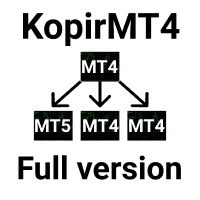
The adviser has been withdrawn from sale KopirMT4 (CopierMT4) - transaction copier for the MetaTrader 4 terminal, copies (synchronizes, duplicates) transactions from any accounts (copier, copy dealers).
Supports copying: MT4 <-> MT4, MT4 -> MT5 Hedge, MT5 Hedge -> MT4 Support: https://www.mql5.com/ru/messages/01c3f341a058d901
Why exactly our product? The copier has a high speed and is not dependent on ticks. Copy speed - less than 0.5 sec. Transactions are copied with high accuracy, the sc

Trade Simulator is not just a trade panel. It allows you to practice realistic trading using historical data, with interactive chart control. You can place trades, adjust stop levels, and monitor results as if trading live. You can also place and manage orders directly in the MT4 Strategy Tester. The same tool and interface can be used directly on live charts for actual trading. For detailed information, visit Setup & User Guide . Also, take a look at the MT5 version and the Advanced edition .
FREE
MetaTrader Market - trading robots and technical indicators for traders are available right in your trading terminal.
The MQL5.community payment system is available to all registered users of the MQL5.com site for transactions on MetaTrader Services. You can deposit and withdraw money using WebMoney, PayPal or a bank card.

You are missing trading opportunities:
- Free trading apps
- Over 8,000 signals for copying
- Economic news for exploring financial markets
Registration
Log in
You agree to website policy and terms of use
If you do not have an account, please register