 MetaTrader 5
 Experts
 Indicators
 Libraries
 Utilities
 Widgets
 Rules
Rules
Watch the Market tutorial videos on YouTube
How to buy а trading robot or an indicator
Run your EA on
virtual hosting
virtual hosting
Test аn indicator/trading robot before buying
Want to earn in the Market?
How to present a product for a sell-through
Trading utilities for MetaTrader 4 - 35
 Below are trading programs simplifying Forex trading in MetaTrader 4. Hover over a utility in the list below to read its description and purpose.
It will help you to have control of the risk of each operation in an easy and fast way. Its innovative interface allows you to calculate the number of lots and the risk / reward ratio instantly. Keep your operations within the risk range you want and avoid bad times in your trade.
Line function - Shows the opening line, Stop Loss, Take Profit on the chart. With this function it is easy to know the main and most relevant characteristics of your next order.
Risk management - The risk calculation

If you are one of the traders who has more than one indicator window in your Metatrader chart, this tool is ideal for you.
Organizer helps you organize all indicator sub-windows automatically, keeping the chart as clean as possible. Now you can see your indicators at your leisure with just a few clicks. If you no longer want to see the indicators just hide all of them without deleting them to use them later!
- Standardize the height of the subwindows - Maximize / Minimize subwindow - Dark and

It will help you to change the symbol and period in the same window, preventing you from filling up with windows on your platform, getting dizzy from so many windows, missing opportunities. Symbol Changer simplifies all this and facilitates the visualization of the graph that you want to analyze or observe in a single window.
Characteristics
- Change symbol.
- Change period.
- Hides objects from an asset other than the current one.
- Shows objects of the current asset.
- Resize the curre

Don’t you think you can get Candlestick Patterns alerts wherever you are? This utility will send you a detailed notification on your mobile and alert on MT4 Terminal as soon as a Candlestick Pattern you want to see appears on chart. The notification contains the symbol, the Candlestick Pattern and the timeframe on which the pattern formed. You will need to link Metatrader 4 Mobile with your Windows Terminal. Here's how here .
List of Candlestick Patterns that can be detected:
Three White Sold

Multi Strategy Dashboard Utility Some functions of the MSD Utility can only be used on the full version. Multi instrument and multi time frame scanner, with the best indicators. Comes with an order management panel. The MSD Utility can be used for manual trading. Click on the '?' button on the dashboard to obtain information about the various elements of the MSD Utility. Uses ATR Take Profits, ATR Stop Losses and ATR Trailing Stops. Comes with an FX Currency Strength meter and a Market Session

Pro-Wealth is a new business entity focused on helping others make a success of their Forex trading. Thus it makes only sense to help others use the correct lot size and start practicing the correct risk management. This utility is a very simple tool to show the lot size respective to one percent of their balance which should be entered by the user when attaching the utility to the EUR/USD chart.

Currency Strength Trade Panel EA MT4 takes the currency strength concept to a whole new level, since it combines it with price action and can be applied on any symbol/pair, apart from the usual 28 combinations of the 8 major currencies. That means that you can trade the strength or weakness of any pair, including all currencies, commodities and cryptos (not indexes). It is a real breakthrough product that gives you a clear insight of 16/32 symbols with one glimpse, by using colored bars that in

It will help you to have control of your trade and your account, as simple as continuing to look at your chart. Its innovative interface allows you to see what is happening in your current trade and monitor the status of your account. Keep your operations controlled and avoid bad times in your trade. Parameters: SYMBOLMARK SETTINGS Show symbol mark: "true" Show the symbol / "false" Hides the symbol. Show period stamp: "true" Show the period / "false" Hides the period.
INFO SETTINGS Show

The EA closes market orders after a specified time interval (put simply - by timer) after they are opened. Use this utility if you need to close a trade after a certain time. The EA has the following input parameters: Only current symbol - if true , the EA will close only the selected symbol's orders; if set to false - it will close any order of any symbol. Timeout - time (in seconds), after which the EA closes the orders. This EA is simple and very easy to use, does not use up your CP

A utility to close all orders automatically when conditions meet.
Various options are available to filter or select orders : Conditions : Closing conditions. 3 different conditions can be defined. EA will close orders anytime one or more defined conditions meet. Conditions can be defined based on account properties or selected orders properties. Also a fixed time to close orders is available.
Type of orders : Buy / Sell / Buy Limit / Sell Limit / Buy Stop / Sell Stop Symbol Selection : All / Ch
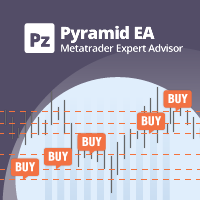
Pyramiding is a method of increasing a position size by using unrealized profits from successful trades as margin for new ones. This Expert Advisor will pyramid your trades without your intervention. [ Installation Guide | Update Guide | Troubleshooting | FAQ | All Products | Get Help ] Pyramid your successful trades easily Make the most out of your winning trades Fully configurable pyramiding behavior Pyramiding is timeframe independent Works for ECN/Non-ECN brokers and 2-3-4-5 digits Take

The adviser picks up all positions on any currency pair and in any direction of the transaction, on any time frame: the opening of the transaction is done manually, the adviser is installed separately on any chart window. Closes 5 goals automatically configured by you, call points and volume. You can also set a stop loss, and at what target it will shift to the value you have chosen. There is still a "breakeven" in the setup, which allows you to shift the stop loss by the volume of points you ha

Exit strategy is the key to success in Forex. But its hardly followed by any Forex trader leading to huge losses. Without a legitimate exit plan, as where to close with profit, when to close trade and exit, nobody can profit and most markets are loss-making. Considering the significance of money and trade management, we have few alternatives to deal with that: Handle just about all trades and risk your investment by combating apprehension and self-indulgence. That is certainly where almost all

PROMINING EA+Ai is a fully automated algorithmic trading system most effective in EURUSD, GBPUSD, USDCAD, USDCHF, USDJPY, NZDUSD pairs. The system uses multi timeframe chart to trade, the EA follow the trend simultaneously. Its a very fast scalper that is very active with trades. Its specially designed to trade in XAUUSD pairs. Join our MQL5 group in which we share new set file, upgrade and updates. When you buy Promining EA +Ai robot, you are welcome to join private group which we can discu

Программа работает на сочетании двух индикаторов. Set _ Lot = 0.01 – значение объема лота Set _ TP = 100 – значение тейкпрофит в пунктах Set _ SL = 100 – значение стоплосс в пунктах Up _ Limit _ CCI = 100 – верхний предел CCI Down _ Limit _ CCI = -100 – нижний предел CCI Delta _ CCI = 25 – отклонение CCI от первой свечи Set _ Time _ Frame _ CCI = 15 – значение таймфрейма для расчета CCI Set _ Period _ CCI = 14 – значение периода для расчета CCI Set _ Price _ CCI = 0 – тип цены, по которому вед

Mr Proper is made for manual trading and is well suited for people who are engaged in scalping and not only.
The idea was to make trading as easy as possible
And in this adviser, I think that I did not do badly.
There are 2 types of levels in the assistant at once. These are Zones and important levels from which the price often reacts.
What is in it?
You can turn zones and levels on or off.
Trailing is not as usual, trailing goes through bars.
There is a breakeven.
Stop loss and Take p

Details of each condition Type 1. Set no use Hedging Martingale, to open the order by yourself only through the push button. TP and SL follow setting. Set Setting_Hedging =false; Set Setting_TrailingStop =false; if not use.
Type 2. Semi Auto Recovery Zone You have to open the order by yourself only through the push button. If in the wrong direction and Set true on Hedging Martingale, EA will fix the order with the zone system by use Hedging Martingale Set Setting_Hedging =true; Set Setting_Tra

This application is a close all feature that will allow the user to close all open trades under the chart being used. For an example, if the application is attached to the pair being traded, it will only close those positions. So, if you need to close positions on pairs that is not associated with the active chart, you will need to add the Emergency Stop software to the chart of pairs that you are trading.
**Please note: Data signals that are being sent from your computer, sometimes gets inte
The Five Minutes Strategy EA is designed for trading binary options. EURUSD on the five-minute period is strongly recommended. Trading is performed by the opening prices based on the signals of the Five Minutes indicator. It requires at least 100 bars in history to operate.
Input Parameters Initial Deposit - initial deposit. Lot Value - lot size. Lot Type - lot type: Fixed - fixed. Variable - variable. Last Lot Value - last lot value (used in cases when the EA is reattached) Day lot typ
The Rapid Strategy Expert Advisor is designed for binary option trading. M5 timeframe with the 15-minute expiration is recommended. Available financial instruments: EURUSD, EURCHF, GBPUSD, GBPJPY, USDJPY and XAGUSD. Trading multiple financial symbols at a time is not recommended. The EA trades at Open prices based on the signals of the Rapid indicator. It requires at least 100 history bars.
Input Parameters Experts Number - the number of expert advisors (corresponds to the number o

Watermark on the chart: Symbol + Timeframe / or your own text Multifunctional utility : 66+ features, including this tool | Contact me if you have any questions In the settings of the indicator, you can configure: Font size; Text color; Font Name; Position:
1 = Top Left;
2 = Top Right;
3 = Bottom Left;
4 = Bottom Right; 5 = Center; Show current Timeframe: on/off; The prefix of the Symbol to be removed ( n_AUDCAD --> AUDCAD ); The suffix of the Symbol to be removed ( USDCADpro --> USDCAD )

He is a very good tool, if you like him, he can be very effective to help you manage some of the orders, but not so effective every day, this depends on the market, to listen to my words, you need to open it every day, and then set a time to get up every day, he was like an alarm clock, let you every day have spirit, my products will only be released in MQL5, If you see him anywhere else, stay away from him

You can check out comment #1 how does it work This is a very useful tool, enter the currency charts you need to open, use the symbol "/" to distinguish them, and select the periodicity /TF of the chart, press the button and they will open the charts for you in batches without you having to manually open them each! Because some EA use multiple currency pairs strategy, but do not support one chart to support all currency pairs, so I developed this tool, hope you like it, if you are satisfied with
FREE
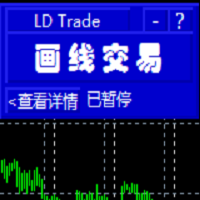
基于MT4的画线交易 辅助 EA。通过在图表上绘制趋势线和/或水平线实现开平仓等多种功能。 EA提供2种功能定义模式: 1.颜色标示模式。 2.文字说明模式。 颜色标示模式下, 默认颜色相应功能如下:
Blue(蓝色):开仓BUY.
Red(红色):开仓SELL.
Yellow(黄色):平仓当前品种所有BUY订单。
White(白色):平仓当前品种所有SELL订单。
Lime: 平仓当前品种所有盈利的BUY订单。
Aqua: 平仓当前品种所有盈利的SELL订单。
你可以在EA参数页修改设置你习惯并喜欢的颜色来实现相关功能.
文字说明模式:参数页输入预定义字符,在图表上添加 线条时,在该线的描述中输入与参数页相匹配的字符即实现相应功能。默认文字详见参数页。
图表中画线的数量不受限制,你可以在图表中不同位置添加多条相同功能的趋势线

This tool will help you hide your stoploss and takeprofit prices of all trades, it will manage them to close your trade when market price reached these levels. And it will replace all these StopLoss, TakeProfit levels for trades when you removed it, so you don't need to worry about missing your StopLoss, TakeProfit level when you remove it. It draw a button for you to control On/Off of working, you can see your SL,TP and modify it easy by the way turn Off the button, then drag your SL,TP price,

The tool will help you to hide your pending orders (buy/sell limit; buy/sell stop) To run it, you just need to add it on any chart (only 1 chart needed). So, when you make any pending order, it will remember that order (with price to open, lot number, symbol, your stop loss, take profit....) then, it will delete your pending order (hide it with broker). And it will make trade when market price reached the open price of your pending order, will all same parameters get from your old pending order.

AutoOrderModifyEAPro: A Vital Aid for Forex Traders, Both Manual and System-based Catering to the diverse needs of forex traders, whether engaged in manual or system-based trading, AutoOrderModifyEAPro emerges as a pivotal tool in this intricate landscape. The tool's efficacy is most evident in scenarios such as: Enhancing EA Strategies: Addressing the common dilemma of lacking Trailing and/or Break Even mechanisms in otherwise promising EAs. Streamlining Position Management: Overcoming the hass

在使用智能交易的时候,可能需要针对多个品种进行交易,如果手动去把品种一个个打开,会很繁琐,所以我们开发了这个小工具,可以帮你一次性打开列表式所有的品种,只需要1秒时间。 在使用智能交易的时候,可能需要针对多个品种进行交易,如果手动去把品种一个个打开,会很繁琐,所以我们开发了这个小工具,可以帮你一次性打开列表式所有的品种,只需要1秒时间。 在使用智能交易的时候,可能需要针对多个品种进行交易,如果手动去把品种一个个打开,会很繁琐,所以我们开发了这个小工具,可以帮你一次性打开列表式所有的品种,只需要1秒时间。 在使用智能交易的时候,可能需要针对多个品种进行交易,如果手动去把品种一个个打开,会很繁琐,所以我们开发了这个小工具,可以帮你一次性打开列表式所有的品种,只需要1秒时间。

Hi Dear Friends , As i told you ,,, today i produce the management EA to managing your trades and with closing instruments used to closing tow kind of trades.. the profitable trades and losable trades .. u can try it for free for 2 days ,, it is worth every cent .. now .. you do not need to keep tracing your deals.... let the EA do it for you automatically... for any inquires contact me directly in my contacts shown on my profile after adding me ..
best regards
Fawaz A. Al-baker

Информер предназначен для получения информации о состоянии счета (номер, баланс, эквити) через Телеграм канал. Для работы необходимо создать канал и взять токен который указывается в настройках эксперта вместе с именем канала. Выбирается 2 временные отметки по которым отправляются отчеты в Телеграм. Данный инфрормер удобна для мониторинга счетов с работающими экспертами. Возможна отправка отчетов с разных счетов в один телеграм канал. Для запуска скопируйте в папку Experts, наличие файла Telegra

If you use several charts open at the same time, you know how boring it is to apply formats to each chart individually. This script can change all open charts using a single command. Parameters: 1 - Choose symbol to put on charts: apply the selected symbol to all charts. If "current", it does not change the symbol; 2 - Choose timeframe or leave empty: apply the selected timeframe to all charts. If "CURRENT", it does not change the timeframe; 3 - Apply template to the charts: If true, apply the t
FREE

The Silver Volatility Trend Line for MT4 is an EA that helps you trade using the trendlines, drawn on your chart. It basically allows you to send and manage orders using trend lines. It automatically calculates the True Range of your asset to allow you to send orders well calibrated with the market volatility. Take Profit and Stop Loss are calculated in number of True Range. You can do that for two different orders at the same time , so that you can trade two different kind of risk / profit rat

Customized Copy is a Multi-Terminal visual trade copying utility that supports Metatrader4 and Metatrader5 for Trade Copying.
You can activate EA on 10 different PCs/VPS. On each PC/VPS can install on Unlimited Terminals.
Specifications :
Real Time, Multi Terminal - Multi Account - MT4/MT5 trade copying (support over 50 accounts at same time) All settings are input visually. Visual display and modify of copy map and network Each copy path can be used with different settings

The utility is convenient for closing trade operations when trade with two instruments.
Should be Installed to Experts folder and launched as an Expert Advisor.
After starting, Metatrader will indicate the device ID that is trying to connect.
In Telegram, start/create the channel with the standard command /start
Next, you need to enter a password that is assigned in the Expert Advisor field. If the password is correct, the Metatrader's comment will indicate that the password was successful,

Assistant that helps your to accompany open orders using a built-in algorithm. Allows you to open buy or sell orders by clicking the button in the information panel on the main chart window.
The desired position volume in a trade is calculated in three ways : Automatically, depending on the volume of the balance. Specified manually. Depending on the level of risk per trade and the Stop Loss value.
Stop Loss can be specified in three ways : The maximum or minimum price for a certain number of

Hello, boys and girls!
Script allows you either to quickly save opened charts and then close all charts opened by visual tester mode or just faster close all charts. Feel free to take a look at video manual about how to use this script on my YouTube channel. Also, feel free to join my telegram channel , where time to time I publish some exclusive stuffs. Feel free to leave feedback and thoughts how to improve this script - I'd highly appreciate that. All the best.

Excellent spread indicator. Reflects the spread on each bar as it is. It should be remembered that the spread is displayed at the time of the bar opening. Therefore, the most correct information will be on the minute bars. Spread is one of the basic forex concepts that any trader should know. If explained clearly, you can describe such an example. The trader buys the EUR / USD pair at the rate of 1.1000. However, he immediately goes into negative territory, for example, by 10 points, as if he bo

Price Action Trade Panel MT4 calculates the buying/selling force level balance of any symbol/instrument, based on pure price action data of the specified (8 by default) past candles. This will give you the closest market sentiment possible by monitoring the price action of 32 symbols/instruments that are available on the indicator's panel. A buying/selling force level over 60% gives a quite solid level for buy/sell the specific symbol (using the default settings). Price Action Trade Panel MT4

- Go up one more level with the most important Tools to Analyze the Market, such as drawing Horizontal and Dynamic Lines, Zones, Ratios, Trap Level Strategy, Impulse Projection, Bar Information with precision, automatic drawing of the most important Opening Levels (Open Day , Open Week, Open Month, Open Year), floating boxes on the chart where we can see the Countdown of each bar, the Spread and ATR indicator, an independent Panel with buttons for all options and shows the symbol, Time Frame
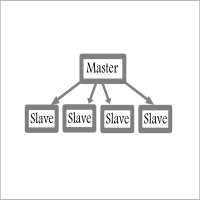
Fast / Reliable / Multi Functions / Simple To use local MT4 to MT4 | MT4 to MT5 platform copier , it will copy all your Master account orders into any Slave accounts very fast , no delay, Also it supports any kind of orders/ExpertAdvisors such as Buy / Sell / BuyStop / SellStop / BuyLimit / SellLimit / Smart Partial Closing / opened in Hedge mode / opened in Martingale mode / Modifying Pending orders / Modifying StopLoss-TakeProfit .using it is simple , Just drop the EA on Master account which y

This is a simple yet really handy assistant. It is useful if you want to close all positions on the market when a definite sum of the free margin is reached. Just place the assistant on a free chart and set a closing amount. All positions of all symbols will be closed when this amount is reached. At that, you don't have to sit by the monitor waiting for a good moment. The EA will do it for you.

Main features: I nforming via telegram buttons content and closing orders for one of the pairs or all necessary orders. Alert and information buttons to the telegram window when the specified percentage of profit is reached for each pair, or for two at once. The telegrams "sleep" while no profit we need, when a profit is reached, a menu of 5 buttons appears, in each button the profit will be displayed both in currency and in %%. When you click on the button, the direction of orders for this pa

The trend in the market can be predicted using trend lines but the problem is you don’t know where exactly the price is going to touch the trend line where you can put your pending orders on. Smart Channel Expert Advisor makes it possible to put an advanced channel around the price data, which can be configured to handle placing orders, opening and closing positions, managing risk per trade, spread, slippage, and trailing stop-loss and take-profit automatically. Features Money Management (Calcul

Close All Orders for MT4 script - closes absolutely all orders, whether pending or market ones.
Orders are closed at the current profit/loss indicators at the time of closing.
The script is suitable for moments when you need to quickly close all orders at the current indicators.
The script is very easy to use, just drag the script onto the chart and it will do its job.
Add me as a friend , I have many other useful products.
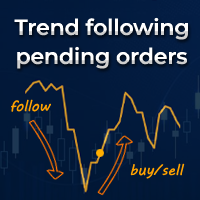
Trend following pending orders detect a group of orders opened by chart buttons and automatically follows market price.
Once your STOP or LIMIT orders are activated Trend following pending orders immediately adds STOP LOSS and TAKE PROFITS . Optionally you can add rule for closing all market orders when sum or price will reach your profit or loss. You can also enable trailing stop loss and traling take profit to market orders. It is a very handy tool in cases where you want to catch the perf

It's a smart Investing.com utility signal analyzer on MT4 chart during 28 pairs ,It uses all technical and candlestick patterns for each pairs to analyze the final trend ,You can use it as base entry signal for each pairs, It's easy to use ,You must add the address ' https://www.investing.com/ ' in the list of allowed URL tab 'Advisors' , Added GlobalVariables for each pairs as buffer simulation to get data from any ExpertAdvasor for trading.
Setup
So to work with the server, you must add the U

Waddah Attar Easy Positions Risk Management
This EA gives you a full ability to close one position or close all positions . Close buy or sell trades in any position . Close profit or loss position . by clicking on a command button on the chart with confirmation message . Show you a full information about your positions like : count - lots - average price - points - profit - profit % - used margin for this position and the risk percent . and also the scrolled table of trades that position has

Simple Customizable Trade Panel — Fast and Easy One-Click Trading This lightweight and powerful panel is built for traders who value speed , simplicity , and full customization . With just one click, you can: Buy or Sell instantly
Close all open positions
Place pending orders with custom distance
Delete all pending orders Adjustable parameters: • Lot size
• Stop Loss (in points)
• Take Profit (in points)
• Distance to price for pending orders The panel is fully responsive and adaptab
迈达克论坛交易记录复盘工具。 运行平台:MT4 迈达克论坛有很多优质的信号,如果你需要研究学习这些优质信号的交易轨迹,可以用这个工具进行复盘。 适用方法: 1、选择优质信号 2、选择“交易历史记录” 3、交易历史记录标签页右下角选择 导出至CSV历史,导出历史记录 4、将导出导出的CSV历史记录文件存放到MT4安装目录下的 \ MQL4\Files文件夹中。 5、运行程序,在参数表中输入历史文件名称,并点击确定。 6、软件自动在所选图表中绘出涉及到当前交易品种的交易痕迹。 说明: MT4,MT5信号均可在MT4上进行交易痕迹绘制。 多单蓝色显示,空单红色显示。止损红色表示,止盈蓝色表示。 在具体使用中有任何问题,可以联系我的微信gaoqing001
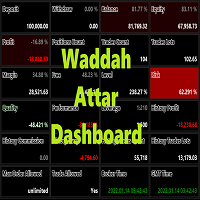
Waddah Attar Dashboard
Simple App show you the most important information about your account , trades and history . Risk , Quality and Performance are the most important numbers you must watch them carefully . also the important thing you must do is Focus on the RED Color on the board . you can control the font name , font size , width , height and padding properties . the information is auto arranged on the chart . don't worry about it .
Thanks .
recommended product for position risk manage

Wicks Trade Panel Premium It's a Trade Panel include Order Management & Risk Management for serious trader. Especially for those traders who pay attention to important events like the CPI, NFP, and ADP. A one-of-a-kind faster technique to fix the Entry Price by simply pointing the mouse pointer at it. This is what I enjoy about it. Automatically closing 50% order size lots when setting TRUE on Breakeven Status. It's especially useful when trading on significant economic events like the CPI, NF
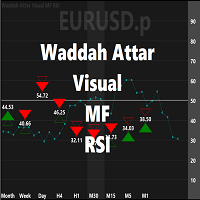
Waddah Attar Visual MF RSI
this App show you RSI values and status for all frames in one chart .
Filled Triangle means current RSI Value . Framed Triangle means previous RSI Value . Up Arrow and Green Color means the direction of RSI is up . Down Arrow and Red Color means the direction of RSI is down .
when you move mouse cursor on frame column .. the full RSI chart will drawn .
you can change RSI Period in the app properties .. the default is 14 .
thanks and good luck .

KlickTrader allows you to visualize your trade before you place it. Whether you want to Buy or Sell at market or as pending orders, see the deal levels (entry, SL and TP) before you risk it. You can move around the deal levels on the chart, while numbers for risk, potential profit and lotsize adjust automatically. You can klick on OrderType to easily rotate between Market, Stop, and Limit order. KlickTrader includes your choice between fixed lotsize and automatic lotsize calculation for easy mon
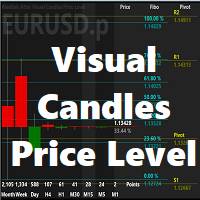
Waddah Attar Visual Candles Price Level
This utility shows you the last candle of every time frame in same scale . and show you the levels of fibo and pivot for this candles according to the big time frame . you can set then first big time frame by change time period for the chart .
the main benefits for this utility is you can see all last candles on the same drawing scale . and know where is the current price movements and directions area .
Thanks .
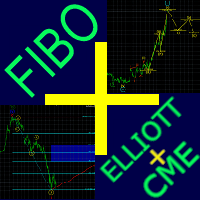
Fibo + Elliott + CME
The Expert Adviso r is designed as an assistant for manual trading. Ready-made trading system based on Elliott waves and Fibonacci retracement levels . It is simple and affordable. Display of the marking of Elliott waves (main or alternative option) on the chart. Construction of horizontal levels, support and resistance lines, a channel. Superposition of Fibonacci levels on waves 1, 3, 5, A Display data from CME (CME - Chicago Mercantile Exchange Chicago Mercantile Excha

NEW : integration with Ofir Signals to send personalized alerts Ofir Notify is a tool which send alerts on trades to Telegram Alert on any event concerning a position : Opening, Closing, modification (SL, TP) Send alerts to Chats, Groups and Channel Alert on Equity change Display Risk, Reward and progress of profit/lost for each position Customization of alerts Sending charts screenshots with alerts Send signals from your indicators or experts Daily, weekly and monthly summaries Reply mode:

News Panel for MetaTrader is a tool that displays economic calendar data within the MetaTrader trading platform. The tool pulls economic news and data releases from external sources, such as financial news websites or data providers, and displays them in an easy-to-read format. The tool allows traders to filter news releases by source, time zone, impact level, currency, and notification method. It also includes a Refresh button that enables the user to manually update the data and ensure that th

RELEASE PRICE - JUST 199$ Final price - 499$ For every 10 copies sold, price will increase 100$. This is an advanced semi automatic EA, that trades from level to level.
How does it work?
The user puts it the desired levels in settings that they want to trade from. When this is done, the levels appear on the graph. The levels is 5 support levels, 5 resistance levels and one neutral level. This EA trades only long over neutral and only short below neutral. On neutral, it trades both ways. Where
This trading tool will help You to place your orders faster , specify its parameters easier and control your risks more clearly. It allows You to use lines on a chart to set the entry price, stop loss, take profit for any order, considering the specified percentage of risk from the deposit or a fixed lot, and place it in one click. It automatically detects a broker’s commission and takes it into account during calculations. It also calculates available for new order funds based on already opene

50% off. Original price: $60 Order Manager is a trade assistant and trade copier with a money manager that helps traders open, modify and close manual trades and also copy their trades between multiple accounts in the most simple way to help them focus more on their market analysis and open orders with just a few clicks.
Download Demo here (It only works on demo accounts for 14 days) Full guide here MT5 version here
Order Manager features: Works on all instruments such as currency pairs, i

This tool is for helping manual traders to automatically add TP, SL, and Trailing to opened orders. You can use One-Click-Trading button to add your orders and leave this tool to help you set Take Profit, Stop Loss, and Auto Trailing. Just open and leave orders to it.
Method of Installation Drop the EA to a chart of any currency pair at any time frame. All open orders in the same MT4 terminal will be managed.
Caution This tool is for manual trading account. If you have other EA running in the

This is a multi-currency converter script that can convert the currency of the account history to another currency and output it. Since it supports multiple currencies, it is possible to exchange USD, EUR mutual conversion, JPY, GBP, AUD, or other minor currencies. Currency Exchanger can be converted to other currencies immediately by executing it once, so anyone can easily exchange currency. Let Currency Exchanger do the tedious work! The exchange result from the account history can be output a

Easy Copier Limited is utility tool to copy trade / Trade copier form one account (master) to other account (slave) . It works only with a single forex ( EURUSD ) .You can use this tool as local copier ( Terminals have to be in same PC / VPS ) as well as Remote Copier ( Terminals can be in different PC / VPS ). For remote copy you can use my server or it can be configured to your server. Trades are possible to copy from MT4 => MT4 MT4 => MT5 MT5 => MT5 MT5 =>

Ichimoku Assistant is a multi-timeframe panel and alert system that scans all timeframes for multiple rules related to different ichimoku strategies. The Ichimoku indicator has 5 different lines, including Tenkan-sen, Kijun-sen, Senku Span A, Senku Span B and Chikou Span. This scanner checks the status of these lines compared to each other and gives alert based on your selected rules. If you are using ichimoku kinko hyo in your trading strategy, this scanner and its alert and filtering system is

Effortlessly manage multiple trading accounts
The Local Trade Copier EA is a solution for individual traders or account managers who need to execute trade signals from external sources or who need to manage several accounts at the same time, without the need for a MAM or a PAMM account. It copies from up to 8 master accounts to unlimited slave accounts .
[ Installation Guide | Update Guide | Troubleshooting | FAQ | All Products ] 100% self hosted Easy to install and use
It can copy from MT4 to

The product will copy all Discord signal to MT4 ( which you are member ) , also it can work as remote copier. Easy to set up. Work with almost signal formats, support to translate other language to English Work with multi channel, multi MT4. Work with Image signal. Copy order instant, auto detect symbol. Work as remote copier: with signal have ticket number, it will copy exactly via ticket number.
How to setup and guide: Let read all details about setup and download Discord To MetaTrader

Set your Entry Stop-loss and Profit with Lot size calculator in one click. We designed this EA to calculate Lot size automatically based on Risk percentage on Account balance Reward options are alliable to 1:1 , 1:2 , 1:3
cancel not executed trader at one single click.
Don't need to go to any position calculator or any lot size calculator get your lot size based on candle price action.

Potential loss on all active and pending trades: if SL levels will be reached (or the current floating loss if the SL level is not set) My #1 multifunctional utility: 66+ features, including this indicator | Contact me for any questions | MT5 version In the input settings you can adjust: Calculateion method : account currency / pips / points / % of the balance Position on the chart: bottom left / bottom right / top left / top right corner
Font: color, size and style Optionally you

Description of Monitoring_ExpertAdvisor+Balance_Equity Indicator: Monitoring Expert Advisor is an indicator that analyzes your Account MT4 elaborating the archived operation data in the order history. It is sufficient to connect it to any open and empty graphic window. The orders in the account database are identified by the indicator of their MagicNumber, divided in groups based on their strategy (Expert Advisor) to calculate complex efficiency Objectives: It has the main objective of monitor

Script Close All Positive Orders for MT4 - will allow you to quickly close all profitable orders on your account. The script is suitable for moments when you need to quickly close all profitable orders .
The script has the only parameter for setting Profit_in_pips - in it you specify how many points of profit should be on the order so that it falls under the conditions for closing the position. The script is very easy to use , just drag and drop the script onto the chart and it w
Do you know why the MetaTrader Market is the best place to sell trading strategies and technical indicators? No need for advertising or software protection, no payment troubles. Everything is provided in the MetaTrader Market.

You are missing trading opportunities:
- Free trading apps
- Over 8,000 signals for copying
- Economic news for exploring financial markets
Registration
Log in
You agree to website policy and terms of use
If you do not have an account, please register