 MetaTrader 5
 Experts
 Indicators
 Libraries
 Utilities
 Widgets
 Rules
Rules
Watch the Market tutorial videos on YouTube
How to buy а trading robot or an indicator
Run your EA on
virtual hosting
virtual hosting
Test аn indicator/trading robot before buying
Want to earn in the Market?
How to present a product for a sell-through
Trading utilities for MetaTrader 4 - 34
 Below are trading programs simplifying Forex trading in MetaTrader 4. Hover over a utility in the list below to read its description and purpose.
Stop Managing Every Trade Manually Trading Manager EA is a powerful trade-management utility designed to help you manage open positions, protect profits, control risk, and automate repetitive trading tasks . Built especially for traders using BTMM-style strategies , but flexible enough for other trading approaches. ONE EA. COMPLETE TRADE MANAGEMENT. Automatic Stop Loss Management
Move your stop loss automatically as your trade reaches predefined Risk/Reward levels. Breakeven & Profit

Custom showing your MT4 account information Indicators add account information to chart. Profit, Balance, Equity, Free Margin, Margin and Margin Level %. Hide account information: Click anywhere on account information text.
The hide/show response is dependent on incoming ticks or chart refresh. In tick scarce or closed markets the indicator hide/show click will appear not to function while waiting for a tick or chart refresh. It is only necessary to attach the autorefresh timer to one char

The DrawdownCutter EA provides you with the option to close all trades in your MT4 account, if the drawdown amount is reached, you set in the EA settings. This EA works with MT4 accounts in any currency. Simply attach the DrawdownCutter 2.0 EA to any clean chart. This EA also works while other EAs are running on the account - if attached to a separate chart. Please note that due to market execution delays and broker executions times, the amount of the trades closed automatically by the DrawdownC

MT4 To Telegram With Screenshot; - This EA will send all open orders signals, close orders, pending orders (PO) or modication of orders to your Telegram Channel. -This EA will screenshot any pair when you open new order or put the PO. Only attach to 1 chart. -This EA very suitable to signal provider, who want share their signal or analysis to their clients. -Freely can manual entry or use the Expert Advisor (EA) , this EA will send the signals to Telegram Channel. -For more details , you can joi

API - Account Push Info is a Tool for "EVERYONE", who want to get the Live Statistics of an MT4 Trading Account, independent if you trade live or demo or automaticly or manual.
It send the Report periodly to the Mobile Device with Push Message or to your Mail Account.
The Report includes many important kind of Data, like:
- a Specified Name for the Account / System - its a Live or Demo Account - Balance, Equity, - Drawdown in Currency and Percent, - Sum of Deposits, - Active Positions - Accou
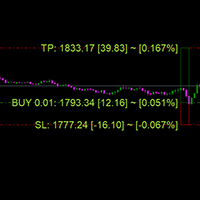
Show Your Trades Information
Show all your trades with profit; stop loss .. risk percentage.. on chart
Custom showing your MT4 account information Indicators add account information to chart. Profit, Balance, Equity, Free Margin, Margin and Margin Level %. Hide account information: Click anywhere on account information text.
The hide/show response is dependent on incoming ticks or chart refresh. In tick scarce or closed markets the indicator hide/show click will appear not to function whi

The automatic size calculator (MK01) is a tool that the trader adds on the MT4 chart of each chart and calculates the right lot to enter for each trade while maintaining a certain capital risk for example of 2% (percentage that can be modified from the settings), therefore allows you to manage the capital for each trade executed on the market and allows you to keep the total of possible losses / gains under control, as it updates in real time the total risk that would be lost if all operations g

Its best to have Money and Risk management strategy than not to have any. Those strategy helps to risk low amount in any trade and helps to manage money so that few loosing trade wont have significant impact in your trading balance. The best part is it does all the calculations and places order accordingly. Other things that it does are: Makes sure that only 2% of total balance is risked per trade. Manges money by investing high in low volatile pairs and invest less in high volatile pairs Places

Virtual Exchange Reserve Equity Monitor In an environment where exchanges offer increasingly high leverage ratios, it is all the more important for traders to tightly regulate their level of equity . This software is designed to be run in the background on any virtual private server that can run Meta Trader 4/5. It implements basic equity control functions ahead of the broker---allowing users to set their own equity trailing stop, an equity limit to lock-in a certain profit margin, and a unive
FREE
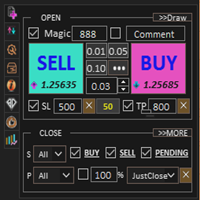
Assistant: Trade Assistant-MT4 (click to download) Trade Assistant-MT5 (click to download)
Please read the operating instructions carefully.
Basics: Quick opening and closing of positions, one-click opening and closing of positions, one-click placing of orders Draw-Line Trade Auto sl/tp Close By Symbols Profit Protected Move SL Protect Trailing SL Account RiskControl Order's Shadow Auto-Add Orders Auto-Close Orders Close ReOpen Symbols Infomation Chats Open Data Statistics Support language

Open multiple trades with 1 click. The EezeOrder Script is designed to make trading easy. All in 1 click, open as many trades as you want, and select the order type from a dropdown list. No need to change chart just enter the name of the symbol Enter the number of trades you want Select whether it is a buy, sell, buy limit, sell limit, buy stop or sell stop Enter TP(in points) and SL(in points) and click OK, and trades are opened 1. Make sure Auto trading is on
2. Make sure the symbol section

This is best control panel for trader who trade with Supply and Demand Zone. Easy to calculate entry lotsize by %risk/money risk/money target/fixed lot
And support Half-Kelly feature: calculate the best Risk percentage for each trade follow Kelly criterion . Auto Change chart feature Exposure and Position manager Currencies Strength Meter And more features waiting you

Trading Helper - Program for trading and money management. It works with pending and immediate orders, and is equipped with trailing stop, breakeven and take profit functions.
Manual (Be sure to read before purchasing)
Advantages
1. Comfortable trading in a few clicks. Immediate and pending orders are available in the panel
2. Fixed percent method. The panel can select the lot size based on a predetermined risk 3. Trading with a fixed lot. In a few clicks, select a lot and open a Trade
4. Posi

USD EASY SCALPER USD Easy Scalper?
Hola Traders. USD Easy Scalper ? This is my new a indicator. It will help you trade for easy . EA will check signal EMA cross 2 line. and check signal all currency of USD.
EURUSD, GBPUSD, AUDUSD, NZDUSD, USDCAD, USDCHF
and you can trade all symbols just ONE CLICK. and TAKE PROFIT just ONE CLICK too.
I will always help you if you have any questions. Best regards, Nantakan.
"FIND YOUR WAY" ENJOY.

Introducing RabihFx Trade Manager New vesrion 2022
Update at 15/11/2022 and 100 activations now
Rabihfx Trade Manager V2 is here with added Features click here Rabihfx Trade Manager is a trading utility tool (EA) allow you to place 3 orders with 3 take profit levels with custom lot size for each trade with a stop loss If your signal provider give you 3 take profit levels and a stop loss you will place these levels in rabihfx trade manager with custom lot size for each level and you choose

Virtual Exchange Reserve In an environment where exchanges offer increasingly high leverage ratios, it is all the more important for traders to tightly regulate their level of equity . This software is designed to be run in the background on any virtual private server that can run Meta Trader 4/5. It implements basic equity control functions ahead of the broker---allowing users to set their own equity trailing stop, an equity limit to lock-in a certain profit margin, and a universal stop tha
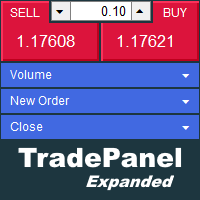
The trade panel supports discretionary traders in trading. Panel Description The windows can be opened and closed and moved. Expert Advisor Input Magic: - Unique ID, is necessary if you use several Expert Advisors (EA) One Click Trading Button The buttons work in a similar way to "One Click Trading" in Metatrader.
The values in the volume edit can be set individually for each instrument and remain saved even after changing charts or restarting Metatrader.
Caution! Check which volume is set befo

RISK CALCULATOR We've all been there where you're not sure what lot size to enter. This can be a hassle, especially if you're a scalper and you need to move fast. This is a very simple and quick risk calculator that automatically puts in the the correct lot size for any market (including Gold, US30, etc... it doesn't matter). Simply drag it onto your chart in MT4 and place your trade. I just remove it once the trade is placed and move onto the next trade. 1. Make sure you save it to Expert A
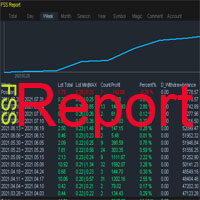
This is a professional report statistical indicator, which can be counted by day, week, month, quarter, year, magic and comment, and display the growth curve.
install: select "File" in your MT4 client,and open the folder "MQL4\indicators",then copy file "FSS_Report.ex4",reload MT4 and enjoy.
Para List: UI_XY_Setting=21 UI_X_default=0 UI_Y_default=21 custom_title=FSS Report UI_reload_time_interval=5 report_time_from=0 report_time_to=0 filter_demo=____________symool, magic and comment, all supp
velvet is an advanced ordering layer designed with MQL4 for use on a virtual private server to allow users to place orders with graphical objects placed onto compatible indicator charts displayed in the user session. The current version of velvet supports ordering from trendlines placed on price charts and ordering from trendlines on the compatible version of the RSI indicator found here . For compatible indicators to function they must be installed to the "velvet" (case-sensitive) directory
Reward Risk PRO TOOL, its the ultimate tool for your trading money managment, stop wasting time calculating your reward risk percentaje , just making some clicks you can get your ideal distance for your stop loss, and next to it will get your corresponded Take profit point for your stop loss, for example if you set an 100 ticks stop loss and want to get an equivalent reward just make your next click were the text offers 1/1 reward risk, if you want to get a reward/risk relation more profitly jus

Evon is a great way of utility and performing well in the forex markets and giving us an unpredictable profits.Evon works on a different strategy of comparison model and it also helps us predict the market movement and takes the perfect entry and exit of the market. default settings EURUSD CHART AUTO LOT:ENABLE AUTO LOT:0.001 PAIRS TO COMPARE:EURJPY PAIRS TO COMPARE:USDJPY

Size Calculator allow you to calculate the size you need for your position giving two parametres: the number of pips risked and the money risked, for example if you want to risk 20 USD on 200 pips, then you will need to input 200 in the case reserved for pips and 20 in the case reserved for risk, the size will appear in left top carner of the chart in your metatrader 4 platform, Size Calculator support the following symbols : EURUSD GBPUSD AUDUSD NZDUSD GOLD WTI EURJPY GBPJPY USDJPY AUDJPY C

This is a utility that helps you close market orders and pending orders (optional), using keyboard shortcuts. For me, it's more convenient and faster than clicking a button on the chart. You can set: Keyboard Shortcut Hotkey: You can change and use most of the keys on the keyboard.
Key combination (Ctrl, Shift) also available in case you want to use (Note that not all combinations work). Magic Number Symbol: All Symbol, or Current Chart Symbol, or Select Symbol List Close Pending order

You can always keep the market variation under control by setting the time frame you prefer.
Once applied to a chart, such as EUR/USD or SP500, we can choose different parameters for our utility. The parameters that can be set are:
back_periods_1 back_periods_2 years_back align
by default these parameters are set to 30, 120, 0, left.
THE FIRST TWO PARAMETERS(1, 2): Allow you to set the two time periods that refer to the chart, so if we have set the parameters as default, that is 30 and 120

A Boleta Profit é a solução completa e ideal de controle de ordens visualmente pelo gráfico.
Com a Boleta Profit você pode:
- Criar estratégias - Definir ordens OCO - Definir lotes por estratégia - Definir gain / take profit em ticks por estratégia - Definir gain / take profit em moeda base da conta por estratégia - Definir gain / take profit em percentual do saldo da conta por estratégia - Definir loss / stop loss em ticks por estratégia - Definir loss / stop loss em moeda base da conta por

Possibilities: Provides the opening of an order with a specified% risk of the deposit Automatic calculation of lot and other parameters of a trade for a given% risk, StopLoss and TakeProfit levels Transaction support. You can accompany an order opened by another robot. It is possible to transfer the order to breakeven and carry out a step trailing profit Graphic information panel, can be converted into a minimalistic look. Displays information about the current spread, swap, deposit load, profit
The EA opens and closes new orders on time. It can be used to implement trading scenarios of any complexity by creating a list of tasks. There are two options for completing the task The task is executed on the specified date and time - it is executed once and is removed from the list. The task is executed with repetition on the specified day of the week and time - the task with repetitions is not removed from the list. Panel settings Symbol - select the symbol for the trade function. Time -

This Expert Advisor must be placed on a second graph; placing on a second chart it will automatically modify your orders placed without StopLoss and TakeProfit. Editable parameter; updates will be available shortly to improve its efficiency. It only has two editable entries in its parameter: (Stoploss and Takeprofit). A trailing stop function will soon be added to it.

What is a tool ? Tracking your profit from the present - the past 30 days, Presented profit summary and movement is greater or less than 0 only. notice : must select show all history at account history tab. How to use Place the tool on any currency pair, any timeframe and set magic number to track your profits. Currency Pair : Any Timeframe : Any Input Parameter Track from Magic number (Manual order set 0) Meaning : Input the magic number to tracking the profit from present - the past 3
FREE

This is a panel dedicated to closing positions.
In trading, we often have the need to close all current orders, or close the positions by category.
But sometimes the type of order, the quantity of the order, and the messiness of the order make it difficult for us to sort out in a short time.
And trading opportunities are fleeting, and in just a few seconds, there may be uncertain results.
So we need a small tool specifically for closing positions.
You can close long positions, short positio
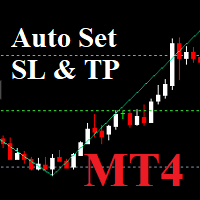
Auto SLTP Maker MT4 is an assistant for all those who forget to set Stop Loss and Take Profit in deal parameters, or trade on a very fast market and fail to place them in time. This tool automatically tracks trades without Stop Loss and Take Profit and checks what level should be set in accordance with the settings. Input Parameters: Set Take Profit: True is On. Take Profit points: Number Point. Set Stop Loss: True is On. Stop Loss points: Number Point.

News Filter EA that send you a Push notification to your MT4 phone APP and TURN OFF MT4 Automatically Before News. This EA doesn't work in backtest From 1.7 version the EA have Close all trades before news functions added.
You only need to allow that url in MT4 options: To see the url and how to add it to MT4, visit this post:
https://www.mql5.com/en/blogs/post/754402
When Metatrader is turned off, it saves the status of all the charts, indicators and Expert Advisors that you have in them
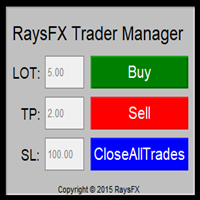
Questa utility di base non agisce in automatico, ma supporterà il trader, ti aiuterà nella gestione dei lotti tramite:
possibilità di impostare la size possibilità di impostare TP e SL (in pip) Consiglio: Questo EA ti aiuterà nella gestione dei tuoi ordini ed è ottimo abbinarlo a delgi indicatori (trovate nel nostro store molti indicatori utili, fra cui il RaysFX Strategy )

Let us increase your profit and decrease your loss. One of the most important part of trading is choosing correct lot size. With this expert you needn’t to calculate your lot size because it’ll pick the best lot size automatically based on your trading performance, initial deposit, reward to risk ratio and your psychological risk acceptance. By using this expert, you protect your account against margin call and makes it to have minimum loss and minimum drawdown on each position which makes your

The program is use to copy trading from MT4 to MT4 and MT5 on local PC or copy over the Internet. Now you can easy copy trades to any where or share to friends. Only run one Flash Server on VPS, also need allow the apps if you turn on Windows Firewall. Can not add more than 20 account copier to server, include both MT4 and MT5 Get free Copier EA for MT4 and MT5 (only receive signal), download here Instants copy, speed smaller 0.1 seconds, easy to setup How to setup and guide Let read a
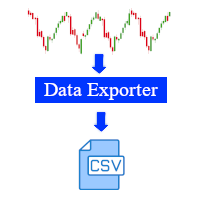
This software is a live data exporter for any instrument, it exports the data into a CSV file.
Instructions: 1. Deploy on any instrument and when prompted, change the interval variable to the duration of your liking. (Default setting is 30 seconds). The interval sets how many seconds before the exporter snapshots the data and exports it. (The minimum amount of seconds can be 1 second, however this will lead to a large file and may cause problems when processing it in python or other software

VSAsGradient это утилита предназначена компенсировать ограниченные возможности оформления рабочей области терминала МТ4. Позволяет задать цвет окон графика (индикатора) в виде цветового градиента, установить классические обои или фотографию любимой девушки, семьи. Предварительных настроек, которые имеют значение только две: Set Gradients- выбераем насколько настройки будут индивидуальны. Default Set- только для данного типа инструмента. Individual Set- инструмент+ период графика. Hide Panel- сво

Multifunctional tool: Lot Calculator, Grid Orders, R/R ratio, Trade Manager, Supply and Demand zones, Price Action and much more Demo version | User manual Trade Assistant doesn't work in the strategy tester: you can download the Demo Version HERE to test the utility . Contact me for any questions / ideas for improvement / in case of a bug found If you need a MT5 version, it is available here
Simplify, speed up and automate your trading process . Expand the standard terminal capabilit

Account Info Manager (AIM) is a utility designed to view information on the results of the work of advisors on a trading account. The utility can group orders by their magics or comments, thereby making it possible to analyze separately the results of the work of each Expert Advisor that traded on the account. Using this utility, you can view information on the number of orders opened by the advisor, percentage of winning orders, profit value, profit factor, average order size, maximum drawdo
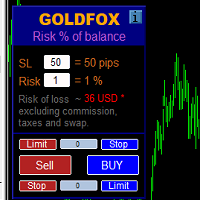
Automatic calculation of a trading lot taking into account Stop Loss (in pips) and the percentage of risk from the account balance. The Expert Advisor panel is located on the chart at the top left. On the panel of the advisor, you can select the size of the stop loss in pips and the percentage of risk from the balance. You can set the deviation from the current price in pips for pending orders. The red color indicates the amount in the deposit currency that you can lose when the stop loss is

Time saving and fast execution Whether you’re traveling or sleeping, always know that Telegram To Mt4 performs the trades for you. In other words, Our Telegram MT4 Signal Trader will analyze the trading signals you receive on your selected Telegram channels and execute them to your Telegram to MT4 account. Reduce The Risk
Telegram To Mt4 defines the whole experience of copying signals from Telegram signal copier to mt4 platforms. Users not only can follow all instructions from the signa
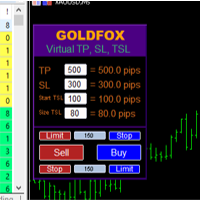
Forex Expert Advisor (utility) "Virtual Stop Loss, Trailing Stop" allows you to set a virtual (hidden) stop loss and trailing stop. At the same time, without using standard stop loss and trailing stop orders. Thus, when the advisor opens a deal, your broker and the Meta Trader terminal will not see or set stop loss or trailing stop, but the advisor will control the parameters of the TP SL TSL you specified and draw the corresponding lines on the chart. ... When the price of the instrument reach
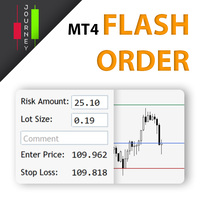
Trading has never been easier! Let's check this out! MT5 version: https://www.mql5.com/en/market/product/72120 The story: How I boost up my trading speed without any "Invalid SL or TP" error
NOW ALL YOU NEED TO DO IS Drag the lines Press Open Order button Enjoy! With this tool, you will no longer have to enter prices manually, which can cause many mistakes and you could miss the trade! From the board, we have: Risk Amount : the risk you want to apply for your trade Risk Unit : USD : If sele
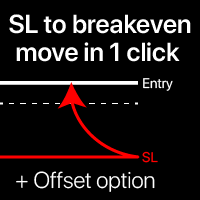
Breakeven levels: move SL in just 1 click. Avoid losing existing profit Using this utility , you can quickly protect your profit in just 1 click. Especially important for a short -term trading. Offset option is also available. My #1 Utility : 65+ features, including this tool | Contact me if you have any questions | MT5 version How to move SL levels: 1. Specify a specific [Symbol] , or select [ALL] Symbols. 2. Select the trade type for which you want to a

The panel has the most intuitive interface that every beginner can handle. In the SLp column – you need to specify the SL size in pips. If the value turns gray and at the same time the Bay / Sell buttons are also inactive, then you have specified a SL value that is less than that allowed before it was set by your broker. In the TP% column – you indicate TP in% of the account balance. In the settings, you can choose on the basis of what this indicator will be calculated, by equity, balance or

Expert Advisor Risk Manager for MT4 is a very important and in my opinion necessary program for every trader.
With this Expert Advisor, you will be able to control the risk in your trading account. Risk and profit control can be carried out both in monetary terms and in percentage terms.
For the Expert Advisor to work, simply attach it to the currency pair chart and set the acceptable risk values in the deposit currency or in % of the current balance. Version for MT5 - https://www.mql5.com

EasyTradePad – Trading Panel for MetaTrader 4 EasyTradePad is a tool for manual and semi-automated trading. The panel allows quick management of orders and positions, as well as risk management calculations in one click. [ DEMO and Instruction ]
Panel Features: Open and close trades with predefined risk (% or deposit currency) Set SL and TP in points, percentages, or monetary values Calculate risk-to-reward ratio automatically Move stop loss to breakeven Partial position closing Trailing stop
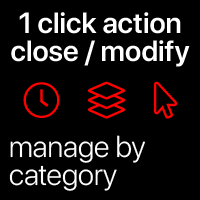
Quick actions: close or modify all the trades in just 1 click Using this utility , you can quickly apply the necessary action to all the trades of the selected category. Especially useful for a short -term traders, when it is necessary to act quickly. Multifunctional utility: 66+ features, including this tool | Contact me if you have any questions | MT5 version 1. Either select [ALL] Symbols , or specify a specific [Symbol] for manage

Rewards Taker Utility EA
Rewards Taker Utility EA is a portable semi-automated utility expert advisor which can close profitable trades when the amount set as a
profit target by the user is reached on a single currency pair.
The idea comes from the fact that, forex profit does not stay forever in the account, your trade(s) many be in profits now and be in losses
in the next minutes or hour but by this method, you will detain already made profits by closing the profitable trades to increase

Rewards Taker Utility EA PLUS
Rewards Taker Utility EA PLUS is a portable semi-automated utility expert advisor which can close profitable trades when the amount set as a
profit target by the user is reached while trading.
The idea comes from the fact that, forex profit does not stay forever in the account, your trade(s) many be in profits now and be in losses
in the next minutes or hour but by this method, you will detain already made profits by closing the profitable trades to increase yo
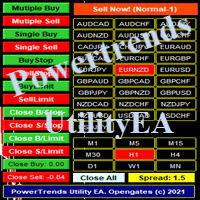
Power Trends System Utility EA
Power Trends System Utility EA is a semi-automated Expert advisor. The user can only open trades manually but it has signal board
where it informs the trader of any trade signals forming according to the current market's states. Many features were combined
together to make up this versatile ONE-in-ALL Utility EA:
1. Trade system that has signals provision:
It has in-built trade system that gives timely trade signals for the trader for profitable trades.
2. Tra

This is a screener that allows to identify assets that are more than usually overbought (% growth) or oversold (% fall) within a selected period of time (time frame). The market is ruled by the law, buy cheaper, sell more expensive, but without an automatic scanner it is very difficult to identify assets overbought or oversold, say, within the current week, or the current hour, or month. There can be dozens or hundreds of instruments, sometimes it is simply not possible to physically analyze e

MetaTrader utility MTI (Main Trading Info) – shows the basic trading information for a trader, namely: average and current spread size Swap size for short and long positions Cost of 1 pip for 1 trading lot Stop Level size (minimum distance for placing pending orders) Time until the end of the current (red) and time until the start of the next (gray) trading session The time until the end of the current trading session is displayed in red, the time until the opening of the next session is display
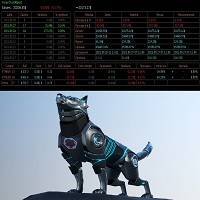
Советник основан на максимально быстром закрытие сделок от заданных параметров.Это можно так сказать разрульватель просадок.. У него встроено 3 окошка на панели.с полным мониторингом вашего терминала по всем парам. вы можите оценивать свои ситуации по разным парам. всегда можите любую ситуацию закрыть в ручную простым нажатием на экране по кнопке..
При наведении курсора мыши на ниже перечисленные столбцы, осуществляется подсветка поля: Бай профит Селл профит Прибыль Закрыть только "+" Закрыть
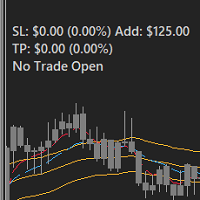
FEATURES: -Current total SL & TP -Allowed Risk per Trade -Maximum Daily Loss Alert -SL level to matc Risk per Trade
Input: MoneyOrPercent >> True=MoneyRisk, False=PercentRisk Money Risk per trade >> Fixed $$ per trade Percent of Account Balance per trade >> Fixed % of Account Balance per trade Max losing trades per day >> Max daily loss limit Font Type SL TP Label Positions SL TP Font Type and Size

Auto SL and TP is a simple program that add StopLoss and TakeProfit automatically, so you don't need to worry about it anymore. Trailing Stops also included. The program checks at any time if StopLoss and TakeProfit are set correctly!!! You can enter your values via the input parameter. This is for those who trades based on fundamentals specially like expecting big moves on the market and doing manual trading, this is for you.
Input-Settings Auto SL = (x)pips Auto TP = (x)pips Use Trailing

POPITPROS V2 MUTLTI ORDER SCALPING SYSTEM FOR MT4
The legendary scalper is on the market!. Great For Scalping. PopitPros allows you to open multiple positions at the same price as well as close multiple positions at the same price. It allows you to setting multiple Trailing Stop Loss at the same price and has Breakeven feature as well. The setting is very simple. Set the value number of orders that you would like to open/trade and also the lot size. Keep in mind don't over leverage your accoun

Open Risk Profit shows your current risk or possible profit of all open positions. Total open risk is your loss if all positions run into the stop loss.
Total open profit is your profit if all positions reach your take profit.
Total float is your current profit or loss of all positions. The program also breaks down the information into the individual symbols. For example, you can monitor how much is your current profit and your potential risk in EURUSD, no matter how many individual posi
This utility is specifically designed for No Nonsense Forex traders. What it does:- Let traders add or remove symbols to trade Editable boxes in panel for updating inputs Automatically applies money management to the trades Places all orders with a single click How it calculates:- Two trades are opened per symbol By default max risk per trade is 1% By default total risk is 6% which can changed in inputs tab(recommended to keep it 6 or below) On addition of symbols the total risk will be divide

PRODUCT description:
Market Data Logger PRO is a utility tool specially created for the sole purpose of logging your Broker's market data to a text file. With this tool, you will be able to record and export metrics from your MT4 Broker such as the "MT4 Market Watch Time", "Bid Price", "Ask Price", "High Price", "Low Price" and various measures of "Spread". This tool may be of interest to traders, data scientists wanting to capture and analyze market data, entrepreneurs, archival purposes,

The Expert Advisor is designed for quick and easy one-click trading to close market and pending orders in all pairs . there is one click button to close all market pending orders and one click button to close all pending orders . in the settings you have an options to adjust the corner and the width and front type and front color and front size . it is an easy EA that help you to delete pending orders and close market orders .

News Scalping Executor is an utility which helps to trade high impact and huge volatility news .
This utility helps to create two opposite orders with risk management and profit protection. It moves automatically stop loss level to avoid losses as much as possible by using many different algorithms. It helps to avoid trading the news if spread suddenly becomes very huge. It can lock profit by moving stop loss or partially closing of orders.
To be profitable with this type of trading you shou

News Scalping Executor Pro is an utility which helps to trade high impact and huge volatility news .
This utility helps to create two opposite orders with risk management and profit protection. It moves automatically stop loss level to avoid losses as much as possible by using many different algorithms. It helps to avoid trading the news if spread suddenly becomes very huge. It can lock profit by moving stop loss or partially closing of orders.
To be profitable with this type of trading you sh

PRODUCT description:
Market Data Logger is a utility tool specially created for the sole purpose of logging your Broker's market data to a text file. With this tool, you will be able to record and export metrics from your MT4 Broker such as the "MT4 Market Watch Time", "Bid Price", "Ask Price", "High Price", "Low Price" and various measures of "Spread". This tool may be of interest to traders, data scientists wanting to capture and analyze market data, entrepreneurs, archival purposes, hobbyi
FREE

The smart EA Copy trade for VPS / PC
Designed for MT4, it easy it super fast, it full of features, for the tutorials you can see on the uploaded photo
Parameter input: Select timer setting: select between milisecond / second timer (some broker will conflict on milisecond). Select role: select the role as master or client, but leave it default you can change later on the dashboard. Master key: input the key, ensure the key are same between master and client, you can set more than master in one
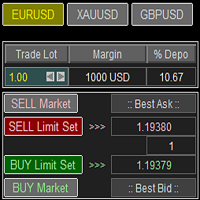
Trade Panel with Loss Breaking for MT4
Multi-instrumental trading panel with the function of transferring the stop loss of positions to loss breaking.
Has the following distinctive properties:
All trading parameters and panel operation are set in the settings. The traded position volume (lot size) is quickly changed. The required margin and the percentage of the required margin of the current deposit for the specified lot size are displayed. Shows profit when take profit is triggered and losses

Super simple and powerful with full feature Trade Panel manager
This is the finest trade tool for your metatrader4, the best option for your daily trading activity with full powerfull inside.
Input parameters:
Magic Number : Define your magic number. Entry Comments : Define your entry comments.
Main Dashboard Features:
Buy & Sell button: Protected with confirmation pop-up before entry deliver to the system, incase miss press the button. Pending order (Limit & Stop) with check option: press

Ultimate MT4 to Telegram (UMT) sends controlled trades (via symbol, magic, comment) to your telegram channel. It sends open and closed trades, including pending orders and TP/SL modifications, along with chart screenshots, to any telegram channel. Additionally, you can send trade reports of open trades and summary profit/pip reports for day, week, or month. You can customize the design of the trade actions or reports with variables and emoticons.
A beautiful panel allows you to visualize all t

G-Labs Trade Manager by G-Labs — on-chart trade panel for MetaTrader 4. Risk-based lot sizing, visual entry stop and take profit lines, position management, currency strength, statistics, and OCO breakout tools.
One panel for planning, executing, and managing manual trades. Set risk before you click buy or sell, drag stop loss and take profit on the chart, manage open positions and pending orders, and track performance — you stay in control of every decision. Trading utility, not a black-box si
The MetaTrader Market is a unique store of trading robots and technical indicators.
Read the MQL5.community User Memo to learn more about the unique services that we offer to traders: copying trading signals, custom applications developed by freelancers, automatic payments via the Payment System and the MQL5 Cloud Network.

You are missing trading opportunities:
- Free trading apps
- Over 8,000 signals for copying
- Economic news for exploring financial markets
Registration
Log in
You agree to website policy and terms of use
If you do not have an account, please register