 MetaTrader 5
 Experts
 Indicators
 Libraries
 Utilities
 Widgets
 Rules
Rules
Watch the Market tutorial videos on YouTube
How to buy а trading robot or an indicator
Run your EA on
virtual hosting
virtual hosting
Test аn indicator/trading robot before buying
Want to earn in the Market?
How to present a product for a sell-through
Trading utilities for MetaTrader 4 - 37
 Below are trading programs simplifying Forex trading in MetaTrader 4. Hover over a utility in the list below to read its description and purpose.
Программа автоматически фиксирует часть прибыли по достижении инструментом указанной цены. - Указывается фиксируемый объем сделки - Указывается цена, на которой фиксировать - Можно фиксировать до 5 частей от объема сделки - Можно указать цену, при которой закроется вся сделка (стоп лосс) - Можно указать, при какой цене сдвигать стоп лосс и на какое значение
・ Overview and required environment Generates a duplicate of the limit order reservation for only one order, either a manual order or an order placed from another tool or service.
For analysis that makes an order decision, please do your best by yourself, such as collecting materials, guiding rules of thumb, and using other analysis tools and EA together. ・ Installation and operation after installation
Easy to deploy. As an "EA that can be bought and sold automatically", just operate it on an a

Update:ver1.53 (2023/08/16) ・概要と必要環境 手動発注もしくは他ツール等からの発注に対し、指値発注予約の複製を生成します。こちらは「発注操作の簡易化」に特化したものになります。発注判断となる分析は、資料を漁る、経験則を導く、他の分析ツールやEAを併用する等、利用者ご自身で頑張ってください。なお、ver1.28より、「決済後、自動で再発注する」機能が実装されました。(有償版でのみ有効化できます)
・導入と導入後の操作 導入そのものは簡単です。「自動売買可能なEA」として、適当なチャートにて動作させるだけです。(チャートの対象相場は問いません。このEAは、チャートを見ていません)。あとは、「このEAでのローカルコピー以外の発注」があれば、それに応じて「損失が出た場合に備えての追加取引の予約」という形で、指値発注が自動生成されます。 導入操作上の注意として、「本EAを、複数のチャートで動作」はできません。EAがチャート自体を見ておらず、注文状況だけを見ているため、複数のチャートで動かす意味もありません。また、ターミナルとEAの設定として「自動売買」を許可しない
FREE
Update:ver1.53 (2023/08/16) ・ Overview and required environment Generate a duplicate limit order reservation for manual orders or orders from other tools, etc. This is specialized to "simplify the ordering operation". For the analysis to decide ordering, please do your best by yourself, such as fishing for materials, deriving a rule of thumb, using other analysis tools and EA together, etc. Since version 1.28, the function of "automatically re-order after settlement" has been implemented. (This

This is a very simple, and easy-to-use Trade Manager with features like Auto Partial Close, Auto Stop-loss, Breakeven.
EA closes a profitable position in partial closes when the price moves first in the direction of profits, and then comes back. EA monitors the position. If the price moves in the direction of profits, then ea establish the first level of rollback price at a distance. If the price continues to move in the direction of profits, this level of profit continues modifying this lev
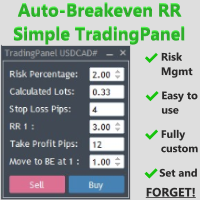
The Auto-Breakeven RR Simple TradingPanel EA is a simple and intuitive tool that will be an asset to your trading arsenal. Have you ever missed the perfect entry because you were busy calculating the lot size?
I have. Many times. Which is why I created this EA to simplify and automate risk management as much as I could.
A true SET AND FORGET tool - execute your trade and walk away to prevent micromanaging your trade. This tool secures the trade at your specified Risk-to-Reward (RR) level.
Tra
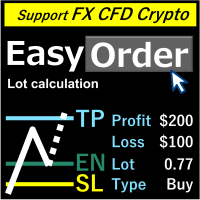
Overview
Just move lines, lot are calculated automatically by fill out the loss cut amount. Following eight currencies can be calculated .( USD, EUR, GBP, JPY, AUD, NZD, CHF, NZD) Fixed amount or ratio of balance can be selected. Calculate risk rewards. Market order, limit order, and stop order are automatically applied. Supports FX, CFD, and crypto currency. Attention
"Free demo" does not work。
You can download the Demo version on the description page . https://www.mql5.com/en/blogs/post/75

#property copyright "小天" #property link " https://www.mql5.com " #property version "2.01" #property strict #property description "test"
input int hlength=85; input int vlength=25; input int DX=-340; input int DY=-80; input string InpDirectoryName="Data"; // directory name
input double lots_default=1; input int pc_times_default=2; input double deposit_minimal=1; input double floating_loss_percent=0.1; input double margin_occupied=0.2; input int tradingnumber=1;//控制买卖交易数量
input
FREE

Fast, Efficient and Precise. With the Calculator from PhipsProduction you have your risk under control with just a few clicks. Thanks to the easy handling and the visual risk area, the calculator is not only perfect for experienced traders, its also a must for new market participants. The program is suitable for all Account Currencys and common MetaTrader markets. (except bonds of all kinds)
To the Deluxe Edition: https://www.mql5.com/en/market/product/82955?source=Site+Profile Calculator for

Fast, Efficient, Precise, simply DELUXE. With the Calculator from PhipsProduction you have your risk under control with just a few clicks. Thanks to the easy handling and the visual risk area, the calculator is not only perfect for experienced traders, but also a must for new market participants. The program is suitable for all MetaTrader account currencies and common markets. (except bonds of all kinds)
Calculator for MT5: https://www.mql5.com/en/market/product/81428?source=Site+Profile
Man

The Pipsurfer Trade Manager Is A high level software that will automatically analysis each trading asset and calculate its optimal take profit and stop loss levels for Each trade it is managing. Complete with an easy to use management panel that allows you to manage your risk parameters for each individual trade that you place on each pair. You will have access to trailing stops, break even, partial take profits and account risk percentage features as well
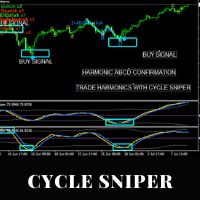
EA for Cycle Sniper Indicator This utility is designed to open/close auto trades according to the Cyle Sniper indicator's signals. Different entry rules with various stop loss, take profit options can be applied. You will find the details in this blogpost. https://www.mql5.com/en/blogs/post/749655 Some important issues are explained in the video. Please do not hesitate to contact us if you need further information. IMPORTANT NOTE: You can not test the full functions of the EA on the strategy t

Trade panel manual is a multifunctional trading assistant. It allows you to open market and pending orders in one click. Value is set via button menu edit or deleted by specific buttons pending orders and the value of take profit and stop loss in one click. Through the edit menu of the button, a value is set that can be easily changed by simply moving level_tp lines for take profit or stop loss levels and for pending orders. It is possible to select orders and determine for them and set the leve
Trading assistant that offers advanced management of your trades with optimization features. It automatically calculates the risk per trade, makes it easy to set up new orders, and offers advanced management tools such as automatic trade closing in 5 different ways. It also has other useful features that will improve your control and decision making. And best of all, you can use it in the strategy tester to perfect your tactics before trading live!
Our trading assistant is a trading tool that

This is a full automated Multi-Currency Trading System based on price action analysis, algorithm and logic functions to find out what the STRONGEST currency is and what the WEAKEST currency is, then pairing and focus on that symbol pair to trade. It is combined with Breakout Trading Strategy and Loss Recovery Trading Function instead of Stop Loss. This Expert Adviser can also give traders the overview about the whole currency market in specific time frame series and traders can make their own de
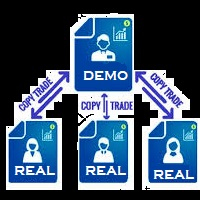
You Can Instantly Copy All the Trades from one account to another account in MT4. It only copy inside the same computer or same VPS. You can also use it to copy from MT4 to MT5, then you also need to download the MT5 version and set the SEND and RECEIVE accordingly.
MT5 Version download - https://www.mql5.com/en/market/product/88791 Note: If you download the demo version, it will not copy the trade into the real account as demo version does not work on real account. Sometime you will find trad
This is a break even(BE)/break even-plus(BE+) EA. It moves your stop loss to BE or BE+ based on pre-set percentage of current TP. You can edit the percentage in the input section. This EA sets breakeven for both manually and auto-opened trades. Moving stop-loss to a breakeven or BE+ is popular among traders who wish to safeguard their trades and to let the trades run without incurring a risk of loss. With this EA , you can have your stop-loss orders moved to a breakeven point automatica
This EA Trails your stops for both manually and auto-opened trades. This EA will work whether you have manually or automatically set stop loss or not. Trailing stop is a more flexible variation of a normal exit order. T railing stop is the practice of moving the stop-loss level closer to the current price when the price moves in your favor. Trailing the stop-loss allows traders to limit their losses and safeguard their positive trades. It is a very popular practice. This EA will manage your

you don't have to monitor your trades all the time. save yourself screen time and leave management of your trades to Dynamic Trades Manager. Dynamic Trades Manager is a trading assistant tool. it has automated capabilities to break even, take partial profits, trails stops and to set your risk to reward ratio .for demonstration purposes, the expert would take random trades only in the strategy tester but it does not take trades on its own in live market but only performs the aforementioned
Hidden StopLoss, Hidden TakeProfit, Hidden Stop Loss, Hidden Take Profit, Hidden SL, Hidden TP Broker will not be able to know the StopLoss and TakeProfit price.
Auto Hidden Stop Loss and Hidden Take Profit MT4 is an assistant for all those who forget to set Stop Loss and Take Profit in deal parameters, or trade on a very fast market and fail to place them in time. This tool automatically tracks trades without Stop Loss and Take Profit and checks what level should be set in accordance w

CloseAll Trades EA is and MT4 Order Management trading system which closes trades if certain profit of money or loss in money is reached. This EA can work on any MT4 broker of any choice and with any balance. It will not open any trades, instead it will only close trades if the conditions you choose are met. This simple trade manager can close the trades with TWO Strategy. Close Trades with Magic: The EA will close all trades with magic number from selected EA Close trades without magic : This m

Risk Controller Expert Advisor, a program that allows you to control the total risk of your trading advisors on your account. With this program, you can control the maximum risk that will be allowed on the account for all advisors. For example, you set the risk of 30% of the maximum drawdown, which means that if your equity trading robots exceed the risk of 30%, the Risk Controller will close all positions of advisers, and can also close all open charts, thereby preventing advisers from working

Virtual Collider Manual is a trading assistant with a built-in panel for manual trading. It automatically moves a position opened by a trader in profit using innovative adaptive grid algorithm of averaging and adaptive pyramiding Know-how of the grid algorithm of averaging and pyramiding of the Virtual Collider Manual trading robot is based on fully automatic adaptation of all characteristics of dynamically build order grid and pyramid with actual price movement with no need for adjusting

Multi Currency Closer EA What is this program for: Multi Currency Closer EA is an Expert Advisor equipped with a complicated algorithm that is designed to close the basket of orders always with profit. Let's imagine that we trade many instruments, with different position sizes, maybe we also use machines that place a large number of orders. After some time, it turns out that we no longer control the situation and we do not know how to effectively reduce the share of our money in the market. In s

The AlgoKing Squawk Trendlines script will auto draw trendlines on your chart to use with trendline break and retest strategies. Simply drag the script onto your chart.
Recommendation: Be sure all candle bars that you want to include in the trendline calculation are visible. Draw trend lines using multiple timeframes. Delete all lines that you do not want to use in your strategy. Benefits: Join the AlgoKing Lightning Bolt Expert Advisor support group: https://www.mql5.com/en/messages/02E3BDCF
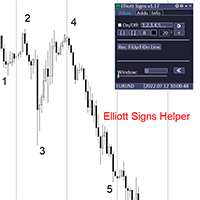
Elliott Signs Helper - A panel for marking Elliott signs and technical analysis. This is not an EA, This is an indicator that You can use to draw signals on the chart.
Wave Analysis:
Allows you to build a wave analysis in a few clicks with the definition of the type and order of waves. - Choice of color, style and font of waves is available. - Marking of impulses, triangles, zigzags, flats, simple and complex combinations is available.
For more information and how to use the indicator, ple
Definition :
Risk Monitor is an expert for Analyzing, monitoring, controlling account risks.
Strategy :
Analyze Each Currency Volume and Direction on Account and Sort Them Find and Suggest Best Three Symbols in Opposite Direction (Hedging Positions) for Controlling Risk. Analyze User-Defined Position and preview effect before placing /Closing
Features of EA :
Graphical Interface Show Risk Graph for each currency Smart Analyze and suggest best hedging positions
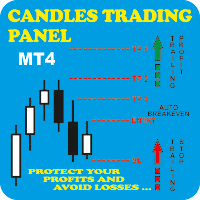
Candles Trading Panel Take the training wheels off and start pedaling when inserting orders! Using the Candlestick Trading Panel you can trade with one click from the chart and place your order at a precise point on the chart with different take profits for efficient money management through lots differentiation. The effective trailing stop loss strategy will enable you to keep risk management under control, and the innovative trailing profit strategy will maximize your profits by following tren

I am a student of JK sir(https://www.frmki.com/) from Hong Kong. I wrote this program to assist me to trade like JK sir with smaller amount of money. His trading technique is so powerful. With less than 2 months of trial, my balance increased to almost 300% !!!
with the program, you can easily set many orders take profit and stop loss by the following ways: by fixed point by average point by trendline line open order by entering the risk amount (eg 2%) and 3 lines: yellow line (limit order l

Reward Multiplier is a semi-automatic trade manager based on pyramid trading that opens additional orders with the running profit of your trades to maximize return exponentially without increasing the risk. Unlike other similar EAs, this tool shows potential profit/loss and reward to risk ratio before even entering the first trade!
Download Demo here (starting lot is fixed at 0.01) Contact me to get a 7 days trial version of the product with full functionality. Guide + tips here MT5 version

This EA will help you to know immediately which order is buy or sell order. The Buy Order will have line Green ( or whatever color you want ) The Sell Order will have line Red ( or whatever color you want ) In the Chart have EA insert, you can close the order buy click on the Line, The other Chart can't ( close by right click & choose close order) Also EA has function auto set SL-TP and Close all Order
Parameters: - The color of Buy Orders : Choose the Color for Buy Orders - The color of Sell

Trade Manager Panel is an on-chart utility that helps you open, manage,
and close trades with one click. It is designed for manual and semi-manual
traders who want fast order execution and clear risk control directly from
the chart.
The lot size is calculated automatically from your account balance, your
chosen risk percent, and the distance to your Stop Loss line. Position size
and money value are computed using the broker tick value and tick size, so
the calculation is correct on all symbols,

If you need a clicker on the signals of any arrow indicator - this utility will definitely help you. And the clicks themselves are no different from clicks made manually. There is even a random delay between clicks to make it even more realistic! This free product has the same principle of creating an Expert Advisor based on an arrow indicator What does the utility do?
It creates a clicker file with your indicator signals in a few easy steps: install the indicator with the needed settings on
This EA trails your stops based on percentage of current TP, for both manually and auto-opened trades. You can edit the percentage value in the inputs. Trailing stop is a more flexible variation of a normal exit order. T railing stop is the practice of moving the stop-loss level closer to the current price when the price moves in your favor. Trailing the stop-loss allows traders to limit their losses and safeguard their positive trades. It is a very popular practice. This EA will manage you
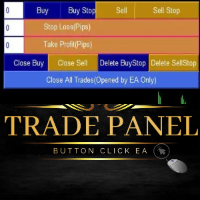
Trade Panel Manager EA is an MT4 Trade Management trading system which open trades using Buttons on the Chart. The EA will open and close trades by a simple one click on the button. It accept Market Orders and Stop Orders. The trader set lot size, Take profit and Stop loss manually and then click the button of choice. This Trade Panel Manager only close and delete pending orders which were opened by it ONLY. It will not close other trades by other EAs. This is not Automated EA. One has to clic
Do you know method trade use Triangle pattern , you can reference about it at link: https :// www.investopedia.com/terms/t/triangle.asp This EA help you drawing Line automatic and you can modify if you like it is a semiautomatic EA not fully automatic, only part of trading is handled by this EA. I recommend use it with high TF to get better result. Parameters: - Choose color for Support Line : Choose the Color for support line - Choose color for Resistance Line : Choose the Color for Resistan

Welcome guys !
I offer to you this MT4 project I've been working on for the last 2 years ( roughly over 900h of work.. ).
This is a complete tool that will change the way you see MT4, because I almost recoded it entirely ! It will provides you a solid base for risk management, order positionning, hedging, account preservation and journaling.
I wanted an all-in-one panel that covers both scalping and swing trading and that suits every type of trader.
Main goal was : NO INPUTS. Never
TRAILINATOR is a unique Solution to use different Trailing-Stop Variants and change your Tradesetup via Remotecontrol. You configure your Tradesetup for a specified Symbol only once. This setting will be used for all your Positions of the same Symbol. Currently we support these Features: different Trailing-Stops: Standard: works like you use in Metatrader Terminal, starts trailing if your profit is greater than trailing stop Start after points: trailing stop will start after your defi

Grid Panel Allows you to : Set the number of levels (trades). Lot size and you can do Martingale to raise the lot size for each level. Set distance between levels, and you can manage the distance for each level using Distance Q. Static TP and SL for each level. You can open : BUY STOP / BUY LIMIT / SELL STOP / SELL LIMIT (levels in one click). Close all buy orders. Close all sell orders. Close all winning orders. Close all losing orders. Close all orders. Close all Pending BUY orders. Clos

Description :
A utility to create and save screenshots automatically and send to a chat/group/channel on telegram.
The saved/sent image file will include all objects that exist on the chart and also all indicators are displayed on the chart.
Features: Save screenshot of chart including all objects, indicators, ... Send screenshots to a telegram chat/group/channel
Wide range options to select when create screenshots
Logo and text adding feature
Inputs and How to setup the EA :
Various optio

Hello friends. I wrote this utility specifically for use in my profile with a large number of Expert Advisors and sets ("Joint_profiles_from_grid_sets" https://www.mql5.com/en/blogs/post/747929 ). Now, in order to limit losses on the account, there is no need to change the "Close_positions_at_percentage_of_loss" parameter on each chart. Just open one additional chart, attach this utility and set the desired percentage for closing all trades on the account. The utility has the following function

Hi Trade EA is an EA facilitating hand trading. Hi Trader EA is a trading assistant EA, not an automatic order placing EA. Features of EAs Fix Lot will open positions based on the lot size specified by the user. Risk will calculate the lot size based on the percentage of the account balance, considering the distance from the open price to the Stop Loss. Therefore, a Stop Loss value greater than zero is required. TS = Trailing stop with separate stop loss, individual orders. AVR TS = Trailing sto
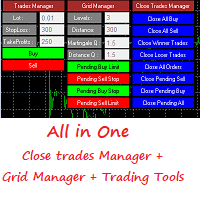
Grid Panel Allows you to : Set the number of levels (trades). Lot size and you can do Martingale to raise the lot size for each level. Set distance between levels, and you can manage the distance for each level using Distance Q. Static TP and SL for each level. You can open : BUY STOP / BUY LIMIT / SELL STOP / SELL LIMIT (levels in one click). Close all buy orders. Close all sell orders. Close all winning orders. Close all losing orders. Close all orders. Close all Pending BUY orders. Clos
Fx panel tool for manual trading. Everything you need for scalping trading, swing trading! - For onclick trading: * Can set stop loss, take profit * Can auto calculate the volume for you depend on how much money you allow to lost every trade. * Can close all trade, close trade follow Symbol * Can minimize panel for better watching price moving * Can trade with minimize panel
- For pending order: * Can draw order price + stoploss + take profit by UI * Can modify order and re-calculate profit +

Telegram trade manager is an Expert Advisor built for your telegram bot. it allows you to communicate with your expert advisor directly from your mobile phone and effectively manage your trades with operations not on mobile mt4, while on mobile. With Telegram Trade Manager, you can get the screenshot of your favorite trading system, accept trade signals from group and open trade operations based on signal posted
Execute and modify and close trades instantly, set your breakeven and trail stop par

Parameters Lots = 0.01 Stop loss= 50 Take Profit=50 Delay= 2 Buy = true Sell=true LotMultiplier=2 PointMultiplier=1.5 Magic=111 MaxSlippage=30 Start Time=00:00 Stop Time=23:00 GMT Offset=0 that is a utility for trade, you can aitomaticly trading whit vps. And your invest can growing up to 100% or 1000%. you can back test before you buy this for analisis how this utility traing for you.

Trading panel with preset orders and automatic lot calculation for the MT4 terminal. Attention, the Trading Panel does not work in the strategy tester (only trailing stop testing). Manual, Description, Download Light Demo. Successful traders are distinguished by self-discipline and competent money management. If you use a fixed lot, then you are at risk. After all, there are different distances on different timeframes and one unprofitable transaction can cover several profitable ones. If you use

Special offer for the next 10 copies
Are you tired of manually navigating through menus and inputting data every time you want to execute a trade or open an order on Meta Trader? Our hotkey tool is here to make your life easier and boost your trading efficiency. Our tool is natively coded for lightning-fast performance and comes loaded with all the features you could possibly want. From pending orders and OCO orders to trailing and multiple buckets, it has everything a scalper could need. An
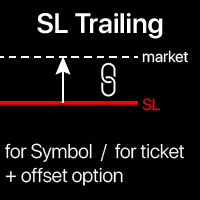
Trailing Stop: automatic SL movement as the market moves. G et the maximum profit from the trade The process of SL movement can be automated according to your strategy , The variety makes this utility useful for any strategy . Especially important for a short -term traders. Multifunctional utility : 66+ features, including SL trailing | contact me if you have any questions | MT5 version To activate the SL Trailing, you need to set

A script to open and Close charts of multiple pairs instantly with custom template
$30 for the next 25 downloaders, next price: $45
Features:
Chart Opener : Open chart(s) of multiple pairs simultaneously
Template Opener : Load any User specified template (.tpl) to the opened chart(s)
Chart Closer : Close chart(s) of multiple pairs simultaneously
Disclaimer:
Any loss involving this trading tool is the sole responsibility of the User, and not the responsibility of the Creator of this trading

Starting Price for first 10 purchases is $100, Next Price will be $200.
This Expert Advisor Trades 28 Currency symbols simultaneously , we recommend using this bot alone. Attach the bot to 1 chart and its best to use a virtual private server (VPS) so that you will not lose any potential opportunities to enter positions. Operation: This bot looks for quick ins and out in the markets and wait until next day to enter on closed assets. It aims to close each trade set on each pair once and no

BB PullBreak Signal
This is an EA that can provide notifications when a candle breaks or a pullback or retrace occurs. This makes it very easy for us, especially those who are used to trading using Bollinger Bands. Usually we often experience missing signals from Bollinger Bands if we trade manually without the help of tools. This tool can provide notifications via email, telegram or MT4 mobile. You just need to put this file into the expert advisor folder on your MT4. You can also specify the

Whosa TradePad for MetaTrader 4 Do you trade in MetaTrader 4? Calculating Pips yourself and calculating your risk yourself is a thing of the past with our Tradepad. With this Tradepad you can place your trade in MetaTrader in no time. This Tradepad is fully equipped. Automatically calculates your risk which you can enter in percentages and amount of dollars. Check the video to see all the features! (The video is in Dutch, but you can see the features) This TradePad only works with a new password
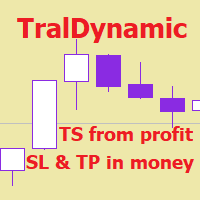
The utility for managing open positions can work with stops (take profit and stop loss) in money, percentages or points. The built-in trailing stop starts working from profit, the size of which can be set in currency or as a percentage. With the help of the built-in trading simulator, you can check how the utility works in the strategy tester. Benefits setting stop loss and take profit in the deposit currency, as a percentage of the account balance or by points; adding stop loss and take profit

Unexpected changes in the market mean that we have to close positions at a certain time, but many times we are defeated by their volatility, so when we manage to close all our positions manually, they are not executed at the time we want, you have to wait to finish each one of the requests, wasting time and getting an unfavorable result.
Panic Button is designed to ease those bad times. The Expert Advisor will help you close those positions automatically and without the delays caused by doing t

CloseTrades on X% EA is and MT4 Order Management trading system which closes each trade if certain Trade Percentage is reached. This EA can work on any MT4 broker of any choice and with any balance. It will not open any trades, instead it will only close trades if the percentage return (P/L) is greater or less than SL and TP Percentage selected are reached. EA INPUTS
Close Trades with TP: The EA will close each trade if certain percentage of Profit reached. Example, if your trade is abo

This is a simple and very effective utility for closing in profir or in loss. Constant overview of daily Draw Down, Current profit and Daily profit
This utility will save your deposit in case of a sharp market change. Just add it to any free chart and use it for your daily trading. Thanks to the minimal set of parameters, you can easily set up the utility for any symbol in MT4

Trading Panel Katana is a tool with many features that help you open and manage your trades more easily.
Trading Panel Katana MT5 | Tutorial and Download demo | message me . - This EA will not work in Tester The Features: - Line Preview: Show preview on the chart for opening price, take profit and stop loss. It's draggable and contains some valuable information. For market trade and pending trade. - Opening Trade Setting : Set trade by point, price, money and Percentage value, so you

Hallo traders!
Just finished a telegram utility which can be of interest for smartphone live traders. What is offered inside? Main settings of EA is simple and standard you can use any pair available in MetaTrader. Mainly it was created this for BTCUSD but will work with any pair. What is the main I wanna show: we have always fresh info from market inside buttons refreshing: After start it has 0.00 lots and it will not allow trade by accidental touch. You need to add a Risk + and get 0.01 :) In

This trading system requires the user to manually add Fibonacci, trend lines, horizontal lines, channel to perform semi-automatic or manual trading. The trading system can also be used in the tester.
Trading panel provides: spread information margin information free marging Information The swap information to order for lots (requires your dealer support)
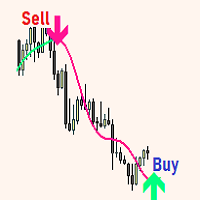
The expert utility is designed to automate the trading of most arrow indicators.
You do not need to wait for the indicator signal in order to open an order manually, the utility will handle it for you.
When a signal arrow to buy or sell appears on the chart, the EA opens an order itself.
To connect the indicator, you need to add the signal arrow buffer number to the EA settings. Settings. INDICATOR SIGNAL SETTINGS Name of the indicator - the name of the indicator Subwindow number - subwindo
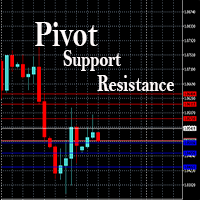
This EA is designed to calculate and draw Pivot Point, Support and Resistance for your selected time frame on the chart.
Works on all currency pair and on any time frames available on MT4.
To make sure the EA works, you need to select the pivot time frame as well as the candle shift that you want to calculate the pivot.
0 = Current candle on chart
1 = Previous 1 candle on the chart

It is a tool that allows you to create orders very easily. The program will calculate the lot and profit automatically. from RiskReward what you set.There are two modes to choose from: Lot and Risk. step 1 set Reward Reward you want for set TP and Risk = 1 always. step 2 set Lot for MODE Lot calculate SL TP form Lot you set. setp 3 set Risk_percent for MODE Risk calculate lot automatic form Risk percent of AccountBalance. For Example. AccountBalance = 1000 $ set Risk_percent = 2.0 so loss = 20

Visualization of the economic events on the chart Multifunctional utility: 66+ functions, including this indicator | Contact me if you have any questions | MT5 version The indicator draws a vertical lines, showing you when economic news are coming.
In the input settings you can adjust: Only for the current Symbol : if true, only events for the selected symbol will be displayed. Show past events : if true, past events will remain on the chart. Color : separately for 3 types of events.

Scalp Master is a very simple and smooth operation system that is designed to help traders facilitate trading and risk management. No Keyboard need to make, take profit or close orders. Every orders parameters are created automatically based on predefined risk and your strategy lines. Such parameters appear friendly on the screen and you just need 1 click to convert to order. The unique algorithm prevent common missed and hit taking profit strategy. Instead of very subjective partial closed by u
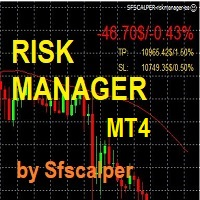
RISK CONTROL MANAGER
Now You can have the same control over risk management as big trading rooms, institutional investors and hedge funds. Managing risk is a fundamental operation for your brokerage. Choose your maximum desired risk exposure in percentage to Your account, set it on the RISK CONTROL MANAGER, the EA will check and make sure that You'll never exceed that. When You ignore the trading risk, and you leave your operations open, that potentially could lead to catastrophic trade expos
This trading bot automates order execution based on areas of interest drawn on the chart, such as supply and demand zones identified through order flow and institutional trading strategies.
It’s a multi-chart bot, meaning you only need to drag it onto one of your open charts—it will monitor all of them simultaneously. How does it work? Open the charts you want to trade. Drag the bot onto just one of the open charts. Set your preferences for Risk, Stop Loss Ratio, or Take Profit Ratio. Enable an

This is an Utility to make your trading easier by putting at one click or a few clicks time-consuming tasks as order management and risk management. Contact for a free trial.
Features
Risk Management
Calculates automatically lots based on risk specified in either % or $ in the risk field and let you enter just by placing lines for SL TP etc and display real-time Risk Reward . TrueRisk so it includes commissions when calculating lot size on FX pairs only so you risk 1% with

Idea Pro Trend Premium This EA is a Semi-auto Trading Panel with a variety of strategic settings, such as those listed below. It is excellent for scalping or long-term trading by traders. This EA is simple and convenient to trade and attach to the chart with the default settings on AUDUSD, EURUSD, GBPUSD and NZDUSD.
How to use You can trade based on the trend that is displayed on the left-hand side of Info Panel. If the trend are" 2 Up Trend" and "2 Down Trend", please do not trade. Simply pro

The Auto Percentage SL TP is not taking any trade! It was made especially for Proptrading Challenges like FTMO, Myforexfunds, Fundednext and many more. Most Propfirms ban your funded Live-Account if you do not set SL and TP soon after the trade. It is a tool to help setting automatically TP and SL based on given percentage in settings. You can add e.g. 1% risk for a trade and it sets the stop loss to 1% from your balance. Same with stop loss, which is default also 1%. But these values can be cha
The MetaTrader Market offers a convenient and secure venue to buy applications for the MetaTrader platform. Download free demo versions of Expert Advisors and indicators right from your terminal for testing in the Strategy Tester.
Test applications in different modes to monitor the performance and make a payment for the product you want using the MQL5.community Payment System.

You are missing trading opportunities:
- Free trading apps
- Over 8,000 signals for copying
- Economic news for exploring financial markets
Registration
Log in
You agree to website policy and terms of use
If you do not have an account, please register