 MetaTrader 5
 Experts
 Indicators
 Libraries
 Utilities
 Widgets
 Rules
Rules
Watch the Market tutorial videos on YouTube
How to buy а trading robot or an indicator
Run your EA on
virtual hosting
virtual hosting
Test аn indicator/trading robot before buying
Want to earn in the Market?
How to present a product for a sell-through
Trading utilities for MetaTrader 4 - 45
 Below are trading programs simplifying Forex trading in MetaTrader 4. Hover over a utility in the list below to read its description and purpose.
This is the EA tool "VS Martin" (VSMT) that I developed and have been using. Now I share it with users in need. Function: Automate trading according to the user's preset Martingale trading sequence. The tool can monitor market changes in real time and automatically adjust prices according to the set profit target to achieve maximum profit and exit trades in time. The entire Martingale execution process does not require manual intervention. Advantages: 1. Users can customize the Martingale t

This EA allows to set a specific Take Profit for all the trades of the same symbol when dropped in the chart. The Take profit can be set in the setting menu as a market price and not in pips.
Usefull when opening multiple orders and want to close them all in one time at a specific market price level without entering manually the take profit for each trade. For any question about this EA, you are welcome to contact me.

捞金团快捷平仓脚本 一键平仓 一键盈利 一键下单 一键平止盈 一键平亏损 EA 安装路径 在 C:\Program Files (x86)\TMGM MT4 Terminal\MQL4\Experts 请主语在你本地的安 装路径 安装 请自行查找本地路径 左侧为资金管理以及账户信息 , 右侧为脚本操作 方便快捷 手工加多 手工加空 可以快速实现下单 , 在 EA 设置里面修改 . 其他快捷按钮可以实现各种功能您只需点击就可以快速平仓 , 删除挂单 , 停止 ea 等操作 . 声音提醒功能 可以实现 手机提醒 邮箱提醒 和 声音提醒 以及弹出提醒 重要点位 4 种提醒方式 左侧为资金管理以及账户信息 , 右侧为脚本操作 方便快捷 手工加多 手工加空 可以快速实现下单 , 在 EA 设置里面修改 . 其他快捷按钮可以实现各种功能您只需点击就可以快速平仓 , 删除挂单 , 停止 ea 等操作 . 声音提醒功能 可以实现 手机提醒 邮箱提醒 和 声音提醒 以及弹出提醒 重要点位 4 种提醒方式

Product Description: The Prop Trading Panel is a powerful MetaTrader 4 utility designed specifically for prop firm traders and individual traders who want to enforce strict risk management rules, limit drawdowns, and secure profits based on their initial balance. This utility provides a dynamic interface on the chart that monitors account performance in real-time, automatically halts trading when predefined risk thresholds are breached, and displays vital trade statistics for informed decision-

Kenalan Selamat datang di dunia perdagangan potensial dengan Robot Perdagangan Gold Cheetah ! Dirancang untuk mengoptimalkan keuntungan di pasar valas, robot perdagangan ini adalah alat yang sempurna bagi para pedagang yang ingin mengotomatiskan strategi mereka dengan akurat dan efisien. Apakah Anda seorang pedagang pemula atau profesional berpengalaman, Gold Cheetah siap membantu Anda mencapai kesuksesan di XAUUSD (Disarankan M5) dengan pendekatan yang cerdas dan terencana dengan baik Fitur Uta

Copy trades locally between MetaTrader terminals with a simple interface and strong risk controls. Mirror trades across accounts, brokers, and platforms in any MT4/MT5 combination. Designed for reliability : supports trade updates such as breakeven, trailing stop, partial closes, and more. User Guide + Demo | MT5 Version Important notes Local Trade Copier MT4 does not work in the Strategy Tester. For a demo, please use the User Guide + Demo link above. To copy to MT5, you will need to purchase

Hello , Most people fail in trading because they use general strategies, trading should follow your own basics Being unique is the best strategy
I am MaxlumFX, a trader who uses Microsoft Excel I have been using it for years and the profits are realistic simple Follow the trade with Correlation Trigular for Analyst 1 Pair I share this file as your trading analysis Contact me for Excel file T.me/MaxlumFX

EA Name: MultiTrade+ButtonEA Function: This EA only works on the MetaTrader4 platform, and its features are:
- Open orders in both buy and sell automatically using the Buy and Sell buttons.
- Close all open orders with the CloseAll Button.
- Decide the number of orders to open and the size of the lot through the input section in the EA settings.
- Automatically set the TakeProfit at the first order of 10 pips, and the following orders will have the TakeProfits at a distance of 10 pips from

Simple Telegram Trade Alert
Overview: Simple Telegram Trade Alert is a simple yet effective Expert Advisor designed for MetaTrader 4 (MT4) users who want to receive real-time notifications about their trading activities directly on Telegram. With just a few easy steps, this EA sends alerts when positions are opened or closed, detailing key information like entry price, take profit (TP), stop loss (SL), profit/loss in the account's currency, balance change percentage and total balance. It is

The Famous Gann Angles Our team has been trading the markets and actively applying Gann methods for over 20 years. We developed all our tools ourselves and have been using them for a very long time. Recently, we decided to start sharing some of them with the community. When it came to choosing our first release, everyone instantly agreed: it had to be Gann Angles. This was expected, as these angles have long held a reputation as a precise and reliable tool. We have worked hard to make the Gann F

Discover the Forex Unlimited Tool – Your Ultimate Position Manager for MT4 or MT5 Ready to take your trading to the next level? With our Forex Unlimited Tool, you no longer have to manually calculate your risk or second-guess your capital allocation. We have developed an advanced, user-friendly position management tool available in two versions : one for MetaTrader 4 and one for MetaTrader 5 . Please make sure you select the correct version that matches your trading platform when making

ATTENTION the expert does not work in strategy tester, for a trial version visit my profile. ATTENTION the expert must remain with the operations history in " COMPLETE HISTORY " Manual QUANTUM to download the automatic journal visit my profile RiskGuard Management – Professional trading, without compromise RiskGuard Management is the ultimate ally for traders who want to maximize profits and minimize losses with advanced risk management. It’s not just a tool; it’s an intelligent system that h

This MetaTrader4 tool monitors 21 minor currency pairs over a user-defined timeframe, displaying key PIVOT values along with SUPPORT Zones 1, 2, and 3, and RESISTANCE Zones 1, 2, and 3 for each selected pair. Users can choose to have this information optionally displayed on the chart ; however, logging of the data to the log file is always active and occurs periodically based on the selected timeframe. For example, when set to an hourly timeframe, data will be logged every hour; on a minute-base
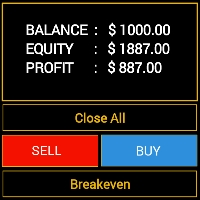
Features - Showing BALANCE
- Showing EQUITY
- Showing PROFIT
- Showing LOTS
- Showing SPREAD
- Showing SELLS & BUYS TOTAL(Current Pair)
- Showing SELLS & BUYS TOTAL(ALL Pairs)
- Showing ORDERS TOTAL
- Showing Lots Value will be used
- Showing Pips Value for SL/TP will be used
- Showing Amount of order will be used
- Showing Clock for Current Candle - Button for RESET(Closing all Orders(Opened,Limit and Stop)
- Button for Clearing Open Orders
- Butto

Close all trades at once , managing directly from your mobile MT4 app . This utility can close 9 different categories of trades. To activate the action , you just need to place a pending order at a predetermined price (can be done remotely via a mobile MT 4 app ).
After that , the utility will detect the order and close all necessary trades. This way you can manage a group of trades
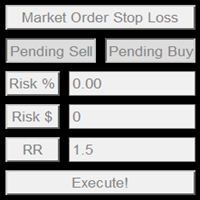
This product offers several advantages and features that make trading easier and more intuitive: User-Friendly Interface : The EA provides simple buttons for setting up pending orders, market orders, and stop-loss levels. This reduces complexity and makes it easier for users to manage their trades with just a few clicks. Customizable Risk Management : Users can adjust their risk percentage and reward-to-risk ratio using input fields. This feature ensures that traders can easily manage risk, hel
Automatic trade copier between local terminals A variety of options will allow you to customize the utility according to your needs, while the configuration process is understandable even for a beginner. Multifunctional utility : includes 66+ features | Contact me if you have any questions This version is only for MT4 . To also copy between MT5 - you will need to buy the MT5 version There are 2 modes available : Send trades from the terminal; R

Currency Pair Correlation Matrix & Alerts Tool Analyze correlations across major and minor currency pairs in real-time with Alerts for chosen amounts on positive and negative correlations coefficients where the user can specify the Time Frame and the number of candles to analyze within the Time Frame This adds an added layer flexibility when calculating the coefficients. The time frames that you can select are below PERIOD_CURRENT 0 Current timeframe PERIOD_M1 1 1 minute PERIOD_M5 5 5 minutes

PRODUCT DESCRIPTION ;
An assistant that allows you to easily open your transactions.
It closes all the transactions you have opened when it reaches the specified profit point.
It also ensures that all transactions in your hedge positions are closed at the specified profit target.
With this application, you can easily try your strategy on the test device.
It allows you to follow the profit and loss status of all transactions on your platform on the screen.
PRODUCT PARAMETERS ;
LotSize : 0

Automatic Breakeven levels Using this utility , y ou can activate the automatic SL movement, when the trade reaches a desired profit. Especially important for a short -term traders. Offset option is also available: some profit may be protected. Multifunctional utility : 66+ features, including this tool | Contact me if you have any questions | MT5 version The process of activating the automatic breakeven function: 1. Select the Symbol or Trade for which the Auto BE f
Track the current drawdown and history of closed trades for the selected period A variety of options will allow you to customize the indicator according to your needs My #1 Utility : includes 66+ features | Contact me if you have any questions | MT5 version 2 values that can be displayed : Current drawdown ( or gain ) of open trades ; The result of all closed trades, for the selected time period ( statistics ) ; Available

The MultiOrder Manager is a powerful tool for traders looking to manage multiple positions effectively. It offers the ability to open several orders at once, automatically set dynamic take-profit (TP) and stop-loss (SL) levels, and move the stop-loss to break-even once the price reaches the second TP target. This expert advisor (EA) is ideal for both beginners and advanced traders, as it simplifies order management while ensuring optimized risk control. Key features: Place multiple buy or sell o

By :ForextraderEanow Green Mower 10.0
This EA is Famous Grid Strategy that open grid of trades with the same size (not martingale) and make PROFIT even when the Forex price moves in the WRONG Direction
Write notes directly on the chart and use your observations when trading The option to synchronize reminders between S ymbols allows you to remember important information about the current market state Thus , this utility will help you avoid a situation where important information that you noticed earlier was missed when trading . Multifunctional utility : 66+ features, including this tool | Contact me if

Custom Alerts: Monitor Multiple Markets and Never Miss a Key Setup Overview
Custom Alerts is a dynamic solution for traders who want a consolidated way to track potential setups across multiple instruments. By integrating data from our flagship tools—such as FX Power, FX Volume, FX Dynamic, FX Levels, and IX Power— Custom Alerts automatically notifies you of crucial market developments without juggling multiple charts or missing prime opportunities. With support for all asset classes your brok
Prop Firm data: the most important information on the chart The indicator will help you to quickly monitor current and closed trades . Especially useful when you are not allowed to go beyond certain limits . The alerts option will help you to prevent unwanted results . Multifunctional utility : includes 66+ features | Contact me if you have any questions | MT5 version 6 categories of information that can be

Order trailing: g et the best execution price as the market moves Trailing pending orders will allow you to maintain the distance to the entry price at the specified distance. T he order will move if the market price moves away from it Multifunctional utility : 66+ features, including this tool | Contact me if you have any questions | MT5 version To activate the Order Trailing, you need to set the main 4 parameters (

Gmail to MT4 is a tool that automates the process of transferring trading signals from your Gmail inbox directly to your MetaTrader 5 trading platform. It's a bridge that connects these two platforms, allowing you to receive and execute trades based on information sent via email. No DLL, no .exe, and no external software
Can receive TradingView signals Would you like more features? We'd be glad to implement them based on your needs How to set up: Create an app password at https://myaccount.goo
The utility is designed to send a signal from MT4 to Discord. It has a number of unique features, allowing you not only to send trading signals, but also to perform the following functions: Send messages directly from the terminal to Discord Sending emojis along with custom text Send text and images directly from the MT4 terminal to Discord All this allows the user to maintain a channel with signals, focusing on trading and finding quality signals. Instructions for the utility
Fully customizabl

Download DEMO here: https://www.mql5.com/en/blogs/post/759769 An ultimate panel you've never seen before. Compact and nice Trade panel with large Total P/L and it's percentage display. Groups for trades summary available: Ticket, Symbol, Type, Category, and Magic. Average price field helps you know your trading average price and direction. Set magic and comment of your trading in a very easy way. Group closing by symbol, type, category or magic - only by one click. Close All button for a qu

Automatic SL and TP placement Levels will be created automatically for trades that do not yet have SL / TP levels set yet. It may be convenient if you execute trades from your mobile phone. Multifunctional utility : 66+ features, including this tool | Contact me if you have any questions | MT5 version To activate the Auto-Levels, you need to set the main 4 parameters (on the panel): 1. Symbol for which the function will be applied: for a specific [Symbol]

The BufferPro Automator EA is a versatile and powerful trading tool designed to automate your trades based on custom signal indicators using buffer inputs. It offers flexibility through several advanced features such as trailing stops, break-even levels, and customizable closing options. With the ability to fine-tune trade execution and risk management, this EA ensures that you maintain control over your strategy while benefiting from automated precision. Feel free to use your own custom indicat

MT4 has no bulk operations,such as :“Close All Positions”、“Close Profitable Positions”、“Close Losing Positions”。so, i wrote this EA. Add steps: 1、you need to put it in the EA folder (Path Like this:C:\Users\admin\AppData\Roaming\MetaQuotes\Terminal\xxxxxxx\MQL4\Experts), 2、and then Refresh the Expert Advisors Menu on MT4,it will show “OneKeyClose” 3、select it and attach it to a Chart. then you have 3 bulk opeartions buttons on current Chart。

Automatic Trade Closure: at time, or Profit / Loss trigger With this utility, you can automate the trade closure under a given condition. Multifunctional tility : 66+ features, including this tool | Contact me if you have any questions | MT5 version To activate the Auto-Close, you need to set the following parameters (on the panel): 1. Symbol for which the function will be applied: for a specific [Symbol] / or for [ALL] symbols. 2. Condition, when to close: [if total] / [if
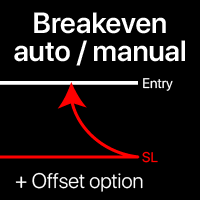
Breakeven levels: manual and automatic Using this utility , you can quickly move trades to breakeven in just 1 click : especially important in short -term trading. You can also set the automatic SL movement when the trade reaches a desired profit. Offset option is also available. Multifunctional utility : 66+ features, including extended operations with a BE levels | Contact me if you have any questions | MT5 version This tool consists

This Program will not execute any trades!
Works on any chart and any time frame!
This is the MT4 version.
MT5 version: https://www.mql5.com/en/market/product/125600?source=Site+Market+My+Products+Page
This Program will produce a comment box at the top left of the chart and show you your equity % difference throughout the day. Updating constantly in real time.
The daily resets back to zero on open of a new market open day. Using new current equity at start of day as reference for future calc
FREE

This Program will not execute any trades!
Works on any chart and any time frame!
This is the MT4 version.
MT5 version: https://www.mql5.com/en/market/product/125598?source=Site+Market+My+Products+Page
This EA will produce a comment box at the top left of the chart and show you your equity % difference throughout the day, week, month and year. Updating constantly in real time.
The daily resets back to zero on open of a new market open day.
The weekly resests back to zero at open of a new mar

Easy Toolbar is a user-friendly toolkit that provides fundamental tools and utilities which can helps you analyze market , get notifications and calculate trade factors faster, more accurate and much easier.
Easy Toolbar is born with the mission to make analysis tools of MT4 really work & provide more useful utilities .
If you are not fully depend on EAs and do your own work to analyze market, this tool is for you! Main features New way to use market analysis tools Introduce new important object

### TeleBot4 - Trade Copier from MT4 to Telegram [MANUAL]
TeleBot4 is an innovative MQL4 program designed to seamlessly bridge your MetaTrader 4 trading experience with Telegram. This powerful tool allows traders to send real-time trade notifications directly to their Telegram channels and groups, ensuring they never miss an important market move.
**Key Features:**
- **Real-Time Trade Alerts:** Instantly receive notifications for every trade executed on your MT4 account, including order op

Send position notifications to your channel or chat, the EA also has the function of sending to a chat if it is running every hour, very important for traders who have EA running in the cloud to receive hourly notifications if the EA is running, if the notification is not sent it means that the EA is having a problem, and the trader can take faster action, preventing their EA from being stopped for hours or days. After the position is completed, the EA "Telegram notifications" will edit the orig

Welcome to S3S Trade Manager MT4, the best risk management tool available, created to improve the efficiency, accuracy, and intuitiveness of trading. This is a complete solution for smooth trade planning, position management, and improved risk control, not just a tool for placing orders. With flexibility across all markets, from forex and indices to commodities and cryptocurrency, S3S Trade Manager MT4 can accommodate your needs whether you're a novice making your first moves, an experienced tra

Grid Maestro is a utility that automatically builds a grid of orders based on specified parameters: grid step, number of orders, and volume multiplier. The first trade is opened manually by the user. Functionality and Features: The utility places virtual pending orders (red line) and take profit (green line) after the user manually opens a trade or after a pending order placed manually by the user is triggered. Initially, one pending order is set in the grid, and as they are triggered, subseq

Common graphic drawing features: including profit-loss ratio tools, trend line tools, Fibonacci retracement tools, rectangle tools, and channel tools. When drawing, you can control the mouse to snap to K-lines or control the same price to draw horizontal lines through shortcut keys. Fast chart switching feature: Use shortcut keys to quickly scroll through your product list, allowing you to focus on full-screen mode. Profit-loss ratio calculation and position control features: Based on real-time

Coppy Master MT4 is a trade copier tool for MetaTrader 4 and MetaTrader 5 terminals. It supports copying in both directions:
from MT4 to MT5, from MT5 to MT4, as well as between accounts of the same type MT4 to MT4. To work correctly, all terminals must be running on the same PC or VPS.
[ Instruction and Demo ] For copying to MetaTrader 4, a separate version — Coppy Master MT5 — is required. Main Features: Copying Modes
Supports both Master and Receiver roles. Flexible setup for sending

LogEverything EA
The LogEverything EA is a comprehensive tool designed for logging and recording various trading metrics, account information, and market data. It is a robust solution for traders who want to track the performance of their trades, analyze historical data, and ensure accurate record-keeping.
Key Features: Logs trade executions, including details such as entry price, lot size, stop loss, take profit, and comments.
Tracks closed trades with detailed information on profit or loss

Introduction PMR (Prix Moyen de Revient) est un algorithme conçu pour MetaTrader 4 (MT4) . Cet outil innovant vous permet de suivre et d'analyser les prix moyens de vos positions et ordres dans vos comptes de trading. Que vous soyez un trader débutant ou un professionnel, PMR est conçu pour vous aider à mieux comprendre vos coûts de transaction et à optimiser vos stratégies de trading. Fonctionnalités Clés Calcul du Prix Moyen de Revient : Positions Acheteuses et Vendues Ouvertes : Affiche
Equity Watcher: Your Ultimate Risk Management Tool ---------------------------------------------------------------------------------------------------------------------------------------------
Equity Watcher is a must-have for traders who value precision and control over their accounts. This powerful EA monitors all trades on your account in real time, ensuring that your equity stays within safe limits. When the drawdown exceeds a user-defined threshold, Equity Watcher takes immediate action by

Position Accelerator is an innovative solution for traders that helps maximize profits by capitalizing on trending market movements. The utility automatically increases the size of your trading positions once they reach a predefined profit level, significantly enhancing your profitability. This product is also available for MetaTrader 5 => https://www.mql5.com/en/market/product/126702 How does Position Accelerator work? 1. Acceleration through additional positions: When your open position reac

This Expert Advisor is designed to help traders manage their positions automatically. It can hedge manual trades when a specified (loss or win) threshold is reached, reducing risk. The EA also allows traders to close buy or sell trades individually based on profit or loss, and it can close all trades when a certain total profit or loss is achieved. With customizable settings for trade management, this EA helps traders automate their strategies and improve efficiency. The EA opens trades using th

Order Closer Manager Order Closer Manager Order Closer Manager is a powerful and easy-to-use MetaTrader 4 (MT4) Expert Advisor designed to help traders efficiently manage their open orders. This EA is ideal for traders who want precise control over their trades with minimal manual intervention. Key Features: Close Orders by Percentage: Automatically close a specified percentage of your total open lot size with a single click. Breakeven Management: Apply breakeven levels to buy, sell, or all open

Master Notify via Telegram can help you perform some management tasks on MT4/MT5 remotely via your Telegram by one click, easy to set up & use. Demo here (see more Master Close Master Control ) ************************************************************************************ LIST OF COMMANDS: info_acc - Get account info info_pos - Get positions details price - Get symbol price noti_price - Set price alert noti_pl - Set floating PL alert noti_equity - Set equity alert noti_margin

Master Control via Telegram can help you perform some management tasks on MT4/MT5 remotely via your Telegram by one click, easy to set up & use. Demo here (see more Master Close Master Notify ) ************************************************************************************ LIST OF COMMANDS: info_acc - Get account info info_pos - Get positions details price - Get symbol price buy - Open a buy position sell - Open a sell position inst_set - Set parameters for instant trade i

Telecontrol MT4 is a solution for integrating the MetaTrader 4 terminal with a Telegram channel. The server-based operation simplifies the creation of tokens and identifiers, consolidates data from multiple terminals, and generates valuable information in Telegram. The functionality includes: notifications about trades, orders, and balance changes; monitoring of drawdowns and lot limit exceedances; trade reports and expert advisor analysis; notifications about significant events with color highl
FREE

THIS EA WILL PROTECT YOUR ACCOUNT IN MANY WAYS KEY FEATURES ARE : 1. CLOSE ALL TRADES IN ONE CLICK. 2. CLOSE ALL TRADES WHEN INPUT MENTIONED LOSS LIMIT REACH. 3. CLOSE ALL TRADES WHEN INPUT MENTIONED PROFIT LIMIT REACH. 4. IF REVERSE MODE IS ON THIS EA WILL TAKE OPPOSITE TRADES IF YOUR OTHERS EA MAKES LOSS OR MANUAL TRADING ALSO IF YOU ARE GETTING ALWAYS LOSS THEN YOU CAN SWITCH ON REVERSE MODE SO IT WILL TAKE OPPOSITE TRADES WHENEVER ANY TRADES PLACED IN YOUR ACCOUNTS. 5. FIX LOT SIZE 6. STOP
DMI Drawdown Watcher: Track your Drawdowns in Real Time 100% free, functional and without limitations!
The DMI Drawdown Watcher is an essential tool for traders, designed to monitor your drawdowns in real time. Ideal for optimizing your risk management,
this indicator tracks your current and maximum losses, helping you meet the strict criteria of prop firms and protect your capital.
Key Features: Max DrawDown Value Alert: Triggers an alert when the maximum drawdown threshold is reached. (Def

Dynamic Trailing Stop Distance Logic Base Trailing Distance : Define a minimum trailing distance for small profits. Profit-Dependent Distance : Scale the trailing stop distance based on the current profit level. Cap Distance (Optional) : Optionally, limit the maximum trailing stop distance to avoid overly large values. Input Parameters MagicNumber : Filters trades by their magic number. BaseTrailingStop : Minimum trailing stop distance (in points). ActivationThreshold : Profit threshold in pips

EA CREATED WITH THE AIM TO HELP SIMPLIFY AND SPEED UP IN TRADING ANALYSIS. This EA is based on SNR Breakout, This EA works Multitimeframe This EA can accurately identify Support & Resistance, accurately identify SnR Breakouts. provides alerts when there is a Breakout on All TimeFrames. The EA has an Information Dashboard that makes it easy for traders to see the current market conditions. The Dashboard displays the status of the last Breakout in each TimeFrame and the history of the setup that

️ EA Close Order Time (Code by ThangTruong)
- Automatically close orders by time (day + hour) - Close orders by currency pair installed EA or all currency pairs - Close all BUY orders by time - Close all SELL orders by time - Close all PROFIT orders by time - Close all LOSS orders by time
Details at: https://discord.gg/J87vyRUJCj

DMI MultiTimeFrame Candle Timer: Track Candle Countdown Across Multiple Timeframes with Clarity The DMI MultiTimeFrame Candle Timer is an advanced indicator designed to provide traders with real-time countdown timers for the remaining time before candle closes on multiple timeframes. This tool allows you to monitor multiple timeframes simultaneously, providing a clear and customizable visual of the candle countdown, helping you make precise and timely trading decisions. Key Parameters: Display O

* Super Assistant is an useful management tool that helps traders perform management tasks on MT4/MT5 account remotely via Telegram such as: - Get info (account, details of positions, pending orders, floating PL, price, economic news, etc) - Open trade (open instantly with preset parameters) - Manage trade (set SLTP automatically, break-even mode, max risk, close time every day, etc) - Close trade (close all, buy, sell, win positions by one click, set awaiting close by PL, time) - Set up no

Description of the Expert Advisor (EA) - Stop Loss Reverse Objective: The "Stop Loss Reverse" is an Expert Advisor (EA) designed to automate the management of pending orders by leveraging the Stop Loss (SL) level of open trades. Its main feature is the ability to automatically place pending orders at the Stop Loss level, creating a dynamic strategy that adjusts risk and Take Profit (TP) levels as the market moves. Key Features: Management of Open Orders: The EA monitors open orders on the chart,

Introduction
Take your forex trading to the next level with our vibrant, color-coded session indicator! Designed for MT4/MT5, this tool visually separates the Asian (Purple) , London (Yellow) , and NYC (Pink) trading sessions for optimal trading strategy. Key Features Color-Coded Precision : Asian (Purple), London (Yellow), NYC (Pink) sessions marked directly on your chart. Perfect for Session Traders : Focus on the overlaps and high-volatility periods. Compatibility : Works seamlessly with MT4

DMI Telegram Notifier: Your Trading Notification Assistant on Telegram The DMI Telegram Notifier is a powerful and customizable tool designed to send detailed and instant trade notifications directly to Telegram.
Whether you are a professional trader or a passionate enthusiast, this Expert Advisor helps you track your positions, receive alerts on order modifications, and share your results in real time with your followers or trading group. Key Features: Instant Notifications: Receive detailed a

Advanced Trailing Stop Loss Utility Optimize your trading strategy with the Advanced Trailing Stop Loss Utility , a powerful tool designed to dynamically protect your profits and minimize losses. Whether you're a beginner or an experienced trader, this utility ensures that your trades remain secure while maximizing potential gains. Key Features: Dynamic Stop Adjustment : Automatically adjusts the stop loss level as the market moves in your favor, locking in profits while allowing for market fluc

IQ Chart Cleaner – Get a Fresh Chart in Seconds. A cluttered chart can make trading stressful and confusing. Between dozens of old indicators, leftover lines, arrows, shapes, and notes, it’s easy to lose focus on what really matters—your trades. That’s where IQ Chart Cleaner comes in.
With a single click, IQ Chart Cleaner gives you a fresh, distraction-free chart so you can analyze the markets with clarity and confidence. Get the MT5 Version here .
Key Benefits Total Cleaning Power – Instantly

Ruler is important but just a simple tool. Why people make it too complex? Easy Ruler makes it great again. Almost zero setup required, nothing annoying on chart, quick and accurate. Easy Ruler MT4 just help you measure 2 points on chart quickly and accurate. That's all!
To support you better, it has magnet mode to pick points more accurate and works on indicator windows too (30 indicators that provided by MT4 by default). This smart ruler provides these information right on chart in no time t

Main Features Automatic Position Size Calculation : Automatically determines lot size based on stop-loss distance and ticket-based risk amount. Automatic Fibonacci Retracement Entry : Tracks market waves and enters trades during pullbacks at specified retracement levels. Multiple Time Frame Close Price Stop-Loss Execution : Executes stop-losses based on the bar close of your selected time frame. Time Frame Code and Fibonacci Retracement Code : Control your trades with precision using TF and FB

Automated account protection for prop trading. PropProtector monitors your trading rules in real time, closes trades when a limit is reached, and helps protect your capital on funded and challenge accounts. Important: test on a demo account first Never run PropProtector on a live account with open trades before verifying all settings on a demo account. Adjust min/max balance, loss limit, profit target and trade limits to match your account size and strategy. Incorrect settings can immediately cl

Feel free to contact me for any extra features or for support :) [SEE MT5 VERSION https://www.mql5.com/en/market/product/128845 ] The Local Copier EA is an Expert Advisor (EA) designed to synchronize trading positions between a master account and a slave account, operating in either Master or Slave mode. Key Features: Master Mode :
In Master mode , the EA monitors open positions and stores relevant trade details. These details include symbol, volume, stop loss, take profit, and position type, w

Risk Calculatorr Panel MT4
Professional trading assistant for MetaTrader 4.
Open trades faster, calculate precise risk instantly, and manage positions like a professional trader.
WHY TRADERS NEED THIS PANEL
Many traders lose money because they:
• use wrong lot size • risk too much per trade • enter too slowly • manage positions emotionally • open trades without clear RR ratio
This panel helps solve these problems in seconds.
Learn how to purchase a trading robot from the MetaTrader Market, the store of application for the MetaTrader platform.
The MQL5.community Payment System supports transactions via PayPal, bank cards and popular payment systems. We strongly recommend that you test the trading robot before buying, for a better customer experience.

You are missing trading opportunities:
- Free trading apps
- Over 8,000 signals for copying
- Economic news for exploring financial markets
Registration
Log in
You agree to website policy and terms of use
If you do not have an account, please register