Elliott Live MT4
- Indicators
-
Evgeniy Zhdan
 ➖➖➖➖➖➖➖➖➖➖➖➖➖➖➖➖➖➖➖➖➖➖
Products: https://www.mql5.com/en/users/trendhunter/seller
➖➖➖➖➖➖➖➖➖➖➖➖➖➖➖➖➖➖➖➖➖➖ - Version: 1.20
- Activations: 5
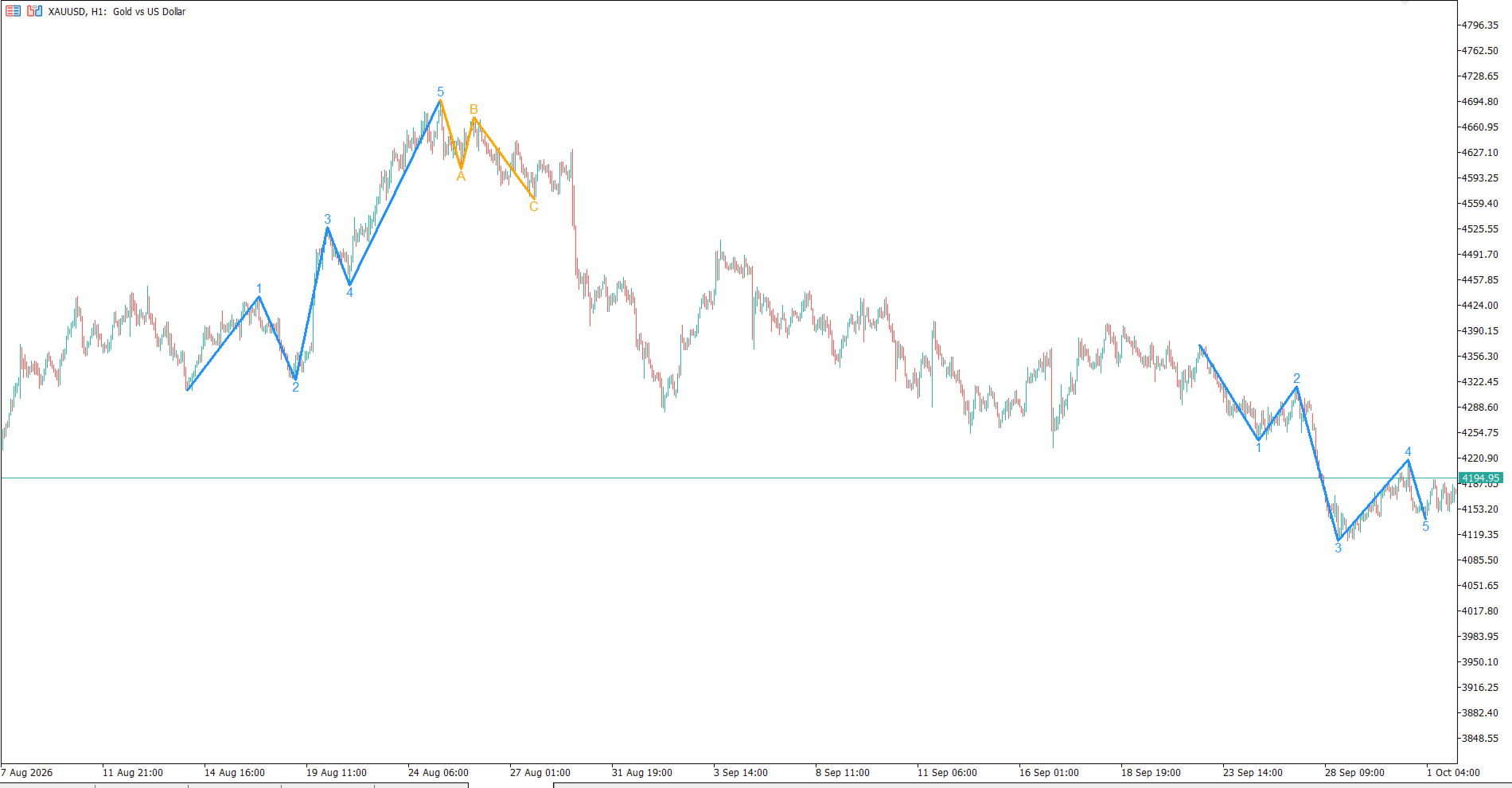
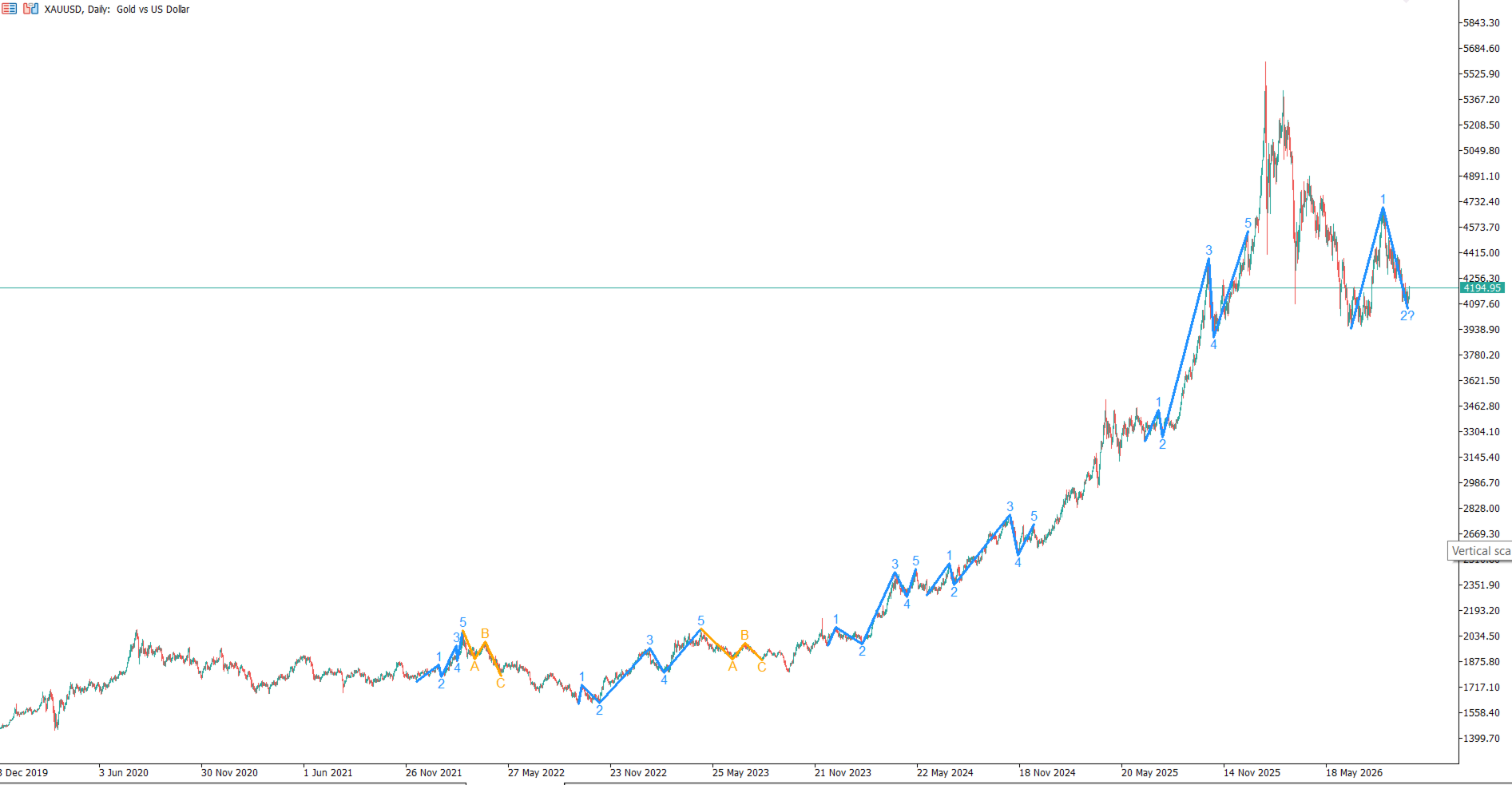
Elliott Live is a MetaTrader 5 indicator that automatically labels Elliott waves on historical bars and on the live bar. Completed waves are drawn with solid lines; the wave that is still forming is drawn dotted with a question mark (for example, "3?"), together with Fibonacci targets and an invalidation level.
MT5-version: https://www.mql5.com/en/market/product/200604
How it works
- The indicator first builds swings (ZigZag). A reversal is registered when price pulls back from an extreme by at least ATR × multiplier. The last point is the current extreme: it is not confirmed yet and can move.
- On those swings it looks for a 1-2-3-4-5 impulse using Elliott's rules: wave 2 never goes beyond the start of wave 1, wave 3 is never the shortest, and wave 4 does not enter the territory of wave 1. After an impulse it looks for an A-B-C correction, then for the next impulse.
- If the latest swings form only part of a pattern (for example, 1-2), the indicator shows the forming wave: a label with "?", a dotted line to the current extreme, Fibonacci targets and an invalidation level. Levels that price has already passed are hidden.
- When the next reversal reaches the ATR threshold, the wave is confirmed and its line becomes solid.
How to use it
- Identify the current market phase: impulse or correction, and which wave is forming right now.
- Look for entries at the start of waves 3 and 5, using the retracement zones of waves 2 and 4 (50–78.6% and 23.6–50%) as a guide.
- Use the Fibonacci targets for taking profit and the Invalidation level as a reference for a protective stop: if price breaks it, the current count is no longer valid.
- Turn on alerts so you do not have to watch the chart all the time.
- Run two copies with different sensitivity to see large and small waves at the same time. The indicator works on any symbol and timeframe.
Settings (names are the same as in the terminal's inputs window)
Swing detection
- Bars to analyze — how many of the latest bars are analyzed (default 1500).
- ATR period — ATR period used for the reversal threshold (14).
- Sensitivity: reversal = ATR x — ATR multiplier that defines a reversal (3.0). A lower value gives smaller waves and more labels; a higher value gives larger waves.
Impulse rules
- Wave 2: min retracement of wave 1 and Wave 2: max retracement of wave 1 — allowed retracement of wave 2 relative to wave 1 (0.236–0.99). Going beyond the start of wave 1 always cancels the count.
- Wave 3: min length vs wave 1 (x) — minimum length of wave 3 relative to wave 1 (1.0 means not shorter than wave 1).
- Wave 4: min retracement of wave 3 and Wave 4: max retracement of wave 3 — allowed retracement of wave 4 relative to wave 3 (0.146–0.786).
- Allow wave 4 to overlap wave 1 — allows wave 4 to enter the territory of wave 1 (diagonal patterns). Off by default.
- Allow truncated wave 5 — allows a wave 5 that does not exceed the end of wave 3. Off by default.
ABC correction
- Show ABC correction — draws the A-B-C correction after an impulse.
- Wave B: min retracement of A and Wave B: max retracement of A — allowed retracement of wave B relative to wave A (0.236–1.0). Values above 1.0 allow an expanded flat.
- Allow truncated wave C — allows a wave C that does not reach the end of wave A.
Forming wave
- Show forming wave — shows the wave that is currently forming (dotted line and "?").
- Show Fibonacci targets — shows Fibonacci levels for the forming wave.
- Show invalidation level — shows the level that cancels the count (red dashed line).
- Level line length (bars) — how many bars forward the level lines extend (30).
Alerts
- Alert: wave confirmed — alert when a wave is confirmed. When a whole impulse or correction is completed, the message says so.
- Alert: wave forming (?) — alert when a new forming wave appears.
- Alert channel: popup window, Alert channel: sound file (used if popup is off), Alert channel: push notification, Alert channel: email — delivery channels: terminal popup, sound file (when the popup is off), push to your phone and e-mail. Each channel is switched on separately.
Appearance
- Impulse color, Correction color, Targets color, Invalidation color — colors of the impulse, the correction, the targets and the invalidation level.
- Line width and Wave label font size — line thickness and the size of the wave labels.
- Object prefix (unique per copy) — prefix of the chart objects. If several copies run on one chart, each one needs its own prefix.