Chart Auto Flow MT4
- Utilities
-
Masamitsu Takahashi
 Creating only what is truly necessary.
My mission is to develop high-quality, high-performance tools that eliminate complexity, allowing you to focus entirely on the market. - Version: 1.1
- Updated: 4 January 2026
- Activations: 6
"Reproduce past charts with real-time movement"
Chart Auto Flow is a verification support tool that allows you to play and reverse past charts on a candlestick basis with variable speed.
Instead of just looking at static charts, you can reproduce movement closer to real-time, enabling training that is closer to actual trading.
Also, with high-speed playback, you can find your target chart patterns in a short time from vast amounts of past charts.
Available for all financial instruments, including Forex, Stocks, Gold, and Crypto.
【Recommended for】
- Those who want to streamline discretionary trade practice and verification
You can quickly find specific patterns such as double bottoms or head and shoulders using high-speed playback, and analyze their formation process in detail with slow-motion playback. - Those who want to study the "moment of appearance" of specific patterns
By rewinding and playing back as many times as you need—such as the moment an indicator signal appears or how the price behaves at a line—you can improve your entry precision. - Those who want to focus on verification during weekends
Unlike trading on a demo account, you can simulate market movements even when the market is closed, allowing you to move the charts and practice.
Control Interface
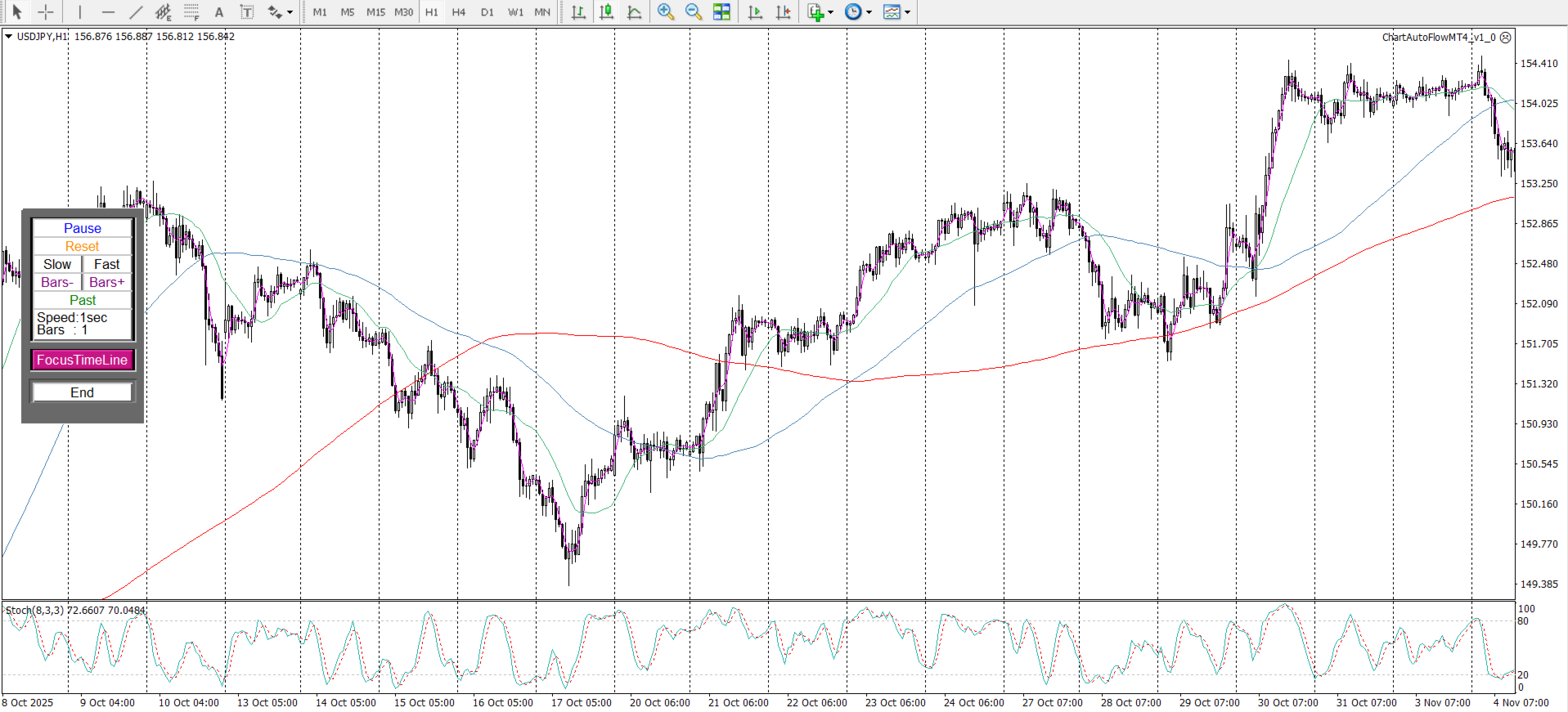
| Button | Function | Description |
|---|---|---|
| [Pause / Restart] | Pause / Resume | Controls chart playback |
| [Reset] | Reset | Resets speed and bar offset (Speed: 1s, Bars: 1) |
| [Slow] [Fast] | Speed adjustment | Freely adjustable from 50 ms to 10 minutes |
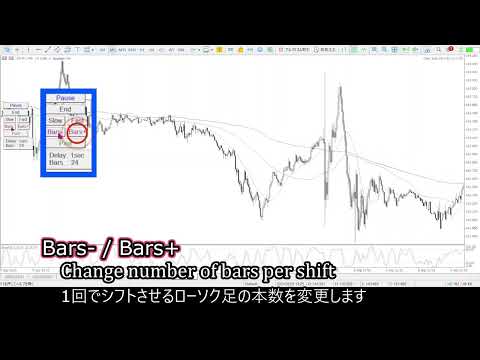
| [Bar+] [Bar-] | Bar offset adjustment | Adjustable from 1 to 480 |
| [Past / Future] | Direction switch | Forward / backward |
| (Speed / Bars) : label | Current parameters | Displays current speed and offset |
| [FocusTimeLine] | None (Reserved for future extension) | Space reserved for future updates and functional expansions. |
| [END] | End | Exit the tool |
- Double-click the panel frame.
- A white or black marker will appear at the top-left corner of the panel.
- Drag this marker to move the panel.
Installation Method
-
Log in to MT4, find this product in the Market, then click “Buy” and “Download” for automatic installation.
-
After installation, it will appear under Navigator → Expert Advisors → Market.
-
Add it to the chart by drag-and-drop or double-click.
Recommended Environment
-
Operating System : Windows 11
-
MT4 : Build 1441
-
CPU : Intel 11th Gen Core i5-1135G7
-
Memory : 8 GB RAM
Operation has been verified only on Windows.
Mac environments (Wine / Parallels, etc.) or virtual servers
are not officially supported and correct operation is not guaranteed.
Risk Warning
This product does not include any trading functions,
therefore it does not involve any financial risk.
My mission is to develop high-quality, high-performance tools that eliminate complexity, allowing you to focus entirely on the market.
I am dedicated to building practical, high-standard software that functions perfectly in real-world trading conditions, ensuring you can use them effectively and stress-free.