FXEA365 Rapid Trade Panel
- Utilities
-
Kenichiro Sakamoto
 I'm Kenichiro Sakamoto, the developer behind FXEA365 — a studio building transparent, rule-based Expert Advisors for MetaTrader 5.
 - Version: 1.10
- Updated: 2 August 2026
★ 100% FREE — full version, no limitations, no registration.
WHAT IT DOES
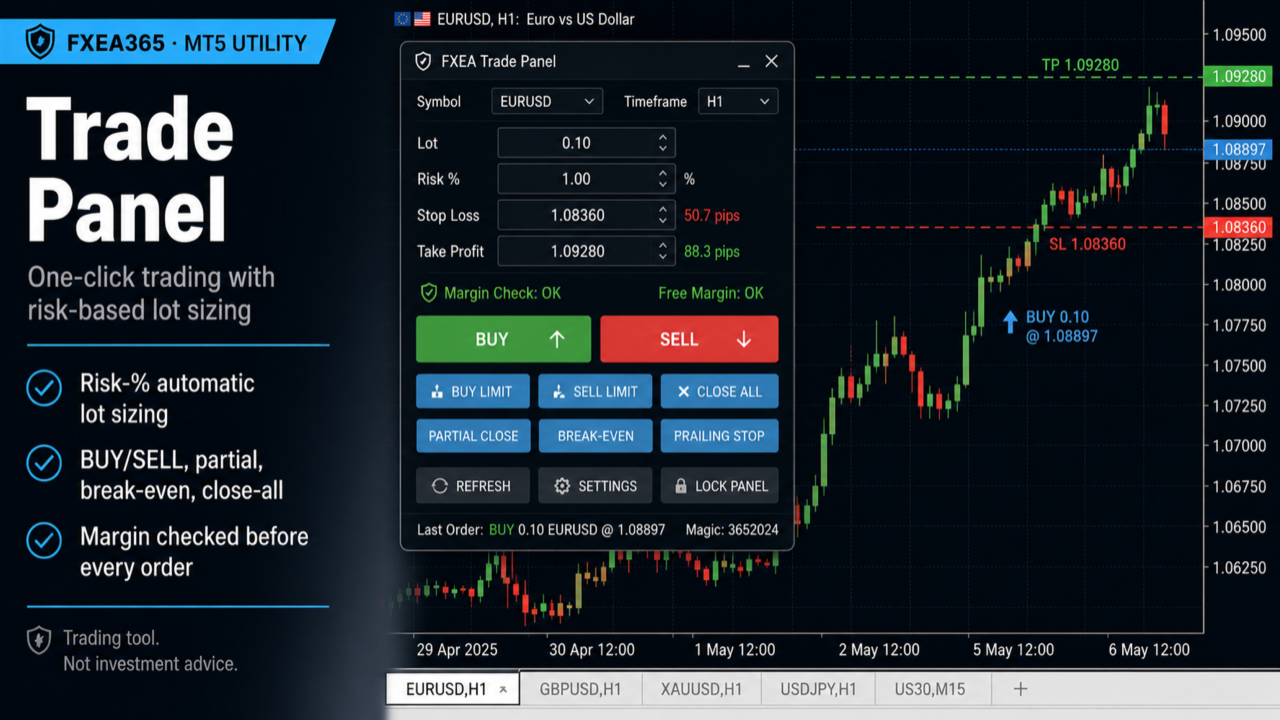
- One-click BUY / SELL on the chart symbol, with SL and TP placed automatically in pips.
- Risk-based position sizing — type a risk % and the panel computes the lot from your stop distance and the symbol's tick value, so each trade risks the same fraction of balance. Or switch to a fixed lot.
- Safe lot handling — the lot is automatically clamped to the broker's minimum, maximum, step and volume limit, and capped by your own maximum. Required margin is checked before every order, so you never get "Not enough money" or over-volume rejections.
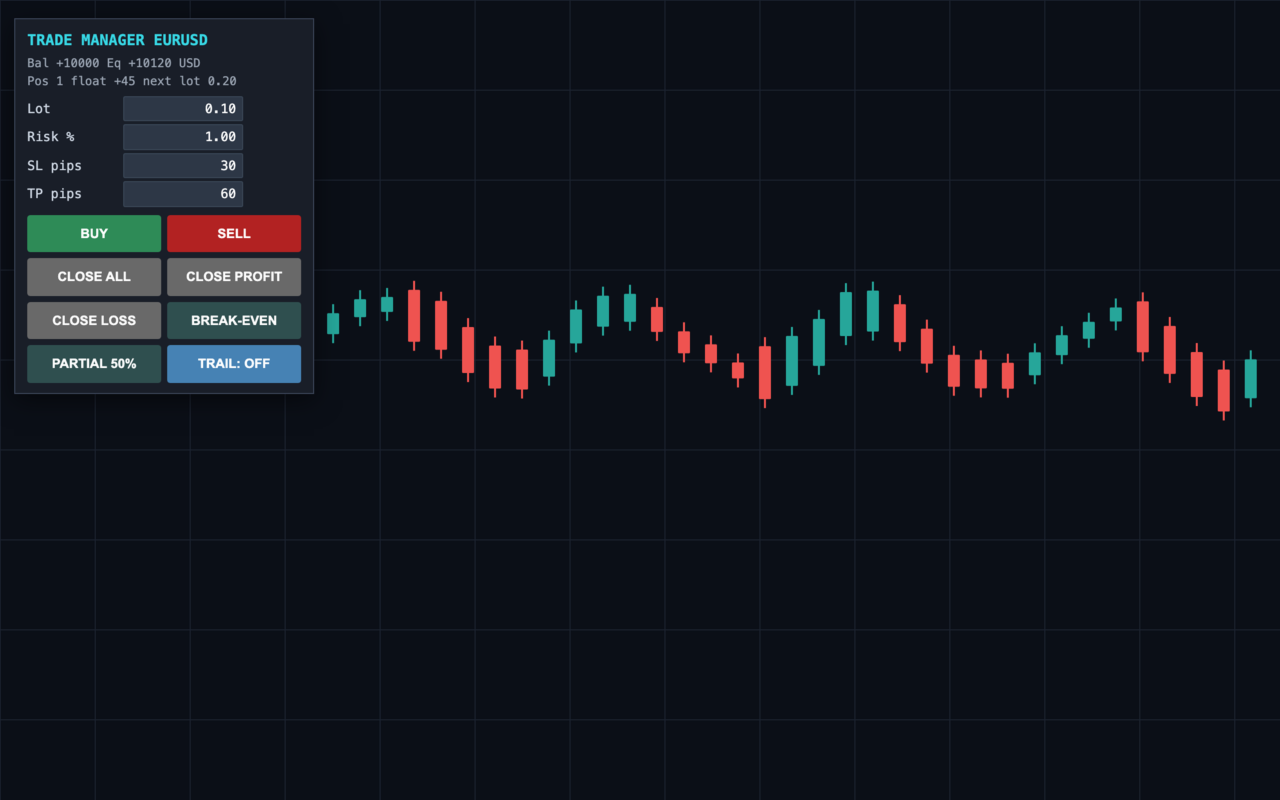
- Close controls — CLOSE ALL, CLOSE PROFIT (winners only), CLOSE LOSS (losers only), and PARTIAL 50%.
- BREAK-EVEN — move the stop of every qualifying position to entry plus a locked offset.
- TRAIL toggle — turn a pip-based trailing stop on or off for the panel's positions.
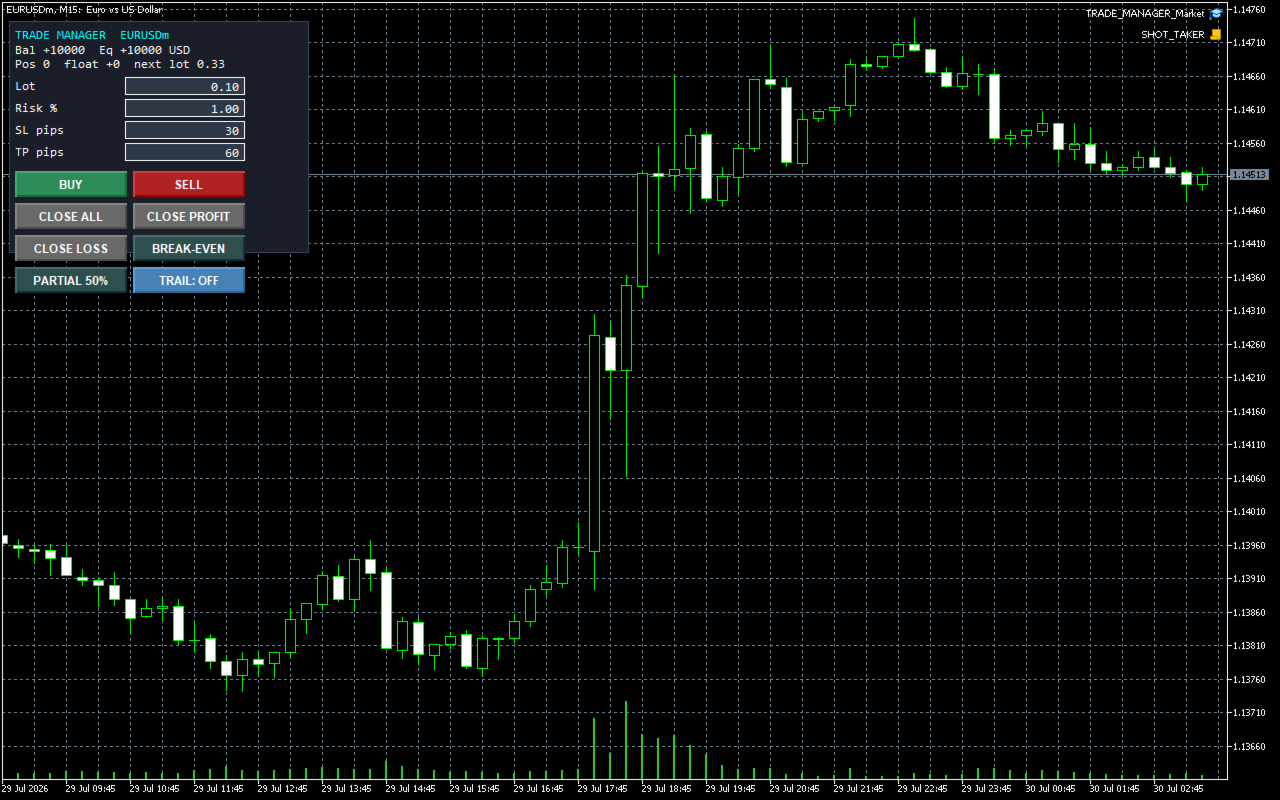
- Live readout — balance, equity, open positions, floating P/L, and the exact lot the next order will use.
SCOPE
By default the panel manages only its own trades (its magic number), so it coexists safely with other EAs and your manual orders on the same account. You can switch it to act on all positions of the chart symbol.
WORKS IN THE STRATEGY TESTER
Because the panel opens real orders, you can try every button in the Strategy Tester (visual mode) before using it live.
RECOMMENDED SETUP
- Attach to the chart of the symbol you want to trade.
- Set risk % (or a fixed lot), default SL/TP in pips, and your maximum lot cap.
- Keep AutoTrading enabled.
- Broker-agnostic and account-currency aware; lot sizing uses each symbol's contract specs.
KEY INPUTS
- InpRiskBased / InpRiskPct / InpFixedLot: position sizing
- InpMaxLotCap: hard cap per order
- InpDefaultSLpips / InpDefaultTPpips: default stop/target (editable on the panel)
- InpMagic / InpManageOnlyOwn: which positions the panel controls
- InpTrailPips: trailing distance for the TRAIL toggle
- InpBEtriggerPips / InpBEoffsetPips: break-even behaviour
- InpSlippage: maximum deviation in points
=== IF YOU WANT THIS AS AN AUTOMATED SYSTEM ===
If you trade by hand today and want to hand part of the work to rules, without giving up control, this is the EA we built for that:
- AIFW AI Framework (MetaTrader 5 only): https://www.mql5.com/en/market/product/196639
A rules engine that trades with no API key (H1 moving-average trend filter, M15 RSI timing, an ATR-based stop loss on every order), plus an optional AI layer: with your own OpenAI or Anthropic key, a language model can propose trades, but only inside the rules' trend direction and stop distances. You can run it in "Propose only" mode and confirm every trade by hand. No performance figures are published: the Strategy Tester cannot call the AI, so any test shows the rules engine only.
Every EA above has a free demo. Run it in the Strategy Tester with the settings listed at the top of its page before you decide. These are backtest figures, not live trading results, and they do not guarantee future performance.
If this tool is useful in your trading, a short review on this page would help, good or bad, including anything you would like improved. It helps other traders decide and tells us what to fix next.
WHAT IT DOES
- One-click BUY / SELL on the chart symbol, with SL and TP placed automatically in pips.
- Risk-based position sizing — type a risk % and the panel computes the lot from your stop distance and the symbol's tick value, so each trade risks the same fraction of balance. Or switch to a fixed lot.
- Safe lot handling — the lot is automatically clamped to the broker's minimum, maximum, step and volume limit, and capped by your own maximum. Required margin is checked before every order, so you never get "Not enough money" or over-volume rejections.
- Close controls — CLOSE ALL, CLOSE PROFIT (winners only), CLOSE LOSS (losers only), and PARTIAL 50%.
- BREAK-EVEN — move the stop of every qualifying position to entry plus a locked offset.
- TRAIL toggle — turn a pip-based trailing stop on or off for the panel's positions.
- Live readout — balance, equity, open positions, floating P/L, and the exact lot the next order will use.
SCOPE
By default the panel manages only its own trades (its magic number), so it coexists safely with other EAs and your manual orders on the same account. You can switch it to act on all positions of the chart symbol.
WORKS IN THE STRATEGY TESTER
Because the panel opens real orders, you can try every button in the Strategy Tester (visual mode) before using it live.
RECOMMENDED SETUP
- Attach to the chart of the symbol you want to trade.
- Set risk % (or a fixed lot), default SL/TP in pips, and your maximum lot cap.
- Keep AutoTrading enabled.
- Broker-agnostic and account-currency aware; lot sizing uses each symbol's contract specs.
KEY INPUTS
- InpRiskBased / InpRiskPct / InpFixedLot: position sizing
- InpMaxLotCap: hard cap per order
- InpDefaultSLpips / InpDefaultTPpips: default stop/target (editable on the panel)
- InpMagic / InpManageOnlyOwn: which positions the panel controls
- InpTrailPips: trailing distance for the TRAIL toggle
- InpBEtriggerPips / InpBEoffsetPips: break-even behaviour
- InpSlippage: maximum deviation in points
=== IF YOU WANT THIS AS AN AUTOMATED SYSTEM ===
If you trade by hand today and want to hand part of the work to rules, without giving up control, this is the EA we built for that:
- AIFW AI Framework (MetaTrader 5 only): https://www.mql5.com/en/market/product/196639
A rules engine that trades with no API key (H1 moving-average trend filter, M15 RSI timing, an ATR-based stop loss on every order), plus an optional AI layer: with your own OpenAI or Anthropic key, a language model can propose trades, but only inside the rules' trend direction and stop distances. You can run it in "Propose only" mode and confirm every trade by hand. No performance figures are published: the Strategy Tester cannot call the AI, so any test shows the rules engine only.
Every EA above has a free demo. Run it in the Strategy Tester with the settings listed at the top of its page before you decide. These are backtest figures, not live trading results, and they do not guarantee future performance.
If this tool is useful in your trading, a short review on this page would help, good or bad, including anything you would like improved. It helps other traders decide and tells us what to fix next.