Grid Manual MT5

4.73

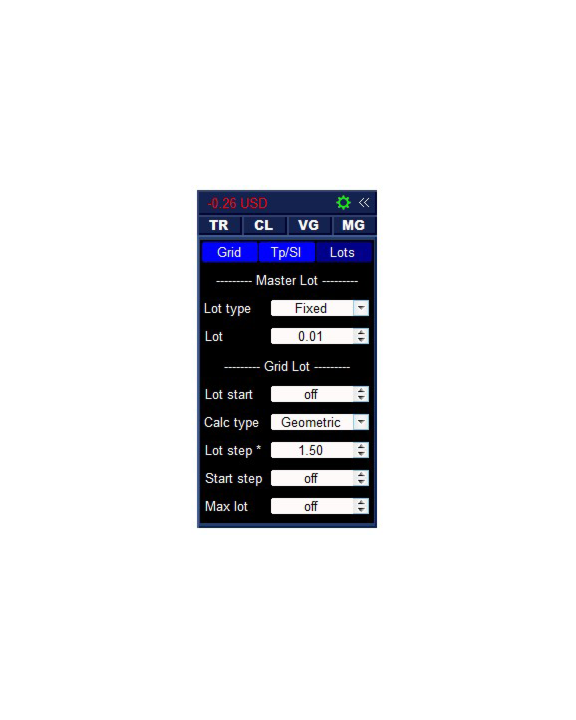
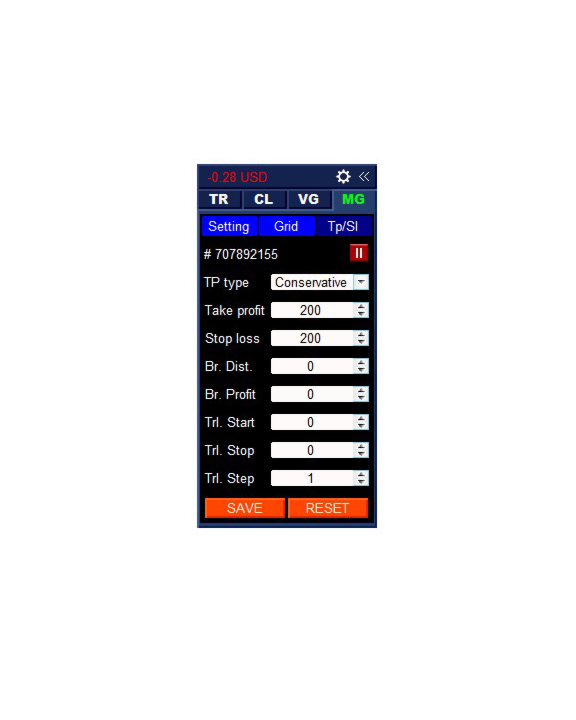
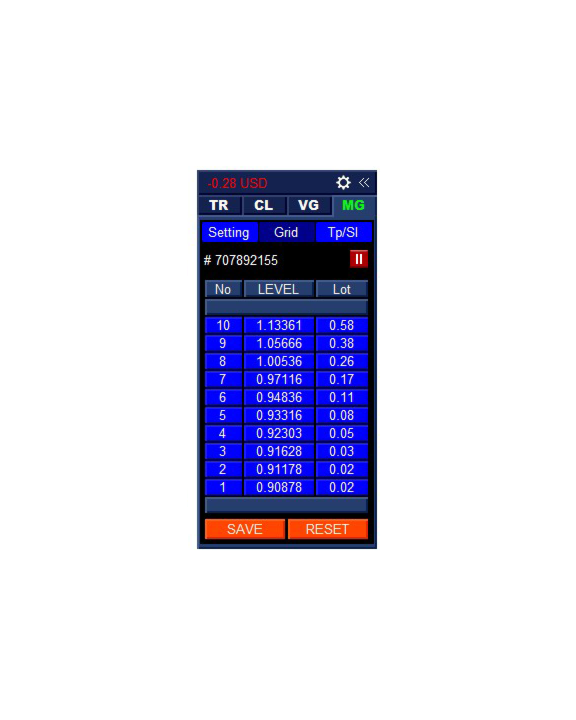
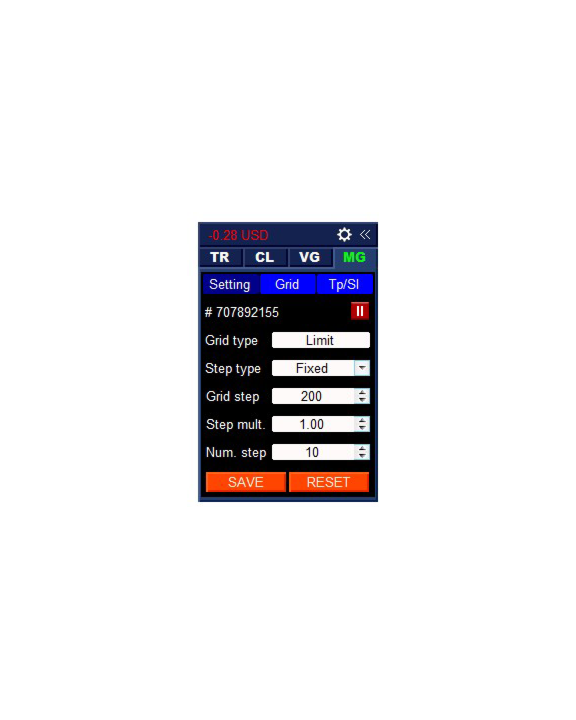
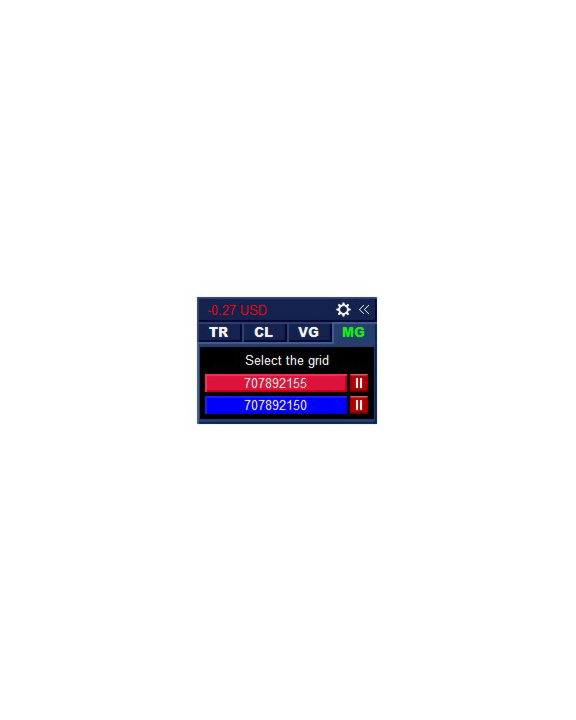
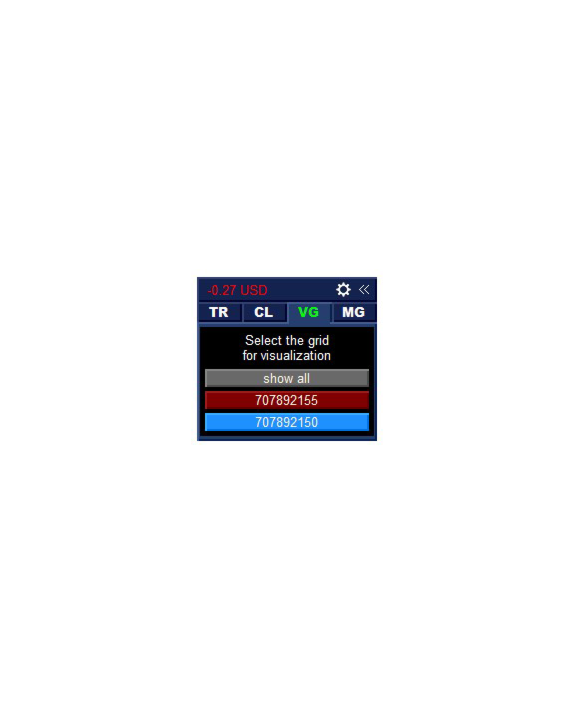
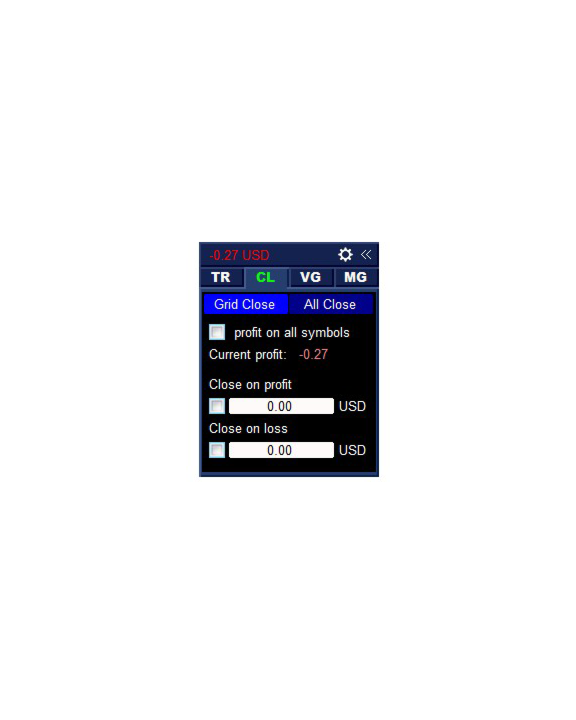
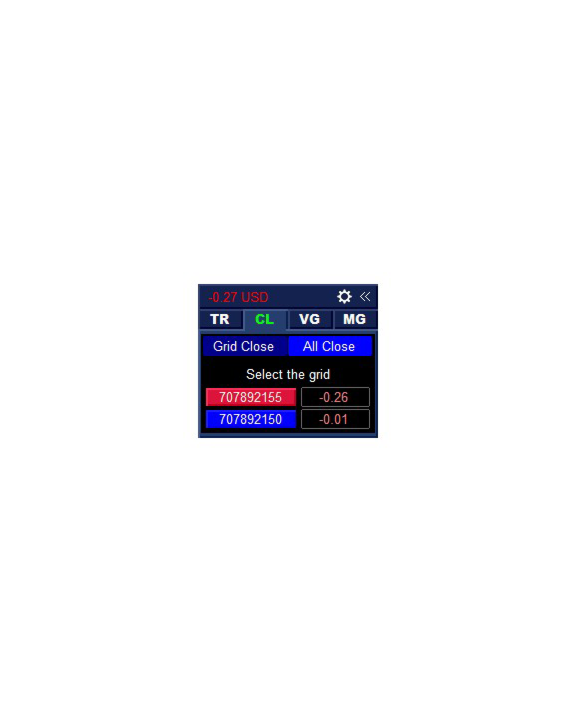
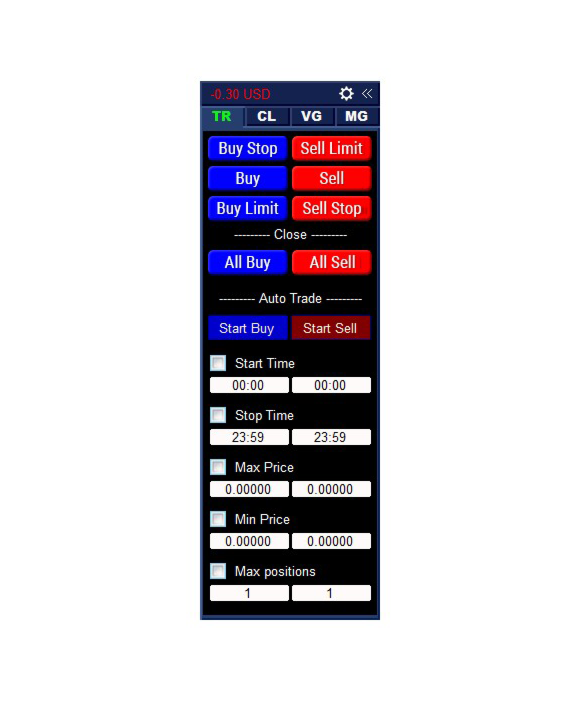
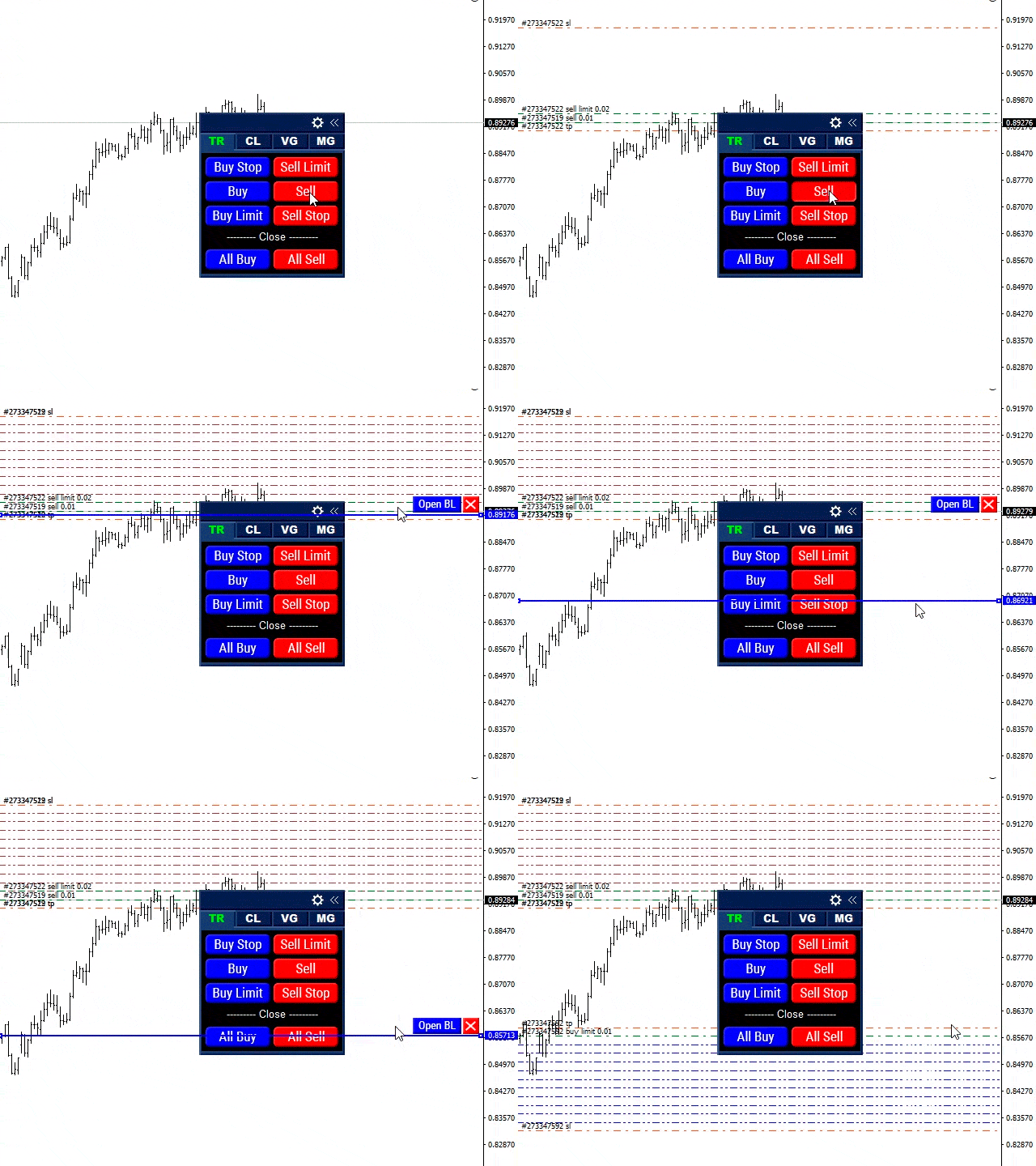
Grid Manual is a trading panel for working with grid strategies. The utility is universal, has flexible settings and an intuitive interface. It works with a grid of orders not only in the direction of averaging losses, but also in the direction of increasing profits. The trader does not need to create and maintain a grid of orders, the utility will do it. It is enough to open an order and the "Grid manual" will automatically create a grid of orders for it and will accompany it until the close.

Full instructions and demo version here.

The main features and capabilities of the utility:

  • Accompanies orders opened in any way, including from a mobile terminal.
  • Works with two types of grids: limit and stop.
  • Works with two methods for calculating the grid spacing: fixed and dynamic (based on the ATR indicator).
  • Allows you to change the settings of the open grid, including changing the lot of each level and its location (the level can be rearranged only in the fixed step mode).
  • Displays the breakeven level of each grid on the chart.
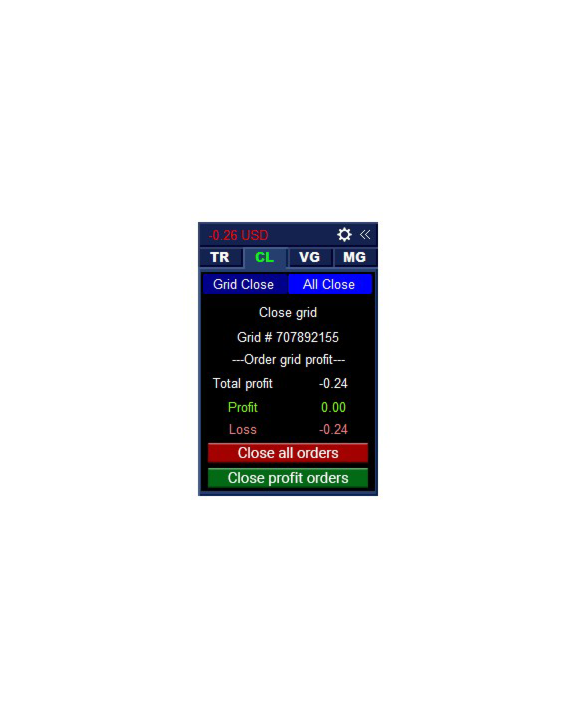
  • Shows the profit margin for each grid.
  • Allows you to close profitable grid orders with one click.
  • Allows you to close each grid of orders with one click.
  • Has a trailing stop function.
  • Has the function of transferring the stop loss of the order grid to breakeven.
  • Automatically rearranges take profit relative to the breakeven level of the order grid (only in the limit grid mode, the distance depends on the selected type of calculation: Conservative or Aggressive).
  • Saves the settings; after restarting the terminal, restores them.
  • Maintains up to 20 grids with up to 100 orders.

#Tags: Trading panel, Trade manager, Trading assistant, Order grid, Order grid management, Grid trading, Position averaging, Risk management, Order management, Trailing stop, Breakeven, Partial close, Manual trading.
Reviews 22
Alexanderman Makutin
323
Alexanderman Makutin 2026.02.26 20:25 
 

Недавно купил, но возможности поражают т.к. тут есть полу-автоматическая торговля и все для сетки.)))

Lyzard777
49
Lyzard777 2025.12.15 19:38 
 

This is a great product with lots of options. Even some options that I wouldn't expect. The author has been very responsive in looking at a specific issue that I was having and solved it quickly. Overall, great job!!

Javier Herrera
448
Javier Herrera 2025.07.09 18:29 
 

Este producto es la leche. (Excellent)

Recommended products
Auto SLTP Maker MT5
Oleg Remizov
5 (1)
Auto SLTP Maker MT5  is an assistant for all those who forget to set StopLoss and/or TakeProfit in deal parameters, or trade on a very fast market and fail to place them in time. This tool automatically tracks trades without StopLoss and/or TakeProfit and checks what level should be set in accordance with the settings. The tool works both with market and pending orders. The type of orders to work with can be set in the parameters. It can track either trades for the instrument it runs on, or all
Talents ATR Scalper Utility (MT5) The Talents ATR Scalper Utility is a professional-grade trade execution and management tool built for MetaTrader 5. Inspired by the Biblical Parable of the Talents , this utility is designed to help traders multiply their potential with precision risk control, one-click simplicity, and advanced automation. Whether you’re scalping forex, gold, or indices, this tool delivers speed, consistency, and confidence. Key Features One-Click Trade Preview Click below price
DR Trade and Risk Manager: The Foundational Algorithmic Risk Console for MT5 For the discretionary trader, the greatest adversary is not the market; it is the undisciplined self. You have a solid strategy, but in moments of high pressure, do you follow your rules with perfect consistency? Do you cut losses without hesitation? Do you let winners run without cutting them short out of fear? For most, the answer is no. This gap between strategy and execution is where profits are lost. DR Trade and R
MT5 To Telegram Copier
Levi Dane Benjamin
2.67 (3)
Send fully customisable trade signals from MetaTrader 5 to Telegram and run your own signal channel. Configure what gets sent, how it looks, and which trades are included using an easy on-chart interface. Made for signal providers : keep messages consistent, branded, and informative without manual posting. User Guide + Demo | MT4 Version | Discord Version Main features Highly customisable signal format with many configuration options Add your own text before/after each signal (tags, links, chan
INTRODUCTORY LAUNCH OFFER: $139 • Exclusive introductory price for the first 10 copies only. • Price will be permanently adjusted to $279 after the first 10 activations. • Next price step: $199 -> Final price: $279. Fortress Risk Manager is an institutional-grade, all-in-one Capital Protection and Risk Management Cockpit built natively for MetaTrader 5. Engineered specifically for prop firm challenge accounts, funded trader programs, and discipl
Tool Auto Modify SLTP – Protect Your Trades, Optimize Your Strategy In trading, risk is always present. Just one forgotten SL/TP can turn a promising trade into a loss. Even experienced traders occasionally make mistakes. That’s why Tool Auto Modify SLTP was created – to keep you protected and let you focus on your strategy. Key Features: Manage Orders for All Symbols: Monitor and adjust SL/TP for all your trading pairs. Three Flexible Risk Modes: Point-Based: Set fixed SL/TP distances. Account
Rhino Backtest Manager - Trade Manager for Live Trading and the Strategy Tester Rhino Backtest Manager is a trade management panel that works both in live trading and in the MetaTrader 5 Strategy Tester. It allows you to place and manage orders manually inside the tester using the same interface as on a live account, so a strategy can be tested on historical data and then traded without changing tools. The panel calculates position volume from your risk settings, shows the money value of every
Lot calculator tool MT5
Ernestas Kvedaras
3.67 (3)
More stable MetaTrader 4 version is available here:  Lot Calculator Tool . This tool helps you to automatically calculate and manage risk, conveniently place orders visually, schedule orders, trail stops, move them to break-even and more. Features Place market or pending orders using draggable lines Schedule orders Calculate and limit risk using various methods See current spread See time till next candle Set custom order comments Trail stops Move stops to break-even See order profit/loss in p
Expert TP SL v04
Mikhail Ostashov
Expert TP SL v04 - Professional Trading Assistant with AI Motivation System Advanced manual trading tool with automatic risk management, overtrading protection, and intelligent psychological support for disciplined trading. PRODUCT OVERVIEW Expert TP SL v04 is a comprehensive trading assistant designed for manual traders who want to maintain emotional discipline while automating risk calculations. This isn't just another order placement tool - it's a complete trading psychology system that pr

King ElChart Manual Trade Panel
Mohammed Maher Al-sayed Mohammed Ahmed Saleh
King ElChart Manual Trade Panel v5 – Trade Fast. Risk Exactly. A complete manual trading panel for MetaTrader 5 that sizes every lot from your stop, places a smart stop beyond the market noise, and protects the trades you open from your phone. Type the percentage you are willing to risk, check the stop and target on the chart, and open the exact lot with one click. Smart Stop (ATR + Swing) Two stop modes, switchable directly on the panel: Smart ATR or Fixed pips . Smart ATR places the stop at th
XauG0D Assistant
Darell Valiente Taganas
XauG0D Assistant – Smart Trading Panel for XAUUSD (MT5) XauG0D Assistant is a powerful and modern trading panel designed for MetaTrader 5, built specifically for XAUUSD traders who want speed, precision, and full control. It transforms your chart into a complete trading command center, combining manual execution with smart automation. This EA allows you to execute trades instantly, manage risk efficiently, and monitor your performance in real-time — all from a sleek and intuitive interface. Key
Mine Farm
Maryna Kauzova
Mine Farm is one of the most classic and time-tested scalping strategies based on the breakdown of strong price levels. Mine Farm is the author's modification of the system for determining entry and exit points into the market... Mine Farm - is the combination of great potential with reliability and safety. Why Mine Farm?! - each order has a short dynamic Stop Loss - the advisor does not use any risky methods (averaging, martingale, grid, locking, etc.) - the advisor tries to get the most
Bober Real MT5
Arnold Bobrinskii
4.88 (16)
Bober Real MT5 is a fully automatic Forex trading Expert Advisor. This robot was made in 2014 year and did a lot of profitbale trades during this period. So far over 7000% growth on my personal account. There was many updates but 2019 update is the best one. The robot can run on any instrument, but the results are better with EURGBP, GBPUSD, on the M5 timeframe. Robot doesn't show good results in tester or live account if you run incorrect sets. Set files for Live accounts availible only for cu
Grid Builder 5
Oleg Remizov
5 (1)
The   Grid Builder MT5   utility is designed for placing a grid of pending orders of any complexity and will be an excellent tool in the hands of a trader who trades grid trading strategies. The tool has numerous settings that allow you to quickly and easily build a grid of orders with the specified parameters. All types of pending orders are supported: Buy Stop; Buy Limit; Sell Stop; Sell Limit. The script also allows you to delete a previously placed grid of orders in one click. If the "Delete
The Ultimate All-In-One Trade Manager & Prop Firm Guardian for MT5. Nexus Pro Trade Manager is the most advanced, all-in-one trading assistant designed for both manual traders and Prop Firm challengers. Featuring a stunning, lag-free UI (Dark/Light mode), it completely transforms your MT5 into a professional trading terminal. Whether you are trading a personal account or trying to pass evaluations for FTMO, FundedNext, or other prop firms, Nexus Pro protects your capital, automates your risk cal
SniperV
Sergey Burzun
An excellent assistant for those who trade using Sniper strategy, Price Action, Smart Money. The Advisor finds and draws: -Reversal Levels and Reversal Zones -Continued Movement -Current trend and trend -6 Patterns of the Sniper trading system  -Draws a story for a set number of bars All graphical constructions can be customized to your taste, and you can also prohibit the construction of  separate formations.
Auto SL TP MT5
KEENBASE SOFTWARE SOLUTIONS
5 (2)
Auto SL TP automatically places Stop Loss and Take Profit levels on manually opened positions and pending orders. Set your preferred SL and TP distances once, and the utility applies them whenever it detects a matching trade. You can manage the current symbol or all symbols from one chart, choose between positions, pending orders, or both, and use the configurable trailing stop when required. Manage one symbol or the whole account Current Symbol keeps the utility focused on the instrument of the
GoldenShield MT5
Aleksandr Bezverkhikh
Golden Shield – Account Protection Utility Golden Shield   is a professional risk management utility that automatically closes   ALL open positions   when your account equity falls below a critical level. It works as a "circuit breaker" for your trading account.   Key Features Feature Description Equity Protection Closes all positions when Equity ≤ STOP level Instant Monitoring Checks equity every 50 milliseconds – immediate reaction Interactive Panel Gainsboro panel with Teal ON / Red
TradePilotmt5
Hossein Khalil Alishir
TradePilot Expert Advisor (EA) for MetaTrader 5 TradePilot is a professional and user-friendly Expert Advisor (EA) for MetaTrader 5 (MT5) . It simplifies automated trading , risk management , and trade execution with a smart trading panel . Perfect for beginners and experienced traders looking for a reliable trade manager EA with automated lot size calculation and smart position management. Key Advantages User-Friendly Trading Panel: Customizable panel with buttons and hotkeys for fast ex
Calculator FOR lot size and risk
Ali Abdalrasool Ai-sayyd Sobai
A calculator designed for professional scalpers and day traders  This TOOL combines advanced risk calculation algorithms with an intuitive, modern graphical interface. Key Features: Feature Description Dynamic Lot Sizing Calculate position size based on fixed dollar risk OR percentage of account balance Real-time Risk Analysis Instant calculation of pip value, actual risk exposure, and risk-to-reward ratio Interactive GUI Fully customizable dashboard with drag-and-drop positioning and resizab
The "Lot Size" button toggles between fixed and auto lot size modes. Fixed mode uses a predetermined lot size, while auto mode calculates lot size based on a customizable percentage of the account balance, displayed at the bottom. The "Trailing Stop" button enables the activation or deactivation of the trailing stop feature. Initially set to "No Trailing," clicking the button changes it to "Trailing ON" when the trailing stop is active, and "Trailing OFF" when it is inactive. Below the button,
Hector EA
Anton Shevtsov
5 (3)
The signal is run by the same Expert Advisor whose logic you see in the public statistics. For a result close to the signal, run Hector Gold EA on the recommended settings and on an ECN/RAW account with zero or low spread (FxPro, Ultima Markets, Fusion Markets, IC Markets). On other brokers behavior may differ — test it on tick data. For broker compatibility questions, use the product comments. Please note that the live account history is not uniform. It covers three stages: the old version of
SwiftEdge Scalper Professional Tick Scalping EA with Full Manual Control Scalping demands split-second decisions, precise risk management, and seamless order execution. Managing breakeven calculations, trailing stops, and multiple positions while watching price action is overwhelming without the right tools. SwiftEdge Scalper is your professional trading assistant designed for active scalpers and day traders. Execute trades with one click or keyboard shortcut, while the EA handles breakeven, tra
AlgoDevMT5 Professional Risk Suite Professional Risk Management and Trade Monitoring Utility for MetaTrader 5 AlgoDevMT5 Professional Risk Suite is a professional MetaTrader 5 risk management and trade monitoring utility designed to help traders monitor account performance, manage risk, protect capital, and maintain disciplined trading practices. The suite combines risk monitoring, equity protection, position sizing, Auto Breakeven management, performance statistics, and proprietary trading firm
Capital Management EA – Smart Risk Management & Profit Optimization for MT5 Take control of your trading capital with smart, automated strategies — fully optimized for MetaTrader 5 (MT5). Looking to protect your capital and maximize profits through automated money management strategies ? Capital Management EA is the all-in-one Expert Advisor for MetaTrader 5 (MT5) that helps you trade smarter, not harder. Core Features: 5-in-1 Capital Management Strategies – Built-in versatility Gr
Local Copy Trader Utility - Professional Copy Trading System Overview Local Copy Trader Utility is the complete solution for mirroring trades between MetaTrader 5 accounts. With both Master and Slave functionality in one powerful Expert Advisor, it delivers reliable, lightning-fast trade copying with zero external dependencies. Perfect for managing multiple accounts, following trading signals, or transferring trades between brokers, this system ensures your positions stay perfectly synchronized
It Will Close Your All Trade   in Half of second  no matter you open 100 plus trade open it will close all trade half of second  . it good work for 1 -5 min scalping   this Ea have  many function see the pic i uploaded   there  . ea that have function close all trade , close all lossing trade , close all profit trade . also have lot system where you can put your  expected lot and buy sell button and it can close 100 trade in 1 second  
VegaXLR Manual Backtest Helper
Anderson Luiz Toledo Dos Santos
VegaXLR Manual Backtest Helper for MetaTrader 5 is a visual backtesting assistant designed for traders who want to test, review, and organize discretionary strategies directly on the MT5 chart. Instead of using spreadsheets or manually writing down results, you can draw trades on price history, simulate entries and exits, calculate performance metrics, and inspect each trade in a clean panel directly on the chart. The tool helps make your manual backtesting process faster, more organized, and ea
NRP Risk Manager Pro Institutional-Grade Trade Management & Prop Firm Protection Get the MetaTrader 4 Version Here: https://www.mql5.com/en/market/product/179888 Get the MetaTrader 5 Version Here: https://www.mql5.com/en/market/product/179885 Trading isn't just about finding the right entry; it is about flawlessly executing your edge while fiercely protecting your capital. NRP Risk Manager Pro is not an automated trading robot—it is a comprehensive, institutional-grade trade terminal d
EMA256 Fourier Cycle Trader EMA256 Fourier Cycle Trader is an advanced MetaTrader 5 Expert Advisor combining a long-term EMA or TEMA trend model, causal Fourier cycle analysis, configurable averaging and a unified basket take-profit system. The Expert Advisor is designed primarily for CENT accounts and for traders who understand basket recovery strategies, geometric lot progression and the risks associated with trading without a mandatory Stop Loss. RECOMMENDED STARTING CONFIGURATION Recommended
Buyers of this product also purchase
Trade Assistant MT5
Evgeniy Kravchenko
4.43 (216)
It helps to calculate the risk per trade, the easy installation of a new order, order management with partial closing functions, trailing stop of 7 types and other useful functions. Additional materials and instructions Installation instructions - Application instructions - Trial version of the application for a demo account Line function -   shows on the chart the Opening line, Stop Loss, Take Profit. With this function it is easy to set a new order and see its additional characteristics bef
Forex Trade Manager MT5
InvestSoft
4.98 (684)
Trade Manager MT5 is an advanced position size calculator and trade management tool for MetaTrader 5, designed to help traders plan trades faster, control risk more precisely, and manage open positions directly from the chart. It combines order placement, risk based lot calculation, Stop Loss and Take Profit management, Break Even, Trailing Stop, Partial Close, Equity Protection, and external trade management in one panel. Whether you trade forex, indices, metals, commodities, crypto, or future
Telegram to MT5 MultiChannel Copier
Sergio Marquez Uroz
4.59 (17)
Telegram to MT5 Multi-Channel Copier   automatically copies trading signals from your Telegram channels straight to MetaTrader 5. No bots, no browser extensions, no manual copying. A signal arrives in Telegram and the EA opens the trade in your terminal within seconds. And before you copy a channel, the built-in backtester shows you what that channel would have done in your account. The product has two components: a Windows application that listens to your Telegram channels, and this Expert Advi
================================================================================ POC BREAKOUT - V20.72. Full Professional Grade Toolkit ================================================================================ POC Breakout is a full MetaTrader 5 trading dashboard for discretionary traders who want breakout signals, Point of Control (POC) context, volume profiles, order flow, market structure, news, alerts, and advanced trade planning in one professional workspace. Attached directly to you
TradePanel MT5
Alfiya Fazylova
4.88 (170)
Trade Panel is a multi-functional trading assistant. The app contains over 50 trading functions for manual trading and allows you to automate most trading tasks. Application instructions: https://www.mql5.com/en/blogs/post/756482 Trial version of the application for a demo account: https://www.mql5.com/en/blogs/post/750865 How to install the application: https://www.mql5.com/en/blogs/post/756239 How to test the application in visual mode: https://www.mql5.com/en/blogs/post/770277 How to install
Copy Telegram signals with your own trading rules Telegram to MT5 Signal Trader automatically copies text-based trading signals from public and private Telegram channels and groups into MetaTrader 5. Manage multiple providers and MT5 accounts from one desktop app, with individual risk and trade settings for each provider . No Telegram bot or API setup needed for copying. Simply sign in with your own Telegram account by phone or QR code and select the channels or groups you have already joined. Y
FarmedHedge Pair Trading Dashboard
Tanapisit Tepawarapruek
5 (5)
Farmed Hedge Yield Farming | All Markets (Manual - Hybrid - Semi/Automated EA) VERIFIED TRADING RESULTS - Farmed Hedge Yield Axi Copy:  https://www.mql5.com/en/signals/2356376 - Farmed Hedge Yield Exn Copy:   https://www.mql5.com/en/signals/2356404 - Farmed Hedge Yield V Copy:  https://www.mql5.com/en/signals/2357156 IMPORTANT NOTICE: FarmedHedge is a MANUAL-FOCUSED TRADING UTILITY ,not a fully automated EA. Results shown on this Signal include manual trades and overall strategic management.
Power Candles Strategy Scanner - Self-Optimizing Multi-Symbol Setup Finder Self-optimizing settings work one chart at a time, and finding where they pay off right now means opening chart after chart. Power Candles Strategy Scanner runs the same self-optimizing engine as the Power Candles indicator on every symbol in your Market Watch, side by side. One panel ranks where it pays off: the winning strategy per symbol, its optimized Stop Loss and Take Profit. An alert fires the moment a fresh signal
Footprint Chart Pro — Professional OrderFlow EA for MetaTrader 5 Version 6.34 | Professional tool for real traders | Institutional-Grade Visualization DEMO USERS - PLEASE SELECT EVERY TICK / REAL TICK WHEN TESTING AND YOU HAVE DOWNLOADED HISTORICAL DATA. IF YOU SEE A WAITING SCREEN AND IT IS NOT DOWNLOADING, IT MEANS YOU HAVE LOW HISTORICAL DATA. TRY 1 MIN AND 5 MIN FIRST ON 1 DAY DATA. ONE DAY DATA SHOULD BE THE NEWEST AND MOST CURRENT DATE. PLEASE WAIT UNTIL THE MARKET HAS ROLLED OVER PERIOD.
Welcome to ENTRY IN THE ZONE AND SMC MULTI TIMEFRAME Entry In The Zone and SMC Multi Timeframe is a real-time market analysis tool based on Smart Money Concepts (SMC), designed to analyze market structure, price direction, and key trading zones. It supports both Single-Timeframe Analysis and Multi-Timeframe Analysis, providing a clearer view of the overall market structure across multiple timeframes, with real-time BUY / SELL signals that do not repaint. It is designed to help filter trading opp
Premium Trade Manager - The Trade Panel With a Coach Built In Premium Trade Manager puts a trading coach inside your chart, with a full execution engine underneath it. Set the trade up the way you always do, then let Max, your AI trading coach, read that exact setup against your live account and give you a straight verdict before you commit: is the stop disciplined, is the risk sane, is a high-impact release minutes away, are you near a prop-firm limit. Below sits the engine that runs everything
Trade Indicator Assistant   is a powerful MT5 utility designed to turn indicators into automated trading systems. Its main feature is the ability to automatically detect an indicator’s   BUY and SELL signal buffers , without requiring you to know the buffer numbers, search through indicator settings, or modify the indicator source code. Bonus Indicator:   After purchasing Trade Indicator Assistant, contact me to receive   Trade Signal Pro   completely free as a bonus indicator. [Download Demo V
Quant Panel
Kevin Craig E Gittins
QUANT PANEL Independent per-algo analytics, protected MT5 history and professional PDF reporting Quant Panel is built for traders who run several Expert Advisors or strategies on one MT5 account and need to know how each algo is actually performing. Instead of treating the terminal as one combined portfolio, Quant Panel groups closed positions by EA comment or magic number and calculates every strategy independently. It gives you one clear dashboard for comparing algos, finding weak systems and

YuClusters
Yury Kulikov
4.93 (43)
Attention: You can view the program operation in the free version  YuClusters DEMO .  YuClusters is a professional market analysis system. The trader has unique opportunities to analyze the flow of orders, trade volumes, price movements using various charts, profiles, indicators, and graphical objects. YuClusters operates on data based on Time&Sales or ticks information, depending on what is available in the quotes of a financial instrument. YuClusters allows you to build graphs by combining da
DrawDown Limiter
Haidar Lionel Haj Ali
5 (22)
DrawDown Limiter v5.0 — Advanced Account Protection Controller DrawDown Limiter v5.0 is a client-side account protection controller designed to supervise your trading account and automatically react when configured risk, profit, news, schedule, rollover, or position limits are reached. It can monitor manual trades, automated strategies, multiple Expert Advisors, pending orders and floating positions from one dedicated chart. It can protect the complete account or be configured to supervise a spe
Smart Stop Scanner – Multi-Asset Stop-Loss Intelligence for Modern Traders Overview The Smart Stop Scanner brings professional stop-loss monitoring to every chart. It analyzes market structure, detects meaningful breakouts, and identifies the most relevant protective levels across Forex, Gold, Indices, Metals, Crypto, and more. All results appear inside one clean, DPI-aware dashboard designed for clarity, speed, and instant decision-making. This tool is part of the Stein Investments ecosystem
EA Overfitter
Stephen J Martret
5 (1)
That backtest looks great. But will it still be making money tomorrow, next week, next month? EA Overfitter re-runs your EA on 100 price histories it has never seen. One score tells you if the edge is real. A backtest tells you what an EA did on one price history — the one that happened to occur. What you cannot tell from it is how much of that result was the strategy and how much was the particular path. EA Overfitter answers that. It builds up to 100 synthetic price histories your EA has n
The product will copy all telegram signal to MT5 ( which you are member) , also it can work as remote copier.  Easy to set up, copy order instant, can work with almost signal formats, image signal,  s upport to translate other language to English Work with all type of channel or group, even channel have "Restrict Saving Content", work with  multi channel, multi MT5 Work as remote copier: with signal have ticket number, it will copy exactly via ticket number. Support to backtest signal. How to s
Binance Quotes Updater
Andrey Khatimlianskii
5 (1)
This service is designed to stream online cryptocurrency quotes   from the Binance exchange to your MetaTrader 5 terminal. You will find it perfectly suitable if you want to see the quotes of cryptocurrencies in real time — in the Market watch window and on the MetaTrader 5 charts. After running the service, you will have fully featured and automatically updated  cryptocurrency charts in your MetaTrader 5. You can apply templates, color schemes, technical indicators and any non-trading tools to
FUTURES ORDERFLOW FOOTPRINT CHART Professional OrderFlow EA for MetaTrader 5 Version 1.01| Professional tool for real traders | Institutional-Grade Visualization STRATEGY TESTER USERS - PLEASE SELECT EVERY REAL TICK WHEN TESTING AND YOU HAVE DOWNLOADED HISTORICAL DATA. IF YOU SEE A WAITING SCREEN AND IT IS NOT DOWNLOADING, IT MEANS YOU HAVE LOW HISTORICAL DATA. TRY 1 MIN AND 5 MIN FIRST ON 1 DAY DATA. ONE DAY DATA SHOULD BE THE NEWEST AND MOST CURRENT DATE. PLEASE WAIT UNTIL THE MARKET HAS ROL
The Expert Advisor will help you forward all alert from  MetaTrader 5 to Telegram channel/ group.  All alert must save to folder <Data folder>MQL5\Files\Alerts\ , text file with format *.txt and screenshot with format *.gif or *.png. Parameters: - Telegram Bot Token: - create bot on Telegram and get token. - Telegram Chat ID:  - input your Telegram user ID,  group / channel ID - Forward Alert: - default true, to forward alert. - Send message as caption of Screenshot: - default false, set true t
Timeless Charts
Samuel Manoel De Souza
5 (8)
Timeless Charts is an all-in-one trading utility for professional traders. It combines custom chart types such as Seconds Charts and Renko with advanced order flow analysis using Footprints , Clusters , Volume Profiles , VWAP studies, and anchored analysis tools for deeper market insight. Trading and position management are handled directly from the chart through an integrated trade management panel , while Market Replay and Virtual Accounts provide environments for practicing trading skills and
The product is used to trade base on any Alert signal in MT5 Easy to setup, simple format with custom keyword All option to management orders as trailing stop, breakeen, partial close, time filter, news filter ... Option to auto open grid orders How to setup and guide: Let read all details about setup and download indicator for auto get   Alert Signal   here Do not buy if you even can not install demo EA to your VPS ( some VPS block download EA from mql5 market) We always bring customers high q
Prop Guardian Risk Manager MT5 – Drawdown, Risk & Hedge Protection for Prop Firm and Managed Accounts Prop Guardian Risk Manager is a professional risk-control utility for MetaTrader 5, designed for prop firm traders, money managers and anyone who wants strict account-level risk protection. It does not generate trading signals, strategy entries or trading decisions. Instead, it runs in the background, monitors your account risk and can automatically block new exposure, close managed positions or
Mentfx Mmanage mt5
Anton Jere Calmes
4.25 (8)
The added video will showcase all functionality, effectiveness, and uses of the trade manager. Drag and Drop Trade Manager. Draw your entry and have the tool calculate the rest. Advanced targeting and close portions of a trade directly available in tool (manage trades while you sleep). Market order or limit order on either side with factored spread. Just draw the entry, the tool does the rest. Hotkey setup to make it simple. Draw where you want to enter, and the stop loss, the tool calculates al
EasyInsight AIO MT5
Alain Verleyen
4.92 (12)
EASY Insight AIO – All-In-One Power for AI-Driven Trading Want to skip the setup and start scanning the entire market – Forex, Gold, Crypto, Indices, and even Stocks – in seconds? EASY Insight AIO is the complete plug-and-play solution for AI-powered trade analysis. It includes all core Stein Investments indicators built-in and automatically exports clean, structured CSV files – perfect for backtesting, AI prompts, and live market decision-making. No need to install or configure indicators manu
MT5 Trading Deck
Manuel Michiels
5 (2)
One button. One trade. MT5 Trading Deck is a hotkey trading panel for MetaTrader 5 that turns the platform into a keyboard-driven execution cockpit. Stop loss, take profit and lot size are pre-calculated for every key; the moment you press, a market order is live on the broker. A complete technical user manual is attached in the product Comments section. It documents every input parameter, the full hotkey map, the recommended Stream Deck XL layout, and the advanced workflows for Pre-Limit orders
VERON LINK MASTER MT5 — Real-time Multi-Account Dashboard & Sync Controller Veron Link Master is a high-performance, centralized monitoring and synchronization control center designed for MetaTrader 5. Built specifically for traders managing multiple accounts, prop firm portfolios, grid/martingale EAs, or client networks, Veron Link Master provides a seamless, ultra-modern dark-themed GUI dashboard directly on your MT5 terminal. ️ Important Requirement / System Usage: To use this system, yo
EA Slipstream
Stephen J Martret
5 (1)
Your backtest filled every order at the price it asked for. Your account does not. EA Slipstream measures what execution costs your EA, using your own fills, slippages and spreads to show you the true performance of your EA. A backtest prices every trade at the level the EA named. In live trading a pending order fills at whatever price is available when it triggers, a stop closes wherever the market is when it is hit, and the spread at that moment is whatever the account was quoting. The differ
Veron Link Slave – Synchronized Grid, Martingale & Breakout Management Short Description Advanced synchronization tool designed to manage Grid, Martingale, and Breakout EAs. Automatically sends close-basket signals to the Master account upon profit target completion, minimizing slippage across different brokers. Full Description Veron Link Slave is a specialized utility developed to enhance the execution efficiency and risk management of multi-account or multi-broker trading setups. It is desig
More from author
TradePanel MT5
Alfiya Fazylova
4.88 (170)
Trade Panel is a multi-functional trading assistant. The app contains over 50 trading functions for manual trading and allows you to automate most trading tasks. Application instructions: https://www.mql5.com/en/blogs/post/756482 Trial version of the application for a demo account: https://www.mql5.com/en/blogs/post/750865 How to install the application: https://www.mql5.com/en/blogs/post/756239 How to test the application in visual mode: https://www.mql5.com/en/blogs/post/770277 How to install
Trade copier MT5
Alfiya Fazylova
4.61 (56)
Trade Copier is a professional utility designed to copy and synchronize trades between trading accounts. Copying occurs from the account / terminal of the supplier to the account / terminal of the recipient, which are installed on the same computer or VPS . Before buying, you can test the demo version on a demo account. Demo version here . Full instruction here . Main functionality and benefits: Supports copying MT5> MT5, MT4> MT5, MT5> MT4, including MT5 netting accounts. * Supports copying Dem
Trade copier MT4
Alfiya Fazylova
4.61 (36)
Trade Copier is a professional utility designed to copy and synchronize trades between trading accounts. Copying occurs from the account / terminal of the supplier to the account / terminal of the recipient, which are installed on the same computer or VPS . Before buying, you can test the demo version on a demo account. Demo version here . Full instruction here . Main functionality and benefits: Supports copying MT4> MT4, MT4> MT5, MT5> MT4, including MT5 netting accounts. * Supports copying Dem
TradePanel MT4
Alfiya Fazylova
4.84 (95)
Trade Panel is a multi-functional trading assistant. The app contains over 50 trading functions for manual trading and allows you to automate most trading tasks. Application instructions: https://www.mql5.com/en/blogs/post/756482 Trial version of the application for a demo account: https://www.mql5.com/en/blogs/post/750865 How to install the application: https://www.mql5.com/en/blogs/post/756239 How to test the application in visual mode: https://www.mql5.com/en/blogs/post/770277 How to install
ChartSync MT5
Alfiya Fazylova
5 (4)
Chart Sync indicator - designed to synchronize graphic objects in terminal windows. Can be used as an addition to TradePanel . PROMOTION - If you have already purchased TradePanel, you can get Chart Sync for free. For more detailed information about the terms, please contact us via private messages! Before purchasing, you can test the Demo version on a demo account. Demo here . To work, install the indicator on the chart from which you want to copy objects. Graphic objects created on this chart
Grid Manual MT4
Alfiya Fazylova
4.71 (17)
Grid Manual is a trading panel for working with grid strategies. The utility is universal, has flexible settings and an intuitive interface. It works with a grid of orders not only in the direction of averaging losses, but also in the direction of increasing profits. The trader does not need to create and maintain a grid of orders, the utility will do it. It is enough to open an order and the Grid manual will automatically create a grid of orders for it and will accompany it until the close. Ful
Trend Scanner MT5
Alfiya Fazylova
4 (3)
Trend Scanner is a trend indicator that helps to determine the current and forecast market direction using an advanced algorithm. Thanks to flexible alert settings, the indicator will promptly warn you about a trend reversal. The indicator is intuitive and easy to use, and will be an excellent filter in your trending trading strategies. The lines of this indicator are also an excellent dynamic level for stop loss, and is used as one of the types of trailing stop in Trading Panel . To fine-tune t
ChartSync MT4
Alfiya Fazylova
Chart Sync indicator - designed to synchronize graphic objects in terminal windows. Can be used as an addition to TradePanel . Before purchasing, you can test the Demo version on a demo account. Demo here . To work, install the indicator on the chart from which you want to copy objects. Graphic objects created on this chart will be automatically copied by the indicator to all charts with the same symbol. The indicator will also copy any changes in graphical objects. Input parameters: Exception —
Filter:
Jose.1996
29
Jose.1996 2026.06.30 21:10 
 

No deja instalarlo

Alfiya Fazylova
48557
Reply from developer Alfiya Fazylova 2026.08.01 02:50
Follow these steps:
1) Log in to the terminal using the account you used to purchase the app.
2) Go to Market > My Purchases > click Install.
I'm always available. If you're having trouble, you can contact me via private message or write your question in the comments tab.
Alexanderman Makutin
323
Alexanderman Makutin 2026.02.26 20:25 
 

Недавно купил, но возможности поражают т.к. тут есть полу-автоматическая торговля и все для сетки.)))

Lyzard777
49
Lyzard777 2025.12.15 19:38 
 

This is a great product with lots of options. Even some options that I wouldn't expect. The author has been very responsive in looking at a specific issue that I was having and solved it quickly. Overall, great job!!

Javier Herrera
448
Javier Herrera 2025.07.09 18:29 
 

Este producto es la leche. (Excellent)

ntt.rz
53
ntt.rz 2025.03.24 08:49 
 

Tremenda herramienta, es brutal. Es verdad que tienes que estar atento del grid, porque a veces deja de poner ordenes pendientes y se queda pillado. Como sugerencia de mejora, que se añada un boton para poder parar el grid en breakeven.

Oezkan Kahveci
1307
Oezkan Kahveci 2025.02.11 08:36 
 

Version 2.81 was working fine. After the update, it stopped giving pending orders. Grid does not give orders. It gets interrupted. I will correct the star rating once these errors are fixed. 3 stars for now

Nopparat Chomchoei
350
Nopparat Chomchoei 2024.10.05 19:22 
 

A very useful EA. Can I ask you to add grid distance multiplier in your next version?

Irving Santiago
43
Irving Santiago 2024.09.02 08:48 
 

So useful, exactly what I was doing manually , I just would like to have a setting to stop the Bot once Take profit is reached

Johann De Freitas
60
Johann De Freitas 2024.07.25 01:25 
 

Excellent product works as advertised. The recent update added the ability to add auto grids a feature I find extremely useful. I copy from mt5 to mt4 account and generally works properly. Love the ability to set up on my mt5 and then take trades on my phone super useful to me.

I do have a few suggestions for the developer: 1. Ability to create and save custom grids as set files 2. Open grid based on timeframe i.e. on H1, H4 etc as opposed to a pip distance 3. In periods of high volatility, the ability to limit the # of positions opened If you open I would be willing to discuss further what I mean. Anyways great product greatly improved with the last update. Thanks.

Puneet Sharma
113
Puneet Sharma 2024.06.18 09:10 
 

This is my review of manual Grid EA the old Tool had some problems that I experienced with lot multiplier, but now it's a very good update with an amazing technique, and thanks to the creator and developer for this change after that change I got a very positive result and I am getting profits. Now in the latest Grid Manual, we can change and modify the lot value as per our need and its control over lot size and risk. The "user manual" is amazing to understand. Here is the link for your kind reference. https://www.mql5.com/en/blogs/post/757784#setting_lots. thanks

Richardus Ryksen Minnaar
231
Richardus Ryksen Minnaar 2024.02.05 08:12 
 

Great software and support, well done !!!

Yat Chung Wong
402
Yat Chung Wong 2023.10.17 06:34 
 

Excellent tools! I like it very much! It's been very helpful to use it to execute my strategy. Thank you for creating this tool! And I have one suggestion for your consideration for future update, add the choice to open grid with both Stop orders and Limit orders at the same time. E.g. for buy order, it will open X number of limited orders below and Y number of stop order above at the same time. The ultimate stoploss will be input point below the lowest level grid level (as current setup) and the take profit will be input point above highest grid level of the stop orders (as current setup). While all other trailing and breakeven functions remain the same. Thanks for your consideration.

EA--TESTER--REALMONEY
1590
EA--TESTER--REALMONEY 2023.08.15 14:11 
 

It´s a good tool but I think it is time to make it a little bit nicer and user-friendly. A dashboard for example where you can see all the stats like how many active grids, a button for move stoploss to break even, showing on the dashboard if you are long or short and the possibility to move the grids on the chart and not only by entering the number into the ea. You have to put more love into the ea. A Bug is that the ea freezes sometimes when you are moving the grids manually in my case on pair XAUUSD.

zbairen985
440
zbairen985 2023.05.11 17:56 
 

This program is designed very well and I really like it. I have been using it since I purchased it. Thank you very much for sharing with the author. But I have a problem, which is that the color of the hanging order line always displays pure blue. I hope the user can customize the color of this line. I really hope to add this feature in future version updates.

Diego Richardi
221
Diego Richardi 2023.05.06 15:46 
 

Good Job, help me a lot with my strategy.

Hisham Ghoneim
301
Hisham Ghoneim 2023.04.08 09:34 
 

exceed expectations, great tool, and helpful it was exactly what I search for, thank you

Dangeras Davainis
192
Dangeras Davainis 2023.03.05 13:16 
 

Excellent tool, I like it. Great prog, Thank You

DaJenks Jenks
329
DaJenks Jenks 2023.01.08 22:15 
 

Love it

Jesús González
135
Jesús González 2022.11.03 14:37 
 

Hello, I have bought Grid Manual MT5, I want to comment that already the first day I had recovered the investment, I have been happy with this. I want to congratulate the author for the instruction manual, it is very well prepared and perfectly explains the operation of the EA, it is one of the best I have seen so far.

However, in the evaluation of the product I have given it 3.5 stars, due to some not so good aspects that I have discovered with the EA in real account, this EA needs to improve the performance of the operations and to correct some strange bugs:

1.- The EA has a performance problem if you work in MT5 on a MAC pc, and if you use it in MT5 on windows, it works a little better, but it is still slow. This affects operations that need to be done quickly such as opening a new BUY / SELL after having reached the TP in a previous operation, the EA takes a long time to close the "Limit" or "Stop" operations that have been left open and in clearing the lines of the grid that are shown on the screen, during this time it is not possible to carry out a new BUY or SELL and the opportunity to open a new operation in the same direction of the market is lost. It also affects the time it takes to open a new "Limit" or "Stop" trade when the candle reaches one of the GRID levels, if the candle goes relatively fast it can go above the next level and the EA has not yet cast the "Limit or Stop" Order from there the problems begin, since it is left trying to place the order at the price that corresponds to it and cannot do so since the price has already been exceeded. The part that I have seen the most performance problems is when you want to redistribute the Grid levels to a new position and redistribute them properly, it takes a long time to do this and save each change (in point 3 I include some suggestions).

2.- Another aspect that worried me a lot is that the "Stop Lost" sometimes moves from its initial position (which must go to the end of the last level of the GRID) and is positioned several previous levels, this has made me lose some operations by closing them before reaching the last level of the GRID and I did not like it very much, it seems that at some point in EA I recalculate the positions of the GRID and there must be some Bugs when performing the calculation, many times I have been able to move the Stop Lost manually so that It does not affect, but, another time I have left the EA unattended and it has caused me unnecessary losses. Attached Images that I have captured when the "Stop Lost" repositioning Bugs occurs.

3.- I miss a third option of the "Step Type" parameter (now it only allows Fixed or ATR) and I think that developing this option would not cost much, this option could be called "Incremental Factor" or "% Factor", where it is indicated the initial distance of the Grid (like now) and an additional parameter or incremental factor like: 1.2 or 1.5 etc. (I add an example image of how it would work). the first level of the Grid would be at the initial distance indicated (as when the fixed option is used) and from there the following levels are increased by the %Factor indicated, if the fixed distance indicated is 300 (points) and the incremental factor is 1.2 (ie) the first level of the Grid would be at a distance of 300, the second at 360 points from the first, the third at 432 points from the second and so on.

Thank you for your Job.

Efrain Romero
974
Efrain Romero 2022.08.21 02:50 
 

Excellent tool for semi-automatic strategies! Amazing job

12
Reply to review