FXEA365 Falcon Trailing Stop Manager
- Utilities
-
Kenichiro Sakamoto
 I'm Kenichiro Sakamoto, the developer behind FXEA365 — a studio building transparent, rule-based Expert Advisors for MetaTrader 5.
 - Version: 1.10
- Updated: 2 August 2026
★ 100% FREE — full version, no limitations, no registration.
100% free, no limitations. If it earns a place on your charts, a short review is the one thing that helps us most — it takes 30 seconds and it is what lets other traders find this tool.
If Falcon helps your trading, please take a second to leave a review — it helps us a lot and keeps the tool free.
Platform: MetaTrader 5 (this page). MetaTrader 4 edition: https://www.mql5.com/en/market/product/188540
More tools from the same developer (FXEA365):
- Aegis Account Protector (account-wide equity guard): https://www.mql5.com/en/market/product/182632
- Sentinel News Filter (pause trading around news): https://www.mql5.com/en/market/product/182634
- Rapid Trade Panel (one-click risk-based trading): https://www.mql5.com/en/market/product/182635
- Donchian Trend Engine (our trend EA, also 100% free): https://www.mql5.com/en/market/product/185534
- All our EAs and tools: https://www.mql5.com/en/users/app.develop.sk/seller
Trailing Manager — Universal Trailing Stop & Break-Even for Any Position
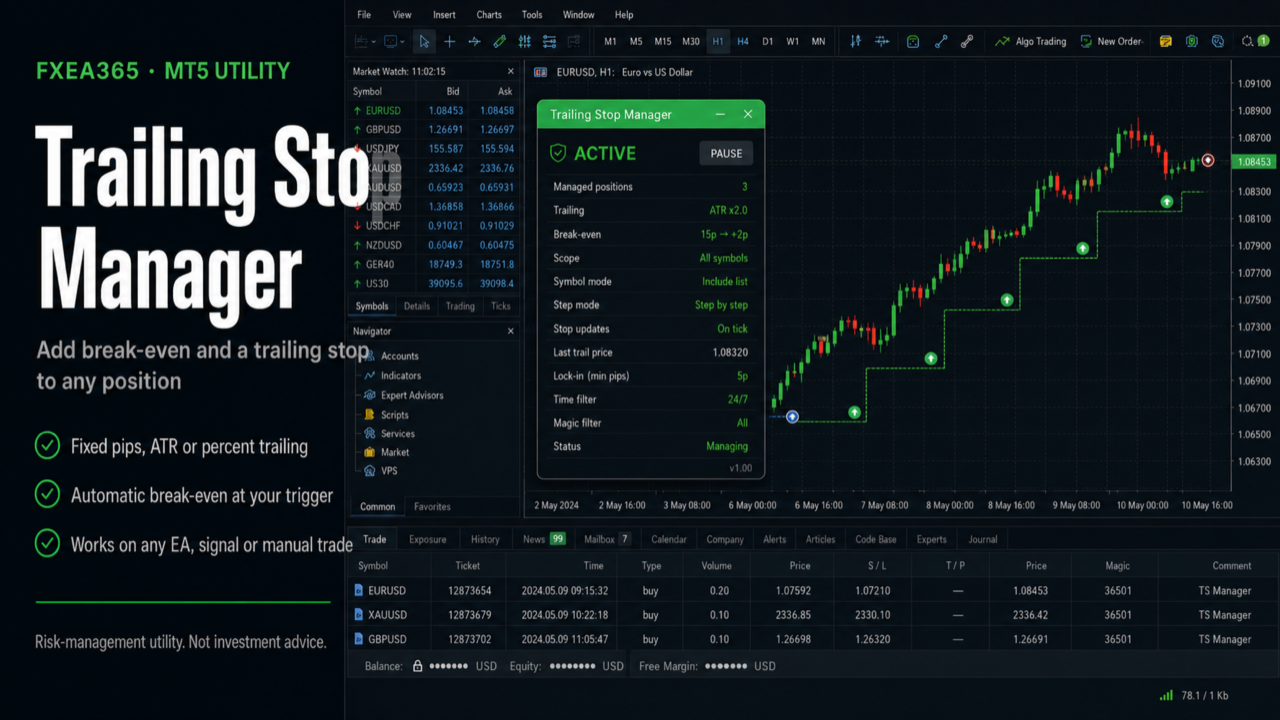
Trailing Manager is a standalone utility. It does NOT open trades. Attach it to a chart and it manages the stop-loss of positions opened by ANY EA, signal, or by hand — adding break-even and a trailing stop to strategies that don't have one, and protecting manual trades automatically.
This is a tool, not investment advice. Stops are sent to your broker and are subject to slippage, gaps, and the broker's minimum stop distance.
WHAT IT DOES
- Break-even — once a position is a set number of pips in profit, the stop is moved to entry plus a small locked offset, so the trade can no longer turn into a loss.
- Trailing stop, three methods:
- Fixed pips — a constant distance behind price.
- ATR — distance = ATR x multiplier, so it widens in volatility and tightens in calm.
- Percent — distance as a percentage of price (scale-invariant, handy for gold and crypto).
- Step trailing — only advance the stop when it improves by at least a set number of pips, to avoid over-modifying.
- Initial SL/TP enforcement — optionally attach a stop-loss and/or take-profit to "naked" positions that were opened without one.
- Broker stop-distance aware — modifications that would violate the broker's minimum stop level are skipped instead of rejected.
SCOPE
Manage just the chart symbol or the whole account, with an optional magic-number filter so it trails only one strategy and leaves the rest untouched.
ON-CHART PANEL
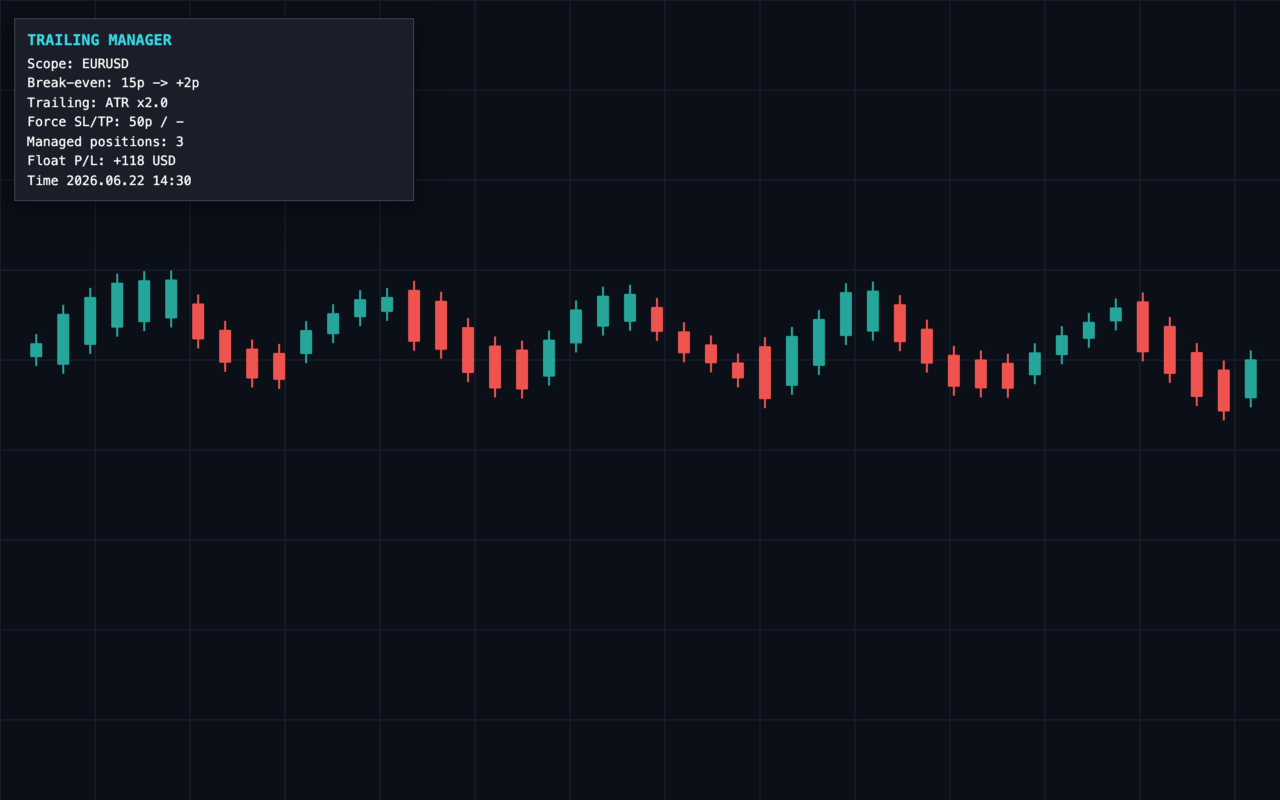
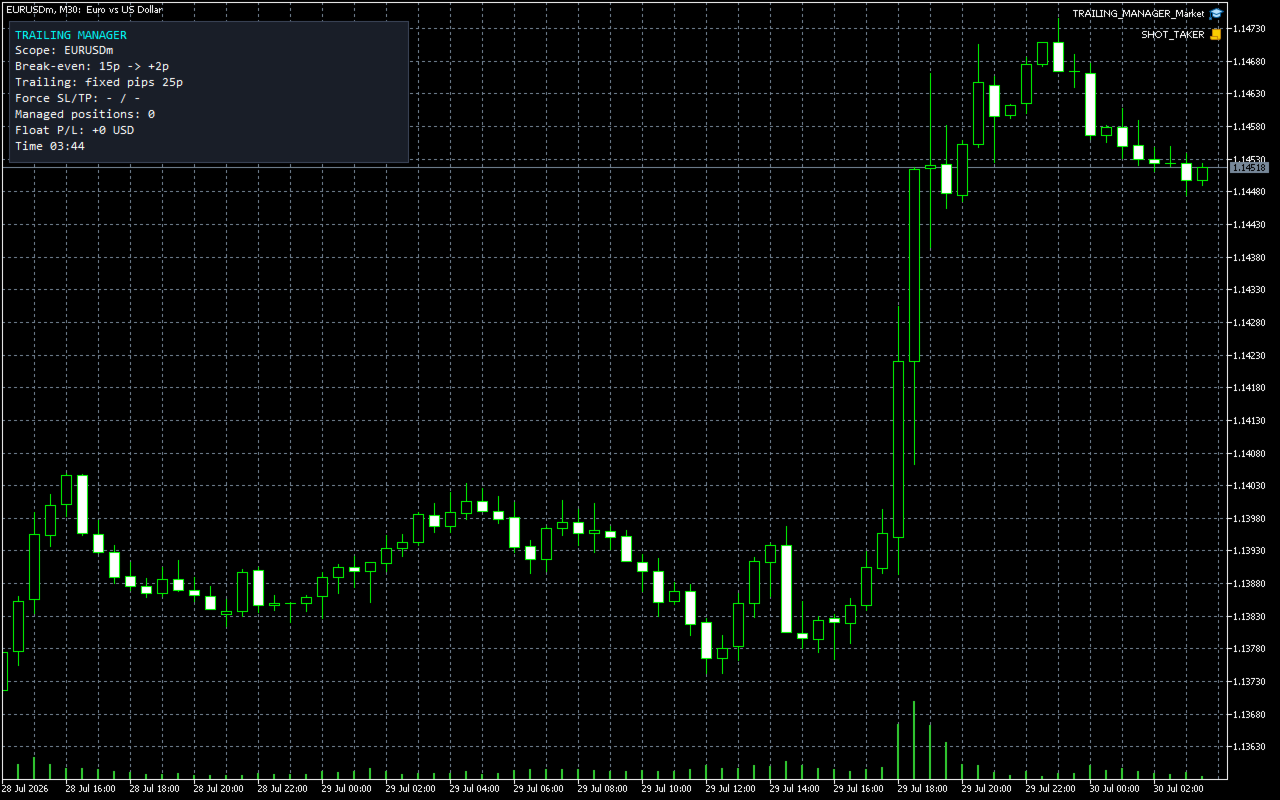
A compact panel shows the active break-even and trailing settings, the number of positions being managed, and the floating P/L in your account currency.
WORKS IN THE STRATEGY TESTER
The management logic runs in the Strategy Tester, so you can attach it together with a trading EA and watch break-even and trailing operate on historical data.
=== WHO THIS IS FOR / NOT FOR ===
Right fit: anyone running an EA or a signal that has no trailing stop of its own, manual traders who want break-even applied without watching the screen, and anyone holding positions on several symbols who wants one instance to manage them all.
Not a fit: anyone looking for entries — it opens nothing, it only moves stops on positions that already exist — anyone who wants a trail so tight it survives normal noise, and anyone who will point it at the whole account without setting a magic filter first.
=== 5-MINUTE DEMO CHECKLIST ===
1) On a DEMO account, attach it to one chart and keep AutoTrading enabled. It cannot modify a stop without that.
2) Set the scope before anything else: chart symbol or all symbols, plus InpMagicFilter if you want it to leave your other strategies alone. This is the setting that decides which positions it touches.
3) Open a position by hand, let it move into profit past InpBE_TriggerPips, and confirm the stop jumps to entry plus your offset — not to entry exactly, or the spread takes you out flat.
4) Try each trailing method on a symbol that suits it: fixed pips on a major, ATR where volatility swings, percent on gold or crypto where a pip distance means nothing at different price levels.
5) Set InpTrailStepPips and watch the stop advance in steps rather than on every tick. Over-modifying achieves nothing and annoys the broker.
6) Open a position with no stop at all and confirm InpForceSL attaches one. Then check the journal: modifications that would violate the broker's minimum stop distance are skipped rather than rejected, so a quiet log is the expected result, not a failure.
The management logic also runs in the Strategy Tester, so you can attach it alongside a trading EA and watch break-even and trailing work on historical data first.
RECOMMENDED SETUP
- Attach to one chart per symbol you want managed, or set scope to ALL symbols to cover the whole account from a single chart.
- Use the magic filter to trail only a specific EA's positions.
- Keep AutoTrading enabled so the utility can modify stops.
- Broker-agnostic; pip size and stop levels are read from each symbol's contract specs.
KEY INPUTS
- InpAllSymbols / InpMagicFilter: scope
- InpUseBreakEven / InpBE_TriggerPips / InpBE_OffsetPips: break-even
- InpUseTrailing / InpTrailMethod (0 fixed / 1 ATR / 2 percent)
- InpTrailPips / InpATRperiod / InpATRmult / InpTrailPct: per-method distance
- InpTrailStepPips: minimum stop advance
- InpForceSL / InpForceSLPips, InpForceTP / InpForceTPPips: SL/TP enforcement for naked positions
=== IF YOU WANT THIS AS AN AUTOMATED SYSTEM ===
This tool manages risk around trades; it does not open them. The EAs below have the same kind of protection built in, so you do not need to wire it up yourself:
- Gold Viper Breakout (XAUUSD M30, MT5): https://www.mql5.com/en/market/product/182297
Trades gold only while volatility is expanding and the EMA50/200 trend agrees; every basket is capped by a group stop that the EA executes (keep it running on a VPS). No martingale. Backtest on Exness tick history (history quality 8%, not a 100% real-tick test), 2019.01-2026.09, $10,000: Defensive mode profit factor 1.74, equity drawdown 21.3%, 2,819 trades; Standard (the default) profit factor 1.51, equity drawdown 30.8%.
Every EA above has a free demo. Run it in the Strategy Tester with the settings listed at the top of its page before you decide. These are backtest figures, not live trading results, and they do not guarantee future performance.
If this tool is useful in your trading, a short review on this page would help, good or bad, including anything you would like improved. It helps other traders decide and tells us what to fix next.
100% free, no limitations. If it earns a place on your charts, a short review is the one thing that helps us most — it takes 30 seconds and it is what lets other traders find this tool.
If Falcon helps your trading, please take a second to leave a review — it helps us a lot and keeps the tool free.
Platform: MetaTrader 5 (this page). MetaTrader 4 edition: https://www.mql5.com/en/market/product/188540
More tools from the same developer (FXEA365):
- Aegis Account Protector (account-wide equity guard): https://www.mql5.com/en/market/product/182632
- Sentinel News Filter (pause trading around news): https://www.mql5.com/en/market/product/182634
- Rapid Trade Panel (one-click risk-based trading): https://www.mql5.com/en/market/product/182635
- Donchian Trend Engine (our trend EA, also 100% free): https://www.mql5.com/en/market/product/185534
- All our EAs and tools: https://www.mql5.com/en/users/app.develop.sk/seller
Trailing Manager — Universal Trailing Stop & Break-Even for Any Position
Trailing Manager is a standalone utility. It does NOT open trades. Attach it to a chart and it manages the stop-loss of positions opened by ANY EA, signal, or by hand — adding break-even and a trailing stop to strategies that don't have one, and protecting manual trades automatically.
This is a tool, not investment advice. Stops are sent to your broker and are subject to slippage, gaps, and the broker's minimum stop distance.
WHAT IT DOES
- Break-even — once a position is a set number of pips in profit, the stop is moved to entry plus a small locked offset, so the trade can no longer turn into a loss.
- Trailing stop, three methods:
- Fixed pips — a constant distance behind price.
- ATR — distance = ATR x multiplier, so it widens in volatility and tightens in calm.
- Percent — distance as a percentage of price (scale-invariant, handy for gold and crypto).
- Step trailing — only advance the stop when it improves by at least a set number of pips, to avoid over-modifying.
- Initial SL/TP enforcement — optionally attach a stop-loss and/or take-profit to "naked" positions that were opened without one.
- Broker stop-distance aware — modifications that would violate the broker's minimum stop level are skipped instead of rejected.
SCOPE
Manage just the chart symbol or the whole account, with an optional magic-number filter so it trails only one strategy and leaves the rest untouched.
ON-CHART PANEL
A compact panel shows the active break-even and trailing settings, the number of positions being managed, and the floating P/L in your account currency.
WORKS IN THE STRATEGY TESTER
The management logic runs in the Strategy Tester, so you can attach it together with a trading EA and watch break-even and trailing operate on historical data.
=== WHO THIS IS FOR / NOT FOR ===
Right fit: anyone running an EA or a signal that has no trailing stop of its own, manual traders who want break-even applied without watching the screen, and anyone holding positions on several symbols who wants one instance to manage them all.
Not a fit: anyone looking for entries — it opens nothing, it only moves stops on positions that already exist — anyone who wants a trail so tight it survives normal noise, and anyone who will point it at the whole account without setting a magic filter first.
=== 5-MINUTE DEMO CHECKLIST ===
1) On a DEMO account, attach it to one chart and keep AutoTrading enabled. It cannot modify a stop without that.
2) Set the scope before anything else: chart symbol or all symbols, plus InpMagicFilter if you want it to leave your other strategies alone. This is the setting that decides which positions it touches.
3) Open a position by hand, let it move into profit past InpBE_TriggerPips, and confirm the stop jumps to entry plus your offset — not to entry exactly, or the spread takes you out flat.
4) Try each trailing method on a symbol that suits it: fixed pips on a major, ATR where volatility swings, percent on gold or crypto where a pip distance means nothing at different price levels.
5) Set InpTrailStepPips and watch the stop advance in steps rather than on every tick. Over-modifying achieves nothing and annoys the broker.
6) Open a position with no stop at all and confirm InpForceSL attaches one. Then check the journal: modifications that would violate the broker's minimum stop distance are skipped rather than rejected, so a quiet log is the expected result, not a failure.
The management logic also runs in the Strategy Tester, so you can attach it alongside a trading EA and watch break-even and trailing work on historical data first.
RECOMMENDED SETUP
- Attach to one chart per symbol you want managed, or set scope to ALL symbols to cover the whole account from a single chart.
- Use the magic filter to trail only a specific EA's positions.
- Keep AutoTrading enabled so the utility can modify stops.
- Broker-agnostic; pip size and stop levels are read from each symbol's contract specs.
KEY INPUTS
- InpAllSymbols / InpMagicFilter: scope
- InpUseBreakEven / InpBE_TriggerPips / InpBE_OffsetPips: break-even
- InpUseTrailing / InpTrailMethod (0 fixed / 1 ATR / 2 percent)
- InpTrailPips / InpATRperiod / InpATRmult / InpTrailPct: per-method distance
- InpTrailStepPips: minimum stop advance
- InpForceSL / InpForceSLPips, InpForceTP / InpForceTPPips: SL/TP enforcement for naked positions
=== IF YOU WANT THIS AS AN AUTOMATED SYSTEM ===
This tool manages risk around trades; it does not open them. The EAs below have the same kind of protection built in, so you do not need to wire it up yourself:
- Gold Viper Breakout (XAUUSD M30, MT5): https://www.mql5.com/en/market/product/182297
Trades gold only while volatility is expanding and the EMA50/200 trend agrees; every basket is capped by a group stop that the EA executes (keep it running on a VPS). No martingale. Backtest on Exness tick history (history quality 8%, not a 100% real-tick test), 2019.01-2026.09, $10,000: Defensive mode profit factor 1.74, equity drawdown 21.3%, 2,819 trades; Standard (the default) profit factor 1.51, equity drawdown 30.8%.
Every EA above has a free demo. Run it in the Strategy Tester with the settings listed at the top of its page before you decide. These are backtest figures, not live trading results, and they do not guarantee future performance.
If this tool is useful in your trading, a short review on this page would help, good or bad, including anything you would like improved. It helps other traders decide and tells us what to fix next.