Entry Point Dashboard Ultimate MT5
- Indicators
-
Thushara Dissanayake
 I’ve always loved exploring new trading strategies, testing them with indicators, and automating them with expert advisors (EAs). Welcome to my world of Forex Trading Robots, Indicators, and Trading Tools, all specially built for the MetaTrader platform.
 - Version: 2.0
- Activations: 5
Core Functionality
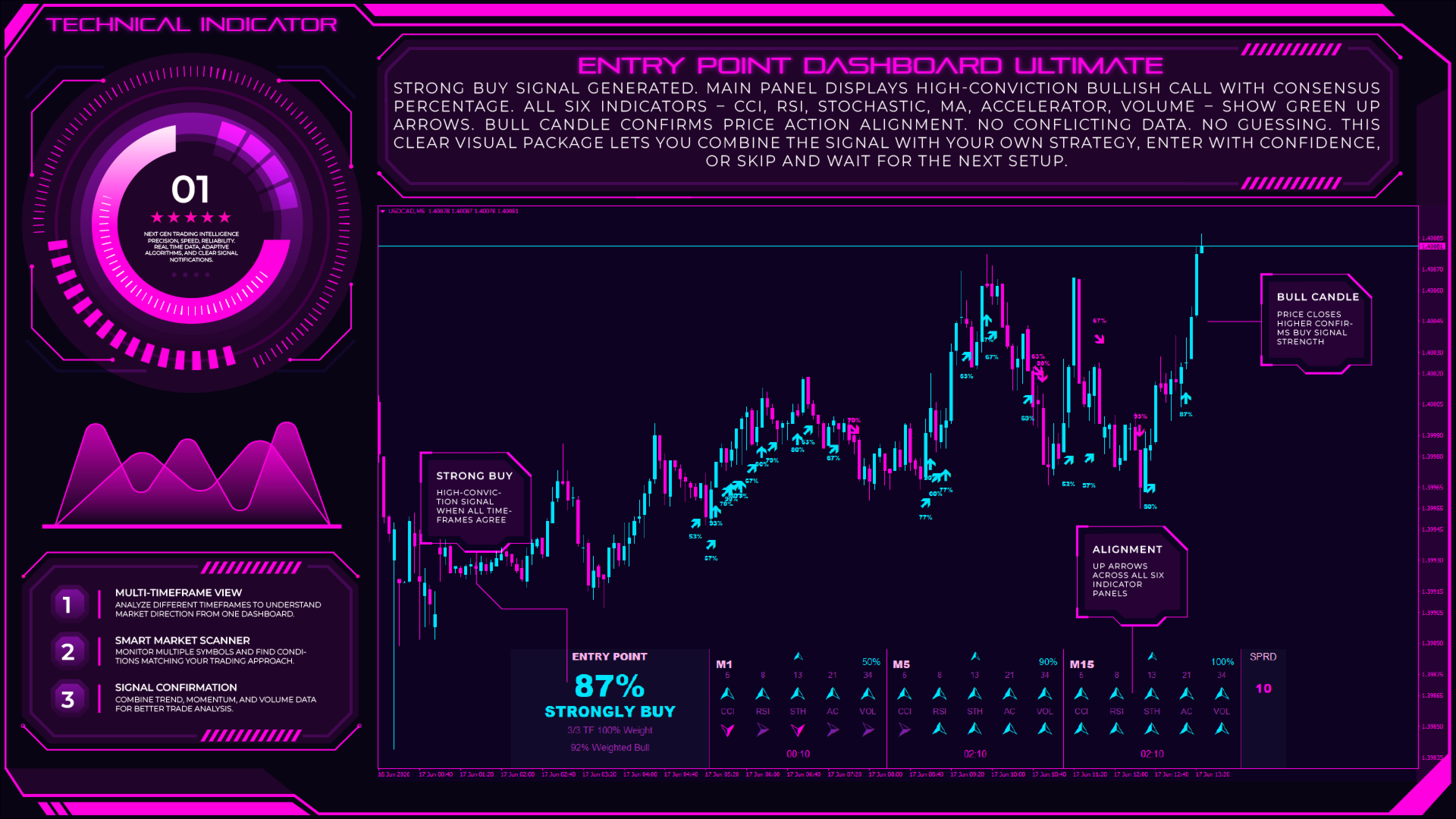
The indicator combines several commonly used technical analysis methods into one customizable dashboard. Instead of opening multiple indicator windows, traders can monitor different market factors from a single interface.
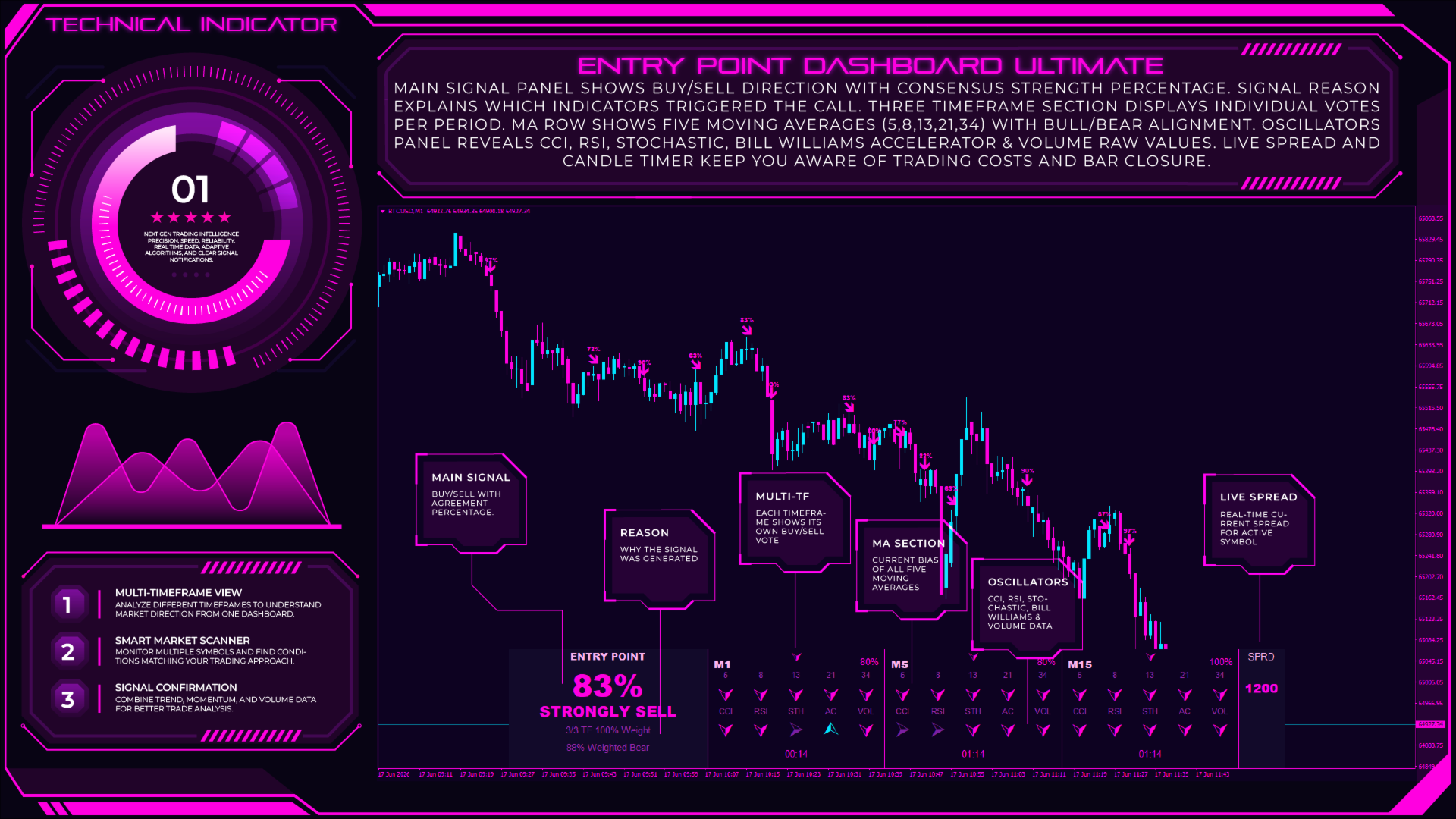
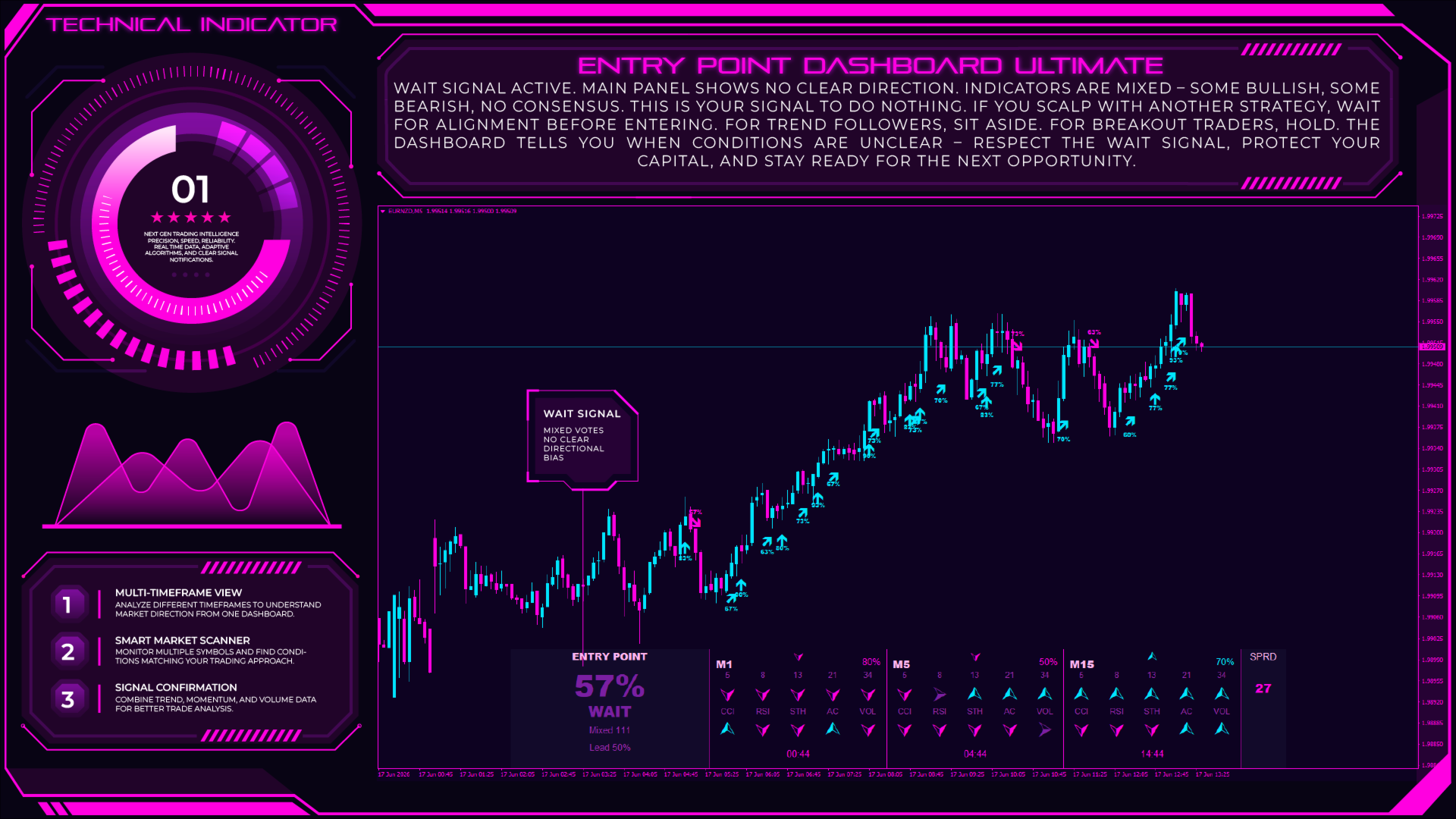
The dashboard analyzes up to three selected timeframes and evaluates each timeframe independently. Each timeframe receives a directional bias based on the relationship between different technical components, then the results are combined using a customizable weighted voting system.
The indicator includes:
Moving Average Trend Analysis
The system supports multiple Moving Average periods to evaluate market direction and trend structure. Traders can configure the number of moving averages, calculation method, and applied price according to their preferred analysis style.
Momentum and Market Condition Analysis
The dashboard includes momentum-based tools such as:
- CCI (Commodity Channel Index)
- RSI (Relative Strength Index)
- Stochastic Oscillator
These components help display momentum conditions and possible market strength or weakness areas.
Volume Analysis
The volume module compares current market activity with previous volume behavior and displays buyer or seller dominance conditions. This allows traders to include volume information when evaluating potential market movement.
Multi-Timeframe Signal Evaluation
Each selected timeframe contributes to the overall dashboard calculation. Traders can assign different weights to timeframes, allowing higher timeframes to have more influence when analyzing broader market direction.
The dashboard can display normal and stronger alignment conditions based on user-defined agreement thresholds. This creates a structured way to review multiple market factors together.
Key Features
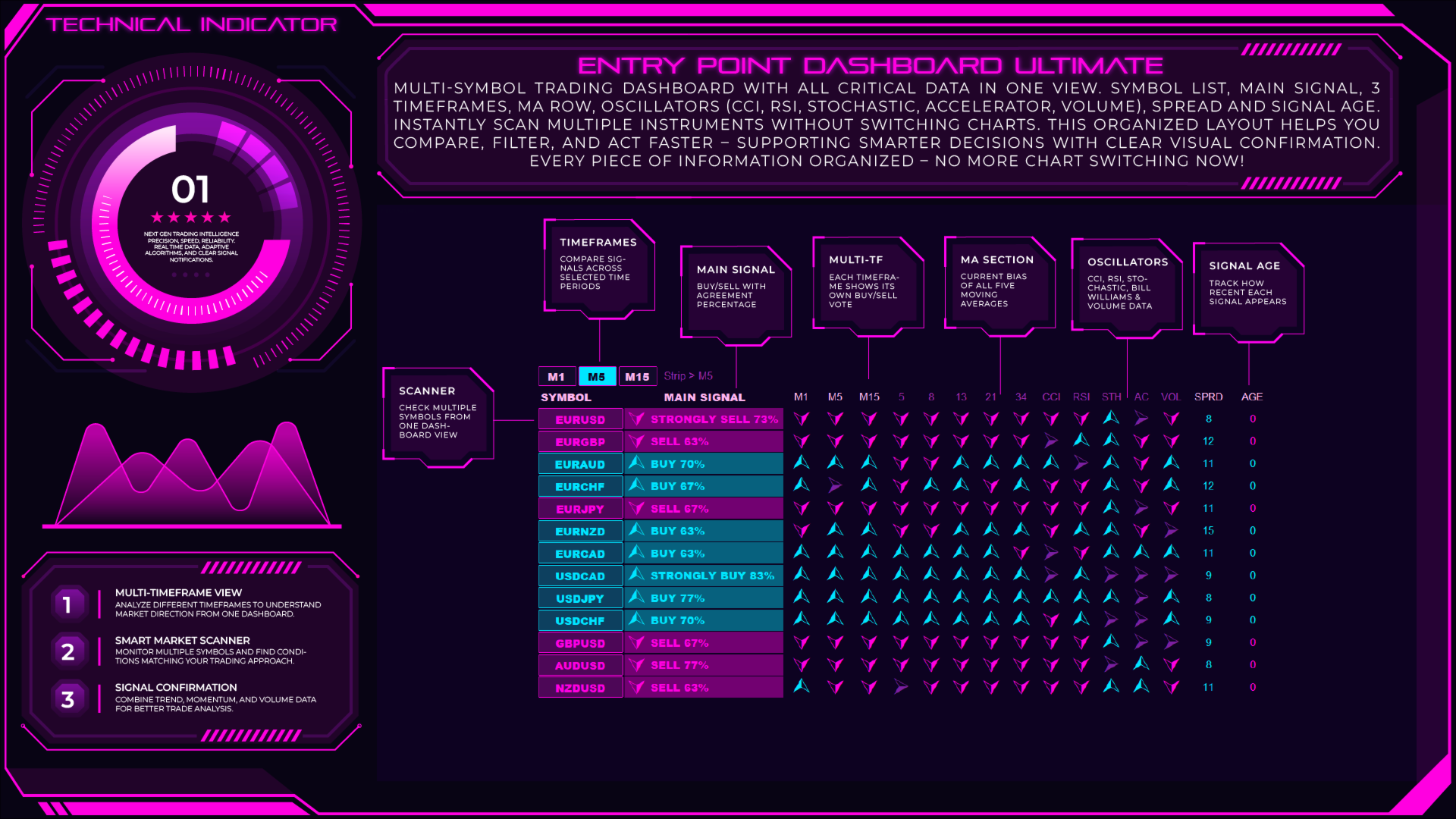
- Multi-Timeframe Trading Dashboard Analyze multiple timeframes from one organized interface.
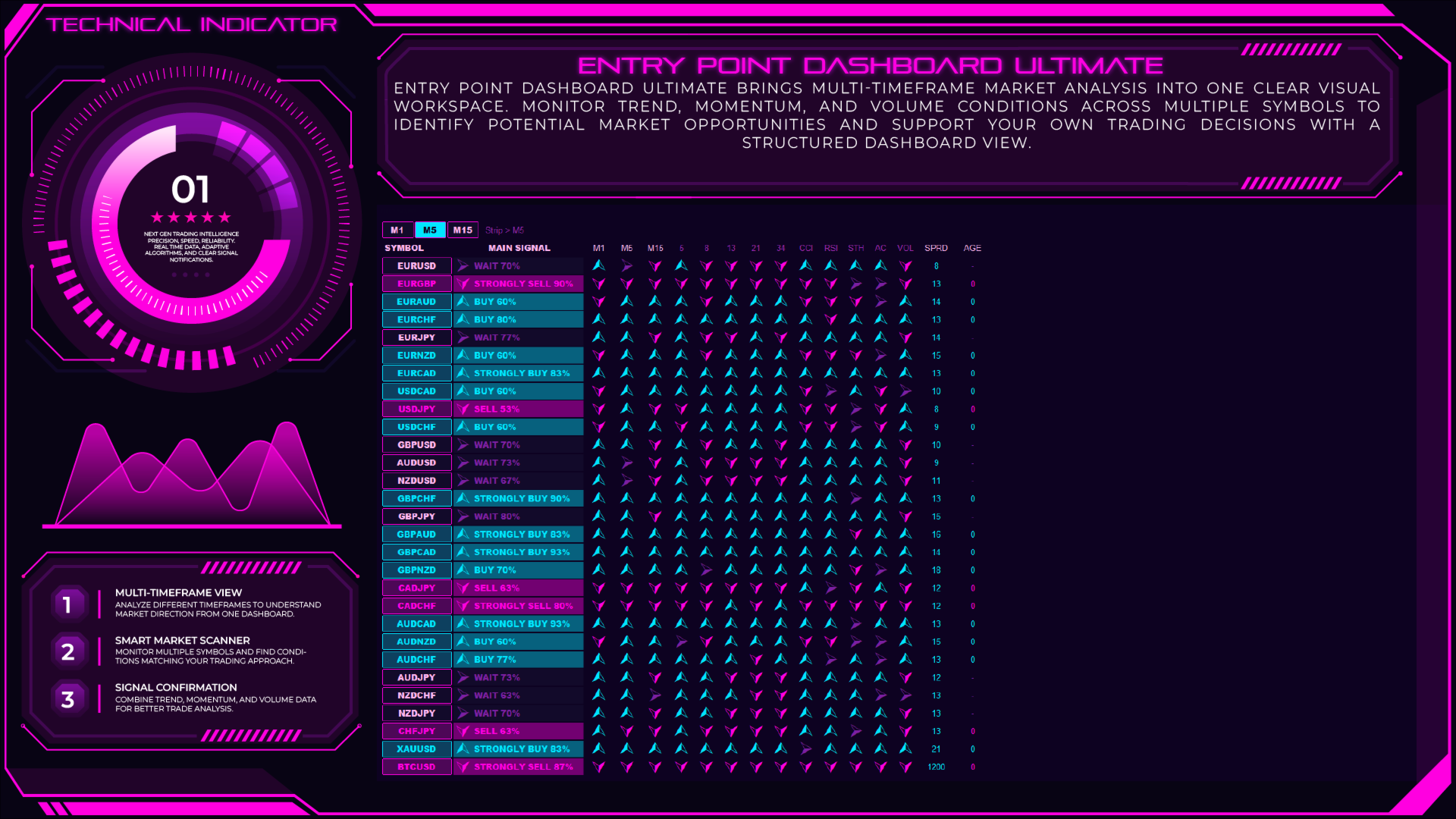
- Multi-Symbol Market Scanner Monitor a list of currency pairs, commodities, indices, and cryptocurrencies from a single dashboard.
- Technical Analysis Integration Combines Moving Averages, CCI, RSI, Stochastic, momentum, and volume analysis.
- Weighted Timeframe Voting System Assign different importance levels to selected timeframes for customized market evaluation.
- Trend Detection Dashboard Displays market direction based on the relationship between multiple technical factors.
- Signal Strength Display Shows different signal conditions according to user-defined confirmation settings.
- Customizable Moving Average Settings Adjust MA periods, methods, and applied prices.
- Volume Dominance Analysis Evaluates buying and selling pressure using configurable volume calculations.
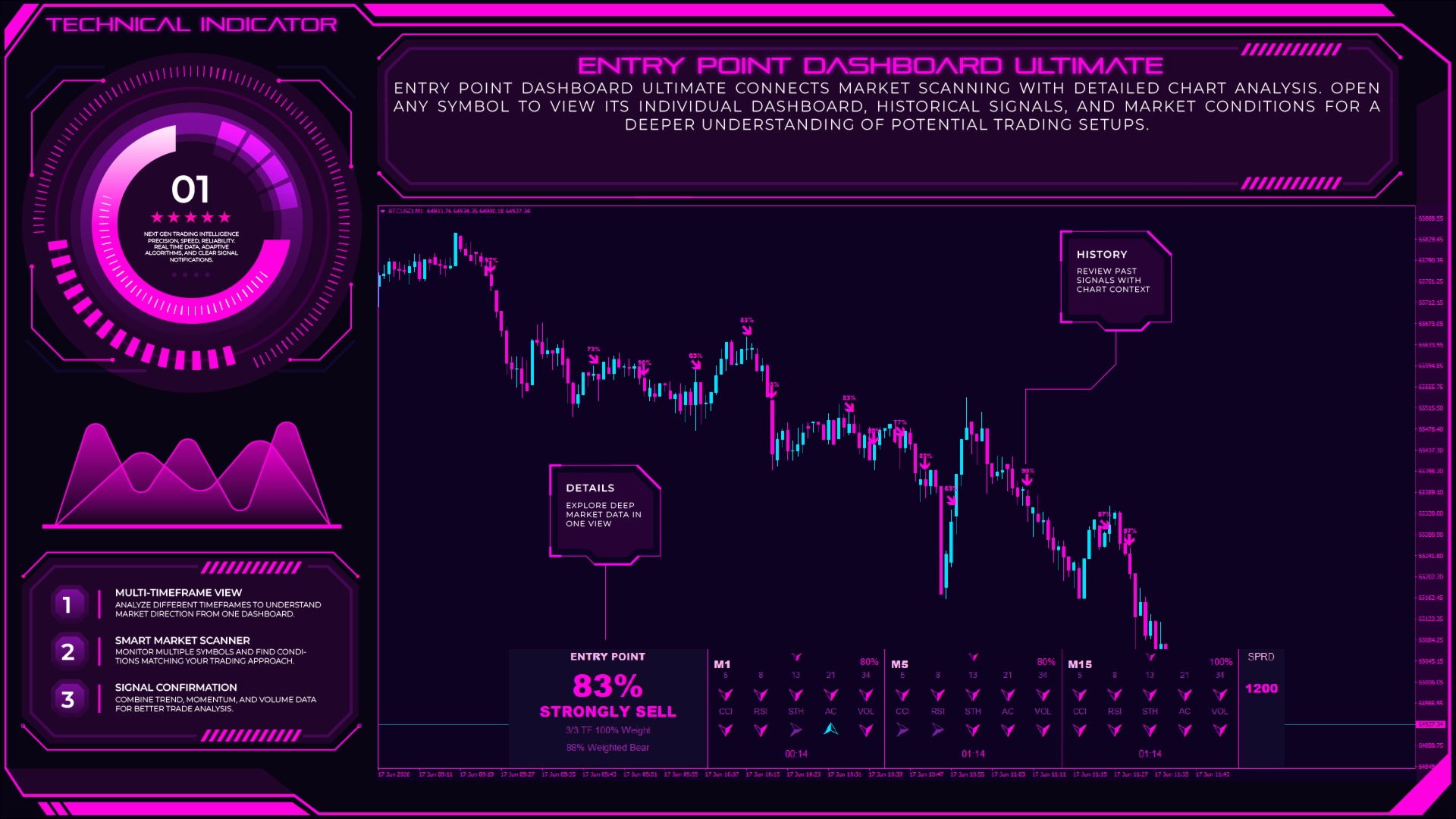
- Signal History Display Shows previous chart signals with optional arrows and strength labels.
- Alert System Supports configurable popup alerts, mobile push notifications, and email notifications.
- Custom Dashboard Appearance Includes adjustable dashboard size, positioning, and multiple visual themes.
- Multi-Market Support Suitable for analyzing Forex, Gold (XAUUSD), Indices, and Cryptocurrency markets.
Practical Trading Application
Entry Point Dashboard Ultimate can be used with different trading approaches including trend following, multi-timeframe analysis, day trading, scalping, and swing trading.
Many traders use multi-timeframe analysis to understand how short-term price movement relates to the broader market direction. The dashboard helps organize this process by displaying timeframe-based information in one place.
For trend traders, the Moving Average structure can provide a visual reference for evaluating market direction. When multiple technical components show similar conditions, traders can use this information together with their own analysis methods.
For scalpers and day traders, the dashboard can help monitor several symbols and shorter timeframes without manually changing charts. The multi-symbol scanner allows traders to review market conditions quickly and focus on instruments that match their trading workflow.
For swing traders, higher timeframe analysis can be used to study broader market structure, while lower timeframe signals can provide additional context for timing decisions.
The dashboard can also support price action traders by acting as a confirmation tool. Traders may compare dashboard information with their own analysis of support and resistance areas, chart patterns, or market structure.
For traders who follow breakout strategies, the volume analysis component can be used as an additional market activity reference when evaluating price movements.
Ideal For
- Forex Traders who want a structured market overview.
- Gold Traders (XAUUSD) analyzing trend and momentum conditions.
- Crypto Traders monitoring multiple digital assets.
- Index Traders working with instruments such as US30 and NAS100.
- Scalpers who need fast multi-symbol market scanning.
- Day Traders analyzing intraday opportunities.
- Swing Traders studying broader market direction.
- Trend Traders using moving averages and momentum analysis.
- Technical Analysis Traders combining multiple indicators.
- Multi-Timeframe Traders who compare short and long-term market conditions.
- Systematic Traders who prefer rule-based market evaluation.
- Manual Traders looking for a visual analysis dashboard.
Optimal Configuration
The indicator can be customized for different markets, instruments, and trading styles.
For scalping, traders may use shorter timeframes such as M1, M5, and M15 to monitor short-term market conditions. A faster refresh rate and lower timeframe combination can help maintain an active intraday workflow.
For day trading, combinations such as M15, H1, and H4 can provide a balance between short-term movement and broader trend analysis.
For swing trading, higher timeframes such as H1, H4, and D1 can be used to study larger market direction and reduce short-term market noise.
The multi-symbol scanner supports instruments including:
- Major Forex pairs
- Gold (XAUUSD)
- Bitcoin and cryptocurrencies
- Stock indices
- Other CFD instruments
The dashboard appearance can be customized through size, position, and theme settings to match different chart layouts.
Traders can adjust:
- Timeframe selection
- Indicator parameters
- Voting weights
- Confirmation thresholds
- Alert preferences
- Visual settings
to create a workspace suitable for their own analysis process.
Final Notes
Entry Point Dashboard Ultimate is a technical analysis dashboard tool designed to organize multiple market indicators into a single visual interface. It does not predict future price movements or guarantee trading results. Instead, it provides a structured overview of trend, momentum, and volume conditions to support trader analysis.
By combining multi-timeframe analysis, technical indicators, market scanning, and custom alerts, the dashboard helps traders review market information more efficiently.
As with any trading tool, traders should combine indicator information with their own analysis, proper risk management, and suitable trading practices. Testing different settings and configurations on a demo account can help traders understand how the dashboard fits their preferred trading style.