
The ORB Master
- Experts
- Profalgo Limited
- Version: 2.3
- Updated: 15 December 2025
- Activations: 10
PROP FIRM READY!
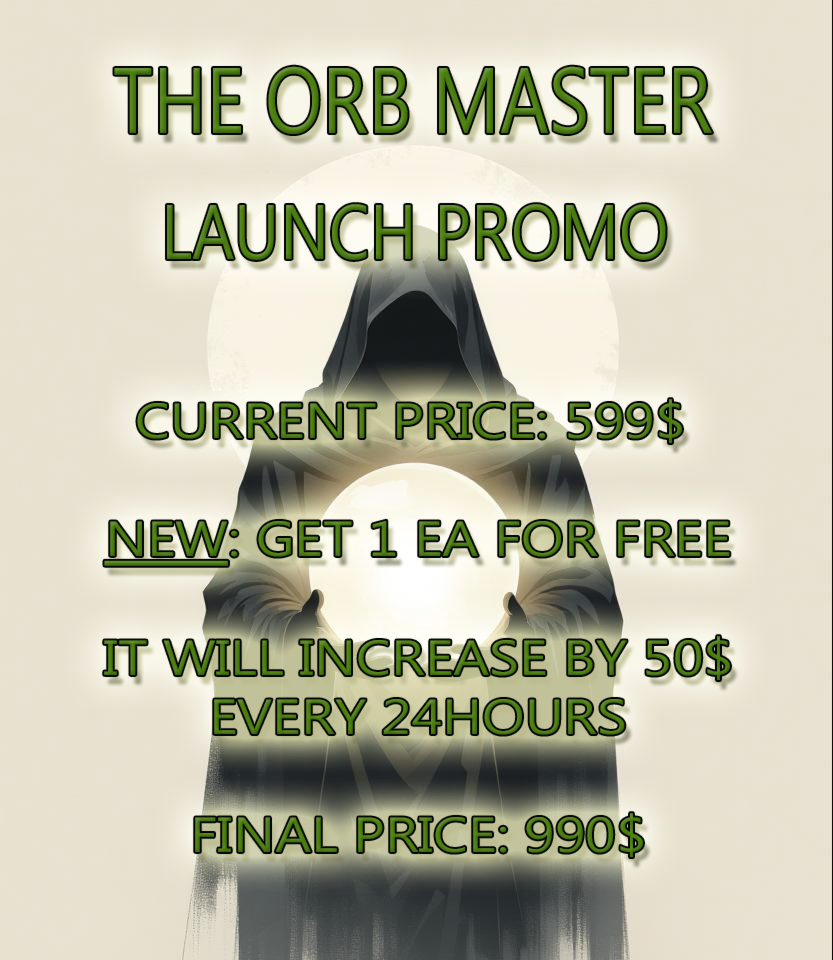
LAUNCH PROMO:
- VERY LIMITED NUMBER OF COPIES AVAILABLE AT CURRENT PRICE!
- Final price: 990$
- NEW: From 349$: Choose 1 EA for free! (for max 2 trade account numbers)
INDEPENDENT REVIEW
Welcome to "The ORB Master": Your Edge in Opening Range Breakouts
Unlock the power of the Opening Range Breakout (ORB) strategy with the ORB Master EA: a refined, high-performance Expert Advisor designed for modern traders.
ORB has surged in popularity for its ability to capture early market momentum, and this EA represents my personal take on that proven approach.
How the ORB Master Delivers Results:
The ORB Master springs into action right after the US and European stock market opens, targeting the critical opening ranges of four powerhouse indices: SP500, US30 (Dow Jones) NASDAQ and DAX
These breakouts often signal the day's dominant trend, providing a reliable directional bias.
The EA capitalizes on this edge with precision, entering trades that ride the momentum for maximum profit potential.
For each index, the EA deploys three distinct strategy variations, creating a robust portfolio of 12 uncorrelated approaches.
This diversification minimizes risk while amplifying opportunities.
Every position benefits from advanced trade management, including dynamic trailing stop-loss (SL) and trailing take-profit (TP) mechanisms to lock in gains and protect capital.
Built for Reliability, With Rigorous Testing at Its Core:
We've prioritized robustness from the ground up.
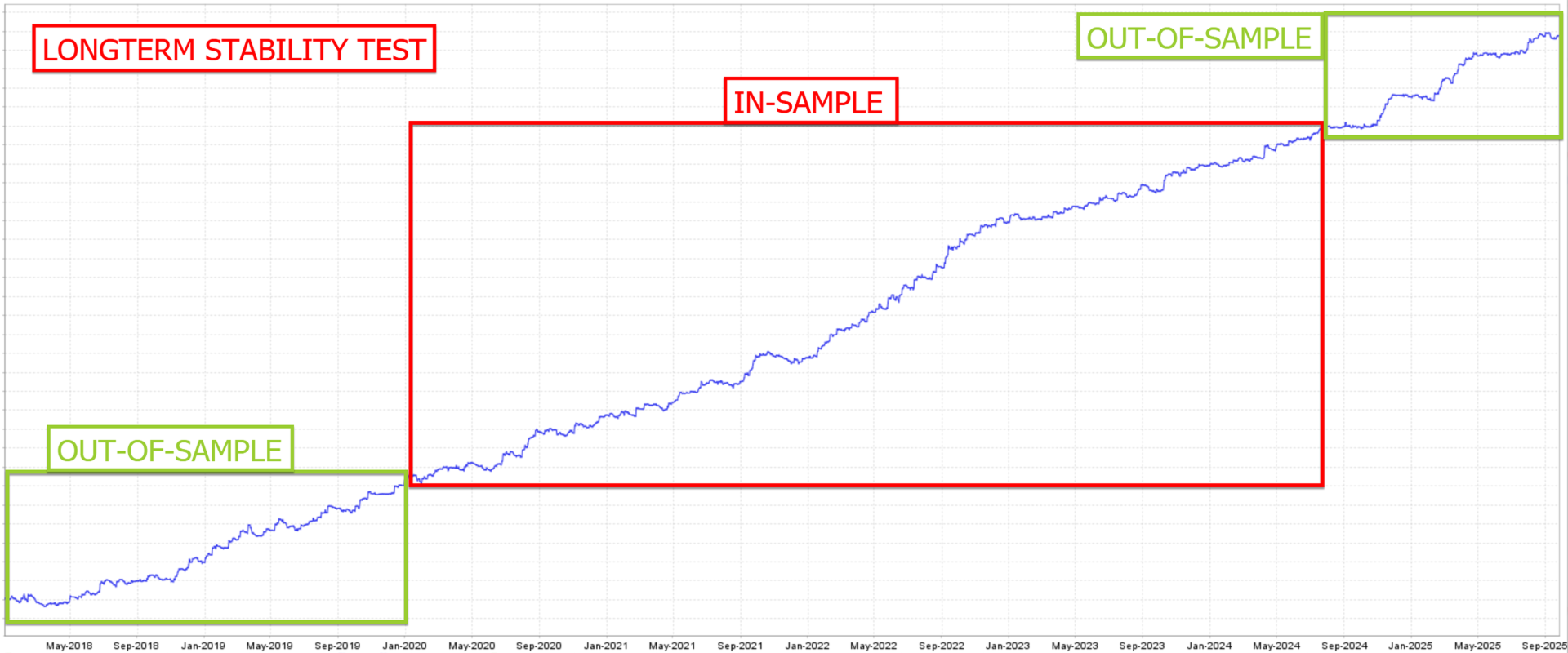
The ORB Master underwent extensive out-of-sample stress testing on unseen data, ensuring it thrives in real-market volatility without the pitfalls of curve-fitting, which is the leading cause of EA failures.
This means the highest probability of the system performing in the future!
Setup for live/demo account: Get Trading in Minutes
Getting started is straightforward—no complex configurations required:
- Add this URL to your MT4/MT5 terminal's "Allowed URLs" (Tools > Options > Expert Advisors): "https : // www . worldtimeserver.com/" (remove spaces).
- Enable AutoTrading in MT5.
- Open an EURUSD M15 chart.
- Drag the EA onto the chart.
- In the Inputs window, click Load and select a preset set file.
- Customize the symbol names for US30, SP500, NASDAQ and DAX to match your broker's conventions.
- Hit OK, and let it run!
Running Backtests: Validate with Confidence:
- Run the backtest on EURUSD M15 (EA will automatically run all 4 indices from that setup)
- Load one of the included set files.
- Update symbol names for US30, SP500, NASDAQ and DAX as per your broker.
- Make sure to adjust the GMT-offset settings in the parameters OR the trading hours of the symbols for backtesting if your broker is not using GMT+2 (winter)/GMT+3 (summer)
- Choose a testing period of at least 2-3 years for comprehensive insights.
Key Features at a Glance
| Feature | Details |
| Risk Management | No grid, no martingale, no aggressive tactics—just smart, sustainable strategies. |
| Optimized Assets | US30, SP500, NASDAQ and DAX |
| Recommended Timeframe | M15. |
| Chart to Use | EURUSD (the EA seamlessly handles all three indices from here). |
| Strategy Count | 12 uncorrelated variations running in parallel for diversified exposure. |
| Prop Firm Compatible | Fully compliant and ready for most funded accounts. |
| Minimum Balance | $500 (adjust based on your broker's minimum lot size). |
| Broker recommendation | A low spread broker is recommended (contact me for recommended brokers) |
Parameters:
- ShowInfoPanel -> display the information panel on the chart
- Adjustment for Infopanel size -> in case of 4K display, set value to "2"
- update infopanel during testing -> disabled for faster backtesting
- SetSL_TP_After_Entry -> enable only if your broker doesn't allow pending orders with SL and TP
- Use Virtual Expiration -> enable only if your broker doesn't allow pending order with expiration date
- BaseMagicNumber -> the base magicnumber that will be used for all strategies
- Comment for trades -> the comment to be used for the trades
- Remove Comment Suffix -> remove the part that adds more info to the comments (like 'US500_A')
- RunUS500 -> enable the strategy for US500 index (SP500)
- US500_Symbol -> set the name of the symbol for the US500 pair (very important to set it correctly!!)
- Startime/stoptime -> here you can set the start and stop time of the filter for the symbol
- US500_Strat1 -> enable strategy 1 for this pair
- US500_Strat2 -> enable strategy 2 for this pair
- US500_Strat3 -> enable strategy 3 for this pair
- Value in $ of 1 unit move -> default is "0" (auto). Only change this if you lotsize is much too high. ask me for instructions
- US500_MaxSpread -> max spread allowed
- US500_Randomization -> this will randomize the entries, exits and TrailingSL values a bit, so that multiple users on the same broker, will have a bit different trades. Also good for prop firms.
- Same options for US30,NAS100 (USTECH) and DAX
- PROPIRM UNIQUE TRADE SETTINGS -> here you can modify the entry and exits of the trades manually, to make them different compared to other users of the EA (for prop firms)
- Lotsize Calculation Method -> here you determine how the lotsize should be calculated: Fixed lotsize or Max Risk per Strategy
- Startlots -> set the value for fixed lotsize, when that option is chosen. This parameter will be used as "minimum lotsize" when using any of the other 2 options for lotsize calculation
- Max Risk Per Strategy -> The prefered maximum allowed total drawdown (in %) for each strategy. The EA will then determine lotsize based on the historical max DD of that strategy
- Set Max Daily Drawdown -> Here you can set a maximum allowed daily drawdown (in %). If it is reached, the EA would close all trades and pending orders, and wait for the next day. This is usefull for prop firms
- Use Equity instead of Balance -> use Equity of the account to calculate all lotsize values
- OnlyUp -> this will prevent lotsize to decrease after losses (more aggressive but faster recovery after losses)
- AutoGMT -> let the EA calculate the correct GMT offset for your broker, so that the time of NFP will be correct
- GMT_OFFSET_Winter -> for setting the GMT Offset manually in the wintertime (when AutoGMT is off, or during backtesting!)
- GMT_OFFSET_Summer -> for setting the GMT Offset manually in the summertime (when AutoGMT is off, or during backtesting!)
- EnableNFP_Filter -> turn the NFP filter on or off
- NFP_CloseOpenTrades -> force the EA to close all open trades when NFP starts (X minutes before NFP)
- NFP_ClosePendingOrders -> force the EA to delete all pending orders when NFP starts (X minutes before NFP)
- NFP_MinutesBefore -> how many minutes before the NFP event, to close trades and pending orders
- NFP_MinutesAfter -> how many minutes after the NFP event, before the EA resumes trading again
- IR_FILTER (Interest Rate) and CPI FILTER work the same as NFP Filter
- Enable Trading hours filter -> here you can enable/disable the trading hours filter
- Time Source -> select which time source to use (“Optimized” is recommended!)
- DeletePending -> pending orders will be delete outside the trade time zone
- DeleteOpen -> open trade will be close at the end of the trade time zone
About me:
I don't participate in the "neural network/machine learning AI/ChatGPT/Quantum computer/perfect straight line backtests" sales-talk.
Rather, I'm focused on building real and honest trading systems, based on a proven methodology for development and live execution.
As a developer, I have +15 years of experience in creating automated trading systems, and a history on MQL5 of highly rated products.
I know what has the potential to work and what has not.
I create honest systems, with the highest probability of having live results in line with the backtests, without cheating.
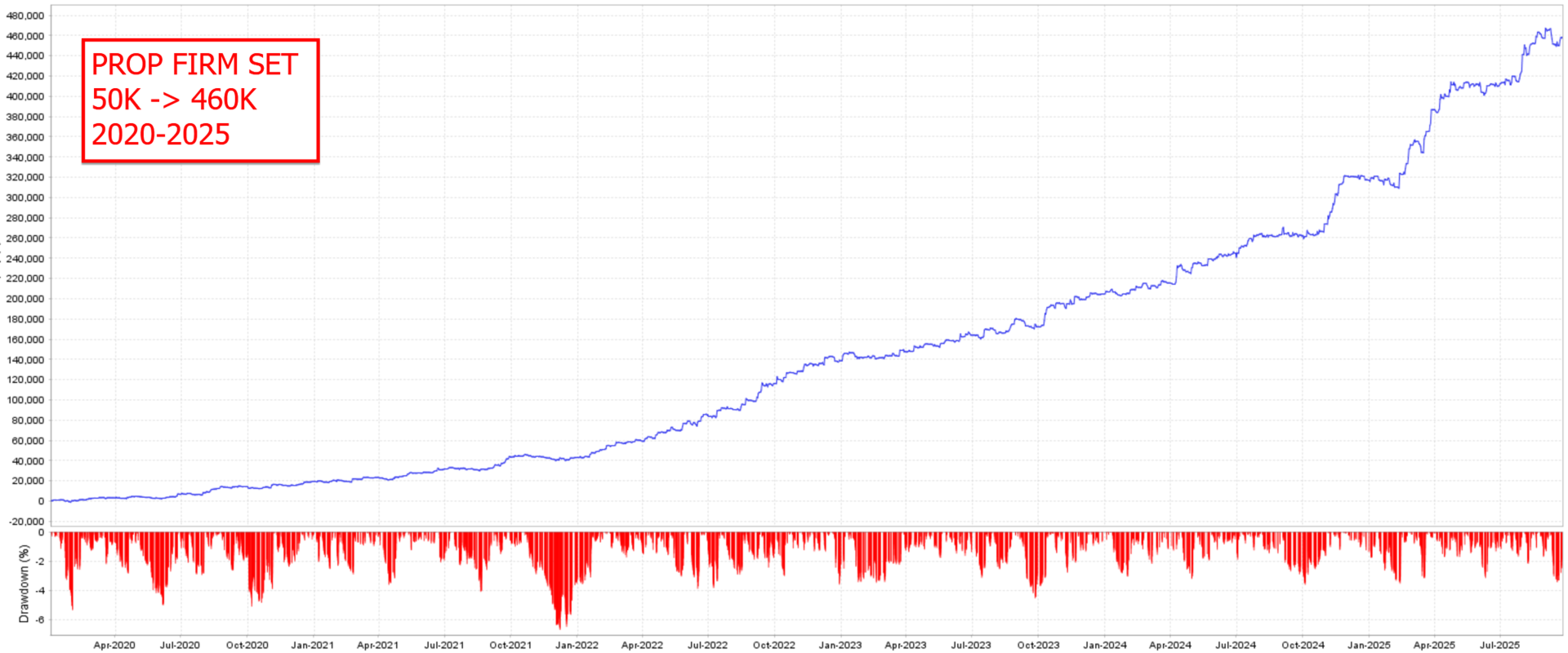
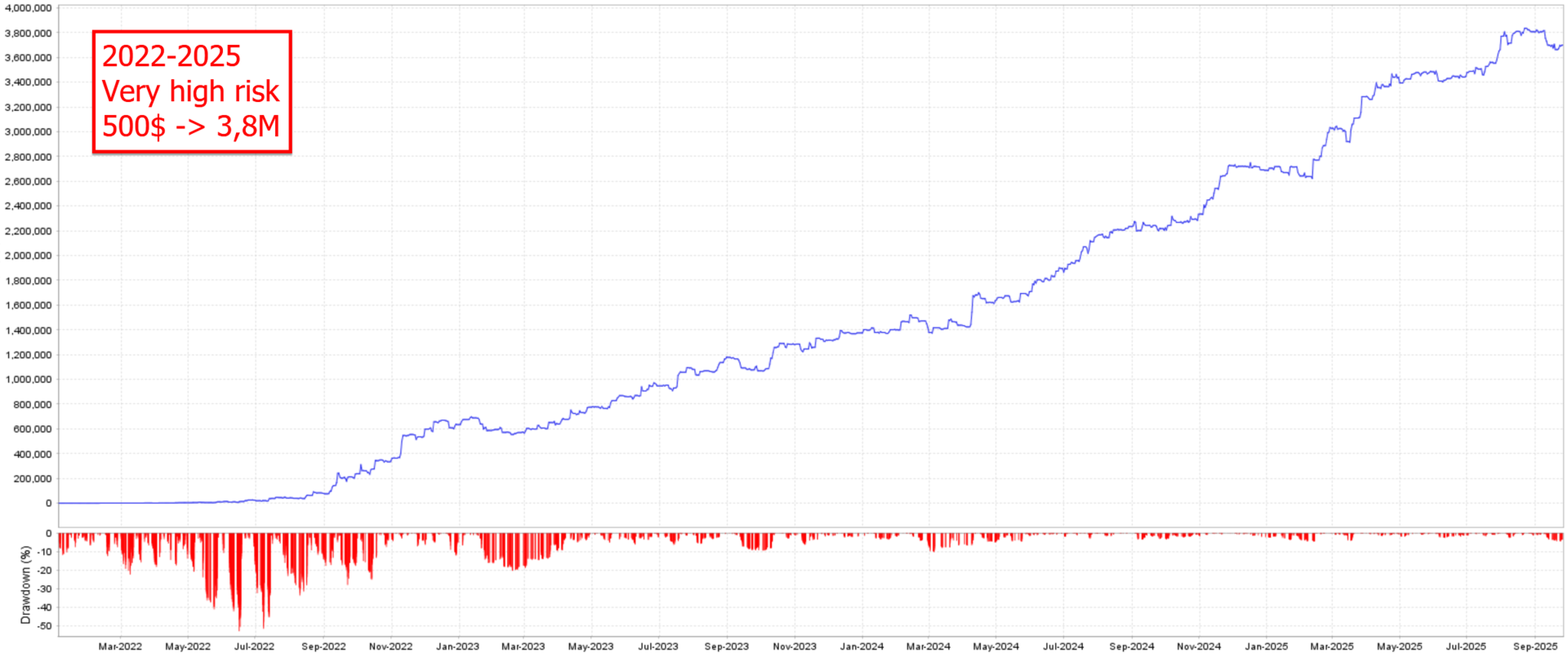












































































Almost every EA from Wim can be profitable if YOU want it to!! Key is long term success so please manage your risk well and let the EAs make money for you:) Wim's EAs are definitely great investments!!