Burning Grid
- Experts
- Version: 2.33
- Updated: 13 June 2026
- Activations: 10
BURNING GRID
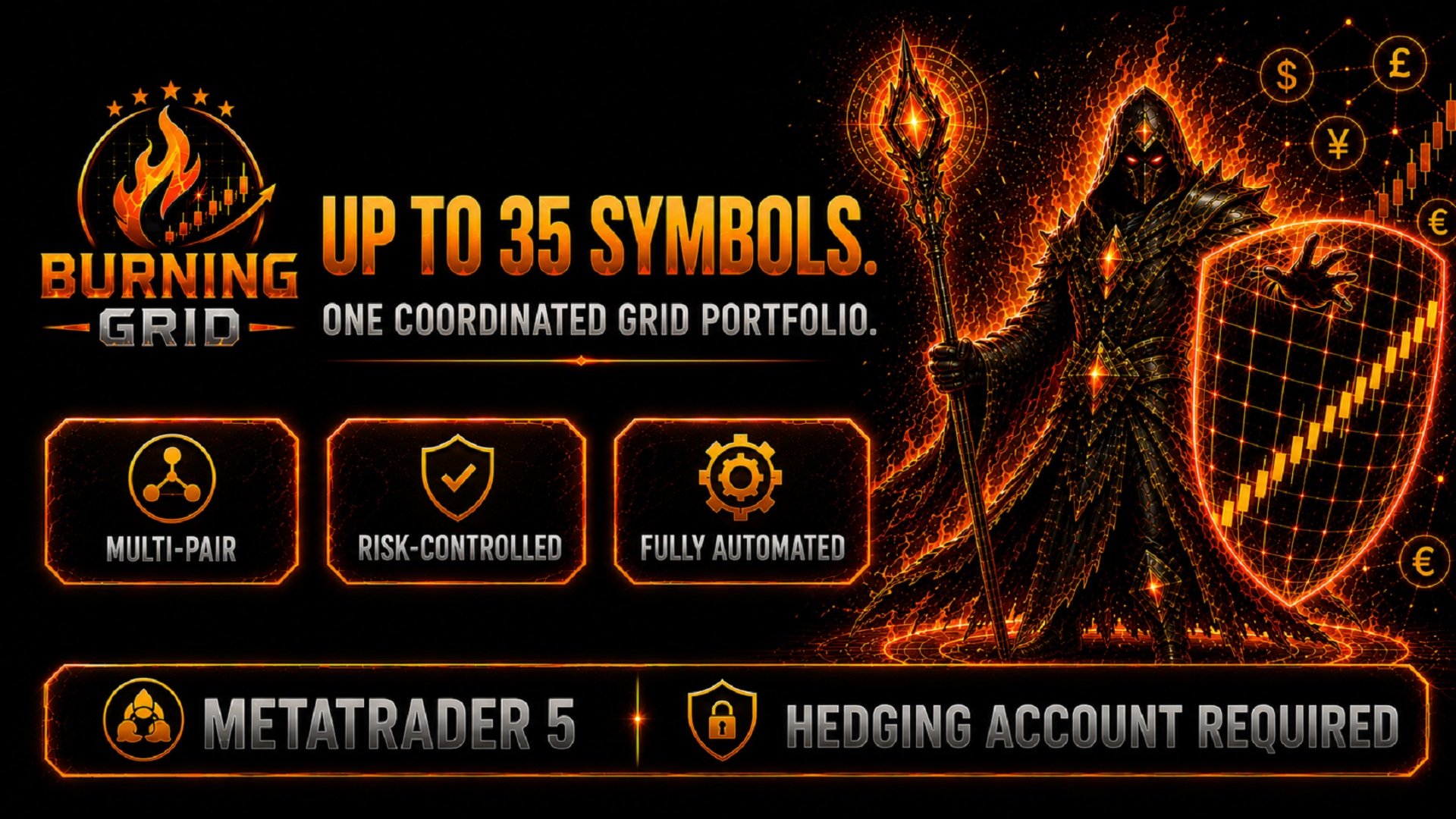
| UP TO 35 SYMBOLS. ONE COORDINATED GRID SYSTEM. |
The forex market does not move through one currency pair at a time.
While one symbol is trending, another may be consolidating, reversing or building a completely different opportunity. Burning Grid was developed for this multi-pair environment.
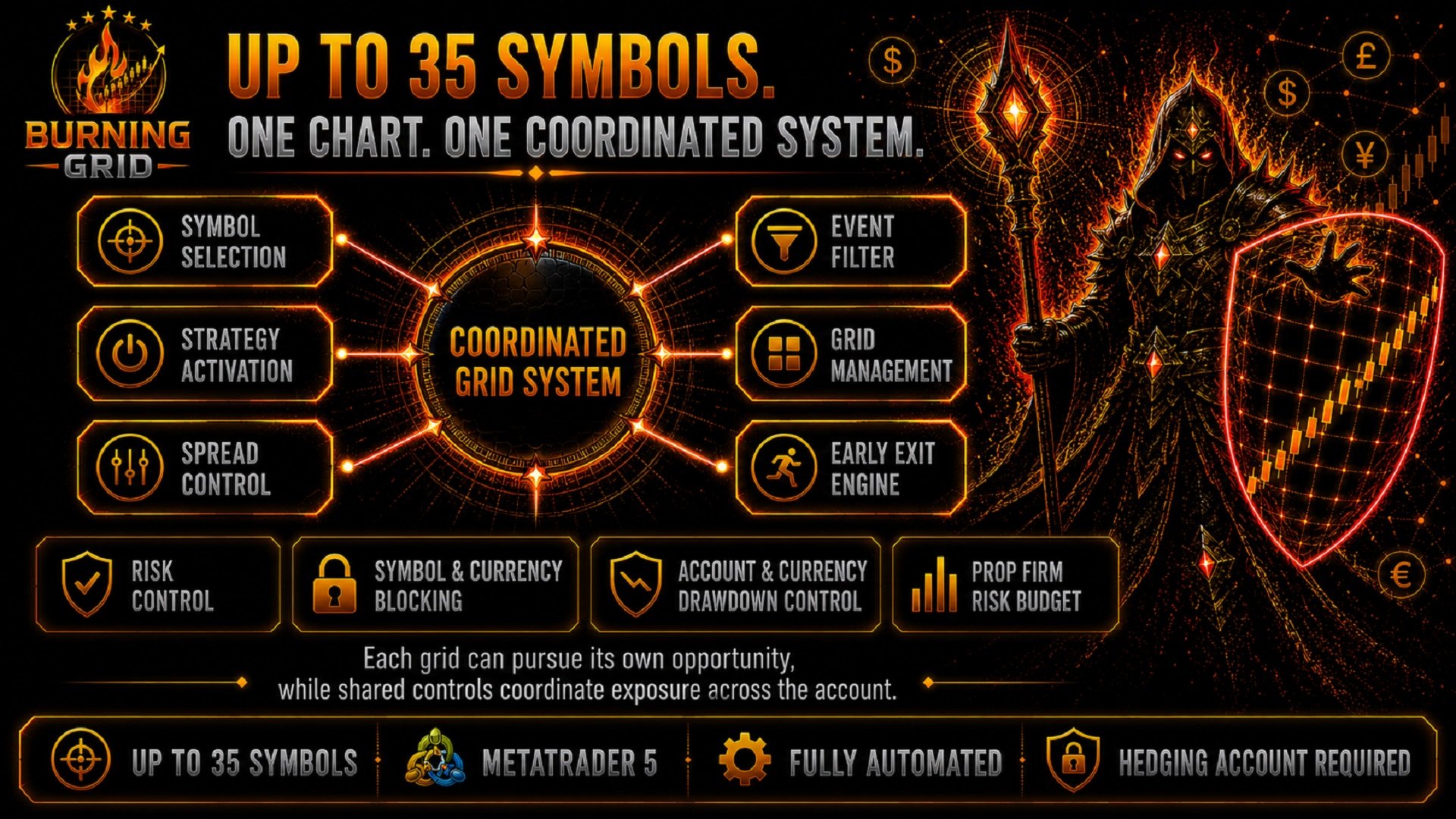
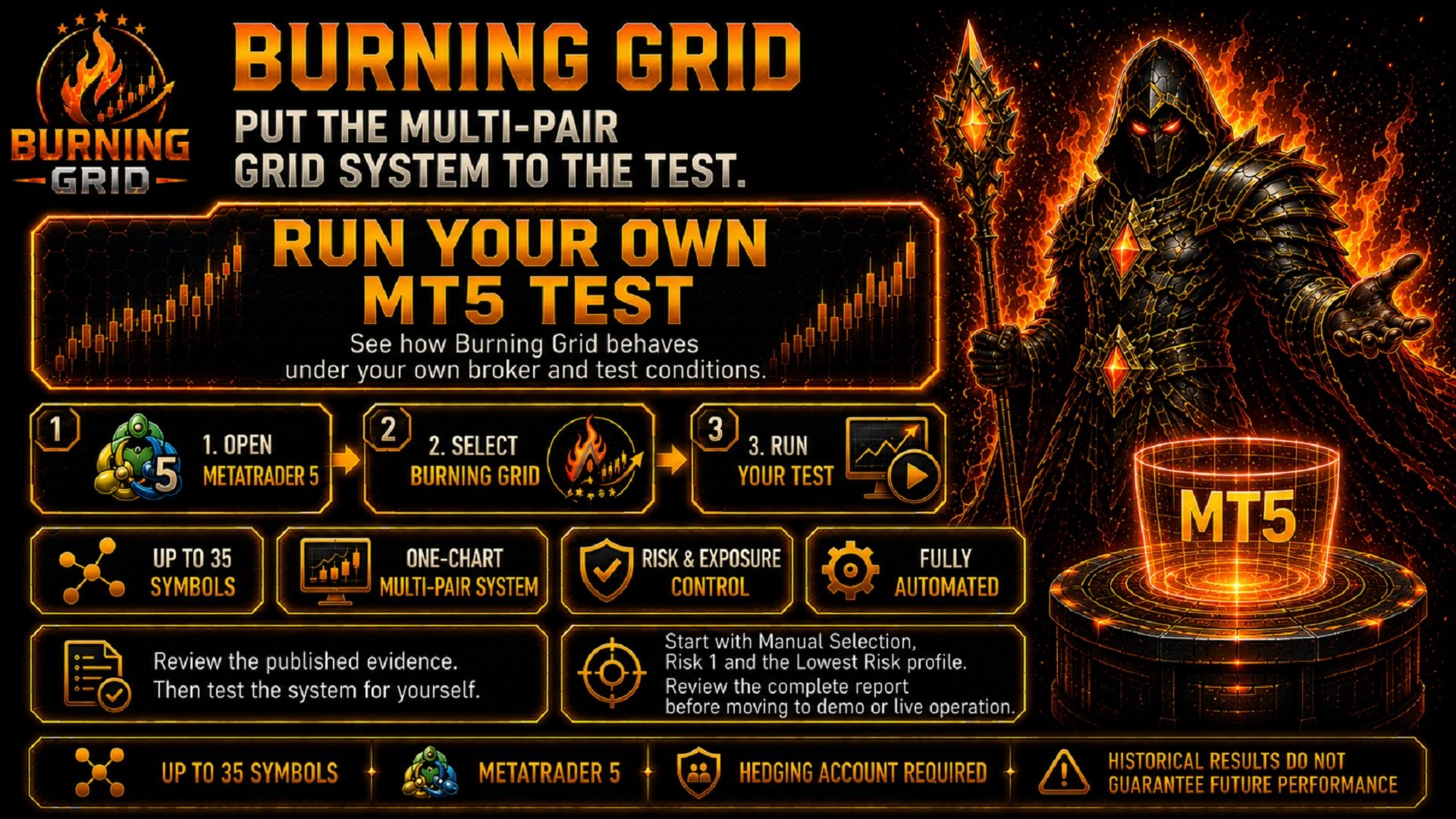
From one MetaTrader 5 chart, the EA can process up to 35 supported symbols. Different grid strategies can pursue their own opportunities, while shared controls coordinate risk, spreads, currency exposure, active grids and account-level limits across the system.
This creates a fully automated multi-pair grid portfolio without requiring a separate chart for every symbol.
| UP TO 35 SYMBOLS | ONE CHART | FULLY AUTOMATED |
| HEDGING ACCOUNT REQUIRED Burning Grid does not work on Netting accounts. |
IMPORTANT LINKS
| Manual | Open the Burning Grid Manual |
| Latest Setfiles | Download the Latest Burning Grid Setfiles |
| Community | Join the Burning Grid Community |
| Video Posts | Magma Software Solutions on YouTube |
| My Expert Advisors | View My Expert Advisors |
ONE CHART. ONE COORDINATED MULTI-PAIR SYSTEM.
Many grid Expert Advisors focus on one symbol and one isolated configuration.
Burning Grid takes a broader approach.
The EA can monitor and trade a large portfolio of supported currency pairs from one chart. Each strategy can react to its own symbol and market conditions, but it remains connected to shared portfolio controls.
The system coordinates:
- which symbols are enabled
- which strategies may become active
- separate Buy and Sell risk values
- the maximum permitted spread
- existing activity on the same symbol
- existing exposure to individual currencies
- economic-event restrictions
- running grid management
- account- and currency-level drawdown limits
- the available account-limit budget in Prop Firm Mode
| In simple terms: Each grid can pursue its own opportunity, while shared controls coordinate exposure across the account. |
RISK MANAGEMENT STARTS BEFORE A NEW GRID
A valid trading signal does not automatically mean that another grid should begin.
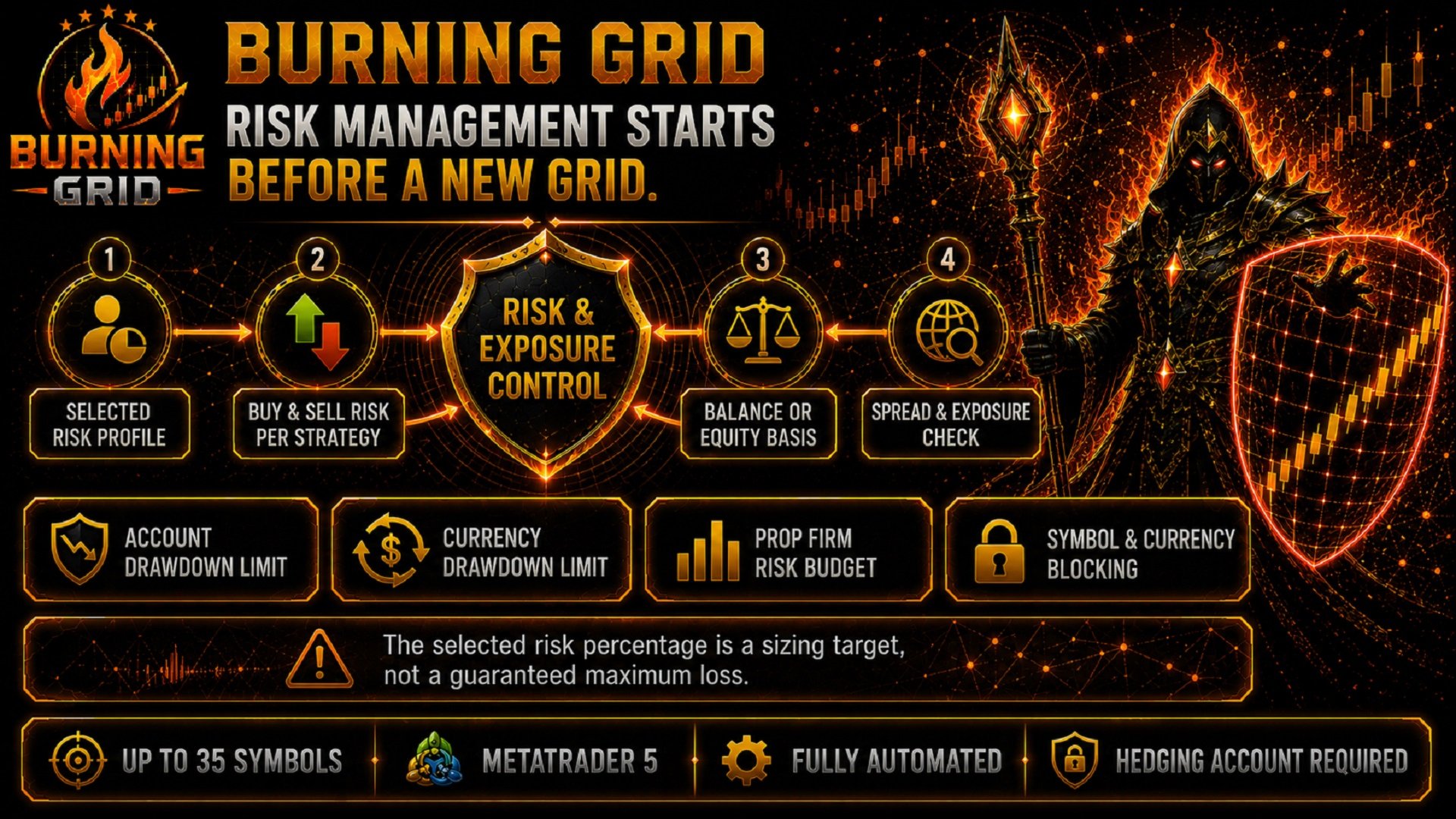
Before a new strategy is activated, Burning Grid can evaluate the selected risk profile, the Buy or Sell risk value, current spread conditions, existing symbol or currency exposure and the selected account mode.
- Lowest, Medium and High risk profiles
- Separate Buy and Sell risk percentages
- Balance- or Equity-based risk calculation
- Spread control before a new position
- Symbol and currency blocking
- Account-level drawdown control
- Currency-level drawdown control
- Account-limit budgeting for Prop Firm Mode
The selected risk percentage applies per strategy. If several strategies are active across several symbols, each strategy can carry its own risk allocation.
| Please note: The selected risk percentage is a sizing target, not a guaranteed maximum loss. Market gaps, slippage, execution conditions and the broker's minimum lot size can cause the realised result to differ from the selected percentage. |
ACCOUNT AND CURRENCY DRAWDOWN CONTROL
Burning Grid includes separate controls for the complete account and for exposure connected to individual currencies.
Account Drawdown Limit:
If the configured account drawdown level is exceeded, the EA can close its open positions, remove itself from the chart and block new activity for 24 hours.
Currency Drawdown Limit:
The EA can aggregate open-position drawdown across all Burning Grid positions involving the same currency.
For example, USD exposure can include positions from several different symbols. If the configured currency limit is exceeded, positions involving that currency can be closed and the affected currency can be blocked from new activity for 24 hours.
| Important: Drawdown controls are protective mechanisms. Market gaps, slippage and broker execution can cause the final realised result to exceed the configured value. |
WHEN BURNING GRID CAN STEP BACK
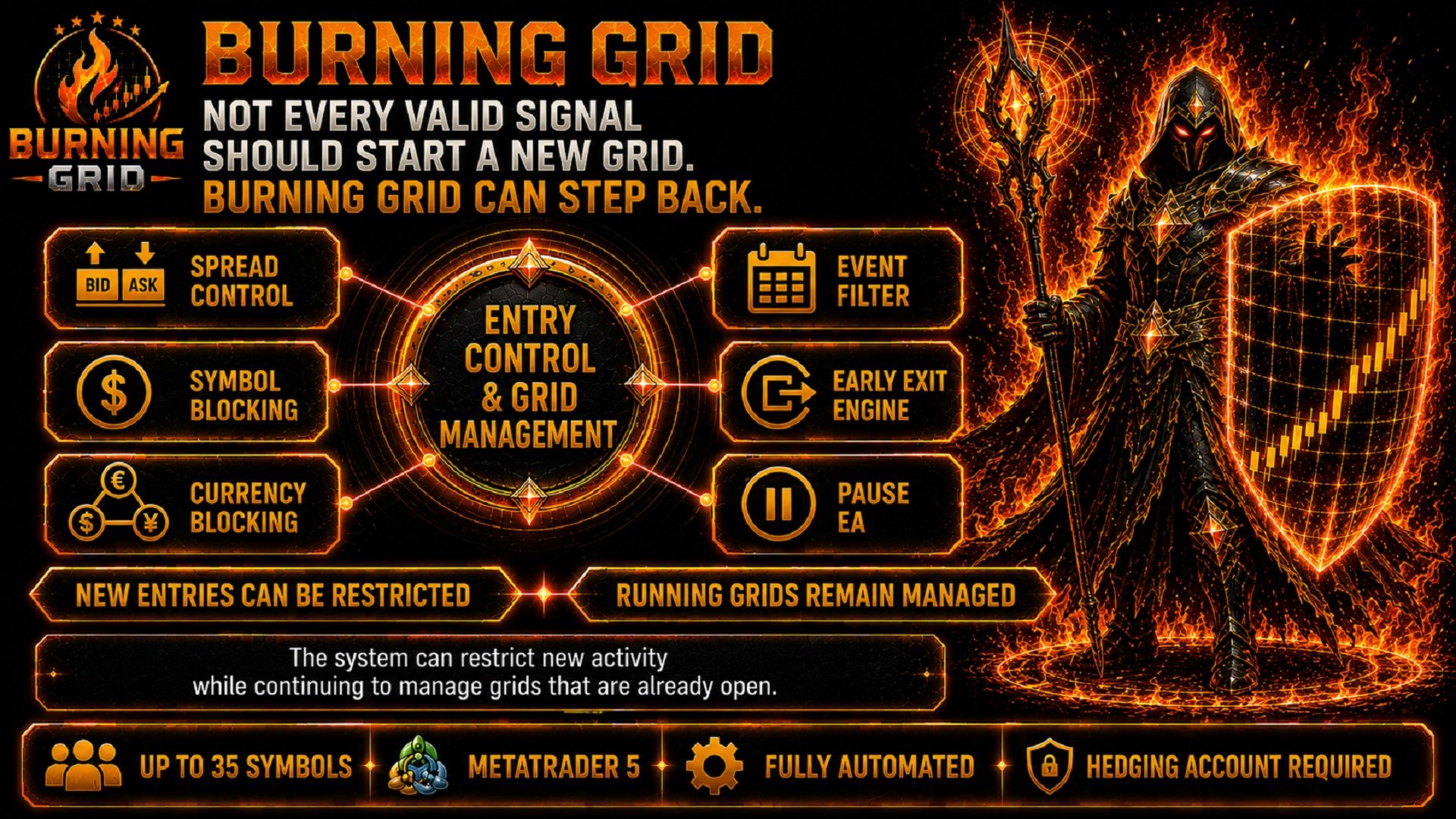
Not every valid signal should start a new grid.
Burning Grid includes several controls that can restrict new activity while continuing to manage grids that are already open.
- Spread Control: New entries can be restricted when the configured spread condition is not met.
- Symbol Blocking: Another strategy can be prevented from starting on a symbol that is already active.
- Currency Blocking: New activity can be restricted when either currency is already involved in another running strategy.
- Event Filter: New affected strategies can be restricted around relevant economic events.
- Early Exit Engine: A longer-running grid can be reassessed before another level is added.
- Pause EA: New strategies are prevented while existing positions and rebuys continue to be managed.
The Early Exit Engine checks whether the market conditions behind a running strategy are still valid when another grid level would normally be added. If conditions have changed too far, the strategy can close instead of adding the next level.
| Important distinction: The Early Exit Engine provides another decision point. It does not guarantee that every losing grid will close with a small loss. |
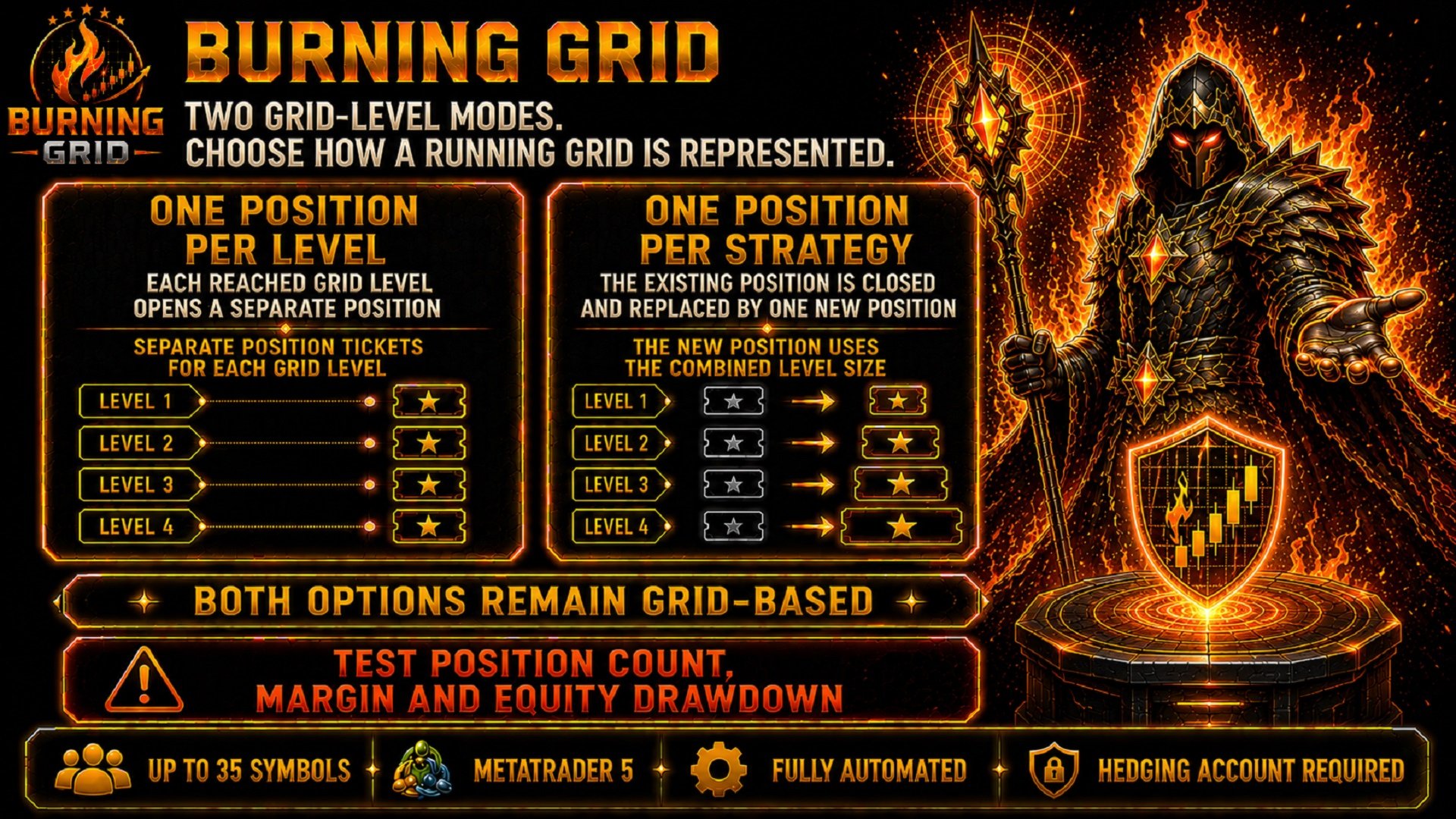
TWO GRID-LEVEL MODES
Burning Grid allows the user to choose how the levels of a running grid are represented inside MetaTrader 5.
| ONE POSITION PER LEVEL | ONE POSITION PER STRATEGY |
| Every reached grid level opens a separate position. | The strategy maintains one active position. |
| Each level remains visible as its own position ticket. | When another level is reached, the existing position is closed and replaced by one new position using the combined level size. |

Both options remain grid-based.
One Position per Strategy can reduce the number of simultaneous position tickets. It does not remove grid progression or increasing level exposure.
Test the position count, required margin and drawdown behaviour under the intended broker conditions before live operation.
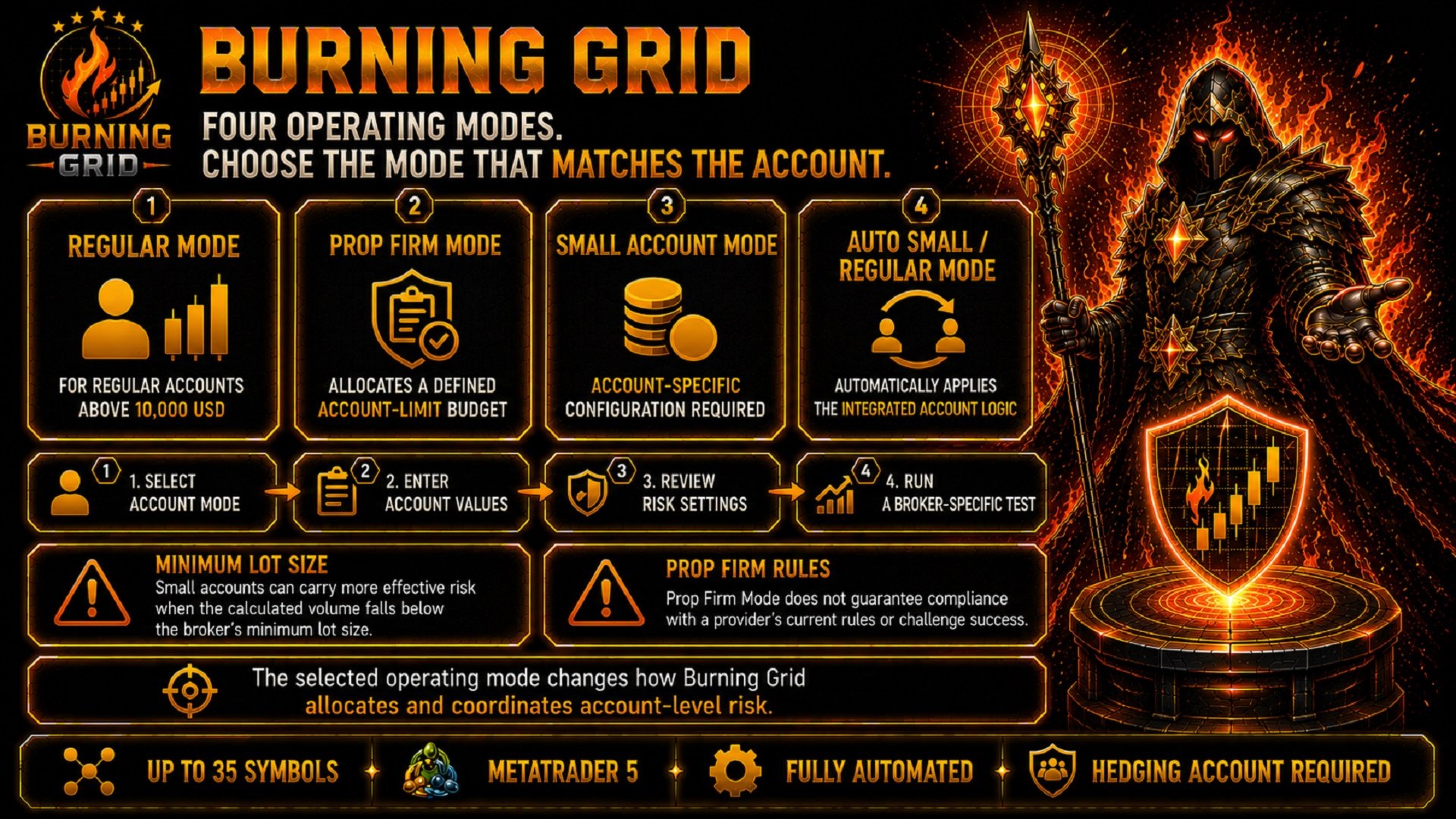
FOUR OPERATING MODES
Burning Grid can be adapted to different account structures through four operating modes.
Regular Mode
Intended for regular trading accounts above 10,000 USD.
Prop Firm Mode
Uses the account starting balance and a defined account-limit value. Before a new strategy starts, Burning Grid checks whether the allocated strategy risk still fits inside the remaining limit budget.
Small Account Mode
Designed for balances below 10,000 USD and used with an account-specific configuration.
Auto Small / Regular Mode
Automatically applies the integrated Small Account or Regular Account logic.
| Minimum lot size: On small accounts, the broker's minimum lot size can create more effective risk than the selected percentage suggests. |
| Prop firm rules: Prop Firm Mode does not guarantee compliance with a provider's current rules and does not guarantee challenge or funded-account success. |
THE PUBLISHED HISTORICAL RESULTS
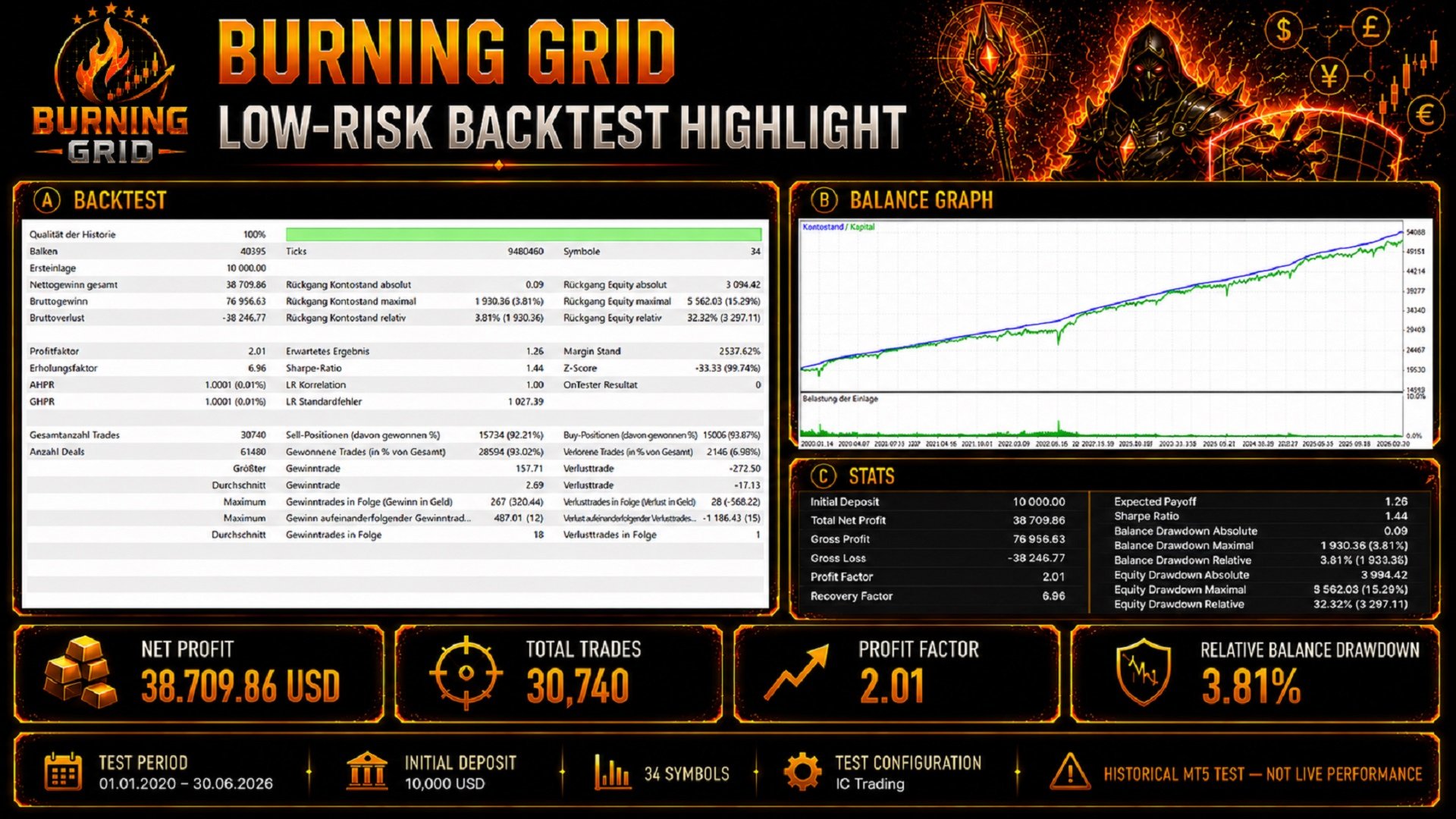
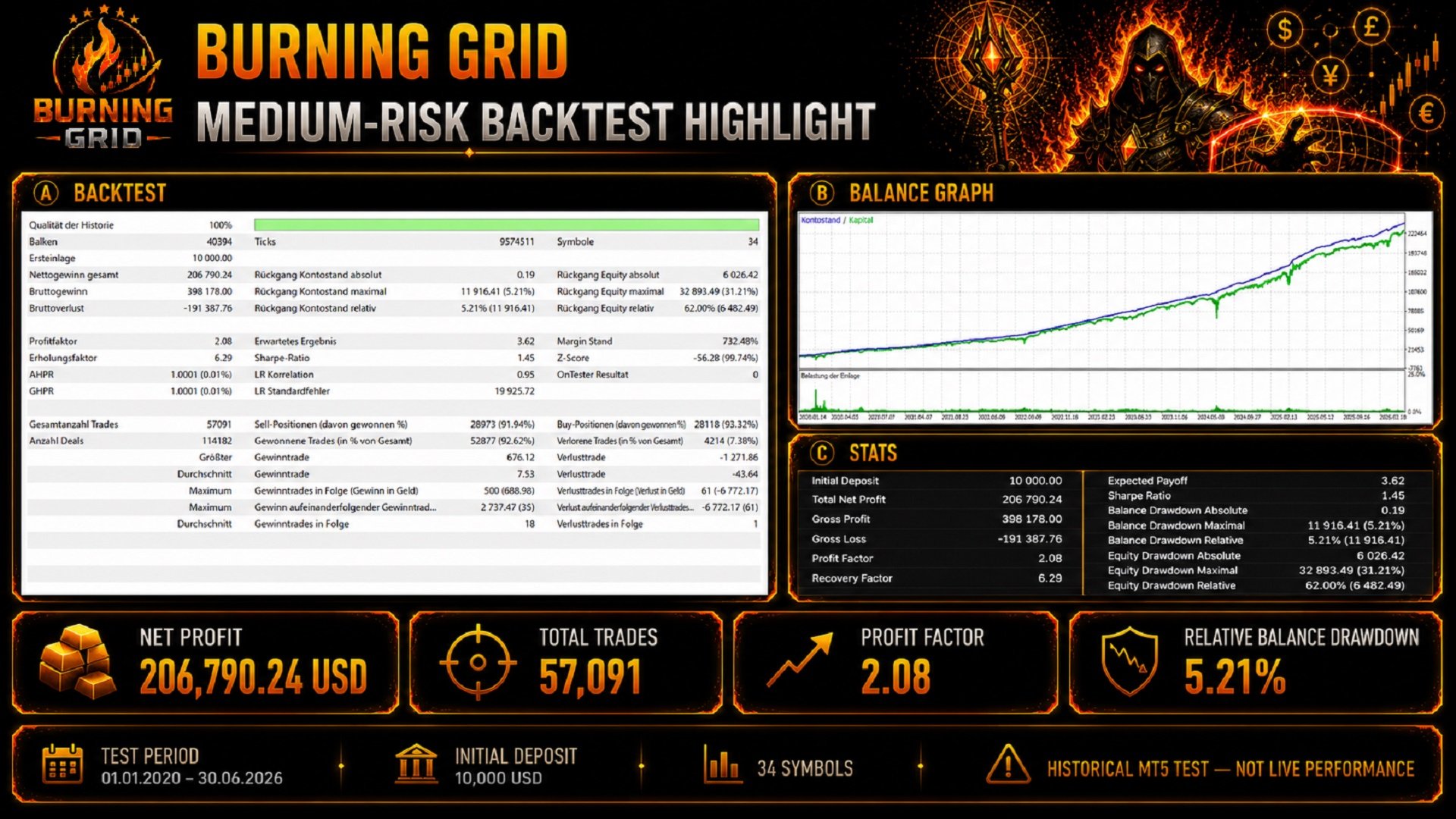
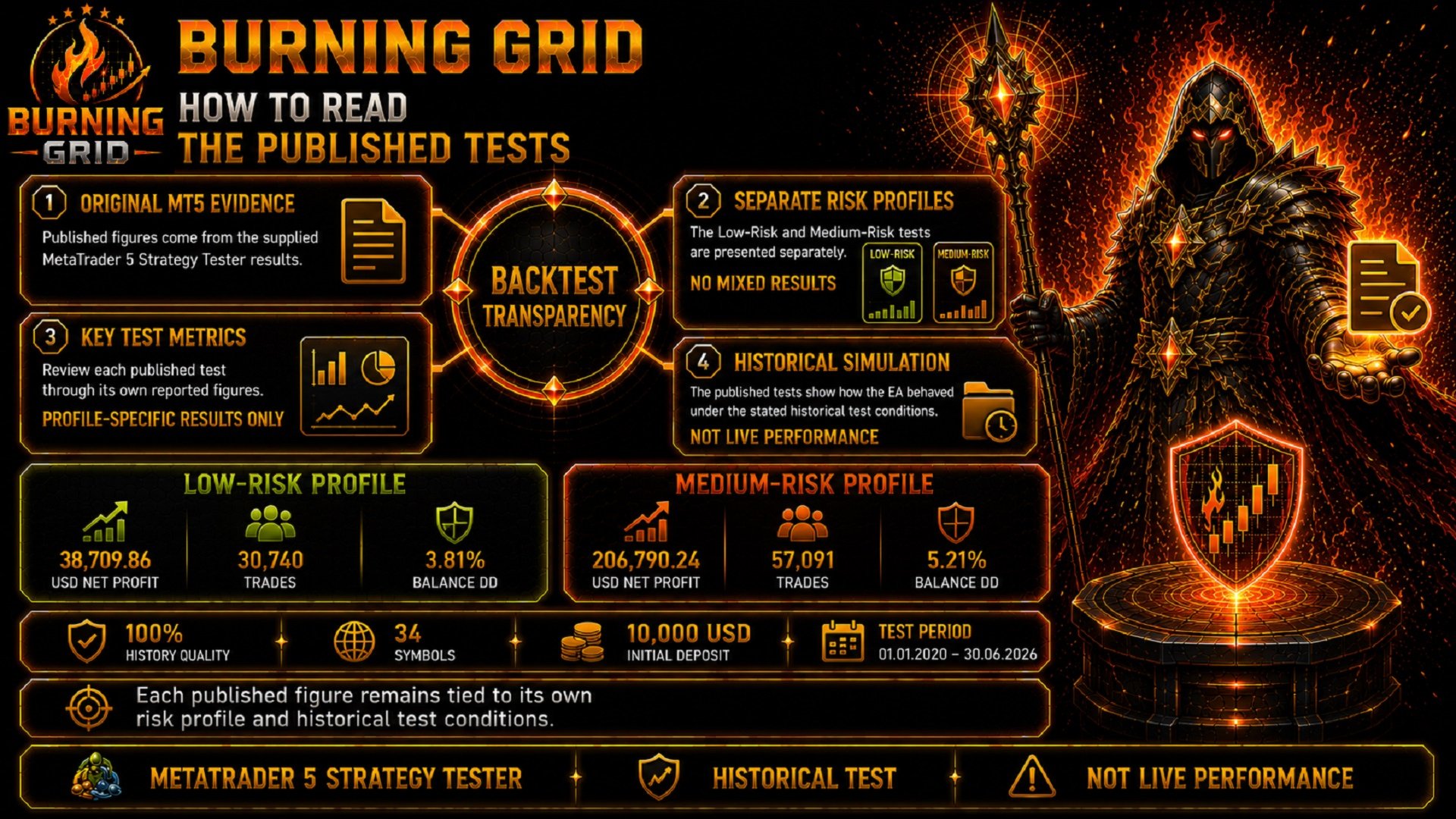
The complete MetaTrader 5 reports, Balance graphs and exact test figures are shown in the product images.
The published Low-Risk test started with 10,000 USD and produced 38,709.86 USD in total net profit.
The result was built across 30,740 completed trades, with a Profit Factor of 2.01 and Relative Balance Drawdown of 3.81%.
| LOW-RISK PROFILE 10,000 USD START 38,709.86 USD NET PROFIT 30,740 trades Profit Factor 2.01 Relative Balance Drawdown 3.81% |
The published Medium-Risk test also started with 10,000 USD.
That separate profile produced 206,790.24 USD in total net profit across 57,091 completed trades, with a Profit Factor of 2.08 and Relative Balance Drawdown of 5.21%.
| MEDIUM-RISK PROFILE 10,000 USD START 206,790.24 USD NET PROFIT 57,091 trades Profit Factor 2.08 Relative Balance Drawdown 5.21% |
Both published tests cover the period from 1 January 2020 to 30 June 2026 and processed 34 symbols with 100% History Quality.
The Low-Risk and Medium-Risk results are separate historical test profiles. Their figures are not combined, averaged or presented as one result.
| These are historical MetaTrader 5 Strategy Tester results. They are not live-account results and they do not predict or guarantee future performance. |
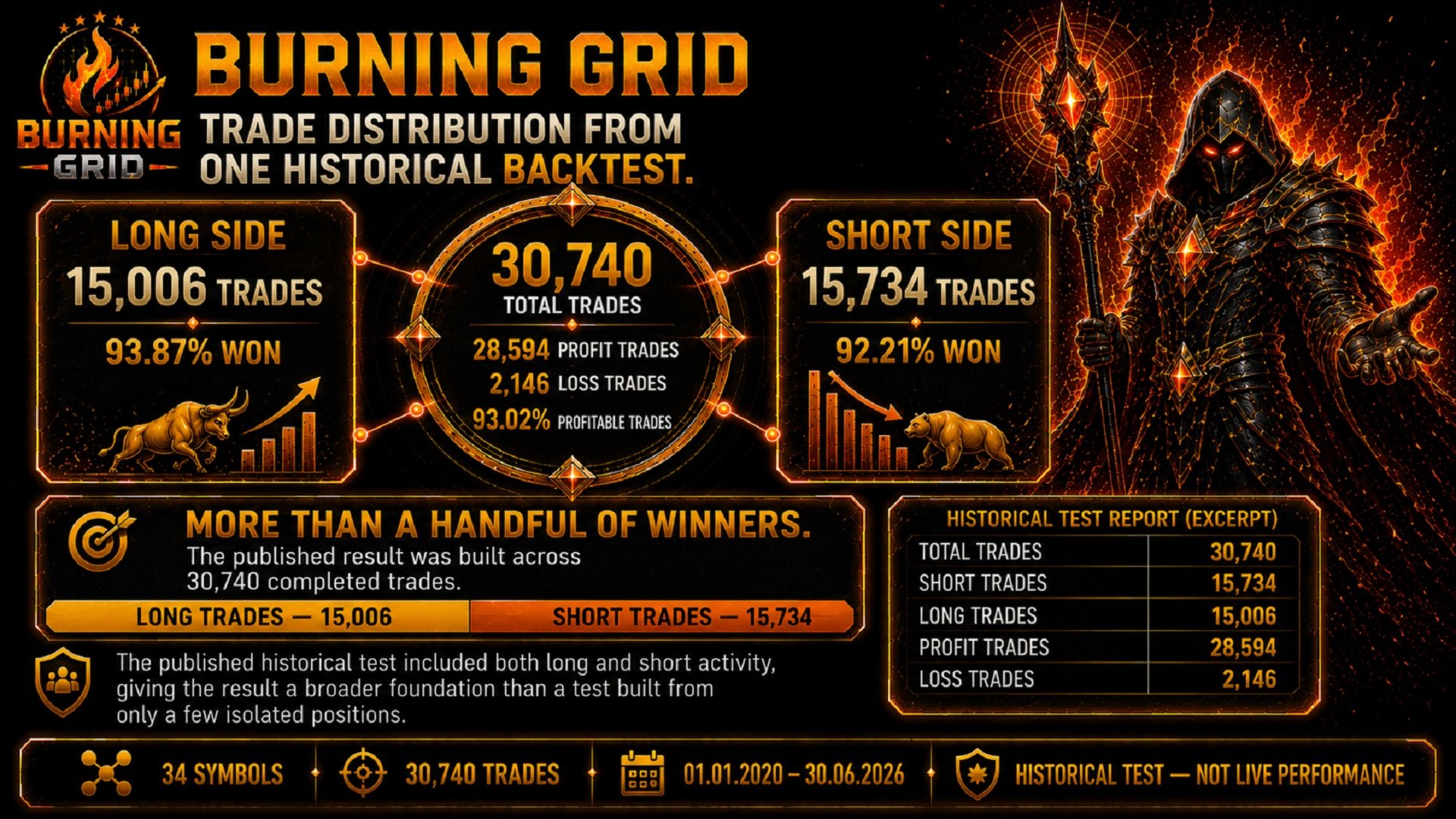
30,740 COMPLETED TRADES — ACTIVE IN BOTH DIRECTIONS
A historical result built across a larger number of completed trades provides more context than a test based on only a few isolated positions.
The published Low-Risk test included 30,740 completed trades and activity on both sides of the market.
| 15,006 LONG TRADES | 15,734 SHORT TRADES |
| 93.87% won | 92.21% won |
The complete Low-Risk test recorded:
- 28,594 profitable trades
- 2,146 losing trades
- 93.02% profitable trades
This does not mean that the same win rate will continue in future trading. It shows only how Burning Grid behaved under the published historical test conditions.
LIVE SIGNALS
The following MQL5 signal pages show separate Burning Grid accounts and risk configurations.
| iFunds 85K - 2nd Scale Up! | Open Signal |
| ICTrading - Low Risk | Open Signal |
| ICTrading - Medium Risk | Open Signal |
| ICTrading - High Risk | Open Signal |
Every signal should be reviewed independently. Broker conditions, deposits, withdrawals, risk settings and trading periods can differ between accounts.
Signal results must not be combined with the published Strategy Tester profiles.
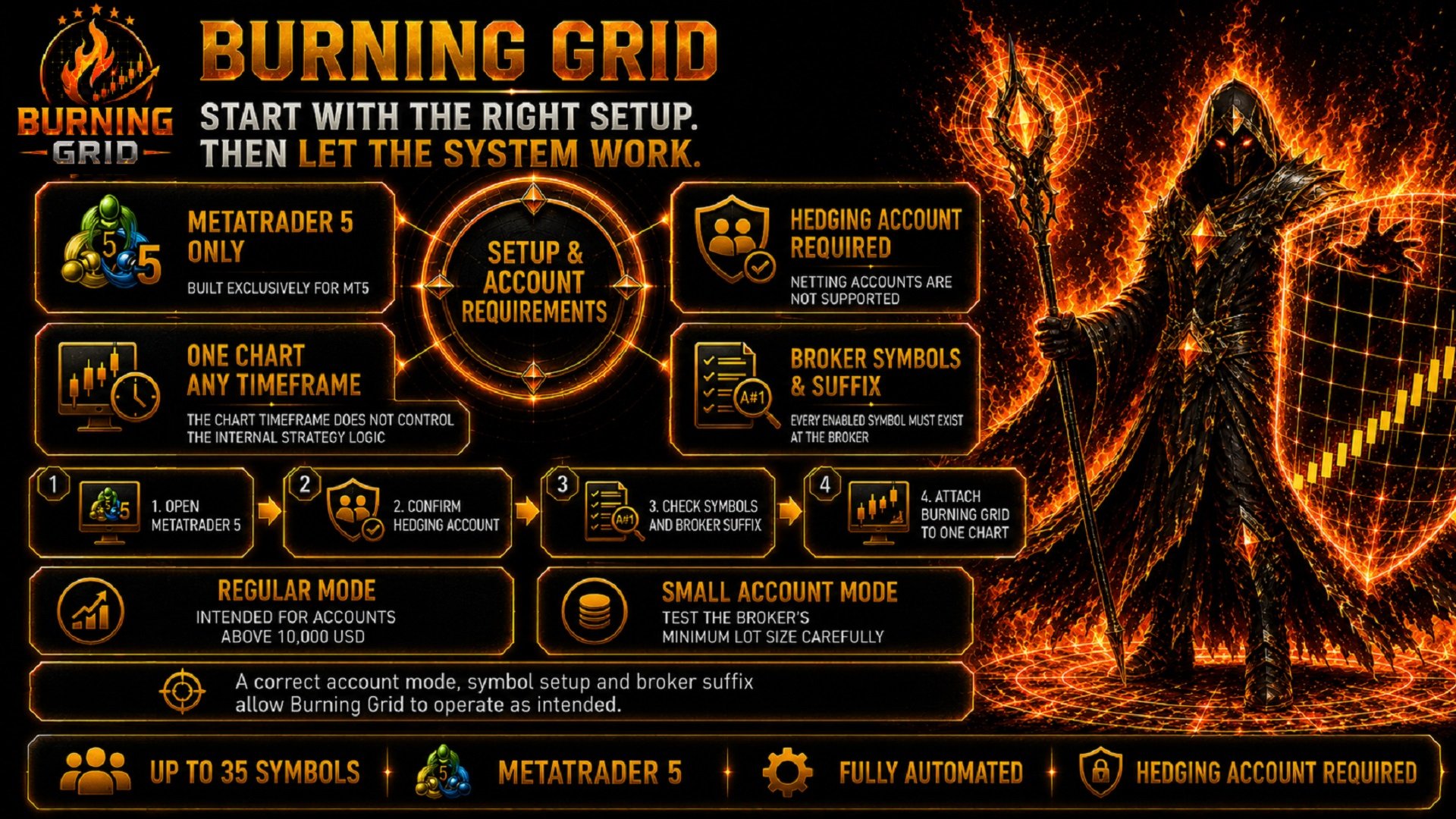
WHAT YOU NEED TO RUN BURNING GRID
Burning Grid is developed exclusively for MetaTrader 5 and multi-pair grid trading.
- Platform: MetaTrader 5
- Account type: Hedging account required
- Netting accounts: Not supported
- Charts required: One chart
- Chart timeframe: The chart timeframe does not control the internal strategy logic
- Supported portfolio: Up to 35 symbols
- Broker symbols: Every enabled symbol must be available at the broker
- Symbol suffix: Enter the exact broker suffix where applicable
- Algo Trading: Must be enabled
- VPS: Recommended for continuous operation
| BURNING GRID REQUIRES A HEDGING ACCOUNT Netting accounts are not supported. |
Broker conditions can influence the result. Spread, commission, swaps, leverage, execution, slippage, available margin, symbol specifications and minimum lot size can differ between trading accounts.
TEST IT UNDER YOUR OWN CONDITIONS
The published screenshots show how Burning Grid behaved under the stated historical test conditions.
Your broker data, symbol configuration, spread and execution conditions may produce a different result.
| RUN YOUR OWN METATRADER 5 TEST |
- Open the MetaTrader 5 Strategy Tester.
- Select Burning Grid.
- Use Manual Selection for the symbol portfolio.
- Enter the exact suffix used by your broker.
- Begin with Risk 1 and the Lowest Risk profile.
- Disable graphics for a faster first test.
- Use the leverage intended for your trading account.
- Run the historical test.
- Review the complete report and Balance graph.
- Compare the result with the published evidence.
When sufficient full-period tick data is unavailable, the manual recommends using 1 Minute OHLC for a long multi-symbol test.
Because more than 30 currency pairs can be processed during a test, the calculation can take several hours depending on the CPU, modelling mode and available historical data.
Manual:
Open the Burning Grid Manual
Latest Setfiles:
Download the Latest Burning Grid Setfiles
FREQUENTLY ASKED QUESTIONS
How many symbols can Burning Grid process?
Burning Grid can process up to 35 supported symbols from one chart.
How many charts are required?
Only one chart is required.
Does the selected chart timeframe matter?
No. The chart timeframe does not control the internal strategy logic.
Can Burning Grid run on a Netting account?
No. Burning Grid requires a Hedging account. Netting accounts are not supported.
Does Burning Grid use Grid logic?
Yes. Grid progression is a central part of the system.
What is the difference between the two Grid-Level Modes?
One Position per Level opens a separate position for every reached grid level. One Position per Strategy replaces the existing position with one new position using the combined level size. Both modes remain grid-based.
Does the selected risk percentage apply to the complete account?
No. The separate Buy and Sell risk percentages apply per strategy. Several strategies can therefore carry their own risk allocations at the same time.
What does Symbol Blocking do?
It can prevent another strategy from starting when a Burning Grid strategy is already running on the same symbol.
What does Currency Blocking do?
It can prevent new activity when either currency is already involved in another active strategy.
What does the Event Filter do?
It can restrict new affected strategies around relevant economic events. Grids that are already active continue to be managed.
What does the Early Exit Engine do?
It can reassess a longer-running grid before another level is added. If the original market conditions have changed too far, the strategy can close instead of adding the next level.
What does Pause EA do?
Pause EA prevents new strategies while existing positions and rebuys continue to be managed.
Can Burning Grid be used with a prop firm account?
Burning Grid includes a Prop Firm Mode that coordinates allocated strategy risk against a defined account-limit budget. It does not guarantee compliance with a provider's rules or successful completion of a challenge.
Can Burning Grid be used on a small account?
Small Account Mode is available, but the broker's minimum lot size can materially increase effective risk. Test the exact broker, leverage and symbol configuration before use.
Why are no trades opened?
The broker spread may be above the configured maximum, a required symbol may be unavailable or the wrong symbol-selection mode may have been used during the backtest.
Will I receive the same historical results?
Not necessarily. Results can differ because of broker data, spread, commission, swaps, leverage, execution, slippage, symbol specifications, minimum lot size and the selected settings.
IMPORTANT RISK INFORMATION
Automated trading involves risk.
Burning Grid is a multi-symbol, multi-strategy grid system. Several strategies and symbols can be active at the same time, and later grid levels can increase exposure.
The selected risk percentage is used as a strategy-sizing value. It is not a guaranteed maximum account loss.
Account- and currency-level drawdown controls are protective mechanisms. Market gaps, slippage and execution conditions can cause the realised result to exceed a configured value.
Historical tests show how Burning Grid behaved under specific past market and test conditions. They do not predict or guarantee future trading results.
Review the settings carefully, begin with the demo and choose an account mode, risk profile and symbol configuration that match the amount of risk you can tolerate.
| PUT THE MULTI-PAIR GRID SYSTEM TO THE TEST Review the published evidence. Then test Burning Grid under your own MetaTrader 5 broker and Strategy Tester conditions. |
| MANUAL | LATEST SETFILES | COMMUNITY |
| VIDEO POSTS | MY EXPERT ADVISORS | HEDGING ACCOUNT REQUIRED |


Burning Grid is one of the most mature grid EA's CWDT has tested on MT5. What stands out is the strong risk-control framework (drawdown limits, per-strategy risk settings, and protective “kill switch” logic) plus practical environment filters like spread and news/event protection. The different trade modes and per-symbol overrides make it flexible for building a diversified multi-pair setup without being locked into a one-size-fits-all configuration. The Burning Grid MQL5 group is also very active and dynamic, with plenty of practical advice from experienced traders as well as direct input from the developer Markus Magera. Documentation is clear and support has been responsive and transparent. As with any grid system, it’s not “set-and-forget”—use conservative risk and validate with backtests and forward testing. This is one of the best GRID on mql5 so far.