ReboundCorridor MT4
- Indicators
-
Evgeniy Zhdan
 🚀 Products for MT4 & MT5. Only the best and truly useful tools for traders: https://www.mql5.com/en/users/trendhunter/seller
➖➖➖➖➖➖➖➖➖➖➖➖➖➖➖➖➖➖➖➖➖➖ - Version: 1.0
- Activations: 10
REBOUND CORRIDOR — indicator for MetaTrader 4
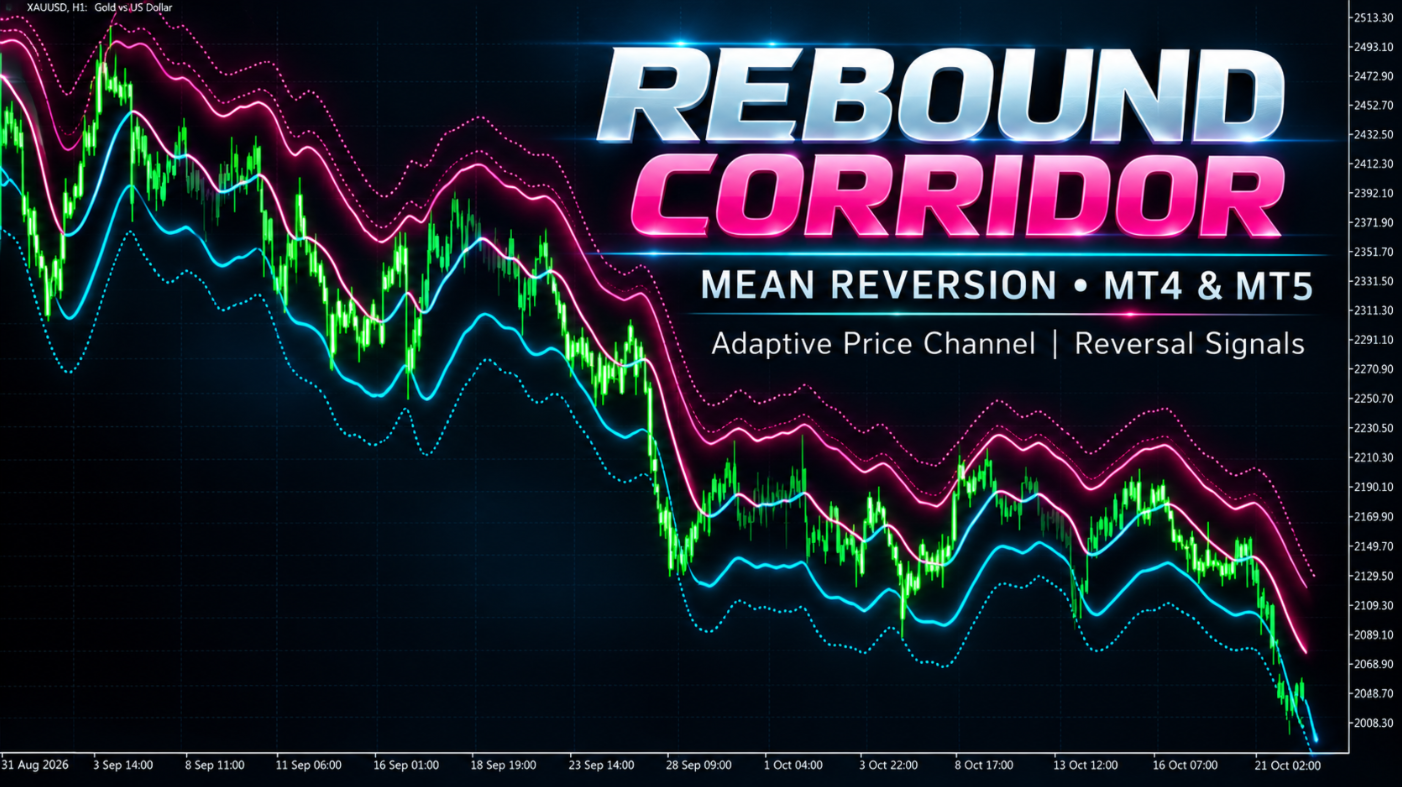
Rebound Corridor builds an adaptive corridor around price and marks the moments when price pushes beyond its edge and turns back toward the centre. It is designed for pullback and mean-reversion trading.
MT5-version: https://www.mql5.com/en/market/product/203386
WHAT YOU SEE ON THE CHART
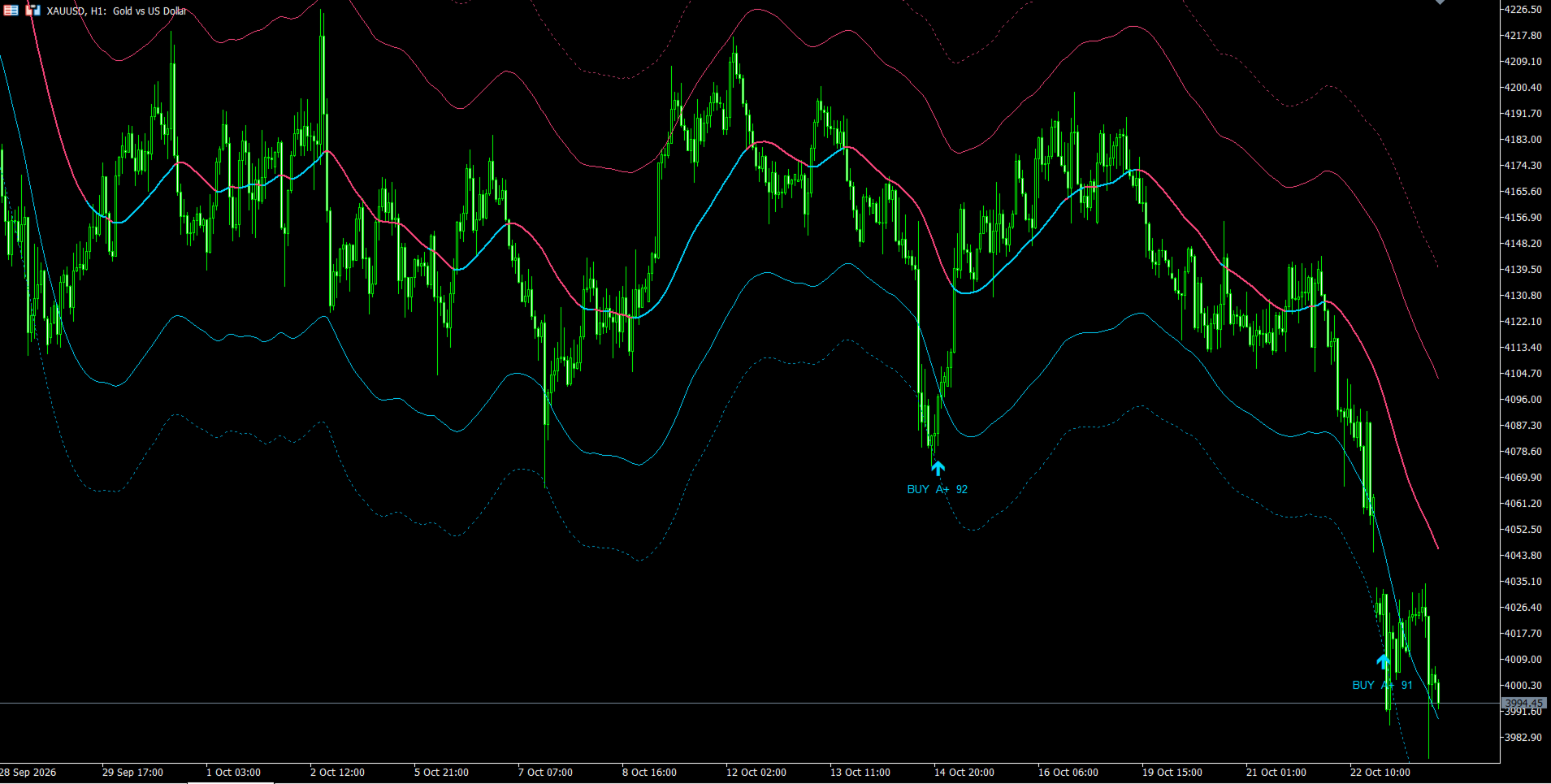
- Central line (the corridor axis). Its colour shows the current market bias: cyan — bullish, pink — bearish, violet — neutral.
- Inner bands (solid lines) — the zone of normal price movement.
- Outer bands (dotted lines) — the zone of extreme deviations.
- Up arrow under a candle — buy signal (rebound from the lower edge).
- Down arrow above a candle — sell signal (rebound from the upper edge).
- Text next to an arrow — signal direction, its class and its score.
WHAT THE SIGNAL LABEL MEANS (for example "BUY A 72")
The indicator has no separate panel — all information is shown in the labels next to the arrows.
- BUY / SELL — signal direction.
- Letter — signal class: A+ (90 and above), A (80–89), B (70–79), C (60–69), D (below 60).
- Number — signal quality score from 0 to 100. The higher the score, the more convincing the reversal: price tested the outer zone more deeply, the candle is more decisive, the momentum is clearer.
The labels help you quickly separate strong signals from weak ones and decide which to trade.
HOW TO USE
- A signal appears only after the candle closes and never disappears or repaints afterwards.
- The first target is the central line. A further target is the opposite inner band.
- A protective stop is conveniently placed beyond the extreme of the signal candle or beyond the outer band.
- The axis colour helps judge the background: signals in the direction of the axis colour are more reliable; counter-trend signals against a strong trend require caution.
- Give priority to A+ and A signals. For more frequent trading you may also take B–C.
- The indicator works on any symbol and timeframe, best on M15–H4. Fine-tune the settings for your symbol on history.
SETTINGS
- Calculation Mode — the way market direction is assessed, which drives the colour and position of the axis. Fusion — a combined assessment; Trend Spread — a simplified assessment based on the gap between two averages.
- Reaction Length — period of the fast average. Lower value — faster reaction of the axis to market changes.
- Trend Length — period of the slow average. Must be greater than Reaction Length. Higher value — calmer and steadier background.
- MA Method — smoothing type: EMA, SMA, WMA, HMA, RMA, VWMA. Affects the speed and smoothness of the response.
- Axis Anchor Period — period of the axis base line. Higher value — smoother and slower axis.
- ATR Multiplier — corridor width. Higher value — wider corridor, fewer signals, but deeper deviations.
- Outer Band Ratio — how many times farther the outer band is from the axis compared to the inner band.
- Band ATR Period — period of the volatility estimate that sets the corridor width. Higher value — width changes more smoothly.
- Band Smooth Period — smoothing of the axis and bands. Higher value — smoother lines, but with more lag.
- Signal Quality — strictness of signal filtering. Responsive — more signals; Balanced — a compromise; Selective — fewer signals of higher quality.
- Minimum Signal Spacing (Bars) — minimum number of bars between two signals. The value cannot be lower than the minimum set by the Signal Quality mode.
- Outside Band Buffer — how far beyond the inner band price must close for the situation to qualify for a signal.
- Required Outside Test — how deeply price must have recently pushed beyond the inner band. Higher value — stricter and rarer signals.
- Show Bands — show or hide the inner and outer bands.
- Show Signal Arrows — show or hide signal arrows.
- Show Signal Labels — show or hide the labels (direction, class, score) next to arrows.
- Bars to Calculate — how many recent bars the indicator processes. Lower value — lighter load on the terminal.
- Popup Alert — pop-up window on a new signal.
- Push Notification — push notification to the MetaTrader mobile app on a new signal.