TradePilot Essential MT4
- Utilities
-
Duc Hoan Nguyen
 ->| I am a dedicated developer and programmer specializing in MQL4, MQL5, and Pine Script for TradingView, with a strong track record of success in building high-performing, tailored solutions for MT4, MT5, and TradingView platforms. Over the years, I have worked extensively within the financial and
 - Version: 1.0
- Activations: 5
TradePilot Essential is a practical trading utility for MT4 and MT5 that brings order placement, position management, and risk control into one clear panel directly on the chart.
Instead of opening multiple windows or modifying each order separately, traders can perform essential operations from a centralized interface while monitoring account information, trading volume, and current position status.
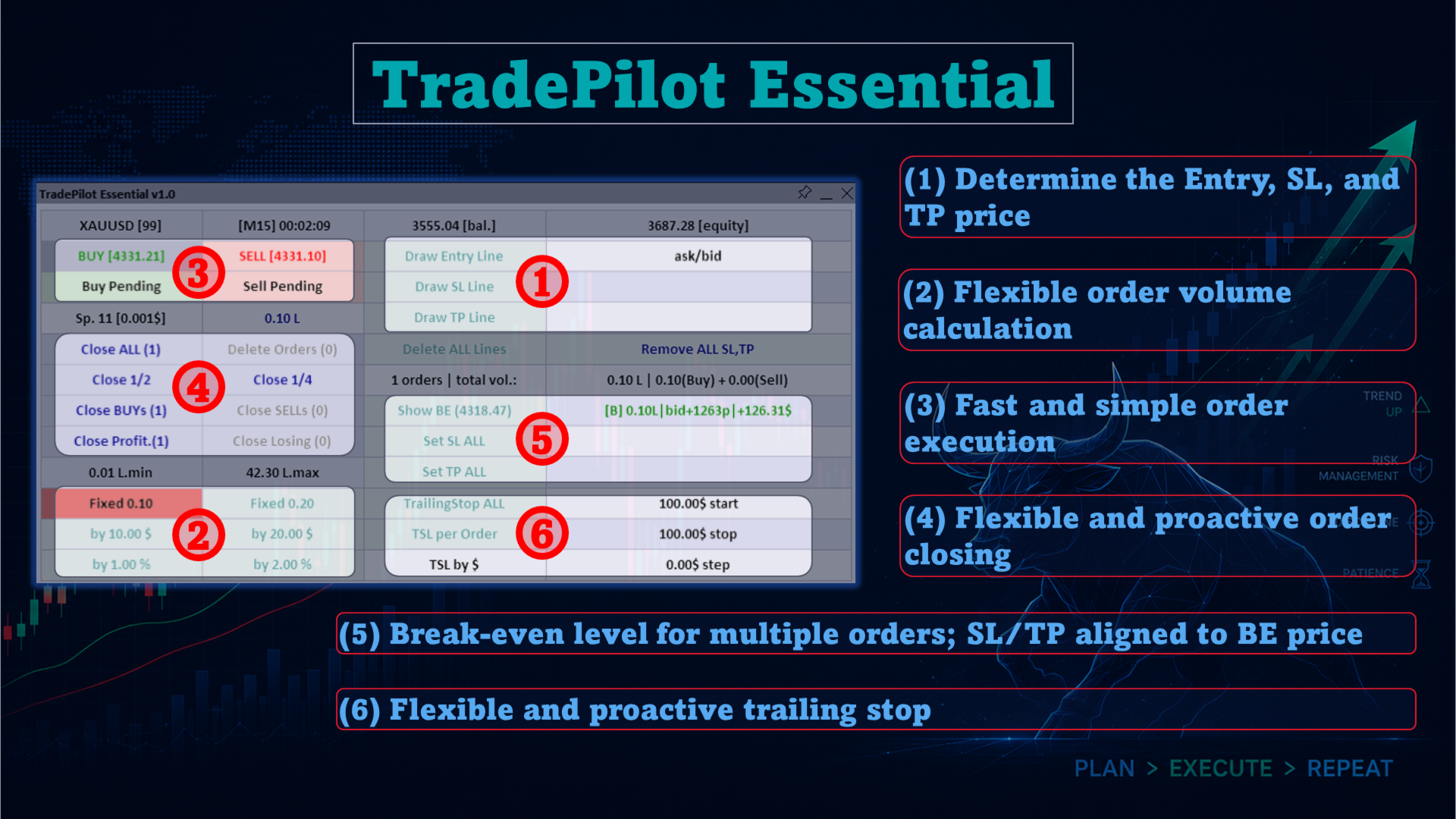
Fast and Flexible Order PlacementTradePilot Essential supports both market orders and pending orders, including Buy, Sell, Buy Pending (Stop/Limit), and Sell Pending (Stop/Limit).
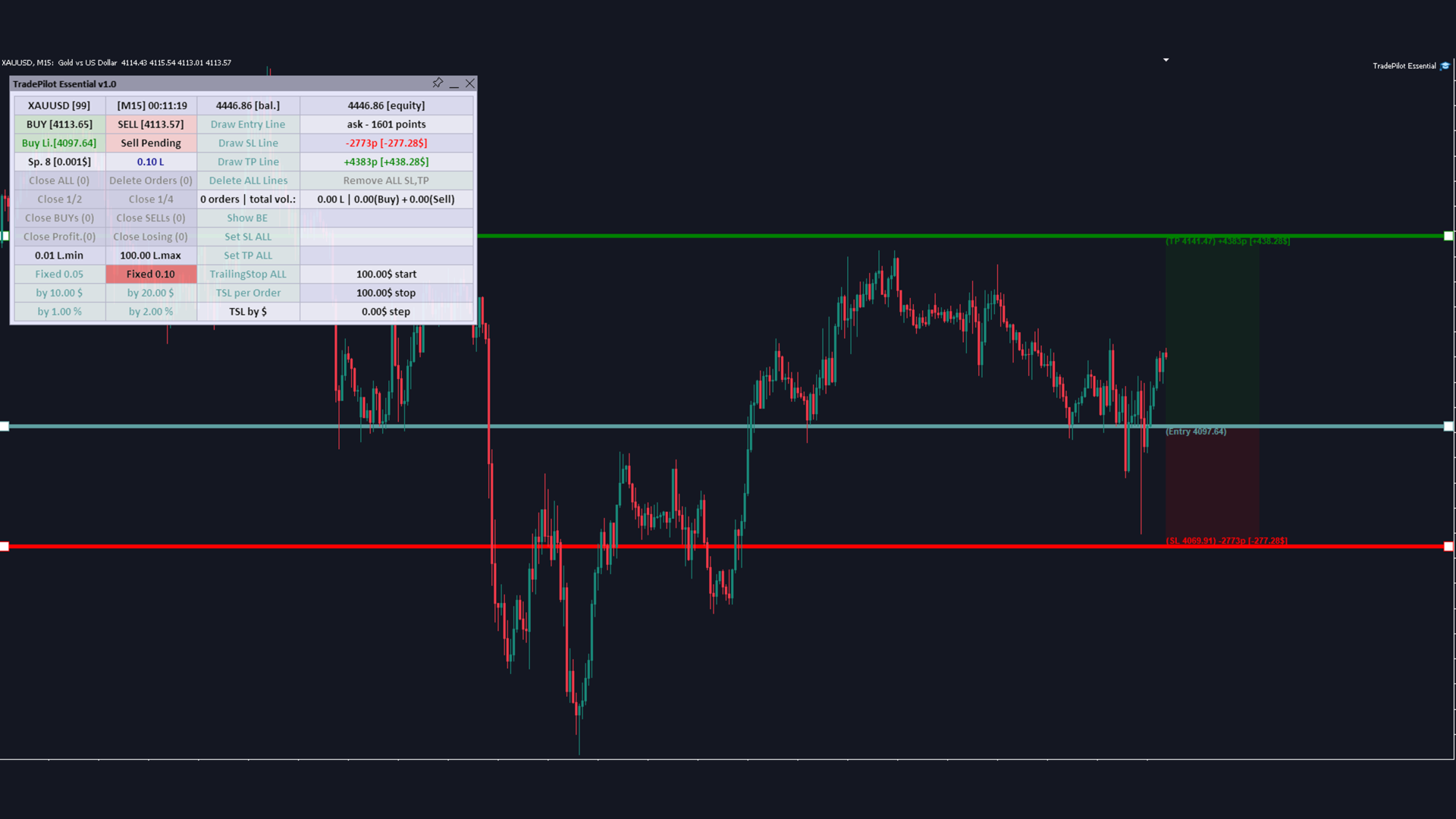
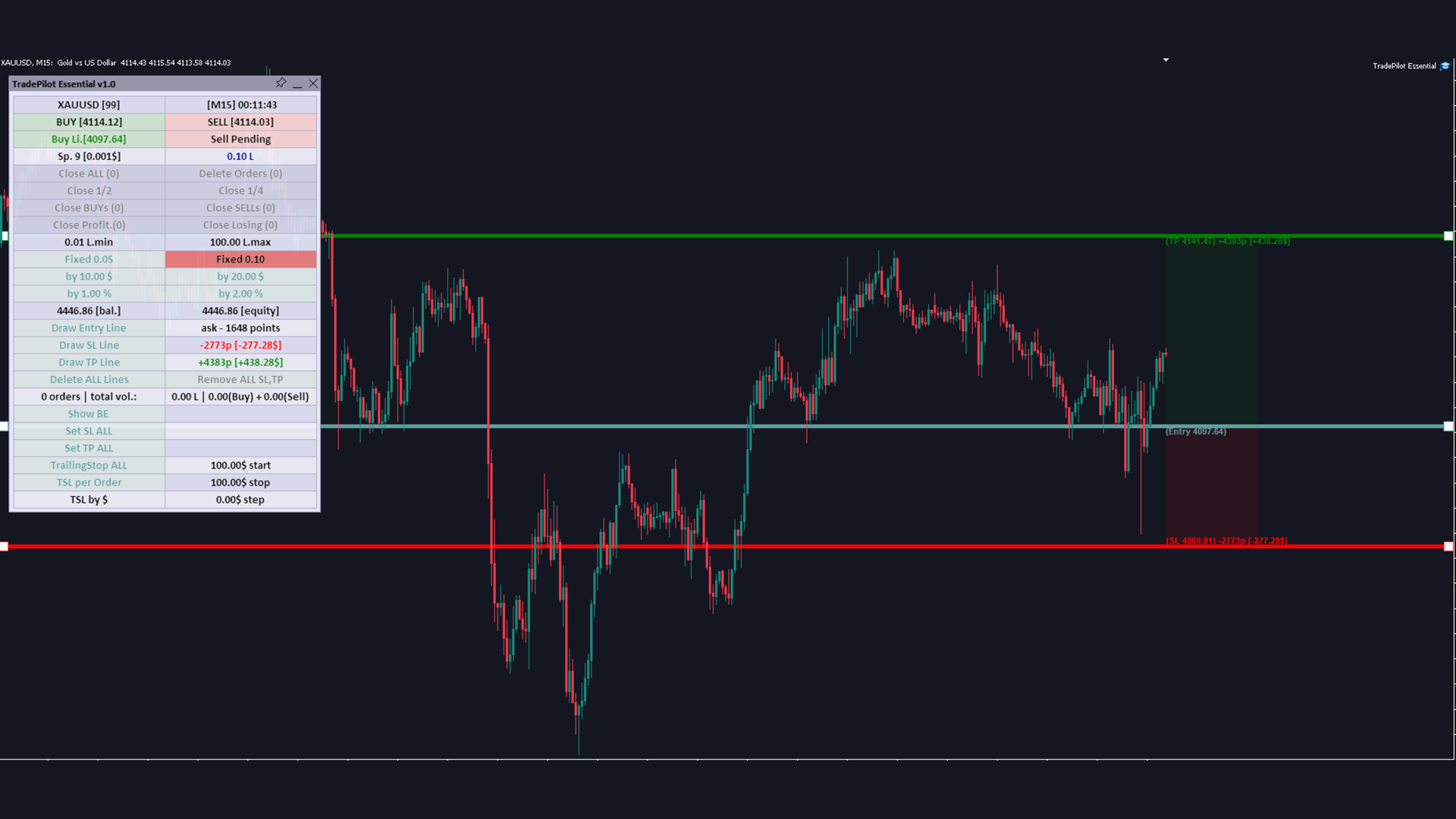
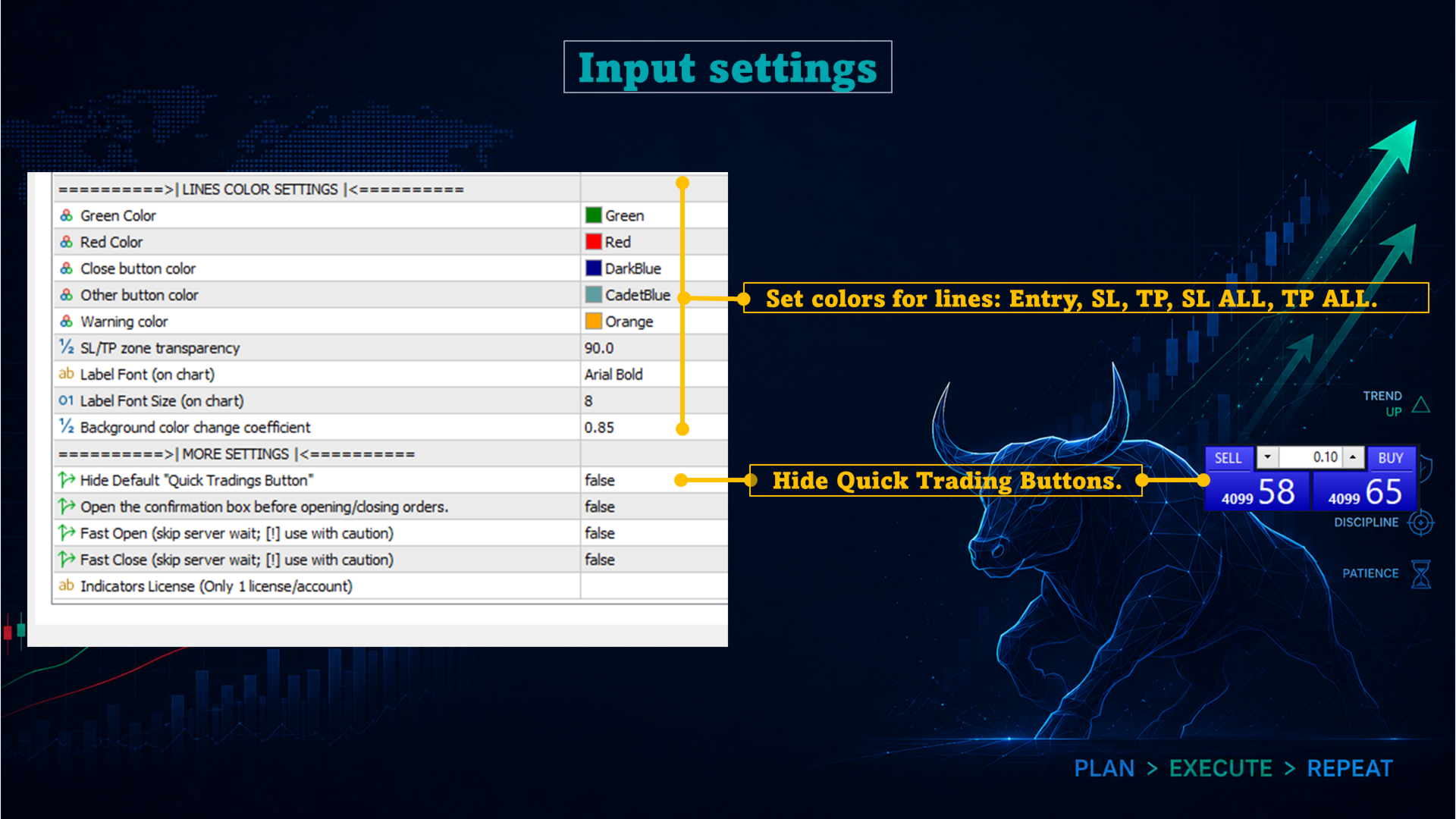
Entry, Stop Loss, and Take Profit levels can be prepared using interactive price lines drawn directly on the chart. These lines can be moved to the required price levels, making order setup and adjustment more visual and convenient.
Multiple Position-Sizing Methods
Trade volume can be calculated using:
- Fixed lot size
- Risk amount in account currency
- Risk percentage based on account balance
When a risk-based method is selected, TradePilot Essential calculates the trading volume according to the distance between the entry price and Stop Loss.
Centralized Position ManagementThe panel provides a range of functions for managing active positions and pending orders:
- Close all positions
- Delete all pending orders
- Close half of the current volume
- Close one quarter of the current volume
- Close Buy or Sell positions separately
- Close profitable or losing positions
- ...
The panel also displays the total number of orders and the combined Buy and Sell volume, allowing users to review their current trading exposure at a glance.
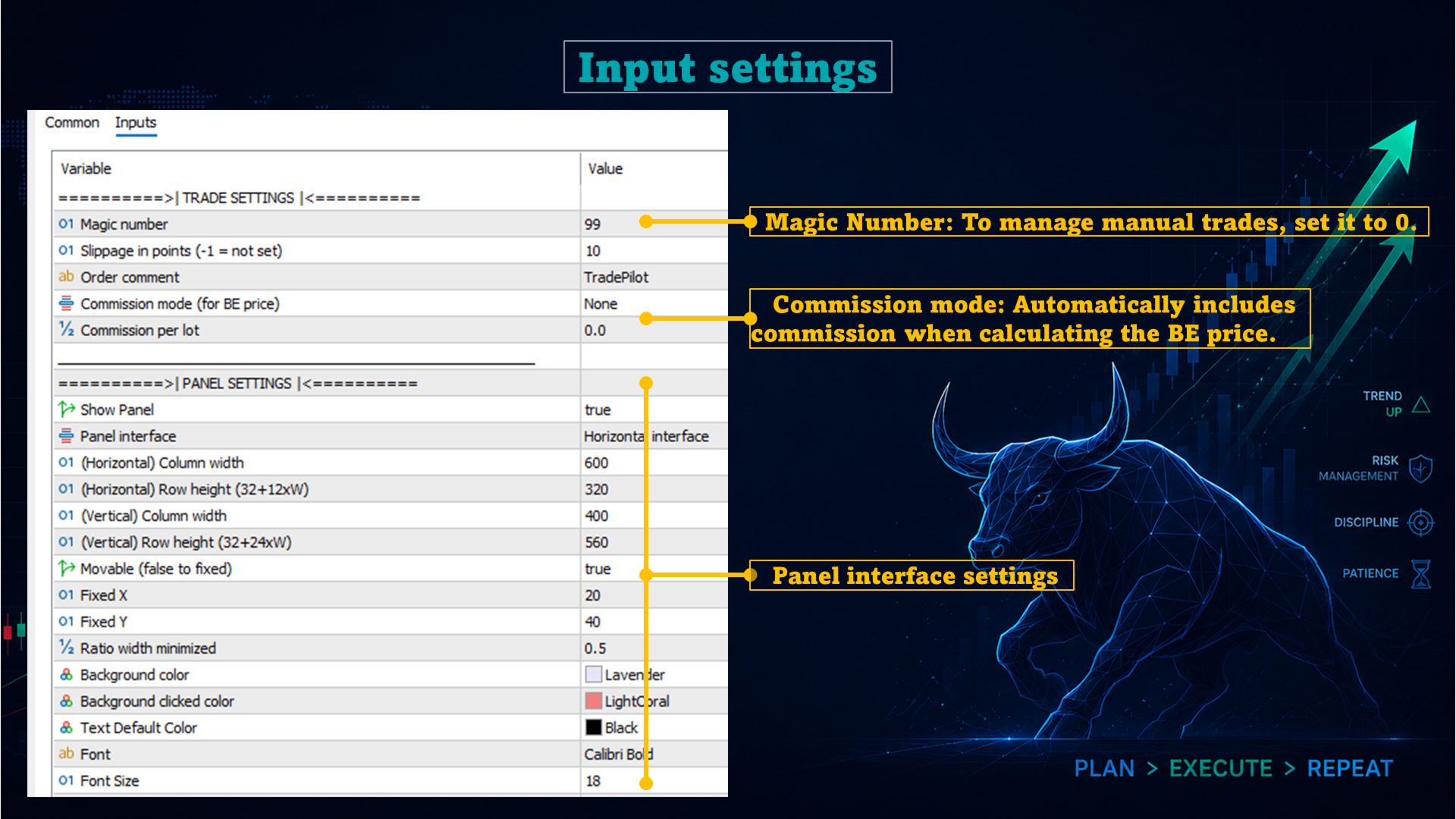
Break-Even Price and Global SL/TP ManagementThe Show BE function displays the combined break-even price of multiple positions, taking their volumes and applicable trading costs into account.
TradePilot Essential also includes:
- Set SL All to apply a common Stop Loss level
- Set TP All to apply a common Take Profit level
- Remove All SL, TP to remove existing Stop Loss and Take Profit levels
These functions help users manage multiple positions without modifying each order individually.
Flexible Trailing StopThe integrated Trailing Stop module includes configurable parameters for:
- Activation profit
- Stop Loss distance
- Trailing step
Trailing Stop can be applied to all positions together or managed separately for each order. Depending on the selected mode, its values can be calculated in money or points.
Clear On-Chart InterfaceThe panel organizes its functions into clearly defined sections for order placement, price-line management, position sizing, order closing, break-even display, global SL/TP control, and Trailing Stop management.
It also displays key trading information, including:
- Current symbol and timeframe
- Server time
- Balance and equity
- Bid and Ask prices
- Current spread
- Selected trading volume
- Total orders and combined position volume
TradePilot Essential is designed to simplify routine trading operations on MT4 and MT5. Its centralized on-chart panel provides direct access to order placement, position management, volume calculation, Stop Loss, Take Profit, break-even, and Trailing Stop functions within a single interface.