Trade Copier and Telegram Signals MT4

Trade Copier and Telegram Signals MT4

Trade Copier and Telegram Signals is a utility for MetaTrader 4 that copies trades between accounts running on the same computer or VPS, and executes text signals received through your own Telegram bot. One tool covers three roles: you choose the role of each chart with a single input.

The local copier works in both directions between MetaTrader 4 and MetaTrader 5, because both terminals share the same common folder (the MT5 build is published as a separate product). No DLL, no external program and no additional service are required.

Three roles, one input

  • Master: broadcasts the trades of this account, including positions, pending orders, stop loss, take profit and partial closes
  • Receiver: copies a local Master through a 200 ms synchronisation loop
  • Telegram Receiver: reads the inbox of your Telegram bot and executes the signals it contains

Lot sizing

  • Balance Ratio: adapts the master lot to the size of the receiver account automatically
  • Multiplier: master lot multiplied by your factor
  • Fixed Lot: the same volume on every copied trade
  • Risk Percent: volume computed from the stop loss distance and the account equity

Volumes are rounded down to the broker volume step, capped by a maximum lot, and a dedicated setting decides what happens when the computed volume falls below the broker minimum.

Copy rules

  • Stop loss and take profit: copy both, stop loss only, take profit only, or none
  • Closes and partial closes replicated proportionally on the receiver
  • Pending orders placed, modified, deleted, and converted when they are filled on the master
  • Reverse mode: buy becomes sell, stop loss and take profit are swapped
  • Filters: symbol include and exclude lists, master magic numbers, direction, maximum trade age, maximum spread
  • Symbol mapping: automatic suffix and prefix detection, for example EURUSD to EURUSD.pro, plus manual overrides such as GOLD=XAUUSD

Protections

  • Equity guard: pauses the copy and raises an alert when the account drawdown reaches your limit
  • Maximum lot per trade, maximum number of open copied trades, maximum slippage
  • Trades already open before the copier starts are ignored by default
  • If you close a copied trade manually, it is not opened again
  • Telegram history is never executed at startup: only new messages are processed

Telegram signal receiver

The receiver reads BUY, SELL, entry price, stop loss and up to several take profit levels, and understands the CLOSE, CLOSE ALL, CLOSE HALF and BREAKEVEN commands. Prices written with a thousands separator, entry zones, emojis and multi line messages are handled. When a message contains no trading instruction, nothing is executed.

You choose which take profit is applied when a signal announces several, and you can require a stop loss before any signal is accepted. Only the chat identifiers you list are allowed.

Dashboard

  • Link status, synchronisation latency, master account and balance ratio
  • Counters: open copied trades, trades of the day, errors
  • Equity guard progress bar and the four latest events
  • Pause and Close Copied buttons, the second one asking for a confirmation click
  • Draggable and collapsible panel, automatic DPI scaling from FullHD to 4K
  • On the Master chart, the number of receivers currently online

Main parameters

Role: Role of this chart, Copier ID, Signal source

Lot sizing: Lot sizing mode, Balance Ratio base, Balance Ratio extra factor, Multiplier value, Fixed lot value, Risk percent, behaviour without stop loss, behaviour below minimum lot

Copy rules: SL and TP copy, Copy close and partial close, Copy pending orders, Copy positions open before start, Reverse copy, Master direction filter, Max trade age, Max spread, Symbol include, Symbol exclude, Magic include, Symbol overrides

Protections: Max lot per copied trade, Max copied trades open, Equity guard percent, Max slippage

Telegram: Bot token, Allowed chat IDs, TP to use, Ignore signals without stop loss

Master export: Export pending orders, Export trades made by this copier, Export magics

Alerts and panel: popup, push notifications, notify on copy, notify on error, notify when master goes offline, panel position, font size, DPI override

Installation

  1. Copy the file into the MQL4/Experts folder of each terminal and restart MetaTrader 4
  2. Enable algorithmic trading in the terminal
  3. Attach the tool to one chart of the source account and set the role to Master
  4. Attach it to one chart of each destination account and set the role to Receiver
  5. Use the same Copier ID on the master and on every receiver
  6. For the Telegram role, create a bot with BotFather, add it to your group, then allow https://api.telegram.org in Tools, Options, Expert Advisors, WebRequest

Requirements and limits

  • Local copy requires the source terminal and the destination terminals to run on the same computer or the same VPS
  • A Telegram bot can only read the groups and channels it has been added to
  • MetaTrader 4 accounts support hedging natively, so opposite positions can coexist on the receiver
  • Stop limit orders sent by a MetaTrader 5 master are not reproduced, because MetaTrader 4 does not support this order type

Compatibility

  • Platform: MetaTrader 4, utility
  • Direction: MetaTrader 4 to MetaTrader 4, and both ways with MetaTrader 5
  • Accounts: different brokers, different currencies and different account sizes
  • Markets: Forex, indices, metals, crypto and other instruments offered by the broker

FAQ

Does it copy between two different computers?
The local copier works between terminals installed on the same computer or the same VPS. Traders who need several machines usually run all their terminals on one VPS.

Do the two accounts need the same broker?
No. Symbol names are resolved automatically, and the manual override list covers naming differences such as GOLD and XAUUSD.

What happens if the master terminal is closed?
The receiver detects the interruption, displays the master as offline and can notify you. Copied trades are left untouched.

Does the receiver copy trades opened before it was attached?
No by default. A dedicated input lets you include them if you want.

Can the tool be tested in the Strategy Tester?
The copy function requires two running terminals or a live Telegram inbox, so it cannot be reproduced in the Strategy Tester. The dashboard and the settings can be reviewed on a demo account.

Can several receivers follow one master?
Yes. Give every receiver the same Copier ID, and the master panel will show how many are online.

Risk warning

Trading carries a high risk of loss. A trade copier replicates trading decisions taken elsewhere; it does not create a strategy and does not guarantee any result. Test your configuration on a demo account before using it on a live account, and adapt volumes to your own capital. Never invest money you cannot afford to lose.

Changelog

  • v1.00 — Initial version. Master, local Receiver and Telegram Receiver roles. Four lot sizing modes, stop loss and take profit synchronisation, partial closes, pending orders, reverse mode, symbol mapping, symbol, magic, direction, age and spread filters, equity guard, dashboard with Pause and Close Copied buttons.
Recommended products
Trades copier
Debashish Sahu
5 (2)
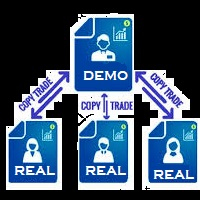
You Can Instantly Copy All the Trades from one account to another account in MT4. It only copy inside the same computer or same VPS. You can also use it to copy from MT4 to MT5, then you also need to download the MT5 version and set the SEND and RECEIVE accordingly. MT5 Version download -  https://www.mql5.com/en/market/product/88791 Note: If you download the demo version, it will not copy the trade into the real account as demo version does not work on real account. Sometime you will find trad
Copier4Free
Vladimir Tkach
The utility copies trades from the signal provider accounts (master accounts, one or multiple providers) to unlimited number of receiver accounts (slave accounts). The provider is defined by the 'provider' parameter (any combination of numbers and letters). For example, there are two providers. Run the utility in master mode on them, and set different values to the provider parameter. On the account designated for copying these signals, run two utilities in slave mode in different windows, setti
OTRX Fimathe Backtest is a tool for the Trader or Enthusiast who uses the Fimathe technique created by Trader Marcelo Ferreira to carry out his training and validate if he can obtain profitability. In this tool you will be able to: 1. Define whether you are looking for a buy or sell entry. (Trend). 2. Define by clicking twice on the horizontal lines where your Reference Zone and your Neutral Zone will be. 3. Monitor the entry, subcycle and exit of the trade. 4. Trading Summary, Daily, Week
FREE
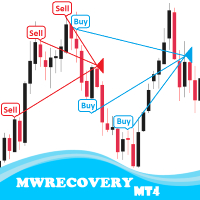
MWRecovery is a system designed to recover unprofitable positions.When the market moves by a certain amount against the direction of a trade and brings it to a loss, the system opens other trades in the same direction at specified intervals. Once these trades reach a certain profit, a magic trailing   stop is activated to maximize your profit. How it works : The utility resets StopLoss levels for all processed orders.  New trades will be placed if the conditions are met according to what you hav
This tool will perform Trailing stop loss and Break even management for orders. Helps you limit or reduce the time spend watching orders on the screen, especially when you need to go to sleep. Just add this EA to 1 chart, you can manage all pairs. You can filter orders by comment, magic number, symbol, and order ticket number. When Breakeven it can add shift/offset pips (to cover the commission...). You can try in strategy tester before purchase. The EA will add Buy and Sell alternately, so yo
TerminalBridge Trade Copier MT4 TerminalBridge Trade Copier is a local position copier designed to synchronize trading actions between two MetaTrader terminals running on the same Windows computer or VPS. The product can operate as either MASTER or SLAVE. The MASTER monitors open market positions and publishes position changes. The SLAVE receives these changes and processes the corresponding trading actions. Supported Connections - MetaTrader 4 to MetaTrader 4 - MetaTrader 4 to MetaTrader 5
FREE
Trade Assistant Pro 36 in 1
Makarii Gubaydullin
4.76 (21)
Multifunctional tool: Lot Calculator, Grid Orders, R/R ratio, Trade Manager, Supply and Demand zones, Price Action and much more Demo version   |   User manual Trade Assistant   doesn't work in the strategy tester: you can download the Demo Version HERE  to test the utility . Contact me for any questions  / ideas for improvement / in case of a bug found If you need a MT5 version, it is available   here Simplify, speed up and automate your trading process . Expand the standard terminal capabilit
Layer Guardian EA: The Essential Remote Control for MT4 Mobile Traders Are you struggling to manage your trades on the go? If you are a trader who utilizes   layering strategies   or   full-margin entries , you know the frustration of the MetaTrader 4 mobile experience. You can execute orders in a heartbeat, but when it comes to managing those positions—modifying Stop Loss (SL), Take Profit (TP), or closing dozens of layers simultaneously—the mobile app falls short. Trying to manage multiple ope
Flash Copy MT4
Trinh Dat
5 (1)
The program is use to copy trading from MT4   to MT4 and MT5  on local PC or copy  over the Internet.   Now you can easy copy trades to any where or share to friends. Only run one Flash Server on VPS, also need allow the apps if you turn on Windows Firewall. Can not add more than 20 account copier to server, include both  MT4 and MT5 Get free Copier EA for MT4 and MT5 (only  receive signal),   download here Instants copy, speed smaller 0.1 seconds, easy to setup How to setup and guide Let read a
Local Account Monitor MT4 is a read-only local monitoring utility for traders who run multiple MetaTrader terminals on the same PC or the same Windows VPS . It combines Agent mode and Dashboard mode so you can monitor local accounts from one place, spot stale terminals quickly, review account health states, and inspect risk details without switching between many terminals. Public channel:   CLICK HERE What it is for Monitoring multiple local MT4 terminals from one dashboard Quickly identifying
FREE
Exp Swing
Vladislav Andruschenko
4.43 (63)
It uses the model of a famous strategy called Swinger (Pendulum, Cheburashka) - alternate placing of pending orders with increased lot. The strategy lies in placing two opposite pending orders. When the price moves in a certain direction, one pending order is triggered, while the lot size of the other order is increased. The EA provides three types of opening pending orders (TypeofTrade) Auto-opening after placement (Instant opening AutoTrade) Opening and management after manual opening (Manual
FREE
MTCommander
Bao Ying Huang
MTCommander - MT4 Manual Trading Panel and Trade Management Assistant ============================================================ Short Market Description ============================================================ MTCommander is a professional manual trading panel for MetaTrader 4. It helps traders open, close, protect and manage positions directly from the chart. The panel includes one-click market execution, pending order tools, partial close tools, break-even stop loss, trailing stop l
Trade Auto Close
Makarii Gubaydullin
Automatic Trade Closure: at time, or Profit / Loss trigger With this utility, you can automate the trade closure under a given condition. Multifunctional tility : 66+ features, including this tool  |   Contact me  if you have any questions  |   MT5 version To activate the Auto-Close, you need to set the following parameters (on the panel): 1. Symbol   for which the function will be applied: for a specific   [Symbol]   / or for   [ALL]   symbols. 2.   Condition,   when to close: [if total] / [if
SonicTradeCopier: (Best for scalping) Easy Fast Reliable trade copier. Copy trades from one terminal to an other (internet copy feature coming soon.) MT4 to MT4. MT4 to MT5. MT5 to MT5. MT5 to MT4. MT4/MT5 to any other platform copy possibility for custom made solutions. Reverse trading. Advance filters for traders. Features: (Setting up copying policies) Sender only has to setup  signal name and start sending signals [ You must start signal sender first always ]. Receiver sets up  signal na
FCK CurrencyStrength Pro
Patel Hitendrakumar Mahendrabhai
Hi Friends, " FCK Currency Strength Pro " is a auto & semi auto trading expert with direction of pair. Buy-Sell separate or multi currency in one click. The strategy of  FCK Currency Strength Pro  is a combination of custom indicator, Trendlines, Support & Resistance levels ( Price Action ) and most important secretive trading algorithm mentioned above. Download News Ex4 and csv file You need the following SDSnews.ex4 in MQL4/Libraries and the daylightsavings.csv in MQL4/Files. Only 4 of 5 copi
TradeMngr
Edgar Enrique Retontali
TradeManager 1.0 is an Expert Advisor for MetaTrader 4 y 5 that streamlines real-time trade management. Through a graphical control panel, you can send market and pending orders, move stop losses to breakeven, and automatically calculate position size based on your risk settings. Below is a comprehensive overview of its features and input parameters. Key Features Market Orders & Pending Orders BUY/SELL Buttons : Instantly open long or short positions at market. BUY STOP / SELL STOP / BUY LIMIT
AutoTrade IR v20
Mas Khairul Araaf
Auto trade V20 is a trading tool like Robot or Expert Advisor that is used for automatic trading, this type is Martingale EA, the recommended broker is FBS, EU Pair, default setting. If you want to find the best setting, please look for it by backtesting it, so that you find the best setting and help your trading become more profitable, please try this tool to help you trade. minimum deposit 200 $ cen lot 0.01, pipstep in points.
Copier4Fee Advanced
Vladimir Tkach
4.75 (16)
The utility copies trades from the signal provider accounts (master accounts, one or multiple providers) to unlimited number of receiver accounts (slave accounts).  Attention! Y ou need to use identifiers (Provider number) of the same length if you use several master copiers. For example. 1, 2, 3 or 11, 13, 22. The copying can be set in the opposite direction. The comments with all the recently performed actions are displayed on the screen to monitor the utility actions in slave mode. To avoid p
Smarter Trade Manager
Khalil Abokwaik
5 (2)
Smarter Trade Manager  is an advanced trade management tool that can monitor and manage your manual and EA trades according to the settings you choose. It works as an Expert Advisor (EA), it does not open any trades but it closes trades as per the auto closing settings or when manually pressing any of the close buttons. FEATURES: Three-dimensional interactive  view of your trades Trade Summary, P/L, Alerts, Closure by Currency Trade Summary, P/L, Alerts, Closure by Magic Number Profit and Loss
EA Risk Manager is a professional risk‑management Expert Advisor designed to protect your trading account and enforce disciplined money management. The EA does not open trades by itself – it only monitors and manages all existing positions (manual and automated) on the account. It is especially useful for traders who want to: Hard‑limit daily / weekly / monthly losses and profits. Restrict lot size and the number of open trades. Trade a basket of G7‑related Forex pairs using one centralized
The product will copy all telegram signal to MT4   ( which you are member  ) , also it can work as remote copier.  Easy to set up, copy order instant, can work with almost signal formats, image signal, s upport to translate other language to English Work with all type of channel or group, even channel have "Restrict Saving Content", work with  multi channel, multi MT5 Work as remote copier: with signal have ticket number, it will copy exactly via ticket number. Support to backtest signal. How to
Lot Size Calculator, Risk Manager and Trade Panel for MetaTrader 4 — free edition of Lot Architect. This free lot size calculator and position size calculator works out your exact lot size from the risk you choose, shows risk, reward and risk-to-reward (R:R) before you enter, and lets you place Market, Limit and Stop orders from a clean trade panel on your chart. It is position sizing, risk management and one-click trade execution in a single tool — the free edition of the Lot Architect trade ma
FREE
Golden Gestion TP SL
Matthias Hubert Patrick Snidaro
Auto SL/TP Manager EA – Gestion Automatique Intelligente Auto SL/TP Manager EA est un Expert Advisor conçu pour automatiser la gestion des commandes avec une efficacité maximale et une grande discrétion. Il gère automatiquement : Le Stop Loss (SL) et le Take Profit (TP) Le Profit Lock (verrouillage progressif des bénéfices) Le Trailing Stop avec plusieurs méthodes avancées L' affichage masqué du SL et du TP pour plus de discrétion (non visible par le courtisan) C'est l'outil idéal pour les
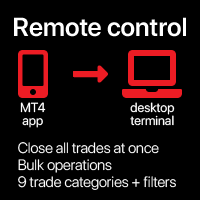
Remote control phone
Makarii Gubaydullin
Close   all   trades   at   once ,   managing   directly   from   your   mobile  MT4  app . This  utility   can   close   9   different   categories   of   trades. To   activate   the   action ,   you  just  need   to   place   a   pending   order   at   a   predetermined   price   (can be done  remotely   via   a   mobile  MT 4 app ). After   that , the   utility   will   detect   the   order   and   close   all   necessary   trades. This   way   you   can   manage   a   group   of   trades  
Lucky Trade Panel MT4
Nina Yermolenko
5 (1)
Trading panel for manual trading. Has a fairly wide functionality. Allows you to automatically calculate the order size, open both market and pending orders. It has a wide range of options for closing orders, it is possible to partially close orders, close orders after reaching a certain profit or loss, separately close profitable and unprofitable, buy and sell, as well as pending orders. The panel also contains a simple implementation of a grid of pending orders, reverse and lock functions, tr
Action Expert
Anas Hassan Khalaf Al Falahi
No Indicators No News  Try it on Demo Account 1 or 2 months (Don't rely on backtesting)  Try it on Demo Account 1 or 2 months (Don't rely on backtesting) Backtest results are different from real trading It is based on a special mathematical algorithm. This EA Takes buy and sell deals at any direction This EA Take profits whenever the market moves Please do not use the backtest to evaluate the expert Test it on Demo Account . At least one month please Currency Pair : All (But I use
RSI Scanner
Tetyana Shcherba
Utility is designed to monitor and analyze the market conditions for all symbols of the MetaTrader 4 terminal using real-time data from the RSI indicator. Automatically detects all the pairs in your terminal, and also can filter them into groups. Gets the RSI indicator data for all timeframes and all selected pairs. Tracks up to 4 programmable signal patterns and notifies when they appear. Automatically opens a new chart for a given template when you click the desired pair in the table. Input p
Telegram Sender — MetaTrader to Telegram Trade Alerts Telegram Sender   is a powerful MetaTrader utility that instantly sends trading alerts from your MT4/MT5 platform directly to Telegram. Stay connected to the market anywhere, anytime, without constantly watching your charts. Designed for traders who value speed, automation, and convenience, Telegram Sender delivers real-time notifications for signals, order activity, and market events straight to your phone or Telegram group. Key Features In
Slow Pips OCO Trade Panel is an advanced trading panel for placing pending orders. Traders can use this panel to place two pending orders at once. One pending order would be of buy entry type and the other one would be of sell entry type. Both orders will have Stop Loss and Take Profit parameters. Since two pending orders are placed at the same time, the pending order for which the price hits first gets converted into a market order and the other pending order gets deleted (one order cancels the
Expert Advisor for MT4 Useful utility MUST have for all traders.  With 1 click button, you're able to close all your open positions. Its come with a warning pop up notification when you click to close all your trades, to avoid an accident press the button. Just press 'Yes' to confirm or 'No' to cancel it. The expert will close all your open positions no matter what pairs you currently open or directions. Just attach the expert on 1 of your chart, and you're good to go.
Buyers of this product also purchase
Forex Trade Manager MT4
InvestSoft
4.98 (444)
Trade Manager MT4 is an advanced position size calculator and trade management tool for MetaTrader 4, designed to help traders plan trades faster, control risk more precisely, and manage open positions directly from the chart. It combines order placement, risk based lot calculation, Stop Loss and Take Profit management, Break Even, Trailing Stop, Partial Close, Equity Protection, and external trade management in one panel. Whether you trade forex, indices, metals, commodities, or crypto, Trade M
Exp COPYLOT CLIENT for MT4
Vladislav Andruschenko
4.69 (65)
Professional Trade Copier for MetaTrader 4 Fast, professional, and reliable trade copier for MetaTrader 4 . COPYLOT helps you copy Forex trades between MetaTrader 4 and MetaTrader 5 terminals with flexible synchronization for different account setups. COPYLOT MT4 version supports: MetaTrader 4 to MetaTrader 4 MetaTrader 5 Hedge to MetaTrader 4 MetaTrader 5 Netting to MetaTrader 4   MT5 version Full Description + DEMO + PDF How To Buy How To Install How to get Log Files How To Test and Optimize A
Riskless Pyramid
Snapdragon Systems Ltd
5 (1)
Introduction This powerful MT4 trade mangement EA offers a way potentially to aggressively multiply trade profits in a riskfree manner. Once a trade has been entered with a defined stoploss and take profit target then the EA will add three pyramid add-on trades in order to increase the overall level of profit. The user sets the total combined profit target to be gained if everything works out. This can be specified either as a multiple of the original trade profit or as a total dollar amount. Fo
Grid Manual MT4
Alfiya Fazylova
4.71 (17)
Grid Manual is a trading panel for working with grid strategies. The utility is universal, has flexible settings and an intuitive interface. It works with a grid of orders not only in the direction of averaging losses, but also in the direction of increasing profits. The trader does not need to create and maintain a grid of orders, the utility will do it. It is enough to open an order and the Grid manual will automatically create a grid of orders for it and will accompany it until the close. Ful
Unlimited Trade Copier Pro is a tool to copy trade remotely to multiple MT4, MT5 and cTrader accounts at different computers/locations over internet. This is an ideal solution for you if you are a signal provider and want to copy your trades to other receivers globally on your own rules. One provider can copy trades to multiple receivers and one receiver can get trade from multiple providers as well. The provider can even set the subscription expiry for each receiver, so that receiver will not b
TradePanel MT4
Alfiya Fazylova
4.84 (95)
Trade Panel is a multi-functional trading assistant. The app contains over 50 trading functions for manual trading and allows you to automate most trading tasks. Before making a purchase, you can test the demo version on a demo account. Download the trial version of the application for a demonstration account: https://www.mql5.com/en/blogs/post/750865 . Full instructions here . Trade. Allows you to perform trading operations in one click: Open pending orders and positions with automatic risk cal
Trade Manager MT4 DaneTrades
Levi Dane Benjamin
4.09 (11)
DaneTrades Trade Manager is a professional trade panel for MetaTrader 4, designed for fast, accurate execution with built‑in risk control. Place market or pending orders directly from the chart while the panel automatically calculates position size from your chosen risk, helping you stay consistent and avoid emotional decision‑making. The Trade Manager is built for manual traders who want structure: clear risk/reward planning, automation for repeatable management, and safeguards that help reduc
Ultimate Partial Profit EA
BLAKE STEVEN RODGER
4.67 (3)
This EA Utility delivers a robust solution for managing an unlimited array of open orders, both manual and automated. It enables customizable partial profit levels utilizing metrics such as pips, ratios, ATR (Average True Range), and profit amounts for precise trade management. The utility features an advanced on-screen display, offering clear visualization of all orders and their profit levels to enhance strategic decision-making and control. To evaluate its performance and interface, the EA s
A professional panel for manual trading that keeps the whole trade cycle in one window on the chart, from a precise entry to protecting your account. Size every position strictly to a defined risk, build the trade with lines directly on the chart using the RR Tool, and place market and pending orders, grids and OCO. The panel takes position management off your hands: partial closing across up to five levels, six types of trailing stop, breakeven and Virtual SL/TP. Daily, weekly and monthly limit
Zone Trader MT4
Lee Samson
5 (1)
Trade support and resistance or supply and demand zones automatically once you have identified the key areas you want to trade from. This EA allows you to draw buy and sell zones with a single click and then place them exactly where you expect price to turn. The EA then monitors those zones and will automatically take trades based on price action you specify for the zones. Once the initial trade is taken, the EA will then get out in profit at the opposite zone you place, which becomes the target
The News Filter
Leolouiski Gan
5 (25)
This product filters all expert advisors and manual charts during news time. It is able to remove any of your EA during news and automatically reattach them after news ends. This product also comes with a complete  order management system that can handle your open positions and pending orders before the release of any news. Once you purchase The News Filter , you will no longer need to rely on built-in news filters for future expert advisors, as this product can filter them all from here onwards
VirtualTradePad PRO SE MT4 — advanced trading panel and chart workspace for MetaTrader 4 VirtualTradePad PRO SE is a professional trading panel and trade-management workspace for MetaTrader 4 . It helps traders open, manage, protect, close and analyze trades faster from one chart-based interface. The product was created for active manual traders who need more than a simple set of buttons. PRO SE combines one-click execution, pending orders, position control, partial close, basket profit/loss log

VirtualTradePad mt4 Extra
Vladislav Andruschenko
4.85 (61)
Trading Panel for trading in 1 click.  Working with positions and orders!  Trading from the chart or the keyboard. Using our trading panel, you can trade in one click from the chart and perform trading operations 30 times faster than the standard MetaTrader control. Automatic calculations of parameters and functions that make life easier for a trader and help a trader conduct their trading activities much faster and more conveniently. Graphic tips and full information on trade deals on the chart
Custom Alerts AIO: All-in-One Market Scanner – No Setup Required Overview Custom Alerts AIO is the fastest and easiest way to monitor multiple markets for real-time trading signals—without any setup or extra licenses. It comes with all required Stein Investments indicators already embedded, making it the perfect plug-and-play solution for traders who value simplicity and performance. Just load it to any chart and start receiving alerts across Forex, Metals, Crypto, and Indices. Shares can be a
MT4 to Telegram Signal Provider   turns your trading account into a signal provider. Every trade action, whether manual, by EA or from your phone, is instantly sent as a message to Telegram. You can fully customize the format or use a ready-made template for quick setup. [ Demo ] [ Manual ] [ MT5 Version ] [ Discord Version ]  New: [ Telegram To MT5 ] Setup A step by step user guide is available. Key Features Ability to customize order details sent to subscribers You can create a tiered subs
Telegram to MT4 Multi-Channel Copier automatically copies trading signals from your Telegram channels directly into MetaTrader 4. No bots, no browser extensions, no manual copying. You receive a signal on Telegram and the EA opens the trade on your terminal in a few seconds. The product includes two components: a Windows application that listens to your Telegram channels, and this Expert Advisor that executes the signals on your MT4 terminal. An MT5 version is also available. Setup guide and app
The Risk to Reward Ratio Manager is a visual order management tool and position size calculator designed to support disciplined trading and professional risk management. It allows traders to visually set entry, stop-loss, and take-profit levels directly on the chart, while automatically calculating the lot size and risk-to-reward ratio before sending an order. The tool helps standardize trade preparation and ensures that each position is opened with a predefined and controlled level of risk. Thi
PZ Trade Pad Pro MT4
PZ TRADING SLU
3.67 (3)
Effortlessly calculate lot sizes and manage trades to save time and avoid costly errors The Trade Pad Pro EA is a tool for the Metatrader Platform that aims to help traders manage their trades more efficiently and effectively. It has a user-friendly visual interface that allows users to easily place and manage an unlimited number of trades, helping to avoid human errors and enhance their trading activity. [ Installation Guide | Update Guide | Troubleshooting | FAQ | All Products ] One of the k
Strategy Builder offers an incredible amount of functionality. It combines a trade panel with configurable automation (covert indicators into an EA), real-time statistics (profit & draw down) plus automatic optimization of SL, TP/exit, trading hours, indicator inputs. Multiple indicators can be combined into an single alert/trade signal and can include custom indicators, even if just have ex4 file or purchased from Market. The system is easily configured via a CONFIG button and associated pop-up
Auto Trade Copier
Vu Trung Kien
4.76 (85)
Auto Trade Copier is designed to copy trades to multiple MT4, MT5 and cTrader accounts/terminals with 100% accuracy. The provider and receiver accounts must be on the same PC/VPS. With this tool, you can copy trades to receiver accounts on the same PC/VPS. All trading actions will be copied from provider to receiver perfectly. This version can be used on MT4 accounts only. For MT5 accounts, you must use Auto Trade Copier for MT5 . Reference: - For MT4 receiver, please download Trade Receiver Fre
TradeMirror is a trade copier EA for MT4/MT5 platform. Tutorial Please click the Trademirror Tutorial link to view more tutorials. Why TradeMirror We understand the importance of security, stability and privacy for financial software, so we've gone the extra mile to harden these three elements in detail: Provides a user-friendly graphical interface that is easy to operate Focus on privacy and security, suitable for various financial scenarios with privacy requirements for order distribution Prec
Smart Channel M4
Vahidreza Heidar Gholami
The trend in the market can be predicted using trend lines but the problem is you don’t know where exactly the price is going to touch the trend line where you can put your pending orders on. Smart Channel Expert Advisor makes it possible to put an advanced channel around the price data, which can be configured to handle placing orders, opening and closing positions, managing risk per trade, spread, slippage, and trailing stop-loss and take-profit automatically. Features Money Management (Calcul
The MT4 to Discord Signal Provider is a user-friendly, fully customizable utility designed for sending trading signals directly to Discord. This tool transforms your trading account into an efficient signal provider. Customize message formats to suit your style! For ease of use, select from pre-designed templates and choose which message elements to include or exclude. [ Demo ] [ Manual ] [ MT5 Version ] [ Telegram Version ]  New: [ Telegram To MT5 ] Setup Follow our detailed user guide for eas
Ultimate Trailing Stop EA
BLAKE STEVEN RODGER
4.33 (15)
This EA Utility allows you to manage (with advanced filtering) unlimited open orders (manual or EA) with 16 trailing stop methods: fixed, percent, ATR Exit, Chandelier Exit, Moving Average, Candle High Low Exit, Bollinger Bands, Parabolic, Envelope, Fractal, Ichimoku Kijun-Sen, Alligator, Exit After X Minutes or Bars, RSI and Stochastic. The trailing stop can be either real or virtual, and you can exit fully or with a partial close percent on touch or bar close.  Moreover, you can add (overrid
Take a Break
Eric Emmrich
5 (31)
News filter, equity guard & session control for all your EAs — one tool, full protection — Free Demo | Latest Updates v26 (August 2026) is the biggest update ever: the EA now protects your entire account — every chart, no helper needed — and the indicator gives any chart its own protection rules (news, loss limits, trading times and more). The AI Trade Assessment arrives in MetaTrader 4 — automatic verdicts on new entries and on-chart assess buttons alike. Existing setups keep working unchanged
MultiOrder Assistent V3.0   - Your professional trading assistant for MetaTrader 4 The  MultiOrder Manager  is a powerful trading tool designed to optimize your trading while managing risk efficiently. With intuitive features and a user-friendly interface, this Tool is ideal for traders who want to manage multiple orders simultaneously without losing track.   Symbols: FX pairs, gold and cryptocurrencies Here you get a detailed description of the parameters and functions Manual     Features and
Trade panel Sniper
Andrey Kaunov
5 (4)
Простая в управлении Торговая панель обеспечит безопасную торговлю. Вычислит объём сделки от заданного уровня Stop Loss и величины убытка. Поможет рассчитать сейф, и в ноль закрыть неверную сделку. Интуитивно понятный интерфейс делает панель удобной в управлении, освобождая внимание трейдера для принятия решения о входе в сделку. Программа сделает все расчёты за вас. Поэтому работа с помощью панели Снайпер - оптимальное решение для торговли с соблюдением Мани-менеджмента. А это главный ключ к по
ManHedger MT4
Peter Mueller
5 (2)
THIS EA IS A SEMI-AUTO EA, IT NEEDS USER INPUT. Manual & Test Version Please TEST this product before   BUYING  and watch my video about it. Contact me for user support or bug reports, or if you want the MT5 version! MT5 Version I do not guarantee any profits or financial success using this EA. With this Expert Advisor, you can: Implement your own   Zone Recovery   strategy to capitalize on trending markets. Create   Grid   trading strategies, to profit from ranging markets. Place orders easil
Trade Copier Global
Laszlo Tormasi
5 (15)
Trade Copier Global: The name speaks for itself. This copier allows you to copy orders between MT4 terminals even if they are not installed on the same computer. Features Copying trades between MT4 terminals around the world with a short delay. Automatically recognizes symbol prefixes. Can connect many Slaves to the same Master. Supports pending and market orders. Supports partial order close (with limitations, see below) Can send messages and notifications to the Slaves from the Master Several
Trader Evolution MT4
Siarhei Vashchylka
5 (2)
" Trader Evolution " - A utility designed for traders who use wave and technical analysis in their work. One tab of the utility is capable of money management and opening orders, and the other can help in making Elliott wave and technical analysis. Manual (Be sure to read before purchasing) | Version for MT5 Advantages 1. Trading in a few clicks. Immediate and pending orders are available in the panel 2. Money management. The program automatically selects the appropriate lot size 3. Simplifies
More from author
Market Structure Order Block Dashboard MT5 is an MT5 indicator designed for traders who want to read market structure and the main price reaction zones directly on the chart. It combines BOS, ChoCH, Order Blocks, Fair Value Gaps (FVG), Liquidity, Kill Zones, Volume Profile, and a compact dashboard for quick analysis. This indicator targets traders who use market structure, ICT and Smart Money concepts as a decision framework. It can help spot trend continuations, possible reversals, price imbala
Trade Panel PRO MT5 Trade Panel PRO MT5 is a manual trading panel for MetaTrader 5 designed to prepare, execute and manage positions directly from the chart, with visual risk control at every step. The tool combines order preparation, automatic position sizing based on risk, interactive Entry, Stop Loss and Take Profit zones, and several trade management functions into a single interface. Version 2.0 updates Version 2.0 introduces several improvements to streamline the execution workflow: Automa
Multi-Currency Strength Dashboard PRO MT5 (v3.0) – Unified UI, Inline Sparklines, CSV Export Multi-Currency Strength Dashboard PRO is a MetaTrader 5 indicator that measures the real-time relative strength of 8 major currencies (USD, EUR, GBP, JPY, CHF, CAD, AUD, NZD) by analyzing up to 28 Forex pairs (depending on the symbols available on your broker). Version 3.0 introduces a complete visual overhaul that matches the TradingTips Dashboard Suite theme (same look and feel as the MSOB Dashboard in
Position Size Calculator Lite MT5 - Free Risk Management Indicator (v2.0) Free Lite version of the Position Size Calculator. If you need interactive drag and drop of SL/TP lines, Fixed Lot mode and adjustable Risk/R:R/ATR from the panel, see the PRO version on the Market: Position Size Calculator PRO MT5 . Overview Position Size Calculator Lite MT5 is a free indicator that calculates the recommended lot size for a trade based on a risk percentage, an ATR-based Stop Loss and a target risk/reward
FREE
Lot & Risk Calculator PRO MT5 (v2.30) Position Size Calculator PRO is an advanced risk management tool for MetaTrader 5 that calculates the recommended lot volume based on your risk per trade, your Stop Loss distance, and the symbol specifications (tick value, tick size, volume min/max/step, margin). No trading operations: this indicator does not open or close orders and does not manage positions. It is a decision-support tool to standardize your money management and reduce sizing errors before
SMC Trade Pilot MT5
Prime Horizon
5 (1)
SMC Trade Pilot MT5 Semi-automatic trading assistant for Smart Money Concepts traders. Receive rich signals on Telegram with chart screenshot, then place the trade with a single tap. Manage your positions from your phone, even when you are away from your computer. The problem this solves Smart Money setups don't wait for you. Order Blocks and Liquidity Sweeps form during the London open, the New York open, or in the middle of the Asian session, often when you are at work, in a meeting, or simply
Session Volume Profile Value Area shows you where the market actually traded during the current session - not just where price went. It builds a horizontal volume profile directly on your chart and marks the three levels traders watch: the POC, the VAH and the VAL. Most charts only show price. Volume Profile adds the missing dimension: how much was traded at each price . Prices where a lot of volume changed hands are areas the market accepted; prices it moved through quickly are areas it reject
FREE
Liquidity Sweeps Detector PRO MT5 — Version 1.5 Multi-Timeframe Liquidity Sweeps Detector PRO MT5 is a technical analysis indicator for MetaTrader 5 that detects liquidity sweeps with Market Structure Shift (MSS) confirmation. Based on Smart Money Concepts / ICT methodology, it identifies Buy Side Liquidity (BSL) and Sell Side Liquidity (SSL) levels, and signals stop hunts followed by structure shift. The indicator provides native multi-timeframe analysis with A+ / A / B / C confluence scoring.
LOOKING FOR THE MT5 VERSION? If you are using MetaTrader 5, click here to get the native version: https://www.mql5.com/en/market/product/155546 Multi-Currency Strength Dashboard PRO — Professional Currency Strength Indicator (MT4) Multi-Currency Strength Dashboard PRO is an advanced indicator for MetaTrader 4 that measures the relative strength of major Forex currencies in real-time. It analyzes up to 28 major pairs, calculates the normalized strength of the 8 main currencies, and display
Trailing Stop Manager Basic — Free Trailing Stop EA (MT5) Trailing Stop Manager Basic is the free version of Trailing Stop Manager PRO. This MetaTrader 5 Expert Advisor automates fixed-pip trailing stop management, break-even, and 1-level partial close across all open positions on your account. It works with manual orders and orders generated by any other EA. The tool includes a professional visual dashboard identical to the PRO version — daily statistics, real-time P&L, position status, and int
FREE
Market Structure Order Block Dashboard MT4 is a MetaTrader 4 indicator designed for traders who want to read market structure and the main price reaction zones directly on the chart. It combines BOS, ChoCH, Order Blocks, Fair Value Gaps (FVG), Liquidity, Kill Zones, Volume Profile, and a compact dashboard for quick analysis. This indicator is intended for traders who use market structure, ICT and Smart Money concepts as a decision framework. It can help spot trend continuations, possible reversa
Trendline Targets Dashboard MT5 A trend-following indicator built on an adaptive SuperTrend engine. It plots a clear trend line, marks every trend change, and projects a stop loss and three take-profit targets based on risk multiples (R). Every setting is adjustable directly on the chart through a live control panel, with optional quality filters, configurable alerts and a built-in position-size calculator. LIVE CONTROL PANEL Open the Quick Settings panel on the chart and tune everything on t
Liquidity Sweeps Detector PRO MT4 A Smart Money Concepts (SMC / ICT) indicator that maps buy-side and sell-side liquidity, detects when price sweeps a liquidity level, and confirms the following Market Structure Shift (MSS). Each valid sweep + MSS is marked with an arrow and graded by multi-timeframe confluence, with an automatic risk-reward projection and a live on-chart dashboard. WHAT IT DOES Maps buy-side (BSL) and sell-side (SSL) liquidity from confirmed swing highs and lows. Detects a li
Session Volume Profile SMC shows you where the market actually traded - not just where price went. For every session (Day, Week or Month) it builds a horizontal volume profile directly on your chart, revealing the price levels that attracted the most activity and that price tends to respect later. Most charts only show price. Volume Profile adds the missing dimension: how much was traded at each price . This indicator turns that into a clean, session-based read and layers a Smart Money Concepts
Multi Currency Strength Dashboard Mini (FREE) – Currency Strength Meter for MetaTrader 5 Multi Currency Strength Dashboard Mini is a free indicator for MetaTrader 5 that displays the relative strength of the 8 major currencies (USD, EUR, GBP, JPY, CHF, CAD, AUD, NZD) in real time, in a clear and quick-to-read dashboard. Goal: identify in seconds which currencies are strong and which are weak, so you can build a focused watchlist (for example, pick pairs where a strong currency faces a weak one).
FREE
Trailing Stop Manager PRO: trailing stop, break-even and partial close EA for MetaTrader 5 Trailing Stop Manager PRO is a trade manager for MetaTrader 5. It applies a trailing stop, a break-even, partial closes and drawdown protection to every open position on the account, whether the position was opened by hand or by another Expert Advisor. The stop is the part of a trade most often left unmanaged. This utility moves it for you, on a rule you choose, and it never moves a stop against the positi
Position Size Calculator PRO MT4 V2.0 – Lot Size + Visual SL/TP Zones (Drag & Drop) for Faster, Safer Risk Management Position Size Calculator PRO MT4 V2.0 is a position sizing (money management) indicator for MetaTrader 4. It automatically calculates the optimal lot size based on your risk per trade , your Stop Loss distance, and symbol specifications (tick value, tick size, margin, leverage, etc.). Version 2.0 is a major upgrade: instead of only reading a panel, you can manage the trade direct
SMC Trade Pilot MT4 Semi-automatic trading assistant for Smart Money Concepts traders. Receive signals directly on Telegram with a chart screenshot, then place the trade with a single tap. Manage your positions from your phone, even when you are away from your computer. The problem it solves Smart Money setups do not wait. Order Blocks and Liquidity Sweeps form during the London open, the New York open or in the middle of the Asian session, often while you are at work, in a meeting or simply awa
Session Volume Profile SMC shows you where the market actually traded - not just where price went. For every session (Day, Week or Month) it builds a horizontal volume profile directly on your chart, revealing the price levels that attracted the most activity and that price tends to respect later. Most charts only show price. Volume Profile adds the missing dimension: how much was traded at each price . This indicator turns that into a clean, session-based read and layers a Smart Money Concepts
SMC Signal Matrix is a multi-symbol Smart Money Concepts scanner. It analyzes many symbols at once and shows, on a single dashboard, the market-structure trend, an entry signal, a confluence quality score, the nearest order block and the latest liquidity sweep for each pair. Instead of loading one chart at a time, you read the market structure of your whole watchlist in one panel. The scanner runs the same Smart Money Concepts engine on every symbol: market structure (Break of Structure and Chan
Trade Copier and Telegram Signals MT5 Trade Copier and Telegram Signals is a utility for MetaTrader 5 that copies trades between accounts running on the same computer or VPS, and executes text signals received through your own Telegram bot. One tool covers three roles: you choose the role of each chart with a single input. The local copier works in both directions between MetaTrader 4 and MetaTrader 5, because both terminals share the same common folder (the MT4 build is published as a separate
Filter:
No reviews
Reply to review