SMC Trade Pilot MT4

SMC Trade Pilot MT4

Semi-automatic trading assistant for Smart Money Concepts traders. Receive signals directly on Telegram with a chart screenshot, then place the trade with a single tap. Manage your positions from your phone, even when you are away from your computer.

The problem it solves

Smart Money setups do not wait. Order Blocks and Liquidity Sweeps form during the London open, the New York open or in the middle of the Asian session, often while you are at work, in a meeting or simply away from your screen. By the time you glance at the chart, the setup is gone or price has already moved.

SMC Trade Pilot turns your phone into a real-time trading cockpit. The Expert Advisor scans the chart continuously for SMC signals. When a setup forms, it sends a complete trade ticket to your Telegram: chart screenshot, direction, entry price, suggested stop loss, suggested take profit and a quality score. You decide. One tap to execute, one tap to skip.

How it works

  1. The EA monitors the chart in the background.
  2. When a Smart Money signal is detected (BOS, ChoCH, pending break, new Order Block or Liquidity Sweep), a rich message arrives on your Telegram with a chart screenshot, signal details, entry price and SL/TP suggestions.
  3. Three inline buttons let you decide: EXECUTE places the trade, SKIP dismisses the signal, MODIFY allows a manual adjustment.
  4. After execution, the message is updated to show the open ticket and a single CLOSE NOW button. You can close the position from Telegram at any time.
  5. While the position is open, the EA can move the stop to breakeven after 1R, then apply an ATR-based trailing stop.

Main features

  • Smart Money signal engine: Break of Structure, Change of Character, pending break detection, Order Blocks with strength scoring, Fair Value Gaps, Liquidity Sweeps and Volume Profile.
  • Multi-timeframe panel: instant M15, H1, H4 and D1 bias with a confluence score.
  • Two-way Telegram integration: rich messages with a chart screenshot and inline EXECUTE / SKIP / MODIFY / CLOSE buttons.
  • Built-in risk management: lot size by percentage of equity, configurable risk per trade, daily drawdown protection and a daily trade cap.
  • Automatic SL/TP: based on an ATR multiple or on the last Order Block, with a configurable risk-to-reward ratio.
  • Position management: breakeven once the trade reaches 1R, then ATR trailing stop.
  • Quality filter: each signal receives a grade. Set a minimum threshold and only the cleaner setups reach your Telegram.
  • Session filter: optional restriction to the Asian, London or New York kill zones.
  • Spread filter: blocks execution when the spread exceeds your threshold.
  • Order Block statistics: hit rate, mitigation rate and average strength of historical Order Blocks.
  • History scan: Order Block analysis of up to 2000 bars at startup.
  • Dashboard: draggable panel with live structure, multi-timeframe view, kill zones and current signal status.

Who it is for

  • Manual SMC and ICT traders who do not want to miss a setup while away.
  • Day traders and swing traders who cannot watch the charts during office hours.
  • Travelers and remote workers who want a trading cockpit on their phone.
  • Funded challenge candidates who need a strict risk-management framework.

Requirements and setup

  • MetaTrader 4, any broker.
  • A Telegram bot token, free via @BotFather inside the Telegram app.
  • Your personal Telegram chat ID, free via @userinfobot.
  • Allow https://api.telegram.org in Tools, Options, Expert Advisors.
  • A complete PDF manual is provided after purchase to guide you step by step, with screenshots.

Main inputs

Input Default Role
InpTelegramEnable false Telegram module switch
InpTelegramBotToken empty Your @BotFather bot token
InpTelegramChatID empty Your @userinfobot chat ID
InpExecEnable false Execution switch. Leave false for alerts only.
InpExecRiskPct 1.0 Risk per trade as a percentage of equity
InpExecRRRatio 2.0 Take profit risk-to-reward ratio
InpExecMaxTradesDay 5 Daily cap on the number of trades
InpExecMaxDailyDDPct 3.0 Maximum daily drawdown in percent, 0 disables it
InpExecMinQualityScore 0 Minimum quality score 0-100 to allow execution, 0 means no filter

Important notes

  • This EA is a semi-automatic assistant. Trades are placed only after you tap EXECUTE in Telegram. The EA does not open positions on its own.
  • Past performance does not guarantee future results. Margin trading carries a substantial risk of loss.
  • Always test the EA on a demo account before using it live.
  • Support is provided through MQL5 messaging.

Risk warning

Trading foreign exchange and CFDs carries a high level of risk and may not be suitable for all investors. Before deciding to trade, carefully consider your investment objectives, level of experience and risk appetite. You may sustain a partial or total loss of your initial investment, so do not invest money that you cannot afford to lose.

Recommended products
BreakEven Grid Utility for MT4 BreakEven Grid is a powerful utility for manual trade management on the MetaTrader 4 platform. It provides a convenient on-screen panel with buttons to help you manage your open positions with a single click.  Features: Set BE+Profit: Automatically sets Take Profit to breakeven + desired profit in pips or money. Close BUY/SELL: Instantly close all Buy or Sell orders for the current symbol. Close +$/-$/Old/New: Close only profitable, losing, oldest or newest tra
An  MT4 Expert advisor for finding Break-Even point of open position, especially grid or hedge orders. also, you can close all open orders, or delete all pending orders , and set your desire Take Profit how far from Break Even point. All traders that using Grid strategy, or Hedge strategy should use this ea. it shows you break-even point by drawing a line and also automatically set your Take profit and stop loss.
Universal TP SL Pips
Genesis Hafalla
5 (1)
This EA utility does not trade on its own, but it only modifies the   open  trades    to add   take profit   and   stop loss   that was  opened manually or by any other expert advisors.  The distance is based on Pips . How Does It Work? If   Symbol to modify   is set to   "All Symbol"   simply attach it to one chart, and all   open trades   in the entire terminal will set the   take profit   and   stop loss   .  If  Symbol to modify   is set to   "Local Symbol"   , it will only set the   ta
Open by Clik
Dariusz Grywaczewski
Open by Clik is a tool that allows you to open positions with two mouse clicks. The place of the click and the direction of clicking decide what position will be opened. Opening of positions is quick and intuitive. If the second click is above the first click, opened are positions Long. If the second click is belowe the first click, opened are positions Short. By clicking in the chart area, opened are Market Order (BUY and SELL). By clicking in the area in front of the chart, opened are Pendin
Trade Manager MT4 DaneTrades
Levi Dane Benjamin
4.09 (11)
DaneTrades Trade Manager is a professional trade panel for MetaTrader 4, designed for fast, accurate execution with built‑in risk control. Place market or pending orders directly from the chart while the panel automatically calculates position size from your chosen risk, helping you stay consistent and avoid emotional decision‑making. The Trade Manager is built for manual traders who want structure: clear risk/reward planning, automation for repeatable management, and safeguards that help reduc
Easy Trade Executor is a tool for fast position sizing, trade execution, and trade management in MT4. Place Open Price, Stop Loss, and Take Profit levels directly on the chart, get automatic position size calculations, and open trades with controlled risk in just a few clicks. Why Easy Trade Executor? Easy Trade Executor is designed for traders who want more than just risk calculations — they want to manage trades quickly and efficiently directly from the chart. The tool combines position sizi
本エキスパートアドバイザ(EA)は、以下の条件をすべて満たした注文が決済された場合に、自動的に同一内容の注文を再設定します。 対象となるのは指値注文または逆指値注文で、必ずテイクプロフィット(TP)とストップロス(SL)が設定されているものです。 そして、その注文がTPまたはSLによって決済された際、同じロット数・価格・TP・SL・有効期限などの条件を引き継いだ注文を自動で再発注します。 これにより、一度設定した戦略を継続的に適用でき、裁量判断なしに取引を繰り返すことが可能となります。 ただし、ブローカーによっては再注文時にスリッページが発生する場合がありますので、必ずご利用環境をご確認の上、自己責任でお使いください。
Pomo Panel
Jermias Perkasa
Pomo Panel is a simple panel to help trader using grid strategy. It is designed with grid strategy in mind.  Its features: Open standard transactions Set up pending transactions Delete all pending transactions Modify multiple Stop-Loss and Target-Profit Calculate Lots of all opened transactions Calculate average Open-Close, High-Low Close All Opened Orders
SL InfoPanel
Sergei Lopukhov
SL InfoPanel is an information panel that displays operational trading information on the current instrument. The panel contains the following information: The first column: The fixed profit for the specified period of time and the percentage of this profit to the current deposit (the time period is configured in the "Account History"). The value is colored blue if there is a profit and red if there is a loss. Open Long orders (number of lots/number of orders). Open Short orders (number of l
Note: After installation, please go to Tools>Options>Expert Advisors and add https://porsaj.com to 'Allow WebRequest for listed URL'. Still Problem?! Please check Internet connection! An economic calendar in the context of forex refers to a tool or resource that provides information about upcoming economic events, indicators, and data releases that can potentially impact the financial markets, particularly the foreign exchange market. It helps traders stay informed about key economic announce
Trade panel manual is a multifunctional trading assistant. It allows you to open market and pending orders in one click. Value is set via button menu edit or deleted by specific buttons pending orders and the value of take profit and stop loss in one click. Through the edit menu of the button, a value is set that can be easily changed by simply moving level_tp lines for take profit or stop loss levels and for pending orders. It is possible to select orders and determine for them and set the leve
A professional panel for manual trading that keeps the whole trade cycle in one window on the chart, from a precise entry to protecting your account. Size every position strictly to a defined risk, build the trade with lines directly on the chart using the RR Tool, and place market and pending orders, grids and OCO. The panel takes position management off your hands: partial closing across up to five levels, six types of trailing stop, breakeven and Virtual SL/TP. Daily, weekly and monthly limit
Elevate Your Trading Signals with Our Advanced Telegram Bridge EA It’s time to captivate your audience with real-time trading updates that are both professional and visually appealing. Contact me to receive a trial and see the demo channel! We have significantly invested in user friendly features that create a unique experience for customers and providers.  SIGNAL BRIDGE is able to deliver 100% COPIER FRIENDLY SIGNALS for all business cases, even bypassing Metatrader logics where other EAs stru
Position Cloner
Bernhard Stremayr
Position Cloner (PC) is a helpful utility that can be used like an EA to duplicate specific positions within the same MT4 instance. This is valuable e.g. to increase the risk when copying a signal to your account. When trading big capital you can also decrease the original risk of your EAs or manually opened positions and then let PC duplicate them. This way you avoid negative slippage due to inordinate lot sizes. You can choose between different, fully customizable options of how PC must clone
ScalpingOne
Xian Er Sha Ao
Scalping Day Trading Support Utility Scalping One for MT4 setting faile (for white Chart)    http://www.emkyuradias.shop/indexenglish.html One position is displayed with one button. View P & L, Lot, and Point in real time. It is possible to switch the display of positions of only chart currencies and all currency pairs.   Supports automatic identification in Japanese and English   Account currency notation corresponds to dollar, euro, pound, yen (automatic identification) Lot, take profit and
Spread Costs refers to the amount of the loss caused by the spread, and Swap Benefits refers to the amount of the income gained by overnight positions. Spread Costs is an important indicator for short-term traders, especially for scalping traders, and Swap Benefits is an important indicator for long-term traders. Since the spreads and swaps on the MetaTrader 4 platform are all expressed in points, we need to convert it into the amount expressed in the account currency. This tool can display the
Trade Manager G2 MT4
Ida Bagus Putu Mahardika
TRADE MANAGER G2 – PRODUCT DESCRIPTION By Ida Bagus Putu Mahardika Trade Manager G2 – All-in-One Trading Panel for Professional Execution & Risk Management Trade Manager G2 is a next-generation trading panel designed to give you full control over order execution, position management, and profit optimization in real time on MetaTrader 5. With a modern card-based user interface and individual TP actions per level, this panel elevates your trading experience to the next level. KEY ADVANTAGES OF
TSMouseTP
Salvatore Labriola
Script to move the Takeprofit of your positions all on one level, or just a Takeprofit of one of them. Convenient and quick to use. Just drag the script to a point in your template, at the price level you want, and the utility will ask you if you want to move all the Takeprofits to that level, or just move one Takeprofit of a position. Very useful when the positions are very close or the Takeprofits are too close. We would appreciate your feedback, so we can improve ourselves. Good trading.
Broker Analysis Utility
AL MOOSAWI ABDULLAH JAFFER BAQER
Broker Analysis Utility – Your Ultimate Broker Performance Monitor! Get Full Transparency on Your Broker's Execution Quality! Are you a trader who values precision, transparency, and performance? Broker Analysis Utility is an essential tool designed to monitor your broker's execution quality, connection stability, spreads, slippage, and trading costs in real-time. Whether you are a scalper, day trader, or long-term investor, understanding your broker's performance is crucial to optimizing your
Grid Trading
Waseem Raza
5 (3)
Grid Trading EA is a semi-automated one-click trading EA for both Normal Trading and Grid/Martingale Trading . Normal Trading Simply click Buy or Sell directly from the chart. The EA will automatically manage trades by: Setting Stop Loss and Take Profit Managing Trailing Stop Grid / Martingale Trading When Grid Trading mode is enabled, the EA will automatically open additional grid orders at specified distances while increasing the lot size based on your settings. Inputs & Settings Lots — Initia
It is so very disappointing when the price does not have enough points to achieve Take Profit and makes a reversal. This EA sets virtual levels near the TakeProfit levels. This EA sets virtual levels next to TakeProfit orders. If these levels are reached by price, breakeven or trailing stop is applied for an order. Features This EA does not set new orders. The aim of this EA is to manage stop losses of existing orders that are set by another EA or manually (magic number equals 0). For correct w
TSTrendLineSymbol
Salvatore Labriola
Utility, which draws buy or sell trendlines, which can also become support or resistances able to close any position on the screen Algorithm that calculates the gain of the position, at the touch closure of the line.   The benefits you get: Works on forex and CFD, timeframe from M1 to Weekly. Easy to use screen control panel. Audible warning messages at the touch of the line. Easy to use.
Risk manager Risk manager - it will simplify the tracking of drawdown and will notify you (alert) when the specified risk is reached, and close/lock orders when the critical DD risk level is reached. If the specified drawdown is exceeded, you can choose two options for actions: All orders will be closed that mean loss will be fixed on depo. The terminal also closes. Instead of fixing the loss on depo, the opposite order will be opened - orders locking will occure. Not a single order will be c
SESSION PILOT MT4 – MARKET SESSION & NEWS FILTER Session Pilot is an intelligent filtering tool designed to focus trading activity on the most liquid market sessions and avoid trades during high-volatility news events. The system continuously monitors current time and upcoming economic announcements. MAIN FEATURES • Automatic detection of London, New Y
EA Hedger
Sergej Chukhista
4 (4)
Have you bought a trading advisor, subscribed to a signal, or are you trading manually ?! Don't forget about risk management. EA Hedger is a professional trading utility with many settings that allows you to manage risks using hedging. Hedging is a trading technique that involves opening opposite positions to those already open positions. With the help of hedging, the position can be completely or partially blocked (locked). Why is it profitable to buy this product: Reliability   - the advisor
HungrySpiderMulti
Aleksandr Hudilainen
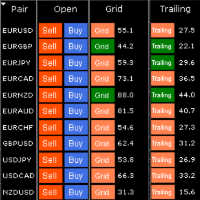
HungrySpiderMulti - is an easy-to-use multi-currency trading panel allowing you to trade 28 trading pairs in one window . The panel also allows you to use grid, and trailing stop. Using this panel trader will receive a push-notification about new events. Opening an order: Opening an order occurs in one click. Near the required currency pair, in the Open section, click on the Sell or Buy button. Grid: Near required pair, there is a Grid button. The button has two states, green - on, orange - off
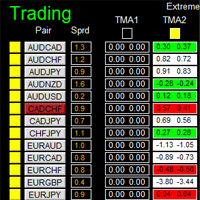
如果产品有任何问题或者您需要在此产品上添加功能,请联系我 Contact/message me if you encounter any issue using the product or need extra feature to add on the base version. There is Demo version of this panel Dashboard Extreme TMA System Demo in my product list, please try it out to get familiar with all functionalities free, LINK . This system basically utilizes 4 TMA (Triangular Moving Average) slope indicators on 4 time-frame and TMA Band as the core indicators to generate trading signal mainly on time-frame M15. The sig
TesterPro
Miguel Angel Barahona Ochoa
TesterPro is a panel designed for use in the MT4 Strategy Tester. It allows you to simulate buy and sell orders, set lot size, take profit, and stop loss. You can modify your open orders and partially close them at any time. You can also adjust take profit and stop loss levels simply by dragging the corresponding lines with the mouse. During your backtesting, TesterPro  provides a real-time report with detailed information about your performance, including deals won, deals lost, total profit, an
This tool allows you to place pending orders that cannot be triggered by wicks . You set your desired entry price and order type, and the EA watches the level. A trade will only be opened if a full candle body closes beyond your price , ensuring the move is real and confirmed — not just a spike or spread touch. This gives you cleaner entries, eliminates premature triggers, and keeps your strategy disciplined and intentional.
Your problem Are you tired of navigating your way through menus and hunting for tool bars to change currency pairs or time frames? Do you hate having to open and close several charts to get a 'feel' of what a currency is doing? Don't you wish you could just click your mouse and quickly navigate through the currency pairs and time frames that you use the most? My solution The Jimdandy Navigator will allow you to quickly customize your own navigator panel. You can select only the currencies, cfds
Buyers of this product also purchase
Trade Indicator Assistant is a powerful MT4 utility designed to turn indicators into automated trading systems. Its main feature is the ability to automatically detect an indicator’s   BUY and SELL signal buffers , without requiring you to know the buffer numbers, search through indicator settings, or modify the indicator source code. Bonus Indicator: After purchasing Trade Indicator Assistant, contact me to receive Trade Signal Pro completely free as a bonus indicator. [Download Demo Version]
Forex Trade Manager MT4
InvestSoft
4.98 (445)
Trade Manager MT4 is an advanced position size calculator and trade management tool for MetaTrader 4, designed to help traders plan trades faster, control risk more precisely, and manage open positions directly from the chart. It combines order placement, risk based lot calculation, Stop Loss and Take Profit management, Break Even, Trailing Stop, Partial Close, Equity Protection, and external trade management in one panel. Whether you trade forex, indices, metals, commodities, or crypto, Trade M
The product will copy all telegram signal to MT4   ( which you are member  ) , also it can work as remote copier.  Easy to set up, copy order instant, can work with almost signal formats, image signal, s upport to translate other language to English Work with all type of channel or group, even channel have "Restrict Saving Content", work with  multi channel, multi MT5 Work as remote copier: with signal have ticket number, it will copy exactly via ticket number. Support to backtest signal. How to
TradePanel MT4
Alfiya Fazylova
4.84 (95)
Trade Panel is a multi-functional trading assistant. The app contains over 50 trading functions for manual trading and allows you to automate most trading tasks. Application instructions + video instructions: https://www.mql5.com/en/blogs/post/772292 Trial version of the application for a demo account: https://www.mql5.com/en/blogs/post/750865 How to install the application: https://www.mql5.com/en/blogs/post/756239 How to test the application in visual mode: https://www.mql5.com/en/blogs/post/7
Prop Guardian Risk Manager MT4 – Drawdown, Risk & Hedge Protection for Prop Firm and Managed Accounts Prop Guardian Risk Manager is a professional risk-control utility for MetaTrader 4, designed for prop firm traders, money managers and anyone who wants strict account-level risk protection. It does not generate trading signals, strategy entries or trading decisions. Instead, it runs in the background, monitors your account risk and can automatically block new exposure, close managed trades or ac
MT4 to Telegram Signal Provider   turns your trading account into a signal provider. Every trade action, whether manual, by EA or from your phone, is instantly sent as a message to Telegram. You can fully customize the format or use a ready-made template for quick setup. [ Demo ] [ Manual ] [ MT5 Version ] [ Discord Version ]  New: [ Telegram To MT5 ] Setup A step by step user guide is available. Key Features Ability to customize order details sent to subscribers You can create a tiered subs
PZ Trade Pad Pro MT4
PZ TRADING SLU
3.67 (3)
Effortlessly calculate lot sizes and manage trades to save time and avoid costly errors The Trade Pad Pro EA is a tool for the Metatrader Platform that aims to help traders manage their trades more efficiently and effectively. It has a user-friendly visual interface that allows users to easily place and manage an unlimited number of trades, helping to avoid human errors and enhance their trading activity. [ Installation Guide | Update Guide | Troubleshooting | FAQ | All Products ] One of the k
Unlimited Trade Copier Pro is a tool to copy trade remotely to multiple MT4, MT5 and cTrader accounts at different computers/locations over internet. This is an ideal solution for you if you are a signal provider and want to copy your trades to other receivers globally on your own rules. One provider can copy trades to multiple receivers and one receiver can get trade from multiple providers as well. The provider can even set the subscription expiry for each receiver, so that receiver will not b
Telegram to MT4 Multi-Channel Copier   automatically copies trading signals from your Telegram channels straight to MetaTrader 4. No bots, no browser extensions, no manual copying. A signal arrives in Telegram and the EA opens the trade in your terminal within seconds. And before you copy a channel, the built-in backtester shows you what that channel would have done in your account. The product has two components: a Windows application that listens to your Telegram channels, and this Expert Advi
Strategy Builder offers an incredible amount of functionality. It combines a trade panel with configurable automation (covert indicators into an EA), real-time statistics (profit & draw down) plus automatic optimization of SL, TP/exit, trading hours, indicator inputs. Multiple indicators can be combined into an single alert/trade signal and can include custom indicators, even if just have ex4 file or purchased from Market. The system is easily configured via a CONFIG button and associated pop-up
VirtualTradePad PRO SE MT4 — advanced trading panel and chart workspace for MetaTrader 4 VirtualTradePad PRO SE is a professional trading panel and trade-management workspace for MetaTrader 4 . It helps traders open, manage, protect, close and analyze trades faster from one chart-based interface. The product was created for active manual traders who need more than a simple set of buttons. PRO SE combines one-click execution, pending orders, position control, partial close, basket profit/loss log
Grid Manual MT4
Alfiya Fazylova
4.71 (17)
Grid Manual is a trading panel for working with grid strategies. The utility is universal, has flexible settings and an intuitive interface. It works with a grid of orders not only in the direction of averaging losses, but also in the direction of increasing profits. The trader does not need to create and maintain a grid of orders, the utility will do it. It is enough to open an order and the Grid manual will automatically create a grid of orders for it and will accompany it until the close. Ful
Zone Trader MT4
Lee Samson
5 (1)
Trade support and resistance or supply and demand zones automatically once you have identified the key areas you want to trade from. This EA allows you to draw buy and sell zones with a single click and then place them exactly where you expect price to turn. The EA then monitors those zones and will automatically take trades based on price action you specify for the zones. Once the initial trade is taken, the EA will then get out in profit at the opposite zone you place, which becomes the target
TradeMirror is a trade copier EA for MT4/MT5 platform. Tutorial Please click the Trademirror Tutorial link to view more tutorials. Why TradeMirror We understand the importance of security, stability and privacy for financial software, so we've gone the extra mile to harden these three elements in detail: Provides a user-friendly graphical interface that is easy to operate Focus on privacy and security, suitable for various financial scenarios with privacy requirements for order distribution Prec
Riskless Pyramid
Snapdragon Systems Ltd
5 (1)
Introduction This powerful MT4 trade mangement EA offers a way potentially to aggressively multiply trade profits in a riskfree manner. Once a trade has been entered with a defined stoploss and take profit target then the EA will add three pyramid add-on trades in order to increase the overall level of profit. The user sets the total combined profit target to be gained if everything works out. This can be specified either as a multiple of the original trade profit or as a total dollar amount. Fo
Trade panel Sniper
Andrey Kaunov
5 (4)
Простая в управлении Торговая панель обеспечит безопасную торговлю. Вычислит объём сделки от заданного уровня Stop Loss и величины убытка. Поможет рассчитать сейф, и в ноль закрыть неверную сделку. Интуитивно понятный интерфейс делает панель удобной в управлении, освобождая внимание трейдера для принятия решения о входе в сделку. Программа сделает все расчёты за вас. Поэтому работа с помощью панели Снайпер - оптимальное решение для торговли с соблюдением Мани-менеджмента. А это главный ключ к по
ManHedger MT4
Peter Mueller
5 (2)
THIS EA IS A SEMI-AUTO EA, IT NEEDS USER INPUT. Manual & Test Version Please TEST this product before   BUYING  and watch my video about it. Contact me for user support or bug reports, or if you want the MT5 version! MT5 Version I do not guarantee any profits or financial success using this EA. With this Expert Advisor, you can: Implement your own   Zone Recovery   strategy to capitalize on trending markets. Create   Grid   trading strategies, to profit from ranging markets. Place orders easil
Trader Evolution MT4
Siarhei Vashchylka
5 (2)
" Trader Evolution " - A utility designed for traders who use wave and technical analysis in their work. One tab of the utility is capable of money management and opening orders, and the other can help in making Elliott wave and technical analysis. Manual (Be sure to read before purchasing) | Version for MT5 Advantages 1. Trading in a few clicks. Immediate and pending orders are available in the panel 2. Money management. The program automatically selects the appropriate lot size 3. Simplifies
The Expert Advisor will help you forward all pop-up alert with screenshot from  MetaTrader 4 to Telegram channel/ group, also forward all notifications to Telegram. Parameters  -  Telegram Bot Token - create bot on Telegram and get token.  -  Telegram Chat ID  - input your Telegram user ID,  group / channel ID  -  Forward Alert - default true, to forward alert.  -  Send message as caption of Screenshot - default false, set true to send message below Screenshot  How to setup and guide  - Telegram
EasyInsight AIO MT4
Alain Verleyen
4 (2)
EASY Insight AIO – All-In-One Power for AI-Driven Trading Want to skip the setup and start scanning the entire market – Forex, Gold, Crypto, Indices, and even Stocks – in seconds? EASY Insight AIO is the complete plug-and-play solution for AI-powered trade analysis. It includes all core Stein Investments indicators built-in and automatically exports clean, structured CSV files – perfect for backtesting, AI prompts, and live market decision-making. No need to install or configure indicators manu
Ultimate Partial Profit EA
BLAKE STEVEN RODGER
4.67 (3)
This EA Utility delivers a robust solution for managing an unlimited array of open orders, both manual and automated. It enables customizable partial profit levels utilizing metrics such as pips, ratios, ATR (Average True Range), and profit amounts for precise trade management. The utility features an advanced on-screen display, offering clear visualization of all orders and their profit levels to enhance strategic decision-making and control. To evaluate its performance and interface, the EA s
RedFox Copier Pro
Rui Manh Tien
4.7 (10)
Time saving and fast execution Whether you’re traveling or sleeping, always know that Telegram To Mt4 performs the trades for you. In other words, Our   Telegram MT4 Signal Trader  will analyze the trading signals you receive on your selected Telegram channels and execute them to your Telegram to MT4 account. Reduce The Risk Telegram To Mt4   defines the whole experience of copying signals from   Telegram signal copier to mt4 platforms. Users not only can follow all instructions from the signa
In the current version this filter will only work with my   night scalpers and the EA Profitection Filter  or with other EAs that utilize the global variables set by this EA.  An MT5 version is availalble   here .  Many scalpers these days have a "normal" news filter, which filters calendar news such as interest rate decisions or CPI releases.  However, this breaking news filter is able to filter non-standard breaking news. It will check every minute for news and if it finds a news event, it w
Auto Trade Driver
Vu Trung Kien
4.6 (15)
Auto Trade Driver is an automatic powerful tool (run as Expert Advisor) that helps you to manage risk and control orders and maximize your profit in multi-protect/trailing-stop rules. This tool is very useful for both scalpers and trend followers. It not only calculates the trade risk exactly, but also protects and maximizes your profits in real-time. With this tool, the only thing you have to do is to enter trade by your own strategy, then it will auto-drive your position with exit strategy you

The FFx Hidden Manager panel will help you to manage easily your orders directly on the chart. Below all features described: TP, SL and TrailingStop are hidden Each order has its own lines on chart Drag & Drop any line to change the TP/SL as per your need Option to move automatically the SL line at breakeven when TP #1 is reached Option to choose the TP/SL type (by pips or price) Option to choose the TrailingStop type (by pips, MA, Fractals, PSAR or ATR) Define which order(s) you want to manage

FFx Risk Calculator
Eric Venturi-Bloxs
FFx Risk Calculator panel will help you to calculate very easily your trades size, SL or the risk directly on the chart. All features are described below: Option to select which parameter to calculate: Risk, Stop Loss or Lot Size The panel will show if the lot size is allowed according to the current account free margin Button to maximize/minimize the panel Drag and Drop the panel anywhere on the chart How to use it? Select the parameter you want to be calculated. It will be based on the 2 other
Trade Copier Pro
Vu Trung Kien
4.29 (14)
Trade Copier Pro is a tool to copy trade remotely to MT4, MT5 and cTrader accounts at different computers/locations over internet. This is an ideal solution for you if you are a signal provider and want to copy your trades to other receivers globally on your own rules. One provider can copy trades to multiple receivers and one receiver can get trade from multiple providers as well. The provider can even set the subscription expiry for each receiver, so that receiver will not be able to receive t
News Trader Pro
Vu Trung Kien
4.38 (16)
News Trader Pro is a unique robot that allows you to trade the news by your predefined strategy. It loads every piece of news from several popular Forex websites. You can choose any news and preset the strategy to trade it, and then News Trader Pro will trade that news by selected strategy automatically when the news comes. News release gives opportunity to have pips since the price usually has big move at that time. Now, with this tool, trading news becomes easier, more flexible and more exciti
Bears CD HTB Global  (Bears Convergence/Divergence High Top Bottom Global) is an analytical bears convergence/divergence indicator (C, D or CD) between a financial instrument and 22 MT4 indicators working on all periods simultaneously. The indicator measures the power of CD for indicators and periods and is the second one out of the two possible versions (HBT and HTB). Features The analyzer is not a lagging one. It works by ticks and is able to show CD in the main window even in case the MT4 in
Bulls CD LBT Global  (Bulls Convergence/Divergence Low Bottom  Top   Global) is an analytical bulls convergence/divergence indicator (C, D or CD) between a financial instrument and 22 MT4 indicators working on all periods simultaneously. The indicator measures the power of CD for indicators and periods and is the first one out of the two possible versions (LBT and LTB). Features The analyzer is not a lagging one. It works by ticks and is able to show CD in the main window even in case the MT4 i
More from author
Currency strength meter for MetaTrader 4 This currency strength indicator reads up to 28 major pairs and turns them into one number per currency, for the 8 majors: USD, EUR, GBP, JPY, CHF, CAD, AUD and NZD. Instead of opening chart after chart to work out who is leading, you read one panel on your MetaTrader 4 chart and you know which currency is being bought and which one is being sold. What you see on the chart A ranked strength bar for each of the 8 currencies, with its percentage A multi-tim
Market Structure Order Block Dashboard MT5 is an MT5 indicator designed for traders who want to read market structure and the main price reaction zones directly on the chart. It combines BOS, ChoCH, Order Blocks, Fair Value Gaps (FVG), Liquidity, Kill Zones, Volume Profile, and a compact dashboard for quick analysis. This indicator targets traders who use market structure, ICT and Smart Money concepts as a decision framework. It can help spot trend continuations, possible reversals, price imbala
Multi-symbol SMC scanner and dashboard for MetaTrader 5 This Smart Money Concepts scanner reads your whole symbol list and puts one row per symbol on a single dashboard . For each symbol it runs the same SMC engine: market structure with break of structure and change of character, order blocks, fair value gaps and liquidity. Each row shows the structure trend on three timeframes, a Buy or Sell signal, a confluence score from 0 to 100, the nearest unmitigated order block and the latest liquidity
Liquidity Sweeps Detector PRO MT5 — Version 1.5 Multi-Timeframe Liquidity Sweeps Detector PRO MT5 is a technical analysis indicator for MetaTrader 5 that detects liquidity sweeps with Market Structure Shift (MSS) confirmation. Based on Smart Money Concepts / ICT methodology, it identifies Buy Side Liquidity (BSL) and Sell Side Liquidity (SSL) levels, and signals stop hunts followed by structure shift. The indicator provides native multi-timeframe analysis with A+ / A / B / C confluence scoring.
Trailing Stop Manager PRO: trailing stop, break-even and partial close EA for MetaTrader 5 Trailing Stop Manager PRO is a trade manager for MetaTrader 5. It applies a trailing stop, a break-even, partial closes and drawdown protection to every open position on the account, whether the position was opened by hand or by another Expert Advisor. The stop is the part of a trade most often left unmanaged. This utility moves it for you, on a rule you choose, and it never moves a stop against the positi
SMC Trade Pilot MT5
Prime Horizon
5 (1)
Order block, BOS and ChoCH expert advisor for MetaTrader 5, with Telegram alerts SMC Trade Pilot MT5 reads market structure on your chart and sends the signal to Telegram. It marks break of structure (BOS) and change of character (ChoCH), draws order blocks with a strength score , tracks fair value gaps (FVG) and liquidity sweeps, displays a volume profile with point of control, value area high and low, and sums everything up in a compact dashboard with a multi-timeframe panel, a confluence scor
Position Size Calculator Lite MT5 - Free Risk Management Indicator (v2.0) Free Lite version of the Position Size Calculator. If you need interactive drag and drop of SL/TP lines, Fixed Lot mode and adjustable Risk/R:R/ATR from the panel, see the PRO version on the Market: Position Size Calculator PRO MT5 . Overview Position Size Calculator Lite MT5 is a free indicator that calculates the recommended lot size for a trade based on a risk percentage, an ATR-based Stop Loss and a target risk/reward
FREE
Session Volume Profile Value Area shows you where the market actually traded during the current session - not just where price went. It builds a horizontal volume profile directly on your chart and marks the three levels traders watch: the POC, the VAH and the VAL. Most charts only show price. Volume Profile adds the missing dimension: how much was traded at each price . Prices where a lot of volume changed hands are areas the market accepted; prices it moved through quickly are areas it reject
FREE
Trade Panel PRO MT5 Trade Panel PRO MT5 is a manual trading panel for MetaTrader 5 designed to prepare, execute and manage positions directly from the chart, with visual risk control at every step. The tool combines order preparation, automatic position sizing based on risk, interactive Entry, Stop Loss and Take Profit zones, and several trade management functions into a single interface. Version 2.0 updates Version 2.0 introduces several improvements to streamline the execution workflow: Automa
Trailing Stop Manager Basic — Free Trailing Stop EA (MT5) Trailing Stop Manager Basic is the free version of Trailing Stop Manager PRO. This MetaTrader 5 Expert Advisor automates fixed-pip trailing stop management, break-even, and 1-level partial close across all open positions on your account. It works with manual orders and orders generated by any other EA. The tool includes a professional visual dashboard identical to the PRO version — daily statistics, real-time P&L, position status, and int
FREE
Lot & Risk Calculator PRO MT5 (v2.30) Position Size Calculator PRO is an advanced risk management tool for MetaTrader 5 that calculates the recommended lot volume based on your risk per trade, your Stop Loss distance, and the symbol specifications (tick value, tick size, volume min/max/step, margin). No trading operations: this indicator does not open or close orders and does not manage positions. It is a decision-support tool to standardize your money management and reduce sizing errors before
Currency strength meter and dashboard for MetaTrader 5 This currency strength indicator reads up to 28 forex pairs and turns them into one number per currency, for the 8 majors: USD, EUR, GBP, JPY, CHF, CAD, AUD and NZD. It combines a currency strength meter, a multi-timeframe agreement matrix, a strength history sparkline per currency, a best and worst pair finder, a 28 pairs differential panel, CSV export, one-click chart switching and configurable alerts, in a single dashboard on your MetaTra
Market Structure Order Block Dashboard MT4 is a MetaTrader 4 indicator designed for traders who want to read market structure and the main price reaction zones directly on the chart. It combines BOS, ChoCH, Order Blocks, Fair Value Gaps (FVG), Liquidity, Kill Zones, Volume Profile, and a compact dashboard for quick analysis. This indicator is intended for traders who use market structure, ICT and Smart Money concepts as a decision framework. It can help spot trend continuations, possible reversa
SuperTrend indicator MT5: multiple take profits, stop loss and lot size Trendline Targets Dashboard is a trend-following indicator for MetaTrader 5. It combines an adaptive SuperTrend trend line, an optional Heikin Ashi reading, a Triple SuperTrend confluence mode, an automatic stop loss and up to three take profit targets (TP1, TP2, TP3), partial exits, move to breakeven, a risk reward model in R multiples, a lot size calculator, an ADX trend-strength filter, an ATR volatility filter, a higher-
Liquidity Sweeps Detector PRO MT4 A Smart Money Concepts (SMC / ICT) indicator that maps buy-side and sell-side liquidity, detects when price sweeps a liquidity level, and confirms the following Market Structure Shift (MSS). Each valid sweep + MSS is marked with an arrow and graded by multi-timeframe confluence, with an automatic risk-reward projection and a live on-chart dashboard. WHAT IT DOES Maps buy-side (BSL) and sell-side (SSL) liquidity from confirmed swing highs and lows. Detects a li
Session Volume Profile SMC shows you where the market actually traded - not just where price went. For every session (Day, Week or Month) it builds a horizontal volume profile directly on your chart, revealing the price levels that attracted the most activity and that price tends to respect later. Most charts only show price. Volume Profile adds the missing dimension: how much was traded at each price . This indicator turns that into a clean, session-based read and layers a Smart Money Concepts
Multi Currency Strength Dashboard Mini (FREE) – Currency Strength Meter for MetaTrader 5 Multi Currency Strength Dashboard Mini is a free indicator for MetaTrader 5 that displays the relative strength of the 8 major currencies (USD, EUR, GBP, JPY, CHF, CAD, AUD, NZD) in real time, in a clear and quick-to-read dashboard. Goal: identify in seconds which currencies are strong and which are weak, so you can build a focused watchlist (for example, pick pairs where a strong currency faces a weak one).
FREE
Position Size Calculator PRO MT4 V2.0 – Lot Size + Visual SL/TP Zones (Drag & Drop) for Faster, Safer Risk Management Position Size Calculator PRO MT4 V2.0 is a position sizing (money management) indicator for MetaTrader 4. It automatically calculates the optimal lot size based on your risk per trade , your Stop Loss distance, and symbol specifications (tick value, tick size, margin, leverage, etc.). Version 2.0 is a major upgrade: instead of only reading a panel, you can manage the trade direct
Session Volume Profile SMC shows you where the market actually traded - not just where price went. For every session (Day, Week or Month) it builds a horizontal volume profile directly on your chart, revealing the price levels that attracted the most activity and that price tends to respect later. Most charts only show price. Volume Profile adds the missing dimension: how much was traded at each price . This indicator turns that into a clean, session-based read and layers a Smart Money Concepts
Trade Copier and Telegram Signals MT4 Trade Copier and Telegram Signals is a utility for MetaTrader 4 that copies trades between accounts running on the same computer or VPS, and executes text signals received through your own Telegram bot. One tool covers three roles: you choose the role of each chart with a single input. The local copier works in both directions between MetaTrader 4 and MetaTrader 5, because both terminals share the same common folder (the MT5 build is published as a separate
Trade Copier and Telegram Signals MT5 Trade Copier and Telegram Signals is a utility for MetaTrader 5 that copies trades between accounts running on the same computer or VPS, and executes text signals received through your own Telegram bot. One tool covers three roles: you choose the role of each chart with a single input. The local copier works in both directions between MetaTrader 4 and MetaTrader 5, because both terminals share the same common folder (the MT4 build is published as a separate
Filter:
No reviews
Reply to review