 MetaTrader 5
 Experts
 Indicators
 Libraries
 Utilities
 Widgets
 Rules
Watch the Market tutorial videos on YouTube
How to buy а trading robot or an indicator
Run your EA on
virtual hosting
virtual hosting
Test аn indicator/trading robot before buying
Want to earn in the Market?
How to present a product for a sell-through
Trading utilities for MetaTrader 5 - 82
 Below are trading programs simplifying trading in MetaTrader 5. Hover over a utility to read its description and purpose.
Session Trade Controller — Keep session schedules, weekday permissions and current order or position context together. Who it is for Designed for traders whose operating workflow depends on broker-time windows and explicit session boundaries. Main functions User-configured trading windows Live countdown to the next session change Weekday permission rules Clear open, closed and transition states Position and pending-order visibility Explicit reasons when trading is outside the permitted schedule

Local Trade Synchronizer — Review a local source-and-follower workflow with explicit mapping, scaling and data-freshness context. Who it is for Designed for users managing their own local MT5 terminals who need to inspect account and symbol relationships. Main functions Master and follower operating modes Prefix and suffix symbol mapping Configurable volume scaling Snapshot freshness checks Deterministic queue reconstruction Rejection of malformed or stale snapshots Clear synchronization and rec

Performance Intelligence Dashboard — Turn available account history into a structured performance-review workspace. Who it is for Designed for traders reviewing net results, win rate, profit factor and drawdown alongside the underlying history. Main functions Net trading results Win rate and trade-count statistics Profit factor Drawdown monitoring Daily performance series Rolling-period comparison Detailed trade tables Clear account-history summary panels A practical setup workflow Review the se

Trade Excursion Laboratory — Study completed trades through adverse excursion, favourable excursion and exit-efficiency context. Who it is for Designed for traders investigating MAE and MFE to understand their own entry and exit behaviour. Main functions Maximum adverse excursion reconstruction Maximum favorable excursion reconstruction Trade-efficiency metrics Excursion distribution views Detailed completed-trade inspection CSV export for further analysis Clear account-history scope and process

Session Performance Analytics — Compare completed-trade results across trading sessions using consistent time boundaries. Who it is for Designed for traders investigating how their historical behaviour differs between session windows. Main functions Completed-trade counts by session Session win rate Net result by session Excursion statistics Comparative session tables Explicit time-boundary configuration Clear account-history and session scope A practical setup workflow Review the selected accou

Strategy Attribution Matrix — Separate account results into strategy groups for contribution and relationship review. Who it is for Designed for multi-strategy users examining Magic-number or comment-based groups instead of account totals alone. Main functions Strategy-level trading results Contribution analysis Drawdown by strategy group Correlation estimates between selected groups Detailed selected-group trade view Magic Number and comment-prefix grouping Clear account-history scope and statu

Trading Discipline Journal — Connect trade review with a structured journal of setup, discipline and decision notes. Who it is for Designed for traders building a repeatable review habit with searchable notes linked to their history. Main functions Setup classification Emotion and context fields Custom tags and notes Rule-adherence score Journal search and filtering Screenshot-reference field Clear trade-linked journal records A practical setup workflow Review the selected account, symbols, serv

Prop Firm Shield watches your prop-firm account's daily loss and total drawdown in real time, warns you at 80%, and force-closes everything at 90% — before the firm's breach line ends your challenge.
===================================================== One bad day should not cost you your challenge. Prop firms disqualify an account the moment it breaches the maximum daily loss or the maximum total loss. While you trade, floating losses, commissions and swaps quietly add up — and many traders

Global Stop Loss & Take Profit Manager — Trade Control for MT5 Take full control of your manual trades with one simple gesture: drag a line. This tool gives you a single Global Stop Loss line and a single Global Take Profit line, right on your chart. Move either one with your mouse, and it instantly updates the Stop Loss or Take Profit of every open manual position on that symbol — no dialogs, no confirmations, no clicking through each trade one by one. This is a trade management tool, not a tra

TM TradeManager – The Copilot EA for Manual and Automated Trading
Short Description
TM TradeManager is not a signal provider and not a scalper that opens trades on its own – it's your **safety net and cockpit** for every position on your account. Whether you trade manually, run another strategy, or open a trade from your phone on the go: as soon as TradeManager is running on a chart, it automatically takes care of break-even, trailing stop and – if you want – staged partial closing. On top of

Strategy Watchdog — Product Page (v1.0, EN)
Value proposition Strategy Watchdog monitors every strategy on your account separately by magic number and steps in only for the one that breaches its own limits, while the rest of your portfolio keeps trading.
What it does Tracks each magic number as its own strategy: floating P/L, realized result today, and drawdown from that strategy's own equity peak. Rebuilds each strategy's result from deal history, so it works on netting and hedging accounts,

TBM Telegram To MT5 Copier turns a Telegram signal channel into real (or notify-only) trades on your MT5 account. It works together with a companion Windows desktop app that reads and parses your Telegram channel; this EA polls that app and acts on what it finds — including recognizing when the channel tells you to close a position, not just open one. With TBM Telegram To MT5 Copier you get automatic entry and close execution (or pure notifications, your choice), a full validation gauntlet befor

Telegram Trade Publisher for MT5 Publish MetaTrader 5 position activity directly to your own Telegram chat, group or channel with customizable messages, chart screenshots and organized trade updates. Telegram Trade Publisher is a monitoring and publishing utility for traders, signal providers and trading communities. It observes positions across the MT5 account and reports selected events through the Telegram Bot API. The utility does not open, close or modify trades. Main features New-position

One EA for both sides — copy trades between two local MT5 terminals in milliseconds. No VPS, no server, no subscription!! Flash Sync — One EA. Two Roles. Zero Lag. Most local trade copiers make you install and manage two separate programs — one for the source account, one for the destination. Flash Sync is a single EA. Attach it to both terminals, flip one setting — Role: Master or Role: Slave — and you're done. No mismatched versions, no wondering which file goes where. Flash Sync mirrors open

QuickTrade Panel – Fast Execution & Smart Risk Management The QuickTrade Panel is a professional trading utility for MetaTrader 5 that makes order execution faster, safer, and easier. It allows traders to place market and pending orders directly from the chart while automatically managing position size based on their risk settings. Key Features Interactive On-Chart Panel: Easily adjust Lot Size, Risk %, Stop Loss (SL), Take Profit (TP), and Pending Order Distance without opening EA settings. Sma

[ MT4 Version ] Single-platform versions: [ Telegram ] [ Discord ] Publish your trades to Telegram AND Discord simultaneously — up to 6 channels from one chart, each with its own audience tier, filters and delay. The complete distribution toolkit for signal sellers. ONE EA, YOUR WHOLE AUDIENCE 6 CHANNELS AT ONCE — 3 Telegram chats + 3 Discord webhooks
️ TIERS THAT SELL — VIP channels get signals instantly, free channels get them delayed (you choose: 60 s

QuickTrade Panel Fast Order Execution, Smart Risk Management & One-Click Trading The QuickTrade Panel is a powerful and easy-to-use trading tool for MetaTrader 5 (MT5). It helps traders place orders faster, manage risk more effectively, and control trades directly from the chart. With all the important trading functions in one place, you can execute trades quickly without opening multiple windows. The panel supports both fixed lot trading and automatic Risk % lot sizing . Simply enter your pref

Here is a shorter, professional version with all your requested features included: QuickTrade Panel – MT5 Fast Execution, Smart Risk Management & On-Chart Trading The QuickTrade Panel is a lightweight, high-speed MT5 trading utility designed for fast and accurate order execution. It simplifies trading with one-click market and pending orders, automatic risk-based lot sizing, and an interactive on-chart dashboard. Key Features 1. On-Chart Trading Panel Adjust Lot Size, Risk %, SL, TP, and Pending

Martingale Firewall is a protection tool, not a strategy. It opens no trades. It runs alongside any EA, copied signal, or your own trading, and stops the one thing that quietly blows accounts up: martingale. Buy a robot, copy a signal, or trade by hand - and the moment it starts doubling into losses, stacking a grid, or adding to a loser, Martingale Firewall steps in. Two modes WARN watches and alerts. It touches nothing - it shows you, on the chart and in a log, exactly what your EA is doing. E

Strategy Health Monitor compares a saved baseline snapshot with a later trade history and reports statistical difference signals under the selected settings. This is a manual, point-in-time MT5 utility. It reads one user-supplied Strategy Tester HTML or HTM report, or a comma-separated trade CSV with a recognizable profit column. It does not monitor accounts continuously or fetch account history by itself. HOW IT WORKS 1. On the first run, the utility creates a baseline snapshot from the suppli

QuickTrade Panel – Fast Order Execution & Risk Management The QuickTrade Panel is a powerful MetaTrader 5 trading tool that helps traders place orders faster, manage risk automatically, and control trades directly from the chart. It reduces manual work, improves trading accuracy, and makes trade management simple and efficient. Key Features On-Chart Trading: Change Lot Size, Risk %, Stop Loss (SL), Take Profit (TP), and Pending Distance without opening EA settings. Smart Position Sizing: Choose

Overview DualVision AI is a MetaTrader 5 Expert Advisor for vision-based chart analysis. The user selects a candle range with two vertical lines and runs an AI analysis on demand. DualVision AI builds an optimized candlestick image and normalized OHLC data for that range, then sends them to Claude (Anthropic) or ChatGPT (OpenAI). The model returns a structured signal with trend, local pattern, conflict flag, confidence, take profit, and stop loss. DualVision AI is an analysis assistant. It does

Transform Your Trading with SmartFastTrade AI: Speed and Ease at Your Fingertips! Introduction Are you a trader struggling with slow order execution? Do you want a tool that can assist you in making quick and accurate trading decisions? If yes, then SmartFastTrade AI is the answer to all your trading needs. With its unique combination of speed, user-friendliness, and advanced features, SmartFastTrade AI will help you unlock your full trading potential. Let's delve deeper into why this innovativ
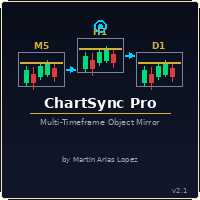
Draw once. See it everywhere. You draw a support line on your 5-minute chart. You switch to the 1-minute to confirm the structure. The line is already there. You open the daily. It's there too — perfectly placed, same color, same style. Zero extra work. That's ChartSync Pro. Most traders waste precious seconds — sometimes minutes — redrawing the same levels, trendlines, and zones across every timeframe. In scalping, those seconds are the trade. ChartSync Pro eliminates that entirely. The moment

justEnter is a semi-automatic trade management utility for MetaTrader 5. You choose the entry; the utility calculates position size, places the stop loss, and manages the position through breakeven, partial closes and trailing until exit. For traders following signals If you take your entries from a signal service, a mentor, or your own alerts, the entry decision is already made by the time you open the terminal. What remains is execution: sizing the position correctly, placing the stop, moving

A standalone algorithm that operates on the removal of the Previous Day's High (PDH) and/or the removal of the Previous Day's Low (PDL). Configurable: - risk per trade as a % of the deposit - minimum delay between trades - aggressiveness level - expected* number of trades and drawdown (*) Expected values will almost never match reality. Designed for use on the SP500 and NAS100 I DO NOT GUARANTEES ANY RETURN OR PROFIT! EXPECT TO LOSS! Livetest here

Risk Trade Panel is a MetaTrader 5 utility Expert that helps you place and manage trades from a clear on-chart panel. It does not generate entry signals and does not run a grid or martingale. You decide when to buy or sell; the panel helps with sizing, stops, and position care. What it does - Lot by fixed size or by risk % of balance (or equity) versus SL distance - Market BUY / SELL with default SL and TP (points or absolute price) - Pending orders: Buy Limit, Sell Limit, Buy Stop, Sell Stop -

Global Stop Loss and Take Profit Manager Drag Lines Auto Apply
Already using my free Global Stop Loss and Take Profit Setter? This is the always on version. Instead of setting levels once, you drag two lines on the chart and every manual position on that symbol — plus every new one you open — instantly inherits the Stop Loss and Take Profit. No clicking into each order. No forgetting a stop.
Global Stop Loss and Target Manager is a drag-and-drop risk tool for manual traders on MetaTrader 5. Pu

TXBeeBox TradingPanel Pro TXBeeBox TradingPanel Pro is a multifunctional manual trading and position-management panel designed for MetaTrader 5. It provides fast order entry, centralized position controls, real-time account information and practical risk-management tools in a clean, compact interface. This product is a manual trading utility. It does not generate trading signals, predict market direction or open trades automatically. All entry and position-management commands are initiated by th

Visual MT5 trade planner with draggable entry, SL and TP, risk sizing and order management.
## Full description
Risk Assistant MT5 is a manual trading utility for planning, sizing and managing orders directly on a MetaTrader 5 chart.
The utility does not generate trading signals and does not decide when to enter the market. The trader selects the direction, entry, stop loss, take profit and acceptable risk. Risk Assistant displays the planned trade, calculates the volume and sends the order
Whether you're a multi-timeframe analyst or trading from a single monitor, this tool has your back.
Turn your MT5 into an analysis command center — the ultimate chart sync & instant symbol switcher Tired of switching charts one by one every time you change strategy? Is your workspace a mess of currency pairs, indices, and commodities? Wish you had a desktop-grade analysis setup, even without multiple monitors? If any of that sounds familiar, All Charts Sync Changer+ is built to fix exactly that

WEALE Price List | Wealth Engine Capital Scanner Utility for MetaTrader 5 WEALE Price List is a MetaTrader 5 (MT5) utility script that shows how much capital you need to fill the full Wealth Engine DCA ladder on every symbol in your Market Watch. This utility is the planning companion to the FJ Universe Wealth Engine (WEALE) Expert Advisor. Where the Wealth Engine runs the strategy, the WEALE Price List helps you decide where to run it. The script scans each symbol in your Market Watch, reads th

XBOOT BOLETA PRO Professional Manual Trading Panel for MetaTrader 5 XBOOT Boleta Pro is a complete trading panel designed for traders who execute manual trades and want greater speed, organization, and control during every trading session. More than a standard Buy and Sell panel, XBOOT Boleta Pro combines powerful trading tools into a single interface, helping traders analyze the market, manage risk, execute orders, and monitor trading performance without leaving the chart. Its purpose is to sim

RR Ratio Pro RR Ratio Pro is a professional trade planning tool designed for disciplined traders. It helps you evaluate every trade before execution by visualizing risk, reward, stop loss, take profit, and position size directly on the chart. It helps traders quickly visualize Entry Price, Stop Loss, Take Profit, Position Size, and the Risk-to-Reward Ratio directly on the chart before placing an order. Whether you trade Forex, Gold, Indices, or CFDs, RR Ratio Pro makes trade planning faster, cle

Chart Risk Desk Pro is a focused MetaTrader 5 utility Expert for manual traders who want speed and risk control without an overloaded mega-panel. It does not generate entry signals and does not run grid or martingale systems. It addresses common wishlist items from heavy trade-panel users: manage trades opened outside the panel, clearer pip/points sizing, one-click BE and partial, virtual stops inside broker stop-level limits, daily loss/profit guard, reverse and lock, simple OCO, and a lighter

Auto trading so strong mt5 trading script so rich and running amazing auto trading trades with so high quality performance and results Look that is the best trading script that will help you to make good results like in screenshots i built that strategy depend on Envelopes indicator to make that script trading in that area excellent scalping trades and gain maximum good results per trade so i built that strategy manually then I make it auto trading so to start use that script add to scripts aft

In brief Auto TP Helper is a lightweight tool for manual traders who want to ensure they never forget to set Stop Loss and Take Profit levels after opening a trade. It runs in the background: as soon as you open a position manually, it instantly applies your preset SL and TP levels and then manages the position using a classic trailing stop—adjusting the stop toward profit as the price moves. No trading logic, no entry signals—just protection for the positions you have opened yourself. Who is th

QuickTrade - One-Click Trading Panel QuickTrade is a manual trading panel that places orders with a single click and sizes the lot automatically from a fixed money-per-trade amount. Instead of typing a lot size, you type how much money you want to put at risk, and QuickTrade calculates the correct lot from your chosen Stop Loss distance. Every order is sent with its Stop Loss and Take Profit already attached. Key Features One-click SELL / BUY - large buttons that also show the live Bid/Ask price

In Brief News Straddle Helper is a tool designed for trading volatility surrounding major news releases. At a specific time you set (with one-second precision), it automatically places two opposing pending orders—a Buy Stop and a Sell Stop—equidistant from the current price. As soon as one order is triggered, the other is instantly cancelled. If neither order is triggered within the allotted time, both are automatically removed. It is based on a classic concept (the "news straddle"): while the d

Trade Manager MVP MT5 is a chart-based position sizing, order execution and trade management tool designed to help manual traders plan setups, control risk and manage positions from one compact panel. Define Entry, Stop Loss, TP1, TP2 and Final TP using draggable chart lines. Set your preferred risk percentage, and the EA calculates the position size from the Stop Loss distance. Moving the Entry line automatically moves the other levels while preserving their configured pip distances. Key Featur

Multi Account Trade Desk MT5
## Short description
Account-wide MASTER-to-SLAVE trade copier for MetaTrader 5 with per-account risk sizing, automatic broker symbol matching, live readiness monitoring and parallel execution.
## Product description
Multi Account Trade Desk MT5 is built for traders who manage several MT5 accounts and want one central place to control risk, account readiness and trade replication.
Attach the same EA as MASTER on the source terminal and as SLAVE on every target

Before you buy: six things this tool does not do. If one of them is what you came for, this is the wrong product, and I would rather you knew that now than after you paid. MetaTrader 5 only. There is no MT4 side, and no copying between MT4 and MT5. One machine. Both terminals must run on the same computer or VPS. There is no remote or cloud copying between two machines. Hedging accounts only. A netting account is refused and the tool will not start. Check your account type before you buy. One ac

Wait for structure. Keep control. Trading Lab Structure Navigator is a visual multi-timeframe market-structure and manual decision-support utility for MetaTrader 5. It helps discretionary traders organize chart analysis, recognize structural change and wait for clearer conditions. It never opens, modifies or closes orders. Do not chase every price movement The Navigator turns the chart into an organized decision workspace. It combines the broader market picture, local structure and execution-foc

Advanced MT5 Trading Utility Panel EA Speed, Precision & Automated Risk Control The MT5 Advanced Trading Utility Panel is a professional-grade execution dashboard built for scalpers, day traders, and high-volatility news traders on MetaTrader 5. Designed to eliminate standard platform delays, it provides instant, one-click access to market execution, dynamic lot sizing, pending order management, and fast position clearing directly from your chart. Key Features & Functionalities ️ 1. Dynamic

https://www.mql5.com/en/blogs/post/774611
Trade Copier Pro MT4/MT5 Trade Copier Pro MT4/MT5 is a professional trade copying application developed for MetaTrader users who need to synchronize trading activity between multiple accounts. The product supports trade copying between MetaTrader 4 and MetaTrader 5, allowing communication across MT4 and MT5 terminals as well as within the same platform. It can be used for MT4 to MT4, MT5 to MT5, MT4 to MT5 and MT5 to MT4 trade copying. The application i

G2 TRADING ASSISTANT – PRODUCT DESCRIPTION By Ida Bagus Putu Mahardika G2 Trading Assistant – Smart Trading Solution for Modern Scalpers G2 Trading Assistant is a professional trading panel designed to maximize your trading performance on the MetaTrader 5 platform. With an intuitive interface and advanced features, this panel gives you full control over order execution and risk management in real time. KEY ADVANTAGES OF THE G2 STRATEGY 1. VISUAL SETUP PLAN (Entry & Target Levels Visually) Dra

TRADE MANAGER G2 – PRODUCT DESCRIPTION By Ida Bagus Putu Mahardika Trade Manager G2 – All-in-One Trading Panel for Professional Execution & Risk Management Trade Manager G2 is a next-generation trading panel designed to give you full control over order execution, position management, and profit optimization in real time on MetaTrader 5. With a modern card-based user interface and individual TP actions per level, this panel elevates your trading experience to the next level. KEY ADVANTAGES OF

Smart Risk Panel MT5 is an advanced execution and risk management panel designed for manual traders and Prop Firm traders (FundingPips, FTMO, FundedNext, the5ers, etc.).
Built with a NON-BLOCKING architecture, the EA runs smoothly without freezing your chart—even during high volatility or fast-moving markets.
================================================== KEY FEATURES ================================================== • Auto Lot Calculation: Automatically calculates your exact lot siz

KS Hotkey Trading Panel Pro is a MetaTrader 5 Expert Advisor that provides fast keyboard-driven trading plus a clickable on-chart dashboard. Main Features Hotkey trading — Single-key actions for: Market Buy / Sell Buy Limit / Sell Limit Buy Stop / Sell Stop Close All positions Close Buys only / Close Sells only Delete all pending orders Lot size up / down (Arrow Up / Arrow Down) Show / Hide the panel On-chart dashboard — Displays every hotkey, current lot size, live account info (Balance, Equit

KS Auto Trade Close Manager Time Base is a MetaTrader 5 Expert Advisor (EA) that automatically closes open trades at a user-defined local computer time, with a simple on-chart control panel. Main features Scheduled auto-close (optional) Closes trades at a specific local time (HH:MM, e.g. 23:55). Uses the terminal/computer’s local time ( TimeLocal() ), not server time. Three close modes (selectable from inputs or the panel) ALL – close every matching position PROFIT ONLY – close only positions c

XAU/USD is not a preset on top of a generic engine here. It is the whole project , one instrument, one model stack, built for it and nothing else. It started as research rather than as a product. What you get is the software itself, running on your account, at your broker, with the risk settings under your hand. Three models that disagree Direction and size are scored by an ensemble: a transformer, a gradient-boosted tree ensemble, and a recurrent network. Same feature set, three different induc

Apex Trade Copier is a local trade copier for MetaTrader 4 and MetaTrader 5. It copies trades between MT4 and MT5 accounts on the same computer or VPS and works in every combination, including MT4 to MT5 and MT5 to MT4, across different brokers. It runs locally through a shared file, so there is no internet dependency, no DLL, and no monthly fee. One master account can feed any number of client accounts, and a single client can copy from up to eight masters at once. Each client sizes its trades

RT EXECUTER — MANUAL DO USUÁRIO ========================================== O QUE É O EXECUTOR RT O RT Executer é um painel de execução manual para MetaTrader 5, projetado para scalpers e day traders que desejam execução rápida de ordens combinada com gerenciamento de risco automatizado. Você define seu risco por operação e o tipo de stop, e o painel calcula automaticamente o tamanho do lote ao comprar ou vender. O EA não toma decisões de entrada por você — a análise de mercado e os gatilhos de c

Optimization Cluster Analyzer Stop selecting only the best pass. Find parameter regions that actually deserve validation. An outstanding optimization result may be nothing more than an isolated peak. Optimization Cluster Analyzer — OCA transforms raw MetaTrader 5 optimization reports into a structured analysis of clusters, neighborhoods, parameter stability, recurrence and representative sets . The objective is not simply to find the highest profit. OCA investigates whether strong results belong

Prop Firm Guardian — Rule Protection System for Prop Firm Traders Most prop firm challenges aren't lost to bad strategy they're lost to a moment of forgetfulness: one trade too many after a bad morning, one position left open past the daily reset, one day's profit that quietly breaks a consistency rule nobody was tracking. Prop Firm Guardian is a rule-protection EA built specifically to stop that from happening. It does not trade for you. It places no orders of its own and works alongside anyth

RISK MANAGER PRO v4.5 - STOP BLOWING ACCOUNTS 90% of traders don't lose because of their strategy. They lose because of poor risk management. This fixes it. This is NOT another trading panel. This is your automatic discipline system - the one FTMO, The5ers, and FundedNext traders use to keep their funded accounts alive. Other EAs promise you money. This one stops you from losing it. And that's what makes you profitable. ARE YOU TIRED OF THIS? Revenge trading after a loss and blowing

RiskPilot Pro Plan risk clearly. Execute efficiently. Manage positions from one professional MT5 dashboard. RiskPilot Pro is a visual trade-planning and position-management utility for MetaTrader 5. It helps manual traders define risk before entry, calculate position size, place market or pending orders, and manage open positions from one chart panel. Important: RiskPilot Pro does not generate trading signals and does not choose trade direction. The trader defines the setup and remains responsib

GUIA RÁPIDO: BOLETA BRUXO MAPRIS ️ Configuração Inicial Obrigatória Ao arrastar a boleta para o gráfico, antes de clicar em OK, atente-se a dois detalhes: Permitir o Robô Operar: Na aba Comum , marque a caixa "Permitir Trading Algorítmico" . Certifique-se também de que o botão Trading Algorítmico no topo do seu MetaTrader 5 esteja verde . Múltiplos Gráficos (Magic Number): Na aba Parâmetros de Entrada , altere o valor de InpMagicNumber se for abrir mais de um gráfico. Exemplo: Gráfico 1 (Í

Daily Loss Guardian Prop Firm Drawdown and Equity Kill Switch An account wide daily loss and drawdown kill switch for prop firm challenges and funded accounts. It locks trading the instant your equity loss crosses your limit, force closes every open position — including trades opened manually or by a different EA — cancels all pending orders, and re arms itself automatically the next trading day. Built for Prop Firm Traders Who Need to Pass and Stay Funded If you are trading for a prop firm — FT

English Boleta Scalper NQ — Institutional Fast Execution Panel for MT5 Execute at the speed scalping demands — without taking your hands off the keyboard. Boleta Scalper NQ is a professional trading panel for MetaTrader 5, specifically developed for index futures (NQ) traders who need fast order execution, risk management, and complete market awareness in one place, without wasting time navigating MT5's native menus. Three Trading Modes in a Single Panel SCALPER — Fast market execution panel wit

View User Manual1 ( Getting Started ) View User Manual2 View User Manual3 ( Telegram ) [ Download the Demo Version ] Tired of the same old MT5 interface?
Transform your MT5 into a Modern Trading Interface — and elevate your trading experience to a level inspired by TradingView. Powered by ApeX Trading Console
A modern trading experience, built directly inside MetaTrader 5. ____________________________________________
ApeX Trading Console is a professional MT5 Tra

Synqorix Trade Copier MT5 is a unified local trade copying solution for MetaTrader 5.
A single Expert Advisor file can operate in one of two roles:
• Provider — sends trades from the source account; • Receiver — receives and copies trades to the destination account.
The role is selected with the InpRole input before launch. The Expert Advisor activates only the selected mode and automatically creates the appropriate PROVIDER or RECEIVER panel. Parameters belonging to the inactive role are no

Envelope monitoring for multi-EA accounts. Each magic number is watched against its own backtest; you get a traffic light on the chart and an alert only when a state changes. Includes the full free measurement layer. What it is You run several Expert Advisors on one account. This utility reads their closed history, groups it by magic number, and watches every system against its own backtest: a traffic light on the chart, and an alert only when a state actually changes. Underneath sits a full mea

QuantumTraderPanel — MQL5 Market Product Page
1. Short Description (Tagline) QuantumTraderPanel is your all-in-one trade management cockpit — risk-based lot sizing, automatic break-even and trailing, and full basket protection, all in one panel.
Alternates: - *"Stop managing trades by hand. QuantumTraderPanel calculates your lot size, protects your profit, and guards your whole basket — automatically."* - *"One panel. Every trade sized right, every position protected, every basket under contr

Live vs Backtest Divergence Detector compares a user-supplied live trade history with a backtest history and reports observable distribution-divergence signals under the selected settings.
This is a manual, point-in-time MT5 utility. It reads two local files from MT5 Common/Files or the terminal MQL5/Files folder. Supported inputs are MT5 HTML or HTM trade-history reports and comma-separated trade CSVs with a recognizable profit column. Each history needs at least five closed trades. The utili

Trade with absolute precision, speed, and visual control. RR Gestion V4.0 is the ultimate Risk-to-Reward utility panel for MetaTrader 5, designed to bring the fluid, visual order-placement experience of TradingView directly into your MT5 charts. Whether you are a lightning-fast scalper or a meticulous swing trader, this tool completely eliminates human error in risk calculation. Simply drag the visual zones on your chart, and the panel handles the math, lot sizing, and partial closures automatic

AZ_OrderGun - Professional Order Management Panel AZ_OrderGun is a lightweight and fast trade management tool designed for manual traders who need full control over their trades directly from the chart. MAIN FEATURES One-Click Trading: Buy SLL, Sell SLH, Buy SLO, Sell SLO with predefined Stop Loss Visual SL/TP Management: Drag and drop Stop Loss and Take Profit lines directly on the chart Smart Risk Calculation: Automatic lot size calculation based on % risk and SL distance Risk/Reward Ratio:

AUTO TP & SL for Averaging The fastest way to manage Take Profit and Stop Loss for multiple trades. AUTO TP & SL is a powerful utility designed specifically for averaging, grid, martingale, and scalping traders . Instead of modifying the TP and SL of every order manually, simply enter your desired profit target or maximum loss in USD, and let the EA handle everything automatically.
Free Demo Version = https://c.mql5.com/6/1021/AUTO_TP_SL_DEMO.zip
Key Features Set Target Profit in USD for a

GTM Panel Pro is a manual trade manager for MetaTrader 5. It lets you run four separate trade groups (A, B, C, D) and four pending-order slots (L1 to L4) on one chart, each with its own lot, stop, target, breakeven, trailing stop and magic number. Press CLOSE and only the group you are pointing at is touched. Version 2.53 adds an optional AI assistant that uses your own API key, Telegram voice notes, a HELP box in 14 languages, an entry checklist, price alerts, free target boxes on the chart and

UNIVERSAL RISK TRADE MANAGER MT5 Control Your Risk. Protect Your Capital. Trade with Confidence. Successful trading is not only about finding the right entry. It is about controlling how much you can lose when the market moves against you. Universal Risk Trade Manager MT5 is a professional risk-management and trade-execution assistant designed to calculate position sizes, protect trading capital, and manage open trades directly from a clear, easy-to-use chart panel. Whether you trade Forex, Gold
The MetaTrader Market is a unique store of trading robots and technical indicators.
Read the MQL5.community User Memo to learn more about the unique services that we offer to traders: copying trading signals, custom applications developed by freelancers, automatic payments via the Payment System and the MQL5 Cloud Network.

You are missing trading opportunities:
- Free trading apps
- Over 8,000 signals for copying
- Economic news for exploring financial markets
Registration
Log in
You agree to website policy and terms of use
If you do not have an account, please register