RR Gestion
- Utilities
- Version: 10.0
- Updated: 7 August 2026
- Activations: 15

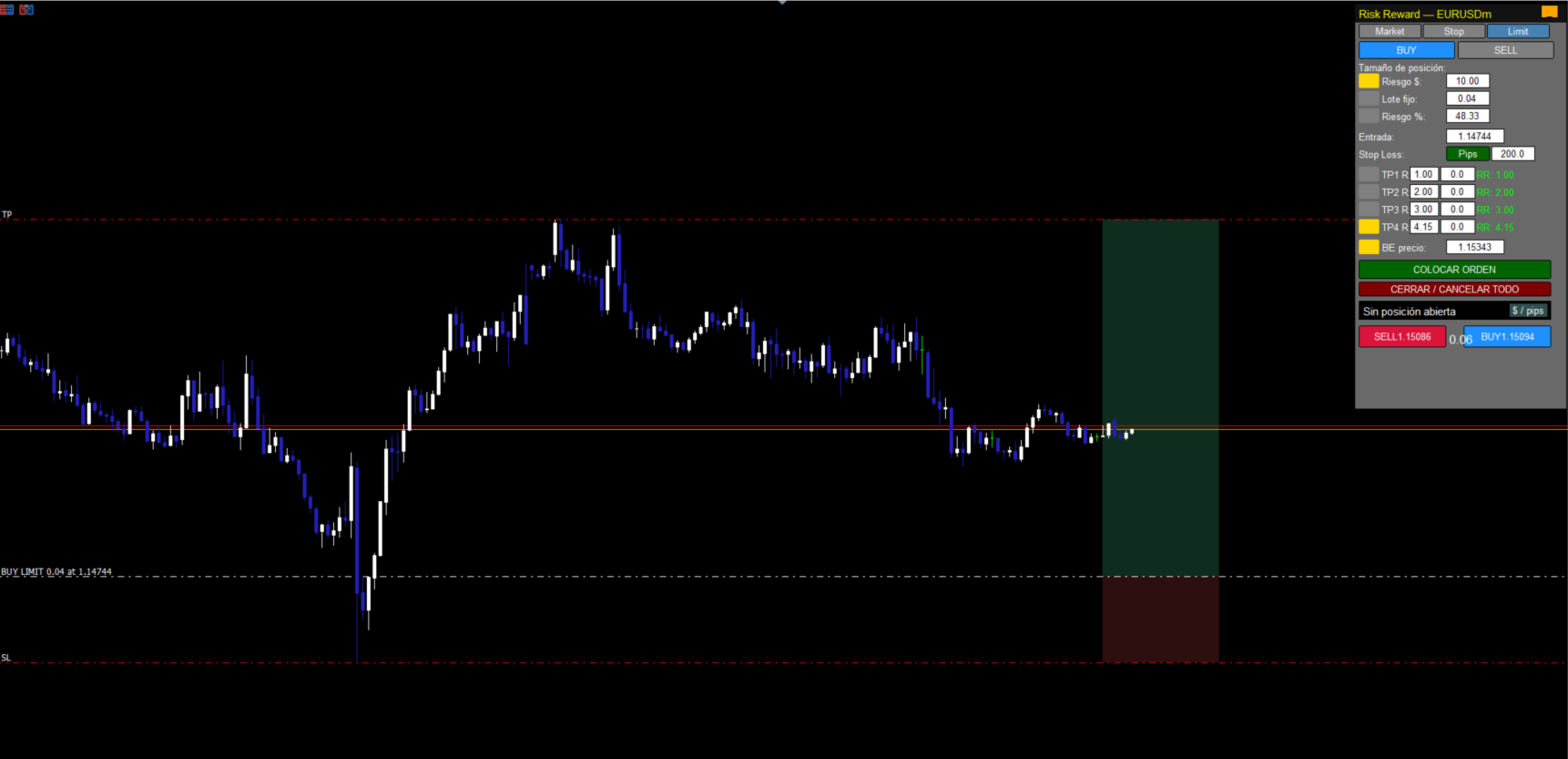
Trade with absolute precision, speed, and visual control. RR Gestion V4.0 is the ultimate Risk-to-Reward utility panel for MetaTrader 5, designed to bring the fluid, visual order-placement experience of TradingView directly into your MT5 charts.
Whether you are a lightning-fast scalper or a meticulous swing trader, this tool completely eliminates human error in risk calculation. Simply drag the visual zones on your chart, and the panel handles the math, lot sizing, and partial closures automatically.
🌟 KEY FEATURES & HOW IT WORKS:
-
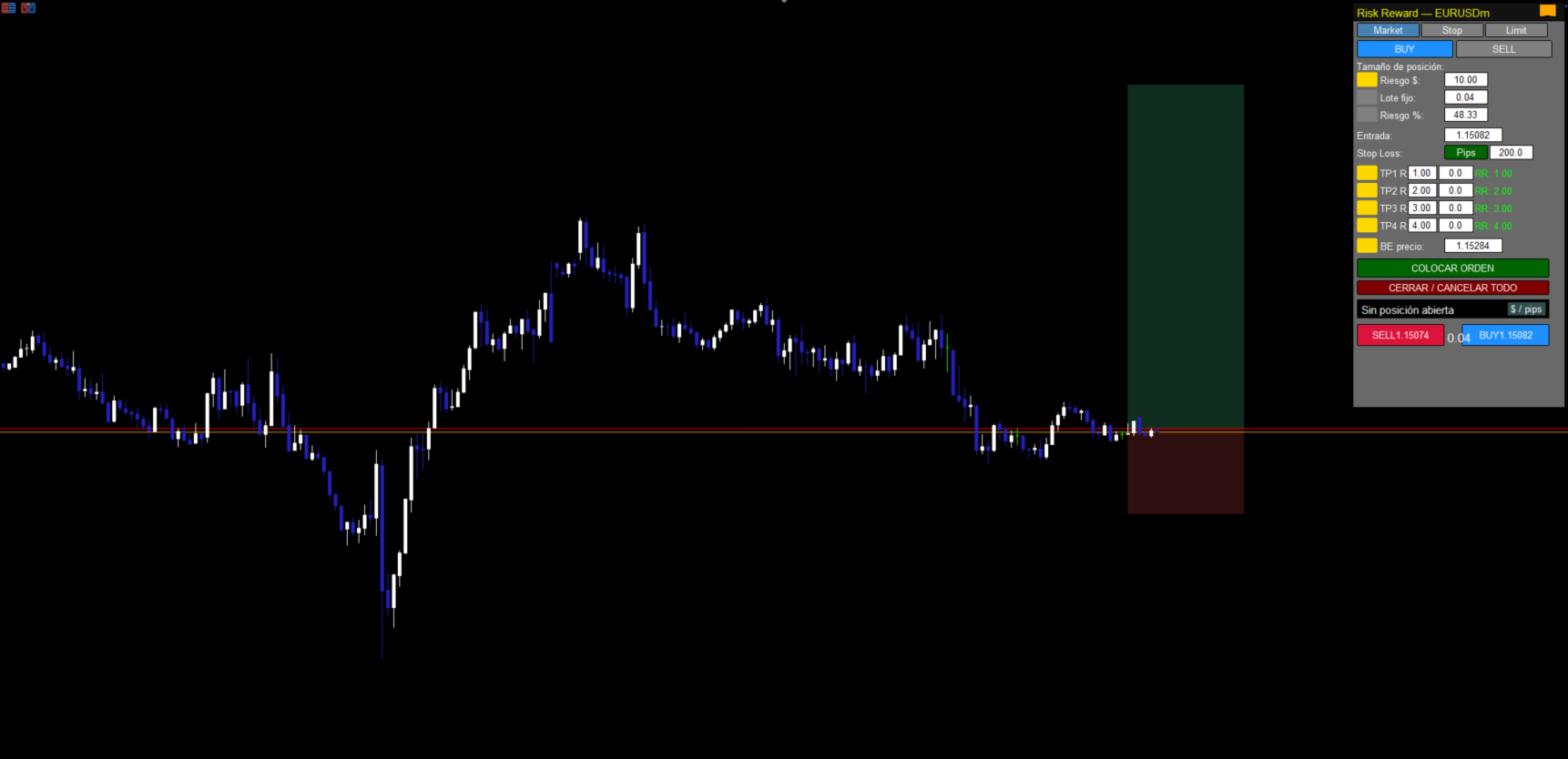
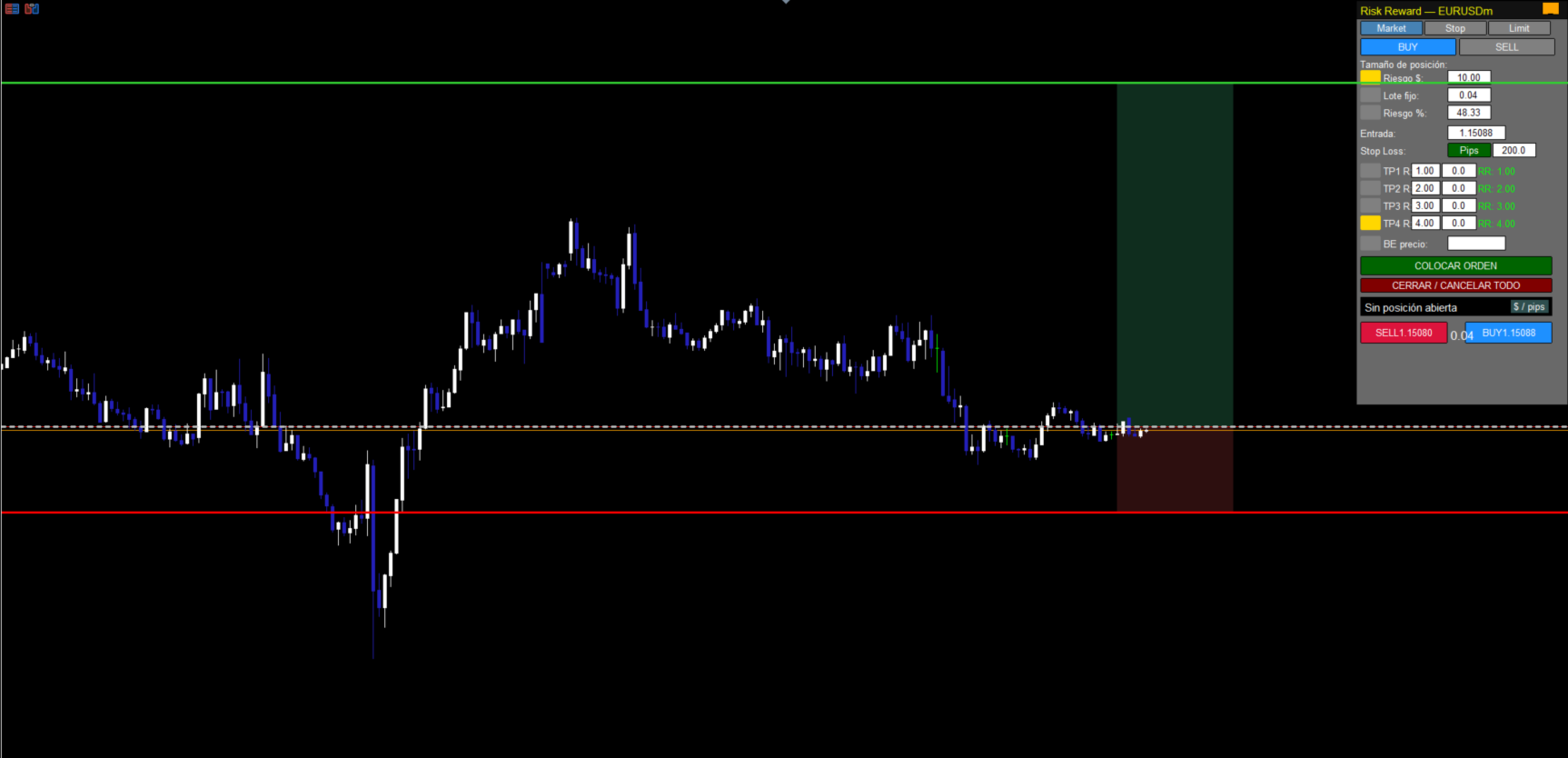
Fully Visual Drag & Drop Interface: Interactive Risk (Red) and Reward (Green) boxes appear directly on your chart. Drag the Entry, Stop Loss (SL), or Take Profit (TP) lines with your mouse. The lot size recalculates instantly in real-time based on your exact risk parameters.
-
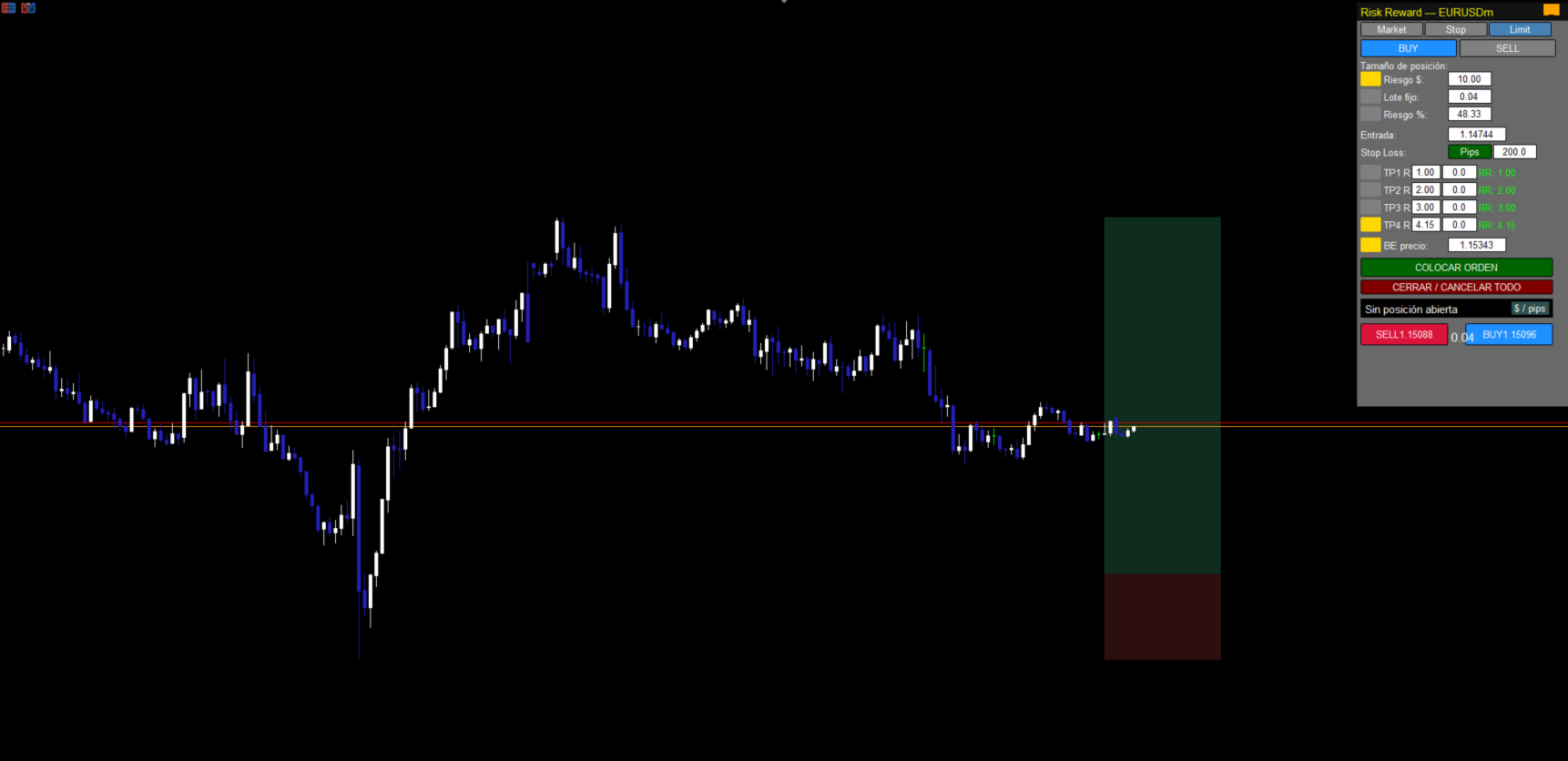
Movable & Minimizable Panel: Drag the panel from its header to place it anywhere on your chart. Need a cleaner view? Click the minimize ( _ ) button to hide the main body while keeping the "Quick Trade" row visible.
-
Smart BUY/SELL Toggle: Switch seamlessly between long and short scenarios. Pro-Tip: Click the currently active Buy or Sell button again to instantly hide/show the visual boxes on the chart without losing your settings.
🎛️ PANEL CONTROLS & PARAMETERS:
-
Order Types: Choose between Market, Stop, or Limit orders. The panel features smart validation to prevent broker errors (e.g., warns you if placing a Buy Limit above the current price).
-
Risk Sizing Mode (3 Options):
-
$ (Fixed Money): Define your max risk in currency (e.g., $50).
-
Lot (Fixed Lot): Trade with a static lot size while the panel calculates the resulting risk.
-
% (Risk Percent): Risk a precise percentage of your total account balance per trade.
-
-
Stop Loss Mode (Price / Pips): Toggle the SL button to set your risk by an exact price level or by a fixed pip distance.
-
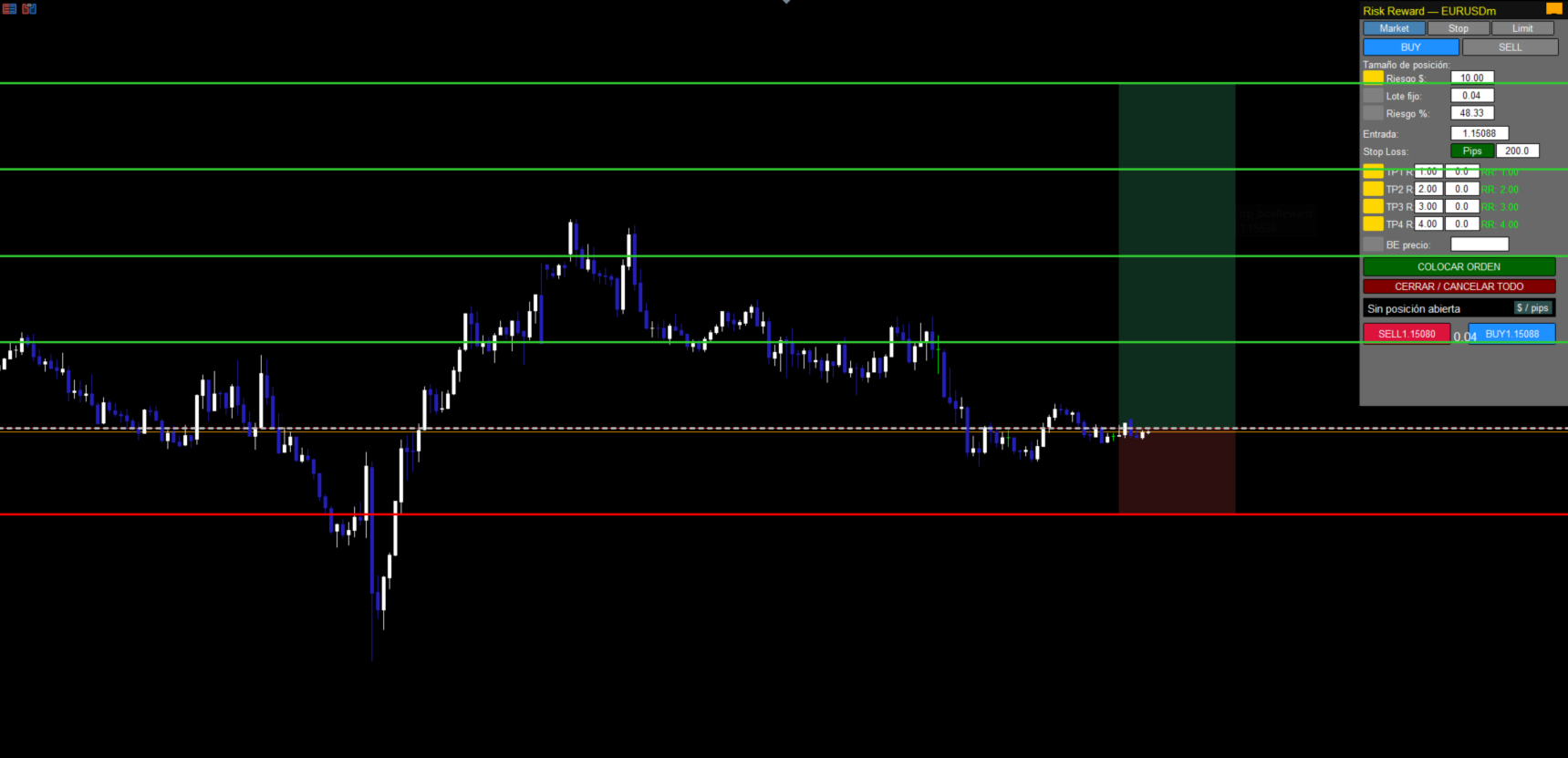
Advanced Multi-TP Management (TP1 to TP4): Scale out of your trades like a pro. Enable up to 4 partial Take Profits. For each TP, define the Risk Multiple (e.g., 1.5R, 2R) and the exact percentage (%) of the position you want to close. The visual lines for each TP can be dragged directly on the chart.
-
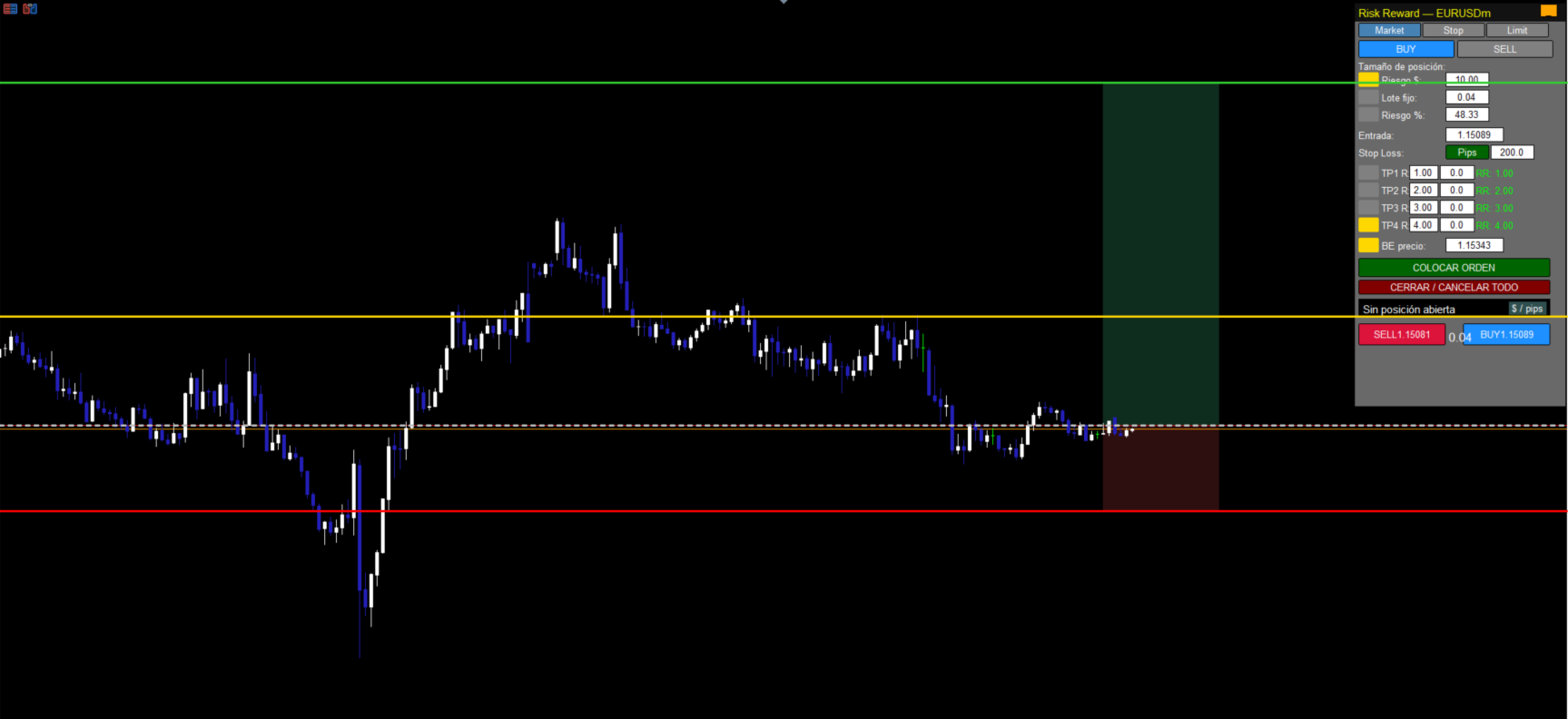
Visual Auto Break-Even (BE): Activate the BE checkbox to protect your capital. A golden line will appear on the chart—drag it to the exact price where you want your Stop Loss to automatically move to your entry price (plus a custom buffer).
-
One-Click Execution & Panic Button: Click "COLOCAR ORDEN" to execute your perfectly calculated trade. Use "CERRAR / CANCELAR TODO" to instantly close all open positions and delete pending orders.
-
Quick Trade Row (Always Visible): Even when the panel is minimized, the bottom row allows you to execute Market BUY or SELL orders instantly. These buttons automatically read the lot size, SL distance, and final TP of your current box configuration for ultra-fast scalping.
-
Live Profit Monitor: Track your active position's profit directly on the panel. Click "$ / pips" to toggle the display between currency and pips.