 MetaTrader 5
 Experts
 Indicators
 Libraries
 Utilities
 Widgets
 Rules
Rules
Watch the Market tutorial videos on YouTube
How to buy а trading robot or an indicator
Run your EA on
virtual hosting
virtual hosting
Test аn indicator/trading robot before buying
Want to earn in the Market?
How to present a product for a sell-through
Trading utilities for MetaTrader 5 - 84
 Below are trading programs simplifying trading in MetaTrader 5. Hover over a utility to read its description and purpose.
TradeProtector MT5 is a trade management utility for MetaTrader 5. It does not analyze the market and does not open positions automatically. The trader remains in control of every entry.
The panel can open a Buy or Sell position only after the user presses the corresponding button. Before entry, the user specifies the lot size, maximum loss amount and target profit amount. TradeProtector calculates the appropriate Stop Loss and Take Profit prices using the symbol specifications provided by the

MT5 to Telegram MultiChannel Sender sends your MetaTrader 5 trading signals to Telegram automatically — to one or several channels, groups or private chats. Every opening, SL/TP change, partial close, close and pending order is posted within seconds, and an on-chart panel lets you run a VIP channel and a Free channel from the same account. No coding and no inputs to fill in. Looking for the opposite direction, copying Telegram signals into MT5? See Telegram to MT5 MultiChannel Copier . Setup

SIZE FROM THE STOP. LOCK THE DAY. Most losing days do not start with a bad setup. They start with a lot size picked by feel, then a second trade to win the first one back. ATS Risk Desk sizes every trade from your stop, sends it in one click, manages it, and locks you out when the day's limit is gone. HOW IT WORKS Pick LONG or SHORT. A stop line and a target line appear on the chart. Drag them. Lots = your risk (percent of balance, percent of equity, or a fixed sum) divided by the stop distance,

Boletovisc MT5 Boletovisc MT5 is a manual trading, position management and technical analysis panel developed for MetaTrader 5. The tool brings execution, protection, position management and market analysis features into a single interface, allowing the user to control trades directly from the chart. Boletovisc does not automatically open trades based on Trend V2 . Buy, sell, hold and close decisions remain under the user's control. Main Features Market Buy and Sell directly from the panel. Conf

Are your trades not going as expected? You have one or more losing positions and want to find a joint exit in profit. But you need to know where to close, what volume a new entry would require, and how your target would change if you add another position. Trade Rescue Manager helps you plan that recovery and manage its execution right from the MetaTrader 5 chart. Choose which positions to manage, set your target, and organize the basket's exit. Choose what you want to manage An individual posit

Strategy Detective — Behavioral Strategy Analysis for MT5 How many times have you seen a strategy or Expert Advisor you would like to use, study, replicate, or develop — but had no clear idea how it actually works? Strategy Detective is a behavioral analysis utility for MetaTrader 5 designed to help traders, researchers, and developers study how a trading strategy behaves in real market conditions. It does not read or decompile another EA's source code. Instead, it observes trading activity, com

BacktestLab: a complete review of your Strategy Tester report, in one panel BacktestLab reads the HTML report exported by the MetaTrader 5 Strategy Tester and turns it into a full analysis dashboard, so you can judge a strategy the way an experienced trader would, not just look at profit and drawdown. It's organized into six panels, each answering one question: Summary : Is the strategy worth it? An overall 0 to 10 score built from five pillars (edge, risk, stability, robustness, reliability), t

[ Installation Guide | Update Guide | Troubleshooting | FAQ | All Products ]
STOP FLYING BLIND WITH YOUR EAs
You have multiple Expert Advisors running on your charts. But do you actually know what they are doing right now? Are they trading too much? Is one of them stuck in a drawdown? Is there a hidden conflict between two of your strategies?
Corvux Monitor Premium gives you real-time visibility and control over every EA on your account through a single, professional dashboard.

Tachi Prop Guard MT5 — Prop Firm Risk Manager with Drawdown Limits and Audit Log
Prop firm risk manager for MT5: transparent daily loss and max drawdown limits, SL projection, auto-close and a full audit log.
Trading a prop firm challenge or a funded account fails for one reason more than any other: a daily loss limit or maximum drawdown breach. Tachi Prop Guard is a lightweight risk management utility for MetaTrader 5 that watches your entire account in real time, shows exactly how much risk

EKAI Prop Guardian Pro The complete prop firm survival dashboard for MetaTrader 5 (Utility Expert Advisor — monitoring only, does NOT execute trades) Overview EKAI Prop Guardian Pro is the only MetaTrader 5 utility that combines three critical prop-firm survival engines in a single draggable, resizable, scrollable dashboard: a Rule Compliance Engine for 7 preset firms, a Behavior Engine that flags revenge trading and overtrading in real time, and a MAE/MFE Live Dashboard that measures the execut

IMD Fibo EA IMD Fibo EA is a trading utility for MetaTrader 5 designed to identify trading zones, analyze market direction, and prepare a structured trading plan based on hierarchical Fibonacci levels. The utility combines: a multi-symbol market scanner; market direction analysis using EMA, MACD, and ADX; a three-level hierarchical Fibonacci structure; Entry, Stop Loss, and Take Profit calculation; a trading panel for manual placement of limit orders; built-in virtual statistics for evaluating

Are you tired of hesitating when entering trades? Do you lack the time to constantly monitor open positions? Or do you simply want to trade like a seasoned professional without staring at charts 24/7?
**Auto Risk Order Manager (AROM)** is your ultimate chart-side assistant designed to eliminate manual calculation stress, streamline entry execution, and protect your profits automatically.
---
### Key Features
- **Instant Risk-Based Lot Calculation:** Forget manual lot sizing. Type your ri

TradeVista Pro — Professional Trade & Risk Management Panel TradeVista Pro is a professional all-in-one trade execution and position management panel for MetaTrader 5 , designed for traders who want faster order management, precise risk control, and a cleaner way to manage open positions directly from the chart. Instead of constantly switching between the MT5 Trade tab, order windows, and chart controls, TradeVista Pro brings essential trading-management functions together in one intuitive inter

INTRODUCTORY LAUNCH OFFER: $139 • Exclusive introductory price for the first 10 copies only. • Price will be permanently adjusted to $279 after the first 10 activations. • Next price step: $199 -> Final price: $279. Fortress Risk Manager is an institutional-grade, all-in-one Capital Protection and Risk Management Cockpit built natively for MetaTrader 5. Engineered specifically for prop firm challenge accounts, funded trader programs, and discipl

ENTRY DISCIPLINE CHECKLIST PRO
Trade your plan, not your emotions.
Most losing trades don't come from a bad strategy — they come from breaking your own rules: entering early, chasing price, skipping your stop plan, trading out of session. Entry Discipline Checklist Pro puts your trading plan on the chart as a clean, modern checklist you confirm BEFORE every entry, so discipline becomes a habit instead of a hope.
This is a discipline and journaling tool. It does NOT send orders and does NOT dr

Trade History Analyzer MT5
Tr ade History Analyzer MT5 is a read-only account analytics and trade-history utility for MetaTrader 5. It transforms your trading history, open positions and account data into a full-screen analytical dashboard, helping you understand performance, drawdown, trading behaviour, strategy results, symbol exposure and risk without exporting data to spreadsheets or external software. The utility does not place, modify or close trades. It can be used with discretionary t

Telegram Copier Signal Telegram Copier Signal brings signal execution and trade management together in one on-chart workspace. TCS is built for traders who want supported Telegram instructions processed into MetaTrader while still having clear control over symbols, lot sizing, missing TP/SL handling and post-entry management. Its biggest advantage is visibility. The live operating state and the controls you actually use are organised into dedicated GUI tabs, so you can manage the workflow from t

Smart Risk Panel Smart Risk Panel gives manual traders a complete command centre directly on the MetaTrader chart. Place market or pending orders, manage positions after entry, run bulk actions and control account-level protection without jumping back and forth between chart windows and EA Inputs. The panel is built for speed and clarity: the tools are grouped by task, current states are visible, and the actions you use during an active trading session stay close to the chart. From Entry to Prot
What this is
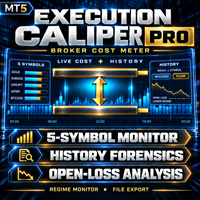
Execution Caliper Pro is a measuring instrument, not a trading robot. It measures how much execution cost your account charges on up to five symbols at once, divides each of those costs by the stop width you entered for that symbol, and then reads your own closed trade history to show what the same measurement looks like on the trades you have already made. It sends no orders, opens no positions, and touches nothing that belongs to other EAs on the terminal. It also makes no claim

The Bridge Between TradingView Charting and MT5 Execution Launch Offer $99 for the first 5 buyers. Price rises to $199 after. MetaTrader 5 remains the standard for broker execution, liquidity access, and reliability. But its charting tools lag behind what traders have come to expect from TradingView. The result: constant alt-tabbing between a TradingView browser tab for analysis and the MT5 terminal for order entry, with missed entries and execution delays during fast markets. KSQ ProDesk MT5 do

A professional risk management dashboard for prop firm traders and disciplined retail traders.
For the full user manual, installation guide, and recommended preset ( .set ) files, please visit our blog post here: https://www.mql5.com/en/blogs/post/776243 Overview RiskGuard is an Expert Advisor designed to help traders stay within the daily and total drawdown limits required by prop firms like FTMO, FundedNext, E8, The5ers, and others. It does not open trades for you. Instead, it monitors your

HighProb TP Alert GF – Signal Scanner for Manual Trading (MT5)
2026 George Francis ️ This EA does NOT trade automatically. It only sends signals. You decide whether to take a trade and open it yourself, using the Entry, TP and SL from the alert. It scans several pairs from one chart and alerts you when a trend-pullback setup is ready. Strategy Trend filter: H4 and H1 EMA 50/200 must agree, and H1 ADX must be above 20. Entry (M15): price pulls back to the EMA 20 without closing past the EMA 5

VISUAL STRATEGY BACKTESTER
This is a tool, which allows you to manually backtest your strategy on historical prices, and later shows you the results. If you have a strategy and want to do a quick backtest based on historical prices, without coding, this tool enables you to do so.
How it works 1. You have a strategy you want to test. 2. You launch the visual strategy backtester 3. Click add 'New Box' or type the keyboard shortcut for adding a new position box 4. Adjust its stoploss and take pro

Running more than one EA on the same account creates a blind spot: nobody adds up the total risk across strategies, and nobody notices when two EAs quietly work against each other. Tachi Portfolio Sentinel watches the whole account, groups your EAs into strategy groups, applies a risk budget to each group, and flags exposure conflicts between them — with every number traceable back to the exact tickets behind it.
What it does
- Groups multiple Magic Numbers, comment patterns or symbols into

TradeAssist Pro v1.06 Overview TradeAssist Pro is an all-in-one manual trading assistant and technical analysis toolkit for MetaTrader 5. It provides a modular, interactive on-chart dashboard designed for rapid execution, advanced trade management, and automated Smart Money Concepts (SMC) charting.
Dashboard Structure & Tabs 1. Trade Tab (Execution & Orders)
1-Click Trading: Execute Buy/Sell market orders instantly.
Dynamic Position Sizing: Toggle between fixed lot sizes or auto-calculated l

Launch price: 30 USD for the first 10 copies. Next price: 59 USD.
Lotwise Trade Manager MT5 Risk Calculator is a simple trade panel and lot size calculator for MetaTrader 5.
You choose how much money you want to risk. You move your stop loss. The panel calculates the lot size (position size) for you. Then you can protect, manage and close your trade with one click: breakeven, trailing stop, partial close and more.
MAKE THE PANEL YOURS - Click "#" to see all buttons. They are in five groups:

PositionSizer Z Pro MT5 PositionSizer Z Pro MT5 is a visual position sizing and multi-target trade management utility designed to make risk-based execution faster, clearer and more consistent. Instead of manually calculating lot sizes before every trade, PositionSizer Z Pro calculates the appropriate position size directly from your account balance, selected risk percentage, entry price and stop-loss level . Simply choose your trade direction, position your stop loss on the chart, select the num

Aurum brings a clean, visual R:R position tool to MetaTrader 5 - and goes further. Plan a trade on the chart, send it with the exact lot size in one click, manage it automatically once it is open, and backtest your setups on history with every box scoring itself.
PLAN - Place a risk box anywhere on the chart and drag the stop loss, take profit, entry and box length directly on the chart. - Lot size is calculated live from your risk (percent of balance/equity or a fixed amount) using your broke

Turn any MT5 backtest into a monthly return and drawdown report, and combine several EAs into one portfolio. Free three-day trial on ea-backtest-analyzer.com - no card, no email, no account to create. WHAT IT DOES The strategy tester gives you one number: net profit . It does not tell you what the year of losses looked like, which month nearly broke the account, or what happens when you run three EAs together. This tool does. Export your backtest and it reads it straight away. You get the report

20 Pip Challenge Trade Manager EA Trade the Challenge. Follow the Levels. Stay Disciplined. The ElohimFX 20 Pip Challenge Trade Manager is a professional manual trade management EA designed for traders who want to follow a structured 20-pip challenge while keeping position sizing and level progression organized. This is NOT an automatic trading robot . You remain in control of your entries by using the built-in BUY and SELL buttons. The EA handles the challenge calculations, level progression, t

Do you follow signals or copy trades from a provider and worry that a single position could spiral out of control before you can react? CopyRiskGuard watches every open position in your account independently and automatically closes it as soon as its loss exceeds the risk percentage you define — without you needing to be in front of the screen. How does it work?
The EA does not open or modify trades: it only monitors. Every few seconds it checks all open positions, and if any one of them accumu

Overview QuoteCycler is a lightweight, draggable on-chart panel that displays a rotating collection of curated trading quotes — paired with a tiny, living ecosystem of pixel-art bugs that wander, hunt, and interact with your mouse in real time. It's part trading companion, part desktop pet, and part visual stress-relief for traders who spend long hours staring at charts. Key Features Rotating Quote Engine Loads quotes from multiple text files organized via a simple manifest.txt Supports 1,000+ q

One missing stop-loss. One oversized position. One revenge trade after a bad morning. That is all it takes to lose a funded account.
AxiomSuite Enterprise enforces your risk plan on every position of your MetaTrader 5 account — automatically, in real time — and Axiom AI explains every decision in plain language.
It does not trade for you and gives no signals. It makes sure your own rules are respected. Every time.
WHAT IT ENFORCES

Dhan Market Data for MetaTrader 5 Stream live market data and download historical candles from your Dhan account directly into MetaTrader 5. This utility creates custom symbols for NSE, BSE and MCX, feeds real-time ticks over WebSocket, builds live candles, and backfills history from the Dhan v2 Data APIs. No trading operations are performed — market data only. Features Create custom symbols for NSE, BSE and MCX under the "Dhan" folder from Dhan's official instrument master. Filter symbol creati

Trade Reporter isn't a trading robot. It watches your account and posts what happens to your Telegram chats or channels and your Discord server. It never opens, closes or modifies a trade.
It's for signal providers, prop-firm traders sharing their progress, trading groups, and anyone who wants their trades on their phone as they happen.
WHAT IT POSTS - Open: side, symbol, entry, stop and target (with distance in pips), lot size, and the risk at the stop in money and % of balance. - Stop / tar

Gold Live Position Executor Category: Utilities (Order management, Risk management, Panels) "The disciplined trader's shortcut — proper position sizing, every single trade, without doing the math yourself." A risk-management and order-execution utility , not an autonomous robot. Drag from entry to stop-loss and it calculates your exact lot size, risk, and reward — then places the trade with one click, exactly when and how you decide. No spreadsheets, no mental math under pressure.
This is a uti

Aura Lot Calculator – know your exact position size in one second.
Stop guessing your lot size. Set your risk, place your stop loss, and Aura Lot Calculator instantly shows the correct lot – so every trade risks exactly what you planned, nothing more.
HOW IT WORKS - Choose your risk: % of balance or a fixed money amount (one click to switch) - Enter your stop loss in points – or turn on the SL Line and simply drag it on the chart - The calculator detects BUY or SELL automatically from the lin
FREE

# LBU Trading Console
LBU Trading Console is a unified MetaTrader 5 utility for visual trade planning, position management, equity protection and multi-symbol RSI monitoring. Its tabbed interface keeps four practical workflows in one chart and one EX5 file.
## Main modules
### Trade
- Draw and drag Entry, Stop Loss and Take Profit levels directly on the chart. - Calculate volume from the selected account risk percentage. - Support market, limit and stop orders. - Validate volume, margin and
FREE

RiskCompass Panel MT5 1. Overview RiskCompass Panel is a chart utility for MetaTrader 5 that keeps essential account-risk numbers in view while you work. It renders a compact 13-row dashboard directly on the chart showing balance, equity, floating result, day result, margin availability with margin level, open-position exposure, spread, a risk-based lot calculator with margin-affordability verdict, and server time. It also draws colored background boxes for the Asian, London and New York session
FREE

VolumeMonitorUtility — professional real-time volume monitoring tool VolumeMonitorUtility is a service utility for the MetaTrader 5 terminal that displays key volume analysis metrics directly on the chart as a compact information panel. The utility was created by a practicing trader and developer with 10 years of experience in financial markets and 51 MQL5 certificates. The utility is built on top of the open-source VolumeAnalysis library and is designed for traders who make decisions based on
FREE
Do you know why the MetaTrader Market is the best place to sell trading strategies and technical indicators? No need for advertising or software protection, no payment troubles. Everything is provided in the MetaTrader Market.

You are missing trading opportunities:
- Free trading apps
- Over 8,000 signals for copying
- Economic news for exploring financial markets
Registration
Log in
You agree to website policy and terms of use
If you do not have an account, please register