 MetaTrader 5
 Experts
 Indicators
 Libraries
 Utilities
 Widgets
 Rules
Watch the Market tutorial videos on YouTube
How to buy а trading robot or an indicator
Run your EA on
virtual hosting
virtual hosting
Test аn indicator/trading robot before buying
Want to earn in the Market?
How to present a product for a sell-through
Trading utilities for MetaTrader 5 - 85
 Below are trading programs simplifying trading in MetaTrader 5. Hover over a utility to read its description and purpose.

Smart Risk & Trade Assistant — Ultimate Risk & Trade Management Panel for MT5 Smart Risk & Trade Assistant is a professional, feature-rich trading utility designed for MetaTrader 5. Whether you are a scalper, day trader, or swing trader, this advanced panel puts complete control of your risk management, lot sizing, and position execution right on your chart. Say goodbye to manual lot calculations, emotional over-leveraging, and slow order entries. Trade smarter, faster, and safer with 1-click ex

Nabeeha Trade Manager - Get Setfile for Propfirms Compact Manual Trade Manager for MetaTrader 5 & MetaTrader 4 Nabeeha Trade Manager is a lightweight and easy-to-use manual trading assistant that helps traders execute and manage trades directly from a compact on-chart panel. It is designed for traders who manually analyze the market but want faster execution, simple risk control, and convenient position management . Key Features One-Click Trading BUY and SELL buttons for quick trade execution.

ALL YOUR EAs. ONE SCREEN. PROTECTED. You run several robots on one account. Which one is bleeding right now? Which one carried the week? How close are you to your prop-firm daily-loss limit? If answering that means the History tab and a calculator, EA Fleet Monitor was built for you: one chart, one dashboard, every EA accounted for — with optional protection that acts when you are not watching.
FLEET TABLE — EVERY STRATEGY SIDE BY SIDE Each EA is identified automatically by its magic number

Will this trade break your challenge? Before every trade, Quantum Risk Manager Pro calculates the lot from your risk % and checks every limit that could end your challenge, including the loss the new trade would add if its stop is hit. You get APPROVED or BLOCKED with the reason, and each decision goes to an audit file. Its adaptive rules can only reduce your risk. It gives no signals and does not close or modify open positions. Drawdown is static, from the start balance and the daily baseline.

SPT Trade Manager is a manual trading assistant for MetaTrader. It helps discretionary traders calculate position size from selected account risk and stop-loss distance, place market or pending orders from chart lines, manage partial closes, move stops to break-even, and control exits from a compact chart panel.
The Expert Advisor does not generate automatic entries or trading signals. It is designed to make manual trade execution clearer, faster, and more consistent while keeping the trader i

Vidette (Aurum) – Account Protection Expert Advisor --------------------------------------------------------------------------------------------- Vidette is a MetaTrader 5 Expert Advisor that comes stacked with a wide variety of settings and that acts as a safety net for your account. It does not open trades or send signals. Instead, it watches your equity and closes positions when your own pre‑set levels are reached – automatically, without hesitation, and without emotion. The purpose is simple

Product Name MT5 Gold & Silver Multi-Language Trading Panel V17.00 Introduction This is a professional trading panel designed specifically for manual gold and silver traders. It supports five languages: English, Chinese, Spanish, Arabic, and German. The panel automatically detects gold and silver symbols, so users do not need to enter symbol codes manually. It is compatible with most brokers worldwide, including standard accounts, zero spread accounts, and raw spread accounts. Users only need t

QuantEx Market Scanner is a multi-market MT5 indicator designed to reduce manual chart-hopping. It scans the available broker symbols and presents a focused ranked watchlist directly on the chart. The scanner does not open, close or manage trades. It is a technical-analysis tool that helps traders identify markets currently showing stronger directional structure, momentum and activity.
KEY FEATURES
Scans Forex, Synthetic Indices, or the full supported broker universe. Displays a ranked Top 5 w

Axivor Risk Calculator brings risk sizing, chart levels and manual execution into one structured MT5 workflow. It does not generate trading signals or operate as an autonomous strategy. The trader chooses the direction, defines the levels and approves every order.
Build and review the setup
- Choose Buy or Sell. - Select Market or Pending mode. - Position Entry, Stop Loss and Take Profit on the chart. - Review planned monetary risk, normalized volume and the R multiple. - Keep the selected rew

Product Name: CPI Gold Hunter Introduction CPI Gold Hunter is not a standard automated trading bot; it is a highly specialized, semi-automated utility designed to exploit extreme market volatility during high-impact news releases such as CPI, NFP, and FOMC. Instead of guessing the market direction, this tool deploys a smart, bidirectional Buy Stop and Sell Stop grid seconds before a major news event. Whether the market shoots straight up, dumps hard, or viciously whipsaws (sweeping both sides),

FASTCLIC is a professional one-click trading panel designed for scalpers and day traders who need instant order execution with complete risk management.
KEY FEATURES: - One-click BUY/SELL execution - Pending orders with custom distance - Close All, Close Buy, Close Sell, Close Profit, Close Loss - Break Even (manual and automatic) - Trailing Stop in USD and Pips - Hedge and Invert positions - Risk management by lot, fixed USD, or percentage of account - Adjustable Stop Loss and Take Profit in

BliksemButtons Pro — Ultra-Fast One-Key MT5 Execution & Risk HUD Stop losing precious pips navigating order dialogs. BliksemButtons Pro transforms MetaTrader 5 into a high-speed execution console built specifically for scalpers, news traders, and prop firm traders who demand zero-latency manual order placement and dynamic risk protection. Why Traders Choose BliksemButtons Pro Instant Hotkey Execution: Fire Market Buys, Market Sells, or clear all positions with a single keystroke. Smart Broker St

Session Overlays Mastery Pro By Forex Noob Tube Stop fighting indicators that lag your charts or break on gold. Session Overlays Mastery Pro brings institutional-grade session mapping, dynamic High/Low tracking, and advanced multi-session synchronization directly to MetaTrader 5—all without wasting your CPU. *One of my favorite features is the ability to drag and drop and undock the timers anywhere by pressing minimize or hide the dash. Showing the dash or clicking the minimize button attaches t

Visual trade planning and lot calculation utility for MetaTrader 5. Description:
This utility allows traders to plan their entries visually directly on the chart. By using interactive graphical boxes, you can define your entry, stop loss, and take profit levels before opening a position. The software automatically calculates the required volume (lots) based on your account settings. It provides real-time data updates as you move the graphical elements on the screen. Key Features: Interactive In

Candle Stop Loss EA is a lightweight, real-time risk management utility for MetaTrader 5 that automatically places structural Stop Loss and Take Profit levels the moment you enter a trade . Designed for price action traders, scalpers, and multi-asset portfolio managers, this tool eliminates manual math, protects against market spread noise, and removes emotional hesitation from your execution . Key Features: Instant On-Chart Control: Adjust timeframes, lookback bars, offsets, and fixed levels di

Telegram Order Notifier is an automated Expert Advisor (EA) designed for MetaTrader 5 (MT5) that sends real-time trade notifications directly to your Telegram chat or channel using a Telegram Bot API . Key Features Real-Time Trade Tracking: Built around the OnTradeTransaction event handler to detect and broadcast trade actions instantly without waiting for chart ticks . New Pending Order Alerts: Detects Buy/Sell Limits and Buy/Sell Stops . Sends detailed notifications including order type, symb

TradeHub Smart Order Manager is a professional order entry and risk management panel for MetaTrader 5.
It helps you prepare and place trades directly from the chart, calculate position size based on account risk, and manage Stop Loss and Take Profit using several calculation methods.
The panel supports Market, Limit and Stop orders for both Buy and Sell operations.
Video demonstration: https://youtu.be/3c7oVfafm8c
MAIN FEATURES
• Market, Limit and Stop orders • Buy and Sell operations • M

Impulse Radar MT5 is a multi-market scanner designed to quickly identify unusually strong price movements across symbols visible in MetaTrader 5 Market Watch.
The utility analyzes closed candles only on up to three configurable timeframes. It compares candle body, total range, tick volume and current spread with the ATR of each instrument, allowing comparable measurements across Forex, metals, indices, CFDs and cryptocurrencies.
Each event receives a deterministic score from 0 to 100 represen

September Launch Offer: Get SwiftDraw Prime for $49 instead of $100 until September 30.
SwiftDraw Prime is a professional charting utility designed to make technical analysis faster, cleaner and more efficient. Built for traders who rely on manual chart analysis, SwiftDraw Prime brings essential drawing, multi-timeframe synchronization and trade-planning tools together through intuitive keyboard shortcuts, allowing you to create, edit and remove chart objects with minimal clicks. Whether you are

AK Strategy Creator ( STC ) enables traders to create, edit and save their own strategies using MT5 standard and custom indicators. Attach your strategy's indicators or load your chart template. Add/Remove indicators and modify their settings as needed. Once satisfied, save as chart template. Give the template a specific name as it will be needed for demo/live trading. To backtest the strategy in Strategy Tester, save the template also under the name "tester". If it's already available, overwri

One-click risk-based trading with draggable SL/TP and a live risk readout.
Full description DocFX Trade Manager is a lightweight, always-on trading panel that handles the full lifecycle of a discretionary trade. It handles lot sizing, entry, stop management, break-even, trailing, and partial exits; all without manual lot-size math or switching away from your chart. Complete with strategy tester support.
Key features One-click buy/sell with your choice of Risk % of balance (with 1%/2%/5% prese

Flight Recorder for MT5 Trade Execution
Trade Lifecycle Forensics is a read-only monitoring utility.
Attach one instance before the trading activity you want to observe. The utility watches account-wide trade transactions generated by manual trading and other Expert Advisors, then connects related request, order, deal, position, and pending-order evidence into reviewable records.
The utility does not open, modify, cancel, or close trades. It has no trading buttons and does not control other

Technical data preparation for MetaTrader 5 MT5 Tax Control Multiple MT5 accounts, historical HTML reports, and thousands of individual entries are processed through one guided annual workflow for traceable review and transfer to a tax adviser. Live MT5 + HTML - Multiple accounts - ECB reference rates - CSV + readable report - German + English - Never trades One guided annual workflow Accessible accounts are read directly through MT5. Complete MT5 HTML reports can be added for old or closed

History Integrity Scanner MT5
See what closed-bar history your current MT5 terminal actually has available before you rely on it for analysis or development.
History Integrity Scanner MT5 is a read-only utility that scans a configurable symbol and timeframe matrix directly inside the terminal.
Its primary purpose is terminal-native, direct, read-only, multi-symbol/timeframe closed-bar history inspection.
It summarizes synchronization, requested versus copied bars, coverage dates, timestamp

Buster Call — account guardian for MetaTrader 5 Manage account drawdown, daily loss limits and exposure around scheduled news from one MT5 utility. Buster Call monitors the account across manual trades and Expert Advisors, with optional strategy-level controls and trade copying. The guardian does not generate buy or sell signals. When an enabled protection rule is triggered, it can close positions, delete pending orders and continue patrolling the account. ARMADA, the optional copier, can open a

CHRONOEQUITY BEACON — ACCOUNT MONITORING AND ECONOMIC CALENDAR
ChronoEquity Beacon is an information utility for MetaTrader 5. It monitors the trading account, summarizes open positions and sends reports and alerts to Telegram.
The utility does not open, modify or close trades. It can run on a separate chart alongside any manual or automated trading system.
MAIN FEATURES
• Monitoring table for all available currency symbols. • Number of BUY and SELL positions. • Total trading volume and curr

Legend Terminal is a manual trade execution and risk management panel for MetaTrader 5. Designed to provide a clear and structured trading workflow directly from the chart, it combines order execution, position sizing and risk calculations in one interface. Order Types • Buy
• Sell
• Buy Limit
• Sell Limit
• Buy Stop
• Sell Stop
• Buy Stop Limit
• Sell Stop Limit Risk Management • Fixed lot position sizing
• Percentage risk position sizing
• Automatic volume calculation
• Risk amount calculation

Chart Context Keeper MT5
Change timeframe without losing the historical moment you were studying.
MT5's fixed chart position helps with zooming, but a timeframe change can move the chart away from the date under review. Chart Context Keeper adds the missing continuity: attach it once, then keep using MT5's normal timeframe controls.
Why it is useful
• Keeps the captured historical time visible after a timeframe change • Adds no dashboard, recurring button, modal, or confirmation • Runs as

LEGEND TERMINAL PRO — Trade Execution & Risk Management Panel for MetaTrader 5 Legend Terminal Pro is a manual trade execution, risk management and position management panel designed for MetaTrader 5. It brings the essential stages of discretionary trading into one interface: trade preparation, risk calculation, order execution, position management and performance analysis. Legend Terminal Pro does not generate trading signals and does not make trading decisions for you. The trader remains in fu

XAU Expansion Price Level Hourly XAU Expansion Price Level Hourly is a simple and practical tool designed to help traders measure and analyze hourly price expansion on Gold (XAU) . The indicator measures price movement starting from the opening price of each hour , allowing you to clearly see how far the market has expanded from the hourly opening level. You can choose which hourly period you want to analyze: Previous Hour Current Hour Next Hour This makes it easy to compare hourly price levels

SL Risk Manager Auto SL System SL Risk Manager Auto SL System is a practical and easy-to-use tool designed to help you manage your Stop Loss levels before and after opening a trade . With this tool, you can set your Stop Loss level before entering a position . Especially when trading Gold (XAU), you can easily define your Stop Loss based on a specific dollar amount , giving you better control over the risk of each trade. You can also use the panel to automatically open trades according to the ra

MainSet Workbench Order Manager MainSet Workbench Order Manager is a practical and powerful trading panel designed to help you manage your trades, calculate position size, and keep your chart analysis organized — all from one convenient workspace. The Order Manager Workbench can automatically calculate the appropriate lot size based on the balance of your trading account , helping you determine your position size quickly and easily. Order Management With the panel, you can manage your trades wit

Pro Order Lot Size Calculator Pro Order Lot Size Calculator is a simple and practical tool designed to help you calculate the appropriate lot size based on the amount of risk you want to take . With this tool, you can easily calculate your trading risk directly from the panel according to the amount of money available in your account. Easy Risk & Lot Calculation The panel is designed to be very simple and easy to use. You can choose how you want to define your risk: Enter your desired risk amoun

Chart View Slots MT5
Chart View Slots MT5 adds a compact visual-view dock directly to an MT5 chart.
Switch among Focus, Trade and Review appearances without opening Chart Properties, loading a template or moving to a separate dashboard.
Capture your own appearance into any slot, apply it to the active chart or all open charts, and use Undo to restore the appearance that existed immediately before the last apply.
Main workflow
1. Attach the Indicator to one chart. 2. Click Focus, Trade or

PanelBuySell + GameHub One-click BUY/SELL panel for MetaTrader 5, combined with a hidden mini-games hub opened with a single key. The trading tools stay on the chart at all times, and pressing G opens a library of more than 25 mini-games without closing the platform. Order Execution and Position Management One-click BUY and SELL, with configurable lot size and comment Close All, Break Even and Stop Loss by percentage of balance, each with an optional confirmation window Partial close using numbe

White Chart Themes for MT5 6 Professional White Chart Themes. One Simple Utility. Transform your MetaTrader 5 charts with a clean, modern and professional white-chart experience designed for traders who value clarity and visual comfort. White Chart Themes for MT5 includes six carefully designed chart presets, allowing you to choose the visual style that best matches your trading environment. 6 Included Chart Themes Arctic Max White — Crisp blue accents with a modern, high-contrast appearance

AP PROFITRADE is a hybrid tool for MT5 that combines the ALEKSEEV PROFIT robot and the AP HELPER indicator in a single panel. It allows simultaneous viewing of market analysis and order management. Can be used as a panel for manual trade setup with full analytics — two tools in one interface. Analysis includes volume, RSI, Stochastic, MACD, ATR, support and resistance levels, price projection, stop loss and take profit. Differs from the AP HELPER indicator in that it allows not only viewing a

WHAT IT DOES This tool watches every open position on your account, no matter which EA opened it. It adds up your real exposure per currency (for example, how much EUR or USD you are net long or short) and shows it in a clear on-chart panel with a simple status badge (Safe / Watch / Breach). If one currency goes above a limit you set, the tool can automatically reduce the position that caused it - this feature is OFF by default and must be turned on by you.
WHO IT'S FOR Traders who run more th

Trade Heat Recorder MT5 is a read-only trade analytics utility designed to record what happens inside your positions while they are open. It prospectively tracks live positions and measures Maximum Adverse Excursion (MAE), Maximum Favorable Excursion (MFE), profit giveback from the best point reached, net result, capture efficiency and other execution-quality information. The tool distinguishes between positions observed live from their opening and positions recovered after the recorder was star

SmartTrade EA is a manual trading panel that docks on the chart. It brings order entry, position management, risk limits, statistics, the economic calendar and price alerts into one interface, so you can open, protect and close a trade without leaving the chart or opening a dialog.
It is a tool, not a strategy. It does not place trades on its own and does not generate signals. Every entry is yours. What it handles is the work after the click: moving stops, closing in parts, and keeping you ins

MA Crossover Close is a specialized, utility-focused Expert Advisor designed to protect your capital by closing open positions the moment an opposite Moving Average crossover occurs. Unlike traditional trading robots, this utility never opens new trades . Instead, it monitors your chart in real time on every tick and instantly liquidates ongoing manual positions when the market trend reverses, helping discretionary traders cut losses and secure profits automatically. Designed for traders who wan

SinalTrade is a professional Telegram-to-MetaTrader 5 signal management platform. The EA works as a secure Connector between MT5 and the SinalTrade Interface. Most settings are managed directly from the Interface, making configuration easier and allowing centralized control of Telegram providers, MT5 accounts, execution rules and risk management. Main features: • Telegram signal monitoring
• Automatic BUY/SELL signal detection
• Market, STOP and LIMIT orders
• Entry ranges and multiple entries
•

ApexForge Visual Pending Orders Visual Drag-and-Drop Pending Orders | Multi-Chart Sync | Host Chart (H) | Quick Send / Cancel ApexForge Visual Pending Orders is a visual pending-order tool designed for MT5 manual traders. Instead of repeatedly opening the MT5 order window and manually entering prices, simply select a pending-order mode and the EA will create the required price lines directly on the chart. Drag the lines with your mouse to adjust the order price, review the setup visually, and se

EA Claim Consistency Checker is a local MT5 utility for checking whether manually entered EA sales-page claims are internally consistent as statistics.
You type the headline values from an EA sales page or description directly into the script inputs: Profit Factor, win rate, reward/risk ratio or average win/loss, trade count, max drawdown, monthly return, claim period, and initial capital. The utility reads no report files and no account data; every input is a manual parameter.
Explicit units

One job, maximum flexibility: the expert watches all activity on your trading account and sends you a Telegram message and/or chart screenshot for any chosen event type. Every event, message template and filter is user-configurable. What it is for You trade manually and want to know instantly about your trades in Telegram (openings, closings, TP/SL, trailing, breakeven, partial close). You run EAs — have a single notification channel for every trade on the account without opening t
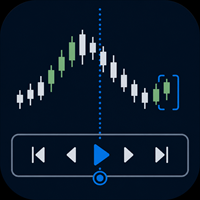
Practise your trading process with recorded broker history inside MetaTrader 5.
MT5 Backtesting Studio is a manual trading simulator for discretionary traders. It combines historical chart replay, simulated orders, strategy notes, session journaling, and detailed analytics without placing or modifying broker orders.
Use it to test intraday or swing-trading ideas, repeat a structured practice plan, and review what happened after each session.
Replay recorded history from your broker
The EA u

ExposureGuard is a read-only risk monitor. It opens no trades of its own.
MetaTrader shows every position on its own line. Three trades risking 1% each look like 1% + 1% + 1%. But if those three symbols move together, they are not three trades. They are one trade in three tickets, and the account finds out when a single candle takes all three stops.
That risk never appears on any single trade's risk-reward. It only exists at the portfolio level, and MetaTrader has no portfolio level. Exposure

NINJA SYMBOL PASSPORT MT5 PRO OVERVIEW NINJA Symbol Passport MT5 Pro helps you review broker-provided symbol specifications and current execution conditions before making your own trading decision. It combines multi-symbol diagnostics, a non-directional preflight view, hypothetical order checks, change tracking, confirmed events, and local reports in one dashboard. The panel and input names are in English. SIX DASHBOARD TABS SYMBOLS shows sessions, expiration, volume rules, spread cost, estimate

Almost everything sold for MetaTrader predicts direction. I tested whether that is possible, on thirteen years of EURUSD and gold, with walk-forward validation and a control run on randomly shuffled labels. Direction came out between 48 and 51 percent. On gold the same models scored 53.4 percent on the shuffled labels - higher than on the real data. That is what an over-fitted system looks like from the inside, and it is why a backtest curve is not evidence. The size of tomorrow's move is a diff

Two months can end with the same result. One got there calmly; the other spent days at -20 % in floating loss. Your broker statement cannot tell them apart. Trading Track Record can, on your MetaTrader 5 chart. Trading Track Record is a performance dashboard that reads your account history and your open positions, and shows what your trading really did: by day, week, month, quarter and year, by symbol, magic number and order comment, with the deepest floating loss and the highest floating profit

Xiao Dan Kuai Pao is a fast and clean one-click order panel for MetaTrader 5. Open and manage your trades instantly, with Stop Loss and Take Profit placed automatically — no more typing TP distances by hand. Key features: - One-click buttons: BUY, SELL, CLOSE, BREAK EVEN - Custom Stop Loss and Take Profit (in points) — set any distance you want - Flexible risk/reward — combine SL and TP freely to build any ratio, such as 1:1, 1:2, 1:3, 1:4 or 1:5 - Real-time price display (Bid) - Bar countdown t

Position Sizer Pro MT5 is the expanded version of Position Sizer MT5, downloaded more than 500 times. The free version calculates your lot size. The Pro version lets you plan the complete trade on the chart, calculate the correct volume and place the order directly from the panel. No manual calculations. No separate order window. You can see the Entry, Stop Loss, Take Profit, lot size and actual risk before anything is sent. Plan trades visually on the chart Entry, SL and TP are shown as chart l

"Manual trading panel for MT5: trailing stop, daily targets and risk management in one click."
TradePanel Single is a professional manual trading panel for MetaTrader 5, built for traders who want speed, organization and automatic position protection, without juggling multiple tools or complex setups.
Everything you need lives in a single panel: one-click buy/sell, point-based stops and targets, trailing stop, and real-time daily/weekly/monthly results.
===== KEY FEATURES =====
- ONE-CLICK Q

TradePanel Pro - Manual Trading Panel with Grid, Trailing, and Targets
"Complete manual trading panel for MT5: grid, trailing stop, smart breakeven, daily targets and risk management in one click."
TradePanel Pro is a professional manual trading panel for MetaTrader 5, built for traders who want speed, organization and automatic position protection — without juggling multiple tools or complex setups.
Everything you need lives in a single panel: one-click buy/sell, point-based stops and targe

BOLETA CHART PRO - TRADE PANEL | The Fastest and Most Complete Panel for Day Trading Stop missing opportunities clicking through menus. Buy, sell, protect and take partials in 1 CLICK directly on the chart. Made by traders for traders. WHAT IS IT?
Boleta Chart Pro is a professional trading panel (Trade Panel) that stays anchored to your chart. It replaces the slow MetaTrader

DELTA ATLAS Orderbook Order-Flow Visualization Dashboard for MetaTrader 5 Futures
A unified, full-screen dashboard for discretionary futures traders that turns the raw order flow into one clear picture. Every executed trade is rendered as volume bubble scrolling across a live liquidity heatmap, read against a real depth-of- market ladder, a live footprint, the session volume profile and cumulative delta — the whole auction, drawn in real time. On top of the tape sits a graded Analyst and a fam

ReplayTrainer turns your MT5 into a chart replay practice environment. Pick any date in your broker's history, hide the future, and trade it as if it were live — with your own indicators on the chart . How to try it: this tool runs on a normal chart, not in the Strategy Tester, so the Market's free demo cannot show it. The 1-month rental is the way to try the full product — every feature is included in the rental. What makes it different: it does not use the Strategy Tester, so you can rewind fr

Trade Autopsy measures how far every one of your trades went against you before it finished, and how far it went for you before you closed it. Those two numbers - maximum adverse excursion and maximum favourable excursion - answer the two questions the standard MetaTrader report cannot: were my stops too tight, and did I leave money on the table. It reads your trade history. It opens no orders, modifies nothing, and never touches your positions. What you get A self-contained HTML report: headlin

Six18 LOT SIZE CALCULATOR FOR MT5 LOT SIZE CALCULATOR + AUTOMATED TRADE EXECUTION Stop calculating your lot size manually. Let Six18 do the math for you. Want to risk 1%, 2%, 5% — or a specific dollar amount on a trade? Simply enter your desired risk as a percentage (%) or fixed dollar amount ($) . Six18 automatically calculates the appropriate lot size for your account and Stop Loss distance. NO MORE MANUAL LOT-SIZE CALCULATIONS. NO MORE GUESSING. Whether your account is $1,000, $10,000, $50,00

1 ) режим Ассистент для ручной торговли с более 870 функций сопровождения позиций, 2) 45 видов - стоп-лоса + трейлинг SL, 3) 10 видов тейк-профита + трейлинг профит, 4) внешняя ПАНЕЛЬ управления работает как на реале так и в Тестере, 5) 3 мани-менеджмента, 6) 5 варианта увеличения объёма позиций, 7) 15 сопровождений позиций, 8) 8 фильтров защиты, 9) 9 вариантов подтверждения сигнала, 10) Визуал Менеджер позиций, 11) Частичная разгрузка позиций для ТР и SL, 12) Без убыток, 13) режим ПЛАНИРОВЩИ

Quant Desk Pro An R-native trade manager for MetaTrader 5. It manages the trades you have already opened: it measures what each one is really risking, protects it, scales out of it on a plan you set, trails what is left, and stops the whole book when the day has gone far enough wrong. Read this first. Quant Desk Pro does not open trades and has no signal. And it ships in VIEW ONLY : it will not send a single order until you set I understand the risks to true in the inputs. Until you do
FREE

PEAK DRAWDOWN PRO v5.0 Risk & Profit Manager for MetaTrader 5 Peak Drawdown Pro is an advanced account protection and profit management utility designed for MetaTrader 5. The product continuously monitors account equity and provides automated protection against excessive drawdown while also managing configurable profit targets and profit cycles. Peak Drawdown Pro is designed for traders who want an additional layer of automated account-level risk control. MAIN FEATURES Drawdown Protection Peak D

Contract Change Watch reads this account's own broker-connected symbol settings and records them the moment they change. It does not predict and it does not advise. Every entry in its log already happened - a value this account's broker actually set was different a moment ago.
WHY THIS EXISTS A broker can change a symbol's swap rate, stop level, volume step, margin requirement or six other settings at any time, without a notice you will see in the terminal. The specification dialog always shows

Effectual Trade Copier (Master + Slave in One EA) — File-Based, Local, No DLLs A simple, fast, reliable trade copier for MetaTrader 5 — one single EA that runs as either the source or the destination, selected with a single input. Attach it to your source account with Mode = MASTER and to your destination account with Mode = SLAVE . No separate files, no DLLs, no network dependency — just a local shared file bridge, ideal for copying between accounts on the same VPS. What it does: Copies new pos

Alpha Chart Customizer transforms the appearance of your current MetaTrader chart and adds refined visual effects. Ready-made styles can be switched at any time, while your own styles can be created, saved as collections, and shared with other traders. It is a great choice for anyone who appreciates good design and wants their trading workspace to feel personal rather than generic. Your chart is where you spend your trading day: create a look that is recognizably yours, give it a name, save it,

Check an MQL5 signal before you subscribe. A signal can look convincing on the provider page and still be a poor fit for your account. Different symbol names, minimum lots, leverage, hedging or netting, copy latency and a fixed monthly fee can materially change what happens on your account. MT5 Signal Sentinel is not a trading robot and not a signal. It does not trade. It analyzes available data and explains technical and historical risks in plain language. Why this tool was created Many problem

Order Type Ledger reads this account's own order history - not its trade history - and counts what happened to every order that was placed. It does not predict and it does not advise. It never looks at trade results; it only counts outcomes: filled, cancelled, expired, rejected.
WHY THIS EXISTS Most trading tools only look back at trades that filled. A pending order that expired untouched, a stop order that got rejected, an order that sat for hours before it filled - none of that shows up in a

KIWI TRADE ASSISTANT PRO MT5
Kiwi Trade Assistant Pro MT5 is a visual manual-trading and position-management utility for MetaTrader 5. It helps traders plan entries, calculate position size, place orders and manage open positions from one chart panel.
This product does not generate trading signals and does not decide market direction. The trader chooses every entry and remains responsible for risk and execution.
MAIN FEATURES
• Visual Entry, Stop Loss and Take Profit lines • Automatic lot c

The tool helps a trader handle trading faster. Order Management Market order buy, sell with big prices. Buy and sell buttons are active when EA and MT5 allow Algo Trading. Bid and ask prices are active when the market is open. Calculate required margin for input lots. Input lots apply minimum, maximum and step regulated by the broker. Batch of positions: close loss, close profit, close all. Close buttons are active when EA and MT5 allow Algo Trading and when there is an open position. Risk Mana

Lot Sizer & Dynamic Risk Management Panel for MT5 Take full control of your trading risk with Lot Sizer & Dynamic Risk Management Panel —an essential, high-speed execution utility designed for discretionary traders, prop firm account evaluators, and scalp/intraday traders. Calculating position size manually during fast-moving market sessions (London/New York opens or news releases) leads to execution delays and costly sizing errors. This interactive panel automates your risk management directly
Learn how to purchase a trading robot from the MetaTrader Market, the store of application for the MetaTrader platform.
The MQL5.community Payment System supports transactions via PayPal, bank cards and popular payment systems. We strongly recommend that you test the trading robot before buying, for a better customer experience.

You are missing trading opportunities:
- Free trading apps
- Over 8,000 signals for copying
- Economic news for exploring financial markets
Registration
Log in
You agree to website policy and terms of use
If you do not have an account, please register