 MetaTrader 5
 Experts
 Indicators
 Libraries
 Utilities
 Widgets
 Rules
Rules
Watch the Market tutorial videos on YouTube
How to buy а trading robot or an indicator
Run your EA on
virtual hosting
virtual hosting
Test аn indicator/trading robot before buying
Want to earn in the Market?
How to present a product for a sell-through
Trading utilities for MetaTrader 5 - 77
 Below are trading programs simplifying trading in MetaTrader 5. Hover over a utility to read its description and purpose.
EA Risk Inspector is a professional MetaTrader 5 dashboard for reviewing the live risk created by Expert Advisors and open positions. It groups exposure by Magic Number and strategy context, highlights missing protection and presents account-level concentration in a transparent operational view.
MAIN FEATURES • Position and EA grouping by Magic Number • Stop Loss validity and uncovered-exposure checks • Strategy-level risk and position summaries • Symbol and directional concentration analysis •

Broker Environment Inspector is a professional MetaTrader 5 compatibility and diagnostics utility for examining the current terminal, account and symbol environment. It presents trading permissions, quote conditions, contract settings and supported execution capabilities in a clear technical dashboard.
MAIN FEATURES • Terminal connection and trading-permission flags • Quote freshness and current spread inspection • Trading-session availability • Contract size, tick size and tick value details •

OG2 Trading Assistant is a comprehensive trading panel for MetaTrader 5, designed to simplify the manual and semi-automated management of your positions directly from the chart. Key features: Risk management: automatic position size calculation based on a defined risk amount Automatic break-even: secures your positions once a specific risk/reward ratio is reached Partial Take Profit: closes part of the position at a first target while letting the remainder run to a second target Trai

FDT Guardian — the stop loss MetaTrader doesn't give you MetaTrader lets you set a stop loss per position. What it doesn't let you set is a loss limit for the account as a whole . And that's precisely the number that matters when you aren't the one opening the trades: when you copy another trader, when several robots are running at once, or simply when you're away from the screen. FDT Guardian tracks the total floating P/L of your account — every open position across every symbol, swaps and comm

BreakEven Trade Manager MT5 is a lightweight and easy-to-use trading utility for MetaTrader 5 that helps you open, manage, and automatically protect trades directly from the chart. The utility combines fast manual order execution with automatic BreakEven management, helping reduce routine actions and improve position control. TradeHub Trading Utilities BreakEven Trade Manager MT5 is the first product in the TradeHub Trading Utilities collection — a growing ecosystem of professional MetaTrader to

Every panel tells you how much you're risking. This one tells you how much you have left.
You didn't lose the challenge because your strategy failed. You lost it because one more trade pushed you past the daily limit while you were chasing the target. PropDesk is the desk that helps stop that from happening.
1. Size against your ROOM, not your equity. Every order shows "risk $X = Y% of your daily room left". You always know if the next trade fits inside what the firm allows today - before you

Tired of chasing the market and getting caught in false breakouts? Start trading with the "Big Boys" by entering the market only at premium discount prices. ADR Momentum Retracements Dashboard is a high-performance multi-pair utility scanner engineered specifically for the MetaTrader 5 platform. It continuously scans up to 30 assets simultaneously on the Daily (D1) timeframe to detect when an asset's day session has been fully fueled by institutional volume, breaking past its dynamic Average Da

DragPan — TradingView-Style Chart Navigation Take full control of your MetaTrader 5 chart with intuitive, mouse-driven navigation inspired by TradingView. DragPan replaces MetaTrader's default scroll-and-scale behavior with smooth, natural gestures — click and drag to pan, drag the axes to stretch, and scroll to zoom. Key Features: One-Click Toggle — A clean on/off button in the top-right corner lets you switch DragPan mode on or off instantly, without disabling the indicator. Drag-to-Pan — Clic

Stop juggling a lot-size calculator, a trade manager, and a fistful of indicators. Smart Risk Manager combines precise risk-based execution, complete position management, and a professional Market Structure toolkit in one clean, draggable panel — built for Forex, Metals, Indices, Crypto and CFDs.
Plan a trade visually, see your exact lot size, risk and reward before you click, and manage every position straight from the chart with a single tap.
Utility for MetaTrader 5. Trades manual entries

LAUNCH PRICE — First 20 buyers only: $99 (regular price $129)
RiskPad Pro — Feature Details Trade Safe. Stay Funded. RiskPad is an MT5 order panel that helps you follow your own trading rules — tracking Daily/Total Drawdown, locking new orders after consecutive losses, and warning you before a trade could breach your risk limit. Whether you're taking on a prop firm challenge, protecting funded capital after passing one, or simply trading your own account, RiskPad keeps your risk rules in view a

Title: Speed Scalp Light | HFT Order Panel & Multi-Panel Manager Subtitle: Asynchronous HFT execution, 11 native languages, dynamic pagination, risk filters, and multi-panel management for MT5. Description: The Speed Scalp Light is a high-frequency trading (HFT) tactical panel designed for traders who demand absolute speed, refined visual control, and intelligent risk management on MetaTrader 5. Built from the ground up with asynchronous architecture ( OrderSendAsync ), it eliminates execution

Apex Signal Stream – Trade Panel Version 2.43 | For MetaTrader 5 Overview Apex Trade Panel is a fully on-chart trading panel with two modes: Manual — precise control over every order, from lot sizing and SL/TP logic to trailing methods and batch close filters; and SignalStream auto-trade — the panel polls the Apex Signal Stream server over HTTPS and executes incoming signals behind 10 safety gates, reporting every outcome back. One panel, two ways to trade — and nothing enters your account that

Prop Challenge Command Center is an account-control dashboard for monitoring prop-style daily and overall loss rules, target progress, minimum trading days, consistency, open risk and account state.
Key functions: - Configurable rule profiles - Persisted daily and peak-equity baselines - Daily and overall drawdown monitoring - Profit-target and minimum-day progress - Consistency and exposure views - Warning ladder with guarded lock, reset and flatten controls - Event history for operational rev

Daily Drawdown Guardian is a focused daily-loss monitor with balance, equity and trailing reference modes.
Key functions: - Broker-time daily rollover - Configurable warning thresholds - Persisted daily baseline - Symbol and Magic Number scope - Pending-order cancellation - Optional scoped position flattening - Guarded manual unlock and baseline reset - Event history for operational review
This product monitors and enforces limits configured by the user. It does not provide entry signals or gu

Portfolio Risk Sentinel is a portfolio risk dashboard for stop-defined exposure across symbols and strategies.
Key functions: - Total and remaining portfolio risk - Concentration monitoring - Uncovered-position detection - Pending-order risk - Strategy grouping - ATR-based stress view - Guarded mitigation controls
Positions without usable stop-loss levels are clearly reported as undefined risk. The product is a monitoring and risk-control utility; it does not provide entry signals or guarantee

Currency Exposure Matrix is a currency-level exposure dashboard derived from current open positions.
Key functions: - Gross and net currency exposure - Long and short decomposition - Deposit-currency conversion - Concentration warnings - Transparent handling when conversion symbols are unavailable
The utility helps users understand aggregated currency exposure across their portfolio. It does not generate entry signals, predict market direction or guarantee trading results. Review broker symbol

Position Risk Architect is a visual trade-planning utility with draggable Entry, Stop Loss and three target levels.
Key functions: - Risk-based volume calculation - Margin preview - Reward-to-risk target planning - Persisted chart geometry - Broker stop-level and volume validation - Guarded order execution
Trading is disabled by default and must be deliberately enabled by the user. The product does not predict market direction or guarantee trading results. Verify all levels, calculated volume

Equity Lock Manager is an equity and high-water-mark protection utility.
Key functions: - Initial-equity and peak-equity reference modes - Configurable arming thresholds - Clear lock and breach states - Scoped pending-order cancellation - Optional full or partial position close - Persisted recovery state - Confirmed baseline reset controls
The utility enforces protection settings configured by the user. It does not provide entry signals, predict market direction or guarantee trading results. T

Trading Rules Enforcer is a deterministic account-discipline monitor for trade-count, loss, time and exposure rules.
Key functions: - Clear rule status dashboard - Trading-session restrictions - Overtrading controls - Symbol and Magic Number scope - Daily loss and exposure monitoring - Clear blocking reasons - Operational event history
The utility enforces rules configured by the user. It does not generate entry signals, predict market direction or guarantee trading results. Test all rule comb

Multi Strategy Risk Allocator is a strategy-budget dashboard organized by Magic Number and configured risk allocation.
Key functions: - Per-strategy risk usage and remaining budget - Allocation comparison across multiple strategies - Runtime enable and disable state - Persistent strategy toggles - Exportable allocation snapshots - Clear dashboard for portfolio-level risk oversight
The utility helps monitor and coordinate risk budgets configured by the user. It does not generate entry signals,

Precision Trade Console is a visual execution and staged-management console with draggable Entry, Stop Loss and three target levels.
Key functions: - Market, limit and stop order modes - Percentage, cash and fixed-lot position sizing - Margin and spread safety gates - Three staged take-profit levels and partial exits - Breakeven management - Fixed-distance or ATR-based trailing stops - Persistent trade plans - Optional keyboard workflow - Timed confirmation for order placement and bulk-close ac

Prop Guardian keeps a funded or challenge account inside its rules for you. It is a protection tool, not a strategy. It does not open trades. It guards whatever you or another EA run.
Prop Rules Tracked, Live
- Daily loss limit. Flattens and stands down for the day before you breach it. - Maximum drawdown, static from your starting balance or trailing from the peak. Flattens and locks the account down before you breach it. - Profit target progress. - Minimum trading days progress. - Per-trade

Advanced Position Manager is a ticket-aware utility for managing existing positions.
Key functions: - Selected ticket, current symbol, Magic Number and all-position scopes - Breakeven management - Partial-close controls - Fixed-distance, ATR-based and previous-bar trailing stops - Close By support for hedging accounts - Guarded bulk-close operations - Optional keyboard workflow - Clear position and action status display
Trade actions are disabled by default. The utility manages positions accor

Pending Order Architect is a visual pending-order planner for ladder structures and OCO workflows.
Key functions: - Draggable base-price and stop-loss lines - Equal-risk distribution across pending orders - Broker capability and symbol-rule checks - Live pending-order inventory - Optional sibling cancellation for OCO workflows - Guarded order placement and cancellation - Optional keyboard workflow - Clear planning and order-status panels
Order placement is disabled by default. The utility subm

Basket Trade Commander is a multi-leg basket planner with leg-level risk and runtime control.
Key functions: - Configurable symbols, directions and allocation weights - Per-leg and basket-level volume checks - Margin and symbol-rule validation - Persistent enable and disable toggles for each leg - Guarded basket execution - Scoped unwind controls - Clear basket composition and status display
Trade execution is disabled by default. The utility submits and manages basket instructions configured

Session Trade Controller is a broker-time session and trade-permission controller.
Key functions: - User-configured trading windows - Live countdown to the next session change - Weekday permission rules - Clear open, closed and transition states - Position and pending-order visibility - Explicit reasons when trading is outside the permitted schedule - Dashboard view based on broker server time
The utility monitors and applies time permissions configured by the user. It does not generate entry

Local Trade Synchronizer is a local-terminal snapshot and recovery synchronizer for terminals on the same machine or in a shared local-file environment.
Key functions: - Master and follower operating modes - Prefix and suffix symbol mapping - Configurable volume scaling - Atomic local snapshots - Snapshot freshness checks - Deterministic queue reconstruction - Rejection of malformed or stale snapshots - Clear synchronization and recovery status
The utility synchronizes user-configured trade st

Performance Intelligence Dashboard is an account-history dashboard for recent trading performance and change over time.
Key functions: - Net trading results - Win rate and trade-count statistics - Profit factor - Drawdown monitoring - Daily performance series - Rolling-period comparison - Detailed trade tables - Clear account-history summary panels
The utility analyzes account history available in MetaTrader 5. It does not generate entry signals, predict market direction or guarantee future re

Trade Excursion Laboratory is an excursion-analysis utility for completed trades, including maximum adverse excursion and maximum favorable excursion reconstruction.
Key functions: - Maximum adverse excursion reconstruction - Maximum favorable excursion reconstruction - Trade-efficiency metrics - Excursion distribution views - Detailed completed-trade inspection - CSV export for further analysis - Clear account-history scope and processing status
Accuracy depends on the historical bars availab
Session Performance Analytics is a completed-trade analysis utility grouped by user-configured market sessions.
Key functions: - Completed-trade counts by session - Session win rate - Net result by session - Excursion statistics - Comparative session tables - Explicit time-boundary configuration - Clear account-history and session scope
The utility analyzes completed trades using the configured session boundaries and available account history. It does not generate entry signals, predict market

Strategy Attribution Matrix is a performance and relationship view grouped by Magic Number or comment prefix.
Key functions: - Strategy-level trading results - Contribution analysis - Drawdown by strategy group - Correlation estimates between selected groups - Detailed selected-group trade view - Magic Number and comment-prefix grouping - Clear account-history scope and status
The utility analyzes available account history. Correlation estimates and attribution results depend on data completen

Trading Discipline Journal is an editable on-chart journal linked to account trades.
Key functions: - Setup classification - Emotion and context fields - Custom tags and notes - Rule-adherence score - Journal search and filtering - Screenshot-reference field - Reversible CSV persistence for special characters - Clear trade-linked journal records
The utility records and organizes information entered by the user. It does not provide trading signals, predict market direction or guarantee trading

Prop Firm Shield watches your prop-firm account's daily loss and total drawdown in real time, warns you at 80%, and force-closes everything at 90% — before the firm's breach line ends your challenge.
===================================================== One bad day should not cost you your challenge. Prop firms disqualify an account the moment it breaches the maximum daily loss or the maximum total loss. While you trade, floating losses, commissions and swaps quietly add up — and many traders

Global Stop Loss & Take Profit Manager — Trade Control for MT5 Take full control of your manual trades with one simple gesture: drag a line. This tool gives you a single Global Stop Loss line and a single Global Take Profit line, right on your chart. Move either one with your mouse, and it instantly updates the Stop Loss or Take Profit of every open manual position on that symbol — no dialogs, no confirmations, no clicking through each trade one by one. This is a trade management tool, not a tra

TM TradeManager – The Copilot EA for Manual and Automated Trading
Short Description
TM TradeManager is not a signal provider and not a scalper that opens trades on its own – it's your **safety net and cockpit** for every position on your account. Whether you trade manually, run another strategy, or open a trade from your phone on the go: as soon as TradeManager is running on a chart, it automatically takes care of break-even, trailing stop and – if you want – staged partial closing. On top of

Strategy Watchdog — Product Page (v1.0, EN)
Value proposition Strategy Watchdog monitors every strategy on your account separately by magic number and steps in only for the one that breaches its own limits, while the rest of your portfolio keeps trading.
What it does Tracks each magic number as its own strategy: floating P/L, realized result today, and drawdown from that strategy's own equity peak. Rebuilds each strategy's result from deal history, so it works on netting and hedging accounts,

TBM Telegram To MT5 Copier turns a Telegram signal channel into real (or notify-only) trades on your MT5 account. It works together with a companion Windows desktop app that reads and parses your Telegram channel; this EA polls that app and acts on what it finds — including recognizing when the channel tells you to close a position, not just open one. With TBM Telegram To MT5 Copier you get automatic entry and close execution (or pure notifications, your choice), a full validation gauntlet befor

Advanced Indicators Manager Tired of manually removing and re-adding indicators every time you want to switch between setups or get a clean chart? With this tool you turn them on and off with a single click, no digging through menus, no lost time. Advanced Indicators Manager automatically scans your chart and detects every indicator currently applied (main window and sub-windows), creating a small button panel with one button per indicator. You can add as many indicators as you want to your cha

Telegram Trade Publisher for MT5 Publish MetaTrader 5 position activity directly to your own Telegram chat, group or channel with customizable messages, chart screenshots and organized trade updates. Telegram Trade Publisher is a monitoring and publishing utility for traders, signal providers and trading communities. It observes positions across the MT5 account and reports selected events through the Telegram Bot API. The utility does not open, close or modify trades. Main features New-position

One EA for both sides — copy trades between two local MT5 terminals in milliseconds. No VPS, no server, no subscription!! Flash Sync — One EA. Two Roles. Zero Lag. Most local trade copiers make you install and manage two separate programs — one for the source account, one for the destination. Flash Sync is a single EA. Attach it to both terminals, flip one setting — Role: Master or Role: Slave — and you're done. No mismatched versions, no wondering which file goes where. Flash Sync mirrors open

QuickTrade Panel – Fast Execution & Smart Risk Management The QuickTrade Panel is a professional trading utility for MetaTrader 5 that makes order execution faster, safer, and easier. It allows traders to place market and pending orders directly from the chart while automatically managing position size based on their risk settings. Key Features Interactive On-Chart Panel: Easily adjust Lot Size, Risk %, Stop Loss (SL), Take Profit (TP), and Pending Order Distance without opening EA settings. Sma

[ MT4 Version ] Single-platform versions: [ Telegram ] [ Discord ] Publish your trades to Telegram AND Discord simultaneously — up to 6 channels from one chart, each with its own audience tier, filters and delay. The complete distribution toolkit for signal sellers. ONE EA, YOUR WHOLE AUDIENCE 6 CHANNELS AT ONCE — 3 Telegram chats + 3 Discord webhooks
️ TIERS THAT SELL — VIP channels get signals instantly, free channels get them delayed (you choose: 60 s

QuickTrade Panel Fast Order Execution, Smart Risk Management & One-Click Trading The QuickTrade Panel is a powerful and easy-to-use trading tool for MetaTrader 5 (MT5). It helps traders place orders faster, manage risk more effectively, and control trades directly from the chart. With all the important trading functions in one place, you can execute trades quickly without opening multiple windows. The panel supports both fixed lot trading and automatic Risk % lot sizing . Simply enter your pref

Here is a shorter, professional version with all your requested features included: QuickTrade Panel – MT5 Fast Execution, Smart Risk Management & On-Chart Trading The QuickTrade Panel is a lightweight, high-speed MT5 trading utility designed for fast and accurate order execution. It simplifies trading with one-click market and pending orders, automatic risk-based lot sizing, and an interactive on-chart dashboard. Key Features 1. On-Chart Trading Panel Adjust Lot Size, Risk %, SL, TP, and Pending

Martingale Firewall is a protection tool, not a strategy. It opens no trades. It runs alongside any EA, copied signal, or your own trading, and stops the one thing that quietly blows accounts up: martingale. Buy a robot, copy a signal, or trade by hand - and the moment it starts doubling into losses, stacking a grid, or adding to a loser, Martingale Firewall steps in. Two modes WARN watches and alerts. It touches nothing - it shows you, on the chart and in a log, exactly what your EA is doing. E

Strategy Health Monitor compares a saved baseline snapshot with a later trade history and reports statistical difference signals under the selected settings. This is a manual, point-in-time MT5 utility. It reads one user-supplied Strategy Tester HTML or HTM report, or a comma-separated trade CSV with a recognizable profit column. It does not monitor accounts continuously or fetch account history by itself. HOW IT WORKS 1. On the first run, the utility creates a baseline snapshot from the suppli

Are you tired of execution delays, missing perfect entry points, or struggling to manage multiple open positions during high market volatility?
Welcome to Execution Suite Pro, the ultimate high-performance trading panel engineered specifically for manual traders and professional scalpers on MetaTrader 5.
Unlike standard one-click trading tools, this professional utility utilizes advanced Asynchronous Order Execution (Zero-Lag) to ensure your commands reach the broker's server instantly, with

QuickTrade Panel – Fast Order Execution & Risk Management The QuickTrade Panel is a powerful MetaTrader 5 trading tool that helps traders place orders faster, manage risk automatically, and control trades directly from the chart. It reduces manual work, improves trading accuracy, and makes trade management simple and efficient. Key Features On-Chart Trading: Change Lot Size, Risk %, Stop Loss (SL), Take Profit (TP), and Pending Distance without opening EA settings. Smart Position Sizing: Choose

Overview DualVision AI is a MetaTrader 5 Expert Advisor for vision-based chart analysis. The user selects a candle range with two vertical lines and runs an AI analysis on demand. DualVision AI builds an optimized candlestick image and normalized OHLC data for that range, then sends them to Claude (Anthropic) or ChatGPT (OpenAI). The model returns a structured signal with trend, local pattern, conflict flag, confidence, take profit, and stop loss. DualVision AI is an analysis assistant. It does

Transform Your Trading with SmartFastTrade AI: Speed and Ease at Your Fingertips! Introduction Are you a trader struggling with slow order execution? Do you want a tool that can assist you in making quick and accurate trading decisions? If yes, then SmartFastTrade AI is the answer to all your trading needs. With its unique combination of speed, user-friendliness, and advanced features, SmartFastTrade AI will help you unlock your full trading potential. Let's delve deeper into why this innovativ
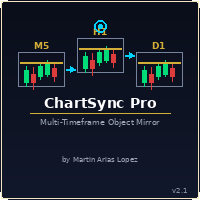
Draw once. See it everywhere. You draw a support line on your 5-minute chart. You switch to the 1-minute to confirm the structure. The line is already there. You open the daily. It's there too — perfectly placed, same color, same style. Zero extra work. That's ChartSync Pro. Most traders waste precious seconds — sometimes minutes — redrawing the same levels, trendlines, and zones across every timeframe. In scalping, those seconds are the trade. ChartSync Pro eliminates that entirely. The moment

justEnter is a semi-automatic trade management utility for MetaTrader 5. You choose the entry; the utility calculates position size, places the stop loss, and manages the position through breakeven, partial closes and trailing until exit. For traders following signals If you take your entries from a signal service, a mentor, or your own alerts, the entry decision is already made by the time you open the terminal. What remains is execution: sizing the position correctly, placing the stop, moving

A standalone algorithm that operates on the removal of the Previous Day's High (PDH) and/or the removal of the Previous Day's Low (PDL). Configurable: - risk per trade as a % of the deposit - minimum delay between trades - aggressiveness level - expected* number of trades and drawdown (*) Expected values will almost never match reality. Designed for use on the SP500 and NAS100 I DO NOT GUARANTEES ANY RETURN OR PROFIT! EXPECT TO LOSS! Livetest here

Risk Trade Panel is a MetaTrader 5 utility Expert that helps you place and manage trades from a clear on-chart panel. It does not generate entry signals and does not run a grid or martingale. You decide when to buy or sell; the panel helps with sizing, stops, and position care. What it does - Lot by fixed size or by risk % of balance (or equity) versus SL distance - Market BUY / SELL with default SL and TP (points or absolute price) - Pending orders: Buy Limit, Sell Limit, Buy Stop, Sell Stop -

Global Stop Loss and Take Profit Manager Drag Lines Auto Apply
Already using my free Global Stop Loss and Take Profit Setter? This is the always on version. Instead of setting levels once, you drag two lines on the chart and every manual position on that symbol — plus every new one you open — instantly inherits the Stop Loss and Take Profit. No clicking into each order. No forgetting a stop.
Global Stop Loss and Target Manager is a drag-and-drop risk tool for manual traders on MetaTrader 5. Pu

TXBeeBox TradingPanel Pro TXBeeBox TradingPanel Pro is a multifunctional manual trading and position-management panel designed for MetaTrader 5. It provides fast order entry, centralized position controls, real-time account information and practical risk-management tools in a clean, compact interface. This product is a manual trading utility. It does not generate trading signals, predict market direction or open trades automatically. All entry and position-management commands are initiated by th

Visual MT5 trade planner with draggable entry, SL and TP, risk sizing and order management.
## Full description
Risk Assistant MT5 is a manual trading utility for planning, sizing and managing orders directly on a MetaTrader 5 chart.
The utility does not generate trading signals and does not decide when to enter the market. The trader selects the direction, entry, stop loss, take profit and acceptable risk. Risk Assistant displays the planned trade, calculates the volume and sends the order
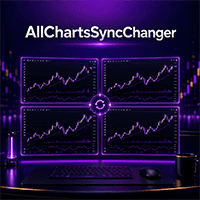
Whether you're a multi-timeframe analyst or trading from a single monitor, this tool has your back.
Turn your MT5 into an analysis command center — the ultimate chart sync & instant symbol switcher Tired of switching charts one by one every time you change strategy? Is your workspace a mess of currency pairs, indices, and commodities? Wish you had a desktop-grade analysis setup, even without multiple monitors? If any of that sounds familiar, All Charts Sync Changer+ is built to fix exactly that

WEALE Price List | Wealth Engine Capital Scanner Utility for MetaTrader 5 WEALE Price List is a MetaTrader 5 (MT5) utility script that shows how much capital you need to fill the full Wealth Engine DCA ladder on every symbol in your Market Watch. This utility is the planning companion to the FJ Universe Wealth Engine (WEALE) Expert Advisor. Where the Wealth Engine runs the strategy, the WEALE Price List helps you decide where to run it. The script scans each symbol in your Market Watch, reads th

XBOOT BOLETA PRO Professional Manual Trading Panel for MetaTrader 5 XBOOT Boleta Pro is a complete trading panel designed for traders who execute manual trades and want greater speed, organization, and control during every trading session. More than a standard Buy and Sell panel, XBOOT Boleta Pro combines powerful trading tools into a single interface, helping traders analyze the market, manage risk, execute orders, and monitor trading performance without leaving the chart. Its purpose is to sim

RR Ratio Pro RR Ratio Pro is a professional trade planning tool designed for disciplined traders. It helps you evaluate every trade before execution by visualizing risk, reward, stop loss, take profit, and position size directly on the chart. It helps traders quickly visualize Entry Price, Stop Loss, Take Profit, Position Size, and the Risk-to-Reward Ratio directly on the chart before placing an order. Whether you trade Forex, Gold, Indices, or CFDs, RR Ratio Pro makes trade planning faster, cle

Chart Risk Desk Pro is a focused MetaTrader 5 utility Expert for manual traders who want speed and risk control without an overloaded mega-panel. It does not generate entry signals and does not run grid or martingale systems. It addresses common wishlist items from heavy trade-panel users: manage trades opened outside the panel, clearer pip/points sizing, one-click BE and partial, virtual stops inside broker stop-level limits, daily loss/profit guard, reverse and lock, simple OCO, and a lighter

Auto trading so strong mt5 trading script so rich and running amazing auto trading trades with so high quality performance and results Look that is the best trading script that will help you to make good results like in screenshots i built that strategy depend on Envelopes indicator to make that script trading in that area excellent scalping trades and gain maximum good results per trade so i built that strategy manually then I make it auto trading so to start use that script add to scripts aft

In brief Auto TP Helper is a lightweight tool for manual traders who want to ensure they never forget to set Stop Loss and Take Profit levels after opening a trade. It runs in the background: as soon as you open a position manually, it instantly applies your preset SL and TP levels and then manages the position using a classic trailing stop—adjusting the stop toward profit as the price moves. No trading logic, no entry signals—just protection for the positions you have opened yourself. Who is th

QuickTrade - One-Click Trading Panel QuickTrade is a manual trading panel that places orders with a single click and sizes the lot automatically from a fixed money-per-trade amount. Instead of typing a lot size, you type how much money you want to put at risk, and QuickTrade calculates the correct lot from your chosen Stop Loss distance. Every order is sent with its Stop Loss and Take Profit already attached. Key Features One-click SELL / BUY - large buttons that also show the live Bid/Ask price

In Brief News Straddle Helper is a tool designed for trading volatility surrounding major news releases. At a specific time you set (with one-second precision), it automatically places two opposing pending orders—a Buy Stop and a Sell Stop—equidistant from the current price. As soon as one order is triggered, the other is instantly cancelled. If neither order is triggered within the allotted time, both are automatically removed. It is based on a classic concept (the "news straddle"): while the d

Trade Manager MVP MT5 is a chart-based position sizing, order execution and trade management tool designed to help manual traders plan setups, control risk and manage positions from one compact panel. Define Entry, Stop Loss, TP1, TP2 and Final TP using draggable chart lines. Set your preferred risk percentage, and the EA calculates the position size from the Stop Loss distance. Moving the Entry line automatically moves the other levels while preserving their configured pip distances. Key Featur

Multi Account Trade Desk MT5
## Short description
Account-wide MASTER-to-SLAVE trade copier for MetaTrader 5 with per-account risk sizing, automatic broker symbol matching, live readiness monitoring and parallel execution.
## Product description
Multi Account Trade Desk MT5 is built for traders who manage several MT5 accounts and want one central place to control risk, account readiness and trade replication.
Attach the same EA as MASTER on the source terminal and as SLAVE on every target

Before you buy: six things this tool does not do. If one of them is what you came for, this is the wrong product, and I would rather you knew that now than after you paid. MetaTrader 5 only. There is no MT4 side, and no copying between MT4 and MT5. One machine. Both terminals must run on the same computer or VPS. There is no remote or cloud copying between two machines. Hedging accounts only. A netting account is refused and the tool will not start. Check your account type before you buy. One ac

Wait for structure. Keep control. Trading Lab Structure Navigator is a visual multi-timeframe market-structure and manual decision-support utility for MetaTrader 5. It helps discretionary traders organize chart analysis, recognize structural change and wait for clearer conditions. It never opens, modifies or closes orders. Do not chase every price movement The Navigator turns the chart into an organized decision workspace. It combines the broader market picture, local structure and execution-foc
The MetaTrader Market is the only store where you can download a free demo trading robot for testing and optimization using historical data.
Read the application overview and reviews from other customers, download it right to your terminal and test a trading robot before you buy. Only on the MetaTrader Market you can test an application absolutely free of charge.

You are missing trading opportunities:
- Free trading apps
- Over 8,000 signals for copying
- Economic news for exploring financial markets
Registration
Log in
You agree to website policy and terms of use
If you do not have an account, please register