ApeX Trading Console MT5
- Utilities
- Version: 6.564
- Updated: 11 September 2026
- Activations: 10

📚 View User Manual1 ( Getting Started ) 📚 View User Manual2 📚 View User Manual3 ( Telegram ) [ ⬇ Download the Demo Version ]
Tired of the same old MT5 interface?
Transform your MT5 into a Modern Trading Interface — and elevate your trading experience to a level inspired by TradingView.
Powered by ApeX Trading Console
A modern trading experience, built directly inside MetaTrader 5.
____________________________________________
ApeX Trading Console is a professional MT5 Trade Manager, Trade Assistant, Risk Manager, and Position Size Calculator for MetaTrader 5 , with a Built-in Telegram system.
Plan the trade on the chart and let the console run it: automatic lot size from the risk you set, partial take profits and partial stop losses, break-even, trailing stops, OCO, stops kept inside the EA instead of on the server, and a live drawdown guard for funded accounts.
Draw your entry, stop and targets as a box, press Execute, and the panel handles the sizing, the order, the exits and the record of it afterwards — one tool in place of the dozen most traders juggle.
_________________________________________________________
🚀 Launch Promotion — Lifetime License for $100
Special introductory price available for a limited time.
🔥 This is just the beginning.
ApeX Trading Console is continuously evolving.
We’re working on many more powerful features, tools, and improvements to make ApeX an even more complete trading solution.
Get the Lifetime License at the special launch price while it’s available.
__________________________________________________
Demo Mode Notice
Want to try the full interactive panel?
[ ⬇ Download the ApeX Demo Version ]
The ApeX Demo Version is designed to let you experience the interactive trading panel on a regular MT5 chart.
MQL5 Built-in Demo
The built-in MQL5 Demo runs in the Strategy Tester.
Because of this limitation, the interactive trading panel is not fully functional in Demo mode. Buttons, mouse interactions, and drag-and-drop operations may not respond as they do on a live chart. This is expected behavior and not a bug.
To experience the full functionality of ApeX Trading Console, please run the EA on a regular MT5 chart.
⚠️ Important
This EA works ONLY with Hedging accounts.
Netting accounts are NOT supported.
Please verify that your trading account is a Hedging account before purchasing.
_________________________________________________________
Why traders keep it on the chart
- Risk is decided before the order exists. Set the money you are willing to lose; drag the stop where the chart says it belongs, and the lot size follows by itself.
- Stops the broker cannot see. Keep your stop loss, take profit, break-even and trailing inside the EA, with a real emergency stop parked far behind as a failsafe.
- A guard for funded accounts. Daily loss, maximum drawdown, targets, trading days and behaviour rules are watched live — and the console can flatten or lock the account before a rule is broken.
- Exits that run without you. Partial take profits, partial stops, five break-even types, ten trailing methods and OCO links across symbols.
- Review without bookkeeping. Every closed trade is already listed with its RR, duration, session and the SL/TP you originally planned — nothing to write down by hand.
- The console follows you off the chart. Alerts, positions and profit reach your phone through Telegram, and eleven commands let you check or close from anywhere — from a chat only the IDs you name are allowed to use.
1. Plan
- Zone box — One draggable box holds entry, stop and target. Drag any line and the lot, the risk and the reward-to-risk update as you go.
- Risk : Reward — Set the target at 1:1 up to 1:10 with one click, or place the stop from the ATR of any timeframe.
- Risk modes — Risk a fixed amount, a percentage of balance, or a fixed lot — a wider stop simply means a smaller position.
- Market or Pending — Fill now, or drop the box where you want in and let the console choose Limit or Stop for you.
- Set Virtual — Choose per trade whether the stops live on the broker's server or inside the EA, including pending orders that never reach the server.
2. Execute
- One-click market card — Buy or sell at the touch of a card, with its own lot, separate from your planned trades.
- Take Profit levels — Several targets, each closing a share of the position, so a winner is banked in pieces instead of all or nothing.
- Stop Loss levels — Scale out of a trade that is going wrong instead of taking the whole loss at one price.
- Break Even — Move the stop to entry on points, money, RR, a TP level, or after N candles close beyond it — spread and commission included, so breakeven really is breakeven.
- Trailing Stop — Ten methods: fixed distance, break-even then trail, candle highs and lows, step, RR steps, ATR volatility, indicator lines, partial-TP steps, percentage and time-based.
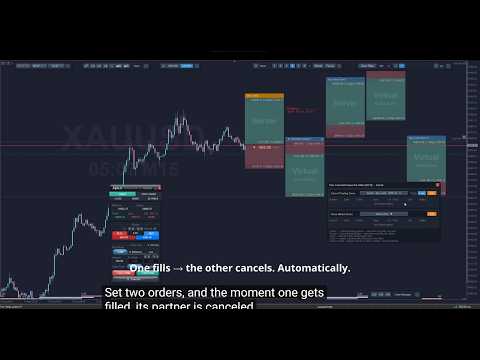
- OCO — When one order fires, the others are dealt with at once: pending orders cancelled, open positions closed, or both. A pending order acts the moment it fills, one-way or mutually — whichever fills first clears the other. An open position acts as it exits, and you choose whether that is on its TP or on its SL, so the others are cleared only when this trade wins, or only when it loses. Targets may sit on other symbols, up to 32 in each list.
3. Manage
- Prop Guard — Live drawdown, target and sizing figures, eight rule watchers, presets for the well-known firms, and protection that flattens or locks the account at the percentage you choose.
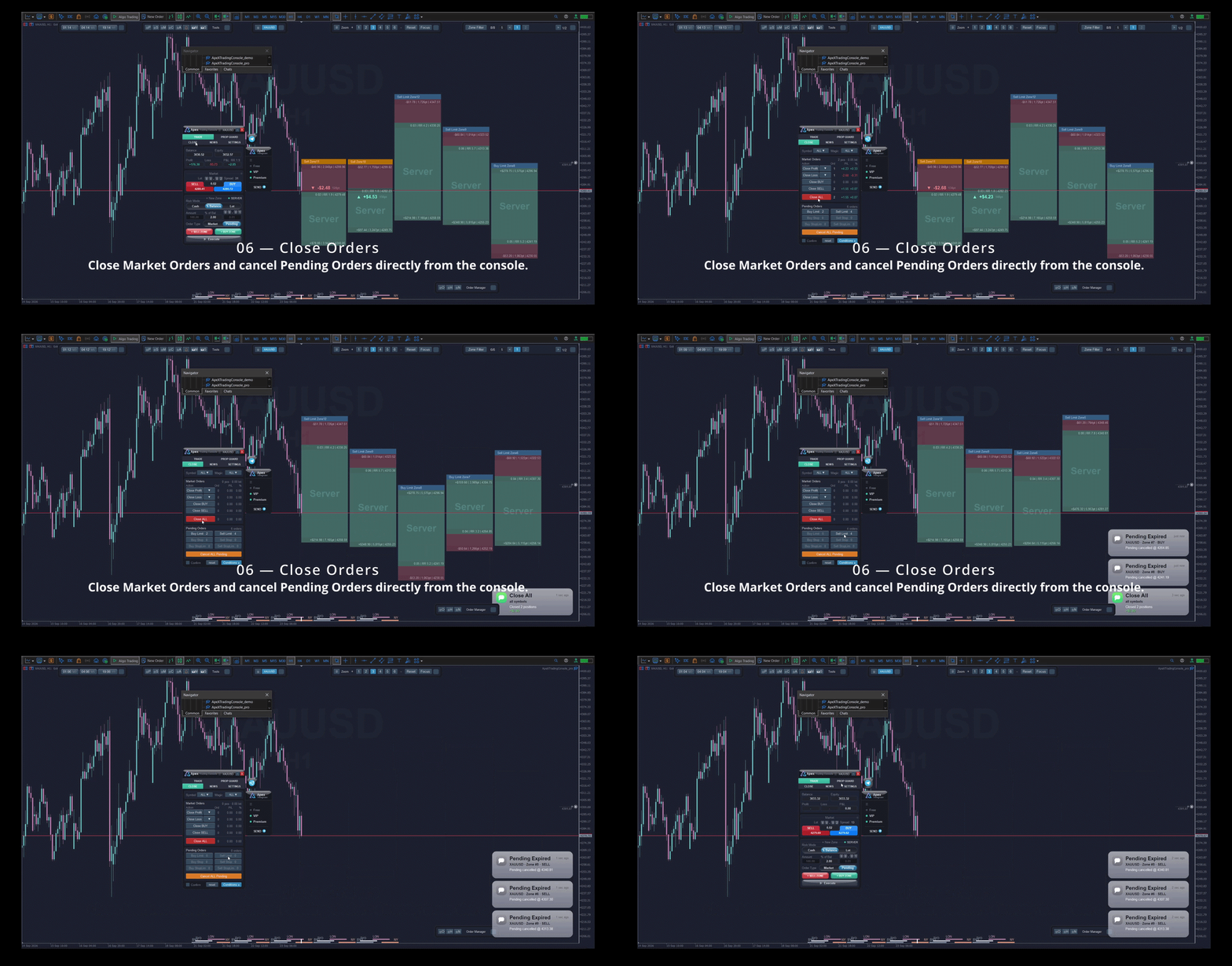
- Close tab — Close winners, losers, one side, or everything — with thresholds such as "only trades above 50 USD" — and cancel pending orders by type.
- Auto-close watch list — Rules that close for you when floating profit or loss reaches a level, per symbol or for the whole account.
- Order Manager — Everything live in one sortable table, with filters and a single button that closes exactly what the filter matched.
- Order History — Closed trades with RR, duration, session and day of week; filter by result, by "no stop loss", by comment — and see straight away which day, session or habit is costing you.
- Notify History — Every alert the console raised, searchable, so nothing that happened while you were away is lost.
4. Telegram
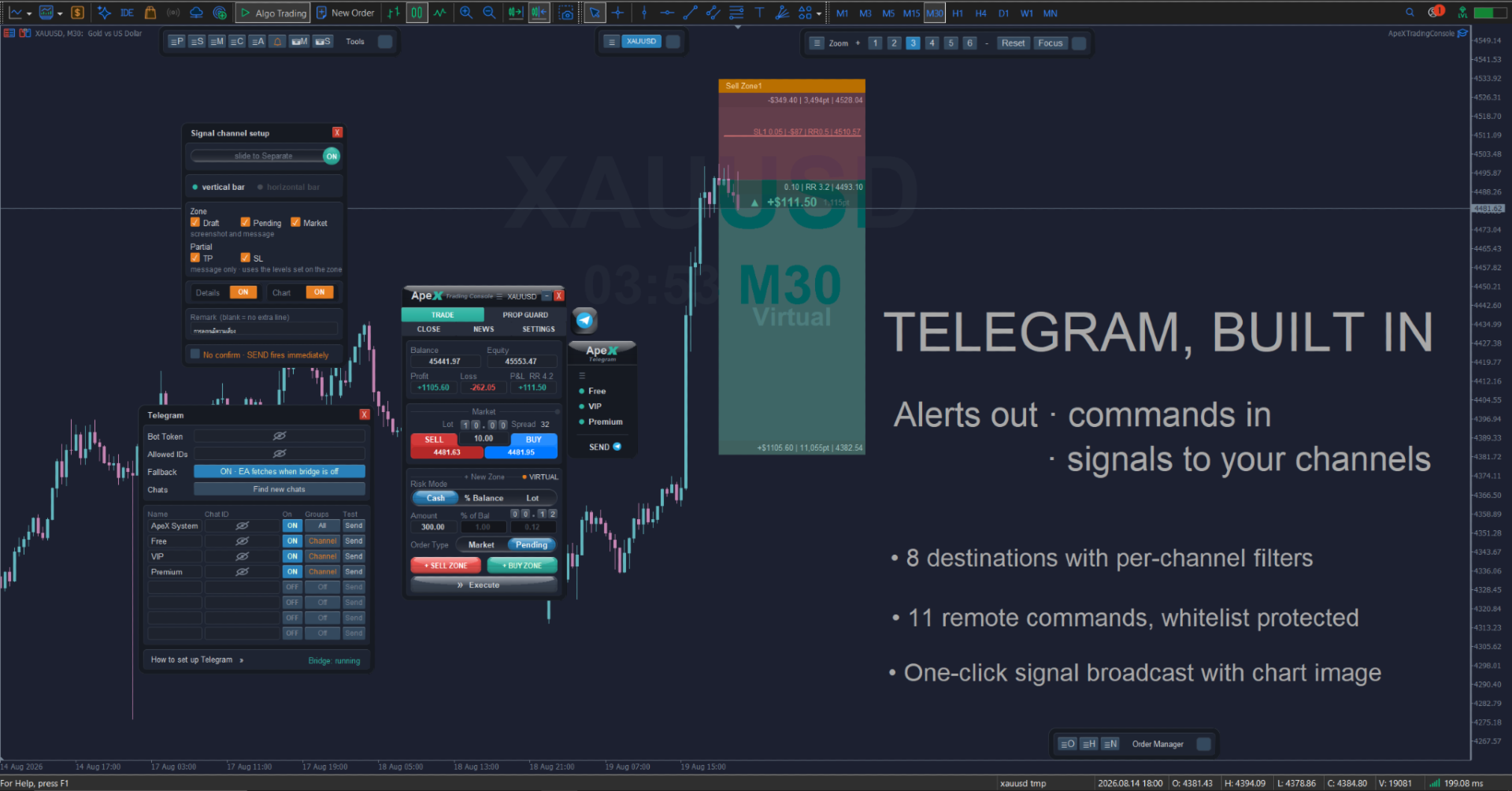
- Alerts where you are — Send any event to Telegram alongside the screen and your phone. Up to eight destinations, each with its own filter for what it receives and whether the chart image comes with it.
- Ask and act from your phone — Eleven commands cover the account, open positions, floating profit, pending orders, risk figures and a live chart image, and can close winners, losers or everything. Only the Telegram IDs on your whitelist are heard; anyone else is ignored.
- One room holds the keys — Action buttons appear in a single control chat you choose. Closing positions, cancelling orders and position control are three separate permissions, enabled one at a time, and every button asks to confirm, expires, and works only once.
- Broadcast your setups — If you run signal channels, tick the channels on the signal bar and press SEND once: the same message and chart image go to all of them, with a confirmation dialog before anything leaves the terminal.
On the chart
- Alerts — Price alert lines on any symbol, candle-close warnings, news warnings by currency and impact, and alerts on the lines and boxes you drew yourself — delivered as a screen card, a phone push, a sound, a Telegram message, or all of them at once.
- Free chart movement — Drag the chart up and down freely instead of fighting MetaTrader's locked price scale — room above and below the candles to draw and to plan — and Keep View holds the same moment on screen when you change timeframe, so you never lose your place.
- Market tools — Currency performance across 28 pairs, a currency strength meter, session shading, a symbol switcher, zoom presets and candle-close countdowns.
- Made to live with — Twelve themes light and dark, a transparency slider, rebindable hotkeys for everything, and one-click screenshots across several timeframes for your journal.
Getting started
- Attach the EA to any chart and allow algorithmic trading.
- In the Settings tab, set your default stop distance and reward-to-risk.
- Press + BUY ZONE or + SELL ZONE, drag the lines where the chart says, and press Execute.
Good to know
- MetaTrader 5, hedging account. The console warns you on a netting account.
- Partial levels, virtual stops, break-even, trailing, OCO and the auto-close rules are executed by the EA, so MetaTrader must be running. Ordinary stops and targets stay on the broker's server as usual.
- Works on any symbol your broker offers — forex, metals, indices, crypto.
- Read the manual pages for each tab and window before going live, and try it on a demo account first.
- Telegram needs your own bot token and one line of setup: add the Telegram API address under Tools > Options > Expert Advisors > Allow WebRequest for listed URL. The console shows you the exact address to paste.
- Signals are broadcast to channels you own, where your bot is an administrator. Subscribers cannot send anything back to the console.