 MetaTrader 5
 Experts
 지표
 라이브러리
 유틸리티
 위젯
 규칙
MetaTrader 5용 트레이딩 유틸리티 - 82
 다음은 MetaTrader 5의 거래를 단순화하는 거래 프로그램입니다. 유틸리티의 설명과 목적을 읽으려면 유틸리티 위에 마우스를 놓으십시오.

Here is a shorter, professional version with all your requested features included: QuickTrade Panel – MT5 Fast Execution, Smart Risk Management & On-Chart Trading The QuickTrade Panel is a lightweight, high-speed MT5 trading utility designed for fast and accurate order execution. It simplifies trading with one-click market and pending orders, automatic risk-based lot sizing, and an interactive on-chart dashboard. Key Features 1. On-Chart Trading Panel Adjust Lot Size, Risk %, SL, TP, and Pending

Martingale Firewall은 매매 전략이 아니라 보호 도구입니다. 자체적으로 포지션을 진입하지 않습니다. 어떤 EA, 복사된 시그널, 또는 직접 매매와도 함께 작동하며, 계좌를 조용히 무너뜨리는 단 한 가지, 즉 마틴게일을 차단합니다. 로봇을 구매하든, 시그널을 복사하든, 수동으로 매매하든 - 손실 방향으로 물타기를 시작하거나, 그리드를 쌓거나, 손실 포지션에 추가 진입하는 순간 Martingale Firewall이 개입합니다. 두 가지 모드 WARN 은 감시하고 경고합니다. 아무것도 건드리지 않습니다 - EA가 정확히 무엇을 하고 있는지 차트와 로그로 보여줍니다. ENFORCE 는 실제로 조치합니다. 문제가 되는 추가 진입이나 손실 후 물량 확대 포지션을 청산하고, SL이 없는 포지션에는 강제 손절을 부착합니다. ENFORCE는 두 번 클릭 확인으로 활성화합니다. 차단하는 대상 마틴게일 - 손실 매매 이후 물량을 키운 포지션. 그리드 및 물타기 - 같은 방향의 열린 포지션

Strategy Health Monitor는 저장된 기준선 스냅샷과 이후 거래 내역을 비교하고, 선택한 설정에 따른 통계적 차이 신호를 보고합니다.
이 제품은 필요한 시점에 수동으로 실행하는 MT5 유틸리티입니다. 사용자가 제공한 Strategy Tester HTML 또는 HTM 보고서 한 개, 또는 인식 가능한 손익 열이 있는 쉼표 구분 거래 CSV를 읽습니다. 계좌를 지속적으로 모니터링하거나 계좌 내역을 자동으로 가져오지 않습니다.
작동 방식
1. 최초 실행 시 제공된 정제 거래 내역으로 기준선 스냅샷을 생성합니다. 2. 이후 실행 시 동일한 기준선 파일을 불러와 새 거래 내역과 비교합니다. 3. 읽기 쉬운 영어 Human Report와 재현 가능한 Evidence Pack을 작성합니다.
비교 항목
- 확률적 샤프 비율(PSR)의 변화 - 방향을 가정하지 않는 순열 기반 평균 시계열 차이 검정 - 설정된 기준선 범위에 대한 최대 낙폭 비율 - 정제된 비교 시계열 및 입

QuickTrade Panel – Fast Order Execution & Risk Management The QuickTrade Panel is a powerful MetaTrader 5 trading tool that helps traders place orders faster, manage risk automatically, and control trades directly from the chart. It reduces manual work, improves trading accuracy, and makes trade management simple and efficient. Key Features On-Chart Trading: Change Lot Size, Risk %, Stop Loss (SL), Take Profit (TP), and Pending Distance without opening EA settings. Smart Position Sizing: Choose

개요 DualVision AI는 비전 기반 차트 분석을 위한 MetaTrader 5 Expert Advisor입니다. 사용자는 수직선 두 개로 캔들 구간을 고르고, 필요할 때 AI 분석을 실행합니다. DualVision AI는 그 구간의 최적화된 캔들 이미지와 정규화 OHLC 데이터를 만든 뒤 Claude(Anthropic) 또는 ChatGPT(OpenAI)로 보냅니다. 모델은 trend, 로컬 패턴, conflict 플래그, confidence, take profit, stop loss가 담긴 구조화 시그널을 반환합니다. DualVision AI는 분석 도우미입니다. 주문을 내지 않으며 위험 관리를 대체하지 않습니다. 시작하기 전에 MetaTrader 5에서 WebRequest URL을 허용하세요: Tools > Options > Expert Advisors 를 엽니다. Allow WebRequest for listed URL 을 켭니다. 다음 URL을 추가합니다(한 줄에 하나):

Transform Your Trading with SmartFastTrade AI: Speed and Ease at Your Fingertips! Introduction Are you a trader struggling with slow order execution? Do you want a tool that can assist you in making quick and accurate trading decisions? If yes, then SmartFastTrade AI is the answer to all your trading needs. With its unique combination of speed, user-friendliness, and advanced features, SmartFastTrade AI will help you unlock your full trading potential. Let's delve deeper into why this innovativ
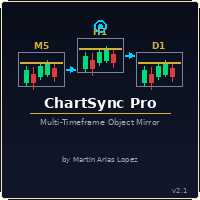
Draw once. See it everywhere. You draw a support line on your 5-minute chart. You switch to the 1-minute to confirm the structure. The line is already there. You open the daily. It's there too — perfectly placed, same color, same style. Zero extra work. That's ChartSync Pro. Most traders waste precious seconds — sometimes minutes — redrawing the same levels, trendlines, and zones across every timeframe. In scalping, those seconds are the trade. ChartSync Pro eliminates that entirely. The moment

justEnter is a semi-automatic trade management utility for MetaTrader 5. You choose the entry; the utility calculates position size, places the stop loss, and manages the position through breakeven, partial closes and trailing until exit. For traders following signals If you take your entries from a signal service, a mentor, or your own alerts, the entry decision is already made by the time you open the terminal. What remains is execution: sizing the position correctly, placing the stop, moving

A standalone algorithm that operates on the removal of the Previous Day's High (PDH) and/or the removal of the Previous Day's Low (PDL). Configurable: - risk per trade as a % of the deposit - minimum delay between trades - aggressiveness level - expected* number of trades and drawdown (*) Expected values will almost never match reality. Designed for use on the SP500 and NAS100 I DO NOT GUARANTEES ANY RETURN OR PROFIT! EXPECT TO LOSS! Livetest here

Risk Trade Panel은 수동 매매용 차트 패널이 있는 MetaTrader 5 유틸리티 Expert입니다. 진입 신호를 내지 않으며 그리드·마틴게일도 사용하지 않습니다. 매수/매도 결정은 당신이 하고, 패널은 랏·스톱·포지션 관리를 돕습니다. 기능 - 고정 랏, 또는 SL 거리 대비 잔고(또는 자산) 리스크 %로 랏 산정 - 기본 SL/TP가 있는 시장가 BUY / SELL(포인트 또는 절대가) - 대기 주문: Buy Limit, Sell Limit, Buy Stop, Sell Stop - 본전: 가격이 포인트 트리거에 도달하면 SL을 진입가(+오프셋)로 이동 - 트레일링: 끔, 고정 포인트, 또는 ATR 기반 - 거래량 비율로 부분 청산 - 전체 / 수익 / 손실 청산 — magic 및/또는 차트 심볼 필터 - 선택 단축키: B Buy, S Sell, C Close all, E Break-even, T Trail, P Partial - 다크 슬레이트 또는 라이트; 모서리·크

Global Stop Loss and Take Profit Manager Drag Lines Auto Apply
Already using my free Global Stop Loss and Take Profit Setter? This is the always on version. Instead of setting levels once, you drag two lines on the chart and every manual position on that symbol — plus every new one you open — instantly inherits the Stop Loss and Take Profit. No clicking into each order. No forgetting a stop.
Global Stop Loss and Target Manager is a drag-and-drop risk tool for manual traders on MetaTrader 5. Pu

TXBeeBox TradingPanel Pro TXBeeBox TradingPanel Pro is a multifunctional manual trading and position-management panel designed for MetaTrader 5. It provides fast order entry, centralized position controls, real-time account information and practical risk-management tools in a clean, compact interface. This product is a manual trading utility. It does not generate trading signals, predict market direction or open trades automatically. All entry and position-management commands are initiated by th

Visual MT5 trade planner with draggable entry, SL and TP, risk sizing and order management.
## Full description
Risk Assistant MT5 is a manual trading utility for planning, sizing and managing orders directly on a MetaTrader 5 chart.
The utility does not generate trading signals and does not decide when to enter the market. The trader selects the direction, entry, stop loss, take profit and acceptable risk. Risk Assistant displays the planned trade, calculates the volume and sends the order
멀티 타임프레임 분석가든, 모니터 하나로 트레이딩하는 분이든, 이 툴이 든든한 지원군이 되어드립니다.
MT5를 분석 컨트롤 타워로 — 차트 동기화 & 즉시 심볼 전환 도구 전략을 바꿀 때마다 차트를 하나하나 손으로 바꾸느라 지치셨나요? 통화쌍, 지수, 원자재 탭이 늘어나면서 작업 화면이 뒤죽박죽이지 않으신가요? 모니터가 한 대뿐이어도, 데스크탑급 분석 환경을 갖추고 싶지 않으신가요? 이런 고민에 공감하신다면, All Charts Sync Changer Pro 는 바로 그 문제를 해결하기 위해 만든 유틸리티 EA입니다. 차트 조작에 낭비되던 시간과 수고를 덜어드려, 정말 중요한 일 — 분석과 의사결정에 집중할 수 있게 해드립니다.
채널 기능으로 워크스페이스를 완벽하게 정리 이 툴의 핵심은 바로 채널 기능입니다. 차트들을 용도별로 독립된 그룹으로 나눌 수 있습니다. 예를 들면 이렇게요. 채널 1: FX 메이저 통화쌍 그룹 채널 2: 엔화 크로스 그룹 채널 3: 주가지수 & 원자재 그

WEALE Price List | MetaTrader 5용 Wealth Engine 자본 스캐너 유틸리티 WEALE Price List는 Market Watch에 있는 모든 심볼에 대해 완전한 Wealth Engine DCA 사다리를 채우는 데 필요한 자본이 얼마인지 보여주는 MetaTrader 5(MT5) 유틸리티 스크립트입니다. 이 유틸리티는 FJ Universe Wealth Engine(WEALE) Expert Advisor의 계획 수립용 동반 도구입니다. Wealth Engine이 전략을 실행하는 반면, WEALE Price List는 그것을 어디에서 실행할지 결정하는 데 도움을 줍니다. 스크립트는 Market Watch의 각 심볼을 스캔하고 실시간 계약 사양을 읽어 깔끔한 CSV 보고서를 작성합니다. 기존의 최소 랏 비용 옆에 새로운 값 하나인 WEALE Price를 추가하고, 그런 다음 전체 목록을 필요한 자본이 가장 적은 것부터 가장 많은 것 순으로 정렬합니다. 이것은

XBOOT BOLETA PRO Professional Manual Trading Panel for MetaTrader 5 XBOOT Boleta Pro is a complete trading panel designed for traders who execute manual trades and want greater speed, organization, and control during every trading session. More than a standard Buy and Sell panel, XBOOT Boleta Pro combines powerful trading tools into a single interface, helping traders analyze the market, manage risk, execute orders, and monitor trading performance without leaving the chart. Its purpose is to sim

RR Ratio Pro RR Ratio Pro 는 규율 있는 트레이더를 위해 설계된 전문 트레이드 계획 도구입니다. 위험, 보상, Stop Loss, Take Profit 및 포지션 크기를 차트에 직접 시각화하여 거래 실행 전에 모든 거래를 평가할 수 있도록 도와줍니다. 주문을 실행하기 전에 Entry Price, Stop Loss, Take Profit, Position Size 및 Risk-to-Reward Ratio를 차트에서 빠르게 확인할 수 있습니다. Forex, Gold, Indices 또는 CFDs를 거래하든 RR Ratio Pro는 거래 계획을 더 빠르고, 더 명확하며, 더 일관되게 만들어 줍니다. 주요 기능 대화형 Risk/Reward 박스 드래그 앤 드롭 차트 컨트롤 자동 Risk/Reward Ratio 계산 Entry / Stop Loss / Take Profit 시각화 실시간 거리 및 가격 표시 포지션 크기 계산 모든 거래 심볼 지원 모든 시간 프레임 지원 Me

Chart Risk Desk Pro는 과한 메가 패널 없이 속도와 리스크 관리가 필요한 수동 트레이더용 MetaTrader 5 유틸리티 EA입니다. 진입 신호를 내지 않으며 그리드·마틴게일을 쓰지 않습니다. 무거운 트레이드 패널 사용자의 흔한 요청을 반영합니다: 패널 밖 주문 관리, 명확한 포인트/핍, 원클릭 본절·부분 청산, 넓은 스톱레벨에서의 가상 스톱, 일일 손익 가드, 리버스·락, 단순 OCO, 일상 주문 관리를 덮는 가벼운 UI. 기능 - 고정/위험% 로트, 포인트 또는 핍, 선택적 R:R TP - 시장가와 대기 4종, 선택적 최대 스프레드 제한 - 미리보기 선, BE(2단계 선택), 트레일링 off/고정/ATR - 부분 청산 + 선택적 2차 자동 부분, 가상 SL/TP - 리버스·락, OCO, 대기 삭제, 전체/+/- 청산 - 금액 바스켓 청산, 일일 가드 - 매직 OFF로 수동·모바일 주문 관리 - 정보 줄과 단축키 B/S/C/E/T/P/R 주의: 신호 상품이 아닙니다.

Korean 강력한 MT5 자동 매매 스크립트 — 뛰어난 성능과 놀라운 매매 결과를 제공합니다.
스크린샷과 같은 좋은 결과를 얻을 수 있도록 돕는 최고의 매매 스크립트입니다. Envelopes 지표를 기반으로 전략을 개발하여 해당 구간에서 우수한 스캘핑 타매를 진행하고 거래당 최대 수익을 낼 수 있도록 제작했습니다. 수동 매매로 전략을 먼저 검증한 후 자동 매매로 전환했습니다.
사용 방법: MT5에서 '데이터 폴더 열기'를 선택한 후 MQL5 -> Scripts 폴더에 '3 true' 스크립트를 추가합니다. 차트를 새로고침하고 원하는 통화쌍을 연 뒤 스크립트를 차트에 적용합니다. 기본 설정을 유지하거나 롯(Lot) 크기 등 입력 변수를 자유롭게 조정할 수 있습니다.
주로 M1, M5, M15 타임프레임에서의 사용을 선호하지만, 모든 통화쌍 및 타임프레임에서 사용 가능합니다.
먼저 차트에 Envelopes 지표를 추가하세요(지표 -> 추세 -> Envelopes). 스크린샷처

In brief Auto TP Helper is a lightweight tool for manual traders who want to ensure they never forget to set Stop Loss and Take Profit levels after opening a trade. It runs in the background: as soon as you open a position manually, it instantly applies your preset SL and TP levels and then manages the position using a classic trailing stop—adjusting the stop toward profit as the price moves. No trading logic, no entry signals—just protection for the positions you have opened yourself. Who is th

QuickTrade - One-Click Trading Panel QuickTrade is a manual trading panel that places orders with a single click and sizes the lot automatically from a fixed money-per-trade amount. Instead of typing a lot size, you type how much money you want to put at risk, and QuickTrade calculates the correct lot from your chosen Stop Loss distance. Every order is sent with its Stop Loss and Take Profit already attached. Key Features One-click SELL / BUY - large buttons that also show the live Bid/Ask price

In Brief News Straddle Helper is a tool designed for trading volatility surrounding major news releases. At a specific time you set (with one-second precision), it automatically places two opposing pending orders—a Buy Stop and a Sell Stop—equidistant from the current price. As soon as one order is triggered, the other is instantly cancelled. If neither order is triggered within the allotted time, both are automatically removed. It is based on a classic concept (the "news straddle"): while the d

Trade Manager MVP MT5 is a chart-based position sizing, order execution and trade management tool designed to help manual traders plan setups, control risk and manage positions from one compact panel. Define Entry, Stop Loss, TP1, TP2 and Final TP using draggable chart lines. Set your preferred risk percentage, and the EA calculates the position size from the Stop Loss distance. Moving the Entry line automatically moves the other levels while preserving their configured pip distances. Key Featur

Multi Account Trade Desk MT5
## Short description
Account-wide MASTER-to-SLAVE trade copier for MetaTrader 5 with per-account risk sizing, automatic broker symbol matching, live readiness monitoring and parallel execution.
## Product description
Multi Account Trade Desk MT5 is built for traders who manage several MT5 accounts and want one central place to control risk, account readiness and trade replication.
Attach the same EA as MASTER on the source terminal and as SLAVE on every target

구매 전에: 이 도구가 하지 않는 여섯 가지. 그중 하나를 기대하고 오셨다면 이 제품은 맞지 않습니다. 결제하신 뒤에 아시는 것보다 지금 말씀드리는 편이 낫습니다. MetaTrader 5 전용. MT4 버전은 없으며, MT4와 MT5 사이의 복사도 되지 않습니다. 한 대의 PC. 두 터미널이 같은 컴퓨터 또는 VPS에서 실행되어야 합니다. 서로 다른 두 대의 PC 사이에서 원격이나 클라우드로 복사하는 기능은 없습니다. 헤징(hedging) 계좌 전용. 네팅(netting) 계좌는 거부되며, 도구가 아예 실행되지 않습니다. 구매 전에 계좌 유형을 확인하세요. 계좌 통화는 하나. 두 계좌 모두 같은 통화로 개설되어 있어야 합니다. 미체결 대기주문은 그대로 옮겨지지 않습니다. 송신 계좌에서 대기주문이 체결되면, 그 결과로 생긴 포지션이 즉시 복사됩니다. 브로커마다 종목명이 다르면 한 줄은 직접 넣어야 합니다. 두 브로커가 같은 상품을 서로 다른 이름으로 부르는 경우, 예를 들어 USTEC

Wait for structure. Keep control. Trading Lab Structure Navigator is a visual multi-timeframe market-structure and manual decision-support utility for MetaTrader 5. It helps discretionary traders organize chart analysis, recognize structural change and wait for clearer conditions. It never opens, modifies or closes orders. Do not chase every price movement The Navigator turns the chart into an organized decision workspace. It combines the broader market picture, local structure and execution-foc

Advanced MT5 Trading Utility Panel EA Speed, Precision & Automated Risk Control The MT5 Advanced Trading Utility Panel is a professional-grade execution dashboard built for scalpers, day traders, and high-volatility news traders on MetaTrader 5. Designed to eliminate standard platform delays, it provides instant, one-click access to market execution, dynamic lot sizing, pending order management, and fast position clearing directly from your chart. Key Features & Functionalities ️ 1. Dynamic

https://www.mql5.com/en/blogs/post/774611
Trade Copier Pro MT4/MT5 Trade Copier Pro MT4/MT5 is a professional trade copying application developed for MetaTrader users who need to synchronize trading activity between multiple accounts. The product supports trade copying between MetaTrader 4 and MetaTrader 5, allowing communication across MT4 and MT5 terminals as well as within the same platform. It can be used for MT4 to MT4, MT5 to MT5, MT4 to MT5 and MT5 to MT4 trade copying. The application i

G2 TRADING ASSISTANT – PRODUCT DESCRIPTION By Ida Bagus Putu Mahardika G2 Trading Assistant – Smart Trading Solution for Modern Scalpers G2 Trading Assistant is a professional trading panel designed to maximize your trading performance on the MetaTrader 5 platform. With an intuitive interface and advanced features, this panel gives you full control over order execution and risk management in real time. KEY ADVANTAGES OF THE G2 STRATEGY 1. VISUAL SETUP PLAN (Entry & Target Levels Visually) Dra

TRADE MANAGER G2 – PRODUCT DESCRIPTION By Ida Bagus Putu Mahardika Trade Manager G2 – All-in-One Trading Panel for Professional Execution & Risk Management Trade Manager G2 is a next-generation trading panel designed to give you full control over order execution, position management, and profit optimization in real time on MetaTrader 5. With a modern card-based user interface and individual TP actions per level, this panel elevates your trading experience to the next level. KEY ADVANTAGES OF

Smart Risk Panel MT5 is an advanced execution and risk management panel designed for manual traders and Prop Firm traders (FundingPips, FTMO, FundedNext, the5ers, etc.).
Built with a NON-BLOCKING architecture, the EA runs smoothly without freezing your chart—even during high volatility or fast-moving markets.
================================================== KEY FEATURES ================================================== • Auto Lot Calculation: Automatically calculates your exact lot siz

KS Hotkey Trading Panel Pro는 빠른 키보드 기반 거래 기능과 클릭 가능한 차트 내 대시보드를 제공하는 MetaTrader 5용 Expert Advisor(EA)입니다.
주요 기능
단축키 거래 — 다음 동작을 위한 단일 키 조작:
시장가 매수 / 매도
지정가 매수(Buy Limit) / 지정가 매도(Sell Limit)
역지정가 매수(Buy Stop) / 역지정가 매도(Sell Stop)
모든 포지션 청산
매수 포지션만 청산 / 매도 포지션만 청산
모든 대기 주문 삭제
랏(Lot) 사이즈 증감 (위/아래 화살표 키)
패널 표시 / 숨기기
차트 내 대시보드 — 모든 단축키, 현재 랏 사이즈, 실시간 계좌 정보(잔고, 평가금액, 스프레드, 매수/매도 포지션 수) 및 각 동작을 실행할 수 있는 "GO" 버튼을 표시합니다.
접이식 패널 — 토글 버튼(또는 단축키)을 사용하여 전체 패널을 얇은 바(bar) 형태로 접거나 펼칠 수 있습니다.
설정 가능

KS Auto Trade Close Manager Time Base는 사용자가 설정한 로컬 컴퓨터 시간에 맞춰 열려 있는 거래를 자동으로 종료하는 MetaTrader 5용 Expert Advisor(EA)로, 차트 내 간편한 제어 패널을 제공합니다.
주요 기능
예약 자동 종료(선택 사항): 특정 로컬 시간(HH:MM, 예: 23:55)에 거래를 종료합니다. 서버 시간이 아닌 터미널/컴퓨터의 로컬 시간(TimeLocal())을 사용합니다.
세 가지 종료 모드(입력 설정 또는 패널에서 선택 가능)
ALL(전체) – 조건에 맞는 모든 포지션 종료
PROFIT ONLY(수익 포지션만) – 현재 수익 중인 포지션만 종료
LOSS ONLY(손실 포지션만) – 현재 손실 중인 포지션만 종료
필터
모든 심볼 또는 현재 차트의 심볼만 적용
선택적 매직 넘버(Magic Number) 필터 (0 = 무시)
차트 내 대시보드
표시/숨기기 전환
실시간 잔고(Balance), 자산(Eq

XAU/USD is not a preset on top of a generic engine here. It is the whole project , one instrument, one model stack, built for it and nothing else. It started as research rather than as a product. What you get is the software itself, running on your account, at your broker, with the risk settings under your hand. Three models that disagree Direction and size are scored by an ensemble: a transformer, a gradient-boosted tree ensemble, and a recurrent network. Same feature set, three different induc

Apex Trade Copier is a local trade copier for MetaTrader 4 and MetaTrader 5. It copies trades between MT4 and MT5 accounts on the same computer or VPS and works in every combination, including MT4 to MT5 and MT5 to MT4, across different brokers. It runs locally through a shared file, so there is no internet dependency, no DLL, and no monthly fee. One master account can feed any number of client accounts, and a single client can copy from up to eight masters at once. Each client sizes its trades

RT EXECUTER — MANUAL DO USUÁRIO ========================================== O QUE É O EXECUTOR RT O RT Executer é um painel de execução manual para MetaTrader 5, projetado para scalpers e day traders que desejam execução rápida de ordens combinada com gerenciamento de risco automatizado. Você define seu risco por operação e o tipo de stop, e o painel calcula automaticamente o tamanho do lote ao comprar ou vender. O EA não toma decisões de entrada por você — a análise de mercado e os gatilhos de c

Optimization Cluster Analyzer Stop selecting only the best pass. Find parameter regions that actually deserve validation. An outstanding optimization result may be nothing more than an isolated peak. Optimization Cluster Analyzer — OCA transforms raw MetaTrader 5 optimization reports into a structured analysis of clusters, neighborhoods, parameter stability, recurrence and representative sets . The objective is not simply to find the highest profit. OCA investigates whether strong results belong

Prop Firm Guardian — Rule Protection System for Prop Firm Traders Most prop firm challenges aren't lost to bad strategy they're lost to a moment of forgetfulness: one trade too many after a bad morning, one position left open past the daily reset, one day's profit that quietly breaks a consistency rule nobody was tracking. Prop Firm Guardian is a rule-protection EA built specifically to stop that from happening. It does not trade for you. It places no orders of its own and works alongside anyth

RISK MANAGER PRO v4.5 - STOP BLOWING ACCOUNTS 90% of traders don't lose because of their strategy. They lose because of poor risk management. This fixes it. This is NOT another trading panel. This is your automatic discipline system - the one FTMO, The5ers, and FundedNext traders use to keep their funded accounts alive. Other EAs promise you money. This one stops you from losing it. And that's what makes you profitable. ARE YOU TIRED OF THIS? Revenge trading after a loss and blowing

RiskPilot Pro Plan risk clearly. Execute efficiently. Manage positions from one professional MT5 dashboard. RiskPilot Pro is a visual trade-planning and position-management utility for MetaTrader 5. It helps manual traders define risk before entry, calculate position size, place market or pending orders, and manage open positions from one chart panel. Important: RiskPilot Pro does not generate trading signals and does not choose trade direction. The trader defines the setup and remains responsib

GUIA RÁPIDO: BOLETA BRUXO MAPRIS ️ Configuração Inicial Obrigatória Ao arrastar a boleta para o gráfico, antes de clicar em OK, atente-se a dois detalhes: Permitir o Robô Operar: Na aba Comum , marque a caixa "Permitir Trading Algorítmico" . Certifique-se também de que o botão Trading Algorítmico no topo do seu MetaTrader 5 esteja verde . Múltiplos Gráficos (Magic Number): Na aba Parâmetros de Entrada , altere o valor de InpMagicNumber se for abrir mais de um gráfico. Exemplo: Gráfico 1 (Í

Daily Loss Guardian Prop Firm Drawdown and Equity Kill Switch An account wide daily loss and drawdown kill switch for prop firm challenges and funded accounts. It locks trading the instant your equity loss crosses your limit, force closes every open position — including trades opened manually or by a different EA — cancels all pending orders, and re arms itself automatically the next trading day. Built for Prop Firm Traders Who Need to Pass and Stay Funded If you are trading for a prop firm — FT

Boleta Scalper NQ — MT5용 기관급 고속 주문 실행 패널
스캘핑에 필요한 속도로 거래를 실행하십시오. 키보드에서 손을 떼지 않아도 됩니다.
Boleta Scalper NQ는 MetaTrader 5를 위한 전문 트레이딩 패널로, 지수 선물(NQ) 트레이더를 위해 특별히 개발되었습니다. 빠른 주문 실행, 리스크 관리 및 시장 상황을 하나의 화면에서 확인할 수 있도록 설계되어 MT5 기본 메뉴를 사용하는 시간을 줄여 줍니다.
하나의 패널에서 제공되는 3가지 거래 모드
SCALPER — 기본 랏 크기, Stop Loss 및 Take Profit이 미리 설정되어 있으며 실시간으로 조정 가능한 빠른 시장가 주문 모드입니다.
PENDING — 주문을 확정하기 전에 차트에서 TP/SL 위치를 시각적으로 미리 확인할 수 있는 지정가 주문 모드입니다.
SNIPER — 보다 신중한 진입을 위한 고정밀 모드로, 전용 제어 기능을 제공합니다.
각 모드는 독립적인 인터페이스를

사용자 매뉴얼 1 보기 사용자 매뉴얼 2 보기 사용자 매뉴얼 3 보기 ApeX Trading Console는 MetaTrader 5용 전문 트레이드 매니저, 트레이딩 어시스턴트, 리스크 매니저, 포지션 사이즈 계산기입니다. 차트에서 트레이드를 계획하면 콘솔이 실행을 대신합니다: 설정한 리스크에 따른 자동 로트 사이즈 계산, 부분 익절/부분 손절, 브레이크이븐, 트레일링 스톱, OCO, 서버가 아닌 EA 내부에 보관되는 스톱, 그리고 펀딩 계정을 위한 실시간 드로우다운 가드까지.
진입가, 스톱, 목표가를 박스 형태로 그린 뒤 Execute를 누르면, 패널이 사이즈 계산, 주문, 청산, 그리고 이후의 기록까지 모두 처리합니다 — 대부분의 트레이더가 여러 개로 나누어 다루던 작업을 하나의 도구로 대신합니다.
데모 모드 안내 내장된 MQL5 데모는 전략 테스터에서 실행됩니다. 이러한 제한으로 인해 데모 모드에서는 인터랙티브 트레이딩 패널이 완전히

Synqorix Trade Copier MT5는 MetaTrader 5용 통합 로컬 거래 복사 솔루션입니다.
하나의 Expert Advisor 파일을 다음 두 역할 중 하나로 사용할 수 있습니다.
• Provider — 원본 계좌의 거래를 전송; • Receiver — 대상 계좌에서 거래를 수신하고 복사.
실행 전에 InpRole 입력 파라미터로 역할을 선택합니다. Expert Advisor는 선택된 모드만 활성화하고 해당 PROVIDER 또는 RECEIVER 패널을 자동으로 생성합니다. 선택되지 않은 역할의 파라미터는 사용되지 않습니다.
동일한 Expert Advisor를 두 개의 MetaTrader 5 터미널에 설치하십시오. 원본 계좌에서는 InpRole = Provider, 대상 계좌에서는 InpRole = Receiver를 선택하고 양쪽에 동일한 채널 이름을 설정합니다.
주요 기능
• Buy 및 Sell 포지션 복사; • Buy Limit, Sell Limit,

Envelope monitoring for multi-EA accounts. Each magic number is watched against its own backtest; you get a traffic light on the chart and an alert only when a state changes. Includes the full free measurement layer. What it is You run several Expert Advisors on one account. This utility reads their closed history, groups it by magic number, and watches every system against its own backtest: a traffic light on the chart, and an alert only when a state actually changes. Underneath sits a full mea

QuantumTraderPanel — MQL5 Market Product Page
1. Short Description (Tagline) QuantumTraderPanel is your all-in-one trade management cockpit — risk-based lot sizing, automatic break-even and trailing, and full basket protection, all in one panel.
Alternates: - *"Stop managing trades by hand. QuantumTraderPanel calculates your lot size, protects your profit, and guards your whole basket — automatically."* - *"One panel. Every trade sized right, every position protected, every basket under contr

Live vs Backtest Divergence Detector 는 사용자가 제공한 실거래 내역과 백테스트 내역을 비교하고, 선택한 설정에 따라 관찰 가능한 분포 차이 신호를 보고합니다.
이 제품은 특정 시점에 수동으로 실행하는 MT5 유틸리티입니다. MT5 Common/Files 또는 터미널의 MQL5/Files 폴더에서 두 개의 로컬 파일을 읽습니다. 지원 입력은 MT5의 HTML 또는 HTM 거래 내역 보고서와, 인식 가능한 수익 열이 있는 쉼표로 구분된 거래 CSV입니다. 각 내역에는 최소 5개의 청산된 거래가 있어야 합니다. 이 유틸리티는 계정 내역을 직접 가져오지 않습니다.
작동 방식
1. 동일한 EA 또는 전략에 대한 실거래 내역과 백테스트 내역을 각각 하나씩 내보내거나 준비합니다. 2. 두 파일을 선택한 MT5 파일 폴더에 넣고 EX5 유틸리티를 실행합니다. 3. 이해하기 쉬운 영어 Human Report와 재현 가능한 Evidence Pack을 확인합니다.

절대적인 정밀도, 속도 및 시각적 제어로 거래하세요. RR Gestion V4.0은 TradingView의 시각적이고 부드러운 주문 방식을 MT5 차트로 직접 가져오도록 설계된 최고의 MetaTrader 5용 Risk-to-Reward 유틸리티 패널입니다. 주요 기능: 완전한 시각적 Drag & Drop 인터페이스: 차트에 대화형 위험(빨간색) 및 보상(초록색) 상자가 표시됩니다. 진입, Stop Loss(SL) 또는 Take Profit(TP) 선을 드래그하면 위험 매개변수에 따라 로트 크기가 실시간으로 재계산됩니다. 이동 및 최소화 가능한 패널: 헤더를 드래그하여 이동합니다. _ 버튼을 클릭하면 본문이 숨겨지고 "Quick Trade" 행만 표시됩니다. 스마트 BUY/SELL 전환: 롱/숏 시나리오를 매끄럽게 전환합니다. ️ 패널 컨트롤 및 매개변수: 주문 유형: 스마트 유효성 검사가 포함된 Market(시장가), Stop, Limit 주문. 위험 크기 모드: $(고정

AZ_OrderGun - Professional Order Management Panel AZ_OrderGun is a lightweight and fast trade management tool designed for manual traders who need full control over their trades directly from the chart. MAIN FEATURES One-Click Trading: Buy SLL, Sell SLH, Buy SLO, Sell SLO with predefined Stop Loss Visual SL/TP Management: Drag and drop Stop Loss and Take Profit lines directly on the chart Smart Risk Calculation: Automatic lot size calculation based on % risk and SL distance Risk/Reward Ratio:

AUTO TP & SL for Averaging The fastest way to manage Take Profit and Stop Loss for multiple trades. AUTO TP & SL is a powerful utility designed specifically for averaging, grid, martingale, and scalping traders . Instead of modifying the TP and SL of every order manually, simply enter your desired profit target or maximum loss in USD, and let the EA handle everything automatically.
Free Demo Version = https://c.mql5.com/6/1021/AUTO_TP_SL_DEMO.zip
Key Features Set Target Profit in USD for a

GTM Panel Pro 는 MetaTrader 5용 수동 거래 관리 도구입니다. 하나의 차트에서 네 개의 독립된 거래 그룹(A, B, C, D)과 네 개의 대기 주문 슬롯(L1~L4)을 운영할 수 있으며, 각각 고유한 랏, 손절, 목표가, 본전, 트레일링 스탑, 매직 넘버를 가집니다. CLOSE를 누르면 현재 가리키는 그룹만 처리됩니다. 2.53 버전에는 본인 API 키를 사용하는 선택형 AI 어시스턴트, 텔레그램 음성 메시지, 14개 언어의 HELP 창, 진입 체크리스트, 가격 알림, 차트 위 자유 목표 상자, 그리고 거래에 반응하는 애니메이션 로봇이 추가되었습니다. 수동 도구입니다 - 클릭하지 않으면 아무 거래도 일어나지 않습니다.
내부에 전략이나 자동매매 로봇이 없습니다. 패널은 요청한 거래를 열고, 보호하고, 닫을 뿐입니다. AI 어시스턴트는 작업을 제안만 할 수 있으며, 거래를 열거나 닫거나 변경하는 모든 작업은 패널에서 APPLY를 누르거나 텔레그램에서

SPICA CLICK TRADE CONTROL MT5
Spica Click Trade Control is a complete one-click trading panel for MT5 — built for traders who want speed without giving up control. Every trade shows you the exact lot size, dollar risk, and reward before you click Buy or Sell. Manage open positions with breakeven, trailing stops, and partial closes. Protect your whole account with automatic equity-based shutoffs. All from a clean, tabbed panel that stays out of your way until you need it.
KEY FEATURES
Trading
FREE

UNIVERSAL RISK TRADE MANAGER MT5 Control Your Risk. Protect Your Capital. Trade with Confidence. Successful trading is not only about finding the right entry. It is about controlling how much you can lose when the market moves against you. Universal Risk Trade Manager MT5 is a professional risk-management and trade-execution assistant designed to calculate position sizes, protect trading capital, and manage open trades directly from a clear, easy-to-use chart panel. Whether you trade Forex, Gold

Economic Calendar News Filter for MT5 - Close and Block Trades Around High Impact News One economic release can undo weeks of disciplined trading. A spike, a slippage, a stop that never filled where you thought it would. Guardian News Guard watches the economic calendar for you and shuts the door before the door slams on you. WHAT IT DOES - Reads the MetaTrader 5 economic calendar directly — no external servers, no web requests, no subscriptions
- Builds a protection window around every relevant

NINJA EA PORTFOLIO GUARD MT5 NINJA EA Portfolio Guard MT5는 MetaTrader 5 계좌 전체를 감시하는 위험 관리 유틸리티입니다. 차트 하나에 한 개만 적용하면 수동 거래와 여러 EA를 Magic Number별로 확인할 수 있습니다. 시장 방향을 예측하거나 신호를 만들거나 신규 거래를 열지 않습니다. 중요: 계좌 전체에 적용 CLOSE ALL, DELETE PENDING 및 자동 보호는 현재 차트 종목만이 아니라 계좌 전체에 작용합니다. 수동 거래, 모든 Magic Number, 모든 EA와 모든 종목이 영향을 받을 수 있습니다. 계좌당 한 개만 사용하고 먼저 데모 계좌에서 테스트하십시오. 패널 및 Magic 분석 Balance, Equity, Floating, Free margin, Margin 미실현 손익을 포함한 당일 결과와 주간·월간 실현 손익 저장된 최고 Equity 기준 DD와 실현 잔고 곡선의 Closed DD 계좌 전체 P

TrueRisk PRO — Risk-First Execution Terminal for MT5 Stop guessing your lot size. Start executing the exact risk you planned. TrueRisk PRO calculates your precise lot size in real-time — accounting for spread, commission, and slippage — so every trade risks exactly what you intended. Nothing more. The Problem It Solves Manual lot size calculation ignores spread, commission, and slippage. A 0.02 lot error costs scalpers $5–$20 per trade. Repeated across 100 trades, that's $500–$2000 in silent lo

Quick Lines Mastery 는 MetaTrader 5 전용으로 구축된 기관 수준의 차트 드로잉 및 주석 유틸리티입니다. 정밀함을 요구하는 재량 트레이더, 프라이스 액션 순수주의자, 기술적 분석가를 위해 설계된 이 도구는 고성능 제어판을 차트에 직접 내장하여 기본 MT5 드로잉 도구의 번거로움을 없애줍니다. 일중(인트라데이) 레벨을 매핑하든, 복잡한 기하학적 레이아웃을 구축하든, 빠른 기술적 마크업을 실행하든, Quick Lines Mastery는 즉각적인 테마 전환, 다중 레이어 제어, 고급 경고(알림) 매트릭스를 통해 워크플로우를 간소화합니다. 주요 기능 연속선 및 레이(반직선) 엔진: 기본 속성 메뉴를 복잡하게 거치지 않고도 무한 또는 제한된 수평선, 수직선, 추세선을 빠르게 배치할 수 있습니다. 통합 자유 드로잉 캔버스: 최적화된 온차트 드로잉 레이어를 사용하여 캔들 위에 자유 손글씨 마크업, 영역, 커스텀 패턴을 매끄럽게 스케치할 수 있습니다. 고급 피보나치 및 기하

Prop Firm Rulebook is a risk manager for evaluation and funded trading accounts. It does not open trades and does not generate signals. It watches the account against the limits you are actually measured on, shows how much room is left, and can flatten the account before a limit is breached instead of after.
WHY THE RULE VARIANTS ARE CONFIGURABLE
Firms disagree on the details that decide whether you pass. A daily loss limit may be measured from the day's starting balance or from its starting

User Manual
Buy Trading Utility, Get 1 indicator FREE ! After purchase contact me for your " one indicator GIFT (Any one you want) ", adding you in group. Trading Utility MT5 The manual trader's cockpit. Size every trade by risk, place it from the chart, and manage it without ever opening the order dialog. Eight tabs, seven trailing engines, and every stop and target draggable with one click. One panel between you and the order window. Risk-sized entries, draggable stops, seven trailing modes,

Advanced Price Action Suite
Advanced Price Action Suite plots market structure (BOS/CHoCH), support and resistance zones, Fair Value Gaps and the multi-moving-average trend on your chart — with an integrated position calculator that shows the recommended lot, possible loss and risk/reward ratio in real time, before every entry.
What Advanced Price Action Suite does Advanced Price Action Suite is an analysis and calculation tool for the price action trader: it shows the market context at a glan

Launch Special Offer
LIMITED TIME LAUNCH OFFER: $59 (Regular Price $ 8 9) for the FIRST 10 BUYERS ONLY! Short Description The ultimate MT5 trade management workspace for manual & mobile traders! Features Smart Lot Scaling, Dynamic Trend Break-Even, Stealth Virtual Trailing Stop, and Strict Magic Number Isolation. Fully compatible with Hedging & Netting accounts! Full Description "Entry is an art, but Exit is a discipline." Are you tired of constantly watching the charts to manual

Expert Trade Panel — Профессиональная панель ручной торговли и управления рисками **Expert Trade Panel** — это мощный и интуитивно понятный торговый терминал прямо на вашем графике MetaTrader 5. Панель разработана для трейдеров, которым необходим полный контроль над позициями, быстрое исполнение ордеров, автоматический расчет бесубытка и визуальный контроль уровней усреднения. --- Ключевые возможности 1. Управление в один клик и каскадный Тейк-Профит * **Исполнение сделок:** Мгновенный вх

QuantEx Position Manager is a manual trade-management utility for MetaTrader 5. Its on-chart panel provides fast access to common position and pending-order actions while keeping the trader in direct control. The utility does not generate signals or open trades. Two-click confirmation is enabled by default to help protect trade-closing and pending-order actions.
Key Features 1. Clean on-chart management panel. 2. Account-wide or current-symbol management scope. 3. Live position cou

A professional manual trading and position management panel for MetaTrader 5 with risk-based sizing, SL/TP protection, partial reduction, break even and trailing stop tools.
Strategy Engine Trade Panel is a manual trading and position management utility for MetaTrader 5.
It is designed to simplify order execution, risk sizing, position protection and account management directly from the chart.
The product does not generate entry signals and does not open trades automatically without a user a

MT5 Trading Dashboard
The MT5 Trading Dashboard is a professional on-chart trading panel designed to make trading faster, easier, and more efficient. It allows traders to execute market and pending orders, manage risk, and control open positions without opening multiple MT5 windows.
The dashboard includes Lot Size, Risk (%), Stop Loss (SL), Take Profit (TP), Number of Trades, and Pending Order Distance settings. You can instantly place Buy Market and Sell Market orders or create Buy Limit, Se

Trade Panel HotKey – MT5 Scalping Utility Fast Trade Panel HotKey is a lightweight MT5 trading utility designed for traders who need to open, manage, and close positions as quickly as possible . The main purpose of this tool is to reduce the time between a trading decision and execution. Instead of moving the mouse, opening order windows, or manually modifying multiple positions, most important actions can be performed instantly through customizable keyboard hotkeys or directly from the compact

Prop Firm Challenge Tracker Prop Firm Challenge Tracker 는 프로프 펌(Prop Firm)의 평가 규칙을 사용자의 MetaTrader 5 계좌에 적용하는 유틸리티 도구입니다. 이 도구는 수익 목표, 일일 손실 제한(Daily Drawdown), 최대 손실 제한(Maximum Drawdown)을 실시간으로 추적하고 현재 평가 상태를 차트에 직접 표시합니다. 이 도구는 실제 펀딩 계좌 평가(Challenge)에 비용을 지불하기 전에, 평가 통과에 필요한 거래 규율과 리스크 관리 능력을 연습하고 싶은 트레이더를 위해 설계되었습니다. 이 도구는 자체적으로 주문을 생성하거나, 거래를 수정하거나, 새로운 거래를 실행하지 않습니다. 단순히 계좌에서 이미 발생하고 있는 거래 활동(수동 거래 또는 다른 Expert Advisor가 실행한 거래)을 감시하고 사용자가 설정한 규칙을 적용합니다. 또한 현재 연결된 차트의 종목뿐만 아니라 계좌에서 거래되는 모든 심

Prop Firm Consistency Rule Monitor for MT5 - Protect Your Payout from Best Day Violations Several prop firms enforce a consistency rule: if your best day (or best trade) makes up too large a share of your total profit, the payout is delayed or denied — even though you broke no loss limit. Most traders discover this rule at the worst possible moment: after the profit is already booked. Consistency Guardian watches the rule in real time and tells you, before you take the next trade, how much profi

An automatic professional CME margin zones indicator for MT5. Calculates and plots key support and resistance levels (1/4, 1/2 DKZ, 1/1 NKZ). 100% non-repainting, auto-downloads exchange data, and features a Clean Chart Mode. Allows you to trade on the real liquidity of large hedge funds and banks. Quant CME Pointer EA is a professional visual tool designed as an Expert Advisor for MetaTrader 5 by the FFIninvest Quant Lab. The EA automatically downloads, calculates, and displays official Chicago
MetaTrader 마켓은 개발자들이 거래 애플리케이션을 판매할 수 있는 간단하고 편리한 사이트이다.
제품을 게시하고 마켓용 제품 설명을 어떻게 준비하는가를 설명하는 데 도움이 됩니다. 마켓의 모든 애플리케이션은 암호화로 보호되며 구매자의 컴퓨터에서만 실행할 수 있습니다. 불법 복제는 불가능합니다.
