 MetaTrader 5
 エキスパート
 インディケータ
 ライブラリ
ライブラリ
 ユーティリティ
 ウィジェット
 ルール
ルール
YouTubeにあるマーケットチュートリアルビデオをご覧ください
ロボットや指標を購入する
仮想ホスティングで
EAを実行
EAを実行
ロボットや指標を購入前にテストする
マーケットで収入を得る
販売のためにプロダクトをプレゼンテーションする方法
MetaTrader 5用取引ユーティリティ - 82
 以下はMetaTrader5での取引を簡素化する取引プログラムです。ユーティリティにカーソルを合わせると、その説明と目的が表示されます。
Here is a shorter, professional version with all your requested features included: QuickTrade Panel – MT5 Fast Execution, Smart Risk Management & On-Chart Trading The QuickTrade Panel is a lightweight, high-speed MT5 trading utility designed for fast and accurate order execution. It simplifies trading with one-click market and pending orders, automatic risk-based lot sizing, and an interactive on-chart dashboard. Key Features 1. On-Chart Trading Panel Adjust Lot Size, Risk %, SL, TP, and Pending

Martingale Firewallは戦略ではなく、保護ツールです。トレードは一切建てません。あらゆるEA、コピーしたシグナル、あるいはご自身の手動トレードと並行して稼働し、口座を静かに破綻させる元凶であるマーチンゲールを止めます。 ロボットを購入する、シグナルをコピーする、または手動でトレードする——そのどれであっても、含み損に対してロットを倍にし始めた瞬間、グリッドを積み増した瞬間、あるいは負けポジションにナンピンを重ねた瞬間に、Martingale Firewallが介入します。 2つのモード WARN は監視して警告します。何にも手を触れません——あなたのEAが実際に何をしているのかを、チャート上とログに正確に表示します。 ENFORCE は実際に動きます。問題となる建て増しや、損失後にロットを増やしたトレードを決済し、ストップのない裸のポジションにはハードストップを付与します。ENFORCEは2クリックの確認で作動させます。 ファイアウォールが遮断する対象 マーチンゲール ——負けトレードの後にロットを増やして建てたポジション。 グリッドとナンピン ——同じ方向の既存ポジシ

Strategy Health Monitorは、保存済みのベースラインスナップショットと、その後の取引履歴を比較し、選択した設定に基づく統計的な差異シグナルを報告します。
本製品は、手動で必要な時点に実行するMT5ユーティリティです。ユーザーが用意したStrategy TesterのHTMLまたはHTMレポート、もしくは認識可能な損益列を含むカンマ区切りの取引CSVを1件読み込みます。口座を継続的に監視することも、口座履歴を自動取得することもありません。
動作の流れ
1. 初回実行時に、入力されたクリーニング済み取引履歴からベースラインスナップショットを作成します。 2. 後日の実行時に、同じベースラインファイルを読み込み、新しい履歴と比較します。 3. 平易な英語によるHuman Reportと、再現可能なEvidence Packを出力します。
比較する内容
- 確率的シャープレシオ(PSR)の変化 - 方向を前提としない置換法による平均系列の差の検定 - 設定されたベースライン帯に対する最大ドローダウン率 - クリーニング済み比較系列と入力ファイルのハッシュ - 各

QuickTrade Panel – Fast Order Execution & Risk Management The QuickTrade Panel is a powerful MetaTrader 5 trading tool that helps traders place orders faster, manage risk automatically, and control trades directly from the chart. It reduces manual work, improves trading accuracy, and makes trade management simple and efficient. Key Features On-Chart Trading: Change Lot Size, Risk %, Stop Loss (SL), Take Profit (TP), and Pending Distance without opening EA settings. Smart Position Sizing: Choose

概要 DualVision AI は、視覚によるチャート分析のための MetaTrader 5 Expert Advisor です。ユーザーは2本の垂直線で足のレンジを選び、必要なときに AI 分析を実行します。DualVision AI はそのレンジの最適化されたローソク足画像と正規化 OHLC データを作り、Claude(Anthropic)または ChatGPT(OpenAI)に送ります。モデルは trend、ローカルパターン、conflict フラグ、confidence、take profit、stop loss を含む構造化シグナルを返します。 DualVision AI は分析アシスタントです。注文は出さず、リスク管理の代わりにもなりません。 始める前に MetaTrader 5 で WebRequest URL を許可します: Tools > Options > Expert Advisors を開きます。 Allow WebRequest for listed URL を有効にします。 次の URL を追加します(1行に1つ): https://api.anthrop

Transform Your Trading with SmartFastTrade AI: Speed and Ease at Your Fingertips! Introduction Are you a trader struggling with slow order execution? Do you want a tool that can assist you in making quick and accurate trading decisions? If yes, then SmartFastTrade AI is the answer to all your trading needs. With its unique combination of speed, user-friendliness, and advanced features, SmartFastTrade AI will help you unlock your full trading potential. Let's delve deeper into why this innovativ
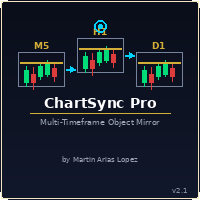
Draw once. See it everywhere. You draw a support line on your 5-minute chart. You switch to the 1-minute to confirm the structure. The line is already there. You open the daily. It's there too — perfectly placed, same color, same style. Zero extra work. That's ChartSync Pro. Most traders waste precious seconds — sometimes minutes — redrawing the same levels, trendlines, and zones across every timeframe. In scalping, those seconds are the trade. ChartSync Pro eliminates that entirely. The moment

justEnter is a semi-automatic trade management utility for MetaTrader 5. You choose the entry; the utility calculates position size, places the stop loss, and manages the position through breakeven, partial closes and trailing until exit. For traders following signals If you take your entries from a signal service, a mentor, or your own alerts, the entry decision is already made by the time you open the terminal. What remains is execution: sizing the position correctly, placing the stop, moving

A standalone algorithm that operates on the removal of the Previous Day's High (PDH) and/or the removal of the Previous Day's Low (PDL). Configurable: - risk per trade as a % of the deposit - minimum delay between trades - aggressiveness level - expected* number of trades and drawdown (*) Expected values will almost never match reality. Designed for use on the SP500 and NAS100 I DO NOT GUARANTEES ANY RETURN OR PROFIT! EXPECT TO LOSS! Livetest here

Risk Trade Panel は、手動トレード向けのチャートパネル付き MetaTrader 5 ユーティリティ Expert です。エントリーシグナルは出さず、グリッドやマーチンも使いません。売買の判断はあなた次第。ロット、ストップ、ポジション管理をパネルが支援します。 機能 - 固定ロット、または SL 距離に対する残高(または証拠金)リスク% - デフォルト SL/TP 付きの成行 BUY / SELL(ポイントまたは絶対価格) - 指値・逆指値:Buy Limit、Sell Limit、Buy Stop、Sell Stop - ブレークイーブン:価格がポイントのトリガーに達したら SL をエントリー(+オフセット)へ - トレーリング:オフ、固定ポイント、または ATR ベース - 出来高パーセントでの部分決済 - 全決済 / 勝ち / 負け — magic および/またはチャート銘柄でフィルタ - 任意ホットキー:B Buy、S Sell、C Close all、E Break-even、T Trail、P Partial - ダークスレートまたはライト;隅・サイズ・フォ

Global Stop Loss and Take Profit Manager Drag Lines Auto Apply
Already using my free Global Stop Loss and Take Profit Setter? This is the always on version. Instead of setting levels once, you drag two lines on the chart and every manual position on that symbol — plus every new one you open — instantly inherits the Stop Loss and Take Profit. No clicking into each order. No forgetting a stop.
Global Stop Loss and Target Manager is a drag-and-drop risk tool for manual traders on MetaTrader 5. Pu

TXBeeBox TradingPanel Pro TXBeeBox TradingPanel Pro is a multifunctional manual trading and position-management panel designed for MetaTrader 5. It provides fast order entry, centralized position controls, real-time account information and practical risk-management tools in a clean, compact interface. This product is a manual trading utility. It does not generate trading signals, predict market direction or open trades automatically. All entry and position-management commands are initiated by th

Visual MT5 trade planner with draggable entry, SL and TP, risk sizing and order management.
## Full description
Risk Assistant MT5 is a manual trading utility for planning, sizing and managing orders directly on a MetaTrader 5 chart.
The utility does not generate trading signals and does not decide when to enter the market. The trader selects the direction, entry, stop loss, take profit and acceptable risk. Risk Assistant displays the planned trade, calculates the volume and sends the order
マルチタイムフレーム派も、モニター1枚のトレーダーも。チャート管理の悩みは、これで終わりです。
MT5を分析司令塔に変える、チャート同期&瞬速切替ツール 戦略を切り替えるたびに、チャートを1枚ずつ手作業で変更していませんか。 通貨ペアや指数、コモディティのタブが増えすぎて、画面がごちゃごちゃになっていませんか。 モニターが1枚しかなくても、頭の中は複数の分析を同時に走らせたい。 そんな日々の小さなストレスに、心当たりがあるなら。 All Charts Sync Changer Pro は、その煩わしさを解消するために作ったユーティリティEAです。チャート操作に取られていた時間と手間を、本来集中すべき分析と判断に戻します。
「チャンネル」機能で、ワークスペースを丸ごと整理する この製品の核となるのが、 チャンネル 機能です。チャート群を用途ごとにグループ分けし、それぞれを独立して同期させられます。 チャンネル1: FXメジャー通貨ペアのグループ チャンネル2: クロス円のグループ チャンネル3: 株価指数&コモディティのグループ 最大10グループまで、それぞれ独立した親チャートを設置

WEALE Price List | MetaTrader 5 向け Wealth Engine 資金スキャナー ユーティリティ WEALE Price List は、Market Watch にあるすべての銘柄について、Wealth Engine の DCA ラダーをすべて埋めるのに必要な資金を表示する MetaTrader 5 (MT5) のユーティリティ スクリプトです。 このユーティリティは、FJ Universe Wealth Engine (WEALE) エキスパートアドバイザーの計画用コンパニオンです。Wealth Engine が戦略を実行するのに対し、WEALE Price List はそれをどこで実行するかを判断する手助けをします。スクリプトは Market Watch の各銘柄をスキャンし、ライブの契約仕様を読み取り、整理された CSV レポートを書き出します。従来の最小ロットコストに加えて、新しい値である WEALE Price を一つ加え、必要資金が最も少ないものから最も多いものへとリスト全体を並べ替えます。これは分析ツールにすぎません。注文を出すことはなく、

XBOOT BOLETA PRO Professional Manual Trading Panel for MetaTrader 5 XBOOT Boleta Pro is a complete trading panel designed for traders who execute manual trades and want greater speed, organization, and control during every trading session. More than a standard Buy and Sell panel, XBOOT Boleta Pro combines powerful trading tools into a single interface, helping traders analyze the market, manage risk, execute orders, and monitor trading performance without leaving the chart. Its purpose is to sim

RR Ratio Pro RR Ratio Pro は、規律あるトレーダーのために設計されたプロフェッショナルなトレードプランニングツールです。リスク、リワード、Stop Loss、Take Profit、およびポジションサイズをチャート上に視覚的に表示し、エントリー前にすべての取引を適切に評価できます。 注文を実行する前に、エントリー価格(Entry Price)、Stop Loss、Take Profit、ポジションサイズ、およびリスクリワード比(Risk/Reward Ratio)をチャート上で素早く確認できます。 Forex、Gold、Indices、CFDs を取引する場合でも、RR Ratio Pro はトレードプランニングをより速く、より分かりやすく、より一貫したものにします。 主な機能 インタラクティブな Risk/Reward ボックス ドラッグ&ドロップによるチャート操作 Risk/Reward Ratio の自動計算 Entry / Stop Loss / Take Profit の視覚表示 価格差・距離をリアルタイム表示 ポジションサイズの計算 すべての取引銘柄

Chart Risk Desk Pro は、過負荷な巨大パネルではなく、速度とリスク管理を求める裁量トレーダー向けの MetaTrader 5 ユーティリティEAです。エントリーシグナルは出さず、グリッドやマーチンも使いません。 重いトレードパネル利用者からよく出る要望に応えます:パネル外の注文も管理、ポイント/pipsの明確な距離、ワンクリックBEと部分決済、ブローカーのストップレベルが広いときの仮想ストップ、日次損益ガード、リバースとロック、シンプルなOCO、日常取引をカバーする軽いUI。 機能概要 - 固定/リスク%ロット、ポイントまたはpips、任意のR:RでTP - 成行と4種の待機、任意の最大スプレッド制限 - プレビュー線、BE(第2レベル任意)、トレーリング(オフ/固定/ATR) - 部分決済+任意の第2自動部分、仮想SL/TP - リバース、ロック、OCO、待機削除、全決済/+/- - 金額でのバスケット決済、日次損失/利益ガード - magic OFFで手動・スマホ注文も管理 - 情報行とホットキー B/S/C/E/T/P/R 注意:シグナル商品ではありません。仮想

Japanese 強力な自動売買 MT5 交易スクリプト — 高いパフォーマンスと優れたトレード結果を実現します。
スクリーンショット通りの成果をサポートする最適なトレードスクリプトです。Envelopes インジケーターをベースに戦略を構築し、その領域で優れたスキャルピングトレードを行い、1回ごとのトレードで最大の利益を狙えるようにしました。最初は手動で戦略を運用し、その後自動売買化しました。
使用手順:MT5 の「データフォルダを開く」から MQL5 -> Scripts へ進み、この「3 true」スクリプトを追加します。チャートを更新し、任意の通貨ペアを開いてスクリプトをチャートに適用してください。ロットサイズなどのパラメータはデフォルトのままでも、お好みに合わせて調整しても構いません。
個人的には M1、M5、M15 での使用をおすすめしますが、どの通貨ペアや時間足でも使用可能です。
まずチャートに Envelopes インジケーターを追加してください(インジケーター -> トレンド -> Envelopes)。スクリーンショットのように線を太くするか標準のままにし

In brief Auto TP Helper is a lightweight tool for manual traders who want to ensure they never forget to set Stop Loss and Take Profit levels after opening a trade. It runs in the background: as soon as you open a position manually, it instantly applies your preset SL and TP levels and then manages the position using a classic trailing stop—adjusting the stop toward profit as the price moves. No trading logic, no entry signals—just protection for the positions you have opened yourself. Who is th

QuickTrade - One-Click Trading Panel QuickTrade is a manual trading panel that places orders with a single click and sizes the lot automatically from a fixed money-per-trade amount. Instead of typing a lot size, you type how much money you want to put at risk, and QuickTrade calculates the correct lot from your chosen Stop Loss distance. Every order is sent with its Stop Loss and Take Profit already attached. Key Features One-click SELL / BUY - large buttons that also show the live Bid/Ask price

In Brief News Straddle Helper is a tool designed for trading volatility surrounding major news releases. At a specific time you set (with one-second precision), it automatically places two opposing pending orders—a Buy Stop and a Sell Stop—equidistant from the current price. As soon as one order is triggered, the other is instantly cancelled. If neither order is triggered within the allotted time, both are automatically removed. It is based on a classic concept (the "news straddle"): while the d

Trade Manager MVP MT5 is a chart-based position sizing, order execution and trade management tool designed to help manual traders plan setups, control risk and manage positions from one compact panel. Define Entry, Stop Loss, TP1, TP2 and Final TP using draggable chart lines. Set your preferred risk percentage, and the EA calculates the position size from the Stop Loss distance. Moving the Entry line automatically moves the other levels while preserving their configured pip distances. Key Featur

Multi Account Trade Desk MT5
## Short description
Account-wide MASTER-to-SLAVE trade copier for MetaTrader 5 with per-account risk sizing, automatic broker symbol matching, live readiness monitoring and parallel execution.
## Product description
Multi Account Trade Desk MT5 is built for traders who manage several MT5 accounts and want one central place to control risk, account readiness and trade replication.
Attach the same EA as MASTER on the source terminal and as SLAVE on every target

ご購入前に:このツールが「やらないこと」6点。 そのうちの一つが目的でここに来られたのであれば、選ぶ製品を間違えています。代金をお支払いになった後で気づくよりも、今のうちに知っていただきたいと考えています。 MetaTrader 5 専用です。 MT4 版はなく、MT4 と MT5 の間でコピーすることもできません。 同一マシン内のみ。 両方のターミナルが同じPCまたはVPS上で稼働している必要があります。2台のマシン間でのリモートコピーやクラウドコピーはできません。 ヘッジ口座のみ対応。 ネッティング口座は拒否され、本ツールは起動しません。ご購入前に口座タイプをご確認ください。 口座通貨は同一であること。 両方の口座が同じ通貨建てである必要があります。 未約定の待機注文はミラーリングしません。 送信側で約定した待機注文は、その時点でポジションとして即座にコピーされます。 ブローカー間で銘柄名が異なる場合は、1行の追加が必要です。 2社のブローカーが同じ銘柄を別の名前で呼んでいる場合、たとえば USTEC と NAS100 のような場合は、その組み合わせをご自身で銘柄マッピングに追加し

Wait for structure. Keep control. Trading Lab Structure Navigator is a visual multi-timeframe market-structure and manual decision-support utility for MetaTrader 5. It helps discretionary traders organize chart analysis, recognize structural change and wait for clearer conditions. It never opens, modifies or closes orders. Do not chase every price movement The Navigator turns the chart into an organized decision workspace. It combines the broader market picture, local structure and execution-foc

Advanced MT5 Trading Utility Panel EA Speed, Precision & Automated Risk Control The MT5 Advanced Trading Utility Panel is a professional-grade execution dashboard built for scalpers, day traders, and high-volatility news traders on MetaTrader 5. Designed to eliminate standard platform delays, it provides instant, one-click access to market execution, dynamic lot sizing, pending order management, and fast position clearing directly from your chart. Key Features & Functionalities ️ 1. Dynamic

https://www.mql5.com/en/blogs/post/774611
Trade Copier Pro MT4/MT5 Trade Copier Pro MT4/MT5 is a professional trade copying application developed for MetaTrader users who need to synchronize trading activity between multiple accounts. The product supports trade copying between MetaTrader 4 and MetaTrader 5, allowing communication across MT4 and MT5 terminals as well as within the same platform. It can be used for MT4 to MT4, MT5 to MT5, MT4 to MT5 and MT5 to MT4 trade copying. The application i

G2 TRADING ASSISTANT – PRODUCT DESCRIPTION By Ida Bagus Putu Mahardika G2 Trading Assistant – Smart Trading Solution for Modern Scalpers G2 Trading Assistant is a professional trading panel designed to maximize your trading performance on the MetaTrader 5 platform. With an intuitive interface and advanced features, this panel gives you full control over order execution and risk management in real time. KEY ADVANTAGES OF THE G2 STRATEGY 1. VISUAL SETUP PLAN (Entry & Target Levels Visually) Dra

TRADE MANAGER G2 – PRODUCT DESCRIPTION By Ida Bagus Putu Mahardika Trade Manager G2 – All-in-One Trading Panel for Professional Execution & Risk Management Trade Manager G2 is a next-generation trading panel designed to give you full control over order execution, position management, and profit optimization in real time on MetaTrader 5. With a modern card-based user interface and individual TP actions per level, this panel elevates your trading experience to the next level. KEY ADVANTAGES OF

Smart Risk Panel MT5 is an advanced execution and risk management panel designed for manual traders and Prop Firm traders (FundingPips, FTMO, FundedNext, the5ers, etc.).
Built with a NON-BLOCKING architecture, the EA runs smoothly without freezing your chart—even during high volatility or fast-moving markets.
================================================== KEY FEATURES ================================================== • Auto Lot Calculation: Automatically calculates your exact lot siz

KS Hotkey Trading Panel Proは、キーボード操作による高速な取引機能と、チャート上に表示されるクリック可能なダッシュボードを提供するMetaTrader 5用エキスパートアドバイザー(EA)です。
主な機能
ホットキー取引 — 以下の操作を単一キーで実行可能:
成行買い / 成行売り
指値買い(Buy Limit) / 指値売り(Sell Limit)
逆指値買い(Buy Stop) / 逆指値売り(Sell Stop)
全ポジションの決済
買いポジションのみ決済 / 売りポジションのみ決済
全待機注文の削除
ロットサイズの増減(上矢印キー / 下矢印キー)
パネルの表示 / 非表示の切り替え
チャート上ダッシュボード — 各ホットキーの割り当て、現在のロットサイズ、リアルタイムの口座情報(残高、有効証拠金、スプレッド、買い/売りポジション数)を表示し、各操作を実行できる「GO」ボタンを配置。
折りたたみ式パネル — 切り替えボタン(またはホットキー)により、パネル全体をスリムなバー状に縮小・復元可能。
設定可能な項目:
初期ロットサ

「KS Auto Trade Close Manager Time Base」は、ユーザーが指定したローカルPC時刻に基づいて保有中の取引を自動決済するMetaTrader 5用エキスパートアドバイザー(EA)です。チャート上に表示されるシンプルなコントロールパネルを備えています。
主な機能
スケジュールによる自動決済(オプション):特定のローカル時刻(HH:MM、例:23:55)に取引を決済します。サーバー時刻ではなく、ターミナル/PCのローカル時刻(TimeLocal())を使用します。
3つの決済モード(入力設定またはパネルから選択可能)
ALL(すべて) – 条件に一致するすべてのポジションを決済
PROFIT ONLY(利益のみ) – 現在利益が出ているポジションのみを決済
LOSS ONLY(損失のみ) – 現在損失が出ているポジションのみを決済
フィルター機能
全シンボル、または現在のチャートのシンボルのみを対象とする設定
マジックナンバーによるフィルター(0 = 無視/全対象)
チャート上のダッシュボード
表示/非表示の切り替え
リアルタイムの残

XAU/USD is not a preset on top of a generic engine here. It is the whole project , one instrument, one model stack, built for it and nothing else. It started as research rather than as a product. What you get is the software itself, running on your account, at your broker, with the risk settings under your hand. Three models that disagree Direction and size are scored by an ensemble: a transformer, a gradient-boosted tree ensemble, and a recurrent network. Same feature set, three different induc

Apex Trade Copier is a local trade copier for MetaTrader 4 and MetaTrader 5. It copies trades between MT4 and MT5 accounts on the same computer or VPS and works in every combination, including MT4 to MT5 and MT5 to MT4, across different brokers. It runs locally through a shared file, so there is no internet dependency, no DLL, and no monthly fee. One master account can feed any number of client accounts, and a single client can copy from up to eight masters at once. Each client sizes its trades

RT EXECUTER — MANUAL DO USUÁRIO ========================================== O QUE É O EXECUTOR RT O RT Executer é um painel de execução manual para MetaTrader 5, projetado para scalpers e day traders que desejam execução rápida de ordens combinada com gerenciamento de risco automatizado. Você define seu risco por operação e o tipo de stop, e o painel calcula automaticamente o tamanho do lote ao comprar ou vender. O EA não toma decisões de entrada por você — a análise de mercado e os gatilhos de c

Optimization Cluster Analyzer Stop selecting only the best pass. Find parameter regions that actually deserve validation. An outstanding optimization result may be nothing more than an isolated peak. Optimization Cluster Analyzer — OCA transforms raw MetaTrader 5 optimization reports into a structured analysis of clusters, neighborhoods, parameter stability, recurrence and representative sets . The objective is not simply to find the highest profit. OCA investigates whether strong results belong

Prop Firm Guardian — Rule Protection System for Prop Firm Traders Most prop firm challenges aren't lost to bad strategy they're lost to a moment of forgetfulness: one trade too many after a bad morning, one position left open past the daily reset, one day's profit that quietly breaks a consistency rule nobody was tracking. Prop Firm Guardian is a rule-protection EA built specifically to stop that from happening. It does not trade for you. It places no orders of its own and works alongside anyth

RISK MANAGER PRO v4.5 - STOP BLOWING ACCOUNTS 90% of traders don't lose because of their strategy. They lose because of poor risk management. This fixes it. This is NOT another trading panel. This is your automatic discipline system - the one FTMO, The5ers, and FundedNext traders use to keep their funded accounts alive. Other EAs promise you money. This one stops you from losing it. And that's what makes you profitable. ARE YOU TIRED OF THIS? Revenge trading after a loss and blowing

RiskPilot Pro Plan risk clearly. Execute efficiently. Manage positions from one professional MT5 dashboard. RiskPilot Pro is a visual trade-planning and position-management utility for MetaTrader 5. It helps manual traders define risk before entry, calculate position size, place market or pending orders, and manage open positions from one chart panel. Important: RiskPilot Pro does not generate trading signals and does not choose trade direction. The trader defines the setup and remains responsib

GUIA RÁPIDO: BOLETA BRUXO MAPRIS ️ Configuração Inicial Obrigatória Ao arrastar a boleta para o gráfico, antes de clicar em OK, atente-se a dois detalhes: Permitir o Robô Operar: Na aba Comum , marque a caixa "Permitir Trading Algorítmico" . Certifique-se também de que o botão Trading Algorítmico no topo do seu MetaTrader 5 esteja verde . Múltiplos Gráficos (Magic Number): Na aba Parâmetros de Entrada , altere o valor de InpMagicNumber se for abrir mais de um gráfico. Exemplo: Gráfico 1 (Í

Daily Loss Guardian Prop Firm Drawdown and Equity Kill Switch An account wide daily loss and drawdown kill switch for prop firm challenges and funded accounts. It locks trading the instant your equity loss crosses your limit, force closes every open position — including trades opened manually or by a different EA — cancels all pending orders, and re arms itself automatically the next trading day. Built for Prop Firm Traders Who Need to Pass and Stay Funded If you are trading for a prop firm — FT

Boleta Scalper NQ — MT5向けプロフェッショナル高速執行パネル
スキャルピングに必要なスピードで取引を実行。キーボードから手を離す必要はありません。
Boleta Scalper NQ は、MetaTrader 5向けに開発されたプロフェッショナルな取引パネルです。指数先物(NQ)トレーダー向けに設計されており、高速な注文執行、リスク管理、市場状況の視覚的な把握を1つの画面で実現し、MT5標準メニューを操作する時間を削減します。
1つのパネルに3つの取引モード
SCALPER — ロット数、Stop Loss、Take Profitを事前設定でき、リアルタイムで変更可能な高速成行注文モード。
PENDING — 注文確定前にチャート上でTP/SLを視覚的に確認できる指値・逆指値注文モード。
SNIPER — より厳選されたエントリーのための高精度モード。専用のコントロールセットを搭載しています。
各モードには専用インターフェースがあり、不要なボタンを表示せず、画面をすっきり保ちます。
カスタマイズ可能なホットキー
1つのキーで買い、売り、全ポ

ユーザーマニュアル1を見る ユーザーマニュアル2を見る ApeX Trading Console は、MetaTrader 5向けのプロフェッショナルなトレードマネージャー、トレードアシスタント、リスクマネージャー、ポジションサイズ計算機です。 チャート上でトレードを計画すれば、あとはコンソールが実行します:設定したリスクに基づく自動ロット計算、部分的なテイクプロフィットとストップロス、ブレイクイーブン、トレーリングストップ、OCO、サーバーではなくEA内部に保持するストップ、そしてファンド口座のためのリアルタイムなドローダウン監視まで。
エントリー、ストップ、目標をボックスとして描き、Executeを押すだけで、パネルがロット計算、注文、出口管理、そして後の記録までをすべて処理します——多くのトレーダーが十数個のツールで行っていることを、一つのツールでこなします。
デモモードに関する注意事項 内蔵のMQL5デモは、ストラテジーテスターで動作します。 この制約により、デモモードではインタラクティブなトレーディングパネルが完全には機能しません。ボタン、マウス操作

Synqorix Trade Copier MT5 は、MetaTrader 5 用の統合型ローカル取引コピーシステムです。
1つのエキスパートアドバイザーファイルを、次のいずれかの役割で使用できます。
• Provider — コピー元口座の取引を送信; • Receiver — コピー先口座で取引を受信して複製。
起動前に InpRole パラメーターで役割を選択します。選択されたモードだけが有効になり、対応する PROVIDER または RECEIVER パネルが自動的に表示されます。選択されていない役割のパラメーターは使用されません。
コピーを開始するには、同じエキスパートアドバイザーを2つの MetaTrader 5 ターミナルにインストールします。コピー元では InpRole = Provider、コピー先では InpRole = Receiver を選択し、両方に同じチャンネル名を設定します。
主な機能
• Buy および Sell ポジションのコピー; • Buy Limit、Sell Limit、Buy Stop、Sell Stop のコピー; • St

Envelope monitoring for multi-EA accounts. Each magic number is watched against its own backtest; you get a traffic light on the chart and an alert only when a state changes. Includes the full free measurement layer. What it is You run several Expert Advisors on one account. This utility reads their closed history, groups it by magic number, and watches every system against its own backtest: a traffic light on the chart, and an alert only when a state actually changes. Underneath sits a full mea

QuantumTraderPanel — MQL5 Market Product Page
1. Short Description (Tagline) QuantumTraderPanel is your all-in-one trade management cockpit — risk-based lot sizing, automatic break-even and trailing, and full basket protection, all in one panel.
Alternates: - *"Stop managing trades by hand. QuantumTraderPanel calculates your lot size, protects your profit, and guards your whole basket — automatically."* - *"One panel. Every trade sized right, every position protected, every basket under contr

Live vs Backtest Divergence Detector は、ユーザーが用意したライブ取引履歴とバックテスト履歴を比較し、選択した設定に基づいて観測可能な分布乖離シグナルを報告します。
これは手動で実行する、ある時点の比較用MT5ユーティリティです。MT5 Common/Files またはターミナルの MQL5/Files フォルダから、2つのローカルファイルを読み込みます。対応入力は、MT5のHTMLまたはHTM形式の取引履歴レポート、および認識可能な損益列を持つカンマ区切りの取引CSVです。各履歴には、少なくとも5件の決済済み取引が必要です。このユーティリティが口座履歴を自動取得することはありません。
使用手順
1. 同じEAまたはストラテジーについて、ライブ履歴とバックテスト履歴を1つずつエクスポートまたは用意します。 2. 2つのファイルを選択したMT5ファイルフォルダへ置き、EX5ユーティリティを実行します。 3. 平易な英語の Human Report と、再現可能な Evidence Pack を確認します。
比較する項目
- 方向に依存しない

絶対的な精度、スピード、視覚的コントロールでトレードを。 RR Gestion V4.0は、TradingViewの流れるような視覚的注文体験をMT5チャートに直接もたらす、MetaTrader 5向けの究極のリスク・リワード・パネルです。 主な機能: 完全視覚化されたドラッグ&ドロップUI: リスク(赤)とリワード(緑)のボックスをチャート上で直接操作。エントリー、SL、TPのラインをドラッグするだけで、ロットサイズがリアルタイムで自動計算されます。 移動・最小化可能なパネル: ヘッダーをドラッグして移動。 _ をクリックするとメインボディが隠れ、「Quick Trade」行のみが表示されます。 スマートなBUY/SELL切り替え: ロングとショートのシナリオをシームレスに切り替え。 ️ コントロールとパラメータ: 注文タイプ: Market(成行)、Stop(逆指値)、Limit(指値)。スマートバリデーション機能付き。 リスクサイズモード: $(固定金額)、Lot(固定ロット)、%(口座残高パーセント)。 Stop Lossモード: 「価格 (Precio)」と「Pip

AZ_OrderGun - Professional Order Management Panel AZ_OrderGun is a lightweight and fast trade management tool designed for manual traders who need full control over their trades directly from the chart. MAIN FEATURES One-Click Trading: Buy SLL, Sell SLH, Buy SLO, Sell SLO with predefined Stop Loss Visual SL/TP Management: Drag and drop Stop Loss and Take Profit lines directly on the chart Smart Risk Calculation: Automatic lot size calculation based on % risk and SL distance Risk/Reward Ratio:

AUTO TP & SL for Averaging The fastest way to manage Take Profit and Stop Loss for multiple trades. AUTO TP & SL is a powerful utility designed specifically for averaging, grid, martingale, and scalping traders . Instead of modifying the TP and SL of every order manually, simply enter your desired profit target or maximum loss in USD, and let the EA handle everything automatically.
Free Demo Version = https://c.mql5.com/6/1021/AUTO_TP_SL_DEMO.zip
Key Features Set Target Profit in USD for a

GTM Panel Pro は MetaTrader 5 用の手動トレード管理ツールです。1 つのチャートで 4 つの独立したトレードグループ(A、B、C、D)と 4 つの待機注文スロット(L1〜L4)を扱えます。それぞれに専用のロット、ストップ、ターゲット、建値決済、トレーリングストップ、マジックナンバーがあります。CLOSE を押すと、選択中のグループだけが対象になります。 バージョン 2.53 では、ご自身の API キーで動くオプションの AI アシスタント、Telegram ボイスメッセージ、14 言語の HELP ボックス、エントリーチェックリスト、価格アラート、チャート上の自由なターゲットボックス、トレードに反応するアニメーションロボットが追加されました。 手動ツールです。クリックしない限り何も取引されません。
内部に戦略や自動売買ロボットはありません。パネルは指示されたトレードを開き、守り、閉じるだけです。AI アシスタントは操作を提案するだけで、トレードを開く・閉じる・変更する操作はすべて、パネルで APPLY を押すか Telegram で YE

SPICA CLICK TRADE CONTROL MT5
Spica Click Trade Control is a complete one-click trading panel for MT5 — built for traders who want speed without giving up control. Every trade shows you the exact lot size, dollar risk, and reward before you click Buy or Sell. Manage open positions with breakeven, trailing stops, and partial closes. Protect your whole account with automatic equity-based shutoffs. All from a clean, tabbed panel that stays out of your way until you need it.
KEY FEATURES
Trading
FREE

UNIVERSAL RISK TRADE MANAGER MT5 Control Your Risk. Protect Your Capital. Trade with Confidence. Successful trading is not only about finding the right entry. It is about controlling how much you can lose when the market moves against you. Universal Risk Trade Manager MT5 is a professional risk-management and trade-execution assistant designed to calculate position sizes, protect trading capital, and manage open trades directly from a clear, easy-to-use chart panel. Whether you trade Forex, Gold

Economic Calendar News Filter for MT5 - Close and Block Trades Around High Impact News One economic release can undo weeks of disciplined trading. A spike, a slippage, a stop that never filled where you thought it would. Guardian News Guard watches the economic calendar for you and shuts the door before the door slams on you. WHAT IT DOES - Reads the MetaTrader 5 economic calendar directly — no external servers, no web requests, no subscriptions
- Builds a protection window around every relevant

NINJA EA PORTFOLIO GUARD MT5 NINJA EA Portfolio Guard MT5は、MetaTrader 5口座全体を監視するリスク管理ユーティリティです。1つのチャートへ1個入れるだけで、裁量取引と複数EAをMagic Number別に確認できます。相場方向の予測、売買サイン、新規エントリーは行いません。 最重要:操作範囲 CLOSE ALL、DELETE PENDING、自動保護は現在チャートの銘柄だけでなく口座全体へ作用します。裁量取引、すべてのMagic Number、すべてのEA、すべての銘柄が対象です。同じMT5口座では1チャートに1個だけ入れ、最初は必ずデモ口座で確認してください。 主な表示 Balance、Equity、Floating、Free margin、Margin 含み損益込みの当日結果、週・月の確定損益 保存ピークからのEquity DDと確定残高カーブのClosed DD 口座全体のPositions、Lots、Pending NORMAL、WATCH、DANGERとMAX USE Magic Number別分析 各Mag

TrueRisk PRO — Risk-First Execution Terminal for MT5 Stop guessing your lot size. Start executing the exact risk you planned. TrueRisk PRO calculates your precise lot size in real-time — accounting for spread, commission, and slippage — so every trade risks exactly what you intended. Nothing more. The Problem It Solves Manual lot size calculation ignores spread, commission, and slippage. A 0.02 lot error costs scalpers $5–$20 per trade. Repeated across 100 trades, that's $500–$2000 in silent lo

Quick Lines Mastery は、MetaTrader 5 専用に構築された機関投資家レベルのチャート描画および注釈ユーティリティです。裁量トレーダー、プライスアクションの愛好家、精度を追求するテクニカルアナリスト向けに設計されており、高パフォーマンスのコントロールパネルをチャート上に直接埋め込むことで、標準の MT5 描画ツールの煩わしさを解消します。 日中(イントラデイ)の水準のマッピング、複雑な幾何学的レイアウトの構築、迅速なテクニカルマークアップの実行など、どのような作業であっても、インスタントテーマ切替、マルチレイヤーコントロール、高度なアラートマトリックスによりワークフローを効率化します。 主な機能 連続線およびレイ(半直線)エンジン: デフォルトのプロパティメニューを操作することなく、無限または制限付きの水平線、垂直線、トレンド線を素早く配置できます。 統合フリードローキャンバス: 最適化されたオンチャート描画レイヤーを使用し、ローソク足の上にフリーハンドのマークアップ、ゾーン、カスタムパターンをシームレスにスケッチできます。 高度なフィボナッチ&幾何学スイート

Prop Firm Rulebook is a risk manager for evaluation and funded trading accounts. It does not open trades and does not generate signals. It watches the account against the limits you are actually measured on, shows how much room is left, and can flatten the account before a limit is breached instead of after.
WHY THE RULE VARIANTS ARE CONFIGURABLE
Firms disagree on the details that decide whether you pass. A daily loss limit may be measured from the day's starting balance or from its starting

User Manual
Buy Trading Utility, Get 1 indicator FREE ! After purchase contact me for your " one indicator GIFT (Any one you want) ", adding you in group. Trading Utility MT5 The manual trader's cockpit. Size every trade by risk, place it from the chart, and manage it without ever opening the order dialog. Eight tabs, seven trailing engines, and every stop and target draggable with one click. One panel between you and the order window. Risk-sized entries, draggable stops, seven trailing modes,

Advanced Price Action Suite
Advanced Price Action Suite plots market structure (BOS/CHoCH), support and resistance zones, Fair Value Gaps and the multi-moving-average trend on your chart — with an integrated position calculator that shows the recommended lot, possible loss and risk/reward ratio in real time, before every entry.
What Advanced Price Action Suite does Advanced Price Action Suite is an analysis and calculation tool for the price action trader: it shows the market context at a glan

Launch Special Offer
LIMITED TIME LAUNCH OFFER: $59 (Regular Price $ 8 9) for the FIRST 10 BUYERS ONLY! Short Description The ultimate MT5 trade management workspace for manual & mobile traders! Features Smart Lot Scaling, Dynamic Trend Break-Even, Stealth Virtual Trailing Stop, and Strict Magic Number Isolation. Fully compatible with Hedging & Netting accounts! Full Description "Entry is an art, but Exit is a discipline." Are you tired of constantly watching the charts to manual

Expert Trade Panel — Профессиональная панель ручной торговли и управления рисками **Expert Trade Panel** — это мощный и интуитивно понятный торговый терминал прямо на вашем графике MetaTrader 5. Панель разработана для трейдеров, которым необходим полный контроль над позициями, быстрое исполнение ордеров, автоматический расчет бесубытка и визуальный контроль уровней усреднения. --- Ключевые возможности 1. Управление в один клик и каскадный Тейк-Профит * **Исполнение сделок:** Мгновенный вх

QuantEx Position Manager is a manual trade-management utility for MetaTrader 5. Its on-chart panel provides fast access to common position and pending-order actions while keeping the trader in direct control. The utility does not generate signals or open trades. Two-click confirmation is enabled by default to help protect trade-closing and pending-order actions.
Key Features 1. Clean on-chart management panel. 2. Account-wide or current-symbol management scope. 3. Live position cou

A professional manual trading and position management panel for MetaTrader 5 with risk-based sizing, SL/TP protection, partial reduction, break even and trailing stop tools.
Strategy Engine Trade Panel is a manual trading and position management utility for MetaTrader 5.
It is designed to simplify order execution, risk sizing, position protection and account management directly from the chart.
The product does not generate entry signals and does not open trades automatically without a user a

MT5 Trading Dashboard
The MT5 Trading Dashboard is a professional on-chart trading panel designed to make trading faster, easier, and more efficient. It allows traders to execute market and pending orders, manage risk, and control open positions without opening multiple MT5 windows.
The dashboard includes Lot Size, Risk (%), Stop Loss (SL), Take Profit (TP), Number of Trades, and Pending Order Distance settings. You can instantly place Buy Market and Sell Market orders or create Buy Limit, Se

Trade Panel HotKey – MT5 Scalping Utility Fast Trade Panel HotKey is a lightweight MT5 trading utility designed for traders who need to open, manage, and close positions as quickly as possible . The main purpose of this tool is to reduce the time between a trading decision and execution. Instead of moving the mouse, opening order windows, or manually modifying multiple positions, most important actions can be performed instantly through customizable keyboard hotkeys or directly from the compact

Prop Firm Challenge Tracker Prop Firm Challenge Tracker は、プロップファーム(資金提供会社)の評価ルールを、ご自身の MetaTrader 5 アカウントに適用するためのユーティリティツールです。利益目標、1日のドローダウン、最大ドローダウンをリアルタイムで監視し、現在の評価状況をチャート上に直接表示します。 このツールは、実際のプロップファームチャレンジに参加する前に、合格に必要な取引規律を練習したいトレーダー向けに設計されています。 このツールは、自動的に注文を出したり、既存の注文を変更したり、独自に取引シグナルを生成したりすることはありません。アカウント上ですでに実行されている取引活動(手動取引または別の Expert Advisor による取引)を監視し、設定されたルールを適用するだけです。 また、チャートに適用した銘柄だけではなく、アカウント上で取引されているすべてのシンボルを監視します。 動作方法 任意のチャートにツールを適用します。その時点の口座残高を評価開始時の基準値として記録します。 その後、現在の Equity

Prop Firm Consistency Rule Monitor for MT5 - Protect Your Payout from Best Day Violations Several prop firms enforce a consistency rule: if your best day (or best trade) makes up too large a share of your total profit, the payout is delayed or denied — even though you broke no loss limit. Most traders discover this rule at the worst possible moment: after the profit is already booked. Consistency Guardian watches the rule in real time and tells you, before you take the next trade, how much profi

An automatic professional CME margin zones indicator for MT5. Calculates and plots key support and resistance levels (1/4, 1/2 DKZ, 1/1 NKZ). 100% non-repainting, auto-downloads exchange data, and features a Clean Chart Mode. Allows you to trade on the real liquidity of large hedge funds and banks. Quant CME Pointer EA is a professional visual tool designed as an Expert Advisor for MetaTrader 5 by the FFIninvest Quant Lab. The EA automatically downloads, calculates, and displays official Chicago
MetaTraderマーケットはMetaTraderプラットフォームのためのアプリを購入するための便利で安全な場所を提供します。エキスパートアドバイザーとインディケータをストラテジーテスターの中でテストするためにターミナルから無料のデモバージョンをダウンロードしてください。
パフォーマンスをモニターするためにいろいろなモードでアプリをテストし、MQL5.community支払いシステムを使ってお望みのプロダクトの支払いをしてください。

取引の機会を逃しています。
- 無料取引アプリ
- 8千を超えるシグナルをコピー
- 金融ニュースで金融マーケットを探索