 MetaTrader 5
 Experts
 Indicators
 Libraries
 Utilities
 Widgets
 Rules
Rules
Watch the Market tutorial videos on YouTube
How to buy а trading robot or an indicator
Run your EA on
virtual hosting
virtual hosting
Test аn indicator/trading robot before buying
Want to earn in the Market?
How to present a product for a sell-through
Trading utilities for MetaTrader 5 - 51
 Below are trading programs simplifying trading in MetaTrader 5. Hover over a utility to read its description and purpose.
BE PATIENT WITH THE BOT AS THE RESPONSE TIME COULD BE IN SECONDS. IT WILL RESPOND. MAKE SURE TO PRESS THE SEND AND THEN WAIT. IT IS A SIMPLE CHAT GPT BOT FOR MT5 AND MQL5. In comments Add your API Key in the inputs and add these to web request in Expert Advisor tab: CHAT WITH AI ON MQL5 AND MT5. THE PROMPT MUST CONTAIN MQL5 OR MT5, OTHERWISE IT WILL NOT RESPOND. IT IS TRAINED ONLY ON MT5 AND MQL5. NOTE THAT IT WILL ONLY WORK IN REAL TIME CHARTS, NOT IN BACKTEST. Add your API Key in the inpu

Q市价做空,W市价做多,E市价全部平仓。 持仓最大数量为1,即:禁止加仓。 ea的输入为手数,止损和最大滑点,不支持设置止盈。 专为短线吃一个小波段设计。 无论下单还是止损都会有提示声。 Q W E sell buy close
The Q key is short, the W key is long, and the E key is closed. The maximum number of positions is 1, i.e., it is forbidden to add positions. The EA's inputs are lots, stop loss and maximum slippage, and take profit is not supported. Designed for short-term swing trader. Play sound whenever position open or stoploss.
FREE

Zone Guardian is an advanced Expert Advisor (EA) designed to automate trade management. This EA manages trades within specified risk parameters using automatic lot calculation and multi-layered trade activation. It supports up to 5 layers within the entry zone, each with customizable risk percentages. Visual aids on the chart display entry zones, stop loss (SL), and take profits (TP), ensuring easy level adjustments. The EA adapts to market conditions by closing trades at each TP and moving SLs

Experience the ultimate trendline auto-trading solution! Our expert advisor/utility allows you to effortlessly place one or more trendlines from different timeframes - it places a trade in the breakout direction. 1. AUTO TRADING / MANUAL TRADING Trendscout can place orders for you automatically. You have to enable “Auto trading” and also check the “Enable live trading” box at the parameter window. When price crosses a trend lines for the first time two massages are sent to your mobile phon

This utilities can constantly monitors and handle the equity/ balance account to prevent drawdowns and protect your account. This Utilities can handle manually order and automatically order by other Expert Advisors. If the conditions are reached, the open position will be close/ all close (depending your setting).
How to use :
attach this utilities on new chart (same pair) you need to handle make sure magic number is same with other EA you need to handle entry magic number '0' if you need han

This Expert Advisor is an One-click trading panel for multi pairs. Click OPEN button to open orders for the selected pairs. Click CLOSE button to close orders for the selected pairs. The lots of order is the number entered by users.The positive number is for buy order and the negative is for sell order. Click CLOSE button is to close the whole order ,instead of partial close.Close action has nothing to do with the number of lots. Set the input Magic Number to 0, the EA can close manua

Signal Anywhere is an advanced version of Panel Anywhere , featuring an additional panel called Signal panel. This panel allows you to copy trades from a Signal Anywhere Provider to a Signal Anywhere Subscriber seamlessly. With Signal Anywhere , you can view market symbols and copy signals simultaneously without the need to switch between Expert Advisors (EAs). Features of the Signal panel: Local and internet-based trade copying Searchable, request, and acceptance functionalities Support for mu
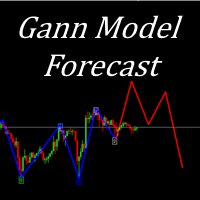
I present to your attention a powerful utility for predicting the future movement of an asset based on W.D. Ganna’s law of vibration. This utility analyzes the selected market model and provides codes for future possible market movement patterns. If you enter the selected code into the appropriate box, you will receive a forecast of the potential market movement. The utility has the ability to display several potential forecast models. The forecast is not yet tied to time and price and gives th
Symbol Drawdown Protector is a utility tool used to manage your desired Max Daily Drawdown only on a specific trading symbol. It's like a %-based stop loss, but it's functioning as a revenge protector tool too.
In the era of prop firms and challenges, it's highly important to be aware of daily drawdown limits. It's an effective EA that is simple to use for Equity Drawdown Management and prevention of revenge trading. Input parameters: Daily % Drawdown - Here you set the Maximum Daily Dra

DRS Semi Automated: Fair Value Gap Trading Inspired by the DRS strategy made by SMT FX. To learn more, visit their website.
Key Features:
1. Fair Value Gap Detection: Identifies bullish and bearish Fair Value Gaps on the 5-minute timeframe. 2. Customizable Trading Sessions: Trade London, New York, or both sessions with adjustable start times. 3. Risk Management: Set risk percentage and choose between equity-based or fixed balance risk calculation. 4. Bias Selection: Manually select bullish or

Introduction to SWARM CALCULATOR The SWARM CALCULATOR is a revolutionary tool designed for traders who prioritize effective risk management and optimized trading strategies. With its advanced features and intuitive interface, the SWARM CALCULATOR enhances your trading experience, allowing you to make informed and precise decisions. Key Features: Customized Risk Management: Automatic Position Size Calculation: Automatically determine the optimal position size based on the percentage of risk you a

This Utility is designed for price action strategies, trading flags and retests, such as Guerrilla Trading and similar strategies It allows to: place pending orders for retests (on the Retest line or x PIPs away from the retest line) place orders for flag formations calculate lotsizes based on account size, currency pair and risk percentage split trades and place multiple trades if lot size exceeds max lot size given by broker manage trades with a trailing SL/TP behind the most recent highs/lows
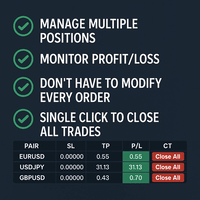
Tired of manually adjusting stop-loss and take-profit levels for multiple positions across different pairs? The Manage Multiple Positions Expert Advisor is your solution. MT4 Version - https://www.mql5.com/en/market/product/120916/ This powerful tool streamlines your trading experience by allowing you to manage multiple positions on a single pair with ease. Modify stop-loss and take-profit levels for all open positions on a specific pair with a single click. Plus, the EA provides clear visibili

BreakEvan Utility Is a simple tool in a panel with this utilities: This utility will draw a Golden Line in the chart applied showing the breakeven price, considering all the positions opened for that specific symbol.
Also the information panel shows: Balance Breakeven Price for that chart Force Breakeven (for that symbol) as ON/OFF Force Breakeven Global (takes into account all trades opened) as ON/OFF Total Lots opened for Symbol Total Lots opened Global
And two buttons: Force Breakeven: Whe
Extra Time Scale Bar
Here is the MT4 version is a tool designed to enhance your trading by allowing you to add a personalized time bar to your charts.
With this tool, you're no longer limited to server time alone—you can set the chart to display any time zone of your choice,
like your local time, Greenwich Mean Time, or any other.
Features of Extra Time Scale Bar: 1. Time Zone Customization: Choose the time zone that suits your trading needs and display it directly on your chart for enhance

Universal EA — гибкий торговец для тех, кто ценит контроль Основные возможности Сигналы на основе структуры цены :
Торгует по бычьим и медвежьим импульсам с настраиваемой строгостью фильтрации. Интеллектуальный фильтр тренда :
Определяет направление и силу тренда в процентах. Возможность торговать только по тренду или в любом режиме . Двойной траллинг-стоп :
— Базовый трал — по ATR с динамическим множителем.
— Дополнительный трал на выбор: по свечам, фракталам, Parabolic SAR, скользящей

This MetaTrader 5 (MT5) indicator script is designed to create a visual book representation of the market order book, displaying buy and sell orders directly on the chart. The indicator uses the following features: Customizable Width and Colors : The width of the visual book can be adjusted, and different colors can be set for buy and sell orders. Market Book Data Handling : It retrieves the current market order book data for the symbol and visualizes this data as rectangles overlaid on the char

Introducing our advanced Fast Trades Manager for MT5 Designed to seamlessly copy trades and provide comprehensive trade statistics. Link to MT4 version: Fast Trades Manager for MT4 Key features include: Fast Trade Copying: Efficiently copy trades from one broker to another, ensuring your strategies are implemented across different platforms. MT4 support: Fast copying between different terminal version, you copy trades from MT4 to MT5 or the opposite from MT5 to MT4 easier. Symbol Copying with

Proteção contra volatilidade durante eventos de notícias
Movimentos bruscos de mercado são comuns durante a divulgação de notícias econômicas. Esses eventos impactam significativamente as operações de negociação, volatilidade inesperada e podem resultar em perdas.
O Impacto das Notícias no Mercado
1. Volatilidade inesperada: notícias econômicas podem causar flutuações graves de preços, potencialmente levando a perdas. 2. Imprevisibilidade: A incerteza em torno do impacto das notícias pode in

Zone Trader is a professional semi-automated trading assistant designed to help manual traders execute precise grid strategies with built-in risk management. Instead of manually calculating lot sizes and placing individual pending orders, Zone Trader allows you to visually define your grid directly on the chart using drag-and-drop lines. With a single click, the EA calculates the risk, splits the volume across your specified layers, and places the necessary orders to fill the zone between your S

This is an EA that supports simple order closing on MT5. EA Close MT5 (Homemade ) - EA closes orders when profit >= x$ - EA closes orders when loss >= -x$ - EA closes orders when Equity >= x$ - EA closes orders when Equity <= x$ - EA closes orders for all currency pairs or pairs using EA If you have any questions, please contact me: https://t.me/EAForexFree_Channel

Make Trades in MetaTrader 5 with Profit Panel! If you are a MetaTrader 5 trader, you know how important it is to act quickly and accurately. With this in mind, we created the Profit Panel – an essential tool for negotiations What is the Profit Panel? Designed to make your daily trading easier. It offers a simplified and intuitive interface where you can open, manage and close transactions with just a few clicks. How does it work? The MT5 Trading Dashboard puts all the most important trading func
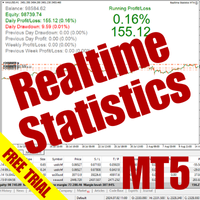
The Realtime Statistics MT5 is an innovative tool designed for traders who want to keep track of their trading performance in real-time. This MetaTrader 5 Expert Advisor (EA) is packed with customizable features that allow you to monitor crucial trading statistics directly on your chart, ensuring you always have the insights you need to make informed trading decisions. Check out the Realtime Statistics MT5 User Guide Here Try out the FREE Realtime Statistics MT5 Demo Here Key Features: Compr

Trade shot is a management tool. Automatically closes pending orders at X profit or Y loss. You define the $ you want to earn or lose per trade, the advantage in relation to take or stop loss is that here you define the money to be gained or lost and not based on points. Ideal for Scalp day trade strategies Your trades will easily be better managed based on what you want to win or lose, orders are closed automatically without worrying about managing money.

Unlock the Power of Automated Trading with Human Intelligence and Advanced Technical Analysis in GOLD (XAUUSD)! Are you ready to take your trading to the next level? Introducing our cutting-edge trading bot, designed for MetaTrader 5 (MT5) users, that seamlessly integrates human intelligence with sophisticated technical analysis to deliver consistent and reliable trading signals in GOLD (XAUUSD) directly to your account. Why Choose Our Trading Bot? Automated Precision : Say goodbye to missed op

Free version for demo accounts | MT4 Version SmartLot MT5 is an interactive and simple panel for quick lot calculation, placing pending and market orders directly from the chart. It does not work in the Strategy Tester. To test the utility, download the free version for demo accounts. Instructions and the file are in the header of the description. Features: Graphical Interface: Interactive Entry, SL, TP lines with color-coded profit and loss zones. Real-time Calculation: When c

The Day Trading Price Patterns Scanner is an EA that searches for all Day Trading Price Patterns on the all pairs and send to your Telegram Channel. Scan all the main Price Patterns are introduced in the Ebook Day Trading With Price Action - Galen Wood You won't never miss any potential trading setup.
[ Demo ] [ Manual ] [ Free Indicator ]
Setup
A step by step user guide is available. No knowledge of Telegram API is required; all you need is provided by the developer.
Free Day Trading

This Expert Advisor (EA) utilizes a simple "Three Candle Trend" strategy to determine trading signals based on the consecutive patterns of bullish or bearish candles. When three consecutive bearish candles appear, the EA opens a long position, while three consecutive bullish candles trigger a short position. The EA uses predefined parameters for Lot Size, Slippage, Stop Loss, and Take Profit, with trades executed using an Immediate or Cancel (IOC) order filling mode. Get the source code of this

The Bot Father: Advanced Trading EA for MetaTrader 5 Unlock the power of automated trading with The Bot Father , an advanced Expert Advisor designed for MetaTrader 5. This sophisticated trading bot combines robust functionality with user-friendly features to help you navigate the forex market with confidence. Key Features: Automated Trading : The Bot Father automates your trading strategies, reducing the need for manual intervention. It continuously monitors the market and executes trades based

Description ea-PartialClose&VirtualTrailing – fully automated advisor for transaction support. Version = Multi = provides support for any BUY or SELL positions. The adviser almost perfectly averages profit and loss. In open positions, it is recommended to use Stop-Loss, and do not set TakeProfit, which limits profit during sharp surges of the symbol price. The trailing process is virtual, since each movement of the levels that are responsible for a certain part of the position does not modify th

Panel Anywhere with Server is similar to the free version of Panel Anywhere but includes server files and allows you to edit the host URL. In the free version, the host URL is set to "forex.chjonline.com" and cannot be changed. With this version, you can build a complete client-server system in your local environment without worrying about data being sent elsewhere. Additionally, you’ll experience faster internet response times since you won’t be connecting to a server on the other side of the
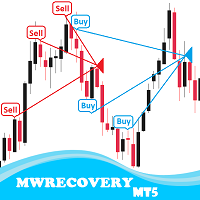
MWRecovery is a system designed to recover unprofitable positions.When the market moves by a certain amount against the direction of a trade and brings it to a loss, the system opens other trades in the same direction at specified intervals. Once these trades reach a certain profit, a magic trailing stop is activated to maximize your profit. How it works : The utility resets StopLoss levels for all processed orders. New trades will be placed if the conditions are met according to what you hav

The main function of this EA: Quick batch modification stop profit stop loss to the specified price position. For example: you have five XAUUSD BUY orders, the opening price is 2510, 2508, 2506, 2504, 2495you can through this EA, batch unified change the profit is 2530, stop loss is 2480.Good luck with your deal! Wechat:FX-AIEA QQ:2813871972 Email:lxy284628@163.com Wechat public account: Xinyou Jinke FXAIEA.com Welcome to your attention ( Xinyou Jinke FXAIEA.com) Around A1, big data, cloud com

BuySellClose Hotkeys provides an efficient and rapid way to manage trades with just a single keystroke on your keyboard. This feature allows you to assign specific hotkeys for Buy, Sell, and Close All actions, making your trading experience smoother and faster. Key Benefits: Instant Order Execution: Assign hotkeys to quickly execute buy and sell orders, enabling immediate trade entry without navigating through multiple menus or moving the mouse extensively. Easy Order Closure: Configure a hotke

Metatrader5 Trailing Stop Loss Program Platform Compatibility : This program is designed for the MetaTrader 5 platform. Functionality : The program scans all open Forex currency pair trades on MetaTrader 5 and adjusts their STOP LOSSES to a PROFIT position based on your specified input parameters. Parameters and Example : Example Trade : EURUSD Long (BUY) trade @ 1.0800 STOP LOSS (-50 pips) @ 1.0750 TAKE PROFIT (+50 pips) @ 1.0850 Program Settings : WhenToTrail = 20 PIPS (Pips profit amount to

Turbo Close All is a powerful and versatile script designed to help traders quickly and efficiently manage their trading positions and pending orders on MetaTrader 5. With its advanced features and customizable settings, this script is an essential tool for traders who want to streamline their trading process and maintain control over their positions and orders.
Key Features: Comprehensive Closing Options: Turbo Close All allows you to close all market positions and/or delete pending orders bas

Automatic scale that shows the distance in pips on the chart, so the user can get a sense of the size of the bar. More options and features will be added over time and as requested by users. The software has been tested on many variables, if there are bugs or errors, please report it describing as best as possible what their cause is and if possible, with a screenshot attached so that I can understand how to fix it. Report it only in English language.

Overview: The TropangFX AutoMgmt is a versatile trading utility designed to enhance your averaging strategy by automatically placing take profit and stop loss orders. This utility empowers traders by integrating a risk calculator and lot-size customization, ensuring that each trade aligns with their risk management preferences and financial goals. Key Features: Automated Take Profit & Stop Loss: Automatically sets take profit and stop loss levels for each trade based on predefined criteria. Ens

Signal Anywhere is an advanced version of Panel Anywhere , featuring an additional panel called Signal panel. This panel allows you to copy trades from a Signal Anywhere Provider to a Signal Anywhere Subscriber seamlessly. With Signal Anywhere , you can view market symbols and copy signals simultaneously without the need to switch between Expert Advisors (EAs). Features of the Signal panel: Local and internet-based trade copying Searchable, request, and acceptance functionalities Support for mu

The trading limiter that stops you from breaking your own daily loss and trade limits.
• Please test the product in the Strategy Tester before purchasing to understand how it works.
• If you face any issues, contact me via private message—I’m always available to help.
• After purchase, send me a screenshot of your order to receive a FREE EA as a gift.
News is thirty seconds away. You have six positions open across four pairs, some long, some short. You do not want to close them — you have

• Please test the product in the Strategy Tester before purchasing to understand how it works.
• If you face any issues, contact me via private message—I’m always available to help.
• After purchase, send me a screenshot of your order to receive a FREE EA as a gift.
Introducing the ultimate Trade Management Panel designed to streamline your trading operations and boost your efficiency! Our advanced panel is packed with powerful features to simplify your trading tasks and provide real-time

Experience a new level of precision and control with the SL Limiter Pro , an enhanced version of the SL Limiter, now available on MetaTrader 5. Built for serious traders, SL Limiter Pro offers sophisticated features that allow you to manage your trades more effectively and with greater flexibility. Take your trading strategy to the next level with this powerful risk management tool! Whether manual trading, EA trading, or using Trade Signals, SL Limiter Pro will help you minimize your risk! Anoth

METATRADER5 This program is designed to monitor and evaluate the market performance of 21 minor currency pairs by tracking key metrics such as maximum spread and the time of occurrence. For each selected currency pair, the program calculates the current spread and compares it against the highest recorded spread. If a new maximum spread is detected, it updates the maximum value and logs the time. The spread information is dynamically displayed, providing insights into market conditions.
Additio
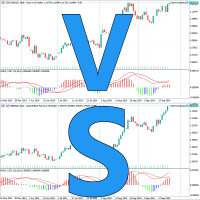
Introducing Chart Compare - Your Ultimate Multi-Chart Synchronization Tool Now on sale for $39 (regularly $59) Seamlessly synchronize multiple charts for instant insights. Key Features: Blazing-fast synchronization: Event-driven technology ensures smooth and immediate updates across all charts. Lightweight and efficient: Minimal system resource usage for optimal performance. Quick comparisons: Easily compare similar instruments side-by-side. Years of refinement: Proven reliability and continuous
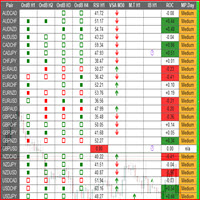
This is a multipurpose indicator and has the following indicators in it with dashboard ( scanner) and chart indicator on multi time frames .
Divergent Bar
Market Profile ( Daily Weekly Monthly Intraday and Custom Period , Market Profile Day type )
Order Block
Inside Bars
Higher High Higher Close and Lower Low and Lower Close
Imbalance Finder
Scalping
Currency Strength Meter
Momentum candles
VSA Setups
Much more See for your self Who am I? - https://www.linkedin.com/in/adnanreh

To achieve mutual support between MT4 and MT5, and to purchase the MT4 version, please click here>> Main follow-up function: 1. Reverse order capability 2. Cross platform follow-up, ignoring different names 3. Proportional order, magnification and reduction order 4. Compared to a specified currency pair, not compared to a specified currency pair 5. Can be ordered one to many, many to one, any order 6. Other unclear messages
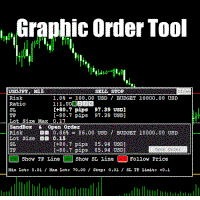
Graphic Order Tool
Graphic panel to help trader to make orders.
Drag TP line, SL line and/or ENTRY line with immediate calculation of the profit and loss in pips and USD.
Risk management: Set % of your balance you can risk in the order to make it safe for your money.
Automatically detect the type of possible order (BUY, SELL, BUY_STOP, SELL_LIMIT, BUY_LIMIT, SELL_STOP) depending on mode (BUY/SELL) and position of lines ENTRY , TP , SL .
Panel is semi-transparent, not to cover the main char

Master Close via Telegram can help you perform some management tasks on MT4/MT5 remotely via your Telegram by one click, easy to set up & use. Demo here (see more Master Notify Master Control ) ************************************************************************************ LIST OF COMMANDS: info_acc - Get account info info_pen - Get pending orders details info_pos - Get positions details info_pos_sum - Get positions summary
close_pen - Delete all pending orders close_pos_all -

Overview :
The Advanced News Trading Panel is a versatile tool designed for traders who rely on news-based trading strategies. This Expert Advisor (EA) provides an intuitive graphical interface that allows users to quickly set up pending orders and manage risk with ease. With the ability to automatically place Buy/Sell Stop orders based on your pre-set stop order distance from the bid/ask price, stop-loss and take-profit levels, the EA allows for precision trading during high-volatility news eve

Flex One is able to open and manage orders based on any indicator. Flex One is ideal for you to automate trades with the signals of an indicator you have or even validate the signals received by an indicator are really profitable. In addition to Flex One opening a source based on any indicator you have, it also has numerous options to manage your trade, among these options you can count on: Partial • You can perform up to two partials. • Different volumes can be set for each partial, always resp

Build an HFT Bot with source code. This specialized algorithm in the bot will build an HFT bot for you, to alter, enhance and optimize to trade by. The algorithm in the bot is a special recipe to build an HFT program. One that you can enhance upon creation. Just follow the steps:
Load the bot on a chart Wait for it to load, could takes some time depending on computer, refresh chart if needed (USE DEMO SO IT WON'T MAKE REAL TRADES WHILE YOU BUILD). THIS IS BEING USED AS A BUILDER NOT AN EA A

Gmail to MT5 is a tool that automates the process of transferring trading signals from your Gmail inbox directly to your MetaTrader 5 trading platform. It's a bridge that connects these two platforms, allowing you to receive and execute trades based on information sent via email. No DLL, no .exe, and no external software
Can receive TradingView signals Would you like more features? We'd be glad to implement them based on your needs How to set up: Create an app password at https://myaccount.googl

Copy trades locally between MetaTrader terminals with a simple interface and professional risk controls. Use it to mirror trades across accounts, brokers, and platforms in any MT4/MT5 combination. Designed for reliability : supports trade updates such as breakeven, trailing stop, partial closes, and more. User Guide + Demo | MT4 Version Important notes Local Trade Copier MT5 does not work in the Strategy Tester. For a demo, please use the User Guide + Demo link above. To copy to MT4, you will n

Equity Control expert advisor - this is a tool for controlling your account funds. It allows you to limit the general and daily drawdown, number of simultaneously existing positions, as well as the equity increase. The acceptable general drawdown can be set not only from the current account balance value, but also below this value. Which is convenient if you deal with Prop Firms. Daily drawdown is calculated from the balance value or equity if it is higher than the balance value. If the drawdown

Hello Traders. This product is for you who like to copy a signal on MQL5.
Before you go dive deeper, copy some signal and waste some money, it will be better if you know how the signal provider trading style, right?
Sometimes its hard to read history by list and table, it will be easier when you see the position on the chart.
So, this simple utility will help you to plot any history on MQL signal to your trading view. You can analyze how the signal works, and you are able to see how and when t

EA auto take profit, auto buy/sell, volume manager, sideway trade, trailing open point 1 – Auto open buy/sell EA automatically opens buy or sell according to settings: profit, stoploss, volume. Volume management: total number of orders and fixed size 2 – Auto take profit: take profit with min profit according to settings, take profit button according to min and max profit 3 – Order processing: there are 3 levels of stoploss of position, according to the number of pips set in EA 4 – Side way tra

Simple Telegram Trade Alert
Overview: Simple Telegram Trade Alert is a simple yet effective Expert Advisor designed for MetaTrader 5 (MT5) users who want to receive real-time notifications about their trading activities directly on Telegram. With just a few easy steps, this EA sends alerts when positions are opened or closed, detailing key information like entry price, take profit (TP), stop loss (SL), profit/loss in the account's currency, balance change percentage and total balance. It is p

This Expert Advisor creates charts with seconds Time Frames, that can be customized to any value. Option to load history, allowing analysis of past candles. Can be used with indicators.
It can be used for any asset from any broker. The charts created are opened automatically and updated in real time. Inputs :
Seconds -> How many seconds will the Time Frame be.
Candles History -> How many candles will be loaded on the chart.
Custom Symbol Suffix -> The suffix for the chart to be generated.
Custo

The Stop Loss Manger - SL Mange With the Stop Loss Manager you can finally sleep peacefully while it effectively manages your risk in stock market trading. Simply set your individual stop loss limits and let the manager trade for you. Never worry about losses again - the Stop Loss Manager takes care of it for you! Get the ultimate support for your trading now and maximize your profits with ease. Join the community of successful traders who swear by Stop Loss Manager today. Function overview: 1.

GR-Calendar-Trading: Your Ally for Automated Economic Event Management GR-Calendar-Trading is an advanced Expert Advisor for MetaTrader 5 designed to manage your trading operations based on significant economic events, optimizing strategies and protecting your profits. This EA is tailored for traders who want to make the most of economic data without losing control over their trades. Uses the built-in Metatrader calendar. Key Features: Advance notification of important events
Receive a notifica

Discover the Forex Unlimited Tool – Your Ultimate Position Manager for MT5 Ready to take your trading to the next level? With our Forex Unlimited Tool, you no longer have to manually calculate your risk or second-guess your capital allocation. We have developed an advanced, user-friendly position management tool available in two versions : one for MetaTrader 4 and one for MetaTrader 5 . Please make sure you select the correct version that matches your trading platform when making your purchase,

Dobiforex AI Service is a specialized platform offering smart trading assistance for forex traders. This assistant leverages advanced real-time market analysis to help traders make more informed decisions in their trading strategies. By signing up on the Dobiforex website and accessing their dedicated panel, users can integrate this intelligent service into their trading platform. Dobiforex, using advanced algorithms and machine learning, processes market data in real-time, delivering accurate

Parameters Explained Algorithm Settings: magicNumber (int): Unique identifier for trades managed by the EA. Default value: 0 (manages manual trades). Note: Set this to the corresponding magic number of trades opened by other EAs or set it to 0 for manually executed trades. BreakEvenInPoints (bool): Activates the breakeven strategy based on profit in points. true: Moves Stop Loss to breakeven when the trade reaches the specified ProfitPointsForBreakeven . false: Disables this function. ProfitPoin

Centage: Your Smart Trading Bot for Risk Management. Unlike typical trading bots, Centage prioritizes risk management by incorporating an essential feature: it closes all open trades when your account balance reaches a predefined threshold. This feature makes Centage ideal for traders who want to maintain a disciplined approach and avoid emotional decision-making. Let Centage be your reliable partner in the world of trading, while safeguarding your investments with smart balance-based exits. Ce

Position Limit Monitor: Efficient Control of Your Trading Operations Have you ever worried about having too many open trades simultaneously? Would you like precise control over the maximum number of positions in your account? Position Limit Monitor is the solution you need. Main Features: • Real-time monitoring: Constantly supervises the number of open positions in your account.
• Customizable limit: Easily set the maximum number of positions you want to keep open.
• Automatic closure: When the

Position Limit Monitor Full: Total Control of Your Trading Operations Are you looking for an efficient way to manage both your open positions and pending orders? Position Limit Monitor Full is the all-in-one solution you need to maintain total control over your trading activity. Key Features: Real-time Monitoring: Constantly tracks the number of open positions and pending orders in your account. Customizable Limits: Easily set the maximum number of open positions and pending orders you want to m

This expert advisor automatically sets the stop loss and take profit for your position once you have opened it, with a point ratio that you define in advance. No more worrying about where to place your stops or not following your strategy. Problem solved, traders. You just need to enter your values in the ‘Input’ tab, and the parameters are set for execution. This Advisor does everything for you. Any recommendations or suggestions, we are open to a new version. ONLY HANDLE ONE POSITION AT A TIME

MULTI TIMEFRAME BREAK OUT SCANNER
This tool implements analysis of candle stick patterns to plot break out zones on multiple timeframes. It is key to be able to see the bigger picture when trading . Being able to view signals from this powerful in real time across multiple timeframes not only save in analysis but are also key indicators of current market conditions and can help a trader identify when the market is trending or ranging . When signals coincide across multiple timeframes big marke
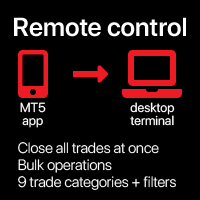
Close all trades at once , managing directly from your mobile MT5 app . This utility can close 9 different categories of trades. To activate the action , you just need to place a pending order at a predetermined price (can be done remotely via a mobile MT 5 app ).
After that , the utility will detect the order and close all necessary trades. This way you can manage a group of trades quickly. Multifunctional utility : includes 66+ features | Contact me if you have any questions |

The instant trade risk click EA is aimed to help you get into the market as quickly as possible.
You give it your risk percentage, and your risk to reward you're hoping to get, then an option to set only stop loss and no take profit.
With that, every CTRL + Left Click events on the chart would instantly open a position, with the price on the clicked x and y axis as the stop loss, and the open price as the current markets bid/ask price. If you click above the price, it's a Sell position , if yo
The MetaTrader Market is the best place to sell trading robots and technical indicators.
You only need to develop an application for the MetaTrader platform with an attractive design and a good description. We will explain you how to publish your product on the Market to offer it to millions of MetaTrader users.

You are missing trading opportunities:
- Free trading apps
- Over 8,000 signals for copying
- Economic news for exploring financial markets
Registration
Log in
You agree to website policy and terms of use
If you do not have an account, please register