 MetaTrader 5
 专家
专家
 指标
指标
 程序库
程序库
 实用工具
实用工具
 窗口小部件
窗口小部件
 规则
规则
MetaTrader 5 交易实用工具 - 51
 以下是可在MetaTrader 5中简化交易的交易程序。将鼠标悬停在一个工具上,阅读它的描述和用途。
Trading Utility for Forex Currency Pairs Only not for Gold Functions Auto Lot Calculation based on Risk Auto stoploss Auto TakeProfit Breakeven Auto Close Half % Close in percentage with respect to the PIPs Pending Orders BuyLimit Sell Limit with distances BuyStop Sell Stop with distances Trading Informations Risk in percentage For Multiple trades Combine Takeprofit and Combine Stoplosses

It has never been so easy to manage the risk of your account until now, this tool will allow you to have full control of your capital and manage your entries in the synthetic index derivative markets, in an easy, practical and safe way. The available input and configuration parameters are as follows : RISK MANAGEMENT 1. Value of your account: Here as its name says you will place the value corresponding to the size of your account, for example if your account is 150 dollars the corresponding val

It has never been so easy to manage the risk of your account until now, this tool will allow you to have full control of your capital and manage your entries in the synthetic index derivative markets, in an easy, practical and safe way.
The available input and configuration parameters are as follows : RISK MANAGEMENT 1. Value of your account: Here as its name says you will place the value corresponding to the size of your account, for example if your account is 150 dollars the corresponding

介绍 Telegram Signal Sender MT5,一款强大的工具,旨在自动化将交易信号直接发送到您的 Telegram 频道的过程。这个工具非常适合有抱负和成熟的信号提供者,帮助他们增强与追随者的沟通,并简化交易警报的分享。 使用 Telegram Signal Sender MT5,交易者可以受益于更高的参与度和更快的市场机会传播。用户报告称响应时间和协调性显著改善,使他们能够更多地专注于交易,而不是手动发布信号。 MQL 产品安装指南 | 在 MT4/MT5 上更新已购买的 MQL 产品 | 常见故障排除指南 | 指标设置 / 指南 主要特点 图表仪表板:在图表上直接显示实时信息面板,以便即时状态概览。 自动信号传递:将交易信号(买入/卖出,止损,获利水平)发送到 Telegram 频道,简化沟通,无需手动发布。 可定制面板:调整面板位置、大小和外观,创建符合您偏好的用户友好体验。 风险管理:根据用户定义的风险回报比计算止损和获利水平,增强交易决策。 灵活的消息格式:自定义消息内容,以确保专业的信号展示,包括相关的交易数据。 Telegram Signal Sender

使用革命性的交易时间管理器轻松控制您的交易程序。这个强大的工具可以在指定时间自动执行订单,从而改变您的交易方式。 为不同的交易行为(从购买到设置订单)制定个性化任务列表,所有这些都无需人工干预。 交易时间管理器安装和输入指南 如果您想获取有关 EA 的通知,请将我们的 URL 添加到 MT4/MT5 终端(参见屏幕截图)。 MT4版本 https://www.mql5.com/en/market/product/103716 MT5版本 https://www.mql5.com/en/market/product/103715 告别人工监控,拥抱精简效率。直观的界面允许您设置精确的参数,包括交易品种、执行时间、价格、止损 (SL)、止盈 (TP) 点和手数大小。 该工具的灵活性通过与市场行为相匹配的适应性重复选项来凸显。通过视觉主题个性化您的体验,并减少长时间交易期间的眼睛疲劳。 摆脱手动交易程序,拥抱“交易时间管理器”的强大功能。提高交易的准确性、组织性和自由度。简化您的日常工作并重新体验交易。
主要特点:
自动订单执行:按指定时间间隔无缝自动执行订单,从而节省您的

该程序将允许您使用非常友好的用户界面将所有交易从 MetaTrader 帐户直接导出到 Notion。 MT4版本 | 用户指南+演示 要开始使用,请使用用户指南并下载概念模板。 如果您想要演示,请参阅用户指南。 在策略测试器中不起作用! 主要特点 将所有交易从您的交易账户导出到您的 Notion 将运行交易和挂单导出到 Notion 并更新它们 创建模板 最后一日出口贸易 上周出口贸易 上个月出口贸易 从自定义时间范围导出交易 自动将所有新的已平仓交易发送至 Notion 选择要包含在导出中的字段,例如订单类型、数量、开仓时间、平仓时间等
如何开始 转到上面的用户指南或启动 EA 并单击“获取连接帮助” 连接后,单击“开始:导出全部”将历史记录中的所有当前交易发送到 Notion 如果您希望它自动将所有新的已平仓交易发送到 Notion,请选中“更新新已平仓交易”
如果您有任何问题,请告诉我。 随着产品的开发,将添加新功能。
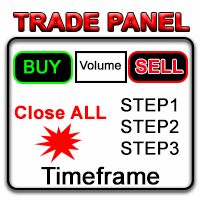
在金融市场领域,熟练的资本管理至关重要。它不仅仅是为了保护你的初始投资,还要增加它。手工计算的时代已经过去。最大化你的回报,最小化你的风险,以前所未有的方式释放金融市场的潜力。通过交易面板掌控你的交易旅程。 如果你是一名高频交易者,需要快速执行交易,我们的交易管理面板提供了所有必要的工具。通过简单点击“买入”或“卖出”按钮,设置固定的订单参数并迅速执行交易。你可以通过一个按键关闭所有头寸,或选择特定类型的挂单,或仅平仅盈利或亏损交易。 体验一种新的便捷、高效和盈利的水平。
如何使用Trade Panel MGH MT4 Version
设施:
• 跟随止损 - 当你的交易获利时,程序会保护利润的另一部分
• 部分平仓 - 当价格向有利方向移动,你的交易达到更多中间目标时,程序会通过平仓来实现利润
• 保本 - 你的交易既不赚也不亏的点位
• 无风险 - 如果你选择了止损位为零,将是无风险的
• 3个精确的手数选项
• 在图表的角落看到有关TP、SL、买入盈利、卖出盈利、交易品种和时间框架的信息
• 一键下挂单
• 点数设定的获利

TradeGuard by Chart Walker TradeGuard is a MT5 Expert Advisor (EA) designed to enhance your trading experience by automating key aspects of trade management. This EA excels in efficiently managing Take Profit (TP) and Stop Loss (SL) levels, offering a seamless and intelligent approach to trailing stops. One of TradeGuard's standout features is its Smart Trailing Stop, which dynamically adjusts the trailing distance based on market conditions. This adaptive approach helps maximize profits dur

Missing entry opportunities,profitable exits or the chance to make profitable set ups on the chart can be very frustrating for a trader.This tool will help you by giving you alerts if your criteria or conditions have been fully met.It will send you alerts based on conditions you have set and send them through email and mql5 notifications (laptop and mobile devices). 1.Creating Alerts In order to create an alert you must first give the alert its name and how frequent it send you those alerts if c

Chart Walker Analysis Engine | Machine-led instincts
Recommended Time Frames M30, H1
TRADING INTEGRITY: CHART WALKER NEVER REPAINTS ITS SIGNALS. What you see is EXACTLY what you get. Unlike standard indicators that alter past data to look profitable, the Chart Walker Analysis Engine locks its signals into market history the exact millisecond a candle closes. ONCE PRINTED, IT STAYS FOREVER. No vanishing Signals. No shifted entries. No historical manipulation.
Every buy and sell alert remains
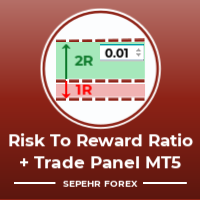
大家好
“Trader Assistant Mini”是一款方便的工具,可通过流畅的 R:R 面板计算每笔交易的风险。
风险回报率加上交易面板:
每个交易者都可以方便地根据利润大小计算损失大小,并管理每个交易者的风险,以便他可以判断这是否是一笔好交易。 此外,它还以点数和百分比显示损失和利润以及损失和利润。 How to install the demo version + Demo file: Trader Assistant Mini MT5 Demo 您可以看到“交易助手专业版”。 Pro Risk Management Panel MT5
希望能享受其中。 终于:
我强烈鼓励您分享您的想法和反馈。
提供您认为交易者可能需要的任何信息至关重要。
作者:
我是一名 MQL 语言程序员,三年来我一直在做各种项目。
我是一名电气工程师,我喜欢解决难题。 ..................
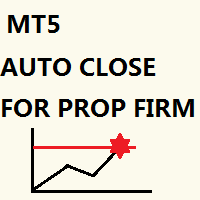
Just key in your equity target
step 1: drag/ Double click ''Auto Close EA for Prop Firm "
step 2: Allow modification of signals settings & Allow Algo Trading
step 3: Key in your equity target
step 4: Turn on Algo Trading
*you can add some buffer, example: 8% for 10,000 acc, key in 10805 / 10801 / 10810 and etc
"Disclaimer:
The information provided in this communication is for informational purposes only and does not constitute financial advice.
Trades are closed in a loop, not simultaneous

Title: News History Downloader with Filters for MetaTrader 5
Enhance your trading analysis with the News History Downloader script for MetaTrader 5. This powerful tool allows traders to effortlessly download historical news data from the MQL5 news feed directly into a convenient CSV file. Make informed trading decisions by filtering news events based on country and importance (impact level), focusing on crucial data for comprehensive market analysis.
Key Features:
- Effortless Historical New
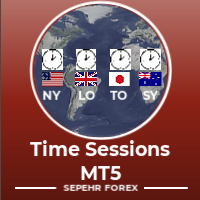
“Time Sessions MT5”是外汇交易者的另一个便捷工具,显示全球主要的四个交易时段。
时间场次: 该工具中的时间会根据您的当地时间自动设置。 它有一个移动时间标志,每秒向左移动并向您显示实时时间。 该面板包含漂亮的图形,引人注目。
此外,您可以将面板移动到图表上的任何位置。
更多解释...
希望能享受其中。
终于:
我强烈鼓励您分享您的想法和反馈。
提供您认为交易者可能需要的任何信息至关重要。
作者:
我是一名 MQL 语言程序员,三年来我一直在做各种项目。
我是一名电气工程师,我喜欢解决难题。
加入我的小组一起讨论;)
赛佩尔外汇。 微量润滑集团 .....................................

Chart Notes = MULTI LINE TEXT INPUT ON CHART FOR MT5 is finally here! # sticky notes This indicator is a powerful text editor for placing notes on chart, similarly like the feature on Tradingview.
There are 2 types of messages: anchored (on screen ) and free (on chart).
1. Anchored = stays on the same place on screen (x point, y point) -this text can be EDITED on click (first line is for dragging the message around- this line is edited via right clicking- >properties) -move the messages by dra
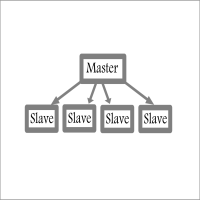
Fast / Reliable / Multi Functions / Simple To use local MT5 to MT5 | MT5 to MT4 platform copier , it will copy all your Master account orders into any Slave accounts very fast , no delay, Also it supports any kind of orders/ExpertAdvisors such as Buy / Sell / BuyStop / SellStop / BuyLimit / SellLimit / Smart Partial Closing / opened in Hedge mode / opened in Martingale mode / Modifying Pending orders / Modifying StopLoss-TakeProfit .using it is simple , Just drop the EA on Master account which y

Symbol remove: quickly clean up your 'Market Watch' list.
The script allows you to remove the Symbols from the "Market Watch" list if their trading mode is ''Close only".
Keep in mind that Symbol can’t be removed from the market watch if you have any existing trade on it, or if it’s used on any chart. The program file must be located in the "Scripts" directory. My #1 Utility : includes 65+ functions | Contact me if you have any questions

Take control of your operations efficiently at trading, mannaging by an smart way the risk of your positions. Whit this tools, you can:
Estimate the potencial profits or losses from your operations, either in money or pips. You also can visualize profits or losses by substracting the spread cost previusly configured in the tool’s input parameters. Calculate the lot size or margin required for your orders. Estimate the risk/reward ratios of your positions. Study the negative impact of the spread

Safety Control: Your Ultimate Balance Management Solution for Prop Firm Challenges Overview Tired of manually monitoring your trading activities in prop trading challenges? Meet Safety Control, an advanced Expert Advisor for MetaTrader 5 that will change the way you trade forever. This proprietary software aims to help you manage your balance effortlessly during prop firm challenges. Features Automated Drawdown Control : Safety Control continuously monitors your account's balance and equity in r

O SupRes Master é ferramenta essencial para traders, fornecendo alertas instantâneos sempre que o preço de um ativo fecha acima de uma resistência crucial ou abaixo de um suporte vital.
Além disso, ele simplifica a análise técnica ao destacar esses níveis críticos no gráfico, usando cores distintas para identificar níveis de suporte em azul e níveis de resistência em vermelho.
Essa abordagem visual torna mais fácil para os traders identificarem oportunidades de entrada ou saída, melhorando sig
This EA will automatically close all open order when profit or loss is reached according to users setting. You need to select close by percentage or close by amount. If close by percentage or close by amount is set to true the EA will exit. When the setting is set to true, the value of profit and loss can not be 0. Please set to true the option for Close Order with Same Symbol or Close All Order.

The Wall Street Player (Master version). This EA tailored as a Discipline, Money and Risk Management tool is a powerful Trade Station utility designed for Forex, Cryptos, Commodities, Shares, Deriv synthetic pairs and any CFDs Market. It is designed to fit your strategy as a winner, and take your Edge of the market to the NEXT-LEVEL. The only thing to do is to get It on your chart and appreciate the possibilities and chart management abilities it has to offer for realizing that discipline and a
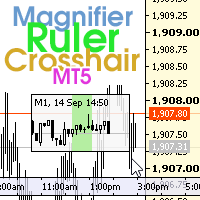
该指标具有三个主要工具:放大镜(缩放图表)、标尺(时间和价格刻度)和十字准线。 您可以用鼠标移动它并自定义不同的显示格式,自定义每个元素的大小和颜色。
放大镜(缩放图表)允许您显示任何时间范围和不同比例的蜡烛。 默认热键:“Q”- 更高的时间范围,“A”- 更低的时间范围,“W”- 减小蜡烛尺寸,“S”- 增加蜡烛尺寸,“Z”- 显示/隐藏缩放图表. 您可以在评论页面找到最新的演示。 → 演示版仅适用于 USDJPY 货币对 . 时间刻度根据时间周期标记图表。 您可以设置时移,以便您可以在刻度上看到您的当地时间,而不是经纪商的时间(因此它会在图表上显示您的当地时间,而不是 MT 时间)。 时间格式可以设置为 24 小时制或 12 小时制。 热键“T”- 显示/隐藏时间刻度。
价格刻度垂直标记图表。 您可以设置显示数字和四舍五入价格的格式。 热键“P”- 显示/隐藏价格等级。
十字线可以显示价格、时间、柱数、点数、百分比、根据指定手数计算的利润(按手数计算的利润)、根据指定金额计算的手数(按风险手数)。 热键“C”- 显示/隐藏十字准线。 如果金额计算不正确,请尝试启用“如果符号
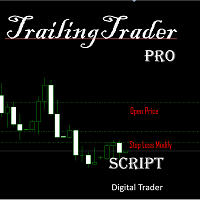
TrailingTrader MT5 移动止盈止损脚本 启用 TrailingTrader 脚本后,报价窗口中指定交易品种的持仓单,将自动执行智能移动止损策略,帮助交易者锁定盈利、控制风险,无需手动盯盘调整。 核心配置参数 Symbol :需设置移动止损的持仓品种,多品种以英文逗号(,)分隔(例:EURUSD,GBPUSD); Magic :需匹配的持仓单识别码(魔术号),无需按识别码筛选时输入 - 1; Comm :需匹配的持仓单备注信息,无需按备注筛选时留空即可; TrailingDistance :启动移动止损的触发点数(即持仓盈利达到该点数后,脚本自动激活移动止损); TrailingCallBack :移动止损的回调点数(激活后,市价回调至该点数时触发盈利平仓)。 工作原理 当持仓单处于盈利状态,且盈利点数达到 TrailingDistance 设定值时,脚本自动启动移动止损,将止损线设置在 “当前市价 - 回调点数” 位置; 若市价继续向盈利方向运行,止损线会同步跟随上移 / 下移,持续锁定更多盈利; 当市价反向回调至止损线时,脚本自动执行平仓操作,确保已获盈利落袋为安;

This utility automatically places Stop Loss and Take Profit levels on newly opened positions. The Stop Loss and Take Profit values are specified in pips. The utility can also move Stop Loss to Break Even and trail the Stop Loss after a specified profit level is reached. Input Parameters SL and Trailing SL Stop Loss value in pips. If trailing is enabled, the same value is used as the trailing Stop Loss distance. Trailing Steps Distance in pips required before the Stop Loss is updated again while
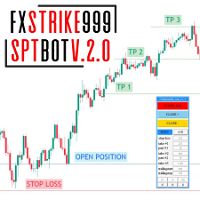
FxStrike999_SPT_bot prop helper 者,独机器人也,专为有心理学者与有心者设之。 孰不止损,孰不利,终丧存款。 然有吾机器人,将有所决! 有FxStrike999_SPT_bot,君将及新,存款将稳步增长 君将不复忧君头寸,机器人身置止损分定利 (3個獲利回吐級別,能夠為每個級別設置固定百分比), 它還會在突然反轉的情況下拖網您的止損,以便 盡可能多地保存您的利潤:)此外,只需按一下,您就可以關閉所有虧損交易或所有盈利交易, 甚至一鍵完成所有交易。控制面板顯示所有最必要的功能,可以一鍵關閉所需的百分比 通過在框中輸入 1 到 100% 之間的值來定位(有 3 個這樣的框,您可以在每個框中輸入您的固定百分比。願你安好。維護機器人開發團隊!

Live testing available. Please contact.
ATR Auto Stop Loss & Take Profit Manager Automatically apply volatility-based Stop Loss and Take Profit levels to every new trade using the Average True Range (ATR). Unlike fixed-pip stop losses, ATR-based levels adapt to current market conditions. During high volatility, wider stops help prevent premature exits. During low volatility, tighter stops help improve risk efficiency. The utility automatically calculates and applies Stop Loss and Take Profit le

This utility tool helps us to open trades and set orders very simply by just double-clicking on the chart. The volume of the positions and orders can be a constant lot size or determined based on a risk of equity. Take profit limit of the positions can be determined based on a Risk to Reward Ratio or simply by just a double-click.
For Positions: 1- At first, you need to double-click on the SL price. (For a buy position, you need to click on a price below the live price, and for a sell positio

您是否正在寻找一种更高效、更有利可图的外汇市场交易方式?我们有您正在寻找的解决方案! 隆重推出我们创新的入场均价 EA,这是一款革命性的工具,旨在最大化您的利润并最小化您的风险。 是什么让我们的 EA 脱颖而出? 答案很简单:自动计算平均价格。想象一下,您能够管理不同手数和价格水平的多个未平仓交易,并让您的 EA 为您完成所有繁重的工作。借助我们的 EA,您可以摆脱手动计算的复杂性,并依赖自动化的准确性和效率。 它是如何运作的? 我们的 EA 会考虑您所有的未平仓交易,实时智能地计算新的盈亏平衡点。它为您提供关于您的购买平均入场价格、您的销售以及同时考虑购买和销售的附加行的清晰简明的信息。这使您能够在每一步中做出明智的战略决策。 但这还不是全部。我们的 EA 还配备了可简化您交易的附加功能。只需点击几下,您就可以调整所有交易的参数,设置止盈和止损,在入场点保护您的交易并快速轻松地关闭多个交易。 想象一下你手中这个工具的威力。您将不再需要担心执行繁琐的计算或做出冲动的决定。借助我们的 EA,您可以专注于真正重要的事情:更高效、更有利地运营。 不要再浪费时间来了解我们的 EA 如何改变您的

Risk Oracle - Expert Advisor Description Risk Oracle is a sophisticated yet user-friendly Expert Advisor (EA) designed for risk management and trade execution. This utility tool is tailored to assist traders in executing orders at optimal prices while managing risk efficiently, without the need to manually calculate volumes and other parameters. By automating these critical aspects, Risk Oracle simplifies the trading process and allows traders to focus on strategy and market analysis. All Produc
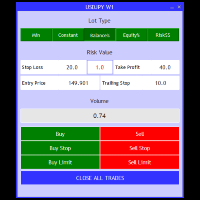
The Trade Manager is a visual trade panel that makes it simple to place and manage trades, preventing human errors and enhancing your trading activity. - Very Easy to use - Trade easily from the chart - Trade with precise risk management - Offers different risk management options to calculate appropriate lot size. - A powerful risk and position management approach

//--- indicator settings input string Custom_Symbol_SetName = "Nayuta"; Custom_Symbol_SetName 参数将作为你自定义图表的品种名称,该名称下自定义的图表将在你激活服务后记录你的账户净值变化,有助于你分析你的交易,已经持仓变化统计,以蜡烛图的方式展现在你的电脑图表上,更直观,更直接的分析你的交易历史,及账户风险变化等,5毫秒每次的记录频率,将能完全记录你的资金变化,没有任何遗留,当然着将建立在你启动该服务之后。
注意事项:本程序只会在真实账户下运行,模拟账户不记录变化,也不会进入工作状态。
有更好的建议请在评论区留言。我将第一时间回复!

执行者 Trader Panel (Sta)标准版,是一个具有多功能的交易员工具,交易面板内嵌有30+种单一功能,同时具有10+种组合功能,为交易员提供了极大的灵活操作途径。
适配了DPI:96 、192
执行者的主要功能简介: 即时知道是否与交易商之间丢失连接 即时知道当前本地时间与所在交易服务器的时间 可在任何标的中使用 可在任何周期下使用 可灵活的设置标的开仓手数 可设置开仓手数的同时设置止盈 可设置开仓手数的同时设置止损 可设置开仓手数的同时设置是否进行当前手数的(批量开仓),批量开仓可设置订单间距 建仓后可获知全仓位的成本价位 可对(BUY、SELL)开平仓 可快速的处理反手单 可随意点击图表设置挂多单或挂空单 可对挂单进行手工拖拉移位 可对持仓订单进行止盈或止损设定 可对持仓订单进行追踪提损(移动止损) 可观察当前标的即时点差 可开启突破交易策略(EA模式) 可设置突破交易策略的顶部开空(反手模式) 可设置 突破交易策略的 底部开多(反手模式) 可设置突破交易策略的顶底部进行移位调整 可随时改变订单止盈与止损位置 可观察账号资金使用情况(净值、保证金率、日盈、当前

This program is a GUI for issuing orders that can be done more quickly. Faster TP SL setting This program is not an automated trading platform. Trading is risky, please manage your risk. We do not accept any responsibility. It should be tried with Demo before using it with Real. Normally, the setting sets the risk to 1:1 to shift manually or to enter the risk to x:1, where x can be entered and everything can move freely. Thank you to all customers who have purchased our products. We would like t

The Trades To Telegram is a powerful and customizable trading assistant designed to bridge the gap between the MetaTrader 5 platform and the popular messaging app, Telegram. This bot serves as a crucial tool for traders, providing them with timely and accurate trading signals, alerts, and updates directly to their Telegram accounts.
Key Features: Real-Time Signals: The bot monitors the MetaTrader 5 platform continuously, detecting trading signals, such as Opening/Closing of buy/sell orders , a
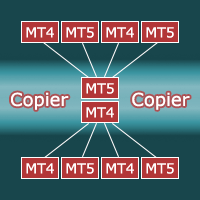
Copier for the MetaTrader5 terminal. Designed to copy trade from one terminal to another. Works both on netting and hedging accounts. Copying from a netting account can be performed simultaneously to both netting and hedging accounts. Also, from a hedging account, copying can be performed simultaneously to both netting and hedging accounts. Compatible with the version for the MetaTrader4 terminal; if available, copying can be performed between different terminals (also regardless of the type of
*** Introductory Offer! *** Ends soon - Price will increase - do not miss it!
This EA Closes ALL open trades (with the same magic number on the that pair) at a certain level of profit - either in money or in percentage of balance.
So if you have multiple trades open, you can choose to close them all as one "basket" using this EA. For spreads from a tiny 0.1 pips RAW/ECN Accounts, click here . Check out my Waka Esque EA signal here: >> High Risk Settings or Medium Risk Settings .
Setti
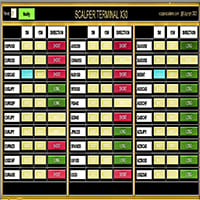
黃牛終端介面軟體是一個指標,它不從事自動買賣交易。 此指標顯示當前交易區域,當出現剝頭皮交易機會時可以進入交易。 當出現倒賣訊號時,相關交易對的右側,綠松石色燈亮起,並在其上方寫有確切的交易方向。 之後,點擊綠松石按鈕即可進入交易。 將開啟一個新分頁。 隨後,預計蠟燭收盤,這是進入倒賣交易的條件。
為了透過黃牛終端進行成功的黃牛交易;
請務必觀看說明部分中的影片。 像士兵一樣堅持使用黃牛終端軟體 。 每個交易對的右側有 5M、15M 和 DIRECTION 欄。 首先,點擊“通知”按鈕並將其設為綠色。 您無需一直注視著螢幕。 只需等待綠松石燈訊號或 Metatrader 警報訊息聲音即可。 閱讀上面寫的確切操作方向(也是方向欄文字),它是綠松石色的。 在確切的交易方向上,點擊綠松石按鈕進行倒賣。 在為剝頭皮交易打開的新選項卡中,像獵人一樣等待 pinbar 或吞噬蠟燭關閉。 當 pinbar 或吞沒蠟燭收盤是建倉條件時,按照黃牛終端指示的方向建倉。 在與持倉入場方向相反的一側添加止損單。 (例如,如果是多頭交易,則止損單的位置是最後收盤蠟燭的最低價位。) 然後,將您的止盈訂單新增
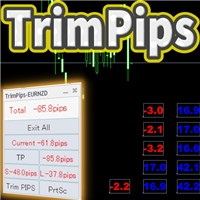
TrimPips solves the following problems at once. I want to know the total of current positions and total pips of current currency at a glance. I want to know the total pips display for plus positions, minus positions, short positions, and long positions at a glance. I want to close the position all at once. I want to close my current currency position all at once. I want to close short and long positions all at once. I want to close both positive and negative positions at once. I want to set TP/
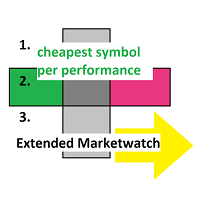
Extended MarketWatch calculates multiple numbers as a characterization of their symbols in addition to the default ones. They are often simple mathematics or just read for comparison. These are the percentual spread, also in comparison to the known daily change and with leverage, the leverage of each symbol and an example of the real profit.
BID, ASK, SPREAD, DCH: The prices, absolute spread and the last daily change of the price are repeated for overview. PRSPRED: This enables to view the spr

Apart from psychology, another thing that makes traders successful is risk management. This utility helps the trader in risk management, order management, and monitoring the profits that are made within a certain period. The utility works on the forex market. inputs: The following are inputs that are required before an order is executed · Sl- this is the stop loss in pips. · Tip: this is the take profit in pips. · Risk%: the percentage of the equity that the user wants to ri

图表上的经济事件可视化 多功能工具: 66+个功能,包括此指标 | 如果您有任何问题,请联系我 | MT4版本 该指标会在图表上绘制垂直线,显示经济新闻何时发布。
在输入设置中 您可以调整: 仅限当前符号 :如果为true,仅显示 所选符号的事件 。 显示过去的事件 :如果为true, 过去的事件 将保留在图表上。 颜色 : 分别针对3种事件类型。 经纪商时间与GMT的差值: 设置您的经纪商时间与格林威治标准时间(GMT)的差异。 您可以使用 [自动时间同步] 选项代替:如果市场开放,时间将自动同步。 手动设置时间时:
经纪商时间可以在 'Market watch' (View -> [Market Watch]) 中检查;
如果GMT = 17:30,而经纪商时间 = 19:30:值应为 +2 (小时)。
如果GMT = 17:30,而经纪商时间 = 16:30:值应为 -1 (小时)。 程序文件应放置在“ Experts ”文件夹中。 该工具需要您授权访问外部新闻网站: 在终端中,前往 Tools -> [Options] (Ct

Setting Up a Telegram Bot for MetaTrader 5 (MT5) MetaTrader 5 (MT5) is a powerful platform for trading, and integrating it with Telegram can help you receive trading updates and alerts efficiently. Follow these steps to set up a Telegram bot for MT5: Launch Telegram : Begin by opening the Telegram app on your device. Search for "BotFather" : In the Telegram search bar, type "BotFather" and select it from the search results. Create a New Bot : Send /start to BotFather. Next, send /newbot to initi

This EA is capable of sending transaction details to any Telegram channel passed as a parameter.
The format in which the text will be sent to the Telegram channel is shown below:
BUY EURUSD SL XXXX.XX TP XXXX.XX
In case of TP donation, it will be sent to the telegram channel after the transaction is executed in a separate message and the format will be...
SET TP XXXX.XX
To set the SL, it will be sent to the telegram channel after the transaction is executed in a separate message and the fo

***This is a MT5 version of ZigZag Breaout*** --------------------------------------------------------------------------------------------------------------------------------- ***** Unlocking the Expertise: EA Source Code for Dedicated Learners
***** Commencing from November 2021 , the "EA + source code" version is at your disposal,
***** allowing those who purchase (not rent) this EA to explore its inner workings.
*****T o acquire the source code, kindly direct your request, along with purchase

Powering Your Operations with Desk Trading - Telegram Notifier
In financial markets, timely information is often the difference between success and loss. This is why the Desk Trading Indicator stands out as an essential tool for traders looking for a competitive advantage. This smart notifier is designed to notify, via Telegram, about critical regions on charts of different time frames, making it a valuable ally in your trading journey.
Desk Trading Indicator Notifier works as a dedicated vir

Risk-o-meter is a Risk calculator Panel designed to help people who are new to trading, better understand how much they are risking for potential profit or loss.
Inputs: 1. Enter your Risk in % or currency 2. Enter your Return Ratio 3. Enter your Lot Size
Results: 1. SL line 2. TP Line
Features: 1. By moving the SL line, lot size will adjust to keep Risk fixed. 2. By moving the TP line, Risk Ration will adjust to keep Risk fixed.
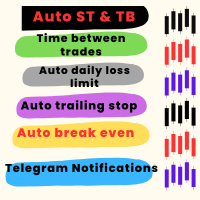
优化交易和风险管理的工具 该高级工具旨在提升交易性能并降低风险。通过避免复仇性交易或贪婪驱动的决策,它确保交易者在市场中保持纪律性。 主要功能 自动止损和止盈 在交易执行时自动设置止损和止盈水平,有效保护头寸。 交易间隔时间 允许用户设置交易间的冷却期(例如,15分钟)。 冷却期间禁用交易按钮并提供声音警告。 每日亏损限制 用户可以设定每日亏损上限(例如,20美元)。 达到上限时触发警报,并停用当天的交易功能。 每日盈利目标 类似于亏损限制,用户可以设置每日盈利目标(例如,40美元)。 达到目标后触发警报并禁用交易功能。 保本点调整 当达到指定盈利水平时,自动将止损调整至进场价,锁定利润并减少风险。 追踪止损 动态调整止损水平,随着交易进展锁定一部分利润,从而确保收益。 用户友好配置 默认设置已预先配置,便于快速使用。 可通过直观的交互式界面完全自定义所有参数。 附加功能 快速访问按钮 关闭所有头寸。 关闭亏损头寸。 关闭盈利头寸。 调整手数大小。 执行买入/卖出订单。 启用/禁用追踪止损等主要功能。 实时信息显示 显示点差、开盘价、收盘价、最高价和最低价,以便做出明智决策。 兼容性

Telegram Risk Exposure shows the risk exposure in total, by calculating the risk value of all the open positions that have stop loss orders, so you can clearly see the value being risked in dollar($) and percent(%).
Setup
A step by step user guide is available. No knowledge of Telegram API is required; all you need is provided by the developer.
Key Features Monitoring your risk exposure in real time Automatically get notified via telegram when your risk exposure changes Customize the

Unlock the Power of Automated Trading with Cutting-Edge Moving Average Signals!
Are you looking for a reliable and efficient way to trade the markets?
Our automated trading system leverages the power of moving average signals to identify high-probability trading opportunities with precision and speed. Why Choose Our Trading Bot? Advanced Moving Average Strategies – Our algorithm dynamically adapts to market conditions using short-term and long-term moving averages to detect optimal entry and

GGP Trade Copier EA is an automatic trading bot that can help traders automatically replicate the trading strategies and operations from one trading terminal to others by experiencing exceptionally fast trade copying system. Its easy-to-use setup allows you to copy trades between multiple MetaTrader terminals on the same Windows computer or Windows VPS with lightning-fast copying speeds of under 0.5 seconds. The software supports multiple trading varieties, including Forex, commodities, stocks

Use for risk management and opening positions as per the user settings. The user is allowed to set the stop loss and take profits in pips. The user can also choose the risk percentage per trade that he/she wants to use while opening the trade. The volume of the trade that the user wants to sent shall be calculator according to the stoploss and the risk percentage that the user has selected.

需要同时开立多个头寸/交易吗?我们已经为您创建了简单的解决方案。您现在可以一次输入多个仓位。您可以设置手数、持仓数量、止盈和止损。 例如:您想要购买 3、5、10 或任意数量的具有一定手数的头寸。 您现在只需点击“购买”按钮即可完成此操作。 或者 例如:您想要出售 3、5、10 或任意数量的具有一定手数的头寸。 您只需单击“出售”按钮即可完成此操作。 Xūyào tóngshí kāi lì duō gè tóucùn/jiāoyì ma? Wǒmen yǐjīng wèi nín chuàngjiànle jiǎndān de jiějué fāng'àn. Nín xiànzài kěyǐ yīcì shūrù duō gè cāngwèi. Nín kěyǐ shèzhì shǒushù, chícāng shùliàng, zhǐ yíng hé zhǐ sǔn. Lìrú: Nín xiǎng yào gòumǎi 3,5,10 huò rènyì shùliàng de jùyǒu yīdìng shǒu shǔ de tóucùn. Nín xiànzài zhǐ xū

The timeline will be displayed according to the set time difference. (Time differences in 30-minute increments are not supported.) Additionally, price lines are displayed at round numbers such as 100.000, 100.010, and 100.020. The standard gridlines are displayed with the time and price by MT4, but they are very confusing as they become the broker's time and are displayed at the halfway point along with the price. It hides them and displays gridlines at user-defined time differences and prices i

TP SL Bot - 新开立的 订单根据您的指示自动设置止损和止盈的工具。此外,还提供了一个计算器功能,可以计算在给定止损 / 止盈大小下,需要开立交易的数量来达到所需金 额。 有几种 选项来调整大小和参数: 1. 根据用 户指定的百分比来调整止损和止盈金额,作为账户余额的百分比。 2. 根據使用者指定的止盈和停損金額進行調整。 3. 根据开 仓价格的点数( tick )来 调整。 4. 根据开 仓价格的百分比来调整。 特点: 简单易用的界面 适用于市价 订单和挂单 适用于所有品种和 时间周期 多个工作模式 风险管理系统所需正确交易量的计算器 工作原理: !工具在 订单开仓后接收到第一个 tick 时更改订单参数。 模式 1 (存款百分比)。您 设置了存款百分比以计算止损和止盈金额。计算以点数 ( tick ) 为单位进行。 模式 2 ( 金 额 ) 。您设置了期望的止损和止盈金额。工具会自动计算点数 ( tick ) 大小。 注意 ! 前两种模式可能会有小 误差 , 因为指定的金额不一定是最小 tick 值的倍数。 模式 3 ( 点数 ) 。您 设置了止损和止盈的点数 ( tick
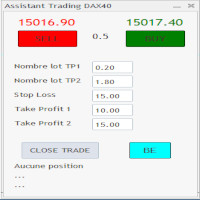
C'est un trade panel pour les indices 1 digit utilisé surtout sur le dax 40. Il y a 2 Take profit si TP1 atteint on passe en BE + 2 pt TP1 nbre lot et TP2 nbre : 2 positions sont ouverte ensemble ceci afin d'éviter si un problème connexion web. Attention c'est en nombre de points
Stop loss :15 (15 pts sur dax) Take Profit 1 : 10 Take Profit 2 : 15 Dans cet exemple si 10 pts atteint (spread prit en compte) on se met en BE + 1 pt Il y a un bouton BE qui met BE + 2 pt sur les trades et 1 bouton

This Dashboard is very useful . That will help us analyzing graph. In this dashboard has some functions. such as - Buy Stop - Sell Stop - Buy Limit Order - Sell Limit Order - Close All trade on this graph - Close All Profit - Delete Pending Order = Notify to enter an order - Percentage Calculation of chance to win an order On this strategy i calculated all Major EMA to find a higher chance and take more profits

FISHERMAN'S ASSISTANT The Fisherman's Assistant is a powerful tool to assist in general operations. INTELLIGENT STOP LOSS With it, we can program the stop loss, take profit, break even, and trailing stop so that, in our manual operations, they are placed automatically. OPENING AND MANAGING POSITIONS We can use the Fisherman's Assistant to open positions within the programmed parameters, make re-entries, close positions by time, and much more. With it, we can manage all open positions of all lis

FISHERMAN'S ASSISTANT The Fisherman's Assistant is a powerful tool to assist in general operations. INTELLIGENT STOP LOSS With it, we can program the stop loss, take profit, break even, and trailing stop so that, in our manual operations, they are placed automatically. OPENING AND MANAGING POSITIONS We can use the Fisherman's Assistant to open positions within the programmed parameters, make re-entries, close positions by time, and much more. With it, we can manage all open positions of all lis

Dieser Expert Advisor unterstützt Sie bei Ihrem Handel. Er setzt für Sie automatisch, nach denen von Ihnen vordefinierten Parametern den Stopp Loss, den Take Profit. des Weiteren hat dieser Expert Advisor eine Break Even Funktion, der Ihre Positionen glattstellt, so dass Sie bei einem Rücksetzer des Kursen noch mit ein wenig Plus schliessen. Auch besitzt er eine Trailling Funktion, welche des SL für Sie automatisch nachzieht.

A Trade Manager with automatic volume calculation
Automatic Volume Calculation can be done either by percentage (from the lowest between Equity and Balance) or by value (Money amount) Market Order with drag-and-drop feature for Stop Loss and Take Profit Limit and Stop Orders drag-and-drop feature for Entry , Stop Loss and Take Profit Review Order Details before placing orders ( Entry Price , SL , TP , and Volume ) Open Positions Management with Automatic Break-Even when profit reaches predefin

Rhino Trade Manager 是一款适用于 MetaTrader 5 的交易管理器,可在实时图表上运行,也可在策略测试器的可视化模式中运行。您在测试器中下单和管理订单所用的面板与真实账户上的完全相同,因此基于历史数据的手动回测和实盘交易可以用同一个工具完成。它面向主观交易者,适合需要按风险计算仓位、在图表上清晰显示止损和止盈价位并记录交易结果的用户。 面板根据您的风险设置计算手数,在订单发送之前显示每个止损和止盈对应的金额,让您用同一组控件修改已开立的交易,并按日、周、月和账户历史统计交易结果。
交易管理器功能 实盘和测试器模式。同一个面板可在实时图表和策略测试器中运行,窗口和按钮完全相同。 订单类型。市价单、限价单和止损单。挂单的入场价可在面板中或图表上设置。 风险管理。止损、止盈和风险回报比可以分别打开或关闭。打开风险回报比后,止盈会跟随止损变化。 手数计算。交易量可设为固定手数、风险金额或余额的百分比。按风险计算的交易量向下取整,因此风险不会超过您的设置。 Trade Box。入场价、止损和止盈绘制在图表上,并显示价格、点数距离和金额。在实时图表和测试器中都可以通过拖

将完全可定制的信号从 MT5 发送到 Telegram,并成为信号提供商! 该产品采用易于使用且具有视觉吸引力的图形界面。 自定义您的设置并在几分钟内开始使用该产品!
用户指南 + 演示 | MT4版本 | 不和谐版本 如果您想尝试演示,请参阅用户指南。 MT5 电报发送器在策略测试器中不起作用。
MT5 转 Telegram 功能 通过大量选项根据您的喜好完全定制信号 在信号之前或之后添加您自己的自定义消息。 这可以是标签、链接、频道或其他任何内容 在信号中添加、删除、自定义表情符号。 或者您可以将它们全部删除。 按交易品种或幻数过滤要发送的交易 排除发送特定符号 排除发送特定幻数 自定义与信号一起发送的交易详细信息 发送带有信号的屏幕截图 自定义要发送的信号类型 发送信号性能的每日、每周、每月和自定义时间报告
我总是愿意改进产品,所以如果您有想要看到的功能,请发表评论或给我留言。

将完全可定制的信号从 MT5 发送到 Discord 并成为信号提供商! 该产品采用易于使用且具有视觉吸引力的图形界面。 自定义您的设置并在几分钟内开始使用该产品!
用户指南 + 演示 | MT4版本 | 电报版本 如果您想尝试演示,请参阅用户指南。 MT5 To Discord 发送器在策略测试器中不起作用。
MT5 Discord 功能 通过大量选项根据您的喜好完全定制信号 在信号之前或之后添加您自己的自定义消息。 这可以是标签、链接、频道或其他任何内容 在信号中添加、删除、自定义表情符号。 或者您可以将它们全部删除。 按交易品种或幻数过滤要发送的交易 排除发送特定符号 排除发送特定幻数 自定义与信号一起发送的交易详细信息 发送带有信号的屏幕截图 自定义要发送的信号类型 发送信号性能的每日、每周、每月和自定义时间报告
我总是愿意改进产品,所以如果您有想要看到的功能,请发表评论或给我留言。

Magic News Trade Assistant是一个在新闻发生时进行交易的工具,这个工具对于为您创造利润非常有帮助,因为您可以清楚地设置自己的止损和止盈。 该工具非常适合 XAUUSD 交易。 我们可以利用 JOLTS 和 NFP 等交易的新闻是非常有利可图的。您将冷静地等待您的订单获利,这一切都取决于所产生的消息。 推荐 : • 货币对:XAUUSD • 手数与权益比率:1:1000(如果您有1000美元,则可以使用1手) • 最佳经纪商:Orbitrade(因为滑点非常低,如果您想创建 Orbitrade 账户,可以联系管理员) 规格: • 批次大小:确定您的批次数量 • 范围大小:计算距离范围是价格为2-3点差,可以根据您的意愿设置,它会自动填充 • 止损:正常止损距离为5x点差,可根据您的意愿设置,自动填充 • 止盈:止盈的正常距离是10x Spread,可以根据您的意愿设置,它会自动填充 • Trailing:订单仓位盈利时的距离,止损会增加以确保利润,自动距离0.5-2x Spread • 计数:新闻期间我们会下的订单数量,我通常使用2个订单,你可以填2 • 新闻定

该工具可以帮助你一键平仓所有持仓订单,只需要点击“Close all”.如果你只想平仓盈利中的订单时,就点击“Close profitable"按钮,点击之后,所有浮盈中的订单都会被全部平掉;如果你只想平仓浮亏中的订单,就点击“Close losable”按钮,点击之后,所有浮亏中的订单就会被全部平掉。
该工具经过一年的真实测试,一键平仓功能非常完善,平仓及时,延迟范围较小,当然,延迟和你所处的地区以及网络环境也有关系,这一点还请注意。
在历史数据的回测过程中,该工具表现更加完美,100张订单全部平仓完成最多只需要0.495秒。在真实交易过程中,本人最多持仓订单数量只有26笔,全部平仓完成的时间是1.28秒。

本EA提供以下功能: 开仓: 价格穿越趋势线时,开多单或者空单 平仓: 价格穿越趋势线时,平多单或者空单 追踪止损: EA会沿着趋势线,不停的提升多单的止损或者降低空单的止损 线可以是趋势线也可以是水平线, 趋势线可是射线或者线段,线段有个特别作用就是只在线所在的时段内交易。 这些能开仓和平仓的线都是有特定名称的线,EA提供了画线面板代替手工画线. 所有开仓,平仓都会有截图保存在MQL5/Files/Cross Trend Line to Trade文件夹中. 本EA只能用于对冲类型账号
MT4 版本: https://www.mql5.com/zh/market/product/4439
画线面板: 点击绿色的"+"按钮,会逐一生成6组面板,每组面板可以点击相应的按钮来绘制趋势线或者水平线 点击紫色按钮,可以选择线类型: Trend Line(趋势线) 或者水平线(Horizontal Line) 点击Del可以删除所有画线 点击X可以关闭面板,回到最初的状态. 点击按钮B1,B2,B3,B4,B5则会绘制五条线, 当价格穿越这五条线中的任何一条时开一个多单 点击按钮
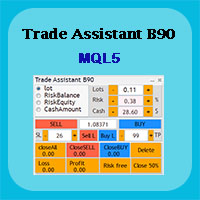
Trade Assistant B90 is designed for manual trading so that it helps us to manage capital and position well.
This expert has the ability to change the default inputs of the expert as desired before use.
You can see the expert entries in the photo below, each of which we explain below.
1. Background Color : With this entry, you can change the assistant's background
Color
2. Font size: You can change the size of the fonts used in the assistant.
3. Button color: Change the color of assis

The utility is designed to send signals from MT4 to Telegram. It has several unique features, allowing not only the sending of trade signals but also the following functionalities: Send messages directly from the terminal to Telegram Send emojis along with custom text Send text and images from Telegram All of these features enable users to manage a signal channel while focusing on trading and finding quality signals. Customizable Signal Messages You can fully customize the signal message: Specif

Rosy Trade Assistant A very easy to use EA, simple and friendly. Many features available to manage your trade. Compact panel with 4 sizes that can be selected according to your convenience. And trading in your local time has never been easier, using local timescale and clock. User Guide and Demo version Pages Trading Panel - Page to place an order and manage it's SL/TP Tools - Page to manage order: trailing, close on target, close all by categories Settings - Page to use custom time scale with s
MetaTrader市场是 出售自动交易和技术指标的最好地方。
您只需要以一个有吸引力的设计和良好的描述为MetaTrader平台开发应用程序。我们将为您解释如何在市场发布您的产品将它提供给数以百万计的MetaTrader用户。
