Cynex Copier MT5
- Utilities
-
Issam Kassas
 https://issamalgo.com/
I’m Issam Kassas, creator of Issam Algo. I develop MetaTrader indicators, Expert Advisors, and trading tools that connect analysis with execution. - Version: 1.0
- Activations: 20
Contact me first after your purchase
Send me a private message on MQL5 to receive your PDF user guide, online course, MQL5 channel access and personal setup assistance. You also receive Smart Universal Expert Advisor FREE as your gift. Contact Issam on MQL5 to claim your complete package. The gift is optional; no review is required.
Cynex Copier MT5
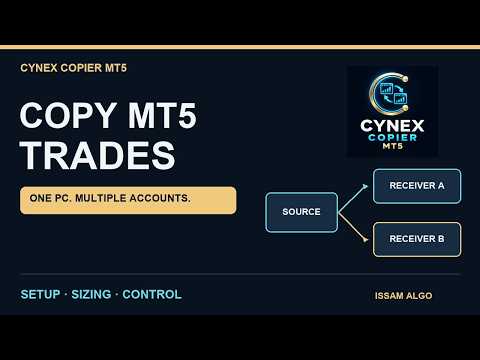
Copy trades between MetaTrader 5 terminals on the same Windows computer or Windows VPS. Send one account to several receivers, receive several sources in one account, or send and receive simultaneously. Each receiver has its own lot sizes, symbols and trade-management settings.
Configure 68 operating settings directly in the chart dashboard. Overview, Connections, Copy settings, Trades, Activity and Help keep everyday work in one place. No DLL, separate connector or external subscription is required.
Choose how you copy
- One-to-one, one-to-many, many-to-one and many-to-many connections.
- Copy manual trades and EA trades. Copied trades are excluded from outgoing updates to prevent loops.
- Use shared defaults or individual profiles for each source. Match broker symbols with exact aliases, prefixes and suffixes.
Control volume and execution
Seven sizing methods: Same lots, Fixed lots, Multiplier, Balance ratio, Equity ratio, Stop loss risk and Lots per capital. Add a multiplier, additional lots and optional volume limits. Balance/equity ratios between different account currencies require an explicit conversion rate.
Copy market positions and pending orders, including limit, stop and stop-limit orders. Follow source closures, cancellations, proportional partial closes and stop/target changes.
Optional symbol and magic-number filters, direction reversal, market-to-pending conversion, opening delay and entry filters. Broker volume steps and minimums are checked before execution.
Manage copies from the dashboard
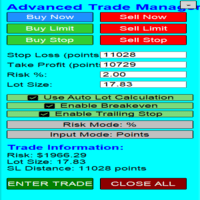
Set custom stops and targets, break-even, trailing stops and optional account limits. Pause new entries, close a selected copy or keep it locally for independent management.
Saved trade identities and execution intent support recovery after a restart. Missing, expired or incomplete source updates retain existing copies. The Activity page explains connection and execution status.
Hedging and netting
Both account types are supported. On netting accounts, source contributions share a broker position. Per-contribution stops, targets, break-even and trailing are virtual: the EA, terminal and broker connection must remain running. Avoid mixing other strategies on copier symbols.
Setup and requirements
Install on every participating MT5 terminal under the same Windows user profile and Common Files location. Give each sending account a unique name, then enter those names in the receiver's Receive from field, separated by semicolons.
Check symbols, contract sizes and volume settings. Save, confirm the connection and enable copying on the receiver. Keep MT5 connected and enable Algo Trading for both the platform and the EA. Test your intended broker setup on demo first.
This edition connects local MT5 terminals. It does not connect separate computers over the internet, MT4 terminals or separate MetaQuotes virtual-hosting instances. Broker trading hours, margin, permissions and execution rules apply. Fill prices and results can differ between accounts; copying does not guarantee profits.