Copy Trader Pro FAST 1 MT5

CopyTrader Pro FAST MT5 — FREE

Real-Time Trade Copier | MT4 ↔ MT5 Cross-Platform | 20ms Latency

CopyTrader Pro FAST is a professional trade copier Expert Advisor that copies trades between MetaTrader terminals in real time using a high-speed file-based communication system. No VPS, no network setup, no DLL — just attach and copy.

⚡ FREE VERSION: Copies up to 1 trade at a time. Upgrade to the full version, Copy Trader Pro FAST MT5, for unlimited copying.

🚀 Key Features

  • ✅ 20ms refresh rate — independent of tick arrival, uses millisecond timer
  • ✅ Cross-platform: MT4 → MT5, MT5 → MT4, MT4 → MT4, MT5 → MT5
  • ✅ 1 Master → Multiple Slaves — all on the same PC
  • ✅ 3 Lot modes: Multiplier, Fixed, Balance Ratio
  • ✅ Live settings panel — change everything on-chart without restarting
  • ✅ TP/SL copy, Reverse signal — flexible strategy options
  • ✅ MASTER01–10 / SLAVE01–10 ID system — no configuration files needed
  • ✅ File-based communication — works with any broker, any account type

⚙️ How It Works

The EA uses MetaTrader's shared Common Files folder (%AppData%\MetaQuotes\Terminal\Common\Files) which is accessible by all MT4 and MT5 terminals on the same Windows user account.

  1. Master terminal writes open positions to a signal file every 20ms
  2. Slave terminal reads the file and opens/closes matching trades
  3. Latency: 20–200ms on the same machine

📊 FREE vs FULL Comparison

Feature FREE FULL
Max copied trades 1 Unlimited
Number of Slaves 1 Unlimited
All lot modes ✅ ✅
TP/SL copy ✅ ✅
Reverse signal ✅ ✅
Live settings panel ✅ ✅
MT4/MT5 cross-platform ✅ ✅
Limit warning alert Yes No

🛠️ Quick Setup (3 Steps)

Step 1 — Master Terminal

  1. Attach EA to any chart
  2. Set Trade Mode = MASTER
  3. Set Account ID = MASTER01

Step 2 — Slave Terminal

  1. Attach EA to any chart (same or different platform)
  2. Set Trade Mode = SLAVE
  3. Set Account ID = SLAVE01
  4. Set Follow ID = MASTER01
  5. Enable AutoTrading + Allow Live Trading (F7 → Common)

Step 3 — Verify Connection

The Slave panel shows ● CONNECTED when the Master signal file is detected. Open a trade on Master — Slave copies it within milliseconds.

📋 Input Parameters

Parameter Default Description
TradeMode MASTER MASTER = publish signals, SLAVE = copy signals
AccountID MASTER_01 Unique identity for this terminal
FollowMasterID MASTER_01 Which Master ID to follow (Slave mode)
MasterMagicNumber 0 Only copy trades with this magic (0 = all)
OnlyCurrentChart false Copy only trades on this chart's symbol
LotCalculationMode Multiplier Multiplier / Fixed / Balance Ratio
LotMultiplier 1.0 Lot multiplier applied to master's lot
FixedLot 0.1 Fixed lot size (Fixed mode)
MasterBalance 10000 Master balance for ratio calculation
SlaveBalance 10000 Slave balance for ratio calculation
CopyTPSL true Copy Take Profit and Stop Loss
ReverseSignals false Reverse buy/sell direction
SlippagePoints 5 Maximum slippage in points
MaxSpreadPoints 30 Skip trade if spread exceeds this value
CommentMode ID Only Copy / Add / ID Only — trade comment format
SlaveMagicNumber 999999 Magic number assigned to copied trades
RefreshRateMs 50 File check interval in milliseconds
DetailedLogs true Enable detailed journal logging

🖥️ Live Settings Panel

Click ⚙ Settings on the chart panel to open the 3-tab live configuration panel — no EA restart required.

  • TRADE tab — Lot mode, lot size, spread/slippage limits (Slave mode only)
  • CONFIG tab — Trade mode switch, Account ID, Follow ID, comment options, TP/SL, reverse
  • SYSTEM tab — Language, version info, magic number, refresh rate

✅ Requirements

  • MetaTrader 5 (any build)
  • Master and Slave terminals on the same Windows user account
  • AutoTrading enabled on Slave terminal
  • "Allow live trading" checked in EA properties (F7 → Common) on Slave

❓ FAQ

Q: Does it work between different brokers?
A: Yes. As long as both terminals run on the same Windows user account, broker does not matter.

Q: Does it work between MT4 and MT5?
A: Yes. The file format is compatible across platforms.

Q: What is the typical copy latency?
A: 20–200ms on the same machine. The 20ms timer runs independently of market ticks.

Q: How many Slaves can follow one Master?
A: Unlimited in the Full version. FREE version is limited to 1 copied trade at a time.

Q: Can I change settings without restarting?
A: Yes. Use the live ⚙ Settings panel on the chart.

💡 Try the FREE version first — upgrade to Full for unlimited trade copying.

Recommended products
Copy your MT5 trades to accounts anywhere in the world with the   MetaToolsLab Master EA . Unlike local copiers that only work between terminals on the   same   PC or VPS, MetaToolsLab uses a secure cloud relay — so you can broadcast your trades to followers across   different computers, VPS providers, brokers, and continents , with   sub-second delivery   and   no broker passwords . Whether you're a signal provider, a multi-account trader, or an account manager, the Master EA installs in about
FREE
Trade Mirror Follower
Nguyen Thanh Cong
5 (1)
Advanced Trade Mirror   is a powerful Forex tool designed for traders who need instant, seamless trade replication across multiple terminals on the same machine. With lightning-fast execution, it ensures zero lag in copying trades, maintaining precision and efficiency in high-speed trading environments. Get the Trade Mirror Master here:  https://www.mql5.com/en/market/product/133891 Specification: Master ID: Identity value of master terminal, please use a unique value to prevent duplicated mas
FREE
Fast CopyTrade LAN
Achraf Mouine
5 (6)
Fast CopyTrade LAN — Local Trade Copier for MetaTrader 5 Overview Fast CopyTrade LAN is a fast, DLL-free local trade copier for MetaTrader 5. It instantly copies trades between MT5 accounts on the same PC — copying OPEN, PARTIAL, MOD (SL/TP) and CLOSE from a Provider to one or more Receivers. This copy trader uses the MT5 Files folder for secure local messaging, requires no external files, no DLLs, and is fully Market-compliant. Advantages Fastest local copy trading with very low latency Market
FREE
Trade Mirror Master
Nguyen Thanh Cong
5 (1)
Advanced Trade Mirror   is a powerful Forex tool designed for traders who need instant, seamless trade replication across multiple terminals on the same machine. With lightning-fast execution, it ensures zero lag in copying trades, maintaining precision and efficiency in high-speed trading environments. Get the Trade Mirror Follower here:  https://www.mql5.com/en/market/product/133890 Specification: Master ID: Identity value of master terminal, please use a unique value to prevent duplicated mas
FREE
Opening EA - Start Edition Is a tool to trade the OpeningStrategy! The Opening EA is a semi-automated EA for MetaTrader 5! This means that the trader must actively start the EA using the Start button and stop it using the Stop button. This EA pursues an opening strategy which, at the start of trading, e.g. on the DAX or Nasdaq, etc., opens a trading channel with predefined TP's (TakeProfit). Two pending orders with the same lot size are set at the beginning. As soon as one of the pending order
FREE
Tandem is a local trade copier for MetaTrader. It copies trades between terminals that run on the same computer or VPS: from MT4 to MT4, MT4 to MT5, MT5 to MT5 and MT5 to MT4. There is one version for each platform, and the two work together. I built it around a single Expert Advisor for both sides. You attach it to a chart in each terminal, click MASTER on the account that trades and leave SLAVE on the accounts that should follow. As long as they use the same channel number, the slaves pick up
FREE
Copy your MT5 trades to accounts anywhere in the world with the   MetaToolsLab Slave EA . Unlike local copiers that only work between terminals on the   same   PC or VPS, MetaToolsLab uses a secure cloud relay — so you can broadcast your trades to followers across   different computers, VPS providers, brokers, and continents , with   sub-second delivery   and   no broker passwords . Whether you're a signal provider, a multi-account trader, or an account manager, the Slave EA installs in about a
FREE
Demo copier of deals from MetaTrader 5 to MetaTrader 5 ( MetaTrader 4<->MetaTrader 4 version is available ; with both versions, you can copy MetaTrader 5<->MetaTrader 4, MetaTrader 4<->MetaTrader 5, MetaTrader 5<->MetaTrader 5, MetaTrader 4<->MetaTrader 4). Works only in the mode of hedging. Spread filter. Select the best price (start copying positions with a profit or loss). Configure the lot size, fixed or ratio-based (provider signals can be copied with an increased lot). Configure order copy
FREE
Aurum Matrix EA MT5
Melih Enes Bozkurt
1 (1)
Aurum Matrix EA — Advanced Algorithmic Gold Trading System Aurum Matrix EA is a state-of-the-art algorithmic Expert Advisor designed specifically for Gold trading (XAUUSD) on the MetaTrader 5 platform. It is inspired by the open-source GoldTraderEA framework, upgraded with a quantitative multi-strategy fusion engine , robust risk controls and modular architecture ready for advanced enhancements including machine learning integration. Why Aurum Matrix EA? In today’s volatile markets, single
FREE
Local Trade Copier by RWBTradeLab Local Trade Copier copies trades between MetaTrader 5 terminals that run on the same computer or VPS. One file is both sides: an input sets it to MASTER, which sends its trades, or to CLIENT, which copies them. Overview Attach the program to a chart on the account whose trades are to be copied and set the role to MASTER. Attach it to a chart on every account that should follow and set the role to CLIENT, each with its own Client ID. Give all of them the same
FREE
SMART Gold Pulse 5M
Naseepah Yatmanee
SMART GOLD PULSE 5M Automated Gold Trading with Built-In Risk Control Gold Focused XAUUSD M5 Controlled Entries EMA + Fibonacci + Candle Reversal Filter Risk Management Max DD + Emergency Equity Stop + Daily Order Control Stay Connected Telegram alerts directly to your mobile SMART GOLD PULSE 5M (SCALPING) Introducing SMART GOLD PULSE 5M , an automated Expert Advisor designed specifically for trading XAUUSD (Gold) on the 5-minute timeframe (M5) . The EA monitors the market and automatical
FREE
Latency Hunting
Syamsurizal Dimjati
Latency and connection stability are truly the "lifeblood" of a trader, especially if you do scalping or news trading, where a difference of just a few milliseconds (ms) can determine whether your order experiences slippage or not. Let's break it down step by step so everything is clear, starting from the connection path to how we can implement this dashboard idea in MQL5. 1. Connection Path: What Does the Number in the Bottom-Right Corner Actually Mean? When you see the traffic bars and latenc
FREE
Overview Copy Trades Master is a high-performance local signal broadcaster for MetaTrader 5. It tracks active positions on your master account in real time and streams execution data directly to one or multiple SlaveCopier terminals running on the same PC or local network via ultra-fast local file IPC ( FILE_COMMON ). https://www.mql5.com/en/market/product/189485 Key Features Local Common-File IPC: Uses local file streaming ( MQL5\Files ) for near-zero latency execution without requiring externa
FREE
Gold Pulse Scalper  (Prop Firm) is an automated trading system developed for XAUUSD (Gold), designed to operate on the M5 timeframe. It uses algorithmic logic and data-driven analysis to identify trading opportunities based on predefined rules and systematic market evaluation. Discounted   price.     The price will increase by $50 with every 3 purchases. Final price $1800 Live Signal VT Markets:  CLICK HERE   (Coming Soon) Supported Settings Symbol : XAUUSD Recommended Brokers: IC Markets, VT Ma
FREE
Scalping Control Panel Scalping Control Panel is a simple and practical trading tool designed for scalpers and traders who use grid-style entries. The EA gives you direct control over your trading setup from a clean panel on the chart. Start a BUY or SELL grid with one click and customize the main parameters before entering the market. Main Features One-Click BUY & SELL Start a BUY or SELL sequence directly from the chart. Adjustable Lot Size Set the lot size you want to use before starting th
FREE
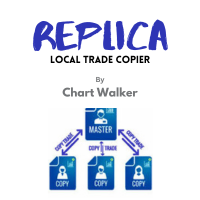
Replica Local Trade copier
Dushshantha Rajkumar Jayaraman
White label available. contact us for more info. dushshantharajkumar@gmail.com Replica Local Trade copier    by Chart Walker Replica, a MetaTrader 5 (MT5) local trade copier, is a powerful tool designed to streamline and automate trading processes for users within the MT5 platform. This innovative software allows traders to replicate trades from one account (master) to another (slave) in real-time, enabling efficient and synchronized trading across multiple accounts. With its user-friendly inte
FREE
Oil Barbarian
Thanasit Kerdprakhon
OIL Barbarian EA (Free Download) OIL Barbarian is a specialized grid-trading Expert Advisor designed specifically for XRBUSD / Brent Crude Oil . Unlike high-risk "get-rich-quick" EAs, OIL Barbarian is engineered with a Cash Flow First philosophy. It prioritizes capital preservation, long-term sustainability, and steady income over aggressive, high-risk gains. There is NO dangerous Martingale multiplier. Key Philosophy & Features Tailored for Brent Oil (XRBUSD): Built from the ground up around
FREE
Basket Grid EA
Faroq Yousef Ahmed Haidarah
FLF PRO – Smart Dual Basket Grid EA FLF PRO is a professional Expert Advisor developed exclusively for MetaTrader 5 . It combines advanced grid logic with intelligent dual basket management to provide flexible position handling, adaptive trade management, and efficient basket control across different market conditions. Main Features Smart Dual Basket Grid System Intelligent Grid Management Adaptive Lot Progression Automatic Lot Balance Attack Dynamic Lot Compensation Independent Buy and Sell Ba
FREE
IndiSig by Buffer Detect Signals from a Custom Indicator by Buffer & Send notifications to Telegram Channel or Open orders * Buy/Sell Buffer: You may get this info on MT4/5 Data Window (CTRL + D) * MT5 version: Add the indicator first, then the EA * MT4 version: Only works properly with default settings of the indicator Join  https://t.me/fxassistant_vn for more useful EAs!
FREE
Exp5 COPYLOT MASTER for MT5
Vladislav Andruschenko
4.42 (12)
Exp5 - COPYLOT MASTER is a trade copier for МetaТrader 5 and MetaTrader 4. It copies Forex trades from any accounts. Installation This Expert Advisor is a master copier. Install the Expert Advisor in the terminal from which you want to copy trades. Specify any text label name as pathWrite, for example, "COPY". Install COPYLOT MASTER for MT5 on the terminal from which you want to copy trades.  Then install  COPYLOT Client MT4  on the MT4  terminal to which you want to copy. Or  Copylot Client MT5
FREE
Master Weis
Leonel Alberto Jose Quintana
Master Waves for MetaTrader 5 Description Master Waves is a technical indicator developed for MetaTrader 5 that organizes volume into price movement waves. The indicator analyzes the direction of each candle and accumulates volume while the movement remains in the same direction. When the direction changes, a new wave begins. The waves are displayed as a histogram in a separate indicator window. Waves associated with upward and downward price movements are shown with different colors for clear v
FREE
Free Slave Version – Remote Trade Receiver MT5. This is the FREE Slave version of our professional Remote Trade Copier system. It allows you to receive trades from a Master account running our full Copy Trade solution. Designed for simplicity and reliability, this version is read-only and cannot send trades or operate independently. Key Features: One-click setup – simply connect to the Master. Fast and accurate order copying. Supports all symbols, order types, and brokers. Minimal resource us

FREE
It adds the symbols listed on Binance Spot to the Metatrader5 market clock. With this free file you can list the entire list in seconds. You can easily upload it to your demo account. It is the first file uploaded for Binance Spot Tick and is available for free. Tools menu / Options / Expert Advisors / You need to select Use WebRequest for listed URL You can watch videos to add Metatrader.
FREE
Run one strategy across every account you trade. Revanche Miroir Local Copier is a free local trade copier that mirrors trades between MetaTrader 5 accounts on the same computer, in real time. One program plays both parts: set it as the Master on the account you trade, and as a Slave on each account that should follow. A complete copier, free. It copies on any symbol, in any account currency, and between different brokers. If the master falls silent, open trades are held rather than closed, and
FREE
Global Session Map turns one MetaTrader 5 chart into a clear session workspace. It shows which major trading sessions are active in broker time, when the next transition occurs, and where session overlaps appear. The panel is designed for discretionary traders who need reliable time context without entry signals or profit claims. Session windows and display preferences are configurable and remain available after chart or terminal restarts. Main functions • Sydney, Tokyo, London and New York s
FREE
Copyist MS MT5
Aleksei Moshkin
3.5 (4)
Copyist MS — это простой и удобный в использовании торговый копир. Работает как однофайловый советник с переключаемыми режимами работы Master и Slave. Ордера можно копировать из МТ5 в МТ5, из МТ5 в МТ4, из МТ4 в МТ5. Для копирования ордеров в MetaTrader 4 требуется версия советника для MetaTrader 4. Текущая версия советника работает только на ХЕДЖИНГОВЫХ счетах. Параметры Тип работы - выбор режима работы: Master или Slave; Копировать по магическому номеру - копирование торговых ордеров по магич
XAU VWAP Mean Reversion H4 Expert Advisor for MetaTrader 5 — Gold / XAUUSD focus Version: 1.00 What it is XAU VWAP Mean Reversion H4 is an Expert Advisor for gold on the H4 chart. Intraday VWAP mean-reversion style participation on gold H4. Built for structured automated participation — not grid , not martingale . Evaluate on your broker and risk profile before any live use. This product is a technical system . Exact thresholds and entry equations remain internal product design and are not publ
FREE
XAU Structure Pullback H1 Expert Advisor for MetaTrader 5 — Gold / XAUUSD focus Version: 1.00 What it is XAU Structure Pullback H1 is an Expert Advisor for gold on the H1 chart. Architecture is simple and deliberate: Impulse — a clear directional displacement is identified on structure. Pullback band — price retraces into a mapped structure participation band. Continue — the system joins the continuing direction with selectable exit style. Built for structured automated participation — not grid
FREE
TRADE COPIER - INVESTOR PASSWORD - COPY TRADE - MT4 x MT5 CROSS PLATFORM Note: You need   both   "Mirror Copier Master" on the master account that will be followed by the client account and "Mirror Copier Client" on the client account that will follow the master account Blogs   :  https://www.mql5.com/en/blogs/post/756897 HOW IT WORKS : https://www.youtube.com/watch?v=V7FNpuzrg5M MT4 Version Master :  https://www.mql5.com/en/market/product/114774 Client:  https://www.mql5.com/en/market/product
FREE
MiniBull Board
Yusuf Levent Aksun
# MiniBull Board **Version 1.14 — MetaTrader 5 indicator (separate window)** **11 languages: English, Turkish, Russian, Chinese, Spanish, Portuguese, Japanese, German, French, Italian, Korean** — automatically in the language of your MetaTrader terminal, or chosen with a single input. MiniBull Board is a compact watch-list dashboard for MetaTrader 5. For every symbol you choose it shows where the price stands today, this week and this month: the current price, the day / week / month opening
FREE
Buyers of this product also purchase
Trade Assistant MT5
Evgeniy Kravchenko
4.43 (216)
It helps to calculate the risk per trade, the easy installation of a new order, order management with partial closing functions, trailing stop of 7 types and other useful functions. Additional materials and instructions Installation instructions - Application instructions - Trial version of the application for a demo account Line function -   shows on the chart the Opening line, Stop Loss, Take Profit. With this function it is easy to set a new order and see its additional characteristics bef
Forex Trade Manager MT5
InvestSoft
4.98 (687)
Trade Manager MT5 is an advanced position size calculator and trade management tool for MetaTrader 5, designed to help traders plan trades faster, control risk more precisely, and manage open positions directly from the chart. It combines order placement, risk based lot calculation, Stop Loss and Take Profit management, Break Even, Trailing Stop, Partial Close, Equity Protection, and external trade management in one panel. Whether you trade forex, indices, metals, commodities, crypto, or future
Local Trade Copier EA MT5
Juvenille Emperor Limited
4.94 (149)
Local Trade Copier EA MT5 is a fast and flexible trade copier for copying and managing trades between multiple MetaTrader 5 accounts on the same Windows computer or Windows VPS. It combines local trade synchronization with Receiver-side controls for lot sizing, risk management, trade filtering, symbol mapping, trade management and account protection. Set up your Transmitter and Receiver terminals in about 1 minute and copy manual or EA trades between accounts at the same or different brokers. U
Telegram to MT5 MultiChannel Copier
Sergio Marquez Uroz
4.63 (19)
Telegram to MT5 Multi-Channel Copier   automatically copies trading signals from your Telegram and Discord channels straight to MetaTrader 5. No bots, no browser extensions, no manual copying. A signal arrives in Telegram or Discord and the EA opens the trade in your terminal within seconds. And before you copy a channel, the built-in backtester shows you what that channel would have done in your account. The product has two components: a Windows application that listens to your Telegram channel
================================================================================ POC BREAKOUT - V20.72. Full Professional Grade Toolkit ================================================================================ POC Breakout is a full MetaTrader 5 trading dashboard for discretionary traders who want breakout signals, Point of Control (POC) context, volume profiles, order flow, market structure, news, alerts, and advanced trade planning in one professional workspace. Attached directly to you
Strategy Ledger Pro
Abdullah Uygar Tuna
5 (11)
Strategy Ledger Pro is a read-only account analysis panel for MetaTrader 5. It separates account results by Expert Advisor, strategy, symbol, and magic number, so you can see what each one really contributes. The panel is available in 11 languages: English, Français, Deutsch, Español, Italiano, Português, Русский, Türkçe, 中文, 日本語 and 한국어. Before you download the demo. The Market runs the demo of any paid product in the Strategy Tester only. This panel analyses the trades on your own account, and
TradePanel MT5
Alfiya Fazylova
4.88 (170)
Trade Panel is a multi-functional trading assistant. The app contains over 50 trading functions for manual trading and allows you to automate most trading tasks. Application instructions: https://www.mql5.com/en/blogs/post/756482 Trial version of the application for a demo account: https://www.mql5.com/en/blogs/post/750865 How to install the application: https://www.mql5.com/en/blogs/post/756239 How to test the application in visual mode: https://www.mql5.com/en/blogs/post/770277 How to install
The Patch
Mian Rameez Ali
The Patch It never opens a trade. It walks behind the ones that did. Every open position, every pending order — checked twice a second for the one thing that's easy to forget: a stop, a target. Found bare, it doesn't ask. It writes the missing number in, measured in points from wherever the position began, and moves on to the next. No strategy, no opinion on direction. Just the quiet assumption that nothing should ever sit on the market unprotected — not because someone decided it shouldn't,
Floor Watch
Syed Tauqeer Hussain Shah
Floor Watch One number, watched every thirty seconds: how far equity has fallen since the day began — or since its highest point, if it's told to trail the peak instead of the open. Cross the line and it doesn't argue. Every open position closes, every pending order vanishes, and anything that slips through afterward gets shut the moment it appears. Not asked. Removed. The floor holds until the clock turns 5 AM Pakistan time — then, and only then, does the day start over. One rule. No except
Copy Telegram signals with your own trading rules Telegram to MT5 Signal Trader automatically copies text-based trading signals from public and private Telegram channels and groups into MetaTrader 5. Manage multiple providers and MT5 accounts from one desktop app, with individual risk and trade settings for each provider . No Telegram bot or API setup needed for copying. Simply sign in with your own Telegram account by phone or QR code and select the channels or groups you have already joined. Y
Power Candles Strategy Scanner - Self-Optimizing Multi-Symbol Setup Finder Self-optimizing settings work one chart at a time, and finding where they pay off right now means opening chart after chart. Power Candles Strategy Scanner runs the same self-optimizing engine as the Power Candles indicator on every symbol in your Market Watch, side by side. One panel ranks where it pays off: the winning strategy per symbol, its optimized Stop Loss and Take Profit. An alert fires the moment a fresh signal
The product will copy all telegram signal to MT5 ( which you are member) , also it can work as remote copier.  Easy to set up, copy order instant, can work with almost signal formats, image signal,  s upport to translate other language to English Work with all type of channel or group, even channel have "Restrict Saving Content", work with  multi channel, multi MT5 Work as remote copier: with signal have ticket number, it will copy exactly via ticket number. Support to backtest signal. How to s
Buy once. Get all my MT4 and MT5 indicators - available now and released in the future - at no extra cost. Contact me after purchase for instructions to receive them. The price is planned to rise by 50$ after every 10 purchases, up to 999$. The Market price at checkout applies. Keep the indicator you trust. Automate the work around it. Your signal. Your rules. Your execution. Already have an MT5 indicator you rely on, but still need to watch the chart, wait for a signal, calculate the lot, plac
Welcome to ENTRY IN THE ZONE with SMC MULTI TIMEFRAME SPECIAL BENEFIT / FOR OUR MQL5 CUSTOMERS FREE ACCESS TO THE NEW TOOL  — COMING SOON — Learn more on our official website  : https://www.fableedge.net Entry In The Zone with SMC Multi Timeframe is a real-time market analysis tool based on Smart Money Concepts (SMC), designed to analyze market structure, price direction, and key trading zones. It supports both Single-Timeframe and Multi-Timeframe Analysis, providing a clearer view of overall ma
Quant AI Agents
Ho Tuan Thang
5 (1)
Quant AI Agents are independent trading Expert Advisors. Instead of trading using a fixed strategy like other conventional EAs, Quant AI Agents   is a   multi-agent AI trading framework   that turns natural-language strategy prompts into live.  WANT THE SAME RESULTS AS MY LIVE SIGNAL?   Use the exact same brokers I do:   IC MARKETS , IC TRADING   .  Unlike the centralized stock market, Forex has no single, unified price feed.  Every broker sources liquidity from different providers, creating un
Daily Trading Limiter
AL MOOSAWI ABDULLAH JAFFER BAQER
5 (8)
• Please test the product in the Strategy Tester before purchasing to understand how it works. • If you face any issues, contact me via private message—I’m always available to help. • After purchase, send me a screenshot of your order to receive a FREE EA as a gift. Daily Trading Limiter — the rule you cannot break Every trader knows the number. Three trades. Two percent. One bad day and stop. And every trader has watched themselves take the fourth trade anyway. The problem was never knowing th
Grid Manual MT5
Alfiya Fazylova
4.73 (22)
Grid Manual is a trading panel for working with grid strategies. The utility is universal, has flexible settings and an intuitive interface. It works with a grid of orders not only in the direction of averaging losses, but also in the direction of increasing profits. The trader does not need to create and maintain a grid of orders, the utility will do it. It is enough to open an order and the "Grid manual" will automatically create a grid of orders for it and will accompany it until the close. F
Telegram To MT5 Ultra
Mirel Daniel Gheonu
5 (5)
Telegram To MT5 — Signal Copier Turn the trading calls from your Telegram channels into real MT5 orders — automatically, on as many accounts as you like, with risk and rules fully under your control. Telegram To MT5 connects the VIP / signal channels you already follow on Telegram to your MetaTrader 5 terminal. A free companion desktop app reads the messages (even from channels that block bots), and this Expert Advisor executes them on your account — applying your own risk settings, symbol mappi
VirtualTradePad PRO SE MT5 — professional trading control center for MetaTrader 5 VirtualTradePad PRO SE is a premium chart-based trading panel and trade-management workspace for MetaTrader 5 . It is designed for traders who want faster execution, clearer position control, structured trade management, visual level planning and a professional workflow directly from the chart. This is not only a BUY / SELL panel. PRO SE combines manual trading, pending orders, position management, partial exits, b
Seconds Chart MT5
Boris Sedov
4.61 (18)
Seconds Chart is a unique tool for creating second-based charts in MetaTrader 5 . With Seconds Chart , you can construct charts with timeframes set in seconds, providing unparalleled flexibility and precision in analysis that is unavailable with standard minute or hourly charts. For example, the S15 timeframe indicates a chart with candles lasting 15 seconds. You can use any indicators and Expert Advisors that support custom symbols. Working with them is just as convenient as on standard charts.
FUTURES ORDERFLOW FOOTPRINT CHART Professional OrderFlow EA for MetaTrader 5 Version 1.01| Professional tool for real traders | Institutional-Grade Visualization STRATEGY TESTER USERS - PLEASE SELECT EVERY REAL TICK WHEN TESTING AND YOU HAVE DOWNLOADED HISTORICAL DATA. IF YOU SEE A WAITING SCREEN AND IT IS NOT DOWNLOADING, IT MEANS YOU HAVE LOW HISTORICAL DATA. TRY 1 MIN AND 5 MIN FIRST ON 1 DAY DATA. ONE DAY DATA SHOULD BE THE NEWEST AND MOST CURRENT DATE. PLEASE WAIT UNTIL THE MARKET HAS ROL
Exp COPYLOT CLIENT for MT5
Vladislav Andruschenko
3.97 (35)
Professional Trade Copier for MetaTrader 5 Fast, professional, and reliable trade copier for MetaTrader . COPYLOT allows you to copy Forex trades between MT4 and MT5 terminals with support for Hedge and Netting accounts. COPYLOT MT5 version supports: - MT5 Hedge to MT5 Hedge - MT5 Hedge to MT5 Netting - MT5 Netting to MT5 Hedge - MT5 Netting to MT5 Netting - MT4 to MT5 Hedge - MT4 to MT5 Netting MT4 version Full Description +DEMO +PDF How To Buy How To Install How to get Log Files H
Trade copier MT5
Alfiya Fazylova
4.61 (56)
Trade Copier is a professional utility designed to copy and synchronize trades between trading accounts. Copying occurs from the account / terminal of the supplier to the account / terminal of the recipient, which are installed on the same computer or VPS . Before buying, you can test the demo version on a demo account. Demo version here . Full instruction here . Main functionality and benefits: Supports copying MT5> MT5, MT4> MT5, MT5> MT4, including MT5 netting accounts. * Supports copying Dem
Trade Dashboard MT5
Fatemeh Ameri
4.94 (135)
Trade Dashboard simplifies how you open, manage, and control your trades, with built-in lot size calculation. It allows you to execute trades, manage risk, and control positions directly on the chart, with tools such as partial close, breakeven, and trailing stop. Designed to reduce manual work and help you stay focused on your trading decisions. A demo version is available for testing. Detailed explanations of features are provided within the MQL5 platform. Installation instructions are include
Anchor Trade Manager
Kalinskie Gilliam
5 (9)
Your EAs cannot see each other, but Anchor can. Anchor gives you one place to coordinate your EAs, manage risk, and decide when trading is allowed. It works alongside the trading bots you already use without any changes to them. The Problem One EA opens a trade. Then another starts trading. The next thing you know, you wake up to multiple grids built across your account. Each EA may be doing exactly what it was designed to do, but together they can place far more risk on your account than you in

Trade Manager DaneTrades
Levi Dane Benjamin
4.23 (30)
DaneTrades Trade Manager is a professional trade panel for MetaTrader 5, designed for fast, accurate execution with built‑in risk control. Place market or pending orders directly from the chart while the panel automatically calculates position size from your chosen risk, helping you stay consistent and avoid emotional decision‑making. The Trade Manager is built for manual traders who want structure: clear risk/reward planning, automation for repeatable management, and safeguards that help reduc
The News Filter MT5
Leolouiski Gan
4.78 (23)
This product filters   all expert advisors and manual charts   during news time.  It is able to remove any of your EA during news and automatically reattach them after news ends. This product also comes with a complete  order management system   that can handle your open positions and pending orders before the release of any news. Once you purchase   The News Filter , you will no longer need to rely on built-in news filters for future expert advisors, as this product can filter them all from her

Astro Trade MT5
Indra Maulana
5 (8)
25% discount on the release of the tool: only for the next 3 buyers Send a message to receive a demo version. AstroTrade Trading Assistant AstroTrade is a comprehensive multi-functional trading utility developed for the MetaTrader 5 platform. It integrates essential tools for trade execution, risk management, and technical monitoring into a single unified interface. The application is designed to assist traders in managing their daily operations through a visual and structured environment. Vi
Premium Trade Manager - The Trade Panel With a Coach Built In Premium Trade Manager puts a trading coach inside your chart, with a full execution engine underneath it. Set the trade up the way you always do, then let Max, your AI trading coach, read that exact setup against your live account and give you a straight verdict before you commit: is the stop disciplined, is the risk sane, is a high-impact release minutes away, are you near a prop-firm limit. Below sits the engine that runs everything
HINN MagicEntry Extra
ALGOFLOW OÜ
4.74 (19)
HINN MAGIC ENTRY – the ultimate tool for entry and position management! SIMPLE. FASTEST. INTUITIVE. MAX AUTOMATED. Place orders by selecting a level directly on the chart! full description   ::  demo-version  :: 60-sec-video-description Key features: - Market, limit, and pending orders - Automatic lot size calculation - Automatic spread and commission accounting - Unlimited partitial take-profits  - Breakeven and trailing stop-loss and take-profit  functions - Invalidation leves - Intuitive, a
More from author
CopyTrader Pro Fast MT5 – Ultra-Fast Local Trade Copier CopyTrader Pro Fast MT5   is a high-performance, ultra-fast, and file-based local trade copier designed for MetaTrader 5. Whether you want to manage multiple accounts, pass prop firm challenges, or copy trades from a master account to slave accounts instantly, this utility copies trades quickly and reliably. Key Features Ultra-Fast Performance:   Powered by an optimized file-based system with an adjustable refresh rate (down to 50ms) for
PositionMap Pro — Account Overview Panel for MT5 A real-time panel that groups all open positions by symbol and shows Buy lots, Sell lots and net profit/loss directly on your chart — the whole account at a glance. Instead of counting lots symbol by symbol in the Terminal tab, PositionMap Pro groups everything automatically. You instantly see how much exposure you have on each symbol, split by direction. Panel example Symbol Buy Lot Sell Lot Net P/L EURUSD 0.50 — +12.30 XAUUSD — 1.00 −45.00 GBPUS
FREE
CopyTrader Pro FAST MT4 — FULL VERSION Real-Time Trade Copier | MT4 ↔ MT5 Cross-Platform | Unlimited Trades | 20ms Latency CopyTrader Pro FAST is a professional-grade trade copier Expert Advisor that copies trades between MetaTrader terminals in real time. Built on a high-speed file-based communication system, it delivers 20–200ms copy latency on the same machine — completely independent of tick frequency. No VPS, no network configuration, no DLL files. Just attach to a chart, set Master or Slav
Multi Indicator Scanner — 10 Indicators, One Panel (MT4) Multi Indicator Scanner reads 10 popular technical indicators at the same time and shows each one as BUY, SELL or NEUTRAL in a single on-chart panel, together with an overall summary. Instead of loading and checking ten indicators one by one, you see the full picture in one place. Indicators analyzed RSI (Relative Strength Index) Stochastic %K CCI (Commodity Channel Index) ADX (Average Directional Index) MACD Moving Average Williams %R Mom
Multi Pivot Pro — 5 Pivot Methods in One Indicator (MT4) Multi Pivot Pro draws daily pivot levels on your MetaTrader 4 chart using five different calculation methods. Switch between methods from a single dropdown — no need to install five separate indicators. Pivot points are widely used support and resistance levels that help traders plan entries, exits and stop placement. Pivot methods Classic Fibonacci Camarilla Woodie DeMark (DM) Features Pivot (P), resistance R1–R3 and support S1–S3 levels
StructureMap Pro — Market Structure Labels (HH / HL / LH / LL) for MT4 StructureMap Pro automatically marks market structure on your chart. Every confirmed swing high and swing low is labeled as Higher High (HH), Higher Low (HL), Lower High (LH) or Lower Low (LL), and consecutive pivots are connected with dotted lines, so the "staircase" of the trend is visible at a glance. No more drawing swing points by hand — the indicator does it consistently on any symbol and any timeframe. How to read the
Multi Pivot Pro — 5 Pivot Methods in One Indicator (MT5) Multi Pivot Pro draws daily pivot levels on your MetaTrader 5 chart using five different calculation methods. Switch between methods from a single dropdown — no need to install five separate indicators. Pivot points are widely used support and resistance levels that help traders plan entries, exits and stop placement. Pivot methods Classic Fibonacci Camarilla Woodie DeMark (DM) Features Pivot (P), resistance R1–R3 and support S1–S3 levels
Multi Indicator Scanner — 10 Indicators, One Panel (MT5) Multi Indicator Scanner reads 10 popular technical indicators at the same time and shows each one as BUY, SELL or NEUTRAL in a single on-chart panel, together with an overall summary. Instead of loading and checking ten indicators one by one, you see the full picture in one place. Indicators analyzed RSI (Relative Strength Index) Stochastic %K CCI (Commodity Channel Index) ADX (Average Directional Index) MACD Moving Average Williams %R Mom
GoldEdge Pro EA — XAUUSD Specialist Expert Advisor for MT5 Overview GoldEdge Pro EA is a professional algorithmic trading system built specifically for XAUUSD (Gold). It combines multi-timeframe trend confluence, Ichimoku cloud analysis, and a unique three-level drawdown protection system to trade Gold with precision and discipline. The EA enters only when the market structure, EMA alignment, RSI momentum, and Ichimoku conditions all confirm the same direction across three timeframes simultaneou
Filter:
serverana2012
202
serverana2012 2026.05.30 16:46 

User didn't leave any comment to the rating

atagsm
64
atagsm 2026.05.30 16:42 

User didn't leave any comment to the rating

Reply to review