
LT Trade Panel Professional
- Utilities
-
Thiago Duarte
 Hello! My name is Thiago (James, in english) and I am a programmer.
I have been involved in the market since 2016 and I am brazilian.
I am founder and admin of Litoral Trading - community of market enthusiasts. - Version: 2.4
- Updated: 3 September 2026
- Activations: 5
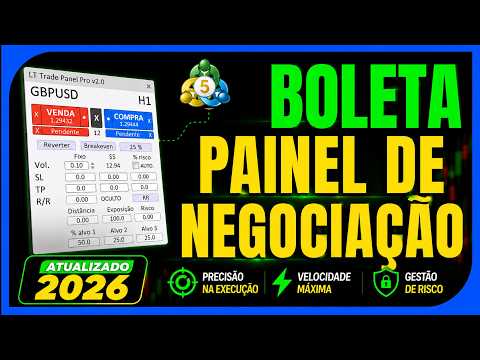
LT Trade Panel Pro 2 - Ultimate Risk Manager & Fast Execution Tool
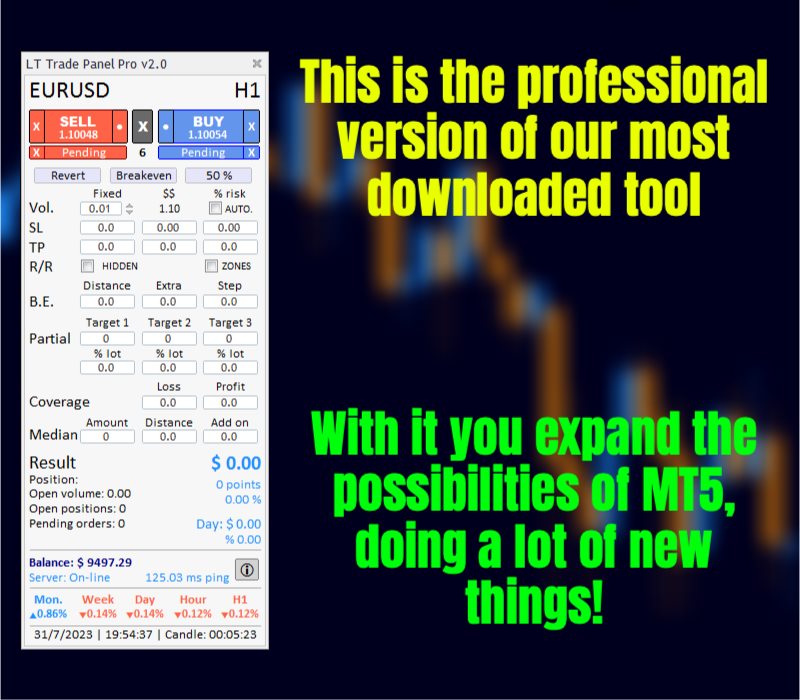
LT Trade Panel Pro is the definitive tool for traders seeking precision, speed, and impeccable risk management in MetaTrader 5. Designed for Scalpers and Day Traders, this panel transforms execution complexity into a seamless one-click experience.
In the new Version 2 the system has been fully refactored to deliver maximum performance, eliminating latency and adding exclusive capital protection features.
🔥 Why use LT Trade Panel Pro?
Most traders fail due to a lack of risk discipline. LT Trade Panel Pro automates the most critical process: keeping risk constant and protecting the trade at the right moment. It is an essential tool for those trading in Prop Firms or professional accounts.
💎 Key Features:
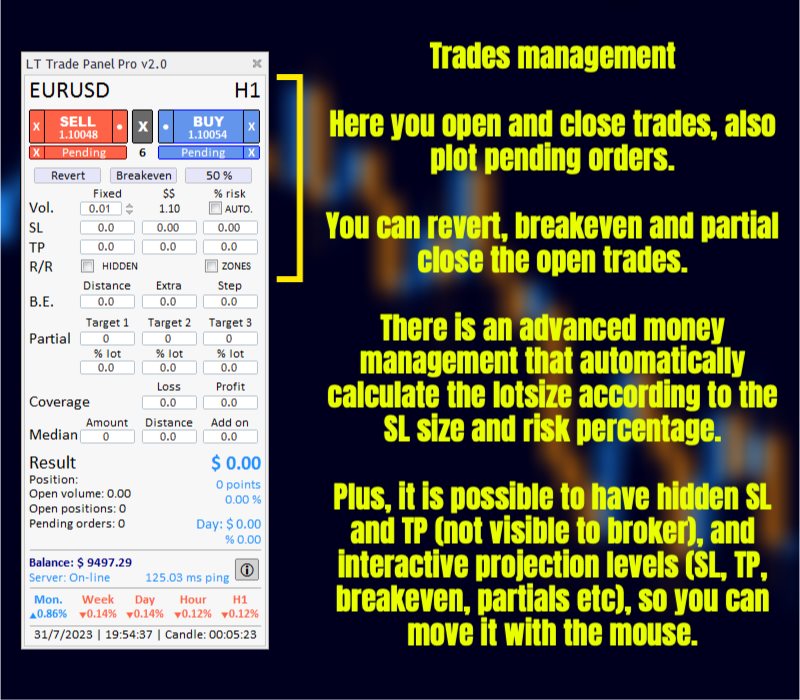
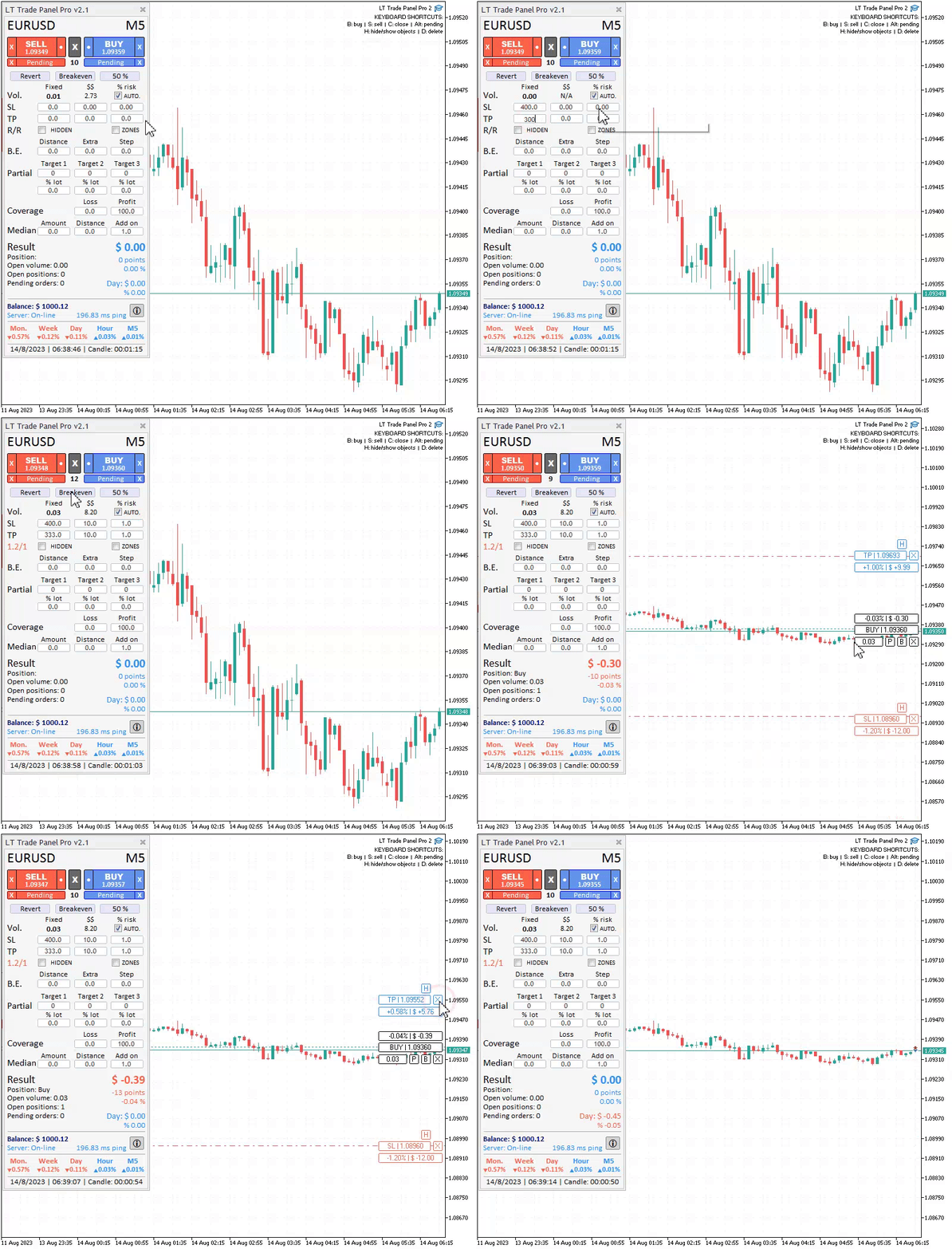
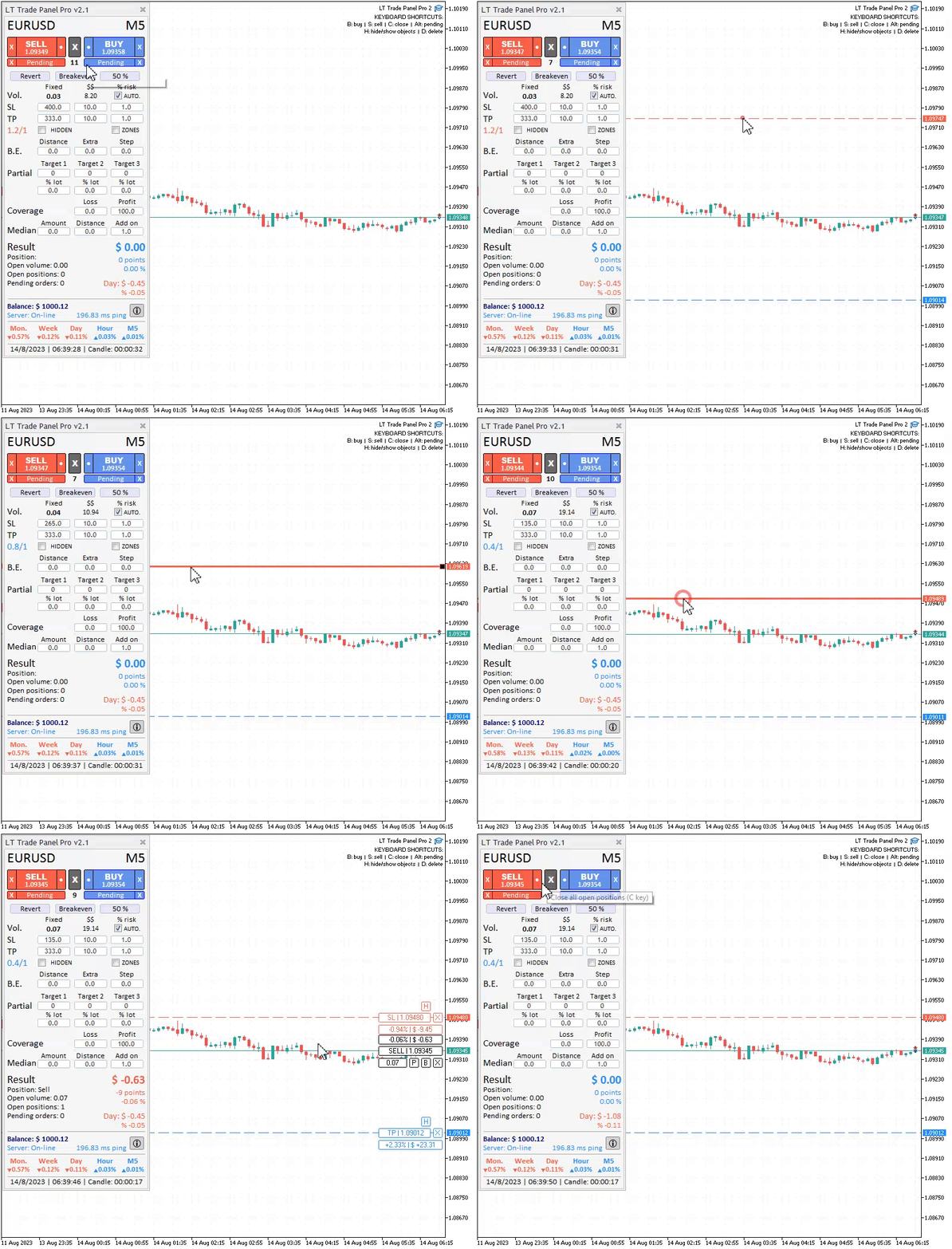
- 🚀 Automatic Risk Management: Stop calculating lot sizes manually. Enter your desired risk (in % of balance or fixed monetary value), and the panel instantly calculates the exact lot size based on your Stop Loss distance.
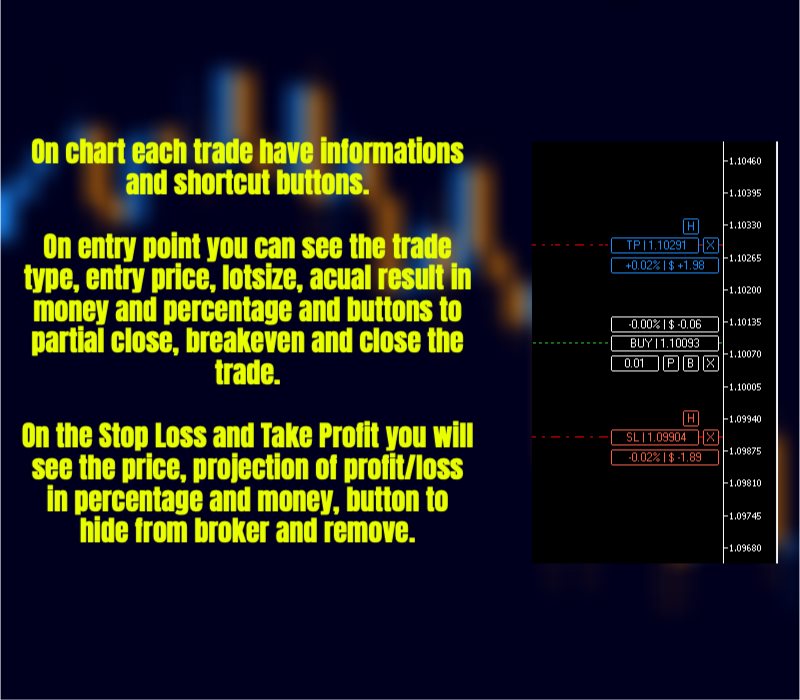
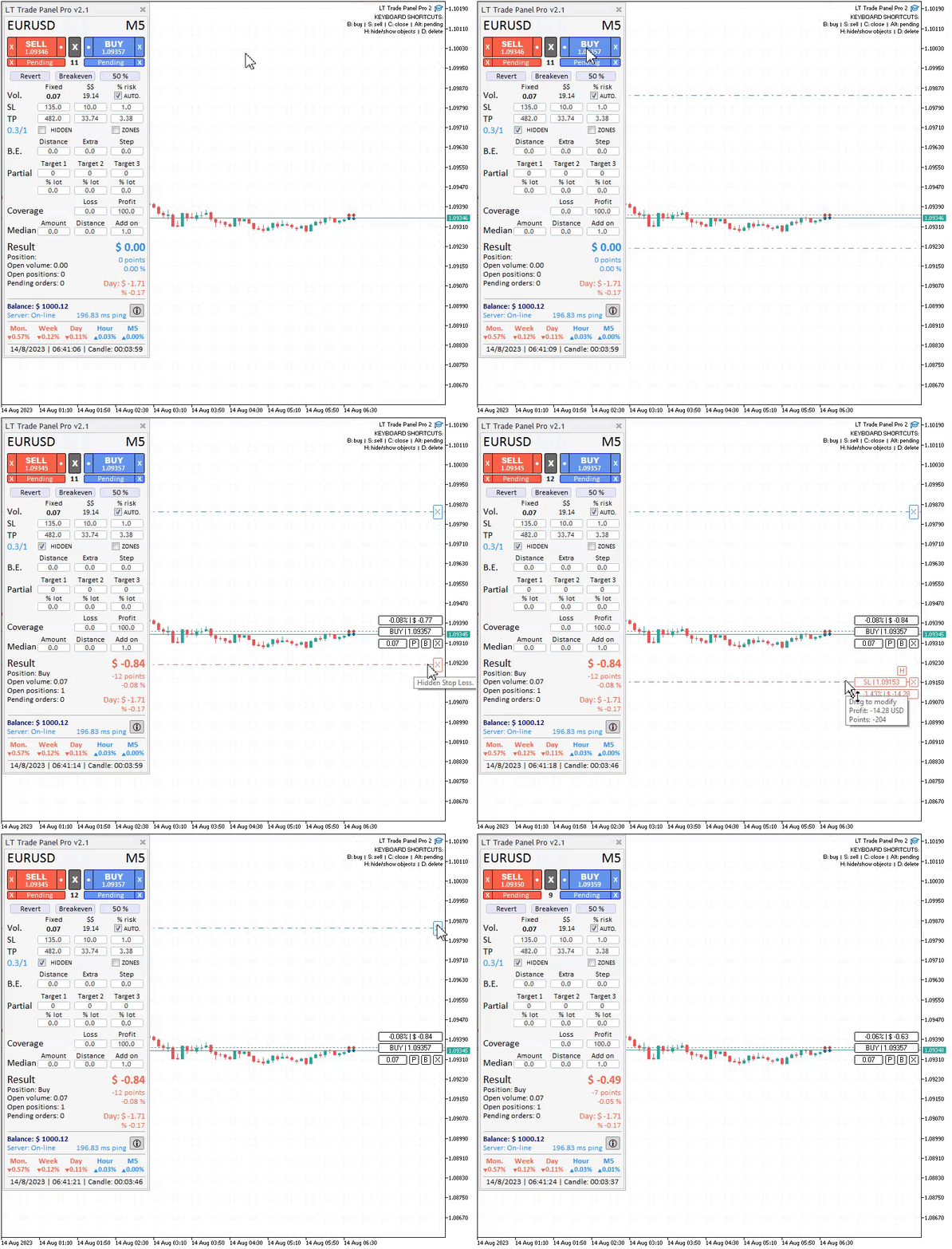
- 🛡️ Hidden Stop Loss & Take Profit (Stealth Mode): Protect your orders against "stop hunting." With this function enabled, your targets are visible only to the EA, preventing brokers from seeing your exit points in the order book.
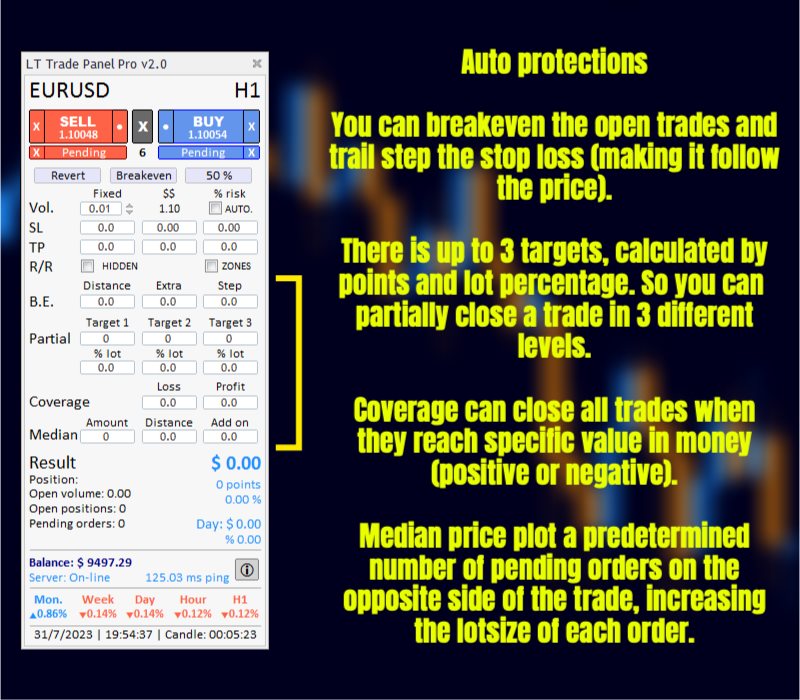
- 🎯 Intelligent Partial Close: Configure up to 3 automatic partial targets to secure profits as the price moves in your favor.
- ⚡ Automatic Breakeven: Protect your capital by moving the Stop Loss to the entry price as soon as the market reaches your configured trigger.
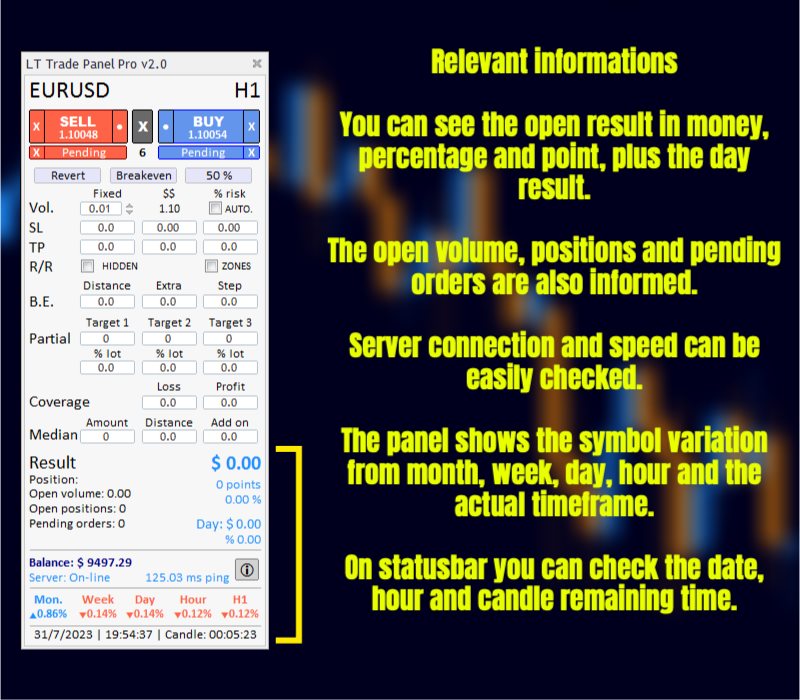
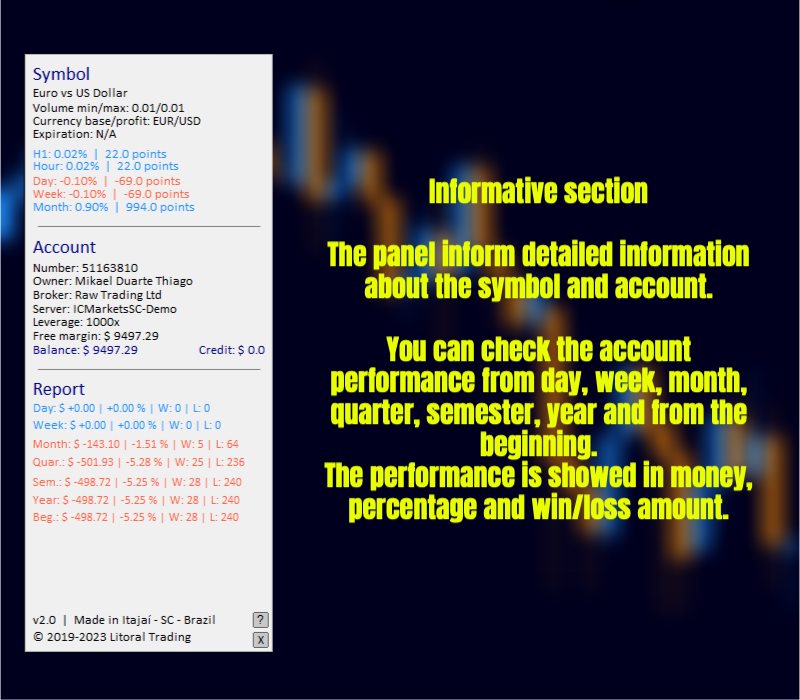
- 📊 Real-Time Performance Report: Integrated dashboard showing profit/loss, volume, and results by Day, Week, Month, and Year directly on your chart.
- 📈 Grid/Recovery System: Advanced management for positions against the trend with configurable multipliers and distances.
- 🎨 Customizable Interface: Full support for Dark Mode, interface scaling (Normal, Big, Giant), and complete compatibility with Renko and Range Bars.
🛠️ Fast Execution Tools:
- One-Click Trading: Ultra-fast Buy, Sell, Reverse, and Close All buttons.
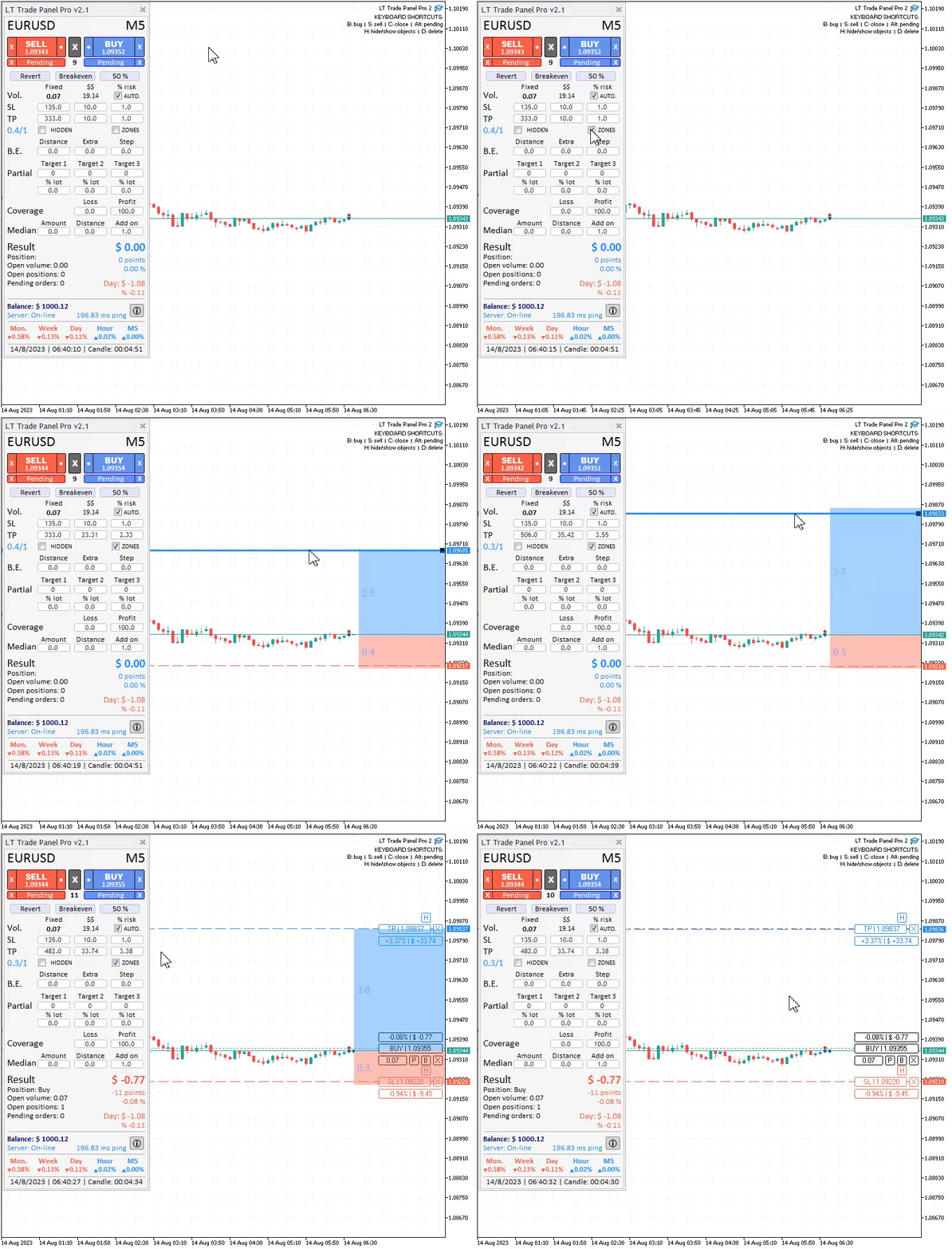
- Projection Preview: Visually see your entry, SL, and TP on the chart before opening the order.
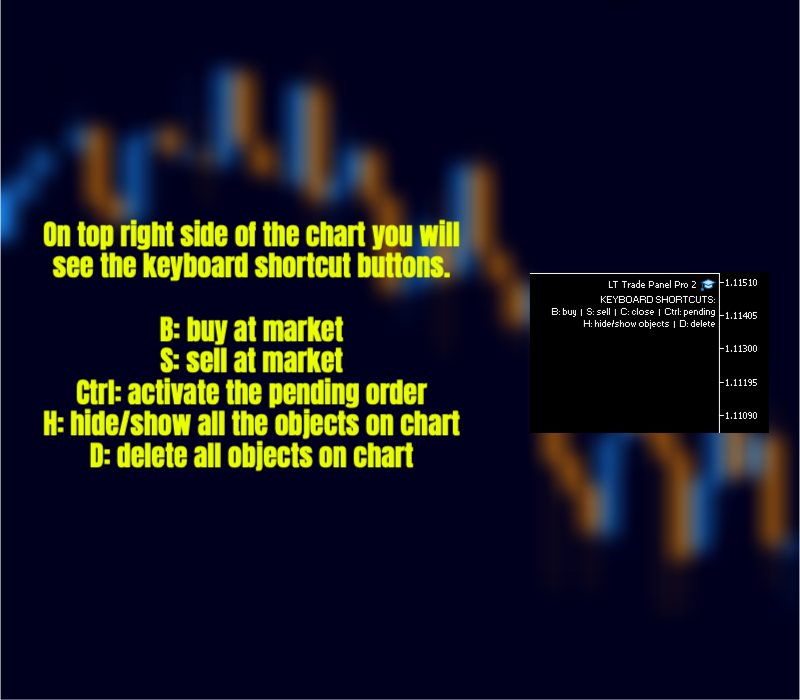
- Hotkeys: Execute commands instantly via your keyboard.
- Account Insights: Monitor margin, leverage, ping, and CPU usage in real-time.
📖 How to Start:
- Drag the Expert Advisor onto any chart.
- Set your default risk in the input parameters.
- Use the "View" (•) button to project your trade or execute directly at market price.
- Track your progress through the integrated performance dashboard.
⚙️ Main Parameters:
- Magic Number: Order identifier (use "0" to also manage manual trades).
- Color Scheme: Choose between Dark or Light mode.
- Auto-Lot Mode: Select between Fixed Volume, Financial Risk, or Percentage of Balance.
- Breakeven/Trailing: Configure triggers and protection steps.
- Partial/Grid: Set targets and recovery parameters.
Note: This is a trading utility designed to assist in execution and management; it does not guarantee financial results. The correct use of risk management is the trader's responsibility.




















































### Excellent Trade Panel and Outstanding Support I am very impressed with the LT Trade Panel Professional. The panel is well designed, fast, intuitive and provides exactly the kind of functionality a discretionary trader needs, especially when quick reactions are essential. The shortcut functions are particularly excellent — being able to open, manage and close trades directly from the keyboard is a huge advantage in fast-moving markets. What impressed me most, however, is the developer's **exceptionally fast and professional customer support**. I reported an issue and received a response very quickly, followed by an update addressing the problem. This kind of responsiveness is exemplary and, unfortunately, not something you can take for granted with trading software. The pricing is also absolutely fair. For the functionality, ongoing development and level of support provided, the price is more than reasonable. A very well-designed tool from a developer who clearly cares about his product and his customers. **Highly recommended!** ⭐⭐⭐⭐⭐