Volatility Heatmap
- Indicators
-
Andres Felipe Carvajal Rodriguez
 I do not develop indicators to follow the market. I develop algorithms to understand it.
My goal is to transform price complexity into objective, robust, and efficient tools that help traders make decisions with greater precision, consistency, and risk control. - Version: 1.0
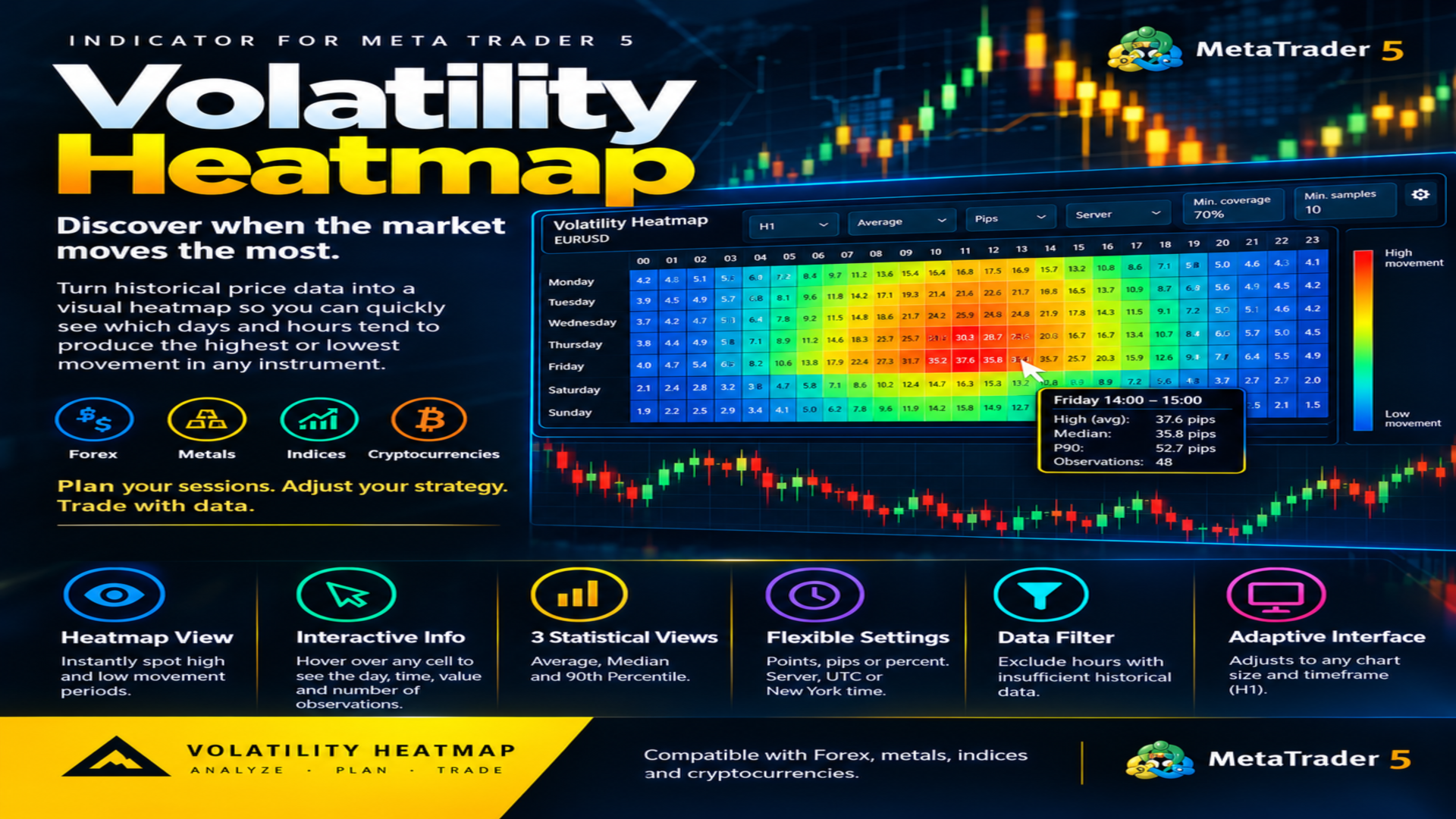
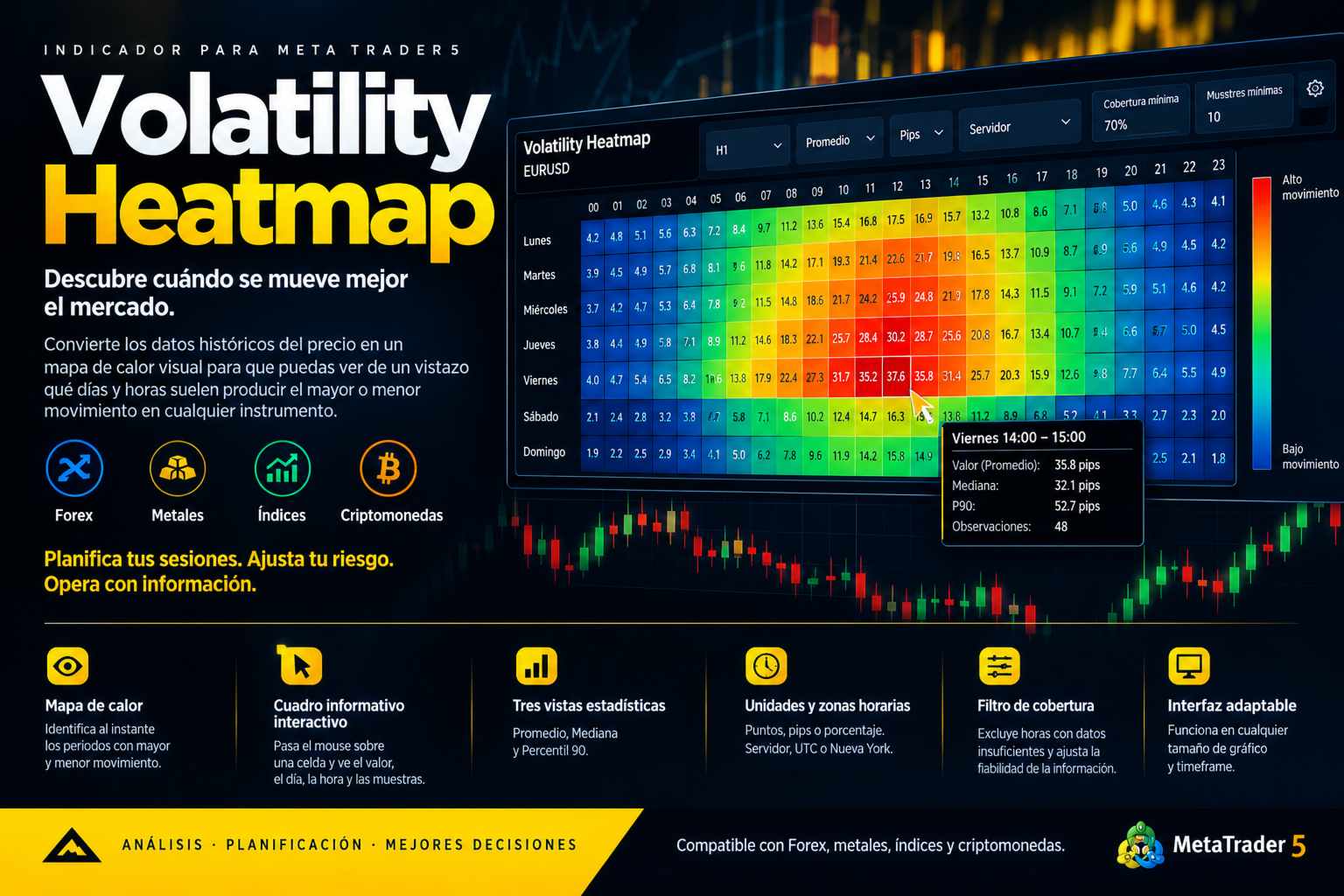
Discover which days and hours historically experience higher or lower market movement.
Volatility Heatmap transforms historical price data into a visual heatmap that helps you quickly identify when an instrument tends to move more or less. Analyze weekly patterns and gain additional insight into relative market activity to help plan your trading sessions.
Compatible with Forex, metals, indices, and cryptocurrencies.
How Is Volatility Calculated?
The indicator calculates the range of each closed H1 candle as High − Low and groups the results by day of the week and hour of the day.
This allows you to compare how much the price typically moves during each period, regardless of whether it moves up or down.
Three statistical methods are available:
-
Average: shows the mean range across all observations.
-
Median: shows the middle value of the ranges and is less sensitive to extreme movements.
-
90th Percentile (P90): shows the range below which approximately 90% of observations fall.
What Will You See on the Chart?
-
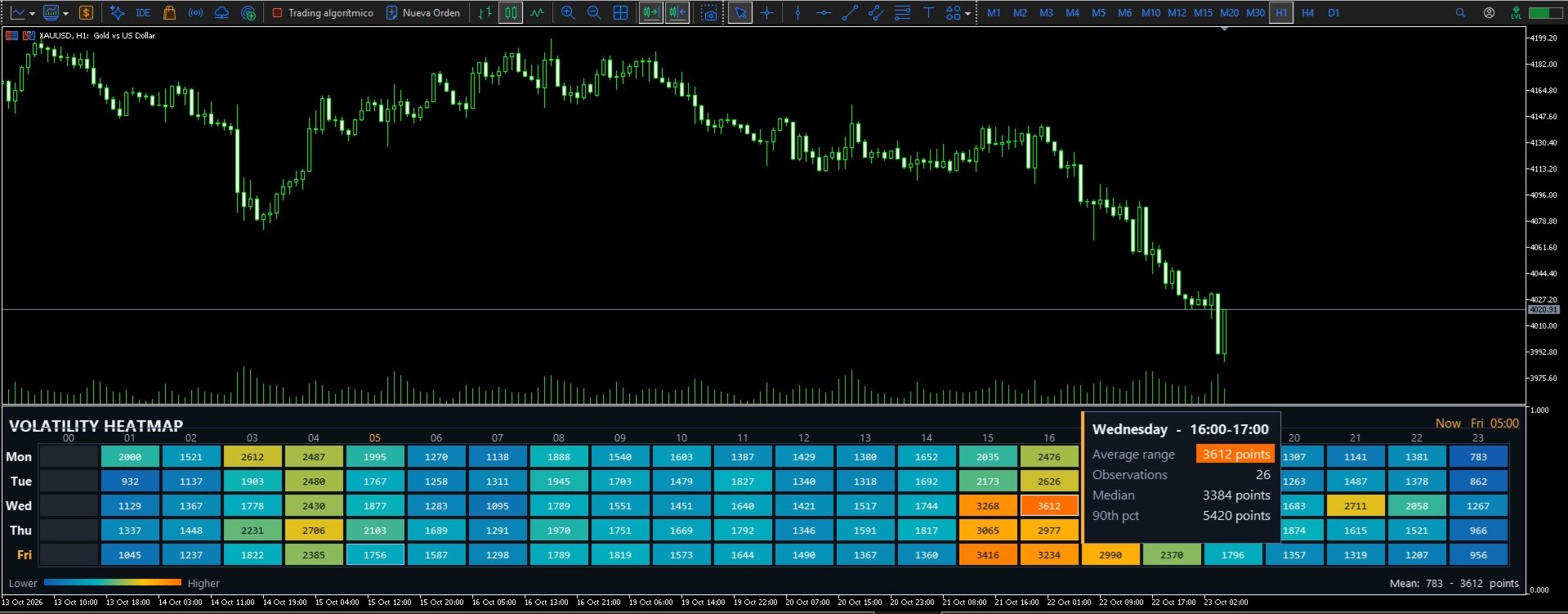
Day-of-week and hourly heatmap: visually identify periods with historically higher or lower price movement.
-
Interactive information box: hover over any cell to view the day, time interval, average range, median, 90th percentile, and number of observations.
-
Observation count: see how many historical samples support each result and assess the amount of available data.
-
Configurable units: display ranges in points, pips, or percentage.
-
Time zones: choose Server Time, UTC, or New York time.
-
Configurable color scale: select whether cell colors represent the Average, Median, or 90th Percentile of the range.
-
Adaptive interface: the indicator adjusts to the chart window size.
Optional Relative Volume Activity Layer
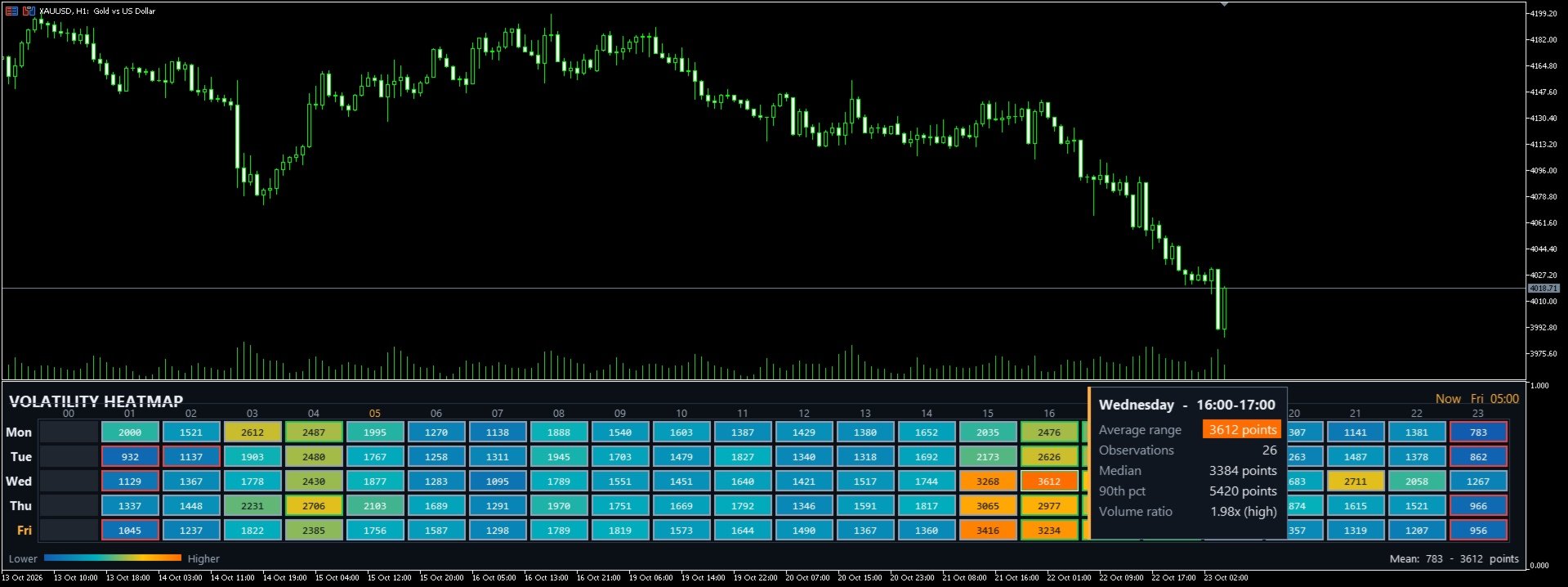
Enable Show Volume Ratio to add a second dimension of information to the heatmap through colored cell borders, without changing the fill colors that represent the price range.
The borders compare each hourly cell's average volume with the median reference calculated from valid cells in the heatmap:
-
Red — Low: relative activity below 0.5 times the reference.
-
Gray — Normal: relative activity from 0.5 up to, but not including, 1.5 times the reference.
-
Green — High: relative activity equal to or greater than 1.5 times the reference.
Hover over a cell to view its Volume Ratio, expressed as a multiple, along with its classification. If there are insufficient samples or no valid volume data, the information box will indicate this.
This layer uses tick_volume, which counts price updates recorded during each candle. In Forex and many CFD instruments, it measures price-feed activity rather than the total number of traded contracts.
Volume ratios are useful for comparing time periods within the same instrument, historical period, and data source. They should not be interpreted as a universal measure of liquidity or compared directly across different instruments.
How Can It Help Your Trading?
-
Identify periods of greater movement: discover when your instrument typically shows more activity.
-
Plan your trading sessions: focus on periods that fit your strategy.
-
Evaluate targets and stops: use historical ranges as a reference when planning Stop Loss and Take Profit distances.
-
Adapt risk management: consider historical differences in price movement and activity before determining your exposure.
-
Compare range and activity: observe whether periods of greater price movement coincide with higher relative activity.
-
Compare historical patterns across instruments: use percentage to compare relative price movements while accounting for scale differences when using points or pips.
Key Features
-
Historical heatmap by day of the week and hour.
-
Average, Median, and 90th Percentile statistics.
-
Detailed information available by hovering over each cell.
-
Optional relative volume activity layer, disabled by default.
-
Colored borders indicating low, normal, and high relative activity.
-
Values displayed in points, pips, or percentage.
-
Server Time, UTC, and New York time zones.
-
Analysis based on closed H1 candles, independently of the chart timeframe.
-
A single .mq5 file, with no DLLs or external dependencies.
-
Standard installation in the MetaTrader 5 Indicators folder.
Important Information
Volatility Heatmap measures the historical range between the high and low, not price direction. A high range does not necessarily mean the market will move up or down, nor does it guarantee that the same movement will occur again.
Heatmap colors represent values relative to the scale of the analyzed symbol and historical period. Percentage expresses the range relative to each candle's opening price, making it useful for comparing relative price movements across instruments, but it does not represent an absolute price range.
Historical data can help identify patterns and plan trades, but it cannot predict future market behavior or guarantee profitability.
Volatility Heatmap is a market analysis and pattern-discovery tool designed to complement your trading strategy, not replace it.