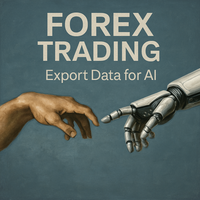
Trading Exporter for AI Assistant
- Indicators
-
Andres Felipe Carvajal Rodriguez
 I do not develop indicators to follow the market. I develop algorithms to understand it.
My goal is to transform price complexity into objective, robust, and efficient tools that help traders make decisions with greater precision, consistency, and risk control. - Version: 1.2
- Updated: 27 October 2026
Trading Exporter for AI Assistant is a professional indicator for MetaTrader 5 designed to export comprehensive and structured trading data in JSON format. Its purpose is to enable any Artificial Intelligence (AI) assistant—whether free or paid, such as ChatGPT, Gemini, Copilot, Claude, or DeepSeek—to analyze the information and provide personalized recommendations, strategies, and explanations.
Special Recommendation: DeepSeek
While this exporter works with any AI, DeepSeek is especially recommended for several reasons:
-
Extended context window - Ideal for processing the large amount of data the indicator exports.
-
Native multi-language support - Perfect compatibility with the 7 included languages.
-
Advanced technical analysis - Exceptional ability to interpret patterns and technical indicators.
-
Efficient JSON processing - Optimized for handling complex data structures.
What Information Does It Export?
The indicator automatically collects and organizes:
-
Historical price and volume data across multiple timeframes (M5, M15, M30, H1, H4, D1).
-
Native technical indicators: MACD, RSI, ATR, Stochastic, ADX, Bollinger Bands, DeMarker, MFI, Accumulation/Distribution, Fractals, and Parabolic SAR.
-
Detected technical patterns (engulfing, RSI divergences, breakout patterns, etc.) and multi-timeframe trend.
-
Real-time market context, inspired by the Advanced Market Insight indicator:
-
Bid, Ask, and spread (current and average).
-
Open, high, low, and daily range.
-
Daily percentage change.
-
Complete data for the current candle (OHLC, volume, candle type, body size, etc.).
-
Server time, active session, and seconds remaining until candle close.
-
Technical Features
-
Manual export with a button on the chart.
-
Smart wait system: Ensures data is fully loaded before export.
-
Visual status notification to confirm the information is ready.
-
Optimized JSON file for easy understanding by modern AIs.
Response Language
The exported file includes clear instructions for the AI to respond only in the language selected by the user in the indicator's settings (7 languages available: English, Spanish, French, German, Portuguese, Chinese, and Japanese). If the AI defaults to another language, you can simply ask it to translate the response.
How to Use It
-
Place the indicator on the chart and wait for it to confirm that the data is ready.
-
Click the "EXPORT DATA" button.
-
Wait 15 seconds and press the button again to ensure all information is loaded correctly.
-
The file will be saved on your PC at the path: C:\Users\USER\AppData\Roaming\MetaQuotes\Terminal\Common\Files (replace USER with your Windows username).
-
Upload the file to your favorite AI (ChatGPT, Gemini, Copilot, Claude, DeepSeek, etc.).
-
Ask for analysis, entry/exit validation, pattern explanations, strategies, or macroeconomic context.
Key Advantages
-
No external APIs, servers, or recurring payments are required.
-
Compatible with any modern AI, present or future.
-
Exports enough information to maintain a fluid dialogue with the AI.
-
Includes market microstructure context for more accurate institutional analysis.
-
Special recommendation: DeepSeek, thanks to its extended context window, native multi-language support, and advanced technical analysis.
Important Note
For instruments like gold, indices, or cryptocurrencies, the first export might generate an incomplete file. Recommendation: export twice (waiting a few seconds between attempts). If the file size increases on the second export, it means it is now complete.


















































Gostei muito da ideia de criar um relatório para análise em IA.