Daily Entry m1
- Indicators
-
Ibrahim Aljaref
 free expert channel: https://www.mql5.com/en/messages/01d5acd1bb56dd01/edit
 - Version: 1.5
Daily Entry M1 is a MetaTrader 5 indicator created for traders who focus on short-term intraday opportunities on the M1 timeframe.
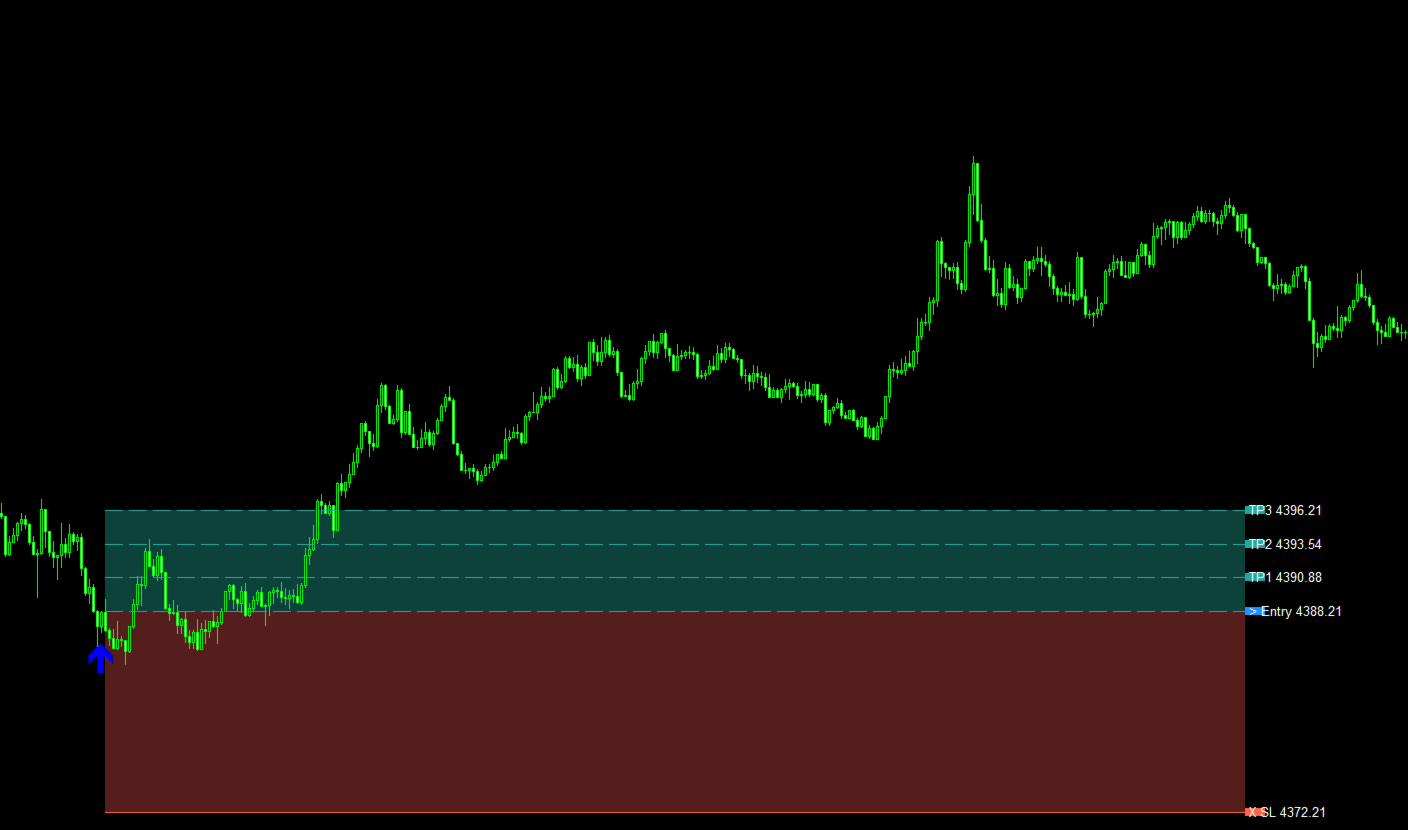
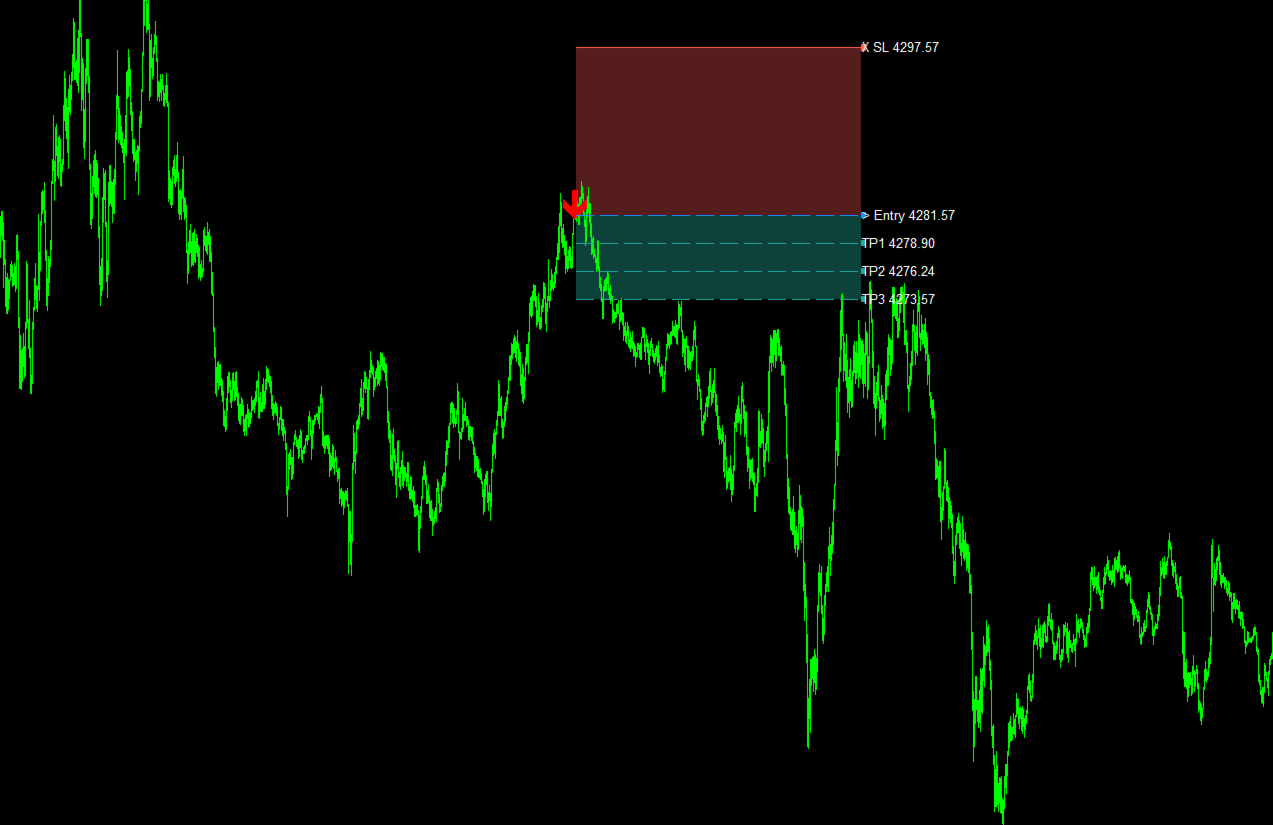
The indicator analyzes market conditions and displays clear BUY and SELL arrows directly on the chart when its internal entry conditions are confirmed.
The indicator is designed to look for potential market turning areas and attempts to identify entries close to an intraday top or bottom, helping traders focus on possible reversal opportunities rather than random market locations.
Each trading arrow is accompanied by its own predefined target level, allowing the trader to immediately see the target associated with that specific signal.
The main goal of Daily Entry M1 is to provide a clean and practical trading environment where entry signals and their corresponding targets can be identified quickly without unnecessary chart complexity.
free expert Group:https://www.mql5.com/en/messages/01d5acd1bb56dd01/edit
Main Features
-
Designed for MetaTrader 5
-
Optimized for the M1 timeframe
-
Clear BUY and SELL entry arrows
-
Attempts to identify entries near potential market tops and bottoms
-
Focuses on possible intraday reversal areas
-
Each arrow includes its own target
-
Target level is linked to the corresponding signal
-
Built-in alerts for new trading signals
-
MetaTrader 5 push notifications supported
-
Notifications can be received when a new BUY or SELL signal appears
-
Signals are displayed directly on the trading chart
-
Simple and organized visual presentation
-
Suitable for scalping and intraday market analysis
-
Lightweight interface
-
Easy-to-use indicator settings
-
Designed to help traders identify daily trading opportunities
-
Clear separation between BUY and SELL signals
-
Each signal can be evaluated independently using its own entry and target
Entry Signals
Daily Entry M1 continuously analyzes market price action and waits until the required conditions for a trading setup are completed.
When a valid BUY setup is detected, the indicator displays a BUY arrow on the chart.
When a valid SELL setup is detected, the indicator displays a SELL arrow.
The indicator attempts to detect BUY opportunities near potential market bottoms and SELL opportunities near potential market tops, depending on the current price structure and its internal signal conditions.
The arrows provide a clear visual reference for the exact market area where the indicator identified the trading opportunity.
Target for Every Arrow
One of the main features of Daily Entry M1 is that every generated arrow has its own target.
This means that each BUY or SELL signal is not displayed as an entry arrow only. The indicator also defines the target associated with that individual setup.
The target belongs specifically to the signal that generated it, making it easier to follow the complete setup directly from the chart.
For example:
-
A BUY arrow is displayed together with its corresponding BUY target.
-
A SELL arrow is displayed together with its corresponding SELL target.
-
Each new signal receives its own target according to the indicator logic.
This structure allows traders to visually understand both the entry opportunity and the target area without manually calculating a separate target for every signal.
Alerts & Notifications
Daily Entry M1 includes built-in alert and notification features to help traders follow new signals without continuously watching the chart.
When a new trading signal is generated, the indicator can provide an alert directly inside MetaTrader 5.
Push notifications are also supported, allowing signal notifications to be sent through the MetaTrader 5 notification system when enabled in the platform settings.
This allows traders to receive information about new BUY or SELL opportunities while monitoring the market from another device.
Chart Presentation
Daily Entry M1 is designed to keep the chart simple and readable.
Instead of filling the chart with excessive information, the indicator focuses on the most important elements:
-
Entry direction
-
Entry arrow
-
Potential top or bottom area
-
Signal location
-
Target associated with the signal
-
Signal alerts
-
Push notifications
This makes the indicator practical for traders who monitor fast-moving M1 charts and need to identify setups quickly.
Trading Style
Daily Entry M1 is intended primarily for:
-
Scalping
-
Short-term trading
-
Intraday trading
-
M1 market analysis
-
Potential top and bottom entry detection
-
Traders looking for structured entry and target signals
Because the indicator works on a very short timeframe, market conditions can change rapidly. Traders should always consider spread, volatility, execution conditions and their own risk management rules.
How to Use
Attach Daily Entry M1 to an M1 chart in MetaTrader 5.
The indicator will monitor the market automatically and search for potential trading opportunities, including possible reversal areas near market tops or bottoms.
When its trading conditions are met, a BUY or SELL arrow will appear on the chart together with the corresponding target for that signal.
If alerts and notifications are enabled, the trader can also receive a notification when a new signal appears.
The trader can then evaluate the signal using their own trading plan and risk management.
Platform and Timeframe
Platform: MetaTrader 5
Recommended Timeframe: M1
Signal Types: BUY and SELL
Market Focus: Potential intraday tops and bottoms
Target System: Individual target for each arrow
Alerts: Built-in signal alerts
Notifications: MetaTrader 5 push notifications
Trading Style: Scalping / Intraday