Bollinger Bands Width mv
- Indicators
- Version: 2.33
- Activations: 10

Crypto_Forex Indicator "Bollinger Bands Width" for MT4, No Repaint.
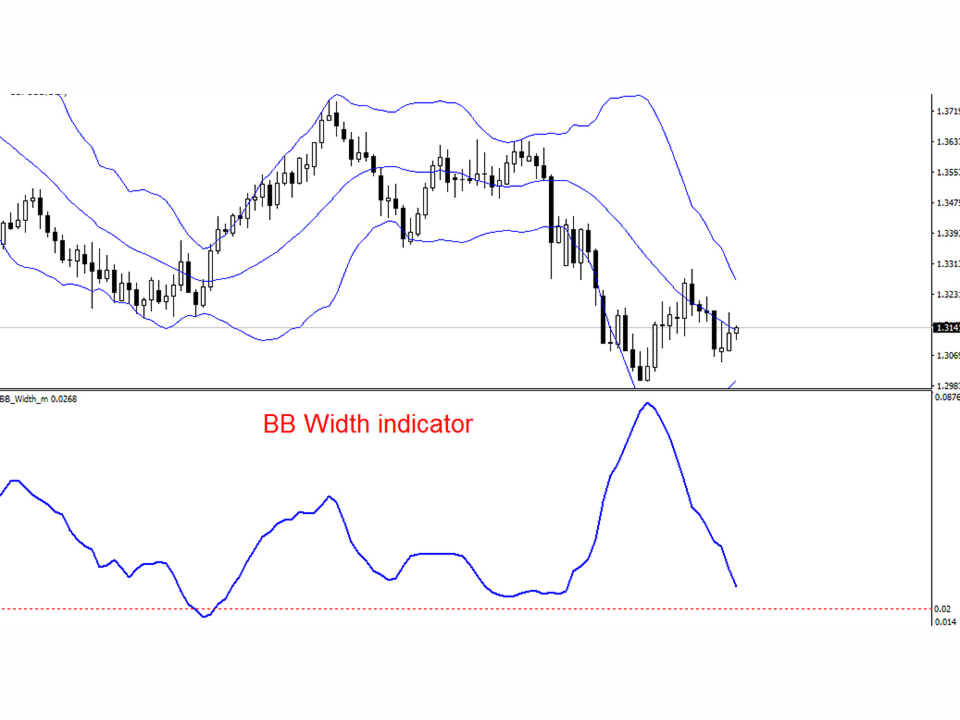
- -BB Width indicator is designed for use together with standard Bollinger Bands indicator.
- -This trading tool is must have for every trader who use Bollinger Bands indicator, because their combination is very efficient to trade Breakouts.
- -BB Width indicator shows the distance (span) between Bollinger Bands.
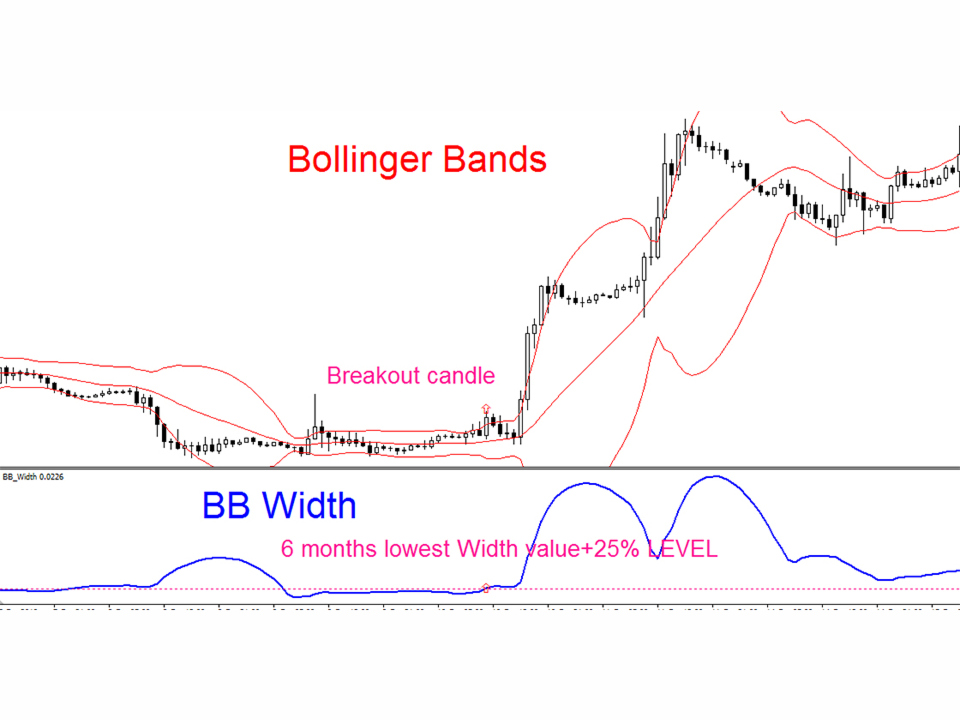
HOW TO USE BB Width (See the example on the picture):
- 1) Find the lowest value of BB Width of the last 6 months and add 25% to this value to get Breakout LEVEL.
- 2) Attach Breakout LEVEL on BB Width indicator. Also attach Bollinger Bands indicator to the chart.
- 3) Wait until price stuck in flat between Bollinger Bands indicator borders and BB Width value is below the Breakout LEVEL.
- 4) Wait for breakout through Bollinger Bands indicator border (candle should close outside of bands), check BB Width - it should be above the Breakout LEVEL.
- 5) Open market order into the direction of breakout, set up the SL on the opposite Bollinger Bands border.
- Set the TP at least 3 times bigger than SL (depending on support/resistance areas on a higher timeframe).
This is original product which is offered only on this MQL5 website.