 MetaTrader 5
 Experts
 Indicators
 Libraries
 Utilities
 Widgets
 Rules
Rules
Watch the Market tutorial videos on YouTube
How to buy а trading robot or an indicator
Run your EA on
virtual hosting
virtual hosting
Test аn indicator/trading robot before buying
Want to earn in the Market?
How to present a product for a sell-through
New Expert Advisors and Indicators for MetaTrader 4 - 290
 Trading robots perform market transactions automatically, while indicators allow you to better analyze quotes and predict the price behavior.
With these applications, you will be able to perform deals in MetaTrader 4 in a more informed manner, while capturing more opportunities.
Trading robots perform market transactions automatically, while indicators allow you to better analyze quotes and predict the price behavior.
With these applications, you will be able to perform deals in MetaTrader 4 in a more informed manner, while capturing more opportunities. 
Take your investments to the professional level with Auto Grid Investor, this expert will place a set of coordinated orders every certain amount of points, taking advantage of the price oscillations, regardless of the direction taken, once the market has changed it's behaviour; Auto Grid Investor also will change the investment parameters on all the orders, managing automatically many more orders than you could control manually. Don't waste time finding out the optimal parameters for the c
FREE

Swing Trade Breakout is a fully automated expert advisor. This expert advisor is based on breakout trading strategy and is a breakout through support and resistance that suggests that the market is pausing or consolidating. The bulls cannot create pressure for a higher high and the bears cannot create a lower low. So if the inside bar breakout is bullish, typically want to buy. But if price turns against and it breaks the lower level of the inside bars, the system mechanism will consider rev

Avg - the adviser uses many moving average indicators to search for signals to enter. Works in fully automatic mode! You do not need any settings, you can use the default settings. The bot passes the historical gap for the 19-year period from 2000 to 2019. Unlike alternative developments, this bot can simultaneously trade both on buy and on sell. That is, it has two independent systems of analysis. This is a significant advantage in real life because it gives the opportunity to achieve signific

The Expert Advisor algorithm determines the formed trend movement, and starts working in the direction of the existing trend. To determine the direction of price movement, the EA uses candlestick analysis, certain technical analysis patterns, significant price levels, trading volatility both separately and combined with the obtained data. Each deal is managed by a tight trailing stop, which is applied to both profitable and unprofitable orders. An example of the correct installation of the EA is
Description: The indicator of tick volumes Better Volumes allows you to assess the general mood of the market and quite accurately catch the moments of the formation of large movements. The indicator is a color histogram in an additional window. In the calculation of Better Volumes the Price Action combinations are taken into account, the values of the volumes with the height of columns and color marking are displayed. Input parameters: Display_Bars - the number of displayed bars (at 0, all are

Automatic/semi-automatic trading robot, working on AB = CD pattern signals. It can work as an indicator. Supports sending signals in notifications, to a mobile device, as well as e-mail. This EA has been ported from the Harmonic ABCD Wizard version for the MetaTrader 5 trading terminal . A more detailed description of the EA can be found here . And also in the blog . Parameters
EA Values magic - magic ID deviation - deviation Parameters Peak ZigZag minPeakDist - the minimum distance of the Zi
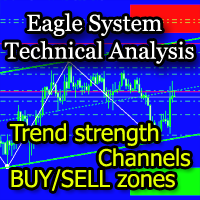
The EagleSystem indicator is a complete trading system.
The indicator algorithm determines wave movements, price channels formed, Pivot-levels, zones of intended purchases and sales (overbought / oversold zones).
The indicator can be used both independently and as an addition to any trading system.
Settings Alert for turning points - Alert when forming a point; Send Emails - Send to e-mail; Display the EagleSystem - Show price peaks; Alert at the color dot change - Alert when the dot changes

Triton Arrow - уникальный авторский индикатор, имеющий возможность отображать 3 типа сигналов. Которые появляются в направлении текущей тенденции, и против нее, а также при определенном превышении волатильности. Triton Arrow подходит для любого таймфрейма, валютной пары. Сигналы индикатора не пропадают ни при каких условиях. Рекомендуются таймфреймы M5, М15.
Параметры индикатора
Основные настройки ( Main Settings ): CounterTrendPeriod - период для расчета сигналов против тенденции, и расчета
Euro Momentum es un EA que opera en el par EURUSD,en temporalidad de 5 minutos. Usa el canal de Donchian y el indicador de Momentum para determinar los momentos de entrada y salidas en el mercado en base a la tendencia existente y al volumen. No se usan sistemas de GRID,ni martingala,así como estrategias de entrada en las aperturas de mercado,ni momentos donde los spreads son muy altos ,ni ninguna otra práctica dañina para la cuenta. El lotaje recomendado según el capital sería: Cuenta de 1000 =
FREE

Base Trading System (MTF) MULTI TIME FRAME
For Single Time Frame click here BASE TRADING SYSTEM MTF is a useful tool to trade with simple strategy. It draws automatically base up for long trade and base down for short trade. Clear trade when base is going opposite direction. User can trade by instant market entry or by pending order entry. It depends on user best strategy. input: Arrow UP, Arrow DOWN. Base Box Color- UP base box , DOWN base box, UP base shadow, Down base shadow.

Hello guys, This is my New EA. You can try this. But first note few things. This EA has high risk, high drawdown. So your deposit should be large enough to use this EA. This EA use only pending orders. No complex strategy. Only use this EA for positive swap charge trades . Because some orders must hold for long term for hit TP. Use minimum lot size(0.01) to trades and use a trading account that can open 1000 open position or more. minimum deposit 10000USD or if you use cent account you can sta

EZ.Smart Trend This EA uses a variety of strategies and functions such as neural network grid scalping, mobile stop loss, automatic lot number setting, etc. Use revolutionary price model algorithms, price behavioral trading, and signature collaborative work with artificial intelligence adaptive processing units. The system adopts some kind of reverse sampling development method, which makes the system show a very substantial benefit in the 13-year historical backtesting. Profit drivers to keep

This dashboard is designed and simplified for use on the standard mt4 terminal. There are 1 spread columns and adjustable signal columns for 5 different timeframes. For the signals, I used a special indicator that I developed and called mars. I haven't published the Mars indicator in the market yet. You can use this indicator only as dashboard signals. I'm in preparation for an expert for the indicator, and I will publish it when it's ready. ( Published https://www.mql5.com/en/market/product/40

Marsi Expert is an effective advisor especially at low spread rates. Tested and designed on M5 & H1 chart in EURUSD. There is no input option other than lot selection and Magic number selection. The other settings will be adjusted according to the time period of the chart you will put on the Expert. Advanced versions will be updated with renewed sales price. * Must be tested on demo accounts before using in real account, due to your broker behavior.

Distance Breakout EA is a Forex Robot that uses a set of calculated distances. One for Buy Long and another one for Sell Short, and automatically detects true price breakout based on that distances. It uses two sets of number of bars, Fast and Slow periods, to calculate and analyze the breakout. G U I D E E B O O K Download it here for free: https://www.yumpu.com/en/document/view/65402349/under-the-radar-forex-masterstroke Click here to get the demo version so you can forward-test

PROFIT CALCULATIONS
Manual Trade floating minus $ 1 x 30 pip = - $ 30
The first EA transaction is floating minus $ 2 x 20 pip = - $ 40
The second EA transaction is floating minus $ 4 x 10 pip = - $ 40
Third EA transaction $ 8 x 0 pip = + $ 0
The fourth EA transaction is profit of $ 16 x 10 pip = + $ 160
Profit = -30 - 40 - 40 - 0 + 160 = profit + $ 50
PARAMETERS StarLotManual this is the first manual lot you trade, used to calculate the next lot from EA Multiplier Lot multiplication va

The Sentiment Ratio indicator gauges current Market Sentiment between -100% and 100%, where lower than -40% is considered Bearish and higher than 40% is Bullish. The channel between the two is considered Neutral. The indicator has been a very useful filter tool for signals within a trading system.
Example call function: int SentimentIndicator(double triggerLevel)//Return sentiment if trigger level is activated { double sentimentRatio=iCustom(NULL,0,"Sentiment Ratio",0,0,0); if(sentimentRat
FREE

The Multi Trendlines indicator automatically draws the dominant trendlines on the current chart. The indicator looks for the 5 best Up trends and the 5 best Down trends as at the current price, drawing each trendline if filter conditions are met. The trendlines are named "Trendline"+[Direction]+Symbol()+TrendlineSequenceNumber For example: The second Up trendline on a EURUSD chart would be named "TrendlineUpEURUSD2". To get its current value would be: ObjectGet("TrendlineUpEURUSD2",OBJPROP_PRI
FREE
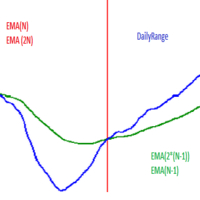
Hello! This EA uses selected time frame exponential moving averages and higher time frame (daily) exponential moving averages in combination with daily price action to determine whether or not to open a trade. Below is a description of input parameters: MN - Magic number; PTS_Risk* - Variable that is connected with PROC_Risk in order to calculate position size; PROC_Risk* - Variable that is connected with PTS_Risk in order to calculate position size; ONE_ORDER_A_DAY - If true then open maxi

Tick Hamster for MetaTrader 4 — Fully Automatic Trading Expert Trading without complicated setup. Tick Hamster is an automated trading Expert Advisor for MetaTrader 4 designed for traders who want a simple, ready-to-run solution with automatic internal optimization. The system is built for users who prefer to start quickly, avoid deep parameter tuning, and use an Expert Advisor that adapts its logic to the current trading symbol. Install it, set your lot size, and let the algorithm work. Tick Ha
Accumulation/Distribution (AD) indicator with multi-timeframe support, customizable visual signals, and configurable alert system.
Freelance programming services, updates, and other TrueTL products are available on my MQL5 profile .
Feedback and reviews are highly appreciated!
What is AD? The Accumulation/Distribution (AD) indicator, developed by Marc Chaikin, is a volume-based indicator designed to measure the cumulative flow of money into and out of a security. It relates changes in price a
FREE
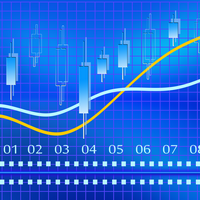
One of the powerful methods of analysis is the modeling of financial series using Levy processes. The main advantage of these processes is that they can be used to model a huge number of phenomena - from the simplest to the most complex. Suffice it to say that the idea of the fractal price movement in the market is only a special case of Levy processes. On the other hand, with proper selection of parameters, any Levy process can be represented as a simple moving average. Figure 1 shows an exa
Simplify forex analysis: evaluate currency strength with ease
This indicator evaluates all eight individual currencies by reading major, minor and crosses pairs using an indicator of your choice, and processing each currency into an index, which you can use to know the market situation of any particular currency in a simple, familiar and understandable way. [ Installation Guide | Update Guide | Troubleshooting | FAQ | All Products ] Find strong and weak currencies at a glance Compare one currenc
I recommend you to read the product's blog (manual) from start to end so that it is clear from the beginning what the indicactor offers. This multi time frame and multi symbol indicator sends an alert when one or more trend reversal candle patterns have been identified on several time frames. It can be used with all time frames from M5 to MN. It is possible to enable moving average or RSI trend filter to filter out only the strongest setups. Combined with your own rules and techniques, this

Curiosity 6 The Perfect Wave It is an advanced trading system. This is a fully automatic Expert Advisor, which allows you to presize the trade according to the preferences of the trader. Curiosity 6 have more than 260 customization options for your trade. Different options for different styles of trade. Curiosity 6 The Perfect Wave is a Trend system of trade with different algorithm of trade mode. This EA using signals to place orders. Is a revolution in the customization of the trading. Th
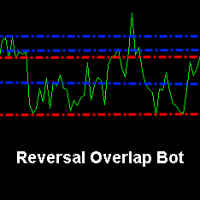
Reversal Overlap Bot is an automated trading strategy. No technical indicators are used in the work. At the beginning of trading, the first order is placed in a certain direction (at your option). When you open a new candle, this order is closed if it is in profit. Otherwise, the next order opens in the opposite direction. Orders are closed when profit is reached. If there are unprofitable orders on the chart, the robot will close one of them. When closing loss-making orders, the profit covers t

The EA uses a strategy based on the average price deviation using the following indicators: Bollinger Bands, Envelopes and Standard Deviation , as well as support and Resistance levels for the best signals. The first order is opened for price Deviation and subsequent orders are opened from the support and Resistance levels, and trading can be inside the Support and Resistance levels. The EA uses only the M5 timeframe and trades on most of the major pairs. EA is safe if you comply with the re
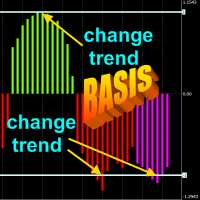
The principle of the indicator.
The Asummetry indicator allows you to predict the beginning of a change in the direction of trends, long before their visual appearance on the price chart. The author statistically revealed that before changing the direction of the trend, the probability distribution function of the price is made as asymmetric as possible. More precisely, the price movement in any direction always pulls sideways the function of its dist
Adapted RSI indicator (according to DeMark), automatically constructed Fibonacci lines and convenient active information panel create reliable conditions for profitable multicurrency trading by the advisor Signals Provider RSI and Fibonacci Attaching EA to different windows of currency pairs creates a hedging effect (minimizing the risk of unforeseen market price fluctuations). To do this, after attaching EA to the currency pair window, you need to change the MagicNumber number and, accordingly,

WeightTF FREE is a free demo version of the WeightTF automated trading system, which is based on intelligent monitoring of a number of strategies for each time frame of the currency instrument. The user manually sets the numeric parameters of the “Weight” of each timeframe, and the robot makes a decision on opening a trading order to buy or sell on the set of signals for each timeframe. The main idea of a trading robot is minimization of false entries into the market, which arise due to the sh
FREE

EA works with none of the technical indicators. It works on logic, every jump has the reversal, It waits for the jump and on reversal it begins to trade. No standard indicators. No grid trading. No arbitrage. No curve fitting according to back-test results No Hedge Very low Stop Loss Ratio Tested with 99.90% data Modelling quality. Recommendations : Developed for M1, EURUSD ECN Broker with 5 points Settings Spread: Need to be as low as possible. Trailing Status: trailing stop usage option Tr

Advisor Stability EurChf, Gbpchf works on currency pairs EurChf, Gbpchf timeframe is m1! In the video below the description of the test with the quality of modeling 99.90%! Please note that the standard quality of modeling on the timeframe is M1 25%! Expert Stability EurChf, Gbpchf works in a calm market, which allows you to avoid poor execution of orders!The principle of work of the adviser is scalping from levels in a calm market!
Please pay attention to the test that all systems have d

Forex Kryptonite Kryptonite expert Advisor has no analogues , it was created on the basis of trading experience in the markets for more than 15 years. The EA has good information and shows excellent profitability, but still, at the heart of the EA is the security of the trading account. There are many included trading modules that improve the trading process of the robot and the trader, as well as the ability to connect the news indicator and connect your indicator. The EA has a trading strate

Often it is necessary to analyze the history of order opening/closing on your real or demo trading account, or to take a screenshot of the terminal chart to see how well you or an EA performs. This is where the "Analysis of Orders History" tool comes in. The tool scans the history for all orders with the specified magic number and displays orders on the terminal screen, draws the history of deals opening and closing, and connects them with lines to make them clearly visible. Red arrows represent

The utility is designed for manually placing the first order in trading with a user-defined magic number that corresponds to the magic number of the currently running EA. You can choose the direction for opening an order and open it using "The First Order". After that, disable "The First Order" and enable your trading expert, which picks up the newly placed order and considers it to be its own, managing it accordingly. Trading experience helps traders to better determine the trade direction than

EA works with none of the technical indicators. It works with logics in slow market. It's very important to give GMT-offset value to EA. GMT-offset value is the value that need to be according to chart off-set time. If your chart is GMT +3 than give GMT Offset value 3. Tested with 99.90% data Modelling quality. Recommendations : Developed for M1, EURUSD ECN Broker with 5 points Settings Lot Size: manual lot size if "money management" is disabled Money management: EA will decide the lot size if t

Kryptosystém automaticky Automatický kryptosystém je v súčasnosti plne automatizovaný so všetkými špeciálnymi vlastnosťami a funkciami, je kontrolovaný a pravidelne monitorovaný. Jeho vývoj, parametre a jednotlivé algoritmy sú odborne vyhodnotené a optimalizované skúsenou vývojovou skupinou programátorov, ktorí vyvíjajú nové aktualizované verzie systému. Na rozdiel od ostatných systémov sme sa zamerali na vytvorenie systému, v ktorom je spätné testovanie úspešných výsledkov zodpovedajúce situ
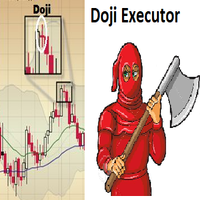
Doji Executor is an expert advisor who works by opening a trading position after detecting a doji candle, according to the doji formation.
Continuation formation bull - doji - bull = buy bear - doji - bear = sell
Reversal formation bear - doji - bull = buy bull - doji - bear = sell
with this ea, you don't need to monitor the chart all day long just to find a doji candle Pair = all pair Time Frame = all time frame suitable for use with brokers who give rebate programs please test first in th

Open Orders Engineering Panel This Utility is NOT created to open any order or trade for Traders but to manage open orders in diverse ways with these 15 different functions On-chart BUTTONS features: Apply TP: Apply Take-Profit to any order without take-profit Apply SL: Apply Stop-loss to any order without stop-loss Apply TP and SL: Apply both Take-Profit and Stop-loss to any order without them Cancel TP: You can cancel your Take-profit Cancel SL: You can cancel your Stop-loss Cancel TP and SL
TradingDesk Demo – Performance Analyse MT4 This is a Demo version of TradingDesk indicator which is limited to show only EURUSD. Full version can be found here: https://www.mql5.com/en/market/product/40189
TradingDesk analysed MetaTrader 4 historical data by Symbol, Magic Number, Trade or Comment. All these evaluations will be displayed in real time on your MetaTrader 4 chart window.
All this information will be displayed in the following dashboards: account info General information about the
FREE
TradingDesk – Performance Analyse MT4
To test the indicator download free Demo version here: https://www.mql5.com/en/market/product/40471
TradingDesk analysed MetaTrader 4 historical data by Symbol, Magic Number, Trade or Comment. All these evaluations will be displayed in real time on your MetaTrader 4 chart window.
All this information will be displayed in the following dashboards: account info General information about the account is displayed in the account info dashboard. performance inf

White Shark is a fully automatic Expert Advisor. It can actually outsmart a market by placing BUY and SELL orders when the requirements are met. It uses an advanced technology to place orders in the right time with the right lot. This robot is designed for beginners yet expert traders: Most of the inner parameters are hidden from user so that even a beginner will not mess up. You can download this Ea and back-test. I personally used a 99.9% real tick data for back-testing for an accurate result.

Heiken Ashi Trend (EURUSD M30) This EA has been developed for EURUSD M30, e verything is tested and ready for immediate use on real account. This Expert Advisor is based on continuation of TREND by HEIKEN ASHI CANDLES. It uses STOP pending orders with ATR Stop Loss . To catch as much profit as possible there is also a BREAKEVEN functions provided Every Friday at 9:00 pm we are closing trades to prevent weekly gaps.. !!!Adjust these times to your broker time. Preset values are for UTC+2 on

This expert works with the strategy of supply and demand, whether the offer is stronger buy or demand stronger selling in addition to several indicators working with them as confirmation of the right to enter the matter is good result I added capital management with this strategy risk management to be an expert resistant to all market conditions from news to Otherwise

Full Dashboard Trade Panel Utility is built to perform overall task of trades and order managements to make trading an easy task for every trader that bought and using it. It comprises of three sections with each having a shift setting for a convenient placement as desired: 1. Trades Managements Panel 2. Basket Trades Panel 3. Symbol and Time frame Changer Each of these three sections has its own unique functions and roles to perform for a complete enjoyable forex trading ex

GBP Strength VAR es un EA para la divisa GBPUSD, que actúa en temporalidad de 5 Minutos. Está construido principalmente en base al Oscilador Awesome y la desviación estándar. Por tanto se busca detectar la fortaleza existente en los movimientos de los precios, y predecir por tanto si existe una tendencia alcista o bajista en el mercado para posicionarse en consecuencia. Con objetivo cortar pérdidas y dejar correr ganancias, el robot tiene Stop de pérdidas, pero no usa profit fijo. No se usan si
DBD AND RBR CANDLESTICK PATTERN: This indicator based on the concept of two candlestick patterns. DROP BASE DROP (DBD) is a buy candlestick pattern and RALLY BASE RALLY (RBR) is a sell candlestick signal pattern. The arrows indicate potential signal setup for long trade and short trade. This indicator includes pop-up alert, push to phone and send to email alert which can be enabled and disabled. The color and size for DBD and RBR can be changed.
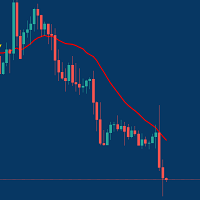
Managing Trades With Moving Average EA : Many Traders like using Moving Averages for trend confirmation , and timing Entry and Exits . With Semi- Automatic Moving Average EA we provide effective way to manage open trades as per your Moving average strategy and uses MA as trailing stop loss. EA considers only closing price of candle therefore avoids stop outs caused by sudden price fluctuations and helps to stay in trend longer. You can decide which MA to use and various settings of MA
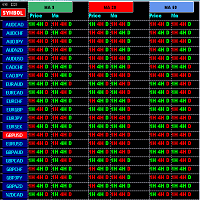
Constantly checking multiple pair & charts during day and still missing trade opportunities ? Let Market scanner do this job and you just focus on analysing opportunities and making trading decisions. Specially developed for need of intraday & scalping Traders . Must have tools for active traders. Market scanner indicator constantly monitors all Pairs from your MT4 watchlist for 9 /20 /50 Moving Average crosses in 1HR ,4HR & Daily Chart along with Closing price of last candle and alerts you if
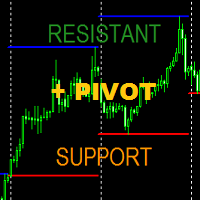
Indicator can drawing Support Level (Lowest price of choosed Time Frame) and Resistance Level (Highest price of choosed Time Frame), and this indicator can drawing last of Pivot Level from the Last of Support Resistance Level. Support and Resistance based Highest and Lowest at choosed Time Frame can be your next good experience for your forex trade to maximize your trade win and lost ratio.
Parameter : _S_and_R__Setup_ , Default is # SUPPORT AND RESISTANT # , No Need To Change Drawin

Partial Close Wizard Script is a script created to execute a partial close on any already profitable order in order to permanently lock in some part of the profits and reduce the lot size in the process. It can also be used to reduce the loss presently incurring on a trading account by cutting part of the loss and reduce the lot size to save the account from being wiped out. How to use: It is easy to use; just attach it to the chart of the same currency pair you intend to close the part of the p

Forex Daily Percentage Calculator Forex Daily Percentage Calculator indicator is created for the Trader who cherishes the discipline of choosing only a percentage of their Trading account balance as profit per trade, per time or day. All you need to do is enter your desired percentage of your account balance, enable the notification popup alert to know when it has been attained so as to get out of the market till another day or trade. This helps the traders who are using it to determine a certai

Советник Ilan CarMen -это аналог советника, с добавлением множества дополнительных логик и возможностей для торговли, с оставленными настройками советника . Советник торгует по системе Мартингейл с увеличением последующих лотов в серии ордеров, с целью их усреднения. Первый ордер робот выставляет по сигналам встроенного индикатора. Так же советник имеет возможность прекращать торговлю в зависимости от новостей от сигналов новостного индикатора. Ilan CarMen можно использовать либо на одном графи

Agent Zero is a fully automatic Expert Advisor for Extreme Scalping Trading. This Expert Advisor needs attention, in fact presents a High Operating Frequency . Agent Zero is based on continuous openings , these Trades can be filtered with some indicators, Ma and Adx. The expert advisor is able to get a high-profit of winning trades.
Signal : https://www.mql5.com/en/signals/496936
Strategy involved :
Scalping Stop Loss Level of account equity Smart way to open order and close orde
This system is based on an individual indicator and allows the constant trading of certain ranges and trends. The drawdrown is limited in this standard system and is not designed for short-term. The Expert was designed for the time units 5 minutes, 15 minutes, 30 minutes or 60 minutes. The system follows the stoploss according to certain rules. These rules are part of the individual indicator. The system is based on an individual indicator that considers various levels and the trend.

TPA True Price Action indicator reveals the true price action of the market makers through 100% non-repainting signals (except early signals mode) strictly at the close of a candle!
TPA shows entries and re-entries, every time the bulls are definitely stronger than the bears and vice versa. Not to confuse with red/green candles. The shift of power gets confirmed at the earliest stage and is ONE exit strategy of several. There are available now two free parts of the TPA User Guide for our custom
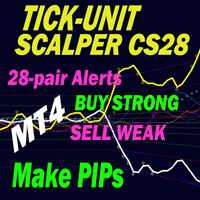
CURRENTLY 26% OFF !! This indicator is a super combination of both our main indicators ( Advanced Currency Strength 28 & Advanced Currency IMPULSE with ALERT ). It shows Currency Strength values for TICK-UNITS and alert signals for 28 Forex pairs. 11 different Tick-Units can be used. Those are 1, 2, 3, 4, 5, 6, 10, 12, 15, 20, and 30 Seconds. The Tick-Unit bar in the sub-window will be shown and shifted to the left when there is at least 1 tick within the second’s timer. With only ONE chart y

Introduction
H4 Trend Forex trading robot - An easy to use and fully automated trading robot designed to trade the H4 chart to catch trend movements. Buy/sell signals generated by crossing moving average indicator. Orders always use virtual stop loss,take profit and trailing stop plus a following hard stop just in case a loss of sever connection occur to secure funds. Characteristic features No dangerous techniques such as martingale, hedging or any other Low draw down Safe stable trading Easy t
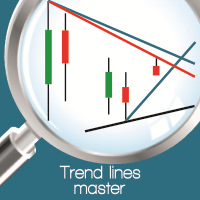
Summary Create precise, high-probability trend lines in seconds with this powerful automated tool. Description Trend Lines Master revolutionizes your technical analysis workflow by automatically generating precise trend lines based on proven methodologies. No more tedious manual drawing or second-guessing your chart patterns! This advanced indicator leverages Bill Williams Fractals to identify critical market pivot points and generates both inner and outer trend lines with remarkable accuracy. S

In order to isolate long-term and non-random components, it is necessary to know not only how much the price has changed, but also how these changes occurred. In other words - we are interested not only in the values of price levels, but also in the order in which these levels replace each other. Through this approach, one can find long-term and stable factors that influence (or may influence) the price change at a given point in time. And knowledge of these factors allows you to make a more

Night Smart Grid
Night Smart Grid is an expert Advisor working at night (Asian session) according to its own algorithm.
The EA can open from 1 to several orders depending on the market situation in the Asian session.
The EA trades GBPUSD profitably.
Timeframe M15
To trade you need to correctly set the GMT of the broker.
Minimum Deposit 250$, lot 0.01
The parameters of the EA:
Lot; Lots from Deposit - true/false; Max Lots (0-auto); Min Lots (0-auto); % from Deposit; GMToffset; MagicNu
Ace Supply Demand Zone Indicator The concept of supply demand relies on the quantity mismatching between buying and selling volumes in the financial market. Supply and demand zone can provide the good entry and exit. A zone is easier to trade than a line. The supply demand zone can provide the detailed trading plan and the risk management. Its ability to predict market direction is high. There are two distinctive points about Ace Supply Demand Zone Indicator. Ace Supply Demand Zone indicator was

FFXMV Dashboard + CSM is a custom indicator combined with Currency Strength Meter . It is created to give the Traders a full view of what is going on in the market. It uses a real time data to access the market and display every bit of information needed to make a successful trading. Before attaching this Indicator to your window chart, go to your MT4's Market Watch panel and HIDE all the Currency pairs you don't need or trade and leave the rest there. The reason is that FFMV Dashboard will DISP
This LEGIT Indicator Can Accurately Predict the Outcome of One Bar.
Imagine adding more filters to further increase your probability!
Unlike other products, Binary Options PRO can analyze past signals giving you the statistical edge.
How Increase Your Probability
Information revealed here www.mql5.com/en/blogs/post/727038 NOTE: The selection of a Good Broker is important for the overall success in trading Binary Options.
Benefits You Get
Unique algorithm that anticipates price weakness. Gene

The gravity line indicator to which the price always returns. This is a kind of center of attraction and a magnet for price. Allows you to trade on the trend and on pullbacks. It works on all timeframes, on any currency pairs, metals and cryptocurrency Can be used when working with binary options
Distinctive features Does not redraw its values; Price always returns to the line of gravity; Based on the laws of balance; It has simple and clear settings; It works on all timeframes and on all symbo

Mars 6 is a Oscillators indicator is a powerful indicator of Break Zone for any par and any timeframe. It doesn't requires any additional indicators for the trading setup.The indicator gives clear signals about opening and closing trades.This Indicator is a unique, high quality and affordable trading tool.
Perfect For New Traders And Expert Traders Low risk entries. Never repaints signal. Never backpaints signal. Never recalculates signal. For MT4 Only Great For Scalping Great For Swing T

Swing Trade Reversal is an automated expert advisor. This expert advisor is based on the trend reversal strategy and is used to evaluate oversold and overbought market conditions. Swing trading is a short-medium speculation based on reading the buying-selling force in the price chart. Trading at a vantage point and having a low risk with a trend reversal pattern. This EA has passed 11 years back test of real tick data (2008-2019)
Key Features
Timeframe: M15
Currency pairs: GBPUSD
Use 4 or 5-d

A simple tool for trading on trend and horizontal lines. A small panel of buttons on the chart allows you to set trigger lines in one click and track their status. Market orders open automatically when the price touches the lines. The order direction (Buy or Sell) is set by the line color when it is installed. Allows you to apply an unlimited number of lines, they will work as the price touches. You can create any graphic patterns: levels, channels, triangles, flags, grids, etc.
The principle

F ully automated Expert Advisor using the advanced algorithm for trading the EURUSD and GBPUSD currency pair. Designed for profit in a short period of time and big profit in a long run.
Prefers EURUSD and GBPUSD. Set up to work on EURUSD and GBPUSD M15. Principle of operation The Expert Advisor uses MACD and MA to open orders. The SELL and BUY orders are opened (depending on the parameters set), guided by signals and the market situation.
Deposit
The expert adviser can run with as l
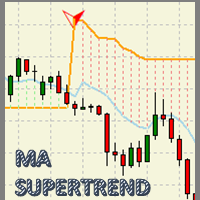
MA Super Trend An indicator based on the average maximum and minimum of a candle period, and next to the average true range (ATR) result in a powerful visual work tool to optimize the trend zones and potential areas of market entry. With great adaptability in any type of financial asset and with a potential for visual simplification in the graph, which will make the graph a simple work table. Accompanied by sound notifications, direct messages and enabled emails for an efficient trading experien
Do you know why the MetaTrader Market is the best place to sell trading strategies and technical indicators? No need for advertising or software protection, no payment troubles. Everything is provided in the MetaTrader Market.

You are missing trading opportunities:
- Free trading apps
- Over 8,000 signals for copying
- Economic news for exploring financial markets
Registration
Log in
You agree to website policy and terms of use
If you do not have an account, please register