
Crypto Hunter
- Experts
-
Dragan Drenjanin
 🔴 My products on MQL5 → https://www.mql5.com/en/users/drgandra/seller
 - Version: 1.17
- Updated: 26 February 2026
- Activations: 5
The Crypto Hunter Expert Advisor
The Crypto Hunter Expert Advisor (EA) is specifically designed for trading on BTC/USD. With its minimalist design, the robot is exceptionally user-friendly, making it ideal for traders of all experience levels. The trading frequency of Crypto Hunter is intentionally set to a lower rate to enhance precision. This deliberate approach allows the robot to focus on making high-quality trades rather than frequent ones. Additionally, Crypto Hunter can be effectively paired with other robots, such as Crypto Kong, Kon AI, Crypto Monkey, etc., to build a diversified trading portfolio. This strategy enables multiple robots to trade on the same symbols but with distinct rules, providing a balanced and comprehensive approach to crypto trading. For optimal performance, it is highly recommended to use Crypto Hunter with a Virtual Private Server (VPS). A VPS ensures uninterrupted connectivity and execution of trading strategies, which is crucial for maintaining consistent trading results, especially in the volatile crypto market.
Important Consideration:
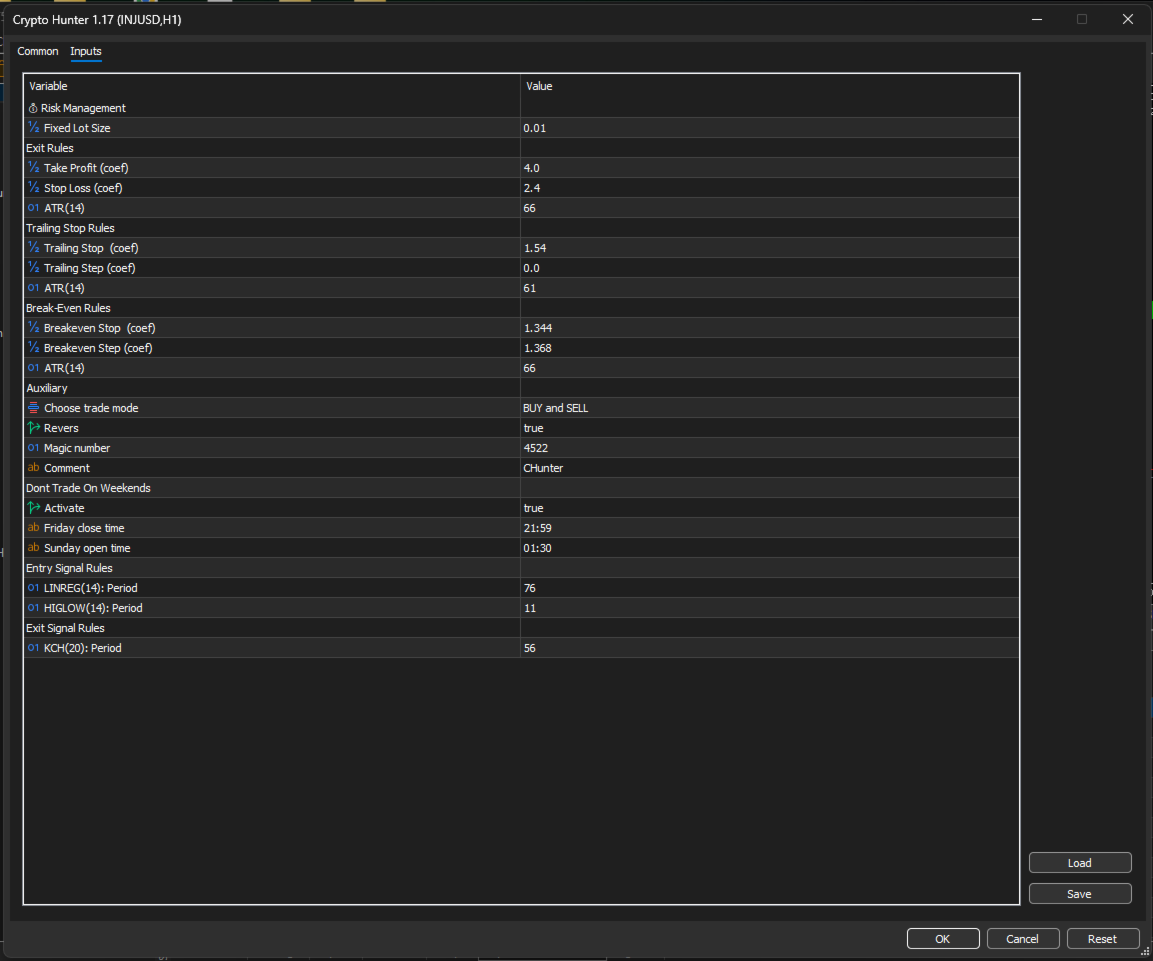
When using Crypto Hunter across multiple charts and timeframes, you must assign a unique magic number each time. This is crucial to prevent conflicts and ensure that each chart and timeframe is managed independently. Similarly, if you are running Crypto Hunter alongside other EAs, make sure each robot is assigned a distinct magic number. This prevents overlapping trades and ensures that each robot operates with its own set of rules.
|How to Find Your Ideal Setups
To discover the most promising symbols and timeframes for your trading style, follow these straightforward steps in the MT5 Strategy Tester:
- Prepare the Market Watch—Enable all desired symbols (recommended: popular cryptos, alt coin, mem coin, all major/minor forex pairs, metals, and key indices).
- Set Testing Parameters—Choose a suitable historical period (start and end date) with good data quality.
- Run Optimizations/Tests—Test across multiple timeframes (e.g., M15, M30, H1, H4, etc..) and symbols.
- Analyze Results—Select the combinations that show the best balance of profit factor, maximum drawdown, win rate, and overall stability.
Once you've identified your top-performing sets, move forward. validation:
- Run the selected settings on a demo account for several weeks to a few months to confirm real-market behavior.
- After successful demo results, deploy on a live ECN account (preferred for low spreads and fast execution).
- Use a reliable VPS (private or rented) to ensure 24/7 operation, minimal latency, and proper position management.
Important technical note: If running multiple instances (different symbols, timeframes, or strategies), assign a unique magic number to each one to avoid conflicts.
Recommended:
- BTC/USD (H1 )
This setup helps to balance precision and trading activity according to the selected timeframes.
- Platform type: MT5
- Account type: Any
- Check section >> What's New <<
- If you buy now, you reserve the right to own new upgraded versions of the robot, which will appear at specific time intervals continuously.
Note:
Useful Links:
Installation Guide
- For detailed instructions on purchasing and installing a trading robot from the MQL5 Market, please refer to the following article: https://www.mql5.com/en/articles/498
- How to Test a Trading Robot Before Buying: https://www.mql5.com/en/articles/586
WARNING: I sell all my products only via MQL5 website. If you see it somewhere else, be aware of a scam.




































































REALLY AMAZING