Copy Dog AI Trades Copier MT4

Copy Dog AI Trades Copier MT4

Copy Dog AI Trades Copier copies trades between MetaTrader accounts and lets you set the copying rules by talking in your language, or by typing your copying commands and account management on the chart panel in MT4 or MT5. Write or say what you want in plain words, for example: "Copy only gold from now on, half the sender's lot size, and trail each copy 200 points behind the price." Google Gemini turns your words into rules, explains them back to you in plain words, and waits. The rules take effect when you press Apply.

You can talk to it in the chat panel on the chart, or from your phone through your own Telegram bot, typed or as a voice message. Later you can ask "How did my copies do this week?", "Pause copying" or "Close all my gold copies". For an action on open trades, it shows the exact list of trades it will touch and acts when you confirm.

MT5 version can be found here. The two work together: an MT5 sender can feed an MT4 receiver and the other way round.

HOW IT WORKS FOR YOU

  1. Attach the program to a chart of the account whose trades you want to share: Role = Sender.
  2. Attach it to a chart of the account that should copy: Role = Receiver, with a name of your choice (the Receiver ID).
  3. Tell the receiver how to copy, in the chat panel or on Telegram. Read the answer and press Apply. Or press "Start copying everything 1:1" on the panel's Status tab.
  4. The receiver copies new trades and pending orders, stop loss and TP changes, partial closes and closes, by your rules, and keeps managing its copies.
  5. Ask for reports, notifications, a pause or an action on your open copies whenever you like.

FEATURES

Control from your phone

  • Your own Telegram bot (you create it with BotFather): chat with the AI, apply or discard proposals, confirm actions, see the status, the rules and reports, pause and resume, load profiles, and receive the notifications you ask for.
  • Voice control: send a voice message instead of typing. Google Gemini writes it down in the language you spoke, the bot shows what it heard, then handles it like typed text.
  • Write or speak in the language you prefer. The AI answers in the language you use.
  • Only the Telegram user IDs you allow get an answer. One bot can serve several receivers, MT4 and MT5 mixed.
  • Notifications you choose (copies, closes, guards, errors, reports, stop and target changes) to Telegram, MetaTrader push on your phone, and e-mail. Nothing is sent until you ask for it.

Copying rules in your own words

139 ready-made example sentences in 10 topics are built in (the Features tab in the panel, /features on Telegram). Change the numbers, combine several in one message, or ask in your own words.

Lot size (16 examples)
"0.05 lots on every copy" / "copy at 2x the sender's lot size" / "risk 1% of my balance per trade at the stop loss" / "first copy 0.01, second 0.02, third and later 0.04" / "at most 2 lots open on each symbol"

Stop loss and TP (13)
"stop loss 300 points and TP 600 points" / "TP at twice my stop-loss distance" / "stop loss 1.5 times the ATR of 14 bars on H1" / "keep my stop loss hidden from the broker"

Managing open copies (17)
"trail my copies 200 points behind the price" / "move to breakeven plus 10 points once 150 points ahead" / "split each copy into 3 parts with targets at 1, 2 and 3 times the risk" / "close all copies on Friday at 21:00" / "when the sender closes, keep my copy and trail it 200 points" / "when I close a copy by hand, close the sender's trade too"

What to copy (27)
"copy only gold and US30" / "copy only buy trades" / "do not copy pending orders" / "copy in the opposite direction" / "do not copy when the spread is over 30 points" / "copy only trades with magic number 123" / "copy the existing trades too" / "copy existing trades up to 4 hours old"

Time and news (16)
"copy only between 08:00 and 17:00 server time" / "do not copy on Fridays" / "no new copies 30 minutes before and after high-impact news" / "close my copies 15 minutes before high-impact news" / "do not copy on a bank holiday of the trade's currencies"

Entry price (10)
"do not copy if my price is more than 50 points worse than the sender's" / "if my price is worse, place a limit order at the sender's price" / "maximum slippage 20 points"

Account protection (14)
"if I lose 5% today, close all copies and stop copying" / "stop copying for the week after a 10% loss" / "close everything and stop if the drawdown reaches 20%" / "close all copies when their total gain reaches 200 USD" / "warn me when today's loss passes 3%, without closing anything"

Senders and symbols (6)
"follow only Gold-Signals" / "trades from Gold-Signals at half the lot size" / "copy XAUUSD as GOLD"

Reports and notifications (8)
"send me a report every day at 23:00" / "how did my copies do this week?" / "notify me on my phone when copies close or a guard acts" / "send me a report at 08:00 and at 22:00 on weekdays"

Do it now (12)
"close the first gold buy" / "close half of my BTC trades" / "close all losing trades" / "move EURUSD to breakeven" / "set the stop loss of my gold trades at 2650" / "delete all my pending orders" / "pause copying" / "what is my status?"

Account protection (guards)

  • Limits for daily, weekly and monthly loss or gain, drawdown, equity floor, the closed-trade result of the day, and the basket of open copies (also without swap or commission).
  • Actions: stop copying, close the copies, both, delete pending copies, warn only, basket trailing or breakeven, or close the whole account when you clearly ask for it.
  • Deposits and withdrawals are not counted as gains or losses.
  • Two hard limits in the inputs that every rule respects: Max lot per copy and Max open copies.

Reports

The Stats tab and /report show today, yesterday, week, month or all: closed copies, won and lost, win rate, net result, PF, maximum drawdown, the highest, lowest and average trade result, average win and loss, longest winning and losing runs, Sharpe ratio, recovery factor, and the long and short split with lots, plus the copies open now. Filter by sender and by symbol. The numbers come from your account history, not from the AI. Scheduled summaries up to 12 times a day.

Profiles

Save the rules of a receiver as a named profile and load them into any receiver on the computer, here or into all your receivers. A load asks you to confirm and keeps each receiver's own choice of senders and symbol names unless you ask otherwise.

Accounts and platforms

  • MT4 and MT5 in any mix on the same computer or VPS: MT4 to MT5, MT5 to MT4, MT4 to MT4, MT5 to MT5.
  • Many senders into one receiver, one sender into many receivers, and several receivers in one terminal.
  • Symbol names are matched automatically between brokers (prefixes, suffixes, aliases such as GOLD and XAUUSD). There is no symbol table to fill in.
  • A new receiver starts copying when you put its first rules in force: one button on the panel, or one sentence to the AI ("copy everything 1:1"). Copying 1:1 means the same lot, the same stop loss and TP, following the sender's changes and closes.
  • Trades a sender already has open can be copied once, through all your rules (a position at the current price, a pending order at the sender's price): by default when the first rules come into force, or at every start, or when you ask ("copy the existing trades now"), positions only or orders only, up to an age you choose.
  • Hedging accounts on MT4; with the MT5 version, MT5 netting accounts too.
  • After a restart, a crash or a power cut, each receiver continues where it stopped: it knows its open copies, follows what its senders did meanwhile, and copies nothing twice.
  • A receiver manages only the copies it opened itself. Your manual trades and other receivers' copies stay as they are, unless you ask for trailing of your other trades or a whole-account close.

Languages

The panel, the alerts and the Telegram bot are available in English, Chinese (Simplified), Chinese (Traditional), Russian, Spanish, Portuguese, Japanese, German, Korean, French, Italian, Turkish, Vietnamese and Indonesian. Choose one in input 1.0 Language or with the language button in the panel's header, or leave Auto to follow the terminal. Each Telegram user picks their own with /languages. The input names and the Experts tab are in English.

COMMANDS

Send these to your bot in Telegram. You can also just write or speak a sentence: anything that is not a command goes to the AI.

  • /help (also /start) - what the bot can do, with examples
  • /list (also /mt) - choose which receiver you talk to, when one bot serves several
  • /use <ID> - switch to a receiver by name (add the account number if the same ID runs on several accounts)
  • /status - open copies, floating result, copying, paused or stopped by a guard, rules version
  • /rules - your rules, with your own words and a plain explanation
  • /report [day, yesterday, week, month, all] - results of your copies (no word = today)
  • /pause and /resume - pause or resume copying (open copies stay managed); /resume also lifts a guard's stop
  • /apply and /discard - apply or discard the AI's waiting proposal
  • /updates on or off (also /unmute and /mute) - the notifications you asked for on or off; replies to your messages and the NOT RUNNING warnings still come
  • /features (also /examples) - the example guide: pick a topic, then tap a number to send that example to the AI
  • /languages (also /language) - choose your language (14 languages) or automatic
  • /profile save <name> - save the rules in force as a profile
  • /profile load <name> [all] - load a profile here, or into all your receivers (you confirm)
  • /profiles - list the profiles

Buttons you will see:

  • Apply and Discard under an AI answer that proposes rules.
  • Confirm and Cancel under a plan for open trades ("close all my copies"). The plan lists exactly which trades it will touch.
  • Receiver buttons under /list.

How a message is handled:

  • A change of rules ("half the lot size on gold"): the AI proposes it in plain words. Press Apply, or type apply, and it takes effect within a second.
  • An action on your open trades ("close all losing trades"): you get the list of copies it will touch and a code. Press Confirm, or type yes and the code, within 2 minutes.
  • A question ("what are my rules?", "how did I do today?"): the AI answers it; /rules and /report answer instantly.
  • A voice message: written down first, shown to you as "Heard: ...", then handled like text.

SET UP IN SHORT

  1. Install the program in each terminal you want to use (MT4 from this page, MT5 from its own product page). Turn on AutoTrading (MT4) or Algo Trading (MT5).
  2. In every terminal that runs a receiver: Tools > Options > Expert Advisors, tick "Allow WebRequest for listed URL" and add the addresses you need, typed exactly as here:
    httpѕ://generativelanguage.googleapis.com (Google Gemini: chat and voice)
    httpѕ://api.telegram.org (Telegram, when you use a bot)
    httpѕ://p5.net (the program's texts in languages other than English; add it in every terminal that uses another language, senders too)
  3. Attach the program to a chart of the account whose trades you want to share: Role = Sender.
  4. Attach it to a chart of the account that should copy: Role = Receiver, ID = a name of your choice. Paste your Gemini API key (Google AI Studio gives a no-cost key).
  5. For Telegram: create a bot with BotFather, put its token into "Telegram: bot token from @BotFather" and your numeric Telegram user ID into "Telegram: user IDs allowed to use the bot", then send /help to your bot.
  6. Write or say your rules, read the answer, press Apply. Start on a demo account.

REQUIREMENTS

  • MetaTrader 4 for this product (MT5 terminals use the MT5 product).
  • All terminals that take part, senders and receivers, running on the same Windows computer or VPS. Any number of terminals can run there.
  • AutoTrading turned on in each terminal, and "Allow live trading" ticked on each chart.
  • Your own Google Gemini API key for the chat; Google AI Studio offers a no-cost key. Copying, scheduled reports and the Telegram commands run without it.
  • Telegram, if you want to control the copier from your phone.
  • For round-the-clock copying, a VPS: hidden stops are held by the program and act while the terminal runs and is connected.
  • No DLLs are used.

MAIN INPUTS

By their section number in the Inputs tab:

  • 1.0 Role, ID of this Role (blank = automatic for a sender), Language, Get the latest language files from p5.net
  • 2.0 Gemini API key, Gemini model (leave empty)
  • 3.0 Telegram bot token, Telegram user IDs allowed to use the bot
  • 4.1 Receiver: Max lot per copy, Max open copies, Copy trades younger than (sec), Max slippage (points, 0 = disabled), Magic number for copies
  • 4.2 Sender: Let receivers close my trades
  • 5.0 Cycle time (ms), Sender stabilising delay (ms; 2000 if the broker closes opposite trades by hedging)
  • 6.0 Display: panel and text size (%), chart background

AI, COSTS AND PRIVACY

Copy Dog AI Trades Copier itself is offered at no cost. The chat uses your own Google Gemini API key; Google AI Studio offers a no-cost key, and any cost of the AI service is between you and Google. Copying runs on your own computer and goes on whether or not you chat.

What is sent: when you send a chat message, Google Gemini receives your message, the recent conversation, your current rules and a summary of the receiver (account number and server, balance and equity, open copies, the senders it can see with their account numbers and open trades, matched symbols). A voice message is sent to Google Gemini to be written down. No password is ever sent, nothing is sent to the AI unless you chat, and your key is sent only to Google.

MT4 NOTES

  • Hedging accounts. MT4 and MT5 terminals can be combined in any way on one computer.
  • For the news and bank-holiday rules, also run Copy Dog AI (any role) in one MT5 terminal on the same computer: it provides MT5's economic calendar to the MT4 terminals.
  • Filters on how a trade was opened (by hand, from the phone, from the web terminal, by an expert) use the information MT5 senders pass on.
  • For the reports, choose a long enough period in the terminal's Account History tab (for example All History).
  • Before you share lines from the Experts tab, take out your Gemini key and bot token: MetaTrader 4 lists the input values there at each start.

SPEED

In the developer's measurements on one computer, a copy opened about 0.25 to 0.5 seconds after the sender's trade, most of it the receiver broker's own execution time. Your times depend on your broker, your connection and your computer or VPS.

RISK NOTE

Trading leveraged products carries a high risk of loss. A copy's result can differ from the sender's (prices, spreads, slippage, lot sizes, timing). Always read what the bot says it heard and the proposed rules before you press Apply, and try new rules on a demo account first. Copy Dog AI copies and manages trades by the rules you set; the trading decisions stay with you.

SUPPORT

Questions and suggestions are welcome in using live support bot http://t.me/CopyCatCopier.
Recommended products
HMA Trend
Pavel Zamoshnikov
4.56 (72)
A trend indicator based on the Hull Moving Average (HMA) with two periods. The Hull Moving Average is an improved variant of the moving average, which shows the moment of trend reversal quite accurately. It is often used as a signal filter. Combination of two types of Hull Moving Averages makes a better use of these advantages: HMA with a slow period identifies the trend, while HMA with a fast period determines the short-term movements and signals in the trend direction. Features The movement d
FREE
FREE UNTIL FEBRUARY 14, 2023 SPEND MORE TIME WITH YOUR FAMILY. ENJOY LIFE… DO NOTHING. This version is only auto set of Takeprofit and StopLoss Main Version  of  TropangFX:   MT4 Version  |  MT5 Version Recommended timeframe:   H1 Supported currency pairs:  GBPUSD, EURUSD, EURCHF ,   USDCAD, USDCHF ,  AUDCAD, EURCAD, EURAUD and many more... Requirements The EA requires good brokerage conditions:   low spread   and   slippage   during the rollover time. I advise using a really   good ECN brok
FREE
AI Advisor – Let AI See Your Real Trading World AI Advisor builds rich prompts directly from your account information, ready to paste into any AI chat. It helps you quickly review your account status, understand the current market structure, spot risks, and explore potential profit opportunities. Quick links  Download & versions Download:      AI Advisor v1.02.ex4      AI Advisor   v1.02.ex5 Installation guide AI Advisor  Version Overview FAQ & troubleshooting How to Use – 3 Simple Steps Open
FREE
Raven
Dmitriy Prigodich
4.5 (2)
"Raven" is an expert scalper who does not use dangerous strategies in his work. It trades at the extremes of the pullback, according to the trend. Channel scalping means confidence, reliability and minimal risks. The Expert Advisor implements all types of stops from the percentage of the balance to the signal stop, so you can always control your balance and not worry. It is recommended to use a signal stop - this will optimize losses and increase profits. The first 10 copies are priced at $ 10
FREE
Utility for order reversal. Closes orders on the chart on which it is launched and opens orders with the opposite direction instead of them. Has a simple and intuitive graphical interface. It is also possible to automatically reverse newly opened orders. MT5 version of the utility -  https://www.mql5.com/en/market/product/74770 If you like this utility, take a look at my other products -   https://www.mql5.com/en/users/nina_yermolenko/seller
FREE
Free automatic Fibonacci is an indicator that automatically plots a Fibonacci retracement based on the number of bars you select on the BarsToScan setting in the indicator. The Fibonacci is automatically updated in real time as new highest and lowest values appears amongst the selected bars. You can select which level values to be displayed in the indicator settings. You can also select the color of the levels thus enabling the trader to be able to attach the indicator several times with differe
FREE
Free Self Binary Tester
Aleksander Antonov
5 (1)
Tester for binary options, strategies and indicators. It allows you to test yourself, test strategies and indicators on binary options. The EA does not perform any real deals! It is for testing purposes only. It can be run both on a live chart, and in the MetaTrader 4 Strategy Tester. MetaTrader 4 provides numerous indicators, you can attach them to the chart and test indefinitely. There are two buttons on the chart, Call and Put, as well as a field for specifying the lot. During testing, it dis
FREE
This is a DEMO version of the Smarter Trade Manager Smarter Trade Manager  is an advanced trade management tool that can monitor and manage your manual and EA trades according to the settings you choose. It works as an Expert Advisor (EA), it does not open any trades but it closes trades as per the auto closing settings or when manually pressing any of the close buttons. FEATURES: Three-dimensional  interactive  view of your trades Trade Summary, P/L, Alerts, Closure by  Currency Trade Summary,
FREE
EasyGRID MT4
Nina Yermolenko
5 (8)
The utility places a grid of pending orders. You can select the number of orders in the grid, the step between orders, multiplier for the order size, SL and TP levels and the magic number. If you use a   profit bucket , please note that it applies to all orders on the current currency pair with the current magic. If you want to use several grids with independent profit buckets at the same time, run several copies of the utility and specify different magics in the settings. MT5 version of the ut
FREE
Macd Martin
Roman Yablonskiy
2.5 (2)
Double Breakout   is an automatic expert advisor with two separate strateges that uses martingale. The MACD indicator with adjustable parameters is used as inputs for each flow of orders. The specified takeprofit and stoploss levels are used to exit the position.  General recommendation The minimum recommended deposit is 1000 cents. Spread is recommended not more than 3 points. It is better to use trend currency pairs. The martingale parameter can be set from 0.1 to any value. When martingale i
FREE
OTRX Fimathe Backtest is a tool for the Trader or Enthusiast who uses the Fimathe technique created by Trader Marcelo Ferreira to carry out his training and validate if he can obtain profitability. In this tool you will be able to: 1. Define whether you are looking for a buy or sell entry. (Trend). 2. Define by clicking twice on the horizontal lines where your Reference Zone and your Neutral Zone will be. 3. Monitor the entry, subcycle and exit of the trade. 4. Trading Summary, Daily, Week
FREE
Email Drawdown Alert
Roman Starostin
5 (12)
Free informative Indicator-helper. It'll be usefull for traders who trade many symbols or using grid systems (Averaging or Martingale). Indicator counts drawdown as percent and currency separate. It has a number of settings: Count deposite drawdown according equity value and send e-mail or notifications to user if DD more than set; Sending e-mail when max open orders reached; Shows price and remaining pips amount before MarginCall on current chart and Account generally; Display summary trade lot
FREE
Reasonable Indicators, Reasonable Prices 1. Core Functions   Multi-Period Resonance : Uses   13, 34, 55   period KDJ for signal filtering.   Gap Up Capture : Identifies   Gap Up   patterns for strong start entries.   Reversal Warning : Predicts tops/bottoms using   J-value   sensitivity. 2. Signal Description   Buy Signal 1: UP (Gap Up) Displays white   “UP”   text. Indicates a   Gap Up   bullish candle above   MA5 . Shows strong   bullish power , suitable for   trend following .
FREE
Grid Assistant Pro
Alessandro De Cristofaro
Grid Assistant Pro – Utility for Managing Grid Strategies on MetaTrader 4 Grid Assistant Pro is a professional utility that helps traders manage and monitor unidirectional grid strategies directly from the MT4 chart. It provides a visual dashboard , clear controls, and automated risk protection features for precise and efficient grid operation. Key Features Visual Dashboard Real-time metrics: Balance, Equity, Floating P/L, Drawdown %, Free Margin Grid status: active and pending or
FREE
Trade Panel Pro by RunwiseFX
Runwise Limited
4.86 (36)
Fully functional manual trade panel with risk/reward, auto SL, lot size calculation, one-click trading, hidden (virtual) stop loss/take profit and pending orders, scale in and out of trades (partial close), news events and more. Works with all symbols not just currency pairs. Brings an incredible amount of functionality to MetaTrader for free and for both demo and live accounts. Features Lot size calculation - based on % of account to risk, fixed amount or dynamic lots Automatic take profit base
FREE
Proftrader Free
Alexander Nikolaev
4 (3)
This Expert Advisor analyzes the last candles and determines whether there will be a reversal or a large correction. Also, the readings of some indicators are analyzed (their parameters can be adjusted). Is a free version of Proftrader . Unlike the full version, in the free version of the adviser the initial lot cannot be higher than 0.1, trading pair only EURUSD and also it has fewer configurable parameters. Input parameters Lots - lot size (at 0, the lot will be calculated from the percentage
FREE
SnowyOwlFree
RODION SLOTIN
3 (2)
The free version of the snowyowl trend adviser, which is based on determining combinations of candle patterns. A virtual trailing stop tracks each open order and groups open orders to close them simultaneously. In the free version, you can only work on one timeframe, while in the paid version, opening orders on the selected TF is a signal to open orders on lower TF.
FREE
Super Copier GG Free
Pham Quoc Gia
1 (1)
Super Copier GG Free Super Copier GG Full Version Super Copier GG Full  FREE    Super Copier G&G Free (Symbol  USDCHF and EURAUD only, Max three order) Expert Advisor copies orders to several trading accounts (regardless of a broker) if their respective MetaTrader 4 terminals are opened on a single PC/VPS. The EA may copy from multiple (unlimited) initial accounts to a single target one or from a single initial account to multiple (unlimited) target ones. The work of other EAs and manual tradin
FREE
PZ Easy Trading EA MT4
PZ TRADING SLU
4 (1)
A simple trade assistant that allows to easily buy and sell with the desired leverage. It was created for the eventual or novice trader and inspired in popular web-based trading platforms such as eToro or Binary.com. It features a set of trading buttons implementing different leverage options, and an additional button to close all trades. All trades are placed with a stop-loss according to the leverage used. It'll be particularly useful to those traders migrating from other platforms to Metatra
FREE
Rainbow MT4
Jamal El Alama
Rainbow MT4 is a technical indicator based on Moving average with period 34 and very easy to use. When price crosses above MA and MA changes color to green, it’s a signal to buy. When price crosses below MA and MA changes color to red, it’s a signal to sell. The Expert advisor ( Rainbow EA MT4) based on Rainbow MT4 indicator, as you can see in the short video below is now available here .
FREE
SL and TP Setter
Giacomo Barone
4 (1)
You can manually open a trade (one click), and this EA will take care of setting the SL and TP. SL and TP are set based on the number of pips you specify in the input screen. You can also choose monetary SL and TP. SL and TP are determined based on the weighted average price (WAP), so if you open a new trade, SL and TP will be updated according to the new WAP. The WAP is not unique but differentiated between buy and sell trades (this is useful only if you open opposite trades on the same chart)
FREE
PZ MA Crossover EA
PZ TRADING SLU
3.88 (25)
This EA trades using Moving Averages Crossovers. It offers fully customizable settings, flexible position management settings, plus many useful features like customizable trading sessions and a martingale and inverse martingale mode. [ Installation Guide | Update Guide | Troubleshooting | FAQ | All Products  |  Get Help ] Easy to use and supervise Fully customizable moving average settings It implements two different trading behaviors Customizable break-even, SL, TP and trailing-stop Works for
FREE
Harvest FX
Sayan Vandenhout
4.56 (9)
Harvest FX USES THE TREND WAVE INDICATOR AND IT CAN IDENTIFY THE BEGINNING AND THE END OF A NEW WAVE TREND MOVEMENT. AS AN OSCILLATOR, THE INDICATOR IDENTIFIES THE OVERBOUGHT AND OVERSOLD ZONES. IT WORKS GREAT TO CATCH THE SHORT TERM PRICE REVERSALS AND USES A MARTINGALE STRATEGY TO CLOSE ALL TRADES IN PROFIT. USE DEFAULT SETTINGS ON H1 OR HIGHER TIME FRAME ON ANY PAIR FOR MORE ACCURATE TRADES WHY THIS EA : Smart entries calculated by 3 great strategies The EA can be run on even a $30000 a
FREE
Update:ver1.53 (2023/08/16) ・概要と必要環境 手動発注もしくは他ツール等からの発注に対し、指値発注予約の複製を生成します。こちらは「発注操作の簡易化」に特化したものになります。発注判断となる分析は、資料を漁る、経験則を導く、他の分析ツールやEAを併用する等、利用者ご自身で頑張ってください。なお、ver1.28より、「決済後、自動で再発注する」機能が実装されました。(有償版でのみ有効化できます) ・導入と導入後の操作 導入そのものは簡単です。「自動売買可能なEA」として、適当なチャートにて動作させるだけです。(チャートの対象相場は問いません。このEAは、チャートを見ていません)。あとは、「このEAでのローカルコピー以外の発注」があれば、それに応じて「損失が出た場合に備えての追加取引の予約」という形で、指値発注が自動生成されます。 導入操作上の注意として、「本EAを、複数のチャートで動作」はできません。EAがチャート自体を見ておらず、注文状況だけを見ているため、複数のチャートで動かす意味もありません。また、ターミナルとEAの設定として「自動売買」を許可しない
FREE
Quantum Falcon Signal Free is a smart visual trading indicator for MetaTrader 4 designed for Forex and Gold traders. The indicator combines: • Trend analysis • RSI momentum confirmation • MACD momentum filtering • ATR volatility filtering • Higher timeframe confirmation • Smart exit signal detection Main Features: • Smart Buy and Sell signals • Exit Buy / Exit Sell alerts • Real-time dashboard on chart • Professional candle arrows • Multi-timeframe trend confirmation • ATR market volatility filt
FREE
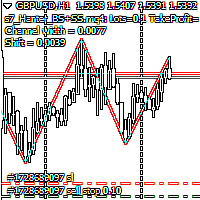
Script Hunting for the Channel Breakout The script is designed for semi-automatic trading. It can place required number of pending BuyStop and SellStop orders with preset StopLoss and TakeProfit levels in one go. The script calculates the channel width using the ZigZag indicator and places a grid of pending BuyStop and SellStop orders according to specified settings. The first pair of pending BuyStop and SellStop orders is placed at the specified distance from the channel's borders. This distanc
FREE
Safety
Sergey Ermolov
5 (2)
I think everyone knows such a rule of money management as "Safe". For those who are not aware, the safe assumes closing half of the position after the profit on the transaction has equaled the size of the stop. Thus, even if the price reverses and catches the stop, you will not lose money, because exactly the same amount of profit was received when closing part of the position earlier. The Safety Expert Advisor has only one setting – the closing lot. Leaving it at position 0, the adviser will
FREE
.....................................hi....................... ................for showing high s and low s and support and resistanses .....................we have a lot of ways............................... it can be helpful for finding trends , higher highs , higher lows , lower highs , lower lows .......................today i write on of thems.......................... ........................you can enter the number of last support and resistanses .........................and it will dra
FREE
Follow The Line
Oliver Gideon Amofa Appiah
3.94 (16)
FOLLOW THE LINE GET THE FULL VERSION HERE: https://www.mql5.com/en/market/product/36024 This indicator obeys the popular maxim that: "THE TREND IS YOUR FRIEND" It paints a GREEN line for BUY and also paints a RED line for SELL.  It gives alarms and alerts of all kinds. IT DOES NOT REPAINT and can be used for all currency pairs and timeframes. Yes, as easy and simple as that. Even a newbie can use it to make great and reliable trades. NB: For best results, get my other premium indicators for more
FREE
Эксперт  MACD_LevelTrader создан для торговле валютной пары XAUUSD. Данная версия это наработки того, что можно извлечь  из  индикатора MACD и Moving Average.   Важно перед тестированием изменить настройку с 1000 на 5000                       Offset in points UP from SMA200 for sell            5000                       Offset in points DOWN from SMA200 for buy        5000   Тайм фрейм  М5. Два варианта логики, П араметр  true=вход по уровню  MACD + SMA200, false=вход по MACD  Тестируйте на демо
FREE
Buyers of this product also purchase
Local Trade Copier EA MT4
Juvenille Emperor Limited
4.96 (111)
Local Trade Copier EA MT4 is a fast and flexible trade copier for copying and managing trades between multiple MetaTrader 4 accounts on the same Windows computer or Windows VPS. It combines local trade synchronization with Receiver-side controls for lot sizing, risk management, trade filtering, symbol mapping, trade management and account protection. Set up your Transmitter and Receiver terminals in about 1 minute and copy manual or EA trades between accounts at the same or different brokers. U
Forex Trade Manager MT4
InvestSoft
4.98 (446)
Trade Manager MT4 is an advanced position size calculator and trade management tool for MetaTrader 4, designed to help traders plan trades faster, control risk more precisely, and manage open positions directly from the chart. It combines order placement, risk based lot calculation, Stop Loss and Take Profit management, Break Even, Trailing Stop, Partial Close, Equity Protection, and external trade management in one panel. Whether you trade forex, indices, metals, commodities, or crypto, Trade M
Exp COPYLOT CLIENT for MT4
Vladislav Andruschenko
4.69 (65)
Professional Trade Copier for MetaTrader 4 Fast, professional, and reliable trade copier for MetaTrader 4 . COPYLOT helps you copy Forex trades between MetaTrader 4 and MetaTrader 5 terminals with flexible synchronization for different account setups. COPYLOT MT4 version supports: MetaTrader 4 to MetaTrader 4 MetaTrader 5 Hedge to MetaTrader 4 MetaTrader 5 Netting to MetaTrader 4   MT5 version Full Description + DEMO + PDF How To Buy How To Install How to get Log Files How To Test and Optimize A
Trade Assistant MT4
Evgeniy Kravchenko
4.43 (197)
It helps to calculate the risk per trade, the easy installation of a new order, order management with partial closing functions, trailing stop of 7 types and other useful functions. Additional materials and instructions Installation instructions   -   Application instructions   -   Trial version of the application for a demo account Line function -   shows on the chart the Opening line, Stop Loss, Take Profit. With this function it is easy to set a new order and see its additional characteris
Trade Indicator Assistant is a powerful MT4 utility designed to turn indicators into automated trading systems. Its main feature is the ability to automatically detect an indicator’s   BUY and SELL signal buffers , without requiring you to know the buffer numbers, search through indicator settings, or modify the indicator source code. Bonus Indicator: After purchasing Trade Indicator Assistant, contact me to receive Trade Signal Pro completely free as a bonus indicator. [Download Demo Version]
Trade copier MT4
Alfiya Fazylova
4.61 (36)
Trade Copier is a professional utility designed to copy and synchronize trades between trading accounts. Copying occurs from the account / terminal of the supplier to the account / terminal of the recipient, which are installed on the same computer or VPS . Before buying, you can test the demo version on a demo account. Demo version here . Full instruction here . Main functionality and benefits: Supports copying MT4> MT4, MT4> MT5, MT5> MT4, including MT5 netting accounts. * Supports copying Dem
TradePanel MT4
Alfiya Fazylova
4.84 (95)
Trade Panel is a multi-functional trading assistant. The app contains over 50 trading functions for manual trading and allows you to automate most trading tasks. Application instructions: https://www.mql5.com/en/blogs/post/756482 Trial version of the application for a demo account: https://www.mql5.com/en/blogs/post/750865 How to install the application: https://www.mql5.com/en/blogs/post/756239 How to test the application in visual mode: https://www.mql5.com/en/blogs/post/770277 How to install
Copier->Convenient and fast interface interaction, users can use it right away   ->>>> Recommended to use on Windows computers or VPS Windows Features: Diversified and personalized copy trading settings: 1. Different lot modes can be set for different signal sources 2. Different signal sources can be set for forward and reverse copy trading 3. Signals can be set with comments 4. Whether to calibrate the lot according to the contract lot Diversified and personalized copy order settings 2: 1. Dif
Telegram to MT4 Multi-Channel Copier   automatically copies trading signals from your Telegram and Discord channels straight to MetaTrader 4. No bots, no browser extensions, no manual copying. A signal arrives in Telegram or Discord and the EA opens the trade in your terminal within seconds. And before you copy a channel, the built-in backtester shows you what that channel would have done in your account. The product has two components: a Windows application that listens to your Telegram channel
FCK CurrencyStrength Pro
Patel Hitendrakumar Mahendrabhai
Hi Friends, " FCK Currency Strength Pro " is a auto & semi auto trading expert with direction of pair. Buy-Sell separate or multi currency in one click. The strategy of  FCK Currency Strength Pro  is a combination of custom indicator, Trendlines, Support & Resistance levels ( Price Action ) and most important secretive trading algorithm mentioned above. Download News Ex4 and csv file You need the following SDSnews.ex4 in MQL4/Libraries and the daylightsavings.csv in MQL4/Files. Only 4 of 5 copi
The product will copy all telegram signal to MT4   ( which you are member  ) , also it can work as remote copier.  Easy to set up, copy order instant, can work with almost signal formats, image signal, s upport to translate other language to English Work with all type of channel or group, even channel have "Restrict Saving Content", work with  multi channel, multi MT5 Work as remote copier: with signal have ticket number, it will copy exactly via ticket number. Support to backtest signal. How to

News Filter EA MT4
Rashed Samir
5 (10)
News Filter EA: Advanced Algo Trading Assistant News Filter EA is an advanced algo trading assistant designed to enhance your trading experience. By using the   News Filter EA , you can integrate a Forex economic news filter into your existing expert advisor, even if you do not have access to its source code. In addition to the news filter, you can also specify   trading days   and   hours   for your expert. The News Filter EA also includes   risk management   and   equity protection   features
Easy Trade Executor is a tool for fast position sizing, trade execution, and trade management in MT4. Place Open Price, Stop Loss, and Take Profit levels directly on the chart, get automatic position size calculations, and open trades with controlled risk in just a few clicks. Why Easy Trade Executor? Easy Trade Executor is designed for traders who want more than just risk calculations — they want to manage trades quickly and efficiently directly from the chart. The tool combines position sizi
A local trade copier between MetaTrader terminals on one PC or VPS. Copying runs in any direction between MT5 and MT4. The volume of a copy is calculated in percent of equity, in account currency, or by mirroring the master's risk share; trades are selected by filters on symbol, magic number, comment and size. The panel handles the life of an open copy: virtual SL/TP, break even, trailing stop, basket close and a scheduled close. Daily, total and volume limits protect the account and trip early
RS Trade Copier
Boris Sedov
5 (1)
RS Trade Copier - the ultra-fast local trade copier with a real graphical interface. Stop typing account numbers manually. No more 200+ cryptic inputs. A reliable and flexible tool for copying trading operations between multiple MT4 and MT5 terminals. It suits experienced traders, signal providers, and individual investors. It enables trade synchronization from one or multiple Providers to one or multiple Clients with high precision and minimal latency. It supports simple automatic configuration
Take a Break
Eric Emmrich
5 (31)
Take a Break pauses your Expert Advisors when trading is a bad idea: before news, after a daily loss, outside your trading hours, or when a rule you wrote yourself says so. When the pause is over, your EAs simply continue. Account protection for all your EAs in one tool: news filter, drawdown and equity protection, time filter and custom rules. One EA on one chart protects the whole account, the free indicator gives every chart its own rules on top. Free demo | What is new in 26.09 | Support Ass
MT4 to Telegram Signal Provider   turns your trading account into a signal provider. Every trade action, whether manual, by EA or from your phone, is instantly sent as a message to Telegram. You can fully customize the format or use a ready-made template for quick setup. [ Demo ] [ Manual ] [ MT5 Version ] [ Discord Version ]  New: [ Telegram To MT5 ] Setup A step by step user guide is available. Key Features Ability to customize order details sent to subscribers You can create a tiered subs


Telegram to MT4 Coppy
Sergey Batudayev
4.09 (11)
Telegram to MT4: The Ultimate Signal Copying Solution Streamline your trading with Telegram to MT4 , the cutting-edge utility designed to copy trading signals directly from Telegram channels and chats to your MetaTrader 4 platform—without the need for DLLs. This robust solution ensures seamless execution of signals with unparalleled precision and customization options, saving you time and boosting your efficiency. [ Instructions and DEMO ] [ FAQ ] [ How atach logs properly ] [Settings descrition
Trade Manager MT4 DaneTrades
Levi Dane Benjamin
4.09 (11)
DaneTrades Trade Manager is a professional trade panel for MetaTrader 4, designed for fast, accurate execution with built‑in risk control. Place market or pending orders directly from the chart while the panel automatically calculates position size from your chosen risk, helping you stay consistent and avoid emotional decision‑making. The Trade Manager is built for manual traders who want structure: clear risk/reward planning, automation for repeatable management, and safeguards that help reduc
Trade Copier Global
Laszlo Tormasi
5 (15)
Trade Copier Global: The name speaks for itself. This copier allows you to copy orders between MT4 terminals even if they are not installed on the same computer. Features Copying trades between MT4 terminals around the world with a short delay. Automatically recognizes symbol prefixes. Can connect many Slaves to the same Master. Supports pending and market orders. Supports partial order close (with limitations, see below) Can send messages and notifications to the Slaves from the Master Several
Universal copier of deals from MetaTrader 4 to MetaTrader 4 ( MT5<->MT5 version is available ; with both versions, you can copy MetaTrader 5<->MetaTrader 4, MetaTrader 4<->MetaTrader 5, MetaTrader 5<->MetaTrader 5, MetaTrader 4<->MetaTrader 4). Spread filter. Select the best price (start copying positions with a profit or loss). Configure the lot size, fixed or ratio-based (provider signals can be copied with an increased lot). Configure order copying (include pending orders or copy only open po
Partial Closure EA MT4
Juvenille Emperor Limited
5 (3)
Partial Closure EA MT4   allows you to partially close any trade on your account, manually by a chosen percentage of the lot size and/or by trade ticket, or automatically at specified percentages of the TP/SL level, closing a percentage of the initial lot size across up to 10 take profit and 10 stop loss levels.  It can manage all or selected trades in your account by specifying or excluding certain magic numbers, comments, or symbols. Tip: Download the free demo version of the Partial Closure E
VirtualTradePad mt4 Extra
Vladislav Andruschenko
4.85 (61)
Trading Panel for trading in 1 click.  Working with positions and orders!  Trading from the chart or the keyboard. Using our trading panel, you can trade in one click from the chart and perform trading operations 30 times faster than the standard MetaTrader control. Automatic calculations of parameters and functions that make life easier for a trader and help a trader conduct their trading activities much faster and more conveniently. Graphic tips and full information on trade deals on the chart
Working Trial Download Copy Cat More Trade Copier MT4 is not just a simple local trade copier; it is a complete risk management and execution framework designed for today’s trading challenges. From prop firm challenges to personal portfolio management, it adapts to every situation with its blend of robust execution, capital protection, flexible configuration, and advanced trade handling. The copier works in both   Master (sender) and Slave (receiver)   modes, with real-time synchronization of
King Trade Copier MT4
Mohammed Maher Al-sayed Mohammed Ahmed Saleh
5 (1)
King Trade Copier connects MetaTrader terminals that run on the same computer or VPS. Trades opened on one account appear on the others. The file carries both roles, so the same download becomes the sender or a receiver depending on what you set Mode to. On every chart the panel states whether this terminal is sending or receiving, names the account on the other side, counts the receivers that answered, and gives the age of the last signal. An order that was not copied leaves its reason on the
Currency strength meter for MetaTrader 4 This currency strength indicator reads up to 28 major pairs and turns them into one number per currency, for the 8 majors: USD, EUR, GBP, JPY, CHF, CAD, AUD and NZD. Instead of opening chart after chart to work out who is leading, you read one panel on your MetaTrader 4 chart and you know which currency is being bought and which one is being sold. What you see on the chart A ranked strength bar for each of the 8 currencies, with its percentage A multi-tim
KT Equity Protector MT4
KEENBASE SOFTWARE SOLUTIONS
3.75 (4)
An equity protection EA for MetaTrader that enforces your loss limits and profit target for you: when your account reaches a rule you set, it closes your trades on every symbol, before one bad day turns into a lost account. It suits prop firm challenges and personal accounts alike. Attach it to one chart, answer a few questions in the on-chart setup wizard, and it watches your whole account in the background while you trade by hand or with other EAs. What it protects Daily loss limit: a percenta
CloseIfProfitorLoss with Trailing
Vladislav Andruschenko
4.88 (32)
Close If Profit or Loss with Trailing for MetaTrader 4 — automatic closing by total profit or loss A reliable trade-management utility for MetaTrader 4 that automatically closes positions when the total profit or total loss reaches the level you set. The Expert Advisor monitors open trades, calculates floating profit and loss, can trail profit, and helps close positions faster than manual reaction. MetaTrader 4 is still used by many manual traders, grid traders, scalpers, and Expert Advisor use
Trade Dashboard MT4
Fatemeh Ameri
4.96 (55)
Trade Dashboard simplifies how you open, manage, and control your trades, with built-in lot size calculation. It allows you to execute trades, manage risk, and control positions directly on the chart, with tools such as partial close, breakeven, and trailing stop. Designed to reduce manual work and help you stay focused on your trading decisions. A demo version is available for testing. Detailed explanations of features are provided within the MQL5 platform. Installation instructions are include
Second and Custom Timeframe Charts See the market between standard timeframes. Second and Custom Timeframe Charts is a professional chart utility for MetaTrader 4 that creates synthetic candles for non-standard timeframes directly from market data. It is designed for traders who need more flexibility than the default MT4 timeframe set can provide. Standard charts show only fixed periods. But the market does not always move in standard blocks. Sometimes the most important structure is visible on
More from author
TNG Gold
Dilwyn Tng
5 (8)
TNG (The Next Generation) Gold  Live Signals: VT Markets  and other brokers 1 Bonus EA: Quiet Owl, Gold Ambush or Gold Assault TNG Gold's scalping algorithm engineered exclusively for Gold. It takes a disciplined, transparent approach - clean entries, bounded risk, and honest execution. Every trade is placed and managed by rule, not by reaction. Entry. Precision pending stop orders at validated structural price levels - the EA waits, never chases. Every setup must clear a multi-timeframe reg
Gold Ambush
Dilwyn Tng
3 (2)
Gold Ambush Gold Ambush a Gold scalping EA that adapts to your style. Run it with high leverage for aggressive daily scalping, or on a bigger account with low leverage as a conservative long-term system with compatible brokers. Same engine, your choice of risk and trading style. No martingale. No grid. No averaging down. One position per breakout, always with a hard stop-loss protecting your capital. Live Signals IC Markets Ultimate Markets Core Features Prior-bar breakout entry — configurabl
POBE Prop Firm
Dilwyn Tng
5 (5)
Pass or Breakeven (POBE) — Prop Firm Challenge EA One thing POBE users consistently report: the fear of a failed challenge is gone. With prop firms that set a lower target than their max drawdown — such as FTMO, FundedNext, and FundingPips — failing Phase 1 can leave the broker account recovering more than the original setup cost, net positive . Failing Phase 2 recovers even further above that. Every outcome — pass or fail — is calculated before a single trade is placed. The Phase 2 effect is wh
HFT PropFirm EA MT5
Dilwyn Tng
4.93 (82)
HFT PropFirm EA MT5 is  also known as Green Man due to its distinctive logo by Dilwyn Tng, is an Expert Advisor (EA) crafted specifically for overcoming challenges or evaluations from proprietary trading firms (prop firms) that permit High-Frequency Trading (HFT) strategies. NEW: Get funded, overall gain or breakeven for FTMO, Funded Next and ....., use POBE Prop Firm EA . Free  1 All-In-One Breakout EA account licence with purchase of HFT PropFirm EA MT5 Passing HFT MT5 Challenge Performance
Range Breakout strategies are among the most time-tested, evergreen and reliable trading approaches. They aim to capture momentum at key price levels—usually after periods of market consolidation—where strong moves tend to follow. This makes breakout systems ideal for traders looking to ride intraday or session-based trends. All-In-One Breakout EA (AIOBO EA, AIO Breakout) is an open strategy (not a black box operation) equipped with a wide range of settings. It can be used “as is” or finely tune
Range Auto TP SL
Dilwyn Tng
4.57 (46)
Range Auto TP SL  is for you, 100% free for now, download it and give me a good review and you are free to use it for lifetime !!!! Range Auto TP SL is a EA to set Stop Loss and Take Profit level based on range using Average True Range (ATR). It works on both manually opened positions via PC MT5 Teriminals or MT5 Mobiles and EA/robots opened position. You can specify magic number for it to work on or it can work on all the positions. Many EA does not good Stop Loss and Take Profit function and
FREE
Quant Lattice
Dilwyn Tng
5 (1)
1 Price for 3 different EA (Steady, Drive and Cruise) Live Signal:   QL Drive   |   QL Steady   |     QL Cruise  (new)       Setfiles:  Setfiles What Quant Lattice Is Quant Lattice is a fully automated Expert Advisor that trades one currency pair: AUDCAD. It comes with three different strategies — Steady, Drive and Cruise. You install it once, pick a strategy, choose the money management and it trades without you touching it. Why AUDCAD?  Both the Australian and Canadian dollars are commodity
Working Demo Download Copy Cat More Trade Copier MT5 is a local trade copier and a complete risk management and execution framework designed for today’s trading challenges. From prop firm challenges to personal portfolio management, it adapts to every situation with a blend of robust execution, capital protection, flexible configuration, and advanced trade handling. The copier works in both Master (sender) and Slave (receiver) modes, with real-time synchronization of market and pending orders,
Working Trial Download Copy Cat More Trade Copier MT4 is not just a simple local trade copier; it is a complete risk management and execution framework designed for today’s trading challenges. From prop firm challenges to personal portfolio management, it adapts to every situation with its blend of robust execution, capital protection, flexible configuration, and advanced trade handling. The copier works in both   Master (sender) and Slave (receiver)   modes, with real-time synchronization of
Copy Dog AI Trades Copier MT5 Copy Dog AI Trades Copier copies trades between MetaTrader accounts and lets you set the copying rules by talking in your language, or by typing your copying commands and account management on the chart panel in MT4 or MT5. Write or say what you want in plain words, for example: "Copy only gold from now on, half the sender's lot size, and trail each copy 200 points behind the price." Google Gemini turns your words into rules, explains them back to you in plain words
FREE
News Hound for MT4 / MT5 A professional economic news calendar for every chart — MT4 and MT5 — from the same trusted MQL5.com source. MetaTrader 5 has a built-in economic calendar. MetaTrader 4 doesn't. This tool fixes that — and gives you a single, shared news feed that every chart on your PC or VPS can read, in both platforms. Why I built it This is the foundation for something bigger. All my upcoming Expert Advisors are built around this news engine. Instead of locking news filtering insid
FREE
News Hound for   MT4   / MT5 A professional economic news calendar for every chart —   MT4   and MT5 — from the same trusted MQL5.com source. MetaTrader 5 has a built-in economic calendar. MetaTrader 4 doesn't. This tool fixes that — and gives you a   single, shared news feed   that every chart on your PC or VPS can read, in both platforms. Why I built it This is the foundation for something bigger. All my upcoming   Expert Advisors   are built around this news engine. Instead of locking news
FREE
Protectron — Account Protection System A utility that monitors account equity in real time and closes all open positions automatically when a defined upper or lower threshold is reached. Works alongside any Expert Advisor or manual trading strategy without interfering with their logic. Overview Protectron attaches to a chart and monitors total account equity continuously — including floating positions. When equity reaches a configured threshold in either direction, all open positions are closed
FREE
Protectron — Account Protection System A utility that monitors account equity in real time and closes all open positions automatically when a defined upper or lower threshold is reached. Works alongside any Expert Advisor or manual trading strategy without interfering with their logic. Overview Protectron attaches to a chart and monitors total account equity continuously — including floating positions. When equity reaches a configured threshold in either direction, all open positions are closed
FREE
HFT Prop Firm EA
Dilwyn Tng
4.96 (635)
HFT Prop Firm EA is  also known as Green Man due to its distinctive logo, is an Expert Advisor (EA) crafted specifically for overcoming challenges or evaluations from proprietary trading firms (prop firms) that permit High-Frequency Trading (HFT) strategies. With version 5.8 and above GreenMan  HFT Prop Firm EA is plug and play for for almost true HFT prop firm challenges without setfiles with it newly improved automatic features. NEW:   Get funded, overall gain or breakeven for FTMO, Funded
Prop Firm Equity Protector safe guard your hard earned prop firm account from balance or equity downdraw. It can be used for live/personal account too. It will close all positions if drawdown hit the preset level or percentage. It can be set to close other EA in the same MT4 terminal too.  This utility is not need to use conjuction with  HFT Prop Firm EA (Green Man),   HFT Prop Firm EA has it build-in equity protector and also it has ultra low drawdown. Setting: Prop Firm Account Size Drawdown
Prop Firm Toolbox contains the important tools for maximising your funded account prop firm accounts. It contains function: - Lot Size Consistency Advisor  (This is the number one reason of prop firm not paying if you soft bleach this rule) - Biggest Profit Size Warning  (This is the number two reason of prop firm not paying if you soft bleach this rule) - Spread Meter
Filter:
No reviews
Reply to review