Prop Firm Risk Guard PRO

Prop Firm Risk Guard PRO watches your whole account and enforces the limits of a prop firm challenge or of your own risk plan. When a limit is hit, it closes every position, deletes pending orders and keeps the account flat until the next trading day.

WHAT IT DOES

  • Daily loss limit, measured from the balance at the start of the trading day (or the higher of balance and equity), with open profit and loss included.
  • Maximum drawdown: static from the initial balance, or trailing from the highest balance or the highest equity.
  • Total and daily profit targets: once reached, positions are closed and the result is locked.
  • Warning by pop-up, sound or push notification when a set share of a limit is used (80% by default).
  • While the account is locked, any new trade, manual or from another Expert Advisor, is closed at once.
  • Panel with the status, balance and equity, a bar for each limit and the time left until the next trading day.
  • The state is saved per account, so a terminal restart keeps the day start, the high-water mark and the locks.

INPUTS

  • Initial balance (0 = balance when first attached) and limits in % of the initial balance or in account currency.
  • Daily loss limit, daily reference and the server hour when the trading day starts.
  • Maximum drawdown and its type: static, trailing balance or trailing equity.
  • Total profit target and daily profit target (0 = off).
  • Warning level, include open profit and loss, block trading while locked, clear a drawdown or target lock.
  • Alerts: pop-up, push and sound. Panel position and font size.

HOW TO USE

  • Attach it to one chart only. It watches every symbol and every Expert Advisor on the account.
  • Set the start of the trading day in server time to match your firm's rule, and set the limits with a margin below the firm's numbers.
  • The guard acts only while the terminal is running with Algo Trading enabled. A VPS keeps it on when your computer is off.

WORKS WITH TRADE PANEL AND RISK MANAGER PRO

Trade Panel and Risk Manager PRO sizes each trade from your risk and manages break-even, partial close and trailing. Prop Firm Risk Guard PRO enforces the account limits on top of it.

FAQ

Does it trade? No. It only closes positions and deletes orders when a limit is reached. In the Strategy Tester it opens sample trades so you can see the limits working.

Can the loss go beyond the limit? Yes. The guard closes at market as soon as the limit is detected, but gaps, slippage and spread can make the final loss larger. Keep a margin from the firm's rule.

Does it fit every prop firm? Rules differ between firms. Check when the trading day resets and how drawdown is measured, then set the inputs to match.

Recommended products
DDKiller Pro
Njaratahiry Michael Randrianiaina
Stop Blowing Your Account. Once and For All. DDKiller Pro is the MT5 risk guardian that runs silently on your chart and shuts down trading the moment you hit a limit — whether you're grinding a prop firm challenge or managing your own CFD account. The problem every trader knows: You set your rules. You break them anyway. One revenge trade. One overleveraged position. One session that erases a month of gains. DDKiller Pro removes that decision from your hands entirely. What it does: The second yo
Top Trade Manager for MT5 - Trade Panel, Position Size Calculator and Risk Manager Top Trade Manager is a complete trade manager for MetaTrader 5 : a trade panel, position size calculator and risk manager in one. Drag your entry, stop loss and take profit on the chart and the lot size, risk and reward are calculated instantly. Then manage the trade with partial close , break even , trailing stop and hidden stop loss and take profit , follow the economic news calendar , and mark up your chart wit
Manual Trade Panel EA MT5
Juvenille Emperor Limited
5 (2)
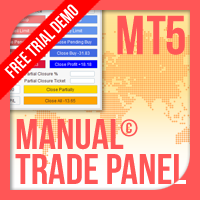
Manual Trade Panel EA MT5   is the most straightforward and easy to use trade panel you can find for MT5. It has all its options and functions in one surface, without the need of opening additional windows or panels. It is an order management, risk calculator, partial closure and account protector utility all in one extremely convenient to use interface! By using   Manual Trade Panel EA MT5   you can trade many times faster and more accurate than traditional manual trading methods and that gives
HedgeSafe Trade Assistant A risk-first manual trading panel for MetaTrader 5. HedgeSafe helps you prepare, validate and manage a trade directly on the chart before you press BUY or SELL. HedgeSafe is not a signal service, market predictor, AI bot or automatic strategy. It does not choose trade direction and does not promise profit. You remain in control of every trading decision. Main capabilities Lot calculation from a percentage of account balance or a fixed amount in account currency. Stop Lo
Equity guardian and prop risk radar
Cristian David Castillo Arrieta
AbacuQuant Equity Guardian is an essential, 100% free institutional risk management utility designed for both Prop-Firm challenges (FTMO, FundedNext, The5ers) and Live personal accounts. Tired of losing your prop challenge or wiping weeks of profits in a single revenge-trading tilt? Equity Guardian stands watch 24/7 on your MetaTrader 5 chart and enforces strict, disciplined risk limits before emotions destroy your account. KEY FEATURES: Daily Loss Limit Guard: Tracks equity vs. broker day-
FREE
Protect your funded accounts and personal capital with military-grade precision. This utility continuously monitors your floating equity against your daily starting balance. The moment your custom drawdown threshold is breached, it instantly liquidates all open positions, deletes pending orders, and completely unloads from the chart. Stop revenge trading and never fail a prop firm evaluation due to a margin breach again.
FREE
## Operating Principle **Manual Order Manager PRO BTC** is an Expert Advisor for MetaTrader 5 designed to **automatically manage trades opened manually by the trader**. The EA does not decide when to buy or sell. The user analyzes the market, chooses the direction, sets the lot size, and opens the position manually. From that point on, the system monitors the trade and applies the configured protection and management rules. The goal is to help the trader maintain a more disciplined approach
NVR Trade Manager is a professional manual trade management panel for MetaTrader 5. It combines risk calculation, order preparation, visual Entry / Stop Loss / Take Profit management and open-position management in one compact interface. The product is designed for traders who make their own trading decisions and want to execute them faster and more precisely in MetaTrader 5. Main Features • Market orders: Buy Market and Sell Market • Pending orders: Buy Limit, Sell Limit, Buy Stop and Sell Sto
FREE
R33 Trade Manager — Position Sizing & Trade Management Panel R33 Trade Manager is an on-chart trading panel that combines risk-based position sizing with fast trade management — set your risk, drag your levels, and execute in one click. Watch the full walkthrough:  https://youtu.be/t0F-aKWLU_o The problem every manual trader knows Calculating the right lot size by hand at the moment of entry is slow and error-prone — one wrong decimal in the math can blow past your intended risk. And once a tr
Virtual Basket TP SL Manager
Moh Nugraha Kusuma
5 (1)
"Manage multiple positions as a single unit with hidden targets." The Virtual Basket TP SL Manager is a professional MetaTrader 5 utility designed to automate the closing of positions based on the total profit or loss of a group of orders (a "basket"). By utilizing Virtual Levels , all Take Profit (TP) and Stop Loss (SL) targets are stored locally within the EA's memory and are not sent to the broker's server, keeping your strategy safe from stop-hunting and price manipulation. Key Features Virt
FREE
One Click Close All Pro is a premium fast-close utility for MetaTrader 5 designed to help traders exit positions quickly, manage basket exposure, and apply advanced risk protection from a professional on-chart dashboard. This tool is built for traders who need more than a basic close-all button. In addition to one-click closing, the Pro version includes advanced filtering, basket control, equity protection, daily lock protection, and partial close features for more precise position management. W
Painel de Trading Pro
Dedial Pereira Da Silva
TradePanel Pro - Manual Trading Panel with Grid, Trailing, and Targets  "Complete manual trading panel for MT5: grid, trailing stop, smart breakeven, daily targets and risk management in one click." TradePanel Pro is a professional manual trading panel for MetaTrader 5, built for traders who want speed, organization and automatic position protection — without juggling multiple tools or complex setups. Everything you need lives in a single panel: one-click buy/sell, point-based stops and targe
Tired of fumbling with lot size calculations and manually managing every trade? The Visual Risk Manager (VRM) is a professional-grade trading panel designed to streamline your trading and enforce discipline. This Expert Advisor is not a strategy; it's a powerful utility that allows you to manage your risk and execute trades with unparalleled speed and precision, directly from your chart. Why You Need the Visual Risk Manager Stop letting emotions and guesswork control your trading. VRM ensures t
Real Trade Assistant
Muhammad Muzaffar Hussan
Real Trade Assistant Plan it. Size it. Place it. Manage it. Practise it. All from one panel on your chart. Real Trade Assistant is a trading cockpit for MetaTrader 5. It does not trade for you. It gives you fast, precise control over your own trades, and it adds a complete practice lab inside the same panel, so you can rehearse a setup before risking money. Real Trade Assistant User guide. Only in Real Trade Assistant Seconds Chart Open a 1s, 5s, 15s, 90s chart, or any number of seconds you choo
Partial
Pablo Filipe Soares De Almeida
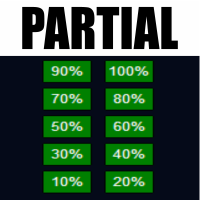
Partial Close Manager – Trade Volume Adjustment Tool This tool enables users to perform partial closes on open trades in MetaTrader 5. Functionality Partial Close: Close a portion of open trades with one action. Volume Calculation: Automatically calculates the volume to be closed, eliminating manual input. Multi-Order Support: Applies partial closes to all open orders on the same symbol simultaneously. Draggable Table: Click and hold the header to move the table anywhere on the chart.
Symbol Manager for MT5
Taras Slobodyanik
5 (3)
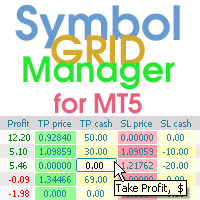
Symbol Manager or Grid Manager, designed to group orders into one position (by Symbol or by Magic Number). This utility will be useful to multi-currency traders (many EAs), who can have multiple orders on several pairs. You will be able to see the total number of lots, the total profit, and set virtual stop loss and virtual take profit. To set a real TP (or SL), you must first set the virtual value, and then enter the command in this cell: "set". If you want to set real TP/SL for all orders at
Core function Intelligent transaction management one-click opening and closing operation, which supports user-defined lots to set multiple closing modes: all closing, closing by direction and closing by profit and loss status. Professional risk control, real-time risk monitoring and spread control to avoid high-cost trading environment. Visual control panel has an intuitive graphical interface, and all functions can be operated with one button to display position information, profit and loss sta
FREE
Lot calculator tool MT5
Ernestas Kvedaras
3.67 (3)
More stable MetaTrader 4 version is available here:  Lot Calculator Tool . This tool helps you to automatically calculate and manage risk, conveniently place orders visually, schedule orders, trail stops, move them to break-even and more. Features Place market or pending orders using draggable lines Schedule orders Calculate and limit risk using various methods See current spread See time till next candle Set custom order comments Trail stops Move stops to break-even See order profit/loss in p
Breakevan Utility
Jose Luis Thenier Villa
BreakEvan Utility  Is a simple tool in a panel with this utilities: This utility will draw a Golden Line in the chart applied showing the breakeven price, considering all the positions opened for that specific symbol. Also the information panel shows: Balance Breakeven Price for that chart Force Breakeven (for that symbol) as ON/OFF Force Breakeven Global (takes into account all trades opened) as ON/OFF Total Lots opened for Symbol Total Lots opened Global And two buttons: Force Breakeven: Whe
EasyTradePad for MT5
Sergey Batudayev
5 (5)
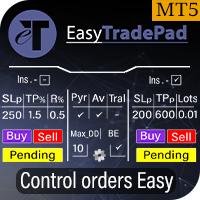
EasyTradePad – Trading Panel for MetaTrader 5 EasyTradePad is a tool for manual and semi-automated trading. The panel allows quick management of orders and positions, as well as risk management calculations in one click. [ DEMO and Instruction ] Panel Features: Open and close trades with predefined risk (% or deposit currency) Set SL and TP in points, percentages, or monetary values Calculate risk-to-reward ratio automatically Move stop loss to breakeven Partial position closing Trailing stop
DTK Scalping Panel
Thiago Pereira Pinho
A powerful and intuitive trade management tool designed for scalpers and intraday traders. Created to complement the Nampim Samba Scalper strategy , it allows traders to open, manage, and close positions quickly without leaving the chart.  Key Features: Customizable trading panel – choose position (left, right, center, top, bottom). One-click trading buttons – instantly open Buy/Sell trades with pre-set lot sizes. Close management – close last 1/2/3 trades or all Buy/Sell positions with one clic
JMM Trade Panel MT5
Sarah Joyce Walker
JMM Trade Panel MT5 JMM Trade Panel MT5 is a practical chart- based trading utility for MetaTrader 5. Execute Buy and Sell orders directly from the chart, adjust the displayed lot size quickly, monitor basket performance, and manage trades using configurable Magic Number and symbol- management rules. Full   User   Manual: DOWNLOAD Key Features On- chart Buy, Sell, and Close All buttons. Close all trades managed by the EA with one click. Optional management of all open trades regardless of Magi
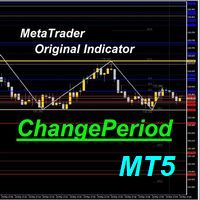
You can change the time period of the chart at the touch of a button. You can also change multiple charts at the touch of a button. You can also change multiple charts at the touch of a button,   saving you the trouble of changing time periods. We are live-streaming the actual operation of the system. Please check for yourself if it is usable. Please check it out for yourself. https://www.youtube.com/@ganesha_forex We do not guarantee your investment results. Investments should be made at you
Trader SWORD
Tiofelo Da Olga Gilbert Teles
Trader [SWORD] is a panel EA designed to help the trader [scalper]. From the dashboard, the trader can: set the order volume, stop loss and take profit values [in points]; open a market order with its respective stop loss and take profit values. close all [win only, loss only or win and loss] positions opened through the EA.  On the panel we have:   the buttons to open new market orders [buy and sell];   the buttons to set the order volume [increasing and decreasing de volume order]; the buttons
Order Ticket, Trading Panel, Risk Management, Manual Trading, Trailing Stop, Order Management, Fast Execution — JoOrderTrade Pro — execution panel for MetaTrader 5 JoOrderTrade Pro is a complete graphical panel for manual trade execution and advanced risk management for MetaTrader 5. It replaces the platform's native trading windows with a clean, responsive, and performance-optimized interface, providing greater precision and control during trading operations. The product is not an automated t
GOLD TRACK — MT5 Gold Track is a technical analysis indicator designed primarily for XAUUSD / GOLD trading on MetaTrader 5. It combines multiple market conditions into a structured signal system, helping traders identify potential bullish and bearish setups without relying on a single indicator. Key Features EMA Trend Analysis RSI Momentum Confirmation ️ ATR Volatility Analysis ️ Candle Confirmation ️ H1 Multi-Timeframe Confirmation Market Structure Analysis Liquidity Anal
Spread Candle Clock Pro
Federico Ruben Vissio
5 (1)
Spread Candle Clock is a clock that displays the remaining time of the current candle along with the spread in real time directly on the chart. Features: Real-time candle countdown. Live spread (SP) display. Adjustable size. Customizable colors. Configurable position in all four corners. Compatible with all symbols and timeframes. Includes a button to minimize to a small panel.
FREE
Manual Trading Assistant Pro 【The Ultimate "Survival Tool" for Manual Traders】 Do you ever struggle with TP/SL calculations during fast-moving markets? This utility is designed for manual traders who want to focus 100% on "Entry (Offense)" and let the machine handle the "Exit (Defense)." 【Key Features】 Built-in Settings Diagnostic Never worry about wrong settings again. The [Pips Check] button automatically verifies if your multiplier settings match your broker's digit format (JPY pairs, Sta
Trade Manager ppm
Samuel Asrat Nadew
PPM Trade Manager for MetaTrader 5 PPM Trade Manager is an on-chart trade management  for MetaTrader 5 designed to provide fast and convenient control over open positions and pending orders directly from the trading chart. The EA combines essential account information, real-time profit and loss monitoring, position statistics, and trade-management functions in a compact on-chart panel. Most operations are applied only to the symbol of the chart where the EA is attached, helping reduce the risk o
TradeDock Pro
Alex Michael Murray
TradeDock Pro (MT5) — One-Click Trade Manager Panel TradeDock Pro is a sleek and professional one-click trade panel for MetaTrader 5 designed for fast manual execution and simple trade management. Built for traders who want a clean interface, quick order placement, and essential management tools — without complicated settings or typing. Can be used on any market. KEY FEATURES One-Click BUY / SELL Lot size control on chart (0.01 – 99.99) SL toggle + SL in points TP toggle + TP in points Trailing
Buyers of this product also purchase
Trade Assistant MT5
Evgeniy Kravchenko
4.43 (216)
It helps to calculate the risk per trade, the easy installation of a new order, order management with partial closing functions, trailing stop of 7 types and other useful functions. Additional materials and instructions Installation instructions - Application instructions Line function -   shows on the chart the Opening line, Stop Loss, Take Profit. With this function it is easy to set a new order and see its additional characteristics before opening.   Risk management  - The risk calculation
Forex Trade Manager MT5
InvestSoft
4.98 (689)
Trade Manager MT5 is an advanced position size calculator and trade management tool for MetaTrader 5, designed to help traders plan trades faster, control risk more precisely, and manage open positions directly from the chart. It combines order placement, risk based lot calculation, Stop Loss and Take Profit management, Break Even, Trailing Stop, Partial Close, Equity Protection, and external trade management in one panel. Whether you trade forex, indices, metals, commodities, crypto, or future
FarmedHedge Pair Trading Dashboard
Tanapisit Tepawarapruek
5 (7)
Farmed Hedge Yield Farming | All Markets (Manual - Hybrid - Semi/Automated EA) VERIFIED TRADING RESULTS - Farmed Hedge Yield Axi Copy:  https://www.mql5.com/en/signals/2356376 - Farmed Hedge Yield Exn Copy:   https://www.mql5.com/en/signals/2356404 - Farmed Hedge Yield V Copy:  https://www.mql5.com/en/signals/2357156 IMPORTANT NOTICE: FarmedHedge is a MANUAL-FOCUSED TRADING UTILITY ,not a fully automated EA. Results shown on this Signal include manual trades and overall strategic management.
Telegram to MT5 MultiChannel Copier
Sergio Marquez Uroz
4.68 (22)
Telegram to MT5 Multi-Channel Copier   automatically copies trading signals from your Telegram and Discord channels straight to MetaTrader 5. No bots, no browser extensions, no manual copying. A signal arrives in Telegram or Discord and the EA opens the trade in your terminal within seconds. And before you copy a channel, the built-in backtester shows you what that channel would have done in your account. The product has two components: a Windows application that listens to your Telegram channel
Local Trade Copier EA MT5
Juvenille Emperor Limited
4.94 (149)
Local Trade Copier EA MT5 is a fast and flexible trade copier for copying and managing trades between multiple MetaTrader 5 accounts on the same Windows computer or Windows VPS. It combines local trade synchronization with Receiver-side controls for lot sizing, risk management, trade filtering, symbol mapping, trade management and account protection. Set up your Transmitter and Receiver terminals in about 1 minute and copy manual or EA trades between accounts at the same or different brokers. U
Strategy Ledger Pro
Abdullah Uygar Tuna
5 (14)
Strategy Ledger Pro is a read-only account analysis panel for MetaTrader 5. It separates account results by Expert Advisor, strategy, symbol, and magic number, so you can see what each one really contributes. The panel is available in 11 languages: English, Français, Deutsch, Español, Italiano, Português, Русский, Türkçe, 中文, 日本語 and 한국어. Before you download the demo. The Market runs the demo of any paid product in the Strategy Tester only. This panel analyses the trades on your own account, and
Copy Telegram signals with your own trading rules Telegram to MT5 Signal Trader automatically copies text-based trading signals from public and private Telegram channels and groups into MetaTrader 5. Manage multiple providers and MT5 accounts from one desktop app, with individual risk and trade settings for each provider . No Telegram bot or API setup needed for copying. Simply sign in with your own Telegram account by phone or QR code and select the channels or groups you have already joined. Y
TradePanel MT5
Alfiya Fazylova
4.88 (170)
Trade Panel is a multi-functional trading assistant. The app contains over 50 trading functions for manual trading and allows you to automate most trading tasks. Application instructions: https://www.mql5.com/en/blogs/post/756482 Trial version of the application for a demo account: https://www.mql5.com/en/blogs/post/750865 How to install the application: https://www.mql5.com/en/blogs/post/756239 How to test the application in visual mode: https://www.mql5.com/en/blogs/post/770277 How to install
================================================================================ POC BREAKOUT - V20.72. Full Professional Grade Toolkit ================================================================================ POC Breakout is a full MetaTrader 5 trading dashboard for discretionary traders who want breakout signals, Point of Control (POC) context, volume profiles, order flow, market structure, news, alerts, and advanced trade planning in one professional workspace. Attached directly to you
MT5 to Telegram Signal Provider turns your trading account into a signal provider. Every trade action, whether manual, by EA or from your phone, is instantly sent as a message to Telegram. You can fully customize the format or use a ready-made template for quick setup. [ Demo ] [ Manual ] [ MT4 Version ] [ Discord Version ]     New: [ Telegram To MT5 ] Setup A step by step user guide is available. Key Features Ability to customize order details sent to subscribers You can create a tiered subs
VirtualTradePad PRO SE MT5 — professional trading control center for MetaTrader 5 VirtualTradePad PRO SE is a premium chart-based trading panel and trade-management workspace for MetaTrader 5 . It is designed for traders who want faster execution, clearer position control, structured trade management, visual level planning and a professional workflow directly from the chart. This is not only a BUY / SELL panel. PRO SE combines manual trading, pending orders, position management, partial exits, b
REVDEN AI Desk: Run Your Trading From One Conversation With Your Own AI, on REVDEN's Market Context Imagine running your trading from one conversation. REVDEN AI Desk brings it into MetaTrader 5: you ask your own AI how it reads the market, and it answers from REVDEN's full context on the symbols you trade, with their state, their risk picture and the releases ahead. Its proposals arrive with entry, stop, target and risk, and you approve the ones that fit. Your rules change the same way: write w
Trade copier MT5
Alfiya Fazylova
4.61 (57)
Trade Copier is a professional utility designed to copy and synchronize trades between trading accounts. Copying occurs from the account / terminal of the supplier to the account / terminal of the recipient, which are installed on the same computer or VPS . Before buying, you can test the demo version on a demo account. Demo version here . Full instruction here . Main functionality and benefits: Supports copying MT5> MT5, MT4> MT5, MT5> MT4, including MT5 netting accounts. * Supports copying Dem
News Trade EA MT5
Konstantin Kulikov
4.55 (11)
Present to you the useful robot that I have been using for several years. It can be used in both semi-automatic mode and fully automatic mode. >>> Chat <<< The program contains flexible settings for trading on the news of the economic calendar. It cannot be checked in the strategy tester. Only real work. Download the latest archive of settings: https://www.mql5.com/en/blogs/post/747929 Signals monitoring: https://www.mql5.com/en/signals/author/test-standart When creating your own sets of setti
Exp COPYLOT CLIENT for MT5
Vladislav Andruschenko
3.97 (35)
Professional Trade Copier for MetaTrader 5 Fast, professional, and reliable trade copier for MetaTrader . COPYLOT allows you to copy Forex trades between MT4 and MT5 terminals with support for Hedge and Netting accounts. COPYLOT MT5 version supports: - MT5 Hedge to MT5 Hedge - MT5 Hedge to MT5 Netting - MT5 Netting to MT5 Hedge - MT5 Netting to MT5 Netting - MT4 to MT5 Hedge - MT4 to MT5 Netting MT4 version Full Description +DEMO +PDF How To Buy How To Install How to get Log Files H
RETAILBERG FOOTPRINT CHART PRO — Order-Flow Workspace for MetaTrader 5 Version 7.00  |  Professional System  |  31 tools  |  One chart A full 150-page illustrated User Manual is included. Please read the full manual to understand this feature packed footprint chart elements and ui. https://www.mql5.com/en/blogs/post/777982 DEMO / STRATEGY TESTER — PLEASE READ FIRST
The Patch
Mian Rameez Ali
The Patch It never opens a trade. It walks behind the ones that did. Every open position, every pending order — checked twice a second for the one thing that's easy to forget: a stop, a target. Found bare, it doesn't ask. It writes the missing number in, measured in points from wherever the position began, and moves on to the next. No strategy, no opinion on direction. Just the quiet assumption that nothing should ever sit on the market unprotected — not because someone decided it shouldn't,
Telegram To MT5 Ultra
Mirel Daniel Gheonu
5 (5)
Telegram To MT5 — Signal Copier Turn the trading calls from your Telegram channels into real MT5 orders — automatically, on as many accounts as you like, with risk and rules fully under your control. Telegram To MT5 connects the VIP / signal channels you already follow on Telegram to your MetaTrader 5 terminal. A free companion desktop app reads the messages (even from channels that block bots), and this Expert Advisor executes them on your account — applying your own risk settings, symbol mappi
Next Update — Version 2.52 Coming Soon! [NEW] Get Ready for 4 Major New Features Designed to Enhance Your Market Analysis and Trading Workflow We’re taking market analysis to the next level with 4   new features designed to meet your trading needs. Introducing: TRADE OVERVIEW DASHBOARD CONFLUENCE AT ZONE STRONG & WEAK HIGH/LOW OPTIMAL TRADE ENTRY —  OTE 1. TADE OVERVIEW DASHBOARD  A dashboard that helps you understand the overall market picture more easily, providing guidance to support your
Grid Manual MT5
Alfiya Fazylova
4.73 (22)
Grid Manual is a trading panel for working with grid strategies. The utility is universal, has flexible settings and an intuitive interface. It works with a grid of orders not only in the direction of averaging losses, but also in the direction of increasing profits. The trader does not need to create and maintain a grid of orders, the utility will do it. It is enough to open an order and the "Grid manual" will automatically create a grid of orders for it and will accompany it until the close. F
Anchor Trade Manager
Kalinskie Gilliam
5 (8)
Your EAs cannot see each other, but Anchor can. Anchor gives you one place to coordinate your EAs, manage risk, and decide when trading is allowed. It works alongside the trading bots you already use without any changes to them. The Problem One EA opens a trade. Then another starts trading. The next thing you know, you wake up to multiple grids built across your account. Each EA may be doing exactly what it was designed to do, but together they can place far more risk on your account than you in
EA Portfolio Control & Cloud Monitoring for MetaTrader 5 Your EAs manage trades. KONTROL_01 manages your EAs. A control system for traders running multiple Expert Advisors on the same account. Coordinate EA activity, manage trading risks and monitor your setup remotely. A detailed User Manual is available via DM after purchase. IN PRACTICE Multiple EAs. No coordination. Your EAs trade independently, unaware of each other's activity. KONTROL_01 coordinates them, limits simultaneous activity a
The product will copy all telegram signal to MT5 ( which you are member) , also it can work as remote copier.  Easy to set up, copy order instant, can work with almost signal formats, image signal,  s upport to translate other language to English Work with all type of channel or group, even channel have "Restrict Saving Content", work with  multi channel, multi MT5 Work as remote copier: with signal have ticket number, it will copy exactly via ticket number. Support to backtest signal. How to s
Astro Trade MT5
Indra Maulana
5 (8)
25% discount on the release of the tool: only for the next 3 buyers Send a message to receive a demo version. AstroTrade Trading Assistant AstroTrade is a comprehensive multi-functional trading utility developed for the MetaTrader 5 platform. It integrates essential tools for trade execution, risk management, and technical monitoring into a single unified interface. The application is designed to assist traders in managing their daily operations through a visual and structured environment. Vi
Timeless Charts
Samuel Manoel De Souza
5 (9)
Timeless Charts is an all-in-one trading utility for professional traders. It combines custom chart types such as Seconds Charts and Renko with advanced order flow analysis using Footprints , Clusters , Volume Profiles , VWAP studies, and anchored analysis tools for deeper market insight. Trading and position management are handled directly from the chart through an integrated trade management panel , while Market Replay and Virtual Accounts provide environments for practicing trading skills and
Floor Watch
Syed Tauqeer Hussain Shah
Floor Watch One number, watched every thirty seconds: how far equity has fallen since the day began — or since its highest point, if it's told to trail the peak instead of the open. Cross the line and it doesn't argue. Every open position closes, every pending order vanishes, and anything that slips through afterward gets shut the moment it appears. Not asked. Removed. The floor holds until the clock turns 5 AM Pakistan time — then, and only then, does the day start over. One rule. No except
RS Trade Copier - the ultra-fast local trade copier with a real graphical interface. Stop typing account numbers manually. No more 200+ cryptic inputs. A reliable and flexible tool for copying trading operations between multiple MT5 and MT4 terminals. It suits experienced traders, signal providers, and individual investors. It enables trade synchronization from one or multiple Providers to one or multiple Clients with high precision and minimal latency. It supports simple automatic configuration
Seconds Chart MT5
Boris Sedov
4.61 (18)
Seconds Chart is a unique tool for creating second-based charts in MetaTrader 5 . With Seconds Chart , you can construct charts with timeframes set in seconds, providing unparalleled flexibility and precision in analysis that is unavailable with standard minute or hourly charts. For example, the S15 timeframe indicates a chart with candles lasting 15 seconds. You can use any indicators and Expert Advisors that support custom symbols. Working with them is just as convenient as on standard charts.
Power Candles Strategy Scanner - Self-Optimizing Multi-Symbol Setup Finder Self-optimizing settings work one chart at a time, and finding where they pay off right now means opening chart after chart. Power Candles Strategy Scanner runs the same self-optimizing engine as the Power Candles indicator on every symbol in your Market Watch, side by side. One panel ranks where it pays off: the winning strategy per symbol, its optimized Stop Loss and Take Profit. An alert fires the moment a fresh signal
Trader Evolution
Siarhei Vashchylka
5 (7)
" Trader Evolution " - A utility designed for traders who use wave and technical analysis in their work. One tab of the utility is capable of money management and opening orders, and the other can help in making Elliott wave and technical analysis. Manual (Be sure to read before purchasing) | Version for MT4 Advantages 1. Trading in a few clicks. Immediate and pending orders are available in the panel 2. Money management. The program automatically selects the appropriate lot size 3. Simplifies
More from author
Candle Timer Countdown shows how much time is left to close the current candle. It updates every second, even when no new tick arrives, using the broker server clock. Want the same countdown on your order ticket? OCO Panel PRO shows it in its footer, next to one-click orders and saved OCO exits. WHAT IT SHOWS Time left as mm:ss, h:mm:ss, or days on D1, W1 and MN. "Market closed" when the symbol is outside its trading session. Daily % change, symbol and timeframe (each one can be turned on or off
FREE
MACD Intraday Trend
JETINVEST
4.81 (57)
Free Fibonacci-tuned MACD for intraday trends. Want alerts and the full toolkit? MACD Intraday Trend PRO MACD Intraday Trend is an Indicator developed through an adaptation made of the original MACD created by Gerald Appel in the 1960s. Through years of trading it was observed that by changing the parameters of the MACD with Fibonacci proportions we achieve a better presentation of the continuity of the trend movements, making that it is possible to more efficiently detect the beginning and end
FREE
SniperBot EURUSD
JETINVEST
5 (1)
The EA uses volatility, spread, frequency, and timing to decide when to trade. The EA uses the Limit Orders method to open Positions. In this case, the Slippage will at most be positive on executing the entries. Open trades are managed with a trailing take profit and a fixed stop loss. Most trades are closed within a short time. Main features Does not use martingale Does not use grid Optimized currency pair: EURUSD Timeframe: M5 Note: the EA trades only in a short window each day, from a few mi
MACD Intraday Trend PRO shows when an intraday trend starts and when it runs out of strength, using a MACD re-tuned with Fibonacci proportions. Works on any symbol, any timeframe and on Renko charts. The free version is rated 4.8 by 56 traders. PRO is the full toolkit built on the same engine. What it does Fibonacci-proportioned MACD settings that keep trend moves readable instead of choppy Highlights trend start and trend exhaustion on the indicator window Same logic as the free MACD Intraday T
Candle Timer Countdown shows how much time is left to close the current candle. It updates every second, even when no new tick arrives, using the broker server clock. WHAT IT SHOWS Time left as mm:ss, h:mm:ss, or days on D1, W1 and MN. "Market closed" when the symbol is outside its trading session. Daily % change, symbol and timeframe (each one can be turned on or off), and your own text before the timer. POSITION Any corner, top or bottom center, or next to the current price. Drag it with the m
FREE
Up to 7 Fibonacci pivot levels per side. For graded supply/demand zones with retest count: Supply Demand RSJ PRO Pivot Point Fibo RSJ draws the daily pivot point and its support and resistance levels calculated with Fibonacci ratios. It plots up to 7 support levels and 7 resistance levels from the previous day's high, low and close. Traders use these levels as reference areas to plan entries, exits and stop placement during the day. Features Up to 7 levels of support and 7 levels of resistance F
FREE
Free Tabajara setup for B3. Trading WIN? See our Trend WIN B3 robot. Setup Tabajara was created by a Brazilian trader known as  "The OGRO of Wall Street" . The idea of this setup is to indicate to the trader the current trend of prices and  the type of operation should be looked for in the graph. Operation It does this through the positioning of the closing of the candles and the  vwap until 10:40am and after by the arithmetic mean of 20 periods painting the candles in 4 possible colors: Green

FREE
Supply Demand RSJ Zones draws supply and demand zones on any symbol and timeframe, with two strength levels. WHAT IT DOES Finds swing highs and lows with two fractal windows (fast and slow) and turns them into price zones sized by ATR. Strong zones are drawn in the full color: they start on a major swing or were already retested. Weak zones are drawn in a faded tone: minor swings or zones that were broken once and flipped sides. Zones broken twice are removed. Overlapping zones are merged. Suppl
FREE
Daily Volume Profile RSJ: free volume profile of the current day for any symbol, with POC, VAH and VAL. WHAT IT SHOWS - Volume profile of today, updated during the day. - POC (price with the most volume), VAH and VAL (value area, 70% by default) with labels. - Value area rows highlighted. - Small panel with today's POC, VAH, VAL and total volume. - Lines and texts adapt to light and dark chart backgrounds. DATA Built from 1-minute bars: real volume when the feed has it (stocks, futures), tick
FREE
Candle Counter RSJ prints the number of each candle counted from the first candle of the day. The first candle of the day is number 1 and each new candle adds 1 to the count. Input Parameters Show even, odd or all numbers Distance between the candle and the number Text font size Text font color How to use Counting candles helps when a setup depends on the number of bars since the market opened, for example a rule that only takes trades after the third candle of the day, or a review of what happe
FREE
Weis Waves RSJ
JETINVEST
4.64 (11)
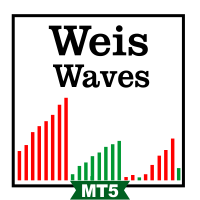
Weis Waves RSJ adds up the volume of each price wave and plots it as a histogram of cumulative volume for the alternating up and down waves. This lets you compare the effort (volume) of each wave with its result (price progress) and see when a move is supported by volume or is losing strength. How to read it Each bar of the histogram is the total volume traded during one price wave. When a trend is healthy, the waves in the direction of the trend usually show more volume than the corrections. Wh
FREE
VWAP Fibo Bands RSJ
JETINVEST
4.83 (12)
VWAP Fibo Bands RSJ draws the VWAP of the selected period and builds bands around it using Fibonacci proportions. The indicator plots 10 band levels around the VWAP. The bands show how far price has moved from the volume weighted average price and can be used as reference levels to plan entries, exits and stops. The bands are easiest to read on timeframes of 30 minutes and below. Inputs Calculation Volume Type Calculation Price Type VWAP Period Time Each band is drawn at a fixed Fibonacci distan
FREE
Tabajara Ogro
JETINVEST
4.77 (13)
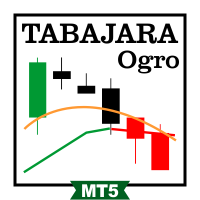
Free Tabajara setup for B3. Trading WIN? See our Trend WIN B3 robot. The Tabajara setup was created by a Brazilian trader known as "The OGRO of Wall Street". It shows the current trend and the type of trade to look for on the chart. How it works The indicator compares the closing price with the 20-period simple moving average and paints the candles in 4 colors: Green: price rising in an uptrend (look for buy entries) Black: price correcting in an uptrend (look for buy entries) Red: price falling
FREE
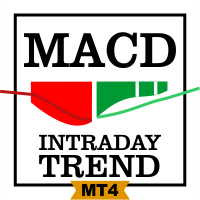
Free Fibonacci-tuned MACD for intraday trends. Want alerts and the full toolkit? MACD Intraday Trend PRO MT4 MACD Intraday Trend is an Indicator developed through an adaptation made of the original MACD created by Gerald Appel in the 1960s. Through years of trading it was observed that by changing the parameters of the MACD with Fibonacci proportions we achieve a better presentation of the continuity of the trend movements, making that it is possible to more efficiently detect the beginning and
FREE
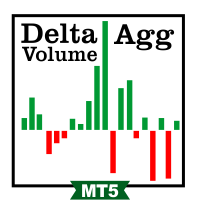
Delta Aggression Volume shows, candle by candle, whether aggressive buyers or aggressive sellers traded more on B3. WHAT IT DOES Computes the aggression delta of each candle: volume of aggressive buys minus volume of aggressive sells. Plots the balance of every candle in a separate window, colored by the side that won. REQUIREMENTS B3 only: mini index (WIN), mini dollar (WDO) and B3 stocks. The broker feed must report the aggressor side (buy or sell) of each trade. Forex, crypto and CFD feeds do
FREE
Aggression Wave RSJ adds up the difference between buy and sell aggression candle after candle and plots it as waves, so you can see which side is controlling the order flow on B3. WHAT IT DOES Computes the aggression delta of each candle (aggressive buys minus aggressive sells) and accumulates it into waves. Colors each wave by direction, so a change of control between buyers and sellers is visible at a glance. Draws a signal line over the waves to show the direction of the flow. REQUIREMENTS B
FREE
Up to 7 Fibonacci pivot levels per side. For graded supply/demand zones with retest count: Supply Demand RSJ PRO Pivot Point Fibo RSJ draws the daily pivot point and its support and resistance levels calculated with Fibonacci ratios. It plots up to 7 support levels and 7 resistance levels from the previous day's high, low and close. Traders use these levels as reference areas to plan entries, exits and stop placement during the day. Features Up to 7 levels of support and 7 levels of resistance F
FREE
Vwap RSJ
JETINVEST
4.82 (11)
VWAP RSJ plots the hourly, daily, weekly and monthly VWAP lines on the same chart. Large institutional buyers and funds use the VWAP to enter and exit positions with the smallest possible market impact. They usually try to buy below the VWAP and sell above it, which tends to pull price back toward the average. This indicator combines the four VWAP periods so you can see where price stands against each of them. How to read it Each VWAP line starts again at the beginning of its period: the hourly
FREE
Volume By Color RSJ paints the volume bar in a darker color when the traded volume is above its own moving average, so candles with unusual activity stand out. An optional four-color mode shows the strength of each candle's volume in steps. By default the indicator compares each bar with the 20-period simple average of the volume. The average type and period can be changed in the inputs. How to use The colored bars make it easy to spot breakouts, rejections and climax candles that happen with vo
FREE
Volume By Color RSJ paints the volume bar in a darker color when the traded volume is above its own moving average, so candles with unusual activity stand out. An optional four-color mode shows the strength of each candle's volume in steps. By default the indicator compares each bar with the 20-period simple average of the volume. The average type and period can be changed in the inputs. How to use The colored bars make it easy to spot breakouts, rejections and climax candles that happen with vo
FREE
MACD Intraday Trend PRO is an Indicator developed through an adaptation made of the original MACD created by Gerald Appel in the 1960s. Through years of trading it was observed that by changing the parameters of the MACD with Fibonacci proportions we achieve a better presentation of the continuity of the trend movements, making that it is possible to more efficiently detect the beginning and end of a price trend. Due to its efficiency in detecting price trends, it is also possible to identify ve
Renko Price Action ATR builds a Renko chart in which the size of each brick is calculated from the ATR of the period you select. Renko charts filter out small price movements, so trends, supports and resistances, and top and bottom divergences are easier to see. Operation Works with any symbol. The Renko chart is updated in real time. Settings ATR Calculation Timeframe: timeframe used to calculate the ATR and the brick size. ATR Calculation Averaging Period: number of periods of the ATR average.
B3 ONLY (WIN, WDO, B3 stocks). Aggression Wave PRO accumulates buy vs. sell aggression into waves, so you can see who is in control of the order flow, when momentum continues and when it diverges from price. Requires a broker/market that reports the aggressor side of each trade. Forex and crypto do NOT provide this data, so it will not work there. The free Aggression Wave RSJ is rated 4.57 by 7 traders. PRO adds divergence reading, 7 configurable alerts, 8 viewing modes and 12 buffers for EA int
B3 ONLY (WIN, WDO, B3 stocks). Delta Aggression Volume PRO shows, candle by candle, whether aggressive buyers or aggressive sellers won, and tracks the strength and continuity of that pressure. Requires a broker/market that reports the aggressor side of each trade. Forex and crypto do NOT provide this data, so it will not work there. Use the free Delta Aggression Volume to see the basic per-candle delta. PRO adds 5 configurable alerts, a delta channel (linear regression or standard deviation), a
Supply Demand RSJ PRO draws supply and demand zones automatically, grades each one (Weak, Strong, Verified, Proven) and counts how many times price has retested it. Any symbol, any timeframe. What it does Supply zones: where selling overwhelmed buying and pushed price down Demand zones: where buying overwhelmed selling and pushed price up Zone grading in 4 levels: Weak, Strong, Verified, Proven Labels with zone type and retest count, so you see which levels the market keeps respecting Zone filte
Trend WDO B3
JETINVEST
5 (1)
Trend WDO B3 is a professional trading system created for the MT5 platform and optimized to work with MINI DOLAR INDEX (WDO) on B3 in BRAZIL. The system uses Fuzzy Logic in several timeframes (1M, 5M, 15M, 30M, H1, H4, D1) to identify the price trend, applying weights in each timeframe according to the calculations made. After identifying the trend, the system places a STOP order (BUY or SELL) based on the average volatility, and once the position is opened, the EA manages the trade with a trail
Trend WIN B3
JETINVEST
5 (4)
Trend WIN B3 is a professional trading system created for the MT5 platform and optimized to work with MINI FUTURE INDEX (WIN) on B3 in BRAZIL. The system uses Fuzzy Logic in several timeframes (1M, 5M, 15M, 30M, H1, H4, D1) to identify the price trend, applying weights in each timeframe according to the calculations made. After identifying the trend, the system places a STOP order (BUY or SELL) based on the average volatility, and once the position is opened, the EA manages the trade with a trai
Sniper Major
JETINVEST
5 (1)
The EA uses volatility, spread, frequency, and timing to decide when to trade. The EA uses the Limit Orders method to open Positions. In this case, the Slippage will at most be positive on executing the entries. Open trades are managed with a trailing take profit and a fixed stop loss. Most trades are closed within a short time. Main features Does not use martingale Does not use grid Optimized currency pairs: EURUSD | GBPUSD | USDJPY | USDCHF Timeframe: M5 Note: the EA trades only in a short wi
Session & Killzones PRO draws the Asia, London and New York sessions and the ICT killzones on your chart, with the range of each session, previous day high/low and ADR projections. Daylight saving is handled per market, so the boxes stay in the right place all year without changing any setting. WHAT IT DOES Session boxes: Asia (Tokyo 09:00-18:00), London (08:00-17:00) and New York (08:00-17:00), each in its own local time US and UK daylight saving applied separately: the 2 to 3 weeks a year when
FVG and Structure PRO marks market structure (BOS / CHoCH), fair value gaps, order blocks and equal highs/lows on your chart: the price action concepts used by ICT and Smart Money traders. Every element is confirmed on a closed candle, so nothing on the chart is redrawn after it appears. WHAT IT DOES Swing highs and lows with adjustable strength; BOS (continuation) and CHoCH (change of character) drawn on candle close Optional HH / HL / LH / LL labels on every swing Fair value gaps (three-candle
Filter:
No reviews
Reply to review