RelicusRoad CopyTrader MT5

2

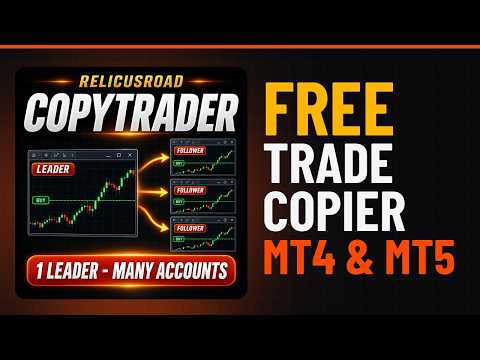
RelicusRoad CopyTrader is a free trade copier for MetaTrader 5. It copies trades between MT5 terminals on the same computer, so you can trade one account and have the others follow it, each at its own size and risk.

Full version, no limitations, no trial period.

Trade one account. Let the rest follow.

MetaTrader 4: RelicusRoad CopyTrader MT4

How it works

One terminal runs as the Leader (master) and shares the orders it holds. Any number of terminals run as Followers (slaves) and mirror them. Terminals are paired by a Channel name, so several independent copy groups can run side by side on one machine.

Copying runs on a 200 millisecond timer, so a follower reacts to a new order without waiting for a price tick on its own chart.

Setting it up

  • 1. Run all the terminals on the same computer or the same VPS. Copying between two different computers is not possible.
  • 2. Attach the EA to one chart in each terminal. Any symbol and timeframe will do.
  • 3. In the EA window, on the Common tab, tick Allow Algo Trading, and turn on the Algo Trading button in the toolbar of every terminal.
  • 4. Set Operating mode to Leader in the terminal you trade from, and to Follower in the others.
  • 5. Give all of them the same Channel name.
  • 6. Open a trade on the leader. The follower copies it within a second, and its panel counts the mirrored orders.

Not copying? Check these first

The alert line on the panel, and the lines starting with RRCT: in the Experts tab of the Toolbox (Ctrl+T), say exactly why a trade was not copied. The usual causes:

  • Terminals on different computers. They talk through a folder on the local disk, so both must run on one machine. The built-in MQL5 Virtual Hosting gives each terminal its own server, so it cannot be used for copying. Rent an ordinary VPS and install both terminals on it instead.
  • Algo Trading is off in the toolbar, or Allow Algo Trading is unticked in the EA settings.
  • Channel names differ. Leader and followers must use the same Channel.
  • Different symbol names. If the leader trades EURUSD and the follower's broker calls it EURUSD.m, set the suffix or a symbol map, and make sure the symbol is shown in the follower's Market Watch.
  • Lot below the broker minimum. With a small factor or balance ratio sizing, a small account can work out a lot under the minimum, and that copy is skipped. Raise the factor, use a fixed lot, or allow rounding up to the broker minimum.
  • Different account currencies with balance ratio sizing. Use factor or fixed lot sizing instead.
  • Netting account. Followers need a hedging account.
  • STANDBY on the panel. Another follower on the same account and channel is already copying. Only one follower per account and channel is allowed.

Still stuck? Post the RRCT: lines from both terminals in the Comments tab and we will find the cause.

What it copies

  • Direction and order type. A buy stays a buy, a sell stays a sell, and pending orders stay pending.
  • Stop Loss and Take Profit. Mirrored on entry and kept in sync when the leader moves them.
  • Partial closes. Close part of a position and the copy shrinks to match.
  • Exits. Close on the leader and the copies close with it.
  • Pending orders. Limit and stop orders are mirrored, and replaced with a market copy if the leader's order fills first.

Lot sizing

  • Factor. Multiply or divide the leader's lot by a number you choose.
  • Fixed lot. Every copy uses the same size, whatever the leader traded.
  • Balance ratio. A smaller account trades proportionally smaller, worked out from the two balances.

Every result is rounded to your broker's lot step and held inside its minimum and maximum. You can also set a hard lot ceiling per trade and a limit on how many copies are open at once.

What it will not do

A copier is only as good as its behaviour on a bad day. These are deliberate refusals, and each one is written to the Experts log so you can see why.

  • It will not close on bad data. If the shared file is unreadable, incomplete or out of date, the cycle is skipped and your positions are left alone.
  • It will not dump positions if the leader goes quiet. Copies are held and nothing new is opened, with a warning on the chart.
  • It will not reopen a trade you closed. Every copy is recorded in a ledger on disk, so a position you closed by hand, or one that hit its own stop, stays closed.
  • It will not invent a position size. If the calculated lot falls under your broker's minimum, the copy is skipped rather than traded at a much larger minimum.
  • It will not copy across a mismatched account. Balance ratio sizing is declined when the two accounts use different currencies, and any copy is declined when the same symbol name carries a different contract size.
  • It will not open an unprotected position. If your broker rejects the leader's stop levels the trade is refused, unless you allow it in the settings.

Different brokers, different symbol names

If your accounts are with brokers that name the same instrument differently, set a symbol prefix or suffix, or map them one by one, for example EURUSD=EURUSD.m;XAUUSD=GOLD.

On the chart

A small panel shows the mode, the channel, how many orders are being sent or mirrored, and a single alert line when something needs attention. The close button takes two clicks and states how many orders it will close before you confirm.

Main settings

  • Operating mode. Leader or Follower.
  • Channel. Must match between a leader and its followers.
  • Leader publish magic. Share one strategy and keep your other trades private.
  • Lot sizing method. Factor, fixed lot, or balance ratio.
  • Max slippage. Deviation allowed when a market copy fills.
  • Stale timeout. How long before a silent leader is treated as offline.
  • Copy pending orders. Include limit and stop orders.
  • Magic number. Tags the copies, so your manual trades are never touched.

Before you use it

Set it up on two demo accounts first. Open a buy, then a sell, and check the direction matches. Move a stop and watch it follow. Then close a copy by hand while the leader is still in the trade, and confirm it does not come back.

Follower accounts must use hedging mode. On a netting account a follower refuses to trade and says so on the chart, because netting merges positions and cannot hold separate copies. A leader can run on either account type. Both terminals must run on the same computer. They communicate through the shared MetaTrader data folder, not over the internet. Stop Loss and Take Profit are copied as prices, so brokers with materially different quotes will place them differently.

Support

Questions and problem reports are welcome in the Comments tab on this page, or by private message. Please include your MetaTrader build and both broker names.
Recommended products
GOM Trade Manager
Wannapach Chinnaprapa
GOM Trade Manager helps you execute trades the way you want it. Works on all instruments Forex, Commodities, & Crypto. It helps you with lot calculations, spread addition and balance calculations so you can just focus on actual trading. For full automatic planned management, stackable triggers and spread widening protection >> check out GOM Trade Manager Pro . ------------------------------------------NOTABLE FEATURES------------------------------------------ You set everything based on bid
FREE
PositionMap Pro — Account Overview Panel for MT5 A real-time panel that groups all open positions by symbol and shows Buy lots, Sell lots and net profit/loss directly on your chart — the whole account at a glance. Instead of counting lots symbol by symbol in the Terminal tab, PositionMap Pro groups everything automatically. You instantly see how much exposure you have on each symbol, split by direction. Panel example Symbol Buy Lot Sell Lot Net P/L EURUSD 0.50 — +12.30 XAUUSD — 1.00 −45.00 GBPUS
FREE
Stamina HUD
Michele Todesco
STAMINA HUD – Advanced Market & Trend Dashboard (MT5) STAMINA HUD   is a professional   market information panel   designed for traders who want   clarity, speed, and control   directly on the chart. It provides a   clean heads-up display (HUD)   with essential market data and   multi-timeframe trend direction , without cluttering the chart or generating trading signals. What STAMINA HUD Shows   Current Price   Spread (in real pips)   Today High–Low range (pips)   Average D
FREE
Gold and Bitcoin Zones is a visual indicator for MetaTrader 5 that displays potential M1 and M5 demand and supply zones together on a single chart. Zones are identified from price bases followed by a bullish or bearish impulse. Each zone is labelled M1 or M5 to identify its source timeframe. Chart Guide Green: potential demand zone. Transparent red: potential supply zone. Grey: invalidated zone or interrupted historical data. Untested / Retested: indicates whether price has returned to the zone
FREE
Show Pips for MT5
Roman Podpora
4.5 (32)
This information indicator will be useful for those who always want to be aware of the current situation on the account. VERSION MT 4 - More useful indicators The indicator displays data such as profit in points, percentage and currency, as well as the spread for the current pair and the time until the bar closes on the current timeframe. There are several options for placing the information line on the chart: - To the right of the price (runs behind the price); - As a comment (in the upper lef
FREE
FiT Panel Pro
Thonglak Janyakorn
Overview FiT Panel Pro is a professional-grade trade management panel designed for MetaTrader 5 traders who demand speed, precision, and full control over their trades. Built with a modern dark-theme UI, it combines one-click execution with advanced risk management, visual SL/TP drag lines, automatic Fibonacci-based levels, and comprehensive order management — all in a single, compact panel. Whether you are a scalper, day trader, or swing trader, FiT Panel Pro gives you the edge you need to exec
FREE
Copy your MT5 trades to accounts anywhere in the world with the   MetaToolsLab Master EA . Unlike local copiers that only work between terminals on the   same   PC or VPS, MetaToolsLab uses a secure cloud relay — so you can broadcast your trades to followers across   different computers, VPS providers, brokers, and continents , with   sub-second delivery   and   no broker passwords . Whether you're a signal provider, a multi-account trader, or an account manager, the Master EA installs in about
FREE
Market Time
Kaan Caliskan
3 (1)
MarketTime - Professional Multi-Timezone Clock & Session Indicator Never Miss a Trading Session Again - Monitor Global Market Hours in Real-Time MarketTime is a professional-grade indicator that displays multiple time zones, live session countdowns, and visual trading session zones directly on your MetaTrader 5 charts. In forex trading, timing is everything - knowing when major financial centers are active and when sessions overlap can significantly impact your trading success. This comprehensiv
FREE
VolumeBasedColorsBars
Henrique Magalhaes Lopes
VolumeBasedColorsBars — Free Powerful Volume Analysis for All Traders Unlock the hidden story behind every price bar! VolumeBasedColorsBars is a professional-grade, 100% FREE indicator that colorizes your chart candles based on real, adaptive volume analysis. Instantly spot surges in market activity, identify exhaustion, and catch the moves that matter. This indicator gives you:    • Dynamic color-coded bars for instant volume context    • Adaptive thresholds based on historical, session-awar
FREE
Friend of the Trend: Your Trend Tracker Master the market with Friend of the Trend , the indicator that simplifies trend analysis and helps you identify the best moments to buy, sell, or wait. With an intuitive and visually striking design, Friend of the Trend analyzes price movements and delivers signals through a colorful histogram: Green Bars : Signal an uptrend, indicating buying opportunities. Red Bars : Alert to a downtrend, suggesting potential selling points. Orange Bars : Represent cons
FREE
KF Market Structure
Abdul Malikul Hanan
KF Market Structure — Smart Money Concepts Trend & Breakout Analyzer KF Market Structure is a clean, rule-based Smart Money Concepts (SMC) indicator for MetaTrader 5 that automatically detects and visualizes market structure: Swing Highs, Swing Lows, Break of Structure (BOS), and Change of Character (CHoCH). Built strictly for closed bar evaluation, it provides an objective structural baseline for Price Action traders and automated trading strategies without erratic signals. Whether you trade
FREE
IMPORTANT NOTE: This is a professional Trade Management Utility and on-chart assistant. It is NOT an automated trading robot. It does not open trades on its own. The UltraFast Trade Manager MT5 is the ultimate execution and risk-management suite designed to give you absolute control over your manual and algorithmic trades. When managing multiple positions, calculating complex net break-even points, or constantly monitoring the economic calendar, hesitation can lead to costly mistakes. This utili
FREE
Daily Entry M1 – MT5 Indicator Daily Entry M1 is a MetaTrader 5 indicator created for traders who focus on short-term intraday opportunities on the M1 timeframe. The indicator analyzes market conditions and displays clear BUY and SELL arrows directly on the chart when its internal entry conditions are confirmed. The indicator is designed to look for potential market turning areas and attempts to identify entries close to an intraday top or bottom, helping traders focus on possible reversal oppo
FREE
Equity monitor
Vasiliy Pritchin
Equity monitor This is a simple means change informer. I wrote it for myself, maybe someone will need it... 1. Displays the change in funds for the day. Every day, when the terminal is first launched, it remembers the current funds and monitors changes throughout the day. 2. The first day of the month, well remembers the money and, within months, to monitor changes. 3. Well, it displays the profit of the open position. To work, you need to create 4 global variables: gvarEqityDay , gvarEq
FREE
Sylvan Crash500 Heiken Ashi
Quintin Francois Vanwyk
4.86 (7)
FOR CRASH 500 ONLY!! MT5 *This is a smooth heiken ashi setup meant to be used on CRASH 500 in combination with other indicators. *You are welcome to test it on other markets aswell. *I will be posting other indicators aswell to help with trading the crash 500 market. *You can use this to help smooth out price if you do struggle with reading the charts as is. * Just note heiken ashi doesnt represent real price action only smoothes it out for ease of read.
FREE
Free automatic Fibonacci is an indicator that automatically plots a Fibonacci retracement based on the number of bars you select on the BarsToScan setting in the indicator. The Fibonacci is automatically updated in real time as new highest and lowest values appears amongst the selected bars. You can select which level values to be displayed in the indicator settings. You can also select the color of the levels thus enabling the trader to be able to attach the indicator several times with differe
FREE
Exact Time — detailed time on the seconds chart. The utility shows the opening time of the selected candle. This is necessary when working with seconds charts. For example, it can be used on a seconds chart built using the Seconds Chart utility. Inputs Base corner — the chart corner to which an object Is attached. X distance — the horizontal distance from the chart corner. Y distance — the vertical distance from the chart corner. Text font — font name Font size — font size Color — text color
FREE
AI London Session Range Indicator automatically draws the London session's opening range as a box on your chart, giving breakout and session traders an instant, objective reference for the high-volatility window that sets the tone for the rest of the trading day. The indicator tracks the exact high and low reached during the configured opening-range window after the London session start, plots it as a shaded box, and keeps it visible for the rest of the session so you can watch for breakouts, re
FREE
This indicator is especially for the binary trading. Time frame is 1 minutes and exp time 5 or 3 minutes only. You must be use martingale 3 step. So you must put lots size is 10 % at most. You should use Mt2 trading platform to connect with my indicator to get more signal without human working. This indicator wining rate is over 80% but you may get 100% of profit by using martingale 3 step. You should use MT2 Trading Platform to connect meta trader platform and binary platform . You can get mt2
FREE
This utility keeps a watchful eye on your trading terminals and ensures that you are notified if any of them are disconnected. Simply attach the utility to a chart and connect to a monitoring service who can notify you. We use UptimeRobot for both VPS and terminal monitoring; however, any service supporting heartbeat monitoring can be employed. Many such services offer free plans and various notification methods, such as Cronitor.io
FREE
Reversal Composite Candles
MetaQuotes Ltd.
3.69 (16)
The idea of the system is to indentify the reversal patterns using the calculation of the composite candle. The reversal patterns is similar to the "Hammer" and "Hanging Man" patterns in Japanese candlestick analysis. But it uses the composite candle instead the single candle and doesn't need the small body of the composite candle to confirm the reversal. Input parameters: Range - maximal number of bars, used in the calculation of the composite candle. Minimum - minimal size of the composite can
FREE
Free utility for MetaTrader 5. Watches your EAs and your broker. Works next to any EA on the same account. No DLL needed. Cow Guard: Stops malicious and cracked EAs before they drain your account. Watches your broker too. Cow Guard watches every trade on your MT5 account and raises the alarm within seconds when an Expert Advisor starts to burst it, for example a cracked copy that opens and closes trades nonstop until the balance is gone. It never opens a trade. By default it only alerts you. If
FREE
Copy your MT5 trades to accounts anywhere in the world with the   MetaToolsLab Slave EA . Unlike local copiers that only work between terminals on the   same   PC or VPS, MetaToolsLab uses a secure cloud relay — so you can broadcast your trades to followers across   different computers, VPS providers, brokers, and continents , with   sub-second delivery   and   no broker passwords . Whether you're a signal provider, a multi-account trader, or an account manager, the Slave EA installs in about a
FREE
Apex Signal Pro
Ersin Karakus
5 (2)
APEX PRO SIGNAL Market Structure, Supply & Demand Zones and Trend Panel in One Indicator Apex Pro Signal is a price-action indicator for MetaTrader 5. It draws the three things many discretionary traders check first: market structure, key supply and demand zones, and the higher-timeframe bias. The goal is simple: help you find potential entry and exit areas on a clean, readable chart. WHAT YOU GET - BOS & CHoCH market structure   Break of Structure and Change of Character levels are drawn an
FREE
Description of the MonteCarloBands Indicator The   MonteCarloBands   indicator is a forward-looking analytical tool that employs the Monte Carlo method to project potential future price scenarios of a financial asset. It appears as a set of five percentile bands extending into the future, visualizing a "probability cone" based on the historical behavior of the market. Visual Appearance: P50 (Median) : Solid green line at the center, representing the expected median path P25 and P75 : Two orange
FREE
The Bull DCA DowJones Signal – Premium Trend & Swing Indicator (WinWiFi Robot Series) Overview: Unlock the full potential of Index trading with the latest innovation from the WinWiFi Robot Series . "The Bull DCA DowJones Signal" is a precision-engineered indicator designed to conquer global Indices, Energy, and Forex markets. Optimized for the H4 Timeframe , this tool filters out market noise and delivers clear, actionable signals for Trend Following, Breakouts, and Pullbacks. Key Features & S
FREE
Indicator measures strength of each currency in your list. Main idea: It simply iterates through all combinations of pairs and adds difference between open and close in percent. Parameters: List of currencies - what currencies will be calculated (maximum is 8) Calculation type - from which data will be strength calculated Calculation data input - used as input related to calculation type Symbol suffix - used in case of suffix on symbols, e.g: when your symbols look like EURUSDm, EURUSDmicro etc
FREE
MACD Enhanced
Nikita Berdnikov
4 (4)
Introducing the MACD  Enhanced – an advanced MACD (Moving Average Convergence Divergence) indicator that provides traders with extended capabilities for trend and momentum analysis in financial markets. The indicator uses the difference between the fast and slow exponential moving averages to determine momentum, direction, and strength of the trend, creating clear visual signals for potential entry and exit points. Attention! To achieve the best results, it is recommended to adapt the indicator
FREE
Blahtech VWAP MT5
Blahtech Limited
5 (1)
Blahtech VWAP - Volume Weighted Average Price (VWAP) is the ratio of price to total volume. It provides an average price over a specified time interval.  Links [  Install  |  Update  |  Documentation   ] Feature Highlights Configurable VWAP Line Sessions, intervals, anchored or continuous Previous day settlement line Standard Deviation bands Alerts at bar close or real time Automatic Broker or Tick volumes Significantly reduced CPU usage Input Parameters Expert Advisor Mode  - Reserved for iCu
FREE
Click Trading
Jawad Tauheed
5 (2)
One Click Trading – Auto TP SL Developer TraderLinkz Version 1.00 Category Utility What it does Adds missing TP and SL to your manual trades and pending orders Sets them once per ticket Lets you move TP and SL afterward Works on hedging and netting accounts Scans on every tick and reacts on trade events Why you want it You place faster entries You get consistent risk and exit targets You reduce fat finger errors You keep full manual control Quick start Attach the EA to any chart Keep TP and SL e
FREE
Buyers of this product also purchase
Trade Assistant MT5
Evgeniy Kravchenko
4.43 (216)
It helps to calculate the risk per trade, the easy installation of a new order, order management with partial closing functions, trailing stop of 7 types and other useful functions. Additional materials and instructions Installation instructions - Application instructions Line function -   shows on the chart the Opening line, Stop Loss, Take Profit. With this function it is easy to set a new order and see its additional characteristics before opening.   Risk management  - The risk calculation
FarmedHedge Pair Trading Dashboard
Tanapisit Tepawarapruek
5 (7)
Farmed Hedge Yield Farming | All Markets (Manual - Hybrid - Semi/Automated EA) VERIFIED TRADING RESULTS - Farmed Hedge Yield Axi Copy:  https://www.mql5.com/en/signals/2356376 - Farmed Hedge Yield Exn Copy:   https://www.mql5.com/en/signals/2356404 - Farmed Hedge Yield V Copy:  https://www.mql5.com/en/signals/2357156 IMPORTANT NOTICE: FarmedHedge is a MANUAL-FOCUSED TRADING UTILITY ,not a fully automated EA. Results shown on this Signal include manual trades and overall strategic management.
Forex Trade Manager MT5
InvestSoft
4.98 (689)
Trade Manager MT5 is an advanced position size calculator and trade management tool for MetaTrader 5, designed to help traders plan trades faster, control risk more precisely, and manage open positions directly from the chart. It combines order placement, risk based lot calculation, Stop Loss and Take Profit management, Break Even, Trailing Stop, Partial Close, Equity Protection, and external trade management in one panel. Whether you trade forex, indices, metals, commodities, crypto, or future
Telegram to MT5 MultiChannel Copier
Sergio Marquez Uroz
4.68 (22)
Telegram to MT5 Multi-Channel Copier   automatically copies trading signals from your Telegram and Discord channels straight to MetaTrader 5. No bots, no browser extensions, no manual copying. A signal arrives in Telegram or Discord and the EA opens the trade in your terminal within seconds. And before you copy a channel, the built-in backtester shows you what that channel would have done in your account. The product has two components: a Windows application that listens to your Telegram channel
Local Trade Copier EA MT5
Juvenille Emperor Limited
4.94 (150)
Local Trade Copier EA MT5 is a fast and flexible trade copier for copying and managing trades between multiple MetaTrader 5 accounts on the same Windows computer or Windows VPS. It combines local trade synchronization with Receiver-side controls for lot sizing, risk management, trade filtering, symbol mapping, trade management and account protection. Set up your Transmitter and Receiver terminals in about 1 minute and copy manual or EA trades between accounts at the same or different brokers. U
TradePanel MT5
Alfiya Fazylova
4.88 (172)
Trade Panel is a multi-functional trading assistant. The app contains over 50 trading functions for manual trading and allows you to automate most trading tasks. Application instructions: https://www.mql5.com/en/blogs/post/756482 Trial version of the application for a demo account: https://www.mql5.com/en/blogs/post/750865 How to install the application: https://www.mql5.com/en/blogs/post/756239 How to test the application in visual mode: https://www.mql5.com/en/blogs/post/770277 How to install
News Trade EA MT5
Konstantin Kulikov
4.55 (11)
Present to you the useful robot that I have been using for several years. It can be used in both semi-automatic mode and fully automatic mode. >>> Chat <<< The program contains flexible settings for trading on the news of the economic calendar. It cannot be checked in the strategy tester. Only real work. Download the latest archive of settings: https://www.mql5.com/en/blogs/post/747929 Signals monitoring: https://www.mql5.com/en/signals/author/test-standart When creating your own sets of setti
Copy Telegram signals with your own trading rules Telegram to MT5 Signal Trader automatically copies text-based trading signals from public and private Telegram channels and groups into MetaTrader 5. Manage multiple providers and MT5 accounts from one desktop app, with individual risk and trade settings for each provider . No Telegram bot or API setup needed for copying. Simply sign in with your own Telegram account by phone or QR code and select the channels or groups you have already joined. Y
Strategy Ledger Pro
Abdullah Uygar Tuna
5 (14)
Strategy Ledger Pro is a read-only account analysis panel for MetaTrader 5. It separates account results by Expert Advisor, strategy, symbol, and magic number, so you can see what each one really contributes. The panel is available in 11 languages: English, Français, Deutsch, Español, Italiano, Português, Русский, Türkçe, 中文, 日本語 and 한국어. Before you download the demo. The Market runs the demo of any paid product in the Strategy Tester only. This panel analyses the trades on your own account, and
================================================================================ POC BREAKOUT - V20.72. Full Professional Grade Toolkit ================================================================================ POC Breakout is a full MetaTrader 5 trading dashboard for discretionary traders who want breakout signals, Point of Control (POC) context, volume profiles, order flow, market structure, news, alerts, and advanced trade planning in one professional workspace. Attached directly to you
Exp COPYLOT CLIENT for MT5
Vladislav Andruschenko
3.97 (35)
Professional Trade Copier for MetaTrader 5 Fast, professional, and reliable trade copier for MetaTrader . COPYLOT allows you to copy Forex trades between MT4 and MT5 terminals with support for Hedge and Netting accounts. COPYLOT MT5 version supports: - MT5 Hedge to MT5 Hedge - MT5 Hedge to MT5 Netting - MT5 Netting to MT5 Hedge - MT5 Netting to MT5 Netting - MT4 to MT5 Hedge - MT4 to MT5 Netting MT4 version Full Description +DEMO +PDF How To Buy How To Install How to get Log Files H
The product will copy all telegram signal to MT5 ( which you are member) , also it can work as remote copier.  Easy to set up, copy order instant, can work with almost signal formats, image signal,  s upport to translate other language to English Work with all type of channel or group, even channel have "Restrict Saving Content", work with  multi channel, multi MT5 Work as remote copier: with signal have ticket number, it will copy exactly via ticket number. Support to backtest signal. How to s
EA Overfitter
Stephen J Martret
5 (3)
That backtest looks great. But will it still be making money tomorrow, next week, next month? EA Overfitter re-runs your EA on 100 price histories it has never seen. One score tells you if the edge is real. A backtest tells you what an EA did on one price history — the one that happened to occur. What you cannot tell from it is how much of that result was the strategy and how much was the particular path. EA Overfitter answers that. It builds up to 100 synthetic price histories your EA has n
Power Candles Strategy Scanner - Self-Optimizing Multi-Symbol Setup Finder Self-optimizing settings work one chart at a time, and finding where they pay off right now means opening chart after chart. Power Candles Strategy Scanner runs the same self-optimizing engine as the Power Candles indicator on every symbol in your Market Watch, side by side. One panel ranks where it pays off: the winning strategy per symbol, its optimized Stop Loss and Take Profit. An alert fires the moment a fresh signal
Telegram To MT5 Ultra
Mirel Daniel Gheonu
5 (5)
Telegram To MT5 — Signal Copier Turn the trading calls from your Telegram channels into real MT5 orders — automatically, on as many accounts as you like, with risk and rules fully under your control. Telegram To MT5 connects the VIP / signal channels you already follow on Telegram to your MetaTrader 5 terminal. A free companion desktop app reads the messages (even from channels that block bots), and this Expert Advisor executes them on your account — applying your own risk settings, symbol mappi
HINN MagicEntry Extra
ALGOFLOW OÜ
4.74 (19)
HINN MAGIC ENTRY – the ultimate tool for entry and position management! SIMPLE. FASTEST. INTUITIVE. MAX AUTOMATED. Place orders by selecting a level directly on the chart! full description   ::  demo-version  :: 60-sec-video-description Key features: - Market, limit, and pending orders - Automatic lot size calculation - Automatic spread and commission accounting - Unlimited partitial take-profits  - Breakeven and trailing stop-loss and take-profit  functions - Invalidation leves - Intuitive, a
Timeless Charts
Samuel Manoel De Souza
5 (9)
Timeless Charts is an all-in-one trading utility for professional traders. It combines custom chart types such as Seconds Charts and Renko with advanced order flow analysis using Footprints , Clusters , Volume Profiles , VWAP studies, and anchored analysis tools for deeper market insight. Trading and position management are handled directly from the chart through an integrated trade management panel , while Market Replay and Virtual Accounts provide environments for practicing trading skills and
Telegram to MT5 Coppy
Sergey Batudayev
5 (10)
Telegram to MT5: The Ultimate Signal Copying Solution Simplify your trading with Telegram to MT5, the modern tool that copies trading signals directly from Telegram channels and chats to your MetaTrader 5 platform, without the need for DLLs. This powerful solution ensures precise signal execution, extensive customization options, saves time, and boosts your efficiency. [ Instructions and DEMO ] [ FAQ ] [ How atach logs properly ] [ Settings descrition ] Key Features Direct Telegram API Integrati
VirtualTradePad One Click Trading Panel
Vladislav Andruschenko
4.59 (74)
Trading Panel for MetaTrader 5 — professional one-click trading from chart and keyboard A powerful trading panel for active manual trading, designed to open, manage, and close trades far faster and more efficiently than the standard MetaTrader interface. This panel is built for traders who want full control over positions, pending orders, profit management, and trading execution inside one professional workspace. This is not just another utility. It is a complete trading cockpit for MetaTrader
Anchor Trade Manager
Kalinskie Gilliam
5 (8)
Your EAs cannot see each other, but Anchor can. Anchor gives you one place to coordinate your EAs, manage risk, and decide when trading is allowed. It works alongside the trading bots you already use without any changes to them. The Problem One EA opens a trade. Then another starts trading. The next thing you know, you wake up to multiple grids built across your account. Each EA may be doing exactly what it was designed to do, but together they can place far more risk on your account than you in
Welcome to Entry In The Zone with SMC Multi Timeframe  —  COMPLETE SMC ANALYSIS SYSTEM — ALL IN ONE INDICATOR  Entry In The Zone with SMC Multi Timeframe  An indicator designed for market analysis based on Smart Money Concepts (SMC), displaying Market Structure, Key Zones (Order Blocks, Supply & Demand Zones, and Fair Value Gaps), Liquidity, and real-time BUY / SELL signals. It supports both Single-Timeframe and Multi-Timeframe analysis, along with the Confluence at Zone feature, which helps you
VirtualTradePad PRO SE MT5 — professional trading control center for MetaTrader 5 VirtualTradePad PRO SE is a premium chart-based trading panel and trade-management workspace for MetaTrader 5 . It is designed for traders who want faster execution, clearer position control, structured trade management, visual level planning and a professional workflow directly from the chart. This is not only a BUY / SELL panel. PRO SE combines manual trading, pending orders, position management, partial exits, b
Trade Indicator Assistant   is a powerful MT5 utility designed to turn indicators into automated trading systems. Its main feature is the ability to automatically detect an indicator’s   BUY and SELL signal buffers , without requiring you to know the buffer numbers, search through indicator settings, or modify the indicator source code. Bonus Indicator:   After purchasing Trade Indicator Assistant, contact me to receive   Trade Signal Pro   completely free as a bonus indicator. [Download Demo V
EA Auditor
Stephen J Martret
5 (7)
EA Auditor is an independent analysis tool for traders evaluating Expert Advisors and trading signals on MetaTrader 5. It audits backtest reports, reviews posted developer signals, and cross-verifies the two against each other to help traders assess strategies before committing capital. The MQL5 market offers a wide range of Expert Advisors from many developers, with varying approaches, quality, and transparency. EA Auditor provides a consistent, data-driven framework for reviewing them, answer
Trade Manager DaneTrades
Levi Dane Benjamin
4.13 (31)
DaneTrades Trade Manager is a professional trade panel for MetaTrader 5, designed for fast, accurate execution with built‑in risk control. Place market or pending orders directly from the chart while the panel automatically calculates position size from your chosen risk, helping you stay consistent and avoid emotional decision‑making. The Trade Manager is built for manual traders who want structure: clear risk/reward planning, automation for repeatable management, and safeguards that help reduc
MT5 to Telegram Signal Provider turns your trading account into a signal provider. Every trade action, whether manual, by EA or from your phone, is instantly sent as a message to Telegram. You can fully customize the format or use a ready-made template for quick setup. [ Demo ] [ Manual ] [ MT4 Version ] [ Discord Version ]     New: [ Telegram To MT5 ] Setup A step by step user guide is available. Key Features Ability to customize order details sent to subscribers You can create a tiered subs
RETAILBERG FOOTPRINT CHART PRO — Order-Flow Workspace for MetaTrader 5 Version 7.00  |  Professional System  |  31 tools  |  One chart A full 150-page illustrated User Manual is included. Please read the full manual to understand this feature packed footprint chart elements and ui. https://www.mql5.com/en/blogs/post/777982 DEMO / STRATEGY TESTER — PLEASE READ FIRST
Trader Evolution
Siarhei Vashchylka
5 (7)
" Trader Evolution " - A utility designed for traders who use wave and technical analysis in their work. One tab of the utility is capable of money management and opening orders, and the other can help in making Elliott wave and technical analysis. Manual (Be sure to read before purchasing) | Version for MT4 Advantages 1. Trading in a few clicks. Immediate and pending orders are available in the panel 2. Money management. The program automatically selects the appropriate lot size 3. Simplifies
Trade copier MT5
Alfiya Fazylova
4.61 (57)
Trade Copier is a professional utility designed to copy and synchronize trades between trading accounts. Copying occurs from the account / terminal of the supplier to the account / terminal of the recipient, which are installed on the same computer or VPS . Before buying, you can test the demo version on a demo account. Demo version here . Full instruction here . Main functionality and benefits: Supports copying MT5> MT5, MT4> MT5, MT5> MT4, including MT5 netting accounts. * Supports copying Dem
DrawDown Limiter
Haidar Lionel Haj Ali
5 (23)
DrawDown Limiter v5.0 — Advanced Account Protection Controller DrawDown Limiter v5.0 is a client-side account protection controller designed to supervise your trading account and automatically react when configured risk, profit, news, schedule, rollover, or position limits are reached. It can monitor manual trades, automated strategies, multiple Expert Advisors, pending orders and floating positions from one dedicated chart. It can protect the complete account or be configured to supervise a spe
More from author
The Moving Average Convergence Divergence (MACD) trading strategy is a popular technical analysis tool that is used to identify changes in momentum and trend direction. The MACD is calculated by subtracting the 26-period exponential moving average (EMA) from the 12-period EMA. A 9-period EMA, called the "signal line," is then plotted on top of the MACD to act as a trigger for buy and sell signals. Want support and every tool in one streamlined indicator? This MACD is part of the RelicusRoad Pr
FREE
RelicusRoad Pro MT5
Relicus LLC
4.96 (25)
Stop guessing your trades. Know when to enter, where to get out and which way the market leans, all on one chart. RelicusRoad Pro brings nearly twenty tools into one indicator, and you switch on the ones that fit the way you trade. Clear entries. Clear exits. A plan on every chart. Sound familiar? You buy, and price turns against you a minute later. You close too early, then watch the move carry on without you. Five indicators on the chart, five different answers. Your stop loss is a guess. Why
RelicusRoad Signal Line is a trend filter indicator for MetaTrader 4 and MetaTrader 5 that draws two moving average lines and colors each bar of them green, salmon or gray from a strategy filter you choose. The line shows where the average is. The color shows what the chosen filter says about that bar. By default Line 1 is a fast KAMA 9 colored by momentum and Line 2 is a slow Hull moving average 200 colored by Ichimoku. How it works Each line is calculated from closing prices with the average t
FREE
RelicusRoad MACD v2
Relicus LLC
4.67 (6)
The Moving Average Convergence Divergence (MACD) trading strategy is a popular technical analysis tool that is used to identify changes in momentum and trend direction. The MACD is calculated by subtracting the 26-period exponential moving average (EMA) from the 12-period EMA. A 9-period EMA, called the "signal line," is then plotted on top of the MACD to act as a trigger for buy and sell signals. Want support and every tool in one streamlined indicator? This MACD is part of the RelicusRoad Pr
FREE
RelicusRoad Signal Line is a trend filter indicator for MetaTrader 4 and MetaTrader 5 that draws two moving average lines and colors each bar of them green, salmon or gray from a strategy filter you choose. The line shows where the average is. The color shows what the chosen filter says about that bar. By default Line 1 is a fast KAMA 9 colored by momentum and Line 2 is a slow Hull moving average 200 colored by Ichimoku. How it works Each line is calculated from closing prices with the average t
FREE
RelicusRoad Signal Cloud is a cloud indicator for MetaTrader 4 and MetaTrader 5 that projects a price band 21 bars ahead, sized by the gap between the 12 and 26 period EMAs. The band is centered on a 3-period EMA of close and smoothed so its edges move gradually. Because it is shifted forward, part of the cloud always sits to the right of the last bar, and price later arrives at the section that was drawn earlier. How it works For each bar the indicator measures the absolute gap between the 12 a
FREE
RelicusRoad Daily High Low is a previous day high and low indicator for MetaTrader 4 and MetaTrader 5 that marks yesterday's high and low and today's open on every bar of an intraday chart. The three levels are drawn as colored dot series that step to new values when a new period starts, with small High, Low and Open tags at the end of each period. On charts from H1 to H4 the same markers show last week's range and this week's open instead, and on D1 they show the monthly equivalents. How it wor
FREE
RelicusRoad Multi Timeframe Trendbar is a multi-timeframe trend indicator for MetaTrader 4 and MetaTrader 5 that shows an Uptrend, Neutral or Downtrend state for nine timeframes, M1 to MN1, as a row of colored dots in the chart corner. Each timeframe gets one dot with its name above it, in the lower-right corner of the chart. The color tells you the state, so you can see which timeframes agree without switching charts. How it works For each timeframe, the indicator compares two standard tools on
FREE
RelicusRoad SuperTrend is a SuperTrend indicator for MetaTrader 4 and MetaTrader 5 that plots an ATR-based trailing line below price in an uptrend and above price in a downtrend. It is the classic SuperTrend calculation with nothing layered on top: one line for the up side, one for the down side, and no arrows, labels or panels. How it works For every bar the indicator takes the median price, the midpoint of the bar's high and low, and sets a band a chosen number of Average True Range (ATR) unit
FREE
RelicusRoad Daily Pivots is a daily pivot points indicator for MetaTrader 4 and MetaTrader 5 that divides the previous day's range into Fibonacci levels and extends them above and below it, from minus 100 to plus 200 percent. Instead of classic floor pivots, the previous completed range is treated as a scale where the low is 0% and the high is 100%. Nineteen levels are printed as compact colored markers at the right edge of the chart, so the size of today's move reads as a fraction or a multiple
FREE
RelicusRoad Multi Timeframe Trendbar is a multi-timeframe trend indicator for MetaTrader 4 and MetaTrader 5 that shows an Uptrend, Neutral or Downtrend state for nine timeframes, M1 to MN1, as a row of colored dots in the chart corner. Each timeframe gets one dot with its name above it, in the lower-right corner of the chart. The color tells you the state, so you can see which timeframes agree without switching charts. How it works For each timeframe, the indicator compares two standard tools on
FREE
RelicusRoad Daily Pivots is a daily pivot points indicator for MetaTrader 4 and MetaTrader 5 that divides the previous day's range into Fibonacci levels and extends them above and below it, from minus 100 to plus 200 percent. Instead of classic floor pivots, the previous completed range is treated as a scale where the low is 0% and the high is 100%. Nineteen levels are printed as compact colored markers at the right edge of the chart, so the size of today's move reads as a fraction or a multiple
FREE
RelicusRoad SuperTrend is a SuperTrend indicator for MetaTrader 4 and MetaTrader 5 that plots an ATR-based trailing line below price in an uptrend and above price in a downtrend. It is the classic SuperTrend calculation with nothing layered on top: one line for the up side, one for the down side, and no arrows, labels or panels. How it works For every bar the indicator takes the median price, the midpoint of the bar's high and low, and sets a band a chosen number of Average True Range (ATR) unit
FREE
RelicusRoad Daily High Low is a previous day high and low indicator for MetaTrader 4 and MetaTrader 5 that marks yesterday's high and low and today's open on every bar of an intraday chart. The three levels are drawn as colored dot series that step to new values when a new period starts, with small High, Low and Open tags at the end of each period. On charts from H1 to H4 the same markers show last week's range and this week's open instead, and on D1 they show the monthly equivalents. How it wor
FREE
RelicusRoad Fractals is a fractal indicator for MetaTrader 4 and MetaTrader 5 that marks swing highs and swing lows at two strengths, a Fast test of 7 bars on each side and a Slow test of 15 bars on each side. A 7-bar window on each side already filters out many small wiggles, and the Slow test asks for more than twice that, so its thicker arrows pick out the swings that held over a much wider stretch of the chart. Both strengths are shown together, so minor and larger swings can be told apart a
FREE
RelicusRoad Signal Cloud is a cloud indicator for MetaTrader 4 and MetaTrader 5 that projects a price band 21 bars ahead, sized by the gap between the 12 and 26 period EMAs. The band is centered on a 3-period EMA of close and smoothed so its edges move gradually. Because it is shifted forward, part of the cloud always sits to the right of the last bar, and price later arrives at the section that was drawn earlier. How it works For each bar the indicator measures the absolute gap between the 12 a
FREE
RelicusRoad Multi Timeframe Levels is a multi-timeframe support and resistance indicator for MetaTrader 4 and MetaTrader 5 that draws the latest swing high and swing low from H1, H4, D1, W1 and MN1 as horizontal lines on the chart you are trading. Each of those five timeframes contributes one resistance line and one support line, so an intraday chart carries up to ten lines. Every line is colored by the timeframe it came from, which keeps the higher-timeframe swings in view without switching cha
FREE
RelicusRoad Multi Timeframe Levels is a multi-timeframe support and resistance indicator for MetaTrader 4 and MetaTrader 5 that draws the latest swing high and swing low from H1, H4, D1, W1 and MN1 as horizontal lines on the chart you are trading. Each of those five timeframes contributes one resistance line and one support line, so an intraday chart carries up to ten lines. Every line is colored by the timeframe it came from, which keeps the higher-timeframe swings in view without switching cha
FREE
RelicusRoad Fractals is a fractal indicator for MetaTrader 4 and MetaTrader 5 that marks swing highs and swing lows at two strengths, a Fast test of 7 bars on each side and a Slow test of 15 bars on each side. A 7-bar window on each side already filters out many small wiggles, and the Slow test asks for more than twice that, so its thicker arrows pick out the swings that held over a much wider stretch of the chart. Both strengths are shown together, so minor and larger swings can be told apart a
FREE
RelicusRoad Trading Sessions is a trading sessions indicator for MetaTrader 4 and MetaTrader 5 that marks the opening time of the Tokyo, London and New York sessions with dotted vertical lines on M1, M5 and M15 charts. Each session open is shown as a line, a small rotated name label and an event marker in the session's color, for the current day and the previous weekdays. Hovering over one shows the session name and its opening time. The indicator marks opens only: it does not shade session rang
FREE
RelicusRoad Trading Sessions is a trading sessions indicator for MetaTrader 4 and MetaTrader 5 that marks the opening time of the Tokyo, London and New York sessions with dotted vertical lines on M1, M5 and M15 charts. Each session open is shown as a line, a small rotated name label and an event marker in the session's color, for the current day and the previous weekdays. Hovering over one shows the session name and its opening time. The indicator marks opens only: it does not shade session rang
FREE
RelicusRoad CopyTrader is a free trade copier for MetaTrader 4 . It copies trades between MT4 terminals on the same computer, so you can trade one account and have the others follow it, each at its own size and risk. Full version, no limitations, no trial period. Trade one account. Let the rest follow. MetaTrader 5: RelicusRoad CopyTrader MT5 How it works One terminal runs as the Leader (master) and shares the orders it holds. Any number of terminals run as Followers (slaves) and mirror them. Te
FREE
RelicusRoad Pro
Relicus LLC
4.65 (107)
Stop guessing your trades. Know when to enter, where to get out and which way the market leans, all on one chart. RelicusRoad Pro brings nearly twenty tools into one indicator, and you switch on the ones that fit the way you trade. Clear entries. Clear exits. A plan on every chart. Sound familiar? You buy, and price turns against you a minute later. You close too early, then watch the move carry on without you. Five indicators on the chart, five different answers. Your stop loss is a guess. Why
RelicusRoad Support Resistance is a support and resistance indicator for MetaTrader 4 and MetaTrader 5 that builds supply and demand zones from fractal swings and grades each one by its strength and recent tests. It keeps a short map of zones above and below price, each labeled with its grade, width and recent test count. How it works Swing highs and lows are collected into price zones rather than single lines. A swing is a bar whose high or low is not exceeded by the 7 bars on either side, and
RelicusRoad Action Levels is a support and resistance levels indicator for MetaTrader 4 and MetaTrader 5 that fits a grid of major and minor price levels to the symbol's own volatility and past reactions, and labels each level with its touch count. The grid is not a fixed pip spacing and not a plain round-number grid. Its spacing and offset are chosen from completed bars, each level is scored on how price behaved around it, and only the strongest levels near the current price are drawn. How it w
RelicusRoad Scalping Pivots is a swing point and Fibonacci level indicator for MetaTrader 4 and MetaTrader 5 that marks alternating swing highs and lows over a 60-bar lookback and labels Fibonacci retracements and extensions of the latest swing. The pivots in the name are these swing points, not classic floor pivot points such as PP, R1 and S1. Next to the newest swing, the indicator prints a column of percentage labels so you can read retracement and extension levels without drawing a Fibonacci
RelicusRoad Dynamic Circles is a swing high and swing low indicator for MetaTrader 4 and MetaTrader 5 that marks turning points with circles at three lookback lengths at once: 9, 60 and 156 bars. Small turns and large turns sit on the same chart but look different. A short range dot shows a minor swing, while the larger medium and long range rings only appear where price made the extreme of a much longer window. Each circle can carry a short text label such as HH(60) or LL(156). How it works For
RelicusRoad Trendlines is an automatic trendline indicator for MetaTrader 4 and MetaTrader 5 that fits trendline channels through confirmed swing pivots at three swing sizes and draws them as shaded zones. Short, medium and long swings each have their own color. The chart shows the two or three channels that score highest at the moment, plus a grey checkerboard box that maps a reference entry, stop and target for one selected rail. How it works A swing high or low is confirmed only when it is th
RelicusRoad Order Blocks is an order block indicator for MetaTrader 4 and MetaTrader 5 that finds displacement candles, marks the candle that started each move as a bullish or bearish order block, and tracks how far price has traded back into it. It is written for traders who work with smart money concepts (SMC). How it works A displacement candle is one whose body is at least 1.5 times the Average True Range (ATR) of the last 14 bars and at least 55 percent of its own high-to-low range. The ind
RelicusRoad for MetaTrader 4 and MetaTrader 5 draws a channel of volatility-based liquidity levels around a center line, so you can see at a glance whether price is near its recent average or stretched to an edge where targets and stops belong. The center line is a weighted average of recent prices. Three Sell levels sit above it and three Buy levels below, each a fixed step further out, so the outer lines are only reached when price has travelled a long way from its average. What Each Line Tell
Filter:
classicaltrading
1069
classicaltrading 2026.09.29 01:44 

Does not work, I tried a few times. Signals are not copped. Both terminals running, same symbols (no extra suffix), same group name, one account is the leader, the other is the follower, nothing works. Besides, if it worked there is no option to use opposite direction trading.


Relicus LLC
38747
Reply from developer Waleed Ur Rehman 2026.09.30 19:23
Thanks for trying it, and sorry it didn't copy for you. The EA always says why it skips a trade, so this should be quick to find. The usual causes on MT5: 1. The follower is a netting account. Followers need a hedging account; on netting the Experts log says "FOLLOWER DISABLED".
2. The terminals run on different computers, or on the built-in MQL5 Virtual Hosting. Both must run on the same PC or the same VPS, because they talk through a local folder.
3. Algo Trading is off in the follower's toolbar, or "Allow Algo Trading" is unticked in the EA settings.
4. The calculated lot is below the broker minimum (small account with Factor or Balance ratio sizing). As a test, set Lot sizing method to Fixed lot 0.01. If none of these fits, please post the lines starting with "RRCT:" from the Experts tab (Ctrl+T) of both terminals in the Comments tab or send me a private message, and I'll get it working with you. Reverse (opposite-direction) copying is a fair request; I'll look at adding it.
Reply to review